Computer Forum
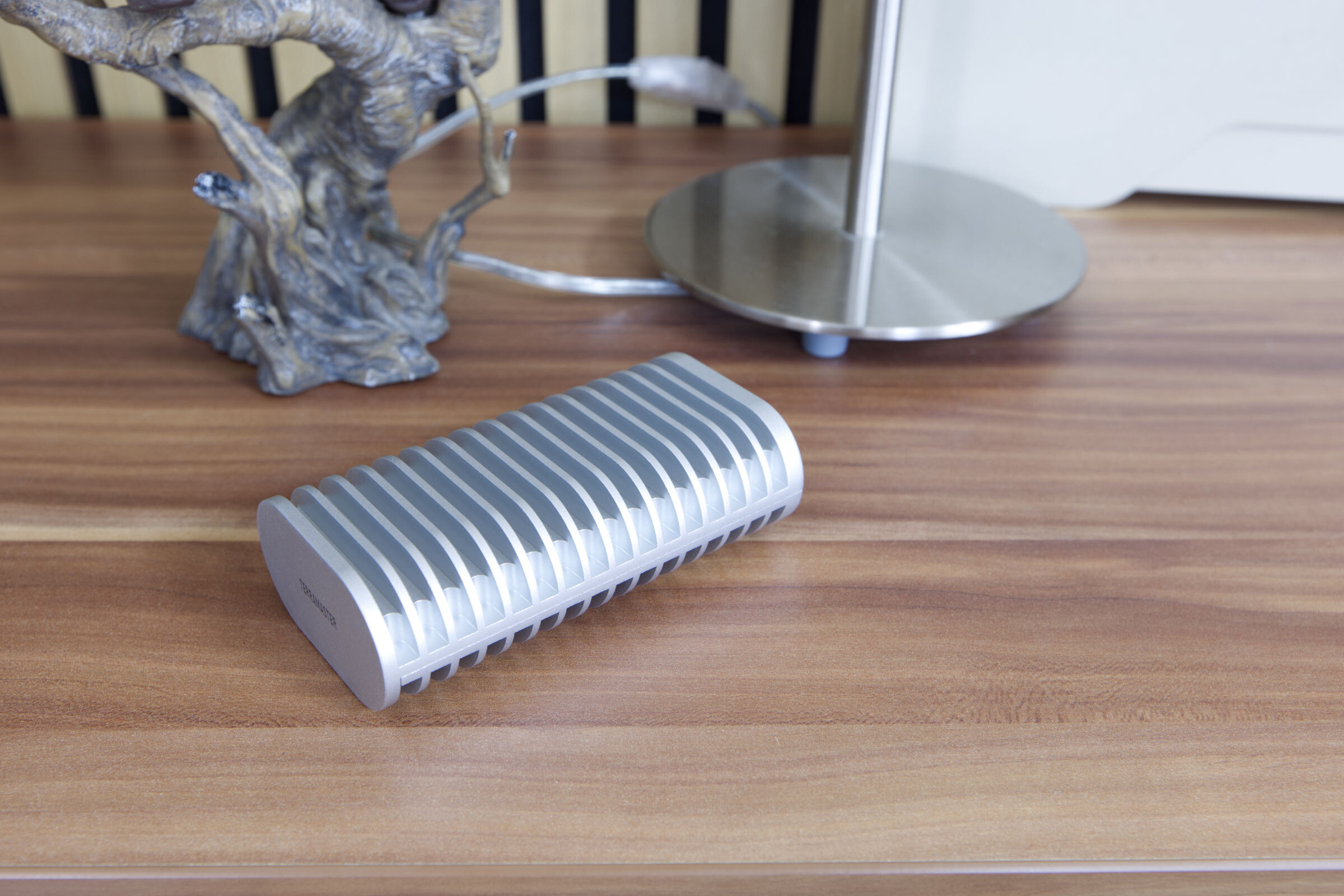 TeraMaster D1 SSD Plus Test Review (Image © PCMasters.de)
D1 SSD Plus enclosure with USB 4 and Thunderbolt 4 support
TERRAMASTER will be familiar to some, as the manufacturer is primarily known for its external storage and NAS solutions. With the D1 SSD Plus, the manufacturer has launched an external enclosure on the market that is designed to deliver a bandwidth of up to 40 Gbit/s. Standard NVMe SSDs can be installed inside the housing, which are fixed in place with a screw. NVMe SSDs with the widely used M.2-2280 form factor are supported. PCIe 3.0, PCIe 4.0 and even PCIe 5.0 are specified as compatible interfaces. If you convert the targeted 40 Gbit/s into data transfer rates, the housing should be able to transfer a maximum of 5,000 MB/s sequentially. Due to the fact that the M.2 NVMe SSDs are only connected with 4 lanes, a maximum of 3.9 GB/s would be achievable with PCIe 3.0, 7.8 GB/s with PCIe 4.0 and even 15.5 GB/s with PCIe 5.0. This shows that a PCIe 4.0 SSD would fit best in the housing, as it would not work at the limit and the housing is the limiting factor. The data transfer rates would still be fast because the values for random access are significantly lower than these sequential read/write values.
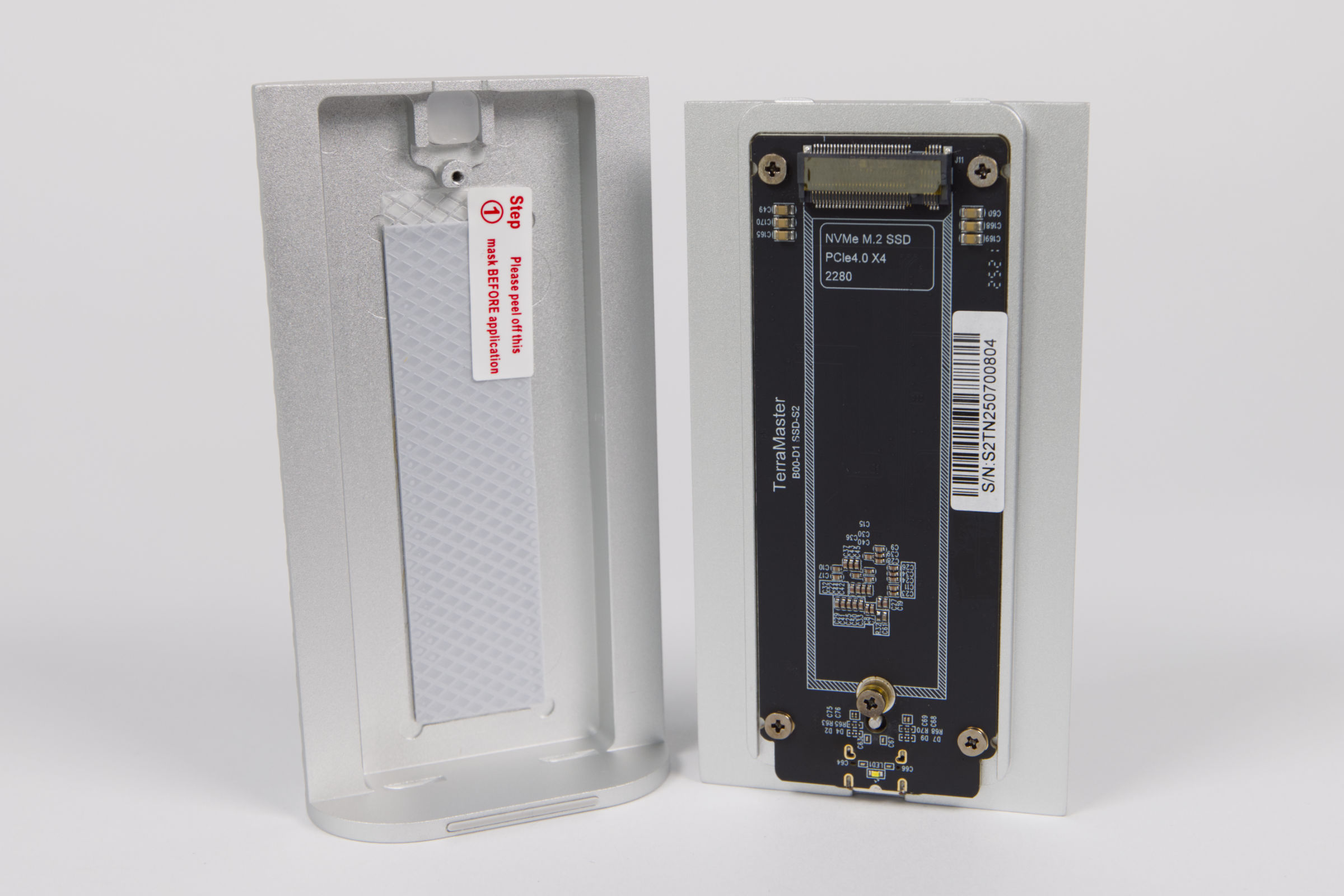 TeraMaster D1 SSD Plus Innenaufbau (Image © PCMasters.de)
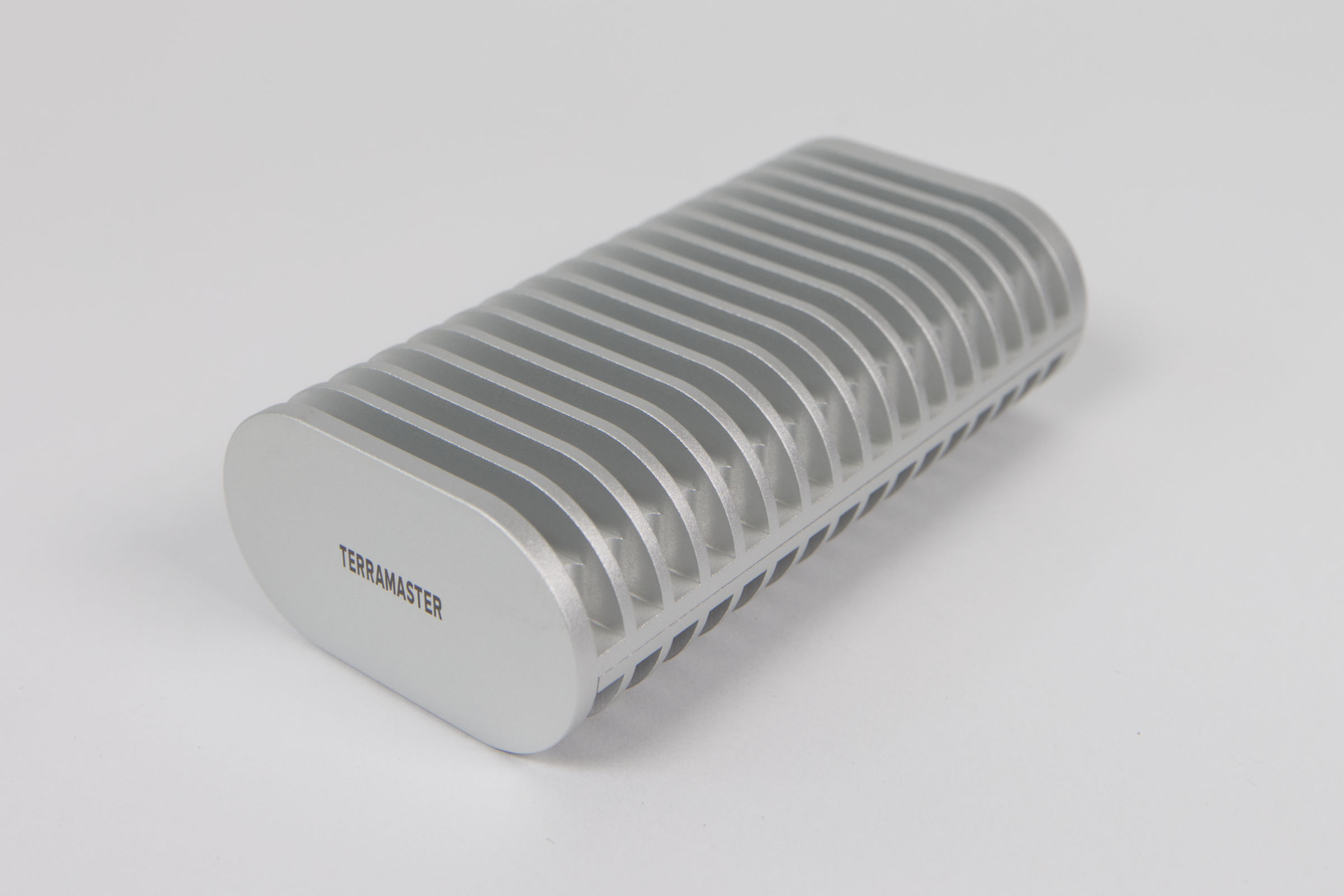
The design of the D1 SSD Plus is very striking and the focus on passive cooling is clearly recognizable. The housing is made of aluminum and has a very high-quality finish. It consists of two parts, an upper and a lower shell. The PCB with controller is screwed into one shell and the counterpart is fitted with a heat conduction pad so that the SSD can transfer the waste heat to the housing. The other side of the SSD has no points of contact with the housing or PCB. SSDs fitted on both sides could have problems here.
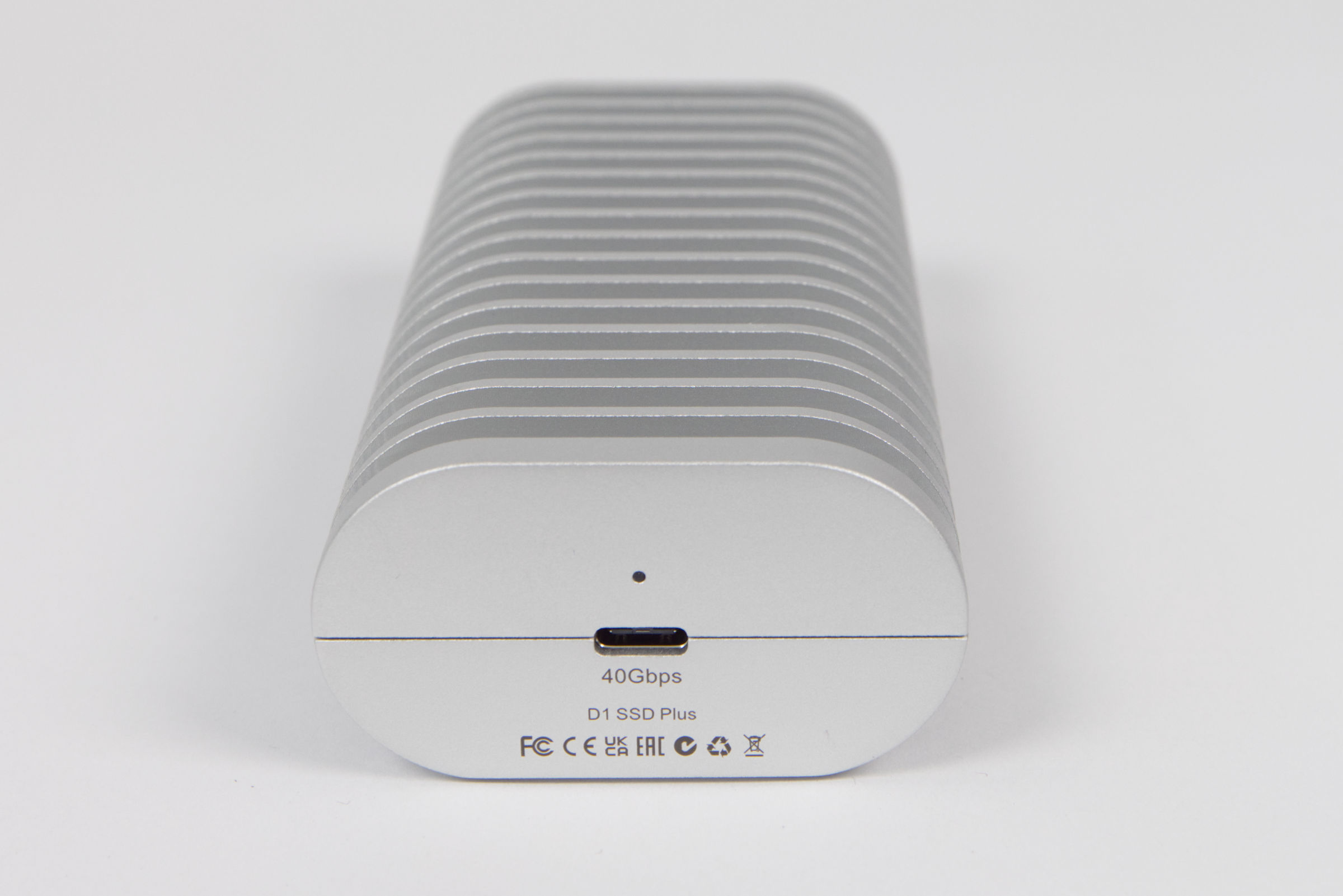 TeraMaster D1 SSD Plus USB Port (Image © PCMasters.de)
The housing has a USB Type-C port that is neatly embedded in the center. USB 4, USB 3.2, USB 3.1, USB 3.0 and USB 2.0 are specified as compatible standards. USB 4 also ensures compatibility with the Thunderbolt standard, with Terramaster listing Thunderbolt 5, Thunderbolt 4 and Thunderbolt 3 as compatible.
Technical data
| TerraMaster D1 SSD Plus - Technical data | |
|---|---|
| Compatible drives | PCIe 3.0/4.0/5.0 NVMe M.2 2280 SSD |
| File system | NTFS, APFS, Mac OS, FAT32, EXT4, exFAT |
| Maximum internal capacity | 8 TB (8 TB SSD * 1) |
| Ports | 1 x USB 4 40 Gbit/s |
| Read speed (max.) | 3,641 MB/s (Samsung 990 Pro 4 TB) |
| Weight | 246 kg |
| Write speed (max.) | 3,498 MB/s (Samsung 990 Pro 4 TB) |
| Power supply | USB 5 V |
| Dimensions | 112.5 x 60.0 x 33.0 mm |
| Power consumption | 7.5 W read/write, 5.5 W idle |
| Guaranteed | 2 years |
| Price | 79,90 € (Affiliate) |
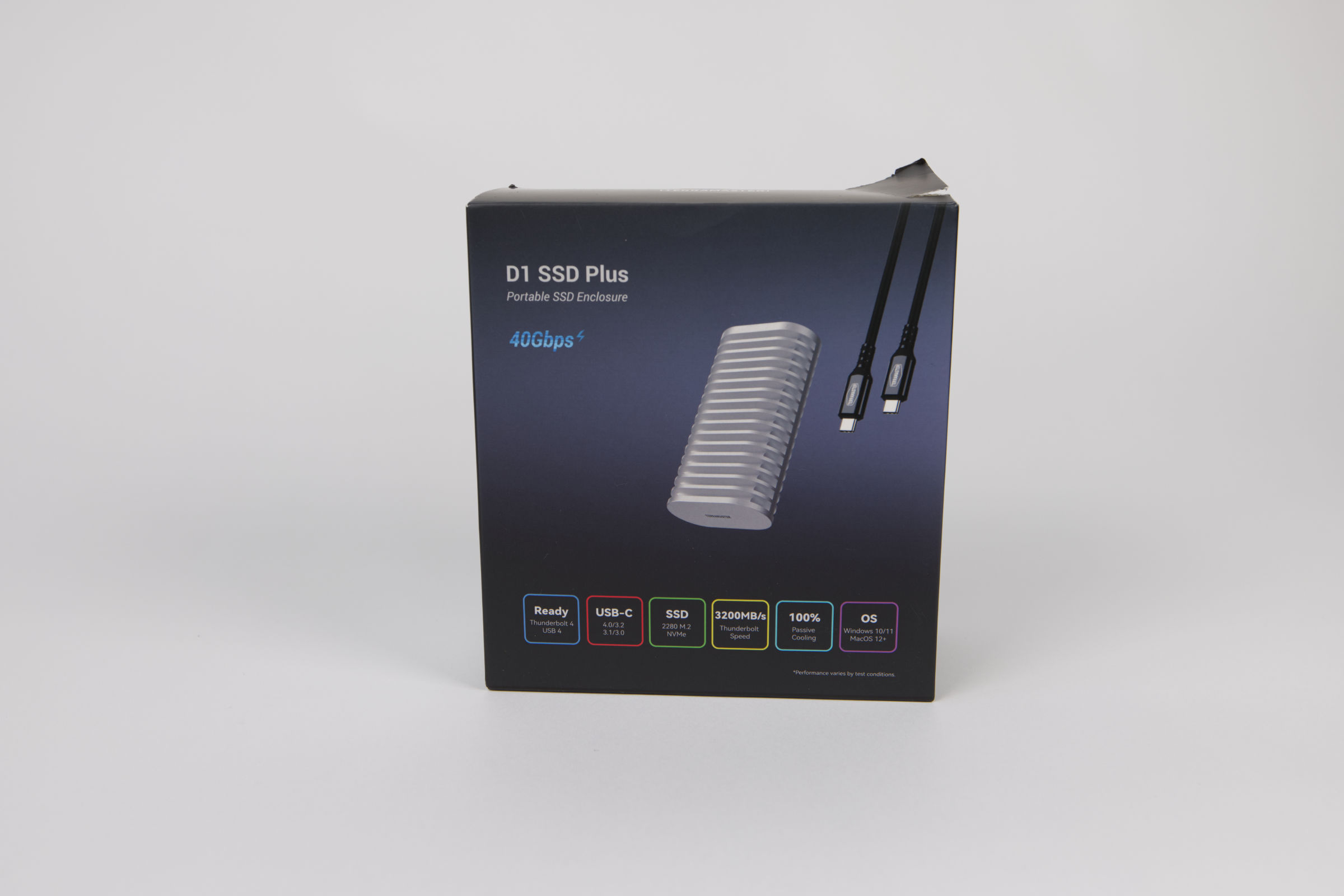 TeraMaster D1 SSD Plus Verpackung (Image © PCMasters.de)
Packaging and scope of delivery
TerraMaster uses colorful printed packaging for the D1 SSD Plus case, which shows the case on a dark background on the front. The most important features are displayed underneath in colorful boxes to provide a quick overview. The outer packaging is not particularly thick, but the box inside is made of much thicker cardboard.
In a removable box we find the USB cable and the screwdriver as well as a protective cover. The scope of delivery is therefore good, even if the USB cable could be longer.
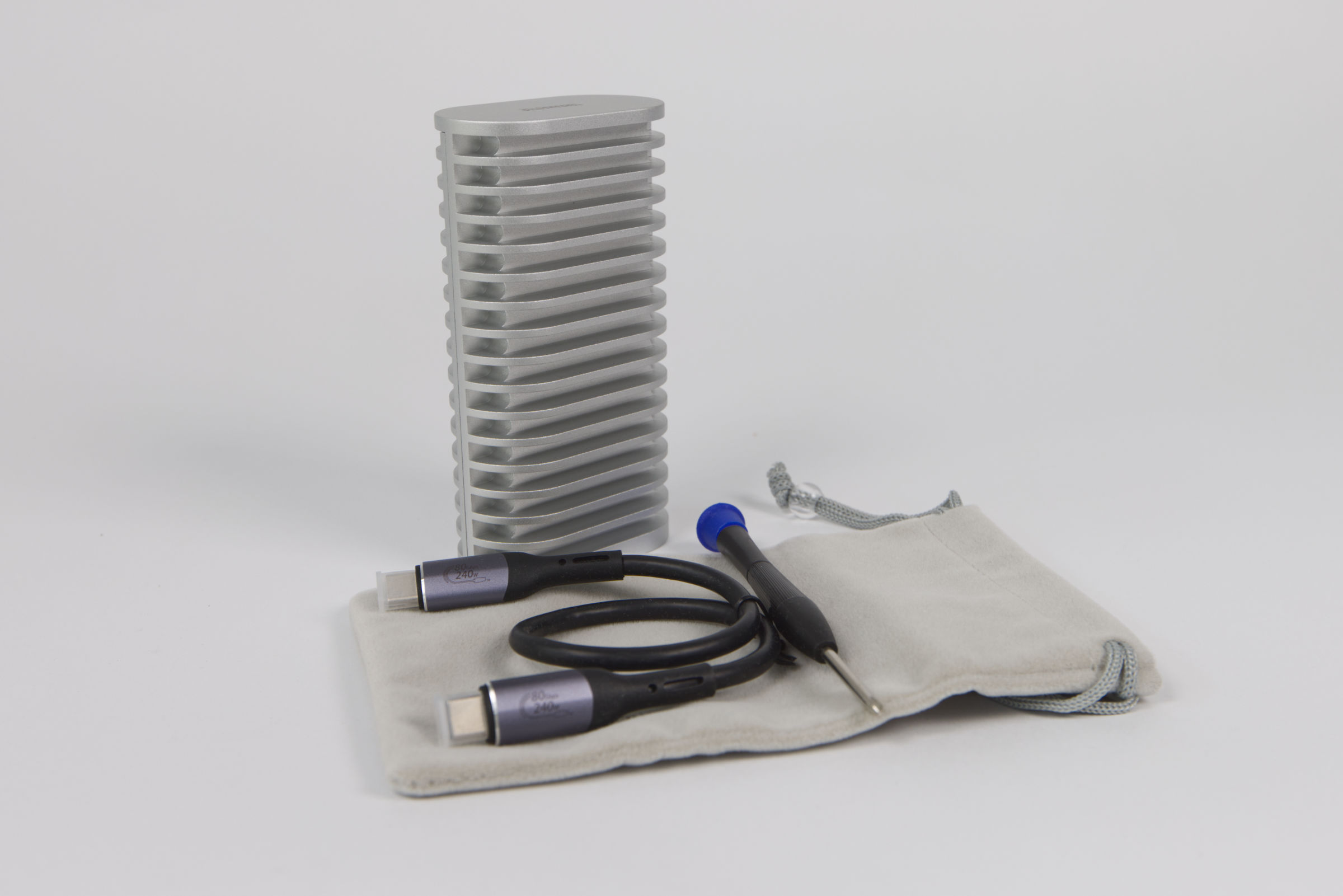 TeraMaster D1 SSD Plus Lieferumfang (Image © PCMasters.de)
Scope of delivery:
-
D1 SSD Plus case
- USB4 cable C to C, 0.3 m
- Quick start guide
- Carrying bag
- Note on the limited warranty
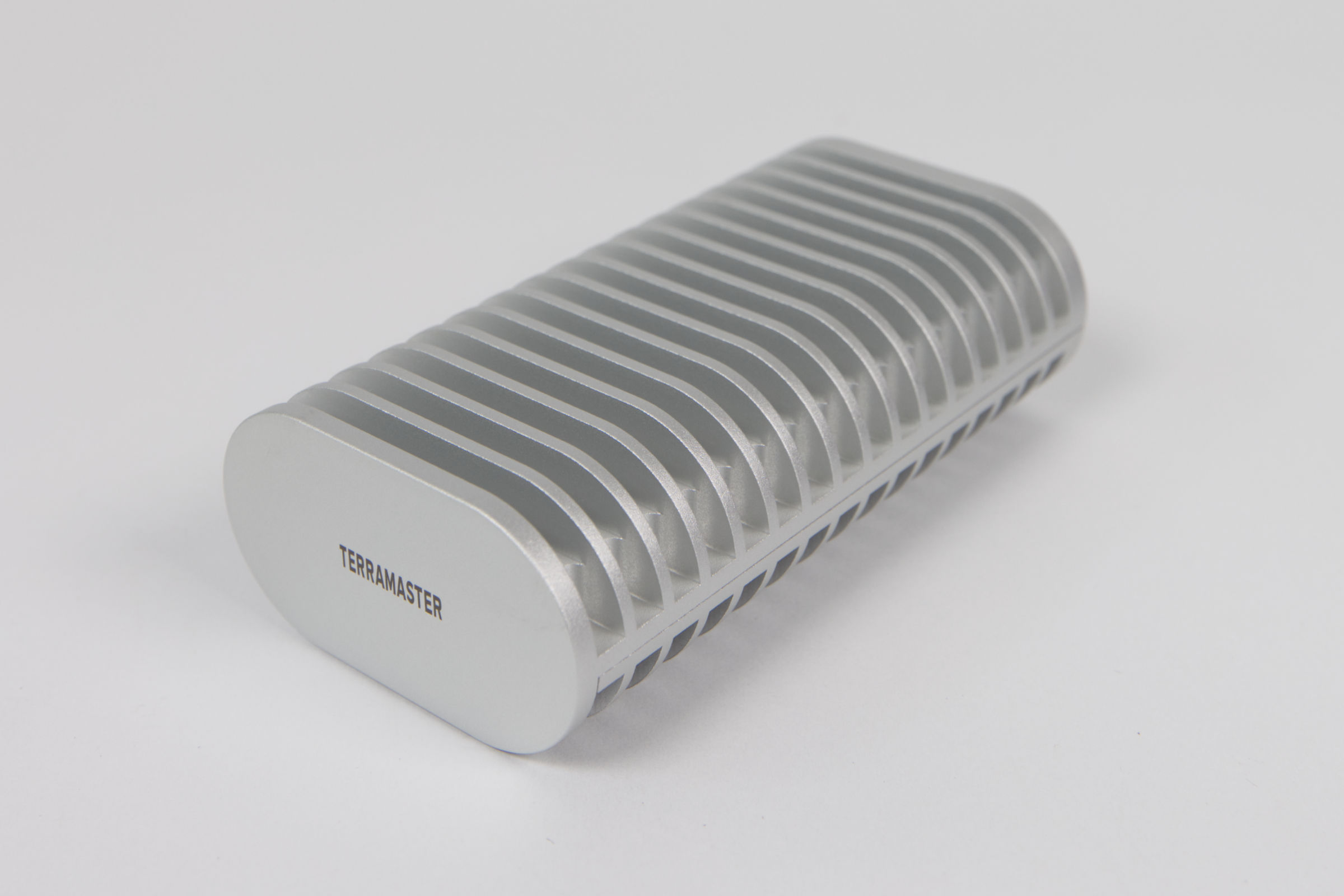 TeraMaster D1 SSD Plus Gehäuse (Image © PCMasters.de)
Test setup
We tested the D1 SSD Plus enclosure on a MacBook Air 13" M4, which is equipped with two Thunderbolt 4 (USB C) ports. According to intel's specification, Thunderbolt 4 achieves exactly the targeted bandwidth of 40 Gbit/s, which the enclosure should also be able to achieve. Thunderbolt 4 is also a common standard that is not too old and not too new, and it is also widely used in the Mac world.
We used a faster P510 PCIe 5.0 NVMe SSD from Crucial for the test. The SSD achieves a throughput of 11,000 MB/s for sequential reads and 9,500 MB/s for sequential writes.
Under macOS, we use the Black Magic Disk Speed Test Tool to test the performance of SSDs. Below is a screenshot of the measurements of the Crucial P510 1 TB in the D1 SSD Plus enclosure:
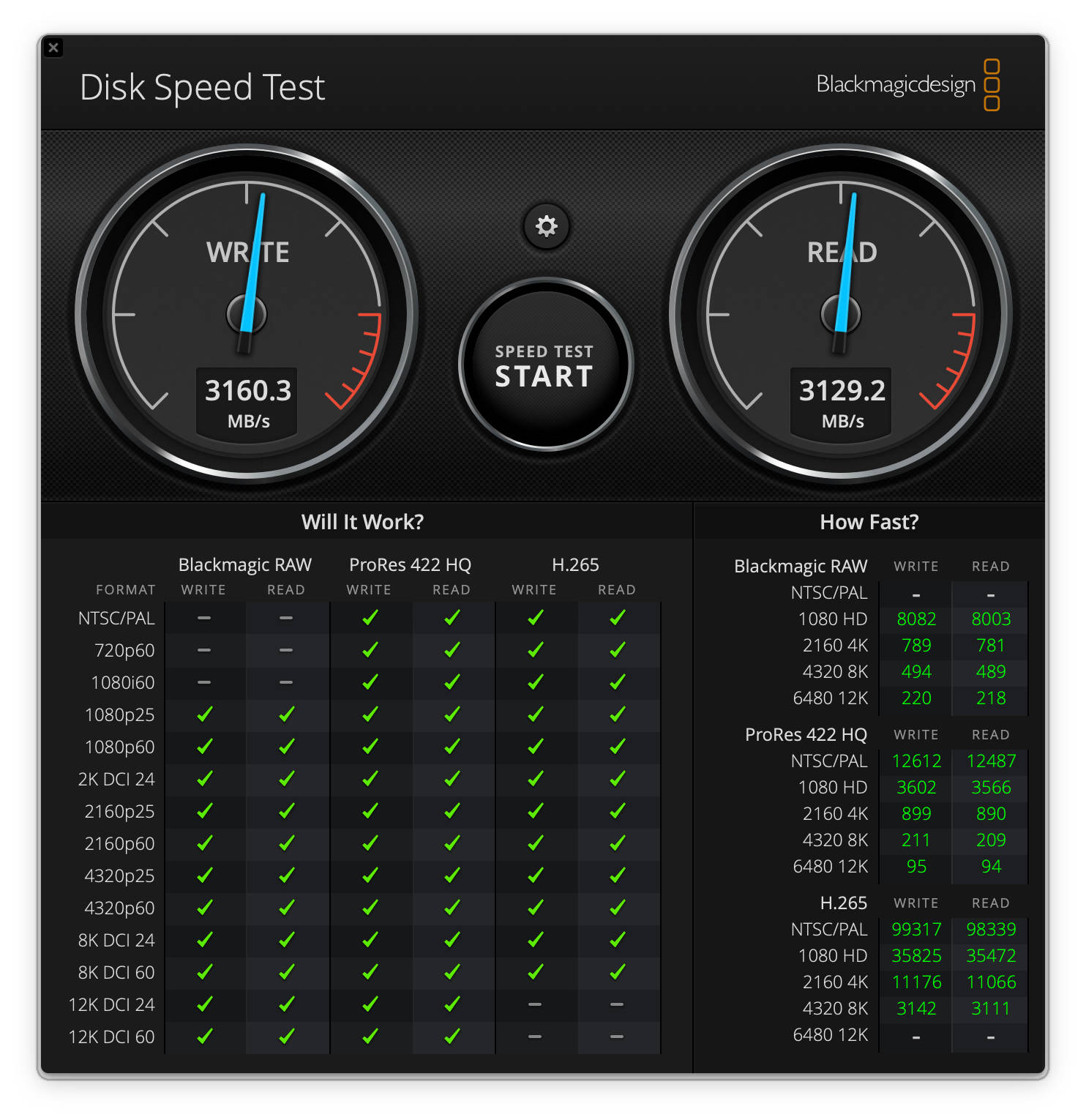 Terramaster D1 SSD Plus mit Crucial P510 SSD (Image © PCMasters.de)
The 3.1 GB/s achieved are below the values specified by the manufacturer, but probably also depend heavily on the NVMe SSD. The 5 GB/s theoretically possible from the interface are by no means achieved, but TerraMaster is not alone in this, as almost all external enclosures with USB 4 specify an expected value of 3.6 to 3.8 GB/s. It is therefore more worthwhile to use an NVMe SSD with PCIe Gen 3 or PCIe Gen4.
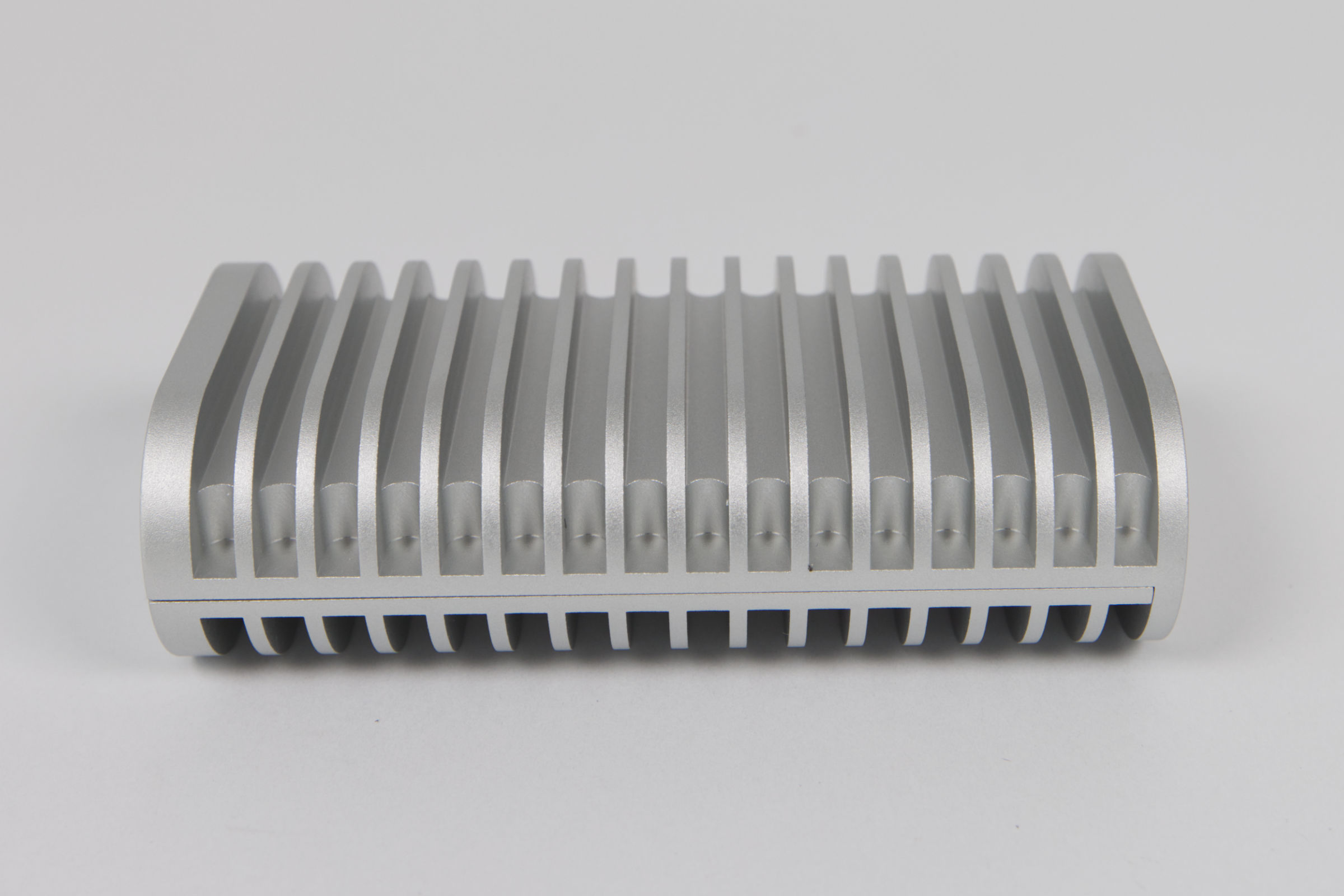 TeraMaster D1 SSD Plus Kühleraufbau (Image © PCMasters.de)
Cooling
Thanks to the solid aluminum construction, the housing is a single heat sink onto which the waste heat is dissipated. The many fins contribute to passive cooling and increase the cooling surface enormously. The thermal pad on the inside ensures the necessary contact with the SSD.
When the SSD is under load, it heats up and the housing becomes correspondingly warm/hot. The enclosure does not pass on any information via USB, which is why we cannot read out the SSD temperature.
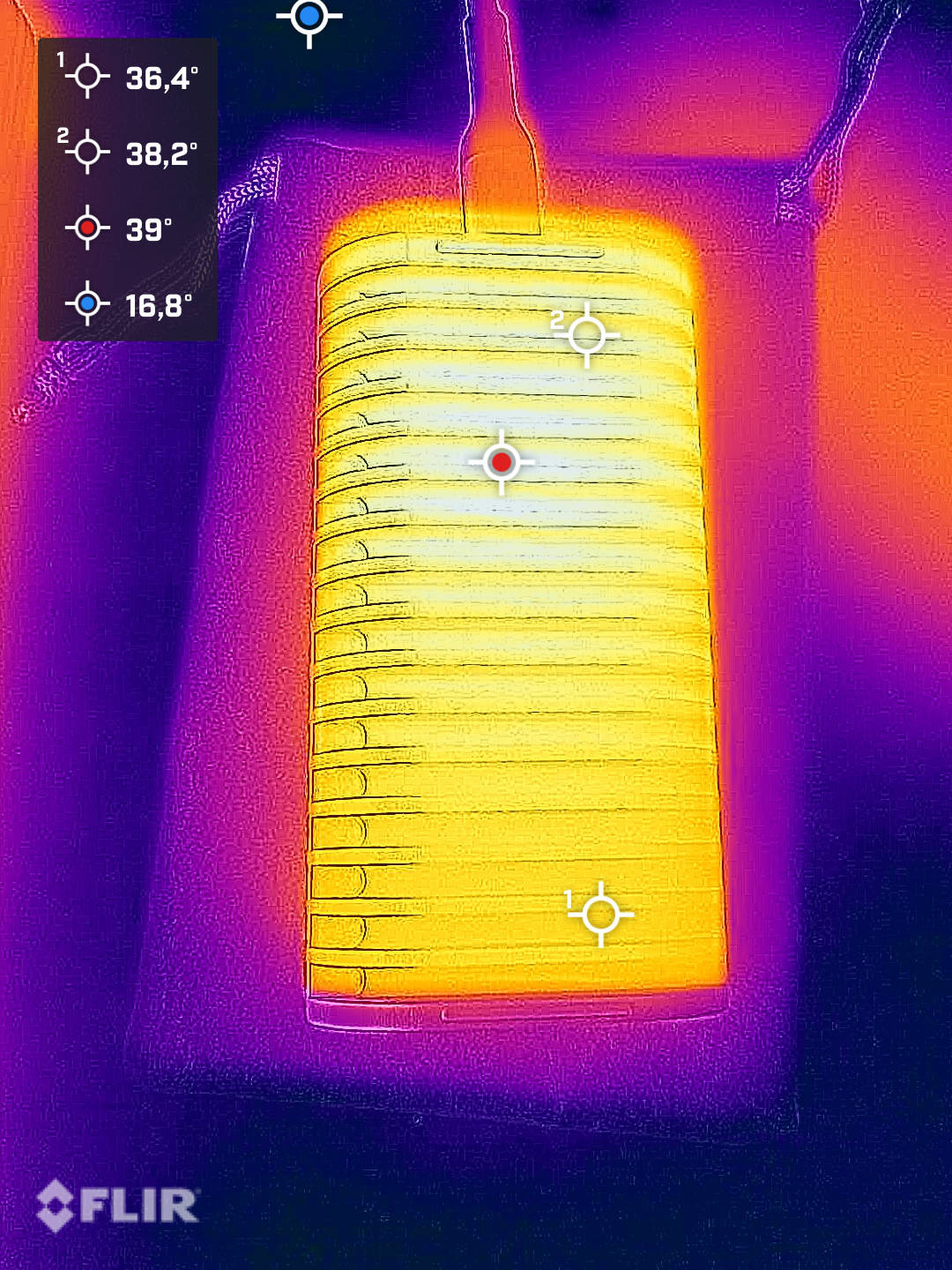 Terramaster D1 SSD Plus Infrarotaufnahme Seite 2 (Image © PCMasters.de)
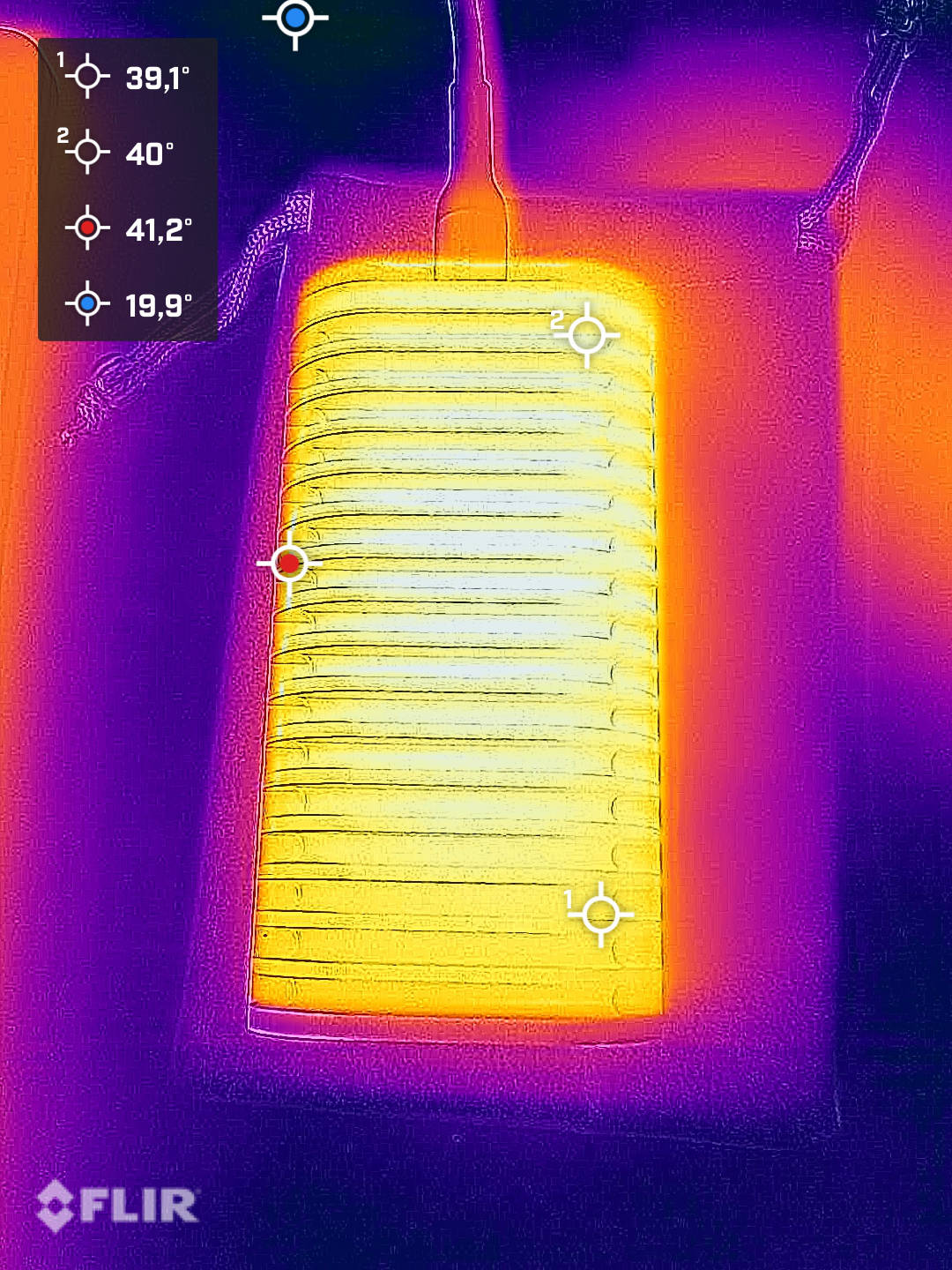 Terramaster D1 SSD Plus Infrarotaufnahme 1 (Image © PCMasters.de)
The thermal images show a temperature of 39 to 42 °C in the hotspot. The housing can therefore still be handled without hesitation, but feels a little hot. Experience shows that the SSD temperature will be 20 °C higher, which is still acceptable when you consider that it is a PCIe 5 NVMe and is not run at its performance limit.
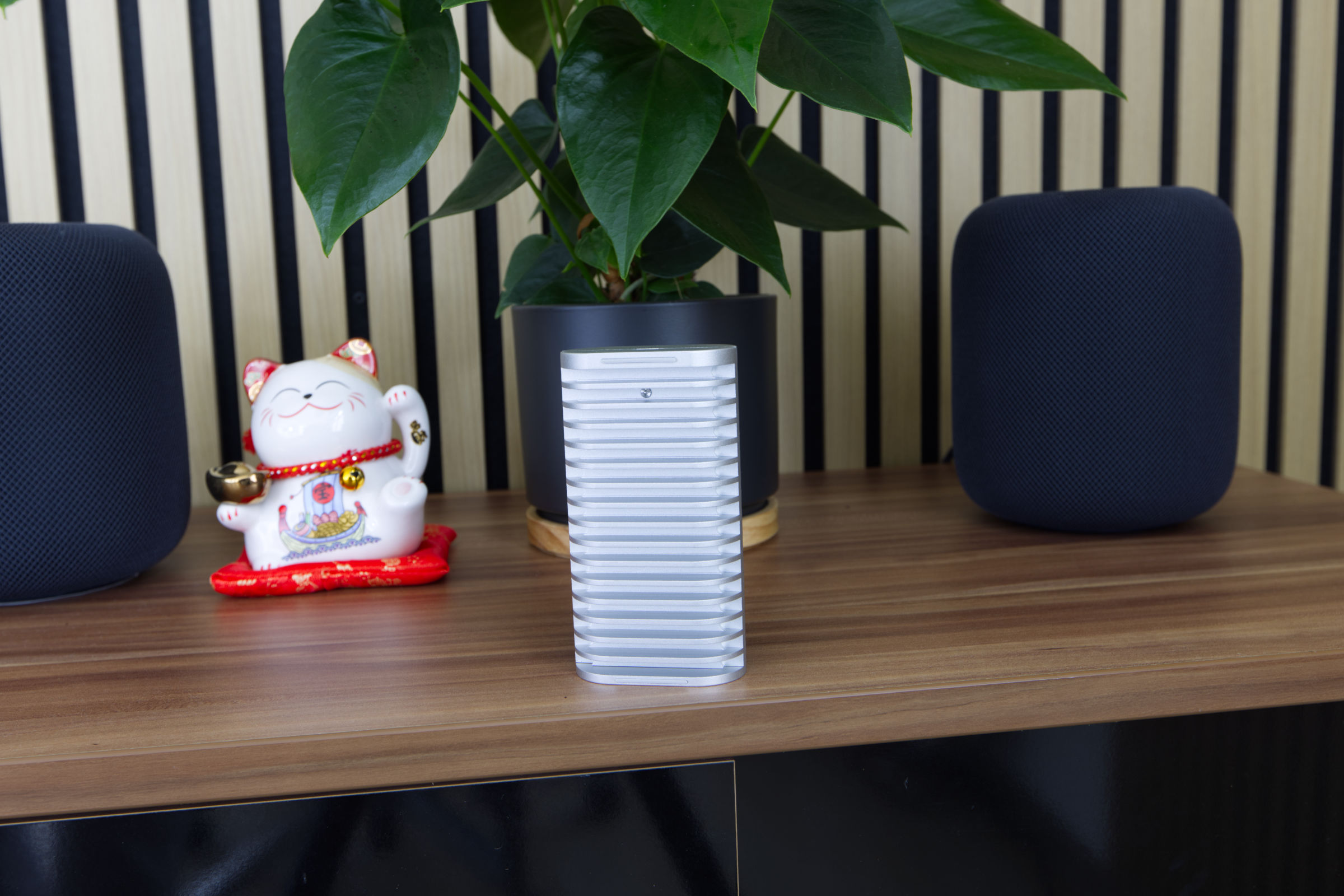 TeraMaster D1 SSD Plus Fazit (Image © PCMasters.de)
Conclusion
TerraMaster positions the D1 SSD Plus as a high-performance external enclosure for M.2 NVMe SSDs with USB 4 and Thunderbolt 4 support. It works natively with USB 4 and only offers compatibility with Thunderbolt versions 5, 4 and 3. The advertised 40 Gbit/s is a symbolic value that many other manufacturers also quote, as the enclosures do not achieve 5 GB/s in everyday use, even with a PCIe Gen5 SSD. For higher data transfer rates, you need native Thunderbolt 5 enclosures, such as the D1 SSD Pro from Terramaster (Affiliate). However, at almost €242, these also cost more than three times as much, as the D1 SSD Plus is available from €79 (Affiliate).
A positive feature of the D1 SSD Plus is its solid aluminum housing. In our opinion, the cooling is good for an external housing. The scope of delivery also includes a small soft bag in which the D1 SSD Plus enclosure can be safely stored. The measured performance of approx. 3.1 GB/s is slightly below the manufacturer's specifications, but we also used a different SSD.
Compared to the competition, the D1 SSD Plus is well positioned and we can recommend it to anyone looking for a robust external USB 4 enclosure.
Pro
- Stylish and solid aluminum housing
- Good cooling
- M.2 NVMe support with PCie Gen5 to PCie Gen3
- USB4 (40 Gbit/s) and Thunderbolt 4 compatible
- Carrying bag included in the scope of delivery
- Matching USB 4 cable and screwdriver included in the scope of delivery
Cons
- Performance data may appear misleading
- Does not accept smaller M.2 form factor SSDs
- USB-C cable with 0.3 m should be longer