Computer Forum
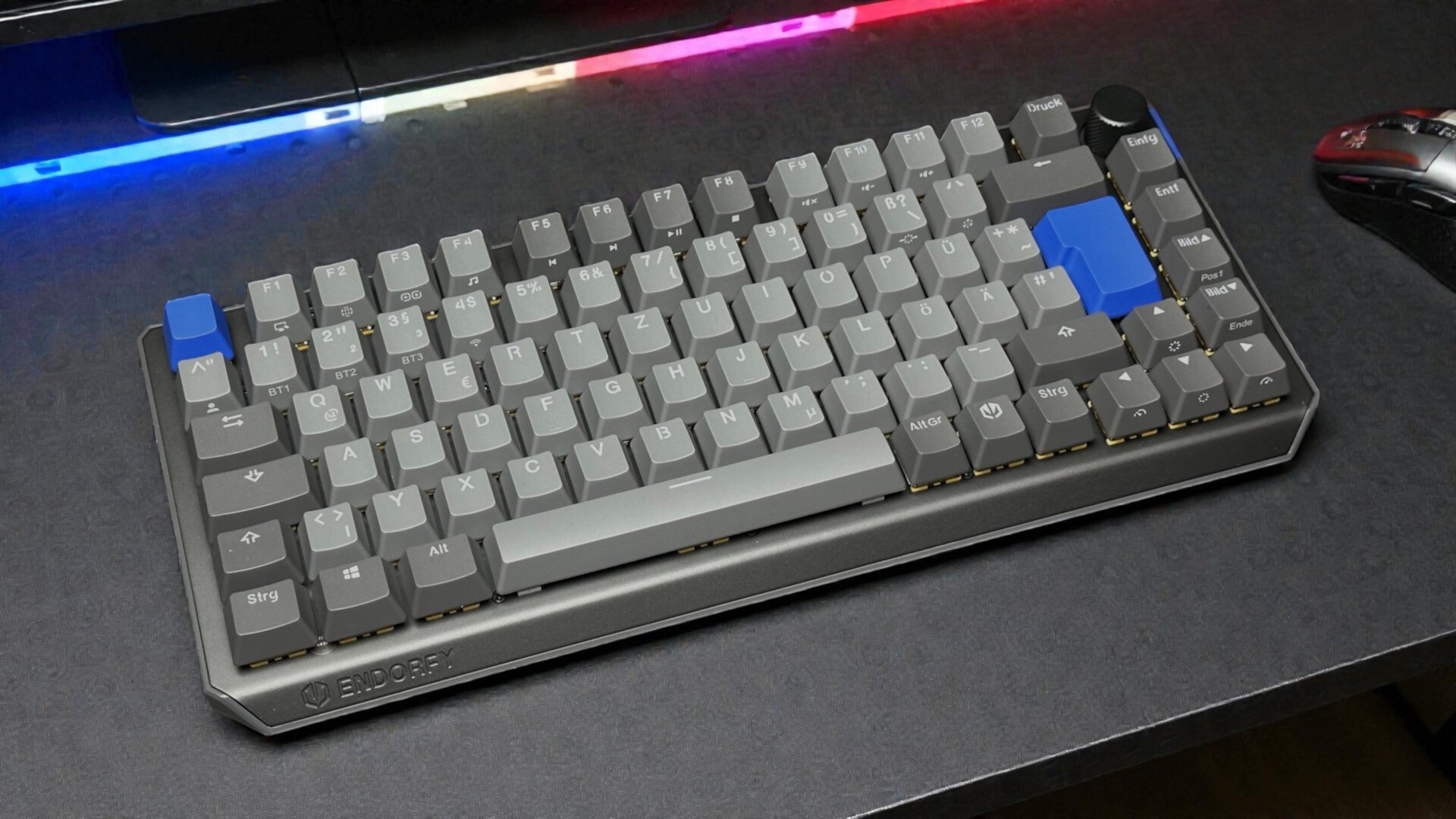 ENDORFY Thock V2 75 Wireless (Image © PCMasters.de)
Company History
Endorfy emerged from the independent labels SilentiumPC and SPC Gear, which have merged under the Endorfy label; thus, it is not surprising that in most cases the actual product names seem familiar. Only the main label has changed. Otherwise, the philosophy remains the same: "Good products, with a focus on value for money."
What’s in the Box
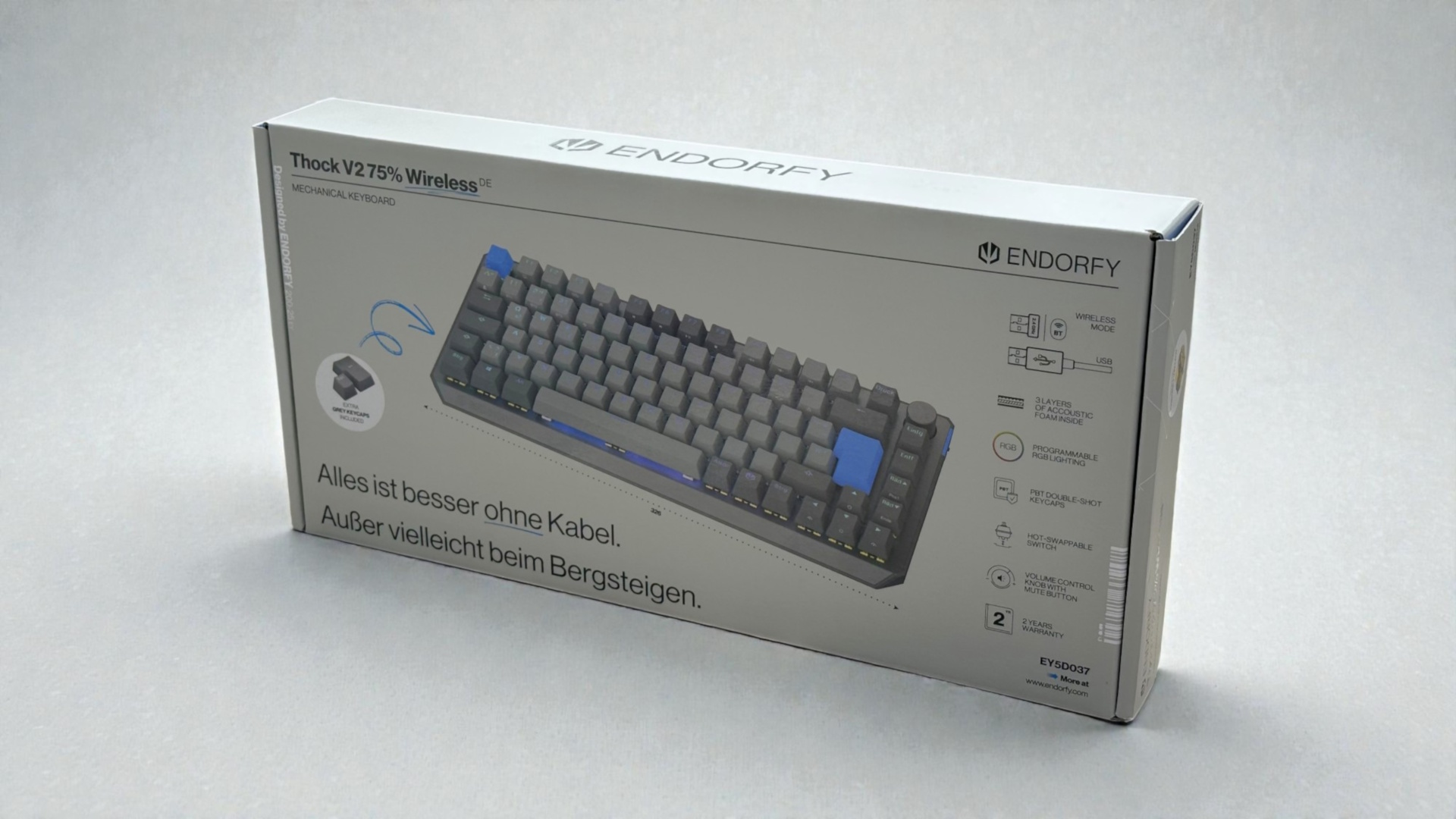 ENDORFY Thock V2 75 Wireless Verpackung Front (Image © PCMasters.de)
Let’s start with the packaging. It follows the simple design typical of ENDORFY. On the front, there is a large product image, the manufacturer’s logo, and the model name. Additionally, some brief notes on the most important features are printed. The little saying in the bottom left corner is particularly charming: "Everything is better without cables. Except maybe mountain climbing."
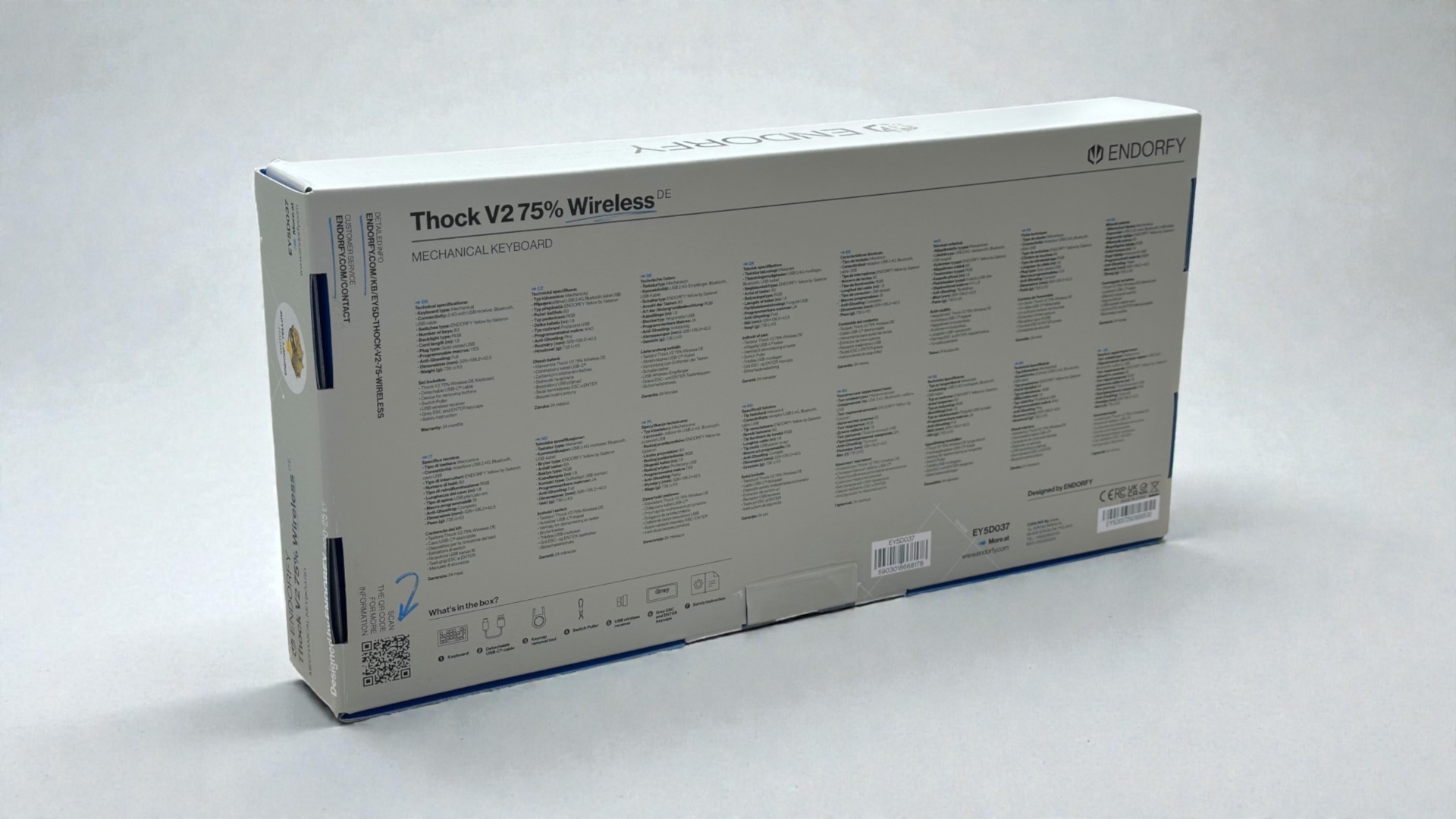 ENDORFY Thock V2 75 Wireless Verpackung Rückseite (Image © PCMasters.de)
The back lists the technical specifications in several languages. At the bottom, there are also small illustrations that clearly show what’s included in the package.
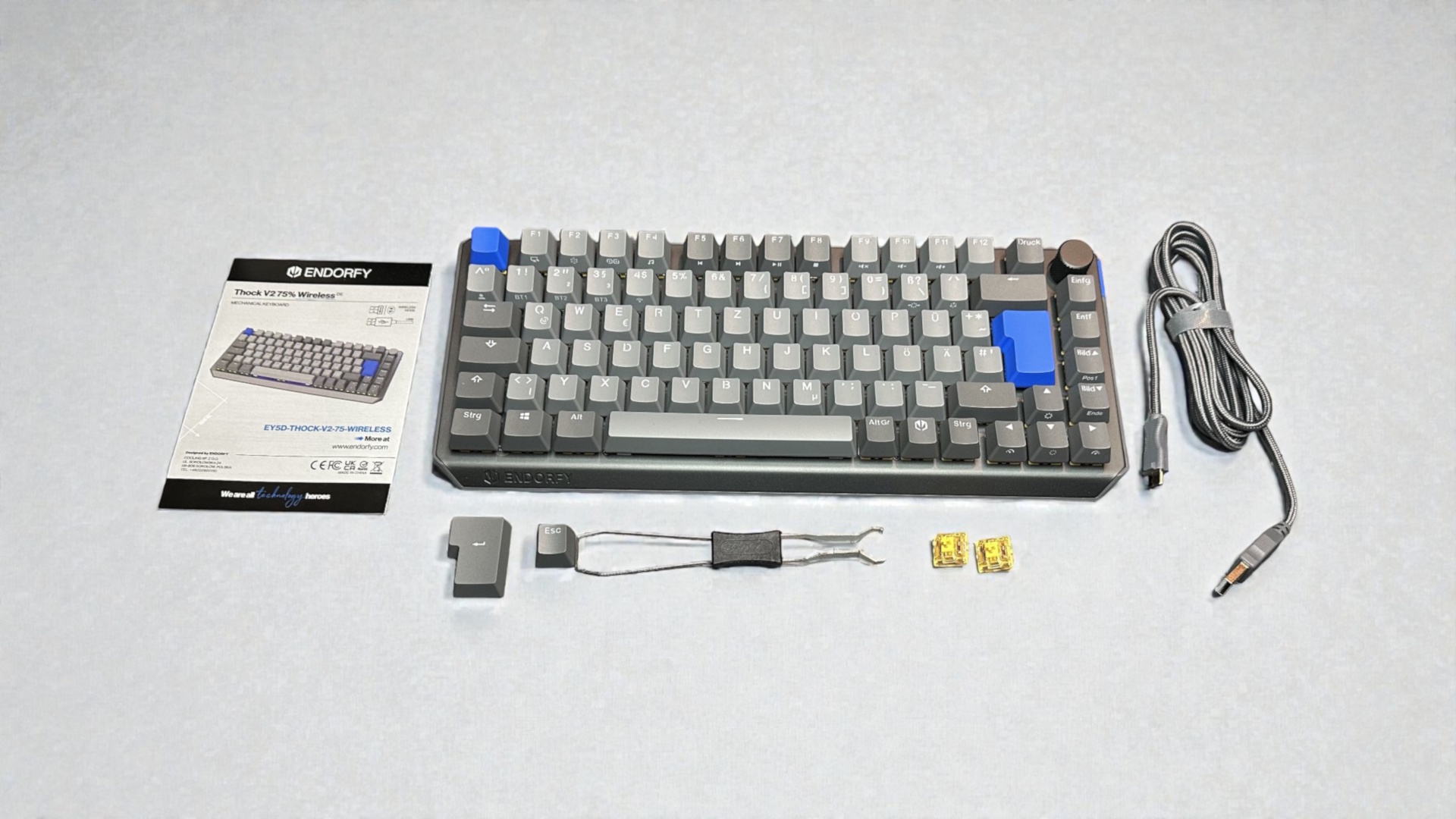 ENDORFY Thock V2 75 Wireless Lieferumfang (Image © PCMasters.de)
In addition to the ENDORFY Thock V2 75% Wireless, the package includes a 180 cm USB-A to USB-C cable, a quick start guide, two replacement switches, and two additional keycaps to swap out the blue Enter and ESC keys. Two tools are also included: The combination tool shown is used to remove both the keycaps and the switches. Another, smaller tool is located on the underside of the keyboard and is intended exclusively for removing the keycaps.
Technical Specifications
| ENDORFY Thock V2 75% Wireless - Technical Specifications | |
|---|---|
| Keycap Material | PBT |
| Weight | 671 g |
| Switches | Endorfy Yellow, mechanical without click, hot-swappable |
| Cable Length | 1.8 m |
| Polling Rate | Maximum 1000 Hz |
| Material | Aluminum and plastic |
| Backlighting | Yes, RGB; each key configurable via software |
| Anti-ghosting | Yes, all keys |
| N-Key Rollover | Yes, all keys |
| Dimensions LxWxH | 326 x 136.2 x 42.5 mm |
| Macros | Yes |
| Special keys | Yes, a rotary knob with key functions |
| Compatible with | Windows, macOS, Linux, and Android |
| Price | €78.99 |
Build Quality
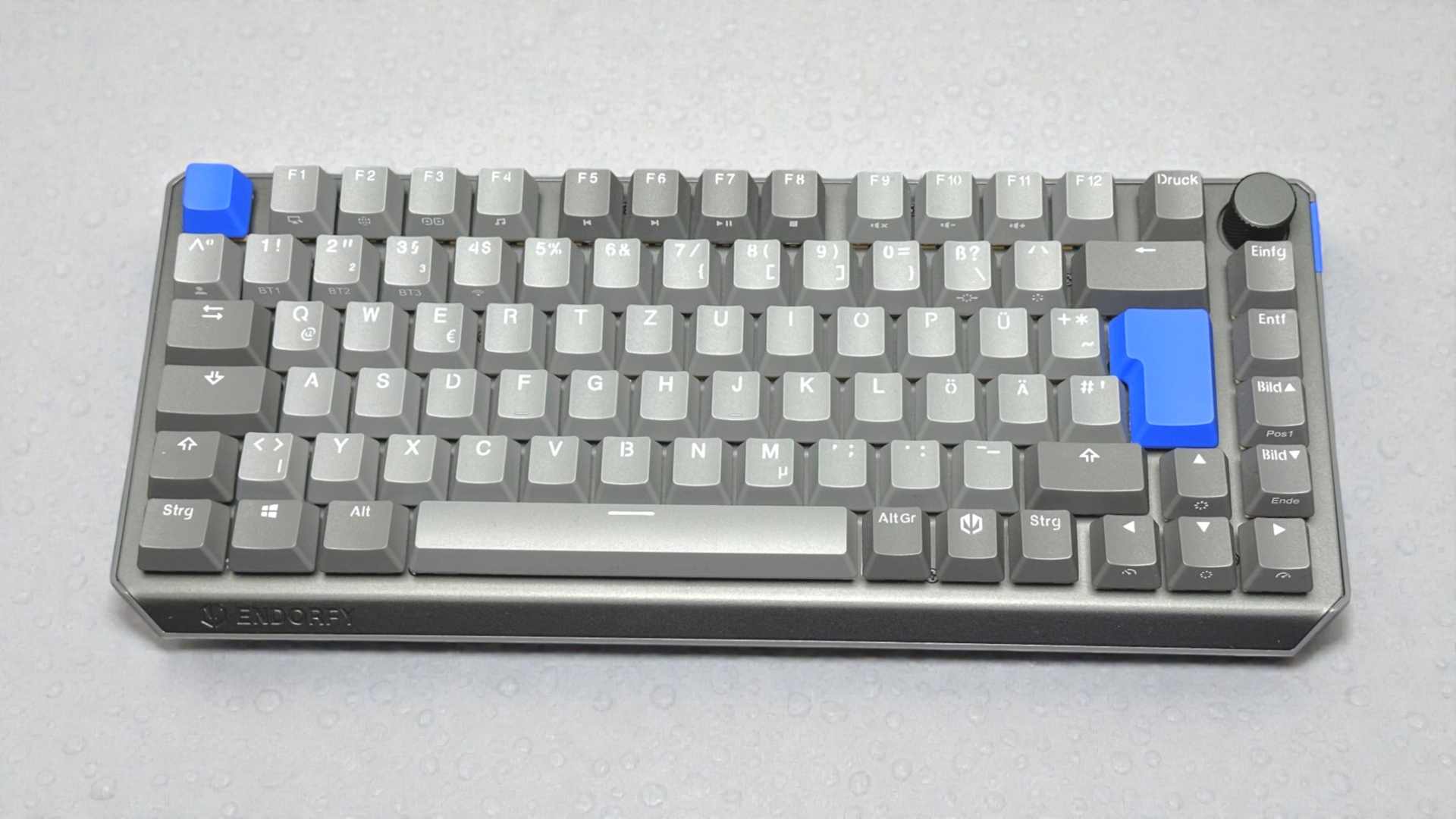 ENDORFY Thock V2 75 Wireless Draufsicht (Image © PCMasters.de)
Both visually and to the touch, the ENDORFY Thock V2 75% Wireless makes an exceptionally high-quality first impression. This starts with the cleanly milled aluminum top plate, which not only provides the keyboard with stability but also gives it a pleasantly cool, robust appearance. The PBT keycaps feel grippy, appear durable, and show no imperfections in the lettering.
The overall build quality is also impressive: the key gaps are uniform, and you won’t find any sharp edges or rough transitions. Weighing in at 805 grams, the keyboard has a weight that ensures a stable footing while also underscoring the impression of a solid, torsion-resistant chassis. Nothing creaks, nothing gives way—exactly what you’d want from a well-built 75% keyboard.
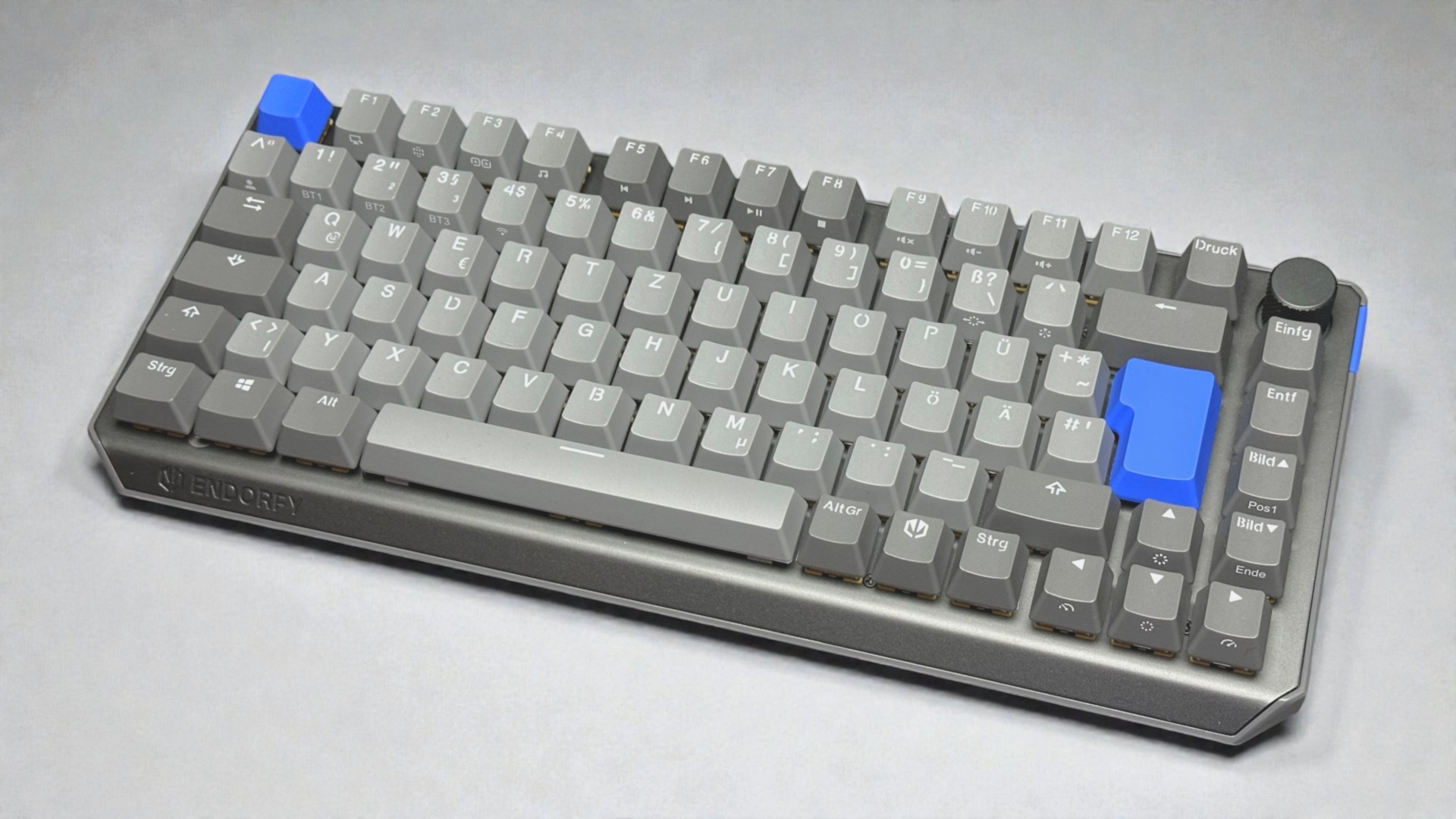 ENDORFY Thock V2 75 Wireless Detailansicht (Image © PCMasters.de)
In terms of design, ENDORFY opts for a two-tone concept in shades of gray: The majority of the keycaps are finished in a light gray, complemented by a few darker accents. The blue Escape and Enter keys provide a color contrast. Those who prefer a more uniform look will find matching gray alternatives included in the package. The keycaps are made of PBT plastic, which gives them a matte finish and a robust feel.
In the upper right corner is a rotary control that blends well into the design. It has a fine grid pattern and can also be pressed. By default, it is intended for volume control. The knob is neatly integrated and adds a functional control element to the layout without disrupting the compact form.
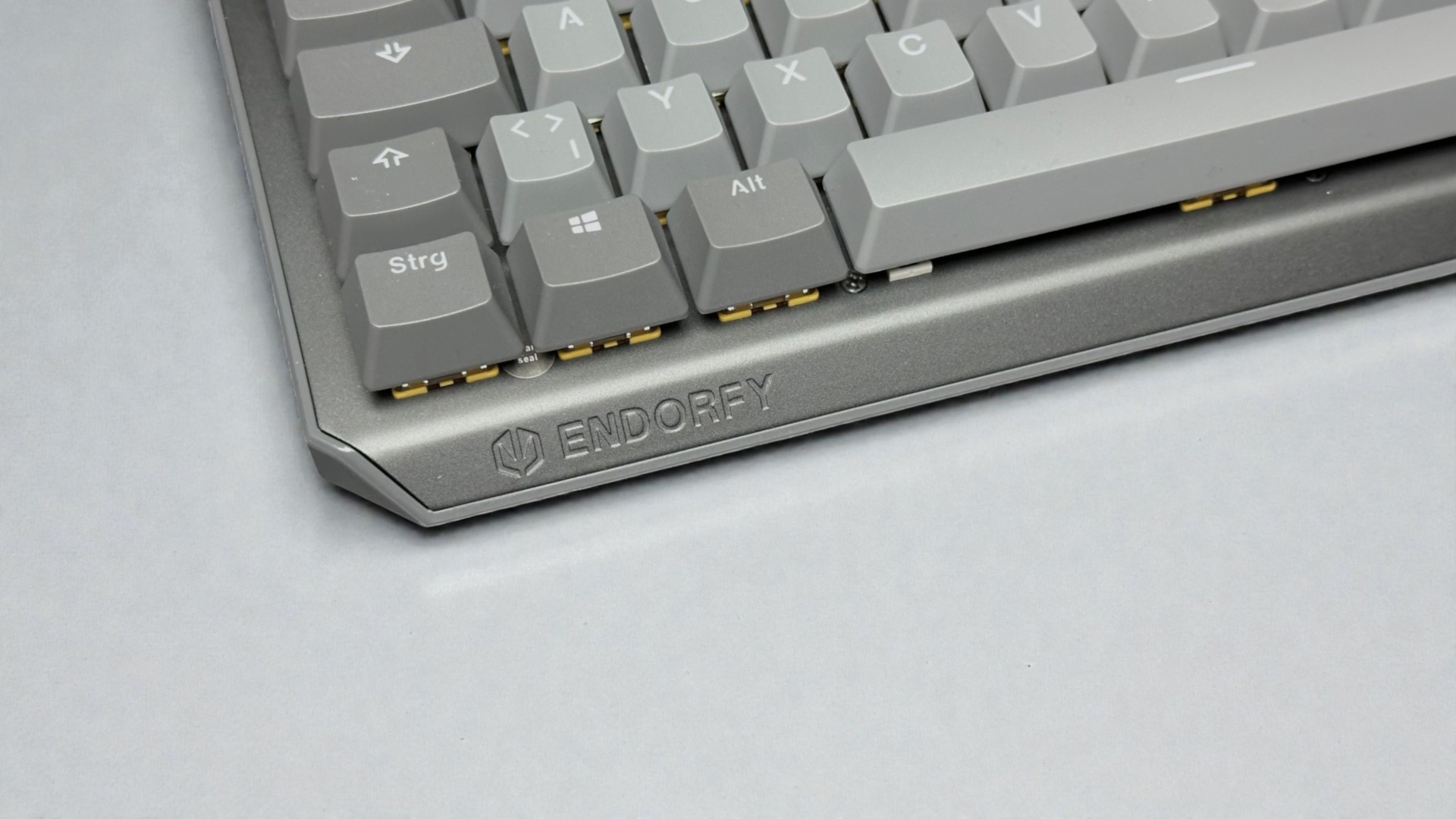 ENDORFY Thock V2 75 Wireless Kante vorne (Image © PCMasters.de)
The top plate curves slightly downward at the front, giving the keyboard a more elegant silhouette and underscoring its overall high-quality appearance. On the left side of the front, the ENDORFY logo and lettering are also subtly engraved. The engraving is cleanly executed and blends harmoniously into the otherwise simple design without appearing obtrusive.
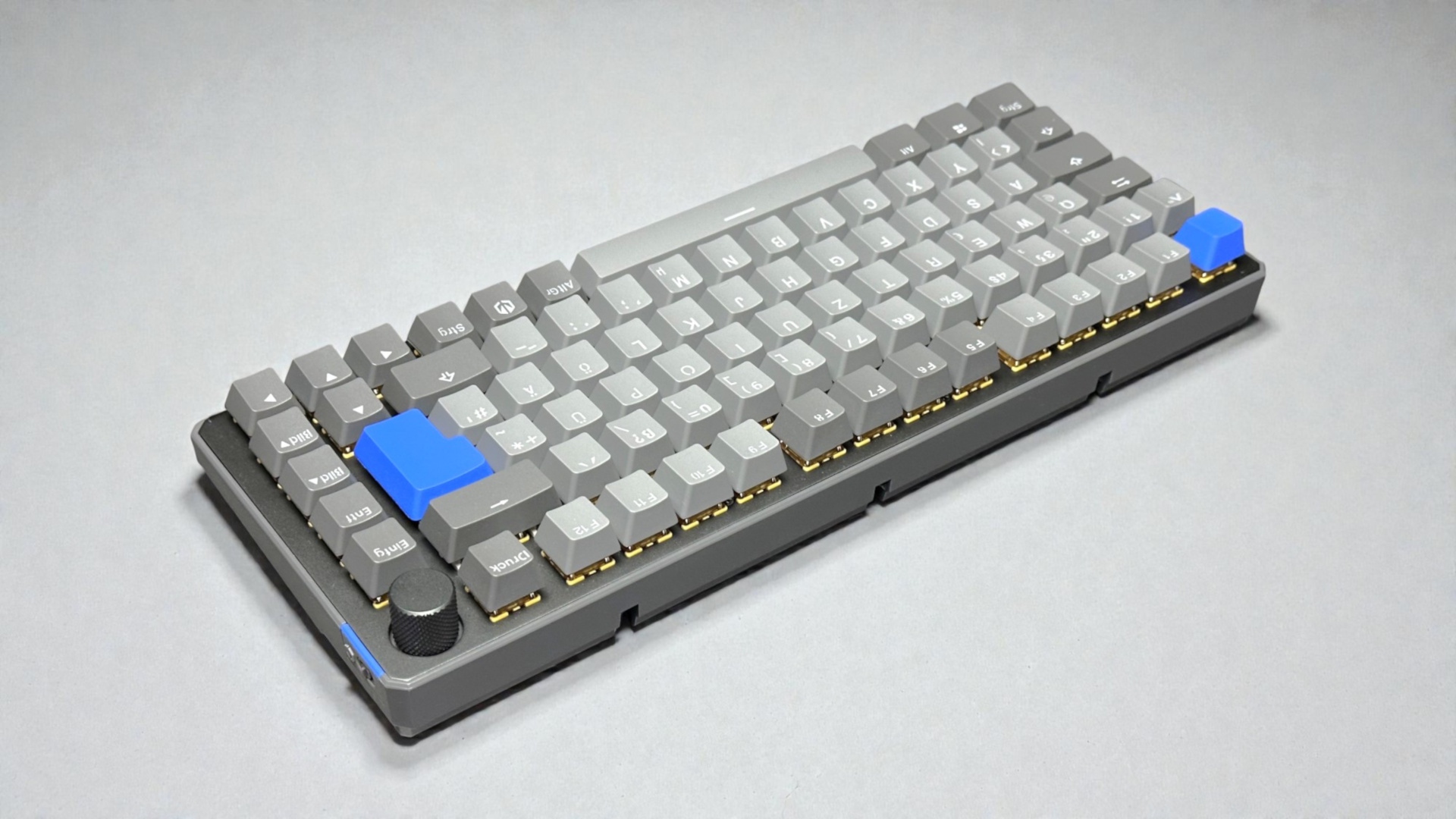 ENDORFY Thock V2 75 Wireless Rückseite (Image © PCMasters.de)
On the back, there are three evenly spaced openings in the lower section. These are for cable routing, allowing the connection cable to be routed out of the keyboard on the left, right, or center, depending on the setup. This ensures a tidy appearance and makes it easier to position the keyboard on the desk.
In this view, it is also noticeable that the corners of the keyboard are not completely rounded. The slightly angular design gives the chassis a modern, clean-lined look without appearing too fussy.
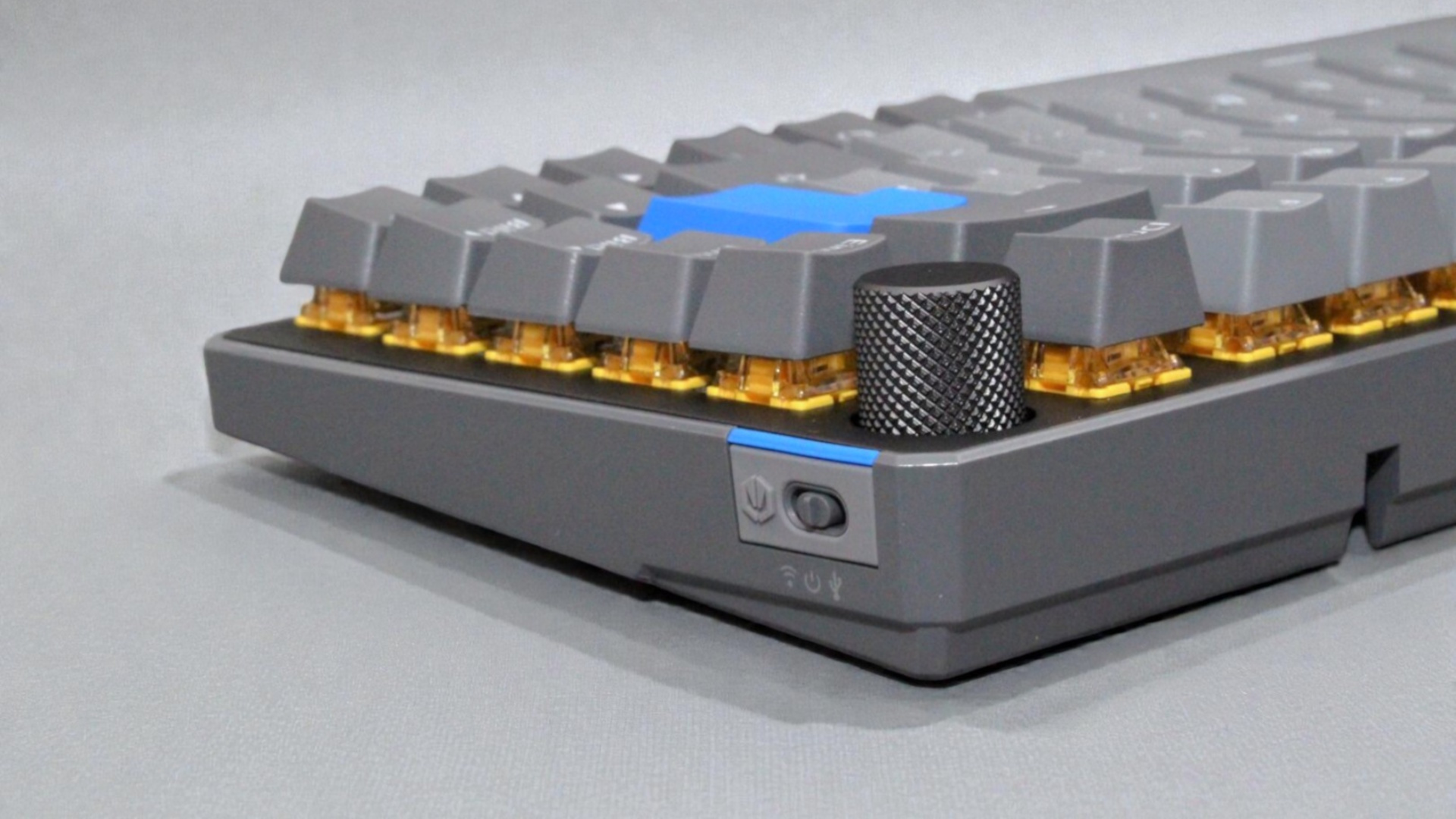 ENDORFY Thock V2 75 Wireless Detailansicht Schalter (Image © PCMasters.de)
On the right side, right next to the volume knob, there is a small slide switch. Here, too, ENDORFY incorporates the two-tone gray design and adds a subtle splash of color with a blue accent that blends harmoniously into the overall look. The switch allows you to toggle between three operating modes: In the middle position, the keyboard is turned off; the front position activates wireless operation via Bluetooth or the included wireless dongle; and the rear position is intended for use via a USB cable. The labeling is clearly visible, and the switch blends seamlessly into the design.
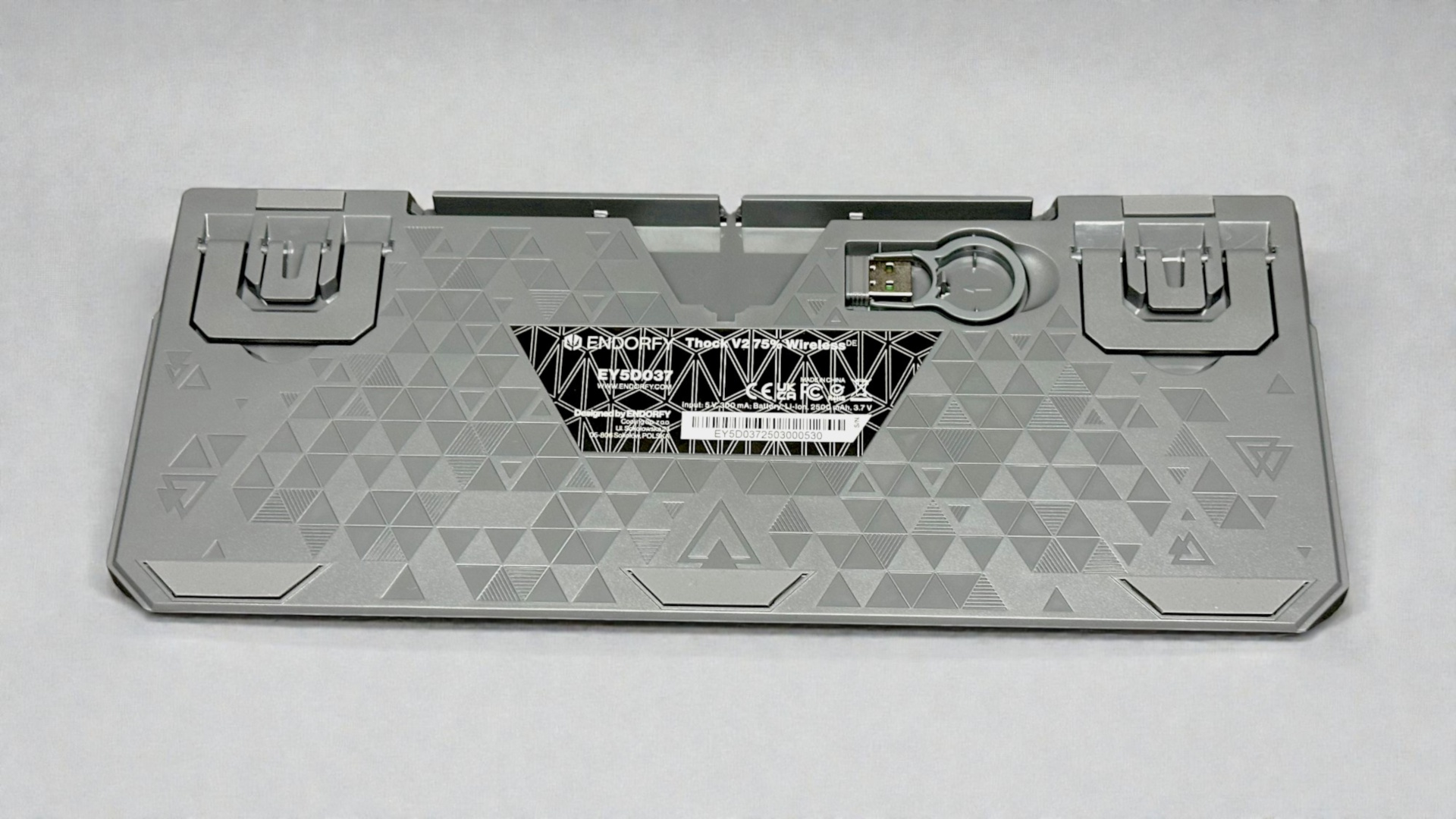 ENDORFY Thock V2 75 Wireless Unterseite (Image © PCMasters.de)
ENDORFY continues the design on the underside as well. The surface features numerous triangular patterns embedded in the material, giving the keyboard a modern, technical look. In the center is a sticker featuring the manufacturer’s logo, the model name, and the model number. Additionally, information on certifications, the manufacturer’s address, and the serial number are included here.
Three rubber pads at the front and two at the rear ensure a secure footing. A generously sized cable channel also runs between the two fold-out feet, allowing the connection cable to be neatly routed.
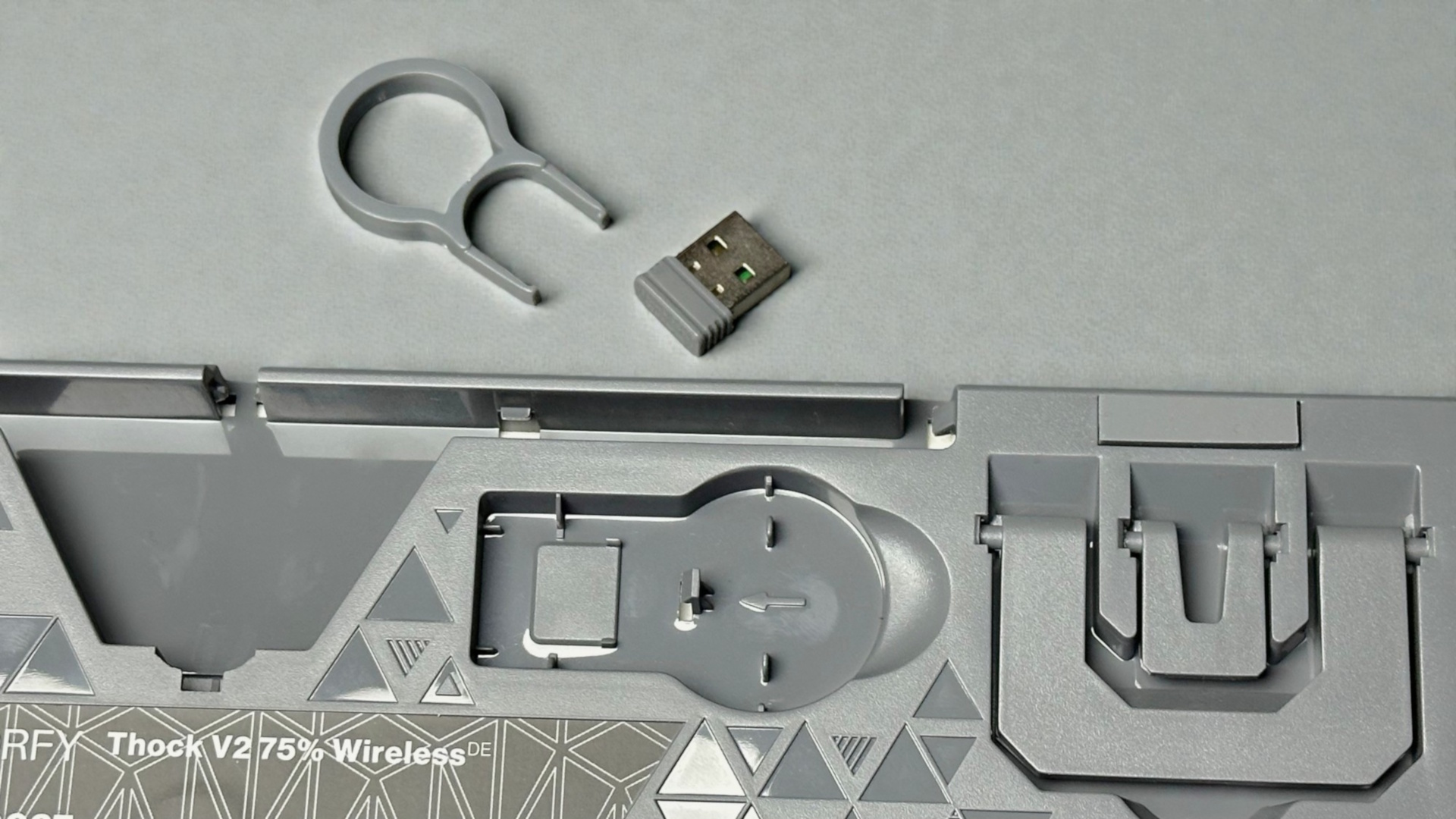 ENDORFY Thock V2 75 Wireless Zubehörfach (Image © PCMasters.de)
In the immediate vicinity of the cable channel is a small recess where both the USB wireless dongle and the included keycap removal tool are stored.
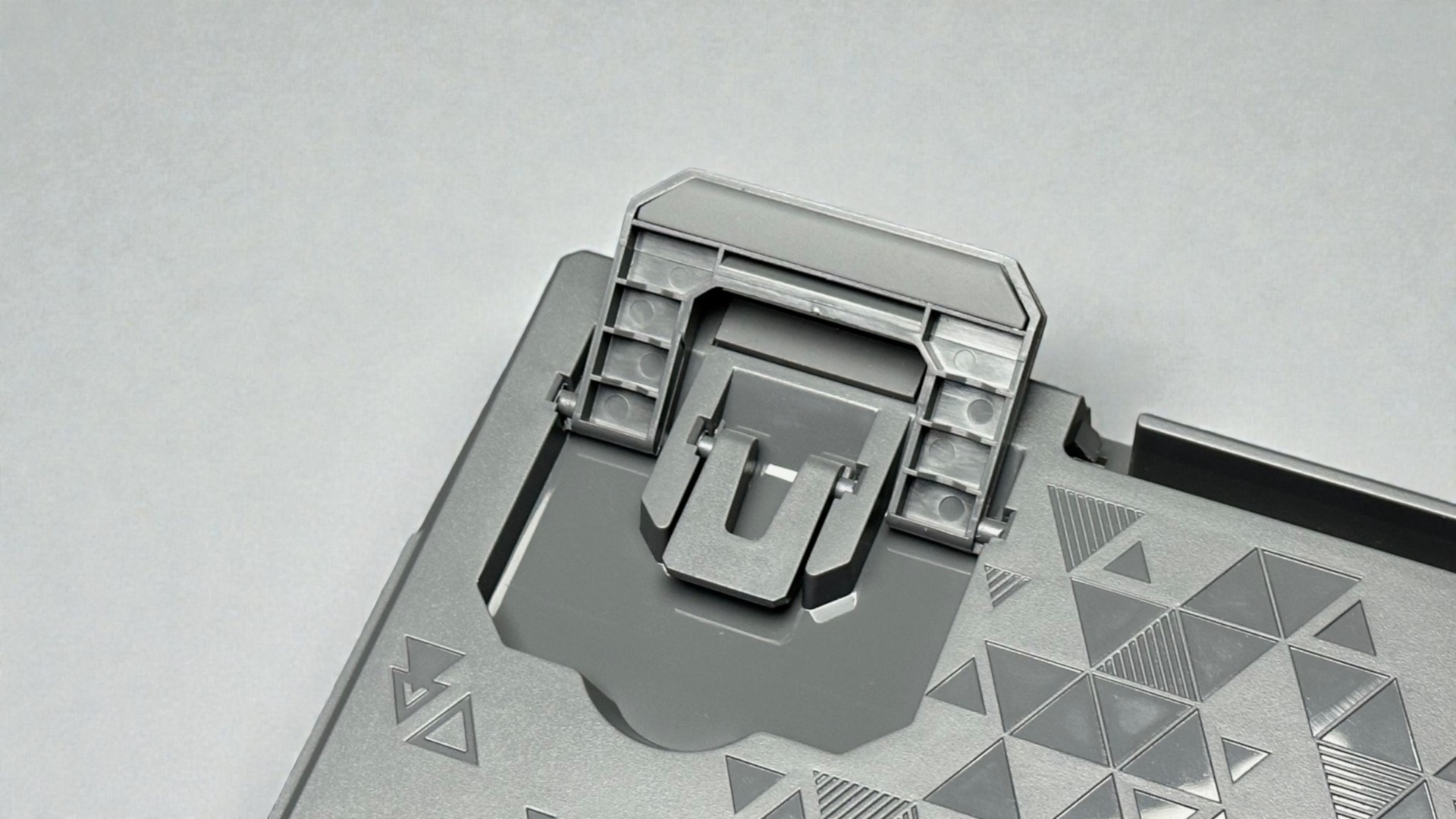 ENDORFY Thock V2 75 Wireless Standfuß (Image © PCMasters.de)
The two fold-out feet are designed in two parts, allowing for a total of three different tilt angles. This enables flexible adjustment of the keyboard’s height, allowing you to position it according to your own preferences. The mechanism appears neatly integrated and blends harmoniously into the overall design of the underside.
 IMG 0108 (Image © PCMasters.de)
Switches & Keycaps
Beneath the top plate of the ENDORFY Thock V2 75% Wireless lie three layers of acoustic foam: two made of PORON and one of IXPE. This combination effectively dampens unwanted background noise. Additionally, silicone pads under the spacebar further reduce resonance.
When typing, the extensive sound dampening is immediately noticeable—whether you’re working or gaming. The keystrokes feel pleasantly full without sounding hollow, delivering a very controlled, almost "satisfying" typing experience. The linear ENDORFY Yellow switches play their part: they operate smoothly and evenly, activate quickly, and remain acoustically unobtrusive. With their 50g actuation force, they offer just enough resistance to enable precise input without tiring the fingers. Overall, this creates a harmonious blend of speed, precision, and muted noise, making the keyboard very pleasant to use both in everyday life and while gaming.
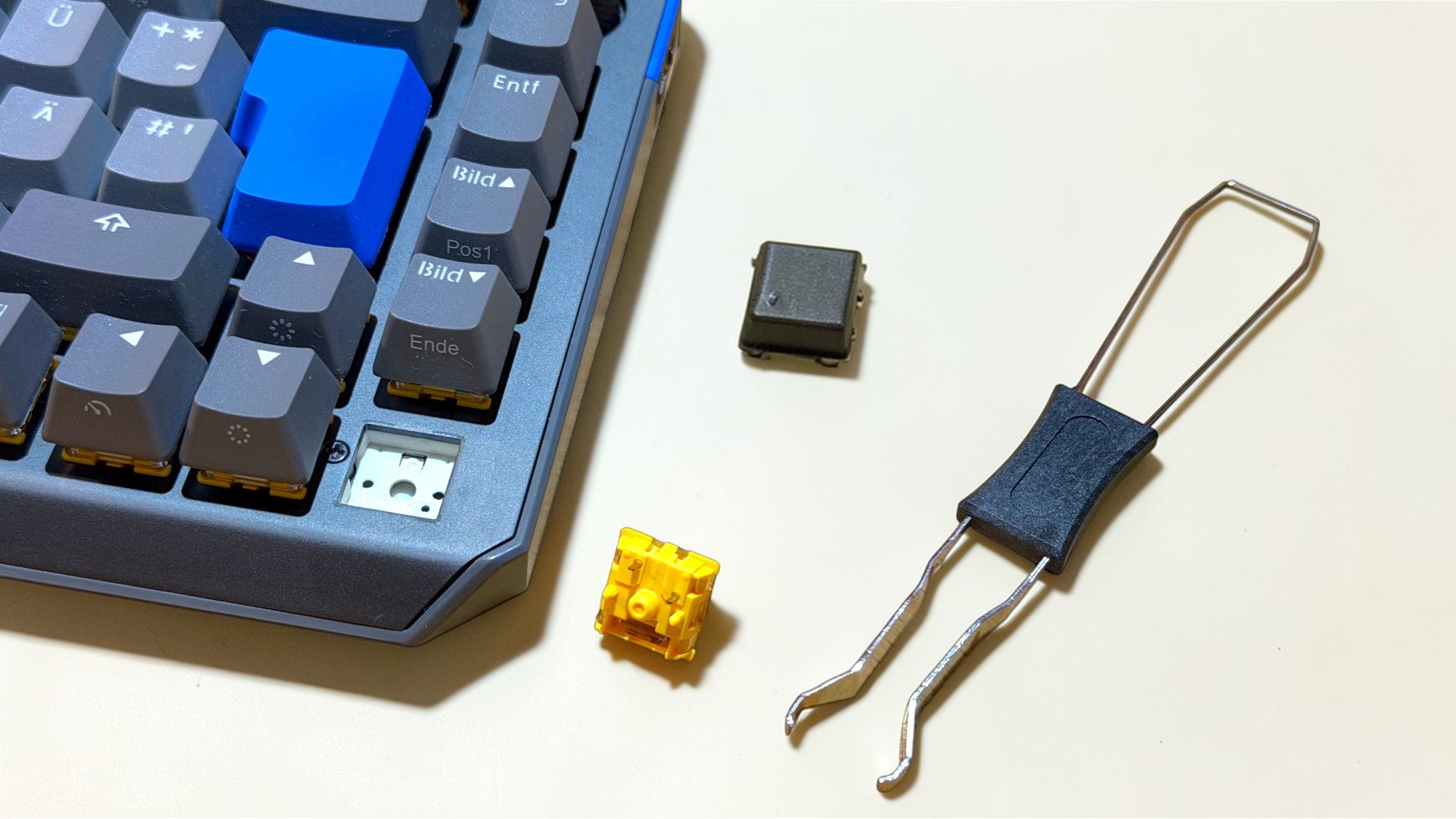 image (Image © PCMasters.de)
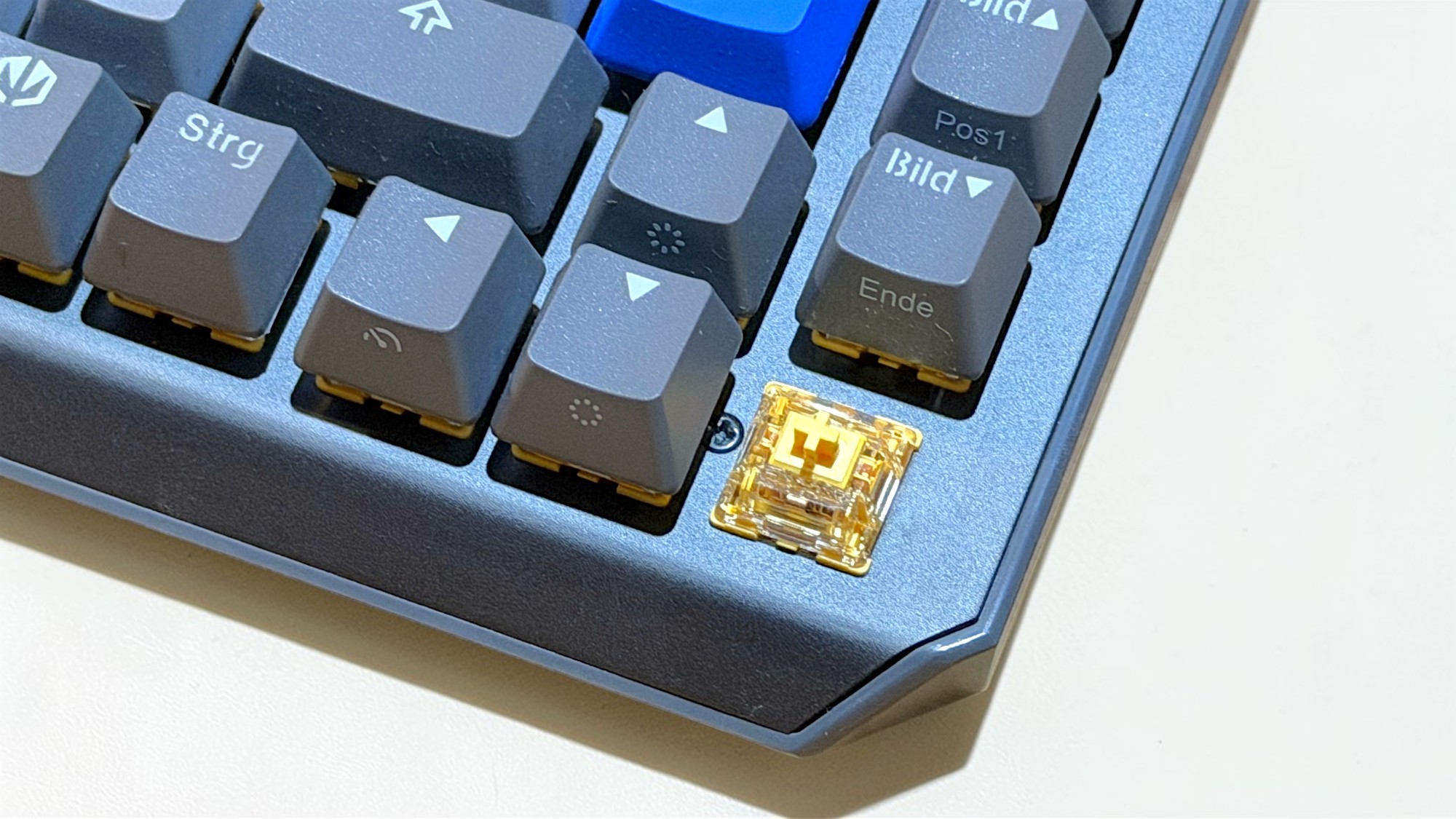
If the built-in ENDORFY Yellow switches aren’t to your liking, you can easily customize the keyboard: The switches are not soldered in place but are plug-in. This makes it easy to swap them out for other models. The keyboard is compatible with standard MX-based switches from Cherry, Kailh, Gateron, and many other manufacturers. This allows you to flexibly adjust the typing feel to your own preferences
 IMG 0113 (Image © PCMasters.de)
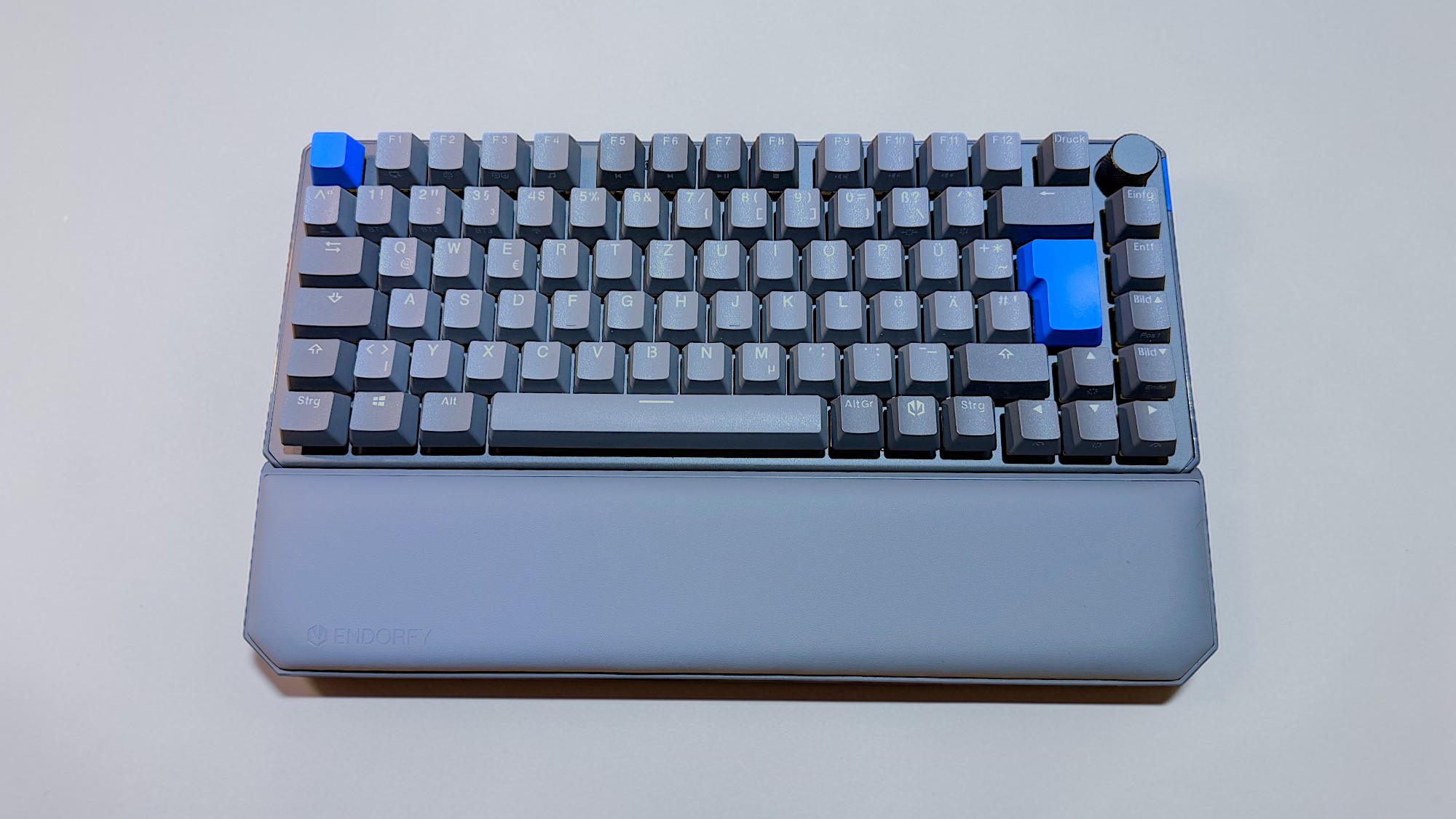
The ENDORFY Thock V2 75% Wireless comes without a wrist rest. However, the manufacturer offers a matching wrist rest separately—and at around 15 euros, it’s a thoroughly affordable and useful addition. Visually, it’s perfectly matched to the keyboard. The padding is pleasantly soft, the faux leather cover looks high-quality, and it’s also easy to clean.
The wrist rest attaches magnetically to the keyboard, though not directly from the factory. The required magnets are not built into the keyboard, but are included with the pad and can be retrofitted in just a few minutes. Illustrated instructions are included in the package; additionally, ENDORFY provides a short video on the product page that makes installation even easier.
Source: YouTube / ENDORFY
In everyday use, the palm rest proves to be very comfortable. The magnets hold securely, so the rest doesn’t slip even during quick movements. For better ergonomics—especially during longer writing or gaming sessions—we consider it a worthwhile upgrade.
The Lighting
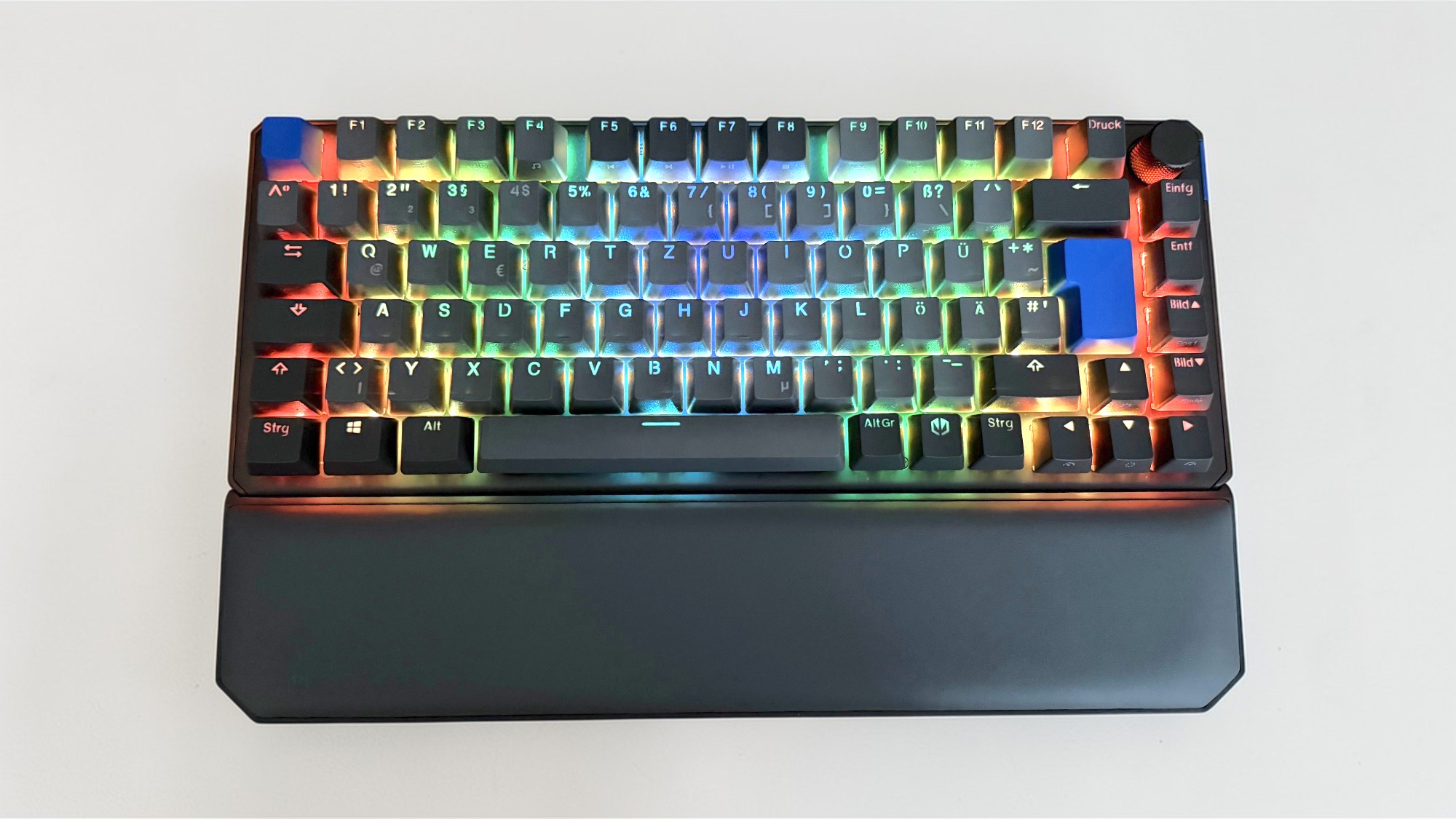 IMG 0133ENDORFY Thock V2 75 Wireless Beleuchtung (Image © PCMasters.de)
The lighting on the ENDORFY Thock V2 75% Wireless generally works well and provides pleasant orientation, especially in dimly lit or dark environments. It also improves the readability of the key labels during the day. However, some colors show a weakness: yellow, green, and white in particular are not rendered cleanly and appear slightly washed out. A cool white, for example, appears with yellowish and reddish tints, which distorts the color impression.
As with many keyboards of this design, only the characters on the top of the keycaps are illuminated, while side labels for additional functions remain dark. The brightness is generally subdued—though a bit more headroom would be desirable.
The lighting is controlled either via keyboard shortcuts directly on the keyboard or via the software, where effects and colors can be adjusted with much greater precision.
The Software
The software for the keyboard is available for download on the manufacturer’s product page. Unfortunately, it still gives off a somewhat unfinished impression. This starts right with the installation: Microsoft Defender SmartScreen warns against running the file—a warning that can have various causes, which ENDORFY should urgently address, as it is likely to unsettle inexperienced users in particular. The installation can still be started via "More Information." The installation process itself is entirely in English, and the software does not offer any alternative language options.
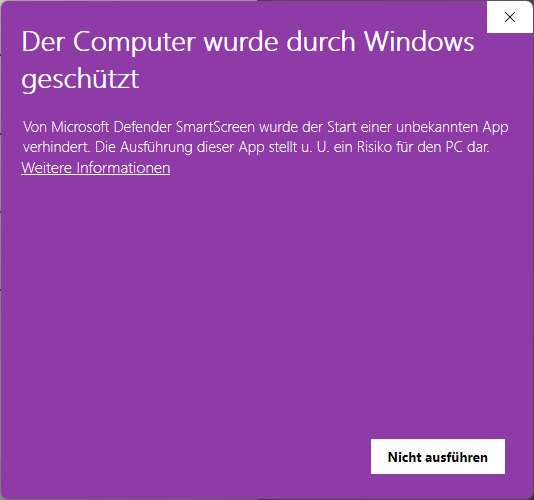 ENDORFY Thock V2 75 Wireless Software Problem (Image © PCMasters.de)
After launching, the interface presents itself with a clear structure. At the top are four menu items as well as an icon with sliders, behind which the basic device settings are located. By default, the "Illumination" section opens, where the lighting can be configured. There are a total of 18 pre-made effects to choose from, and you can also create your own custom effect. The brightness, speed, and direction of the effects can be customized individually. If you like things especially colorful, you can even assign a unique color to each individual key—the color palette is virtually unlimited.
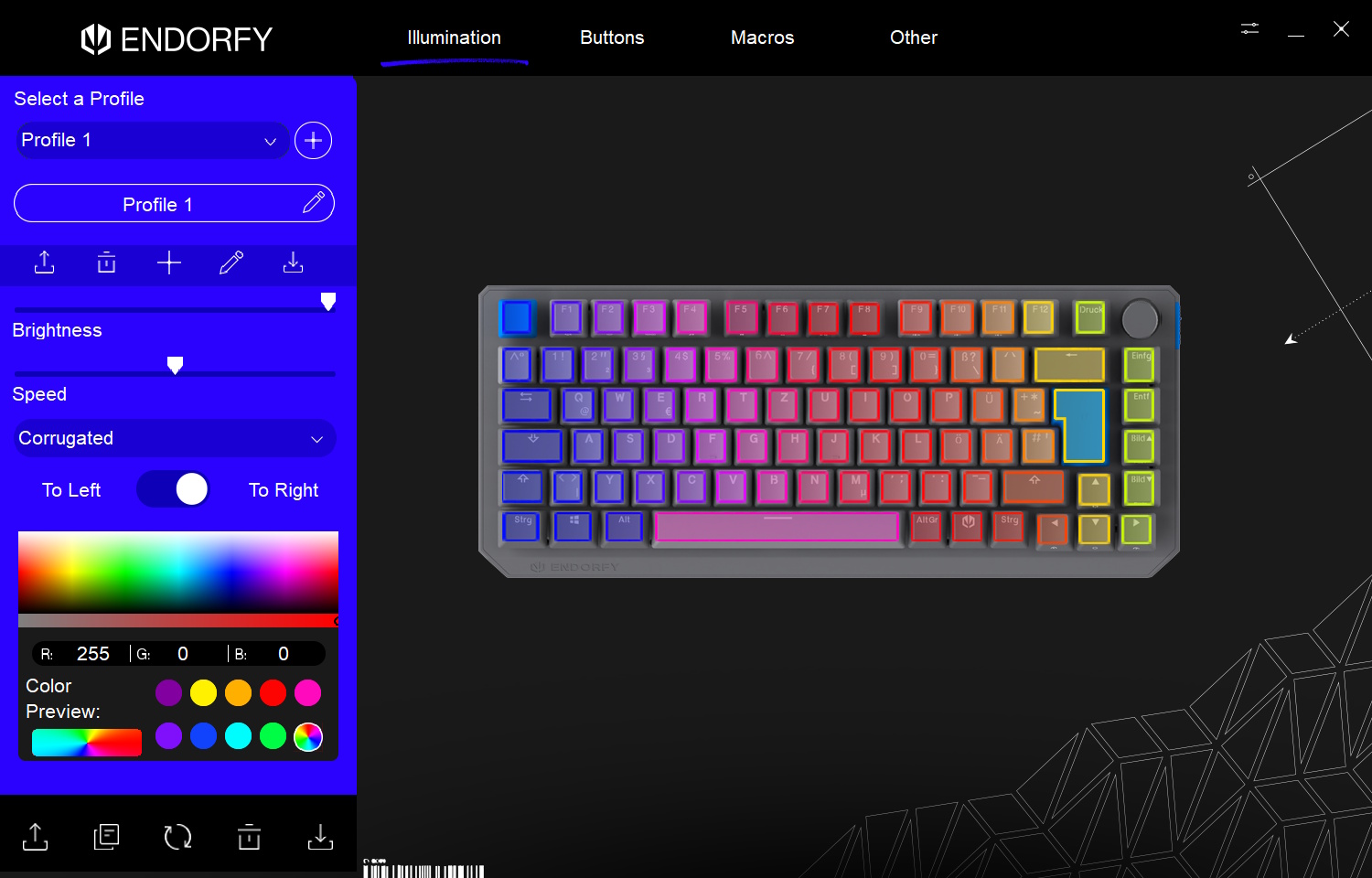 ENDORFY Thock V2 75 Wireless Software Beleuchtung (Image © PCMasters.de)
Under the "Macros" menu item, you can create your own sequences and key combinations. These can then be assigned to any keys in the "Buttons" section, allowing you to conveniently execute custom shortcuts or more complex actions with a single keystroke.
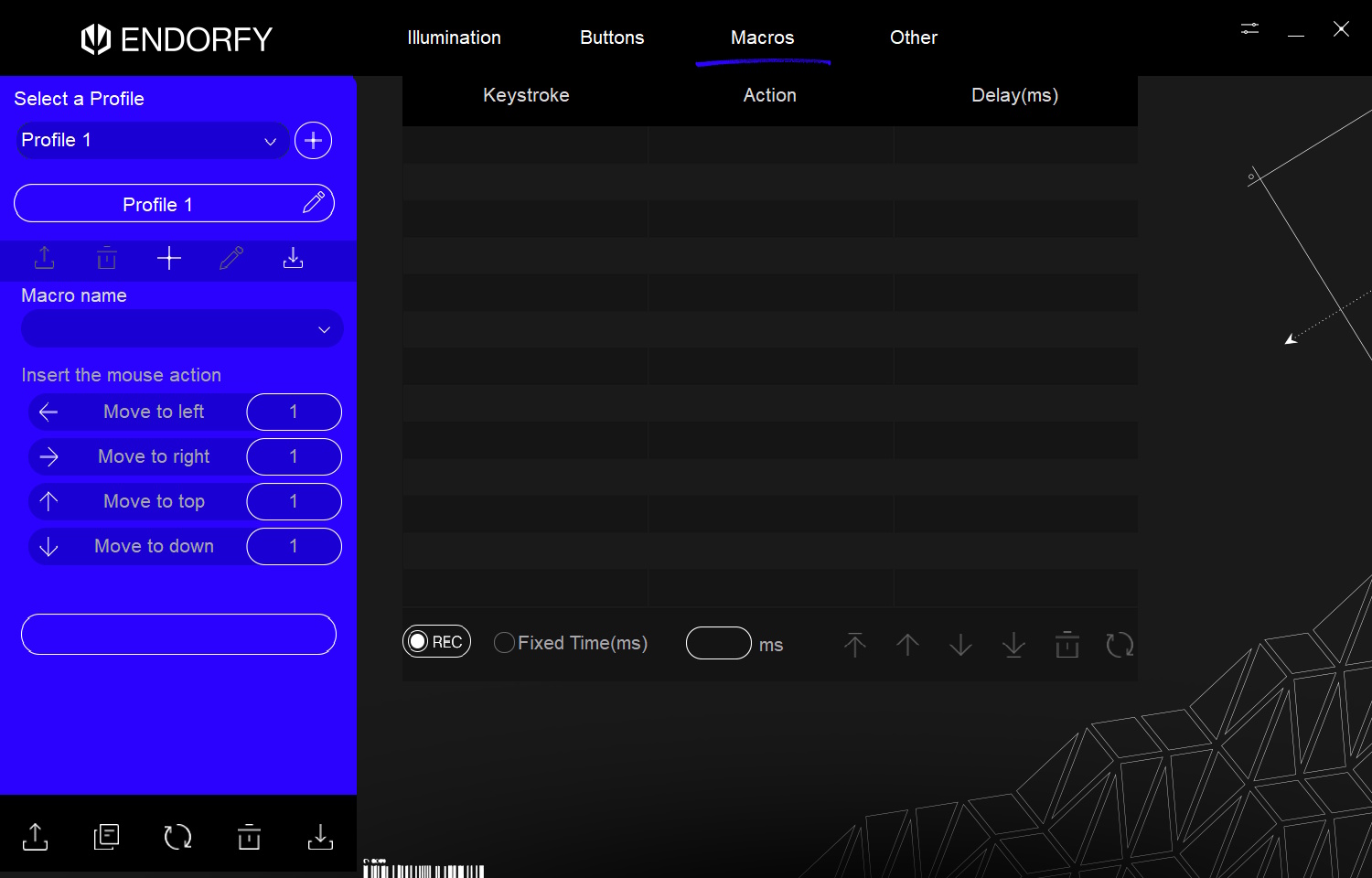 ENDORFY Thock V2 75 Wireless Software Makros (Image © PCMasters.de)
Under the last menu item, "Other," various keyboard-specific options can be customized in detail. Here, you can adjust the polling rate, response time, or even disable the Windows key, among other things.
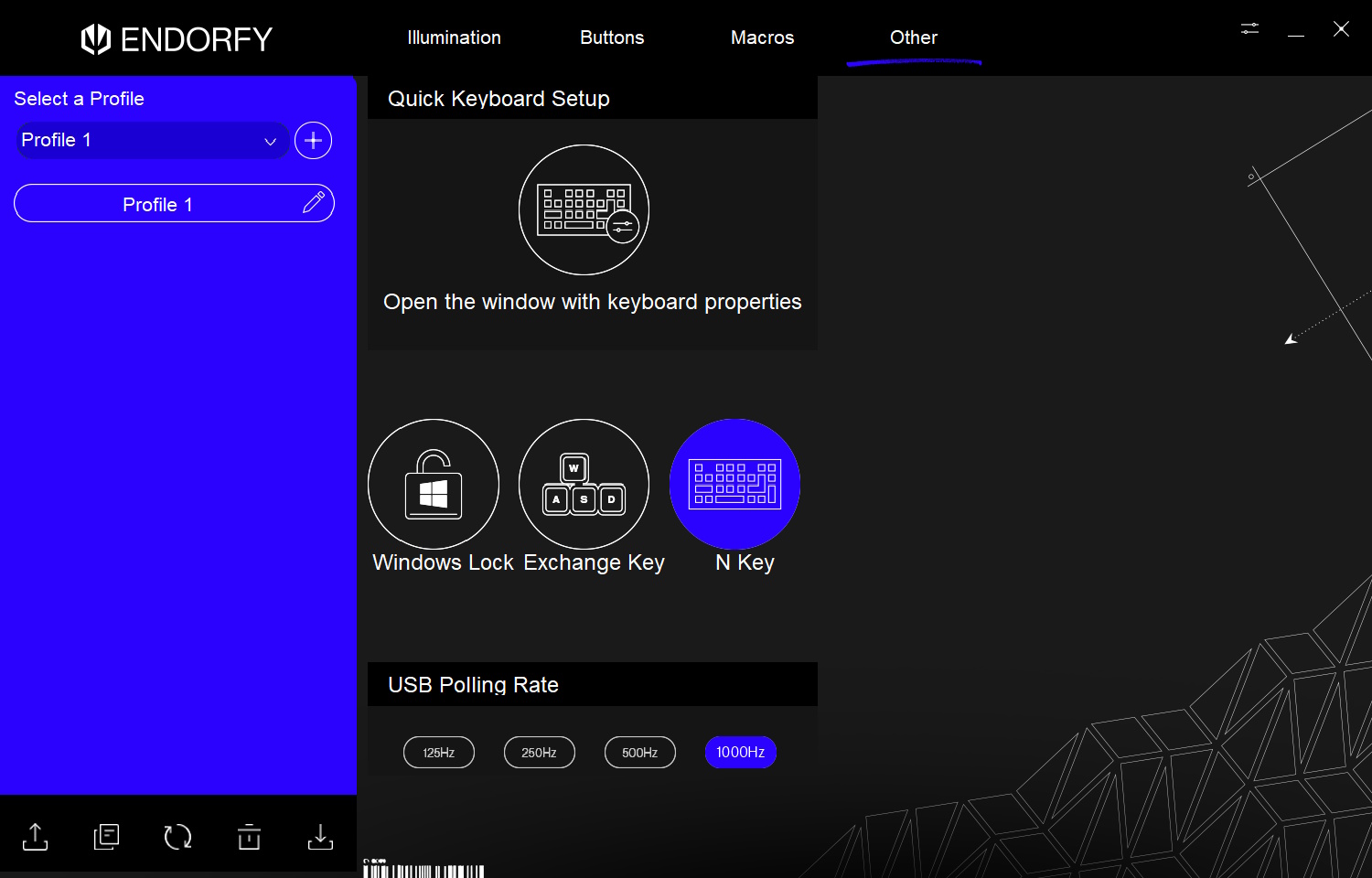 ENDORFY Thock V2 75 Wireless Software Andere (Image © PCMasters.de)
Finally, it’s worth taking a look at the device settings. Here, you could theoretically change the software’s language—in practice, however, only English is available. The currently installed firmware version is also displayed here. If an update is available, it would appear here as well.
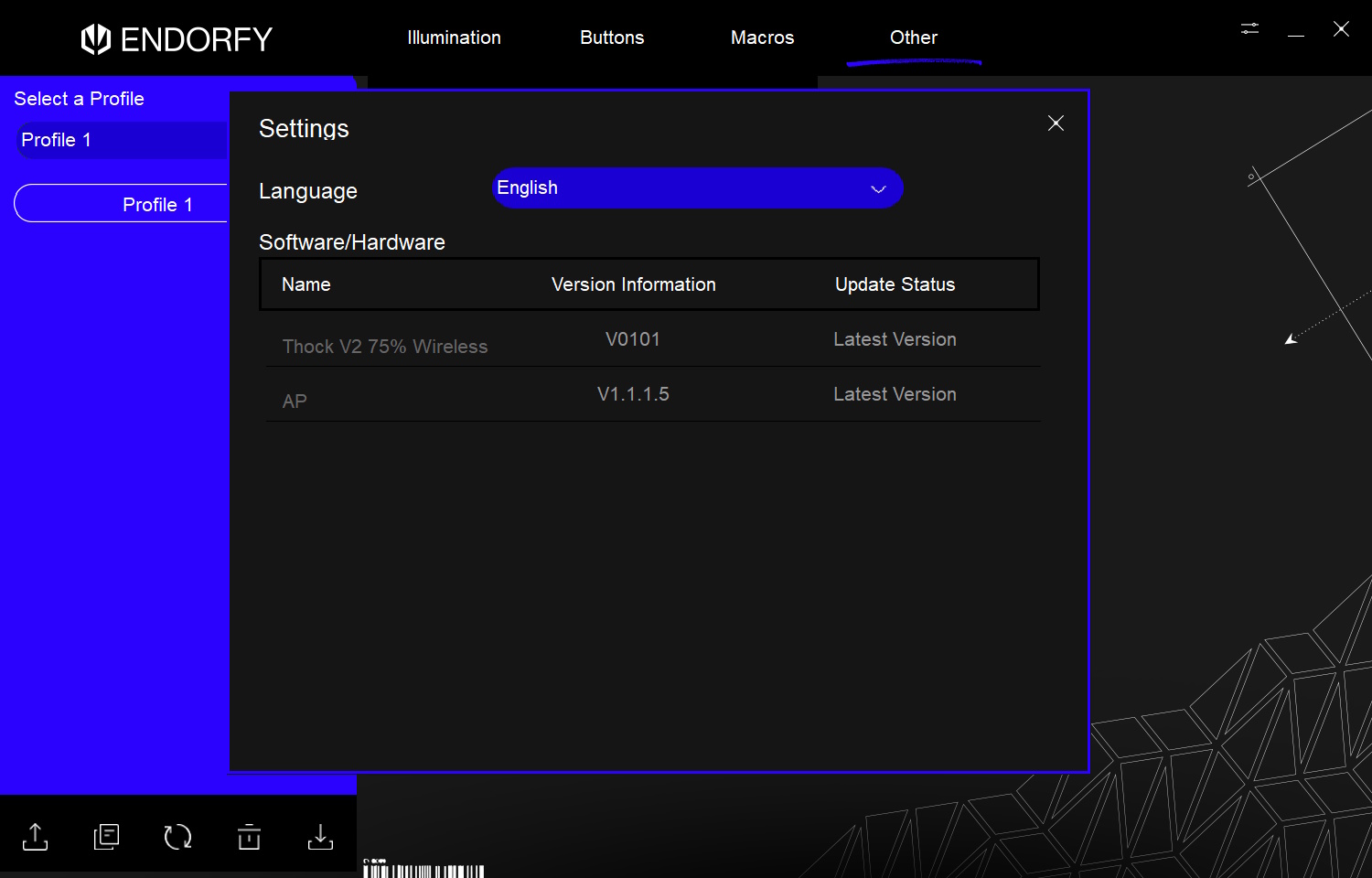 ENDORFY Thock V2 75 Wireless Software Einstellungen (Image © PCMasters.de)
All settings can be saved as profiles, which is particularly handy when switching between different setups or usage scenarios. Overall, the software has a clear layout and is visually appealing, even if it could use some fine-tuning in a few areas.
ENDORFY Thock V2 75 Wireless Detailansicht (Image © PCMasters.de)
Conclusion
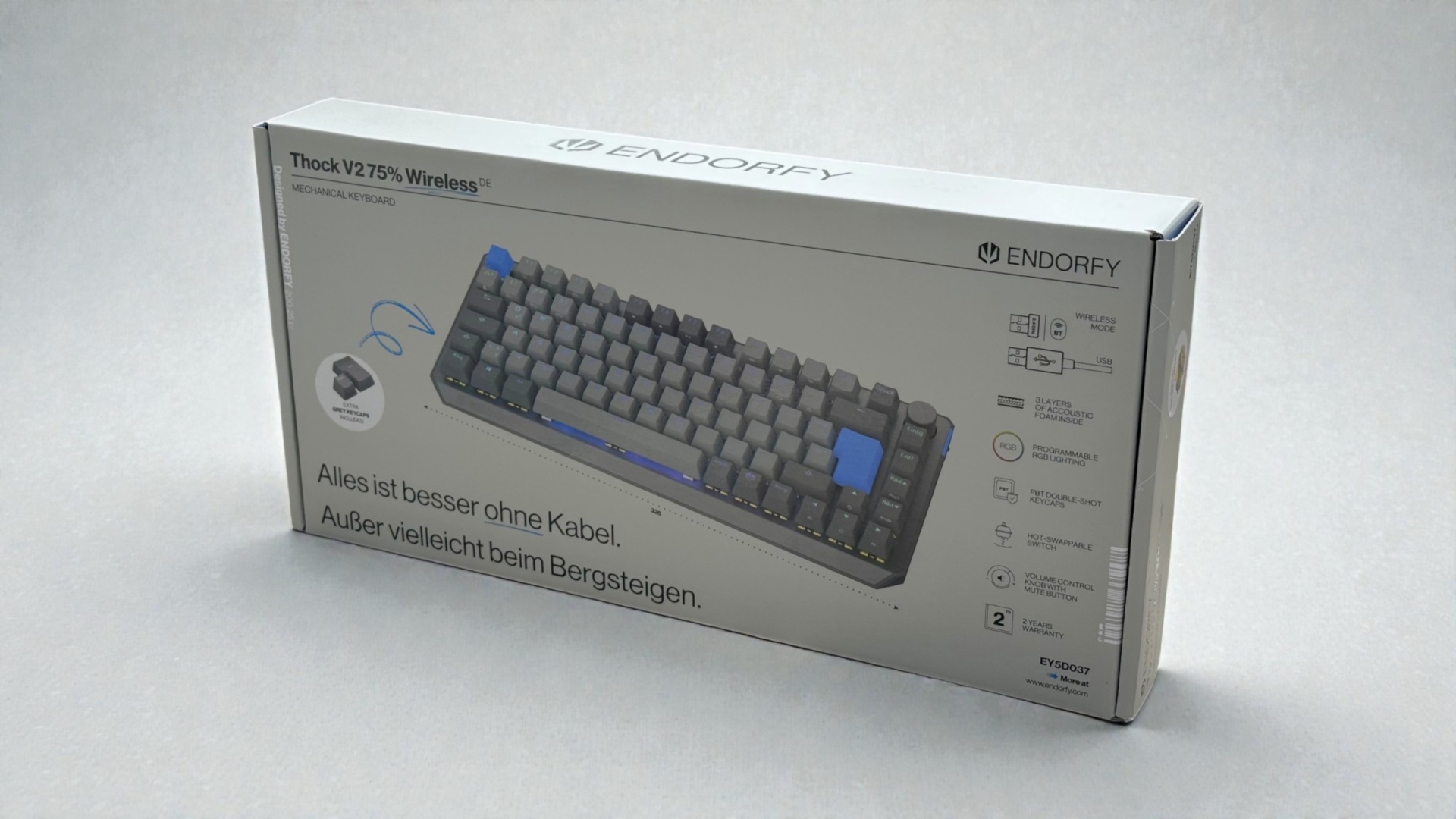
The ENDORFY Thock V2 75% Wireless impresses with high-quality craftsmanship, a pleasantly cushioned typing feel, and the precise, quiet ENDORFY Yellow switches. PBT double-shot keycaps, solid stabilizers, and subtle lighting round out the overall package. The optionally available palm rest is a useful upgrade for added comfort.
Criticism is directed primarily at the software, which is functional but still feels unfinished—from the SmartScreen warning to the lack of language selection. Those who can overlook this will receive a compact, well-cushioned, and versatile mechanical keyboard at a fair price of €78 (Affiliate).
Pros
- Build quality
- Many connectivity options
- User-friendly software
- High-quality materials
- Comfortable operation & low noise level
- Replaceable switches
Cons
- Wrist rest is cumbersome to install
- Software installation is blocked by Windows Defender
- Software has weaknesses