Computer Forum
Apple MacBook Neo in Detail
Rumors of a particularly affordable MacBook for the mass market have been circulating for a long time. The release date kept getting pushed back, but now it has become a reality in the form of the MacBook Neo. From the outside, it looks like a typical Apple notebook, but the starting price of €699 (Affiliate) is very uncharacteristic for Apple. For years, the MacBook Air was usually the most affordable entry point into the Apple world, but with the switch from Intel chips to Apple M-chips, the MacBook Air ended up in a more expensive price segment above €1,000. The ** MacBook Neo, however, falls within an **attractive price range of €699 to €799 (Affiliate), and those are the only two options Apple offers.
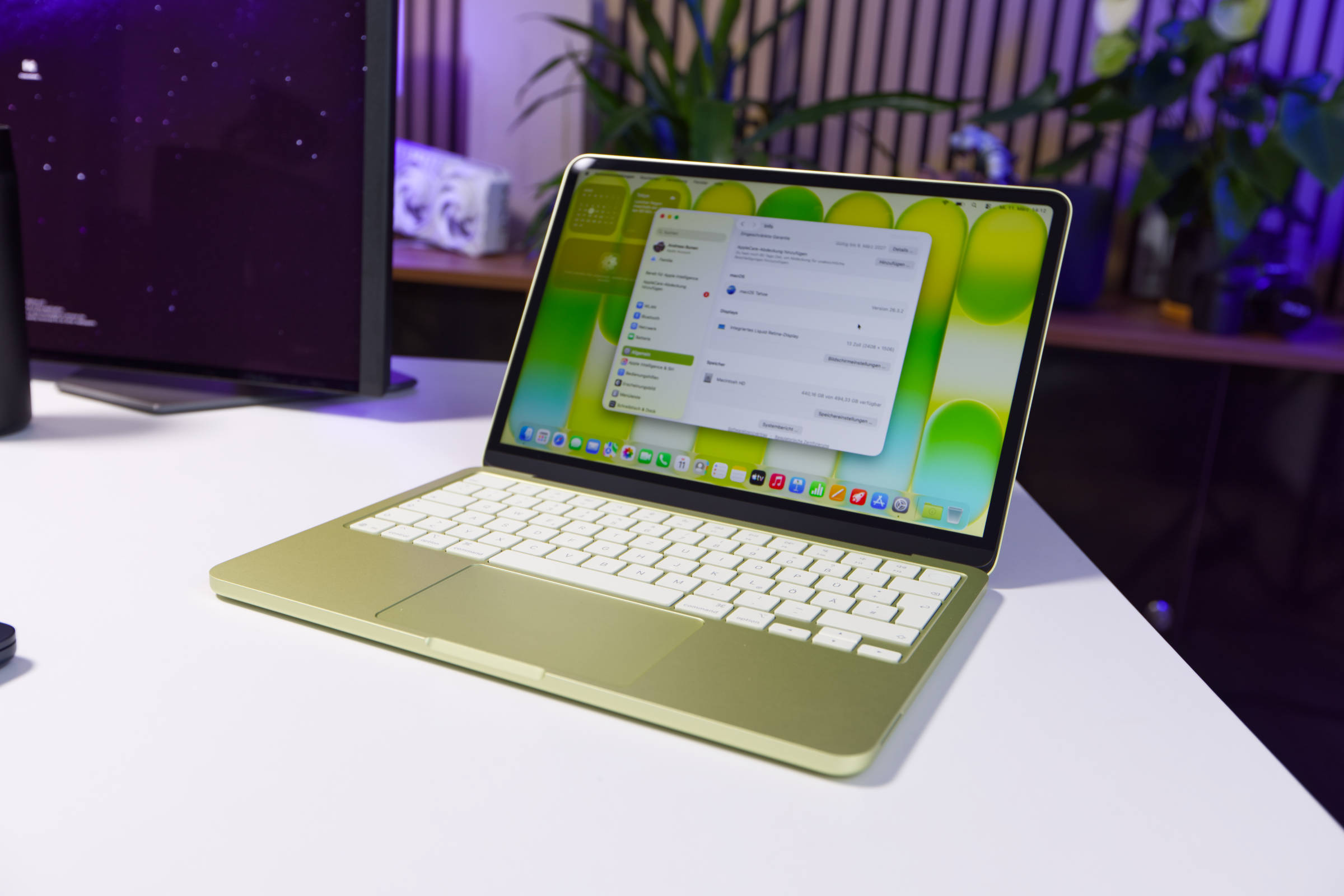 Apple MacBook Neo Test Review (Image © PCMasters.de)
This makes it incredibly easy for potential buyers: two storage configurations and four colors. There are no further differences for the mass market. This is also because MacBook Neo buyers likely have little to no interest in the technology inside and are looking for a durable notebook that looks fresh and fits into the Apple ecosystem. In this review, we’ll examine the MacBook Neo from both this perspective and a techie’s perspective.
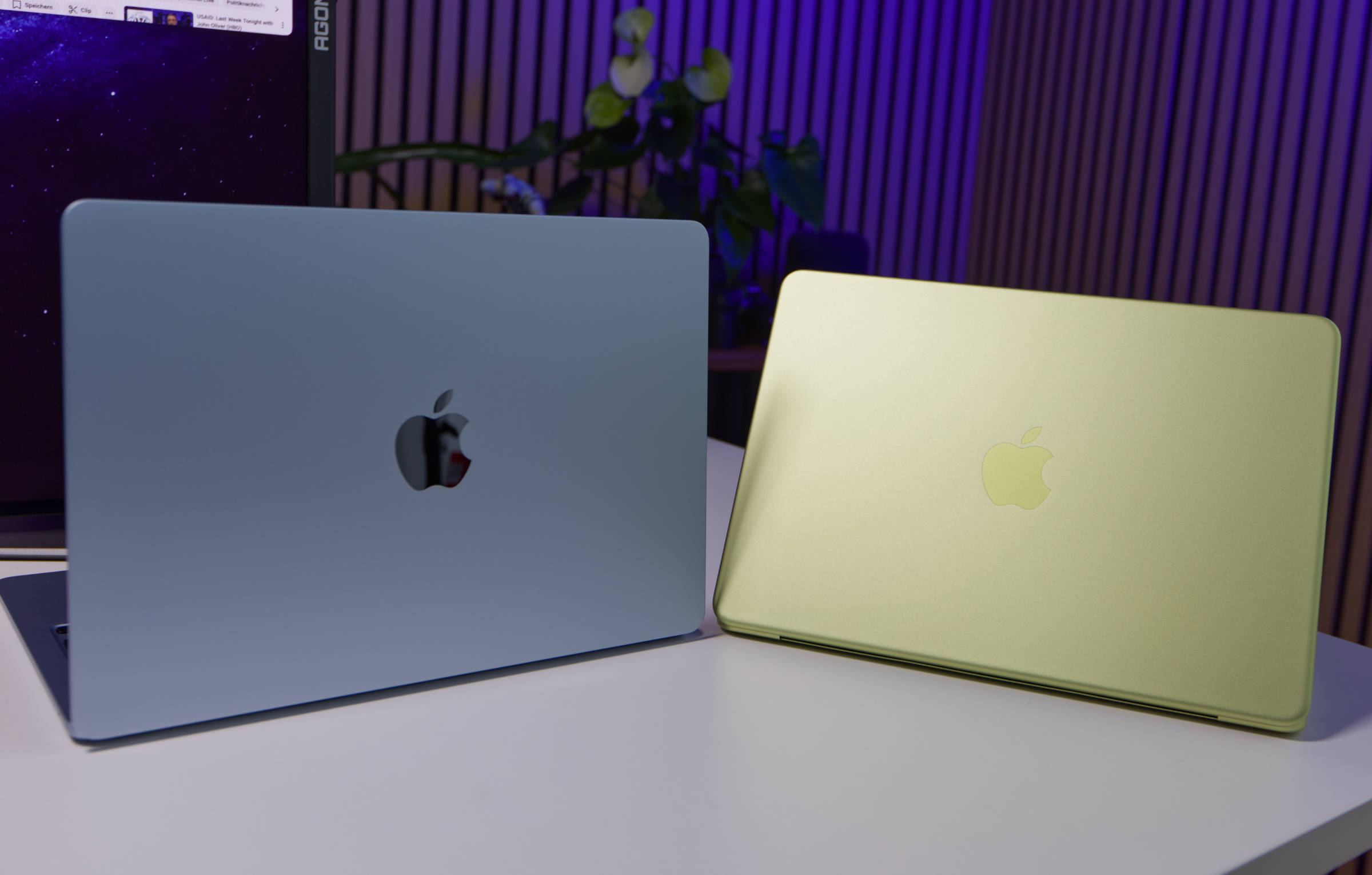 Apple MacBook Neo vs MacBook Air M5 (Image © PCMasters.de)
Apple A18 Pro SoC
The MacBook Neo is the first device to use a chip that isn’t part of the desktop-oriented M4 or M5 generation, but rather the less powerful A18 Pro chip. This chip comes from the iPhone 16 Pro, making it an iPhone chip that isn’t even the latest model. It features a 6-core CPU consisting of two performance cores and four efficiency cores. It also includes a 5-core GPU. Additionally, there are 16 cores of the Neural Engine (NPU), designed for AI model inference. The chip’s typical clock speeds are reported to be 4.044 GHz for performance cores and 2.424 GHz for efficiency cores.
The chip is manufactured by TSMC using the 3nm (N3E) FinFET process . The cache configuration is as follows:
- L1 Instruction Cache: 192 KB (Performance cores), 128 KB (Efficient cores)
- L1 Data Cache: 128 KB (Performance cores), 64 KB (Efficient cores)
- L2: 16 MB (Performance cores), 4 MB (Efficient cores)
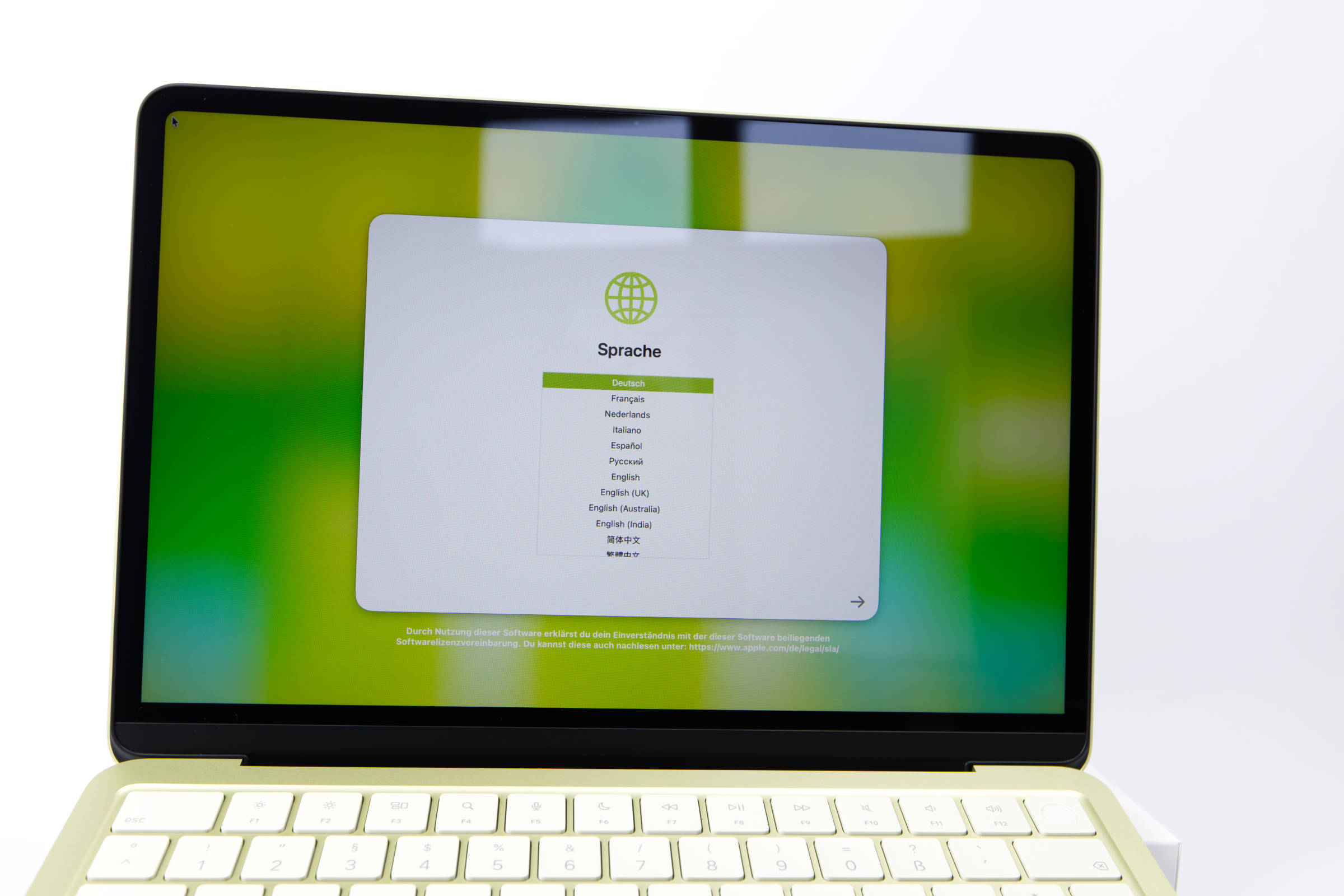 Apple MacBook Neo Display (Image © PCMasters.de)
13"-Liquid Retina Display and GPU with Limitations
MacBooks have impressed in nearly every generation with their beautiful Liquid Retina Display, especially since the Retina era began in Apple’s lineup. With the MacBook Neo, however, we have to make certain compromises because the price here needs to be driven down significantly. Despite these limitations, the MacBook Neo can connect to a maximum of one external display, while the built-in 13-inch Retina display is driven at full native resolution (2408 x 1506 pixels at 219 ppi).
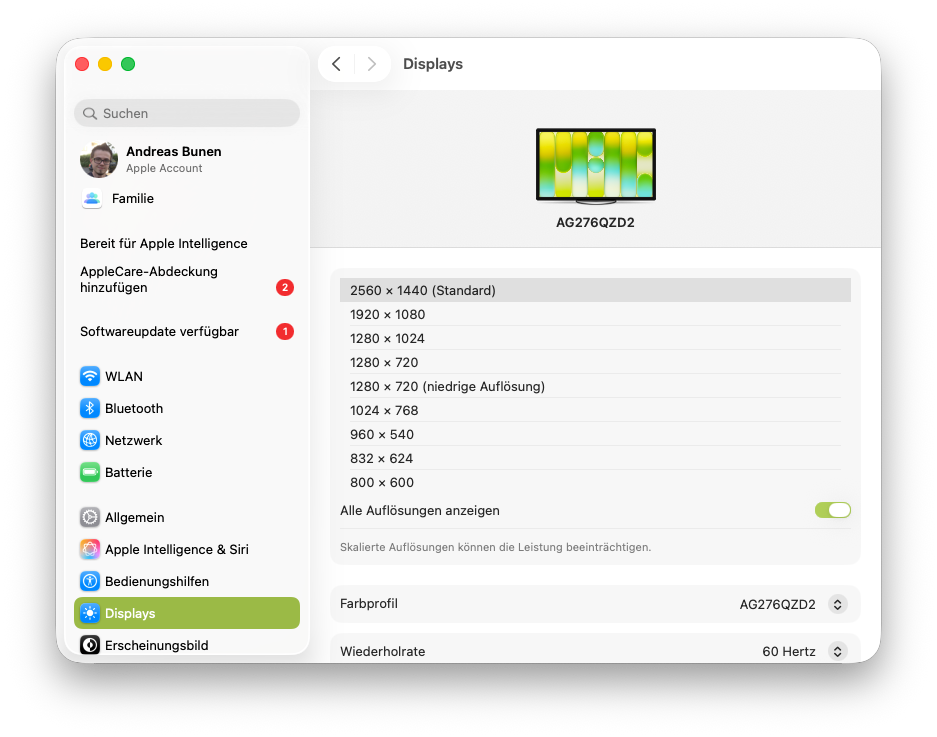 Apple MacBook Neo externer Monitor (Image © PCMasters.de)
In the settings, you cannot change the resolution of the internal display, only the scaling of the user interface.
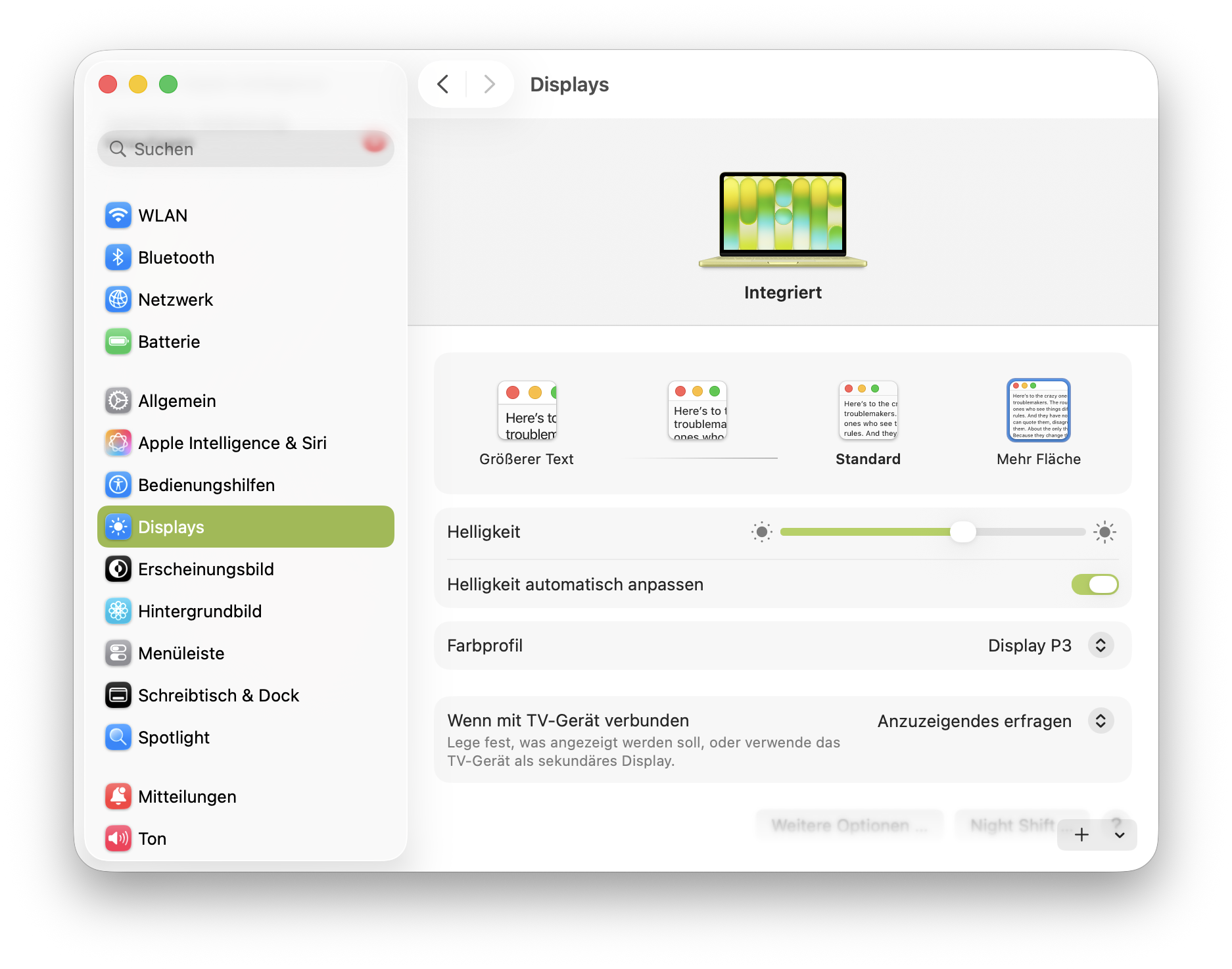 Apple MacBook Neo macOS Display (Image © PCMasters.de)
It’s important to note that the chip comes from the iPhone 16 Pro, and the smartphone actually operated at a resolution of 2622 × 1206. It wasn’t intended for an external monitor to be connected to it. However, the device was very much designed to accelerate gaming, and that works better than expected on the MacBook Neo. For more on this, take a look at the gaming benchmarks below.
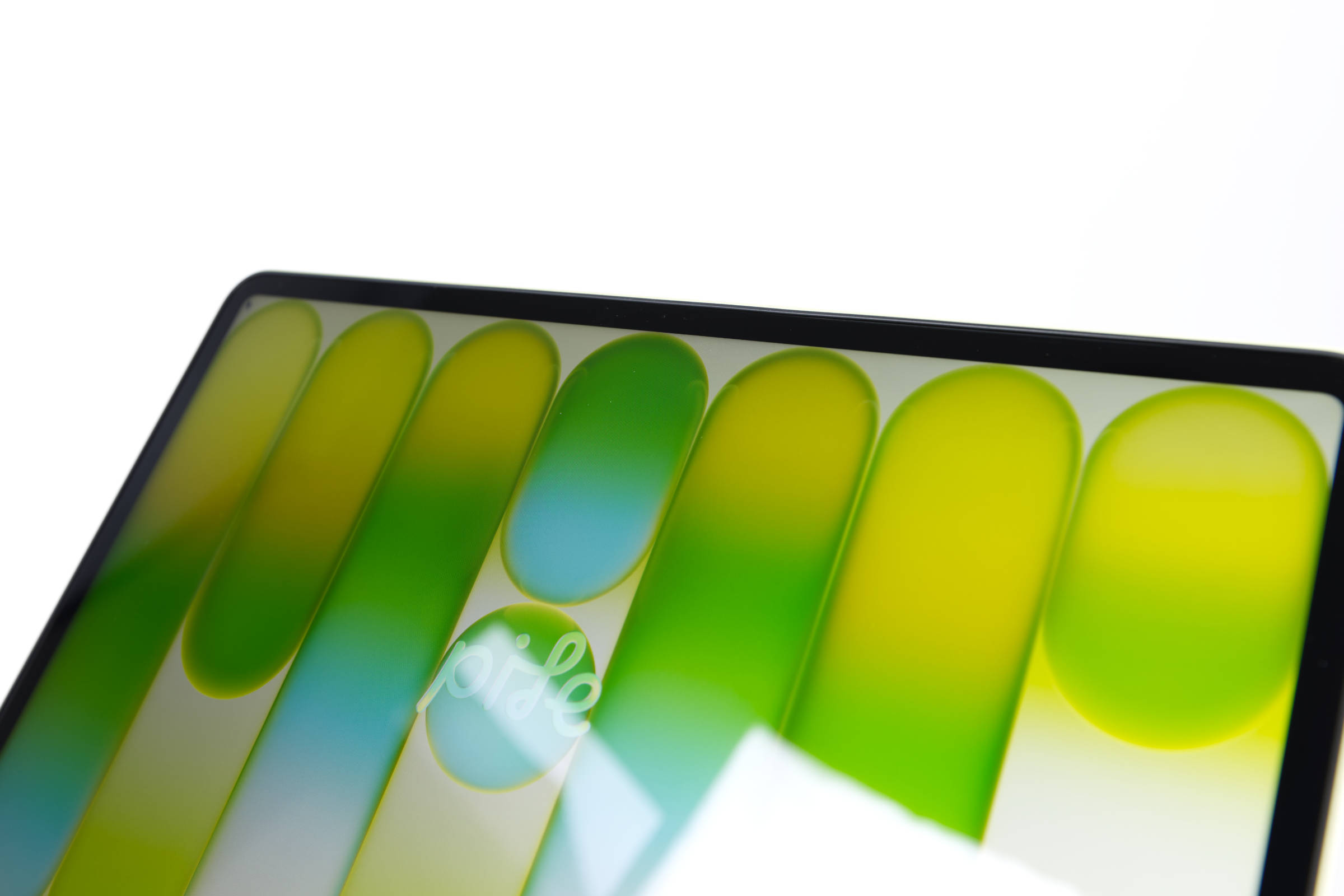 Apple MacBook Neo Display Nahaufnahme (Image © PCMasters.de)
The display here is more similar to that of an iPad: The bezels are about 1 cm thick and are completely rounded, matching the chassis frame. This leaves plenty of room for the camera at the top, so we don’t have a Dynamic Island or a notch protruding into the display at the bottom. Everything looks well-balanced, even though it uses an IPS panel with LED backlighting rather than an OLED panel. The display is good for this price range. The backlighting is uniform, and there’s no bleeding at the edges. Reflections aren’t too severe, even though the panel is glossy. In daylight, however, it can be straining to read text outdoors. With 500 nits of brightness, it can illuminate acceptably against the sun, even if it can’t keep up with a MacBook Pro.
Maximum 8 GB LPDDR5 RAM
Apple keeps the configuration of the MacBook Neo very simple. The notebook is only available with 8 GB of memory, which is likely due to the iPhone 16 Pro’s SoC. For macOS, this is sufficient memory for all tasks. We’re assuming a use case where it’s used by students and for office applications. Computer science students will likely struggle with the limited memory, but overall, it should be sufficient for beginners.
According to macOS, it features 8 GB of LPDDR5 memory from Hynix, even though the iPhone is likely specified with LPDDR5X-8533 (.4267 MHz).
256 or 512 GB SSD storage
When it comes to storage, buyers have a choice: the cheapest model for €699 with a 256 GB SSD or the slightly more expensive model with a 512 GB SSD for €799. The second option offers more than just storage, but Apple is trying to keep it simple.
We opted for the 512 GB version. The SSD is faster than we expected. When tested with the Blackmagic Speed Test tool, the MacBook Neo nearly matched the performance of a MacBook Air from the M4 generation. The speeds aren’t outstanding, but they’re not slow SATA speeds either.
Apple has found a good compromise here.
Battery and Charging
The MacBook Neo offers up to 16 hours of battery life when streaming videos, compared to 18 hours on the MacBook Air. It has a battery capacity of 36.5 watt-hours and is thicker than the MacBook Air, which provides more space for battery components but isn’t fully utilized for cost reasons. Charging is limited to USB-C without MagSafe or fast-charging capabilities, and the required power adapter is not included! Apple states that the MacBook Neo is designed for 1,000 charge cycles. This means that only fully charging and fully discharging the battery counts as a cycle. macOS tracks the charge cycles.
Technical Specifications
| Apple MacBook Air 13" M5 | Apple MacBook Neo | |
|---|---|---|
| Display | 13.6", 2560 × 1664, 20:13, 225 ppi, 60 Hz, glossy, IPS, 500 cd/m², 10-bit (1.07 billion colors), ~83.38% screen-to-body ratio |
13", 2408 × 1509, 16:10, 219 ppi, 60 Hz, glossy, IPS, 500 cd/m², 10-bit (1.07 billion colors), ~79.9% screen-to-body ratio |
| CPU | Apple M5 – 10-core CPU / 8-core GPU, 4C + 6C / 10T |
Apple A18 Pro, 2 × 4.04 GHz + 4 × 2.20 GHz |
| Chipset | SoC (System-on-Chip) | SoC (System-on-Chip) |
| NPU | 60 TOPS (Apple Neural Engine, 16-core) | 35 TOPS (Apple Neural Engine, 16-core) |
| RAM | 16 GB LPDDR5-6400 (Onboard, non-expandable) | 8 GB Onboard (non-expandable) |
| SSD | 512 GB (soldered) | 256 GB (soldered) |
| Graphics | Apple M5 8-Core GPU (iGPU) | Apple A18 5-Core GPU (iGPU) |
| Operating System | macOS 26 | macOS 26 |
| Input | German keyboard layout (backlit, rubber-dome), touchpad (Apple Force Touch Trackpad) |
German keyboard layout (rubber-dome), touchpad |
| Ports |
2 × Thunderbolt 3 / USB4 (DisplayPort 1.4, 40 Gb/s, PD-Out, PD-In power connection) 1 × 3.5 mm jack line-in 1 × DC-In Apple MagSafe 3 (power connection) |
1 × USB‑C 3.0 (DisplayPort 1.4, 5 Gb/s, PD‑In) 1 × USB‑C 2.0 (480 Mb/s, PD‑In) 1 × 3.5 mm jack Line‑In |
| Wireless | Wi‑Fi 7 (802.11a/b/g/n/ac/ax/be, 2×2, Apple N1), Bluetooth 6.0 |
Wi-Fi 6E (802.11a/b/g/n/ac/ax), Bluetooth 6.0 |
| Authentication | Fingerprint reader (Apple Touch ID) | – |
| Camera | 2 megapixels | 2 megapixels |
| Speakers | 4 × Dolby Atmos | 2 × Dolby Atmos |
| Optical drive | – | – |
| Battery | Li-polymer 53.8 Wh – 18 h (video), 15 h (web browsing) | Li-polymer 36.5 Wh – 16 h (video), 11 h (web browsing) |
| Power adapter | No power adapter included | No power adapter included |
| Special features | Brightness/light sensor, fanless | – |
| Weight | 1.23 kg | 1.23 kg |
| Dimensions (W × H × D) | 304.1 × 11.3 × 215 mm | 297.5 × 12.7 × 206.4 mm |
## Wi-Fi 6 and Bluetooth 6
There are also some compromises when it comes to wireless connectivity. Instead of the current Wi-Fi 7 standard, we get "only" the Wi-Fi 6E standard (IEEE 802.11a/b/g/n/ac/ax), which will likely be sufficient for most users, as price plays an important role here. Furthermore, the combo card also offers Bluetooth 6.0 for connecting to other wireless devices.
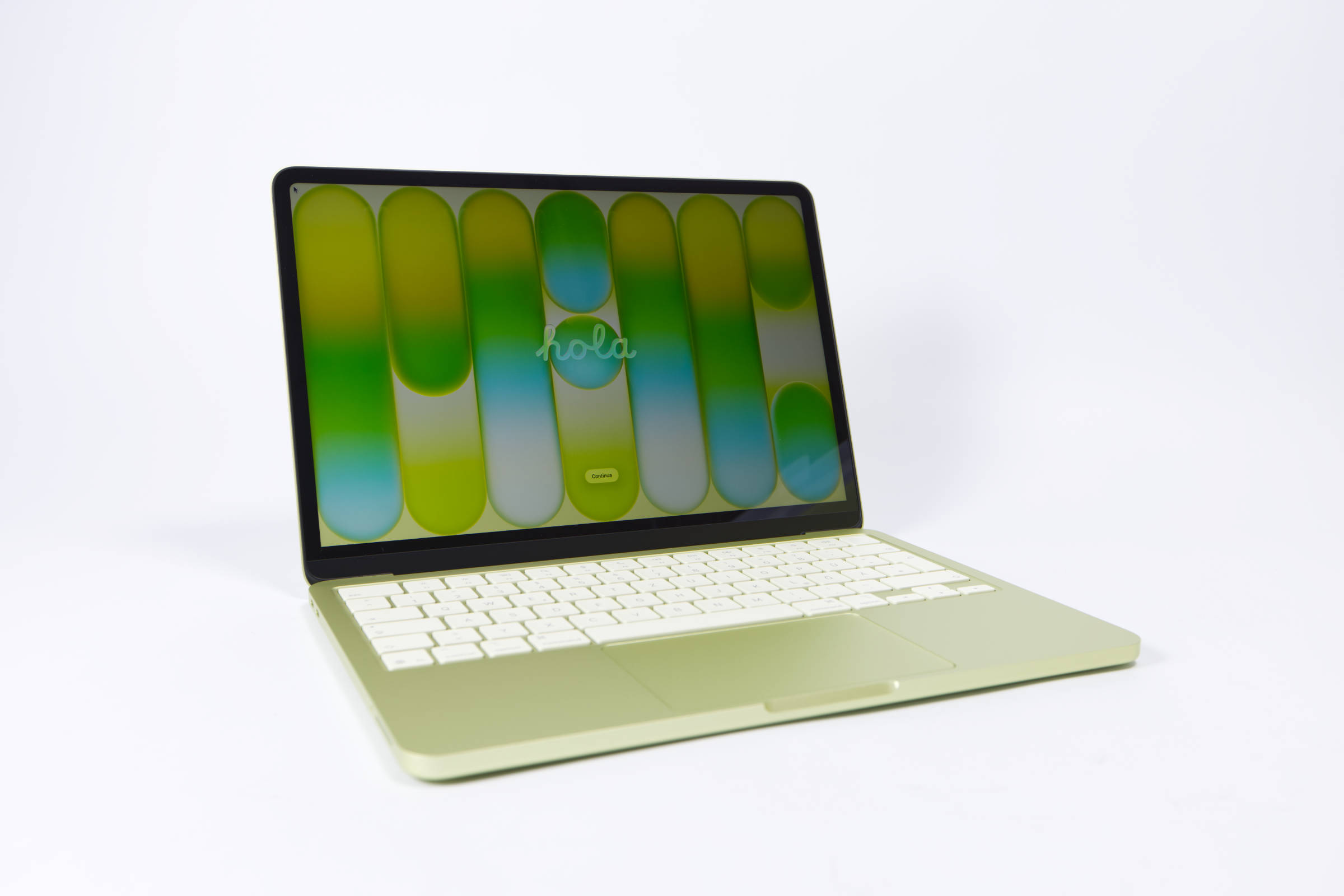 Apple MacBook Neo Das günstigste MacBook (Image © PCMasters.de)
Design and Appearance
The MacBook Neo is by no means the lightest or slimmest device, but at 1.23 kg, it weighs the same as the new-generation MacBook Air. Thanks to its rounded shape, it fits comfortably in the hand, doesn’t feel clunky, and has a thoroughly modern look inspired by the iPad.
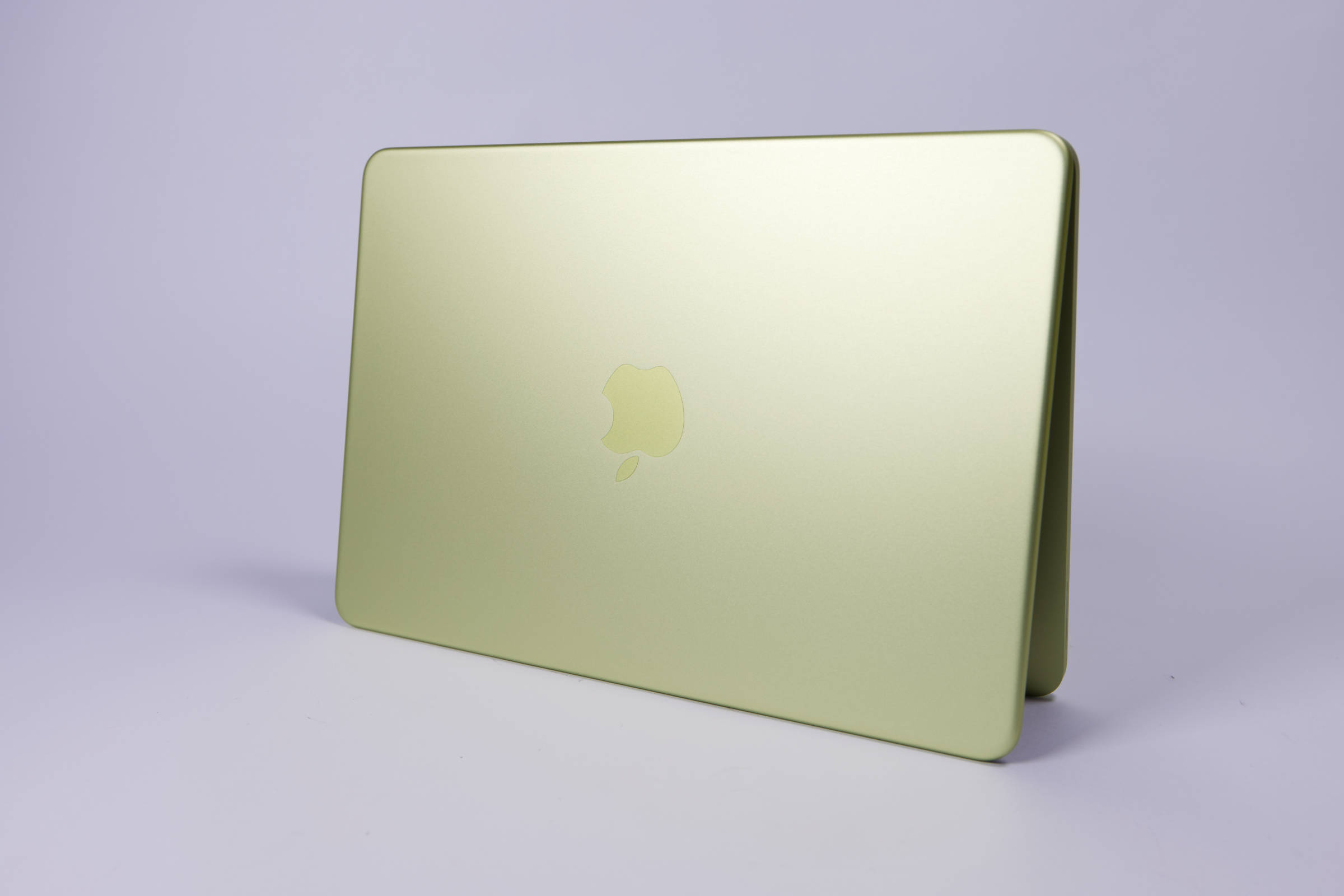 Apple MacBook Neo Design (Image © PCMasters.de)
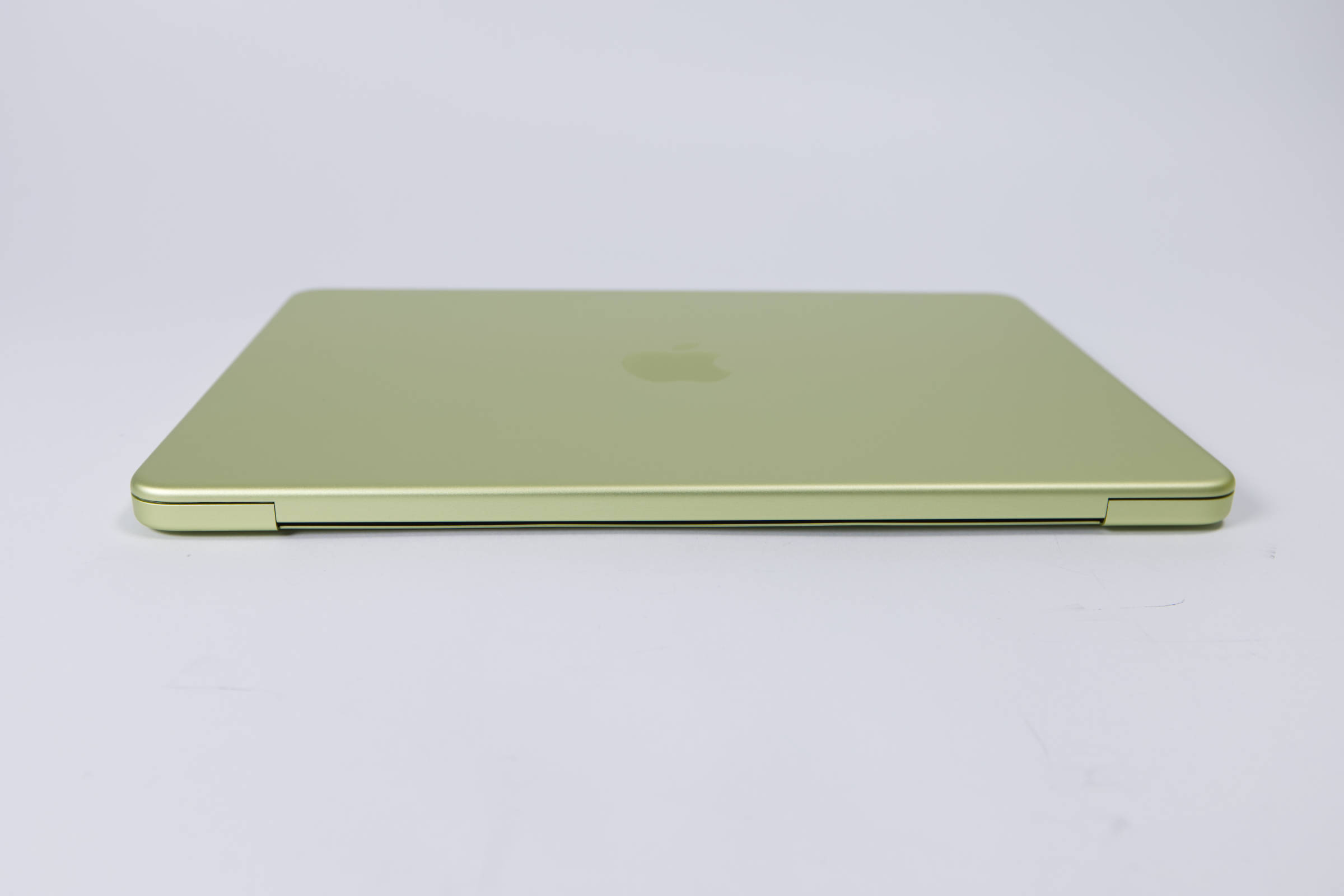
When it comes to color choices, Apple is finally giving buyers a bit more freedom. Instead of just the subdued colors of Silver and Indigo (bluish), there are bold options like the Citrus we selected and also Pink. The color saturation of the casing is intense, which really makes a statement on the aluminum body. The keyboard is also colored to match the casing. The overall look is quite a departure from Apple’s usual style. Apple rarely offers such saturated colors on its Pro devices.
 Apple MacBook Neo geschlossen (Image © PCMasters.de)
The logo isn’t made from a separate aluminum element but is simply coated differently for cost reasons. This makes it blend into the background a bit more.
 Apple MacBook Neo geöffnet (Image © PCMasters.de)
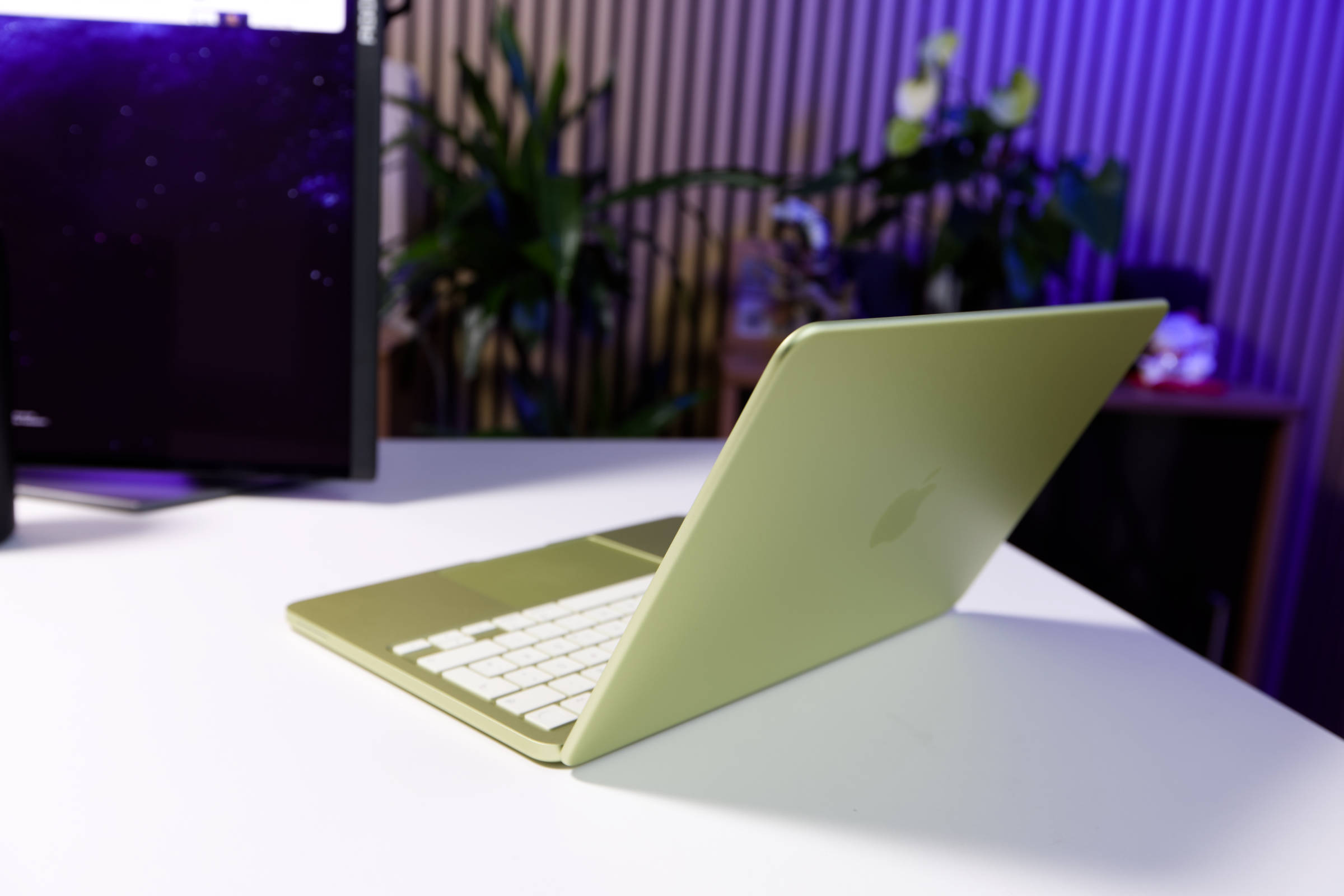
The hinges are sturdy and the display doesn’t wobble. You get a secure grip, and the rounded edges on the display as well as the rest of the chassis are finished to a high standard—exactly what you’d expect from an Apple device.
 Apple MacBook Neo Unterseite (Image © PCMasters.de)
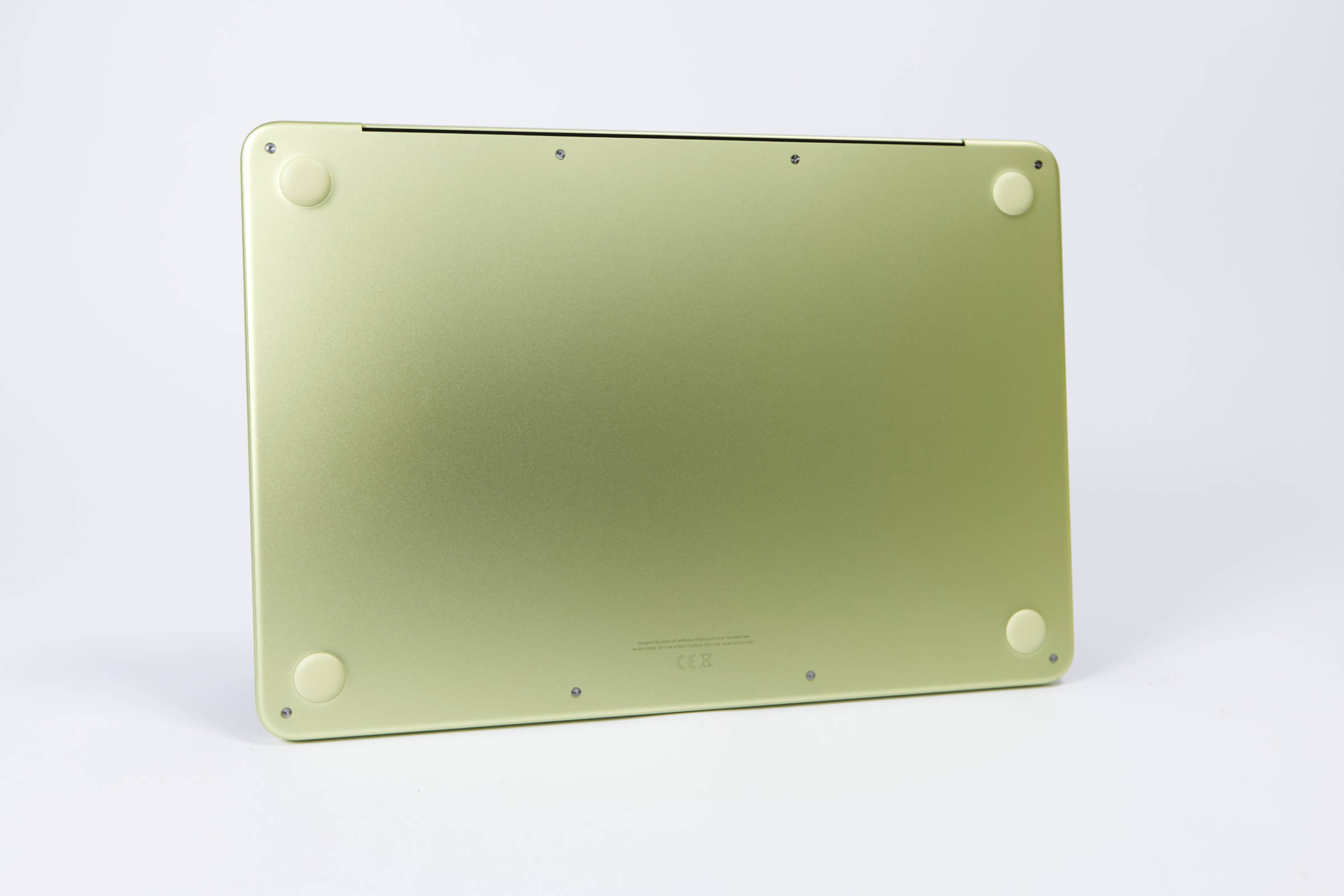
The bottom is also anodized in the same shade, and only the screws shine silver. The four rubber pads at the four corners are thick and provide good grip on the table. The notebook still doesn’t sit very high off the table.
 Apple MacBook Neo Anschlüsse (Image © PCMasters.de)
Ports
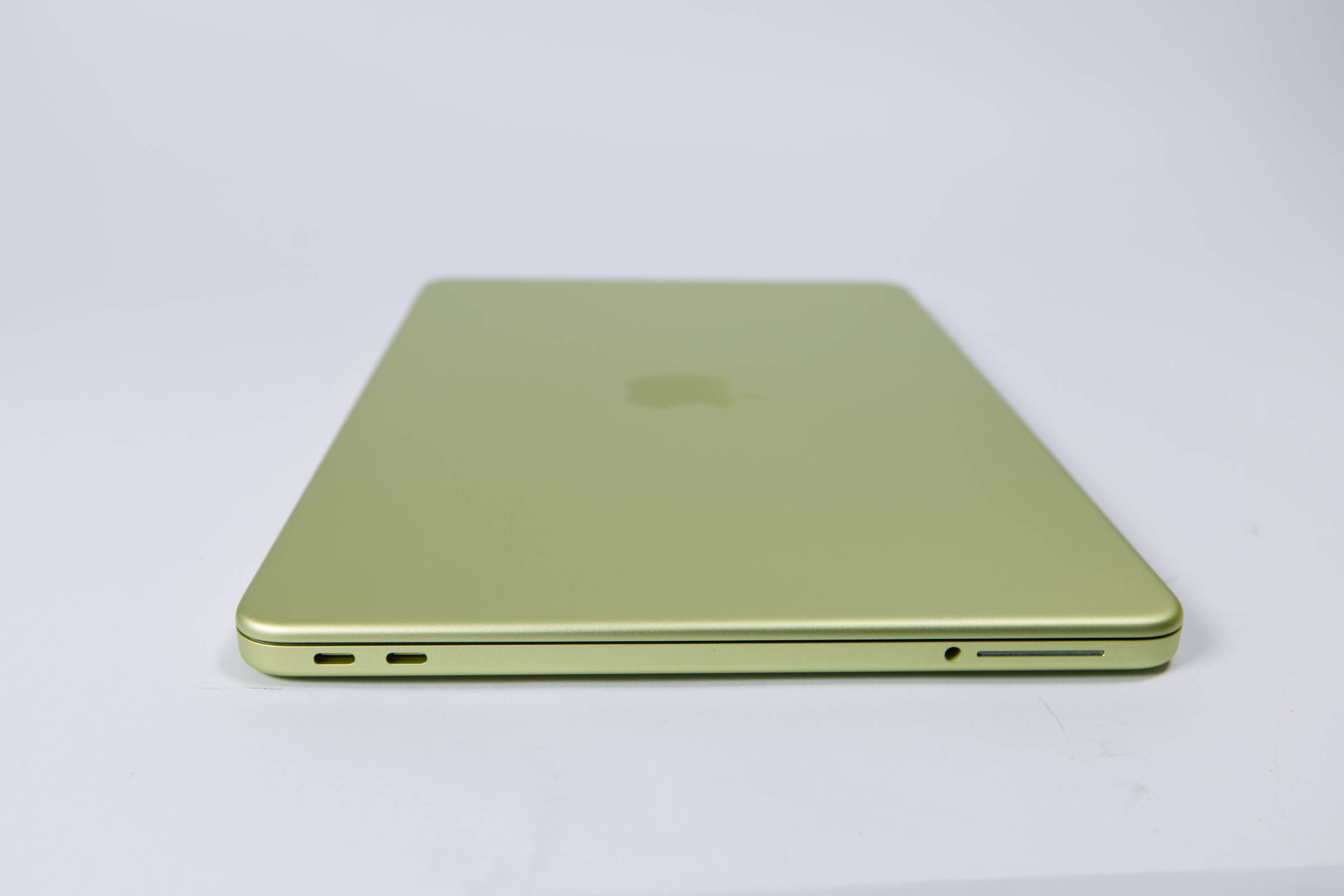
The ports present the biggest issues and limitations. The MacBook Neo has all its ports positioned on the left side. Further up the chassis, there are two USB-C ports, which sounds great at first glance, but there’s a big BUT! Only one of the two supports DisplayPort 1.4 for connecting external displays. You have to make sure you’ve connected the monitor to the corresponding USB 3 port, which is located closest to the back of the device. Unlike other Macs, there’s no Thunderbolt here. This means you can’t connect Studio Displays either.
The faster USB 3.0 port manages a maximum of 10 Gb/s or 1.25 GB/s, which is good at first glance. But here’s the problem: the second port is only USB 2.0! We get speeds of 480 Mb/s or 60 MB/s, which is simply poor. This is due to the fact that the iPhone 16 Pro was never designed to have two USB ports.
There is also a 3.5-mm headphone jack at the bottom left. That’s all there is in terms of ports.
Camera
The camera is very stripped-down, but that’s no big deal. The camera is designed for 1080p FaceTime but doesn’t support Center Stage or similar features. It should be sufficient for short video calls for most users, though you can also switch to the iPhone’s camera, which is supported by macOS and delivers significantly better results if that’s important to you. We wouldn’t expect anything more than a 1080p camera from a €699 laptop.
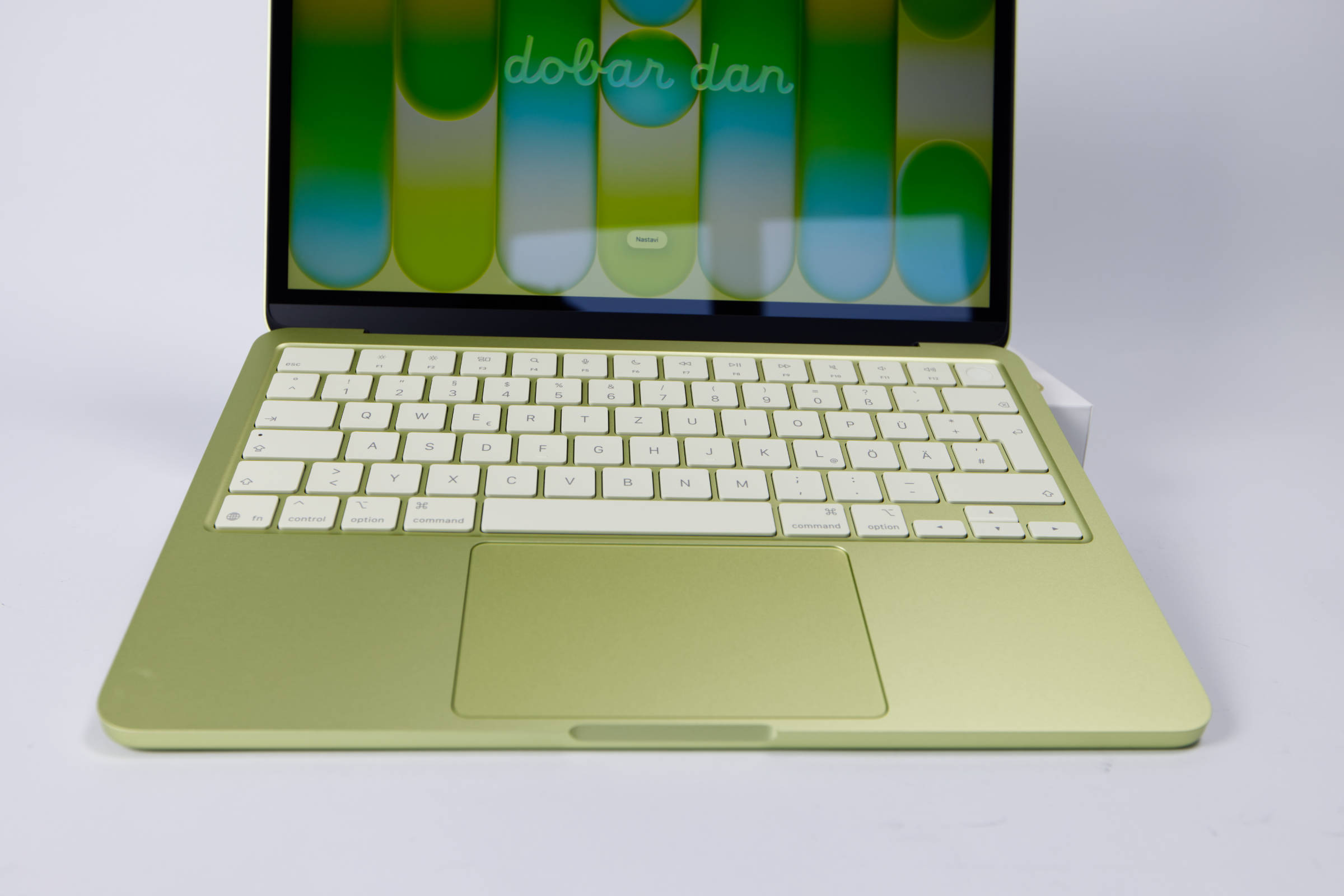 Apple MacBook Neo Tastatur und Trackpad (Image © PCMasters.de)
Keyboard and Touchpad, Touch ID
The keyboard naturally features the standard German layout for German-speaking buyers. The low-profile keys not only look good in the matching color, they feel good too. We can’t judge how well the keyboard holds up over the long term, but we found the typing experience very pleasant.
The 256-GB model doesn’t have a Touch ID sensor, but the 512-GB model does. We recommend this one because it makes working with the Mac easier.
At the bottom is a trackpad that supports Multi-Touch. It isn’t as high-quality as on other MacBooks and is rather small, but it’s sufficient for everyday use.
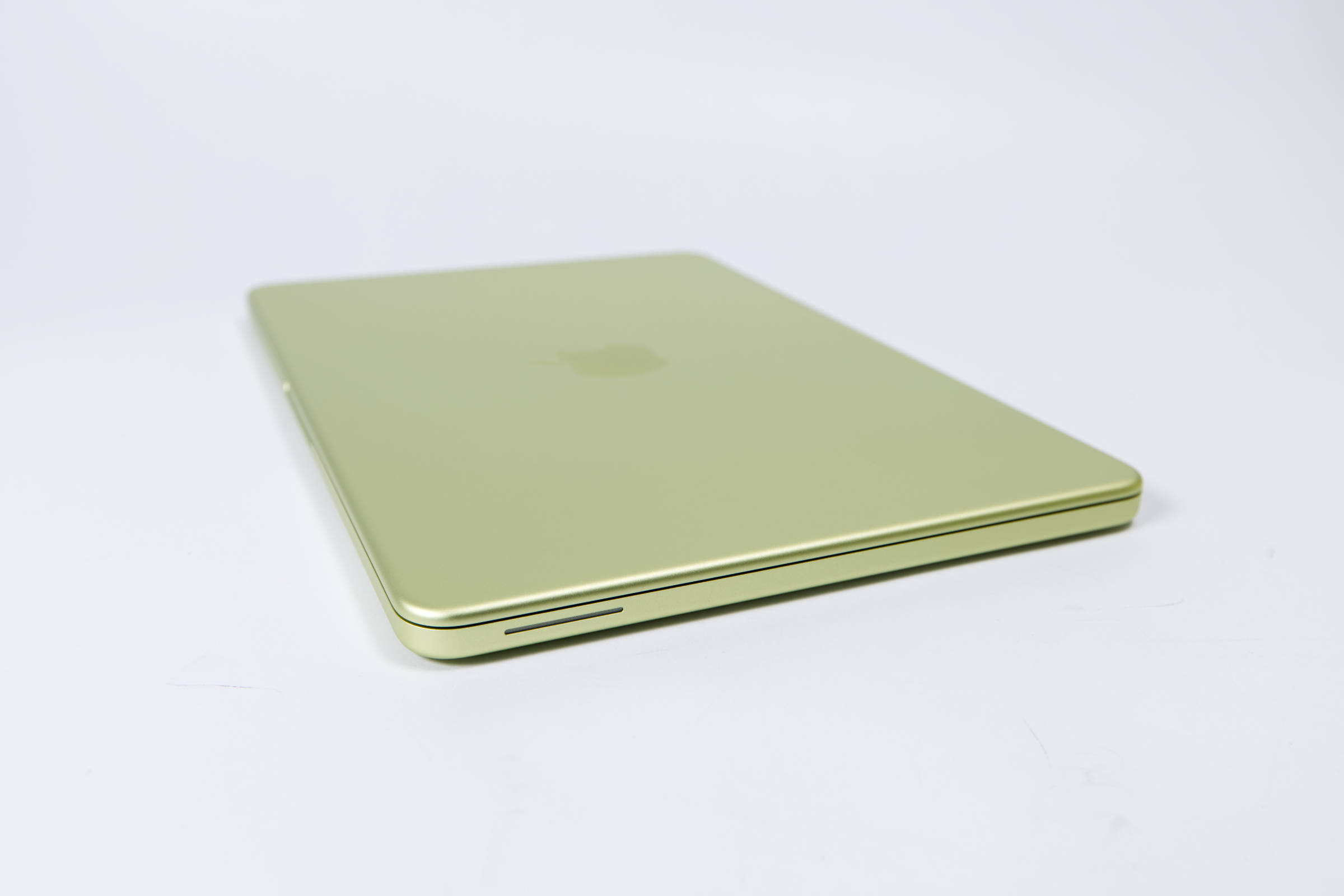 Apple MacBook Neo Lautsprecher (Image © PCMasters.de)
Sound and Speakers
For a notebook in the €700 price range, the sound from the two speakers is excellent. Apple has learned how to produce great sound in a compact space, and the MacBook Neo proves it. The sound is even better on more expensive iPad Pro and MacBook Pro models, but the MacBook Neo’s speakers are worlds better than what you get from the competition in this segment.
What’s interesting here is that the speakers face outward to the sides but still manage to deliver very good spatial 3D sound directed toward the user. The speakers are well-suited for music and videos. The bass isn’t too pronounced and sounds well-balanced for a notebook.
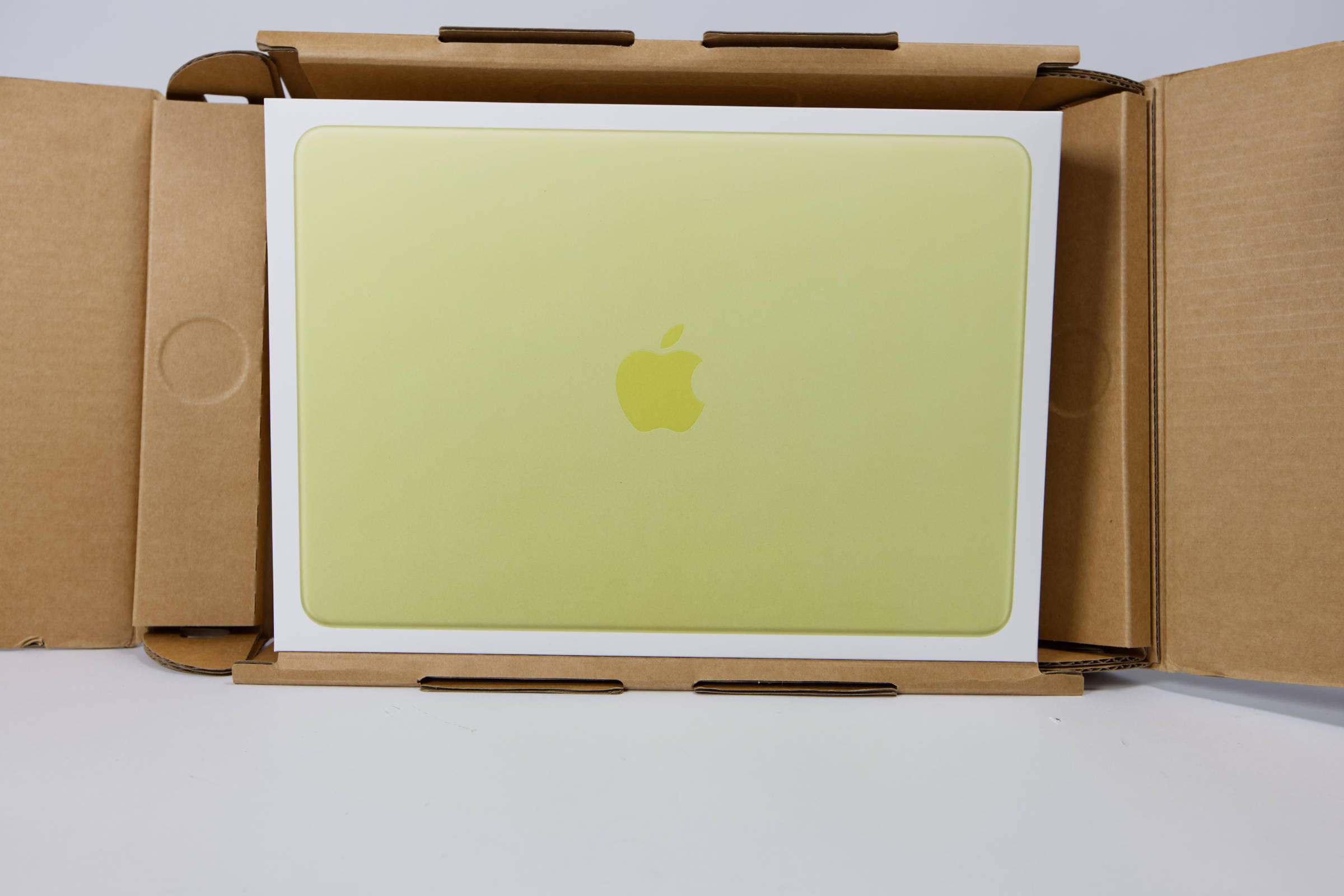 Apple MacBook Neo Verpackung (Image © PCMasters.de)
Packaging and Contents
Unboxing Apple products is usually a real experience, as the team behind it really puts a lot of thought into it. From the shipping box, which you tear open with a single pull and then unfold outward, to the product’s inner packaging, the experience is unique. Apple is also known for its products emitting a certain scent upon unboxing, intended to remind you of new Apple products. The outer packaging is made of thick cardboard and survived shipping well.
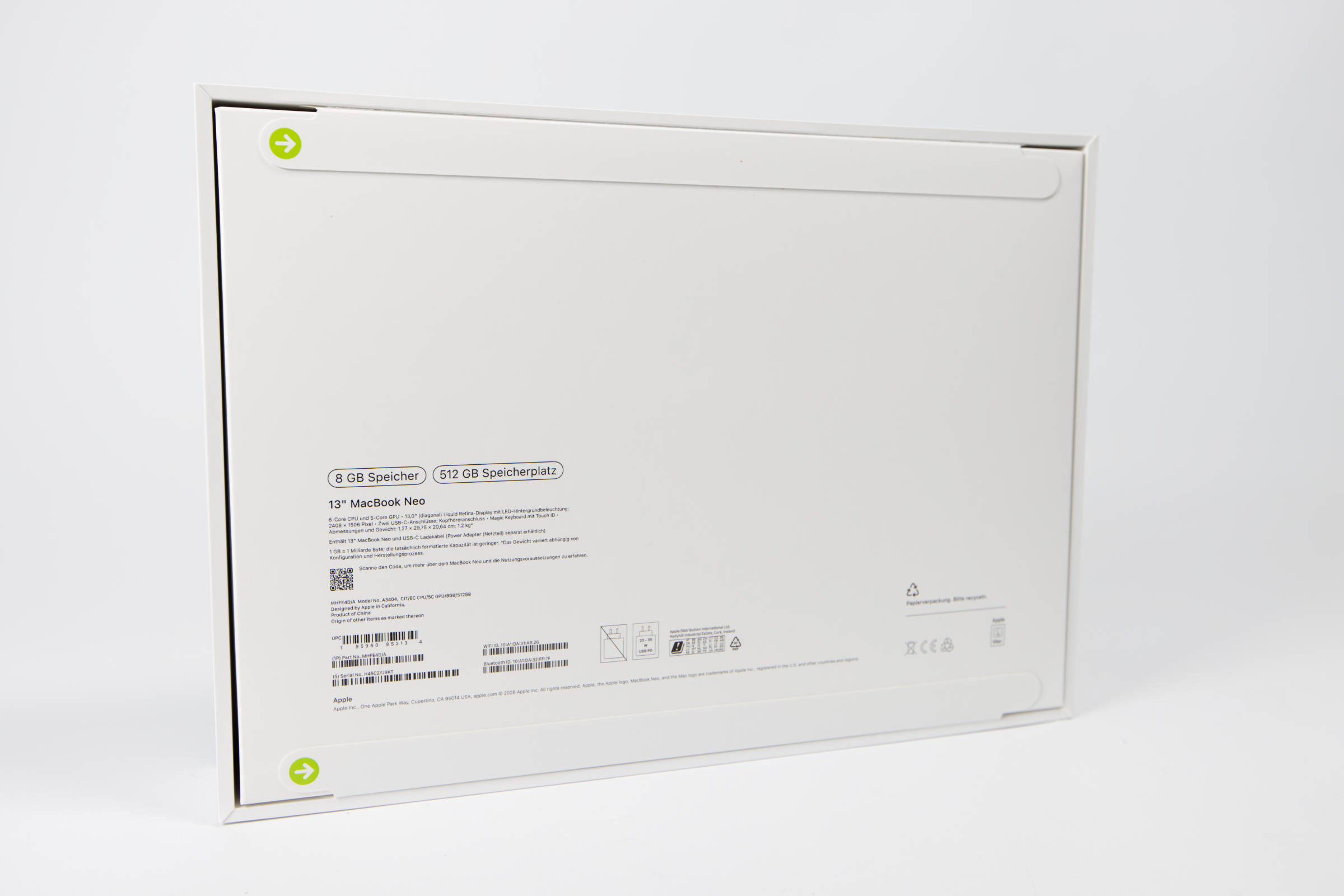 Apple MacBook Neo Rückseite (Image © PCMasters.de)
The white outer packaging of the MacBook Neo is even thicker and heavier. The front features an almost life-size image of the notebook. On the back, you have to pull two tabs to open the packaging. After that, you can remove the large lid.
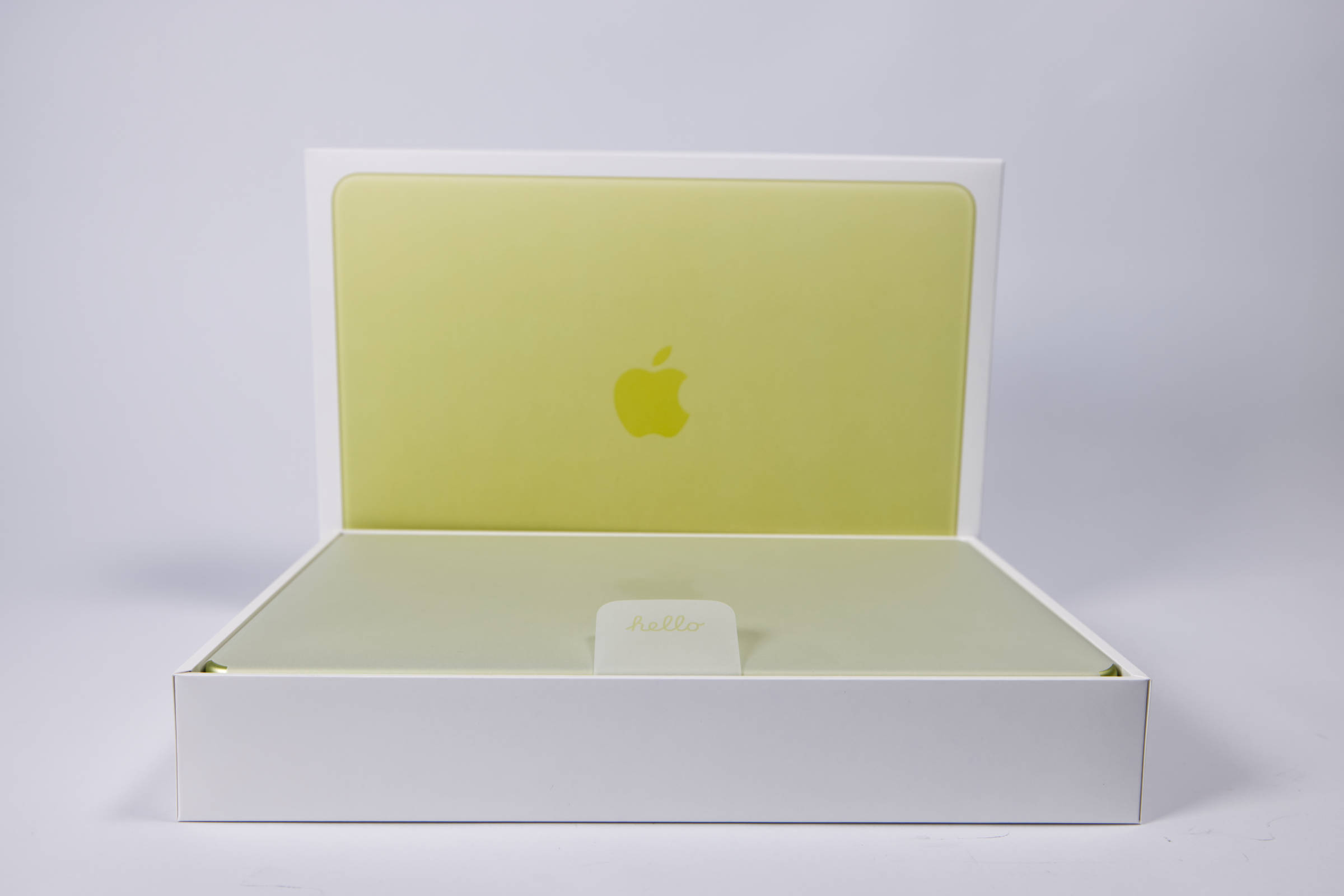 Apple MacBook Neo Innenverpackung (Image © PCMasters.de)
The MacBook Neo is wrapped in a thin layer of paper, as is standard with all other Macs. The flap reads "hello," which is a new feature.
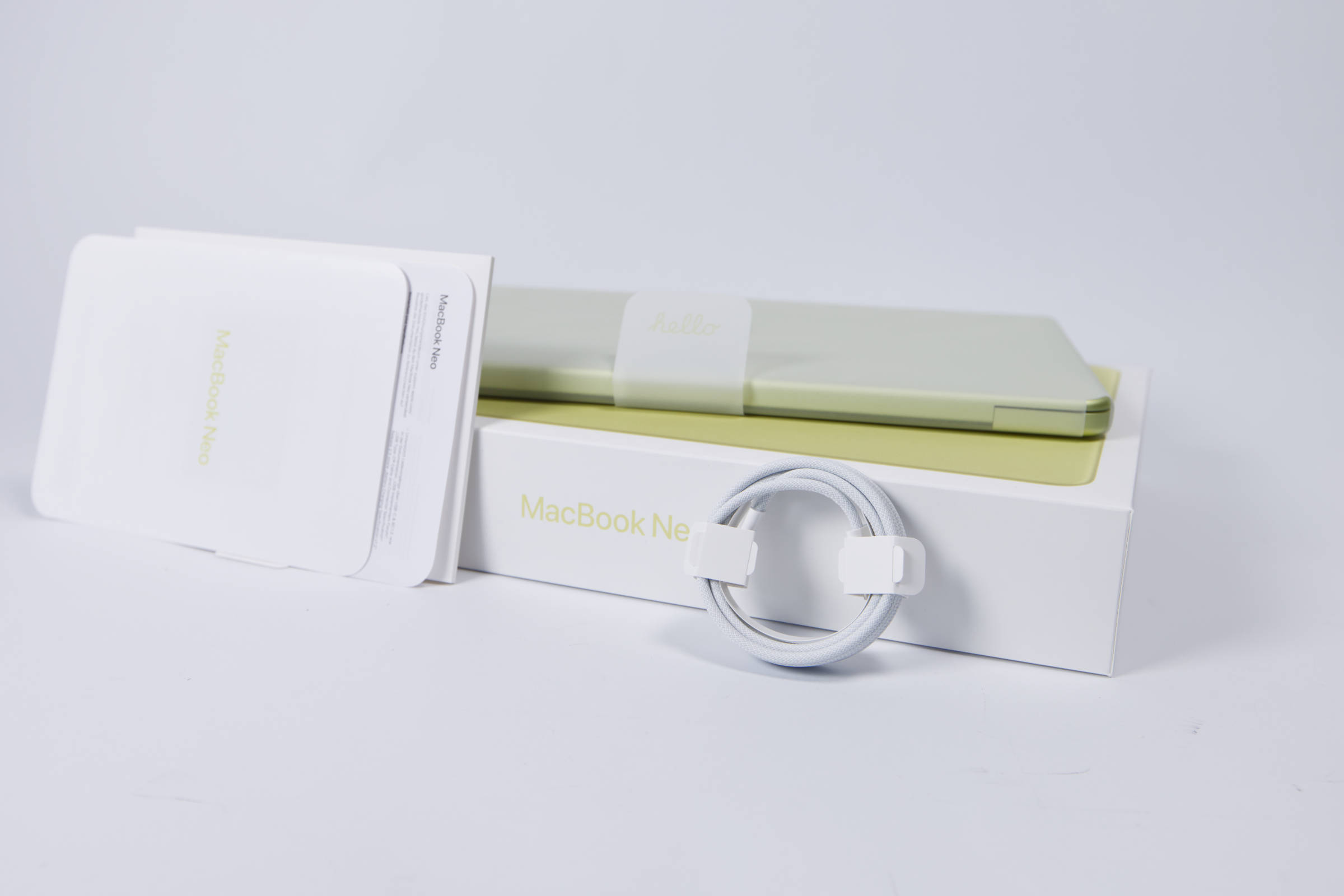 Apple MacBook Neo Lieferumfang (Image © PCMasters.de)
The package includes only a few instruction sheets and a USB-C cable. Unfortunately, Apple has omitted the charger.
Performance of the Apple MacBook Neo
Using Mac-native benchmarks, we test the notebook’s performance in workloads and games. For comparison, we include a Mac Studio with M1 Max, a MacBook Air with an M4 chip, and a new one with an M5 chip.
Apple MacBook Neo Benchmark (Synthetic)
Synthetic benchmarks allow for relatively good comparisons between different CPU architectures. Depending on the benchmark, the focus is on specific workloads, allowing the respective CPU to demonstrate its performance.
Cinebench 2026 GPU
For the GPU benchmarks, the MacBook Neo does not meet the minimum requirements of Cinebench 2026, which is why zero points are recorded here.
Cinebench 2026 CPU
HandBrake
This benchmark measures elapsed time, meaning lower numbers are better.
Geekbench 5 CPU Benchmark
Geekbench 6 CPU Benchmark
Apple MacBook Neo AI Performance in Benchmarks
Apple is increasingly focusing on AI features as part of its Apple Intelligence. The MacBook Neo also supports these features. We have tested the AI performance so far using Geekbench AI and compared it with that of other Macs. The NPU is particularly important here, as it is designed to shift the load for AI inference from the CPU and GPU to the NPU.
However, with llama.cpp, performance is insufficient for larger models such as Meta-Llama-3-8B-Instruct-Q5_K_S.gguf. The 8 GB of RAM is a significant limiting factor. The generated output was 0.1 t/s, which is extremely slow. So far, GPUs (Metal) have been used for these processes instead of NPUs.
Apple MacBook Neo Benchmarks
Apple has long promised that gaming on the Mac would be a thing. In reality, this is indeed possible, as starting with the M2 SoC, you can play pretty much all Windows games in the Steam library. Some developers put in extra effort, and you can even get unexpectedly high frame rates. While you can also stream games from a PC, we expect the Mac to handle this on its own without annoying latency.
3DMark for Mac/iOS - Wild Life Extreme
The 3DMark tool is designed for iOS and macOS, which is why we’ve included it as an additional option.
3DMark for Mac/iOS - Solar Bay Extreme (Raytracing)
Shadow of the Tomb Raider
This Tomb Raider title isn’t the newest, but it has aged well, as the graphics are superb by today’s standards and the game runs at very high fps even on Macs.
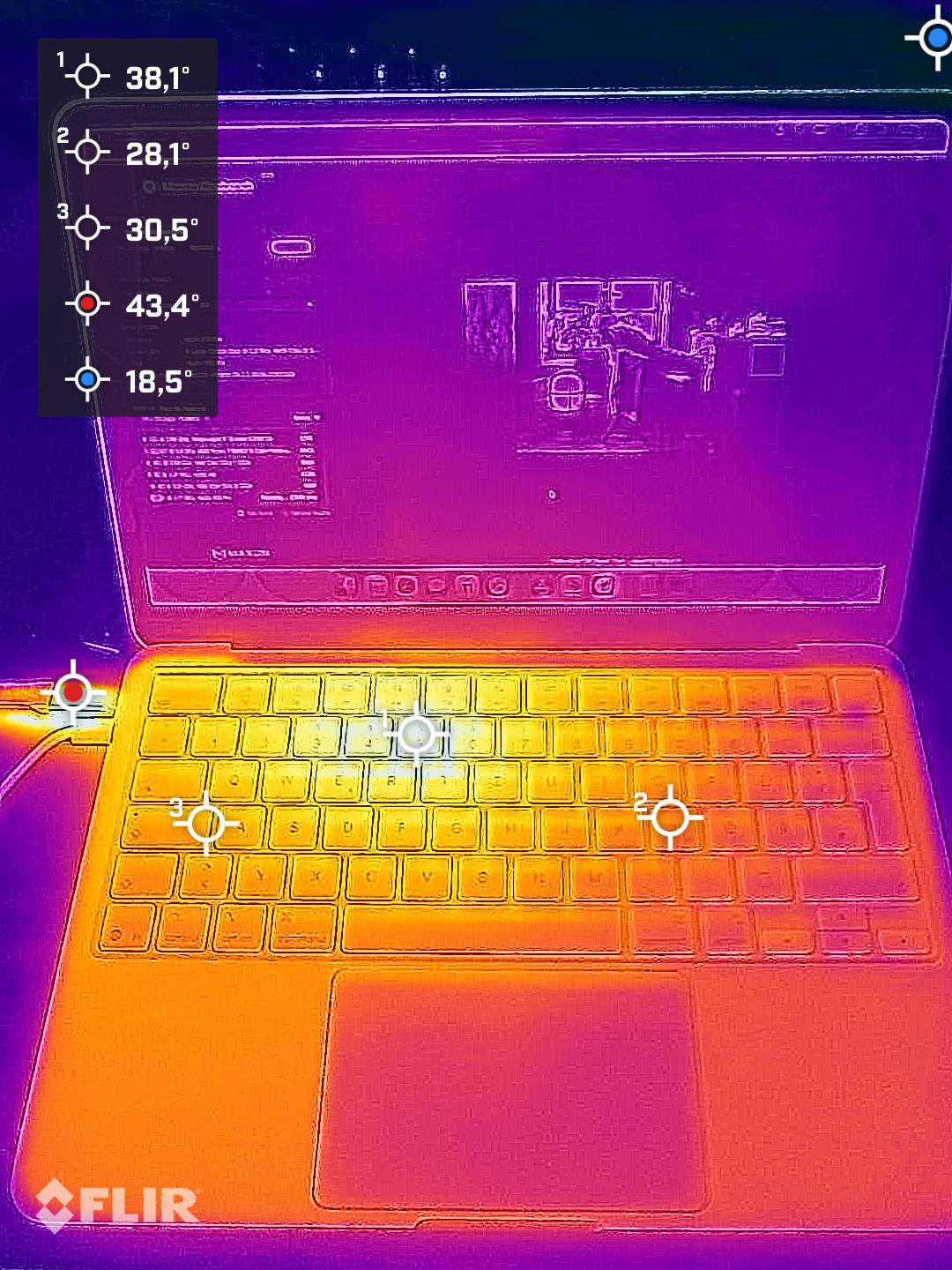 Apple MacBook Neo Wärmebildaufnahmen (Image © PCMasters.de)
Cooling
We can’t say much about the MacBook Neo’s cooling design, as we weren’t allowed to open it up. However, Apple has opted not to include a fan and runs the notebook passively, as is also the case with the MacBook Air. This causes the area beneath the logic board to heat up. The thermal images show where the logic board is located. During prolonged stress testing with Cinebench 2026, the aluminum chassis heats up, but the approximately 38 °C is still cool. The case acts as a heat sink, and the notebook did not appear to throttle. For the typical workloads users encounter in everyday use, the cooling will therefore be more than sufficient.
Performance in Gaming, Multi- and Single-Thread Applications (Rating)
When looking at performance in single-threaded applications, the MacBook Neo really scores very well compared to its bigger siblings. It outperforms the individual cores of the Mac Studio and also comes close to the performance of the M4 MacBook Air.
In multi-threaded applications, however, it becomes clear that the number of cores is a limiting factor. But considering that this is the most affordable MacBook, there’s simply no room for complaint here. The Neo delivers more than one would expect from it.
You usually can’t expect usable gaming performance from mini-PCs and notebooks in the €700 price range. However, the MacBook Neo is definitely suitable for gaming, especially when running Metal-optimized games. But you can also tackle Steam games.
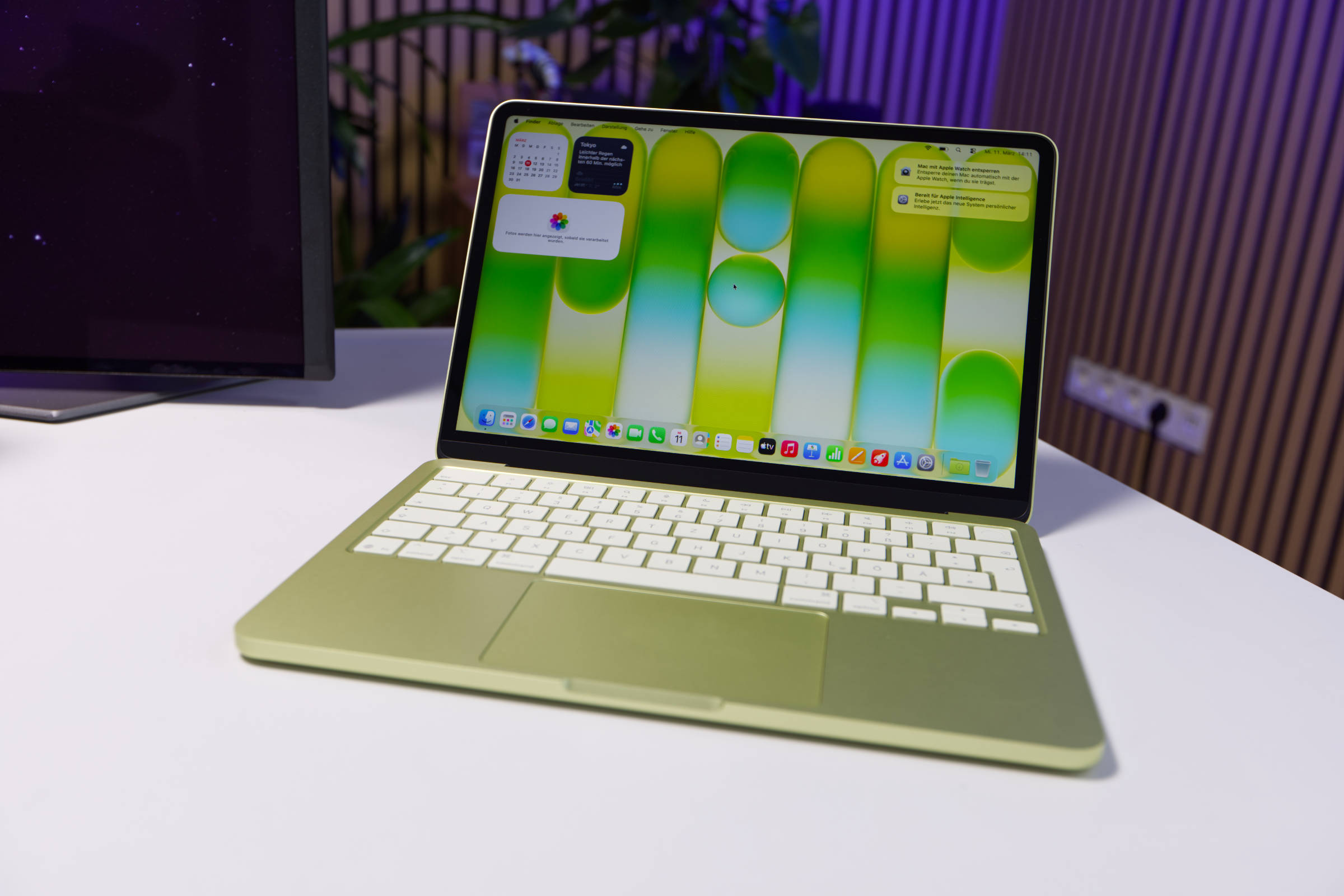 Apple MacBook Neo Fazit (Image © PCMasters.de)
Conclusion on the MacBook Neo
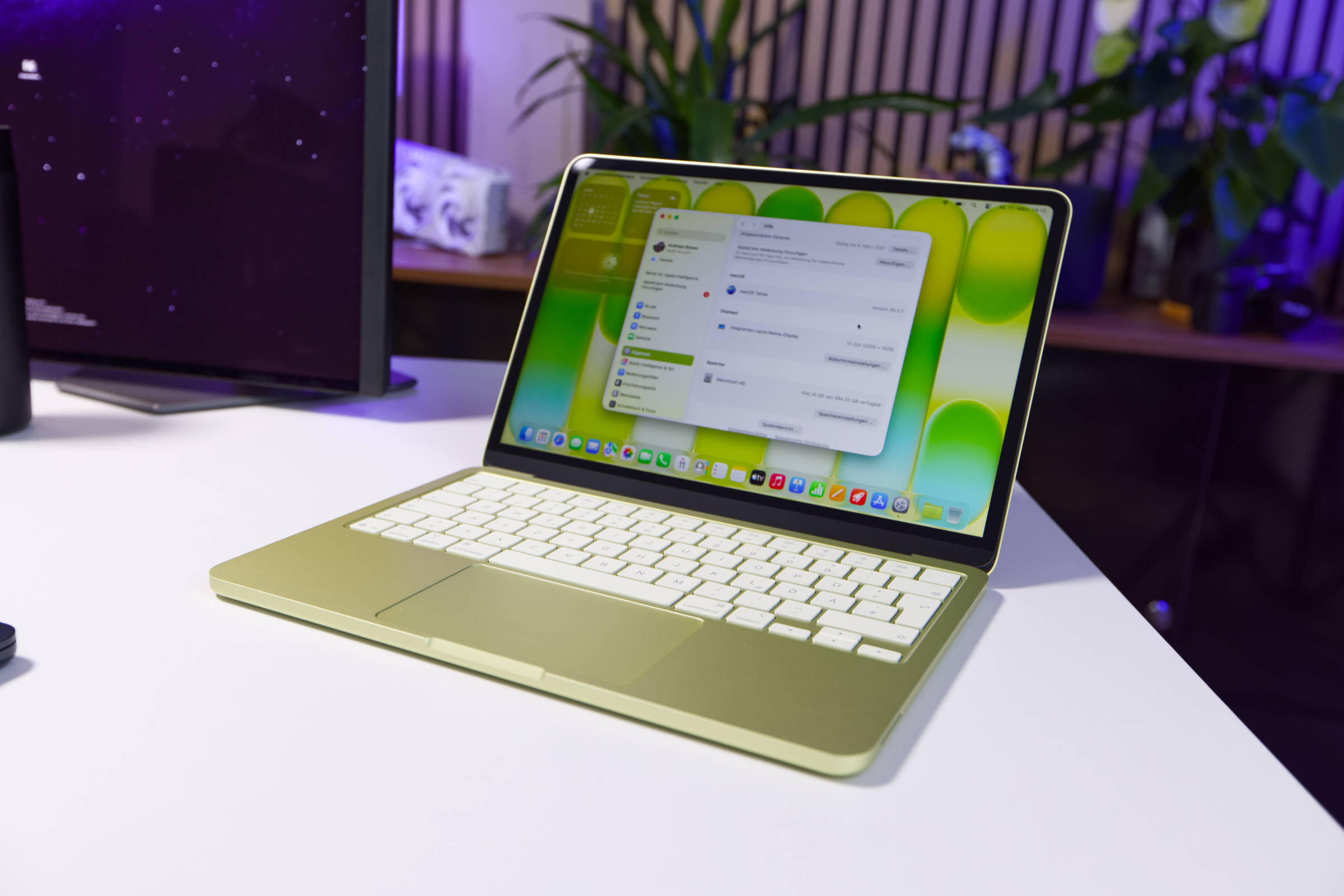
The verdict on the MacBook Neo is very positive. While Apple has cut costs in many areas to differentiate the notebook from other models, the overall package is perfectly tailored for the majority of buyers. Even though Apple isn’t usually known for affordable devices , the MacBook Neo is sending shockwaves through the market.
The iPhone 16 Pro chip is ideally suited for running macOS, and all common apps run smoothly. The efficient operating system gets the most out of the limited resources (8 GB RAM). This move has likely been on Apple’s roadmap for quite some time. The measured performance in single-threaded applications beats the more expensive Mac Studio with M1 Max, and the multi-threaded performance is also impressive. Gaming performance is also impressive. The fully passively cooled notebook is therefore silent, doesn’t throttle its performance, and comes with many of the latest MacBook features—even Apple Intelligence.
One issue is that there are only two USB-C ports, one of which uses the ancient USB 2.0 standard. The omission of the charger is also a drawback. To a certain extent, you can also connect external monitors via the faster USB 3 port. Thunderbolt is also not supported.
Overall, the MacBook Neo is a clear recommendation to buy, as it is more than adequately equipped for school, college, and many office use cases.
Excellent value for money from Apple
The target audience for the MacBook Neo will likely have little technical knowledge, which is why Apple offers the MacBook Neo in only two configurations: 256 GB model for €699 (Affiliate) and the 512 GB model with Touch ID for €799 (Affiliate). When it comes to choosing a color, you have a bit more leeway.
Pro
- Excellent single- and multi-thread performance
- Passively cooled
- Built-in Wi-Fi and Bluetooth
- Excellent design and build quality
- Also suitable for gaming (including Steam games)
- Touch ID (512 GB model)
Contra
- 8 GB LPDDR5 RAM
- Only 2 USB-C ports, one of which is USB 2.0
- Limited support for external monitors
- No charger included