Computer Forum
 GnuPG OpenPGP Schlüssel erstellen (Image © PCMasters.de)
The utility is generally available in two forms: gpg, which is optimized for servers and embedded platforms, and gpg2, which is designed for desktop environments. In modern distributions such as Ubuntu and Debian, these are often combined, with the gnupg2 package providing symlinks that allow the gpg command to run the modern, unified version of the software.
Provisioning and Installation
Before a secure communication channel can be established, the GnuPG package must be installed on all participating systems. Most modern Linux distributions include GPG by default; this can be verified by running gpg --version. If the utility is not present, it can be installed using the following distribution-specific commands:
-
Debian, Ubuntu, Mint:
sudo apt install gnupg -
RHEL, CentOS, Fedora, Rocky, AlmaLinux:
sudo yum install gnupg -
Gentoo:
sudo emerge -a app-crypt/gnupg -
Alpine:
sudo apk add gnupg -
Arch Linux:
sudo pacman -S gnupg -
OpenSUSE:
sudo zypper install gnupg
Asymmetric Key Infrastructure: Creation and Management
GPG is based on asymmetric cryptography and uses a key pair: a public key that is shared openly and a private key that is kept secret.
Creating a Key Pair
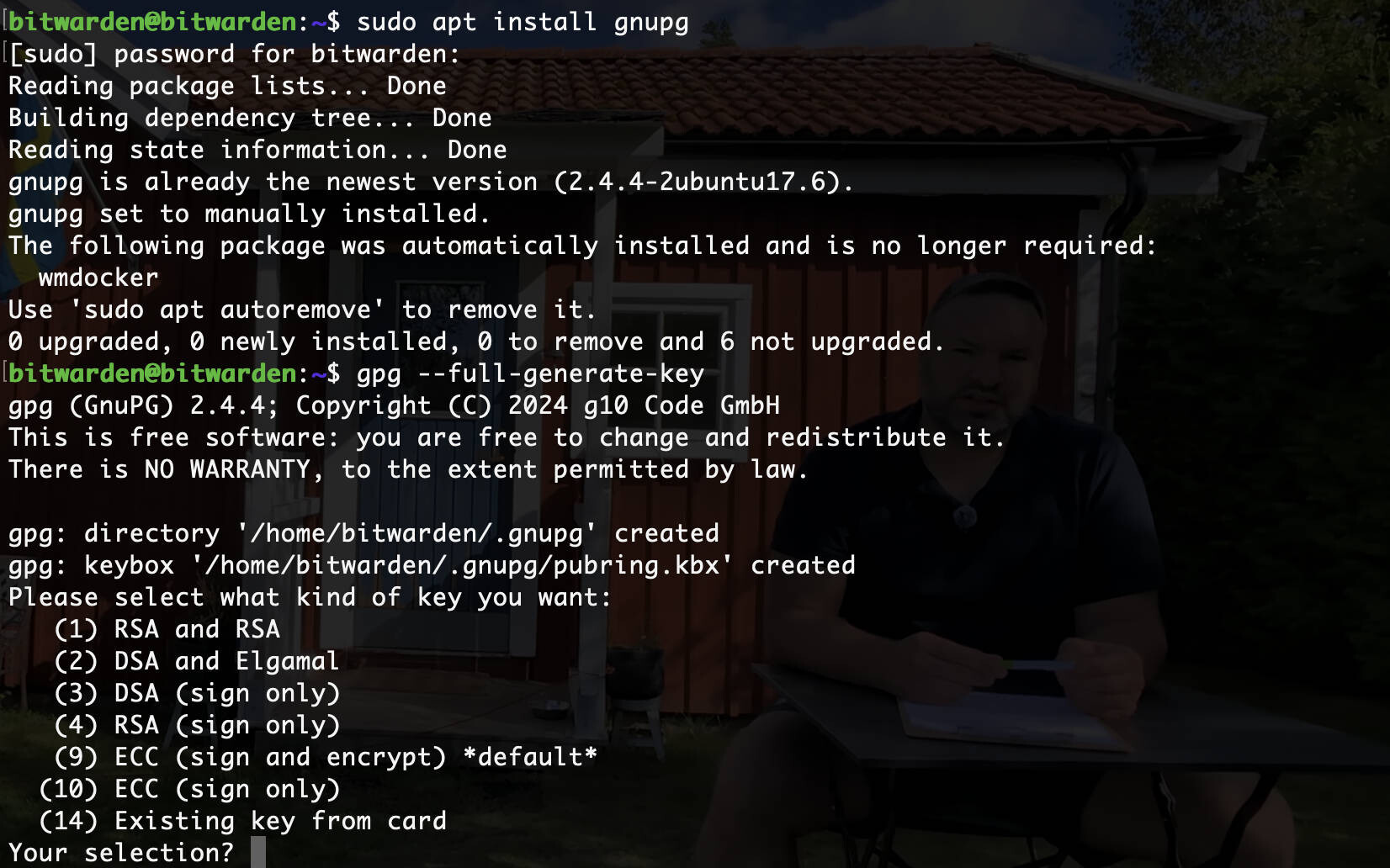
To create a new key pair, use the following command:
gpg --full-generate-key
During this process, the administrator must specify several important parameters:
- 1. Key type: (9) ECC (sign and encrypt) default
- 2. Elliptic curve: (1) Curve 25519 default
- 3. Validity: A specific expiration date or the “never expire” setting.
- 4. User Identity: A name and email address to identify the key.
- 5. Passphrase: A strong, secure passphrase to protect the private key.
Key Verification
To view the public keys currently stored in the local keyring:
gpg --list-public-keys
To view detailed information, including the full fingerprint, add the following flag:
gpg --list-public-keys --keyid-format=long
To view the private (secret) keys stored on the system:
gpg --list-secret-keys
Or for the extended format:
gpg --list-secret-keys --keyid-format=long
Key Exchange
In order for two parties to exchange encrypted files, they must first exchange their public keys. This is a one-way process; private keys must never be shared.
Exporting Public Keys
The public key is exported to a file from the list of public keys using the specific key ID:
gpg --export -o myuser.key [key ID]
Key Transfer and Import
The exported keys are typically transferred via secure channels.
For example, the scp utility can be used to transfer keys between servers:
scp myuser.key root@192.168.1.100:/root/
Once the file has been received, the public key is imported into the local keyring:
gpg --import myuser.key
To verify the import, list the public keys again to ensure that the partner’s key is now present.
Implementing Data Encryption
Encryption is performed using the recipient’s public key. This ensures that only the owner of the corresponding private key can access the data.
Basic Encryption
To encrypt a plaintext file (e.g., secret.txt), use the following command, specifying the recipient’s email address:
gpg -e -r someuser@domain.com secret.txt
Alternatively:
gpg --encrypt --recipient someuser@domain.com secret.txt
This process creates a new file with the .gpg extension (e.g., secret.txt.gpg).
Advanced Encryption Options
To specify a custom output filename, such as config, use the -o flag:
gpg -e -r someuser@domain.com -o config secret.txt
In cases where a file needs to be accessible to multiple people, multiple -r flags can be appended to the command, one for each recipient’s public key.
Implementing Data Decryption
Decryption is a private operation performed by the recipient using their own private key.
Decrypting Files
To restore the original contents of an encrypted file:
gpg -d -o secret.txt secret.txt.gpg
When executed, the system prompts the user to enter the passphrase that was set during key generation. If the passphrase is incorrect, decryption fails.
Security Hardening and Operational Standards
To ensure the integrity of the encryption workflow, the following technical standards should be observed:
- Passphrase Complexity: Private keys are only as secure as the passphrase that protects them; a mixture of alphanumeric characters and special characters is required.
- Key Redundancy: Private keys should be backed up in a secure, offline location. Loss of the private key results in the permanent loss of all data encrypted with that key.
- Lifecycle Management: Setting expiration dates for keys limits the window of opportunity for an attacker in the event that a key is compromised.
- Fingerprint verification: Public keys should be verified via a secure out-of-band channel (e.g., a phone call or a face-to-face meeting) to prevent man-in-the-middle attacks.
- Revocation certificates: A revocation certificate should be generated immediately after key generation. If a private key is compromised, this certificate is distributed to inform other users that the key is no longer valid.
Insights into Implementation
What is the fundamental difference between the public and private keys in GPG?
The public key is used exclusively for encryption and verifying signatures. It can be shared with anyone. The private key is used exclusively for decryption and creating signatures; it must be kept confidential. Data encrypted with a public key can only be decrypted with the corresponding private key.
How does GPG handle files that are encrypted for multiple recipients?
If multiple -r flags are used, GPG encrypts the actual data with a random session key. It then encrypts this session key multiple times—once with each recipient’s public key. This allows each of the specified recipients to use their private key to unlock the session key and then decrypt the data.
What happens if the passphrase for the private key is lost?
There is no mechanism for recovering a lost GPG passphrase. Since the private key is encrypted with this passphrase, the key cannot be used without it. All files encrypted with that specific public key will be permanently inaccessible.
Why is it necessary to verify key fingerprints?
An attacker could potentially present a forged public key while pretending to be the intended recipient. By verifying the fingerprint (a unique hash of the public key) through a separate, trusted channel, the sender ensures that they are using the recipient’s authentic key.
What is the purpose of a revocation certificate?
A revocation certificate is a signed statement that the key is no longer valid. If a private key has been stolen or compromised, the owner publishes this certificate on public key servers. This warns other users not to continue using the compromised public key for encryption.