Computer Forum
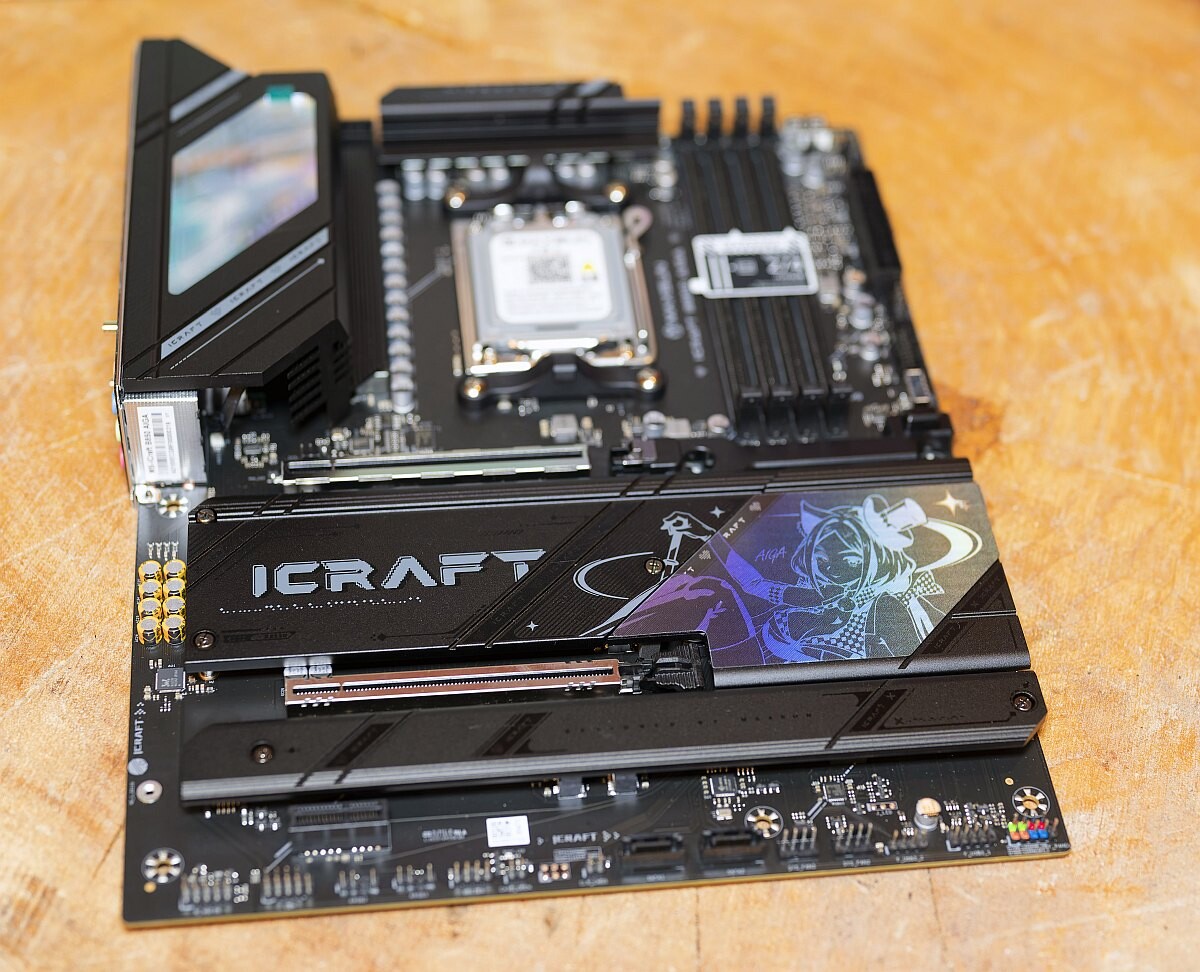 Maxsun MS-iCraft B850 AIGA Review (Image © )
Maxsun history
Maxsun is a brand of Guangzhou Skyworth Information Technology Co., Ltd., whose main products are graphics cards, motherboards, memory, and solid-state drives.
In 1994, Guangzhou Business was established. In 2002, the Mingxi graphics card was launched. In 2007, the main board product was launched. In 2013, launched a series of high-end graphics cards "wind"; in 2015, launched solid-state drives. In 2017, DDR4 memory was introduced.
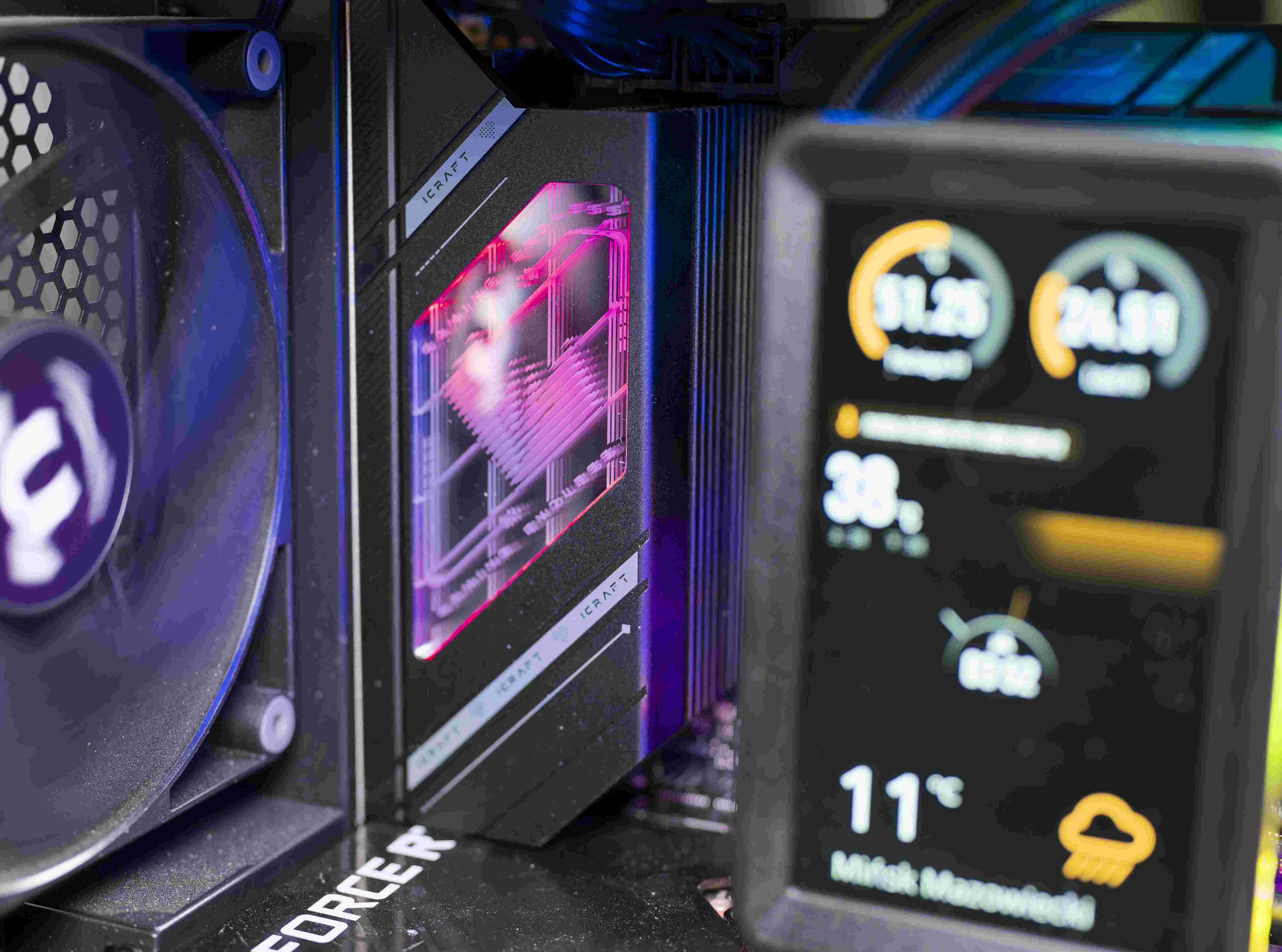 Maxsun MS-iCraft B850 AIGA build 2 (Image © )
Technical data
| MAXSUN MS-iCraft B850 AIGA - Technical data | |
|---|---|
| Form Factor | ATX (305 mm × 245 mm) |
| Socket | AMD Socket AM5 |
| Chipset | AMD B850 |
| Memory | 4× DDR5 DIMM slots, max. 256 GB, up to DDR5-8400 (OC), EXPO / XMP 3.0 |
| Power Delivery | 16+2+1 Phase Digital VRM (50A Power Stages), Dual 8-pin EPS |
| Expansion Slots | 1x PCIe 5.0 x16/x8 slot, 1x PCIe 5.0 x8 slot (bifurcation supported), 1x PCIe 3.0 x1 slot |
| Storage | 2x M.2 PCIe 5.0 x4, 2x M.2 PCIe 4.0 x4, 2x SATA 6Gb/s ports |
| Networking | Realtek RTL8126 5GbE LAN, MediaTek MT7925 Wi-Fi 7 & Bluetooth 5.4 |
| Audio | Realtek ALC1220 7.1-Channel HD Audio |
| Rear USB | 1x USB 10G Type-C (DP 1.4 alt mode), 4x USB 10G Type-A, 4x USB 2.0 Type-A |
| Onboard USB | 1x USB 20G Type-C header, 1x USB 5G header (2 ports), 2x USB 2.0 headers |
These hardware specifications clearly demonstrate that MAXSUN did not skimp on component selection across key connectivity controllers. The combination of 5GbE networking alongside Wi-Fi 7 sets a high standard for contemporary AM5 mainboards in this class.
Scope of delivery
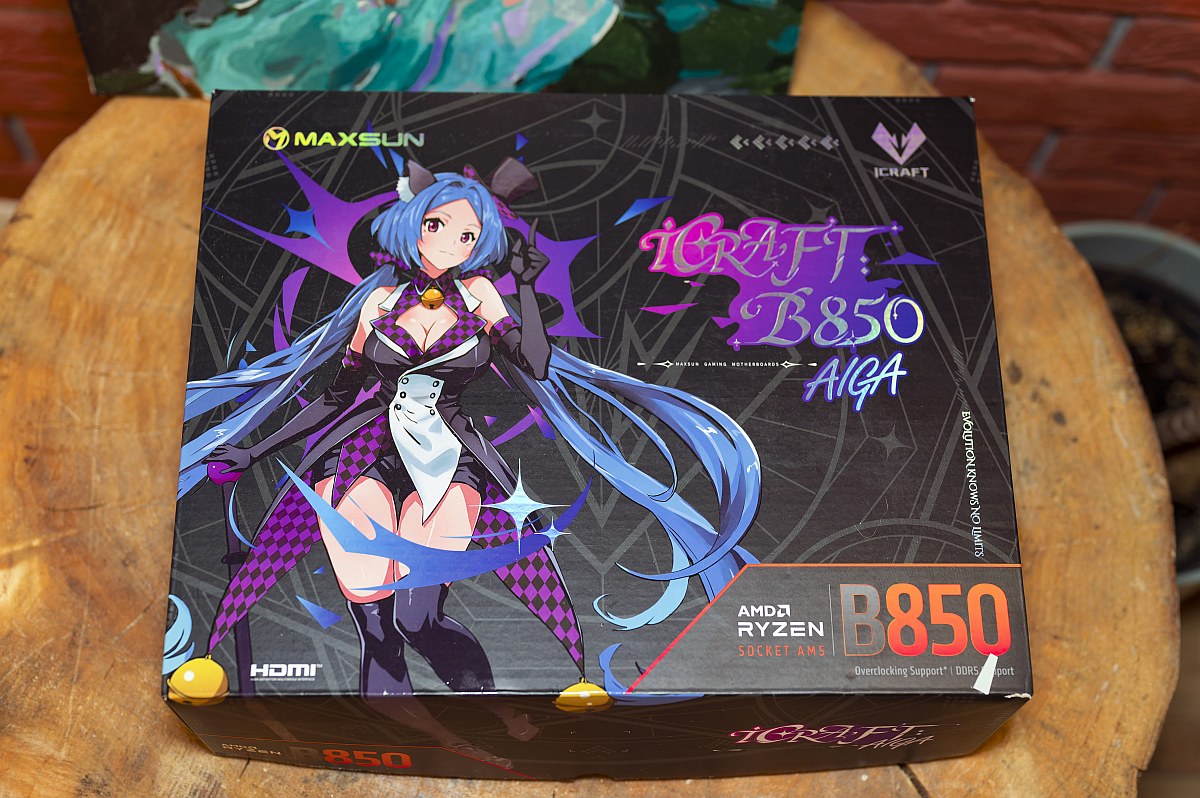 Maxsun MS-iCraft B850 AIGA Box 1 (Image © PCMasters.de)
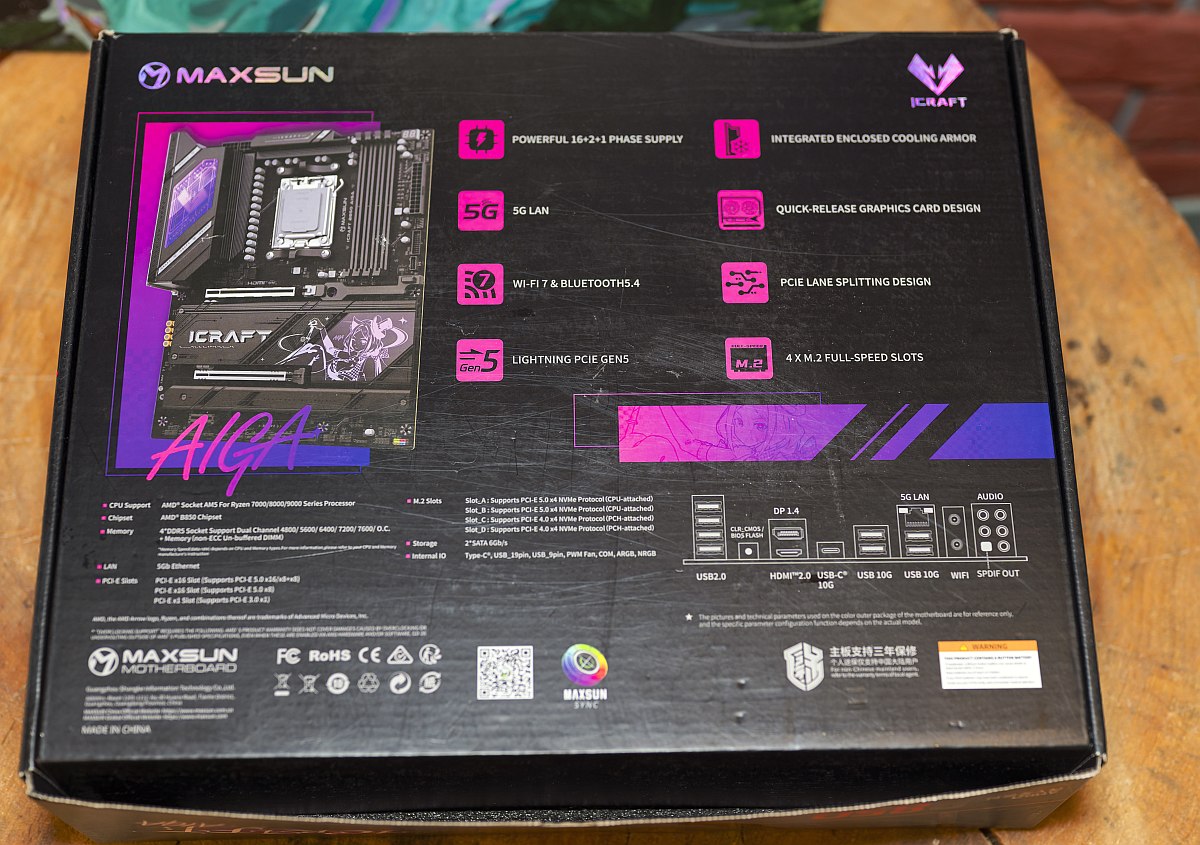 Maxsun MS-iCraft B850 AIGA Box 2 (Image © PCMasters.de)
Packaging
The MS-iCraft B850 AIGA arrives in a full-color, premium-cardboard outer box featuring custom high-resolution AIGA character artwork across the front face. The packaging highlights key features including AM5 CPU compatibility, DDR5 support, PCIe 5.0, Wi-Fi 7, and 5GbE networking. Inside, the motherboard rests inside an anti-static bag secured within a high-density foam tray, with accessories neatly organized in a separate compartment underneath. The sturdy construction of the outer box ensures that the board remains well protected against impacts during international shipping. The artwork serves double duty as a collector's item for fans who enjoy displaying their computer hardware boxes.
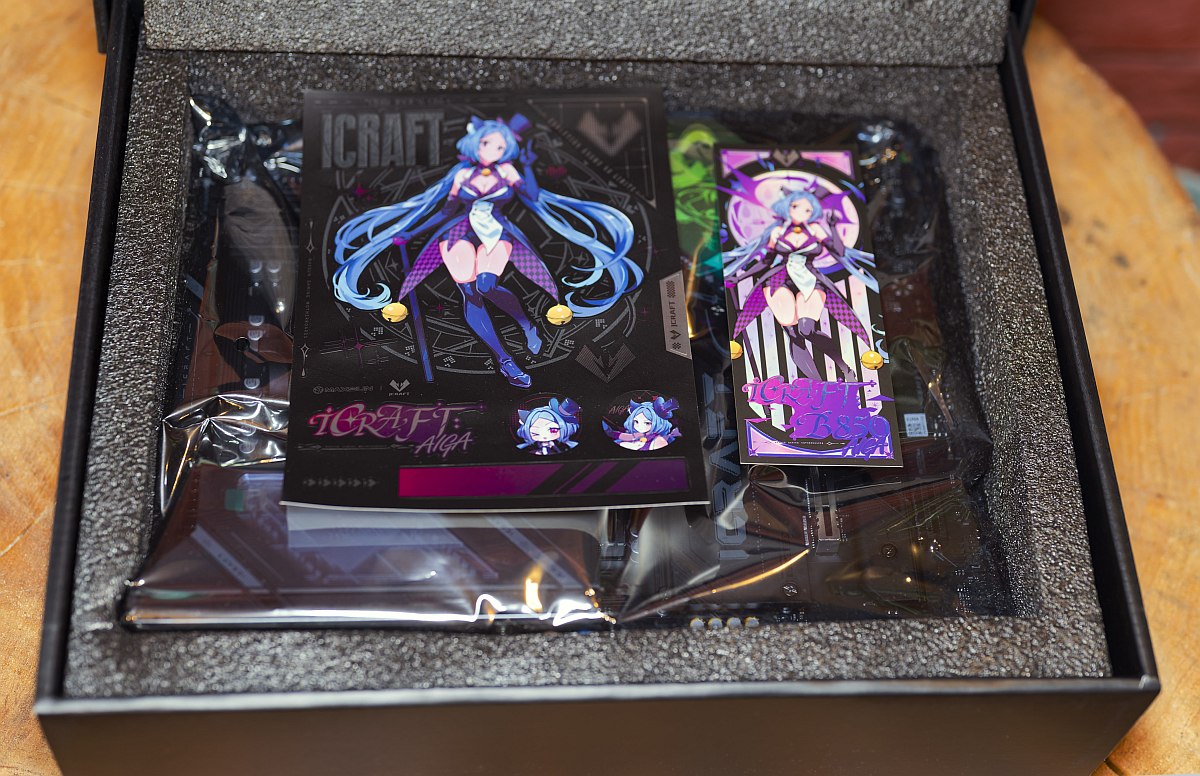 Maxsun MS-iCraft B850 AIGA Unboxing 1 (Image © PCMasters.de)
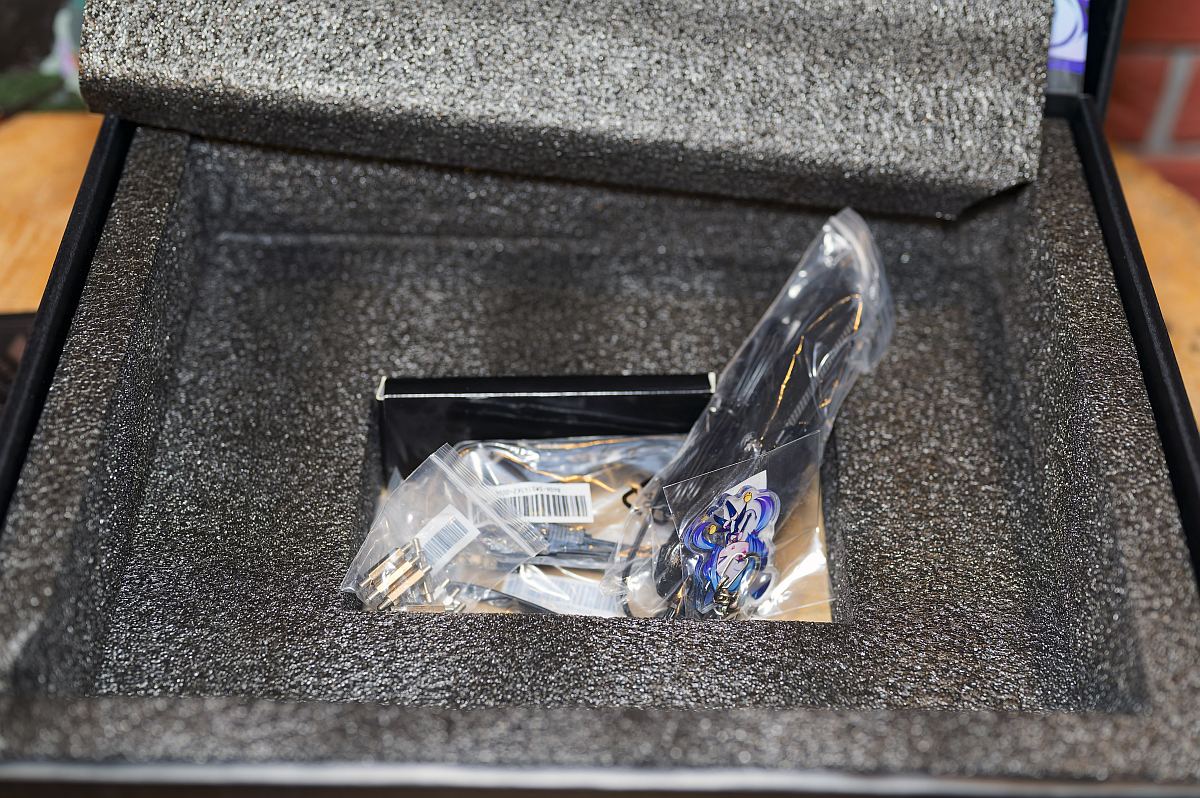 Maxsun MS-iCraft B850 AIGA Unboxing 2 (Image © PCMasters.de)
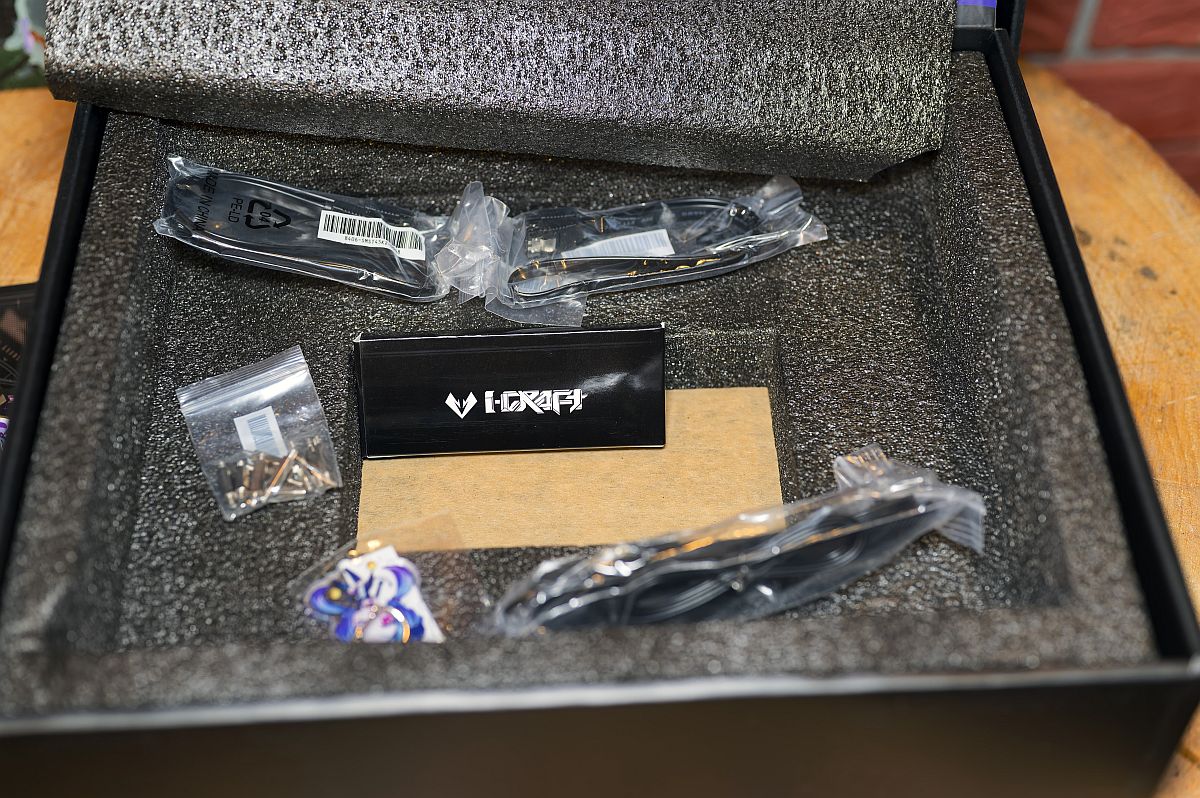 Maxsun MS-iCraft B850 AIGA Unboxing 3 (Image © PCMasters.de)
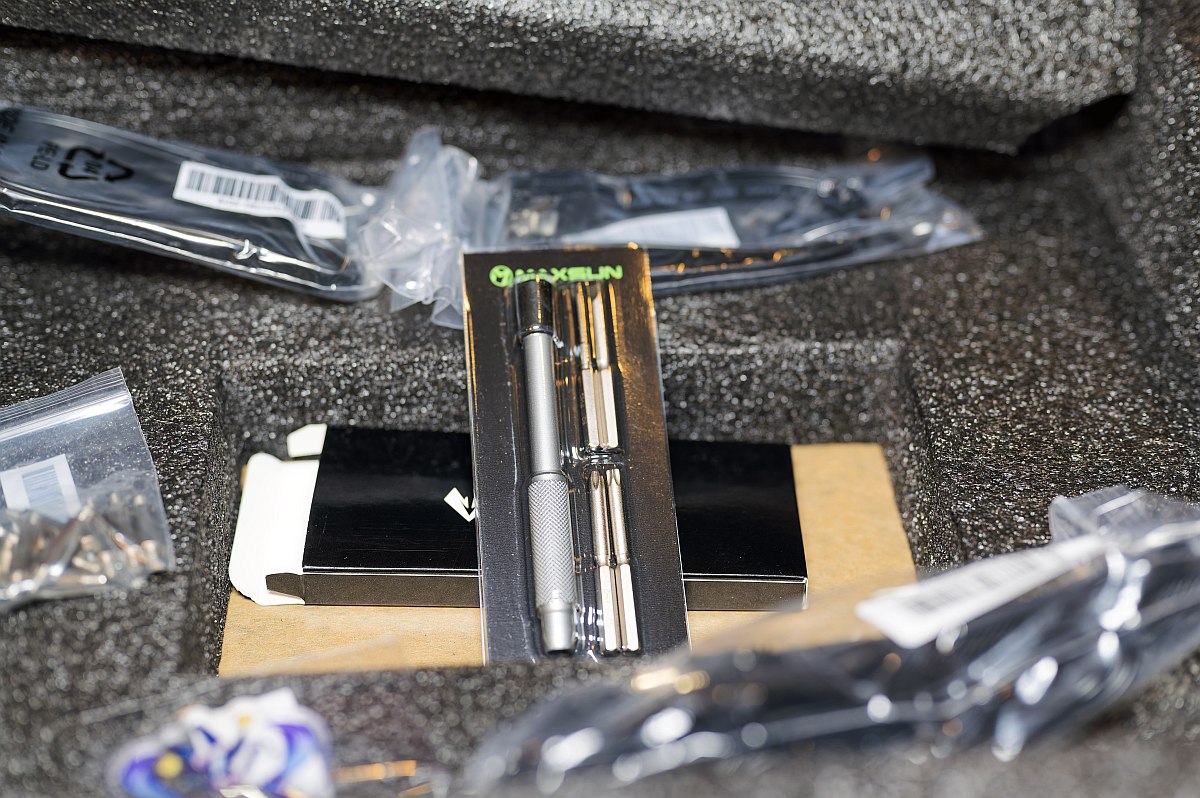 Maxsun MS-iCraft B850 AIGA Unboxing 4 (Image © PCMasters.de)
Contents
MAXSUN provides a thorough accessory pack tailored for custom system building:
- MAXSUN MS-iCraft B850 AIGA Motherboard
- External magnetic-base Wi-Fi 7 / Bluetooth antenna tower
- 2x SATA 6Gb/s data cables (1x straight, 1x right-angle)
- Spare M.2 mounting screws and standoff pads
- Custom AIGA thematic stickers and decorative badges
- User manual and quick-start installation guide
The included custom sticker pack adds a fun extra dimension for personalized case decorating. Providing both straight and right-angled SATA cables helps streamline drive management in tight chassis builds.
MAXSUN MS-iCraft B850 AIGA in detail
The iCraft series represents MAXSUN's premier hardware line, catering specifically to enthusiasts, PC modders, and fans of modern gaming culture. Over recent generations, MAXSUN has elevated the series with custom silkscreens, robust armor plating, and refined PCB layouts. The MS-iCraft B850 AIGA continues this legacy, presenting a clean white and silver thermal armor aesthetic paired with subtle AIGA anime mascot motifs across the I/O shield, PCH heatsink, and full PCB backplate. Unpacking the motherboard reveals a surprisingly heavy and solid component. MAXSUN equips the board with thick aluminum heatsinks across the VRMs and M.2 slots, interconnected with direct-touch heatpipes to handle intense CPU workloads.
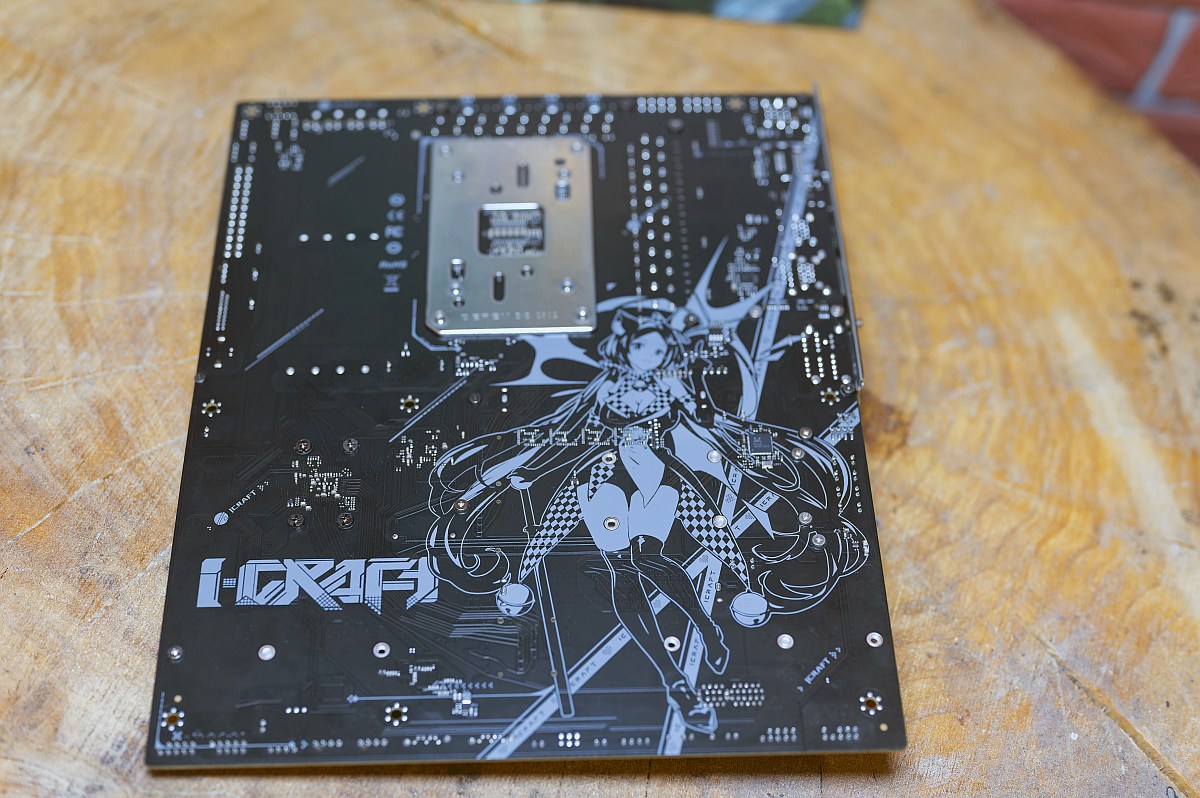 Maxsun MS-iCraft B850 AIGA back (Image © PCMasters.de)
The back of the PCB features shielding traces while reinforcing the board against heavy graphics card sag.
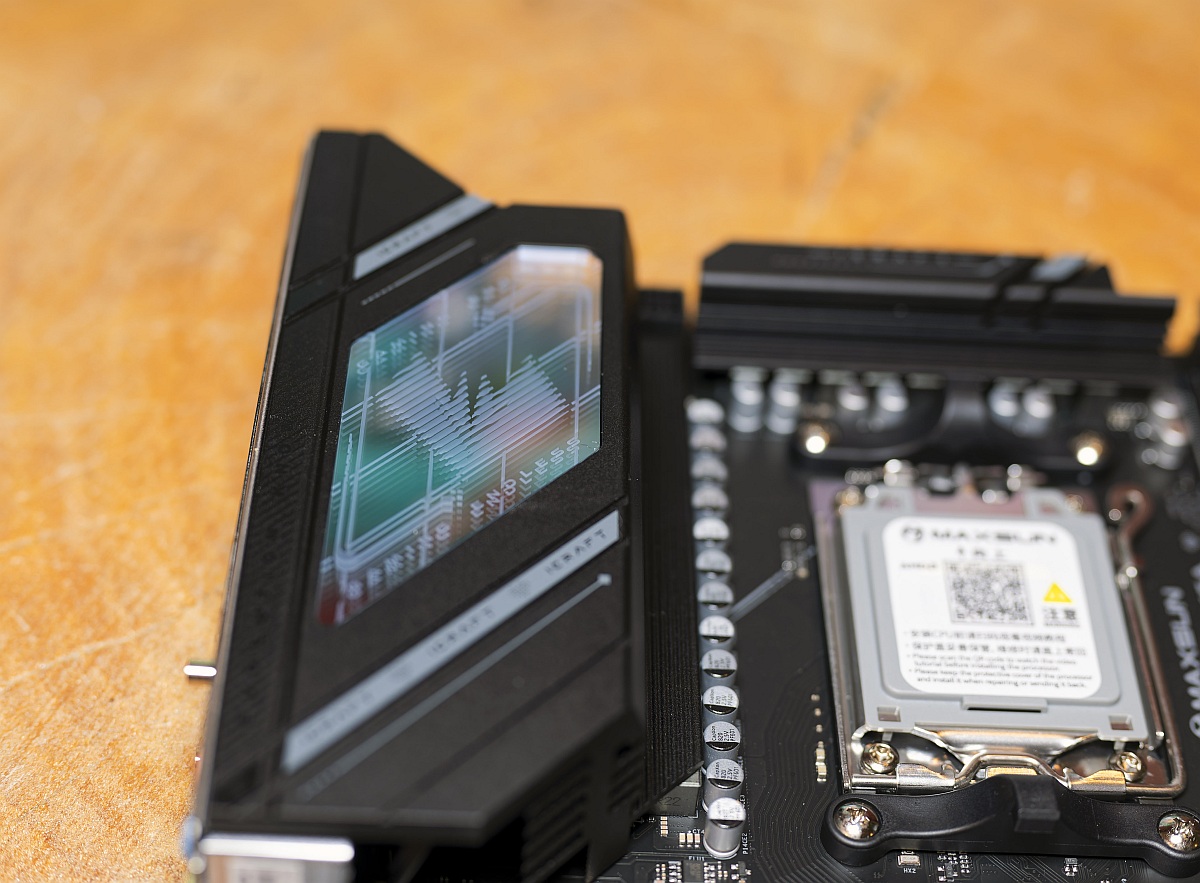 Maxsun MS-iCraft B850 AIGA RGB 1 (Image © PCMasters.de)
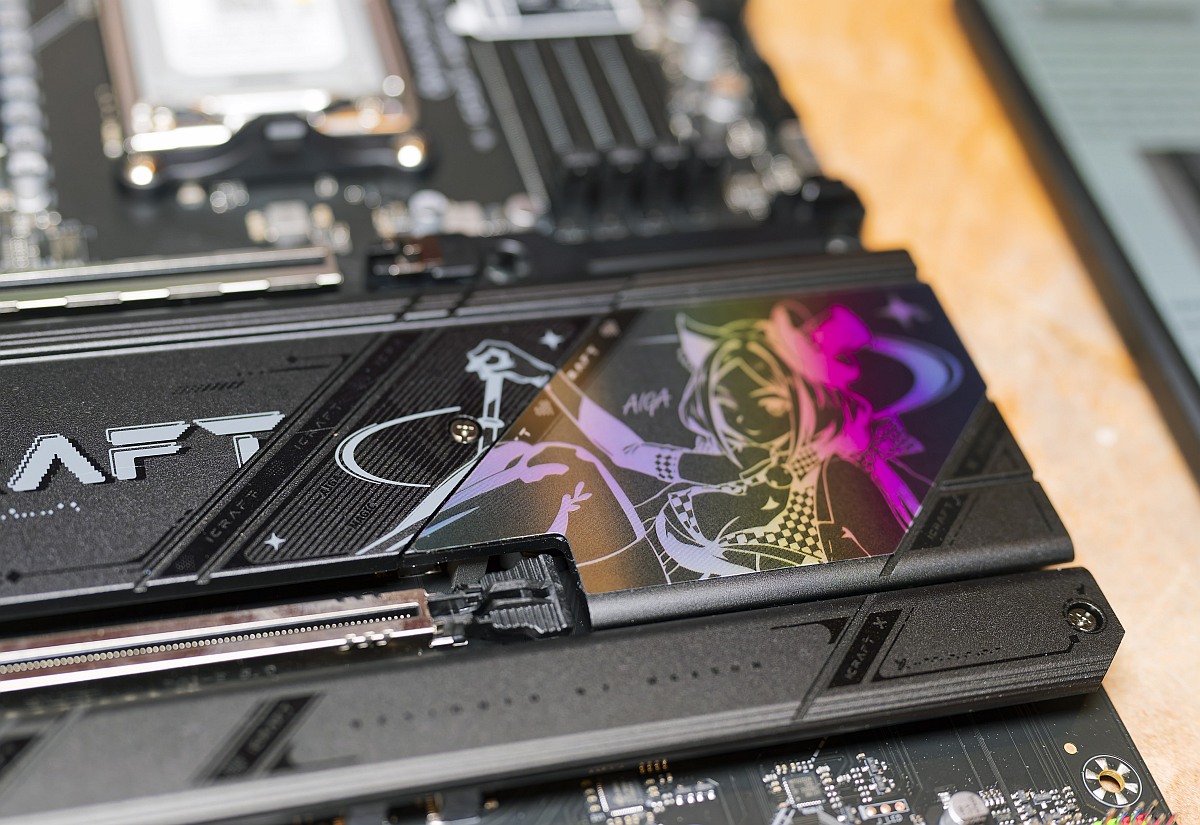 Maxsun MS-iCraft B850 AIGA RGB 2 (Image © PCMasters.de)
Custom ARGB lighting elements embedded along the chipset cover and I/O shroud offer customizable illumination through onboard headers and software sync. The structural rigidity offered by the full metal backplate is a welcome touch that is often omitted in competing mid-tier motherboards. Additionally, the subtle integration of RGB lighting ensures that the anime branding remains tastefully understated rather than visually overpowering.
Inputs & Outputs and Extras
MAXSUN provides a well-balanced array of modern connectivity and diagnostic tools on the rear panel and internal board headers.
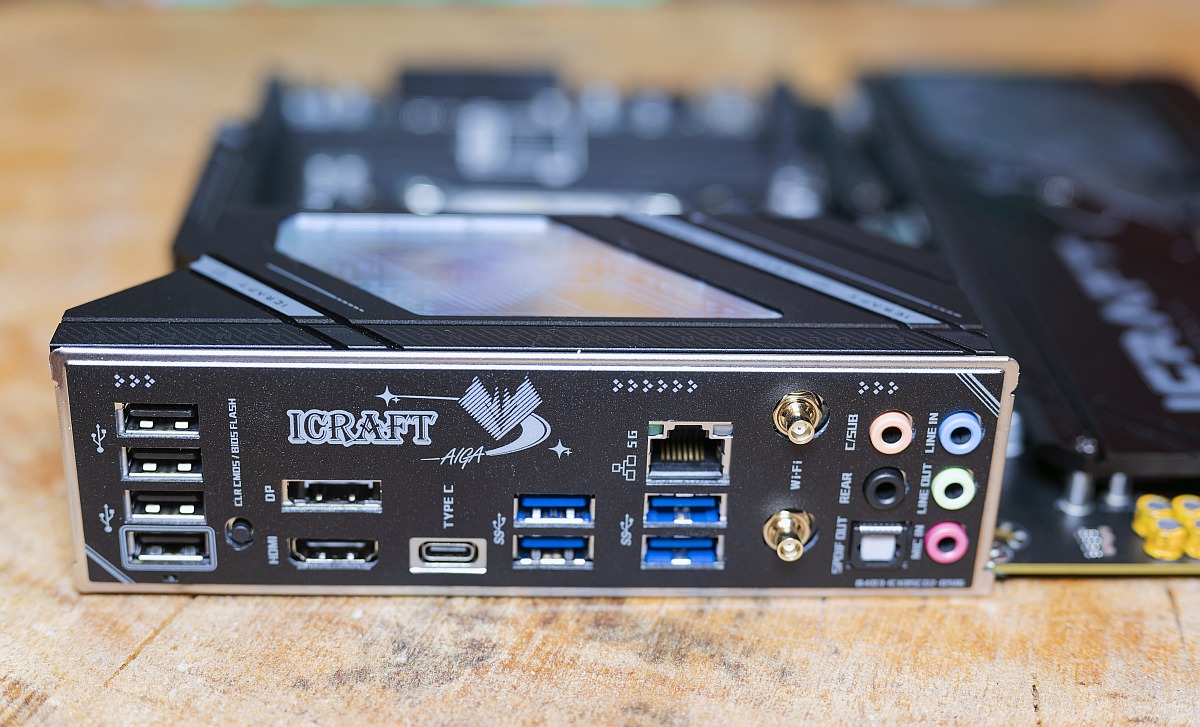 Maxsun MS-iCraft B850 AIGA IO Panel (Image © PCMasters.de)
What the I/O panel delivers
The rear I/O features an integrated white shield accommodating ten total USB ports: one 10 Gbps USB Type-C port (supporting DisplayPort 1.4 alt mode), four 10 Gbps USB Type-A ports, and four USB 2.0 ports. Video outputs include HDMI 2.0 (up to 4K @ 60Hz) and DisplayPort 1.4 for CPUs equipped with integrated graphics. High-speed networking is anchored by a Realtek RTL8126 5GbE RJ45 port and gold-plated Wi-Fi 7 antenna terminals. Audio is routed through standard analog jacks and an optical S/PDIF output driven by a Realtek ALC1220 codec.
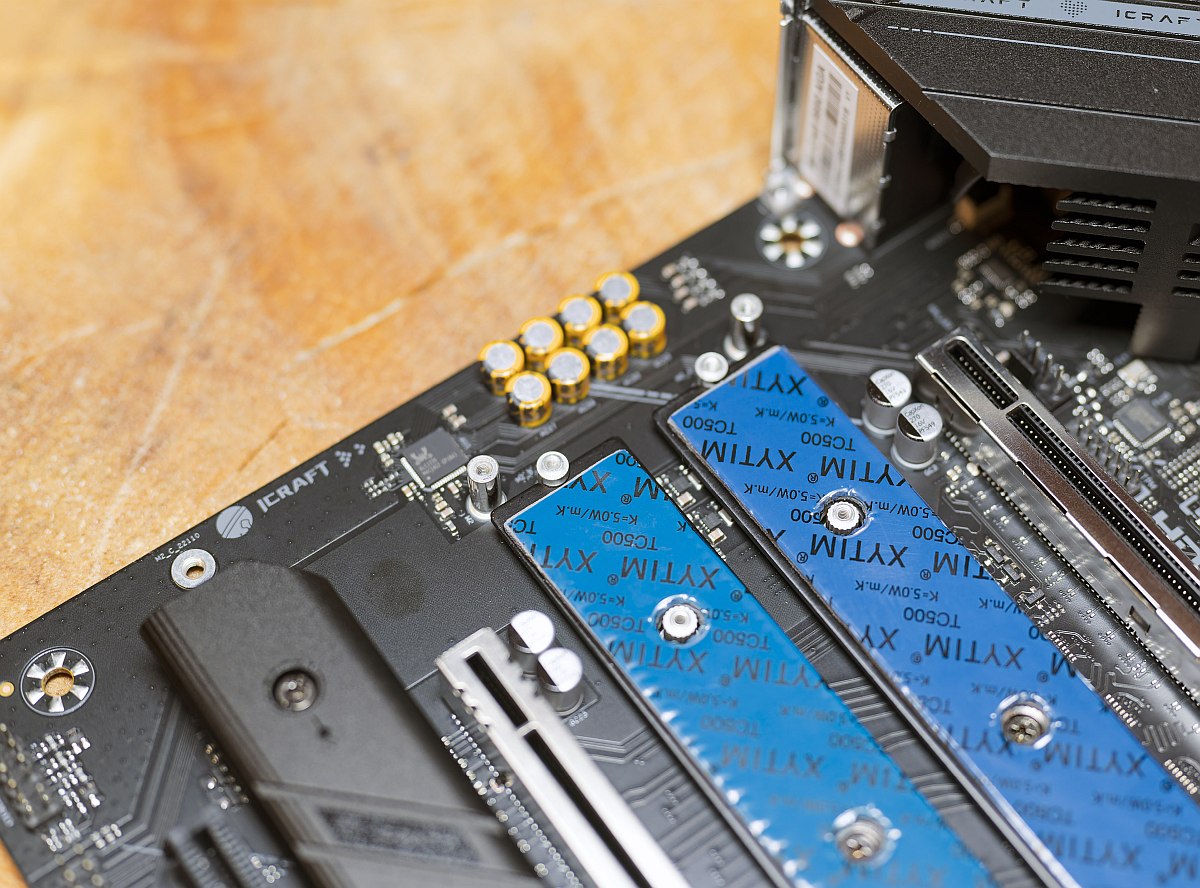 Maxsun MS-iCraft B850 AIGA Realtek (Image © PCMasters.de)
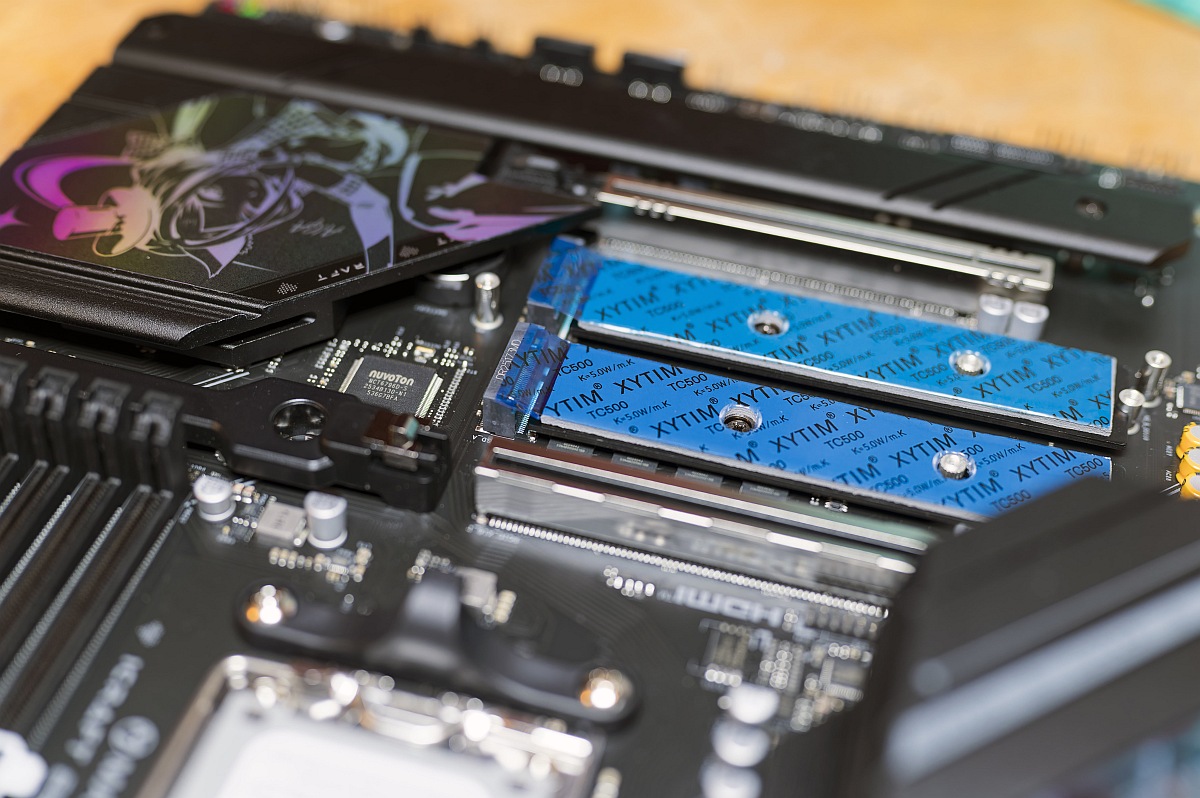 Maxsun MS-iCraft B850 AIGA NVMe Nuvoton (Image © PCMasters.de)
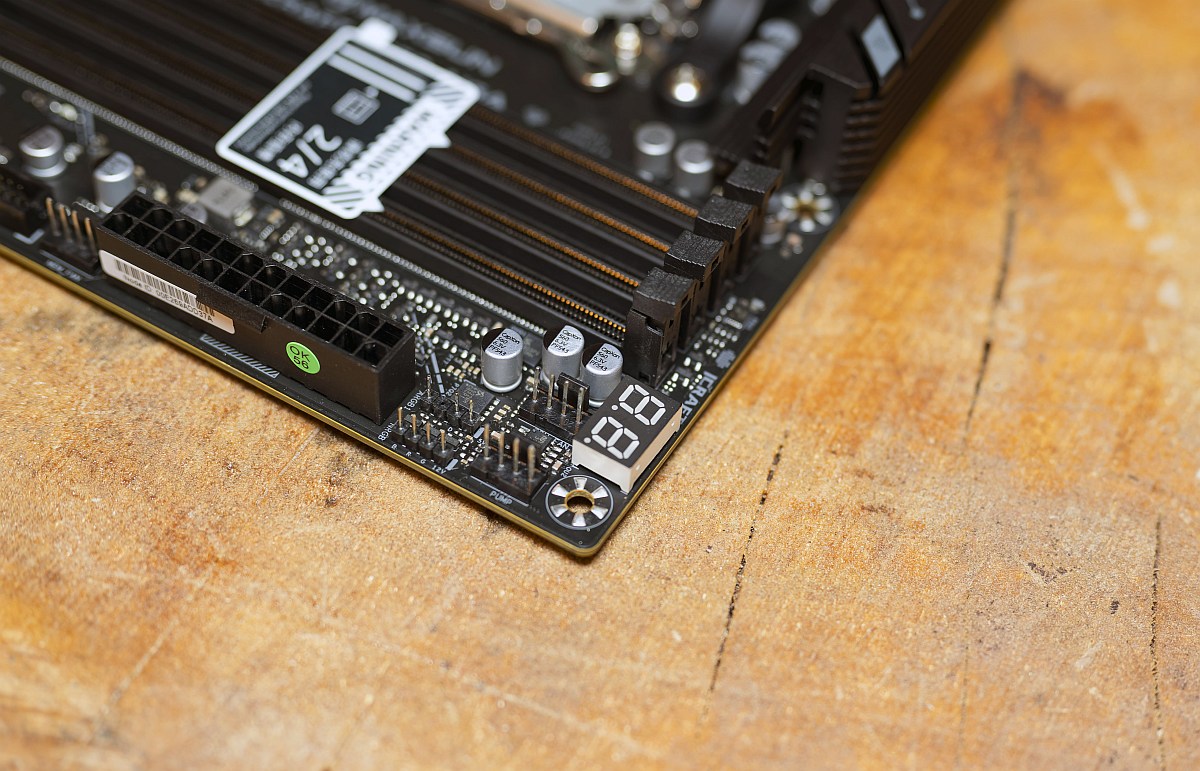 Maxsun MS-iCraft B850 AIGA LED (Image © PCMasters.de)
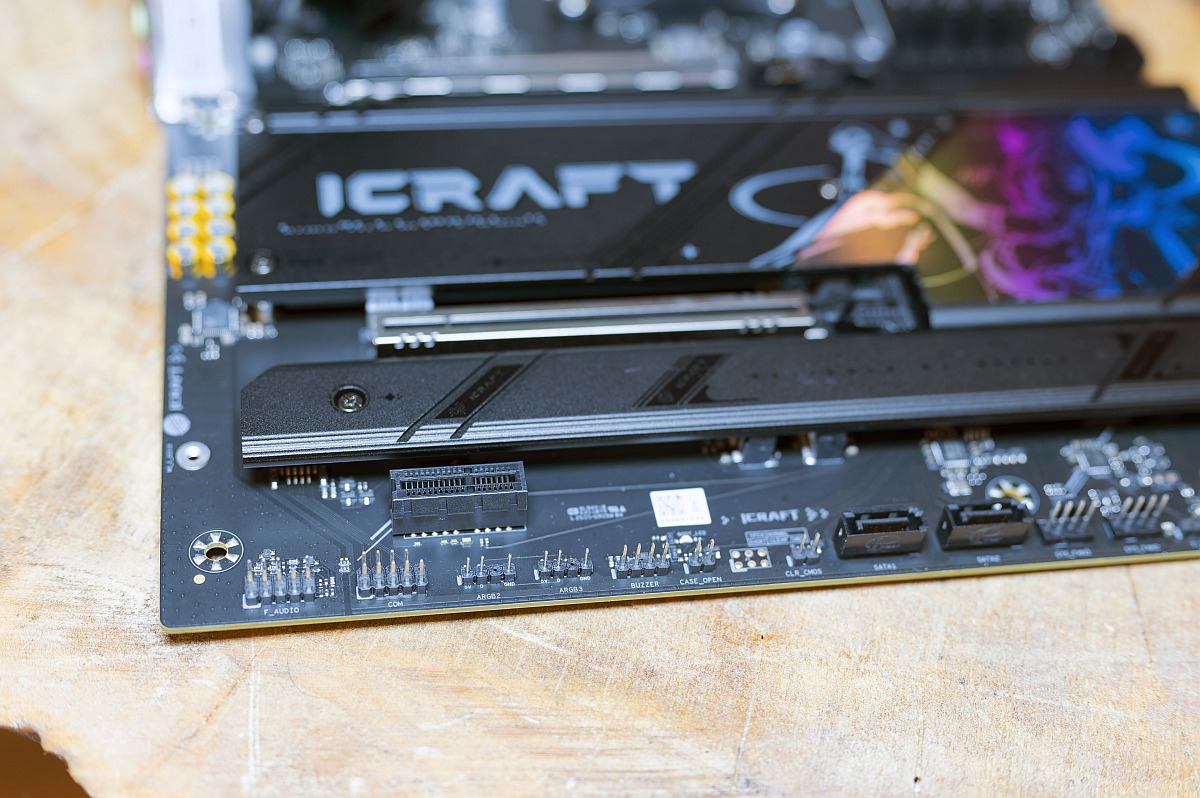 Maxsun MS-iCraft B850 AIGA Connectors Bottom 2 (Image © PCMasters.de)
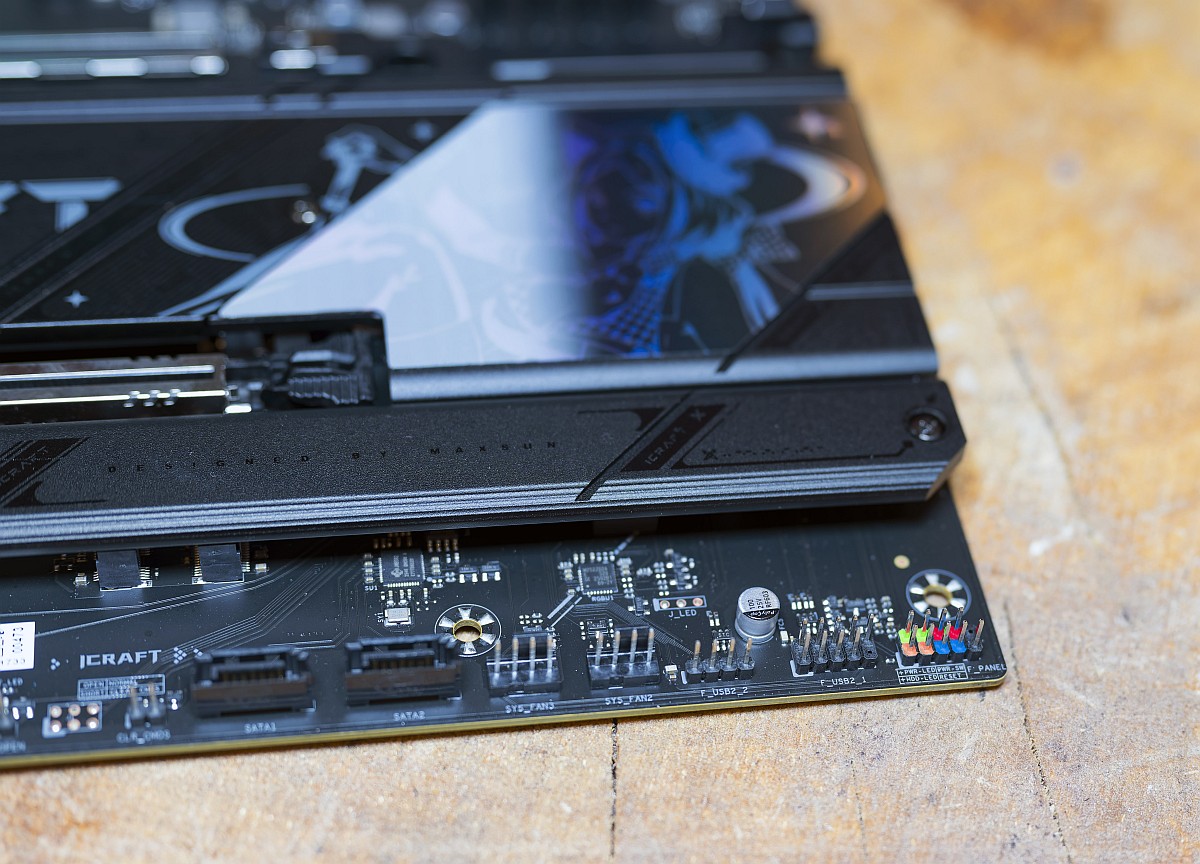 Maxsun MS-iCraft B850 AIGA Connectors Bottom 1 (Image © PCMasters.de)
Onboard headers expand front-panel capability with a high-speed 20 Gbps USB Type-C header, two USB 5 Gbps 19-pin headers, and multiple USB 2.0 headers. For thermal management, MAXSUN includes one 4-pin CPU fan header, one dedicated AIO pump header, and four 4-pin chassis fan headers with PWM/DC auto-sensing. The inclusion of an integrated I/O shield prevents minor assembly hassles during initial system installation inside a PC case. Having multiple dedicated fan headers distributed around the edges of the PCB allows for neat and efficient cable routing.
Wifi 7
Wireless networking on the MS-iCraft B850 AIGA is driven by the MediaTek MT7925 wireless module, delivering full Wi-Fi 7 (802.11be) and Bluetooth 5.4 support. Utilizing multi-link operation (MLO) across 2.4 GHz, 5 GHz, and 6 GHz bands, the module reduces latency and enhances throughput under heavy network traffic compared to Wi-Fi 6E standards. During testing, signal stability remained steady across multi-wall distances, making it well-suited for high-bandwidth wireless gaming and 4K media streaming. The included magnetic antenna base can easily be positioned on top of your case to optimize signal reception. This modern wireless implementation ensures the motherboard will remain fully compliant with high-speed router infrastructure for years to come.
DDR5-RAM
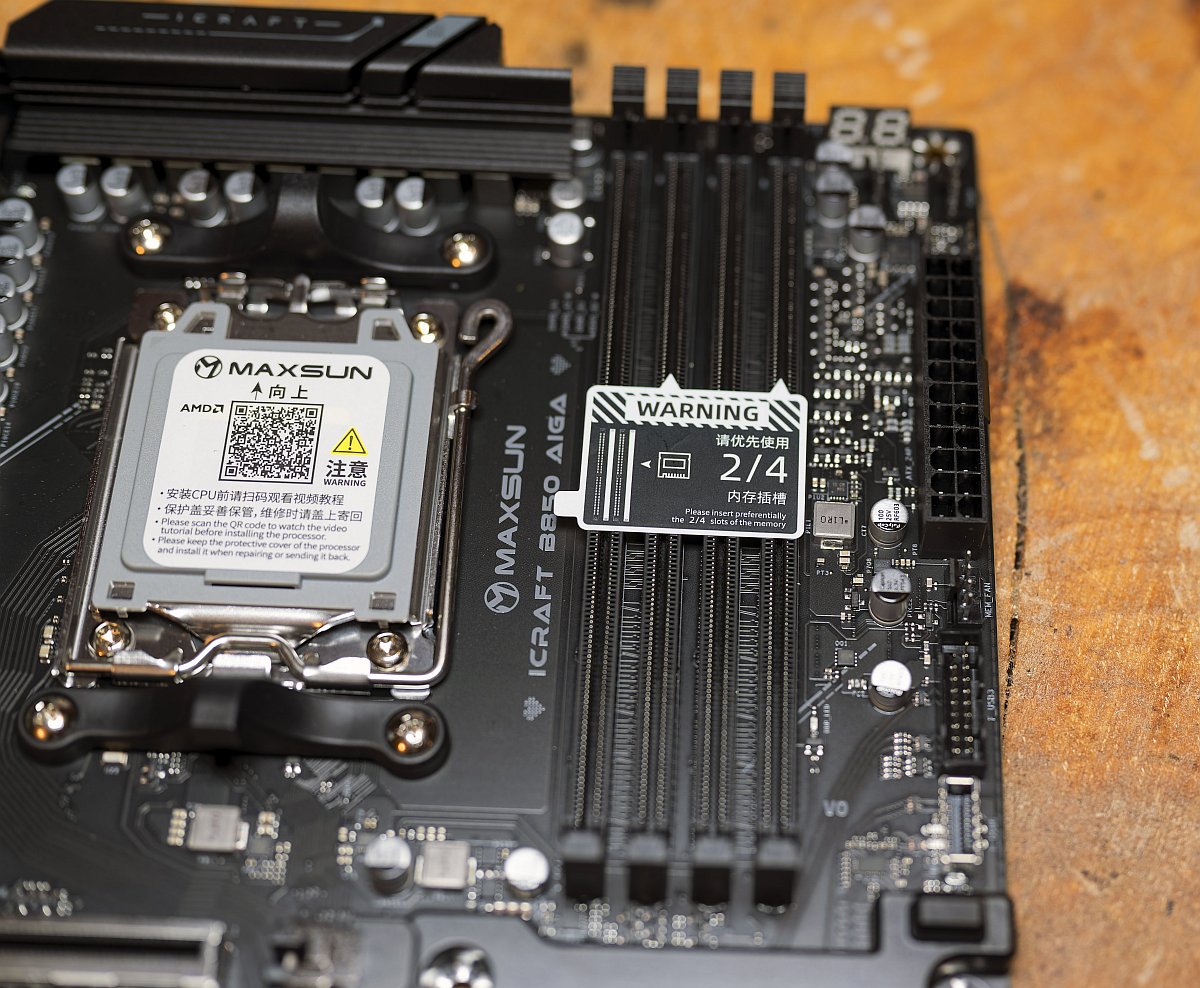 Maxsun MS-iCraft B850 AIGA DDR5 (Image © PCMasters.de)
The motherboard houses four DDR5 DIMM slots arranged in a dual-channel architecture, capable of supporting up to 256 GB of system memory using standard or non-binary 64 GB modules. MAXSUN rate-validates memory overclocks up to DDR5-8400 (OC) when paired with modern Ryzen processors. Both AMD EXPO and Intel XMP 3.0 memory profiles are fully supported within the BIOS. Signal routing features optimised trace layouts and isolated memory paths to ensure low latency and electrical stability when pushing high memory frequencies. Testing showed quick memory training times during cold boots into the operating system. Reinforced slot anchors also prevent PCB flexing when pressing dense RAM sticks firmly into place.
NVMe slots
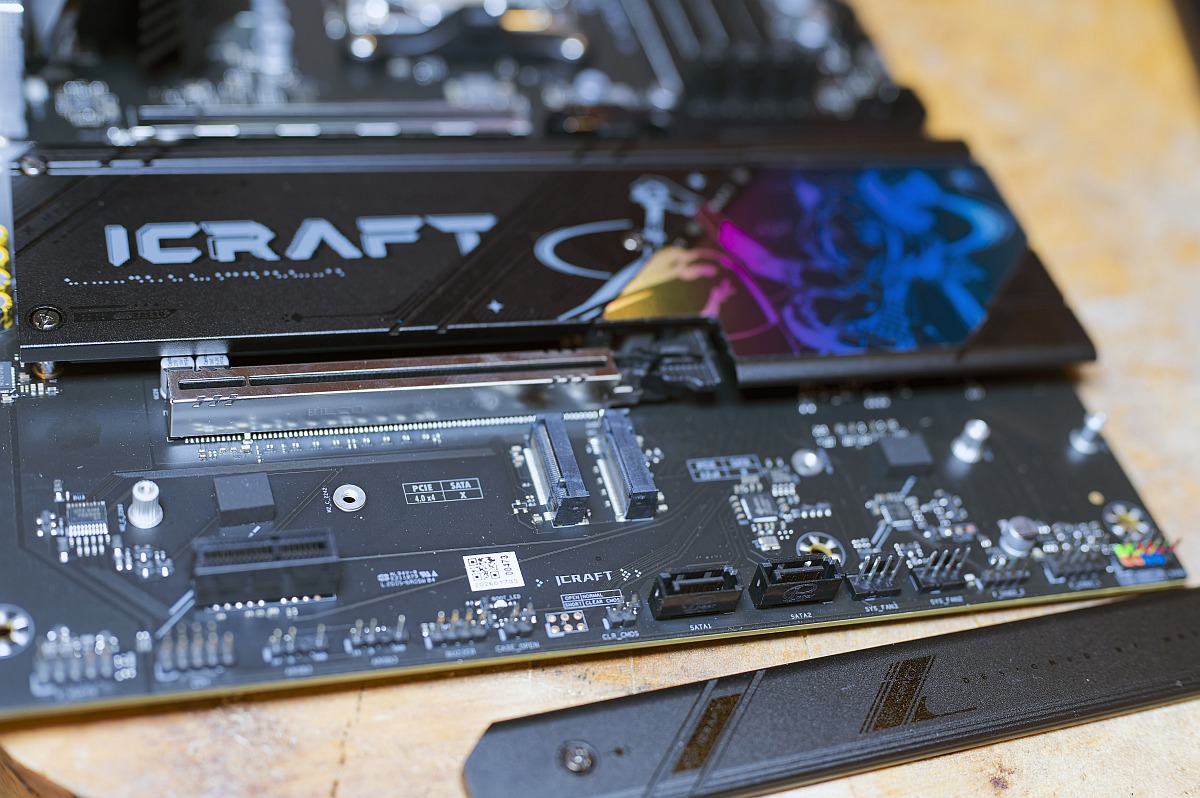 Maxsun MS-iCraft B850 AIGA NVME Bottom (Image © PCMasters.de)
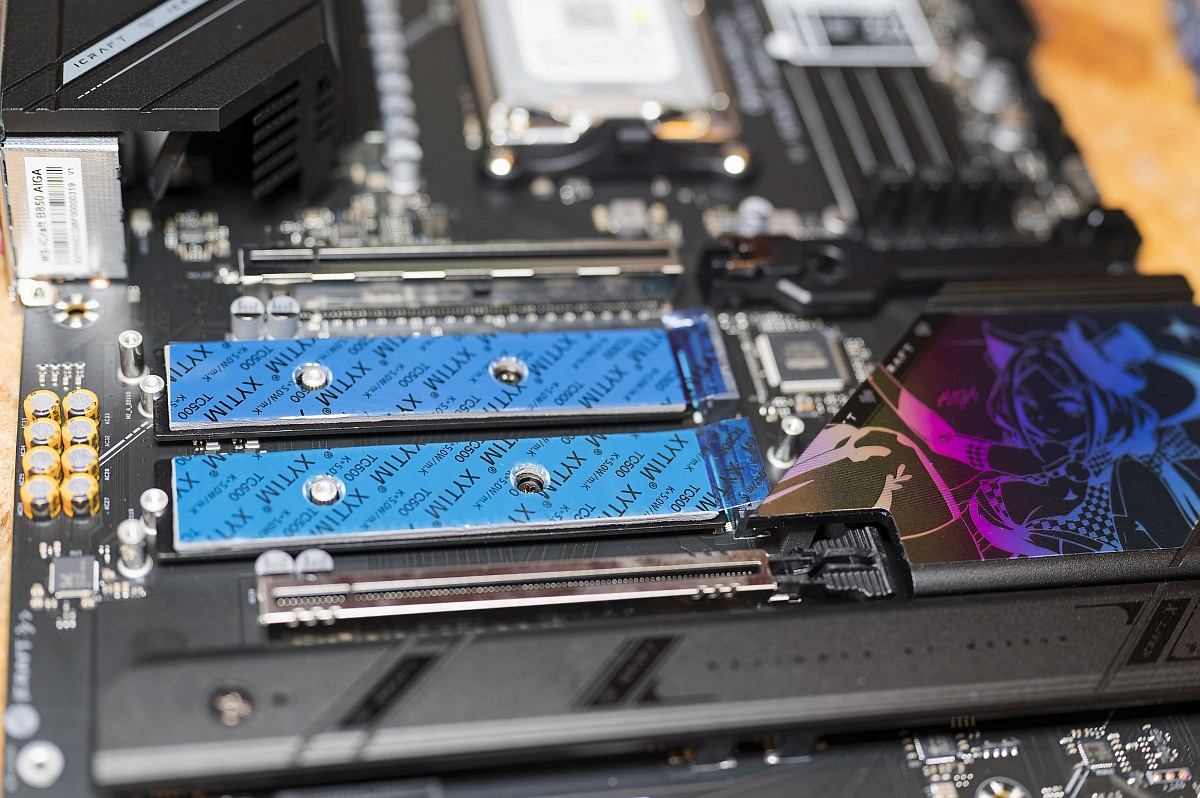 Maxsun MS-iCraft B850 AIGA NVME Upper (Image © PCMasters.de)
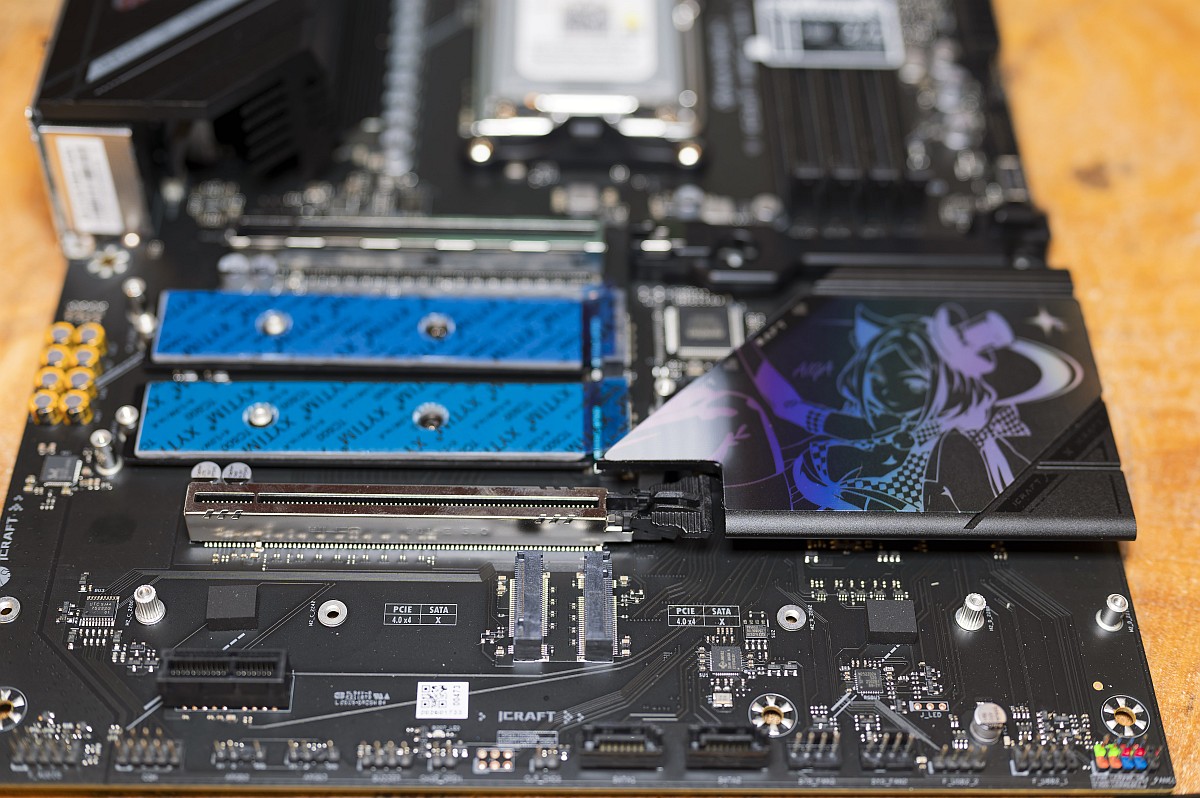 Maxsun MS-iCraft B850 AIGA NVME Overall (Image © PCMasters.de)
Storage capabilities on the MS-iCraft B850 AIGA are expansive, featuring four dedicated M.2 slots alongside two traditional SATA 6Gb/s ports:
- M.2_A (CPU): PCIe 5.0 x4/x2 modes (supports 2242/2280 drive form factors).
- M.2_B (CPU): PCIe 5.0 x4/x2 modes (supports 2242/2280/22110 drive form factors).
- M.2_C (B850 Chipset): PCIe 4.0 x4/x2 modes (supports 2242/2280/22110 form factors).
- M.2_D (B850 Chipset): PCIe 4.0 x4/x2 modes (supports 2242/2280/22110 form factors).
All four M.2 slots sit beneath thick aluminum heatspreaders equipped with pre-applied high-performance thermal pads to prevent drive throttling under continuous read/write loads.
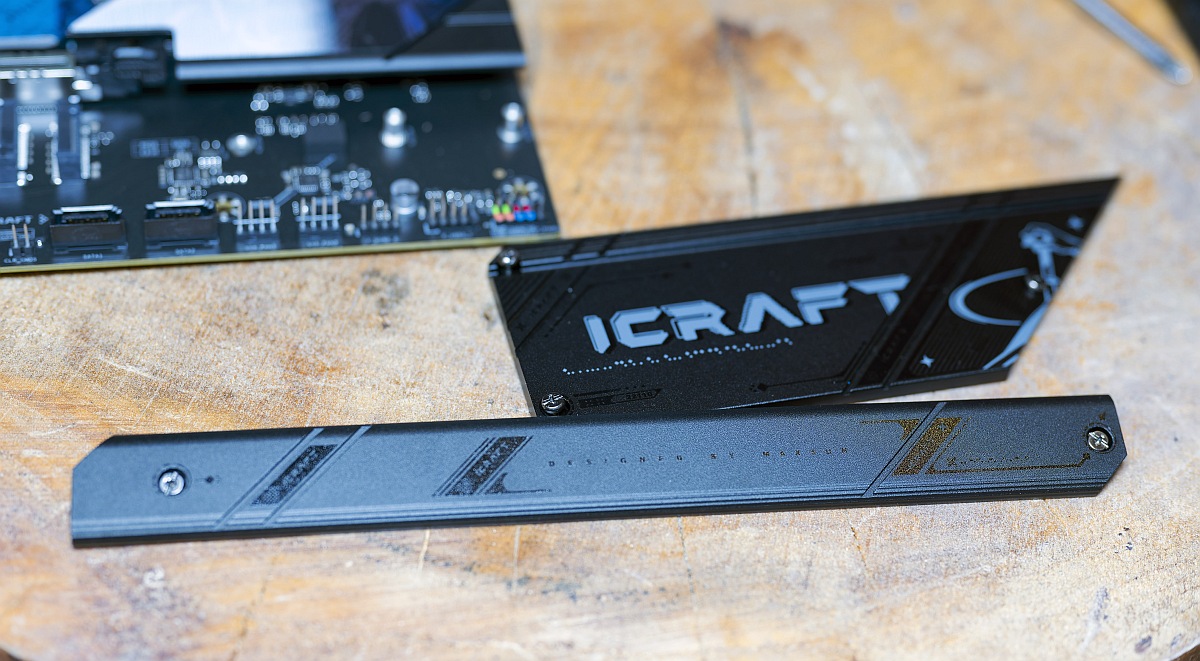 Maxsun MS-iCraft B850 AIGA NVMe Radiators (Image © PCMasters.de)
Having two separate PCIe 5.0 M.2 slots directly connected to the CPU ensures full bandwidth availability for next-generation primary storage drives.
Power supply
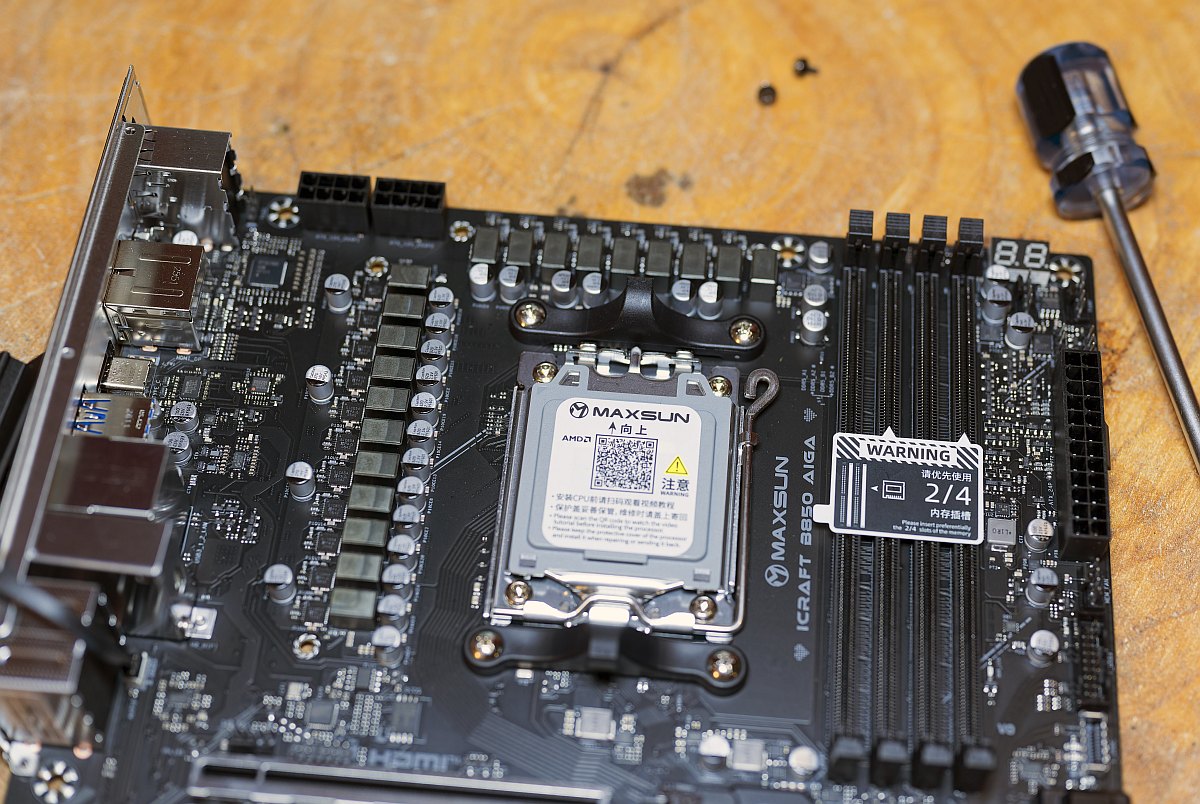 Maxsun MS-iCraft B850 AIGA VRM 1 (Image © PCMasters.de)
To ensure stable power delivery under sustained multithreaded loads and heavy CPU overclocking, MAXSUN builds the MS-iCraft B850 AIGA around a robust 16+2+1 phase power design.
- VCORE Phases: 16 power stages rated for 50A continuous output per phase.
- SOC / MISC Phases: 2 + 1 stages dedicated to memory controllers, internal buses, and auxiliary power rails.
- Power Connectors: Dual 8-pin EPS +12V CPU power connectors route power directly from the PSU.
The power stage components are cooled by dual enlarged VRM heatsinks joined by an embedded heatpipe, keeping component temperatures well within safe operational limits even during extended rendering passes. Even under synthetic stress tests, thermal imaging showed the VRM heatsinks maintained comfortable operational temperatures without requiring forced airflow. This robust electrical foundation guarantees clean power delivery regardless of how demanding future AM5 processors become.
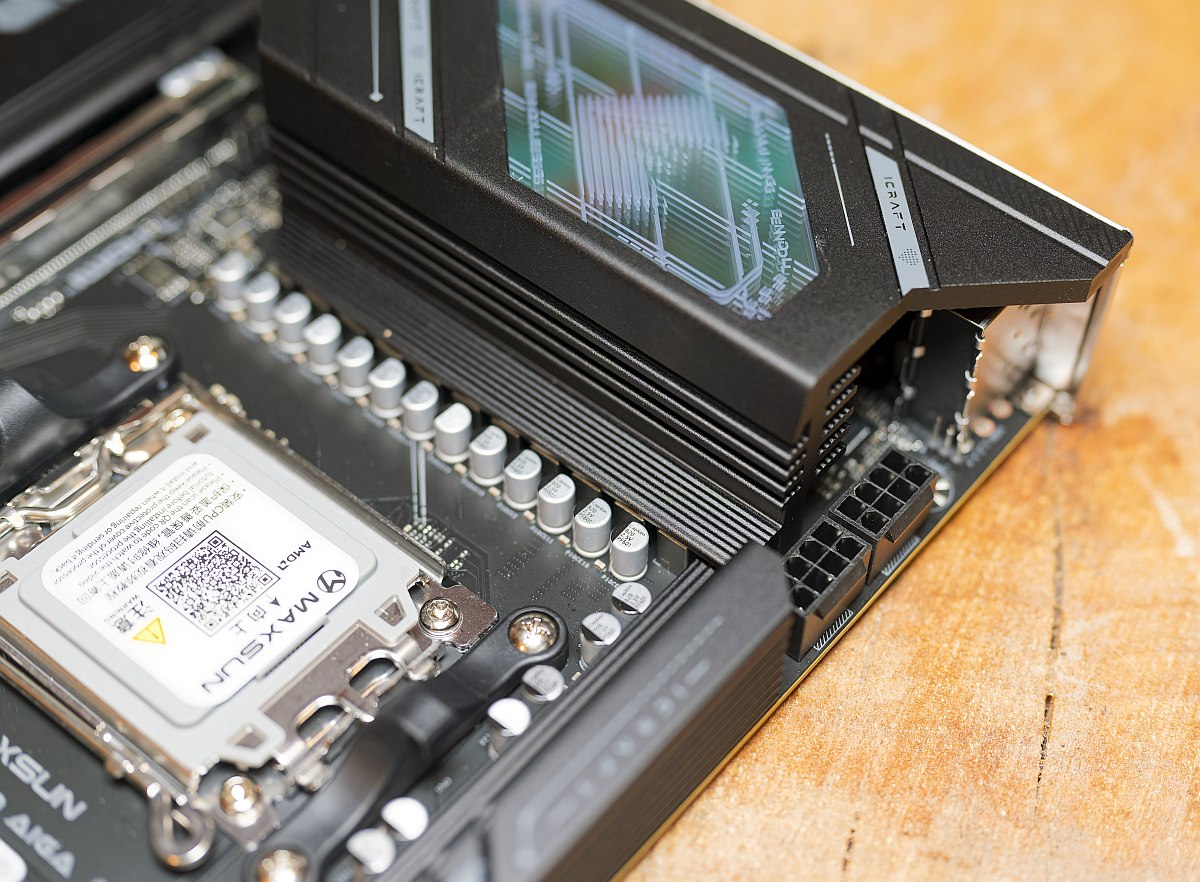 Maxsun MS-iCraft B850 AIGA EPS (Image © PCMasters.de)
USB
Unlike top-tier AMD X870 and X870E motherboards—which mandate the inclusion of the ASMedia SM4242 USB4 controller host chip to deliver mandatory 40 Gbps USB4/Thunderbolt interfaces—the MAXSUN MS-iCraft B850 AIGA relies strictly on the native USB capabilities of the AMD B850 chipset. Consequently, the ASMedia SM4242 controller is not present on this PCB. High-speed external data transfer is instead handled by native rear and front USB 10 Gbps and 20 Gbps Type-C controllers. Bypassing this additional controller chip keeps the board's price significantly lower for users who do not rely on high-bandwidth USB4 external arrays. It also conserves internal PCIe lanes that MAXSUN effectively reallocates toward additional M.2 storage and expansion slots.
B850 compared to previous generation(s)/othe chipsets
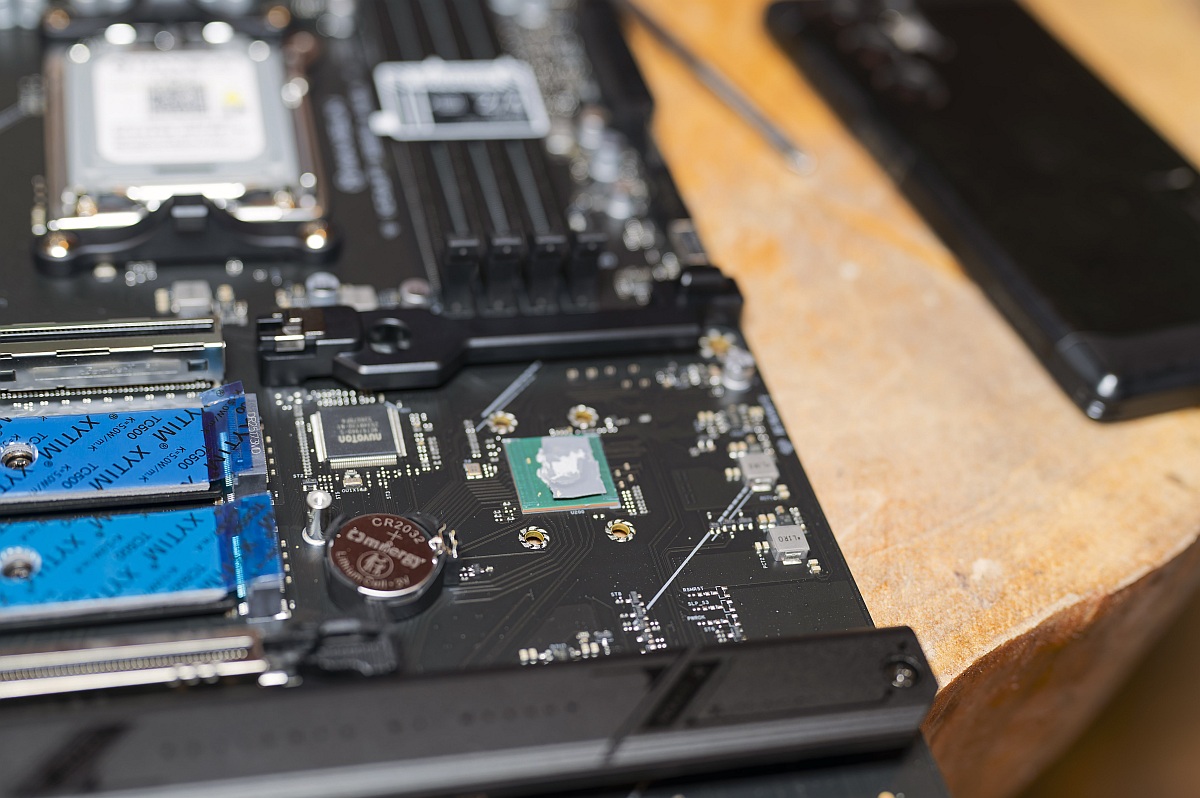 Maxsun MS-iCraft B850 AIGA Chipset (Image © PCMasters.de)
AMD’s B850 chipset replaces previous B650/B650E offerings while operating alongside higher-tier X870 options. Compared to previous-generation platforms:
- Mandatory PCIe 5.0 Support: B850 standardises PCIe 5.0 connectivity for primary graphics and M.2 storage, a feature previously restricted to higher-tier B650E or X670E boards.
- Differences vs. X870/X870E: X870 series boards mandate dual 40 Gbps USB4 ports (via chips like the ASMedia SM4242) and offer higher total PCIe lane counts for complex multi-card array configurations.
- Cost Efficiency: B850 board designs, like the iCraft AIGA, deliver high-speed networking (5GbE / Wi-Fi 7) and PCIe 5.0 bandwidth without the price premium associated with native USB4 logic.
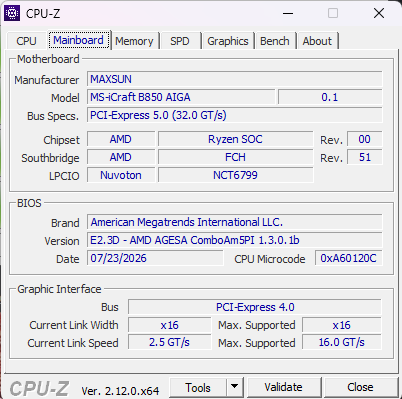 MaxsunB850 Icraft AIGA CPUz (Image © )
This structural alignment allows the B850 chipset to hit a sweet spot for modern gaming builds without sacrificing essential future-proofing features. Users transitioning from older B550 or B450 platforms will notice a dramatic uplift in available system bandwidth and expansion options.
SSD Benchmarks
The scores for a PCIe 5.0 SSD, Lexar NM1090 Pro 2 TB, look fine; the results are within the expected performance range.
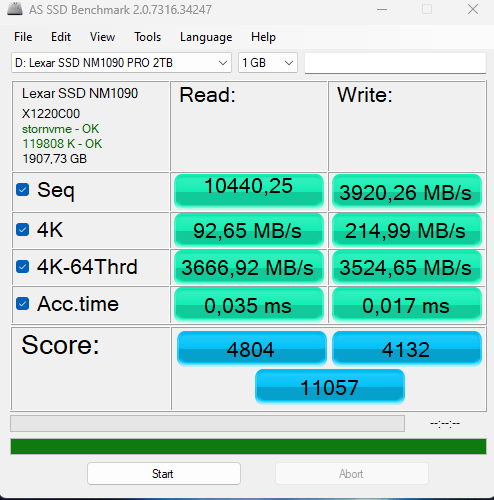 Maxsun MS-iCraft B850 AIGA AS SSD Benchmark (Image © PCMasters.de)
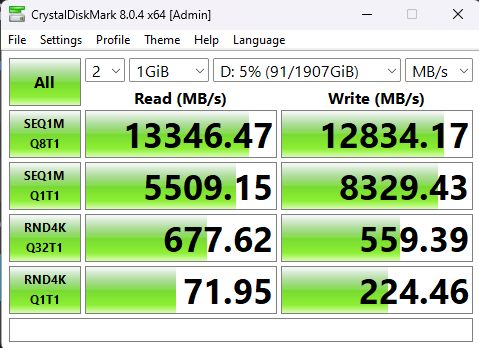 Maxsun MS-iCraft B850 AIGA CrystalDisk (Image © )
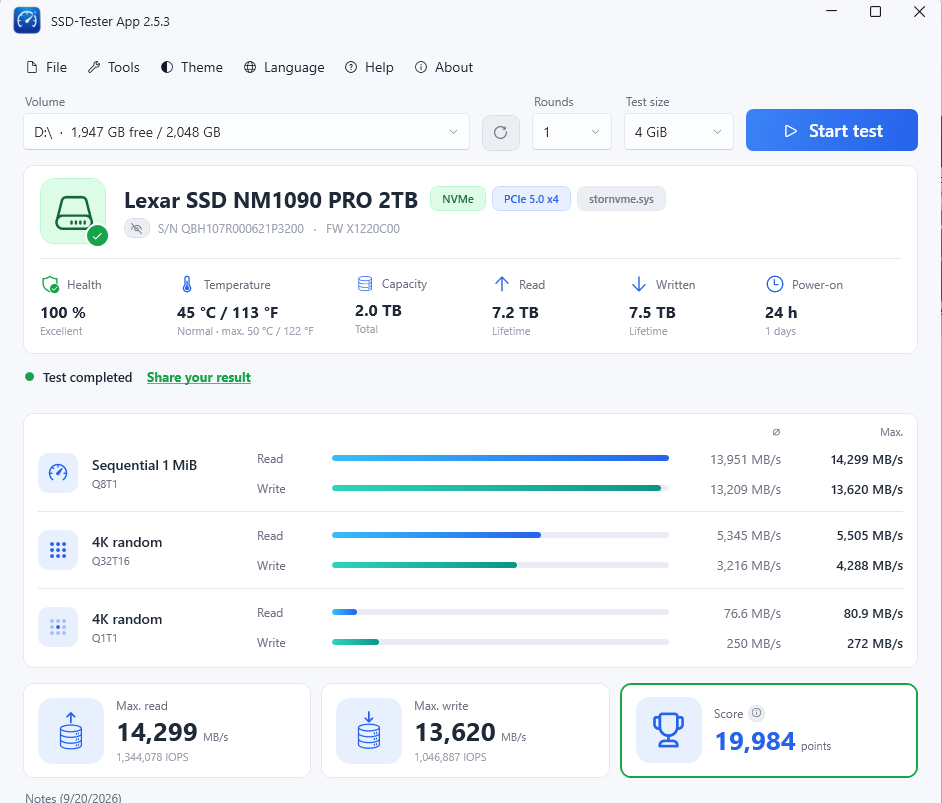 MaxsunB850 Icraft AIGA SSD tester (Image © )
BIOS
MAXSUN equips the MS-iCraft B850 AIGA with its redesigned PTM UI BIOS. The graphical interface represents a massive step forward for MAXSUN, offering a clean setup dashboard. It allows rapid toggling of EXPO profiles, boot order adjustments, fan curve customisations, and fast system hardware diagnostics. Submenu navigation is responsive, with virtually no input lag when adjusting settings via mouse or keyboard. The first section is BIOS Preview.
BIOS Preview
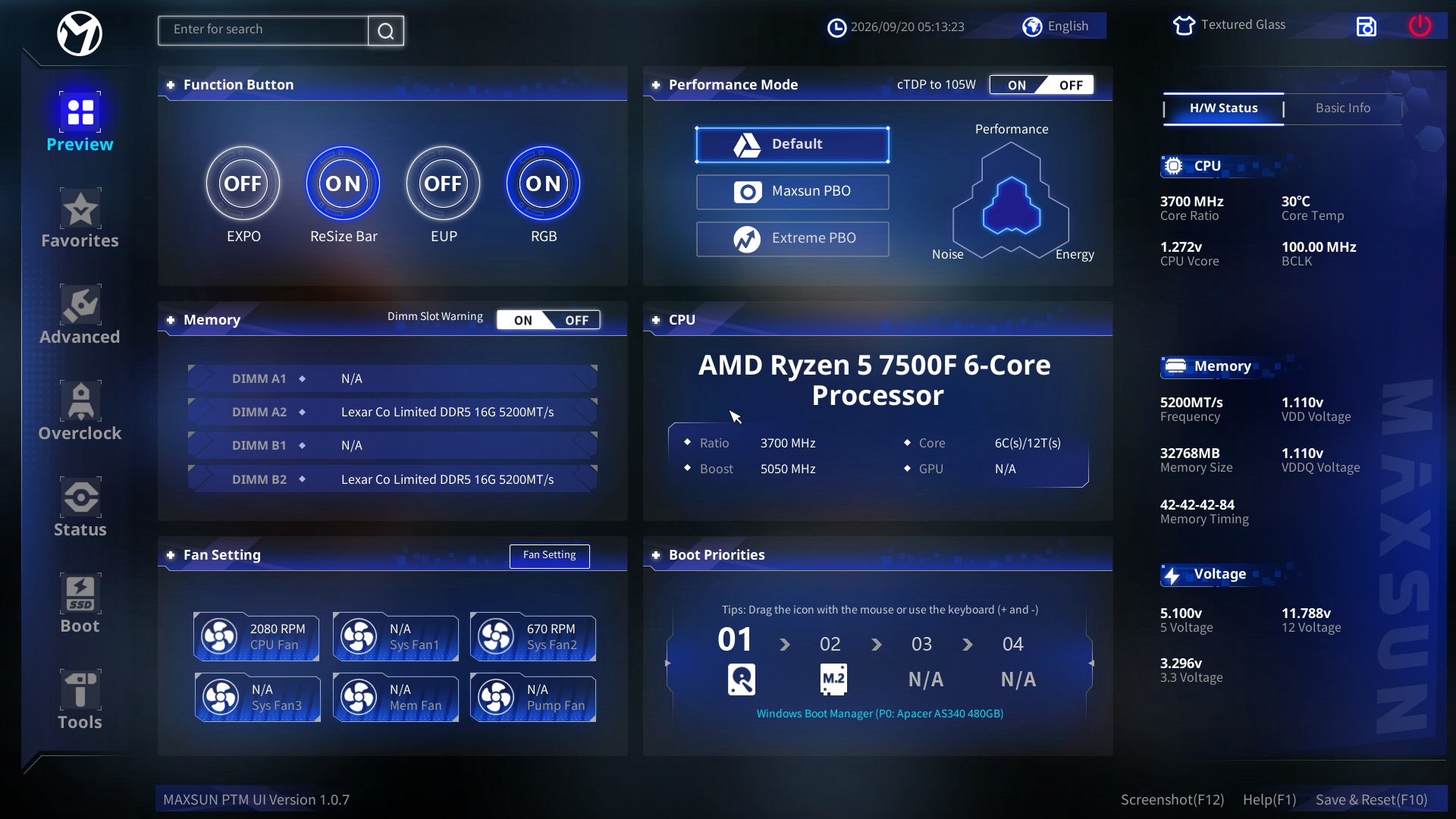 Maxsun MS-iCraft B850 AIGA Bios Preview 1 (Image © )
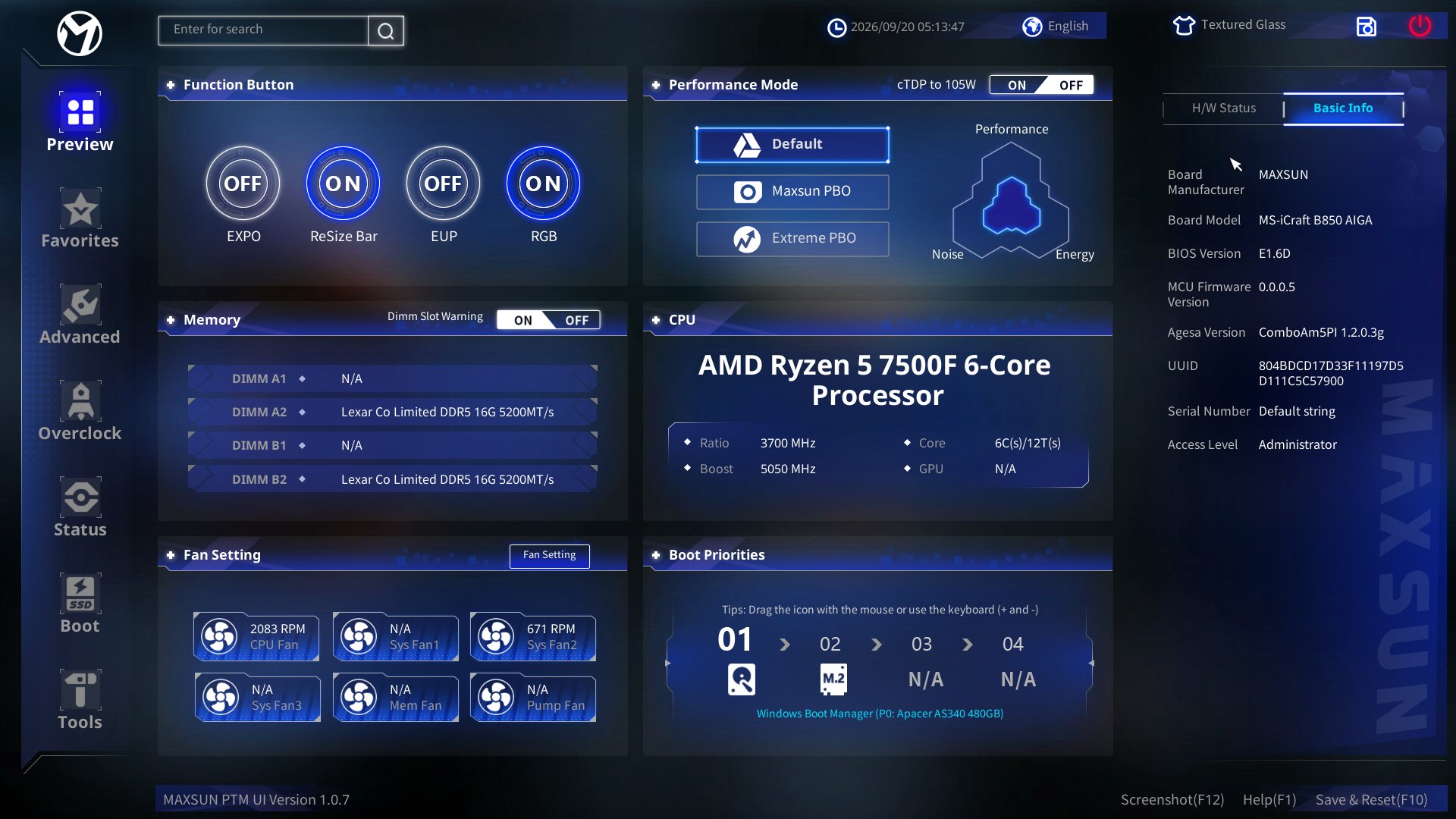 Maxsun MS-iCraft B850 AIGA Bios Preview 2 (Image © )
In the main Preview menu of the MAXSUN UEFI BIOS, users can directly toggle quick feature switches such as AMD EXPO memory profiles, ReSize Bar, EuP power saving, RGB illumination, and Dimm Slot Warnings. The Performance Mode block allows choosing between Default, Maxsun PBO, and Extreme PBO presets, alongside an optional cTDP limit switch capped at 105W. Hardware status monitors are fully integrated across the screen to track CPU parameters like clock ratio, core temperature, Vcore, and BCLK, as well as DDR5 memory frequency, total size, primary timings, VDD, and VDDQ voltages. Additional monitoring panels provide real-time readings for system rail voltages (+5V, +12V, +3.3V) and fan rotation speeds for the CPU fan, secondary system fans, and liquid cooling pump. Boot order sequence can be reconfigured directly within the dedicated Boot Priorities section, while full sub-menus for advanced overclocking, hardware status, storage/SSD tools, and system utility options remain accessible along the left navigation sidebar.
BIOS Favourites
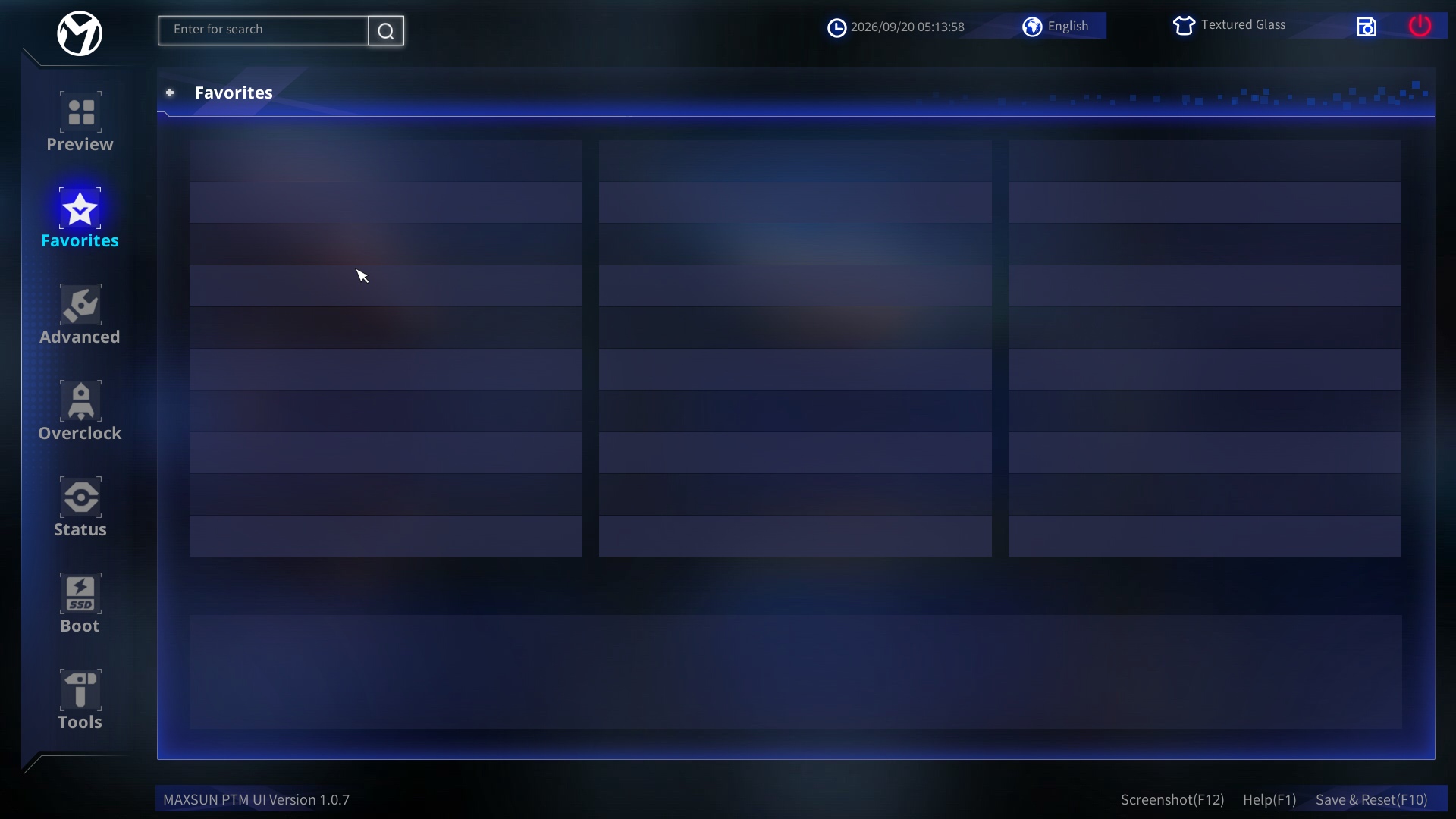 Maxsun MS-iCraft B850 AIGA Bios - Favourites (Image © )
In the BIOS of the MAXSUN B850 iCraft AIGA, the Favourites section allows you to group and quickly access your most frequently adjusted system parameters in one place. Within this menu, you can set CPU clock frequencies, target voltages, and Precision Boost Overdrive (PBO) parameters for processor tuning. You can also configure memory profile options, including EXPO/XMP profiles, primary and secondary RAM timings, and memory controller voltage ratios. Additionally, the menu lets you adjust system fan curves, temperature thresholds, power limits (PPT/TDC/EDC), and drive boot priorities to easily manage primary system behaviours without navigating deeper sub-menus.
BIOS Advanced
The motherboard's central performance menu offers detailed control over CPU clock multipliers, bus frequencies, and primary voltage rails (VDDCR_CPU, VDDCR_SOC, and DRAM voltage). Users can fine-tune memory timings, sub-timings, and drive strengths to extract maximum clock stability from DDR5 kits rated above 8000 MT/s. Detailed tooltips accompany major voltage adjustments to help guide users toward safe operational ranges. The ability to lock in fixed core ratios allows dedicated overclockers to run steady-state benchmark passes with ease.
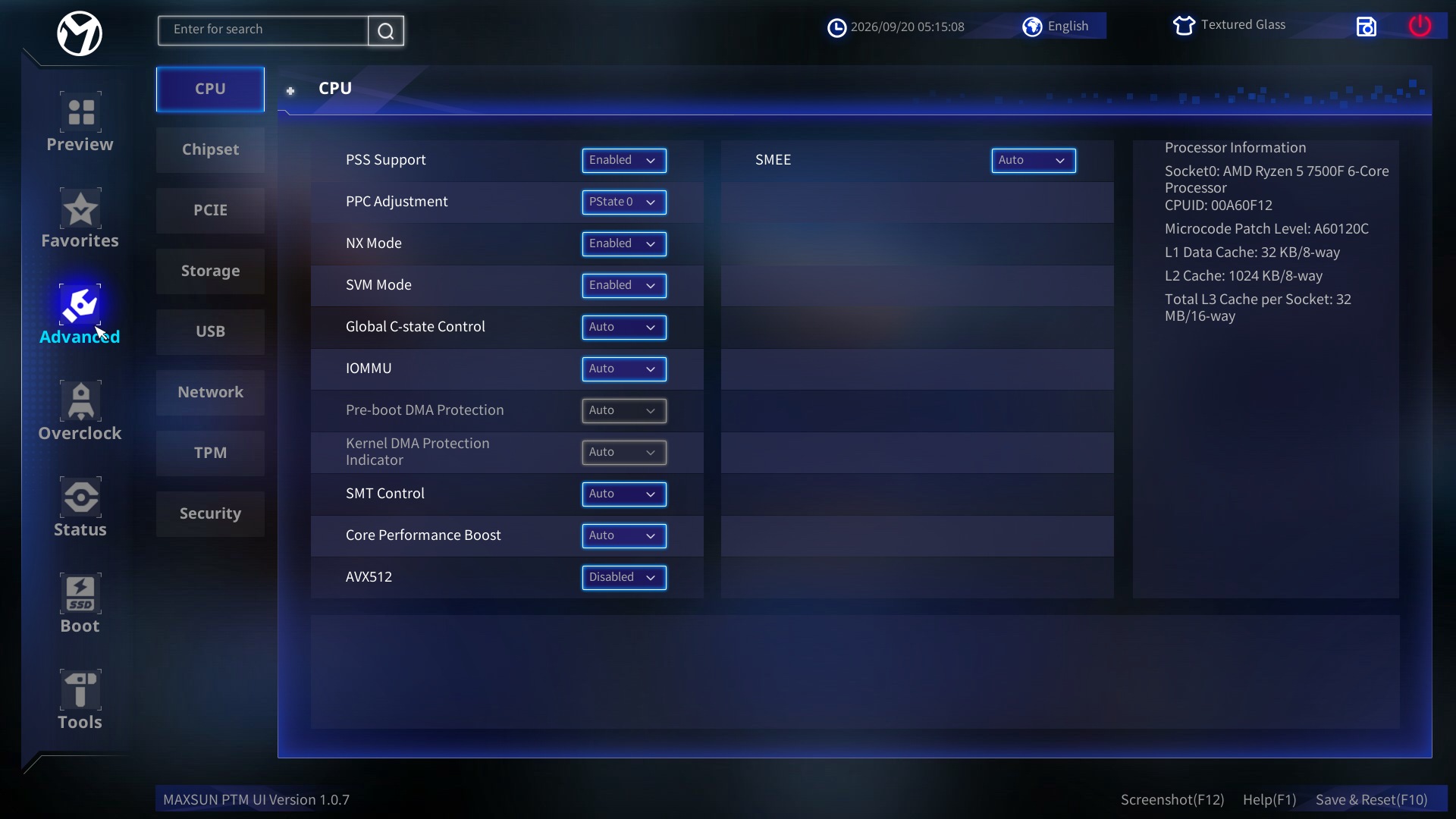 Maxsun MS-iCraft B850 AIGA Bios - Advanced 1 (Image © PCMasters.de)
Under the CPU sub-tab, power management and processor features can be configured by enabling or toggling options such as PSS Support, PPC Adjustment (set to PState 0), NX Mode, SVM Mode, Global C-state Control, and SMT Control. System virtualization and direct memory access security are managed through IOMMU, Pre-boot DMA Protection, and the Kernel DMA Protection Indicator, while processor performance and instruction set extensions are controlled via Core Performance Boost and AVX512. Additionally, memory encryption settings can be configured under the SMEE option.
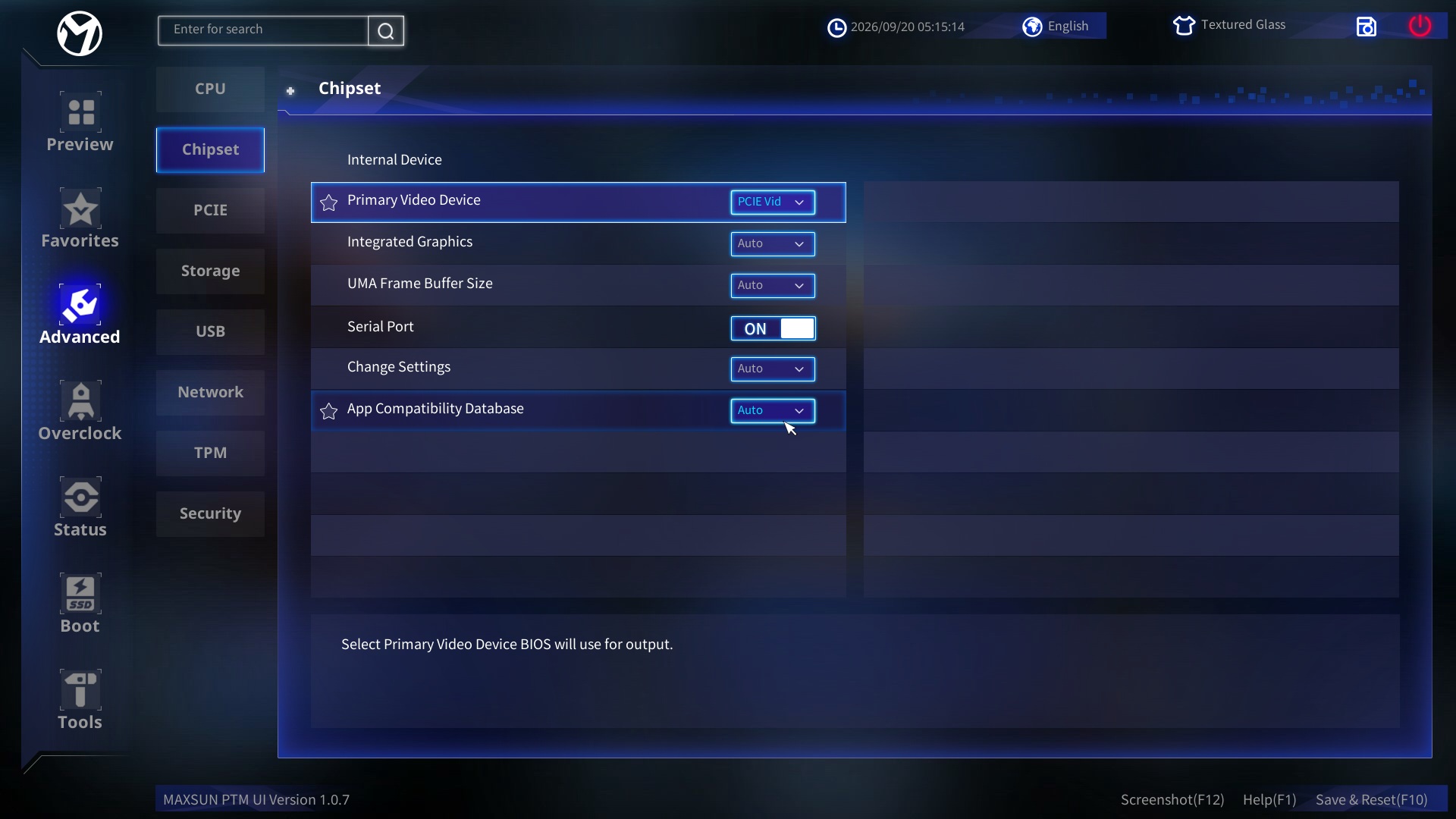 Maxsun MS-iCraft B850 AIGA Bios - Advanced 2 (Image © PCMasters.de)
Moving to the Chipset menu, display routing and onboard controller behaviours are specified through settings like Primary Video Device (configured to PCIE Vid), Integrated Graphics, and UMA Frame Buffer Size. Legacy serial connectivity and application profile handling are managed via Serial Port, Change Settings, and the App Compatibility Database toggle.
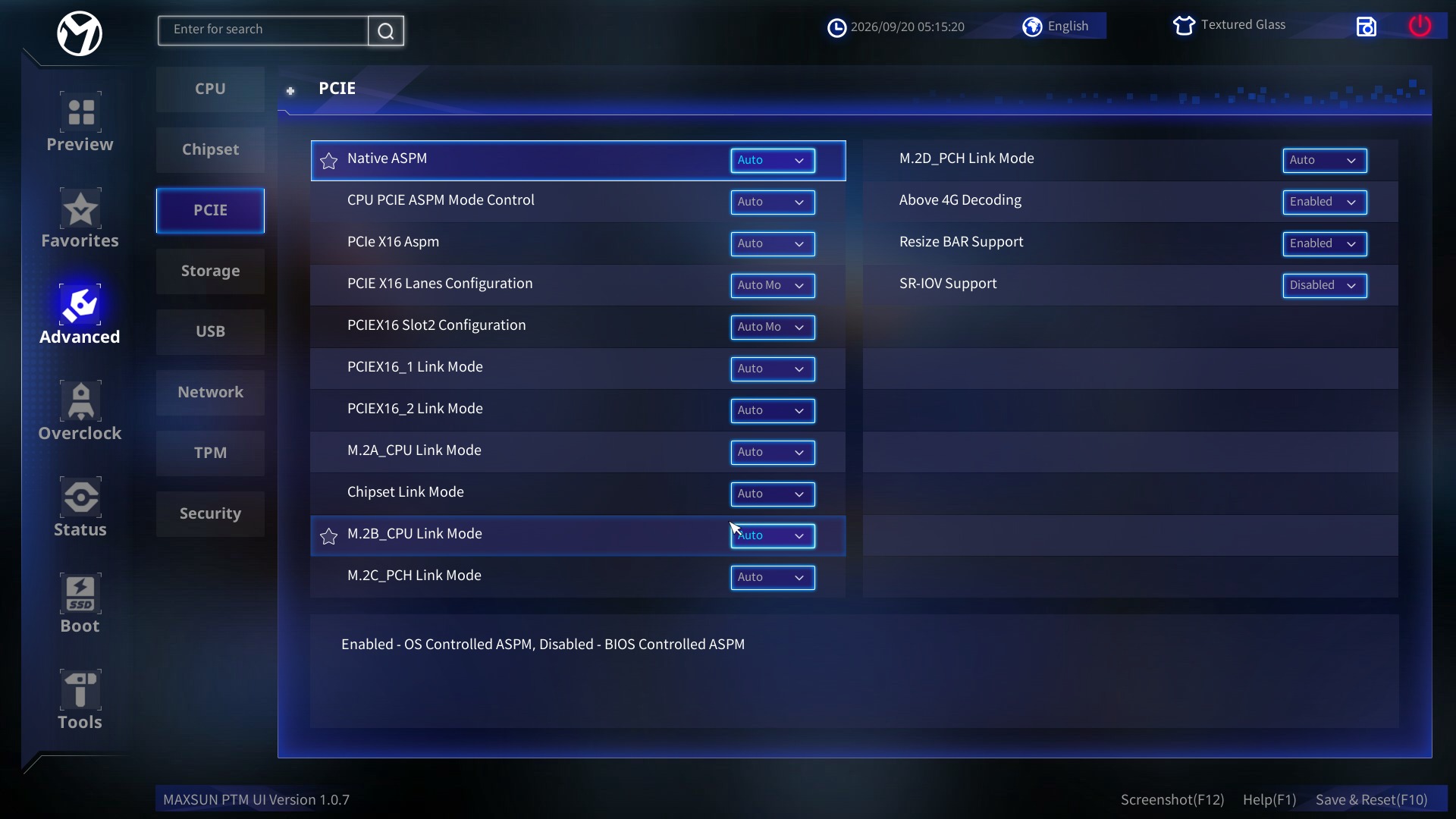 Maxsun MS-iCraft B850 AIGA Bios - Advanced 3 (Image © PCMasters.de)
Within the PCIE sub-menu, power states and link parameters are tailored using Native ASPM, CPU PCIE ASPM Mode Control, and PCIe X16 ASPM. Lane distribution and bus generation speeds across expansion slots and storage interfaces are established via PCIE X16 Lanes Configuration, PCIEX16 Slot2 Configuration, PCIE16_1 Link Mode, PCIE16_2 Link Mode, M.2A_CPU Link Mode, Chipset Link Mode, M.2B_CPU Link Mode, M.2C_PCH Link Mode, and M.2D_PCH Link Mode. Advanced PCIe capabilities are handled through Above 4G Decoding, Resizable BAR Support, and SR-IOV Support.
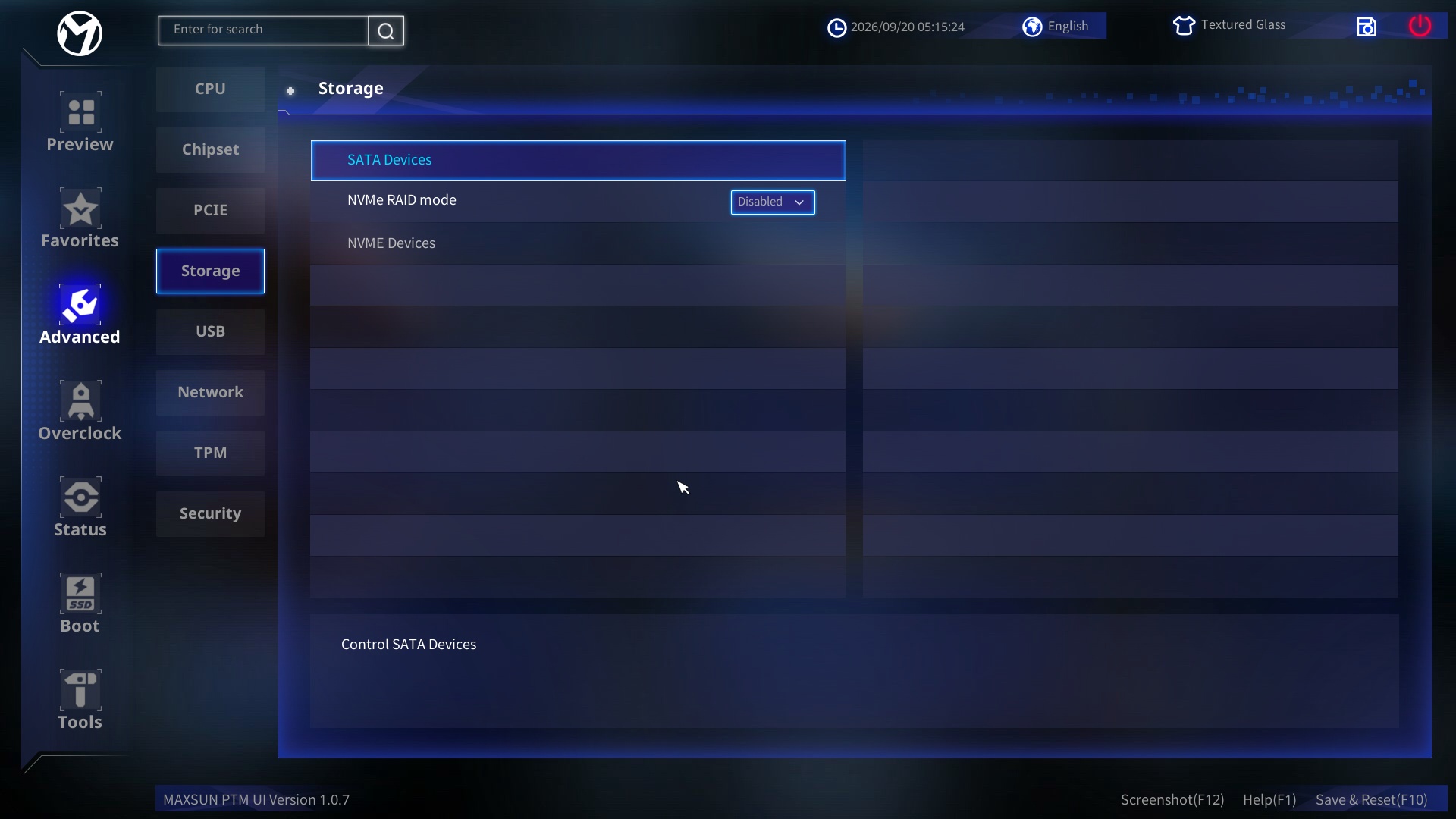 Maxsun MS-iCraft B850 AIGA Bios - Advanced 4 (Image © PCMasters.de)
In the Storage section, drive controllers and array configurations are dictated by entering the SATA Devices sub-menu, switching the NVMe RAID mode toggle, or viewing connected drives in NVMe Devices.
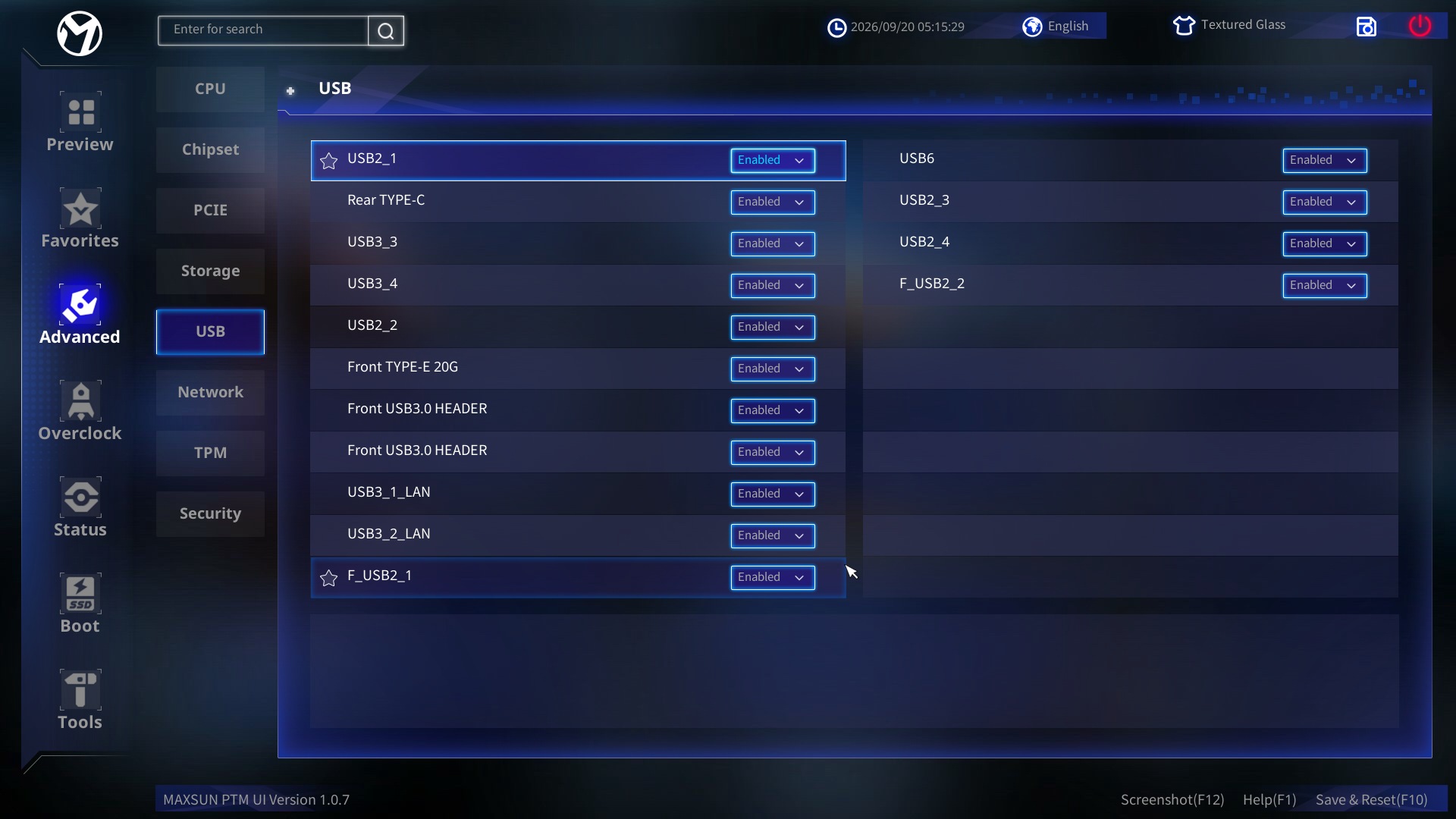 Maxsun MS-iCraft B850 AIGA Bios - Advanced 5 (Image © )
Under the USB tab, individual port routing and header functionality can be independently enabled or disabled across USB2_1, Rear TYPE-C, USB3_3, USB3_4, USB2_2, Front TYPE-E 20G, Front USB3.0 HEADER (both instances), USB3_1_LAN, USB3_2_LAN, F_USB2_1, USB6, USB2_3, USB2_4, and F_USB2_2.
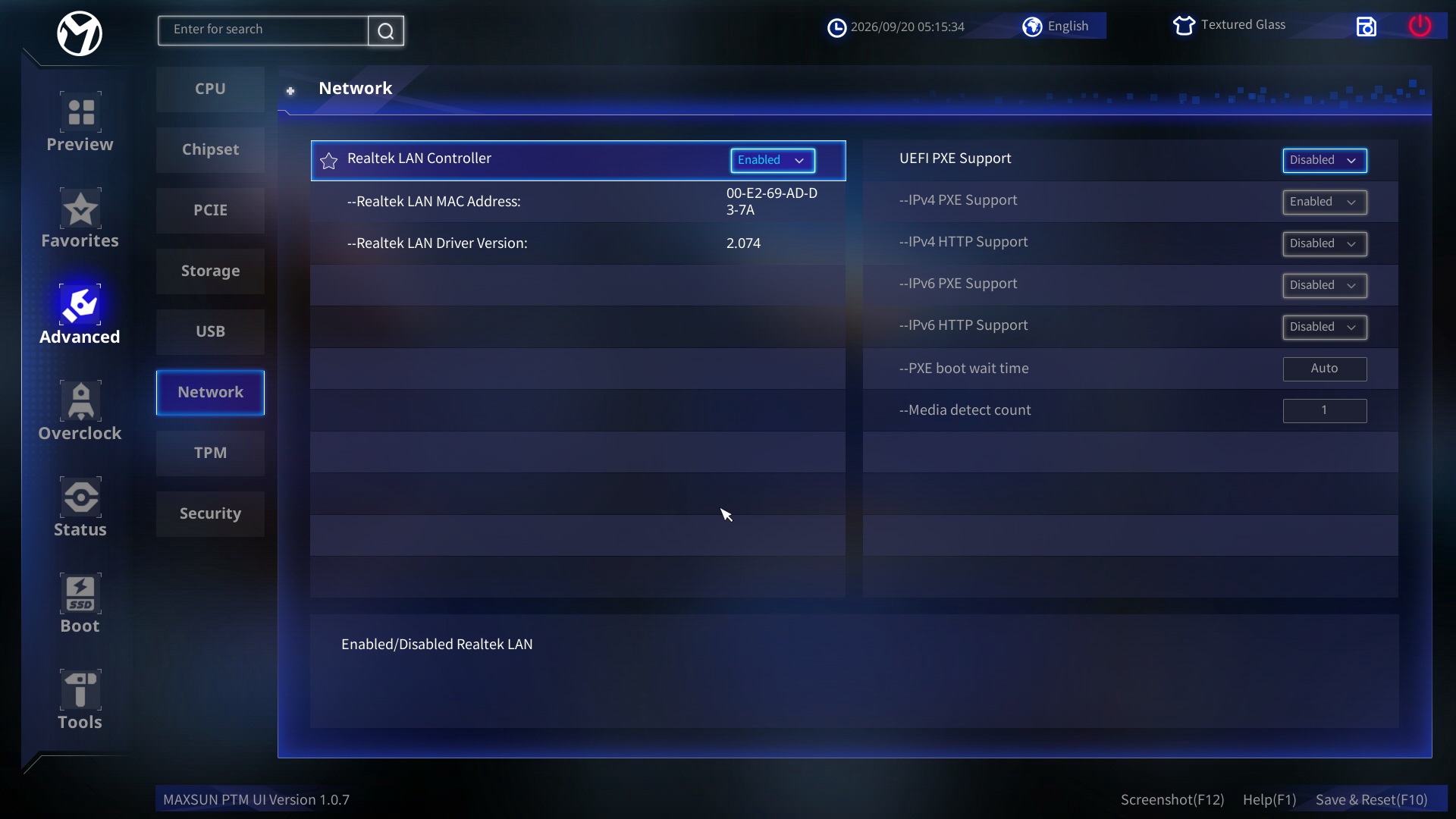 MaxsunB850 Icraft AIGA BiosAdvanced6 ()
The Network sub-menu allows management of the onboard Realtek LAN Controller and remote boot parameters via UEFI PXE Support, IPv4 PXE Support, IPv4 HTTP Support, IPv6 PXE Support, IPv6 HTTP Support, PXE boot wait time, and Media detect count.
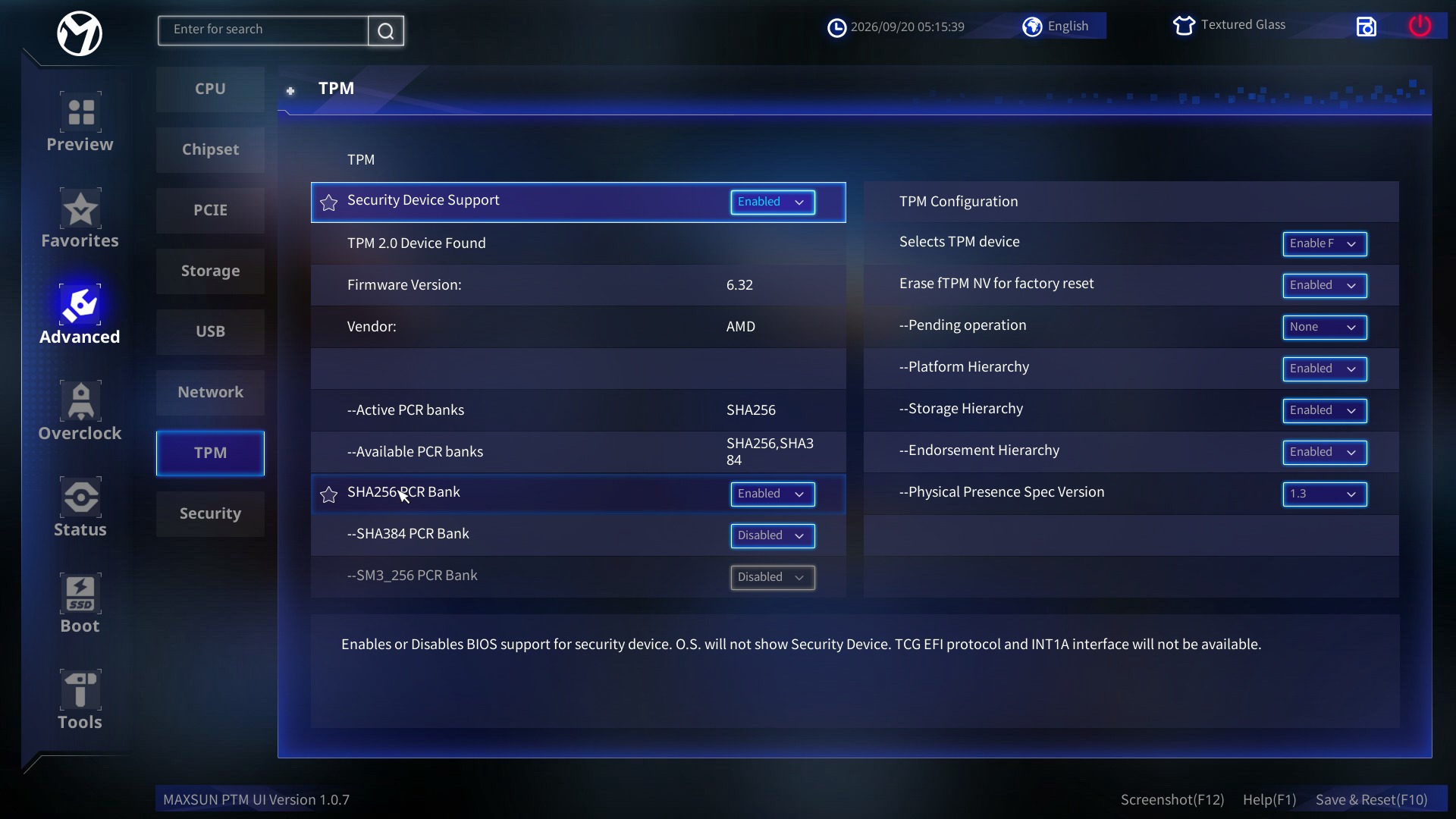 Maxsun MS-iCraft B850 AIGA Bios - Advanced 7 (Image © )
In the TPM menu, cryptographic security features are adjusted by toggling Security Device Support, selecting active PCR banks (SHA256 PCR Bank, SHA384 PCR Bank, SM3_256 PCR Bank), or modifying TPM Configuration options including Selects TPM device, Erase fTPM NV for factory reset, Pending operation, Platform Hierarchy, Storage Hierarchy, Endorsement Hierarchy, and Physical Presence Spec Version.
 Maxsun MS-iCraft B850 AIGA Bios - Advanced 8 (Image © )
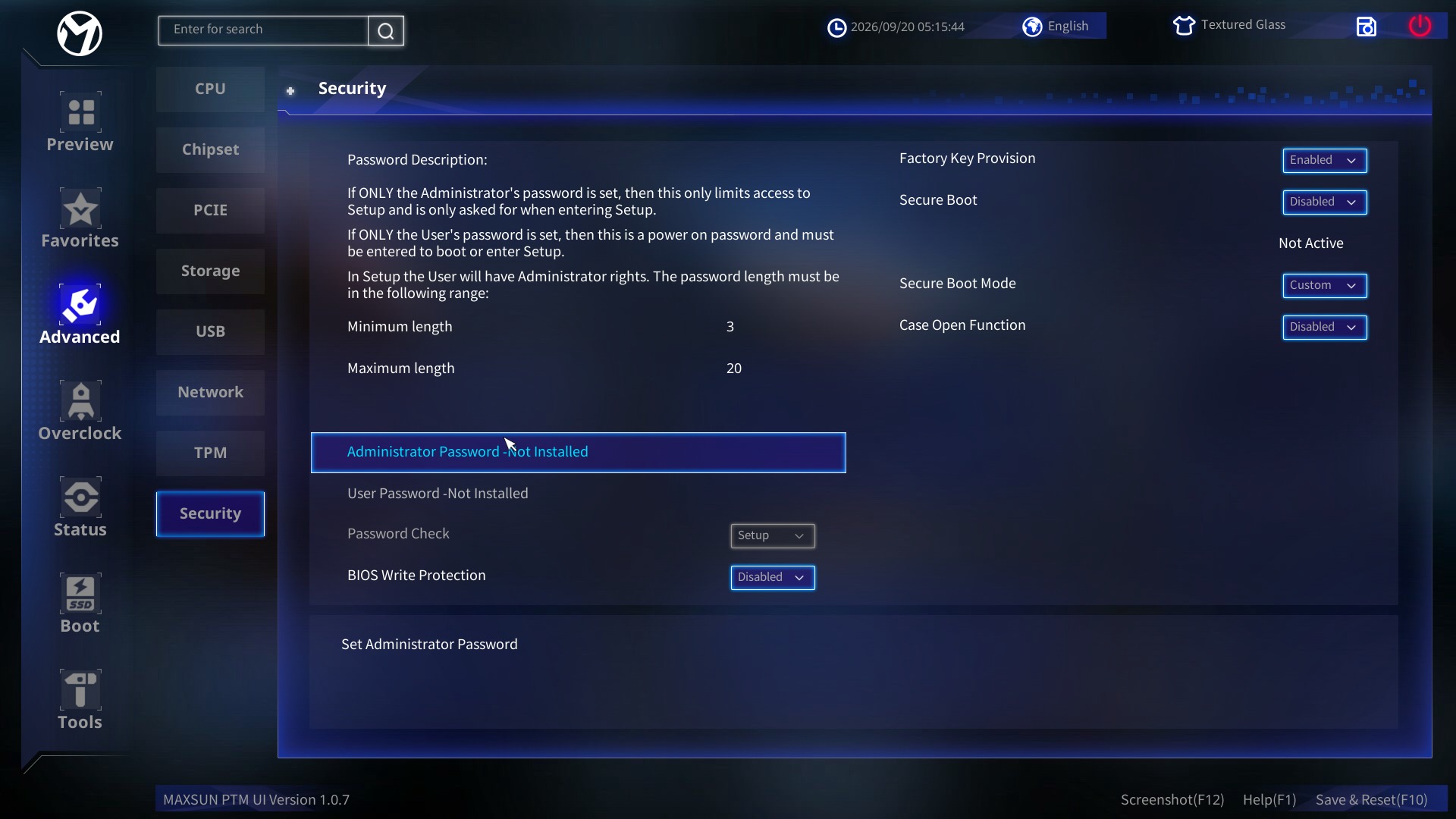
Finally, the Security section handles access control, hardware tamper detection, and firmware protection by defining an Administrator Password, User Password, Password Check scope, BIOS Write Protection, Factory Key Provision, Secure Boot enable status, Secure Boot Mode, and Case Open Function.
BIOS Overclocking
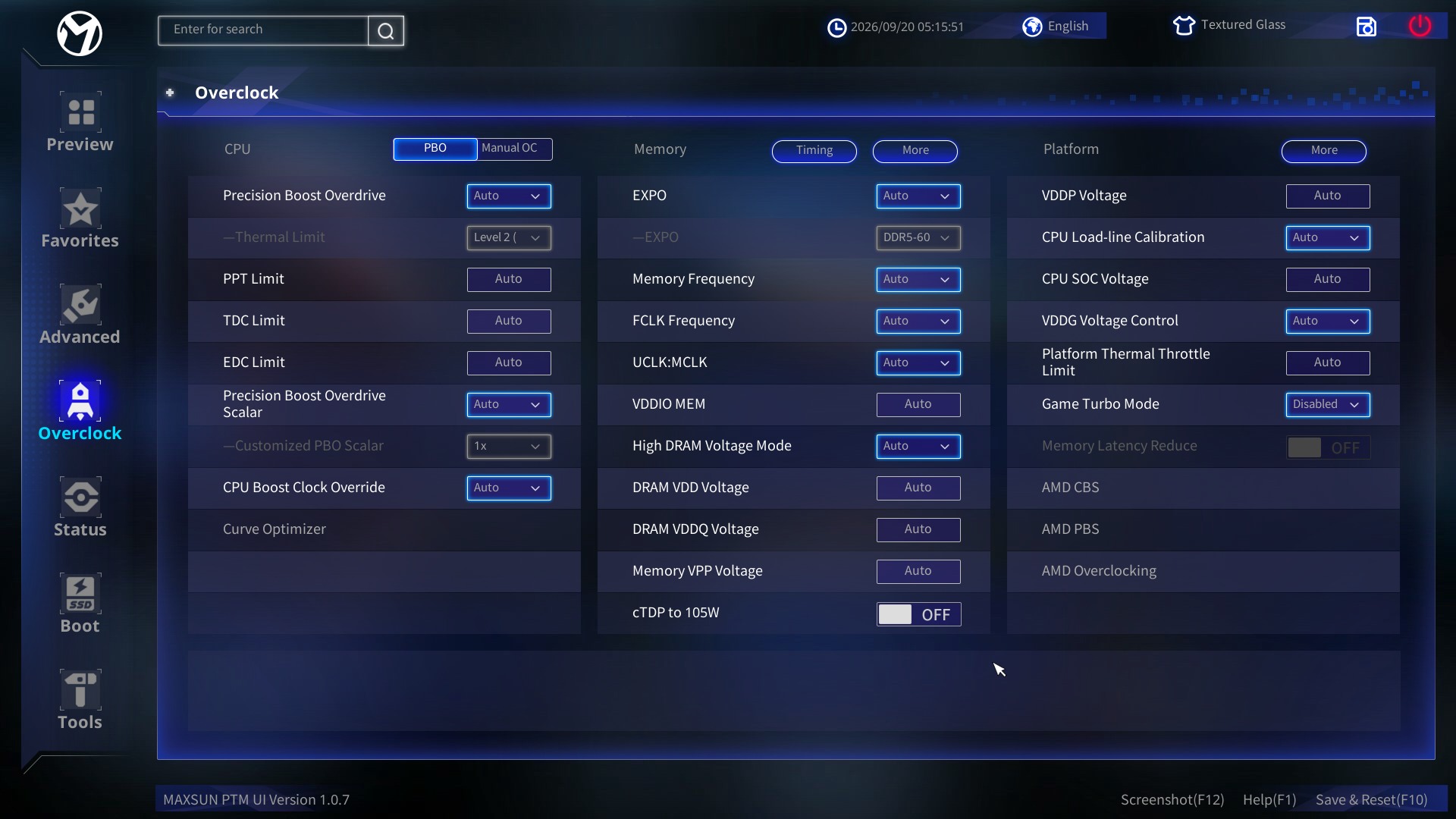
This section grants direct access to native AMD Precision Boost Overdrive (PBO) and Curve Optimizer features. Enthusiasts can apply negative voltage offsets across individual CPU cores, adjust Power Target (PPT), Thermal Limits (TJMax), and TDC/EDC current boundaries to maximise boosting behavior while keeping operating temperatures under control. Fine-tuning core curve offsets directly inside this menu allows users to extract higher single-core boost clocks without increasing overall power draw. The board applies these PBO parameters smoothly without triggering boot loops or instigating instability during heavy multithreaded loads.
 Maxsun MS-iCraft B850 AIGA Bios- Overclocking (Image © )
Processor & Precision Boost Overdrive (PBO)
Under the PBO menu, you can toggle Precision Boost Overdrive mode (currently set to Auto) and select a predefined Thermal Limit (Level 2). You can adjust specific power boundaries using PPT Limit, TDC Limit, and EDC Limit. Additionally, you can configure the Precision Boost Overdrive Scalar alongside its Customised PBO Scalar multiplier (1x), set a CPU Boost Clock Override, and fine-tune power delivery using the Curve Optimiser. If manual tuning is preferred, switching to Manual OC unlocks static clock multiplier controls.
Memory & Voltages
The Memory tab allows you to configure AMD EXPO profiles (DDR5-600) and set the primary Memory Frequency. Clock dividers and ratios can be adjusted using FCLK Frequency and UCLK: MCLK ratio toggles. Memory voltage parameters include VDDIO MEM, High DRAM Voltage Mode, DRAM VDD Voltage, DRAM VDDQ Voltage, and Memory VPP Voltage. System power settings can be constrained via cTDP to 105W. Sub-menus for Timing and More provide access to advanced memory sub-timings.
Platform & Advanced Settings The Platform section allows power tuning through VDDP Voltage, CPU SOC Voltage, and VDDG Voltage Control. Load-line behaviour can be adjusted using CPU Load-line Calibration, while overall thermal protection is managed via the Platform Thermal Throttle Limit. Dedicated performance features include toggling Game Turbo Mode (Disabled) and Memory Latency Reduce (OFF). Further specialized controls and vendor-specific options are located in the sub-menus for AMD CBS, AMD PBS, and AMD Overclocking
BIOS Status
 Maxsun MS-iCraft B850 AIGA Bios Status (Image © )
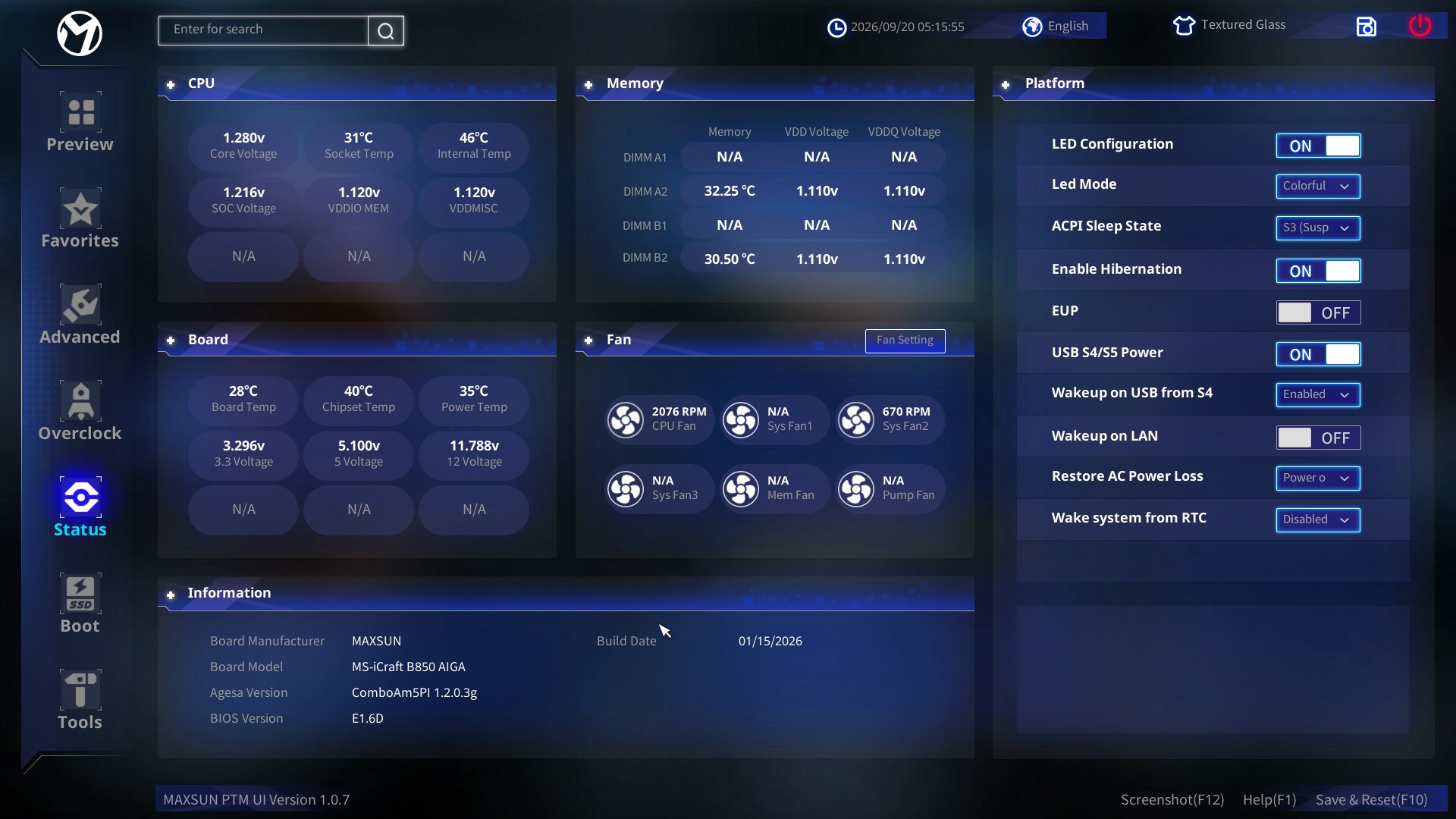
MAXSUN MS-iCraft B850 AIGA has the following user-configurable settings and options:
Platform & Lighting Controls
In the Platform section, users can toggle the LED Configuration on or off and customise the illumination style using the LED Mode dropdown. System power behaviour can be tuned by configuring the ACPI Sleep State (preset to S3 (Suspended)) and enabling or disabling Enable Hibernation or EUP energy-saving compliance. Additionally, USB power state management is available via USB S4/S5 Power, alongside boot-up wake behaviors such as Wakeup on USB from S4, Wakeup on LAN, Restore AC Power Loss (set to Power Off), and Wake system from RTC
Fan Profile Settings Under the Fan module, users can access individual fan curve options by opening the dedicated Fan Setting sub-menu. The system reports real-time RPM monitoring across six distinct headers—CPU Fan, Sys Fan1, Sys Fan2, Sys Fan3, Mem Fan, and Pump Fan—allowing tailored speed curves and pump configurations based on thermal demands.
UI, Language, and Search Navigation
At the top header, the motherboard provides quick utility controls where users can access a global Enter-for-search bar to jump directly to specific BIOS parameters. System localisations and visual themes can also be adjusted on the fly, including switching the UI language via the Language dropdown and selecting visual themes through the UI Theme menu (set to Textured Glass).
BIOS Boot
 Maxsun MS-iCraft B850 AIGA Bios - Boot (Image © PCMasters.de)
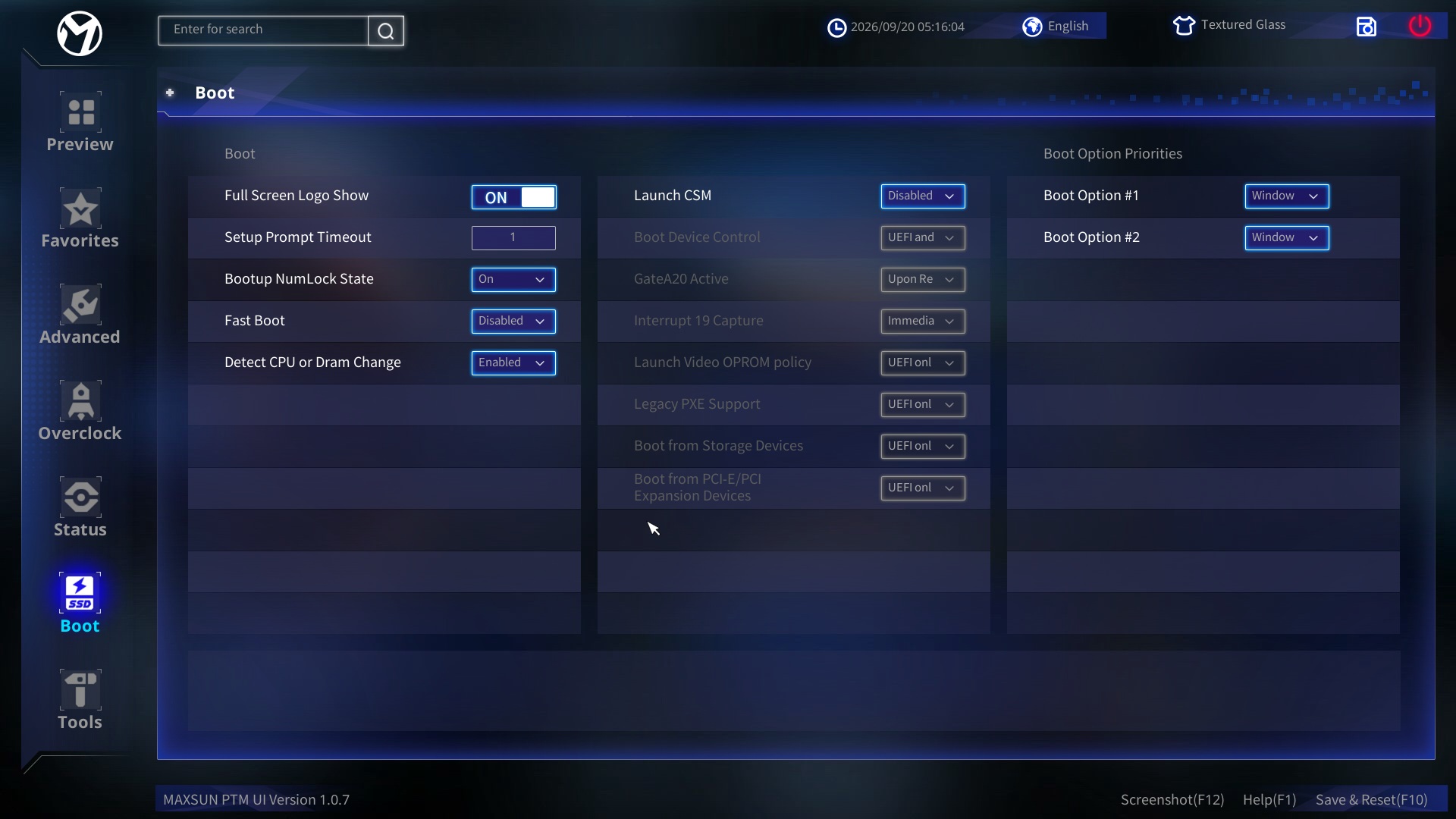
In the Boot tab of the Maxsun B850 iCraft AIGA UEFI BIOS, you have access to several configuration options to manage system startup behaviour, compatibility, and device priority. You can configure the display behaviour of the full-screen logo during startup. System timing parameters can be adjusted via the setup prompt timeout, and the bootup NumLock state can be toggled on or off. Quick system initialisation is managed through the Fast Boot settings, while automated hardware monitoring can be set using the option to detect CPU or DRAM changes. Compatibility with older operating systems and hardware is handled by launching the Compatibility Support Module (CSM), which ungreys out options for controlling boot device types, GateA20 activity, Interrupt 19 capture, and video OPROM policies. Additionally, UEFI execution policies can be configured for legacy PXE support, storage devices, and PCI-E/PCI expansion devices. Finally, boot device priorities can be arranged directly using the primary and secondary boot option selections.
BIOS Tools
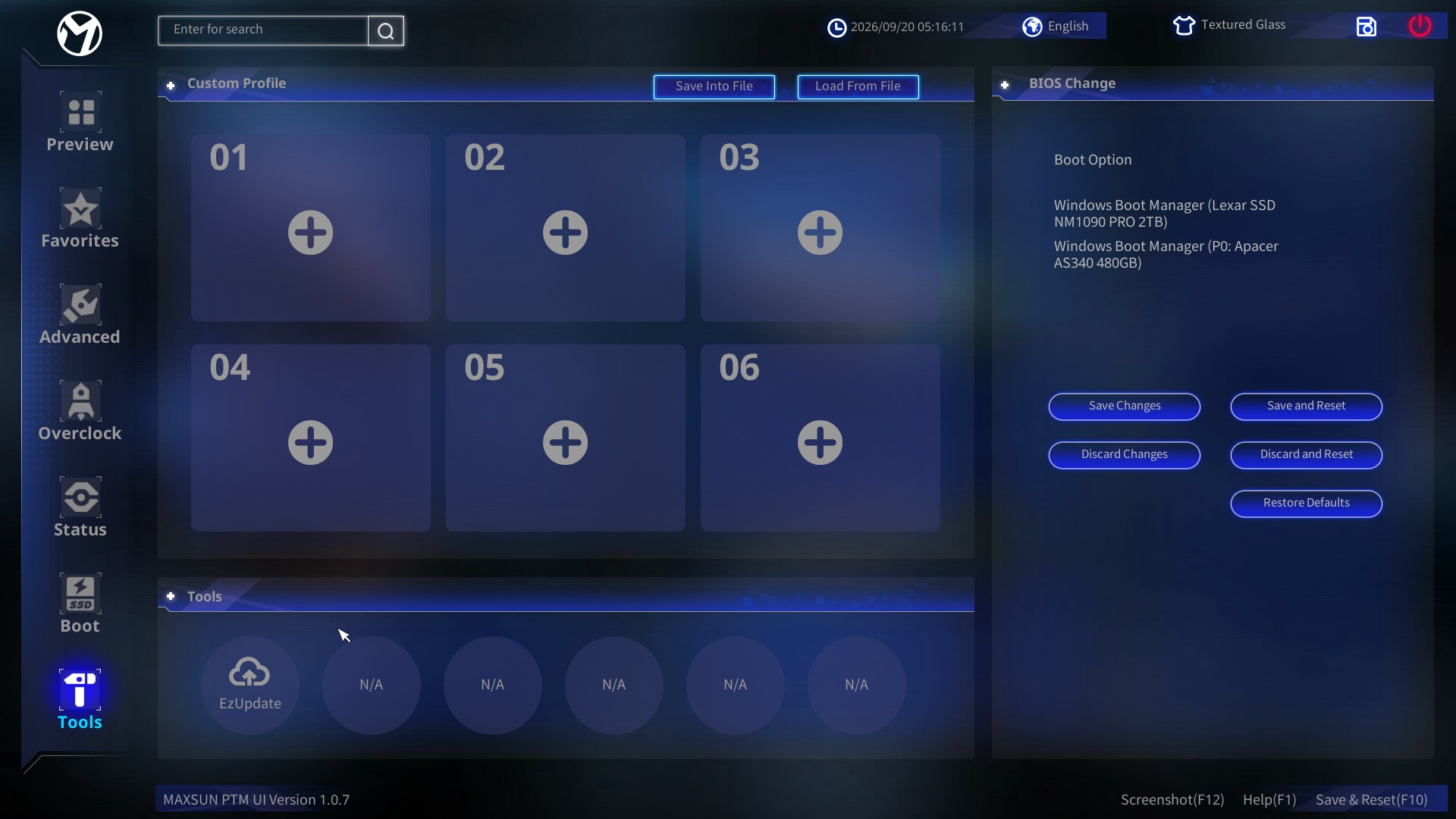 Maxsun MS-iCraft B850 AIGA Bios Tools (Image © )
The Tools tab in the Maxsun UEFI BIOS provides a straightforward interface for system configuration and profile management: - Custom Profile Saving and Loading: You can save up to six custom system configuration profiles directly into numbered BIOS memory slots (01 through 06). Additionally, you can export your settings to an external file or import existing configuration files from a connected storage drive using the Save Into File and Load From File buttons. - Boot Device Override and Order: Under the BIOS Change section on the right, you can view, select, and manage active boot options, such as primary and secondary Windows Boot Manager targets (e.g., Lexar SSD NM1090 PRO or Apacer AS340). - BIOS Settings Management: Direct action buttons allow you to apply active configurations via Save Changes or Save and Reset, discard adjustments using Discard Changes or Discard and Reset, or completely revert the system to factory settings with Restore Defaults. - Firmware Updates and Utilities: The lower Tools tray provides quick access to firmware utilities, including the EzUpdate tool for automated or manual BIOS flashing.
Conclusion
The MAXSUN MS-iCraft B850 AIGA is a well-rounded AM5 motherboard that successfully combines bold aesthetic styling with strong hardware execution. By delivering dual PCIe 5.0 x16 capabilities, quad M.2 storage options, 5GbE LAN, and Wi-Fi 7, MAXSUN offers features typically reserved for higher price brackets. For gamers, modders, and PC builders seeking a clean white-and-silver motherboard capable of extracting full performance from AMD Ryzen processors without overpaying for unused connectivity, the MS-iCraft B850 AIGA stands as a compelling choice.
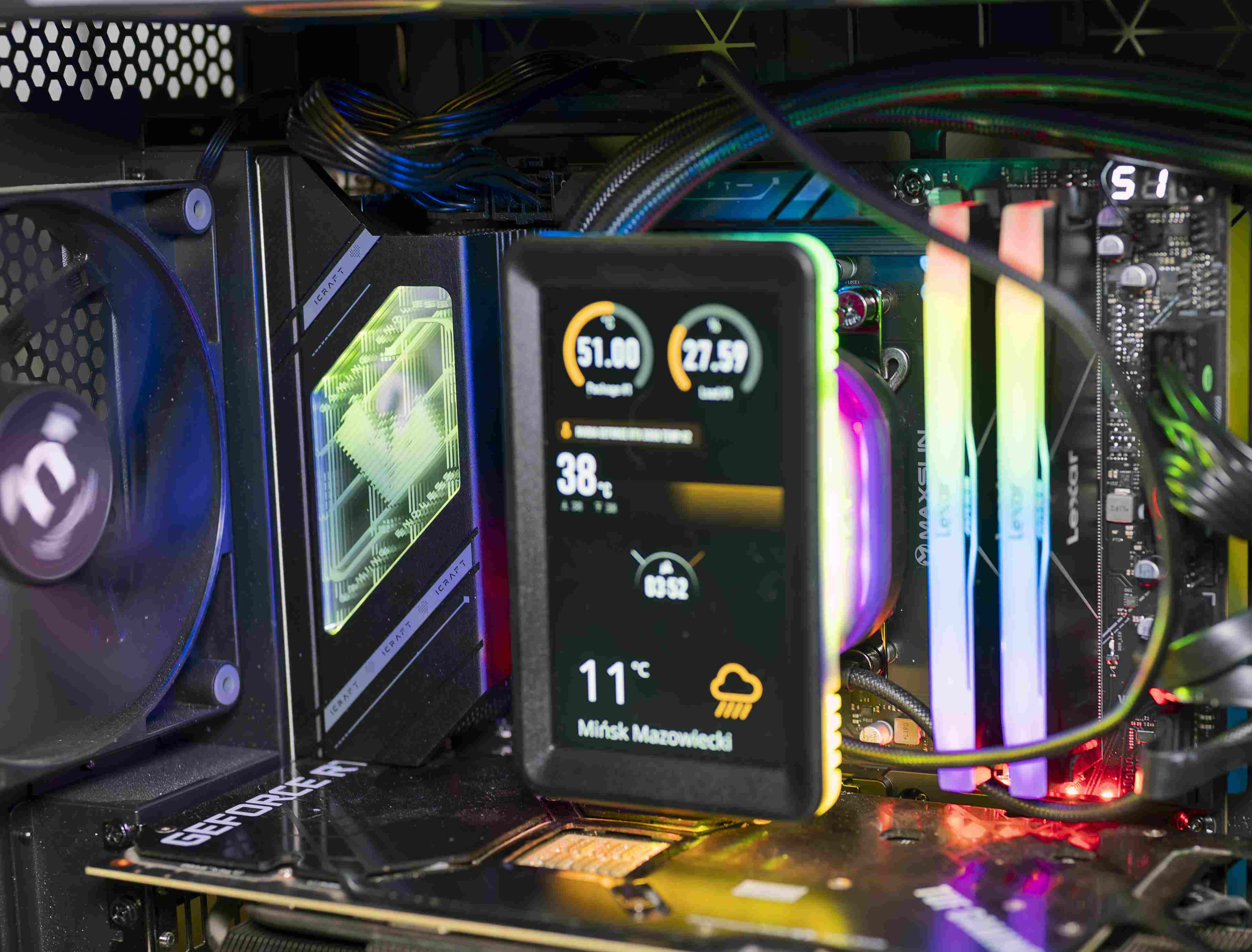 Maxsun MS-iCraft B850 AIGA build (Image © )
It stands out as a clear testament to how far MAXSUN's engineering and BIOS software development have progressed in recent years. If you are planning an all-white AM5 system build, this motherboard deserves a prominent spot near the very top of your shortlist.
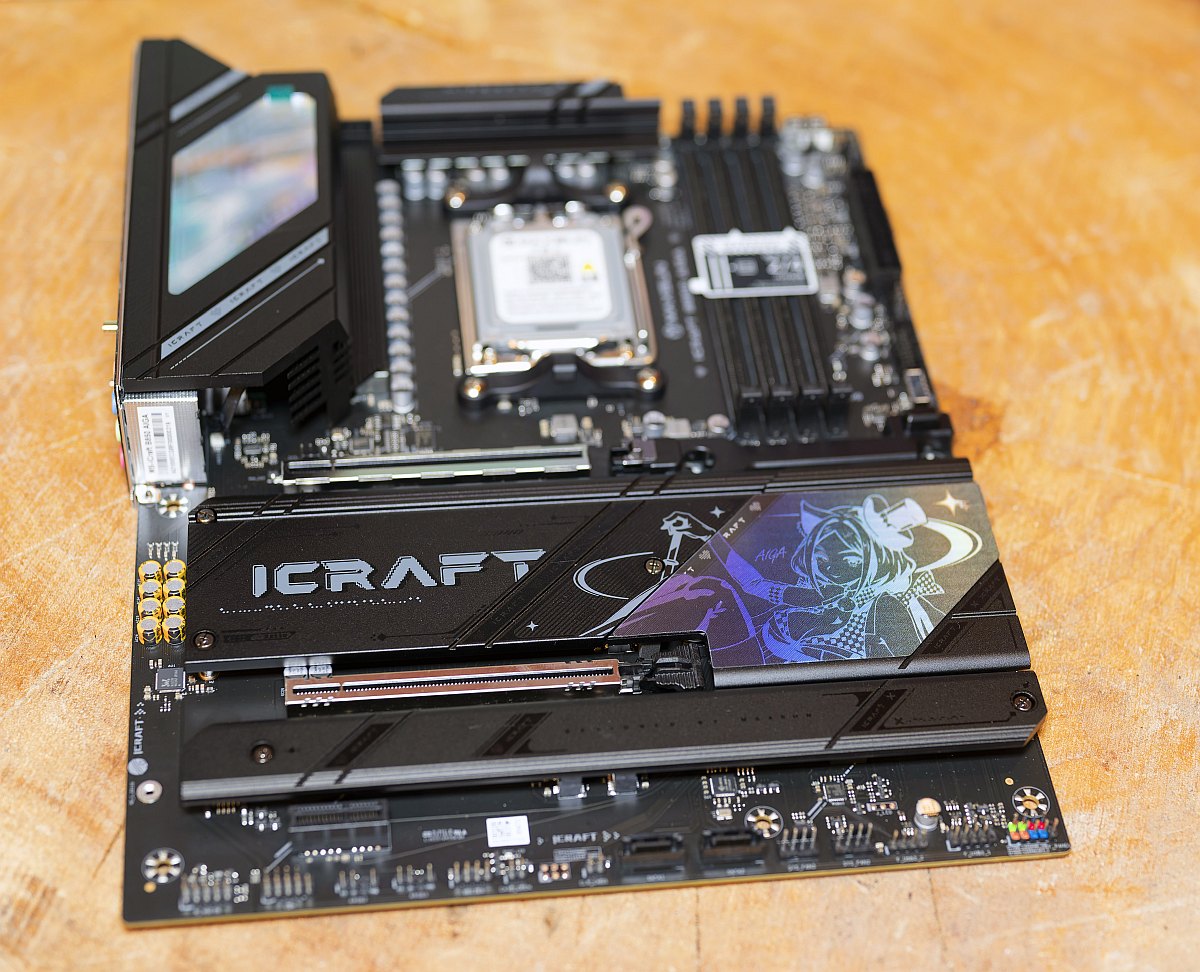 Maxsun MS-iCraft B850 AIGA Review (Image © )
Pro
- High-Speed Networking Out of the Box: Features a fast 5GbE Realtek LAN port paired with Wi-Fi 7 and Bluetooth 5.4 support, providing multi-gigabit wireless and wired connections.
- PCIe 5.0 Support for Next-Gen GPUs & Storage: Offers primary PCIe 5.0 x16 capabilities alongside dual PCIe 5.0 M.2 slots directly wired to the CPU for ultra-fast NVMe storage.
- Strong Memory Overclocking Potential: DDR5 support validated for speeds up to 8400+ MHz (OC) with EXPO support across 4 DIMM slots (up to 256GB).
- Premium Audio Solution: Utilizes the higher-end Realtek ALC1220 codec for improved signal-to-noise ratio over entry-level motherboard audio chips.
- Rear Panel USB-C Video Pass-Through: Includes a dedicated rear 10Gbps USB-C port with DisplayPort 1.4 alt mode support, alongside physical HDMI and DP outputs.
- Distinctive iCraft/AIGA Aesthetics: Premium heatsink coverage with customized anime-inspired artwork and configurable RGB/ARGB zone lighting.
Contra
- Limited SATA Ports: Comes with only 2 × SATA 6Gb/s ports, which restricts connectivity for users relying on legacy 2.5-inch or 3.5-inch storage drives.
- Bifurcation & Lane Sharing Constraints: Enabling PCIe 5.0 bifurcation on secondary slots requires manual switch adjustments (PCIeX16_A) and scales back performance depending on the installed CPU generation (e.g., Ryzen 8000 series limits slot bandwidth).
- No Rear USB4 (40Gbps): While it features front-panel 20Gbps Type-C headers, the rear I/O is capped at 10Gbps USB-C/USB-A speeds rather than native 40Gbps USB4.
- Regional Firmware/BIOS Support: MAXSUN's BIOS utility support and documentation can sometimes be less comprehensive in Western markets compared to major brand ecosystems.