Computer Forum
TITAN V in comparison
NVIDIA has raised its prices with each generation, but even in 2017 and 2018 there were absurdly more expensive models, which symbolized the TITAN series. Now the GeForce RTX 5090 (test) also costs as much as the TITAN RTX and TITAN V. Today you can get the TITAN V in good condition for around €300, but back then it cost almost €3,000. There are few new models available for €300-400, with the Intel Arc B580 for €279 (Affiliate) standing out, which also has 12 GB of VRAM, but this is based on the newer GDDR6 standard. At AMD, you can get the Radeon RX 9060 XT Reaper with 16GB VRAM from €408 (Affiliate) new and at NVIDIA, the fun starts with a similarly large VRAM with a GeForce RTX 5060 Ti 16 GB GDDR7 from €550 (Affiliate). Used cards are all around €100-200 cheaper, including the Intel Arc B580. However, we also include the RTX 3060 as a suitable comparison in the evaluations below.
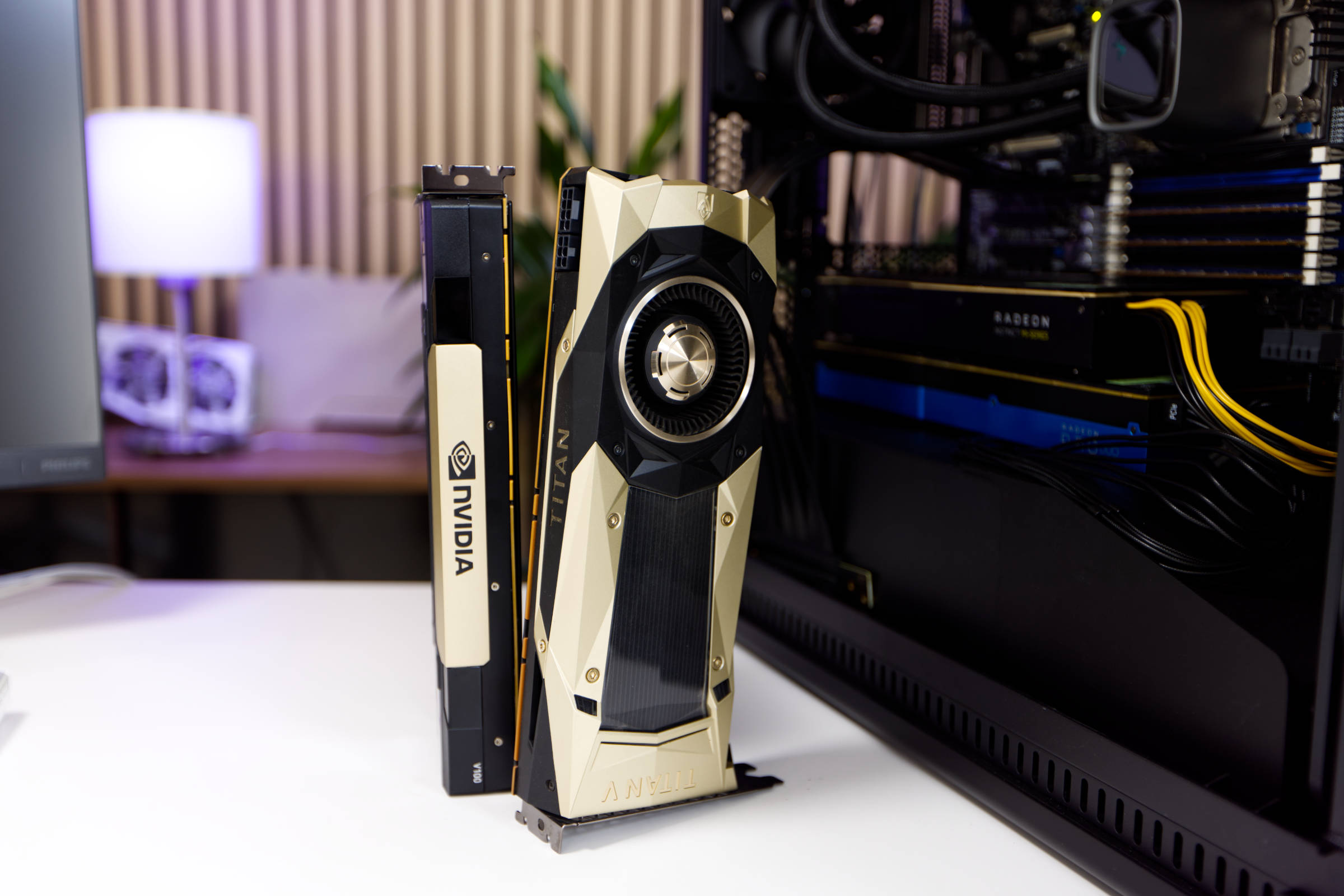 NVIDIA TITAN V (Image © PCMasters.de)
TITAN V specifications
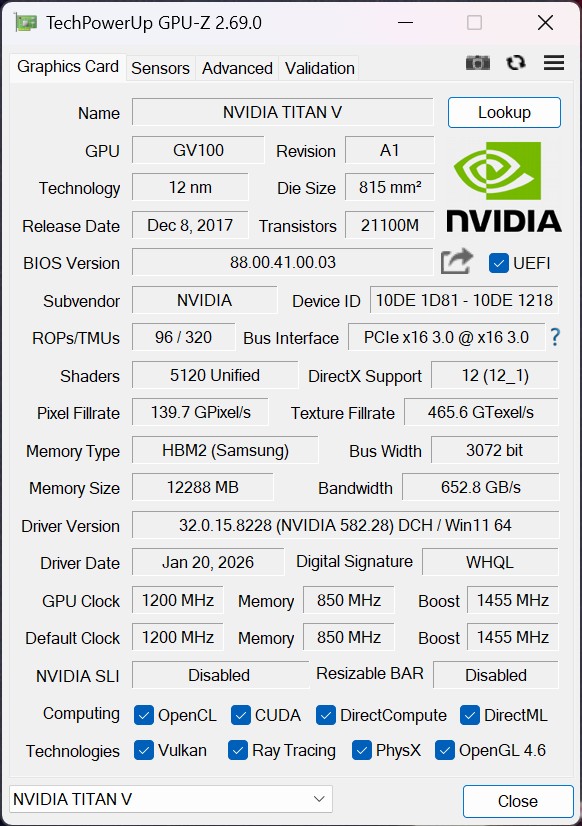 NVIDIA TITAN V GPUz (Image © PCMasters.de)
NVIDIA introduced the TITAN V at the end of 2017 and it was based on the Volta architecture at the time. It was followed only by the TITAN RTX a year later, which ended the series. The chip used in the TITAN V is the GV100 (GV100-400-A1), which did not use the entire configuration of the chip, but rather approx. 95% of the computing units with 80 of 84 SMs. The chip with its 21.1 billion transistors was still manufactured using the 12 nm process. This gave it a total of 5,120 Cuda cores or ALUs, which was really a lot at the time. Although it had no RT cores, it did have 640 tensor cores. The card was already marketed as an AI accelerator, which was a novelty at the time. The card supports the DirectX 12 (12_1) API, as well as CUDA 7.0 and the popular Vulkan (1.3) API. OpenCL 3.0, OpenGL 4.6 and Shader Model 6.6 are also mentioned.
The boost clock reached a maximum of 1,455 MHz and the card was designed for 250 W TBP, which is really low by today's standards.
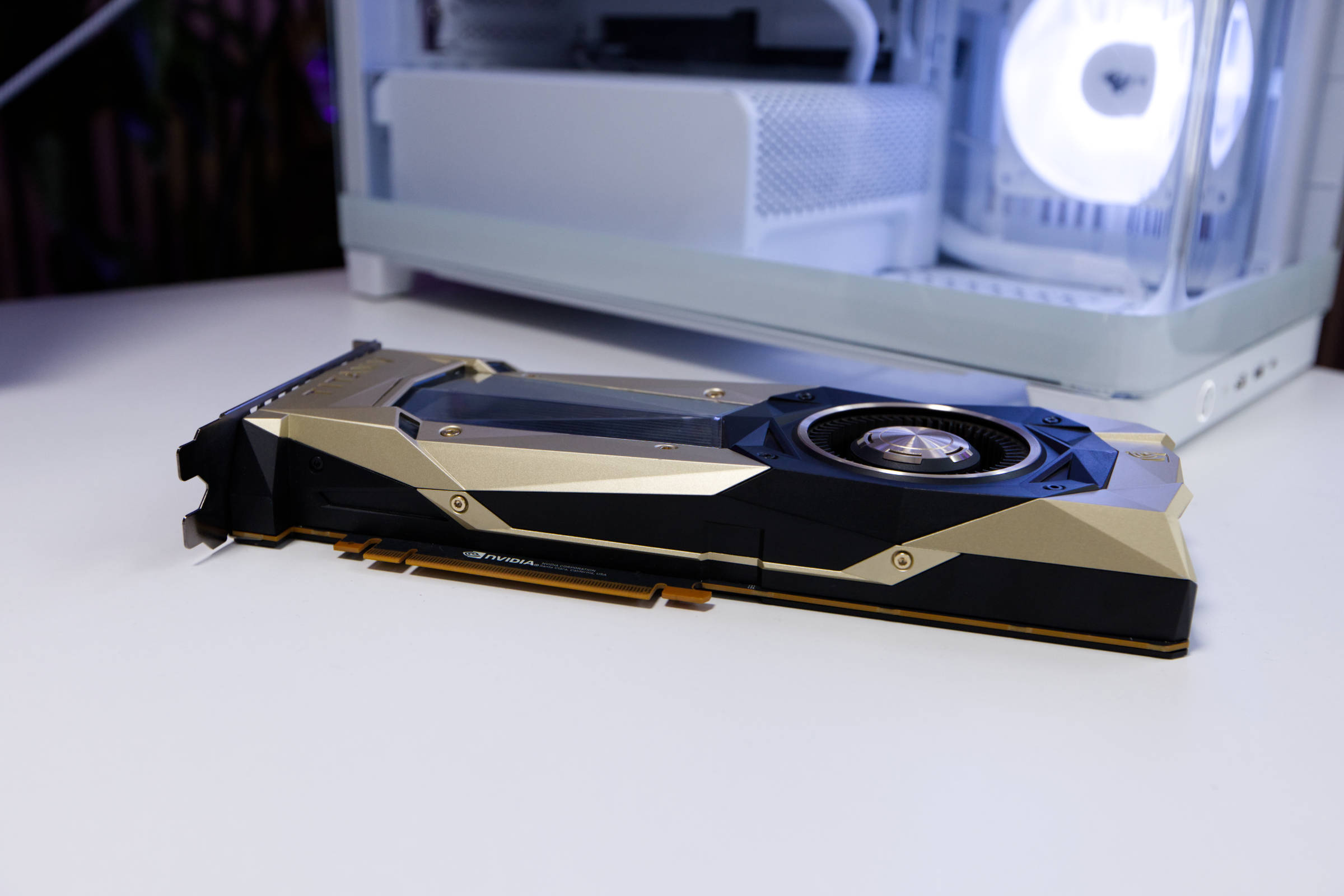 NVIDIA Titan V Grafikkarte (Image © PCMasters.de)
12 GB HBM2 graphics memory
It was supported by 12 GB of HBM2 memory, which was connected via a 3,072-bit memory bus and was much faster than GDDR memory at the time. The memory bandwidth was 651 GB/s. In comparison, only a Radeon RX 9060 XT manages to exceed this value.
Tried and tested PCie power connectors
The power consumption of the TITAN V is not as extreme as that of modern GeForce RTX 50 graphics cards, which is why it only requires one 8-pin and one 6-pin PCIe power connector. The total board power is specified as 250 watts. The connections are positioned on the side. NVIDIA recommends a 600 W power supply for the graphics card.
TITAN V technical data
Below we have compiled all the important specifications of the TITAN V from NVIDIA and Nvidia reference in a table and used the GeForce RTX 3060 Ti, GeForce RTX 5060 Ti, Intel Arc B580, AMD Radeon RX 9060 XT and GeForce RTX 4090 as comparative values.
| NVIDIA GeForce RTX 5060 Ti | AMD Radeon RX 9060 XT | NVIDIA TITAN V | INTEL ARC B580 | GeForce RTX 3060 Ti | GeForce RTX 4090 | |
|---|---|---|---|---|---|---|
| Architecture | Blackwell | RDNA4 | Volta | Xe2-HPG | Ampere | Ada Lovelace |
| Chip | GB206 | Navi 44 | GV100 | BMG-G21 | GA104 | AD102 |
| Tensor/AI cores | 144 | 64 | 280 | N/A | 152 | 512 |
| Raytracing cores | 36 | 56 | 70 | 20 | 38 | 128 |
| Base (MHz) | 2,295 | 2,220 | 2,300 | 1,700 | 1,410 | 2,235 |
| Boost (MHz) | 2,617 | 3,130 | 2,610 | 2,670 | 1,665 | 2,520 |
| Memory configuration | 8 / 16 GB GDDR7 | 16 Gb GDDR6 | 12 GB HBM2 | 12 GB GDDR6 | 8 GB GDDR6X | 24 GB GDDR6X |
| Memory clock (MHz) | 1,750 | 2,518 | 1,750 | 2,375 | 1,188 | 1,313 |
| Memory connection | 128 bit | 256 bit | 256 bit | 192 bit | 256 bit | 384 bit |
| Texture units | 144 | 128 | 280 | 160 | 152 | 512 |
| ALUs/CUDA cores | 4,608 | 3,584 | 8,960 | 2,560 | 4,864 | 16,384 |
| PCIe interface | PCIe 5.0 x16 (x8) | PCIe 5.0 x16 | PCIe 3.0 x16 | PCIe 4.0 x16 (x8) | PCIe 4.0 x16 | PCIe 4.0 x16 |
| Memory bandwidth | 448 GB/sec | 645 GB/s | 651 GB/s | 456 GB/s | 448 GB/s | 1.008 GB/s |
| TDP/TGP | 180 W | 220 W | 300 W | 190 W | 200 W | 450 W |
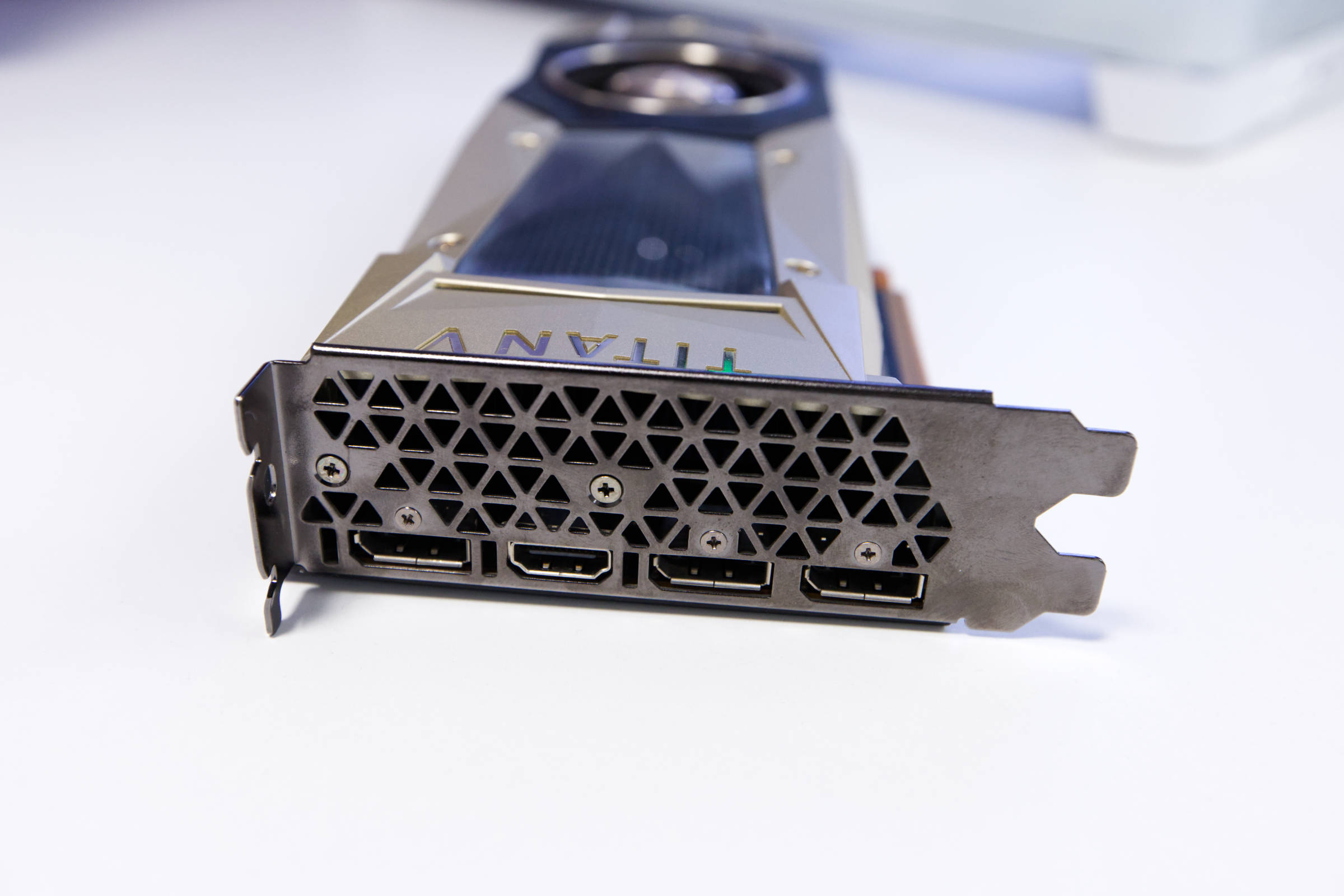 NVIDIA Titan V Anschlüsse (Image © PCMasters.de)
Connectivity for four monitors
The TITAN V is compatible with many monitors as it has one HDMI 2.0b and three DisplayPort 1.4 connections. We also had no problems with the resolution, as 4K UHD is easily supported. Since the card is not part of the latest generations, you have to be satisfied with what was state-of-the-art in 2018. However, we would assume that it won't be a problem for budget-oriented users.
Test setup
We rely on a new test system with an open test setup for the tests. The games we use for the test course have also been adapted. The system now uses the Ryzen 7 7800X3D as the CPU on an ASUS ROG CROSSHAIR X870E HERO board.
The driver comes from NVIDIA and has the number 581.42.
The test system
- CPU**: AMD Ryzen 7 7800X3D
- Mainboard: ASUS ROG CROSSHAIR X870E HERO
- m.2 SSD: Corsair MP600 Elite, WD_Blue SN580 1 TB
- RAM**: G.SKILL Trident Z5 48 GB DDR5-6800 (34-46-46-108-1.35v)
- CPU cooler**: DeepCool LS720
- Power supply: NZXT C1500 Platinum
- Fan: 0
- Case**: CoolerMaster Benchtable (open)
TITAN V raytracing synthetic benchmarks
We only use 3DMark Port Royal for the synthetic benchmarks with ray tracing support. The remaining tests are based on games that implement the technology in one way or another.
As mentioned at the beginning, the graphics card does not have RT cores to accelerate ray tracing. For this reason, many games and benchmarks do not allow the card to run and break or even crash in some cases.
3DMark PORT ROYAL 1.2
Synthetic benchmarks
The synthetic benchmarks are quite nice for an initial comparison of performance, but do not reflect the gaming performance of the cards, as they include other factors that are not directly visible.
3DMark Benchmark
DX12 Ultimate is required for the SpeedWay test and this API does not work with the TITAN V.
Geekbench 6 OpenCL Benchmark
Unigine Superposition Benchmark
8k benchmarks
We use the Unigine Superposition run with 8k option as the first 8k test in the benchmark course. This can also be run on non-8k monitors.
GeForce RTX 5070 ray tracing games benchmarks
With new game titles and the conversion of the test station, more ray tracing titles have been added. The segment now provides a decent data basis. The results are not commented on individually. Our comments are summarized in the rankings below.
Cyberpunk 2077 with ray tracing with/without DLSS/FSR
Fortnite with ray tracing
Fortnite gets along with the map though.
Black Myth Wukong Benchmark with Ray Tracing
Metro Exodus Ehanced Edition Benchmarks
Metro Exodus cannot be run with the card due to ray tracing requirement.
Gaming Benchmarks
The benchmark results shown here are without ray tracing and DLSS. We have moved away from 1080p to 4k tests in games.
Final Fantasy XV Benchmarks
Cyberpunk 2077
Black Myth Wukong Benchmark
Monster Hunter Wilds Benchmarks
Shadow of The Tomb Raider
Temperatures
In terms of temperatures, the TITAN V takes first place because it is kept at the limit.
The measured values are delta values from which the room temperature has been excluded.
Volume of the TITAN V
We rely on the tried and tested loudness measurement and also measure the noise level of the TITAN V. The open design is suitable for such an evaluation and we measure at a distance of 20 cm. The PCE-332A measuring device is set to a measuring range of 30-80 db(A).
When measuring the sound level, the TITAN V ends up at the top, which is bad. Here you can see the result of the trend in which the graphics cards have become larger but also quieter. With the measured 53.9 dB(A) after 10 minutes of Furmark, a new maximum value has been measured. The three fans reach 2,830 rpm (72% PWM).
Power consumption
In terms of power consumption, the card is in the lower mid-range. It does not fully utilize the TGP of 280 watts and GPUz only measures 243 watts here.
When measuring the consumption of the entire system, we see 345 watts, which is significantly more than, for example, an Arc B580 with its 276 watts. The efficiency is therefore not particularly good, because it is a chip that was manufactured in 12 nm 8 years ago.
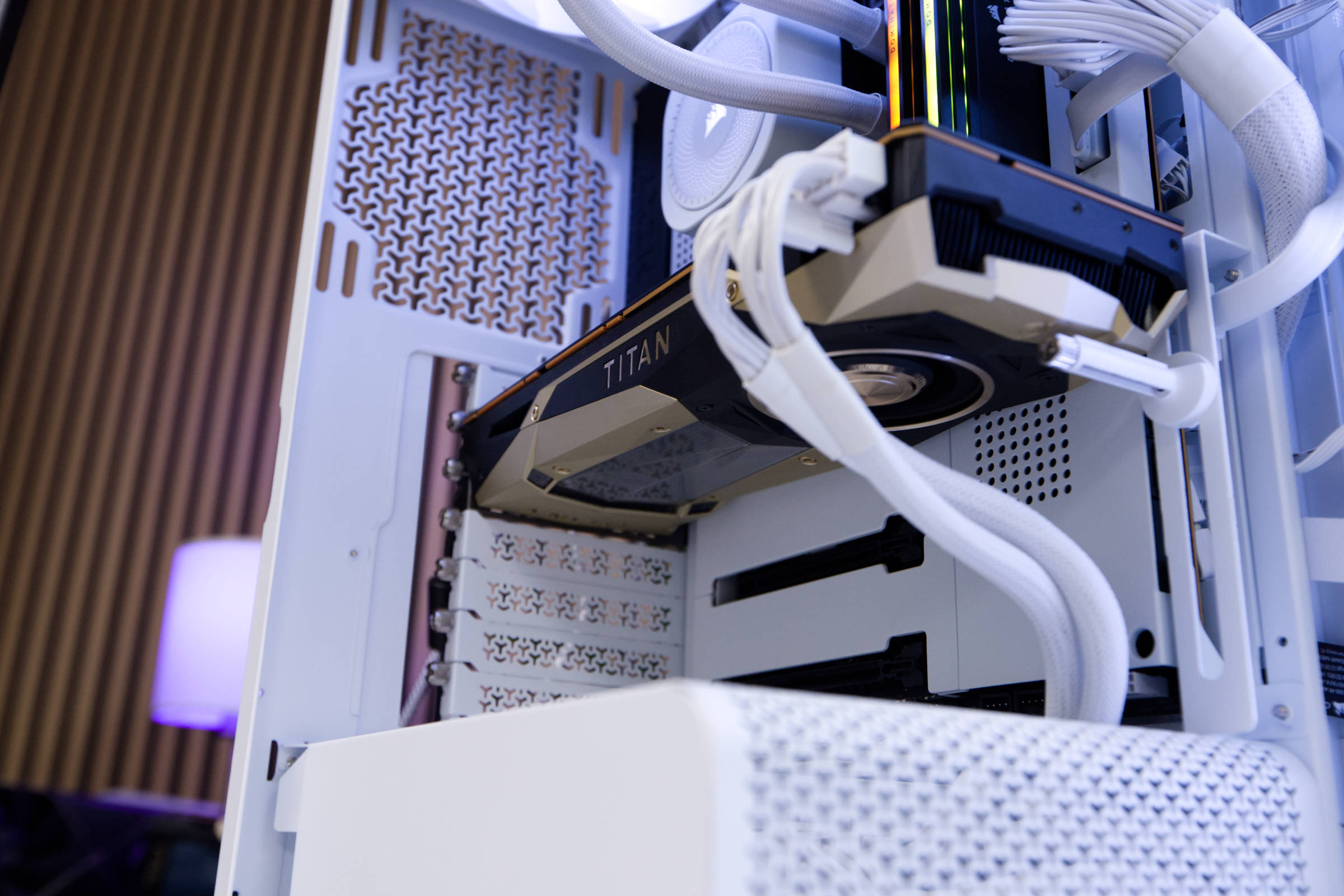 NVIDIA Titan V im System (Image © PCMasters.de)
Graphics card ranking 2026
After we have retested all graphics cards and included them in the comparison, we look at the performance of the model from this test in relation to the rest and the previous generations.
NVIDIA TITAN V gaming benchmarks at 1920x1080 (1080p)
Now comes the particularly exciting part, where the results are categorized and grouped by scenario. In 1080p benchmarks, the TITAN V comes in second to last place and is slightly ahead of the Arc B580. It doesn't even come close to the other cards in the test field.
NVIDIA TITAN V gaming benchmarks at 4k or 3840x2160 without ray tracing
If we increase the resolution to 4K/UHD, the TITAN V manages to position itself better and overtakes both the RTX 4060 Ti and Arc B580. It is also close to the RTX 5060 8GB card.
NVIDIA TITAN V gaming benchmarks at 4k or 3840x2160 with ray tracing
When ray tracing is activated, it drops completely because it is simply not designed for it and is at a disadvantage. The TITAN V cannot even run many benchmarks because it lacks the RT cores.
NVIDIA TITAN V gaming benchmarks at 8k
In the 8k benchmark, however, it then climbs steeply and can even overtake the RTX 5060 Ti. However, it is not a scenario in which we would recommend it, especially since there are hardly any monitors that can handle the resolution.
NVIDIA TITAN V Synthetic Benchmarks
However, it also performs similarly in synthetic benchmarks, which surprises us somewhat. The TITAN V is on a par with a Radeon RX 9070 XT and ahead of the RTX 5060 Ti. In terms of performance and efficiency, however, these are clearly superior.
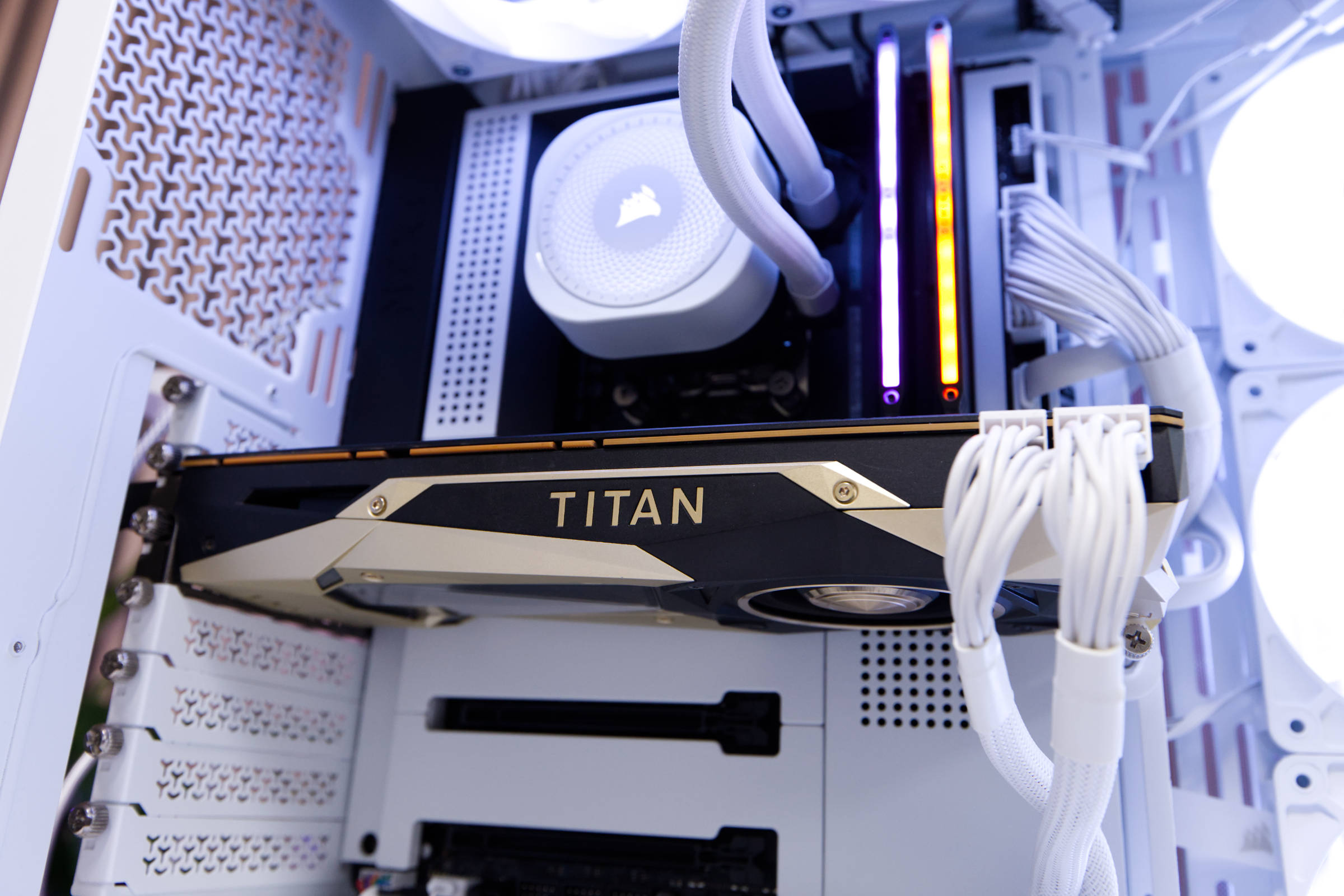 NVIDIA Titan V Fazit (Image © PCMasters.de)
NVIDIA TITAN V Conclusion

In 2026, a graphics card should ideally have more than 8 GB of VRAM, which is why 12 GB and 16 GB models are coming into the spotlight. Although the TITAN V is a graphics card from 2018, it relies on the fastest HBM2 graphics memory at the time and had 12 GB of it. We see the Intel Arc B580 (test) as more modern competition for the TITAN V, which also comes with 12 GB of VRAM, but can also accelerate ray tracing well on the hardware side and is still a very attractive graphics card at a price of €279 (Affiliate) in times of overpriced RAM and rising CPU prices. Another competitor would be the Radeon RX 9060 XT Reaper with 16GB VRAM and a new price of €408 (Affiliate) and the GeForce RTX 5060 Ti 16 GB GDDR7 for a new price of €550 (Affiliate). You can get all of these cards cheaper second-hand, but the Arc B580 stands out here in particular. The TITAN V had a new price of around €3000 and is now available second-hand for around €289.
Even though it was the spearhead of NVIDIA's high-end graphics cards at the time, today it can keep up in many, but by no means all scenarios. Ray tracing rarely works because it has no ray tracing accelerators and does not support DX12 Ultimate. You also notice the efficiency advantage of the new graphics cards here, which perform much better with lower consumption. The blower fan is also really loud and can be annoying when the card is really cranked up.
The design of the TITAN V is still really stylish and it is also really compact. The driver support is still there and there are no problems. If you want a future-proof graphics card, you should go for a newer graphics card.
Pro
- Very stylish reference design from NVIDIA
- Can be overclocked
- 12 GB HBM2 memory
- Compact thanks to 2-slot design
- Relies on tried and tested PCIe power connectors
- Inexpensive option (because used)
- Usable gaming performance
Cons
- Not as efficient as modern graphics cards
- Loud and gets hot under full load
- Very poor ray tracing performance (RT cores missing)
- DX12.1 (no DX12 Ultimate)