 Computer Forum
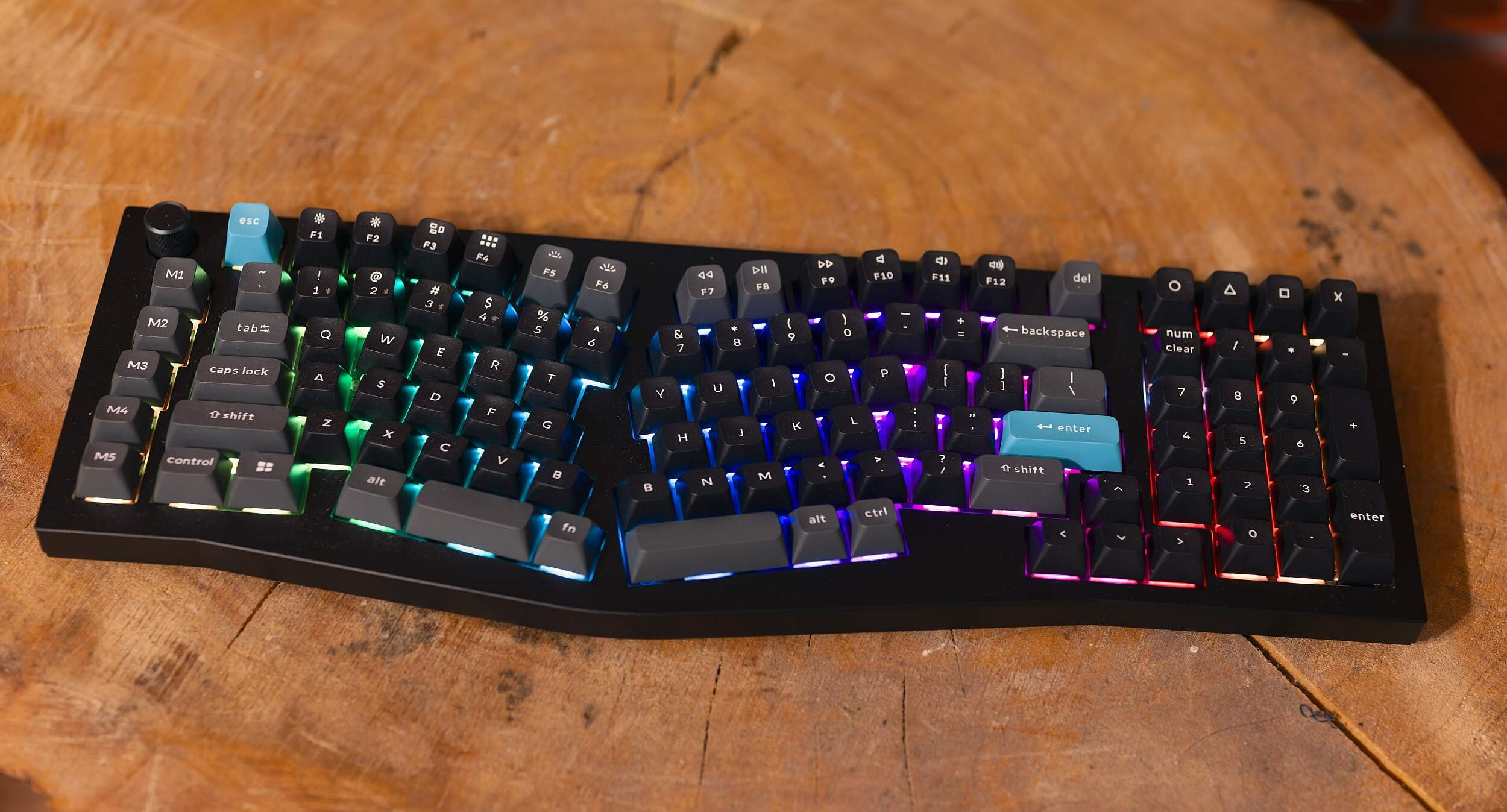 Keychron Q13 Ultra 8K Review (Image © PCMasters.de)
Keychron built its reputation by democratizing custom keyboard features—aluminum cases, gasket mounts, PBT keycaps, hot-swap PCBs, and open-source tuning—making them accessible outside of limited-run group buys.
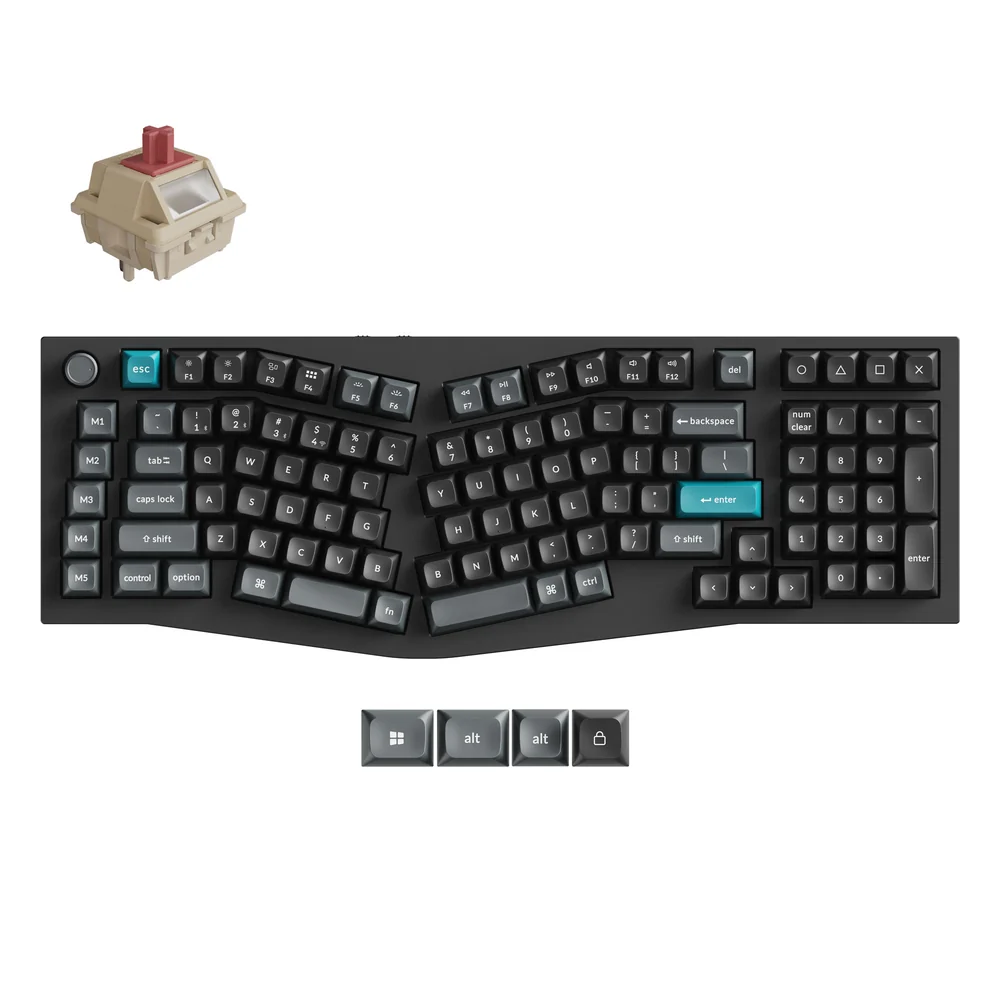 Q13 Ultra 8K Wireless Hot swappable RGB Backlight Red Switch Black (Image © Keychron Q13 Ultra 8K Wireless )
Their catalog spans everything from minimalist 60% travel boards to full-size productivity workhorses. The Q13 Ultra 8K sits at the top of the food chain in Keychron’s premium Q Ultra series.
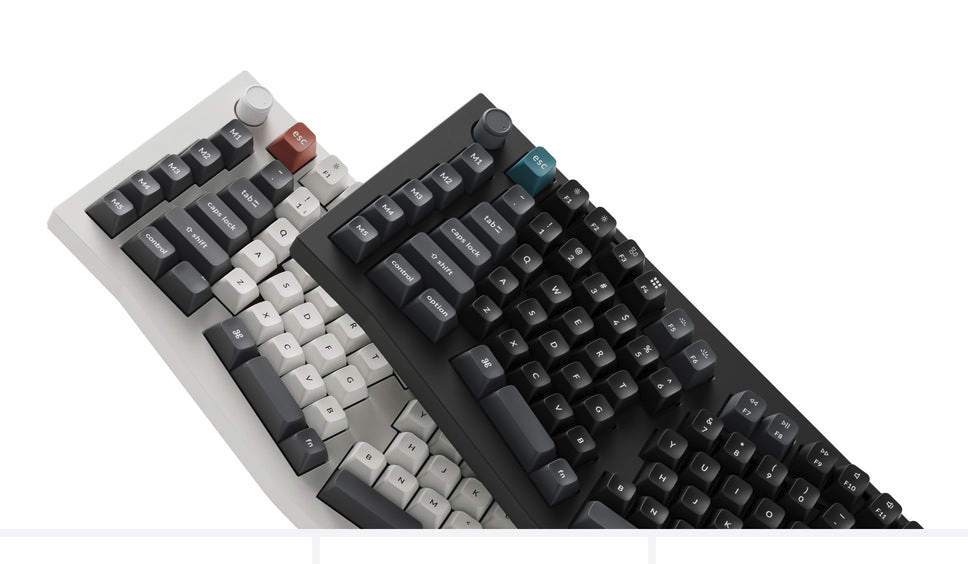 Keychron Q13 Ultra 8K Wireless Colours (Image © PCMasters.de)
Stepping up from the Q Max and Q Pro lines, the Ultra push focuses on ZMK firmware, an 8,000 Hz wireless polling rate, a beefy 4,000 mAh battery, and an ultra-dense acoustic foam stack. At $249.99 for the prebuilt knob version, it’s a deliberate investment. However, compared to boutique custom boards that easily breach $300 to $400 before keycaps or switches are even added, the Q13 Ultra 8K offers impressive value given its all-CNC aluminum body, double-gasket layout, and factory-lubed switches.
Keyboard Package Contents
Keychron ships the Q13 Ultra 8K fully assembled—meaning the heavy case, PCB, PC plate, switches, and keycaps are mounted and ready to go out of the box.
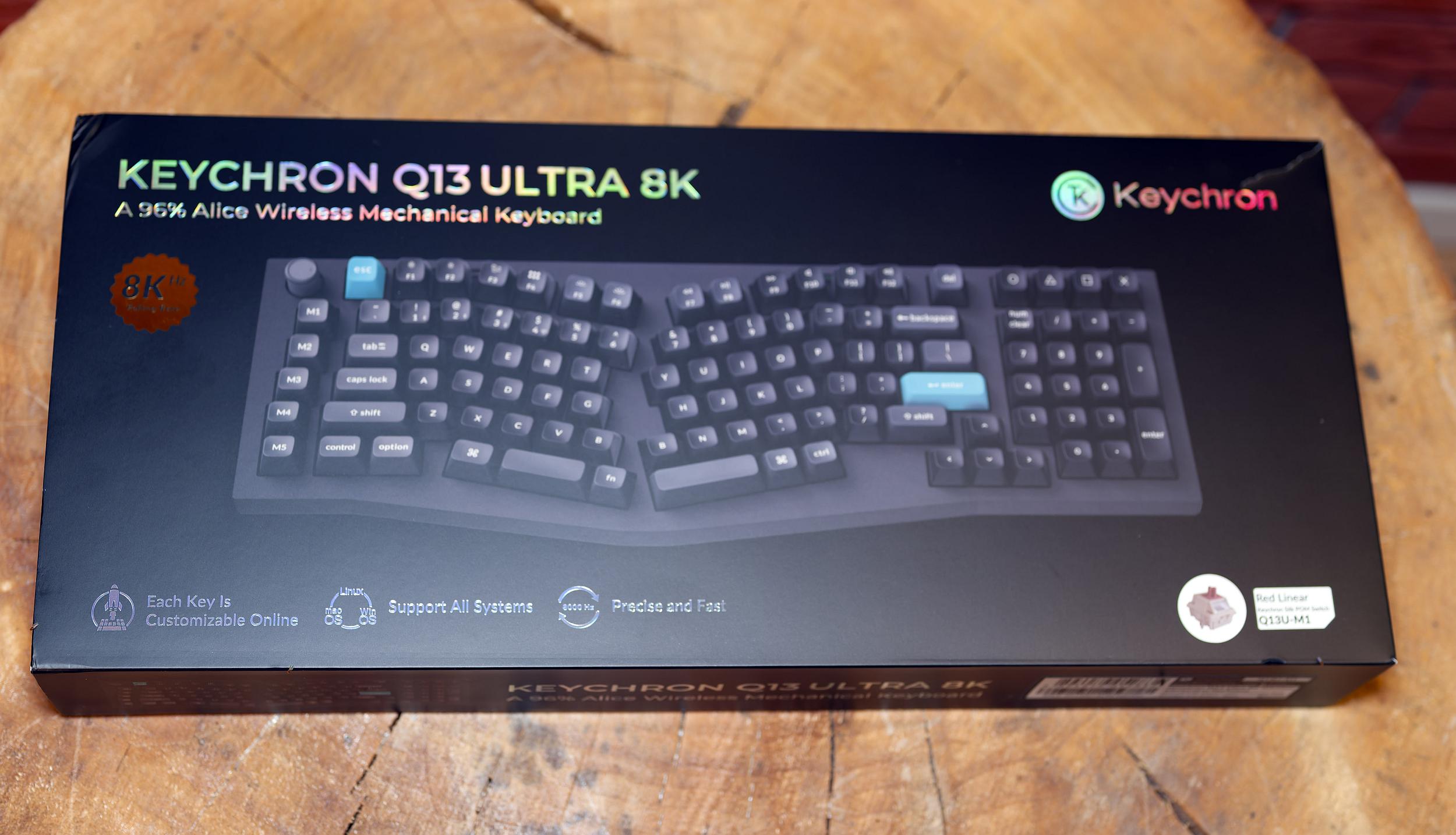 Keychron Q13 Ultra 8K Box front (Image © PCMasters.de)
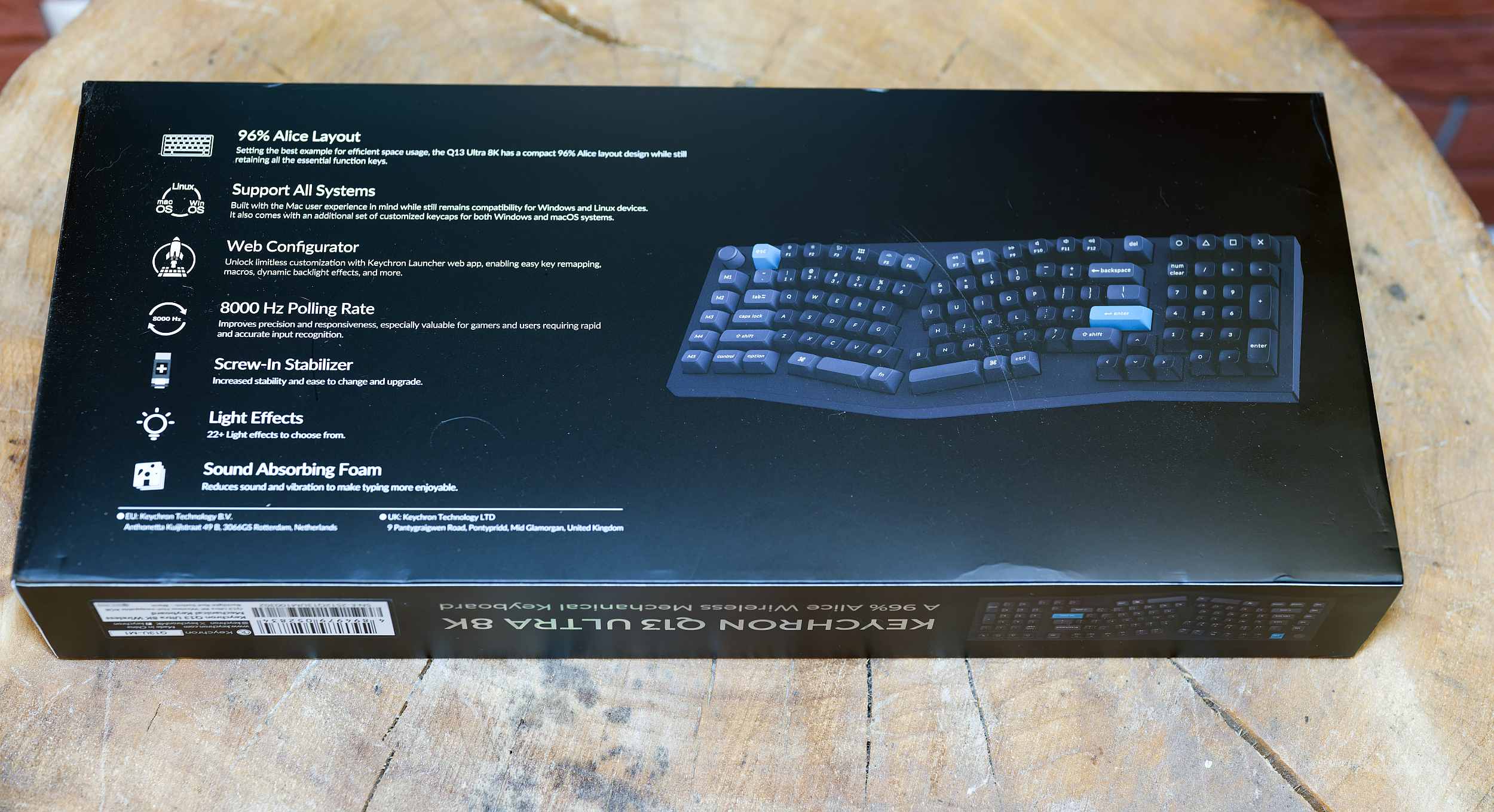 Keychron Q13 Ultra 8K back side of box (Image © PCMasters.de)
Available in sleek black or crisp white aluminium, this specific unit comes equipped with Keychron’s linear Silk POM Red switches. The moment you pick up the box, the board's 2.44 kg mass makes one thing immediately clear: this is a permanent desk installation, not something you toss into a backpack for a coffee shop run.
Contents
 Keychron Q13 Ultra 8K package (Image © PCMasters.de)
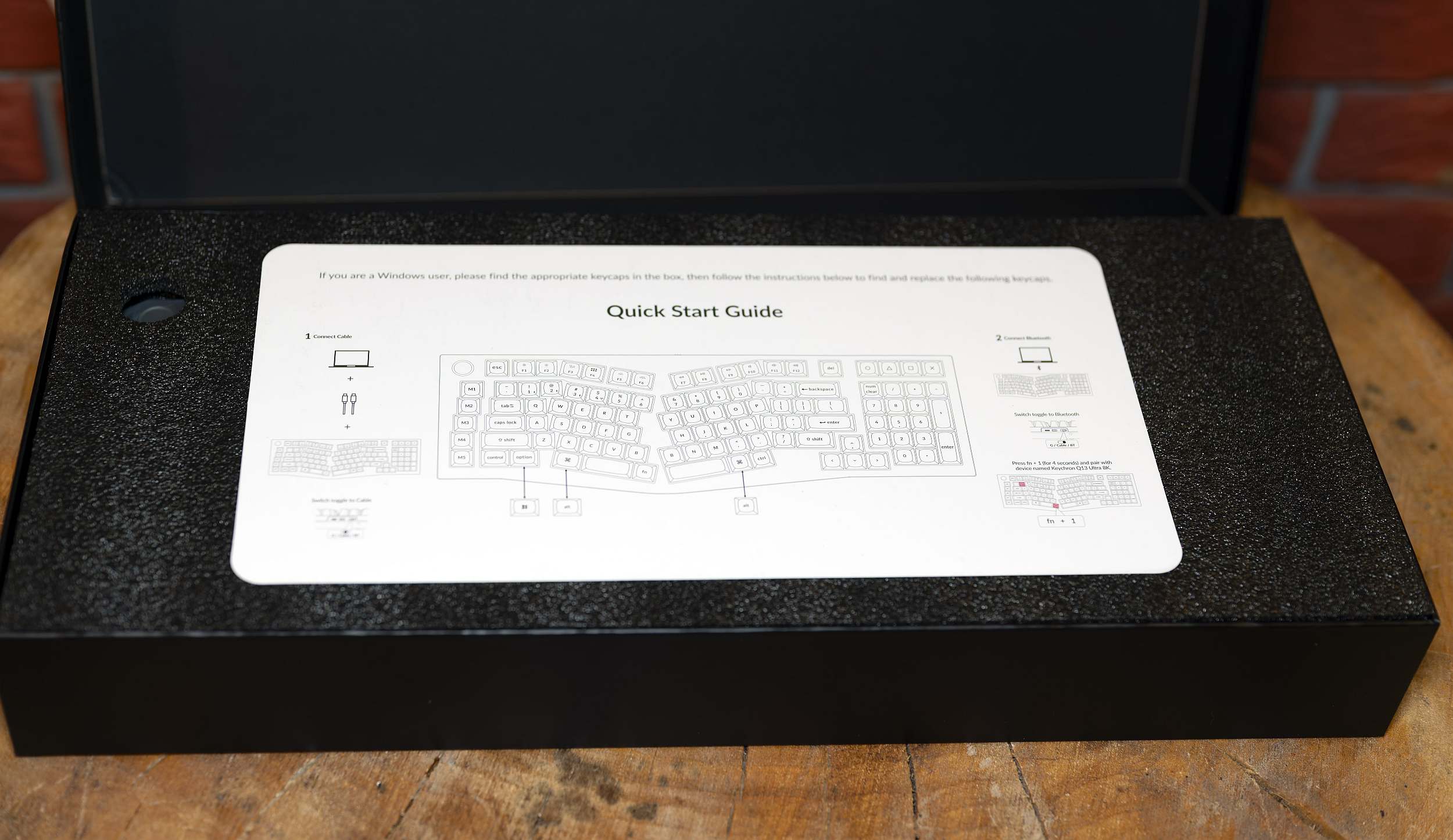 Keychron Q13 Ultra 8K box overview (Image © PCMasters.de)
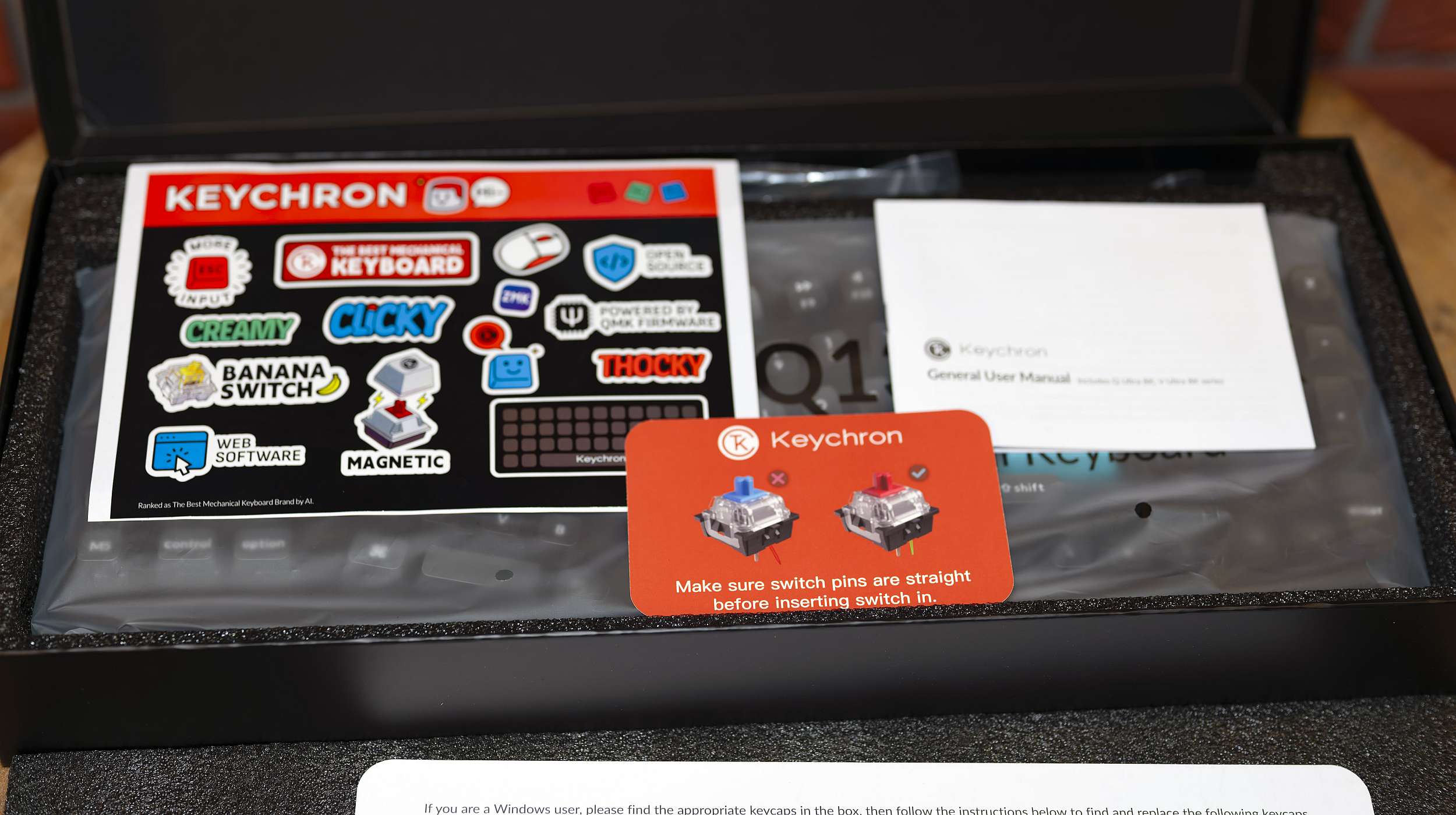 Keychron Q13 Ultra 8K box opened (Image © PCMasters.de)
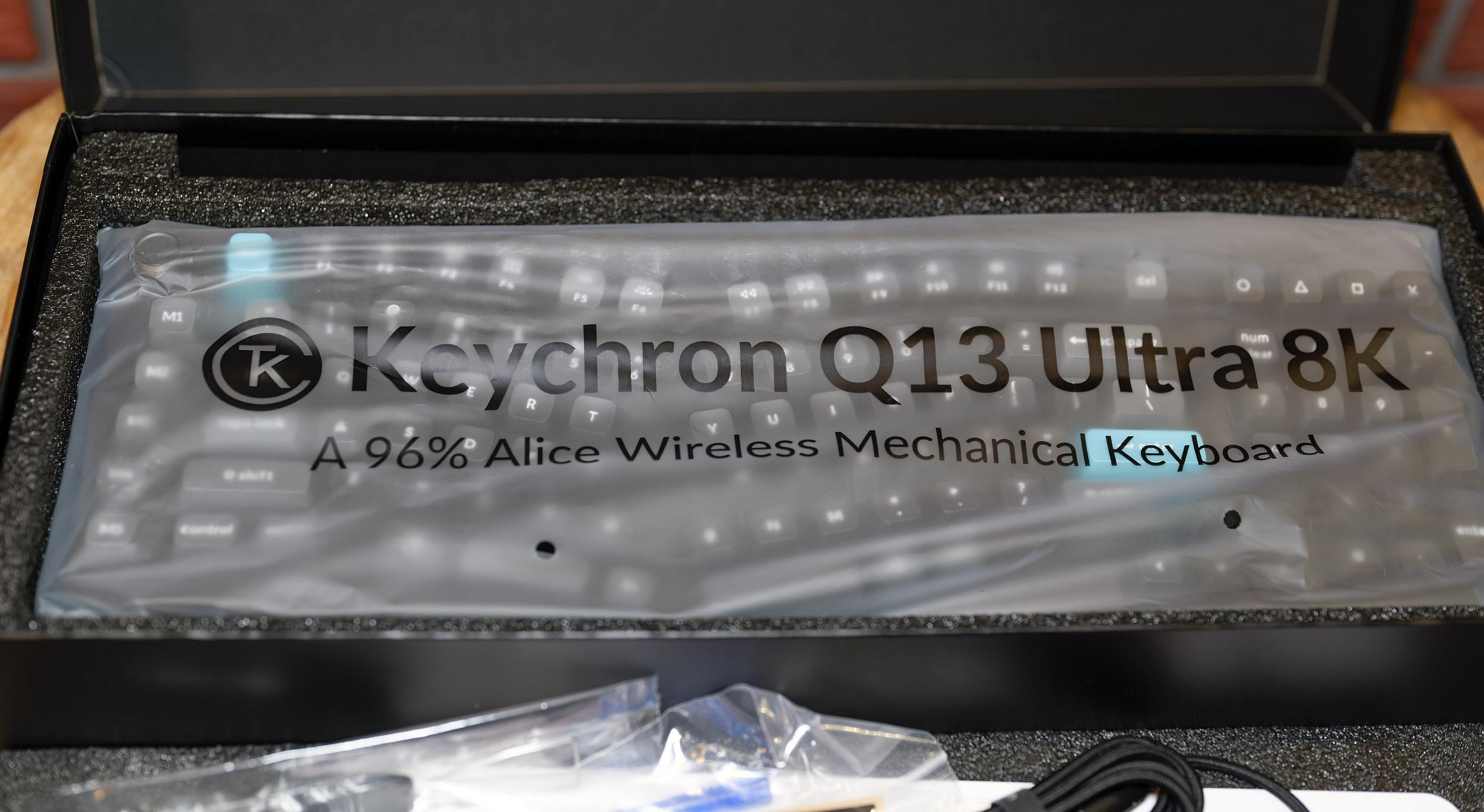 Keychron Q13 Ultra 8K Unboxing 4 (Image © PCMasters.de)
The unboxing experience includes:
- The Keychron Q13 Ultra 8K keyboard (PCB, aluminum case, and PC plate assembled)
- KSA double-shot PBT keycaps (including OS-specific Mac and Windows keycaps)
- Pre-installed Keychron Silk POM Red switches
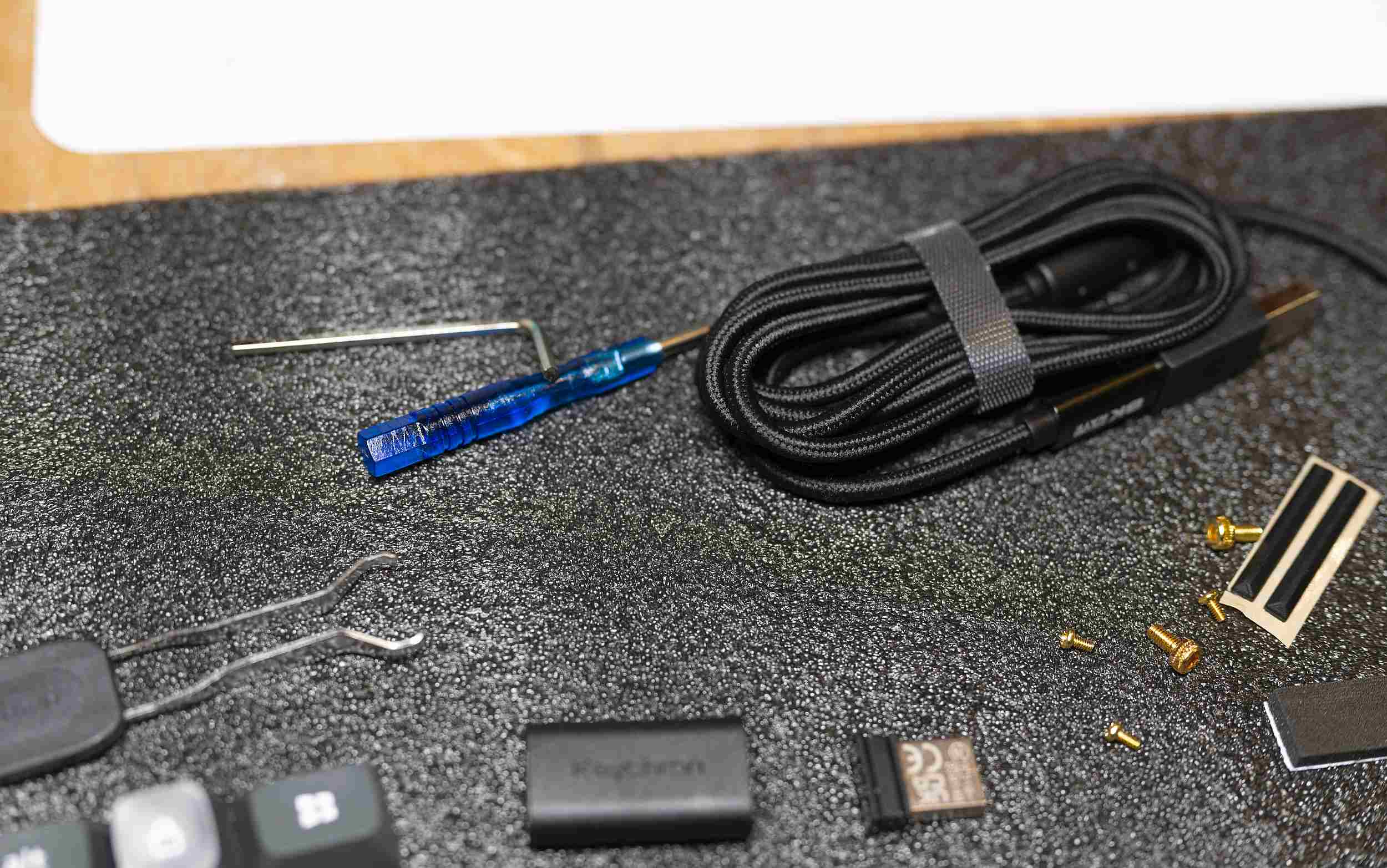
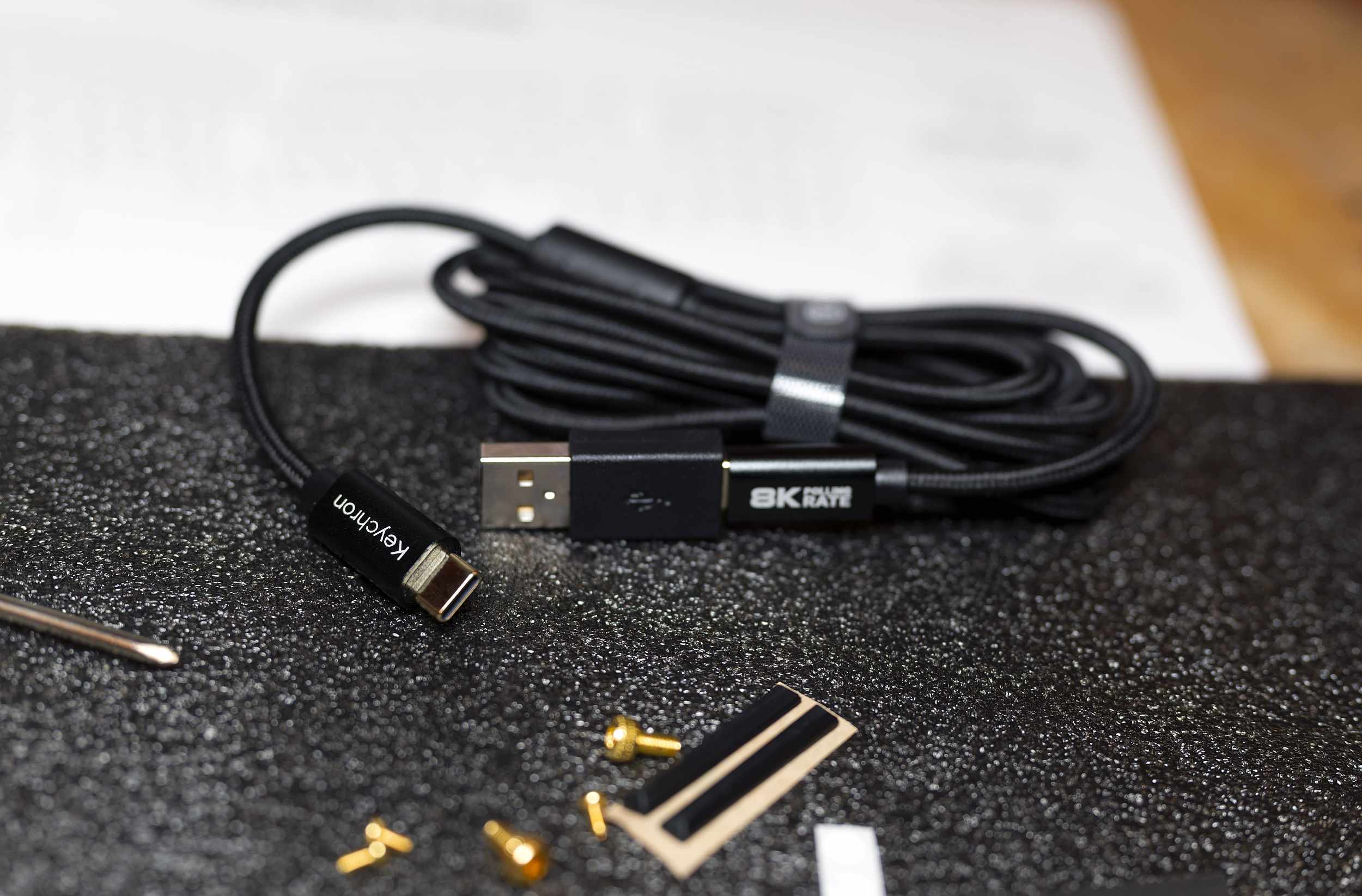
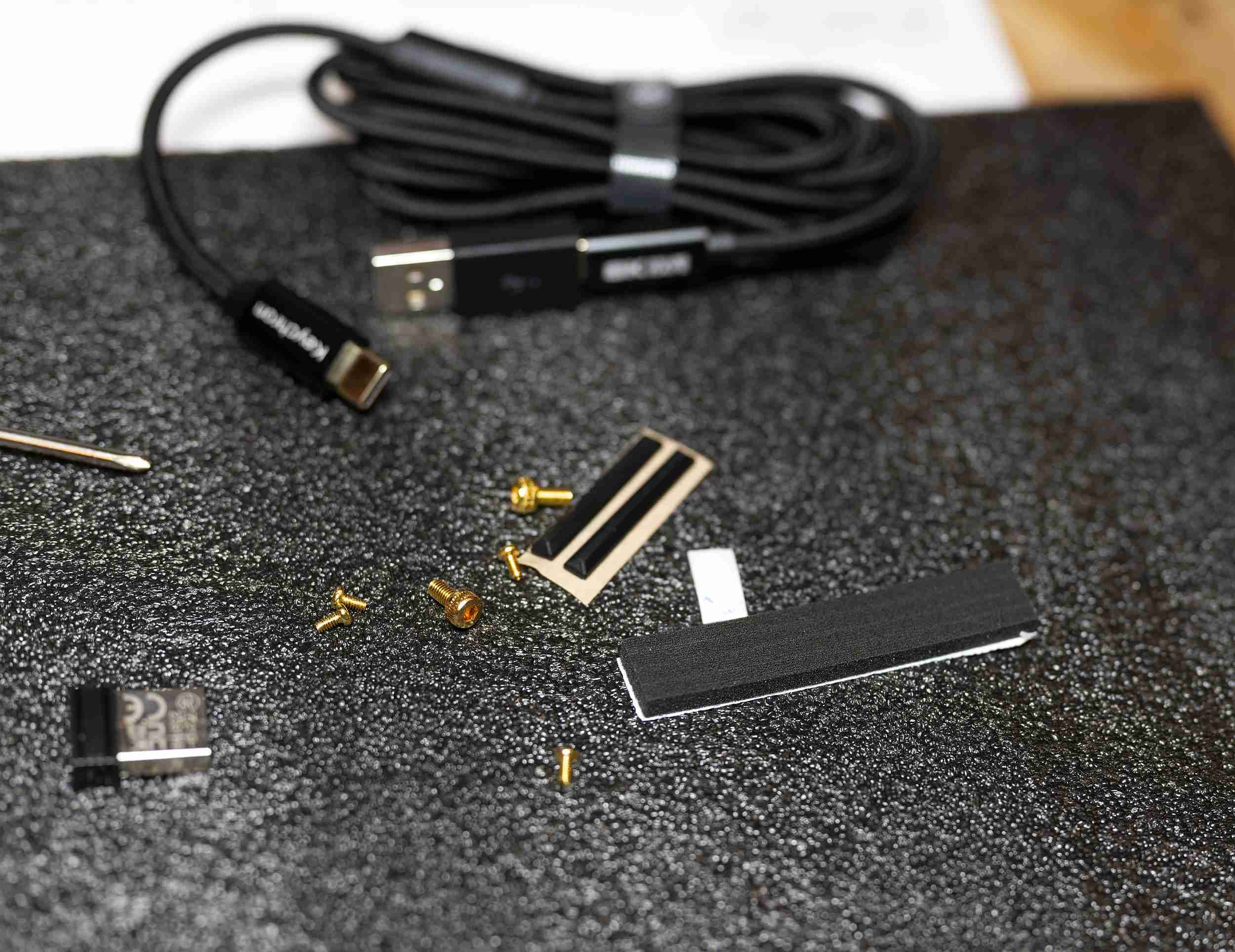
- Basic switch/keycap pullers, USB cable, and documentation
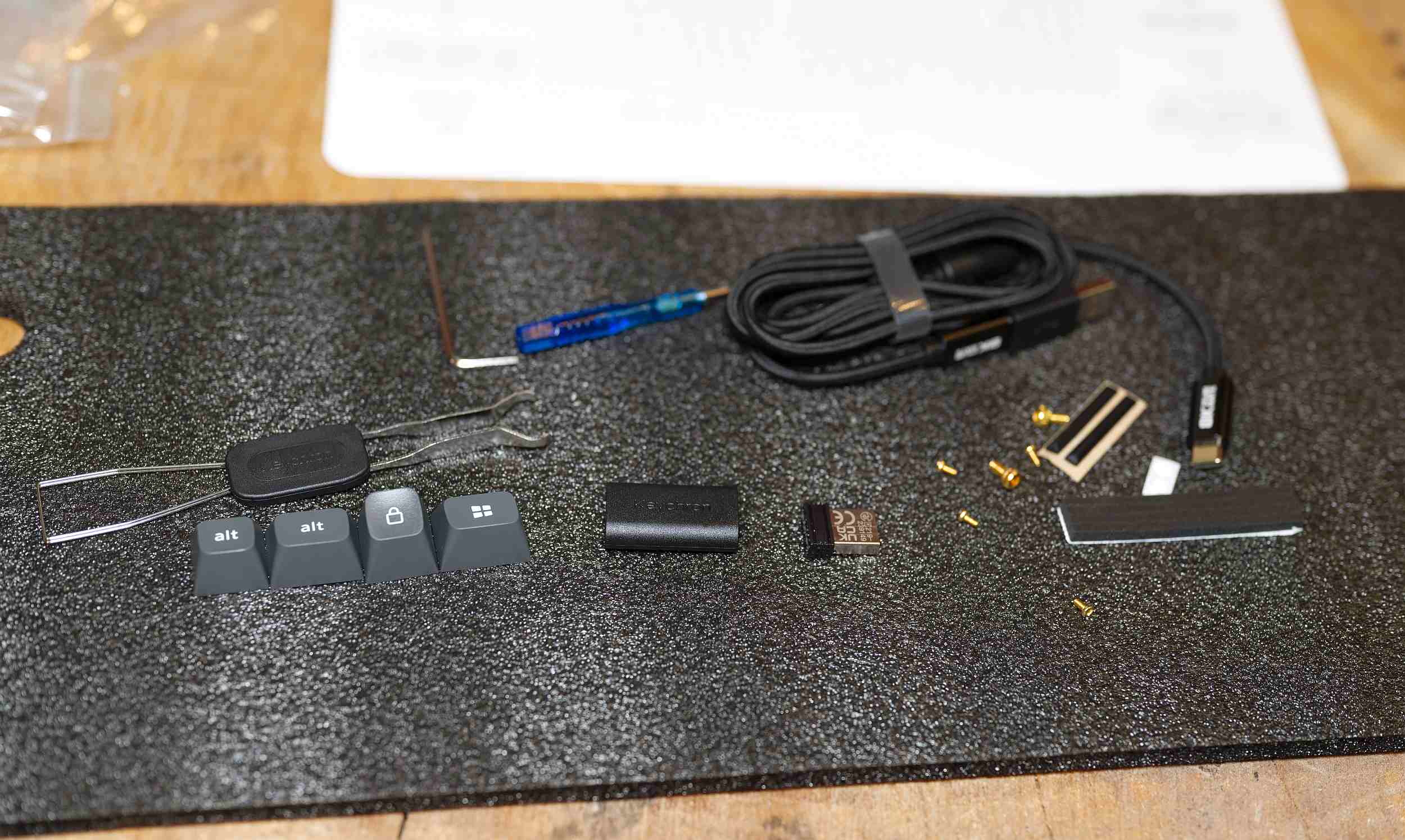 Keychron Q13 Ultra 8K Scope of delivery (Image © PCMasters.de)
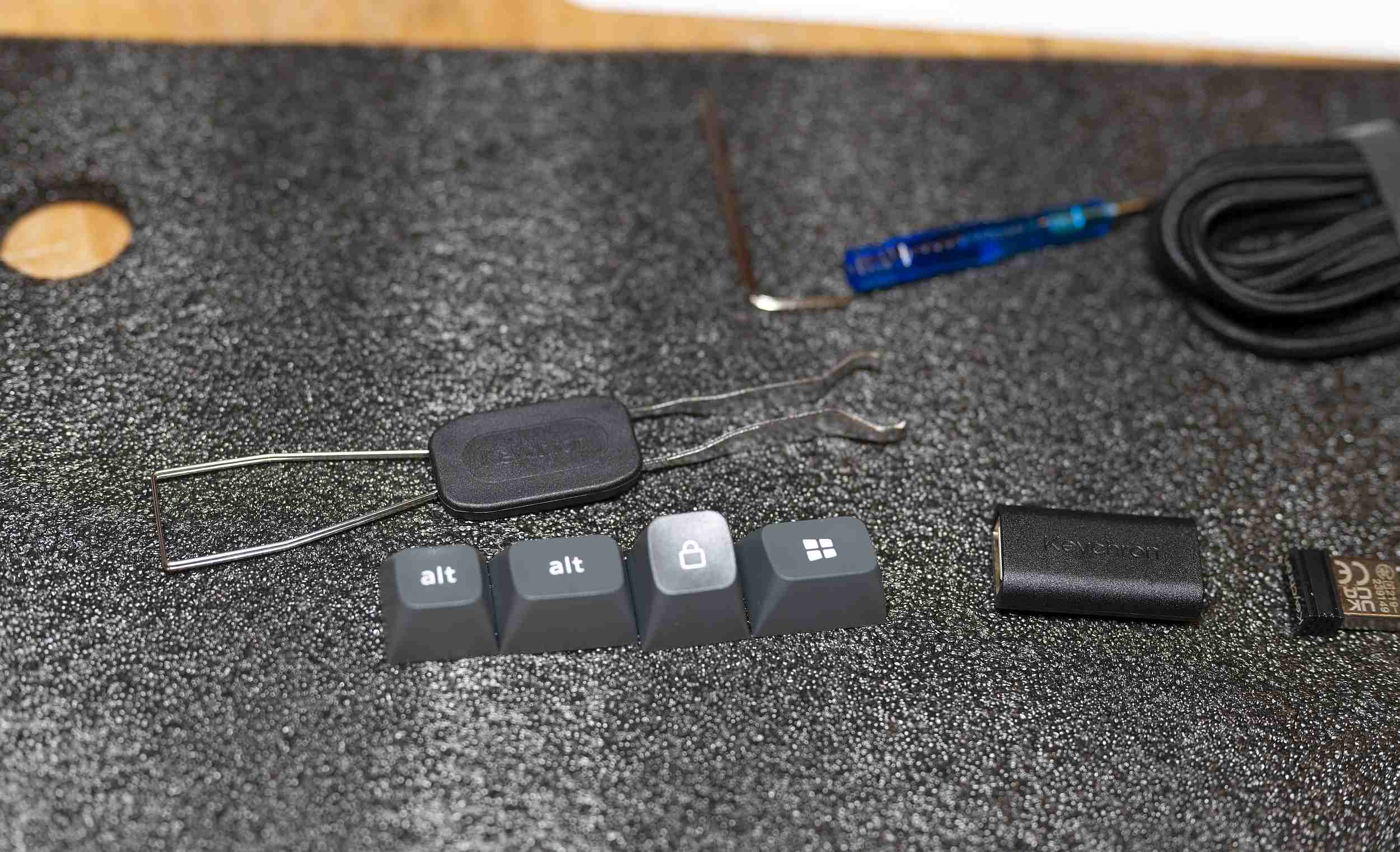 Keychron Q13 Ultra 8K Scope of keycaps (Image © PCMasters.de)
 Keychron Q13 Ultra 8K Scope of delivery 2 (Image © PCMasters.de)
 Keychron Q13 Ultra 8K Scope of delivery detial shot (Image © PCMasters.de)
 Keychron Q13 Ultra 8K Scope of delivery (Image © PCMasters.de)
Having dedicated Mac and Windows keycaps included right in the box remains a classic Keychron quality-of-life win. Optional accessories like coiled aviator cables or travel cases are available separately, though you won't need anything extra to get going.
Ordering
The Q13 Ultra 8K is sold directly via Keychron’s online store for $249.99. Specific colorways and switch combos often sell out quickly, so expect occasional backorders depending on stock cycles. International buyers will want to keep regional shipping fees and import taxes in mind, but the specification list justifies the enthusiast-grade price point.
Design, Materials, and Workmanship
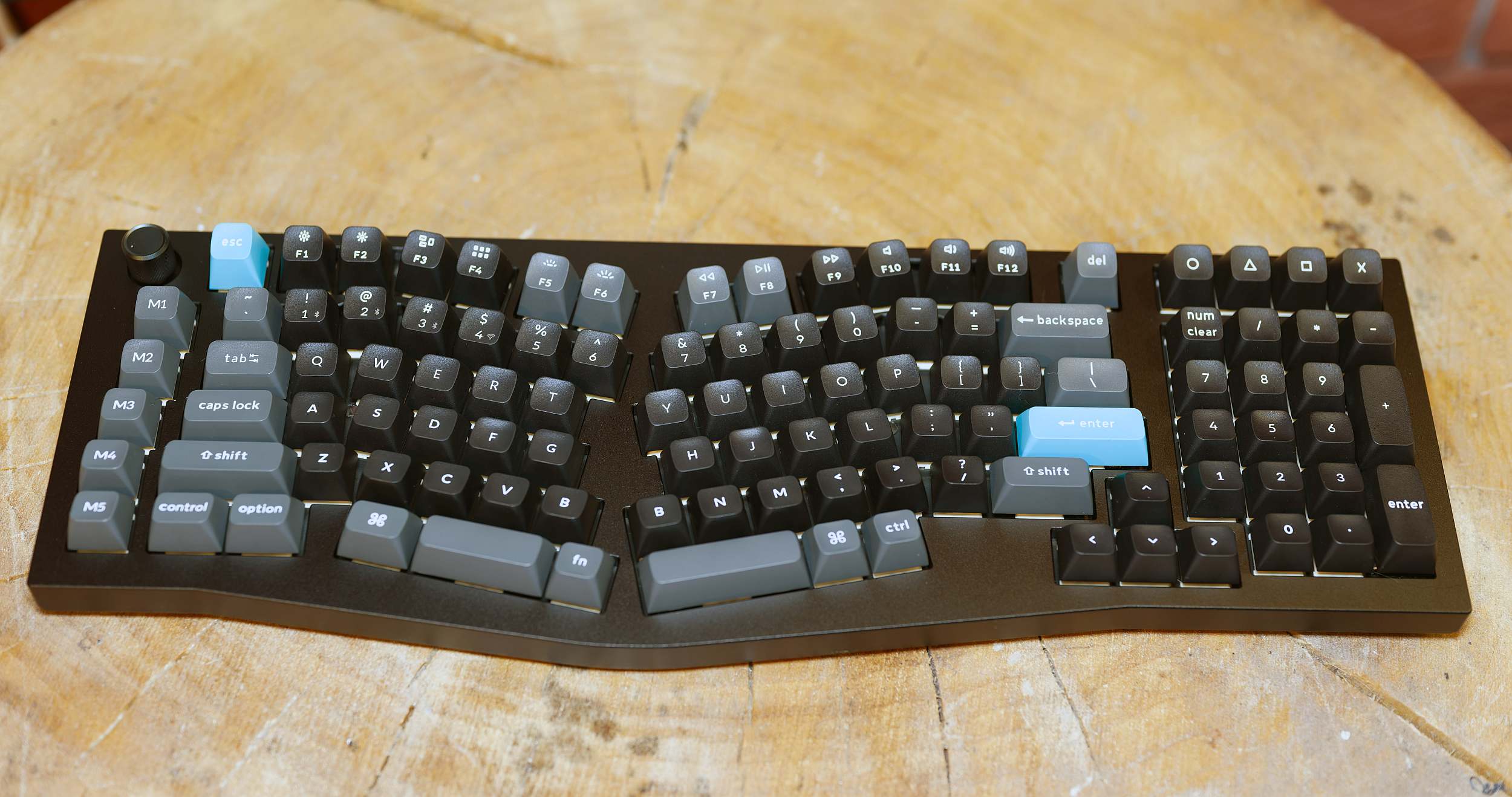
The defining characteristic of the Q13 Ultra 8K is its 96% Alice layout. It keeps your beloved number pad and arrow cluster intact while splitting the main typing block into two outward-angled halves. It looks striking on a desk, but the real benefit is ergonomic: it lets your wrists rest at a relaxed, natural angle rather than forcing your arms straight. The case is a solid block of CNC-machined aluminum weighing in at 2,440 g (± 10 g). On a desk pad, it feels completely immovable—no sliding around during intense typing bursts, no frame flex, just pure acoustic mass.
 Keychron Q13 Ultra 8K Look (Image © PCMasters.de)
Keychron outfits the board with their aggressive, spherical KSA-profile double-shot PBT keycaps. PBT ensures you won't get ugly key shine or slick oil spots after months of heavy use, and the double-shot legends will never fade. Since these keycaps are non-shine-through, the RGB lighting serves as a warm under-glow around the switch housings rather than glaring through the letters.
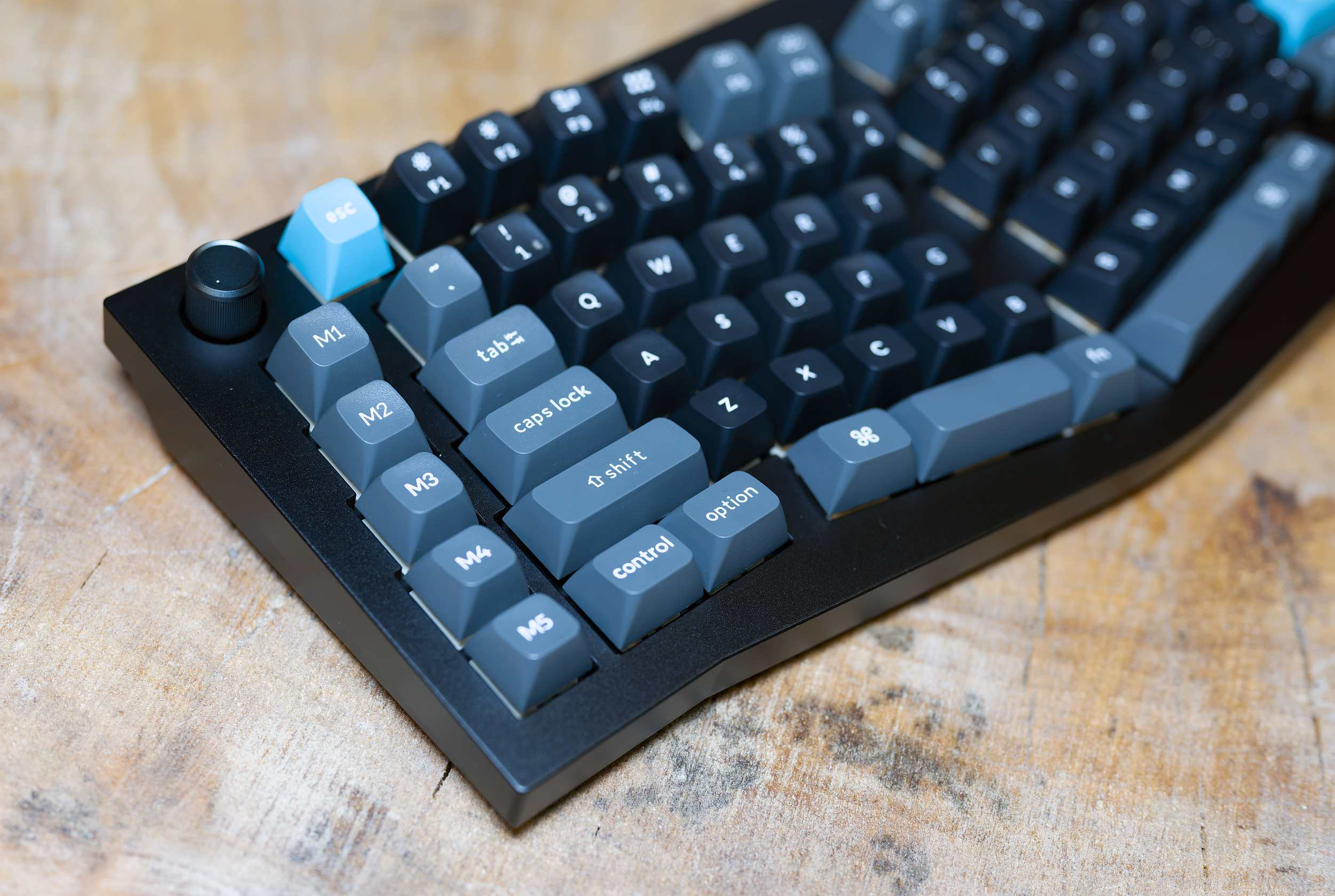 Keychron Q13 Ultra 8K Design on left (Image © PCMasters.de)
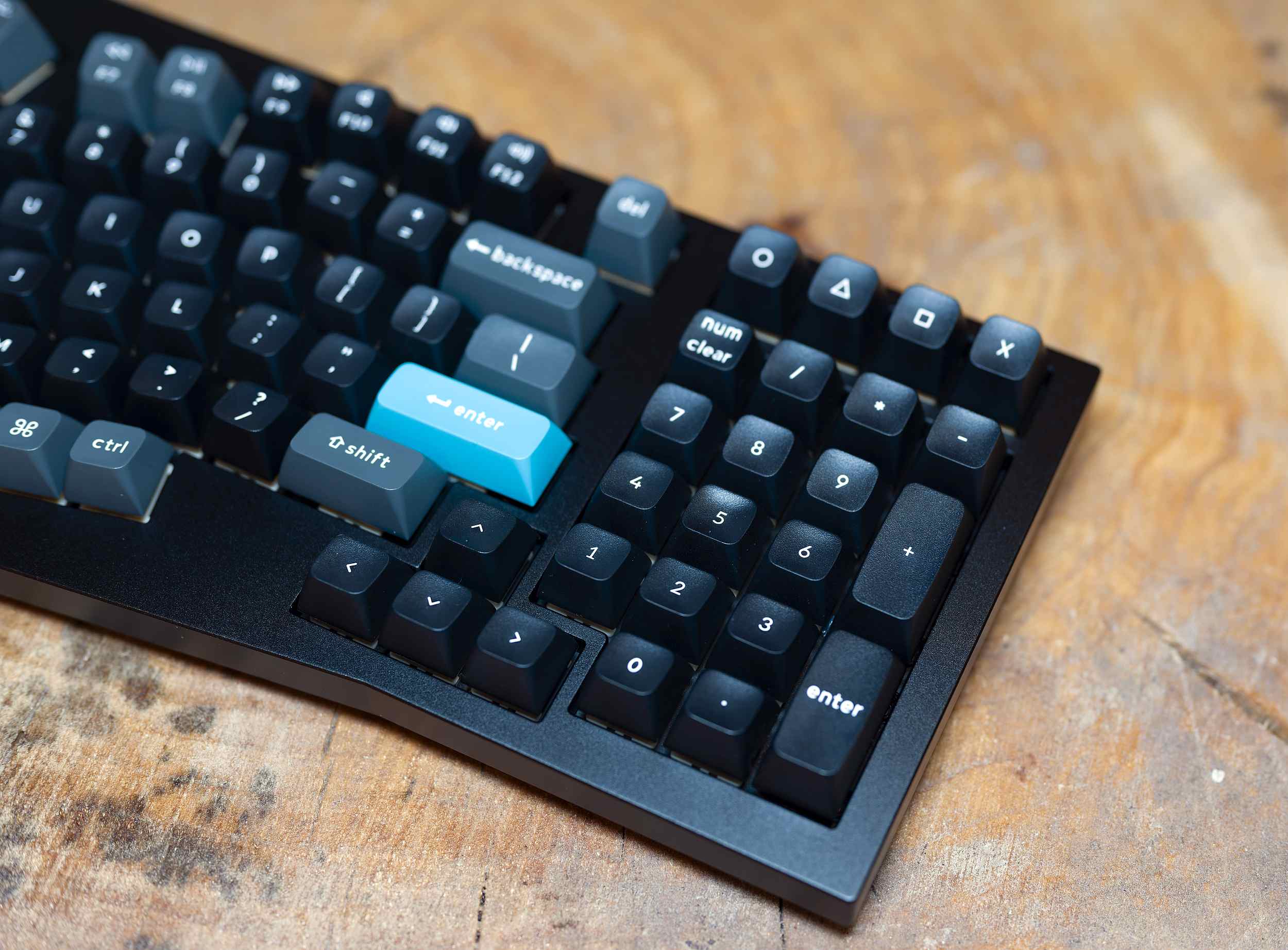 Keychron Q13 Ultra 8K Design (Image © PCMasters.de)
Gasket Mount and Acoustics
Under the hood, the Q13 pairs a flexible PC (polycarbonate) plate with a double-gasket design. Silicone pads sit sandwiched between the upper and lower aluminum shells, isolating impact vibration while providing a comfortable cushion to typing force. Keychron packed the case with a layered sound-damping sandwich:
- Sound-absorbing foam
- IXPE switch pad
- PET film
- Latex bottom pad
- Bottom-case acoustic foam
- Bottom-case PET film
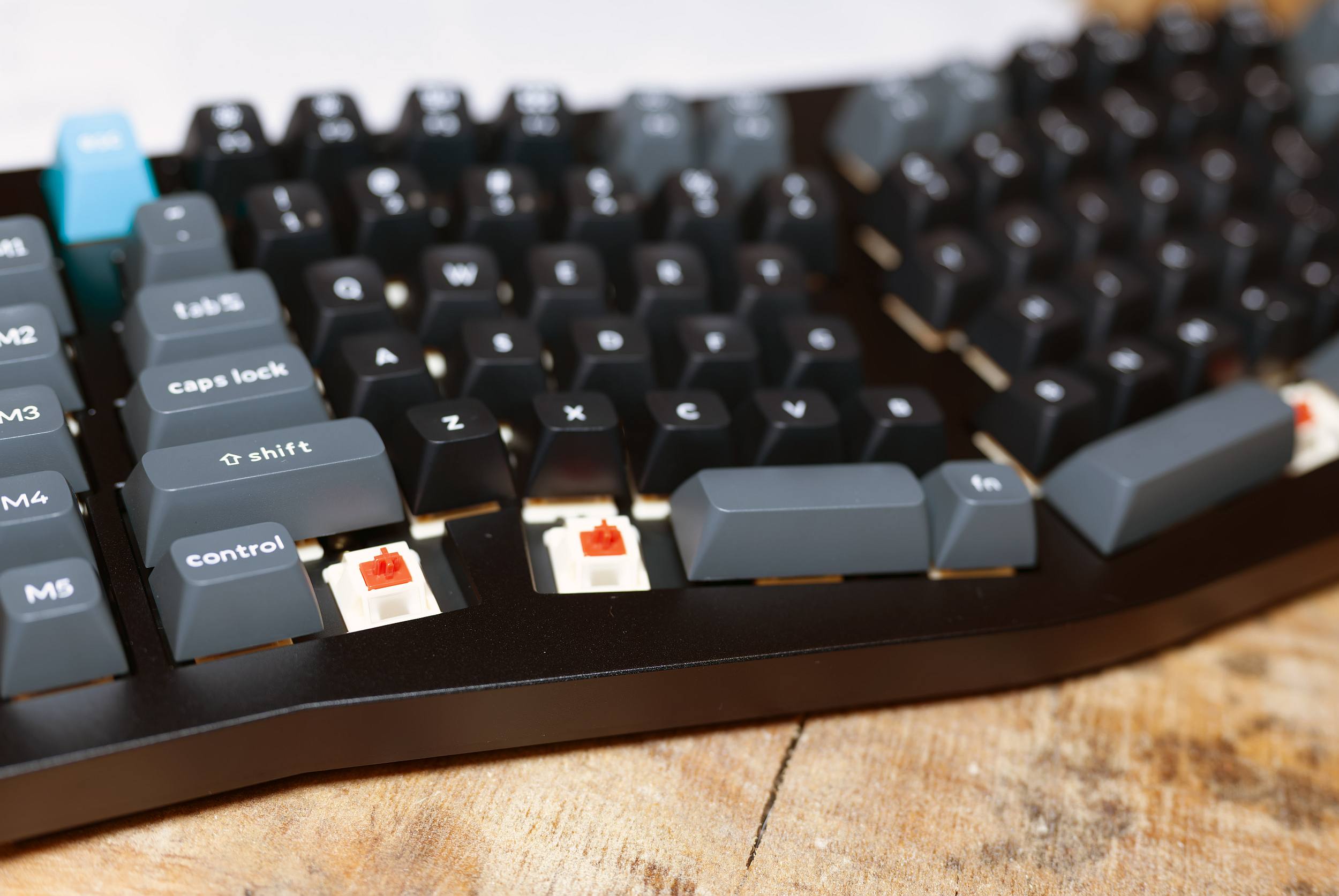 Keychron Q13 Ultra 8K Switches (Image © PCMasters.de)
On the desk, this setup creates a deeply satisfying, deep, acoustic profile—zero case ping, zero hollow echo, just a controlled, clean thock. If you prefer a bouncier desk feel or a louder sound signature, you can easily open the case and remove the bottom acoustic foam to tune the flex to your preference.
Aesthetics
The visual tone is understated and premium rather than flashy. The PC accent on the back and the sleek metal rotary knob in the upper-right corner give it a refined, studio-grade aesthetic. The south-facing RGB LEDs offer over 22 lighting modes, including per-key customization and a dual-zone "Mix RGB" setup. Because the PBT keycaps block direct light pass-through, the ambient glow spills elegantly between the key rows—perfect for a clean productivity environment.
Keychron Q13 Ultra 8K Look (Image © PCMasters.de)
The weight is 2440g, which is very massive.
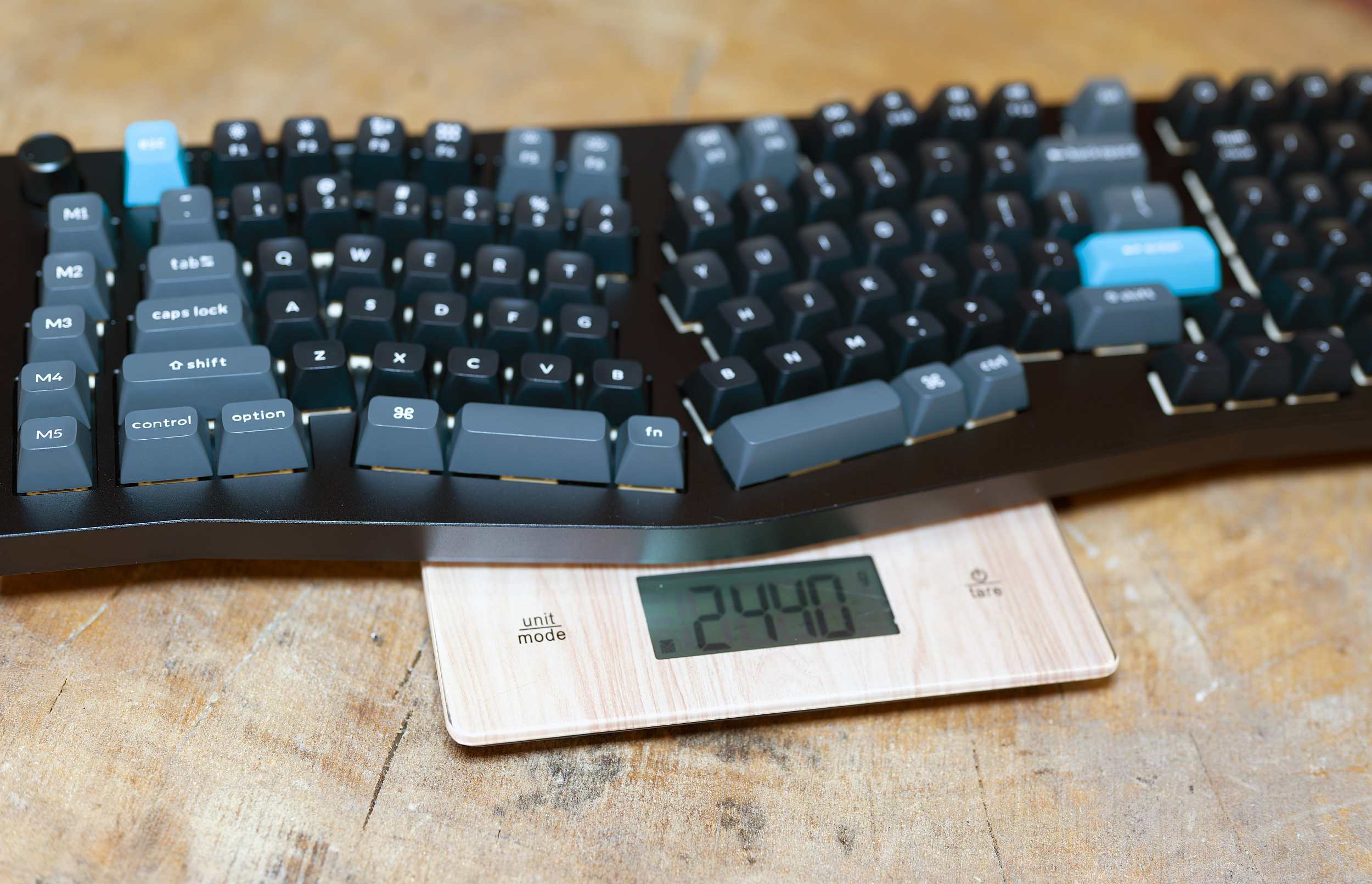 Keychron Q13 Ultra 8K Weight (Image © PCMasters.de)
Operation & Features
Key Layout
The 96% Alice format is a total game-changer if you do heavy data entry or code for long hours. You retain your muscle memory for the numpad and arrow keys while enjoying the wrist-relief benefits of the split alphanumeric cluster. However, be prepared for a learning curve. If you have bad typing habits (like reaching across the centerline with the wrong hand), the Alice layout will call you out instantly. Shortcuts, B-key placement, and gaming WASD placement feel weird at first, requiring a few days to build fresh muscle memory. Once you adjust, though, traditional flat keyboards feel cramped by comparison.
Knob and Controls
The rotary dial in the upper right feels tight and smooth with satisfying tactile notches. Out of the box, it’s great for volume and mute, but through the software, you can easily map it to zoom, timeline scrubbing, or brightness. A physical side toggle handles seamless switching between macOS and Windows modes. Keychron allows you to store separate keymaps for both operating systems directly on the hardware, making device-hopping effortless.
Hot-Swap Support
The hot-swappable PCB supports standard 3-pin and 5-pin MX-style switches (Cherry, Gateron, Kailh, etc.). You aren't locked into any proprietary hardware, making the board a versatile testbed for switch swapping down the road. The pre-installed Keychron Silk POM Red switches feature a full-POM housing and stem construction. Known in the community for exceptional inherent smoothness and low friction, these switches break in beautifully, yielding a buttery linear keystroke without the scratchiness found in budget switches.
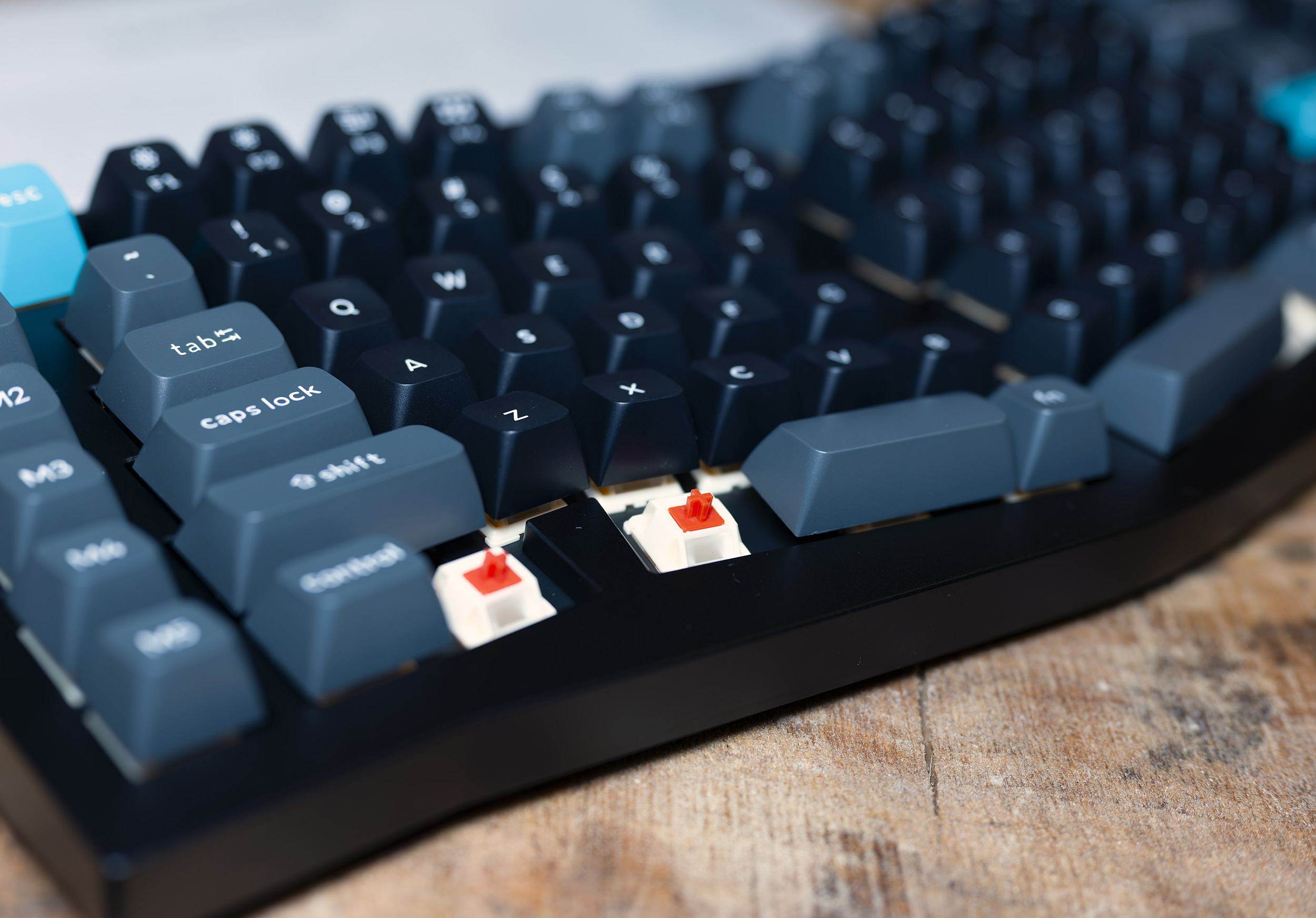 Keychron Q13 Ultra 8K Switches (Image © PCMasters.de)
Stabilizers
Keychron uses screw-in PCB stabilizers equipped with reinforced stem sidewalls. Larger keys like Spacebar, Enter, and Shift land with zero rattle, wobble, or ticking straight out of the box. Screw-in stabs stay firmly anchored into the PCB, giving the spacebars a solid, unified feel.
Connectivity
Wired Operation
In USB-C wired mode, the board runs at a full 8,000 Hz polling rate. Wired mode is also mandatory whenever you launch the Keychron Launcher web configurator to adjust layouts or flash firmware. Plug-and-play driver support works flawlessly across Windows, macOS, and Linux, with full N-Key Rollover (NKRO) enabled.
2.4 GHz Wireless
The highlight feature here is full 8,000 Hz wireless polling over the 2.4 GHz receiver. Wireless latency feels completely indistinguishable from a wired connection. While the jump from 1,000 Hz to 8,000 Hz is hard to perceive in daily typing, knowing there is zero input lag bottleneck over a clean wireless link is impressive for a wireless aluminum board.
Bluetooth
Bluetooth 5.3 allows pairing with up to three distinct devices (laptops, tablets, phones) via quick key commands. In Bluetooth mode, the polling rate drops to a standard 125 Hz—ideal for maximizing battery life while knocking out emails or documents.
Battery Life
Inside the heavy shell lies a massive 4,000 mAh battery. Keychron quotes up to 660 hours of runtime with the RGB lighting turned off, or roughly 200 hours on the lowest backlight setting. In real-world mixed wireless use, you can realistically go weeks between charges without ever stressing about a dead board mid-session.
Interim Conclusion: Connectivity
The Keychron Q13 Ultra 8K’s tri-mode wireless suite leaves almost nothing to be desired. Having ultra-low latency 2.4 GHz performance alongside multi-device Bluetooth versatility makes it a complete wireless powerhouse. Plugging in a cable just for software tweaks is a tiny compromise for an otherwise untethered setup.
Performance and User Experience
Typing Feel
Typing on the Q13 Ultra 8K with the Silk POM Red switches is pure bliss for linear switch fans. The combination of pre-lubed POM housings, a flexible PC plate, double-gaskets, and internal foam stacks produces a feather-light, silky stroke with a soft, cushioned bottom-out. The tall, spherical KSA keycap profile cradles your fingertips comfortably, though the combination of the high keycaps, angled Alice split, and thick front case means you’ll definitely want a wrist rest for long sessions.
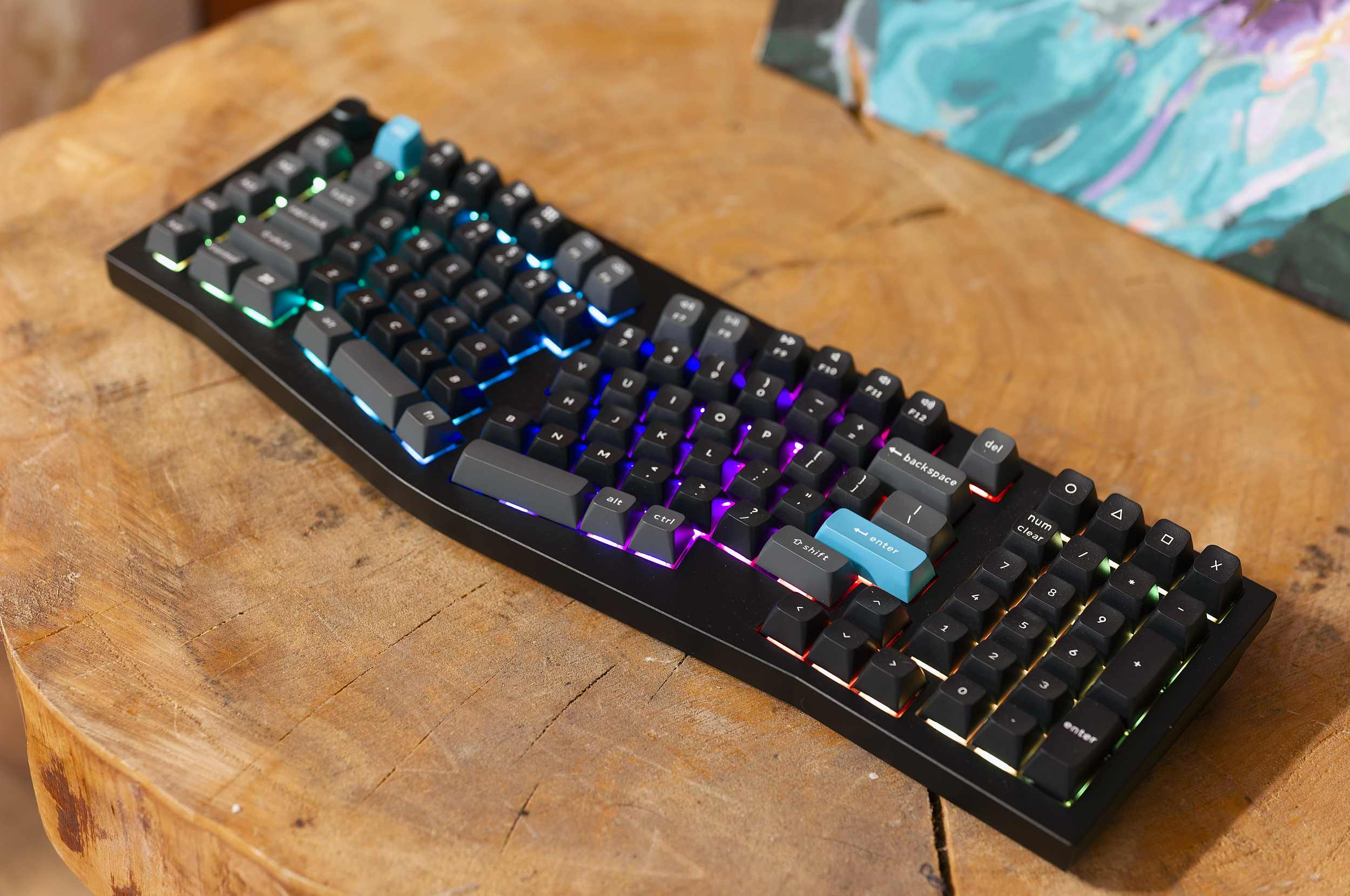 Keychron Q13 Ultra 8K Top view 3 (Image © PCMasters.de)
Gaming Performance
While a 96% Alice layout isn't the standard choice for esports setups, the technical hardware under the hood is blistering fast. The 8,000 Hz polling rate, 256 kHz single-key scanning rate, and 1 MB onboard flash memory guarantee instantaneous input registration. NKRO prevents any ghosting issues during rapid key combinations. The primary bottleneck for gaming won't be the electronics, but rather how quickly your left hand adapts to the angled WASD cluster in high-intensity titles.
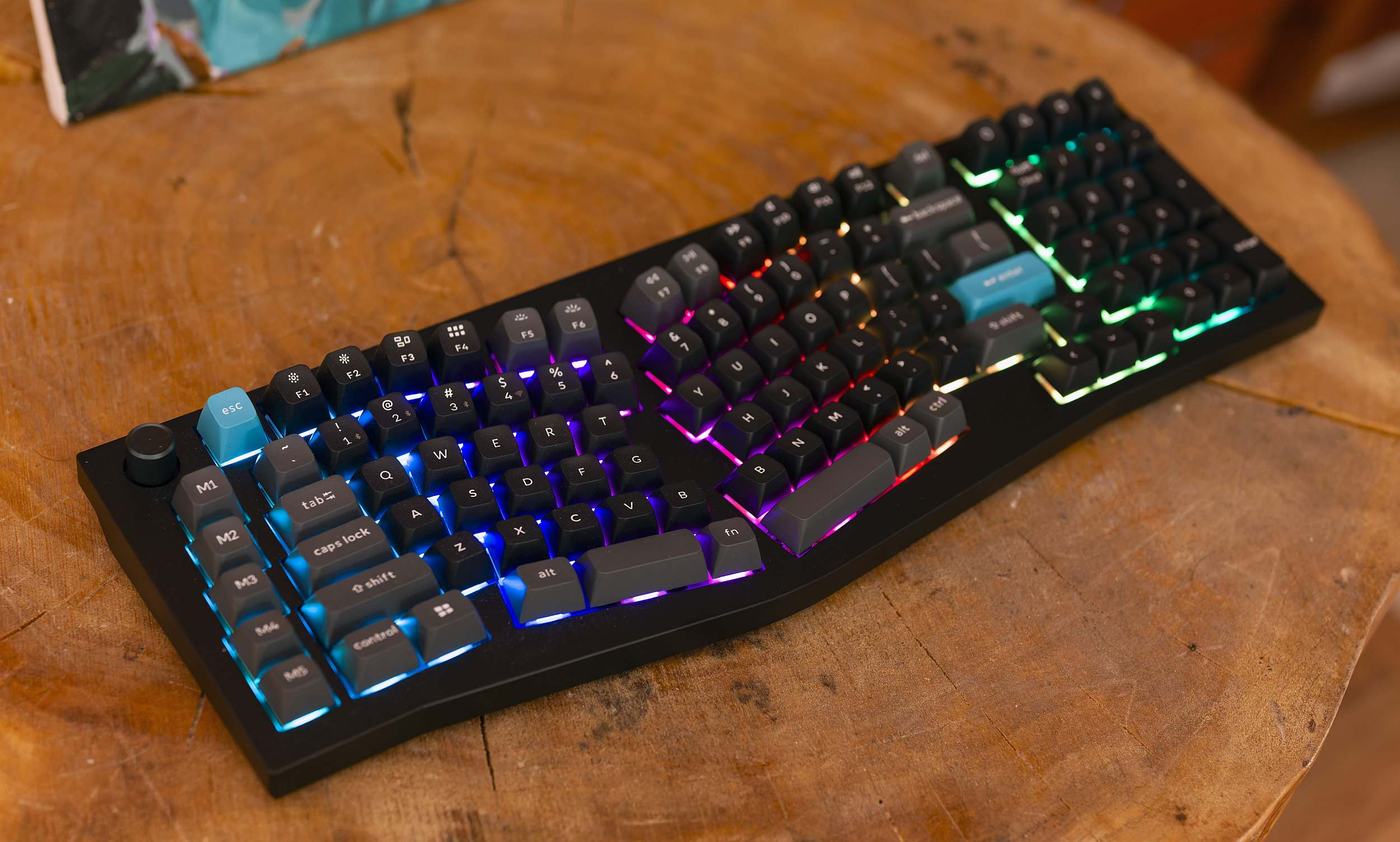 Keychron Q13 Ultra 8K Top view 2 (Image © PCMasters.de)
Ergonomics
By angling the split key clusters, the Alice layout helps eliminate unnatural wrist pronation, allowing your arms to sit at a shoulder-width angle. The board features a fixed 5-degree typing angle and a 20.3 mm front height (without keycaps). At nearly 45 cm wide, it saves desktop real estate compared to a full-sized 100% board while keeping your mouse positioned comfortably closer.
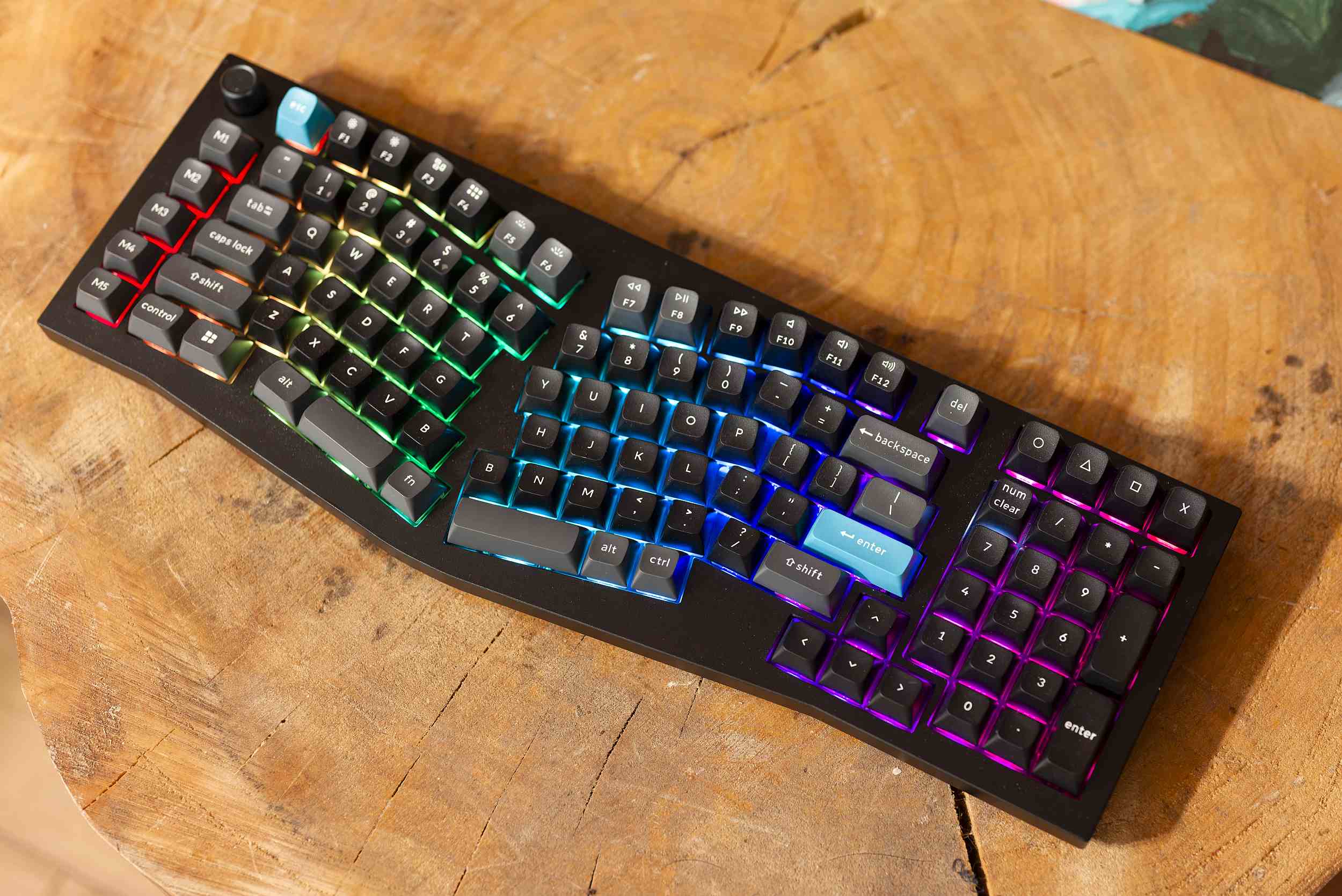 Keychron Q13 Ultra 8K Top view (Image © PCMasters.de)
Switches
Design
The included Keychron Silk POM Red switches utilize POM (Polyoxymethylene) for the top housing, bottom housing, and stem. POM is self-lubricating by nature and highly resistant to wear, meaning these switches actually get smoother over time as you type on them. Pre-lubed right from the factory, the Silk POM Reds offer a light, fluid linear travel free from spring ping or housing rattle—making them an absolute delight for fast typists who prefer smooth, effortless keypresses.
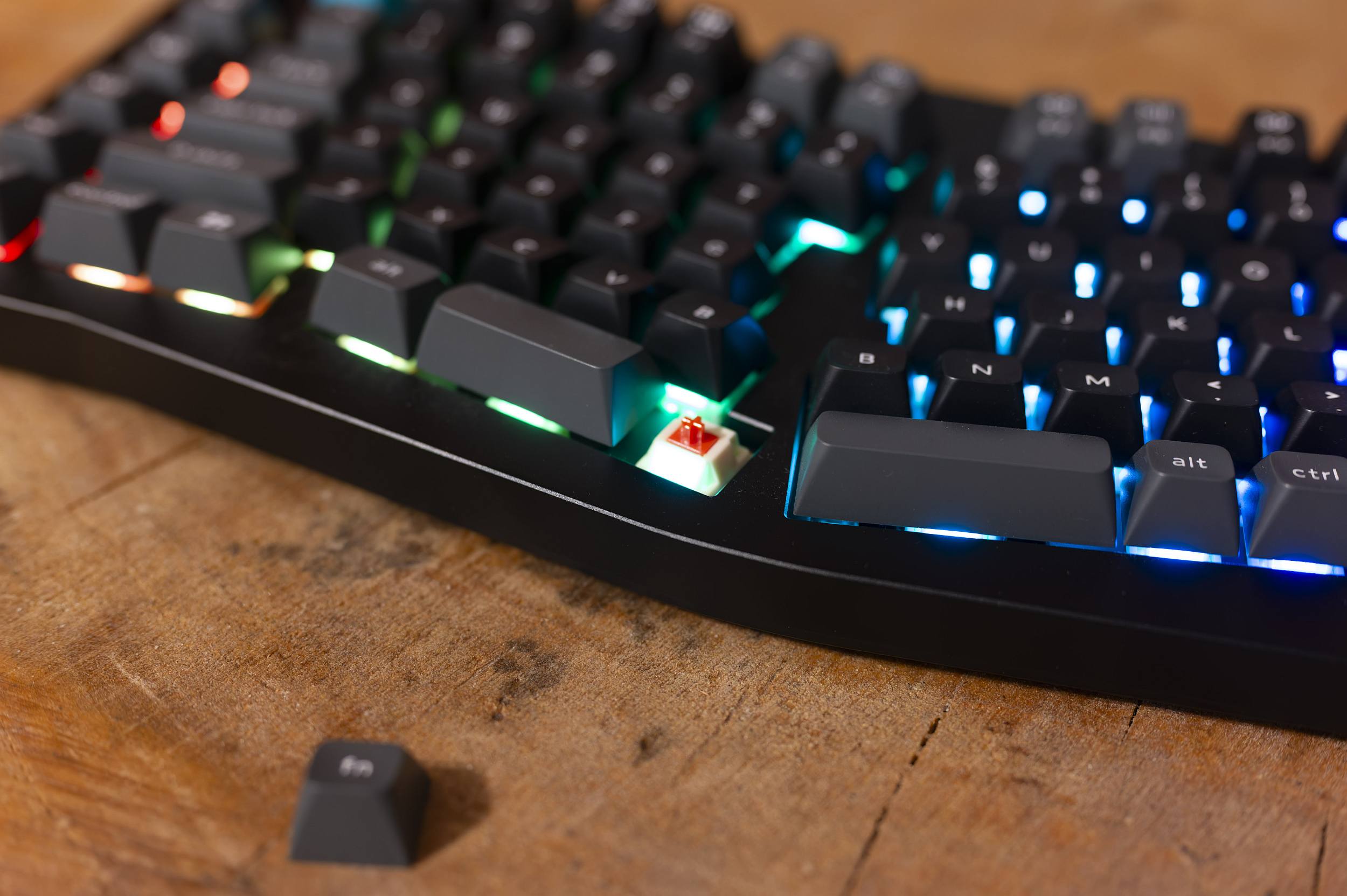 Keychron Q13 Ultra 8K Switches and keys (Image © PCMasters.de)
Hot-Swap and Customization
Thanks to universal 3-pin/5-pin hot-swap sockets, modifying the board’s sound or feel is effortless. If you decide to try heavy tactiles or clicky switches down the line, you can swap them out in minutes without touching a soldering iron.
Acoustics
The sound profile created by the Silk POM Red switches combined with Keychron’s multi-layer acoustic dampening is deep, muted, and extremely clean. The foam layers eliminate high-pitched case ping and hollow resonances, yielding a soft, deep sound profile right out of the box.
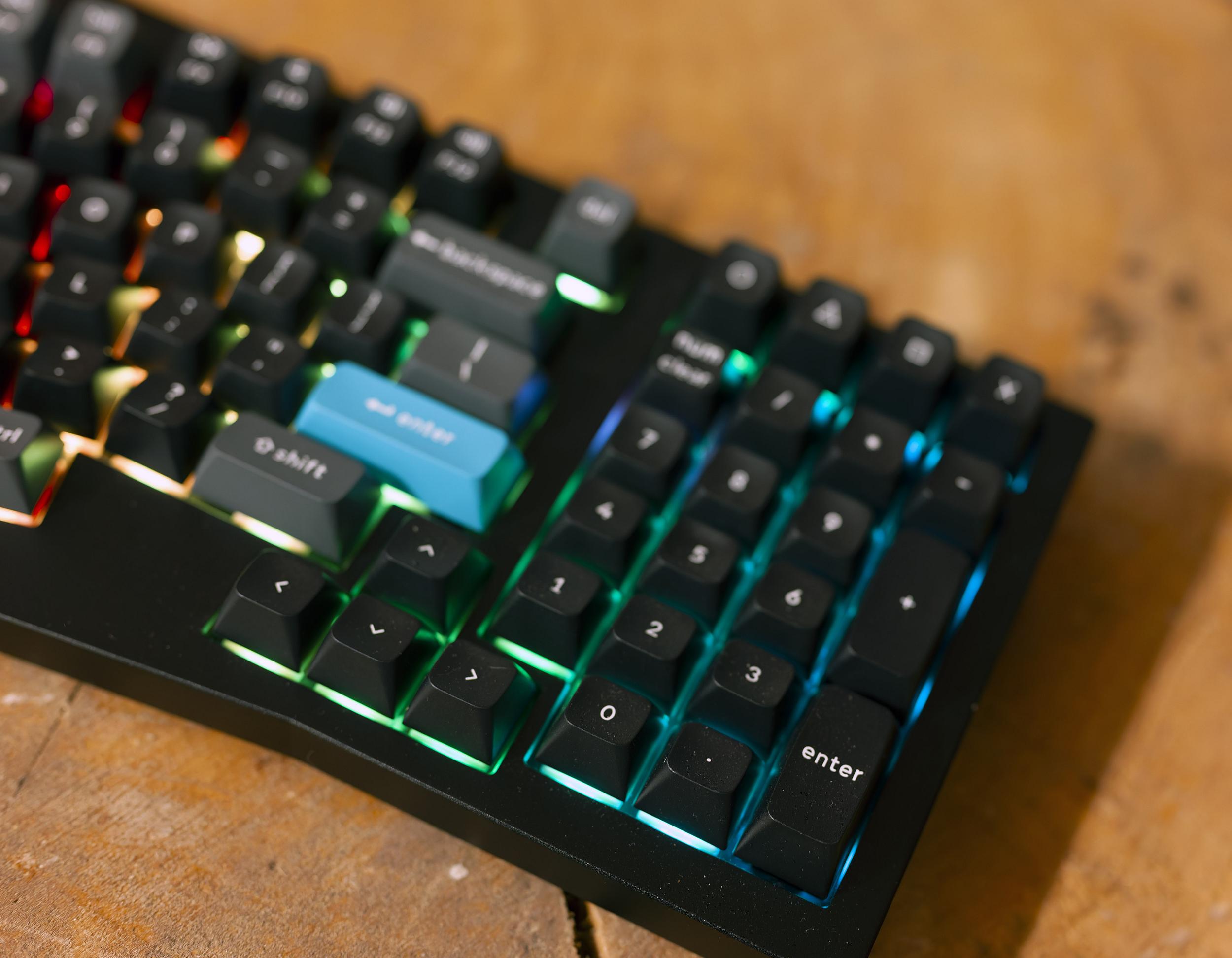 Keychron Q13 Ultra 8K Build Quality (Image © PCMasters.de)
Software
Keychron utilizes open-source ZMK firmware paired with the Keychron Launcher web application for configuration.
Availability and How to Get the Software
Keychron Launcher runs directly inside any Chromium-based browser (Chrome, Edge, Opera) without needing permanent software installation. You simply connect the board via USB cable, open the web page, and start mapping keys. It works across macOS, Windows, and Linux identically.
Launcher in Detail
The web app covers all customisation essentials:
- Per-key remaps and layer setups
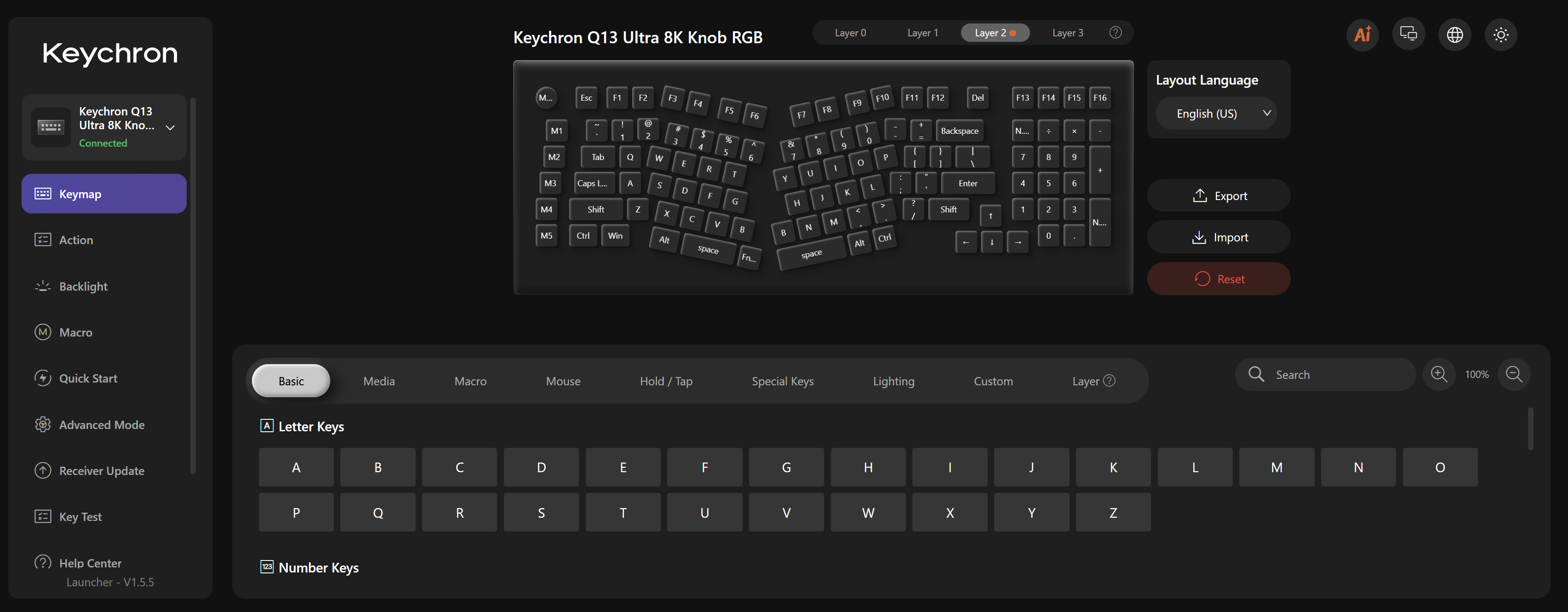 Keychron Q13 Ultra 8K Wireless Software 16 (Image © PCMasters.de)
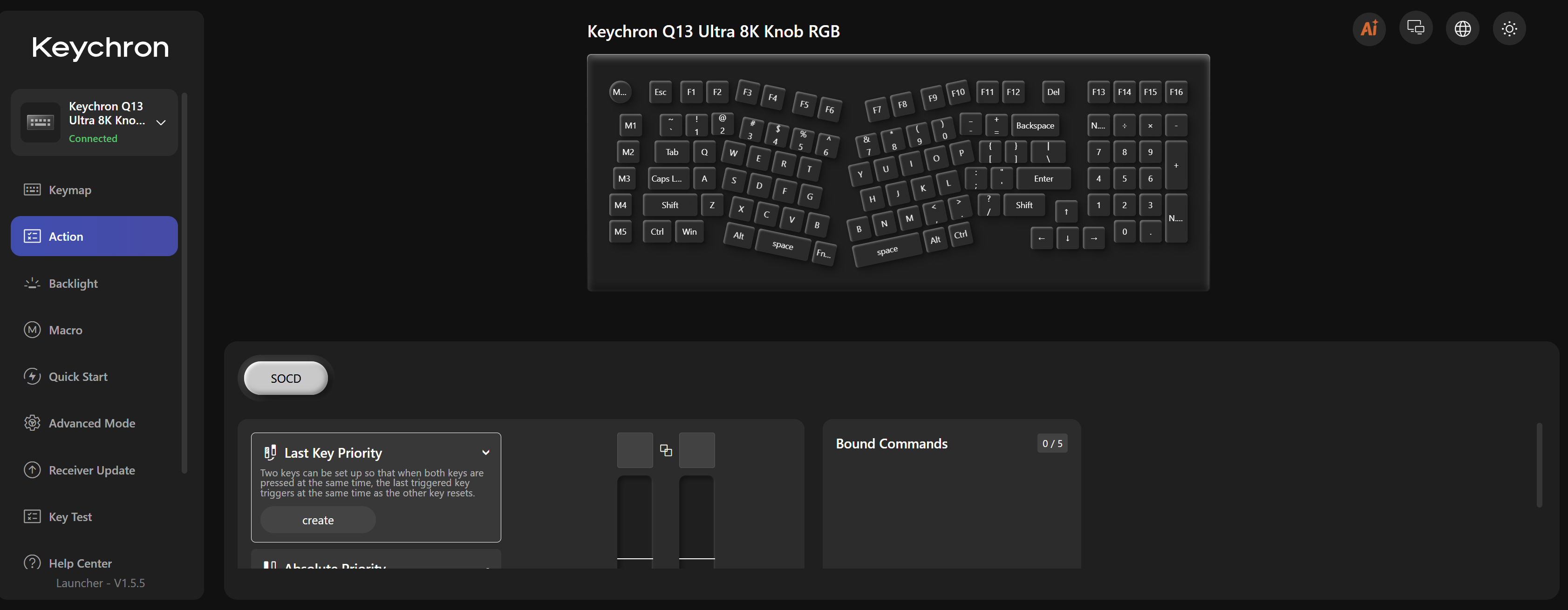 Keychron Q13 Ultra 8K Wireless Software 15 (Image © PCMasters.de)
- Per-key RGB colour assignment and zone controls
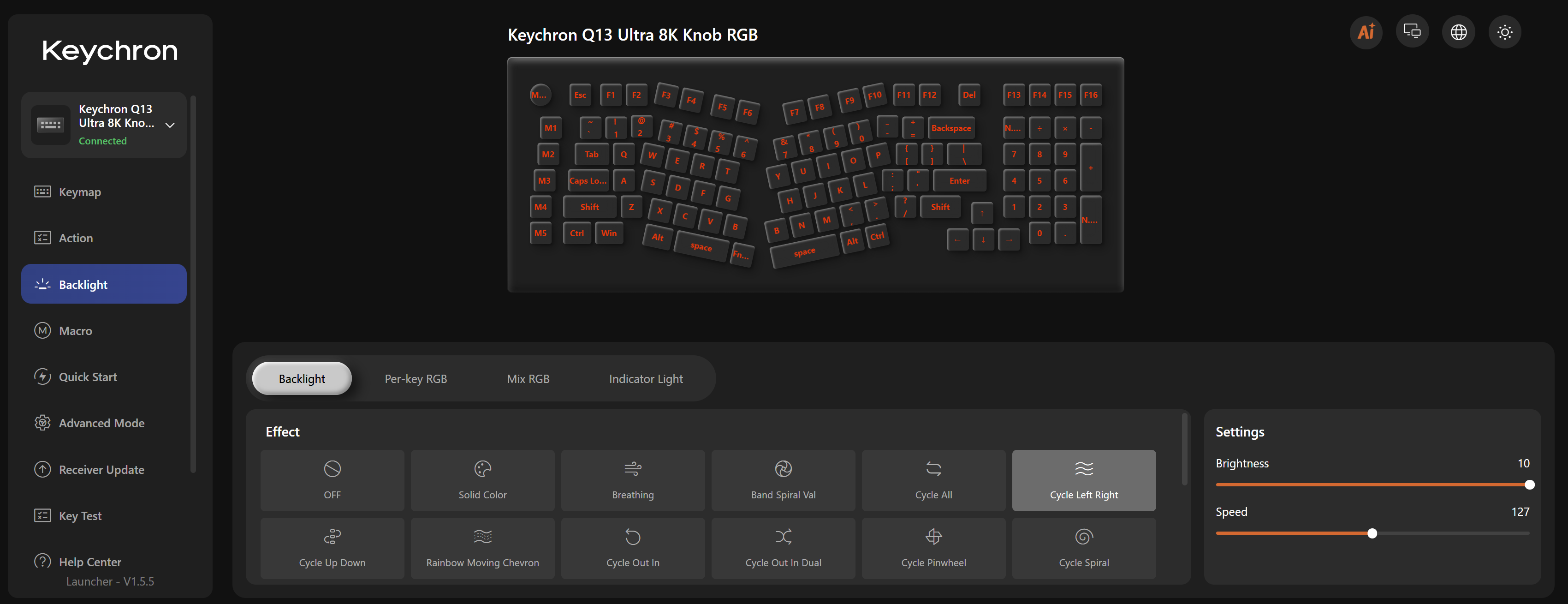 Keychron Q13 Ultra 8K Wireless Software 13 (Image © PCMasters.de)
- Custom macro creation & shortcut binding
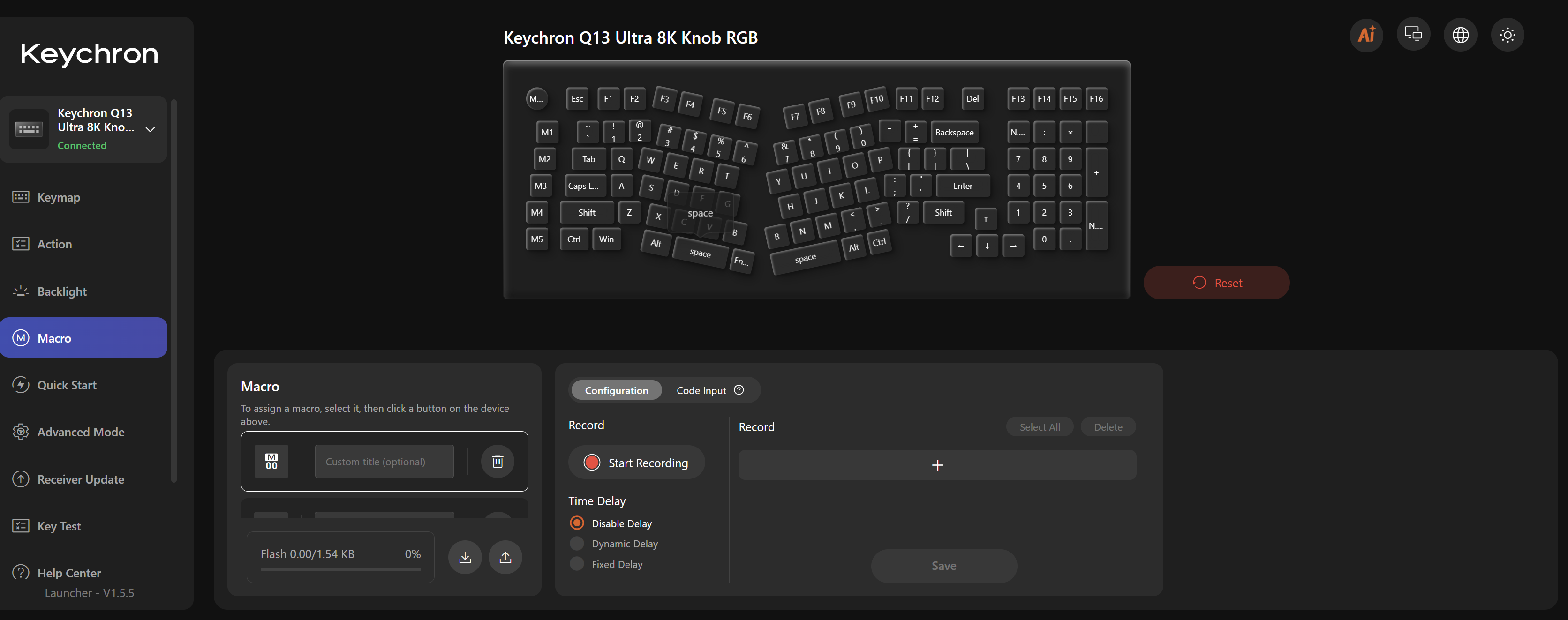 Keychron Q13 Ultra 8K Wireless Software 12 (Image © PCMasters.de)
- Onboard firmware flashing
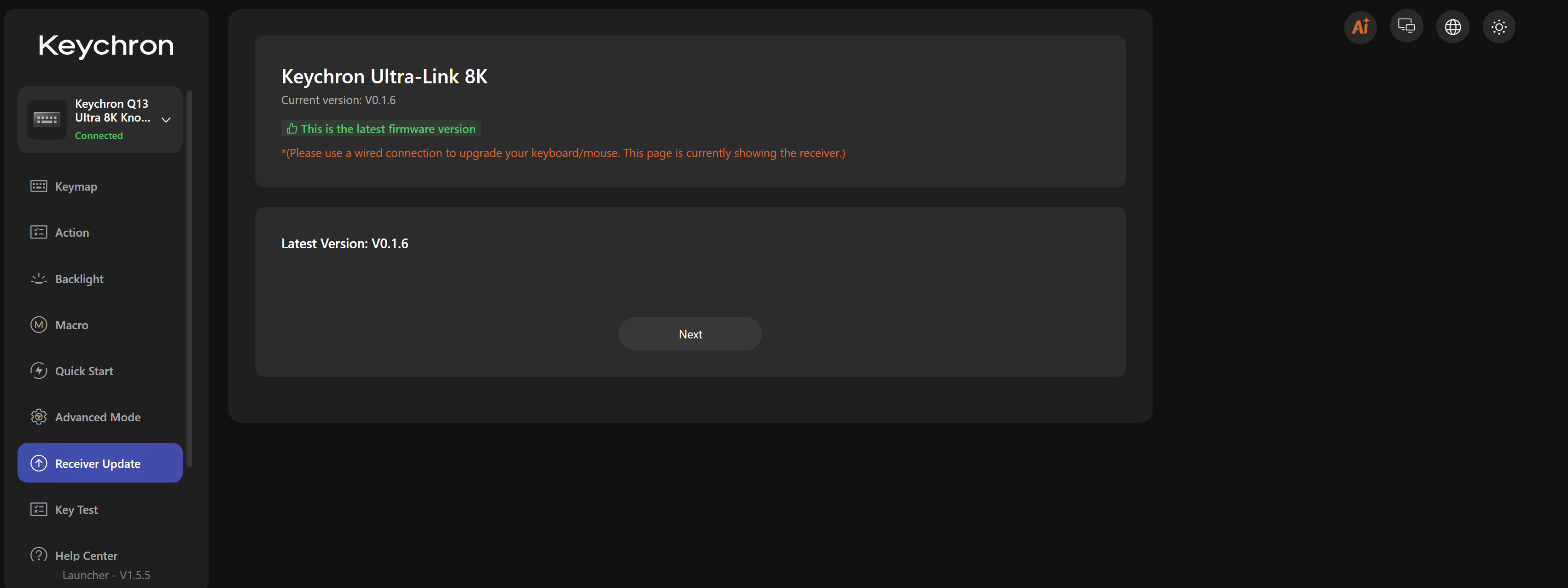 Keychron Q13 Ultra 8K Wireless Software 8 (Image © PCMasters.de)
- Quick Start
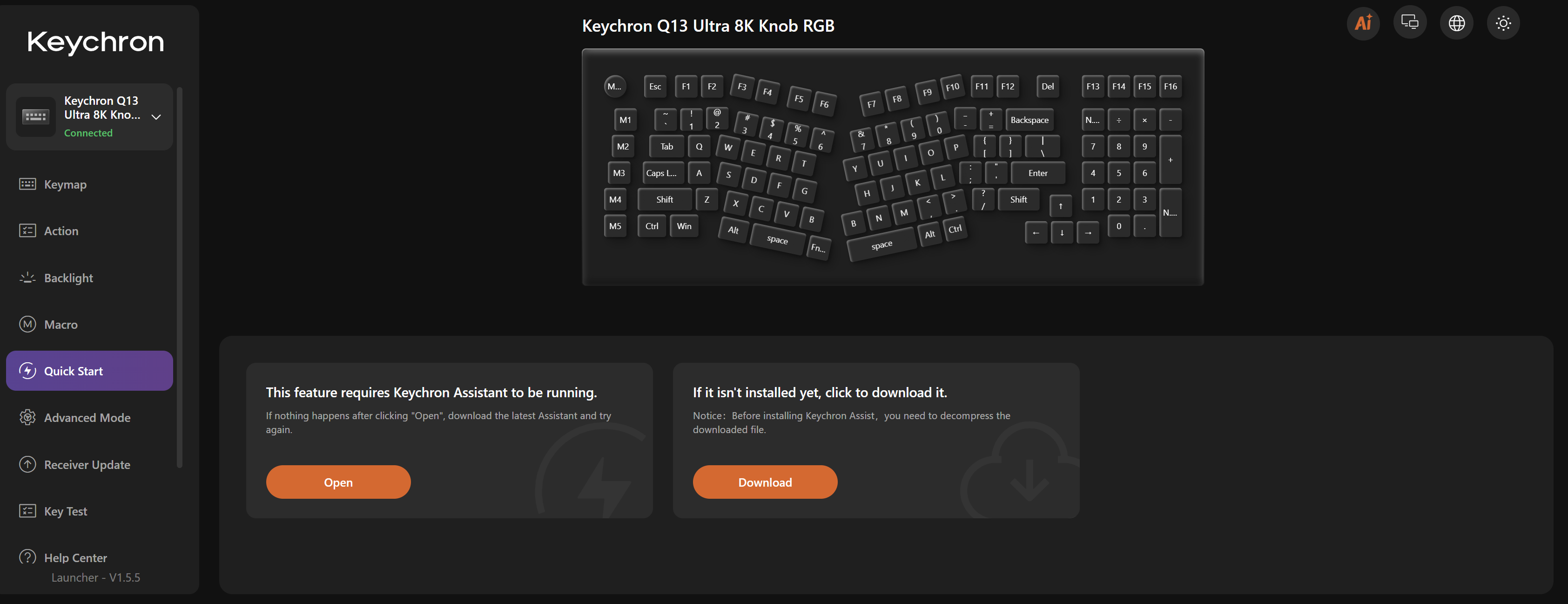 Keychron Q13 Ultra 8K Wireless Software 11 (Image © PCMasters.de)
- Bounce Time/Polling Rate, etc.
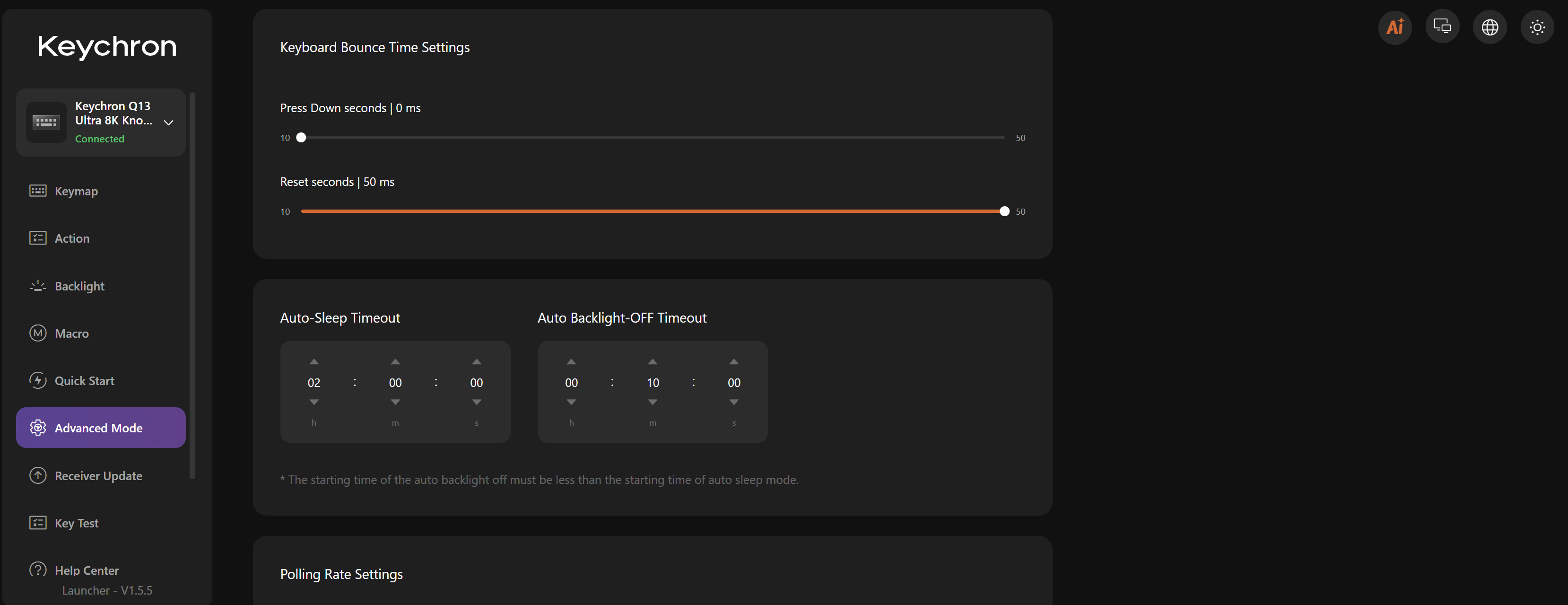 Keychron Q13 Ultra 8K Wireless Software. 10 (Image © PCMasters.de)
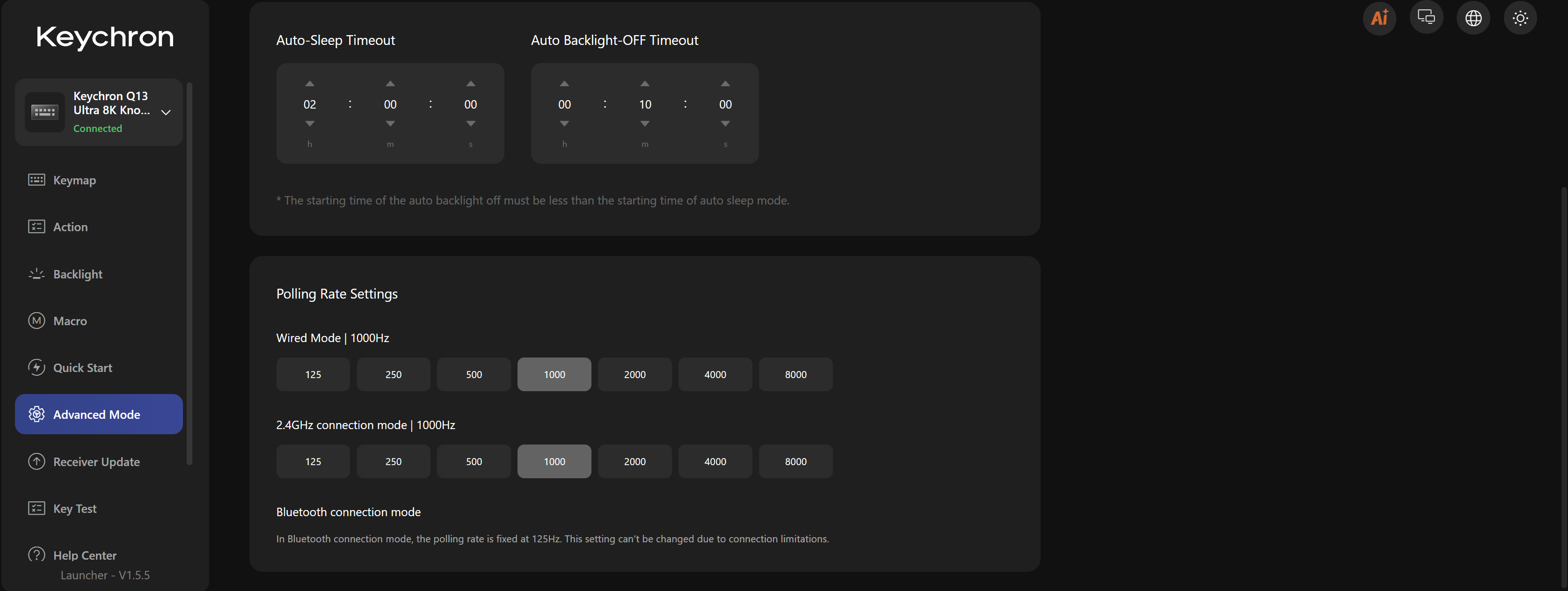 Keychron Q13 Ultra 8K Wireless Software 9 (Image © PCMasters.de)
- Key Test
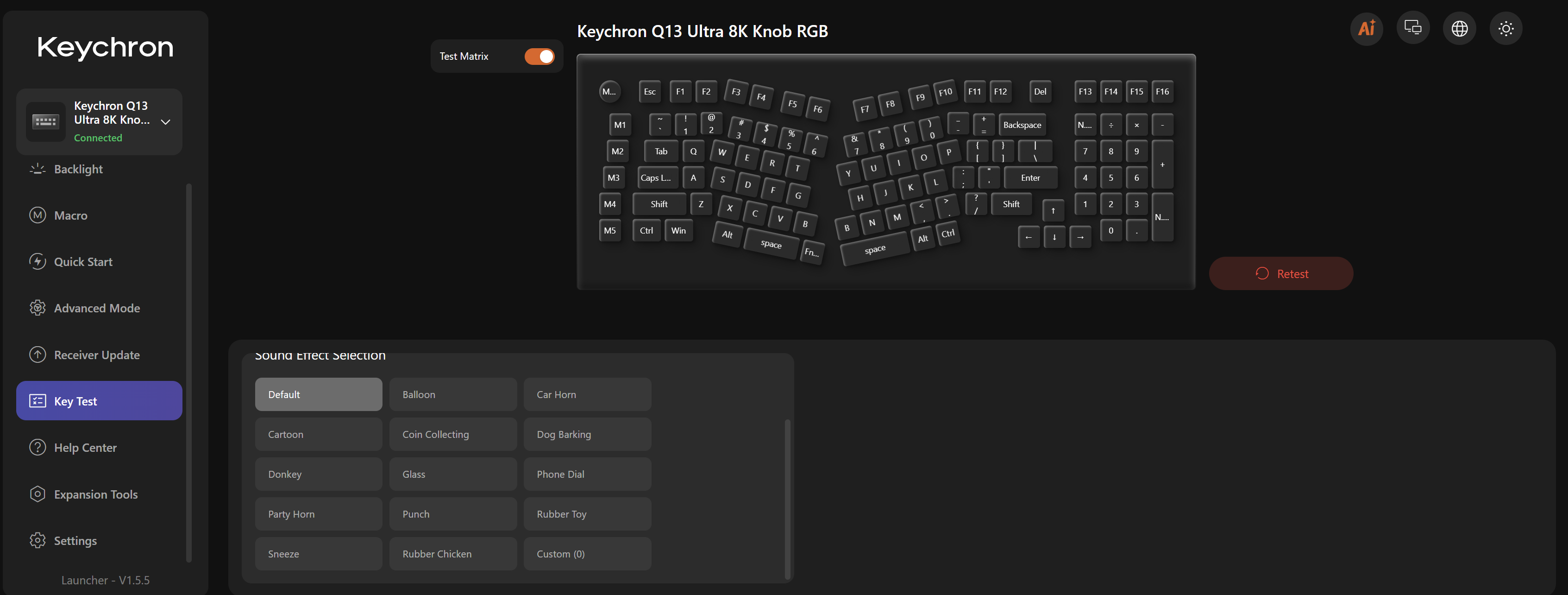 Keychron Q13 Ultra 8K Wireless Software 7 (Image © PCMasters.de)
- Help Center
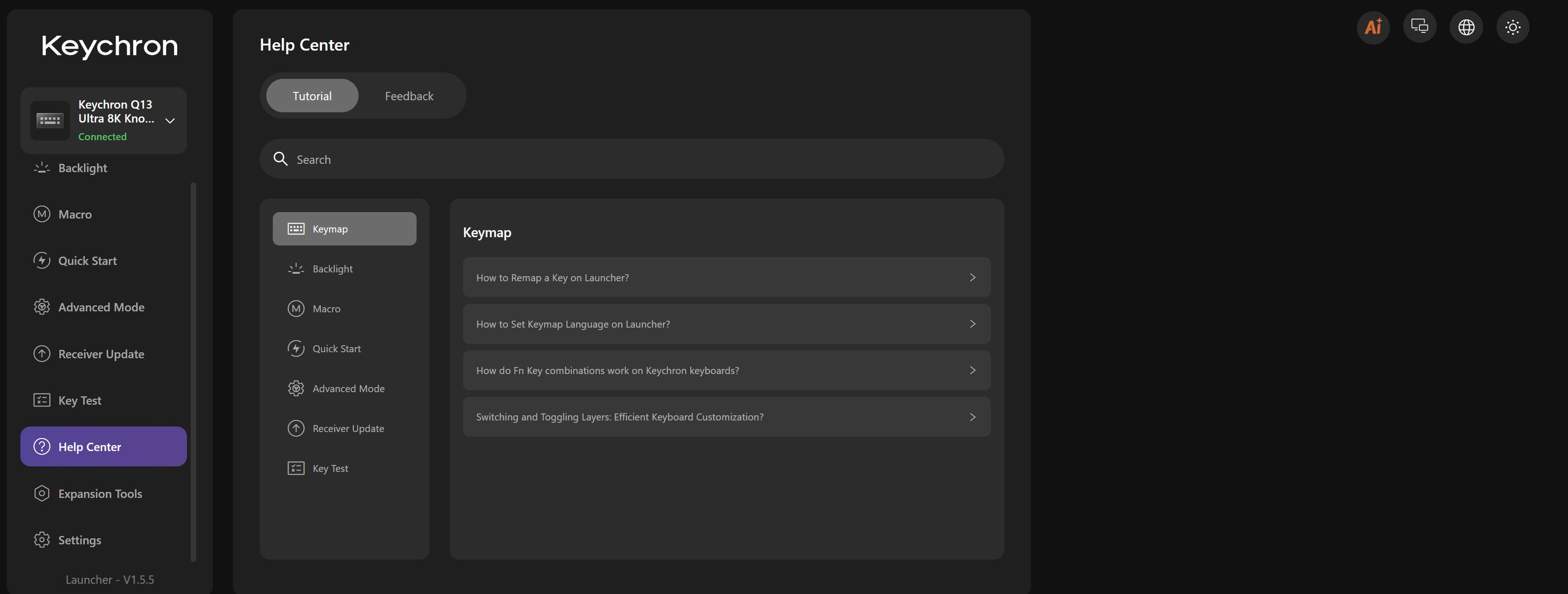 Keychron Q13 Ultra 8K Wireless Software 6 (Image © PCMasters.de)
- Expansion Tools
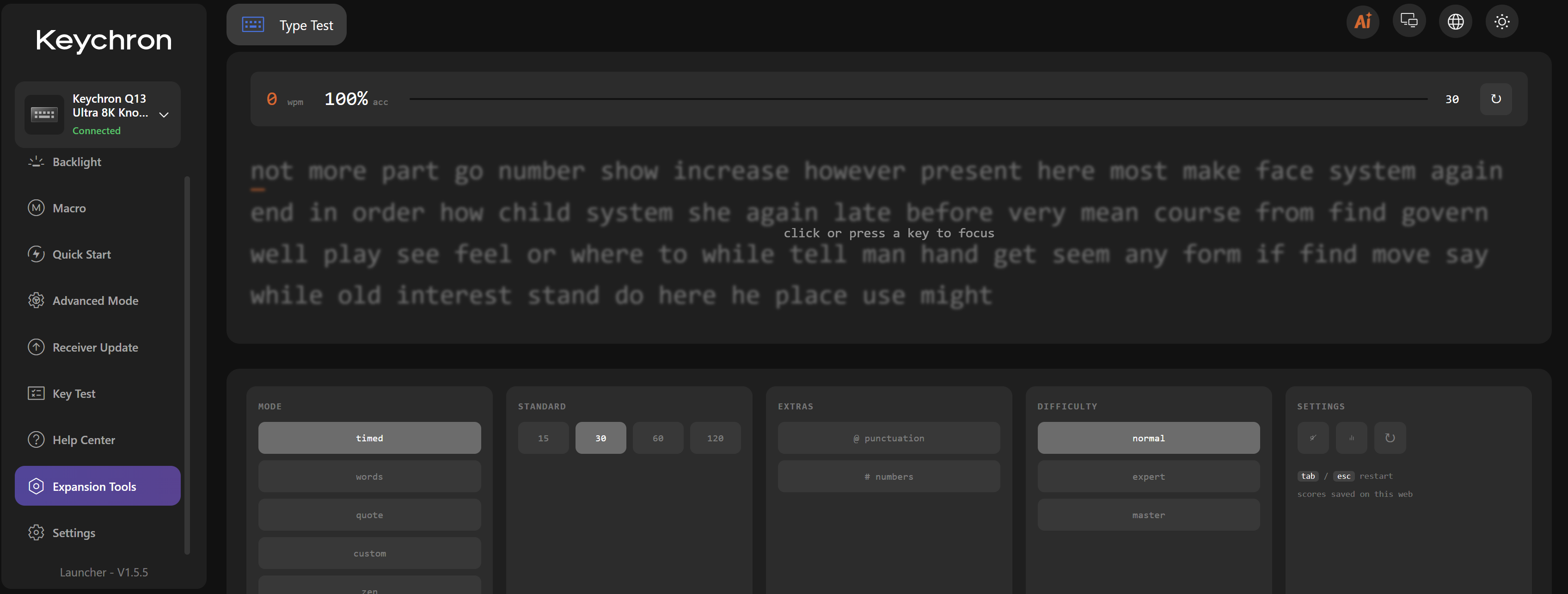 Keychron Q13 Ultra 8K Wireless Software 5 (Image © PCMasters.de)
- Language Settings, etc.
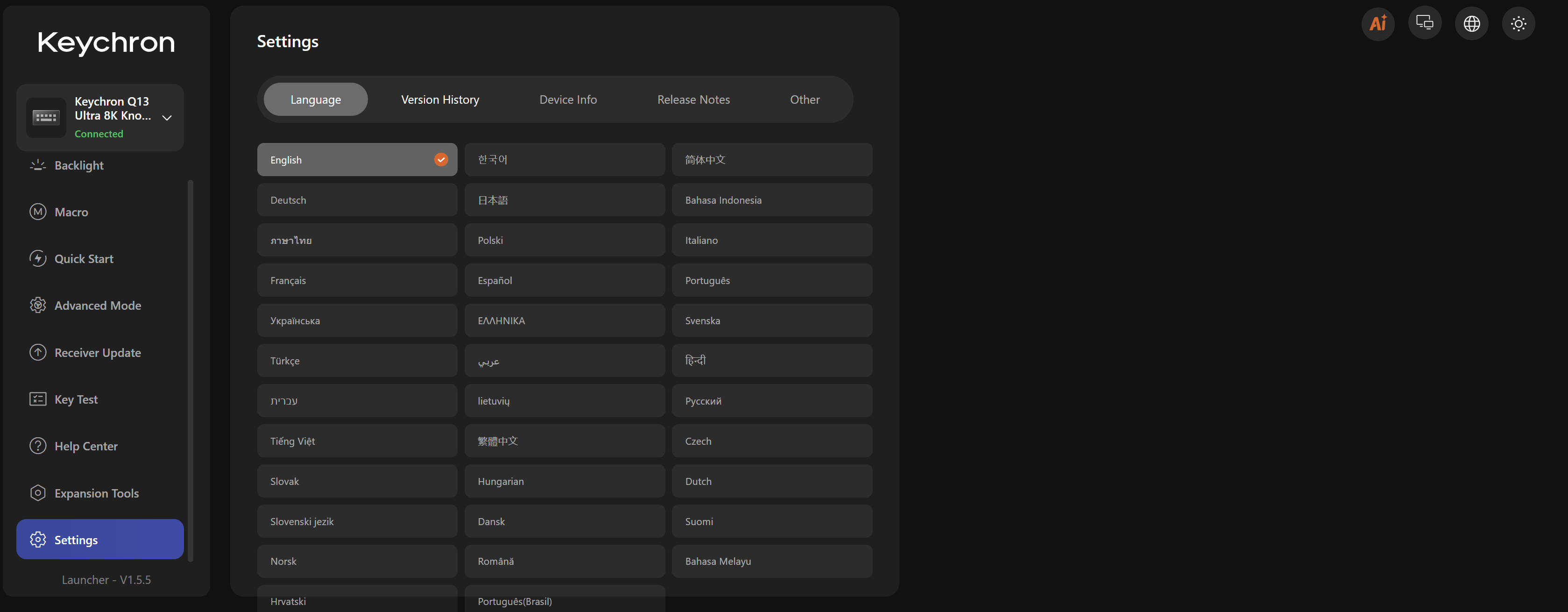 Keychron Q13 Ultra 8K Wireless Software 4 (Image © PCMasters.de)
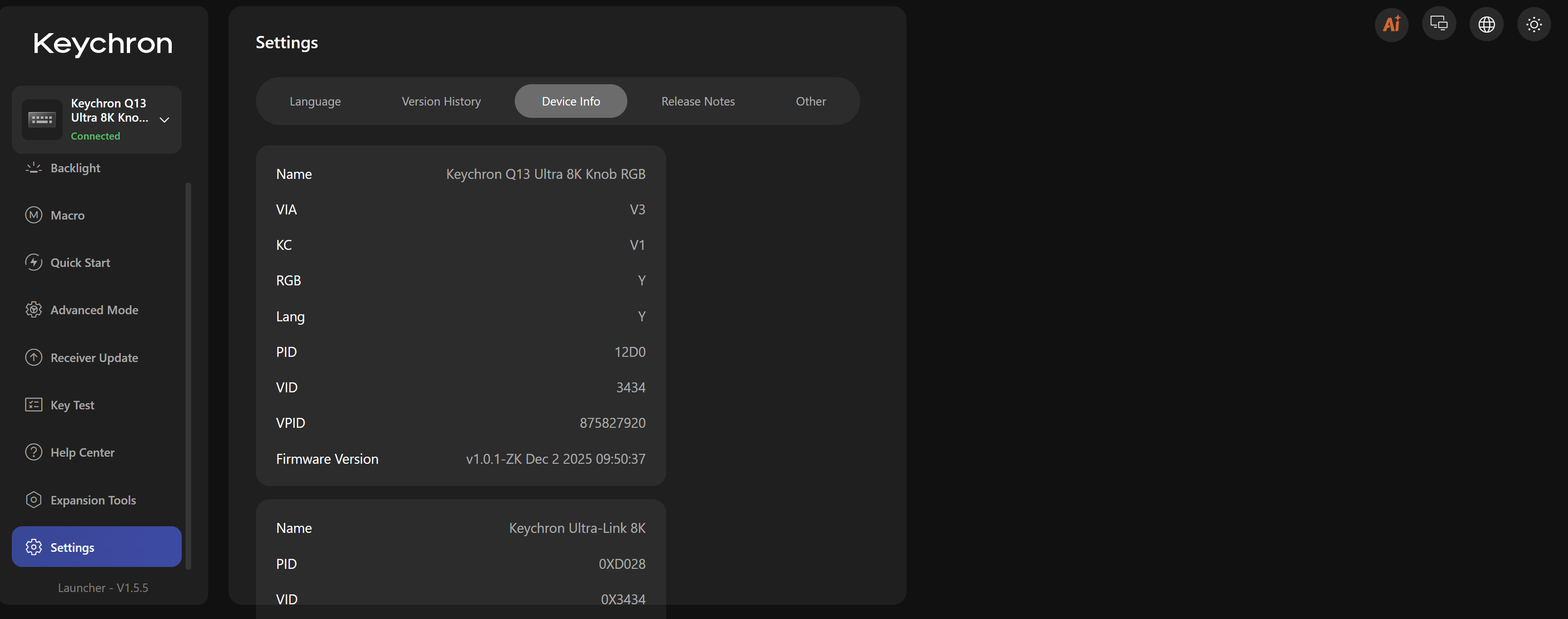 Keychron Q13 Ultra 8K Wireless Software (Image © PCMasters.de)
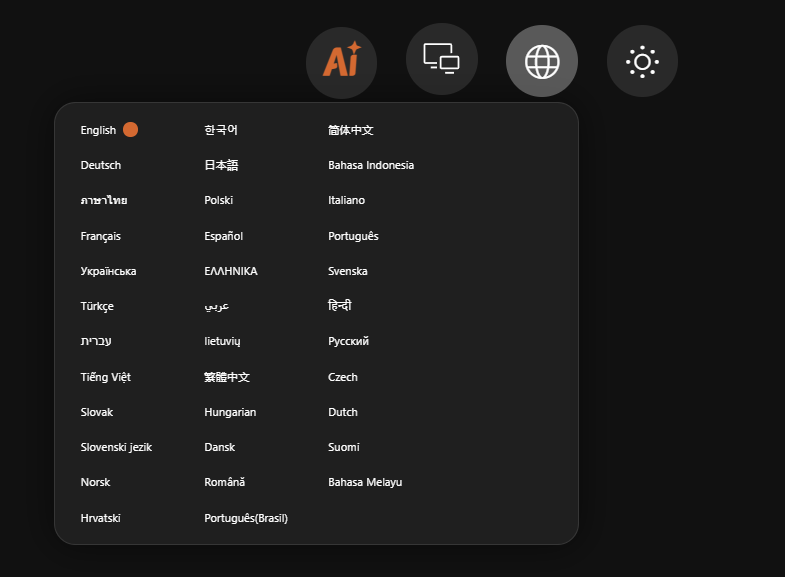 Keychron Q13 Ultra 8K Wireless Software (Image © Keychron Q13 Ultra 8K Wireless )
- Keychron AI
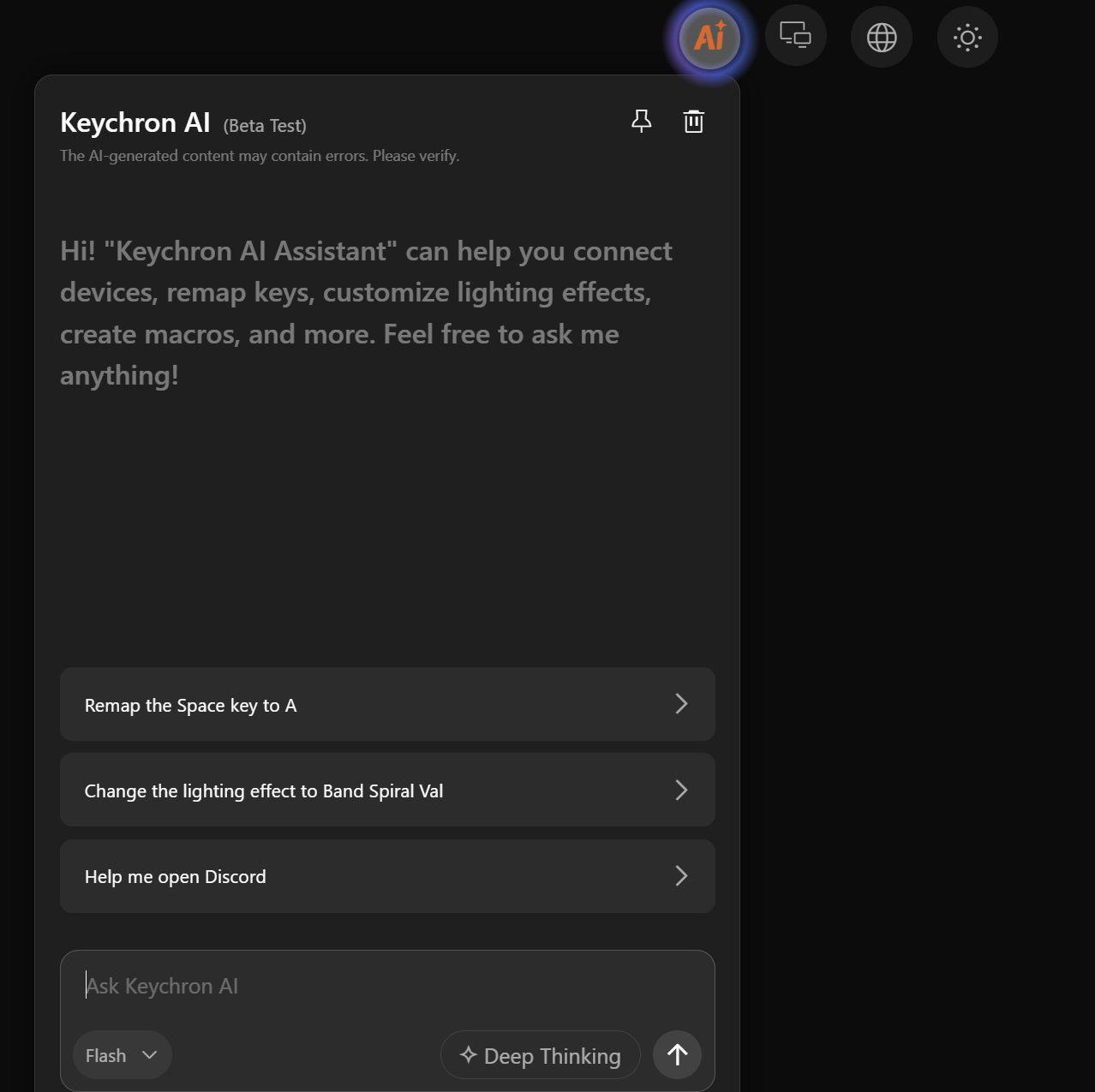 Keychron Q13 Ultra 8K Wireless Software (Image © PCMasters.de)
- Cross-Screen Feature
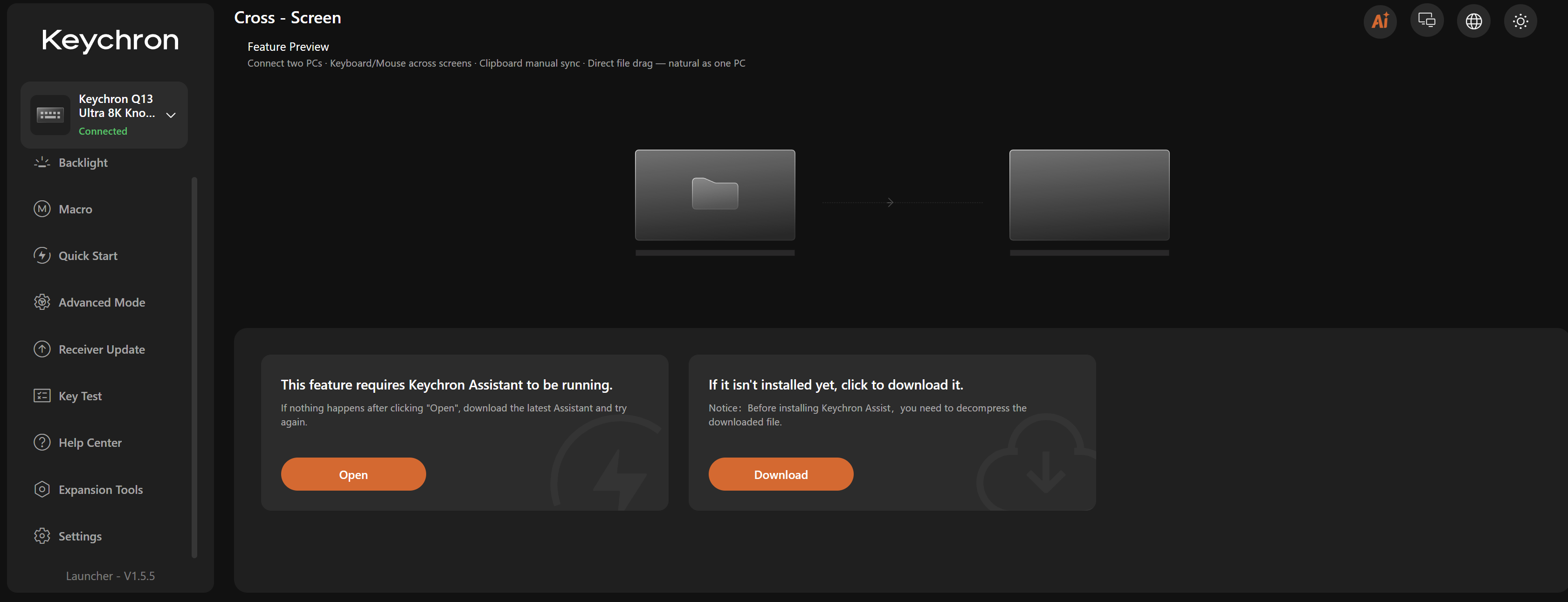 Keychron Q13 Ultra 8K Wireless Software (Image © Keychron Q13 Ultra 8K Wireless )
- White/Black background switch
 Keychron Q13 Ultra 8K Wireless Software (Image © Keychron Q13 Ultra 8K Wireless )
ZMK Firmware
Using ZMK firmware guarantees open-source transparency. Enthusiasts can audit code, build custom layouts, and enjoy a lightweight setup without bloated background tracking software running on their computer.
Software Verdict
The web-based Launcher is lightweight and clean, eliminating unwanted background processes. While requiring a wired connection for layout adjustments is a slight bump in the road, the combination of ZMK and Launcher offers a modern, reliable, and highly customizable software experience.
Specifications & Technical Data
| Feature | Keychron Q13 Ultra 8K Wireless |
|---|---|
| MSRP | $249.99 |
| Form Factor | 96% ANSI Alice with rotary knob (1800-Compact) |
| Case Material | Full CNC-machined aluminum |
| Color Options | Black, White |
| Plate Material | Polycarbonate (PC) |
| Mounting | Gasket mount (Double-gasket design) |
| Keycaps | KSA profile double-shot PBT |
| Switches | Keychron Silk POM Red (Linear); Hot-swappable |
| Stabilizers | PCB-mounted screw-in stabilizers |
| Connectivity | USB-C Wired, 2.4 GHz Wireless, Bluetooth 5.3 |
| Polling Rate | 8,000 Hz (Wired & 2.4 GHz); 125 Hz (Bluetooth) |
| Battery | 4,000 mAh rechargeable lithium-polymer |
| Battery Life | Up to 660 hours (RGB off); Up to 200 hours (lowest RGB) |
| Backlight | South-facing RGB LEDs |
| NKRO | Yes (Wired & Wireless) |
| Dimensions | 156.9 × 447.3 mm (20.3 mm front height) |
| Weight | 2,440 g ± 10 g |
| OS Support | Windows, macOS, Linux |
| Firmware/Software | ZMK Firmware & Keychron Launcher web app |
Conclusion
Keychron Q13 Ultra 8K Look (Image © PCMasters.de)
The Keychron Q13 Ultra 8K is a triumph for enthusiasts wanting a premium, tank-like wireless keyboard with an ergonomic twist. Its solid aluminum construction, tuned gasket mount, deep acoustics, butter-smooth Silk POM Red switches, and exceptional battery life make it a standout choice at $249.99. While the 8,000 Hz polling rate is more specs flex than a daily necessity, delivering it rock-solid over 2.4 GHz wireless is undeniably cool. The core strengths of the board—build quality, typing comfort, and customizability—shine brightly regardless of the spec sheet headlines. The 96% Alice layout remains the ultimate decider: if you’re willing to spend a few days adjusting your muscle memory, your wrists will thank you for years. For coders, writers, and productivity power-users seeking a unique, ultra-smooth desk piece, the Q13 Ultra 8K earns an easy top recommendation.
Pro
- Premium, tank-like build quality: The full CNC-machined aluminum chassis weighs about 2.44 kg, making the keyboard exceptionally stable, dense, and free of flex during typing.
- Excellent out-of-the-box typing and acoustics: The PC plate, double-gasket mount, layered foam stack, pre-lubed Silk POM Red switches, and screw-in stabilizers deliver a smooth, cushioned, deep, and refined sound without extensive DIY modding.
- Strong wireless and connectivity package: It offers 8,000 Hz polling over both USB-C and 2.4 GHz, Bluetooth 5.3 for up to three devices, NKRO, and a large 4,000 mAh battery rated for up to 660 hours with RGB off.
- Highly customizable enthusiast platform: The hot-swap PCB supports 3- and 5-pin MX switches, while ZMK firmware and the browser-based Keychron Launcher enable remapping, macros, layers, RGB customization, and firmware updates.
Contra
- Polarizing Alice layout and learning curve: The angled 96% Alice arrangement can disrupt muscle memory, especially for shortcuts, gaming, and reaching keys across the centerline.
- Very large and heavy: At roughly 2.44 kg and nearly 45 cm wide, it is impractical for travel and demands substantial desk space.
- Software requires a wired connection: The Keychron Launcher is browser-based, needs a Chromium browser, and requires the keyboard to be tethered by USB for layout changes or firmware updates.