Computer Forum
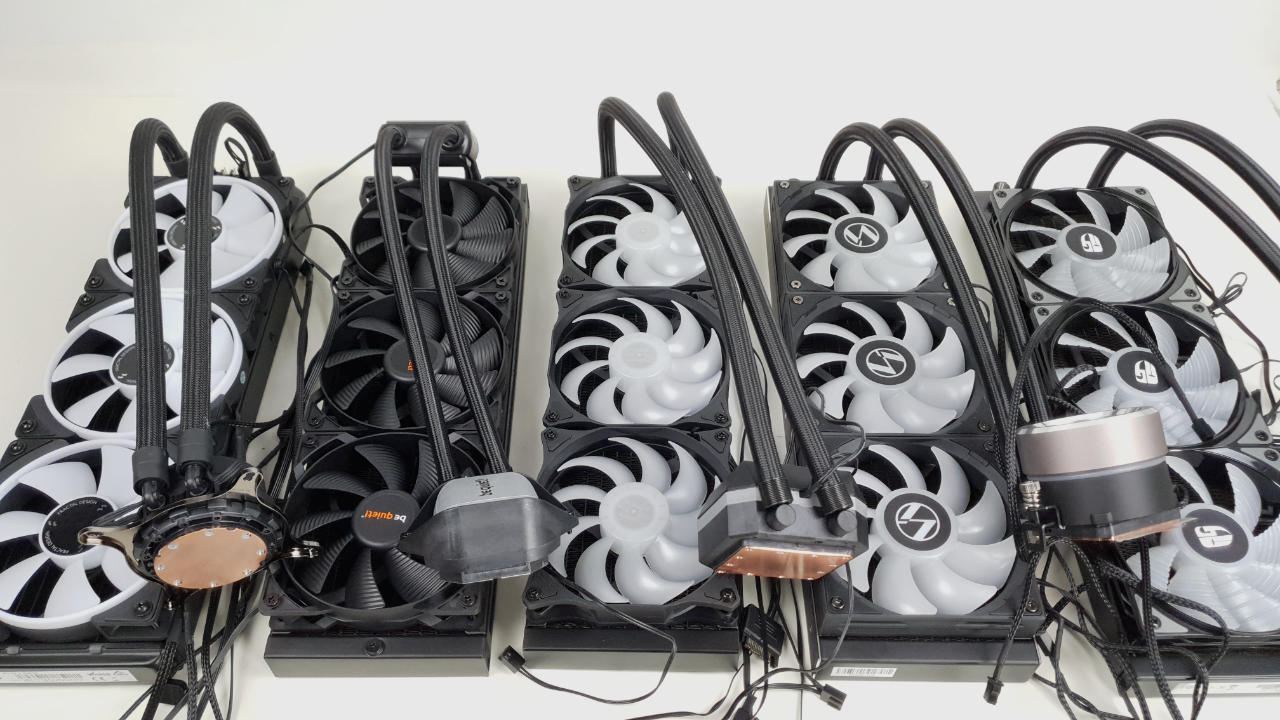 CPU Wasserkühlung Test & Vergleich (Image © PCMasters.de)
Compact water cooling ranking: The best CPU water coolers in the test
There are many different aspects to consider when it comes to compact water cooling systems. One is good at one thing, another is good at something else. Here we try to list the AIOs in terms of performance, features and quality. We leave the price out of this view. In our ranking, we look at the design, performance, volume and other features.
 NZXT Kraken Z73 Test - AIO (Image © PCMasters.de)
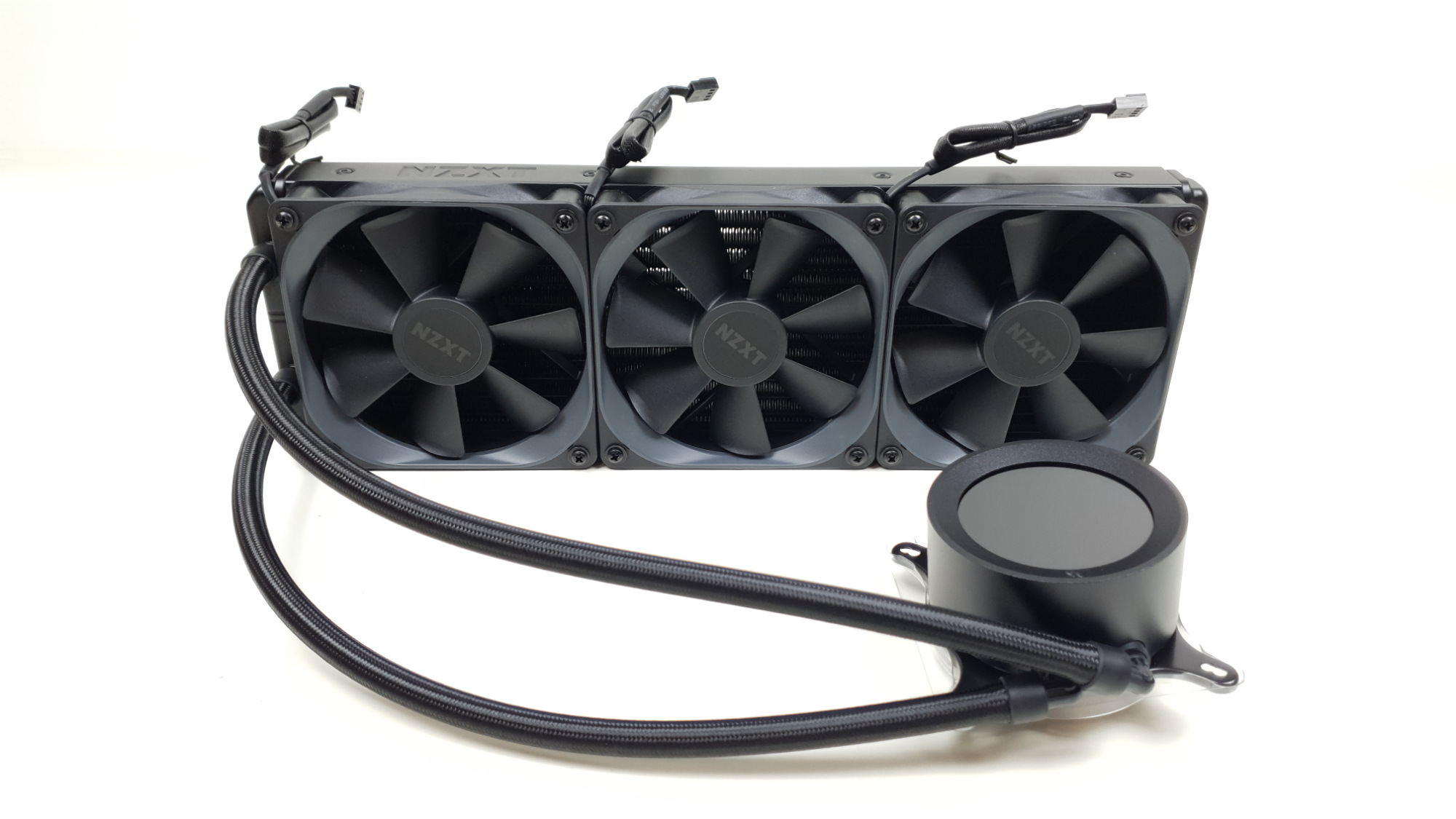
1 NZXT Kraken Z73
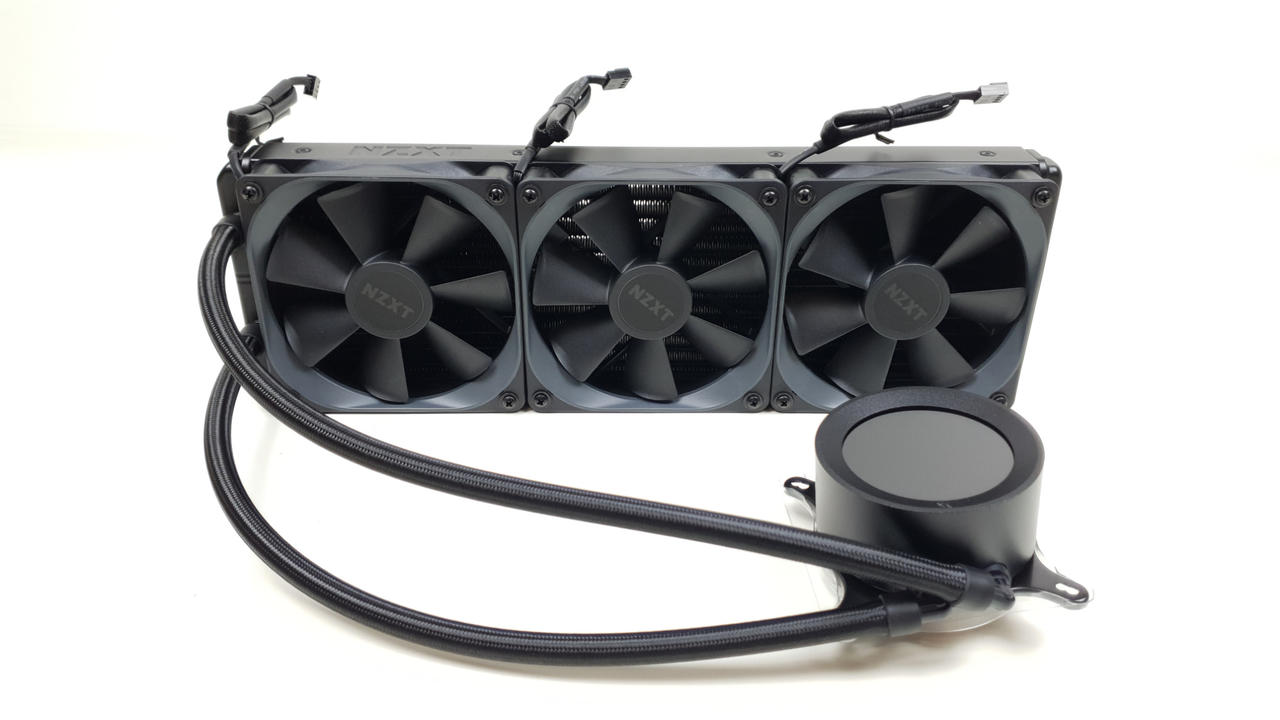
Before we go into the first place in our test, we would like to say that there is only a very small gap between the hardware, especially among the first three places. We would prefer to put them all in first place. However, as we have to make a decision, we have awarded the NZXT Kraken Z73 first place. The Kraken Z73 currently has the best cooling performance in our test. It also has an extremely high-quality finish. The workmanship is on the same level as the Kraken X73 RGB. The only drawback is that no RGB fans are installed here. However, the Kraken Z73 easily makes up for this with its cool LCD display. This is currently the best display installed on an AIO. The round LCD display makes it possible to play any animation in *.gif format. To do this, simply select a section of an animation in the cam software. Other predefined displays can also be selected here. For example, the CPU and GPU temperature. It is also possible to create fan curves for the fans and the pump in the software. The number 1 in the ranking is in the price comparison currently available from 267€ at various online retailers. It is by no means cheap, but good performance and quality have their price.
 NZXT Kraken X73 RGB - Bild AIO Beleuchtet (Image © PCMasters.de)
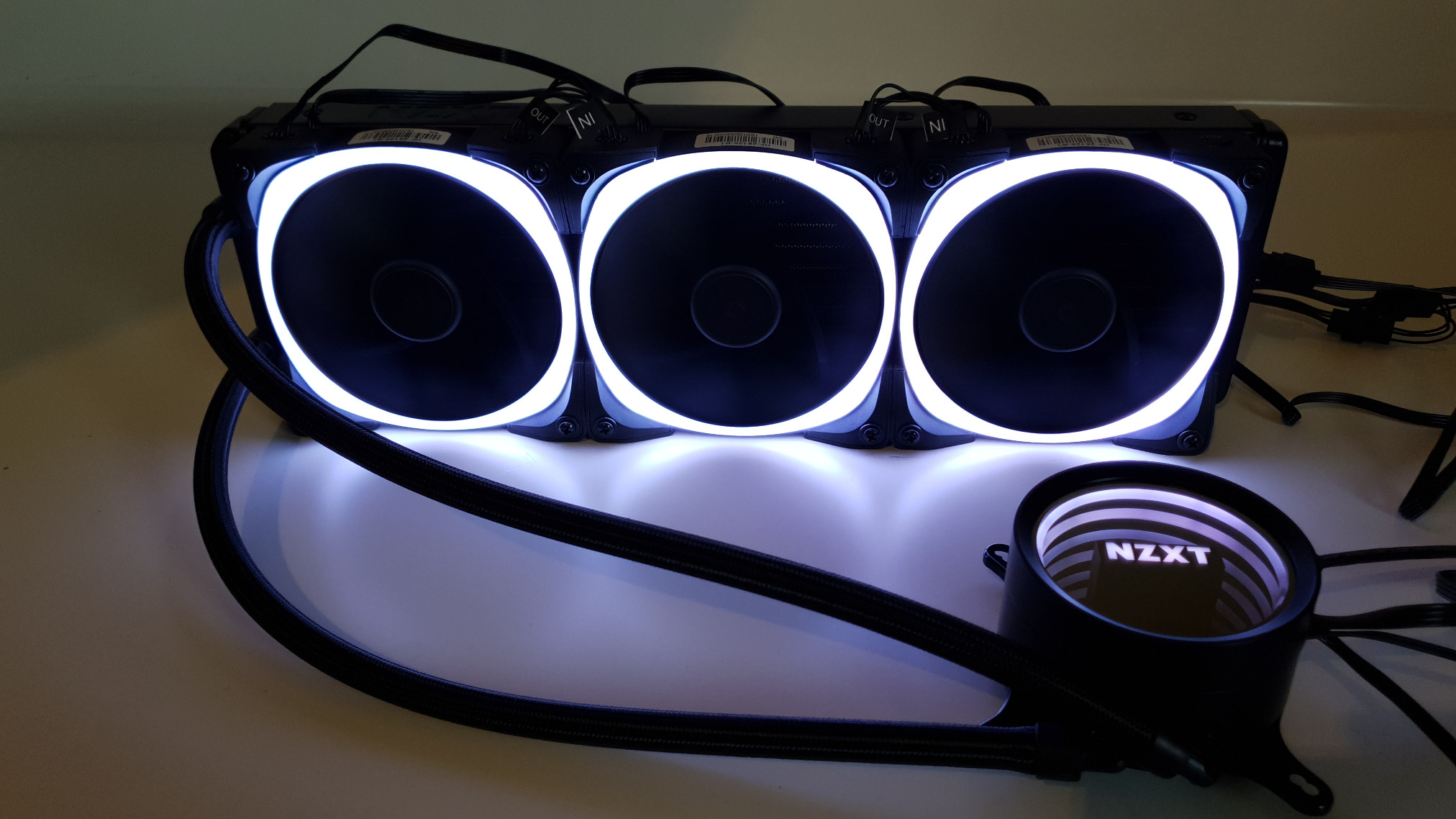
2. NZXT Kraken X73 RGB
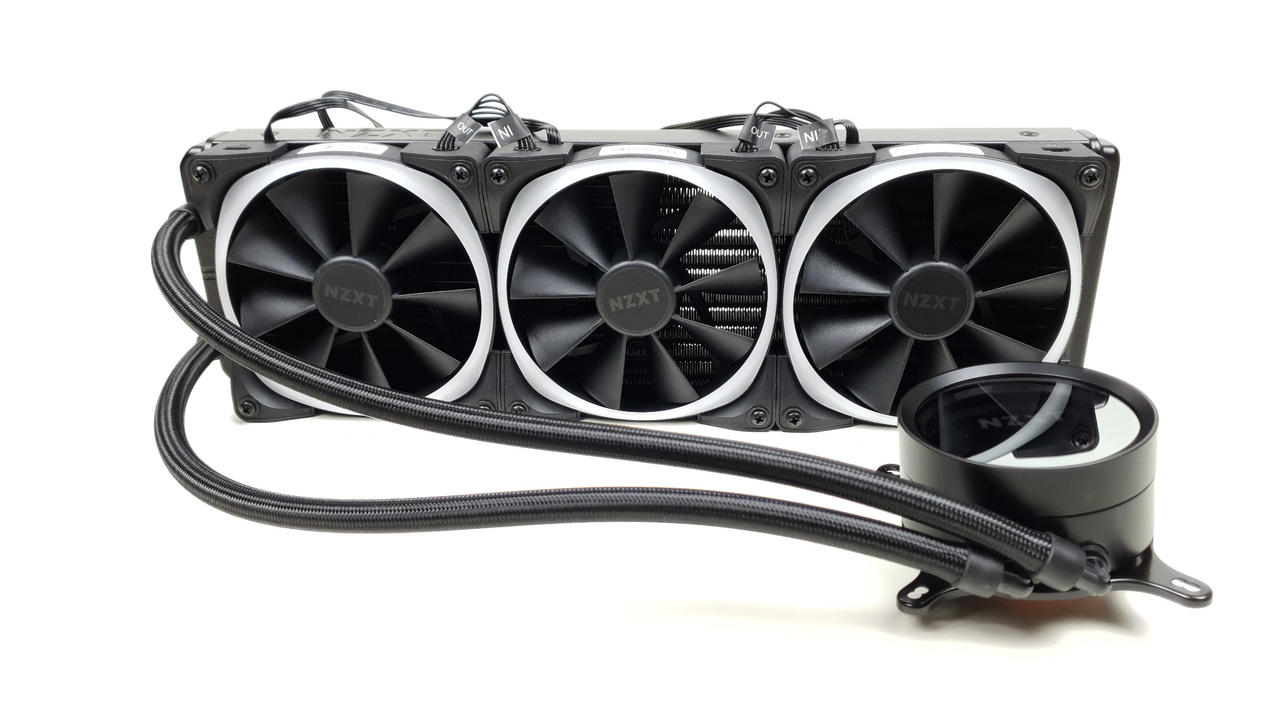
The NZXT Kraken X73 RGB is a high-priced compact water cooling system with excellent cooling performance. But good cooling performance alone is not enough for a good ranking in this list. The overall package is crucial. The Kraken X73 RGB impresses with its particularly high-quality workmanship and attractive appearance. Not only the pump has customizable RGB lighting. The fans are also equipped with particularly attractive RGB lighting. An ingenious cable management system ensures as little cable clutter as possible. It also has software that can be used to adjust the fan and pump speed as well as the RGB lighting. The Kraken X73 RGB is also extremely quiet compared to other AIO water cooling systems. This is achieved by a low fan speed.
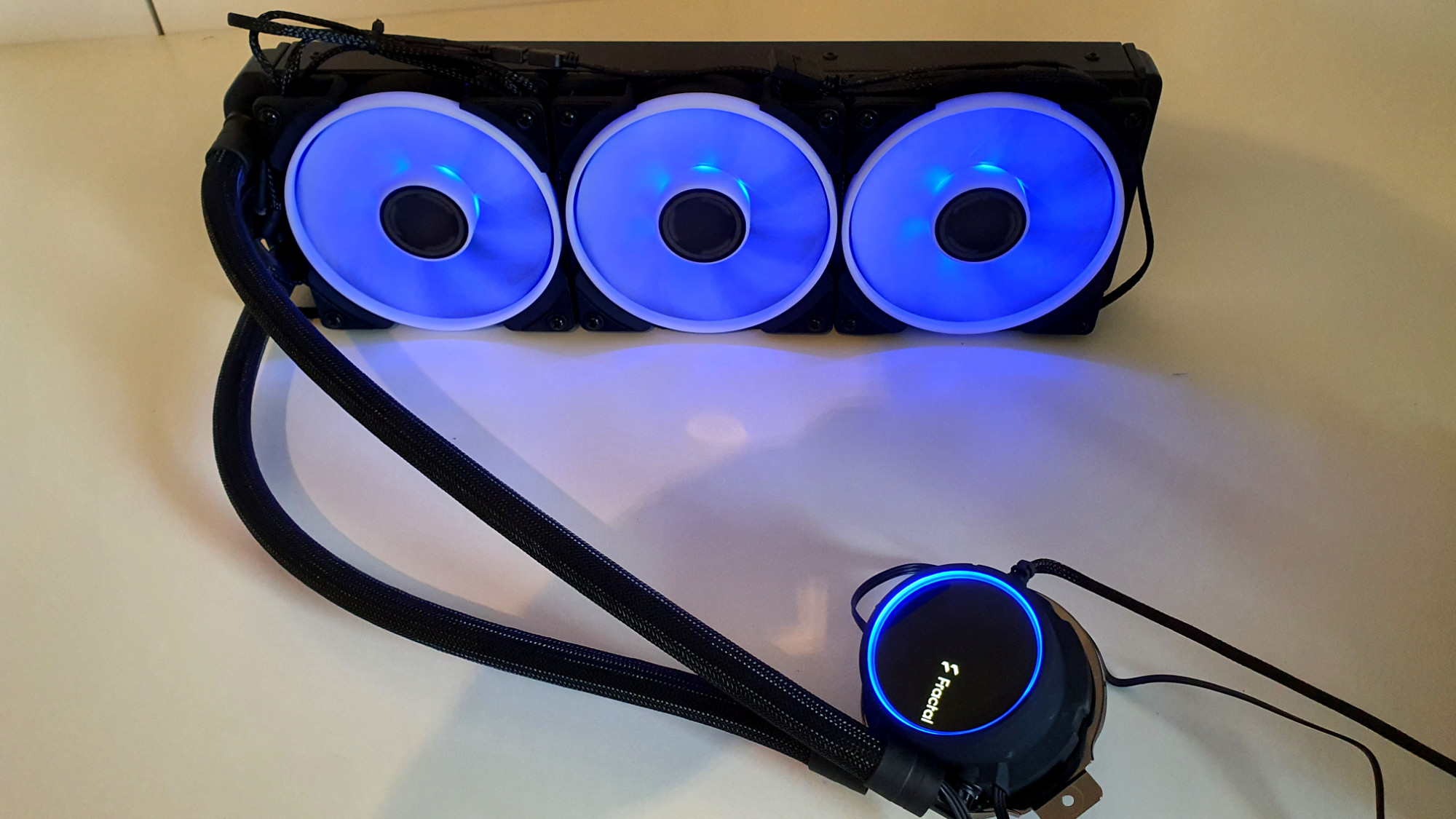 Fractal Design Celsius+ 36 Prisma aRGB-Beleuchtung (Image © PCMasters.de)
3. Fractal Design Celsius+ S36 Prisma
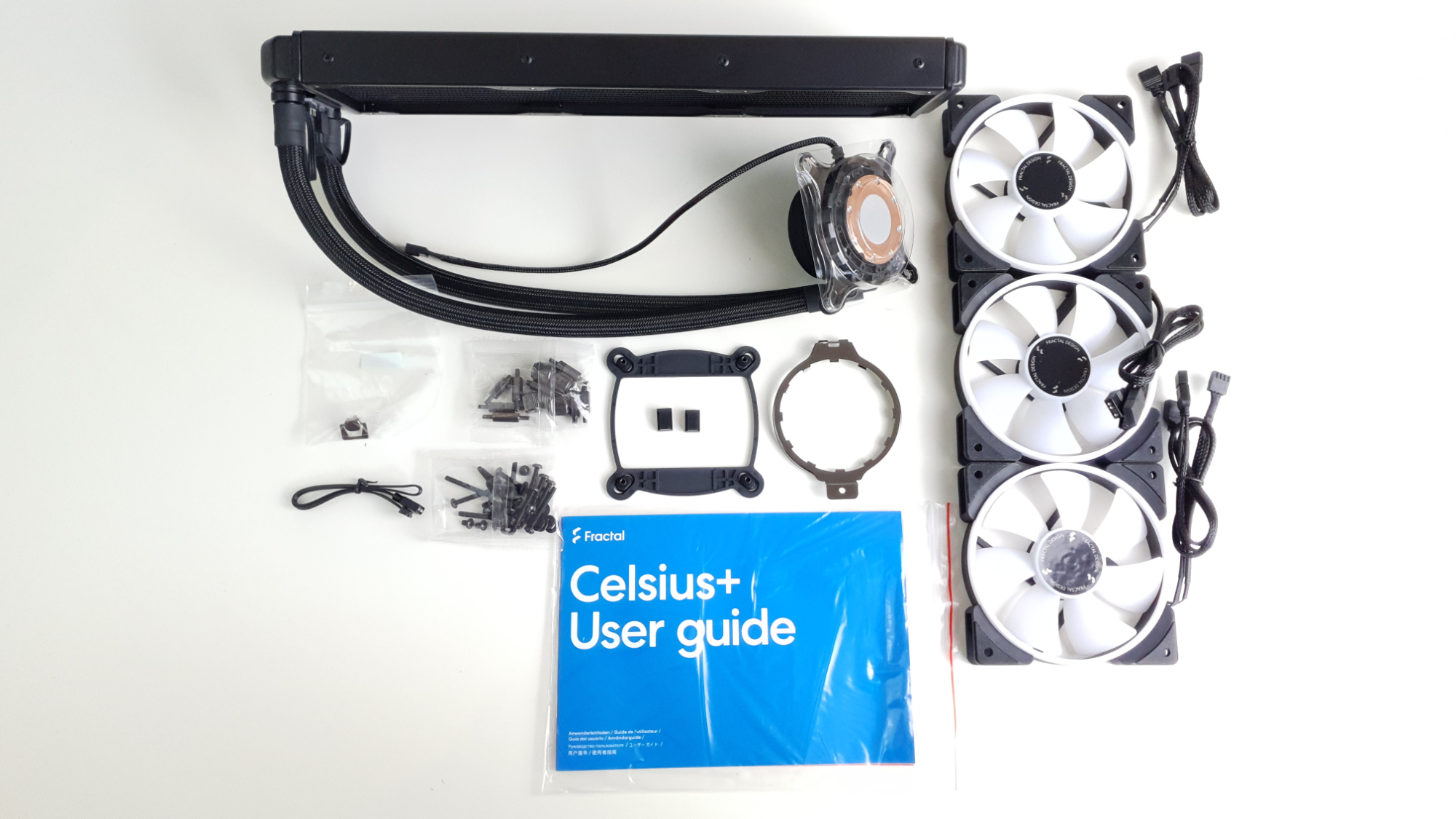
For the Fractal Design Celsius+ S36 Prisma you have to dig a little deeper into your pocket. However, it offers a whole lot**. It is equipped with excellent RGB lighting. This illuminates both the fan and the pump. The design of the pump with the Fractal lettering is outstanding. The idea of hiding the cables for the lighting under the sleeves is also a visual highlight. The cable management on the Celsius S36 Prisma has also been solved very well. The pump and fans are not controlled individually as standard. This means that the pump rotates just as quickly as the fans. If you want to operate the AIO at a low fan speed. This results in a comparatively high temperature. Another nice feature is that you can choose between two modes. There is automatic mode and PWM mode. In PWM mode, the user can regulate the control via the mainboard. In automatic mode, the user does not have to do anything else.
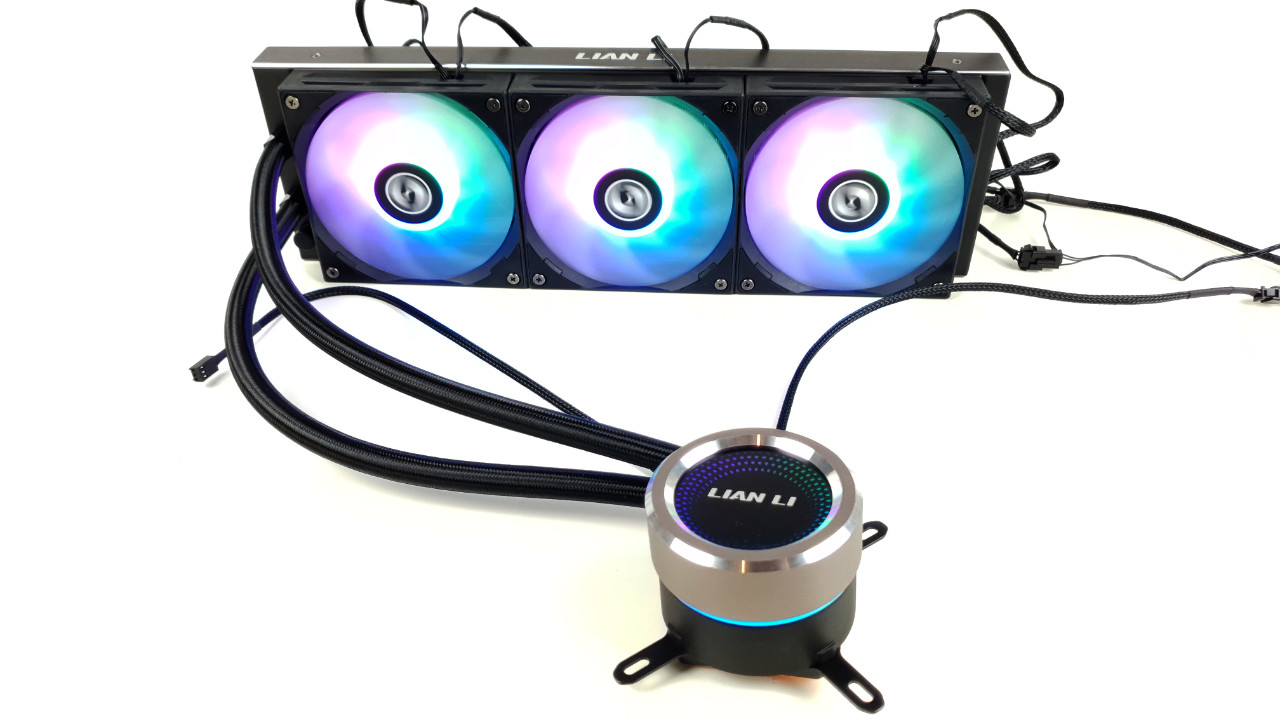 Lian Li Galahad 360 Beleuchtet (Image © PCMasters.de)
4. Lian Li Galahad 360
The Galahad 360 from Lian Li is an excellent all-rounder. It is not the quietest and not the coolest, but definitely in the lower top segment up to the upper midfield. The fans are characterized by very good RGB lighting. The pump is also illuminated with RGB. If you don't like the logo on the pump, you can attach a round magnetic plate to cover it. The workmanship of the AIO water cooling system is absolutely top quality. There is nothing to complain about here. From the radiator to the hoses to the pump, everything is excellently finished.
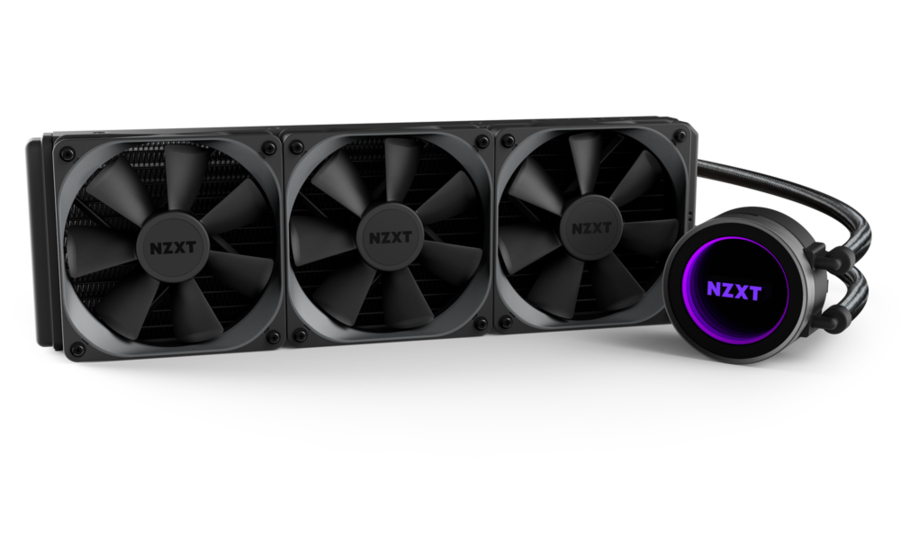 NZXT Kraken X72 (Image © )
5. NZXT Kraken X72
The NZXT Kraken X72 is already a few days older. However, this only shows even more what a Kraken water cooling system from NZXT is capable of. It is comparatively quiet even at high fan speeds. Its cooling performance is outstanding. It also has software that can be used to adjust the fan and pump speed as well as the RGB lighting. The fans of the Kraken X72 do not have RGB lighting. This is reserved for the pump. There is an Infinity Mirror in the pump which creates a cool ring effect on the pump. The Kraken X72 is very well made and has a unique pump design, which is only known from NZXT.
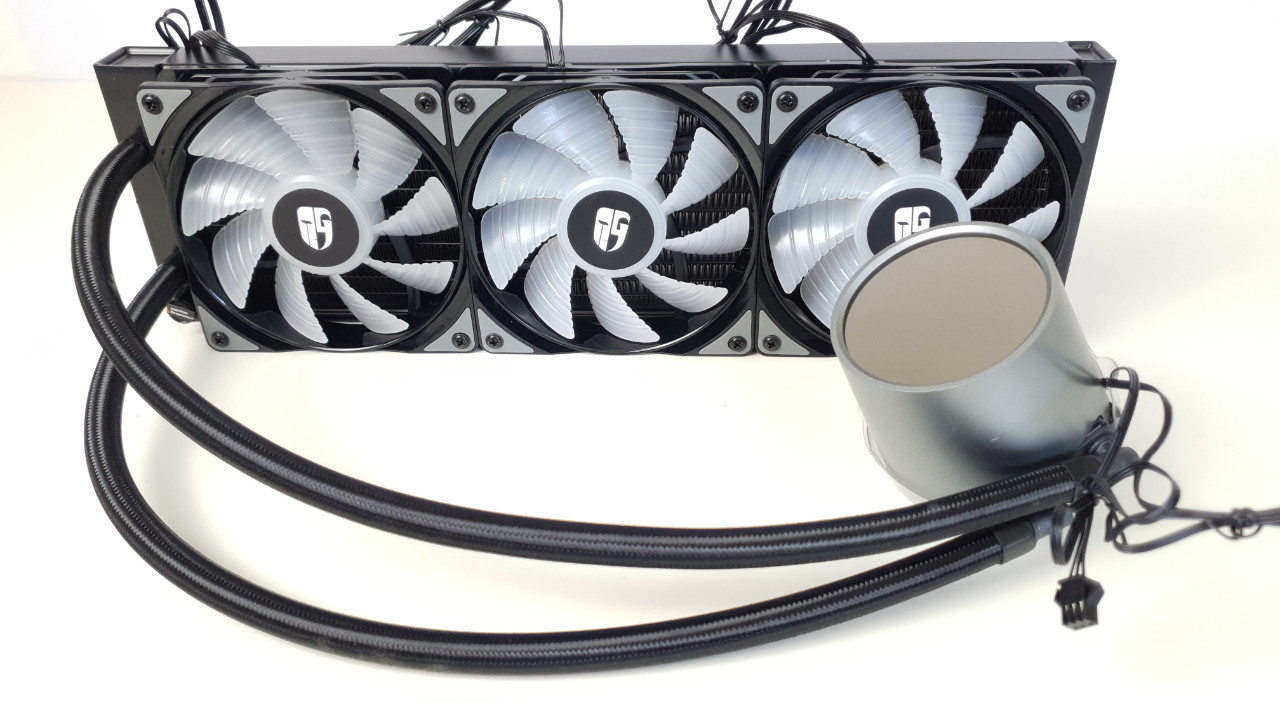 Deepcool Castle 360RGB V2 AIO01 (Image © PCMasters.de)
6. Deepcool Castle 360 RGB V2
The Castle 360 RGB V2 from Deepcool stands out with its eye-catching pump design. This may not fit into every build for visual reasons. However, it is all the more suitable for custom build PCs that want to go in this direction visually. We were impressed by the RGB lighting. Both the fans and the pump have an appealing glow. The scope of delivery includes an RGB controller that allows you to choose between many different effects. A control unit is also included for the fans. This makes it possible to hide the cables well and only have one cable instead of three running across the mainboard. The cooling performance of the Caste is in a good mid-range. It should be borne in mind that we are only comparing compact water coolers here. This means that the cooling performance is still sufficient for any current CPU. In terms of volume, the Castle 360RGB V2 is somewhat weaker. Here it makes sense to adjust the fan curve so that no higher speeds are reached.
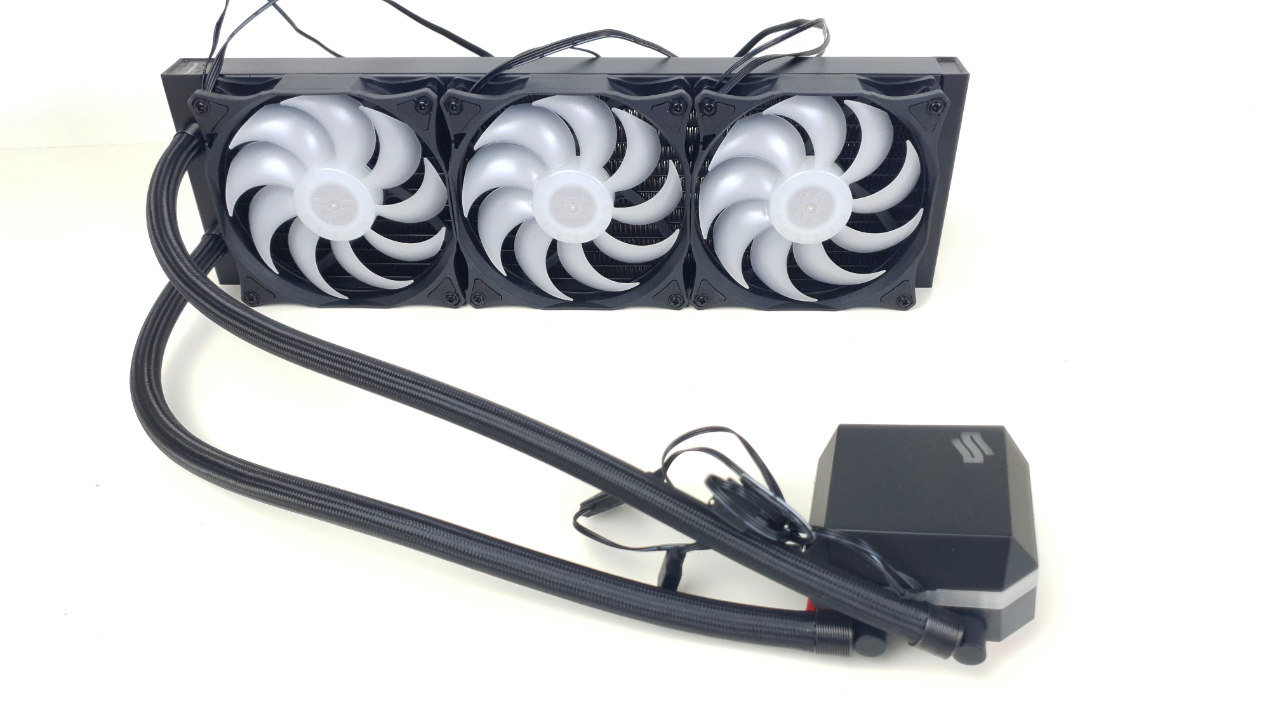 SilentiumPC NAVIS EVO ARGB 360 Test - Bild_AIO (Image © PCMasters.de)
7. SilentiumPC NAVIS EVO ARGB 360 V2
With the NAVIS EVO ARGB 360 V2 from SilentiumPC you get a lot of hardware for little money. It should be clear to everyone that you have to make compromises with an inexpensive product. Nevertheless, this AIO has done a lot right. Visually, the NAVIS ARGB 360 V2 has an appealing design. RGB lighting has been used for both the pump and the fans. The RGB design of the pump is aimed at more eye-catching PCs. The cover of the pump is not particularly well made. It looks very plastic. However, once the AIO is installed, this is not noticeable. There is an RGB control to operate the RGB lighting. This can be connected to the reset switch of the housing. This means that the lighting can be changed without opening the housing. The cooling performance is not outstanding for a compact water cooling system in the 360 version. Nevertheless, it is sufficient for any current CPU. The AIO TR4 is also compatible. The NAVIS EVO 360 ARGB V2 scores highly in terms of volume. Here, the comparatively quiet, however, we find the noises somewhat louder than they were measured.
 be quiet! Pure Loop 360 Test - BILD01_Bild_AIO (Image © PCMasters.de)
8. be quiet! Pure Loop 360
The Pure Loop 360 is in the price-performance range. Here you get a well-balanced compact water cooling system for beginners for little money. The design of the Pure Loop is generally very appealing. The cooling block is elegant and eye-catching thanks to the lighting. Here, be quiet! deliberately dispenses with RGB lighting. The pump is built into the tubes. This results in double decoupling. Firstly, the pump is decoupled in the interior. It is also decoupled by the hoses. This means that hardly any vibrations are transmitted to the surrounding hardware. The cable management is not particularly well solved. Considering the price, however, this is acceptable. There is a Y-connector for the three fans, which is connected directly to the mainboard. There is also a Y-connector 2x PWM to 1x Sata power, which is used to connect the pump and lighting to the power supply. The cooling is not outstanding, but appropriate for the price. It clearly beats any air cooler. For comparatively little money, be quiet! has created a quiet AIO water cooling system. This should be sufficient for any normal gamer. Even slight overclocking should not be a problem here.
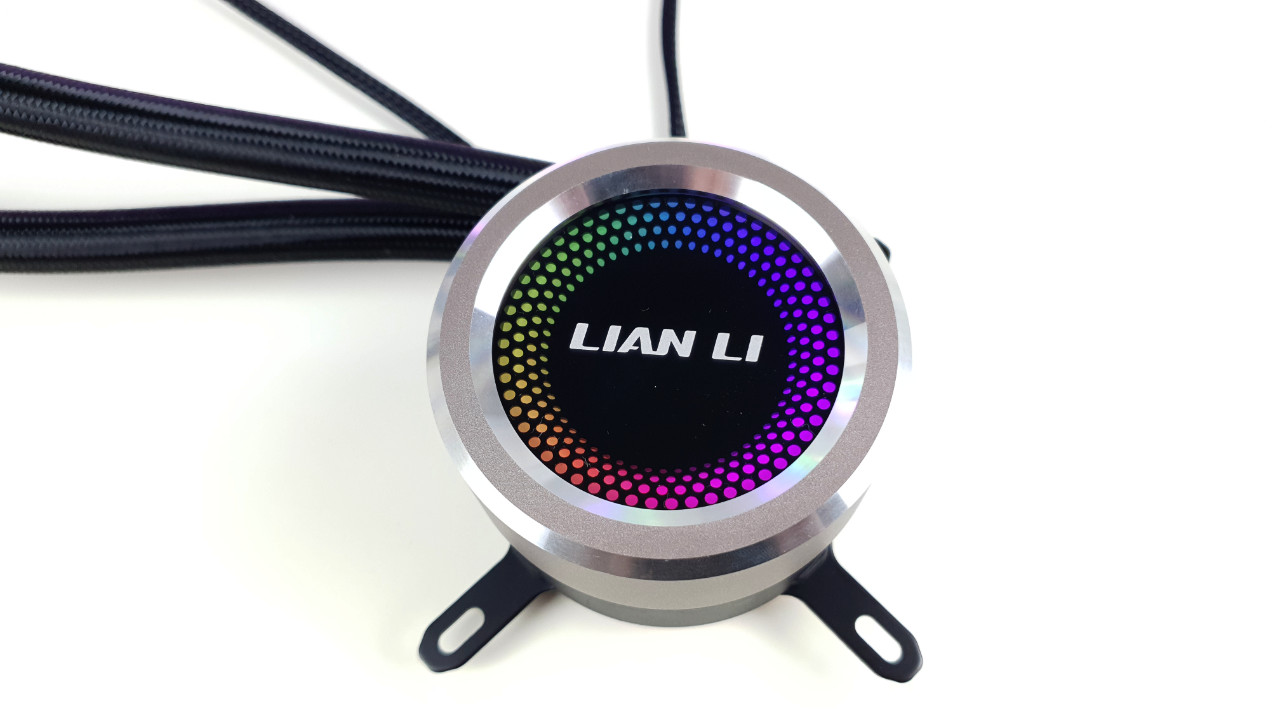 Lian Li Galahad 360 Test Pumpe 01 (Image © PCMasters.de)
How compact water cooling works
Every CPU produces heat. Because the heat would damage the processor or cause it to clock down significantly, this heat must be dissipated. So that the CPU can pass on the heat from the components to the corresponding cooling solution, it has a kind of metal plate. The corresponding cooling system is attached to this metal plate. An AIO water cooling system roughly consists of five main components. The heat sink, the pump, the hoses, the radiator and the fans. In most cases, the heat sink is made of copper. It is hollow and has small channels inside through which the coolant flows. This is where the waste heat from the CPU is transferred to the coolant. The pump, which is usually located directly above or in the heat sink, conveys the heated coolant through the hose. The heated coolant flows through the hose into the radiator. Due to its design, it offers the largest possible contact surface. This absorbs the heat from the coolant and releases it into the air. This cools the coolant down again. In order to make optimum use of this, fans are installed on the radiator. These push the air through the cooling fins in the radiator. In this way, they ensure that as much heat as possible is released into the environment. The cooled coolant then flows back into the cooling block through the other hose and the cycle starts all over again.
AIO water cooling with 360mm in the test
AIO water cooling systems are available in different variations. Among other factors, the size of the radiator is also decisive. These are available in the following sizes: 120 mm, 140 mm, 240 mm, 280 mm and 360 mm. This is about the water cooling systems with a 360 mm radiator. These have 3 120 mm fans. This gives them the largest possible contact surface to cool down the heated coolant. Logically, AIO water cooling systems with a 360 radiator also offer the best cooling performance on the CPU. At least among the AIO water cooling systems. Accordingly, this is also the most expensive segment in the compact water cooling sector.
Compact water coolers performance comparison
 Fractal Design Celsius+ 36 Prisma Lieferumfang (Image © PCMasters.de)
Installing AIO water cooling
Installing a compact water cooling system is actually quite straightforward. Of course, a little experience can't hurt. Before you do anything else, it makes perfect sense to open the computer case and simply hold the radiator where it is to sit later. Then you can see directly whether the fans need to be mounted on the radiator beforehand or only afterwards.
You should also consider beforehand whether a push or pull design is of interest and how best to route the hoses with the heat sink to the CPU. Normally, the radiator is attached to the front of the housing or above the CPU in the housing. At the front of the housing, the fans blow the air into the housing. This has the disadvantage that the graphics card is supplied with preheated air. If the radiator is mounted at the top of the housing. This blows the air out of the housing. This has the disadvantage that the radiator is ventilated with the warm air from the graphics card. Depending on the case and the AIO, the fans must be mounted on the radiator before or after installation.
Once the radiator has been installed, the heat sink must be attached to the CPU. The necessary accessories are normally supplied. It is important to remove the plastic cover from the contact surface of the heat sink. If the heat sink has a logo, make sure that the logo is facing in the right direction when installing it. Once the heat sink has been fitted, all that remains to be done is to connect the cables to the mainboard.
 Noctua NH-U9S CPU-Kühler (Image © PCM)
Water cooling vs. air cooling
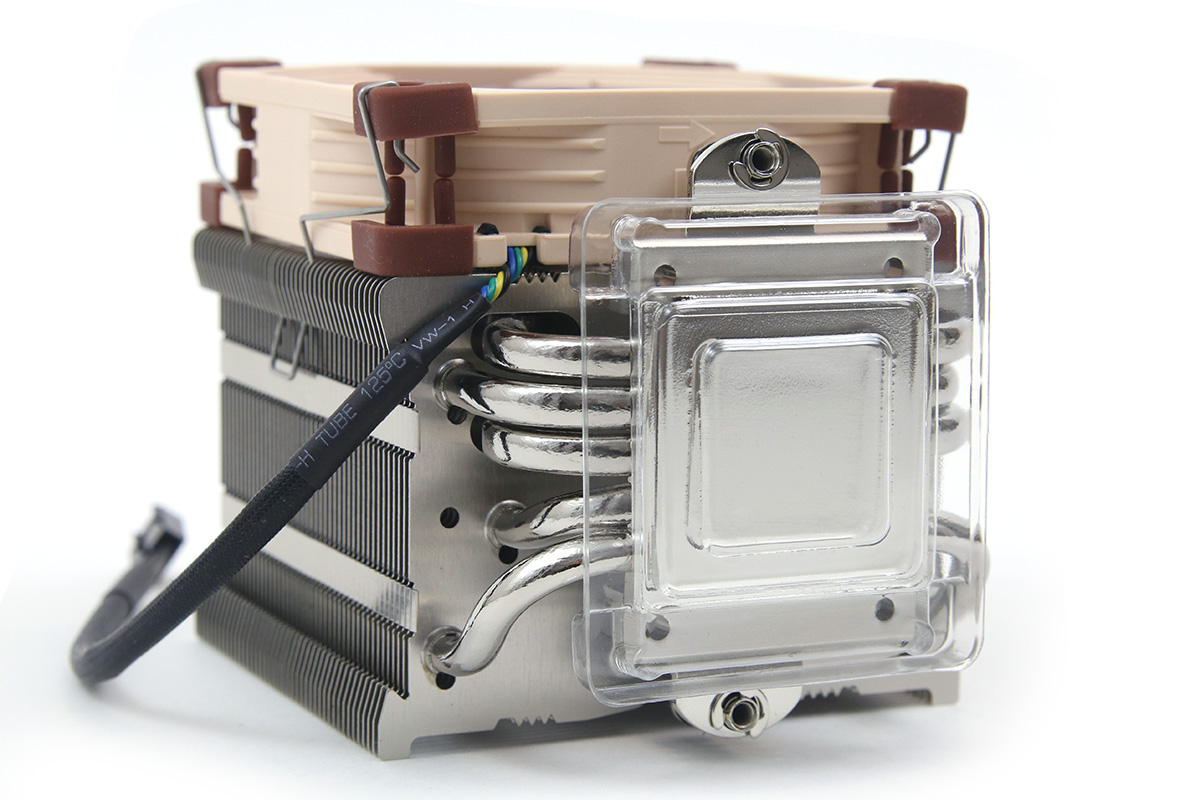
Opinions differ between water and air cooling. Some swear by water, others by air. The fact is that there is no clear winner here. Both variants have their merits. A large high-end air cooler is just as capable of keeping an unoverclocked CPU at the right temperature as an AIO water cooling system. Whether the CPU runs at 70 or 75 °C is irrelevant. AIO water cooling is really useful for CPUs that are overclocked to the extreme. Every degree Celsius counts here. A normal tower cooler can usually no longer keep up. If a CPU is running at its standard values, a tower is often even quieter. This has one or sometimes two fans.
Depending on its size, an AIO water cooling system can use up to three fans. If the push-pull principle is also used here, up to six fans can be used. Logically, this generates a higher noise level. There is also the pump, which generates noise. Most people who buy an AIO water cooling system do so for visual reasons. An AIO water cooling system simply looks much cooler than a thick tower in the middle of the many RGB lights in the case.
Advantages and disadvantages of compact water cooling systems
Advantages:
Surprisingly, the larger compact water cooling systems are easier to install than their smaller competitors, the air coolers. Due to the small heat sink, it is very easy to access the socket and the existing mountings. Of course, this varies from cooling solution to cooling solution. High cooling performance is one of the advantages of compact water cooling. Especially at the present time, when the competition between Intel and AMD is pushing CPU technology ever closer to the limits of the current state of development. CPUs are being pushed more and more. More cores and more clock speed result in more performance and higher temperatures. As a result, AIO water cooling systems are becoming more and more established. Every gamer knows it: your PC should attract attention at the next LAN party. That's why the look is often one of the deciding factors when buying an AIO water cooling system. These simply fit better into today's gaming PC image. Hardly anyone wants to have the thickest cooler sitting on their mainboard anymore. A gaming PC today has to be tidy and impress with simple accents and some RGB lighting. This is what AIO water cooling systems offer.
Disadvantages:
AIO water cooling does not only have positive aspects. There are various disadvantages compared to air coolers. First and foremost the power consumption. An AIO water cooling system has several fans, a pump and often also RGB lighting. This all adds up. Most air coolers simply have one or a maximum of two fans. In some cases, they also have RGB lighting. Nevertheless, the power consumption of a compact water cooling system is significantly higher. If the external circumstances are suitable, for example a low CPU load, it is possible to create absolutely inaudible cooling with air cooling. With AIO water cooling, the pump can be heard a little with almost every variant. Even if this is often only minimally the case. One of the biggest disadvantages is the fact that a defect can lead to damage to various hardware parts. If the rotor no longer runs with air cooling, in the worst case the CPU becomes too hot and the PC switches off automatically. If the pump fails in an AIO water cooling system, the water is no longer transported away from the CPU and continues to heat up. This can cause a hose to leak. This can cause coolant to drip onto the graphics card, for example, and damage it. In addition, almost all AIOs use both copper and aluminum. This can lead to corrosion. This in turn can also cause an AIO to leak.
Price-performance recommendation
If we look at the money, the Navis Evo ARGB 360 V2 for just under 105€ (Affiliate) from the Polish manufacturer SilentiumPC clearly caught our eye. The Navis ARGB 360 V2 offers solid cooling performance at a low price. It is available for around €100. It also has ARGB lighting on the pump and fans. This can be operated either via the mainboard or via the supplied RGB controller. The RGB controller can be connected to the case's reset switch. This means that the lighting can be changed without opening the case. Some compromises have to be made here due to the short cables, the assembly and the quality of the pump housing.
Best performance
In terms of cooling performance, the high-priced models don't have much in common. On our Ryzen 7 3700X, the Kraken Z73 from NZXT is currently ahead (Affiliate). With this, the Ryzen 7 3700X achieves a temperature of 58°C at a room temperature of 26°C. This results in a DeltaT of 32°C. However, the Kraken Z73 only achieves this cooling performance at 100% fan speed, which generates an unpleasant noise level. It should be noted that the CPU was operating at 100% load here. CPUs rarely achieve such a load in normal operation.
Quietest AIO water cooling system
When it comes to the quietest AIO water cooling system, NZXT is also ahead. In the lowest tested and still realistic speed range of 25% of the maximum fan speed. The Kraken X72 (Affiliate) quietly reaches 36 dB(A). The hum of the pump is the only thing that can still be heard here. However, this does not really seem to be recorded on the sound meter. This may be due to the frequency. The Kraken X72 achieves this low noise level partly due to the low fan speed. At 25 %, these are around 525 rpm. Many other AIOs have a minimum speed of over 700 rpm. These cannot achieve such values.