


 Computer Forum
 UniFi Protect 7 2 Release (Image © Ubiquiti)
Evidence Verification and Signatures
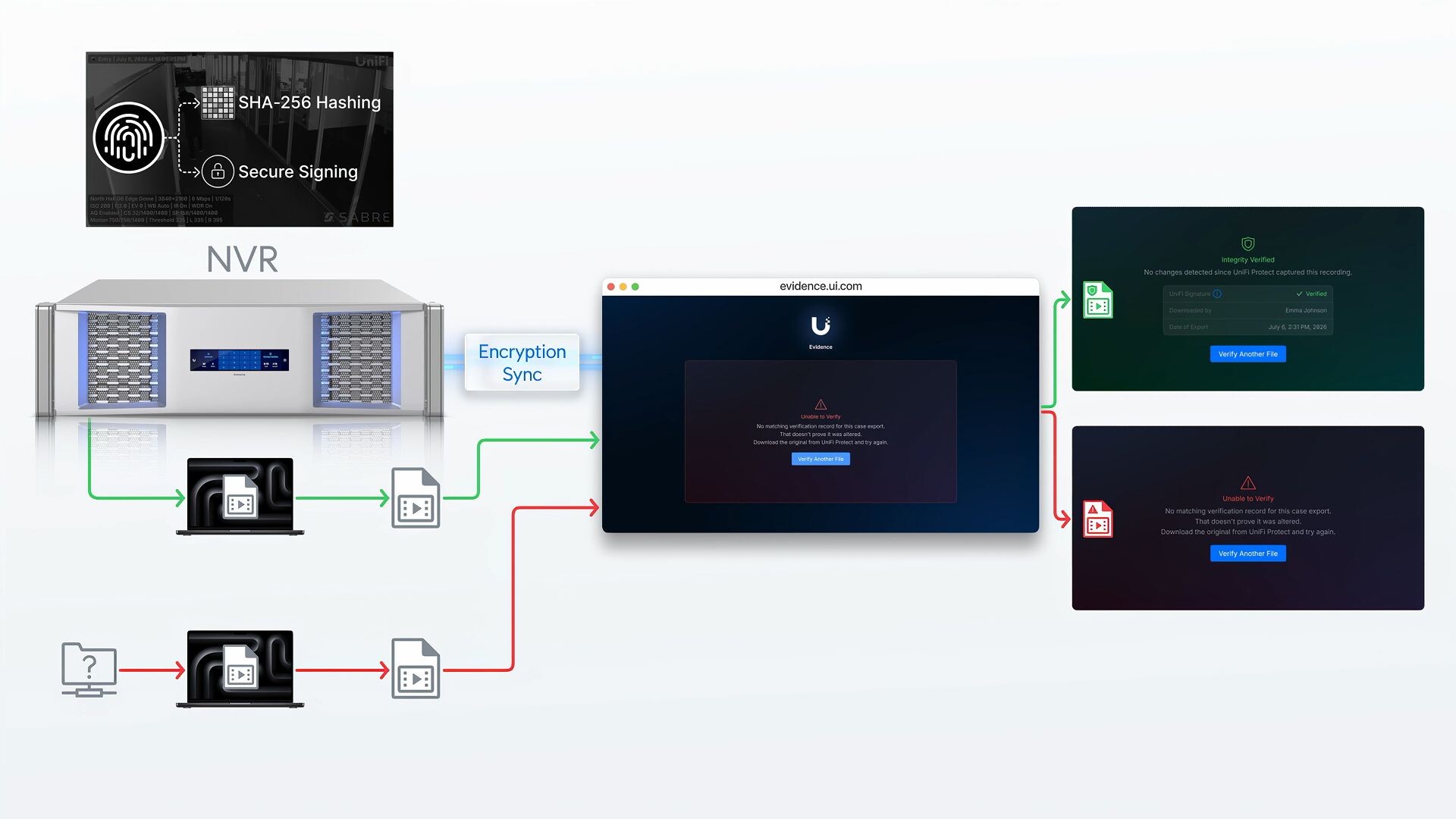
One of the most important new features in Version 7.2 is a new evidence system designed to ensure the integrity of video recordings. The system uses cryptographic SHA-256 fingerprints and digital signatures at the time of recording. This allows users to verify, via a dedicated verification portal at evidence.ui.com, that downloaded clips have not been altered.
 UniFi Protect 7 2 Signature Hash (Image © Ubiquiti)
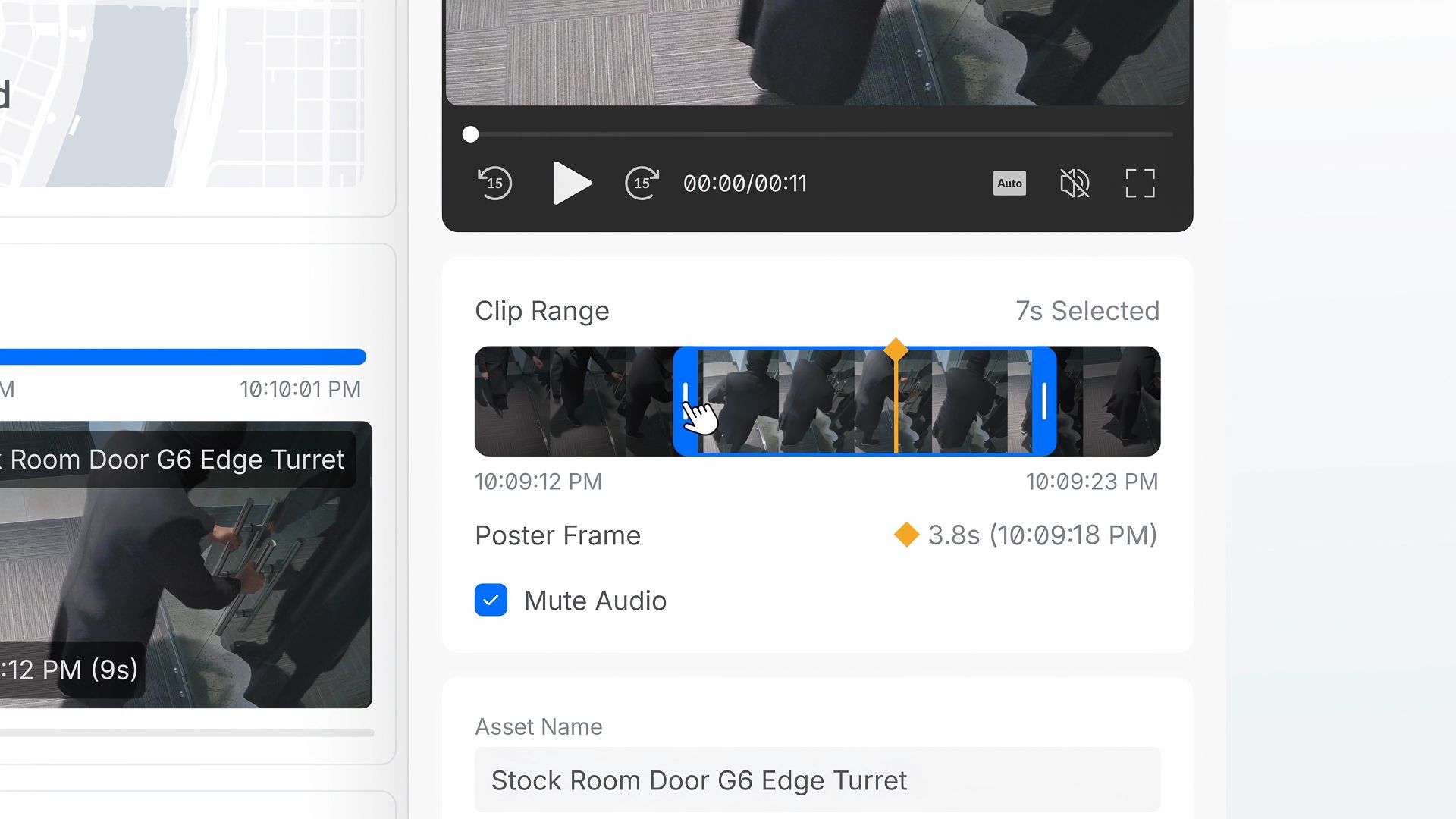
This is complemented by an updated case management system that implements a chain of evidence. This feature creates a detailed audit trail that documents which employees viewed a case, which specific resources were accessed, and which pieces of evidence were downloaded, thereby providing a transparent record from the start of an incident through to its resolution.
 UniFi Protect 7 2 Anbieter (Image © Ubiquiti)
Third-Party Integration and POS Features
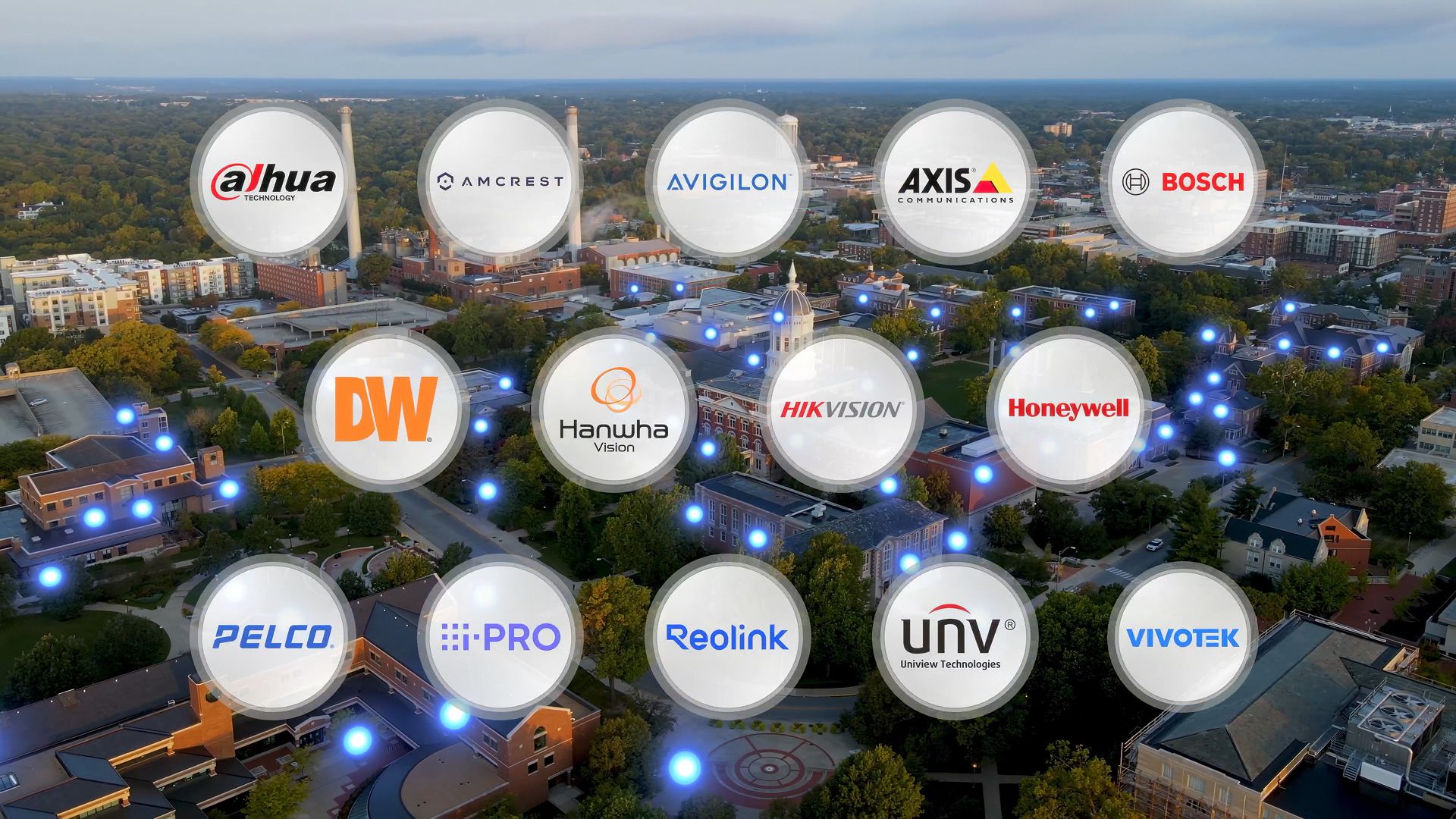
UniFi Protect 7.2 expands its ONVIF support to enable broader compatibility with third-party cameras. Administrators can now centrally manage recording and encoding settings, synchronize third-party devices with a shared UniFi time server, and configure camera I/O ports for specific trigger-and-action workflows.
 UniFi Protect 7 2 Zahlung (Image © Ubiquiti)
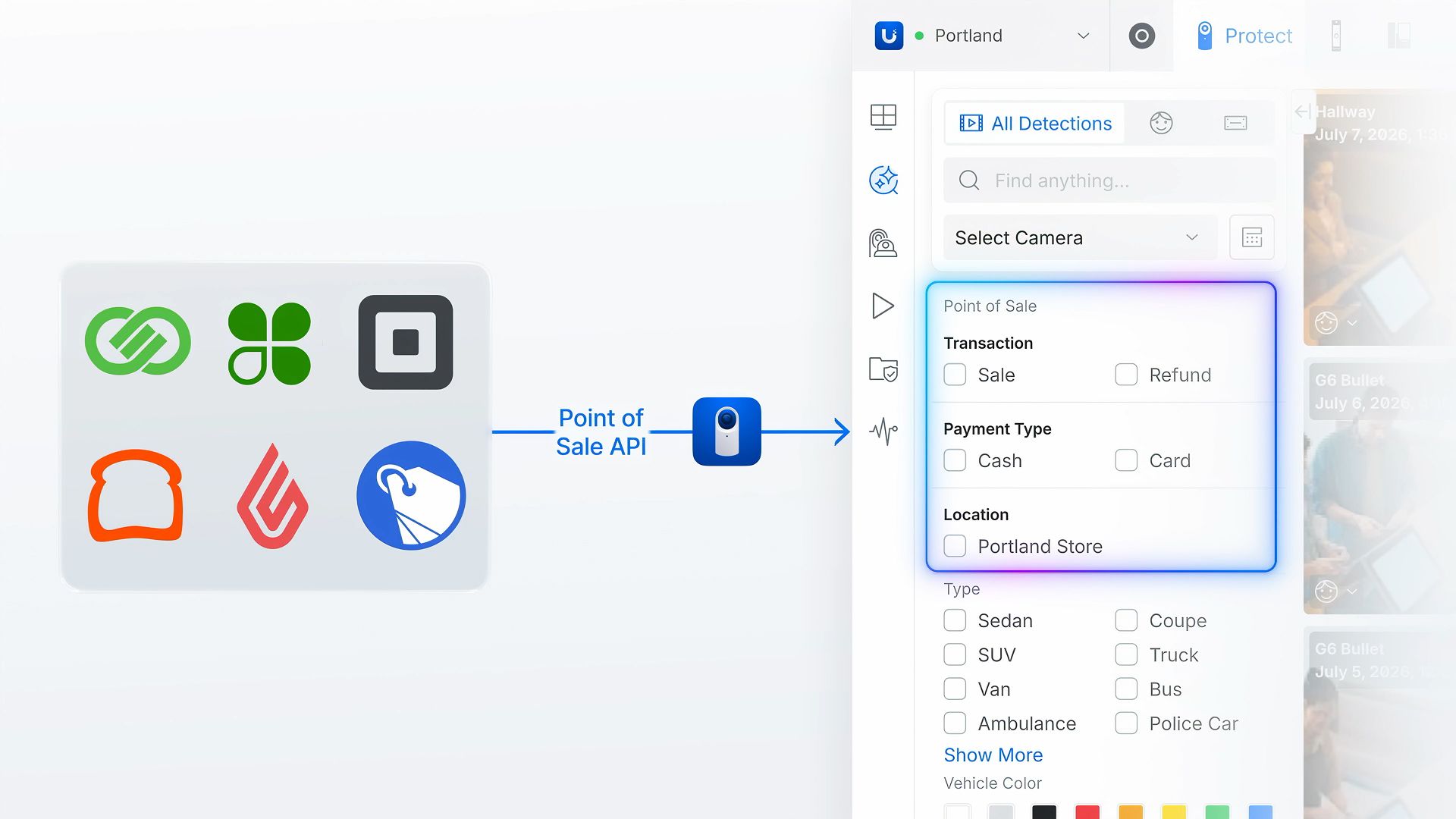
In addition, the update introduces a flexible Point-of-Sale (POS) API. This allows commercial and retail operators to link transaction metadata directly to the corresponding video footage, making it more efficient to search for specific business transactions.
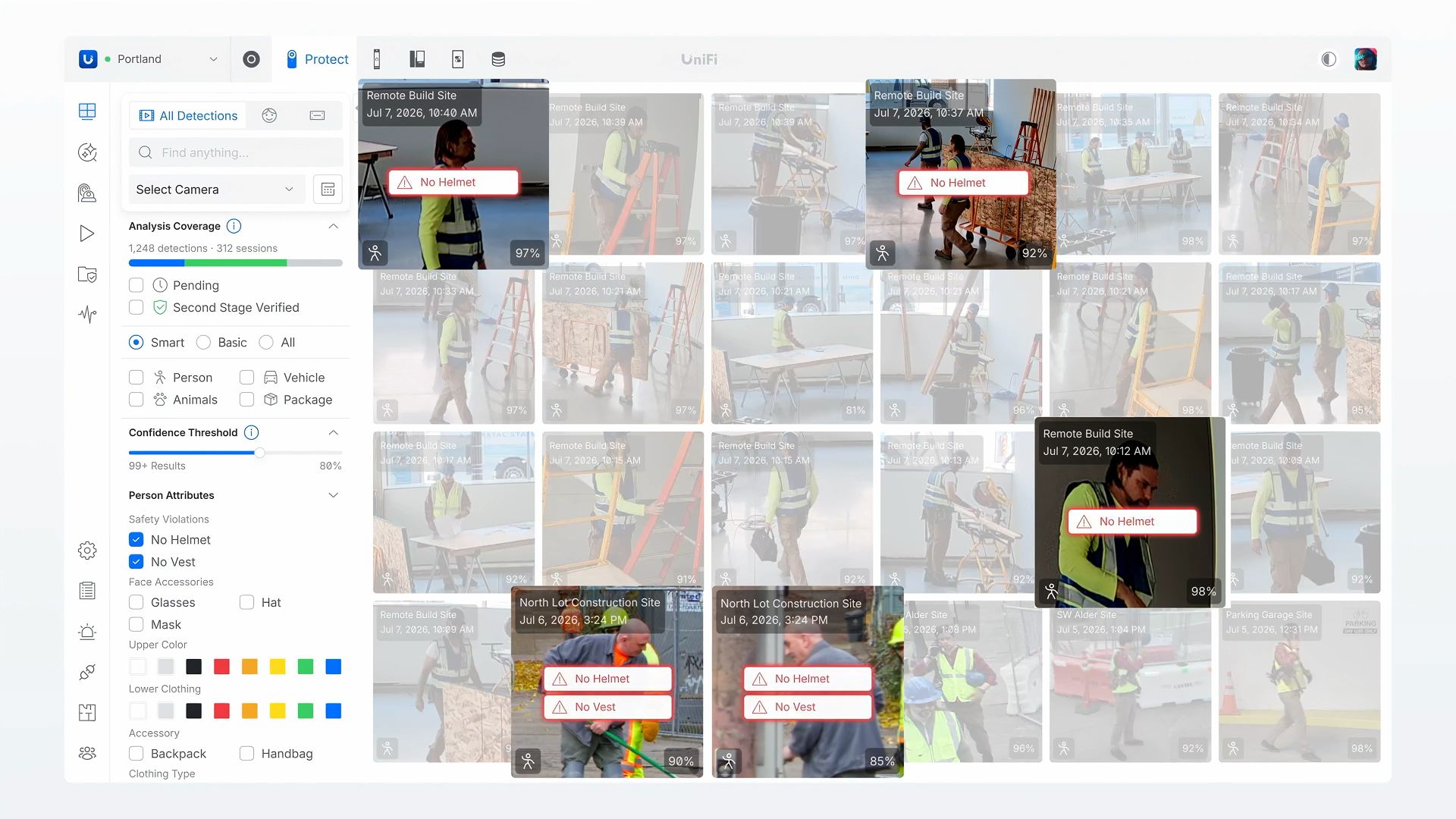 UniFi Protect 7 2 Erkennung (Image © Ubiquiti)
AI Improvements and Security Monitoring
The software now offers real-time detection of personal protective equipment (PPE) via AI Key. Designed for high-risk environments such as warehouses and construction sites, this feature flags safety violations when required equipment is not detected.
To increase the accuracy of alerts, a second-stage verification service has been implemented. If the initial edge AI detects an event with low confidence or conflicting classifications, the system sends the data to a more robust second-stage model for verification, thereby reducing the frequency of false alarms.
Mobile User Interface and Global Site Management
The mobile app has been updated and now supports frame-by-frame scrolling directly within the timeline. Additionally, new customizable widgets have been added, allowing users to control uniform, dimmable POE floodlights and operate door locks via Superlink relays.
For organizations managing distributed environments, Site Manager now offers a native multi-tenant and multi-site view. This centralized dashboard enables security teams to monitor global deployments and manage infrastructure across multiple sites and tenants from a single interface.
