 Computer Forum
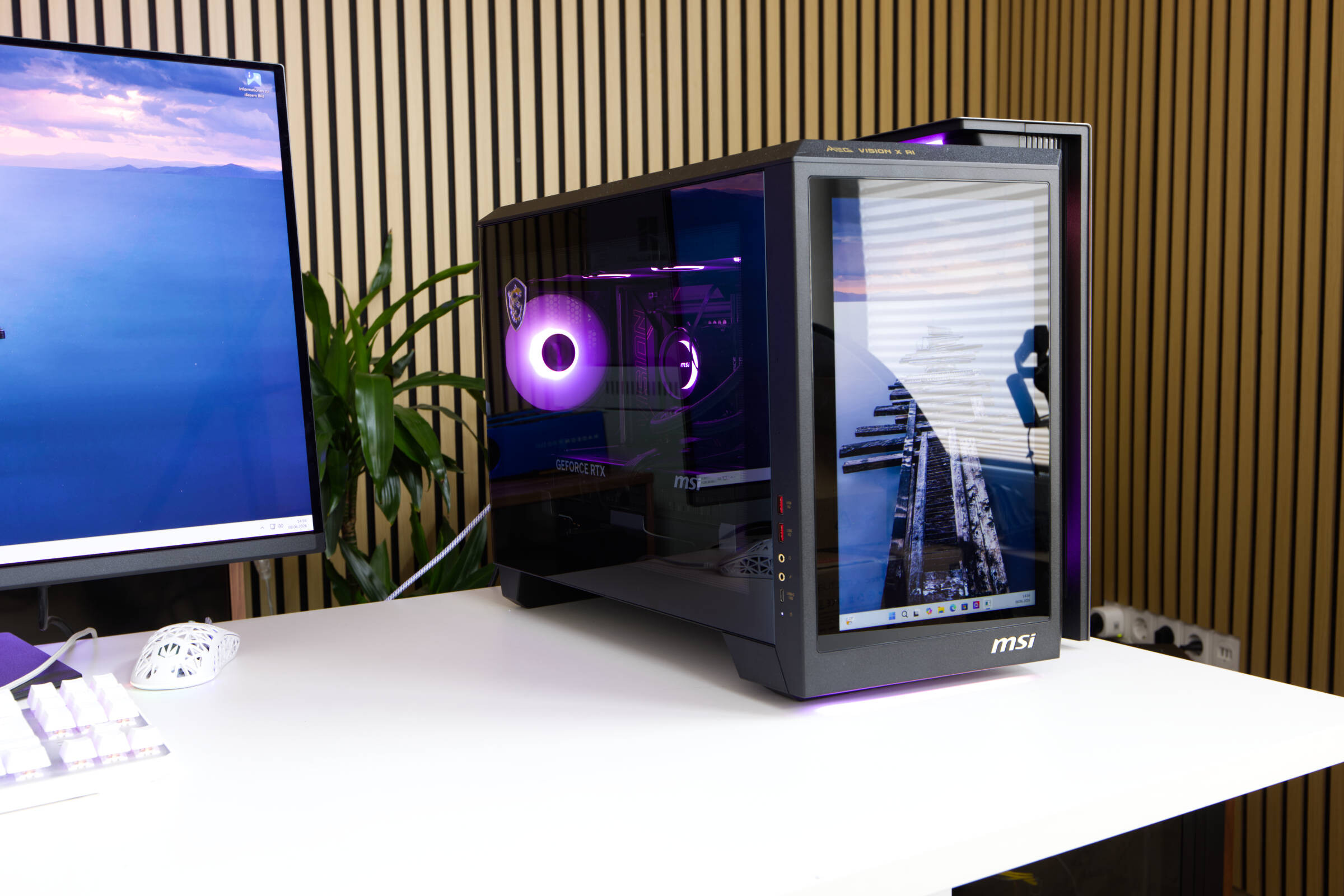 MSI MEG Vision X AI 2nd Review (Image © PCMasters.de)
MSI MEG Vision X AI variants and options
MSI was best known for its motherboards and graphics cards, but the manufacturer now also offers monitors, AIO water cooling systems and power supplies in addition to notebooks. The manufacturer therefore has all the components needed to bring complete PCs onto the market. With the MEG Vision X AI series, MSI is launching the second generation of its systems on the market, which we have reached at a rather turbulent time for the test, in which the prices for hardware have risen sharply.
The MEG Vision X AI PCs have the abbreviation "AI" in their name, which is probably currently slapped on everything that comes onto the market. However, the name is partly appropriate for the systems because buyers have a number of options to choose from that allow the operation of large AI models. The pre-builds are quite well balanced and rely on a mix of Core Ultra CPUs and GeForce RTX 50 graphics cards.
The smallest model that can be found at Geizhals relies on a GeForce RTX 5070 Ti graphics card with 16GB GDDR7 VRAM, which is combined with Intel Core Ultra 7 265K, 64GB RAM and 2TB SSD. The price for the PC is €3,149, (Affiliate) which is by no means low. However, the overall package with the extras, which we will discuss below, should make the price bearable. Overall, however, the system is primarily aimed at gamers, as the features, such as the touch panel on the front, are completely superfluous for an AI PC.
The model provided to us for the test is future-proof. MSI has simply put everything into it that the top-tier segment has to offer. The GeForce RTX 5090 is ideal for games and also for larger local AI models. If you want to run the models, you can load them into the 128 GB DDR5 RAM and let the CPU calculate them. This will massively reduce the inference performance, as our test below shows, because the Intel and MSI NPUs are unfortunately de facto useless so far.
Our benchmarks are based on the test environment for notebooks and mini PCs, which this PC clearly exceeds in every respect. However, we are looking at the everyday approach and the AI benchmarks provide a comparison against HPC graphics cards from AMD and NVIDIA, which in turn better reflects this field. If you are interested in the pure performance of the graphics card in games, we would refer you to our tests focused on graphics cards, in which we also looked at the MSI GeForce RTX 5090 Gaming Trio OC as a whole.
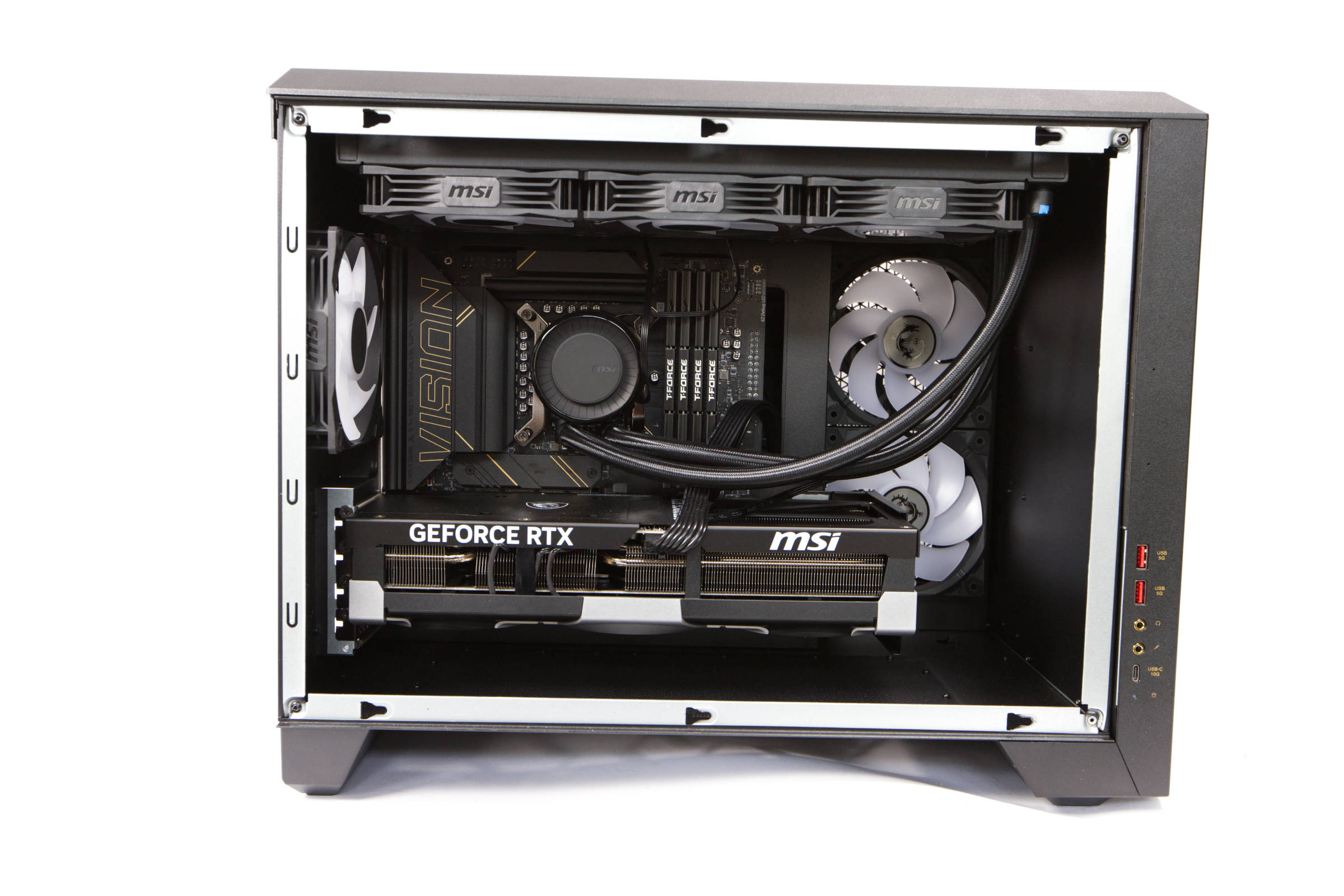 MSI MEG Vision X AI Interior (Image © PCMasters.de)
The review is structured in such a way that we next look at the most important components of the system and then the features of the MEG Vision X AI PC that deserve a special mention. This is followed by the AI inference benchmarks to first cover the topic of what this PC is supposed to stand for. The remaining benchmarks follow in the chapters after that and we also discuss cooling, volume and power consumption. Finally, there is an overall rating and we draw a conclusion - as far as this is possible in this case.
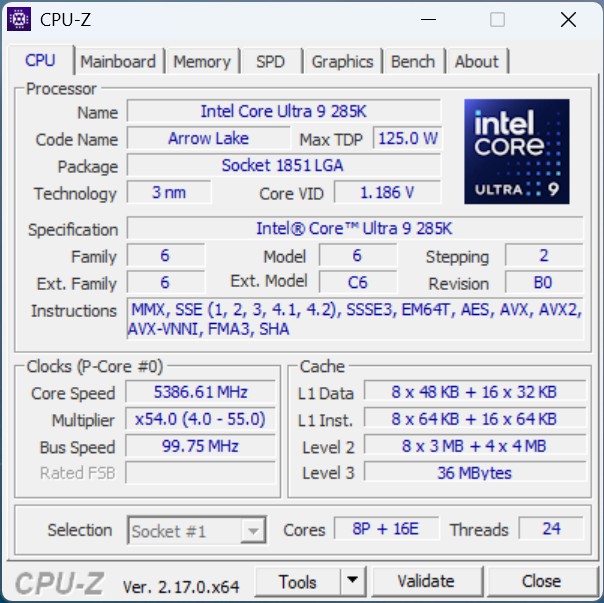 MSI MEG Vision X AI - CPUz Intel Core Ultra 9 285K (Image © PCMasters.de)
Intel Core Ultra 9 285K
The current Intel Arrow Lake generation serves as the platform for the series. The Core Ultra 9 285K (test) is the top model, which we have already put to the test in detail. The Core Ultra 200 series, and therefore also the Core Ultra 9 285K, benefits from Foveros 3D packaging technology, which allows several tiles to be combined in one package. GPU, I/O, SoC and compute tiles are combined on one base tile, whereby they can be manufactured separately and then merged later. The tiles are arranged in such a way that no hotspots are created and the rest of the area is covered with a filler title. The hotter P-cores are also placed close to the cooler E-cores. Filler tiles also provide structural integrity under the Integrated Heat Spreader (IHS). The Core Ultra 9 285K therefore has 8 performance and 16 efficiency cores. Hyperthreading is not used, which is why you get a total of 24 threads.
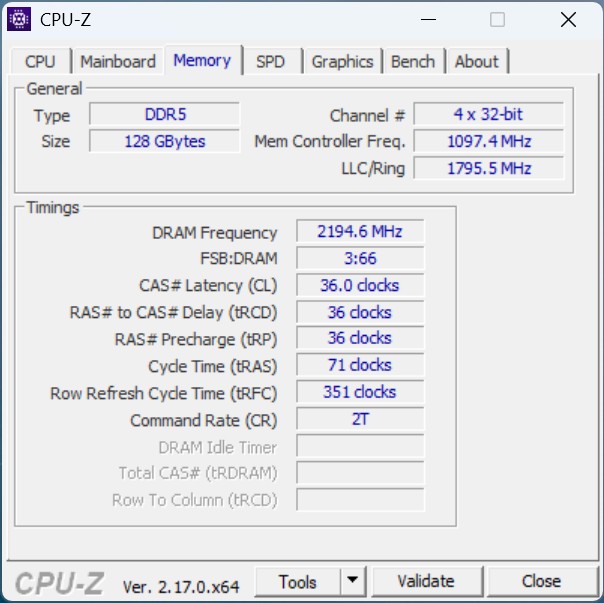 MSI MEG Vision X AI - CPUz Intel Core Ultra 9 285K Memory (Image © PCMasters.de)
The CPU is mounted on an MSI motherboard with socket 1851. An MSI AIO water cooling system with a 360 radiator is strapped on as a cooler.
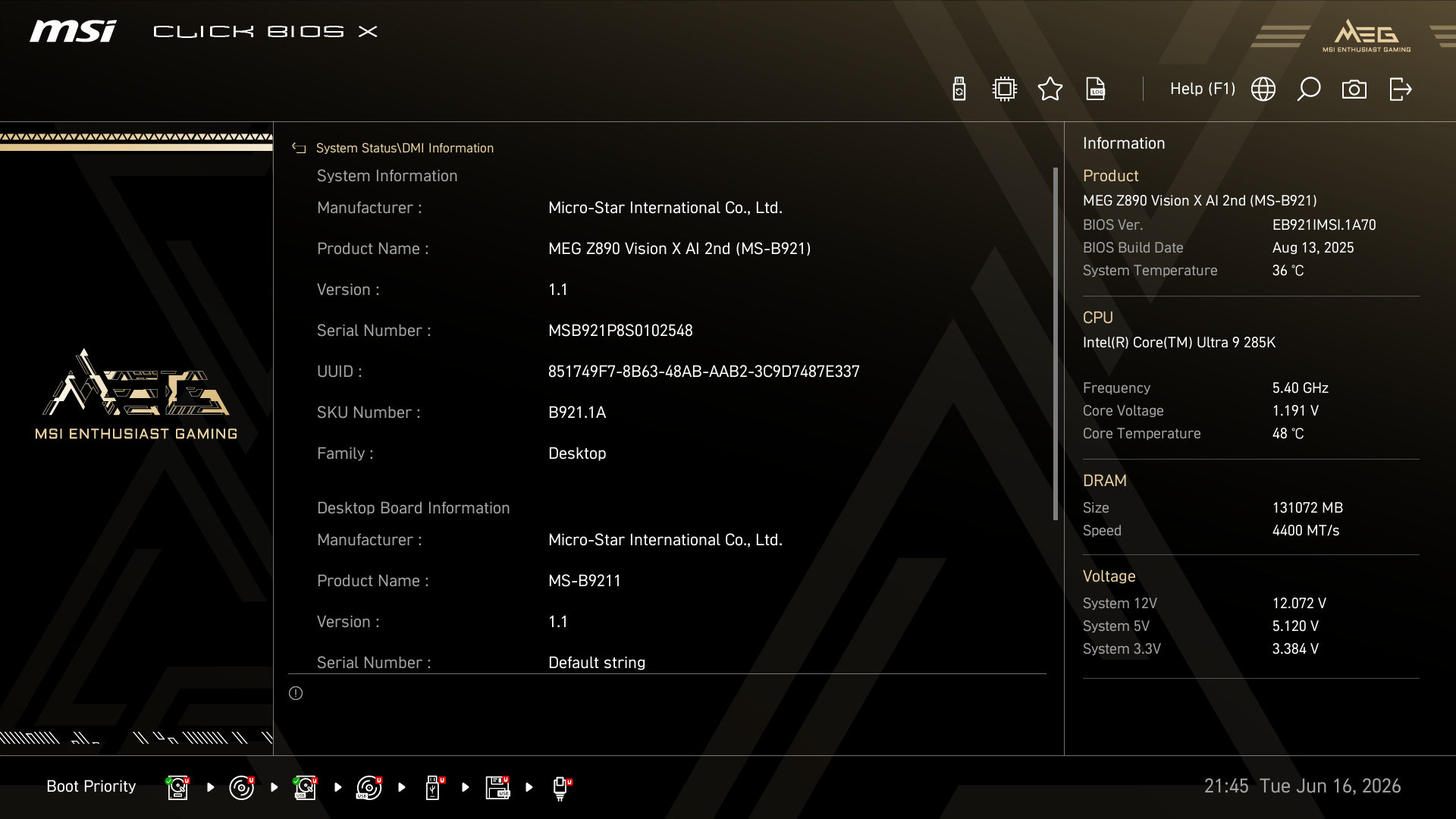 MSI MEG Vision X AI BIOS System DMI (Image © PCMasters.de)
CPUz recognizes the motherboard as MSI B9211, which is based on the Z890 chipset. In the BIOS we also find this identifier and the board is supposed to be called MEG Vision 2nd Edition.
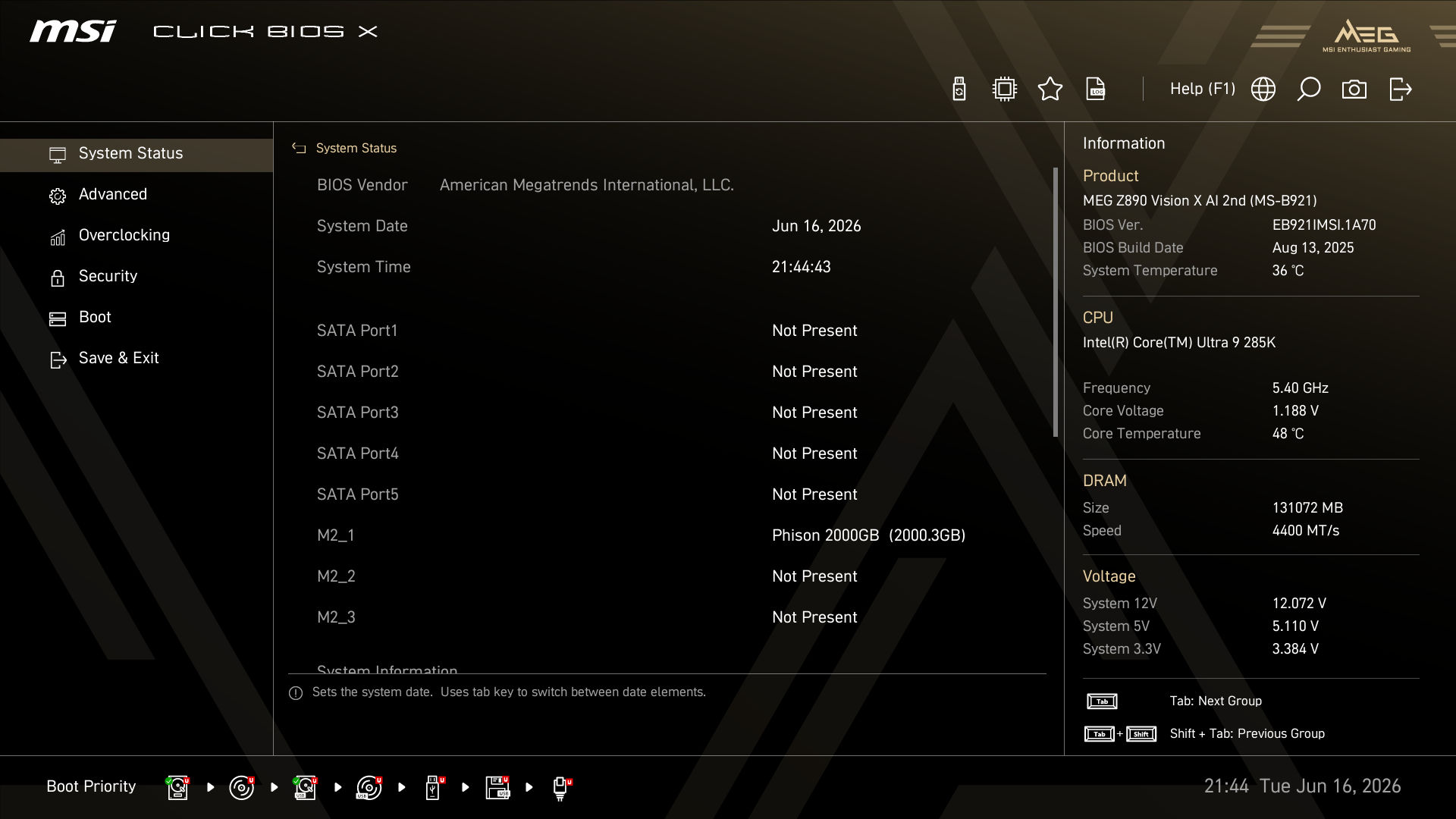 MSI MEG Vision X AI BIOS Info (Image © PCMasters.de)
Apart from that, the BIOS is not too extensive, even though there are many options for clocking and voltages.
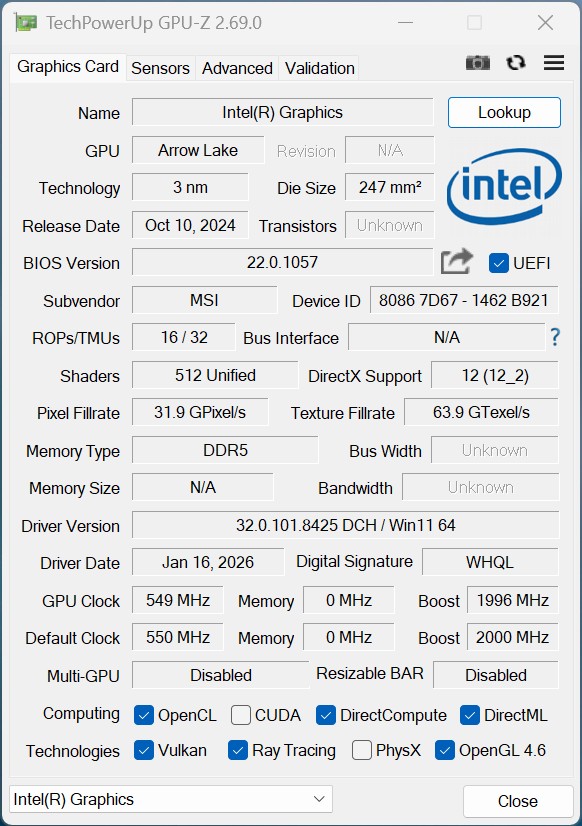 MSI MEG Vision X AI - GPUz Intel ARC (Image © PCMasters.de)
Intel Xe graphics unit
Even if this is not really decisive in this system, the current Core Ultra 200 K models come with an integrated graphics unit. In this generation, Intel relies on the Xe LPG architecture and all models in the series are equipped with the same iGPU configuration. The software stack used is Intel Arc software, which has received much praise in recent years. It fully supports DirectX 12 Ultimate. The graphics chip relies on four Xe cores, which are even equipped with four ray tracing acceleration units. The iGPU even has its own fast 4 MB L2 cache. The graphics chip works with a base clock of 300 MHz and can be clocked up to 2 GHz.
MSI GeForce RTX 5090 with 32 GB GDDR7
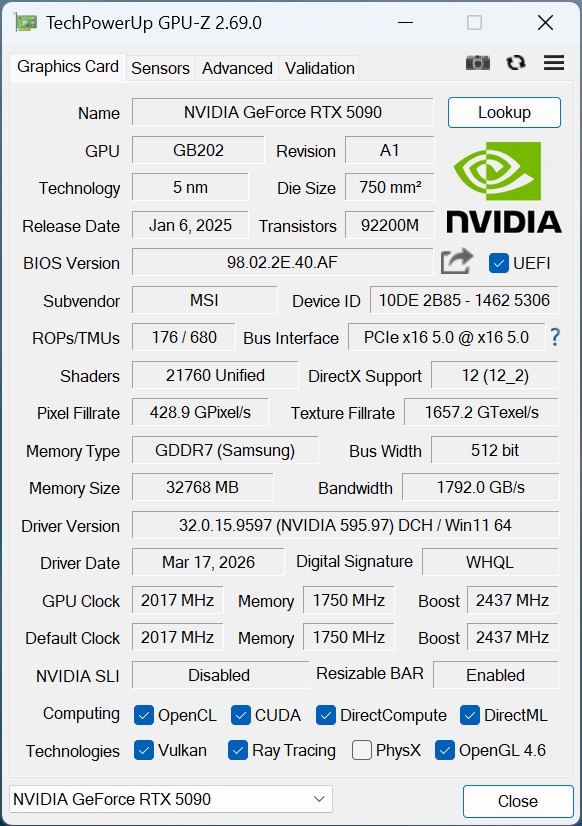 MSI MEG Vision X AI - GPUz GeForce RTX 5090 (Image © PCMasters.de)
Even though the Intel CPU comes with an integrated GPU, we won't look at it any further as it doesn't represent a significant part of the PC. The focus is obviously on the GeForce RTX 5090, which also comes directly from MSI. It does not perform nearly as well in the primary benchmarks because the benchmarks are aimed at the overall system and the CPU is often the bottleneck. We won't go into the specifications of the GeForce RTX 5090, as we covered it extensively in a separate review - even if it wasn't exactly this model. It is important to note at this point that we have 32 GB of GDDR7 graphics memory available, which is important for local inference. The fast connection to the CPU with PCIe Gen5 and the fast memory connection also play an important role here. The GB202 GPU is the TOP model for the consumer sector and has proven to be very powerful.
Because we have a ready-made system here, the graphics card is directly connected to the power supply and we don't have to deal with the cabling. The problem with the 12V-2x6 PCIe 5.1 cable can be shifted to MSI in this case, as the buyer is basically passing on the responsibility to MSI. Only the low manufacturer's warranty of two years seems to us to be insufficient for such a system.
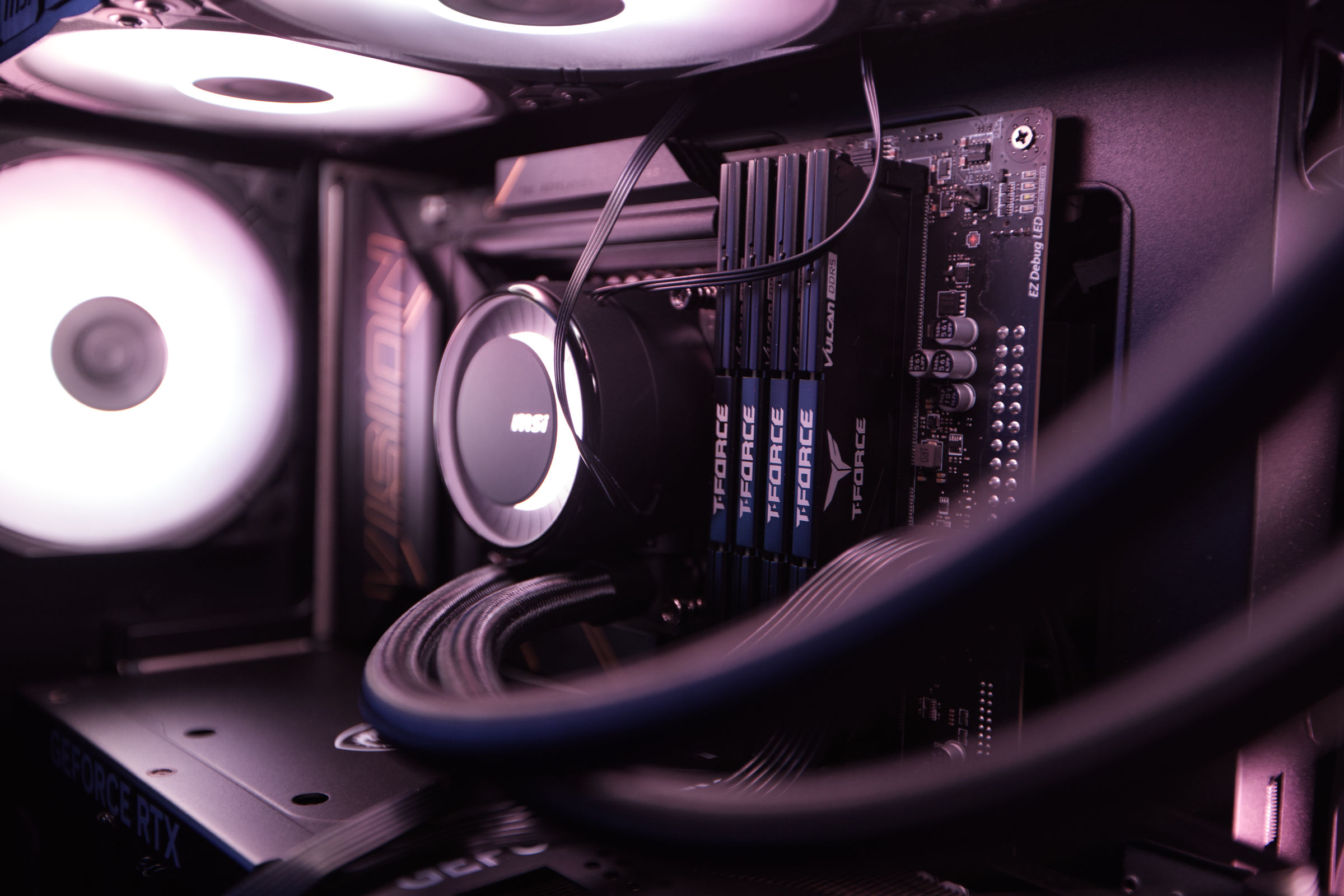 MSI MEG Vision X AI DDR5 RAM (Image © PCMasters.de)
128 GB DDR5-RAM
The configuration in our test is delivered with no less than four memory bars. The VULCAN memory comes from Teamgroup T-FORCE and is equipped with the XMP v3 profile for DDR5-5600. The memory has the identifier FLBD532G5600HC40BBK and offers 32 GB capacity. This is not the full expansion for the Intel platform, as 256GB UDIMM Non-ECC is supported, but with today's memory prices, you unfortunately have to pay at least €1,300 for 128 GB DDR5 memory. However, most users would also be satisfied with 64 GB in the high-end segment, which is why the MEG Vision X AI PC is also available in such configurations.
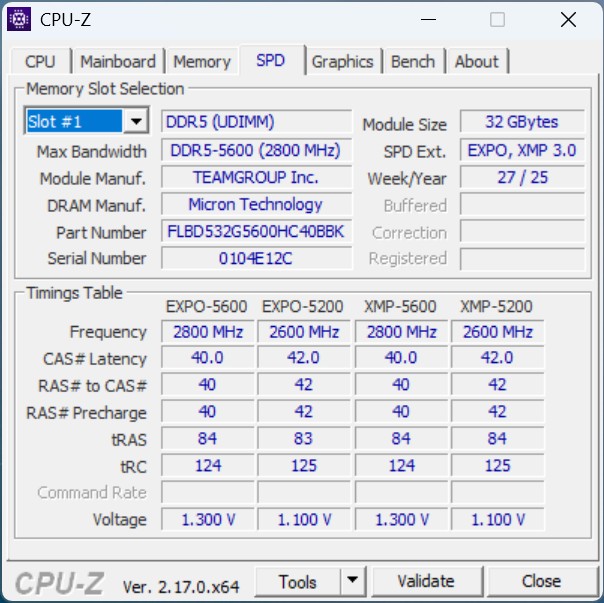 MSI MEG Vision X AI - CPUz Intel Core Ultra 9 285K SPD RAM (Image © PCMasters.de)
The memory relies on sharp CL36 latencies instead of betting on a high clock rate. This also emphasizes the stability of the system.
MSI MEG Vision X AI - CPUz Intel Core Ultra 9 285K Memory (Image © PCMasters.de)
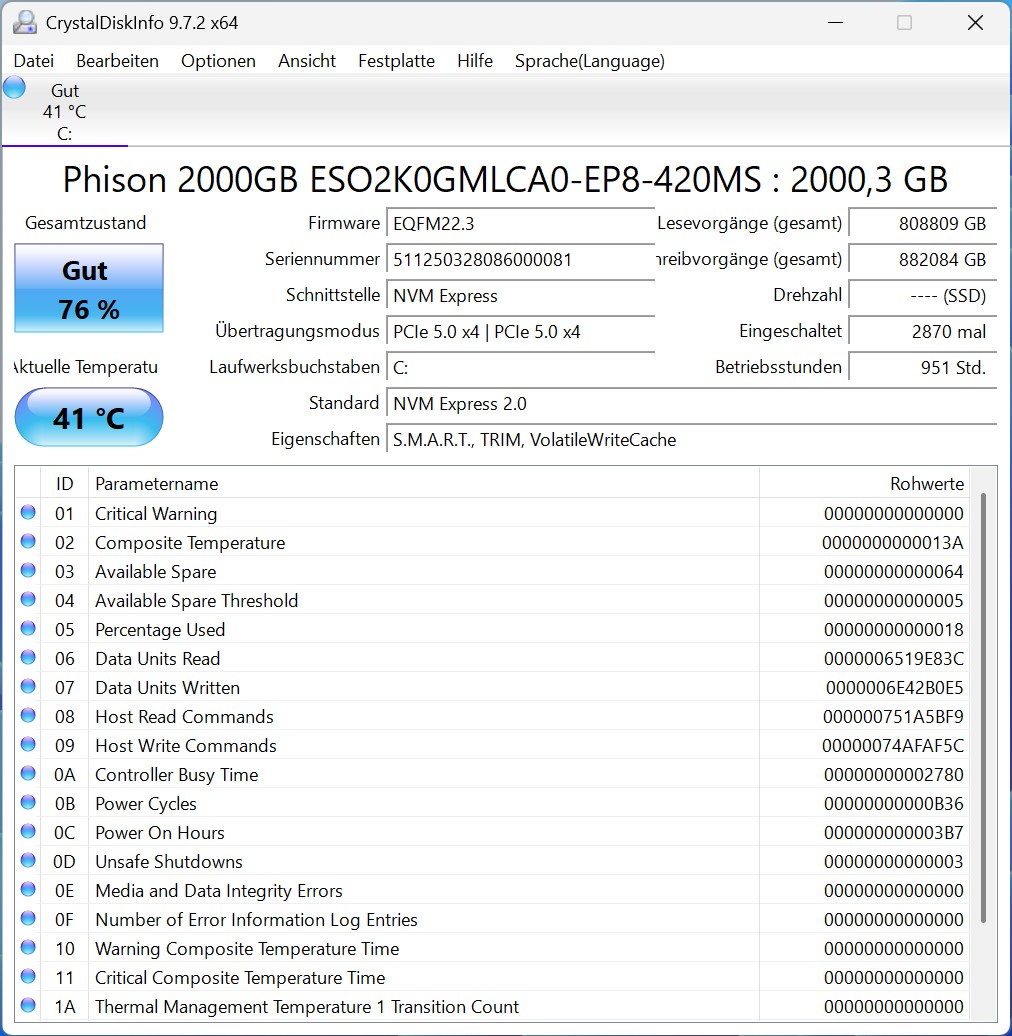 MSI MEG Vision X Phison 2000GB ESO2K0GMLCA0 EP8 420MS SSD (Image © PCMasters.de)
PCIe Gen 5 NVMe SSD slots
The upper NVMe slot contains a Phison SSD with the identifier "ESO2K0GMLCA0-EP8-420MS". This has a capacity of 2 TB and is not available individually on the market. Our specimen has already been through a lot and is already a little worn down to 76% condition. As we have not found any specifications for the model, we are only providing the measured data in comparison to other systems. The measured values are acceptable for a PCIe Gen 5 SSD.
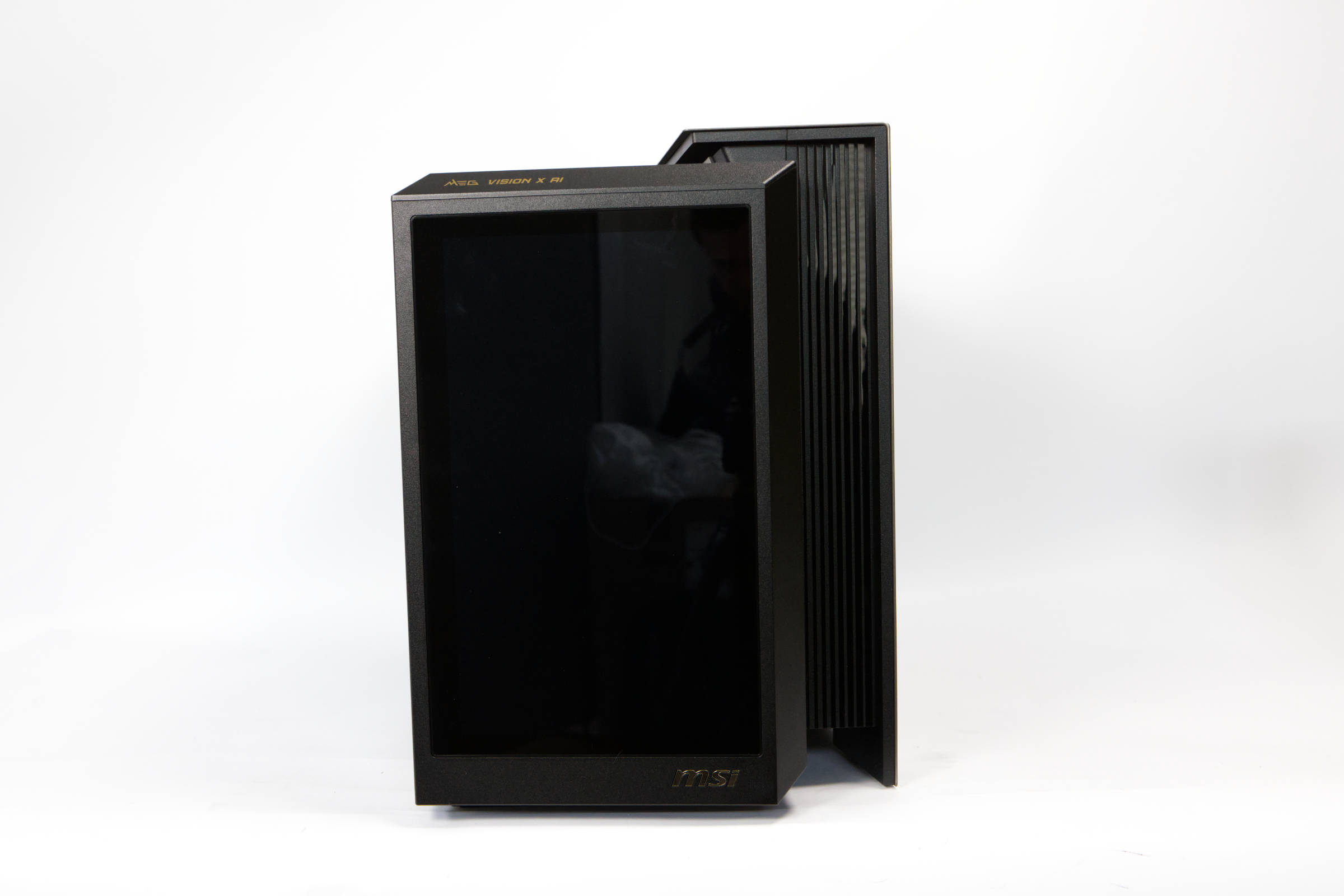 MSI MEG Vision X AI Front (Image © PCMasters.de)
Design and features
The overall package that MSI delivers here is interesting. Instead of relying on a normal full or midi tower, a very wide case is used. From the side, the case looks like a compact 42.6-liter mid-tower, in which ATX motherboards can be installed, but there is hardly any space for anything else below the graphics card. The overall dimensions are 503 x 299.3 x 423.4 mm.
MSI MEG Vision X AI Interior (Image © PCMasters.de)
On the right we see two 120 mm reverse blade fans, which are installed offset to the rear inside the case and draw in fresh air from the other side. The side panel on the left is made of tempered glass, which is heavily tinted. You can see through it, but only the ARGB lighting stands out. All fans are 120 mm models with ARGB lighting.
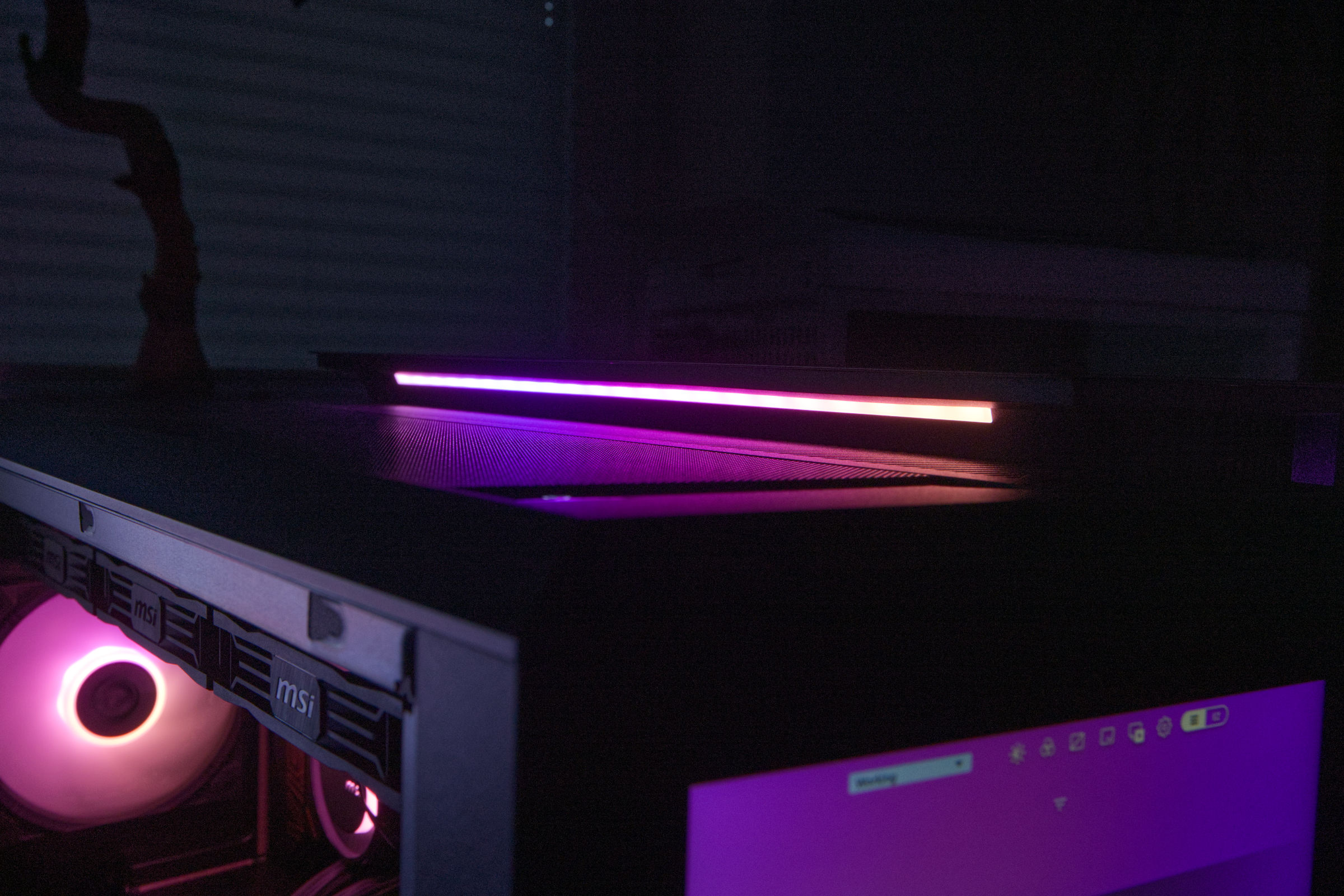 MSI MEG Vision X AI ARGB top (Image © PCMasters.de)
The ARGB lighting is also implemented quite nicely. There is a strip at the top that would be at eye level on the table, but is not blinding.
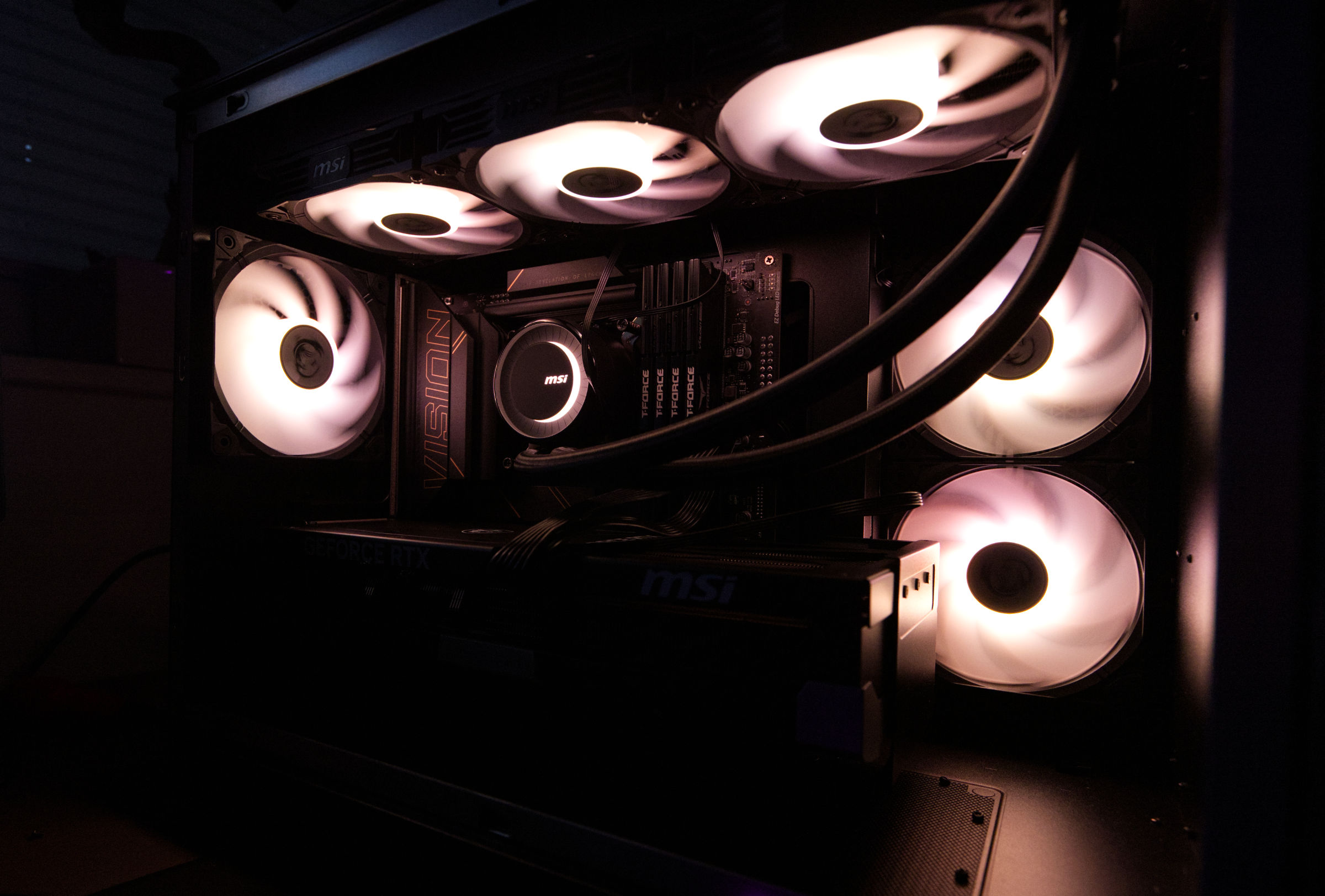 MSI MEG Vision X AI ARGB inside (Image © PCMasters.de)
The bottom of the case also lights up and provides diffused, indirect light downwards.
The 360 radiator is located at the top and the airflow is drawn in from the side, even though we also find a large opening with a dust filter at the bottom. Only the graphics card can draw in air here, as no fans are installed at the bottom of the case. The distance from the table to the underside is large.
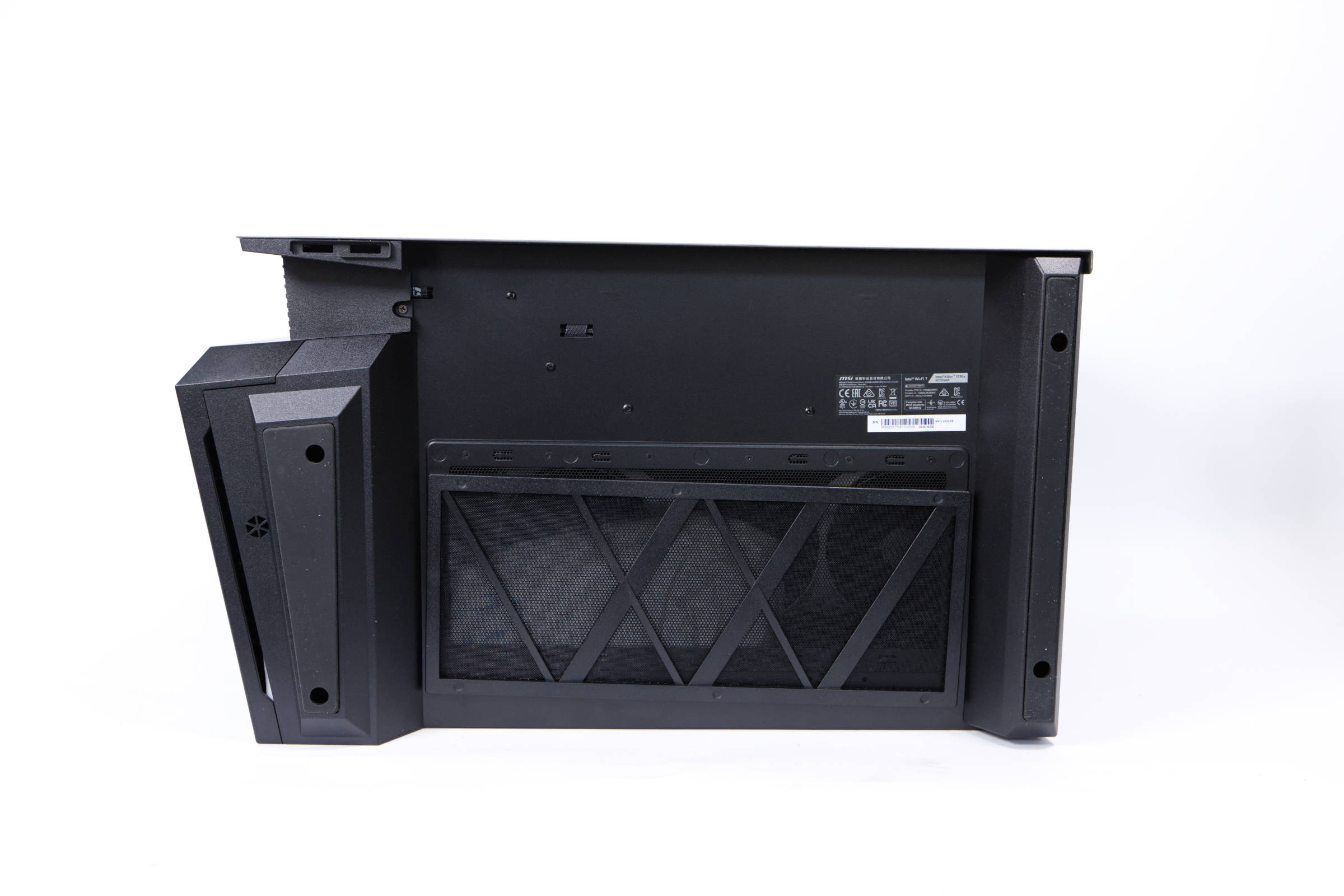 MSI MEG Vision X AI bottom (Image © PCMasters.de)
Two very wide rubber pads on the underside ensure a stable hold on the table. The base is largely made of plastic in order to realize the angular shapes cost-effectively. However, the build quality is good and the case feels very stable and of high quality. It is also heavy due to the installed components - the weight is approx. 18 kg.
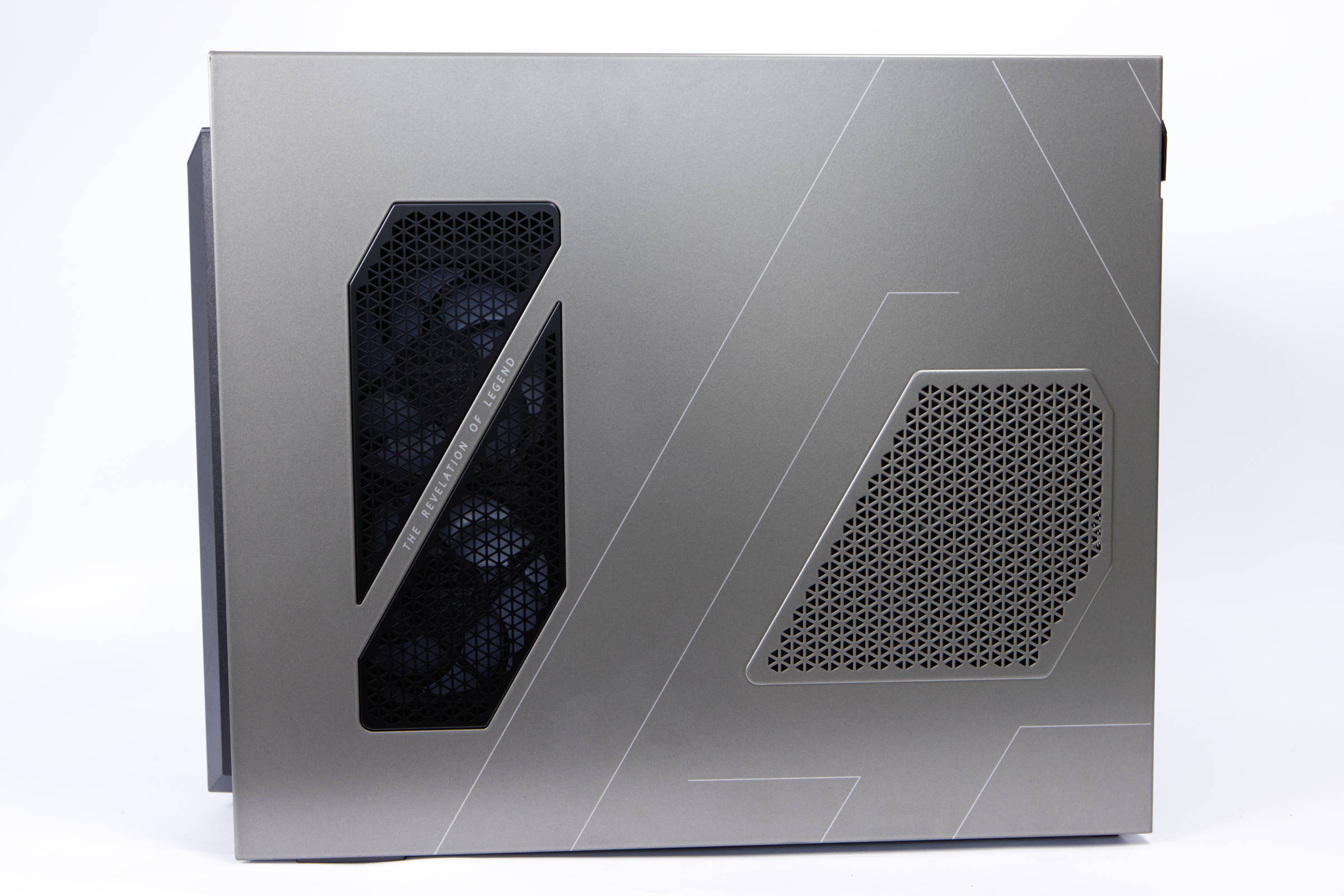 MSI MEG Vision X AI side panel (Image © PCMasters.de)
The right-hand side panel is screwed on and has a seal on it stating that the warranty will be voided if it is damaged when unscrewed. It is not entirely clear to us why this is only handled so strictly here. Although the 1,200 watt power supply unit and the connections are also located on the side, if you have access to the front, you can actually also access the side - at least in our opinion.
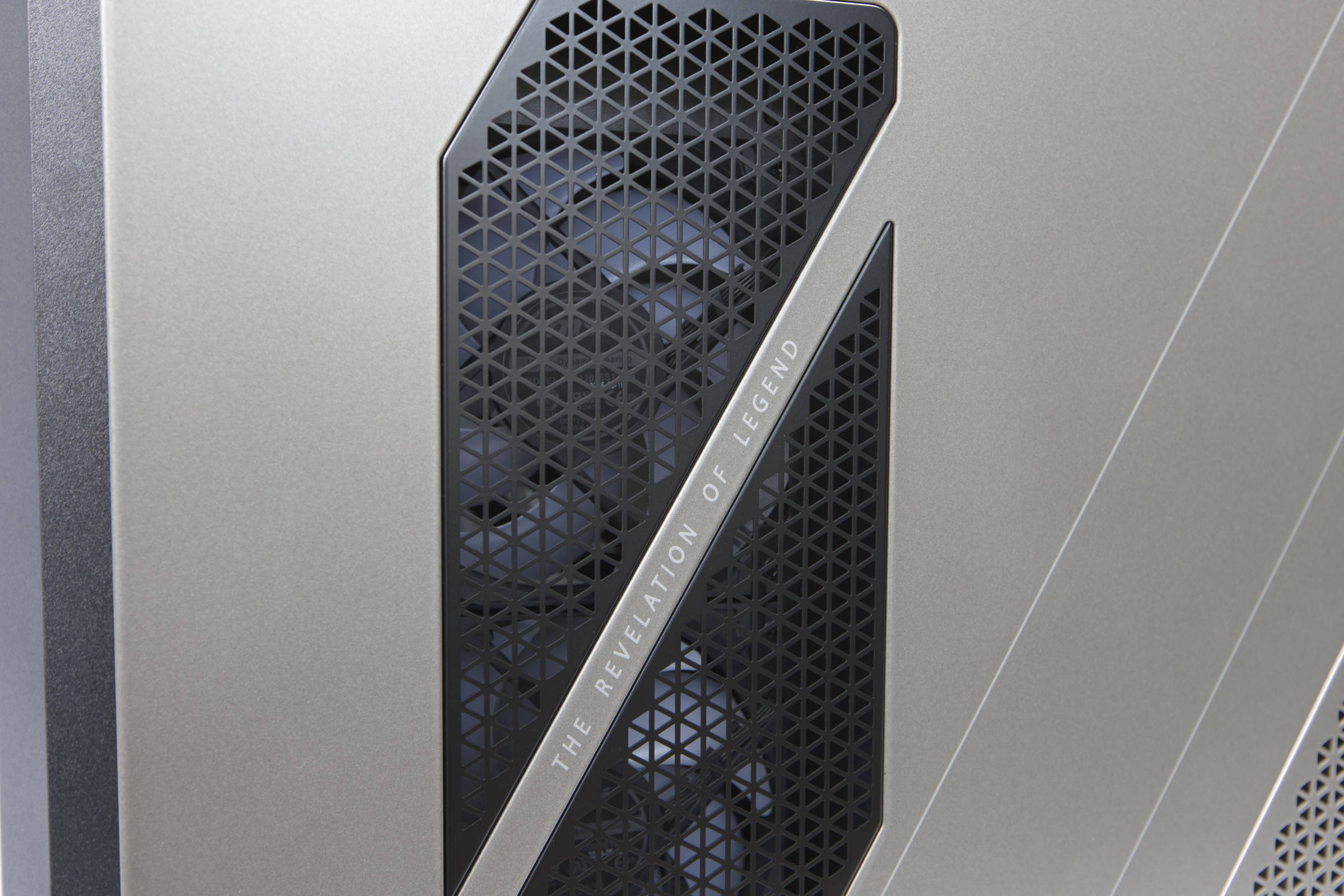 MSI MEG Vision X AI fan (Image © PCMasters.de)
The two fans on the side are neatly concealed behind a black cover and also appear to be a good distance from the side panel. There is also a similar pattern for the power supply unit, but it is punched out and you can't see through it. It is not clear whether there is a dust filter behind it.
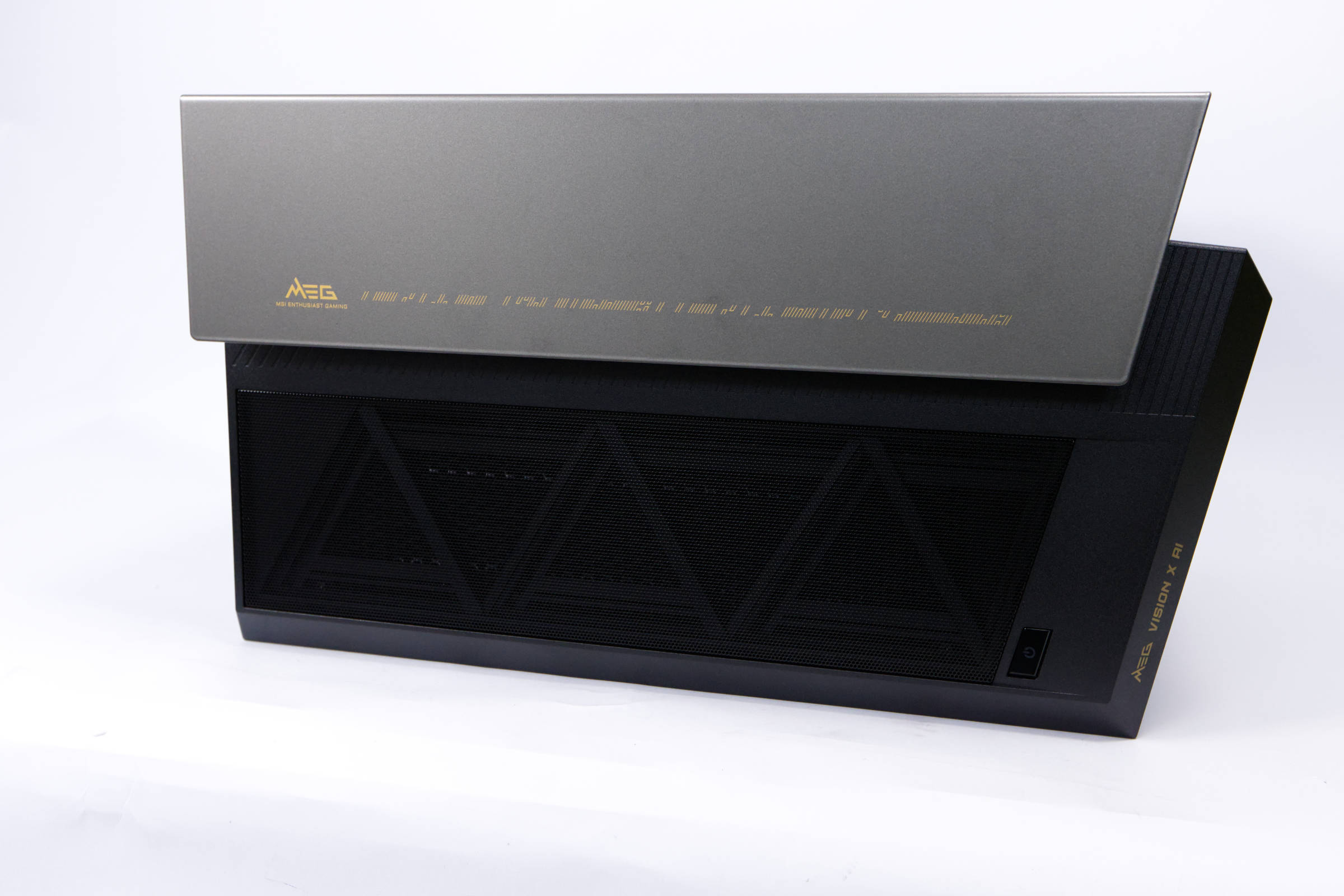 MSI MEG Vision X AI top (Image © PCMasters.de)
A look at the top of the housing reveals the offset design. The second chamber is long and houses the cable and power supply unit. The two-tone design looks chic and the grey paint harmonizes perfectly with the yellow lettering and decorations. The yellow tone is also used on the black parts. The fusion of design and functionality is a nice solution and we like it.
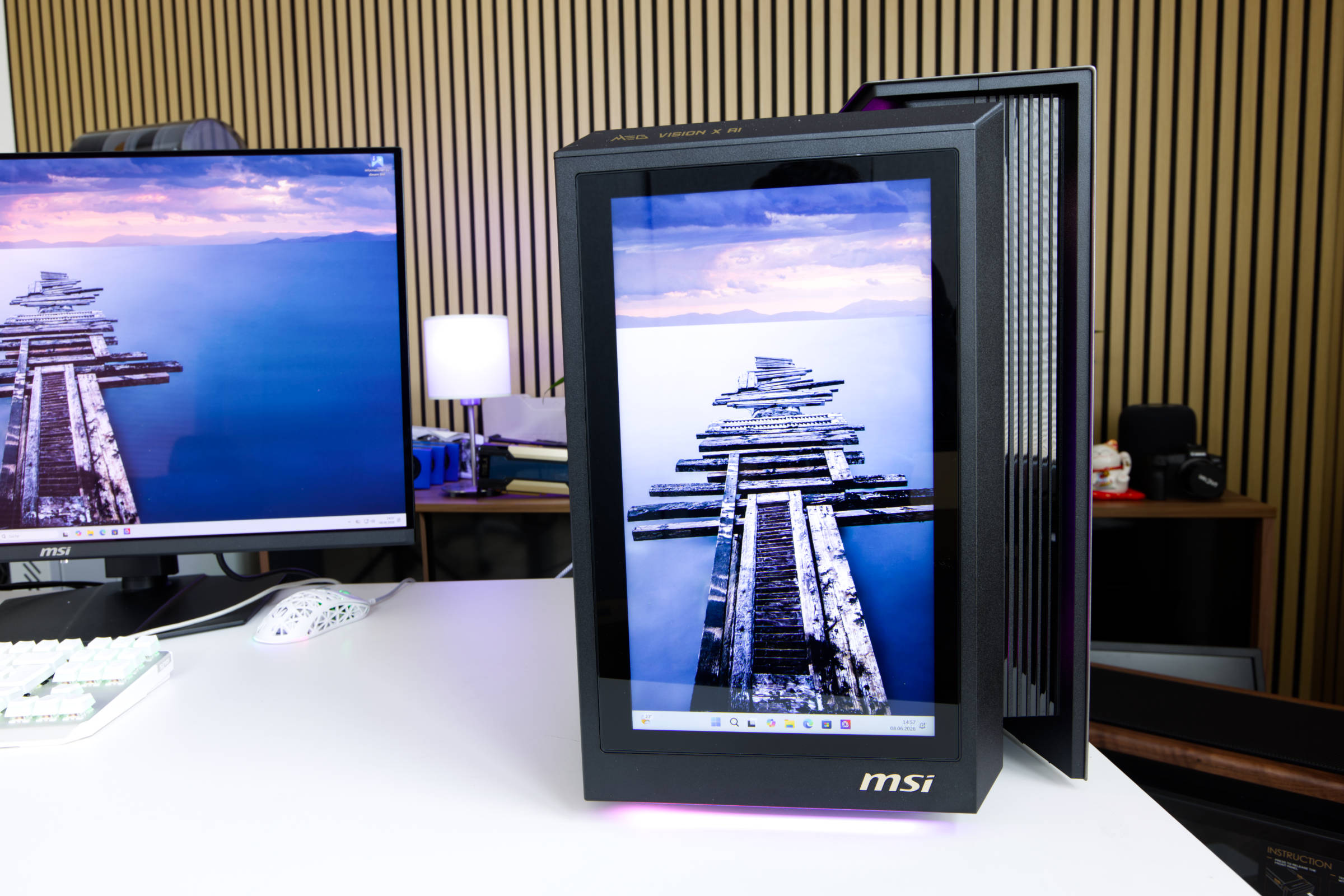 MSI MEG Vision X AI 13"Display (Image © PCMasters.de)
Software for display and more
A special feature of the MSI MEG Vision X AI has always been the 13" FHD IPS display. It is not just a pure display, it should also enable intuitive control of the PC. MSI has tried to offer a special experience and interface for controlling the PC with its "AI HMI" based on electric vehicles. However, when you start the PC, it is initially a pure display and is also recognized by the PC as an external display. You still have to set the scaling to 100%, otherwise the image may appear a little blurry. The resolution of the display is 1080x1920 px, which is 1080p in portrait format. Windows even recognizes the portrait format.
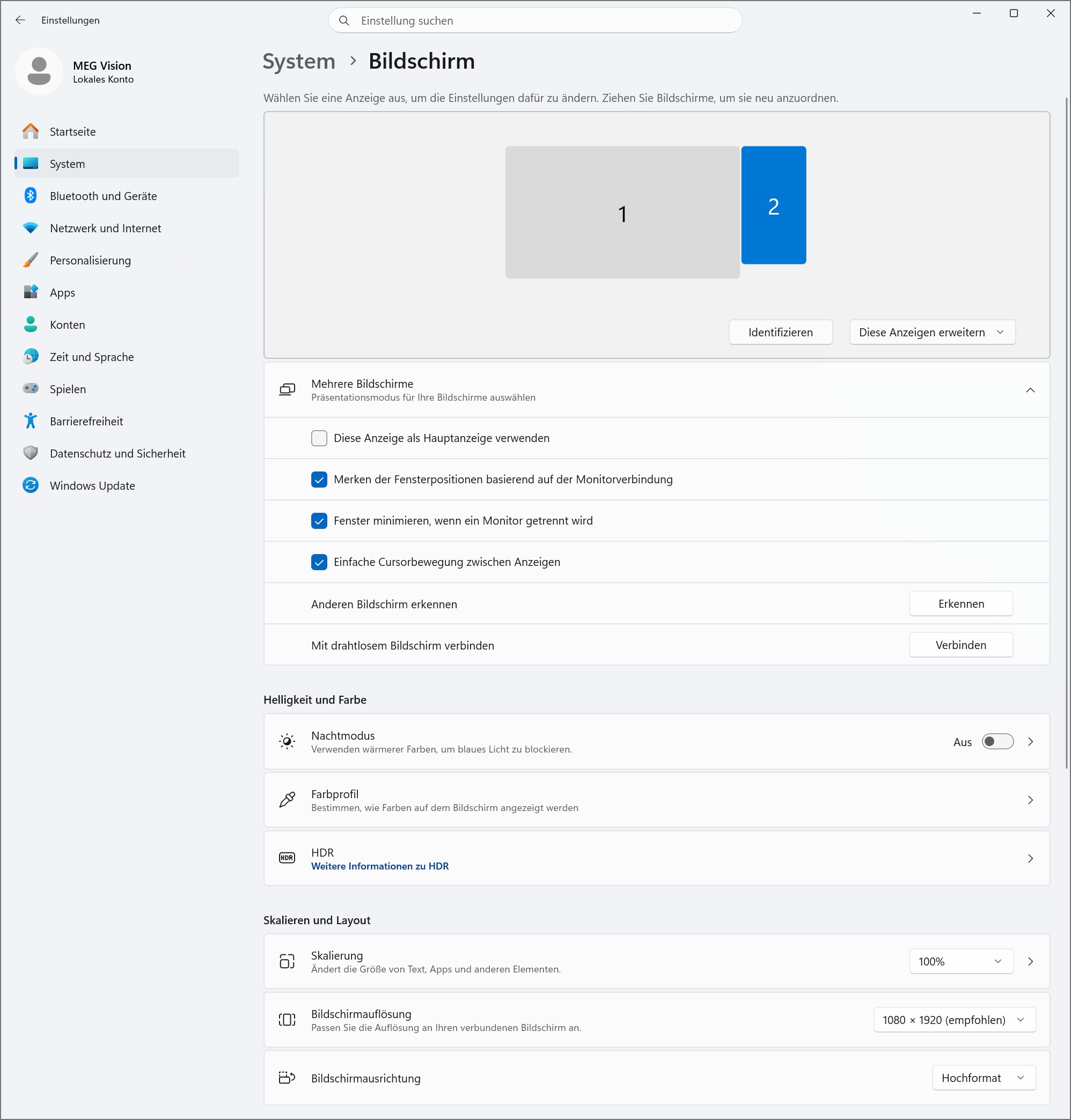 MSI MEG Vision X AI second screen (Image © PCMasters.de)
The front also offers a built-in microphone, a speaker next to the 13-inch touchscreen. It is interesting to note that the display is not connected via the graphics card, as we do not see any cables on the back that lead to the mainboard or the graphics card. This means that it is controlled internally via the mainboard. The mirrored Windows interface can simply be operated until the massive "MSI Center" is started. This app has been around for some time and is intended to bring together the many components and bundle customization and configuration in one place. Other manufacturers take the same approach, which is simply obvious. Unfortunately, many of the solutions are very lame and dig too deep into the system, which makes them a security risk time and again.
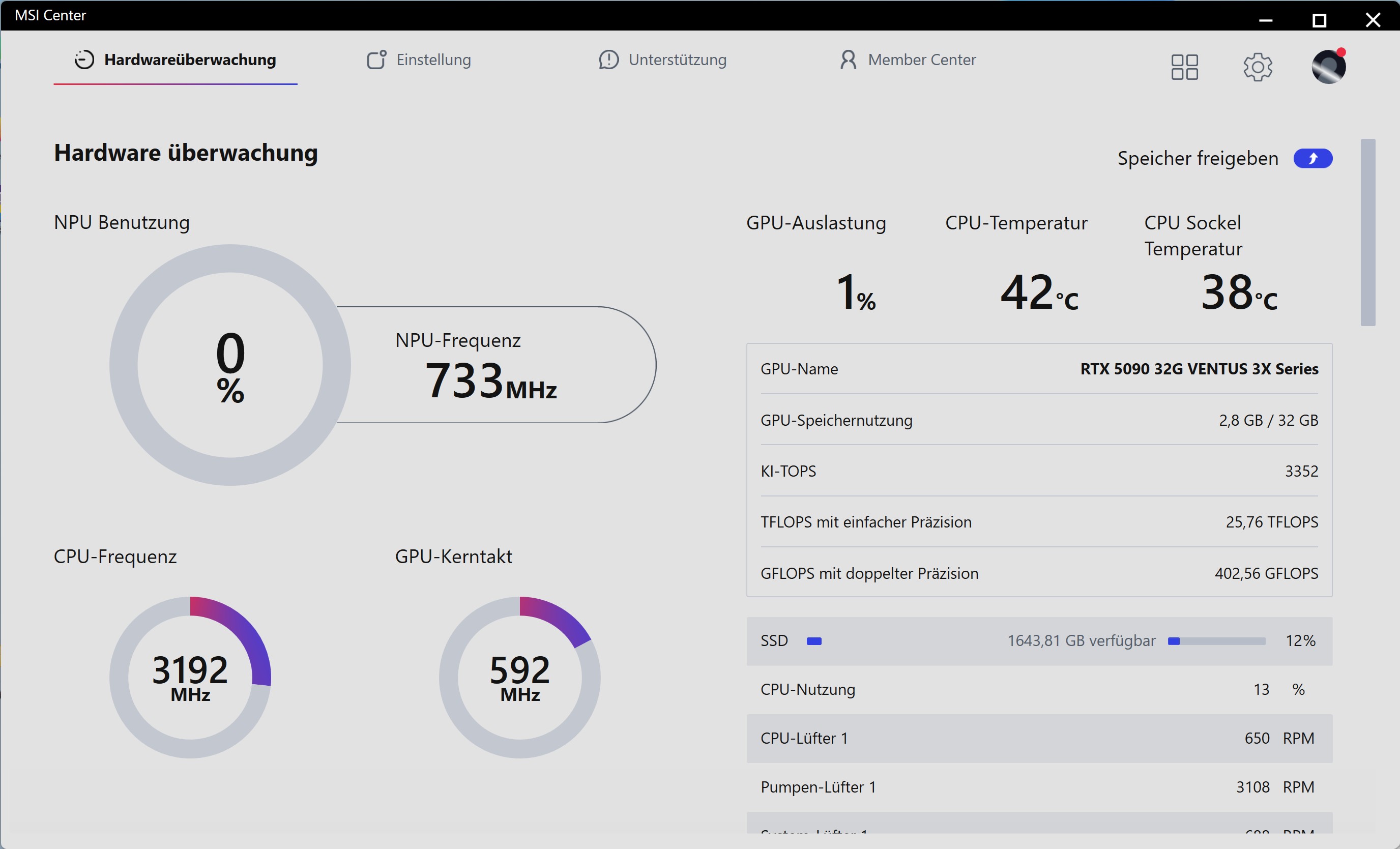 MSI MEG Vision X AI - MSI Center Hardware (Image © PCMasters.de)
The "AI HMI app" is part of the "MSI Center" and must first be started. To do this, we had to go to Settings and then Gaming Gear. There are certainly other ways, because the MSI Center is very extensive.
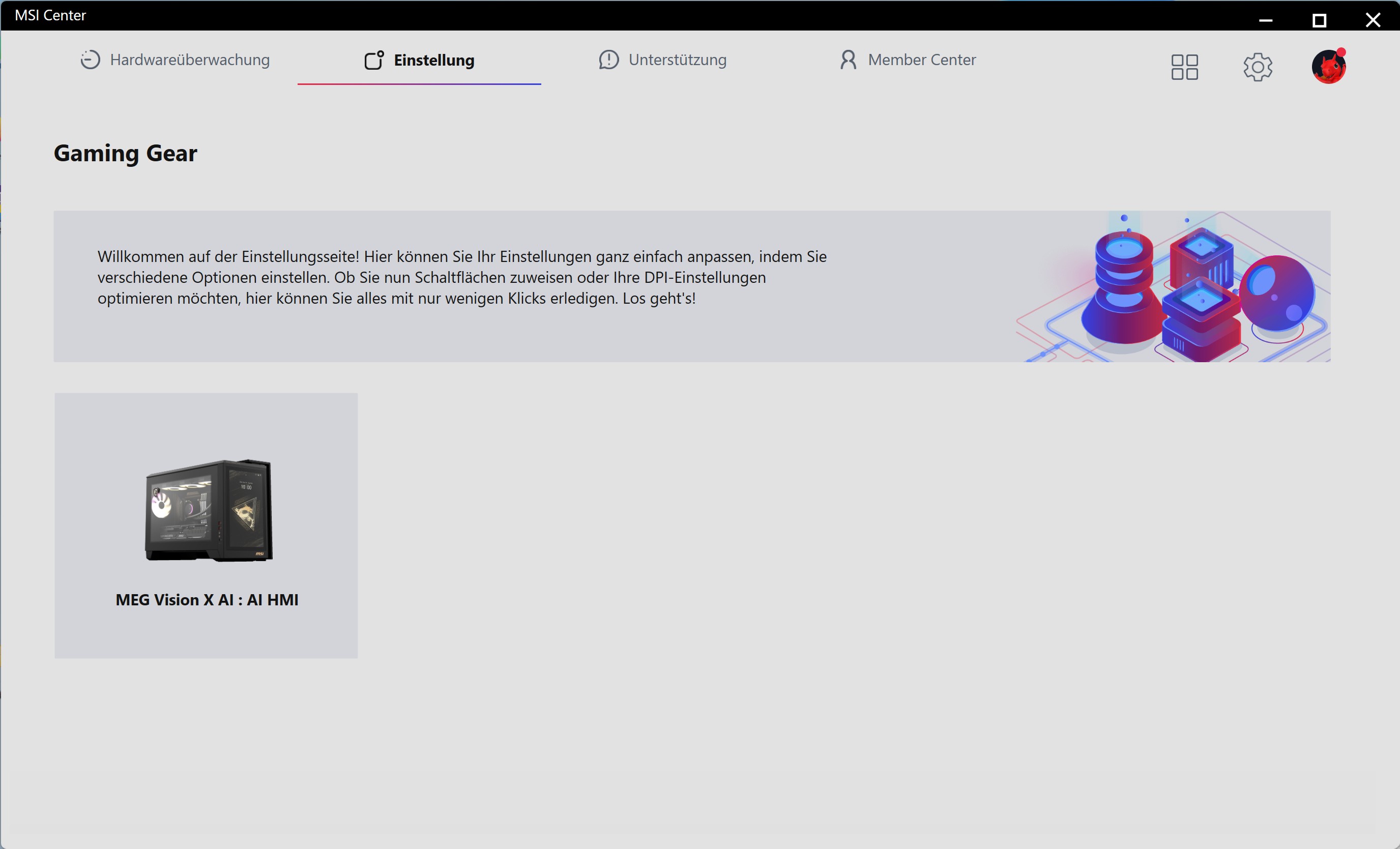 MSI MEG Vision X AI MSI Center Gaming Gear (Image © PCMasters.de)
The software recognizes the MEG VISION X AI PC and the settings can then be made by clicking on it.
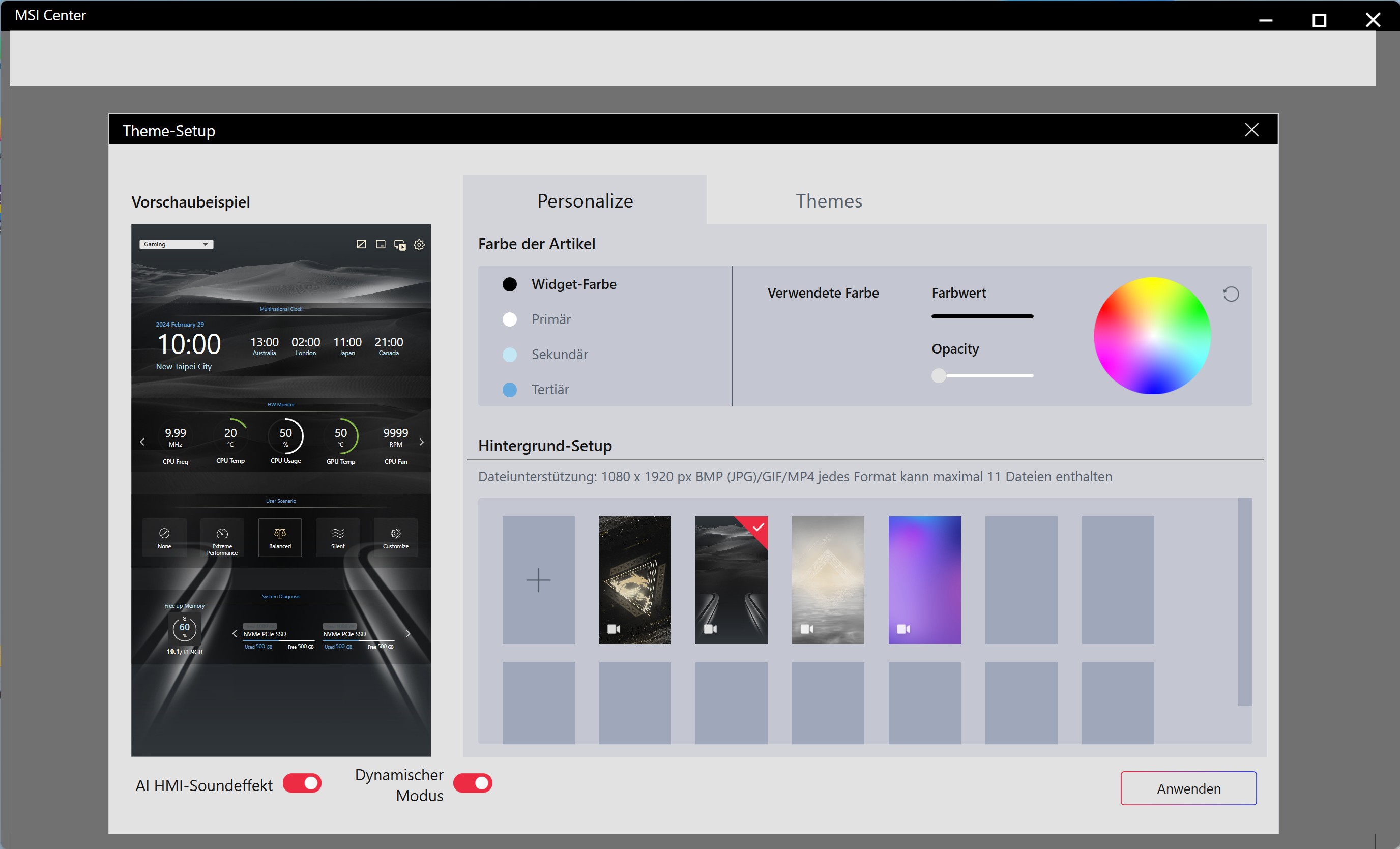 MSI MEG Vision X AI - MSI Center Gaming Gear Display (Image © PCMasters.de)
In addition to the ready-made themes, there is also the option to create your own. This means you can use the existing themes and then customize the layout according to your own wishes. You can also change the colors of the ready-made themes if you don't want to create something completely new.
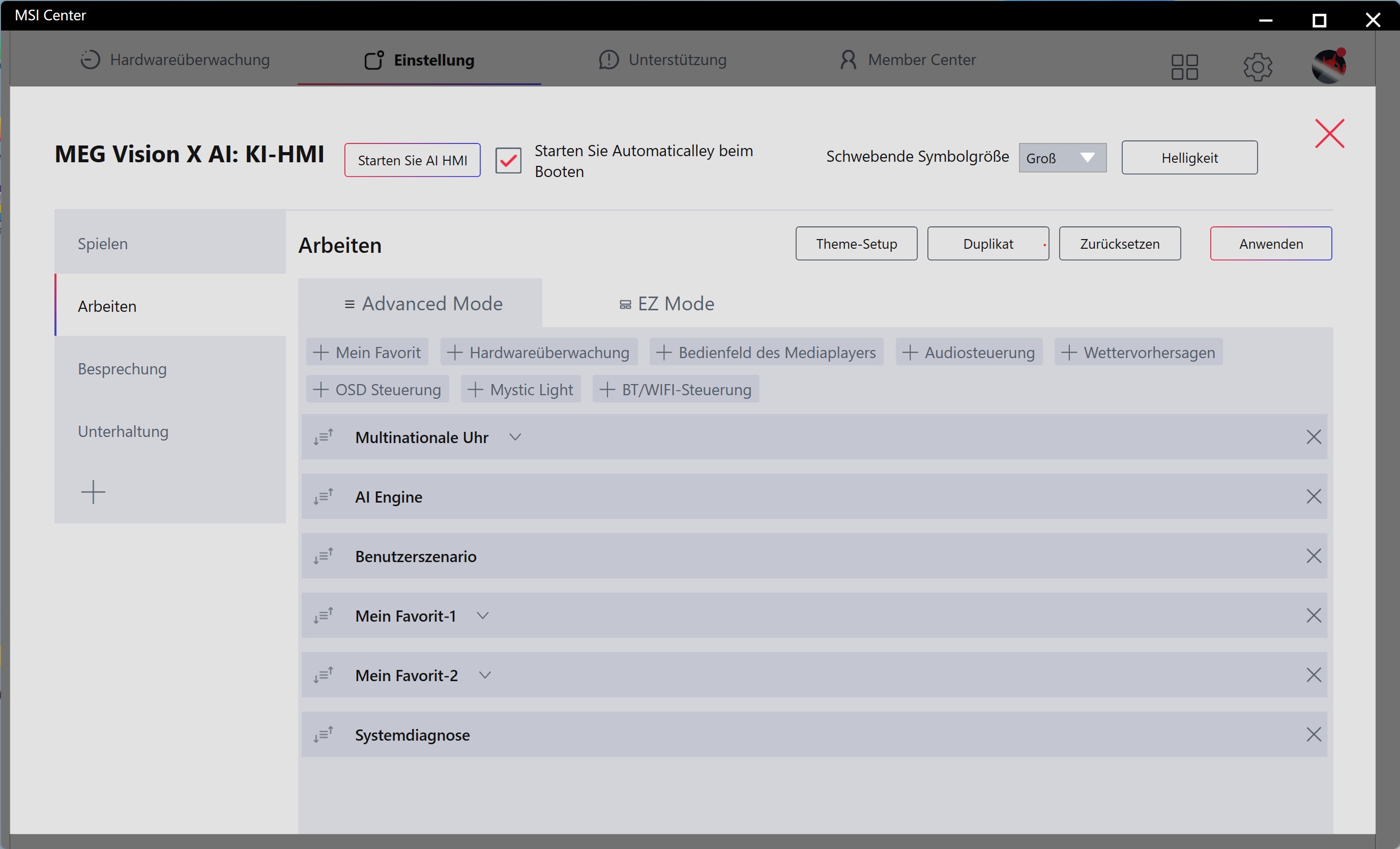 MSI MEG Vision X AI MSI Center Gaming Gear HMI Start (Image © PCMasters.de)
The AI-HMI or AI-HMI is actually a large pool of options that you can make. We find the whole thing very misleading because no AI is used here. Also, tapping and switching the AI OC and Extreme features had no measurable and no apparent advantage. It is also not explained what this is exactly. Currently, there are primarily "Vision" and "Large Language Models", both of which are pointless in this context. Everything you want to deliver to the user is done programmatically, which also makes much more sense.
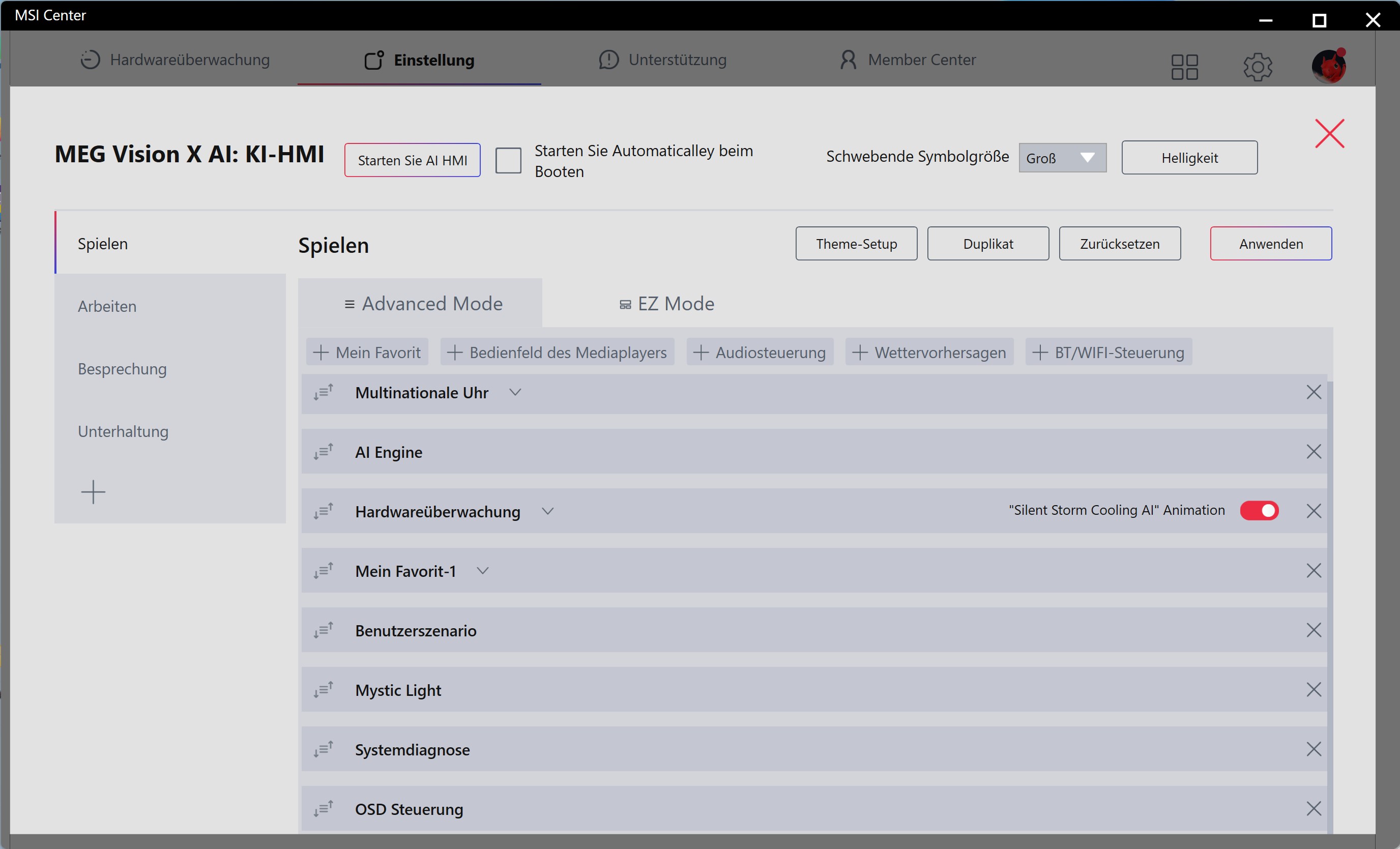 MSI MEG Vision X AI - MSI Center Gaming Gear options (Image © PCMasters.de)
When switched off, it is not immediately obvious that there is a display in the front. The rounded corners of the glass panel form a nice shape, even if the distance to the inside of the display is not exactly small. This is much less noticeable with dark designs.
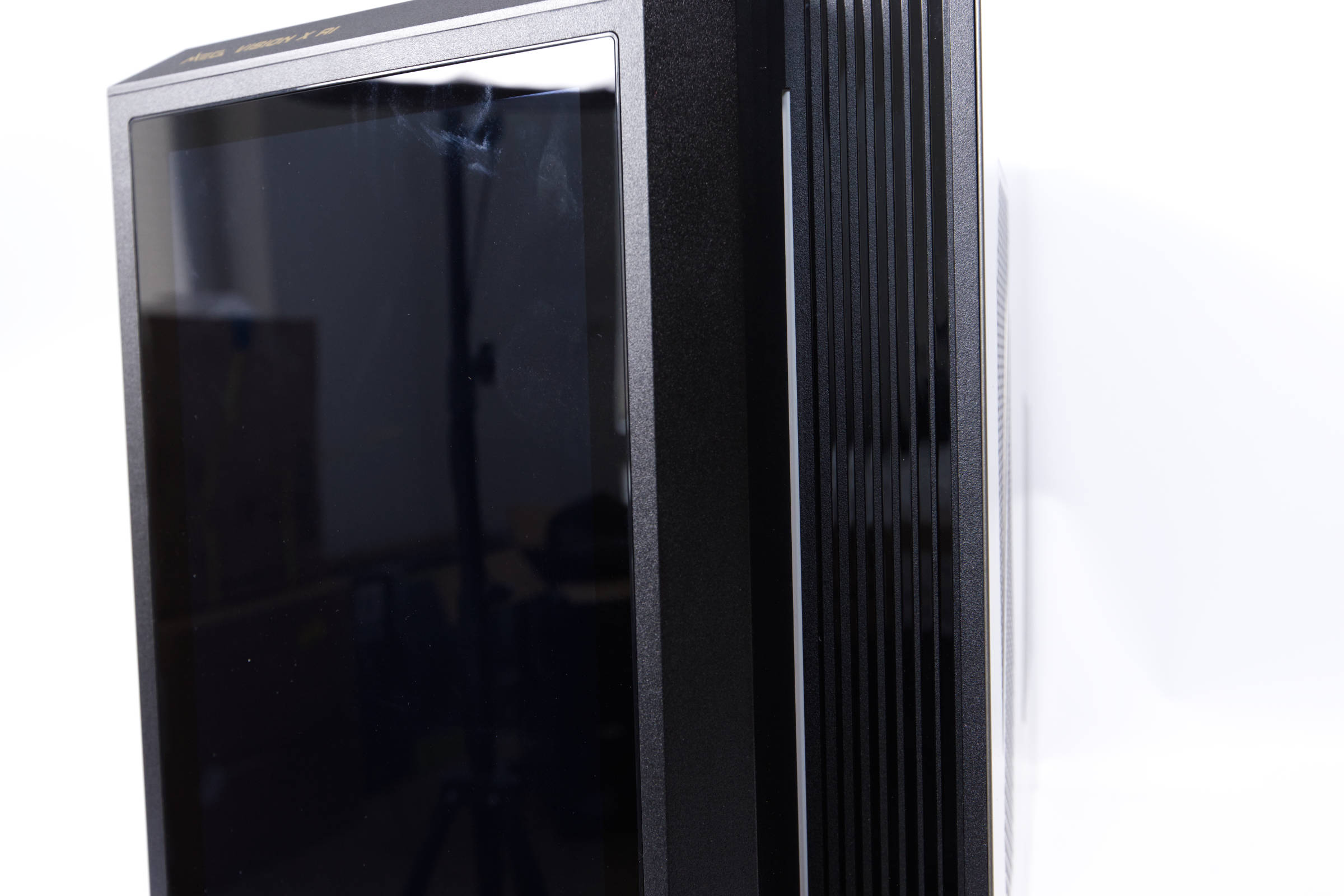 MSI MEG Vision X AI Display (Image © PCMasters.de)
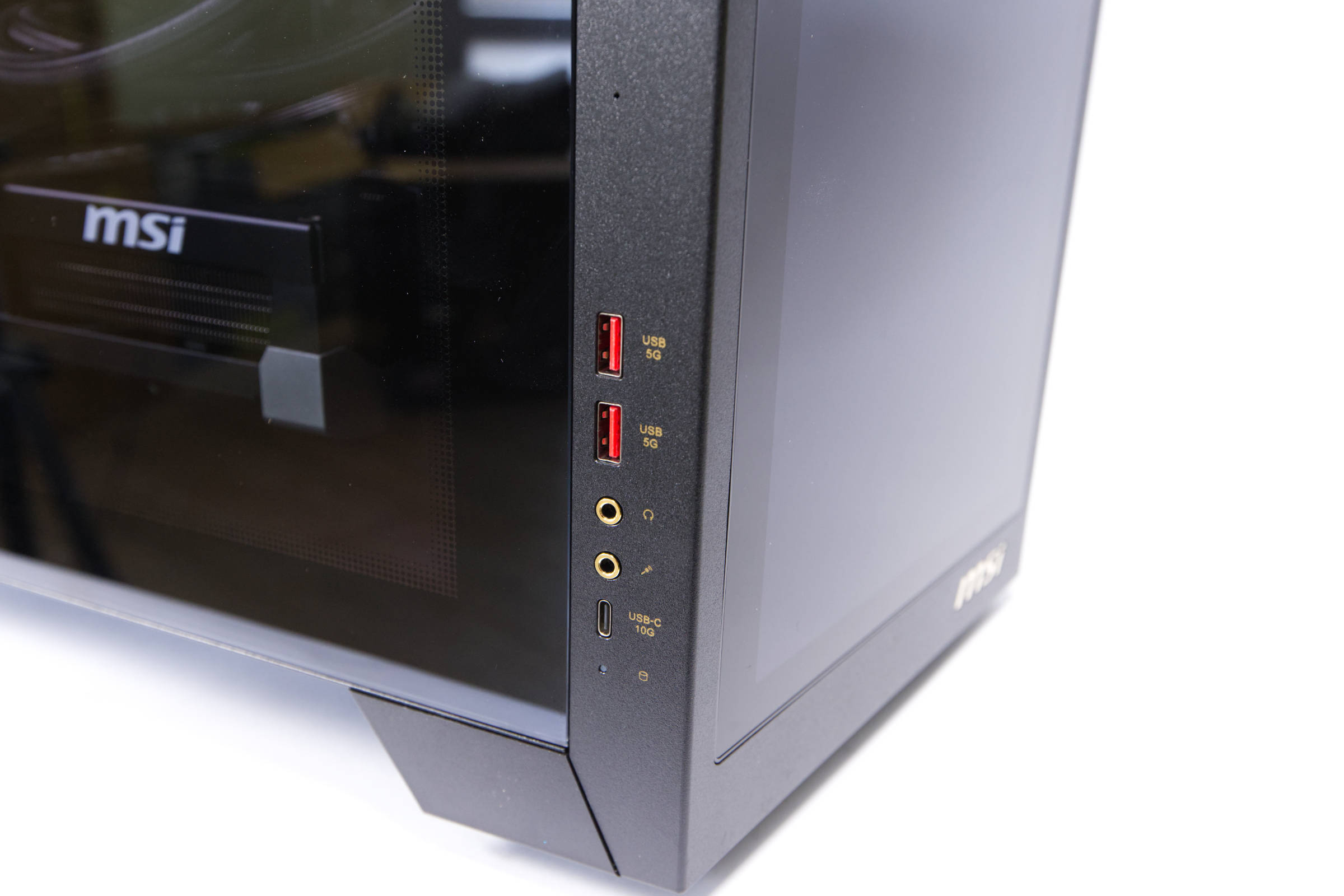 MSI MEG Vision X AI IO Panel 2 (Image © PCMasters.de)
Connections
In terms of connections, we have the rear, which exposes the I/O shield of the motherboard, as well as the graphics card with the video outputs. There are no direct connections on the front, they are arranged centrally on the left-hand side and labeled in yellow. On the front we see two USB 3.0 5Gbps Type A sockets, a mic-in and headphone connection as well as a fast USB 10 Gbps Type C port. A small HDD LED is also integrated.
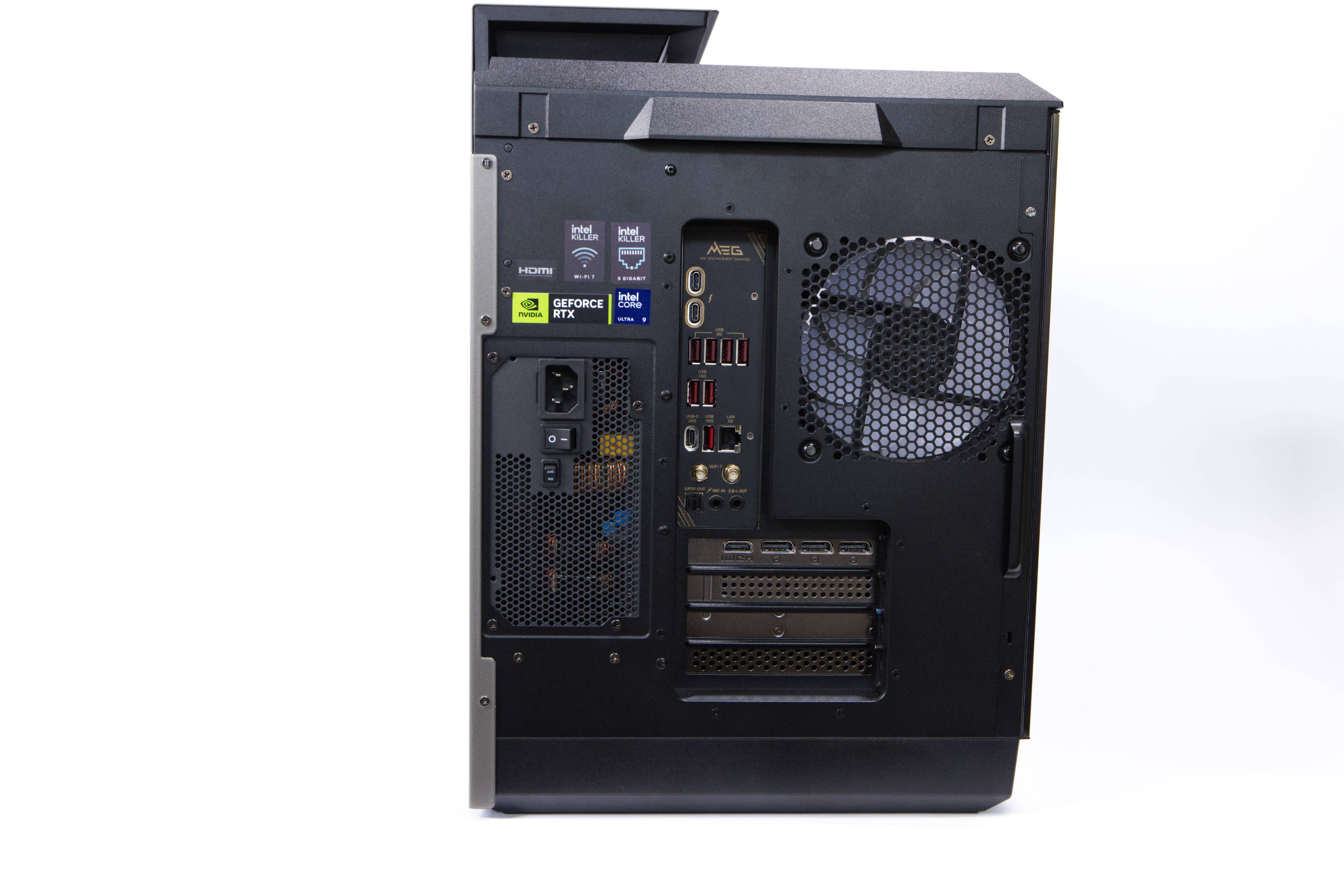 MSI MEG Vision X AI rear (Image © PCMasters.de)
The rear, on the other hand, offers much more:
- 2x Thunderbolt 4 / USB4 with DisplayPort 1.4 (40Gb/s)
- 1x USB-C 3.2 (20Gb/s)
- 3x USB-A 3.1 (10Gb/s)
- 4x USB-A 3.0 (5Gb/s)
- 1x Toslink S/PDIF Out
- 2x 3.5mm jack
- 1x RJ-45 (5GBase-T, Intel Killer E5000)
- 2x RP-SMA antenna connection
- 1x AC-In C14 (mains connection)
Network and WLAN
A modern system must also be equipped with an appropriate network interface. MSI chooses an Intel Killer E5000 chip for the NIC. This is designed for up to 5 Gbit connections and should be especially designed for gamers, as the Killer NICs used to be used for this very purpose.
A Killer BE200.NGWG.NVX chip from Intel is also used for WLAN. The card combines Wi-Fi 7 with Bluetooth 5.4, meaning that the antenna, which is connected to the back of the mainboard, covers both wireless standards. Wi-Fi is supported according to IEEE 802.11a/b/g/n/ac/ax/be and 2x2 MIMO. WiFi 7 is a current standard and will be sufficient for most users.
 MSI MEG Vision X AI packaging (Image © PCMasters.de)
Packaging and scope of delivery
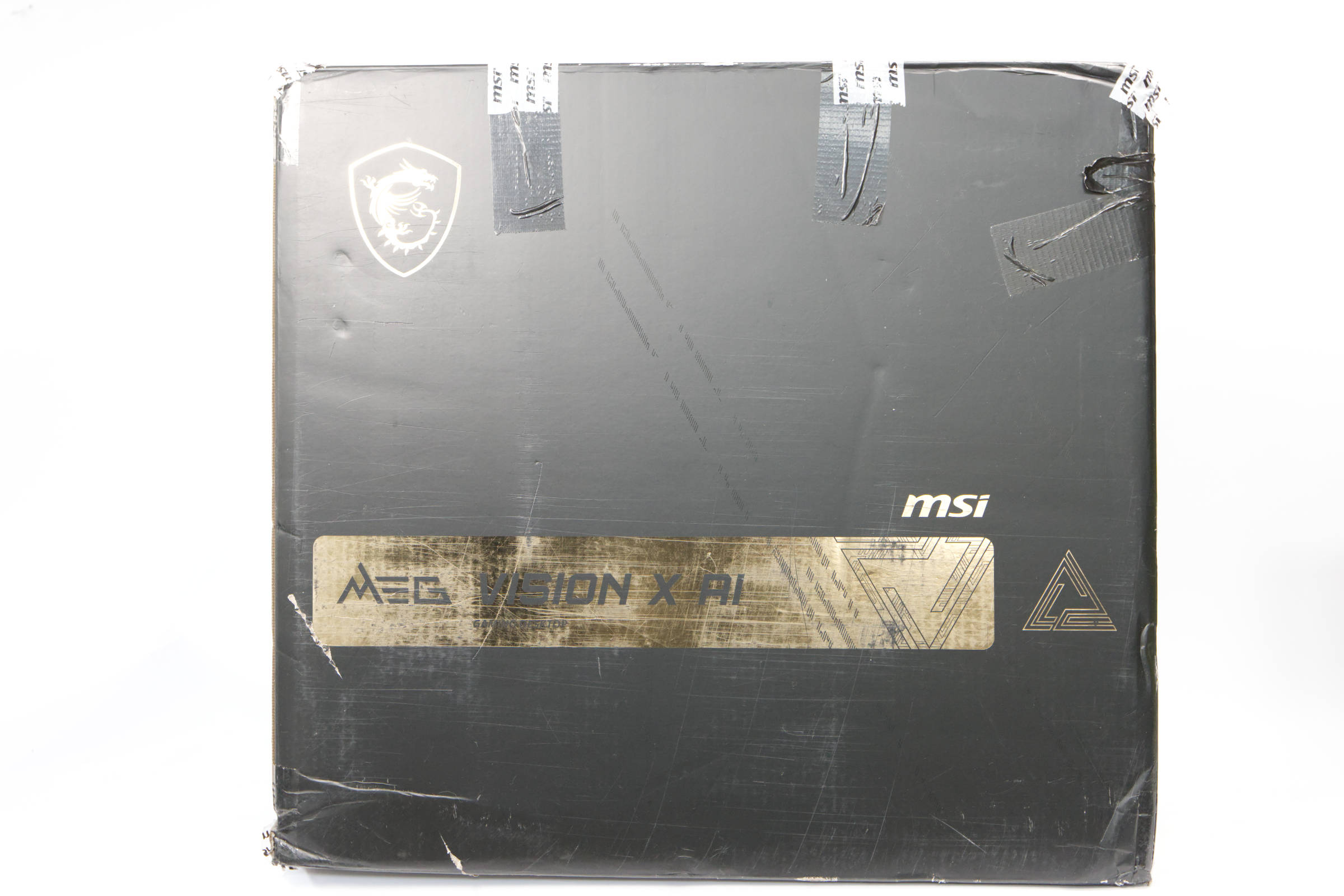
Such a massive system needs to be secured, especially for transportation. The outer cardboard box is predominantly coated in black and has the lettering and logos applied in gold color as a layer over it. This gives an expensive and luxurious impression.
 MSI MEG Vision X AI inner packaging (Image © PCMasters.de)
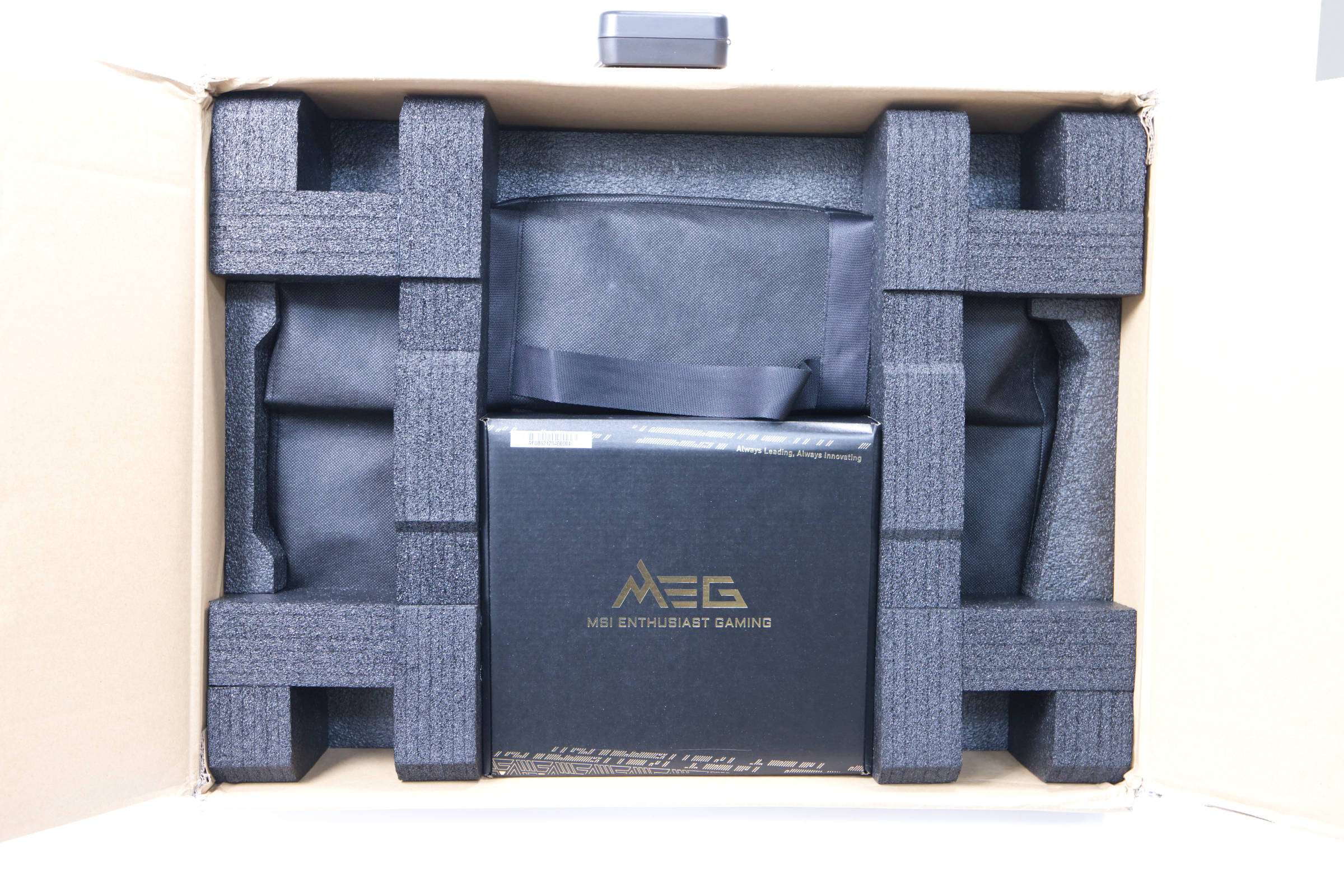
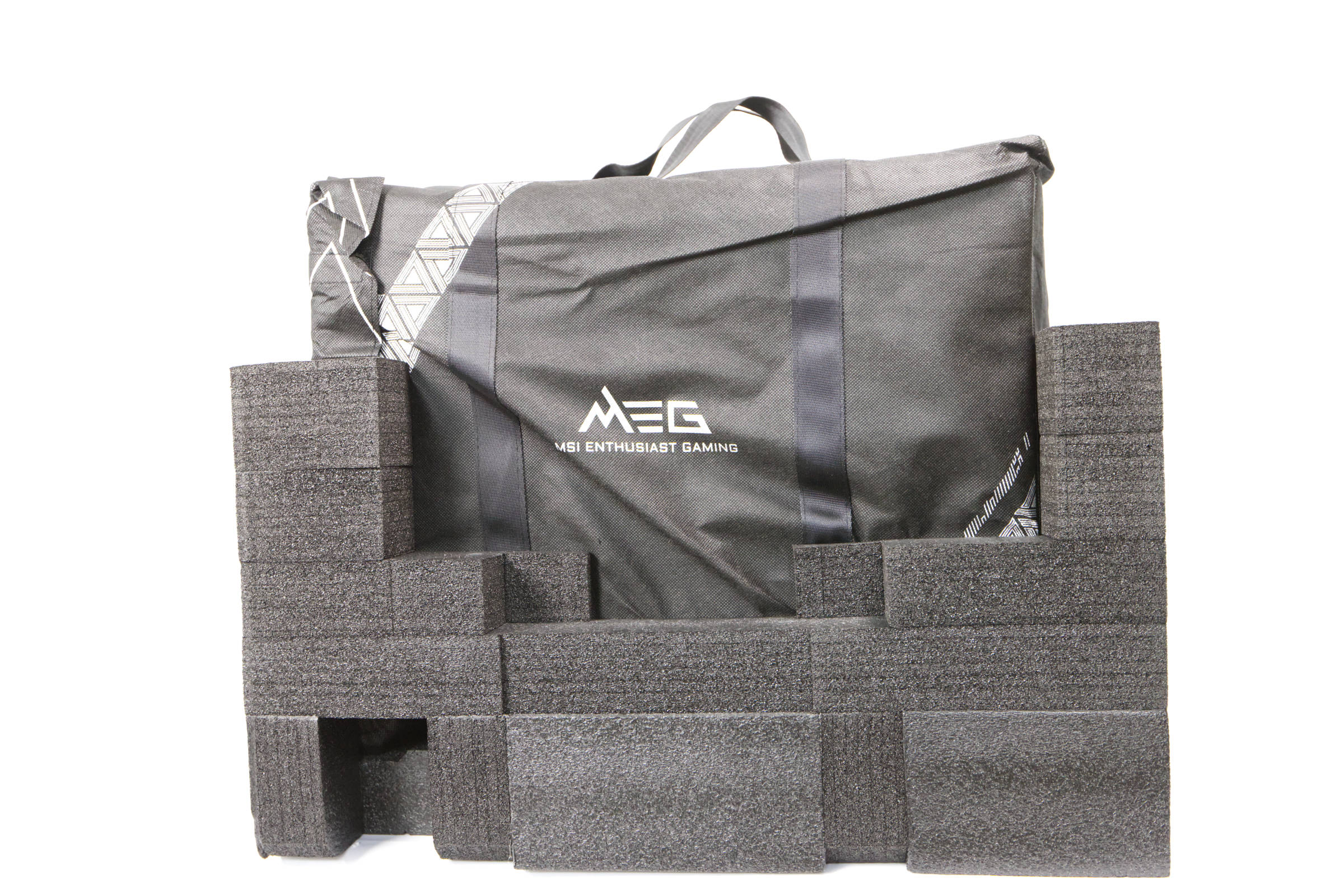
Inside, the PC is protected by foam and packed in a protective bag, which also has a carrying handle on top. The PC can also be transported in the bag to a certain extent, but we would rather avoid it.
 MSI MEG Vision X AI protection (Image © PCMasters.de)
Inside, a special hard foam pack is attached to protect the graphics card and the CPU cooler. This must be removed before use. The graphics card is also firmly screwed to the rear part of the housing, which serves as transport protection and protection against sagging. Overall, this is a common approach for prefabricated PCs.
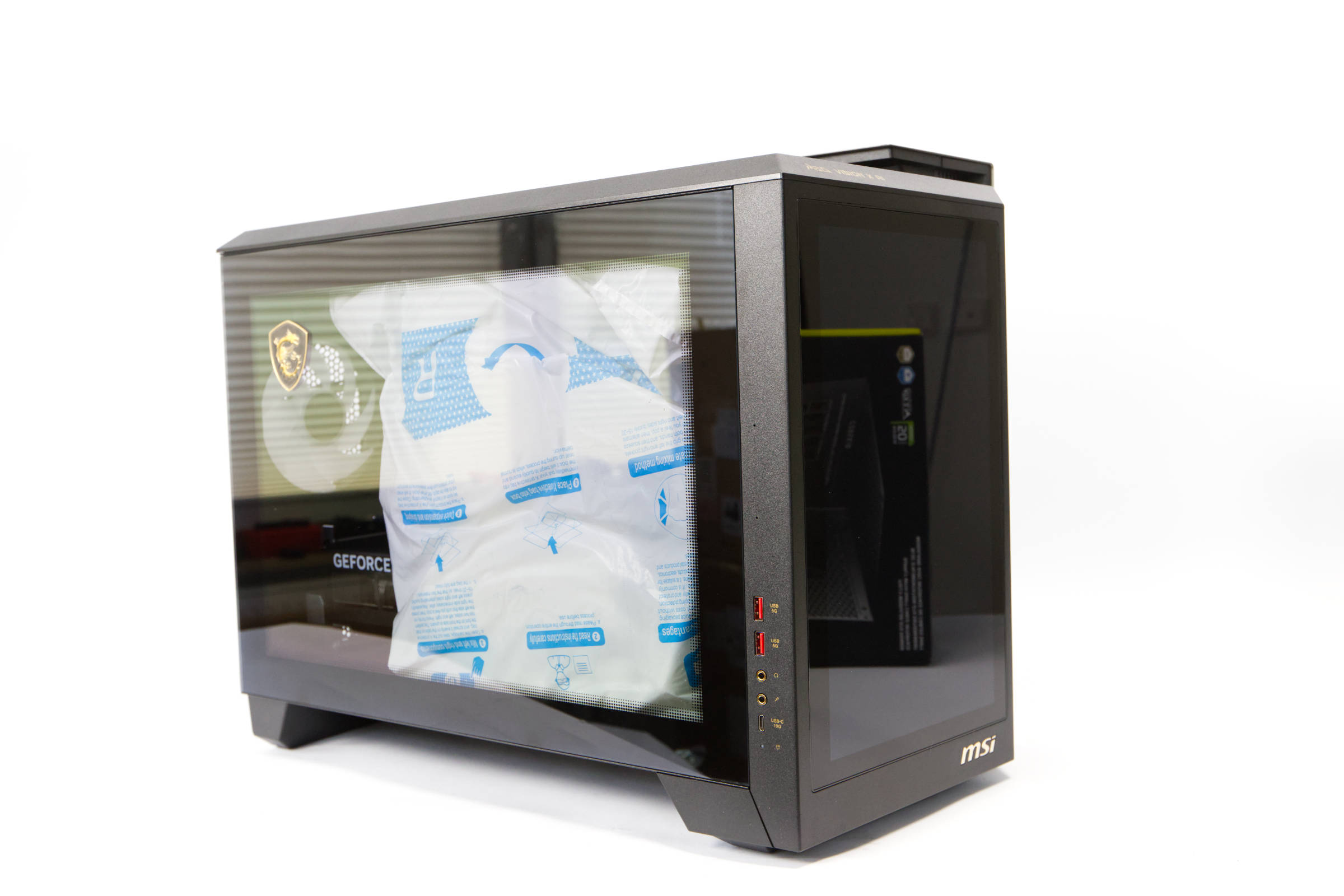 MSI MEG Vision X AI Internal transport protection (Image © PCMasters.de)
The scope of delivery includes a box with screws and manual as well as two slot covers. There is also a SATA data cable, WLAN antennas and a cloth for cleaning the PC and display.
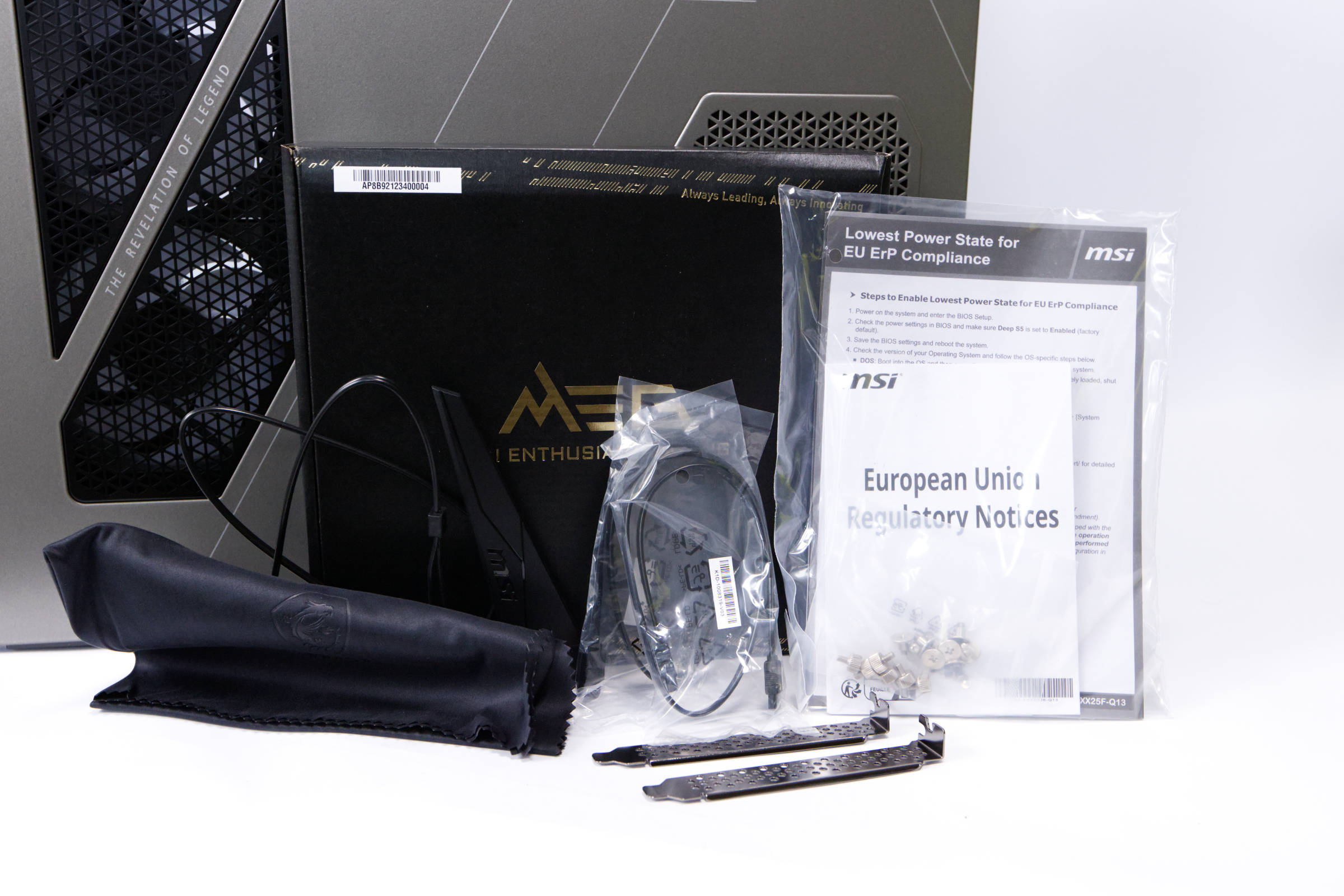 MSI MEG Vision X AI Scope of delivery (Image © PCMasters.de)
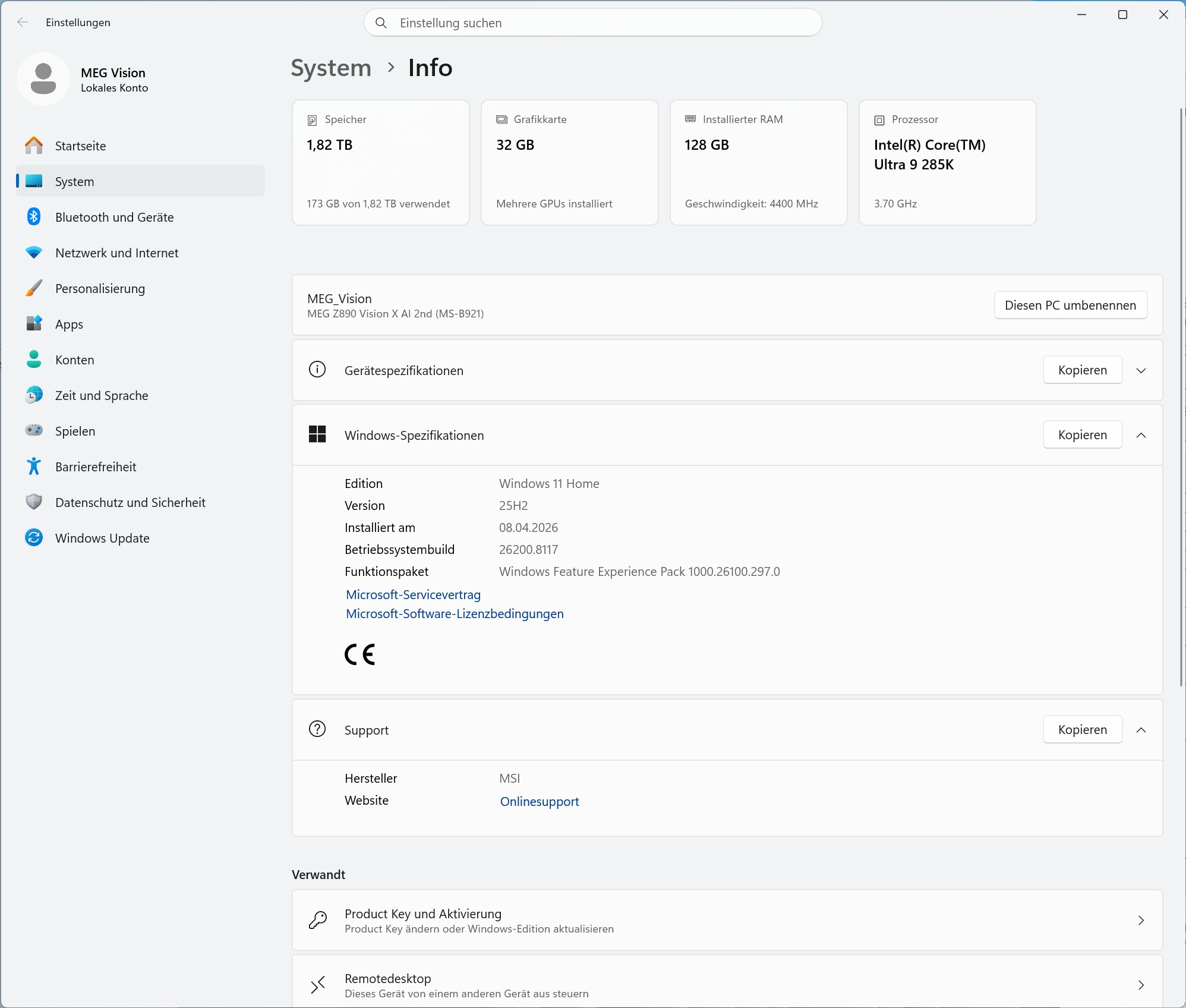 MSI MEG Vision X AI System (Image © PCMasters.de)
Windows 11 pre-installed
The MSI MEG Vision X AI comes with Windows 11 Home or Pro pre-installed, depending on which version you buy. It is the latest operating system that Microsoft has on the market. The version for the test was set up and we didn't have to specify anything else. What is noticeable about the test system is that the standard user was directly the administrator and that Copilot was active, as the PC probably met the Copilot+ requirements. We could not find any other bloatware.
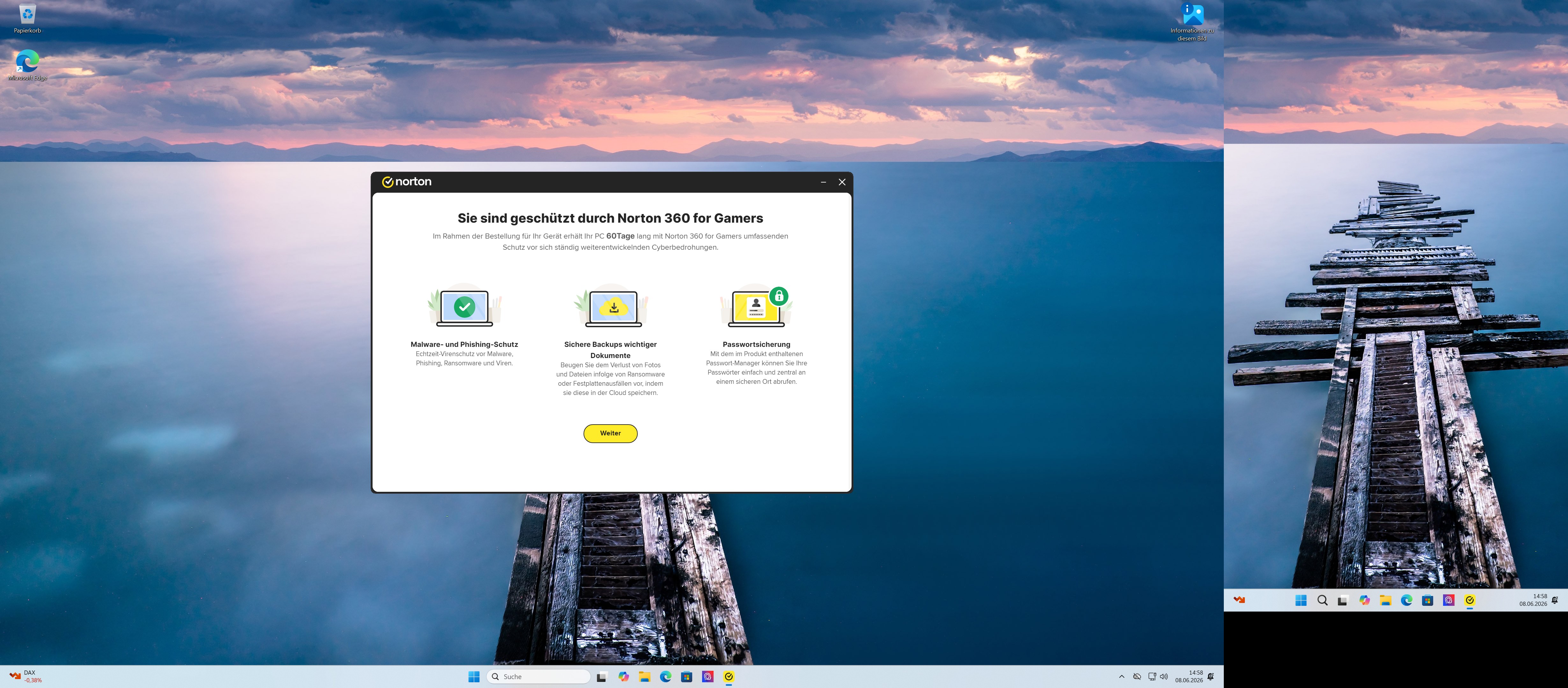 MSI MEG Vision X AI - Bloatware (Image © PCMasters.de)
Much worse, however, was the Norton Antivirus, which is absolute junk. The system would not accept the uninstallation of Norton and we had to confirm it several times. After that, MSI Center tried to sell it to you again and you had to fight back. We would recommend the normal Windows Defender to everyone, because the other antiviruses open more holes than they plug.
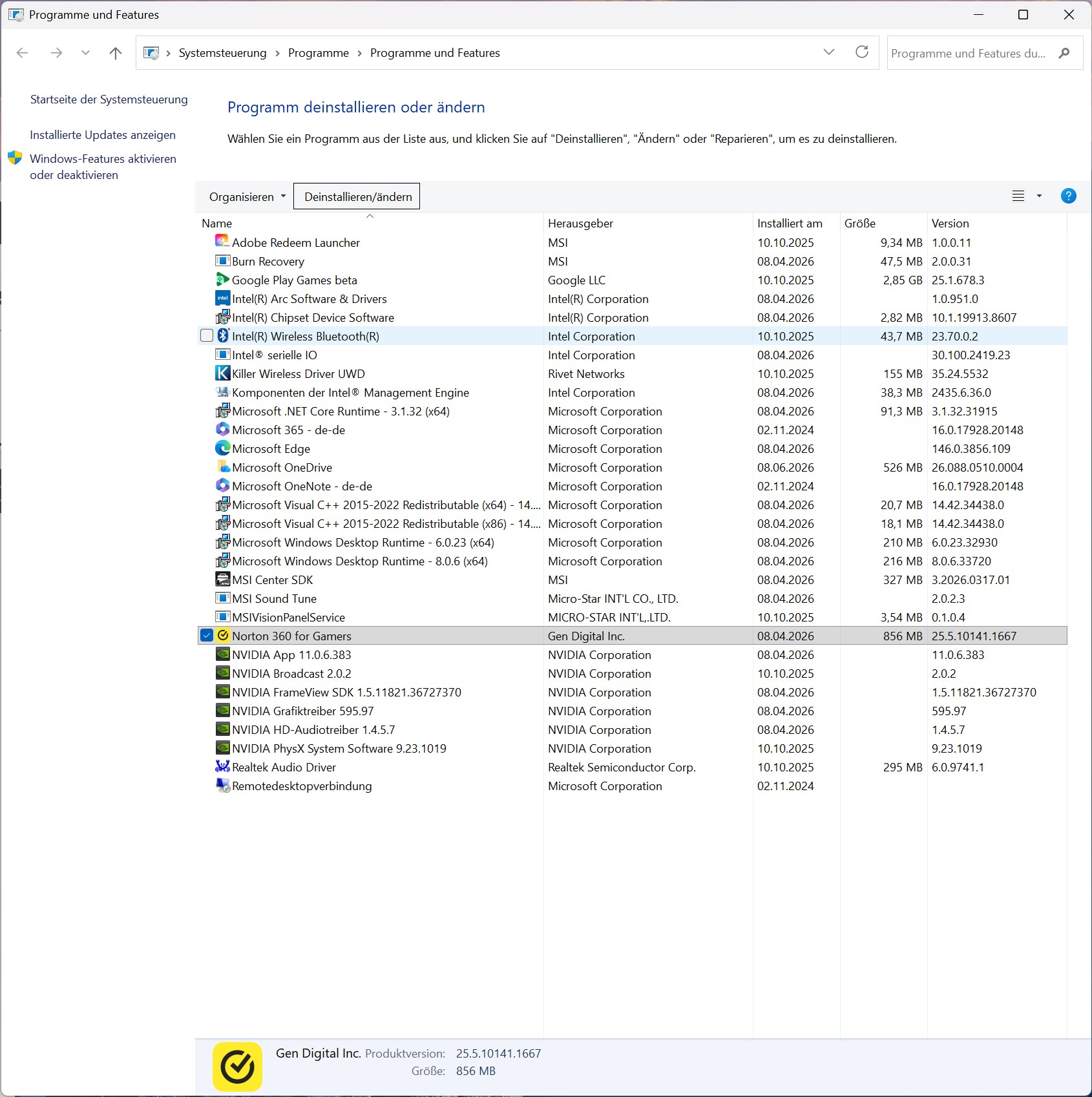 MSI MEG Vision X AI - Bloatware Installed (Image © PCMasters.de)
A look at the list of installed packages reveals an otherwise clean system. Microsoft always installs trial versions of software as stripped-down installers without asking, which is not pleasant, but MSI can't do much here. We would therefore rate the Win 11 license as a positive and the Norton as a nogo.
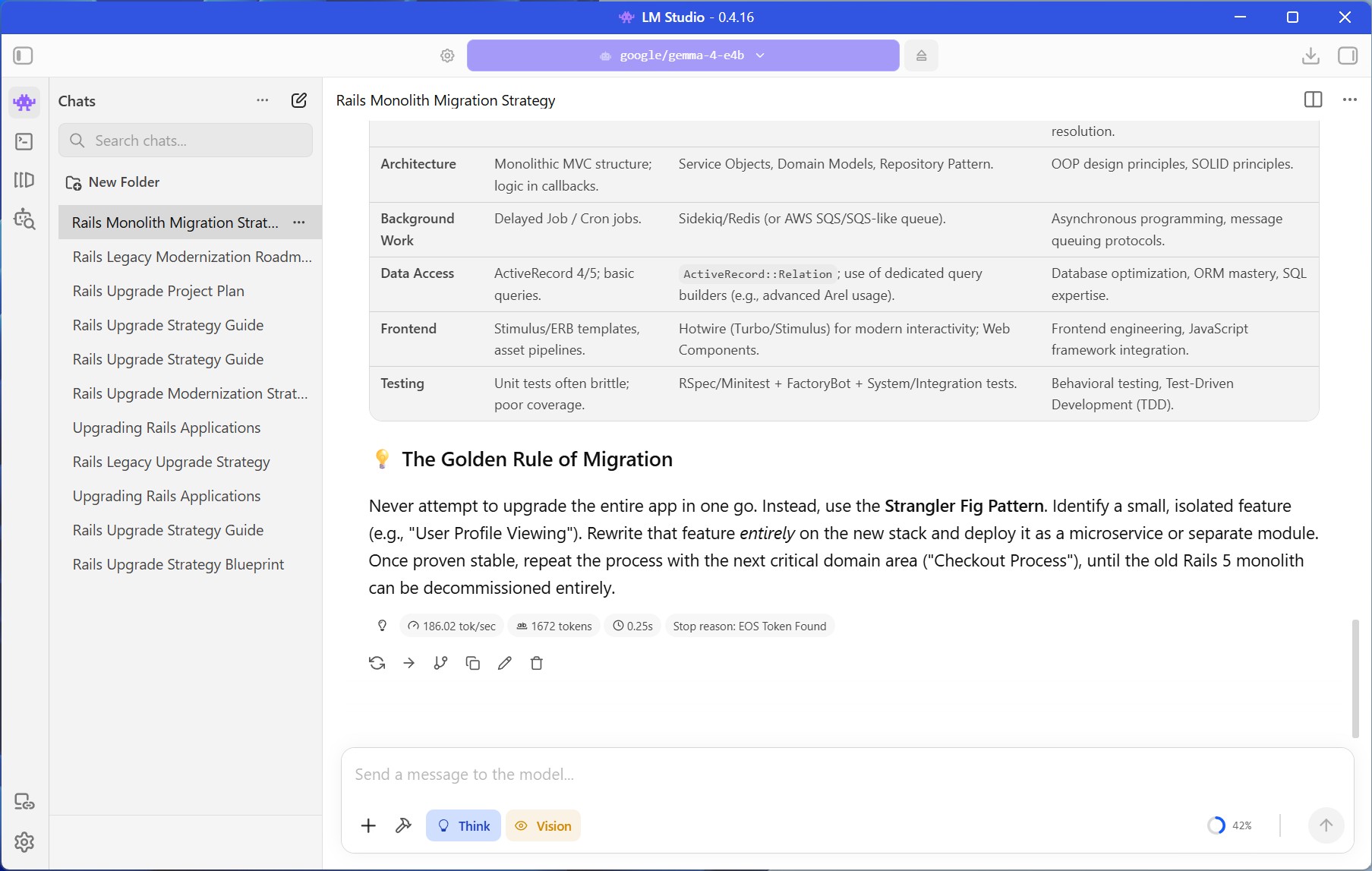 MSI MEG Vision X AI LM Studio (Image © PCMasters.de)
AI inference in comparison
This part is to bring out the AI performance of the system and we try to shed light on this topic as much as possible. In a recently published cheapest AI accelerators for local AI & LLM models guide we have already compared the performance of some GPUs and now the GeForce RTX 5090 joins them. Even though we performed these runs under Windows, the results should hardly differ, even if Linux is king here. The CPU cannot keep up with the AMD EPYC because it is a server CPU with 64 cores. However, the GeForce RTX 5090 can deliver really good results with Vulkan and CUDA and the token generation is really fast with this model, so you can also use slightly larger models.
In Gemma 7.5B (Q8), the Core Ultra 9 285K has significantly increased its performance and performs well. The GeForce RTX 5090 beats the TESLA V100 to the ground, but also costs more than 6 times as much as the used TESLA V100.
MSI MEG Vision X AI Benchmarks
With the help of benchmarks, we test the Mini-PC for its performance in workloads and games.
| MSI MEG Vision X AI | SAPPHIRE EDGE AI 370 | ACEMAGIC AM06 PRO | HUAWEI MateBook 14 | Ryzen 7 3700X | NiPoGi AM06 PRO | ACEMAGIC RX16 | ACEMAGIC V1 | ACEMAGIC AMR 5 | ACEMAGIC TK11 | |
|---|---|---|---|---|---|---|---|---|---|---|
| CPU | Intel Core Ultra 9 285K | AMD Ryzen AI 9 HX 370 | AMD Ryzen 5 7430U | Intel Core i5-1340P | AMD Ryzen 7 3700X | AMD Ryzen 7 5825U | AMD Ryzen 7 H255 | Intel N97 | AMD Ryzen 5 5600U | Intel Core i5 11320H |
| RAM | Teamgroup T-FORCE 128 GB DDR5-5600 (UIMM) |
Kingston 32 GB DDR5-5600 32 GB (SO-DIMM) |
16 GB HOGE DDR4-2666 (SO-DIMM) |
16 GB DDR4-2666 (SO-DIMM) |
G.SKILL Trident Z DDR4 (F4-3600C14D-32GTZN) |
16 GB SODIMM, DDR4-2666 (SO-DIMM) |
HOGE 16 GB DDR5-4800 (SO-DIMM) |
Kinsotin 16 GB DDR4-2666 (SO-DIMM) |
16 GB DDR4-2666 (SO-DIMM) |
16 GB DDR4-2666 (SO-DIMM) |
| SATA/NVMe SSD | Phison ESO2K0GMLCA0 2 TB (NVMe, PCie 5) |
Kingston OM8TAP41024K1-A00 1 TB (NVMe, PCie 4) |
AirDisk 512 GB (SATA600) |
WD SN740 512 GB (NVMe, PCie 4) |
Sabrent Rocket 4 Plus 1 TB (NVMe, PCie 4) |
UDSS UD2CS1HT301-512G 512 GB (SATA) |
G932E1M 512 GB (NVMe, PCie 3) |
Rayson RS512GSSD310 512 GB (SATA) |
CYX-SSD-S1000 512 GB (SATA)> |
512 GB (SATA)> |
| TBP/TDP | 250 W CPU 575 W GPU |
45 W | 15 W | 25 W | 88 W | 15 W | 45 W | 19 W | 20 W | 32 W |
Note on the comparison system
When testing the AMD Ryzen 7 3700X, we used the standard system for desktops. - Mainboard: ASUS ROG Strix X570-I Gaming - Graphics card: GeForce RTX 3090 Founders Edition - SSD: Samsung SSD 840 PRO 256 GB, Samsung 850 EVO 500 GB - **m.2 SSD: Sabrent Rocket 4 Plus 1 TB - RAM: G.SKILL Trident Z DDR4 F4-3600C14D-32GTZN at DDR4-3600 - CPU cooler: MSI MEG CORELIQUID S360 - Power supply: Corsair RM-750X - 750 W - Fan: 0 - Case: Open structure - Operating system: Windows 11 21H2
MSI MEG Vision X AI Benchmark (Synthetic)
Synthetic benchmarks allow relatively good comparisons to be made between the different CPU architectures. Depending on the benchmark, the focus is on certain workloads and the respective CPU can then show its performance.
Cinebench R15
Cinebench R20
HandBrake
Geekbench 5 CPU benchmark
POV-Ray v3.7
7-Zip
WinRAR
Corona 1.3
3DMark CPU Benchmark
3DMark Time Spy
PCMark 10
With PCMark, it should be noted that the graphics card plays an important role and the RTX 3090 FE was used for the Ryzen 7 3700X. The comparison is therefore not directly applicable. Other MiniPCs will be compared later, which will provide a better comparison, as the entire system is evaluated here.
Unigine Superposition (720p, Low)
MSI MEG Vision X AI Gaming Benchmarks
Games could only be tested to a limited extent. The games we usually use require a more powerful graphics card that can also handle ray tracing if necessary. After all, we only want to see to what extent the CPU limits the game. However, an iGPU is used here, which is limited in its performance.
Final Fantasy XV Benchmark
Resident Evil VILLAGE
Shadow of The Tomb Raider
Cooling
The cooling concept is pretty basic for a high-end system. We get a 360 AIO liquid cooling system for the CPU, which comes from MSI and in which the radiator is installed at the top of the case. The two side fans draw in fresh air and the graphics card pushes the air upwards. The rear 120 mm fan serves as an exhaust, with the three fans at the top also pushing the air outwards. This should achieve an acceptable airflow. The system is not super quiet at idle when delivered, but it is acceptable.
We couldn't directly detect any AI features in the fan curves, especially since the BIOS can't have any AI features as it has a completely different focus and severe limitations. MSI can therefore at most somehow adjust the curves under Windows, but "AI" makes no sense in this case because it is simply not needed for fan curve adjustments. It is more useful for understanding and mapping a lot of unstructured data, which is simply pointless here.
The measured values are delta values from which the room temperature has been calculated.
Volume
We rely on the tried-and-tested volume measurement and also measure the noise level of the MSI MEG Vision X AI PC. We measure at a distance of 20 cm with the side panel closed. The PCE-332A measuring device is set to a measuring range of 30-80 dB(A). The sound level is lower when the CPU is under load. Under GPU load, the sound level rises to a maximum of 45 dB(A).
- Sound level, load 20 cm **: 45.1 dB(A)
- Sound level, Idle 20 cm.: 30.9 dB(A)
Consumption and power consumption
The MSI MEG Vision X AI is equipped with a hungry CPU and GPU. We first looked at the consumption for the CPU:
The measurement of the power consumption of the entire system is the highest, but these values do not yet include the consumption of the GPU. If you load the GeForce RTX 5090, the consumption goes up to 751 watts and peak values go even higher.
Performance in games, multi- and single-threaded applications (rating)
As expected, the performance in single-threaded applications puts the MEG Vision X AI 2nd in first place, as it is Intel's most powerful CPU in the desktop segment.
In multi-threaded applications, the Core Ultra 9 285K can build up a big gap to the rest, as these are mini-PCs that are on a strong mix of efficiency and performance, with the MEG Vision X AI 2nd being trimmed for performance only.
Thanks to the GeForce RTX 5090, the PC is actually unbeatable, but the benchmarks are limited at CPU level and not GPU. It dominates more clearly in graphics card-heavy tests and this test does not properly represent this segment.
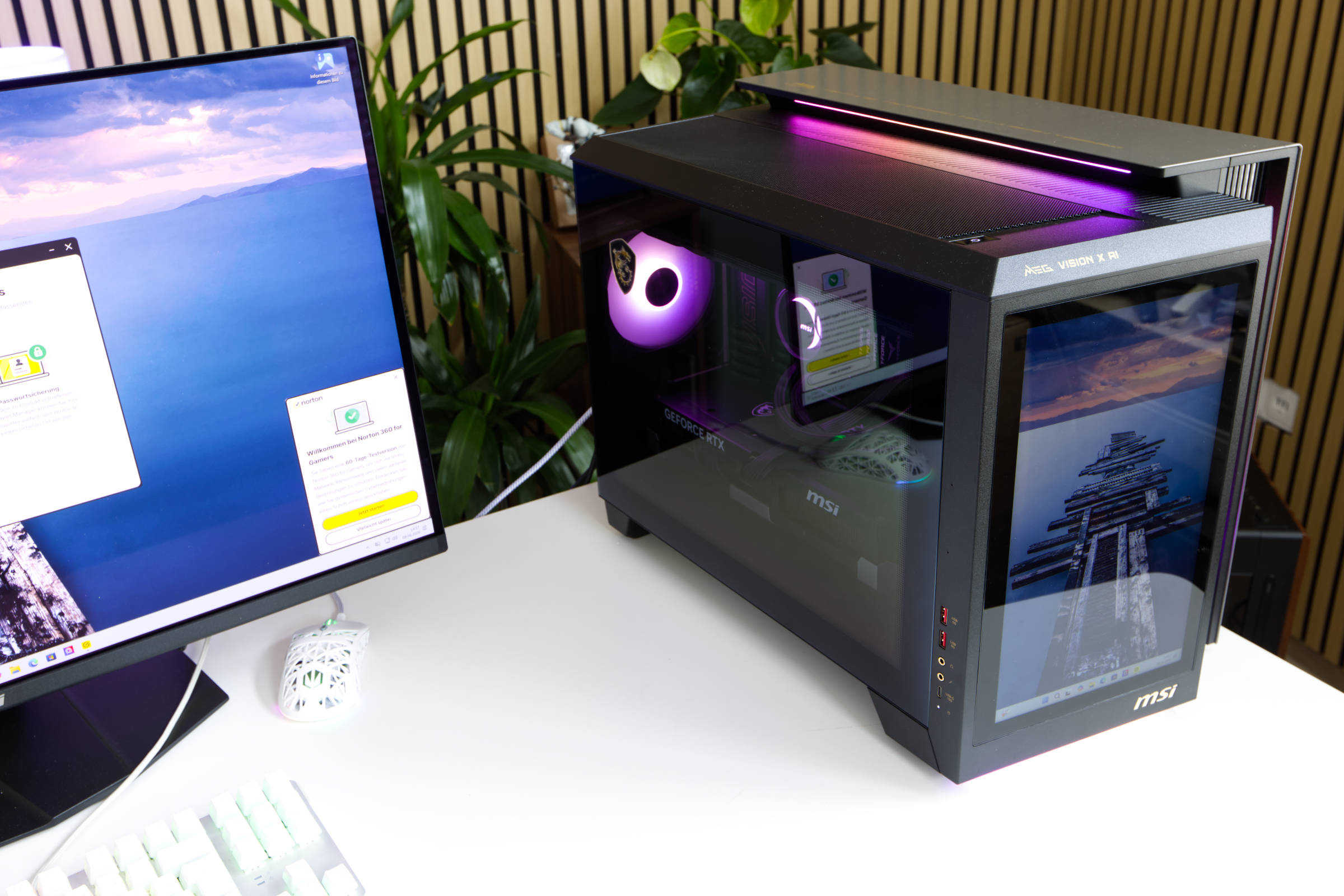 MSI MEG Vision X AI ARGB (Image © PCMasters.de)
Conclusion
We find it difficult to draw a conclusion about the MEG Vision X AI prefabricated PC. From an enthusiast's point of view, you get a lot, because the performance is great, even if it would have been even better with an AMD X3D CPU. The GeForce RTX 5090 from MSI is also excellent and is ideal for gaming and GPU-heavy workloads. The 13" touch display in the front is stylish, even if you rarely need it. This is the best place to display your own dashboards, as it is recognized as a stand-alone monitor. The ARGB lighting is also stylish, even if it is somewhat dimmed by the glass panel. The case is also well-built overall and the cooling is quite good.
This configuration with 128 GB DDR5 RAM is also future-proof, even if it is a big chunk for the price during the ongoing memory crisis, as this much RAM costs at least €1,400. However, MSI also offers smaller variants, with less RAM, a weaker CPU and also configs with GeForce RTX 5080 and RTX 5070 Ti. This brings the price down significantly. However, the price is not the only point of criticism, but this system is clearly aimed at enthusiasts with deep pockets. The config as we have it costs €5,000. At such a price, you can expect a warranty of more than 2 years, as individual components in this segment are covered by longer warranties.
Windows 11 Pro is pre-installed and activated, but Norton Antivirus has no place on the system and does not want to be removed so easily. We understand that all companies have to jump on the AI hype, but we don't see any AI in the software, even if the word is used here. The NPU is integrated in the Core Ultra 9 285K and Intel wants to sell it to us as useful, but we still don't see any support in common LLM tools that make any use of it - there is only Vulkan and Cuda. This means that the actual AI accelerator is only the graphics card, even if the 128 GB RAM can also be used, but the generation of tokens will be very slow.
Unfortunately, the systems are hard to find and we only found the configuration from the test at Conrad for €5,810. The variant with 64 GB RAM costs around €700 less and the config with Core Ultra 9 285K, RTX 5080, 64 GB DDR5 RAM is sold for €4,499 (Affiliate). The prices are very high for such a build and will only find a few buyers. The PC offers very good performance and features, but the price drags the rating down. If you compare the MEG Vision X AI with similar builds at Dubaro, the MEG Vision X AI is significantly cheaper, as you have to pay more for a comparable build.
Pro
- Very good single and multi-thread performance
- Quiet operation, except at full load
- Excellent gaming performance
- Large 13" touch display in the front
- Integrated WiFi 7 and Bluetooth
- Robust dual-chamber housing
- Stylish design
- Extensive ARGB lighting
- Space for additional SSDs
- 128 GB DDR5-RAM
- Can be used for local AI models
Contra
- Extremely expensive
- Insufficient manufacturer's warranty of 2 years
- Penetrating Norton antivirus software pre-installed
- High power consumption (load and idle)