
 Computer Forum
ASUS ProArt PA32KCX in Detail
With the ProArt Display PA32KCX, ASUS has unveiled a high-end monitor aimed primarily at professional users and businesses with specific monitor requirements for whom price is the least of their concerns. Even though I would personally classify myself as a power user and enthusiast, the ProArt PA32KCX wouldn’t be on my list because, at around €8,500, the monitor is far beyond my budget. This monitor is also definitely not intended for gamers.
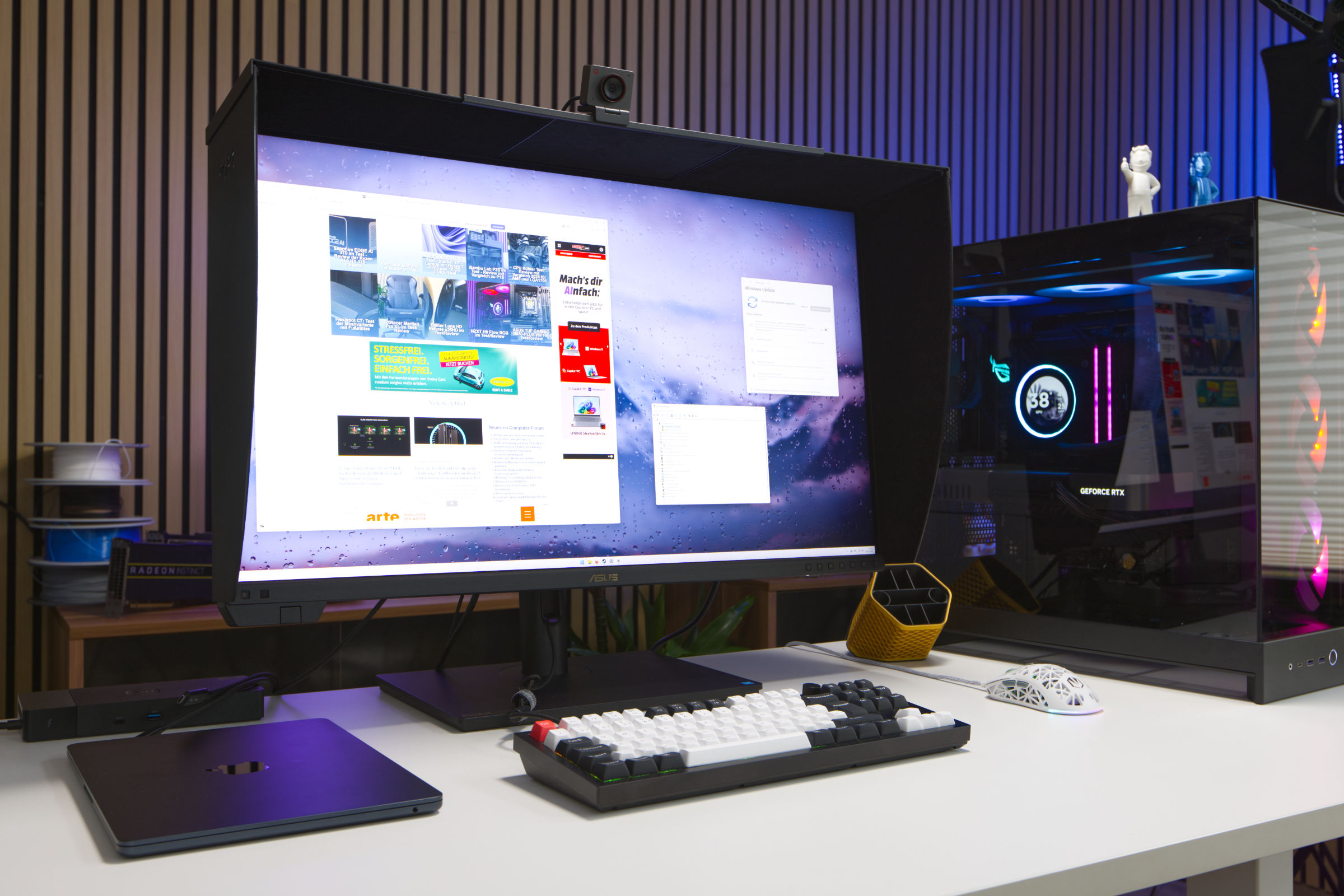 ASUS ProArt Display PA32KCX Test Review (Image © PCMasters.de)
 ASUS ProArt Display PA32KCX Logo (Image © PCMasters.de)
8K UHD Mini-LED Panel
With the ProArt Display PA32KCX, ASUS has clearly focused on maximum performance. In our opinion, the 32-inch display represents the maximum size for working at close range (on a desk). The heart of the monitor is the 8K Mini-LED panel, which is illuminated with 4,032 zones of local dimming. The high pixel density of 275 pixels per inch (PPI) exceeds the MacBook’s 220 PPI but falls short of the iPhone X’s (Super Retina) 458 PPI; however, you’re never as close to a monitor as you are to a smartphone. In comparison, the Dell UltraSharp UP3218KA 8K FHD monitor has a slightly higher 280 ppi at a 31.5-inch diagonal.
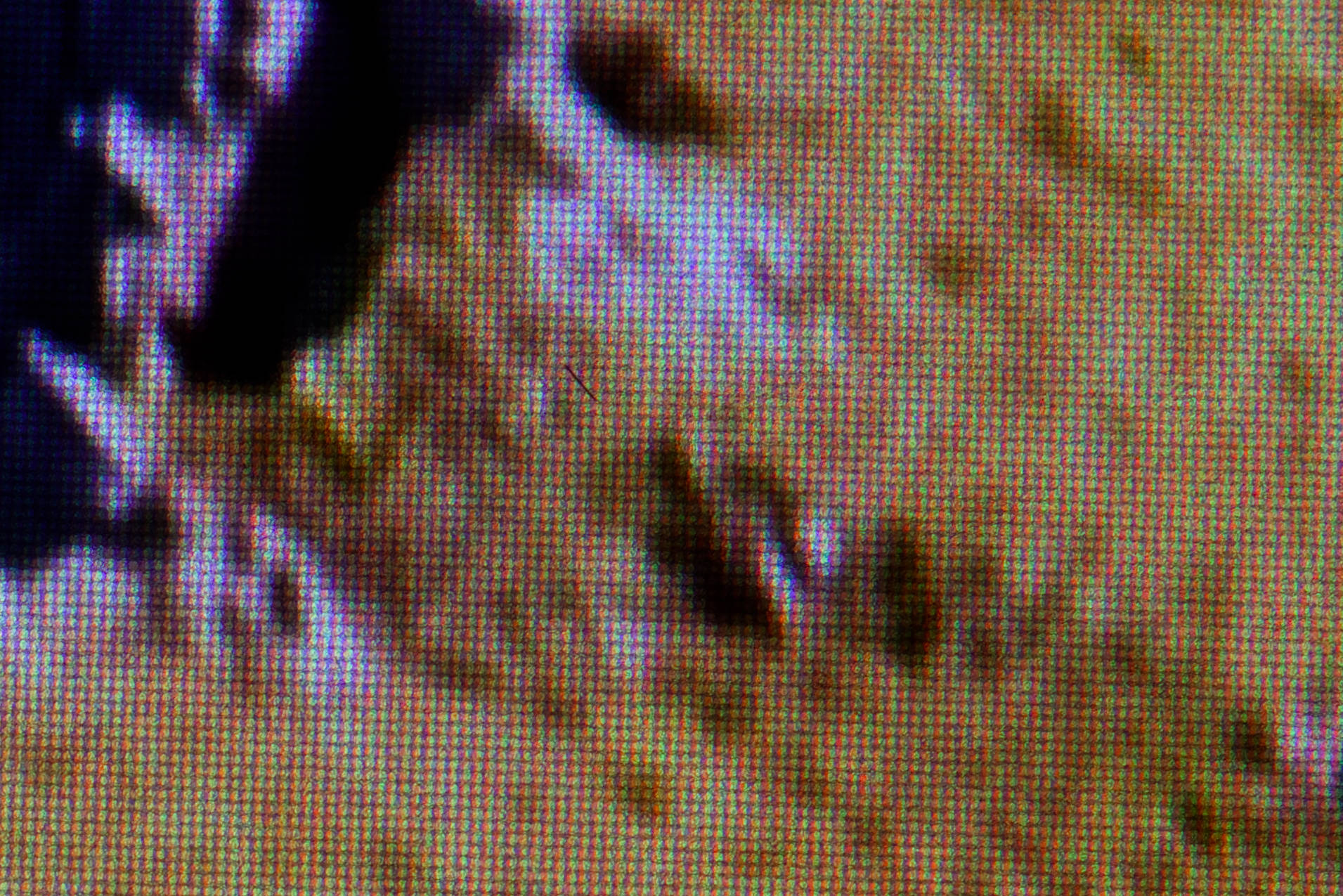 ASUS ProArt Display PA32KCX MiniLED (Image © PCMasters.de)
With a peak brightness of 1,200 nits, the monitor is bright, though sustained brightness is more likely to be around 1,000 nits without partial patch dimming. With 10-bit color depth and Quantum Dot technology, the monitor offers 100% sRGB, 99% Adobe RGB, and 97% DCI-P3 color coverage, as well as support for the Rec. 2020 color space. According to ASUS, the panel is designed to ensure minimal color deviation with a Delta E <1 color accuracy rating and stands out particularly due to its built-in, motorized colorimeter, which allows for on-site calibration at any time. This ensures professional-grade color accuracy at all times. The 8K UHD resolution, equivalent to 7680 x 4320 pixels, is also anything but standard.
ASUS also promotes the ProArt Display PA32KCX with LuxPixel, which is designed to provide an anti-glare low-reflection (AGLR) coating. In everyday use, we couldn’t detect any glare, and reflections were reduced to a minimum, with the protective cover on top and the sides also contributing positively to this.
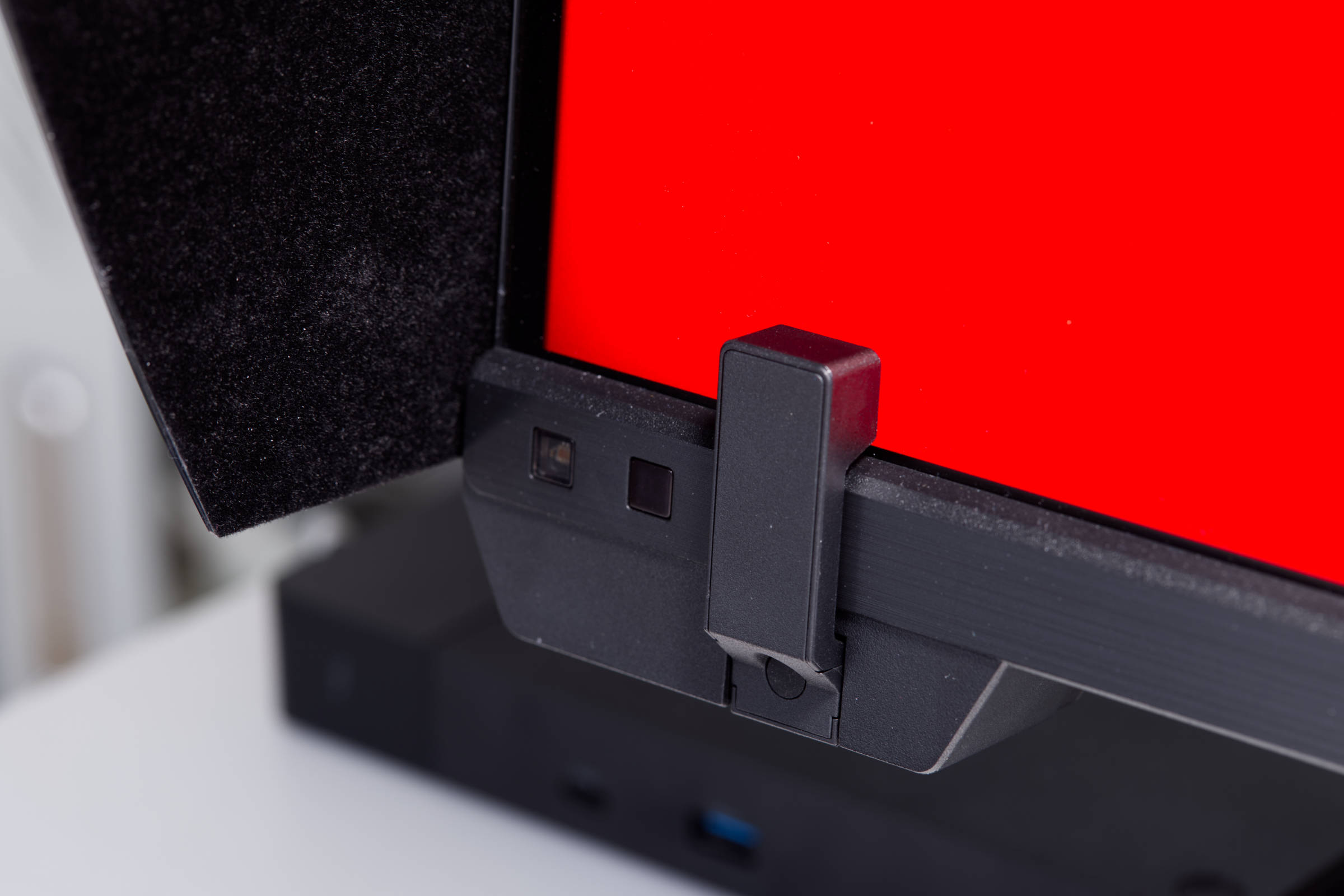 ASUS ProArt Display PA32KCX Calibration (Image © PCMasters.de)
Integrated Colorimeter
A major selling point of the ProArt Display PA32KCX, in addition to the 8K Mini-LED panel, is the integrated colorimeter. You can use the menu to calibrate all color spaces or specific color spaces every day at a set time, or simply start the process directly. The monitor is unusable during calibration, so you should probably do this before or after work to avoid wasting time waiting. The OSD provides the necessary options here.
Calibration is also supported via the Calman and Light Illusion ColourSpace CMS calibration software. We did not test this feature, as the software was not provided to us.
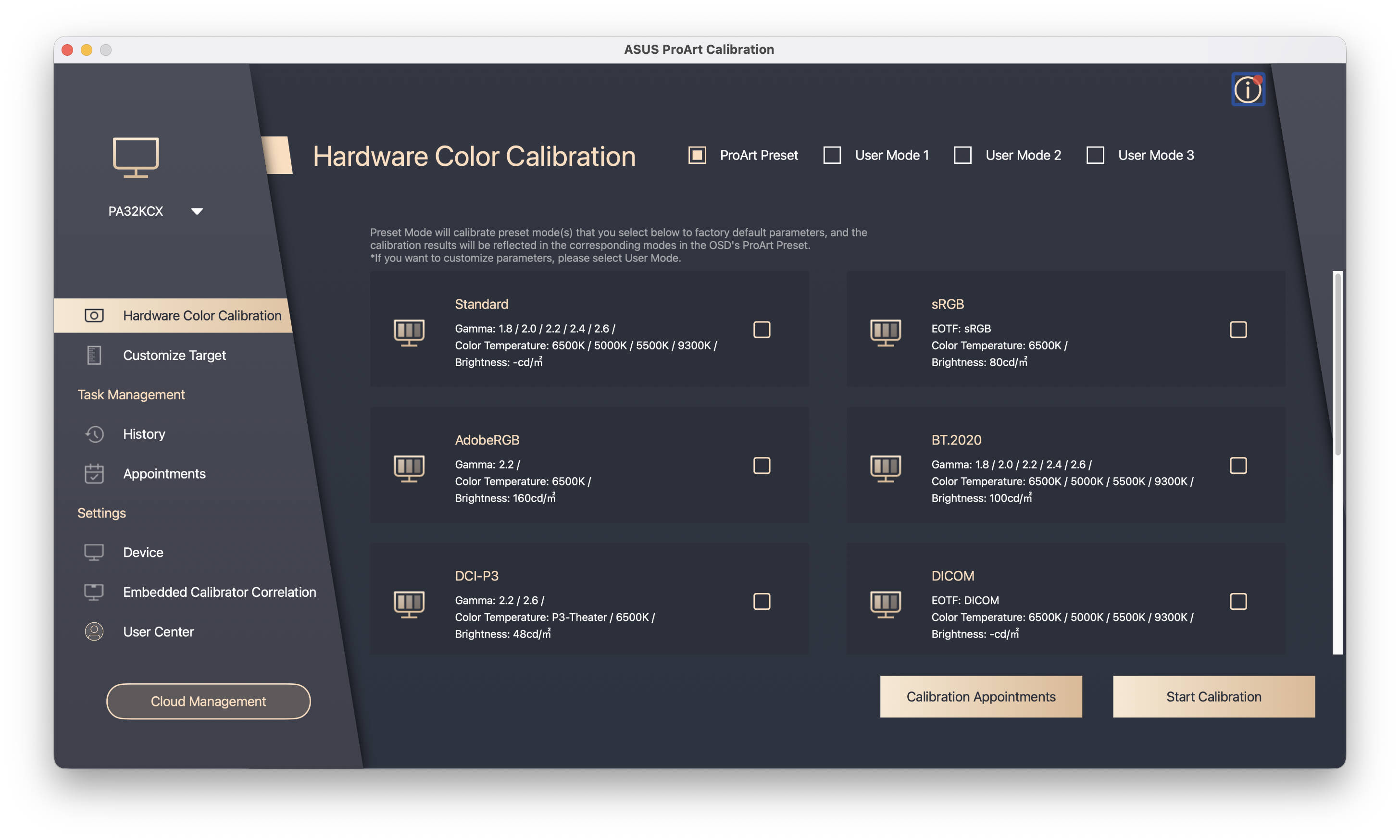 ASUS ProArt Calibration Hardware (Image © PCMasters.de)
ASUS ProArt Calibration
ASUS also offers its own ProArt hardware calibration software, which works in both SDR and HDR modes. The software can be used to save color parameter profiles directly to the ProArt monitor’s internal scaler IC chip, enabling system-independent management. With ProArt Calibration, you can also set regular calibration intervals. The tool is available for Windows and macOS, and we tested it on macOS version 4.2.0.6. Although the software recognized the monitor, calibration could not be started because the ASUS calibration device was not found in the list, and the ProArt option was unavailable.
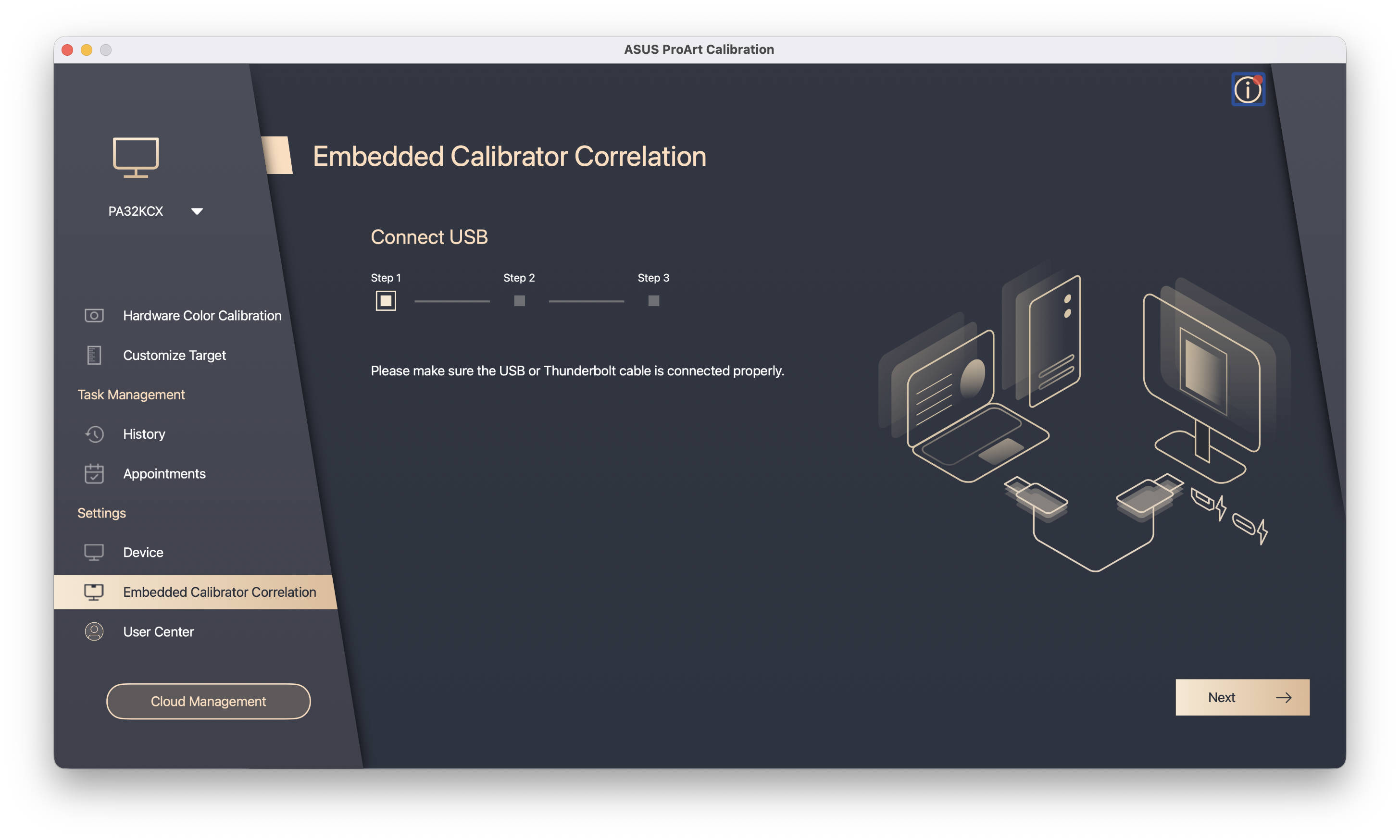 ASUS ProArt Calibration Start (Image © PCMasters.de)
After updating the software, calibration could also be started via the app. A run for the P3 profile took about 40 minutes via the OSD controls and about 30 minutes via the app. We would definitely recommend automatic calibration here so you don’t have to wait for the monitor to become available.
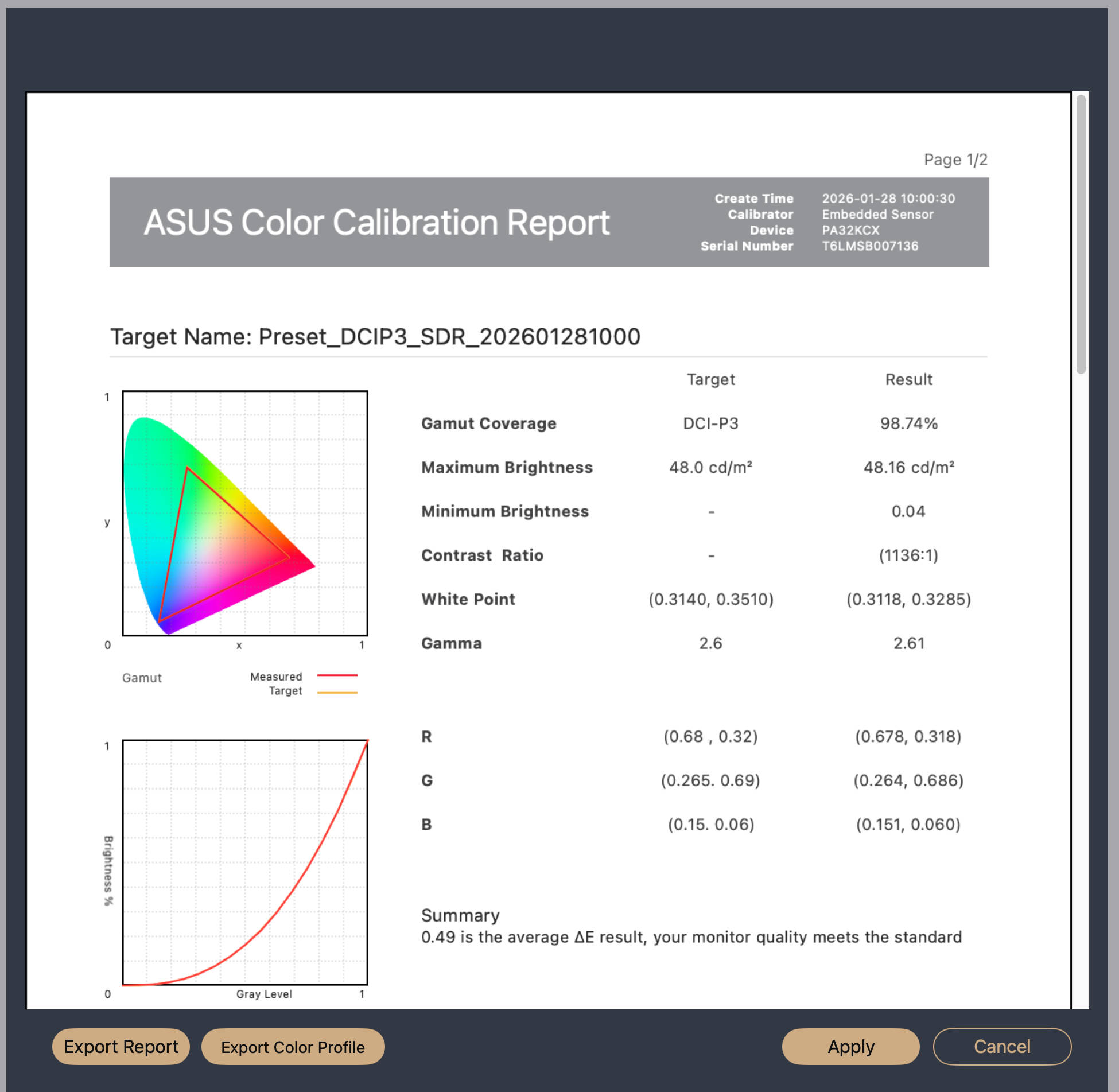 ASUS ProArt Calibration kalibriert (Image © PCMasters.de)
After calibration, we noticed changes in brightness, contrast, and color saturation. At the end of the run, a PDF report was generated along with a corresponding profile that can be used or loaded into the display.
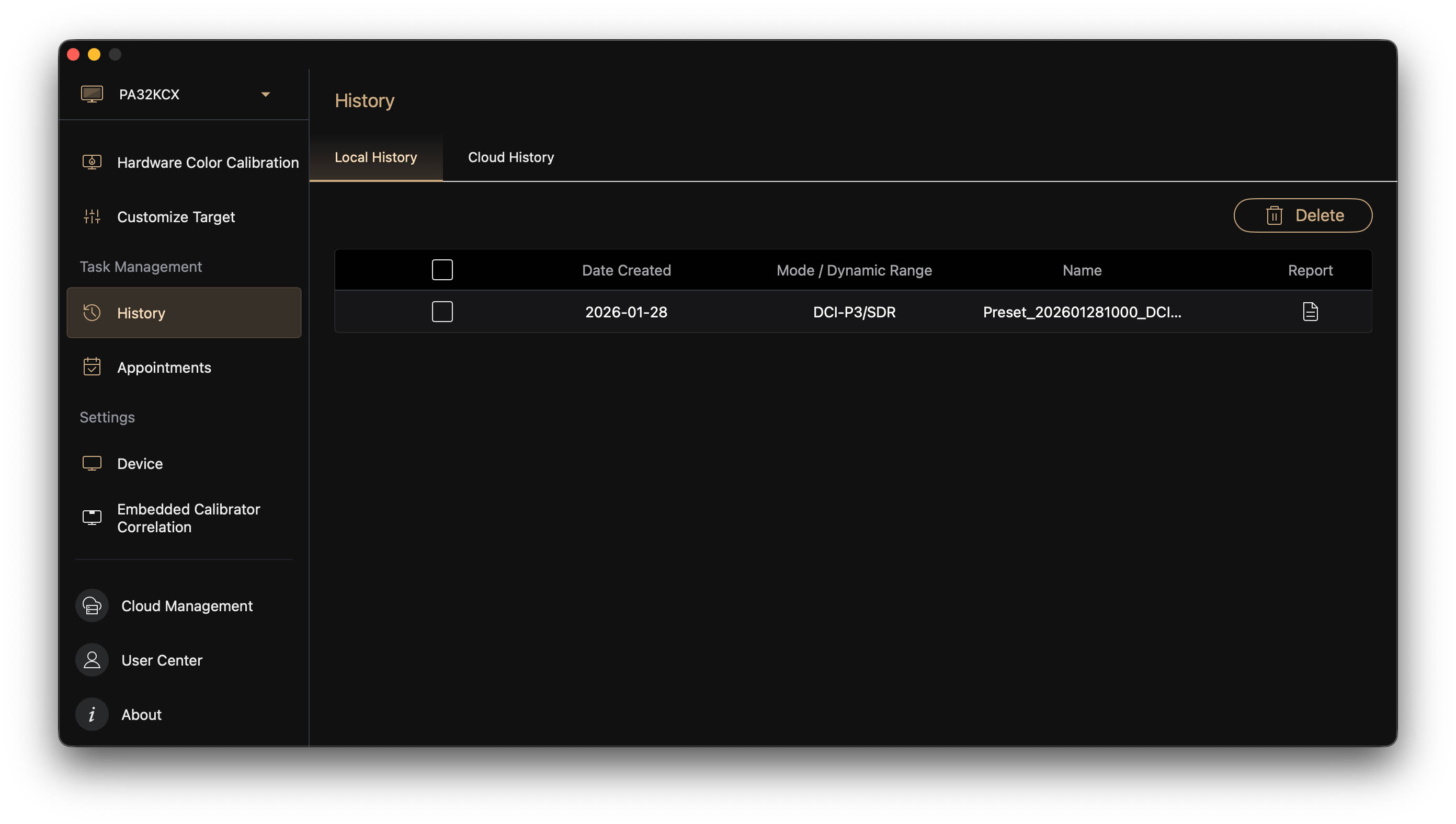 ASUS ProArt Calibration Report (Image © PCMasters.de)
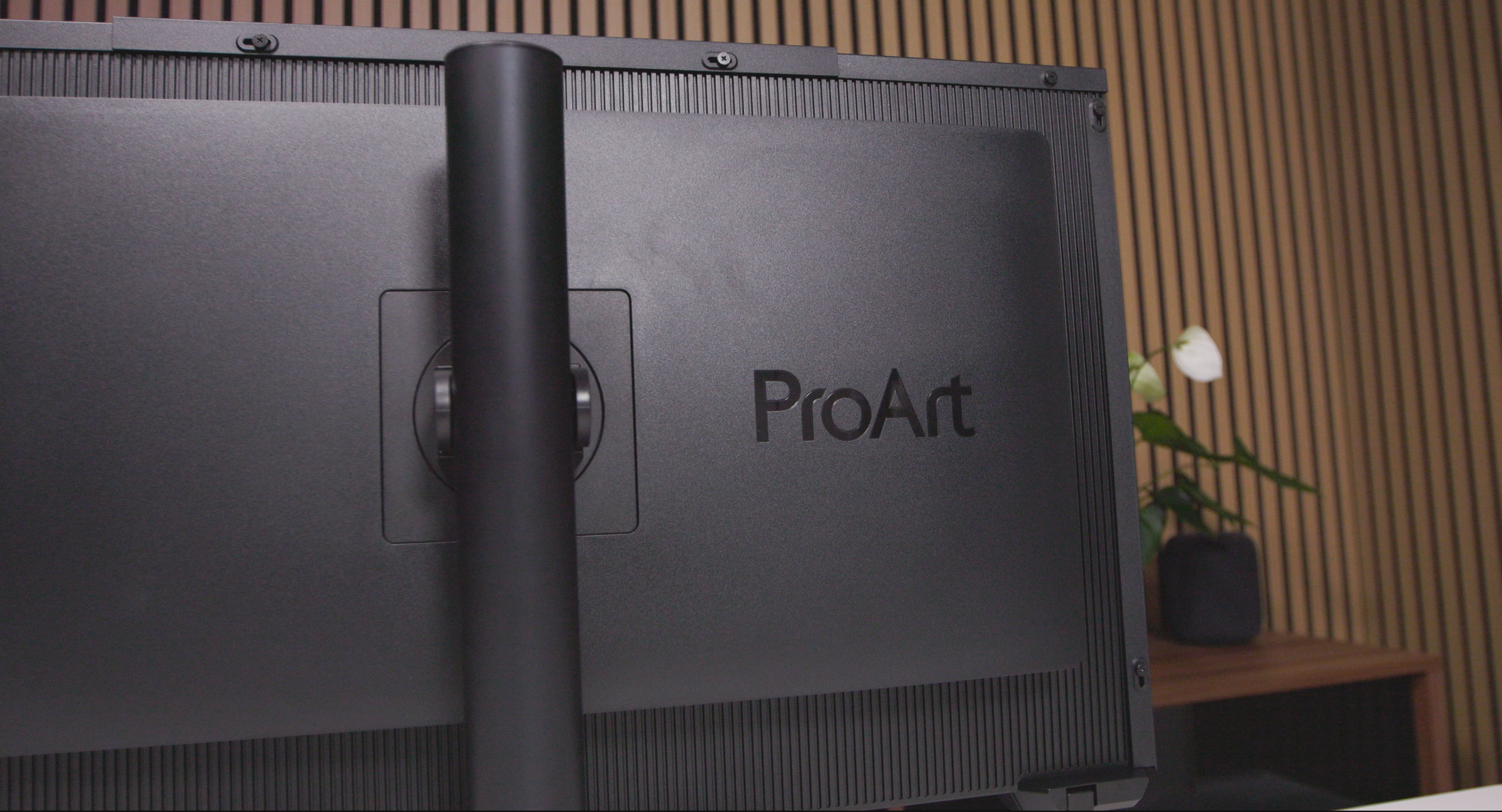 ASUS ProArt Display PA32KCX Lichtschutzhaube (Image © PCMasters.de)
Light Shield
The ProArt Display PA32KCX aims to make a name for itself and justify its high price. To that end, ASUS also includes a light shield that must be assembled from several parts. Screws are used to secure the plastic elements, which are first attached to the sides and then to the top. The inside of the light shield panels is lined with a black, matte material that eliminates light scattering and reflections.
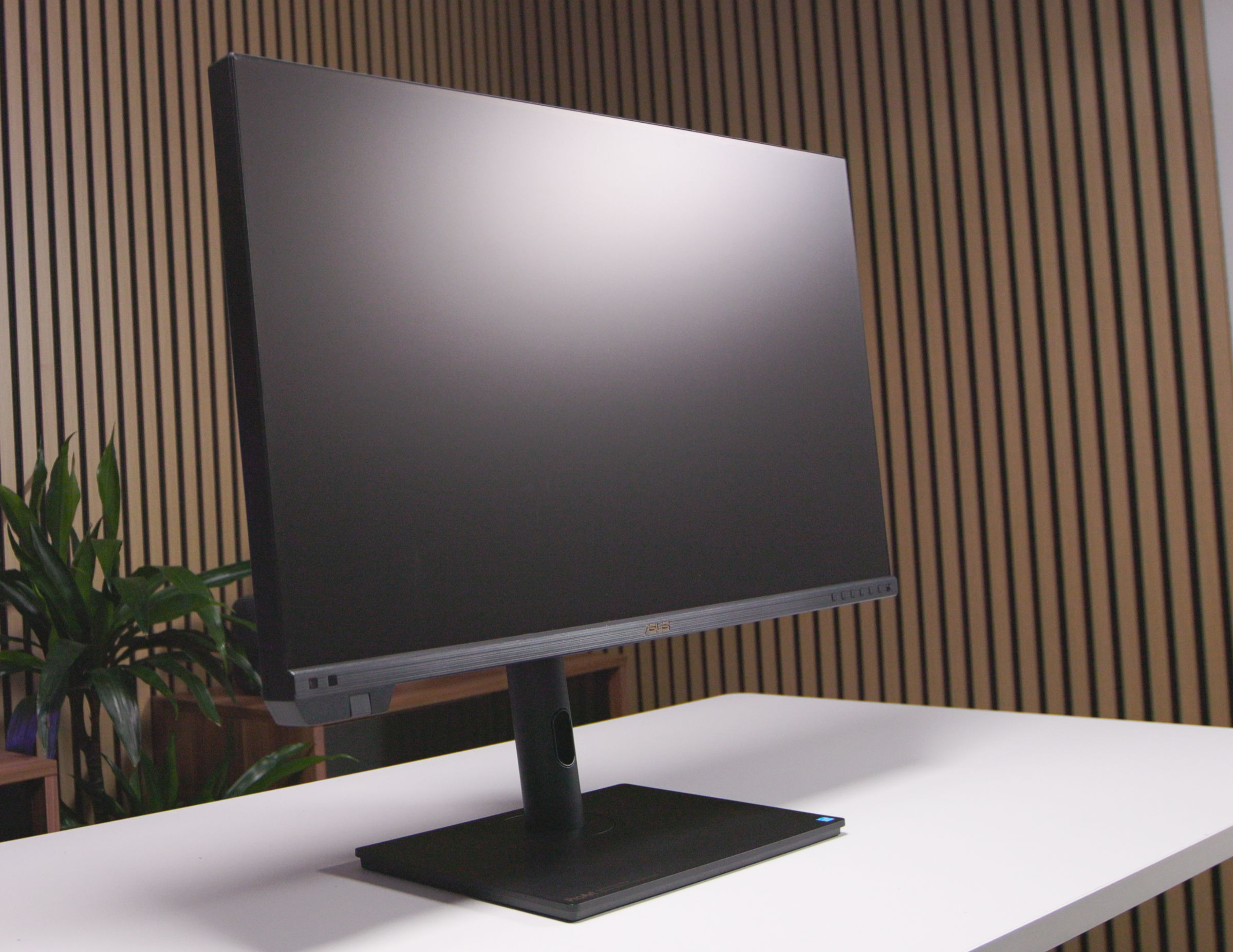 ASUS ProArt Display PA32KCX Monitor (Image © PCMasters.de)
This primarily darkens the edges of the screen, which may seem strange at first glance if you’re not used to it. However, it effectively blocks light coming in from the sides and top, even though the light shielding hoods from competitors protrude significantly further. After a short adjustment period, we found the light shield acceptable and, as a result, did not remove it for the rest of the test.
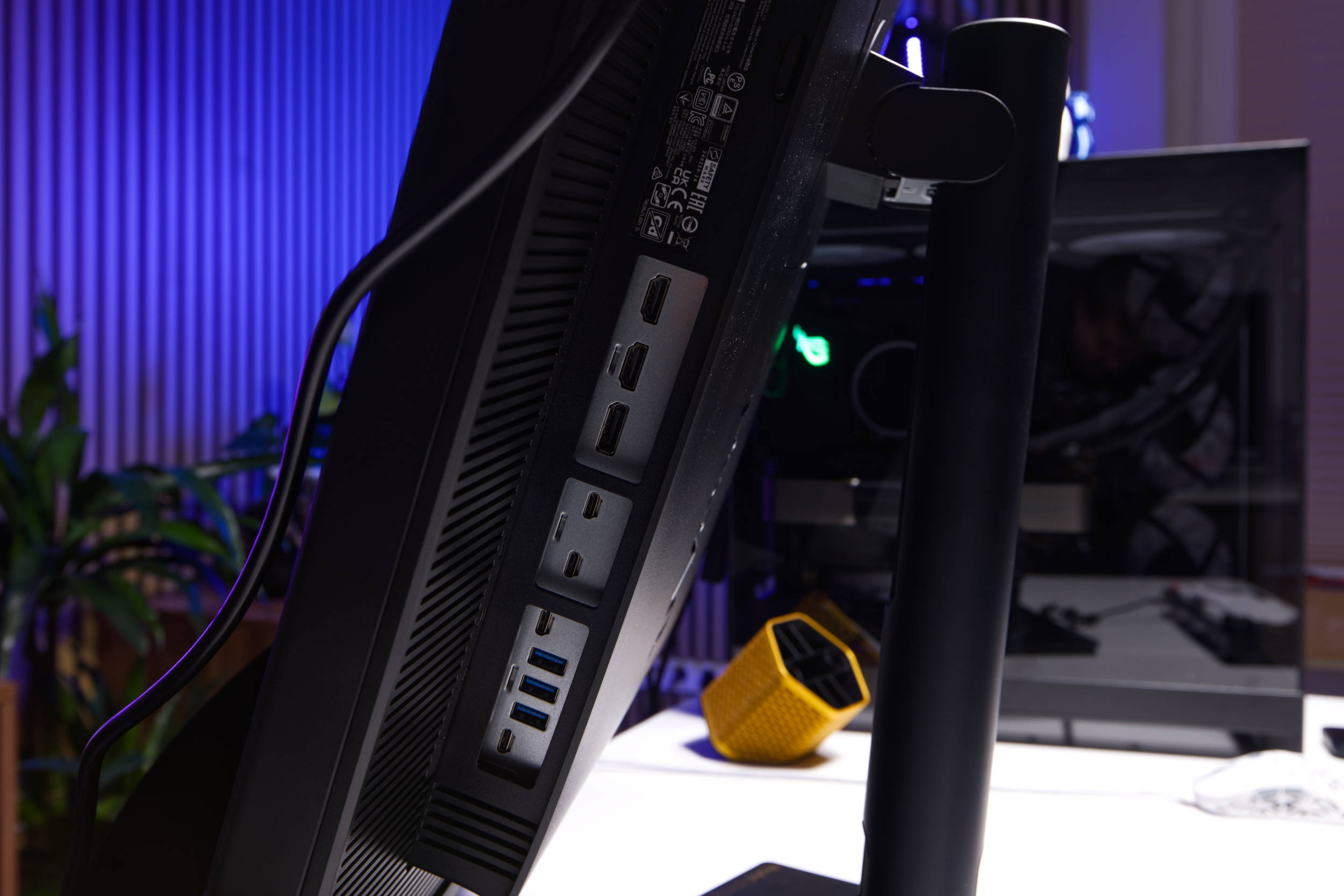 ASUS ProArt Display PA32KCX Anschlüsse (Image © PCMasters.de)
Connectivity Options and KVM
The ProArt Display PA32KCX aims to impress with its robust feature set. Thanks to two Thunderbolt 4 ports that support daisy-chaining, it can easily connect to PCs and laptops. The separate video inputs also include a high-bandwidth DisplayPort 2.1 and two HDMI 2.1 (FRL) ports for graphics cards.
A downstream USB hub offers three USB 3.2 Gen 2 Type-A ports and one USB 3.2 Gen 2 Type-C port for peripherals. The display also provides USB-C Power Delivery with up to 96 W—enough to power high-end laptops—and features a USB-C (signal) port for KVM switching, allowing the keyboard, mouse and hub devices can follow the active video source. This is an important addition to such a professional-grade device.
The device’s typical power consumption is under 81 watts, and under 0.5 W in power-saving mode. A hardware switch with a zero-watt function completely cuts off the power supply when the monitor is turned off.
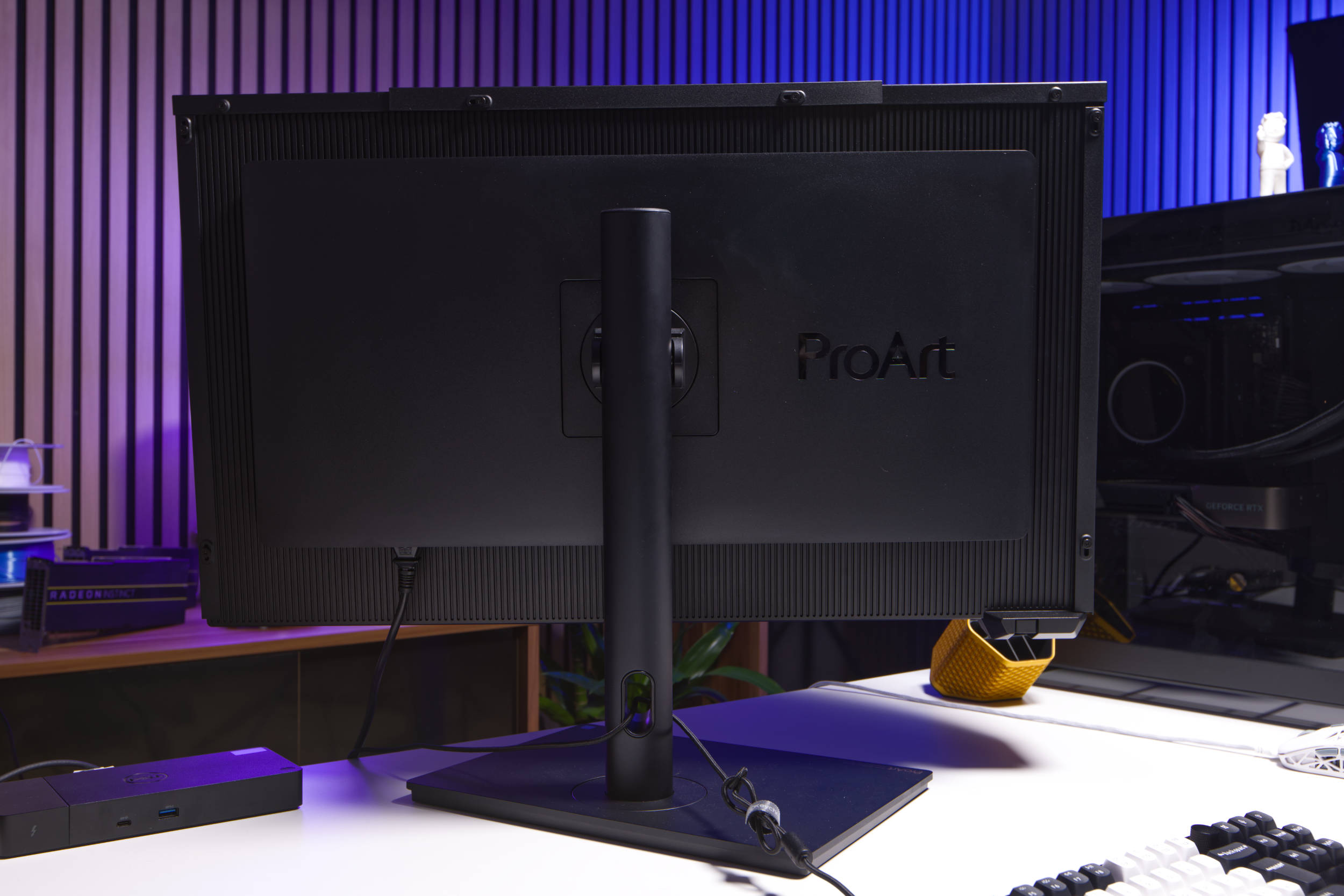 ASUS ProArt Display PA32KCX Rückseite (Image © PCMasters.de)
Stand and Mounting
The stand is truly solid and can be tilted from +23° to –5°, swiveled ±30°, and rotated ±90° for portrait mode use. The ProArt Display PA32KCX can also be adjusted in height between 0 and 100 mm. Additionally, the monitor can be mounted on a monitor arm using the standard 100×100 mm VESA mount, and a Kensington lock is included for shared environments.
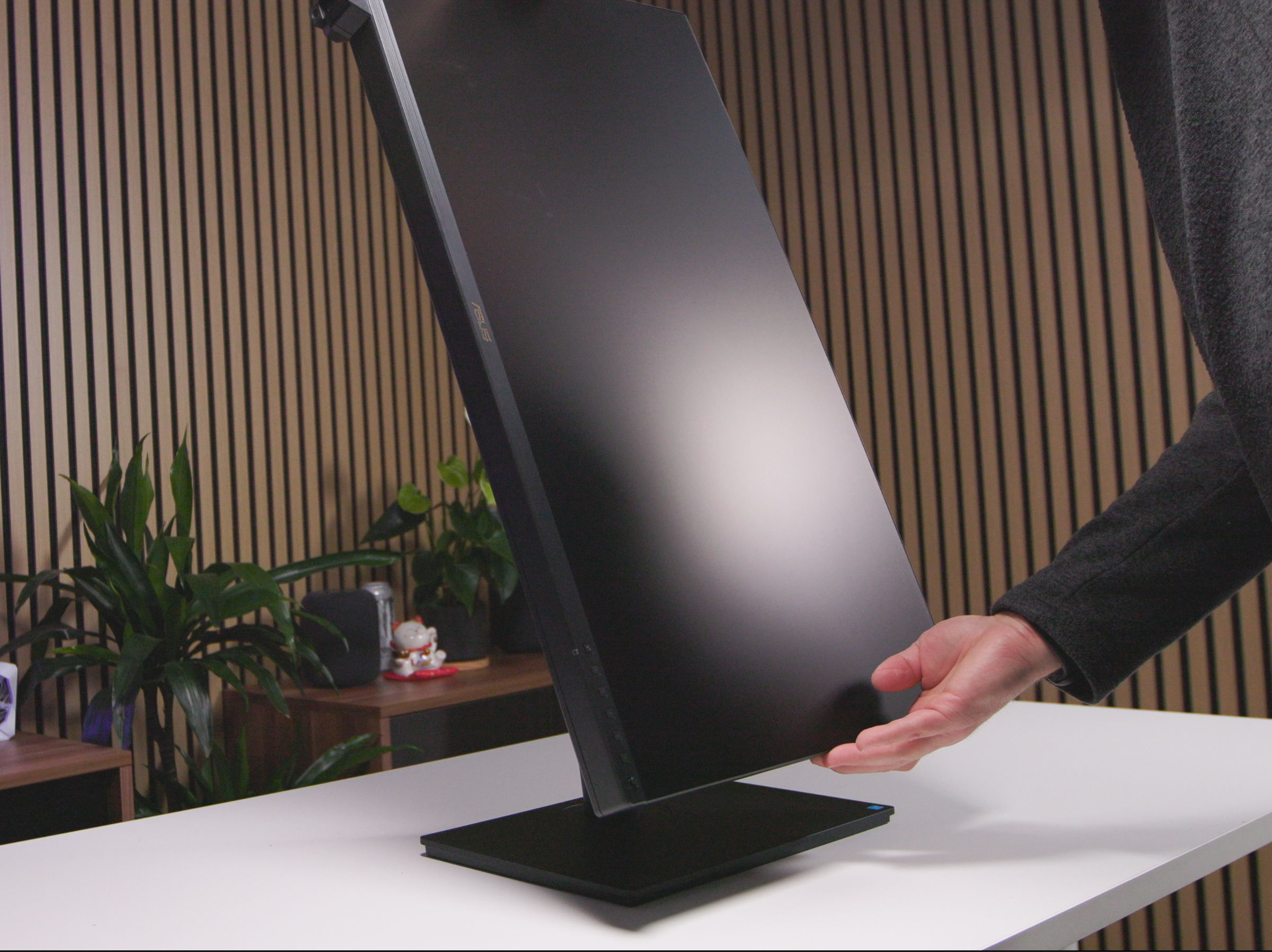 ASUS ProArt Display PA32KCX Drreheung (Image © PCMasters.de)
The monitor does not wobble during use, and the stand is included in the package—a feature that costs an additional €1,000 with Apple’s XDR.
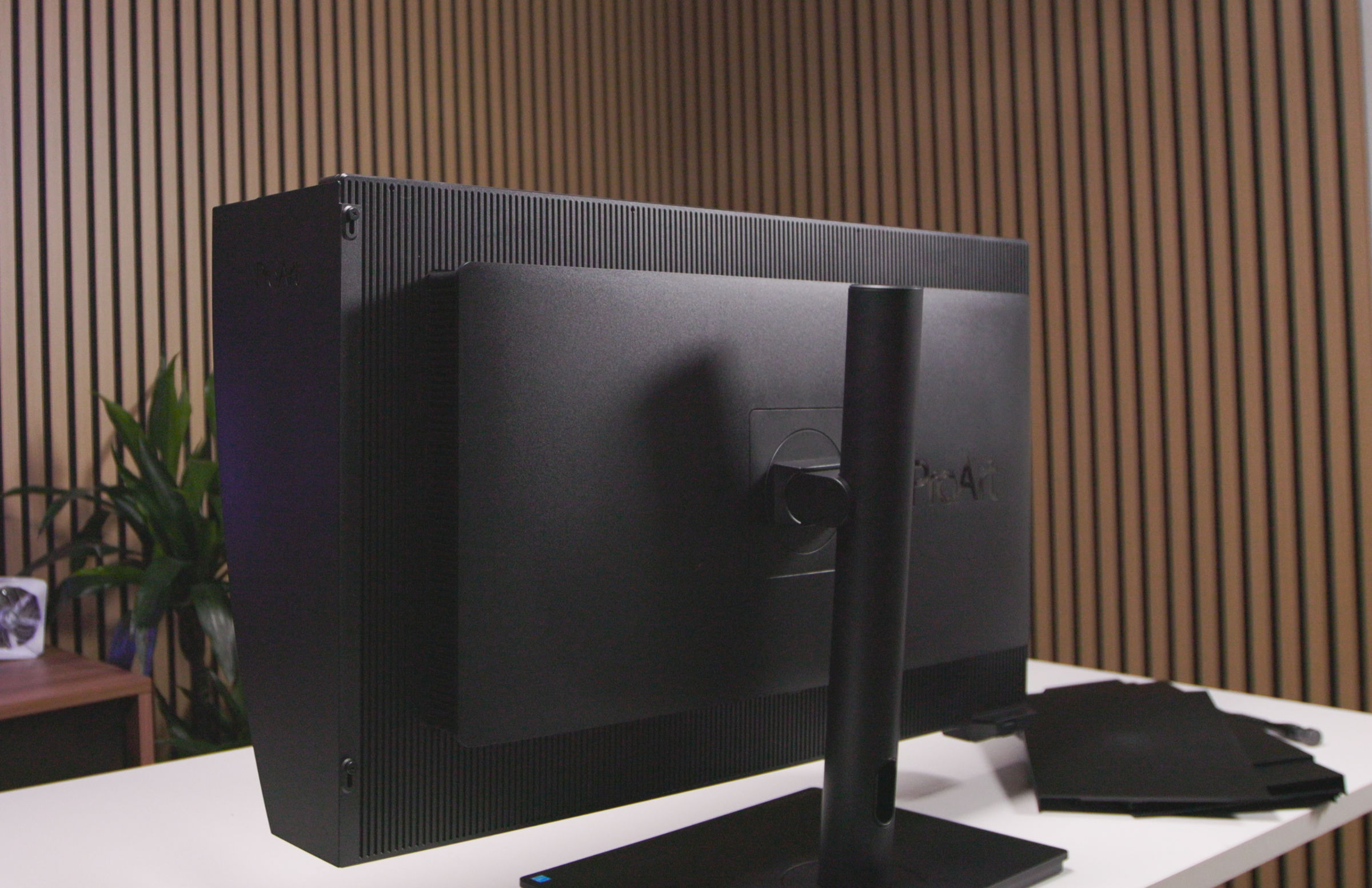 ASUS ProArt Display PA32KCX Rückseite (Image © PCMasters.de)
Competition: Dell, Apple, and to some extent EIZO
When looking at the monitor’s specifications and searching for comparable models, you’ll find that there’s hardly anything else in this class yet. On Geizhals, you’ll find many models with 5K resolution, but larger ones are hard to come by. As a result, we see the main competition for the ProArt Display PA32KCX primarily in the Dell UltraSharp UP3218KA, which, with a 31.5" diagonal and the same 7680x4320 (8K FHD) resolution, comes closest. However, it offers only an IPS panel—not even OLED—has significantly weaker specs, but also costs "only" €2,800. ASUS charges between €9,200 and €10,000 for the ProArt Display PA32KCX, though it was previously priced at €8,500. This means you could buy three of Dell’s monitors for the price of one ProArt Display PA32KCX from ASUS, but Dell likely has a different target audience in mind and lacks the pro-grade features. This makes a direct comparison somewhat difficult.
The other competitor for the PA32KCX is the Apple Pro Display XDR with nano-texture. Apple introduced the monitor in 2019 and an update is likely on the horizon, but as it stands, ASUS appears to be targeting this monitor. With a resolution of 6016x3384 pixels, the XDR can’t quite keep up with the PA32KCX at roughly the same screen size, but it was long considered a truly outstanding monitor that appealed primarily to pro users and businesses. Although Apple used an IPS panel, for its time, the Mini-LED backlighting with Full Array Local Dimming (576 zones) was outstanding. With the Pro stand and nano-texture glass, the Pro Display XDR officially costs €7,598.00. That’s getting closer to the price of the PA32KCX, and we suspect that ASUS is pricing the additional features at a premium, as the target audience should be able to afford it.
At Eizo, we’ve only found the ColorEdge CG3100X with a 30.5-inch diagonal so far. Even though it offers pro features, the monitor introduced in 2025 has "only" a 4096 x 2160 px (4K DCI) resolution with 152 ppi. That is significantly less than what the PA32KCX from ASUS delivers. On top of that, Eizo has priced the monitor at around €5,000.
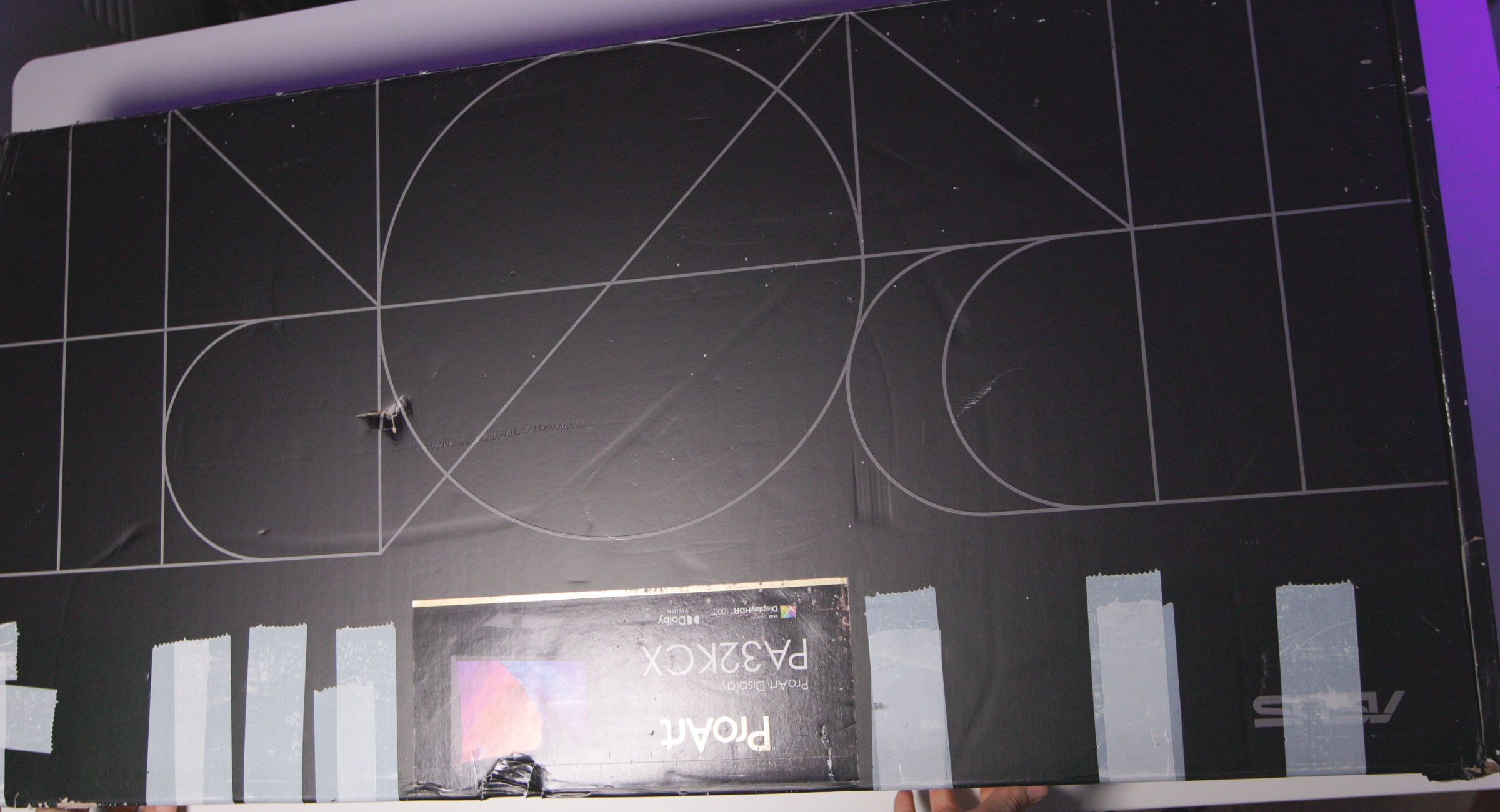 ASUS ProArt Display PA32KCX Verpackung (Image © PCMasters.de)
ASUS ProArt PA32KCX Packaging and Contents
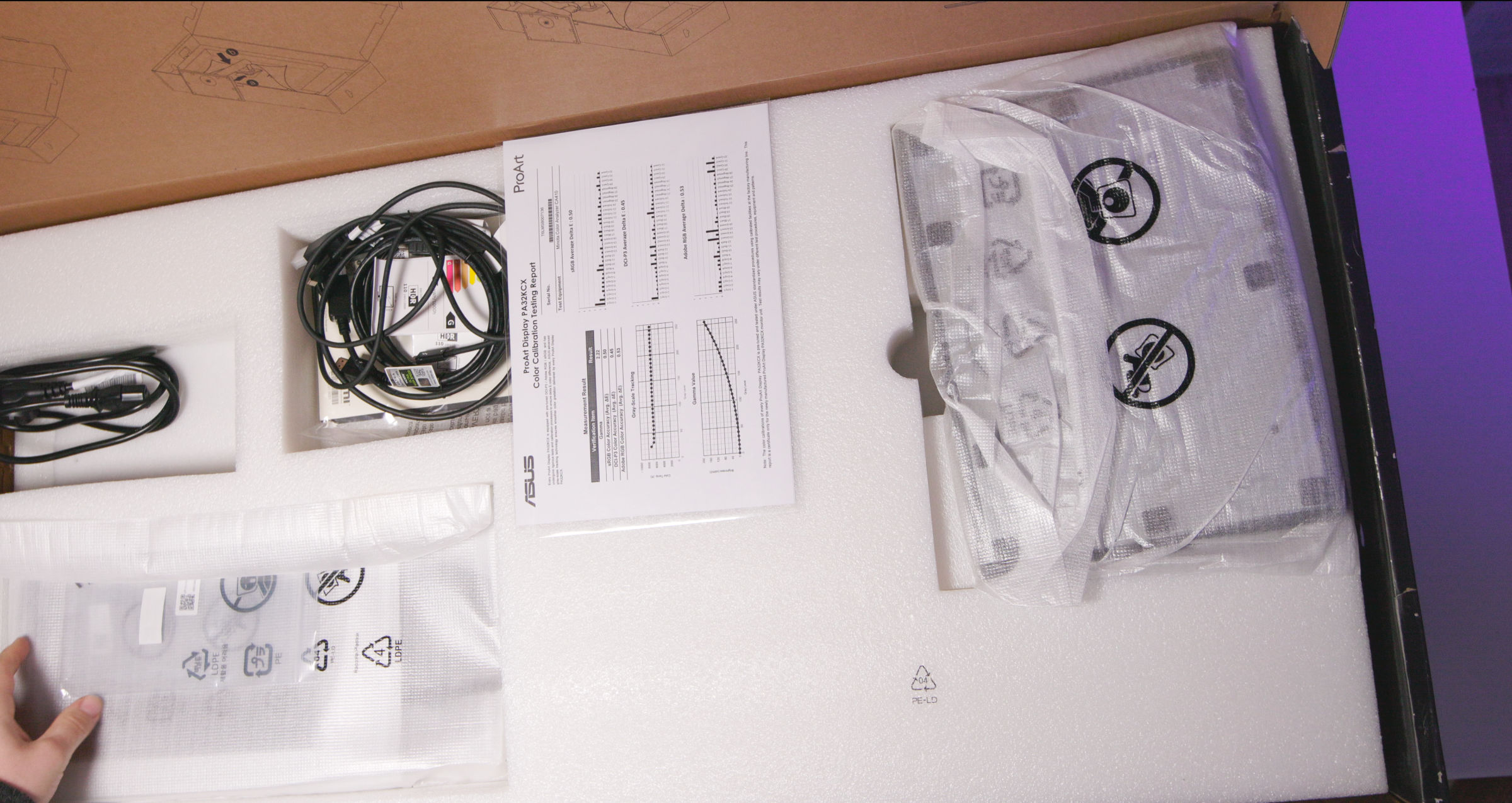
ASUS ships the monitor in a large cardboard box featuring the typical ProArt design. The box is predominantly black, and stickers on the side reveal the exact model.
 ASUS ProArt Display PA32KCX Verpackung innen (Image © PCMasters.de)
The padding inside the cardboard box is designed to provide protection during transport. Openings on the sides make it easier to carry the monitor. No surprises here—everything is standard.
Inside the box, we find the monitor and the stand in separate parts. The package includes the following:
- Color pre-calibration report
- DisplayPort 2.1 (DP40) cable
- HDMI Ultra High Speed cable
- Screen hood
- Power cable
- Stand with quick-release mechanism
- Instructions/manual
- Thunderbolt 4 cable
- USB-C to A cable
- Warranty card
- Welcome card
 ASUS ProArt Display PA32KCX Erfahrungsbericht (Image © PCMasters.de)
ASUS ProArt PA32KCX Review
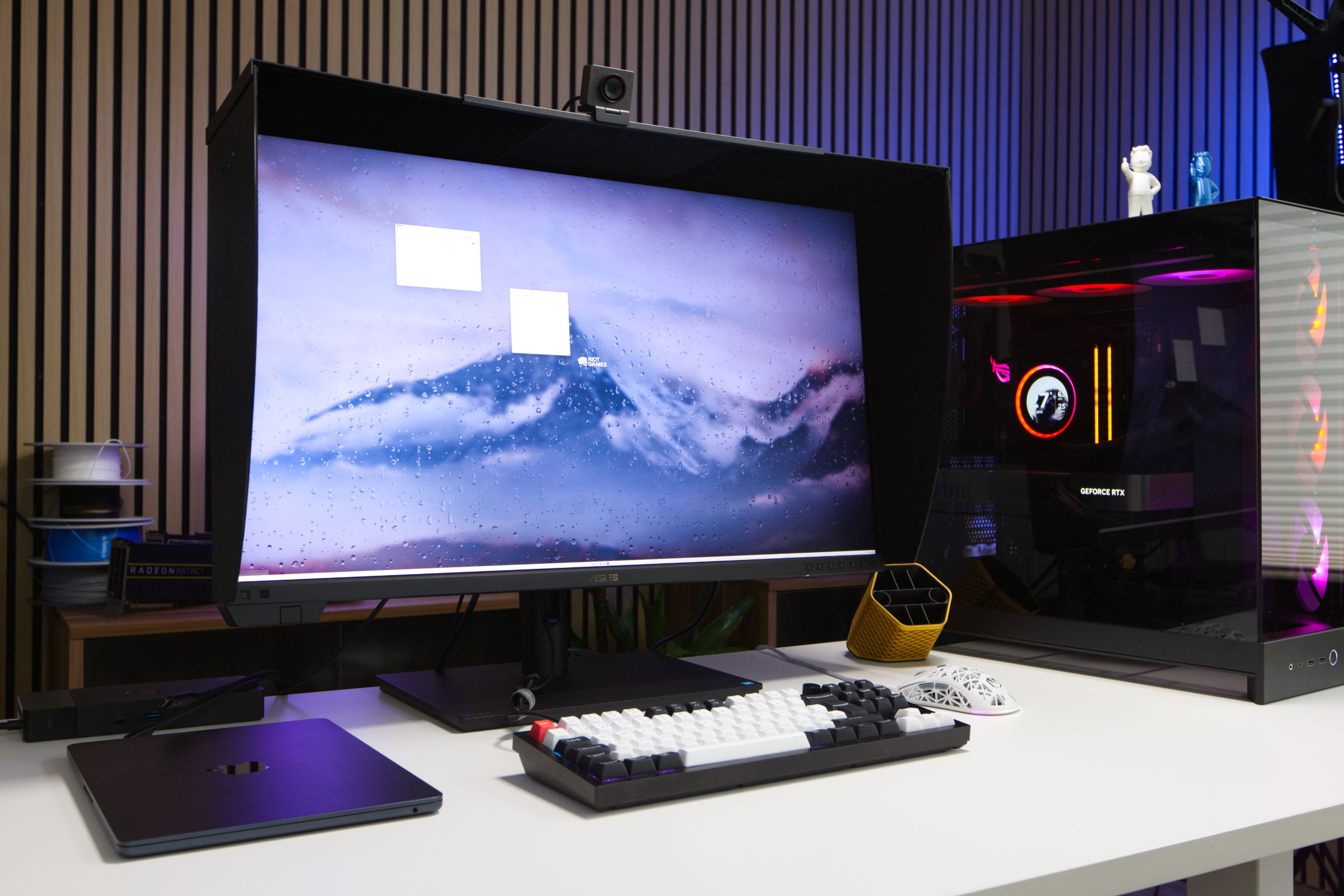
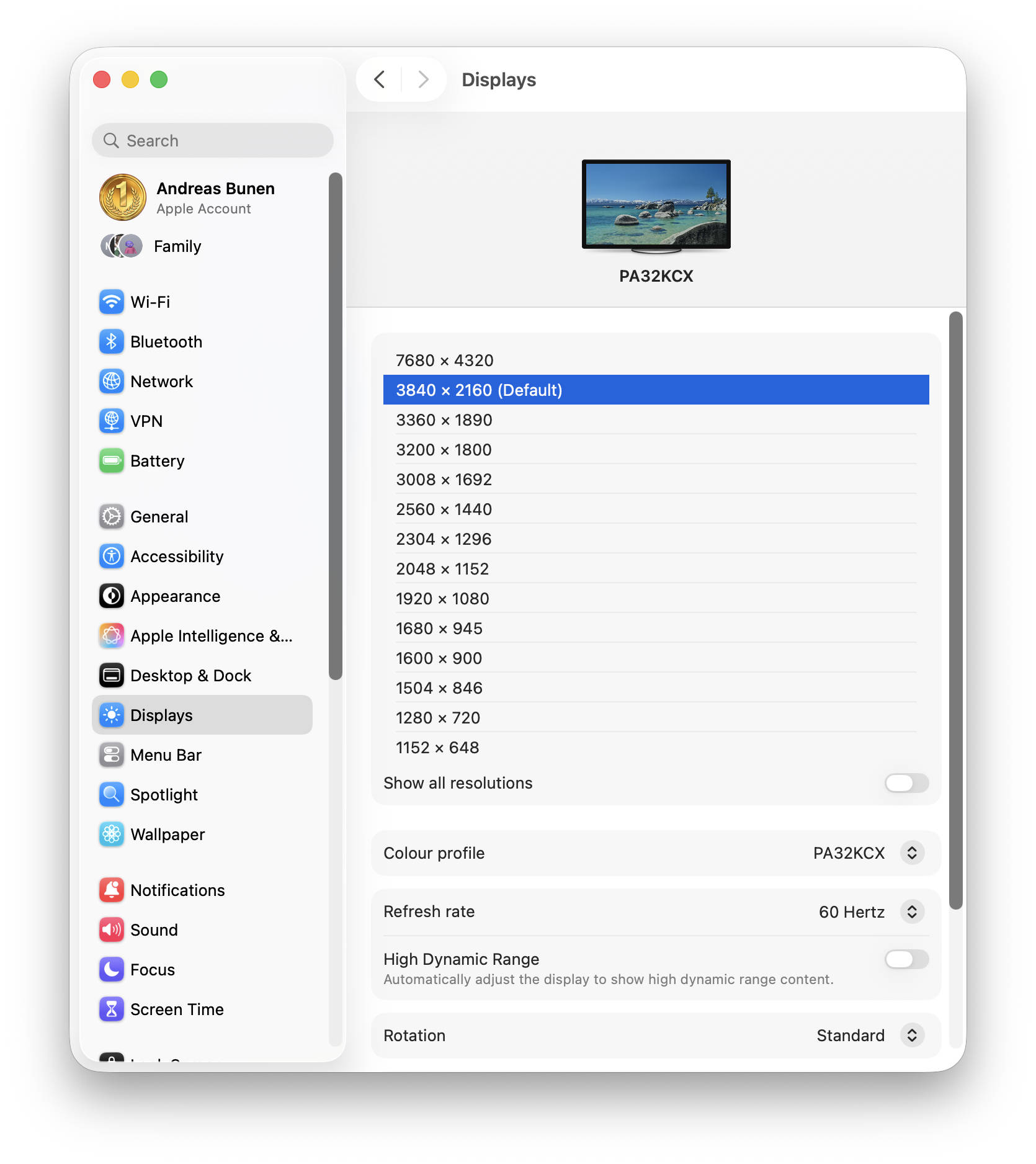
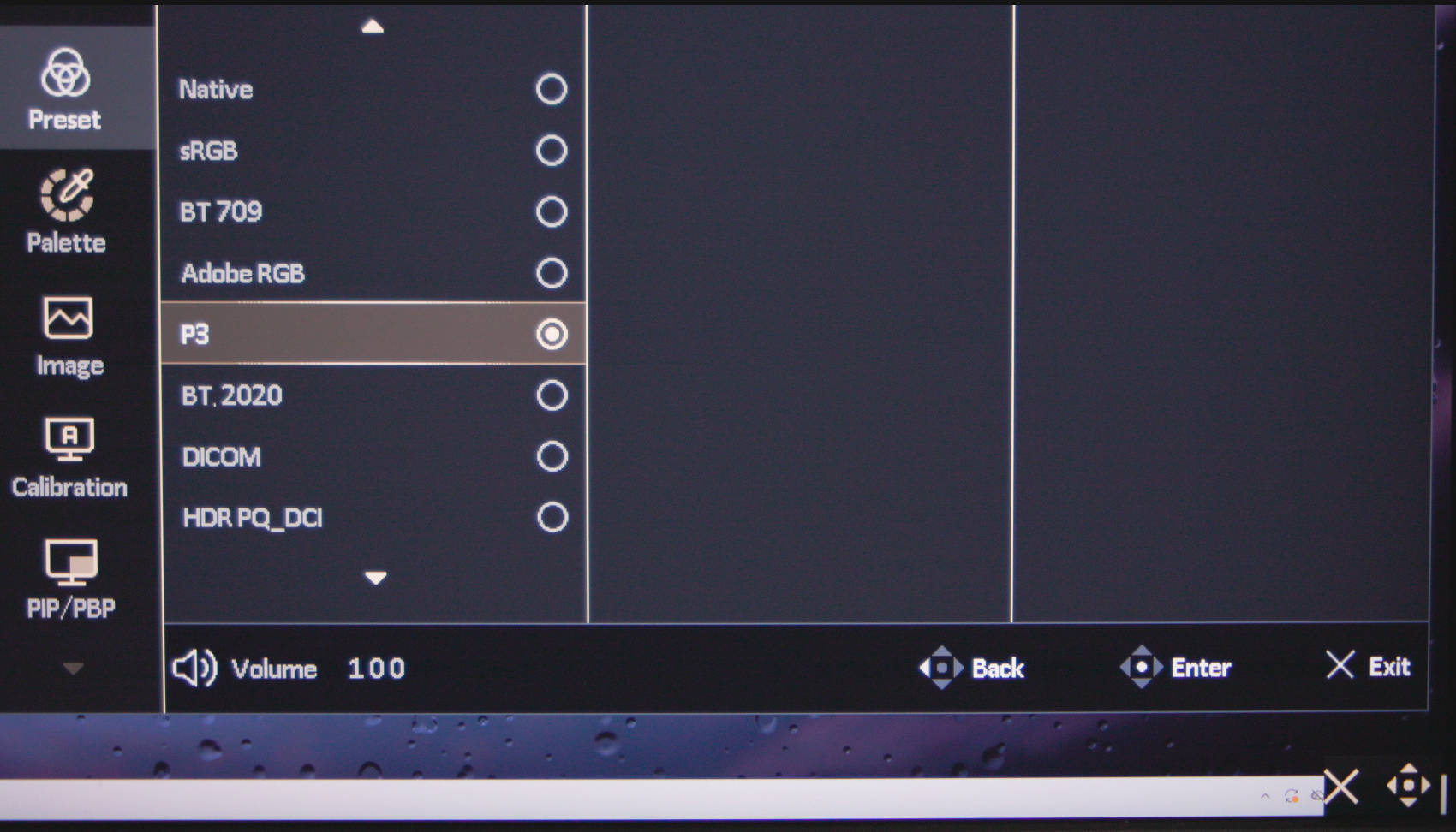
We had the opportunity to familiarize ourselves with the ProArt PA32KCX over an extended period of time and had previously used an ASUS ProArt PA27JCV 27-inch 5K monitor as our daily driver, which is why the upgrade wasn’t from a 2K panel. The switch from 27" to 32" has its pros and cons, but the biggest adjustment is the resolution, since the approx. 8K (7680 × 4320) isn’t run natively but at a downscaled UI ratio. On macOS Tahoe 26.2, we set it to 3840 x 2160 px to be able to use icons and the user interface in everyday use. Text and images were rendered very sharply and excellently. We didn’t notice any bleeding at the edges, and the backlighting appeared uniform and well-balanced. Via the OSD, we selected the P3 preset, which provided excellent color reproduction to our taste and also offered strong contrast.
 ProArt Display PA32KCX macOS Auflösung DispalyPort Stream mit DP1 4 (Image © PCMasters.de)
For daily work with CANON CR3 RAW files at 8192 × 5464 px and the P3 color space (DCI-P3), we primarily used the MacBook Air (13-inch, M4, 2025), which quickly started to struggle, but it handled both the resolution and the simultaneous use of multiple applications very well. Video editing with Final Cut Pro also worked well, precisely because there is so much screen real estate and we were working with 4K video footage. Buyers of this monitor will likely be working with more expensive workstations, though the monitor can also be used with standard laptops that cost just an eighth of the monitor’s price. A major plus here was that you can easily connect the monitor to the MacBook via the Thunderbolt 4 cable, and everything just works.
 ASUS ProArt Display PA32KCX Battlefield 6 (Image © PCMasters.de)
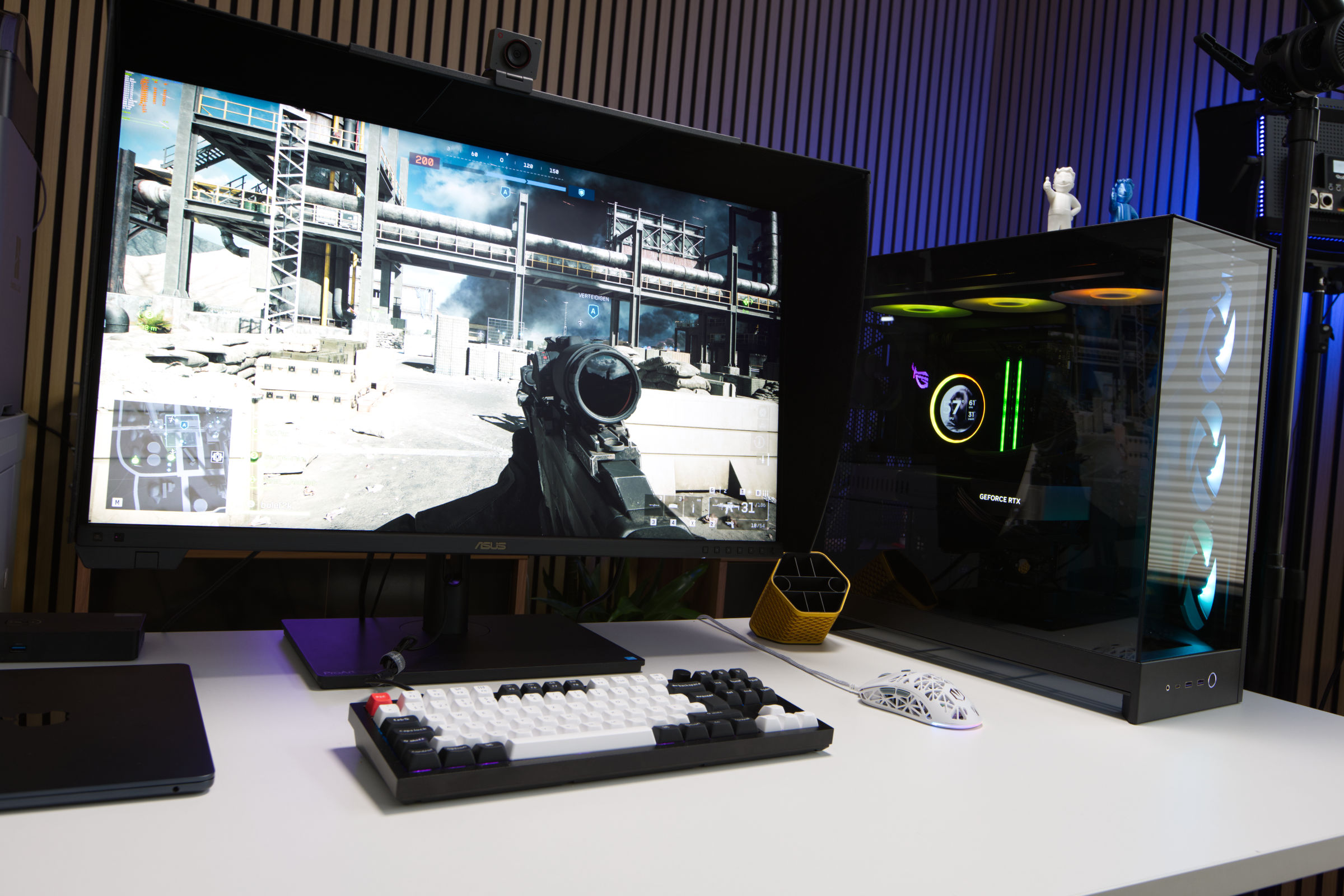
We also tested it on a Windows 11 system, though we mainly experimented with games—a scenario for which the monitor wasn’t really designed. The NVIDIA GeForce RTX 5080 Founders Edition reached its limits a bit at this resolution.
This also raised the question of whether DLSS with and without frame generation makes a difference for 8K gaming and saves the gaming experience here. Counter Strike 2 without FSR (DLSS isn’t an option) manages about 68 fps on the "Very High" graphics preset, making it quite playable. Here, the 7680 x 4320 resolution is a strain on the system, but it remains manageable with a graphics card of this caliber. When we set FSR to Ultra quality, we reach 85 fps.
In Battlefield 6 with Ultra graphics settings, an average of 22 fps was possible, but the game wasn’t fun that way. When we set DLSS to Multi Frame Generation 2, we measured 87 fps.
In Valorant with High graphics settings, we played at 8K resolution and measured 227 fps for this title. The game doesn’t stand out for its high level of detail, but the frame rates are good. However, the game doesn’t support DLSS or FSR, so you can’t use those features.
The display does come with Adaptive Sync enabled out of the box, but with a max refresh rate of 60 Hz, that’s not a game-changing feature. For the price of this monitor, you’d be better off buying an absurdly good gaming PC, but we took a look at the scenario anyway.
We also want to clarify that we’re far from having exhausted all menu options and features, as we consider Picture-in-Picture irrelevant for everyday use, for example, even though there are certainly users who actively use it. So we looked at the features relevant to us and pushed them as far as we could.
What we found bothersome was the display’s noise level during active operation. This is because the panel generates heat, which must then be continuously dissipated by fans. Consequently, the noise fluctuates between louder and quieter, but is generally audible.
Using our measuring device, we recorded a sound level of 45.7 dB(A) at a distance of 20 cm.
Speakers
ASUS has also included speakers in this display. There is hardly any information about them, except for the fact that they are two 3-watt speakers. They don’t offer outstanding sound quality, but they are acceptable for everyday use. Voices are reproduced well, and they are also usable for music, depending on the genre, but they can’t even begin to compete with external speakers or headphones.
 ASUS ProArt Display PA32KCX Steuerung (Image © PCMasters.de)
OSD
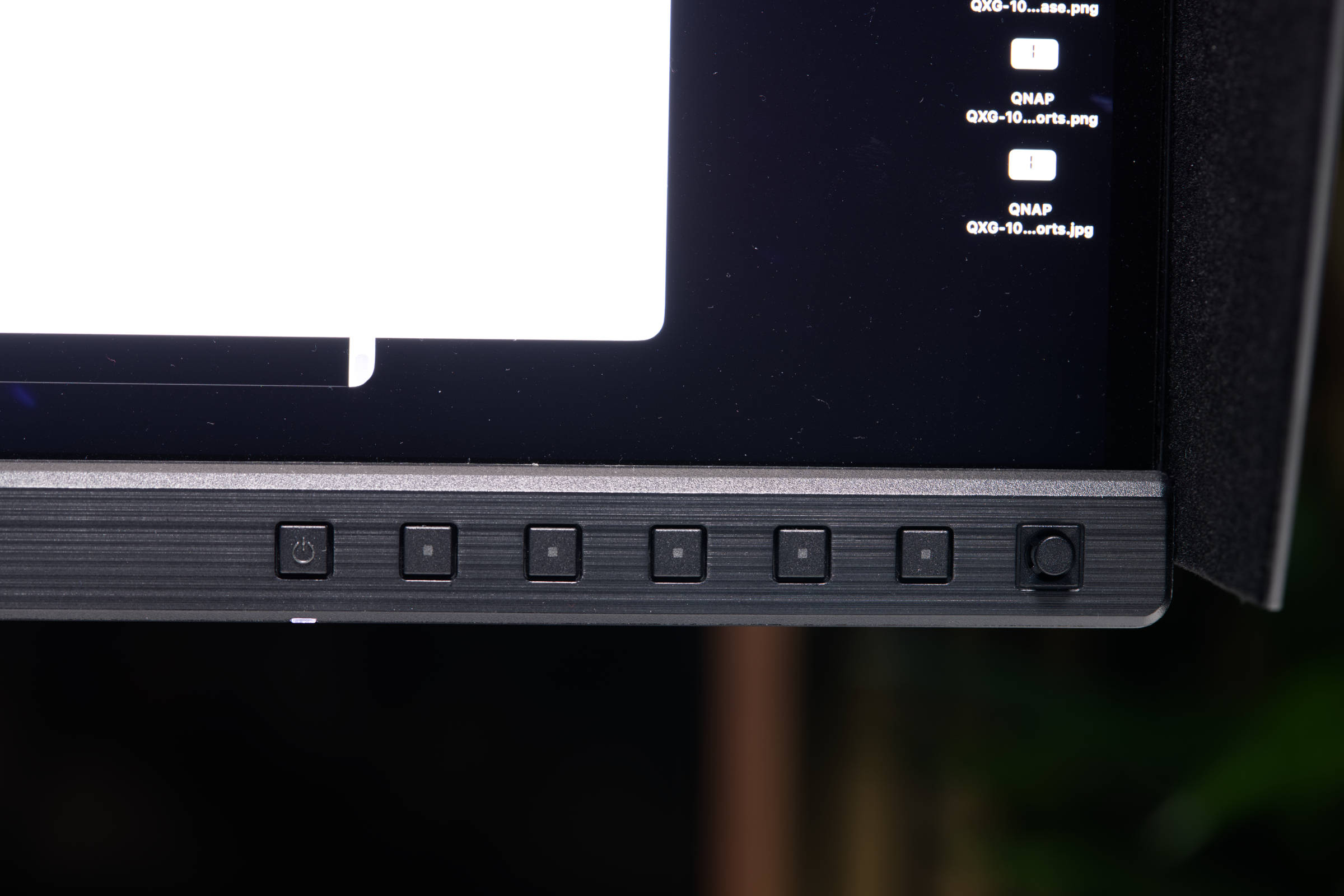
As with just about every monitor, the ProArt PA32KCX also allows for direct configuration via an OSD. ASUS has placed the controls on the front, and this design is very practical. In addition to the six buttons—one of which is for power on/off—there is a directional pad on the far right for navigating through the menu items.
When you enter the full menu, you’ll find a well-organized interface that presents all settings divided into categories. You navigate from the main menu on the left to the submenus.
 ProArt Display PA32KCX OSD Einstellungen Farbraum (Image © PCMasters.de)
Under the presets, you can select the color space for which presets are available. After calibration, you can use custom profiles, but the setting remains.
 ProArt Display PA32KCX macOS OSD Palette Color Temperatur (Image © PCMasters.de)
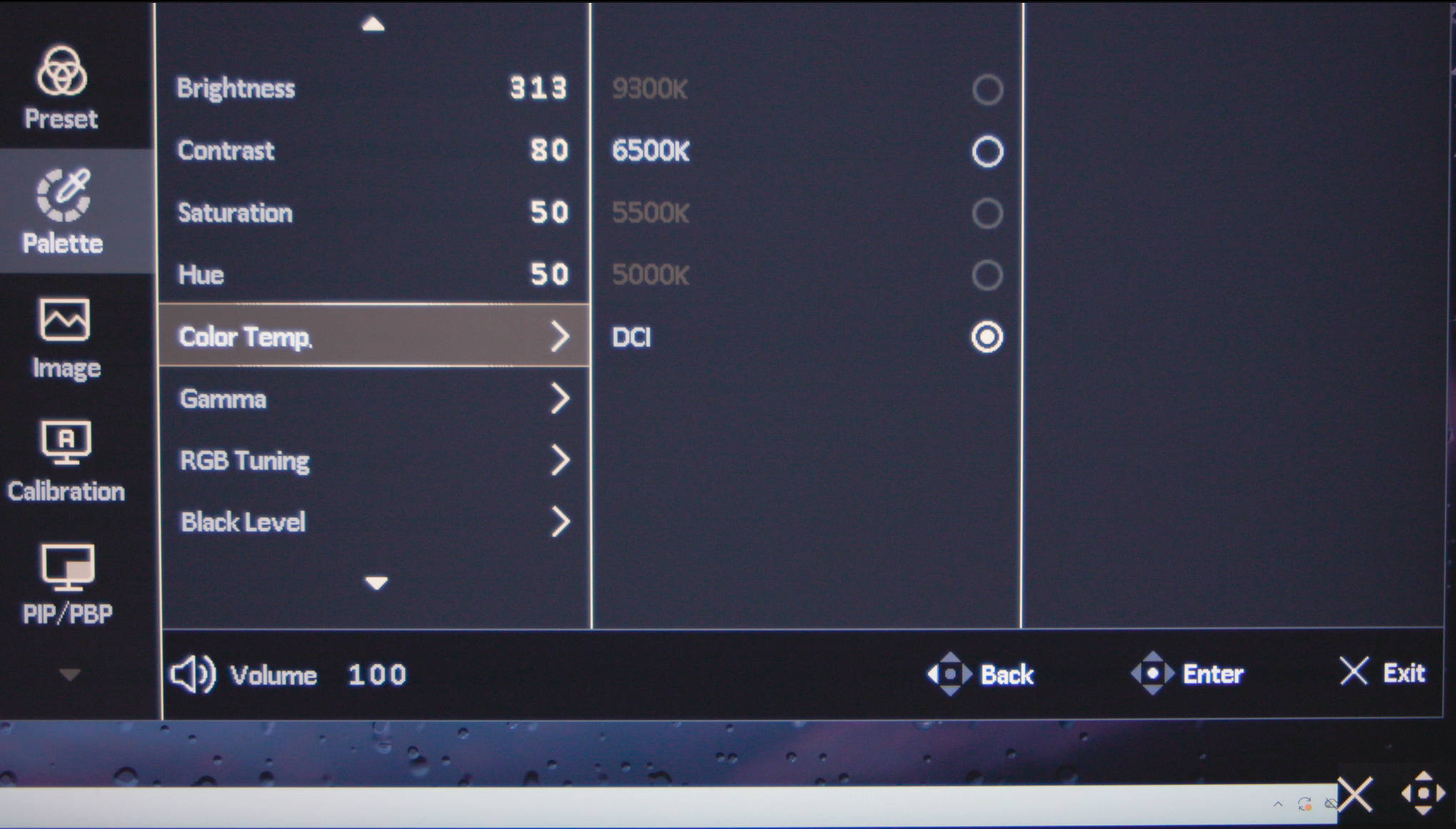
Further down, you’ll find additional settings for the color palette. In addition to brightness, contrast, and saturation, you can also select gamma and RGB tuning, as well as color temperature.
 ProArt Display PA32KCX macOS OSD Image (Image © PCMasters.de)
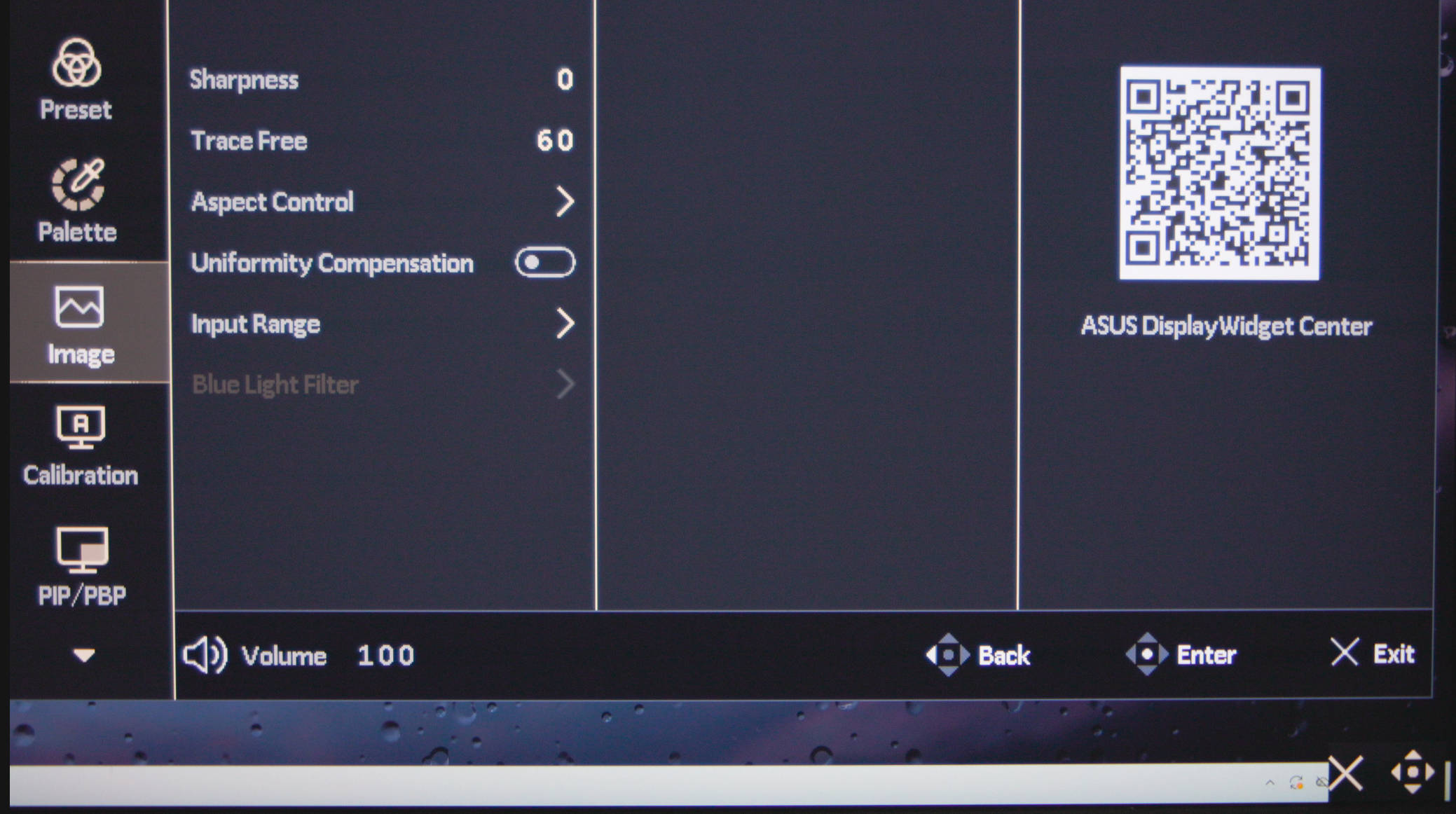
Further down is the "Image" menu item. Here you’ll find additional settings for sharpness and uniformity compression.
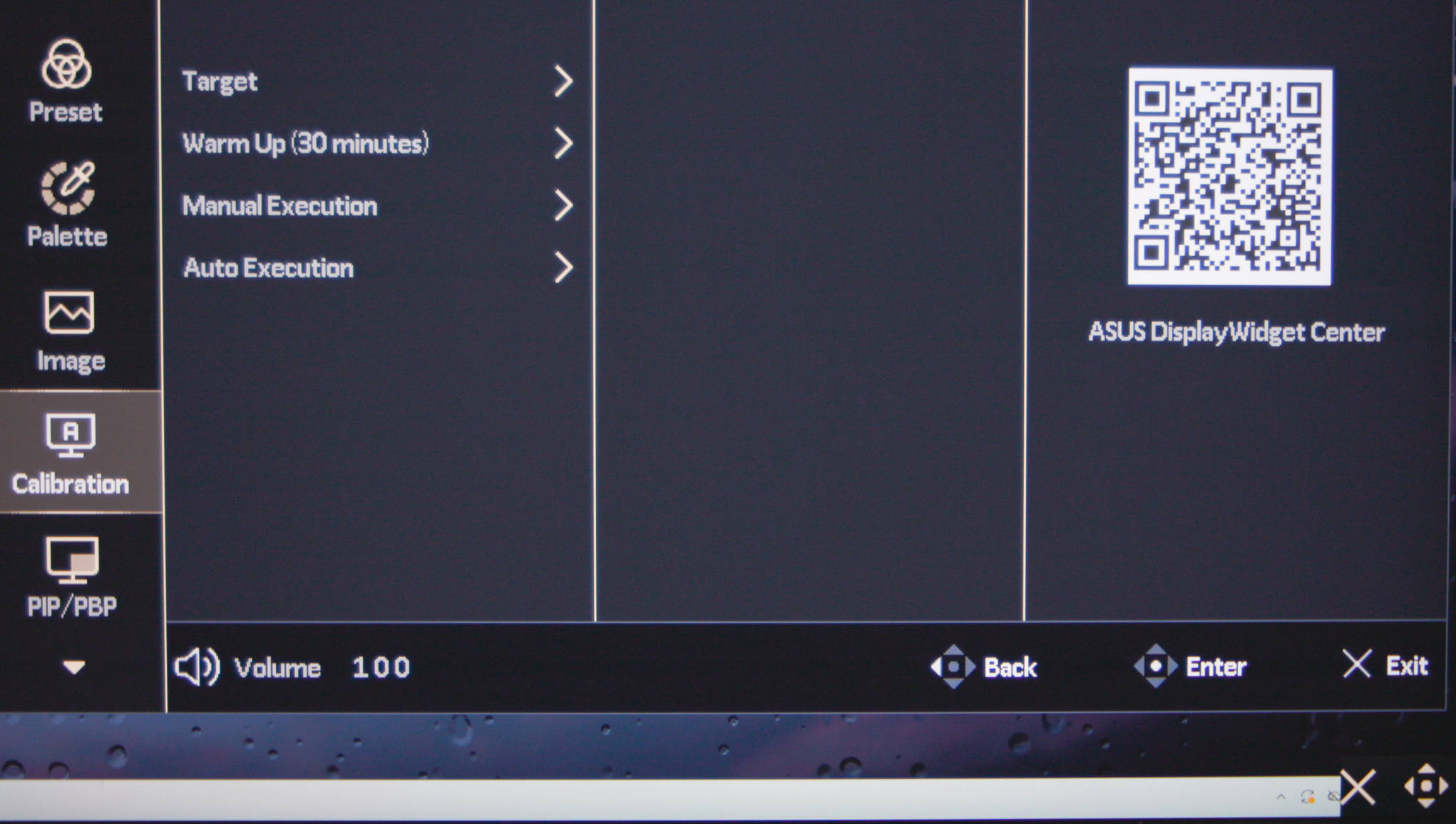 ProArt Display PA32KCX macOS OSD Kalibrierung (Image © PCMasters.de)
If you want to start calibrating the monitor manually via the OSD, you can do so in the "Calibration" menu. You can calibrate all profiles or just specific ones, and each run takes more than 30 minutes.
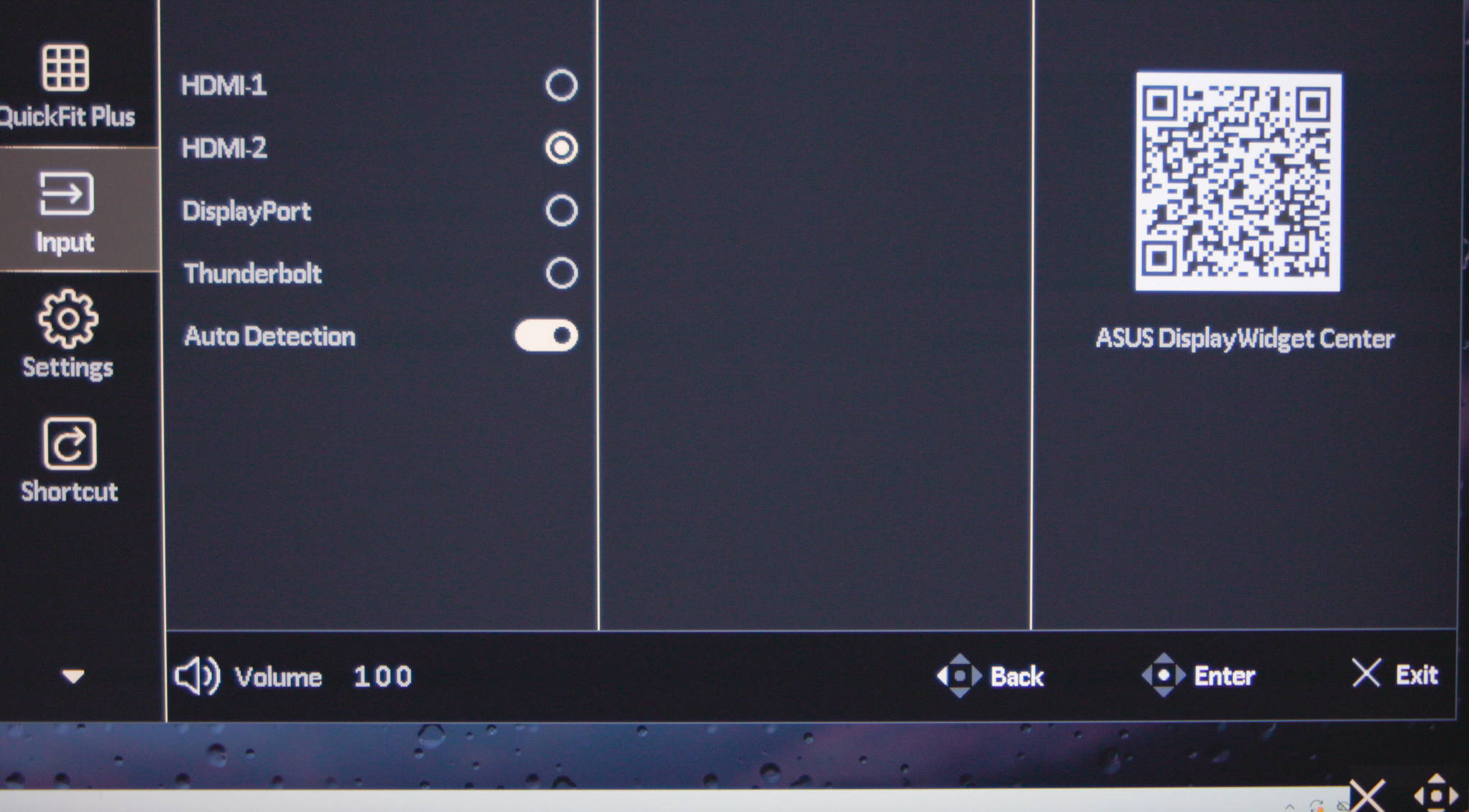 ProArt Display PA32KCX macOS OSD Input (Image © PCMasters.de)
In the "Input" menu item, you can select the video input and enable or disable auto-detection of connected ports.
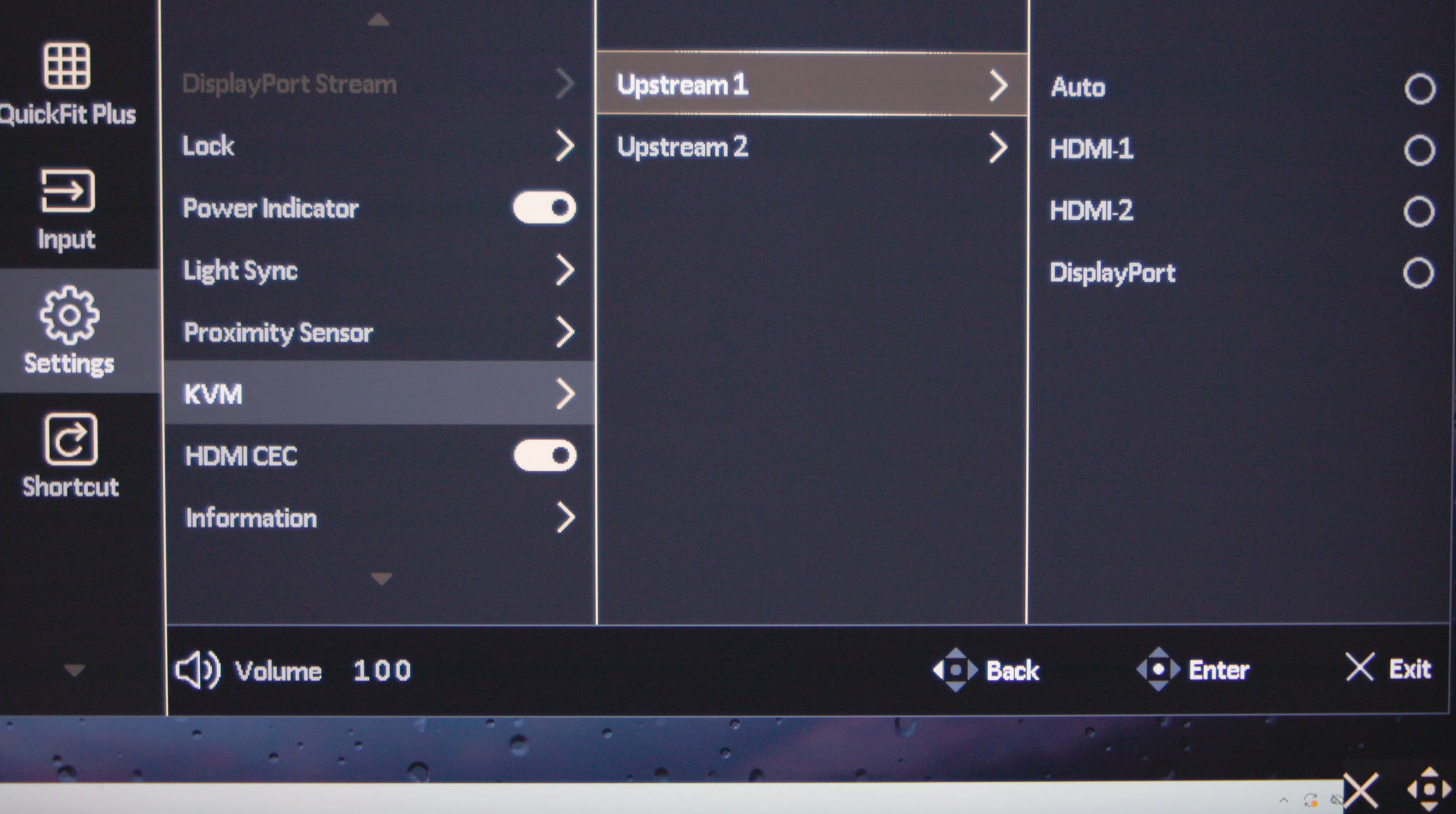 ProArt Display PA32KCX macOS OSD Einstellungen KVM (Image © PCMasters.de)
The most comprehensive section is likely "Settings," as this is where we find the volume settings for the speakers, as well as various options that don’t fit into the other menu items.
Here, we also find options related to the light sensor and KVM switch.
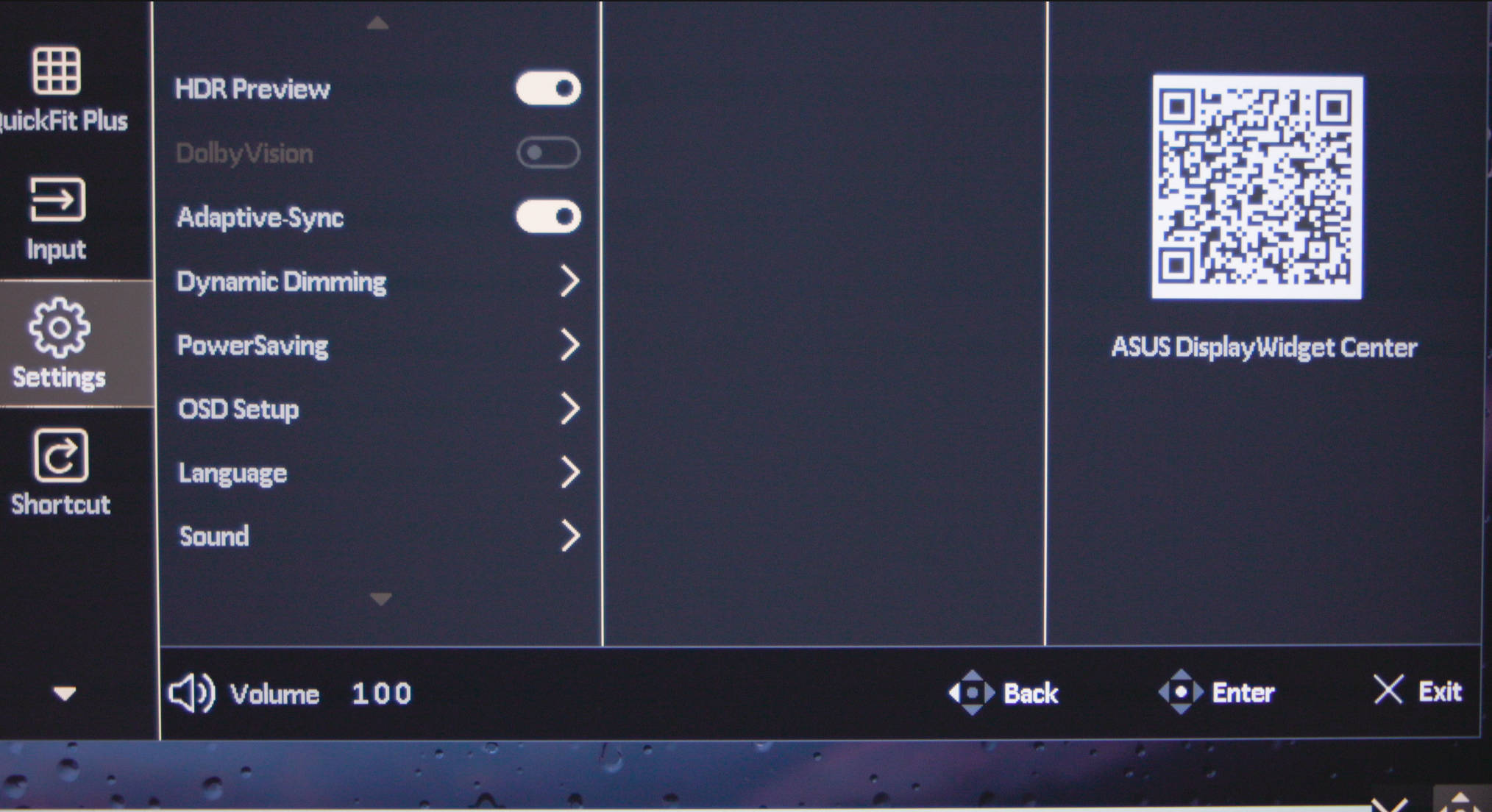 ProArt Display PA32KCX macOS OSD Einstellungen Adaptive Sync (Image © PCMasters.de)
Additionally, you can adjust power-saving settings or change the language, as German is also supported. Adaptive Sync can also be enabled here.
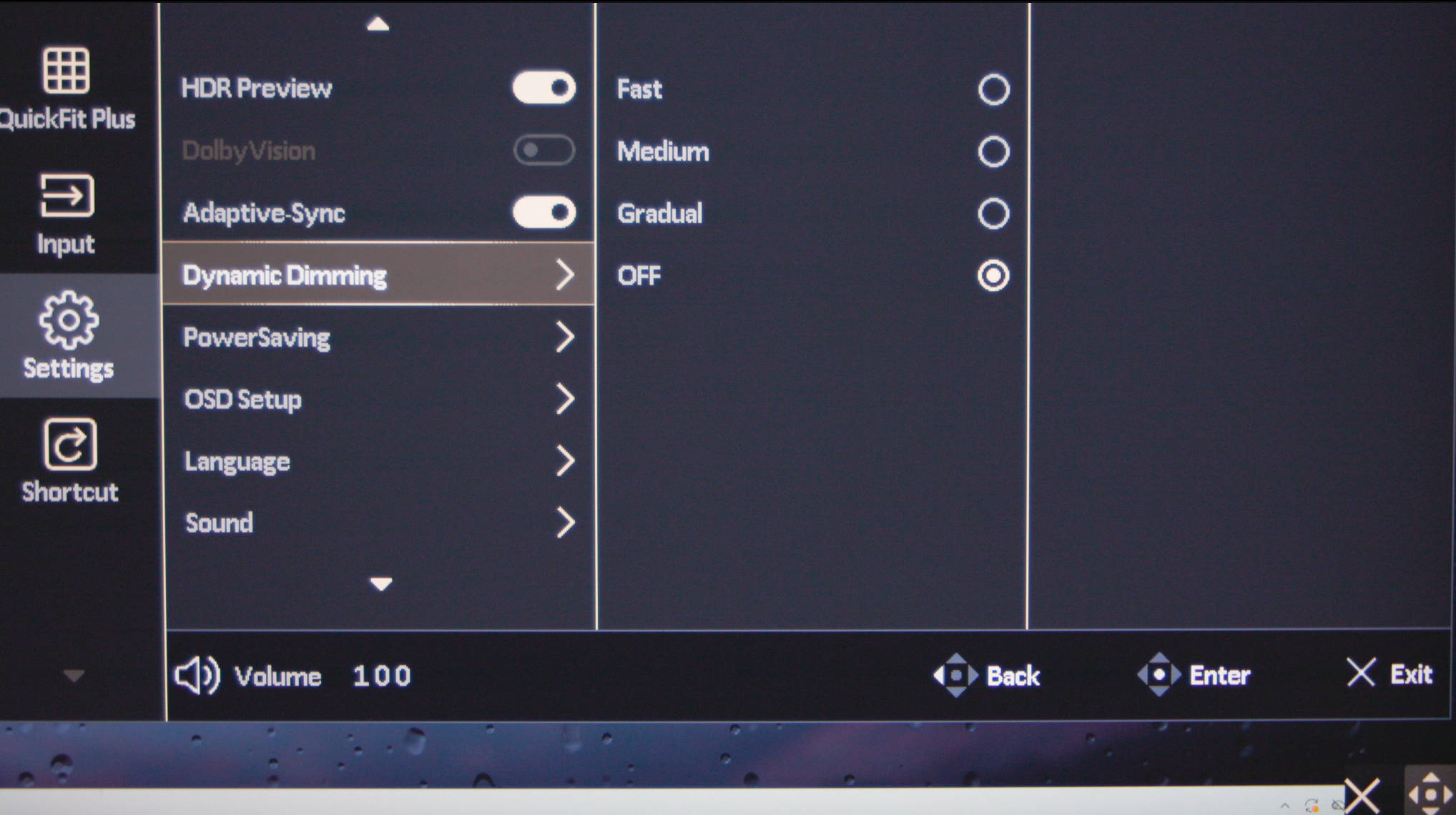 ProArt Display PA32KCX macOS OSD Einstellungen Dimming (Image © PCMasters.de)
If you want to preserve the monitor and save power, you can set under "Proximity Sensor" whether the monitor should turn off when the user moves away from the workstation.
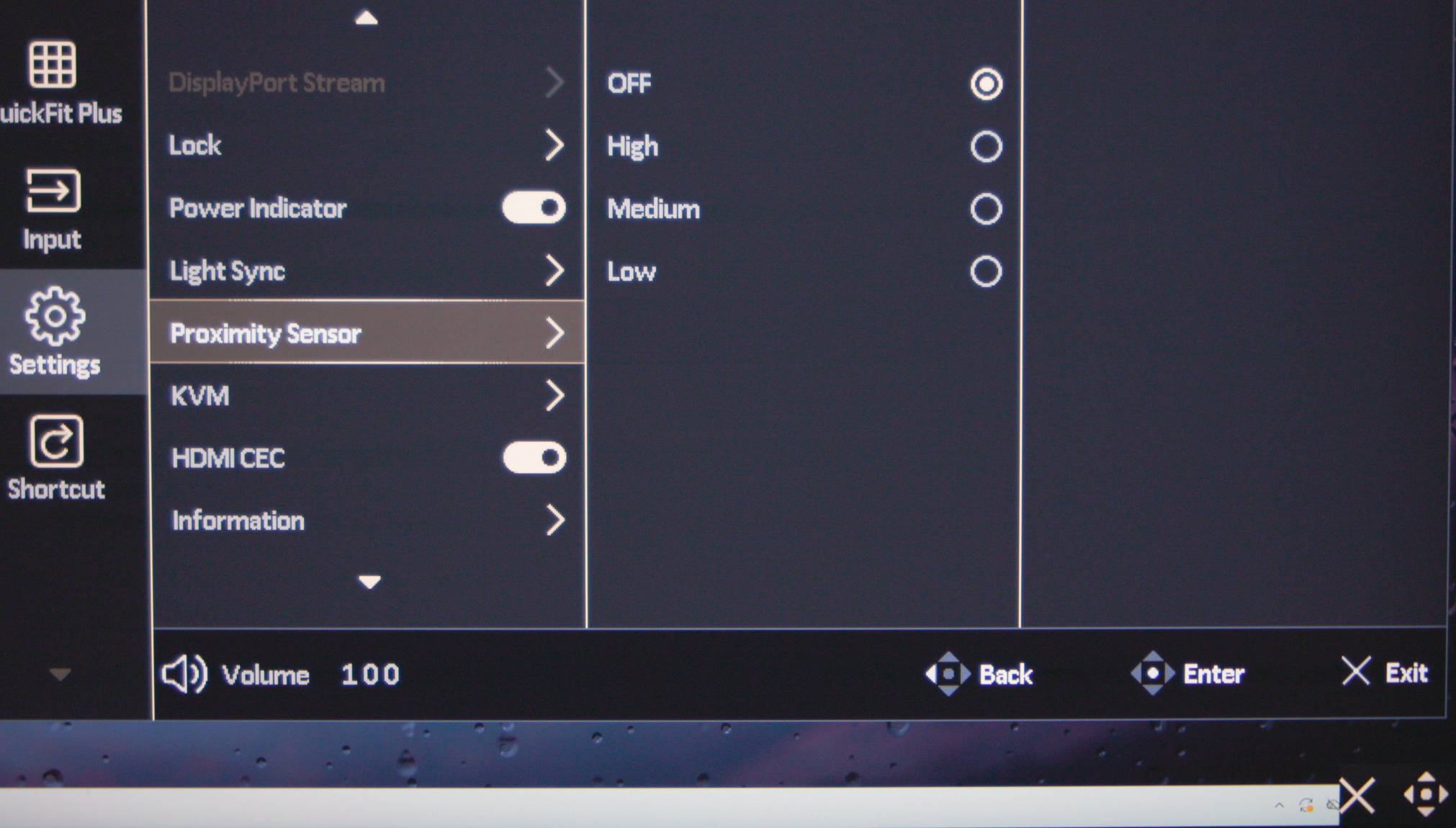 ProArt Display PA32KCX macOS OSD Einstellungen Proximity Sensor (Image © PCMasters.de)
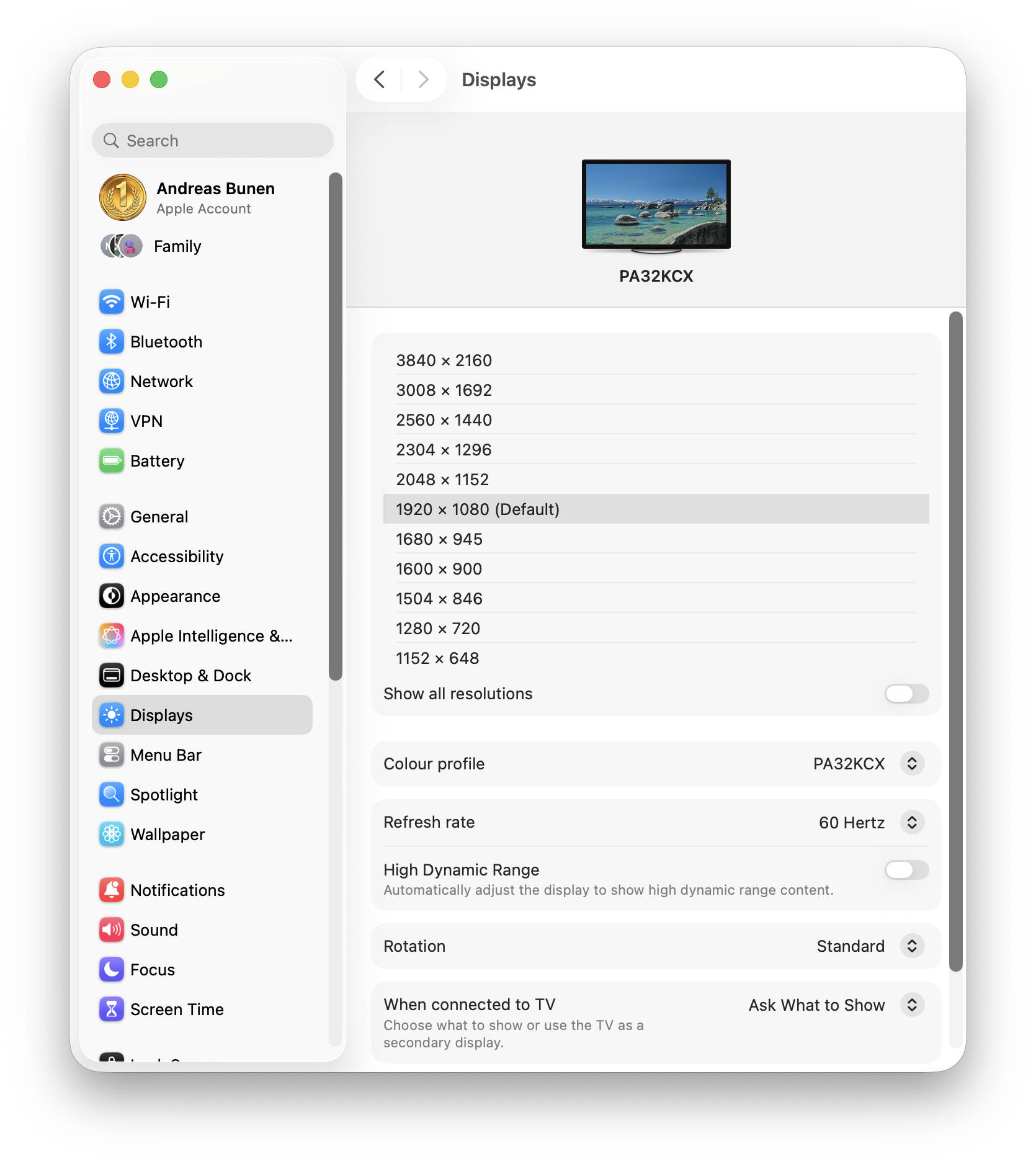 ProArt Display PA32KCX DispalyPort Stream mit USB3 2 (Image © PCMasters.de)
If you set DisplayPort Stream from DP1.4 to DP1.4-USB3.2 in the OSD settings, the resolution no longer reaches the full 7680 x 4320 pixels but is limited to a maximum of 3840 x 2160 px.
ASUS ProArt Display PA32KCX Test Review (Image © PCMasters.de)
Conclusion on the ASUS ProArt Display PA32KCX
With the ProArt Display PA32KCX, ASUS is delivering its first 8K Mini-LED monitor with a 32-inch diagonal, and it is also the first monitor on the market with such specifications. As a result, the target audience is small, a fact underscored not least by the very high retail price of 9,200 (Affiliate) to €10,000. We see this primarily as a product for corporate customers in the pro segment who work with 8K video and image material and have the necessary "deep pockets."
The high price is justified not only by the 8K UHD Mini-LED panel, which gives ASUS a unique selling point. It also comes with an integrated colorimeter that can be controlled via the OSD or the ASUS ProArt Calibration software. Appropriate profiles and reports are generated to ensure high color accuracy. We found the DCI-P3 color space to be the most pleasant on the Mac because it looked more natural to us. However, there are also others, such as sRGB, BT.2020, or even DICOM. Interestingly, even at this high resolution, it was perfectly possible to work with a MacBook Air (13-inch, M4, 2025), although the target audience will likely use significantly more powerful systems.
Even though this isn’t likely intended for the target audience, you can definitely play plenty of games in 8K resolution with a GeForce RTX 5080—DLSS/FSR also helps boost frame rates even further.
The monitor’s build quality is top-notch, and the stand is also very sturdy. The included stand allows for smooth rotation of the monitor into portrait mode as well as height adjustment. A light shield is also included in the package. The monitor has many positive aspects but also a few minor drawbacks. For instance, we repeatedly noticed the noise level during operation. We understand that the panel generates heat, but the fan noise could certainly be reduced with larger fans. In our opinion, the 3-year manufacturer’s warranty is also inadequate given the high price, even though ASUS extends it to 5 years after registration.
The ProArt Display PA32KCX monitor is certainly innovative and offers a glimpse into future Mini-LED monitors that could eventually become mainstream.
Update: The price of the monitor has since dropped to €8,999 at Alternate (Affiliate) and €8,998 at Amazon.de (Affiliate).
Pro
- Sturdy monitor
- Sleek design
- 8K UHD Mini-LED panel
- Integrated colorimeter
- ProArt Calibration with software profiles
- Light shield included
- Rotatable (vertical orientation) and swiveling
- Stable stand
- KVM switch for two upstreams
Contra
- Noise during operation
- Very high price
- 3-year warranty, 5 years after registration