

 Computer Forum
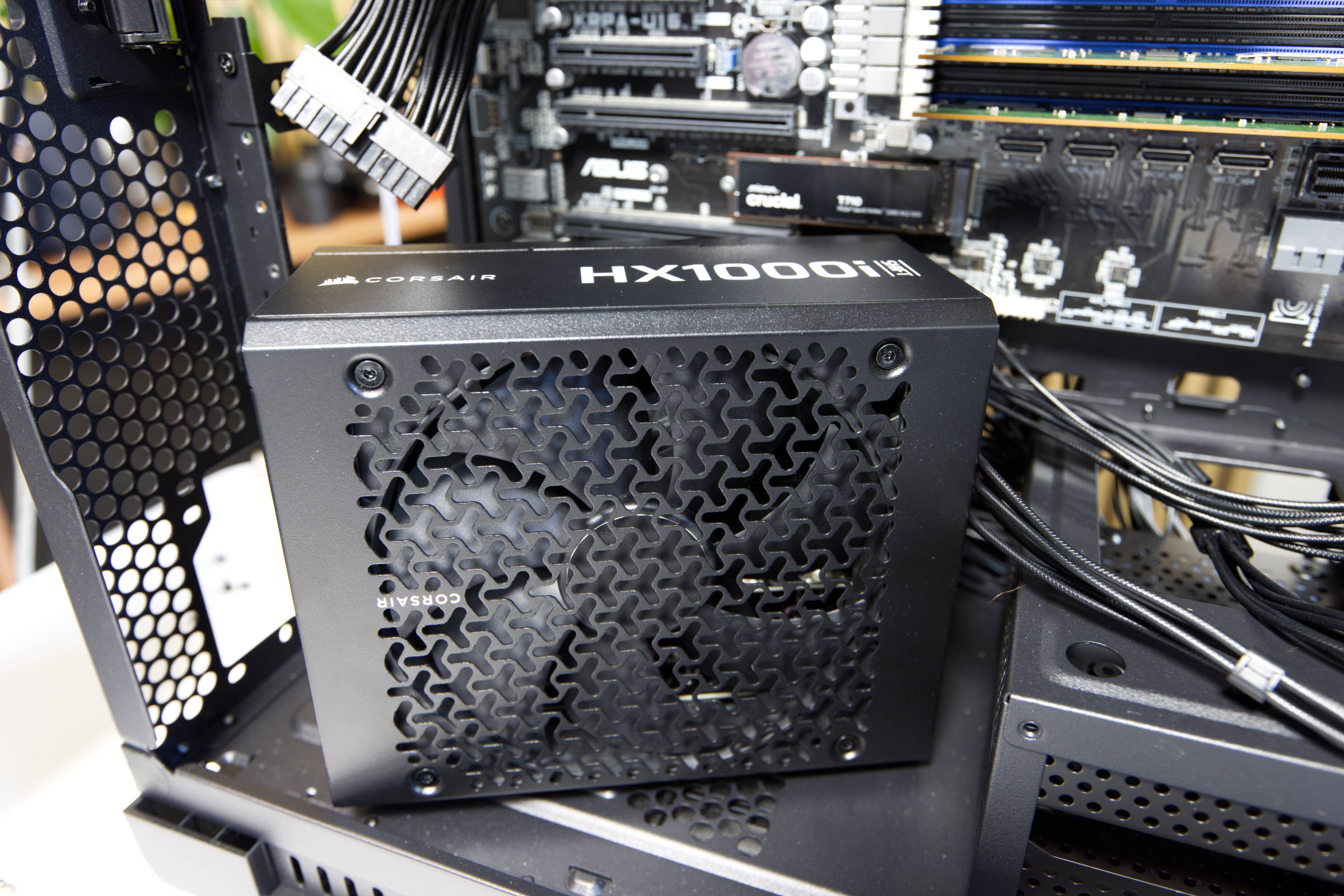 Corsair HX1000i Shift Test Review (Bild © PCMasters.de)
HX1000i Shift in detail
Corsair has recently updated its power supply series and introduced new models. Among them was the new HXi Shift series, which complemented the power supply by integrating it into the iCUE ecosystem. This addition is not only exciting for owners of products with iCUE integration, but also for new users who do not yet own Corsair products.
The HXi-Shift series currently consists of three models that differ in terms of their output power. Prospective buyers can choose between a 1,000 W, a 1,200 W and a 1,500 W variant. For our short test, we received the HX1000i Shift from Corsair, which we will discuss in this test. The current pricing of the series is as follows:
- HX1000i Shift (1,000 W) for €236 (Affiliate)
- HX1200i Shift (1,200 W) for 252 € (Affiliate)
- HX1500i Shift (1,500 W) for 297 €]4 (Affiliate)**
These models should ensure that you buy a power supply unit that will survive several generations of hardware and be in use for more than 5 years. However, the power supply is covered by a 10-year manufacturer's warranty, which means it can be in service for a long time when it counts.
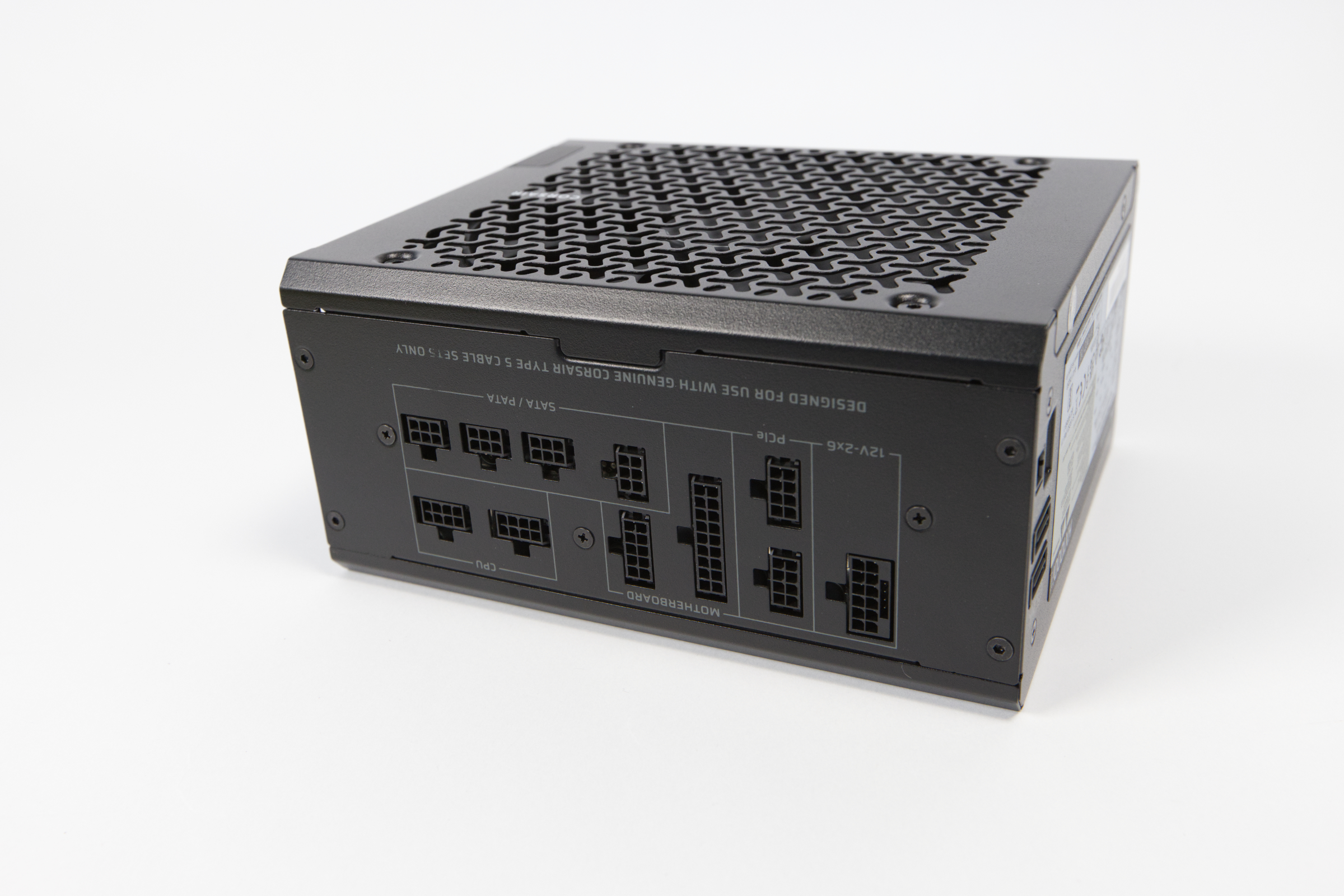 Corsair HX1000i Shift Anschlüsse am Netzteil (Bild © PCMasters.de)
The design of the new power supplies fits very well with the design elements used in the current Corsair cases. The fan grille is a punched sheet metal with the familiar Y-shaped pattern. The sharp corners at the top are slightly flattened, which gives the power supply a more modern look. However, you can't do too much with this format because space is very limited and the power supply unit is usually no longer visible once it has been installed.
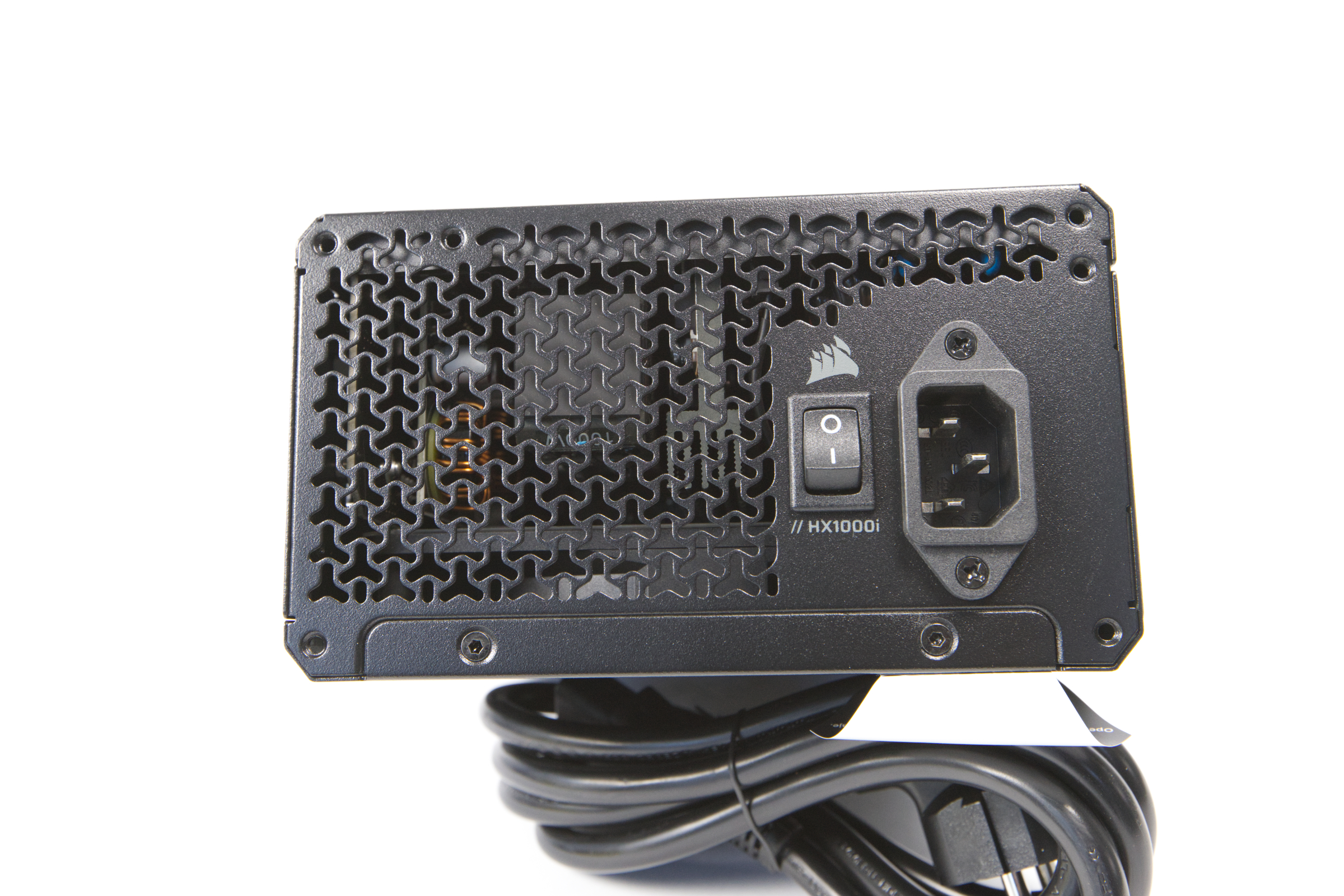 Corsair HX1000i Shift Ansicht 2 (Bild © PCMasters.de)
The air outlet on the rear is also in the same pattern, but the spacing here is minimal because the area for the air flow should not be impaired. The Corsair logo can also be found here, as this area can be seen from the outside of the case. The model identifier is also located here. There is also the usual on/off switch for the power supply and the socket for the mains plug.
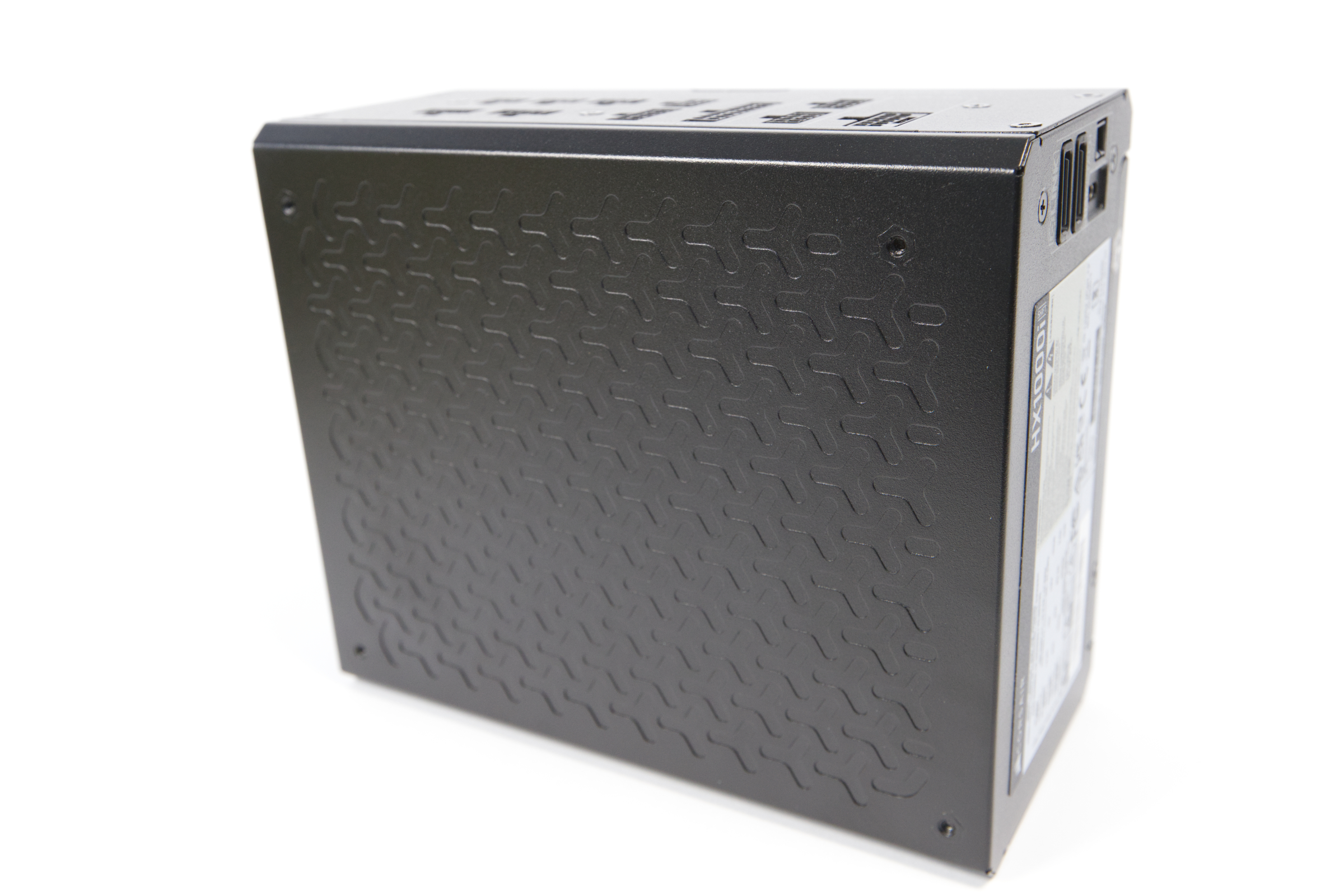 Corsair HX1000i Shift Design (Bild © PCMasters.de)
The closed side of the power supply unit, where the PCB is usually mounted and which faces upwards in many cases, also has the same Y pattern. This makes the power supply unit look a little fresher and visually different from the competition.
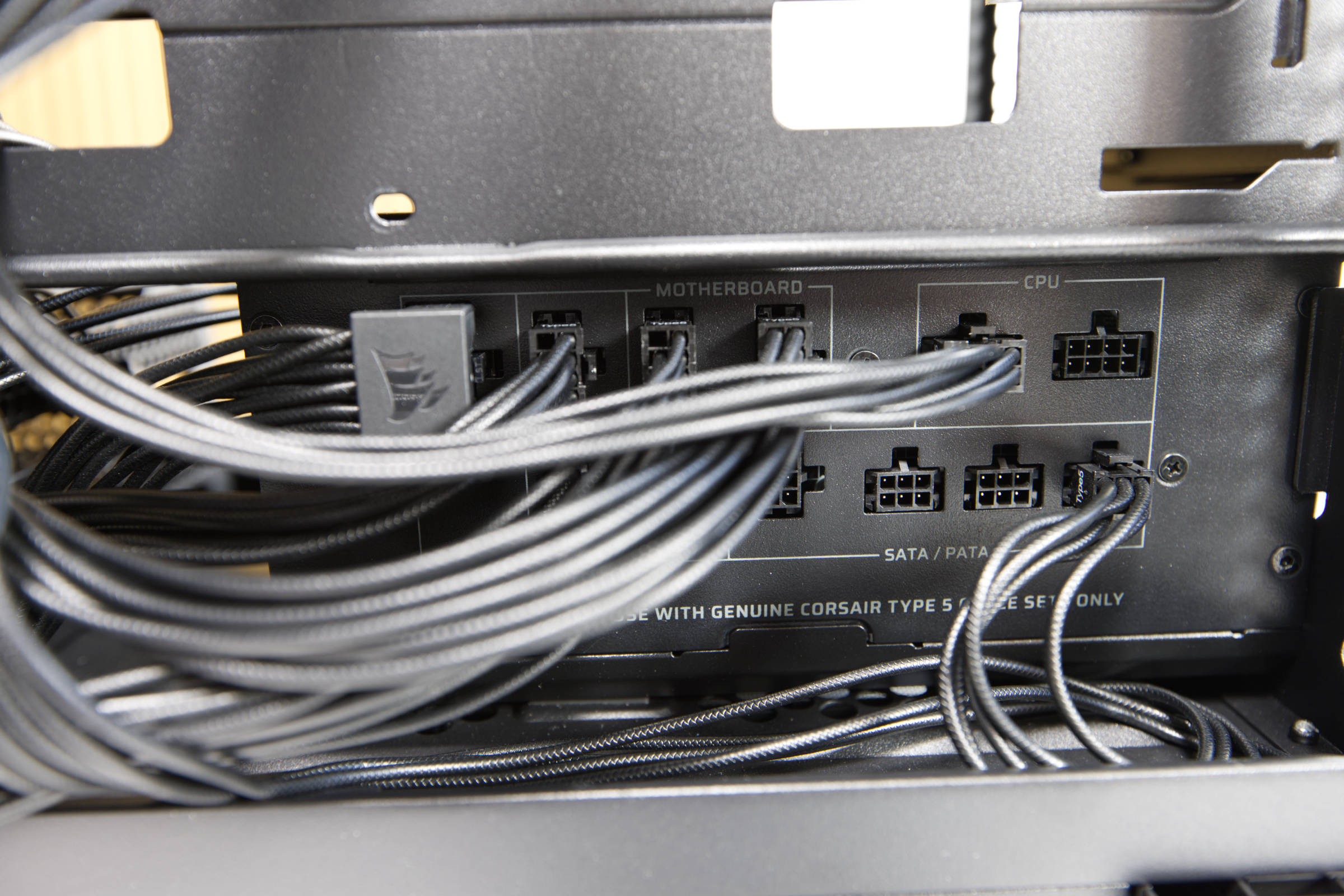 Corsair HX1000i Shift Kabel angeschlossen (Bild © PCMasters.de)
Offset modular connectors
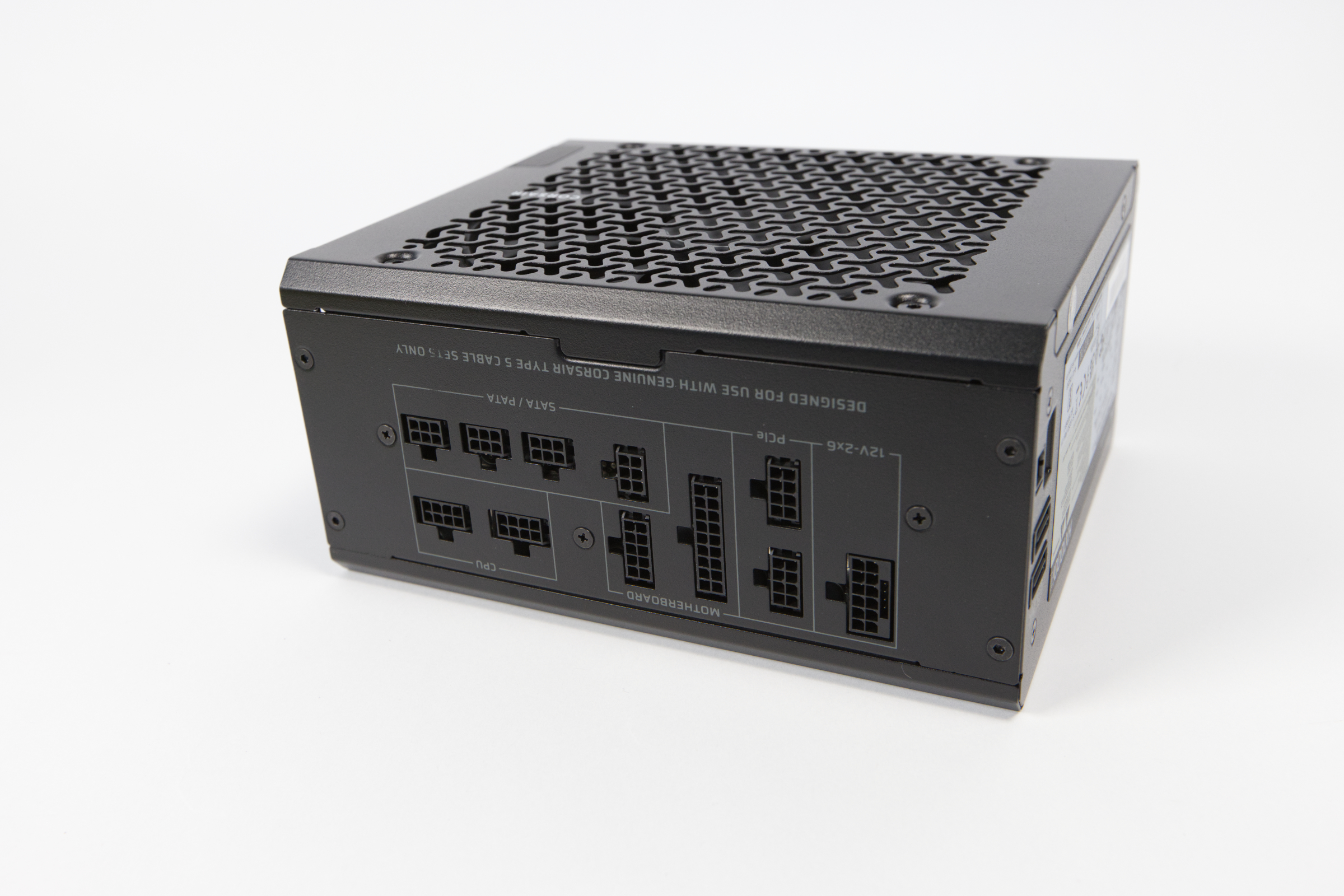
Probably the most important feature of the HXi-Shift series are the side sockets. Corsair recognized early on that the connectors on most cases are barely accessible once the power supply has been installed. Corsair solves this problem by positioning the connectors on the side. As a result, the connectors can be better distributed over a larger area and you can connect or remove connectors at any time.
Instead of using the usual large connectors, Corsair has opted for much smaller Type 5 connectors. These are sometimes more difficult to plug in, but have the advantage that they are more compact and also protrude less. Corsair states that there must be at least 30 mm clearance in the case from the side panel in order to bend the cables.
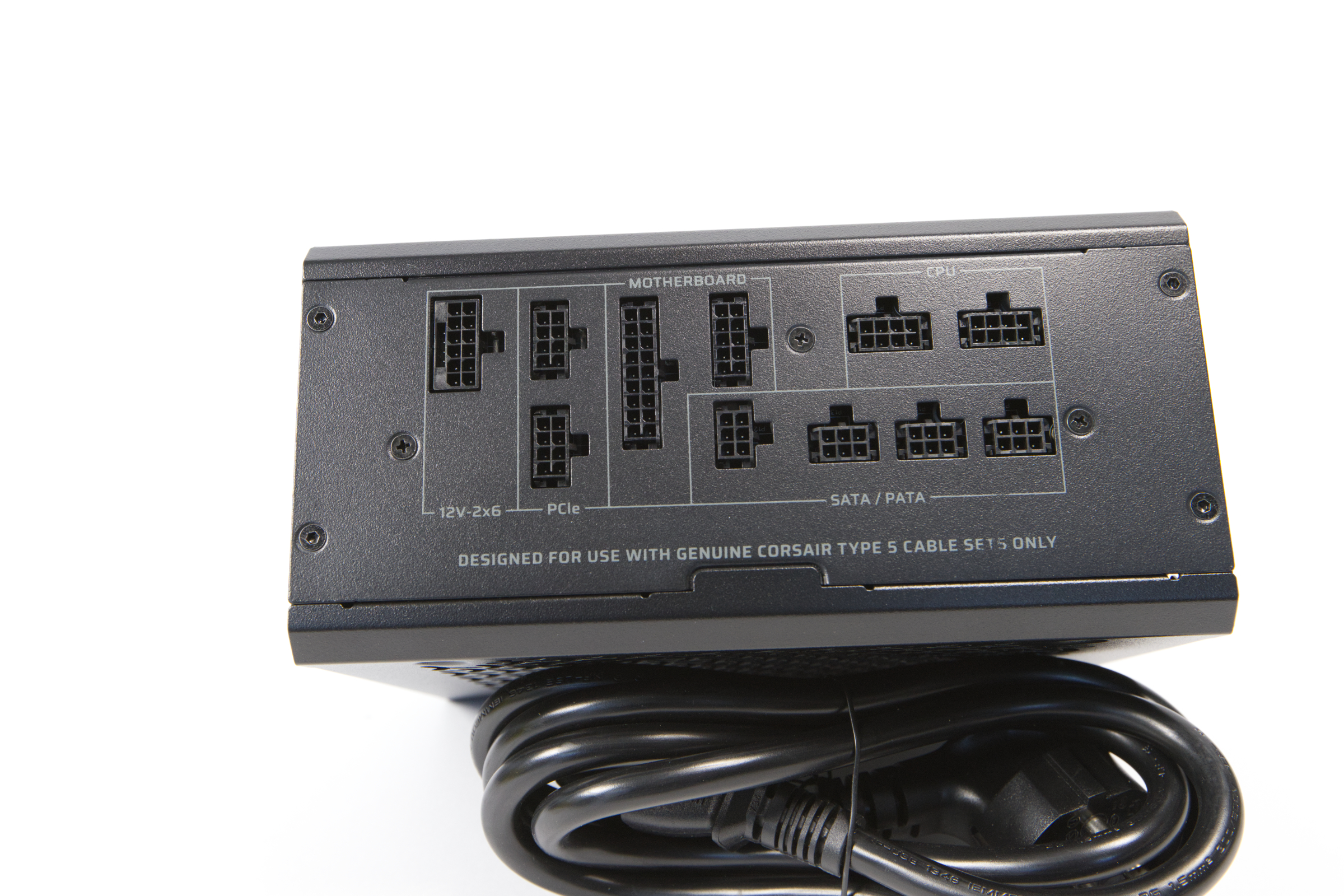 Corsair HX1000i Shift Anschlüsse (Bild © PCMasters.de)
ATX 3.1 and two 12x6-PCIe-5.1
Corsair's platform is very modern. It uses the latest standard, which implements Intel's ATX 3.1 recommendations and combines them with the new 12V-2x6 PCIe 5.1 cables. Even though there is always negative news about the 12V-2x6 connection, with users reporting damage to graphics cards, the standard is necessary for all modern NVIDIA graphics cards. AMD board partners such as Sapphire also rely on these compact cables.
With an output power of 1,000 W, the HX1000i Shift is designed for more than one high-end graphics card. There is a dedicated 12V 2x6 PCIe 5.1 connector, but this can also be used for the dual 8pin cable. The sockets are all labeled accordingly so that you can plug the cables into the correct sockets.
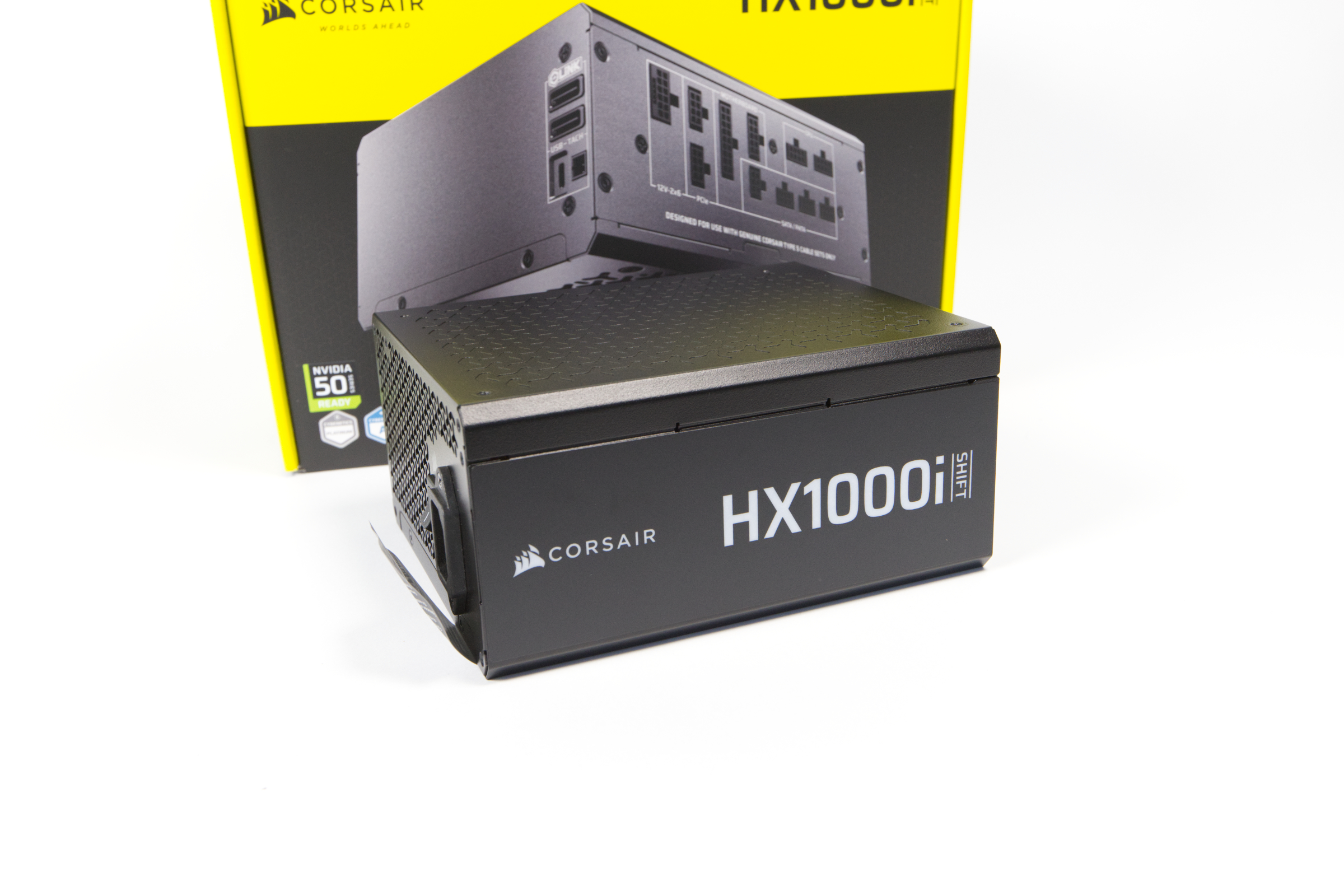 Corsair HX1000i Shift Seitenansicht (Bild © PCMasters.de)
Certified for efficiency and quiet operation
The HX1000i Shift power supply uses a rail for the 12 V supply. The power supply unit also has an 80-Plus certificate, which certifies the power supply unit as Platinum certified. This means it offers an efficiency of 92% at 50% load and 89% at 100% load for improved energy savings. According to Cybenetics, the combined load efficiency is 91.832% at 230V. The power supply is manufactured by CWT.
Some may also be interested in the protection circuits, which include the following:
- OVERVOLTAGE PROTECTION (OVP)
- OVERCURRENT PROTECTION (OCP)
- OVERHEATING PROTECTION (OTP)
- SHORT-CIRCUIT PROTECTION (SCP)
- OVERCURRENT PROTECTION (OPP)
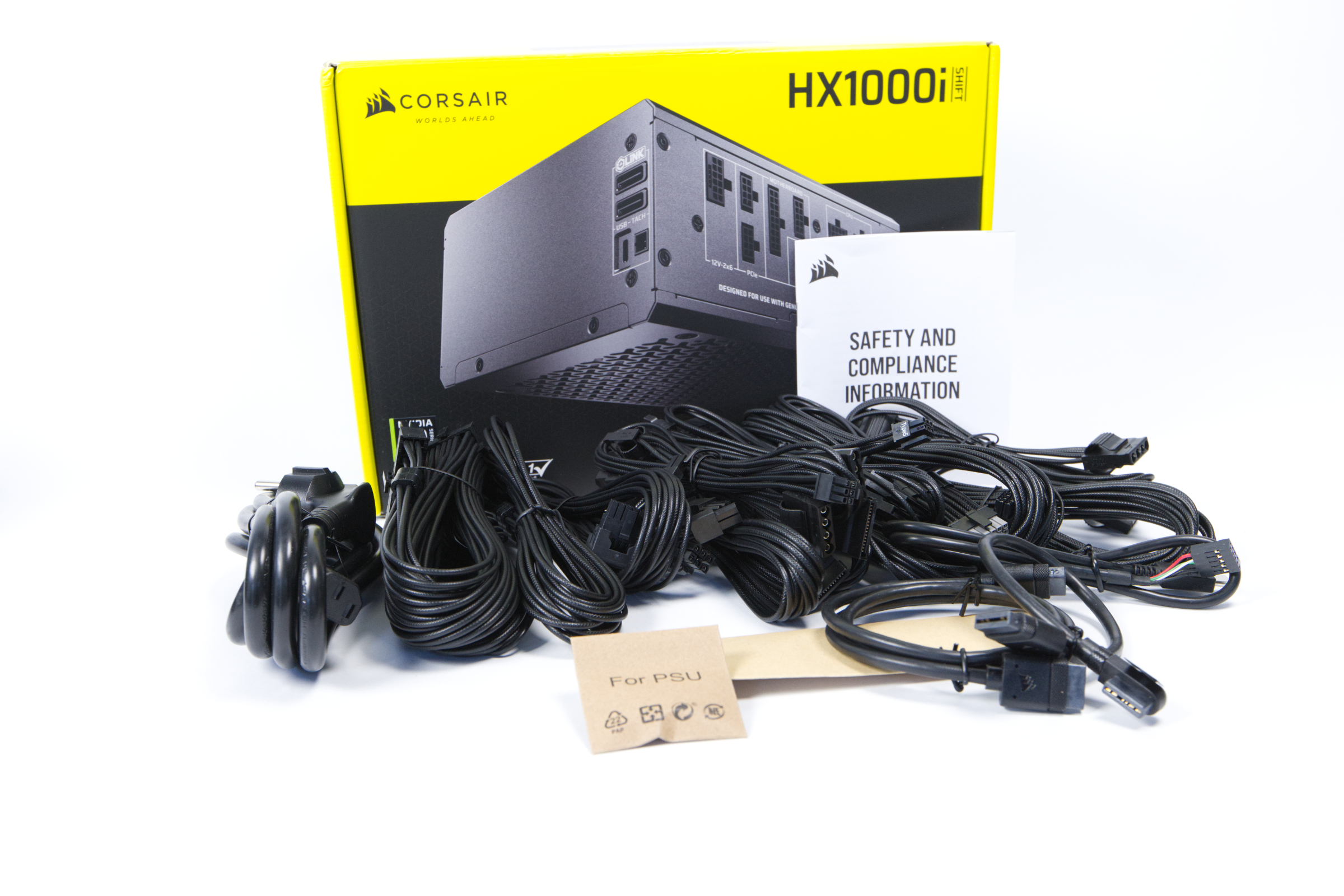 Corsair HX1000i Shift Kabel (Bild © PCMasters.de)
Fully modular with PVC cables
The cables are not sleeved but look a bit like it. Each cable harness consists of individual cables that are loose. Similar to sleeved cables, this looks chaotic at first glance. To ensure that the cable harnesses all look tidy in the housing at the end, there are already attached combs that are pulled along the cable accordingly.
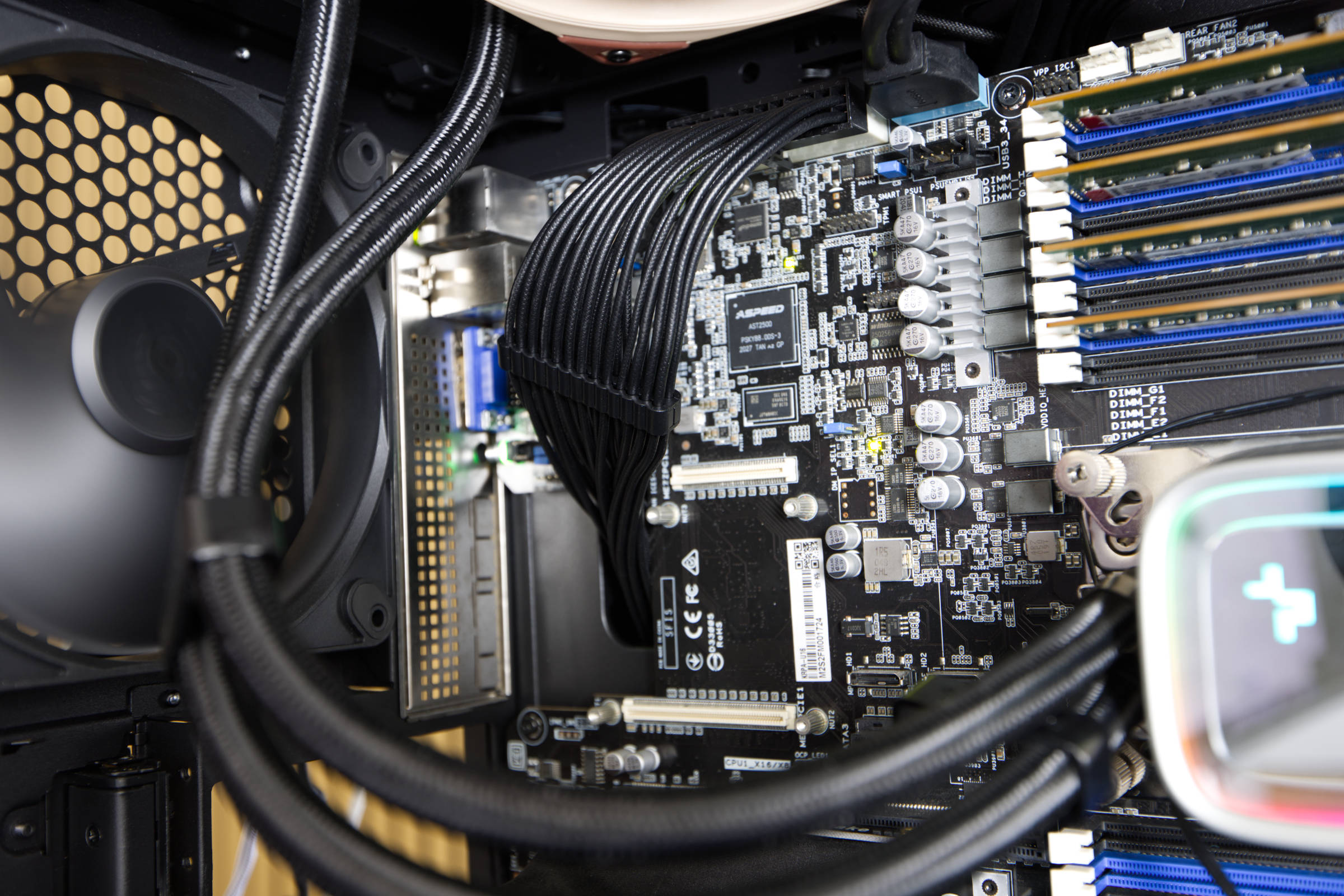 Corsair HX1000i Shift Kabel und Kamm (Bild © PCMasters.de)
This power supply unit is a fully modular model, which is why you only ever connect the cables that you really need. The cables were sufficient for the workstation build for which we used the power supply unit, even if we split the PCIe cables for the workstation graphics cards. The length was also sufficient for the case.
The following cable harnesses are included in the scope of delivery: - 1x ATX 20/24-pin cable with a length of 610 mm - 2x 4/8-pin ATX12V/EPS with a length of 650 mm - 2x 6/8-pin PCIe cable with a length of 650 mm - 1x 90° 12 V-2×6 to 2×8-pin PCIe (6+2-pin) cable with a length of 650 mm - 2x 4-SATA cable with 800 mm length - 2x 4-IDE/Molex cable with 750 mm length - 1x 90° 12 V-2×6 to 600 W 12 V-2×6 (12+4-pin) cable with a length of 650 mm - 1x USB (Type-C to USB 10-pin header) cable 525 mm long - 1x iCUE LINK to 90° iCUE LINK cable 200 mm long - 1x iCUE LINK to iCUE LINK cable 600 mm length
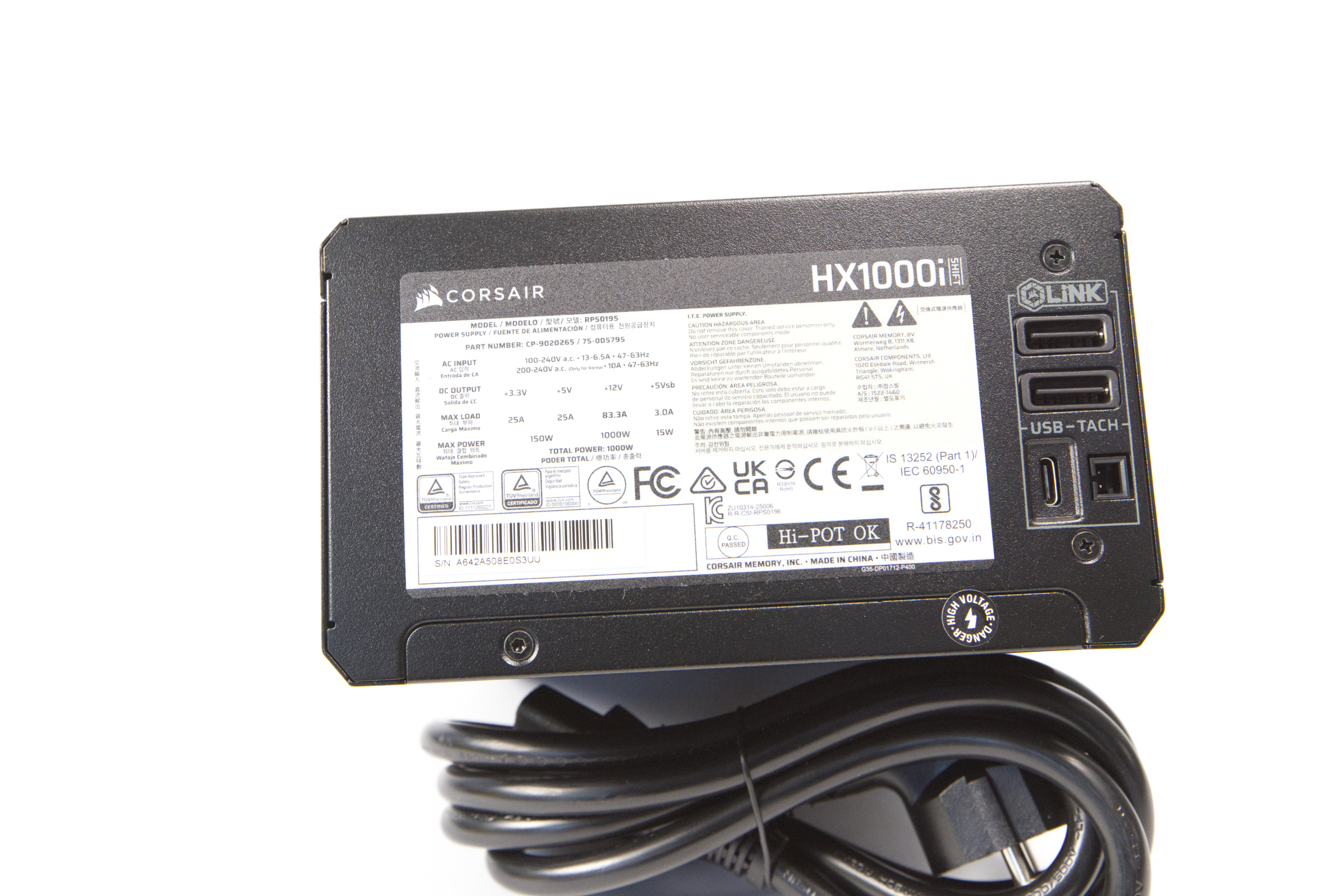 Corsair HX1000i Shift iCue Link (Bild © PCMasters.de)
iCUE Link Controller
A unique selling point of the HX1000i Shift is the integrated iCUE controller. We've been hearing about integrating software and intelligent features into power supplies for years, but hardly anything has been found on the market. The HX1000i Shift is one of the first power supplies to offer monitoring.
It can be connected to other iCUE-Link devices and certain configurations can be defined depending on parameters - however, we have considered it on its own. For this feature, a USB-C cable is connected to the power supply unit. You can either use the supplied cable and connect it to a free USB 2.0 header on the mainboard or use any USB-C cable for any USB port. As our workstation runs Linux and there is no Linux software, we connected the controller to another PC for testing purposes and monitored the power supply from a second system.
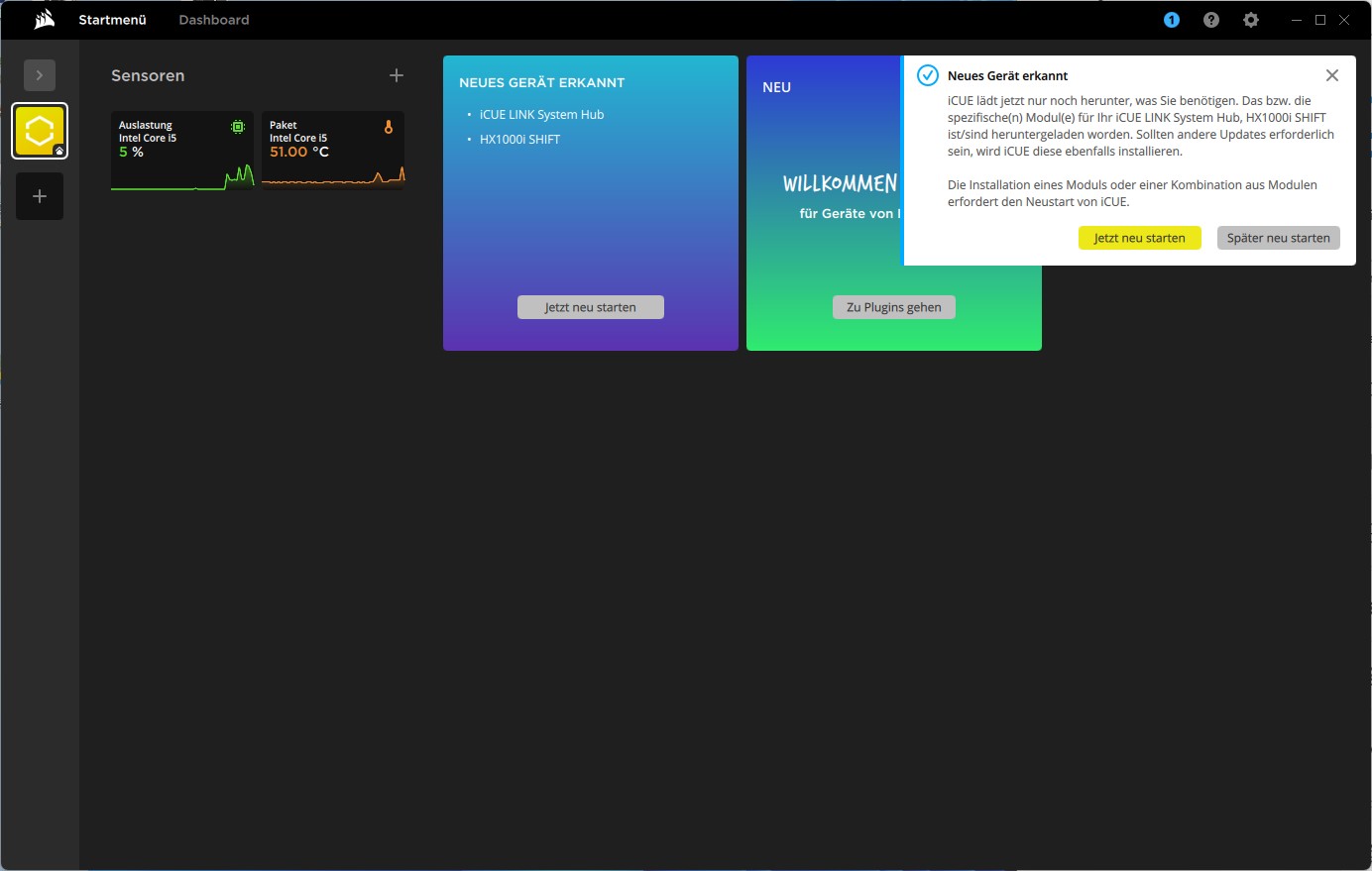 Corsair HX1000i Shift iCUE Link Installation (Bild © PCMasters.de)
After installing the iCUE software, the controller is recognized and the software must first be restarted to complete the integration.
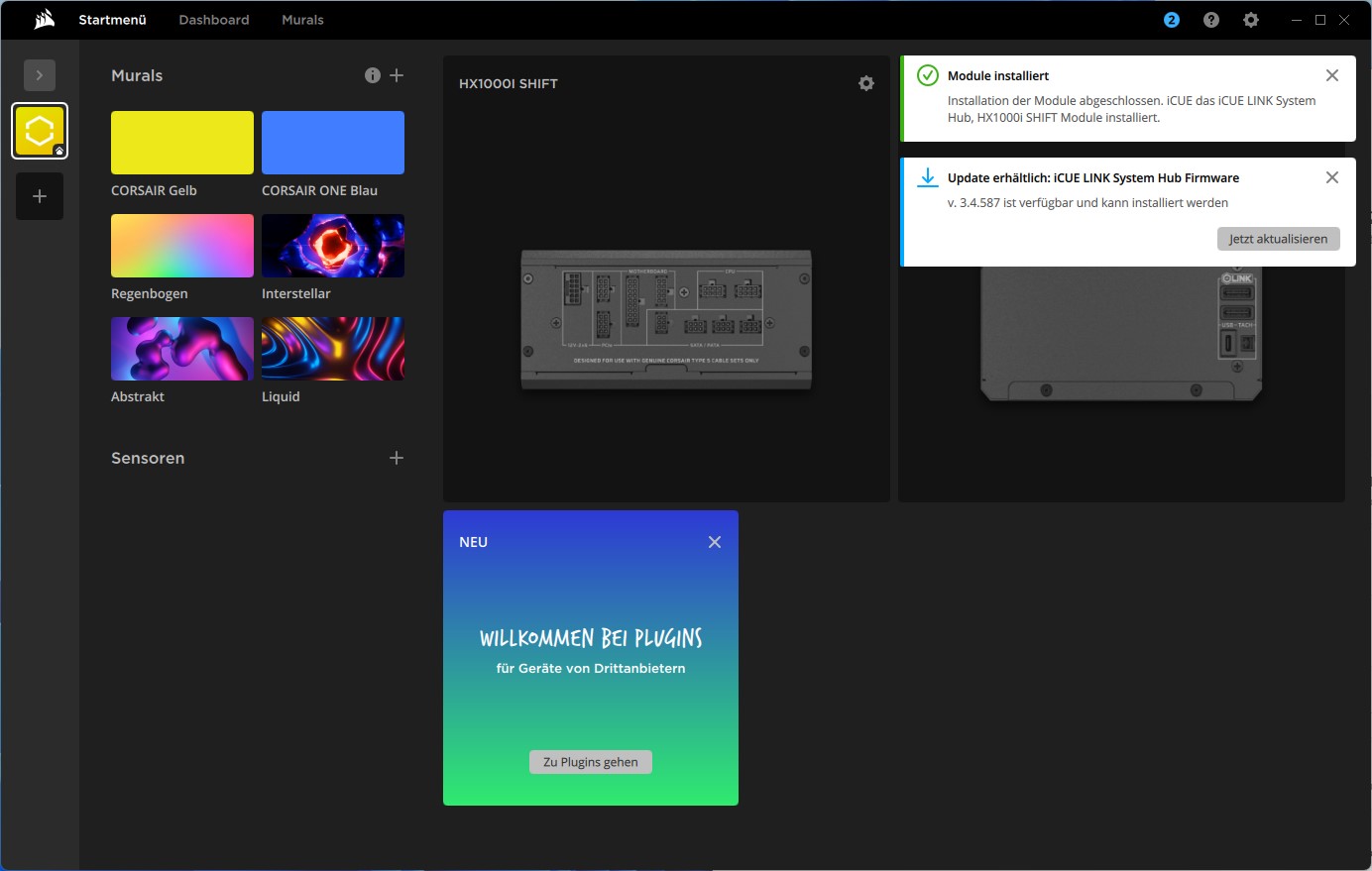 Corsair HX1000i Shift iCUE iCUE Link Updates (Bild © PCMasters.de)
After restarting the software, we were able to recognize the HX1000i Shift in the software, but an update of the hub software should be installed. To ensure that all bug fixes are included, we updated everything to the latest version.
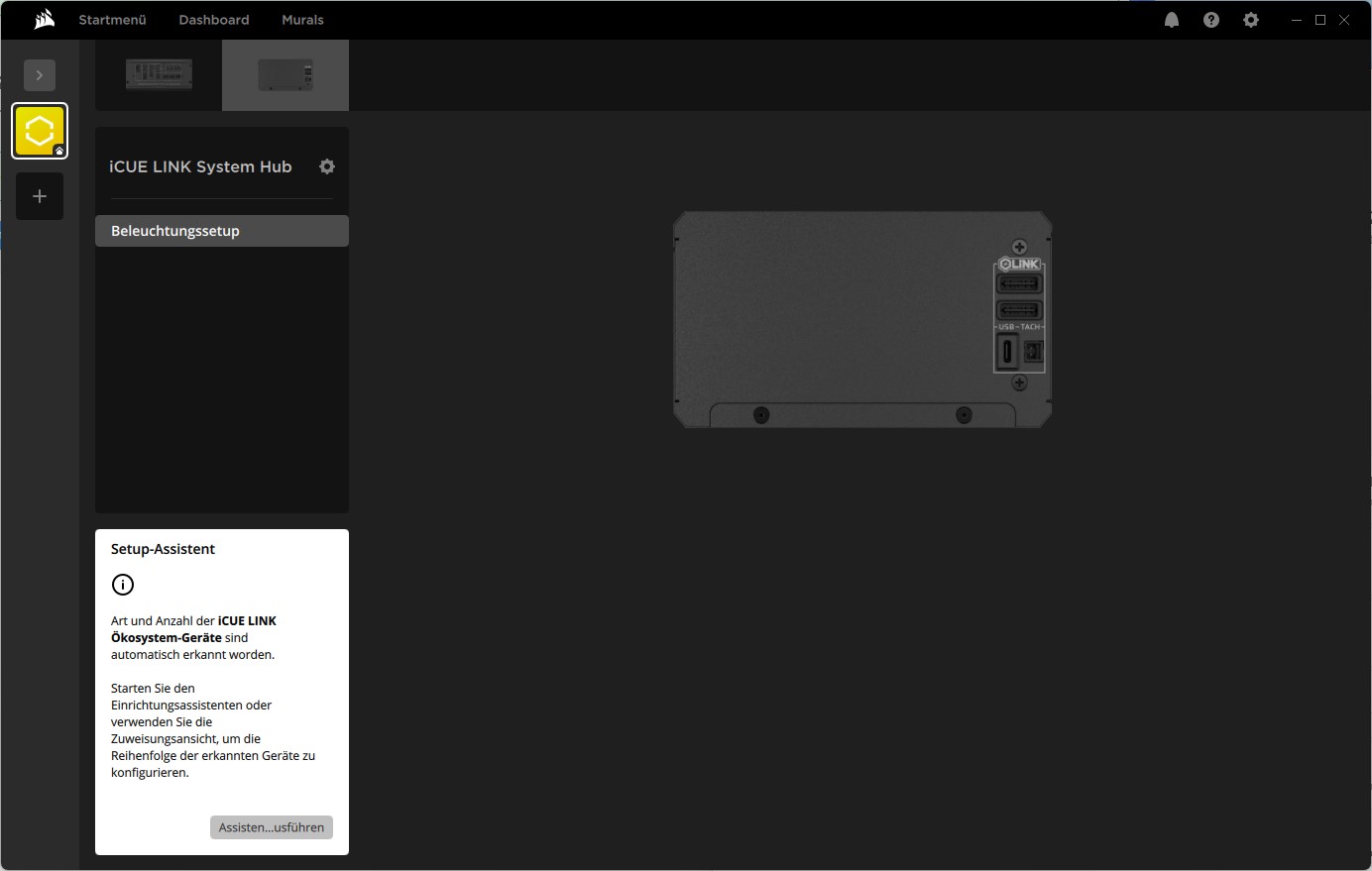 Corsair HX1000i Shift iCUE iCUE Link Hub (Bild © PCMasters.de)
iCUE-Link-Eco-System
There are two tabs in the software when you click on the power supply unit. The iCue-Link components are addressed and configured in the area on the right. In our case, this refers to the lighting, but we have not connected any other iCUE devices, which is why nothing can effectively be done here.
HX1000i Shift iCUE view
Various graphs are presented in the main view. Technology enthusiasts will be delighted, because in addition to the output of voltages, the efficiency is also calculated and displayed. Everything is visually represented by graphs, which provides a nice overview over a longer period of time. If you click on one of the boxes, you get a large view at the bottom, such as the fan speeds.
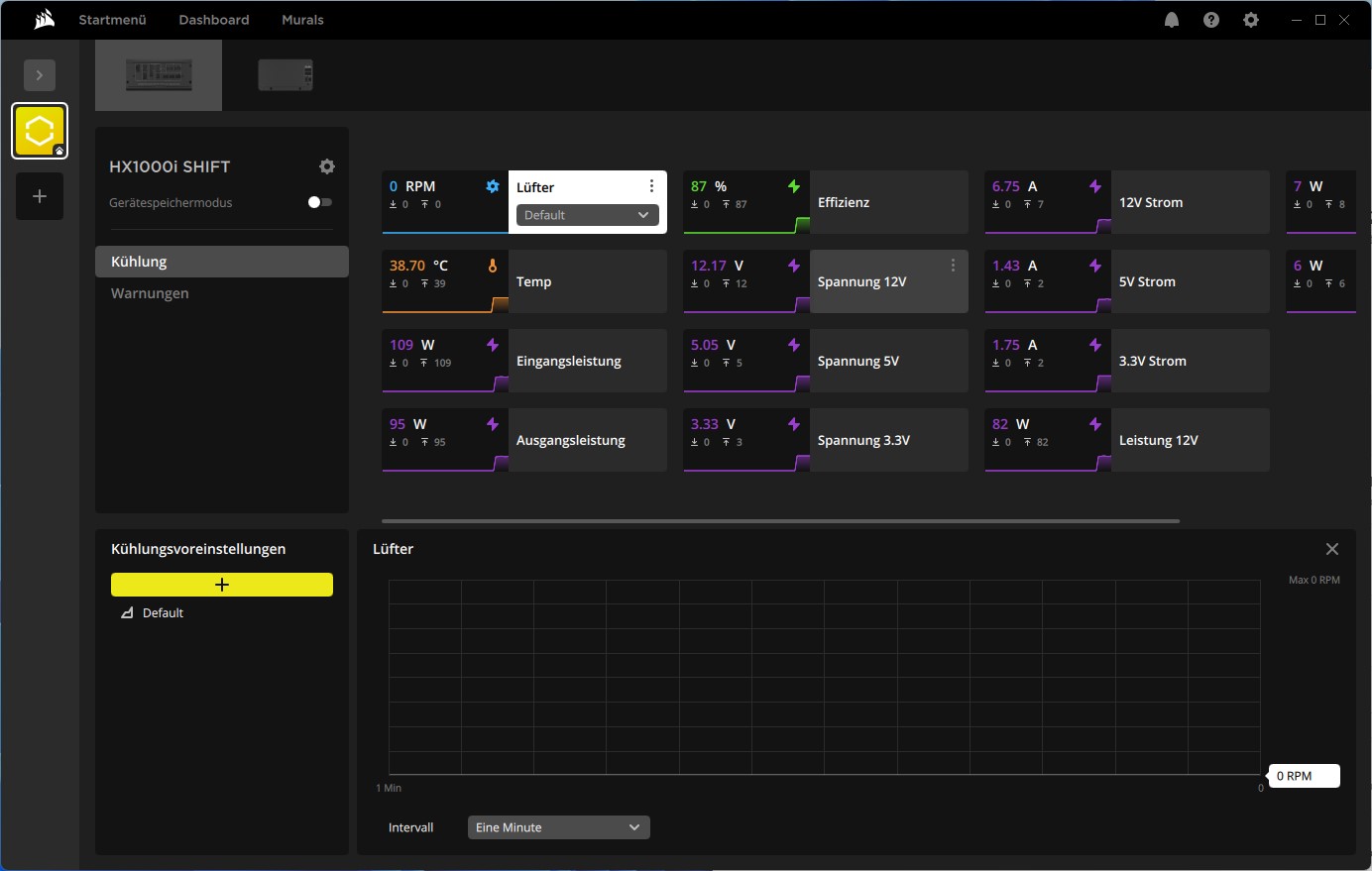 Corsair HX1000i Shift iCUE iCUE Link Netzteilansicht (Bild © PCMasters.de)
The current utilization of the power supply unit is also displayed. We have not been able to determine how accurate these values are and what the tolerance is here. The temperature of the power supply unit is also displayed, as well as the input and output power.
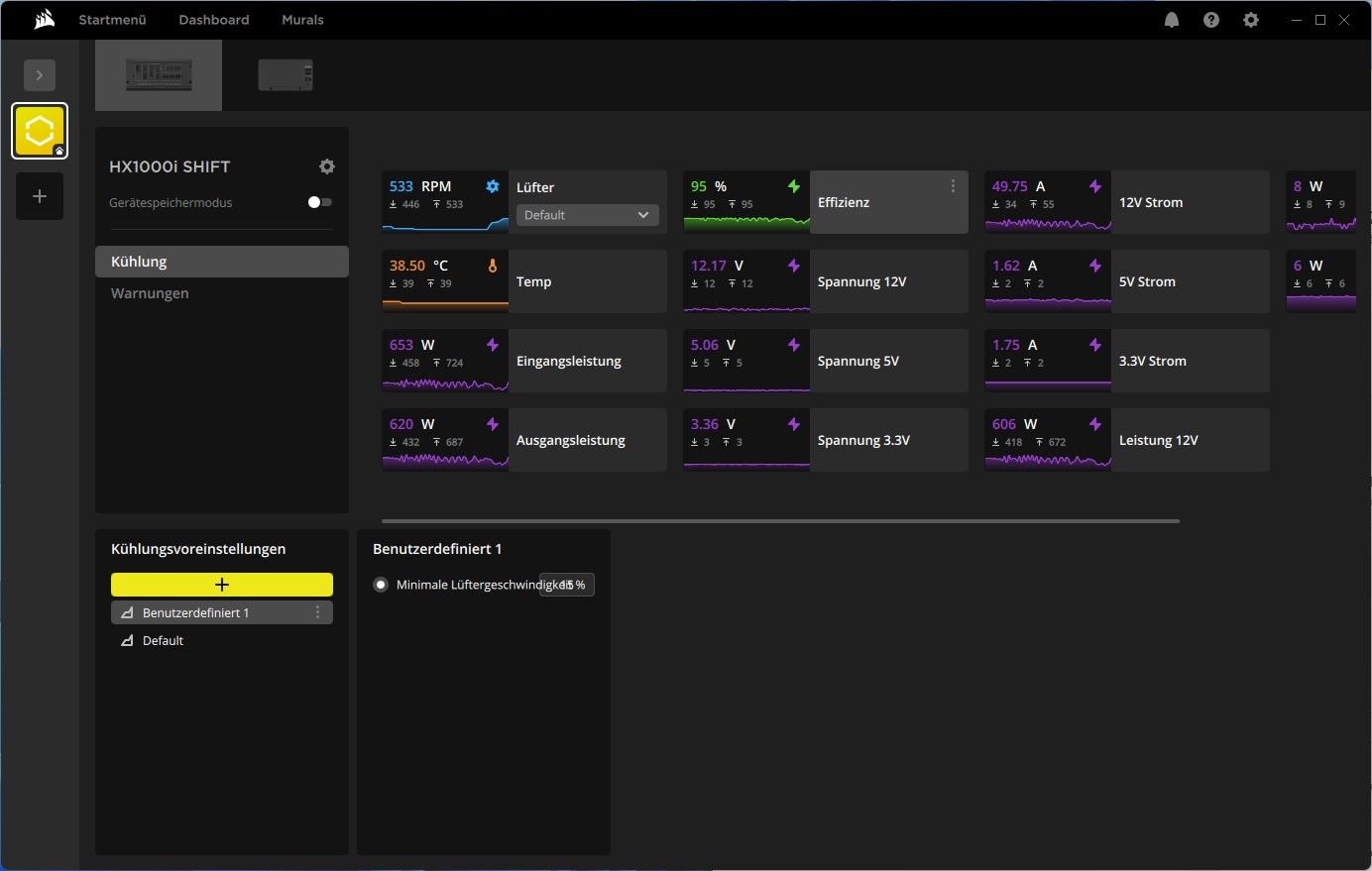 Corsair HX1000i Shift iCUE iCUE Link Lüfter profile (Bild © PCMasters.de)
There is an option to create profiles at the bottom. However, there is little you can do here, as the power supply regulates itself and so you can only define the minimum fan speed and assign the profile to the fan. For safety reasons, the fan should of course be controlled by the power supply unit in order to keep the power supply unit cool.
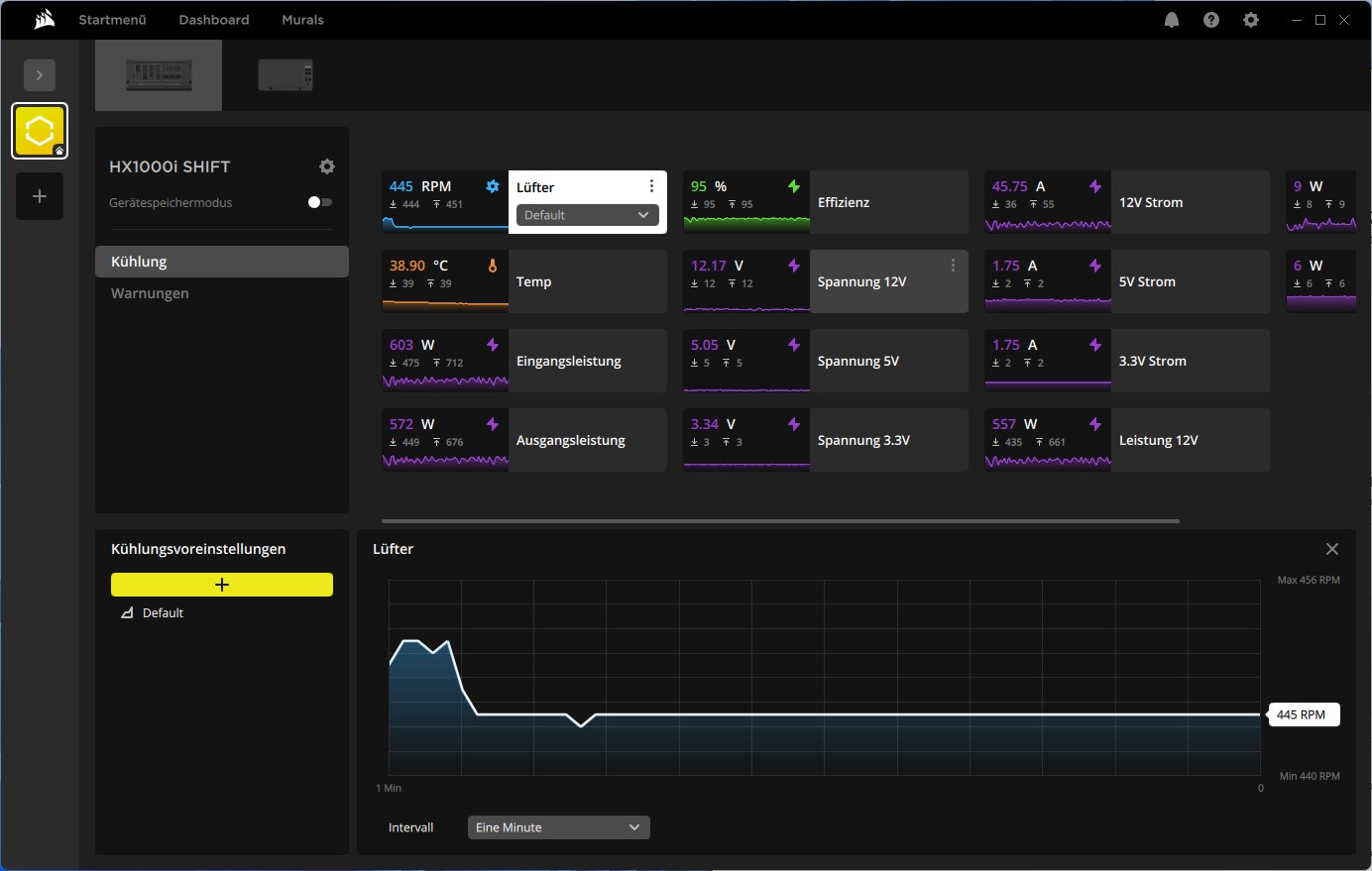 Corsair HX1000i Shift iCUE iCUE Link Lüfter (Bild © PCMasters.de)
If you then load the power supply unit, the graphs for the output power are interesting, as this data is particularly helpful.
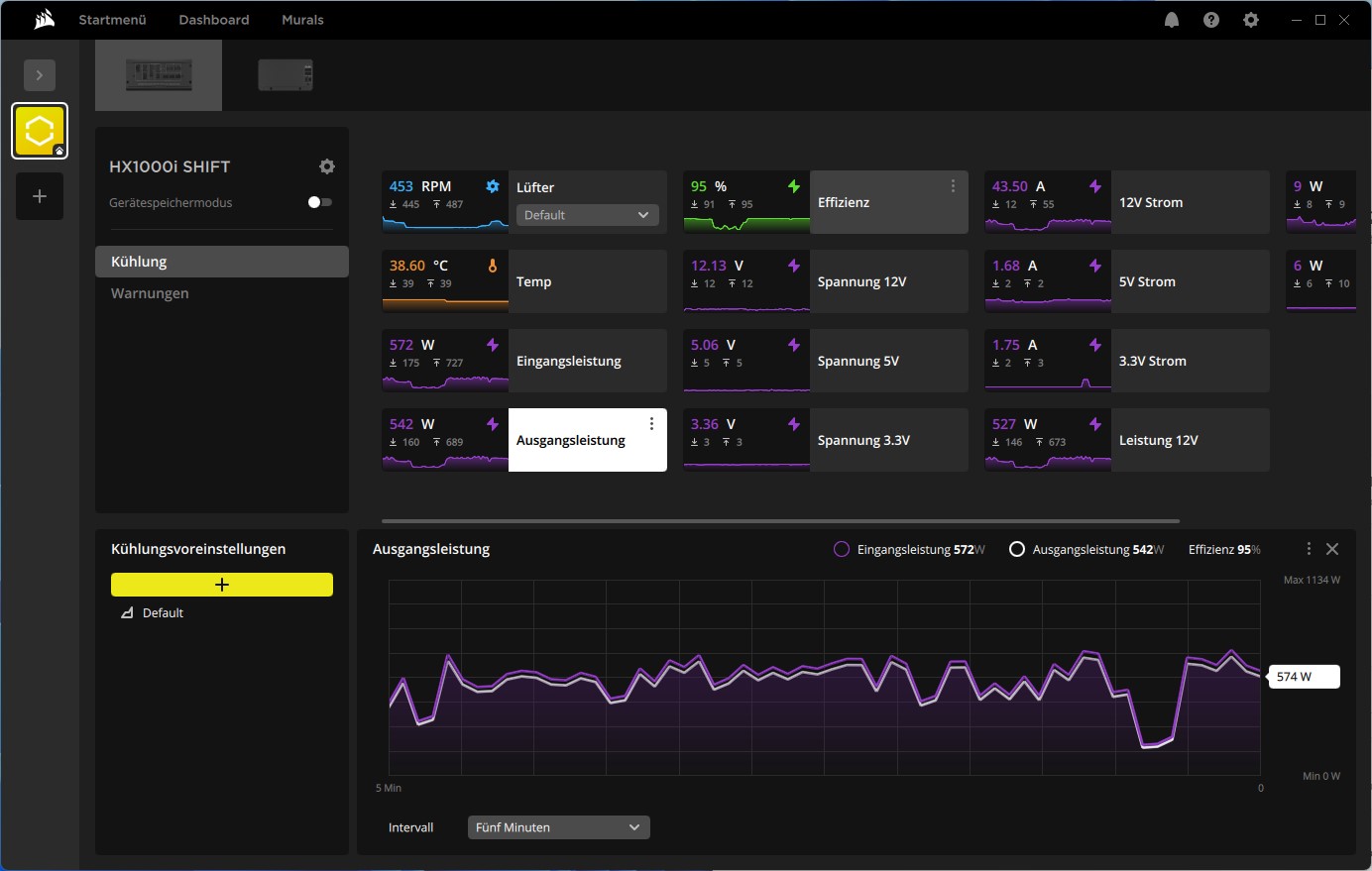 Corsair HX1000i Shift iCUE iCUE Link Leistungmonitoring Verbrauch (Bild © PCMasters.de)
The detailed view below also shows the peak load and then also determines the efficiency in the view.
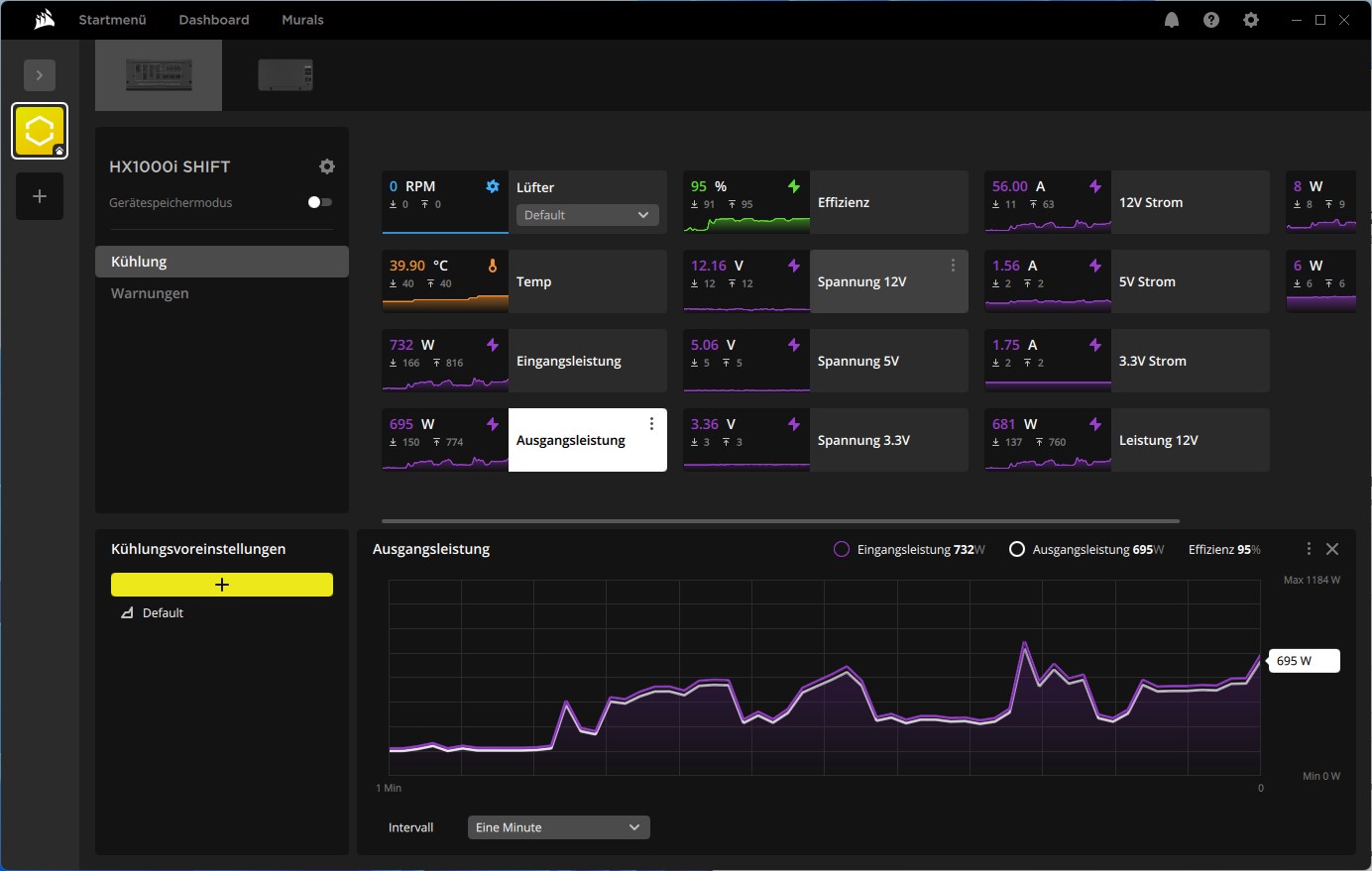 Corsair HX1000i Shift iCUE iCUE Link Leistungmonitoring (Bild © PCMasters.de)
There is also a tab for warnings if you want to define something here.
Corsair NR140HP 140 mm fan
Corsair installs a large 140 mm fan in this power supply. The fan is not available to buy separately. There is no information about the NR140HP model on the manufacturer's website, but according to Cybenetics it is said to have a very high speed range of approx. 300 to 2,400 rpm. Corsair only states that the fan has a Fluid Dynamic Bearing.
The fan control of the Corsair HX1000i Shift is optimized so that the power supply is kept at a constant 50 °C. If the temperature is below this, the fan can remain switched off and the power supply operates in passive mode. As soon as a higher load is applied, the fan starts to rotate.
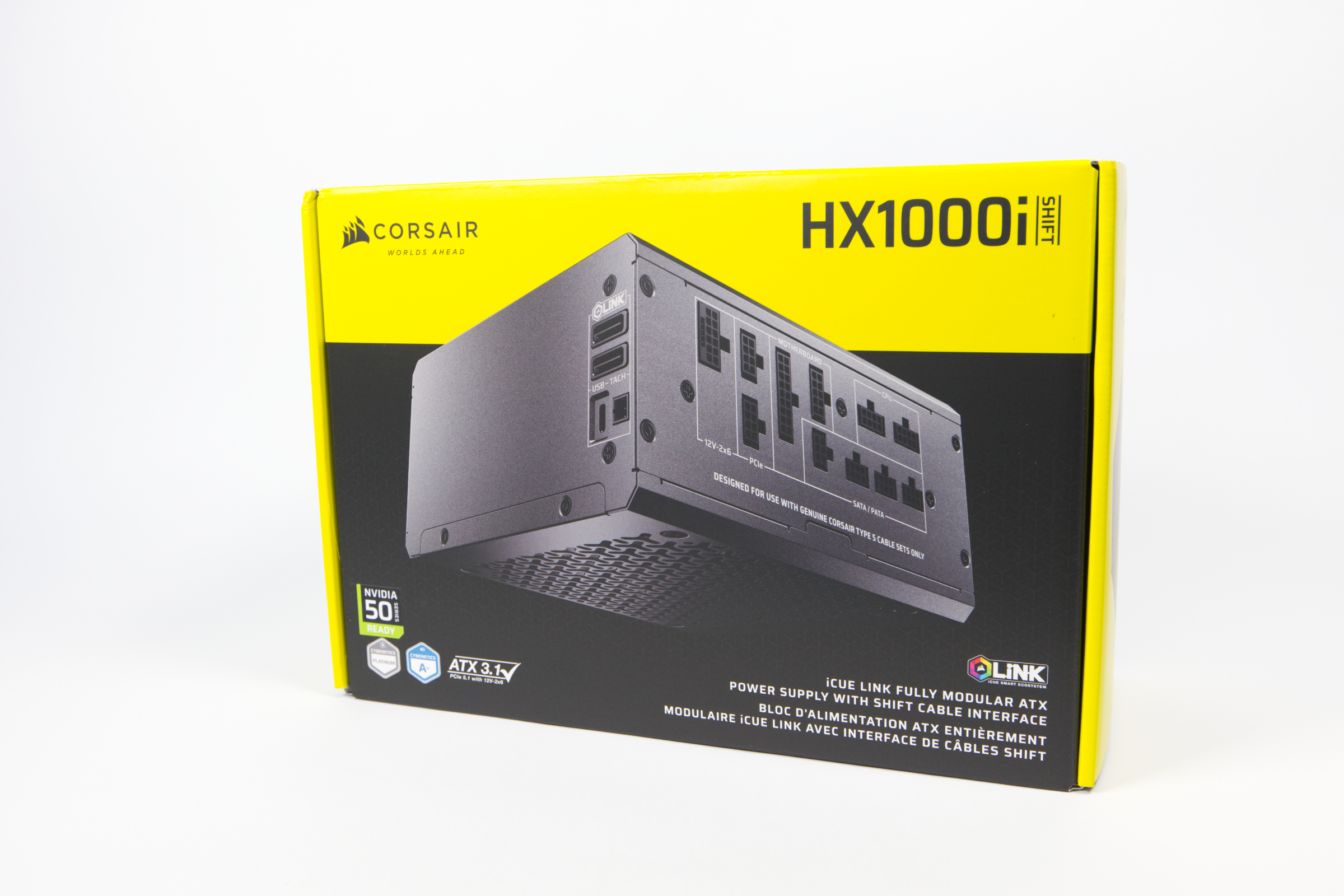 Corsair HX1000i Shift Verpackung (Bild © PCMasters.de)
HX1000i Shift packaging and scope of delivery
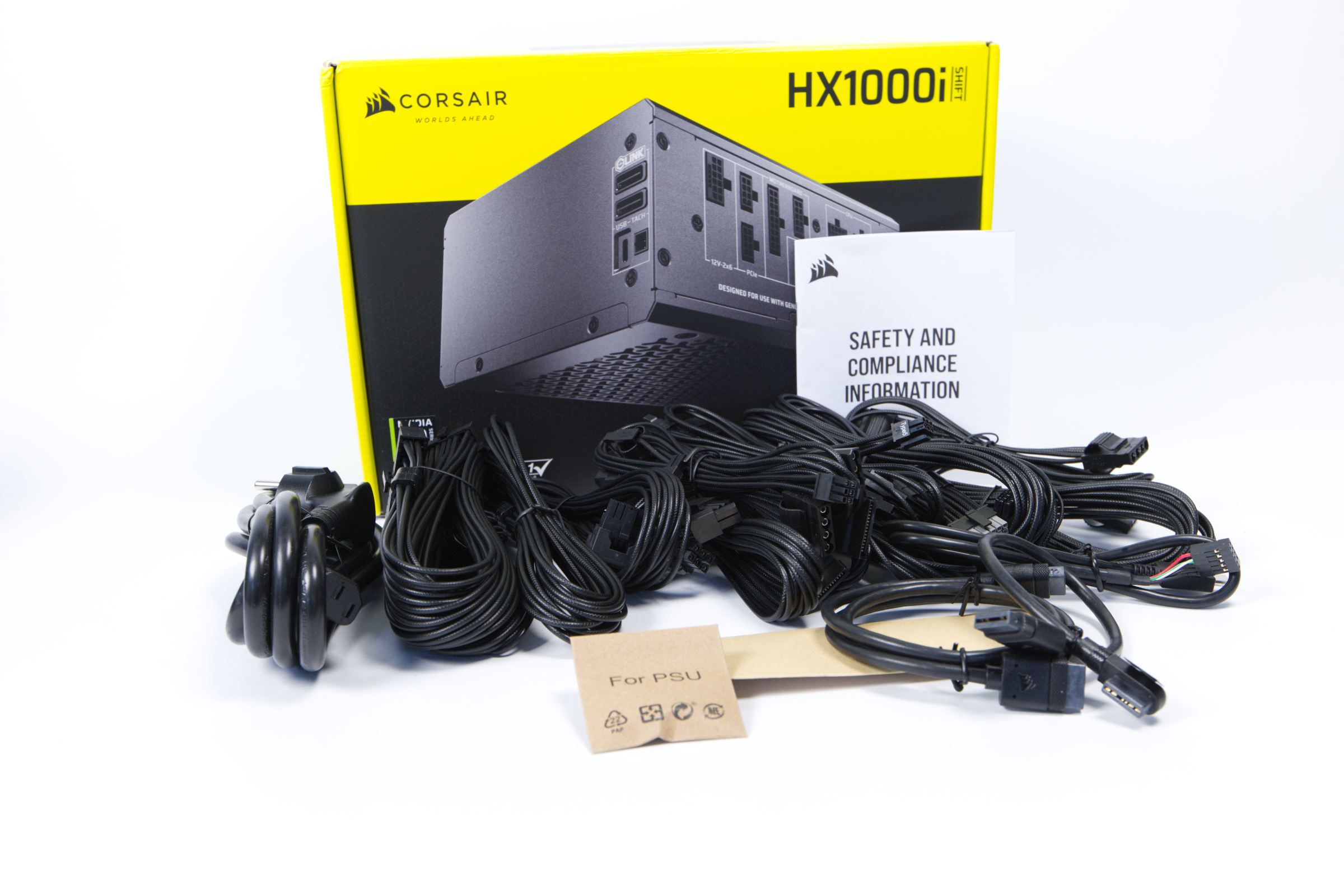
Corsair's packaging has a strong recognition value. This is largely due to the bright yellow color Corsair uses for its packaging. Black is used as a contrasting color and the product is usually shown in large letters on the front. The box itself is made of cardboard and looks attractive in our opinion.
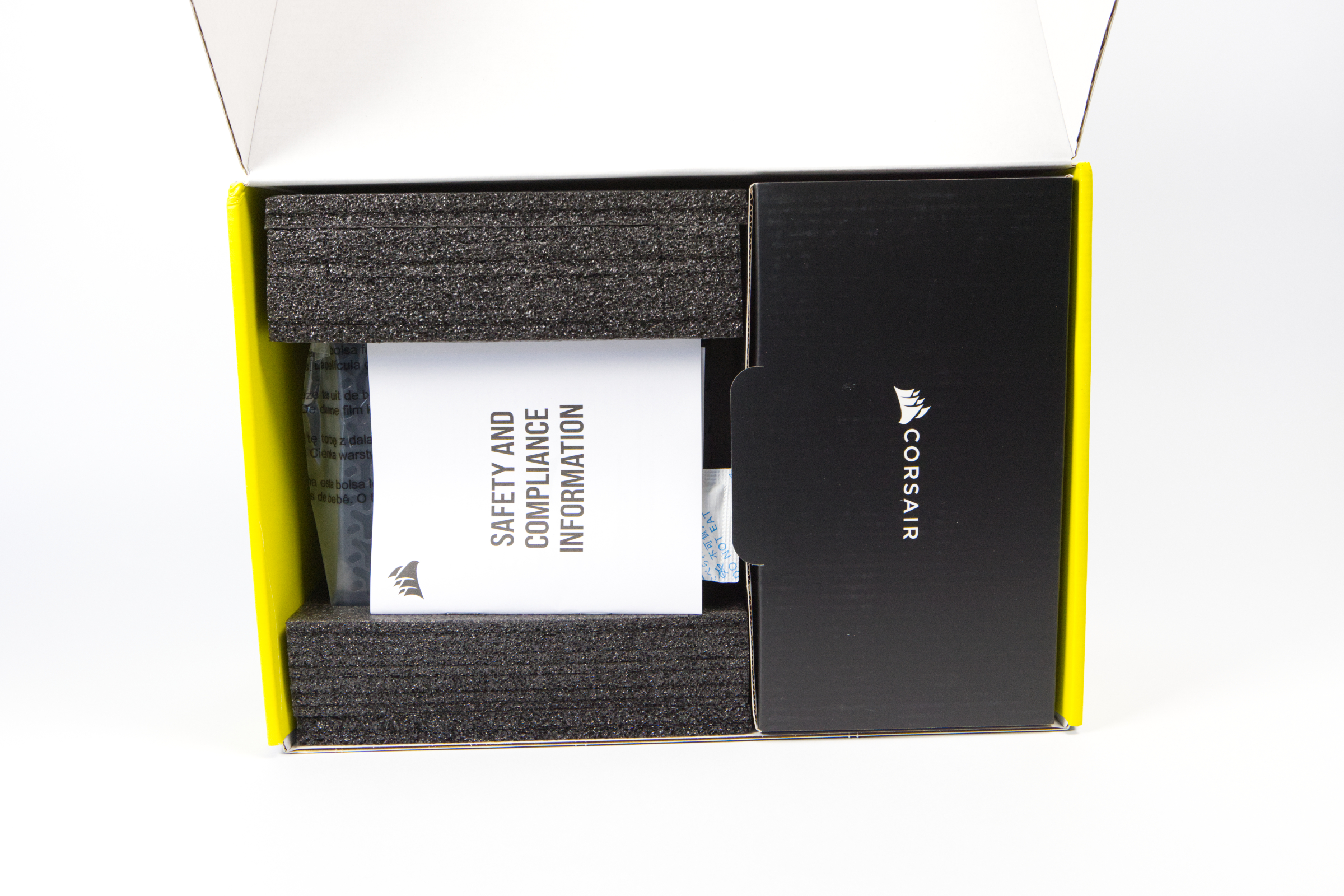 Corsair HX1000i Shift Verpackung innen (Bild © PCMasters.de)
When you open the box, you can see that it is divided into two segments: on the left is the power supply unit, which is protected by foam, and on the right is a cardboard compartment containing the cables.
 Corsair HX1000i Shift Lieferumfang (Bild © PCMasters.de)
In the compartment on the right you will find the following scope of delivery:
- 10 cable ties
- 4 screws
- IEC plug
- Various modular cable harnesses
Corsair HX1000i Shift Specifications
Below we have summarized the specifications of the power supply in a table.
| Corsair HX1000i Shift (RPS0195) technical data | |
|---|---|
| Specification | ATX 3.1 |
| PFC | active |
| 12V rails | One |
| +3.3V | 25 amps |
| +5V | 20 Ampere |
| +12V | 83.3 Ampere |
| -12V | Not available |
| +5 Vsb | 3 Ampere |
| Dimensions | 150 x 86 x 180 mm |
| Fan | 140 mm, Corsair |
| Volume | 16.65 dB(A) (according to Cybenetics certificate, 115V), 16.7 dB(A) (according to Cybenetics certificate, 230V) |
| Cable management | fully modular |
| Certificates | ETA-Platinum (115V, according to Cybenetics certificate), ETA-Platinum (230V, according to Cybenetics certificate), LAMBDA-A+ (115V, according to Cybenetics certificate), LAMBDA-A+ (230V, according to Cybenetics certificate), 115V+230V Report (Lab ID: CR10002699) |
| Connections | 1x 20/24-pin, 2x 4/8-pin ATX12V, 4x 6/8-pin PCIe, 8x SATA, 8x IDE, 1x USB Protocol 10P |
| Manufacturer's warranty | 10 years |
| Price | From 236 € (Affiliate) |
Test system
We use the following components as a test system. The structure is as follows: - CPU: AMD EPYC Milan 7763/7C13 (64 Core 128 Thread) - CPU cooler: DeepCool LS720 with 3 **Noctua NF-A12x25 G2 - Mainboard: ASUS KRPA-U16 - RAM: 4x 16 GB Micron DDR4-3200 RDIMM - SSD: 1 x NVMe SSDs - **Case: ASUS ProArt PA602 Wood Edition - Graphics cards: 2 x Radeon Pro Duo 32 GB, 1 x Radeon Instinct Mi50 32 GB - Power supply: Corsair HX1000i Shift 1000 W
Own test data and data from Cybenetics
Testing power supplies is time-consuming and requires expensive test equipment. We did not test the power supply for efficiency and performance, but tested its use on a workstation. The aim was not to exploit its full potential - but to test its suitability for everyday use.
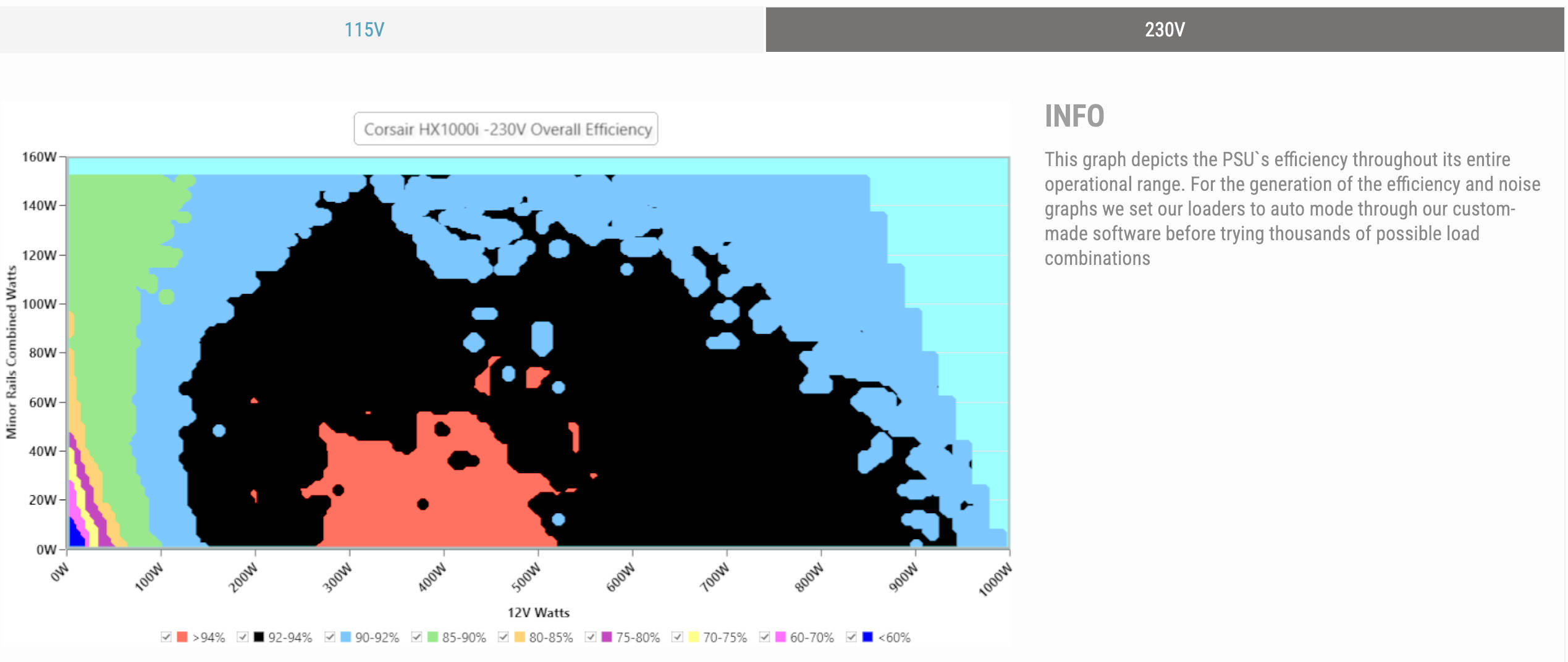
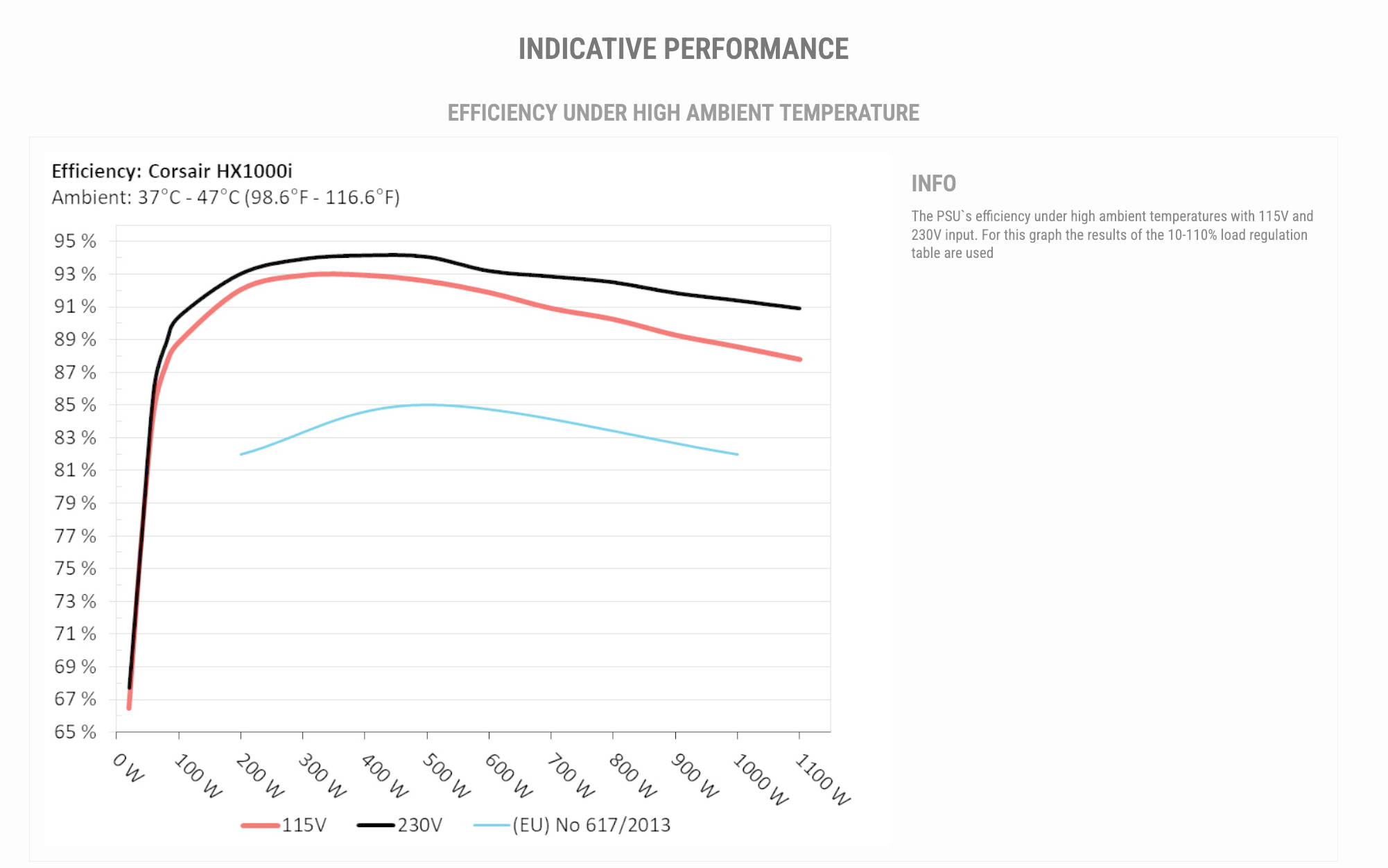
In addition to the 80 PLUS certification, which is nice, but is now a rather inappropriate test point for Europe, more and more power supply manufacturers are turning to tests by Cybenetics. The power supply experts then test and certify the power supplies independently. The HX1000i Shift is also examined in detail. We have taken the following two graphs from their report. Interested parties can view the complete report via the link above.
Since Furmak could not utilize the three GPUs, we simulated the test under Ubuntu Desktop 24.04 with OLLAMA LLAMA3.2 LLM-Inference as well as CPU and Shadow of the Tomb Raider GPU utilization.
- Data logged via Elmor PMD2 (Voltage max error +/- 0.1 V (@ 12 V), Current max error +/- 0.5 A (@ 10 A))
We were unable to measure sound levels as the system's fans were loud and the power supply was quieter.
Our colleagues at Cybenetics have awarded the power supply unit their Lambda A+ certificate.
HX1000i Shift: EFFICIENCY GRAPH at 230 V
The test of the power supply unit checks the efficiency at 115 and 230 volts. In this country, the 230 V measurement is particularly exciting, as our network is based on it. In tests by Cybenetics the efficiency was 91.83 %. The power supply reaches its peak efficiency at 300 to 400 W, which will be the case for most users in everyday use. As soon as the load exceeds 600 W, the efficiency drops to approx. 92 %, but is still high. At around 950 watts, the efficiency falls into the range of 90 to 92%, but the power supply is not designed for continuous load in this range, even if it can cope with the included buffers and only switches off above this level due to the protection mechanisms. The ripple at 12V was 28.08 mV.
 Corsair HX1000i Shift Cybenetics Effizienzdaten (Bild © Cybernetics)
 Corsair HX1000i Shift Cybenetics Effizienzdaten Graph (Bild © Cybernetics)
The PMD2 has a certain tolerance, as it is not an expensive piece of measuring equipment - so it does not offer the highest accuracy. The measurement data serves as a reference point for our sample. The measurements with PMD2 show outliers of 20 mV upwards and 10 mV downwards, which would put the ripple at 30.00 mVpp (millivolts peak-to-peak).
- Valley point of the wave**: 11.99 V
- Peak of the ripple: 12.02 V
- Distance between the two: 30 mV
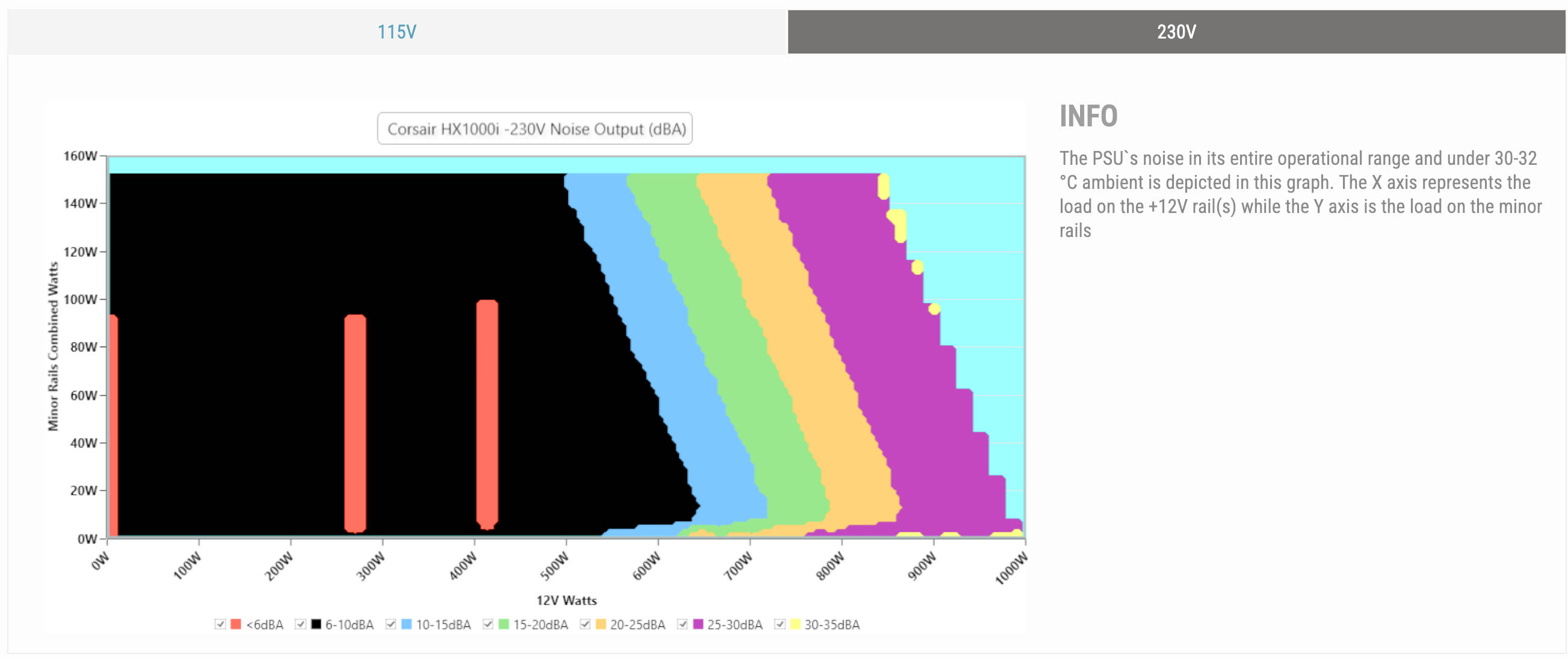
HX1000i Shift: Volume
An interesting picture can be seen in the 230 V measurements from Cybenetics. The power supply is quiet up to a load of approx. 600 W with 6 to 10 dB(A), although there are also small areas with <6 dB(A) in the middle. This makes it slightly louder than the Seasonic Prime TX-1600 Noctua Edition (test), but it is still quiet. After that, the sound level goes higher at around 100 W intervals.
 Corsair HX1000i Shift Cybenetics Lautstärke (Bild © Cybernetics)
Corsair HX1000i Shift Seitenansicht (Bild © PCMasters.de)
Conclusion on the HX1000i Shift
With the HX1000i Shift, Corsair has launched a very interesting power supply that is not only aimed at enthusiasts. If you've always wanted to keep an eye on your PC's consumption and efficiency, this power supply gives you exactly the right tools. The values can be conveniently read out via the iCUE integration. Unfortunately, this is not yet possible under Linux and must be done under Windows.
Access to the modular cables of the power supply unit is also convenient. This feature, where the cables are positioned on the side of the power supply unit, can be recognized by the "Shift" identifier in the name. The cable harnesses are long and look like sleeved cables - but they are not. Nevertheless, they look stylish in the system with the integrated combs.
We would classify the volume of the power supply unit as good and the Platinum power supply unit also impressed us from a technical perspective. With our workstation with three GPUs and the 64-core EPYC processor from the Milan generation, we didn't push the limits. At a price of €239, the HX1000i Shift (Affiliate) is not one of the cheapest Platinum power supplies, but it offers very strong additional features that the competition lacks.
Pro
- High output power
- Modern technology (ATX 3.1 + PCie 5.1)
- High efficiency
- Build quality
- Long cable harnesses with combs
- Quiet under load (thanks to Corsair fan)
- Passive cooling in some scenarios
- A native 12V 2x6 PCIe 5.1 cable
- Fully modular
- Side cable connectors
- iCUE controller with extensive software monitoring functions
- Good scope of delivery
- 10-year manufacturer's warranty
Cons
- Price