Computer Forum
ASUS has now built up a number of cases in its own portfolio, but one particularly large model caught our eye. The ProArt series is ASUS' more elegant range of products, which sets different accents. The ProArt PA602 has just been introduced as Wood Edition and is particularly suitable for massive workstation builds. The focus is on plenty of space inside for components and a well-designed airflow, as high-end components are very hungry these days.
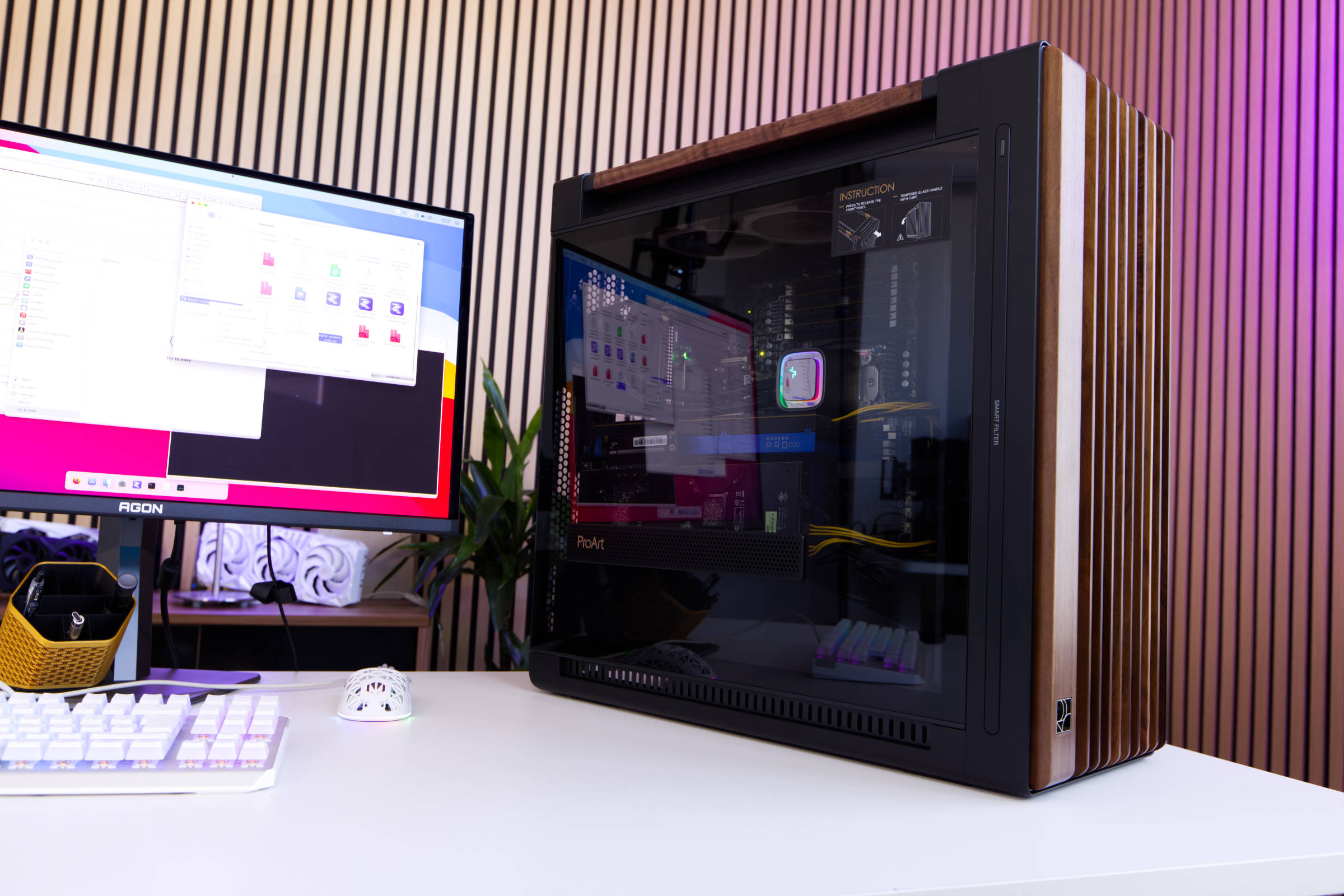 ASUS ProArt PA602 Wood Edition Test Review (Image © PCMasters.de)
Challenges of the project
The goal was to find a case for a server/workstation setup for local AI models and this model was the perfect fit. However, it also has limits that we had to overcome, but we dared to experiment. Three HPC cards were to be installed in the system, which turned out to be a bit tricky due to the choice of motherboard.
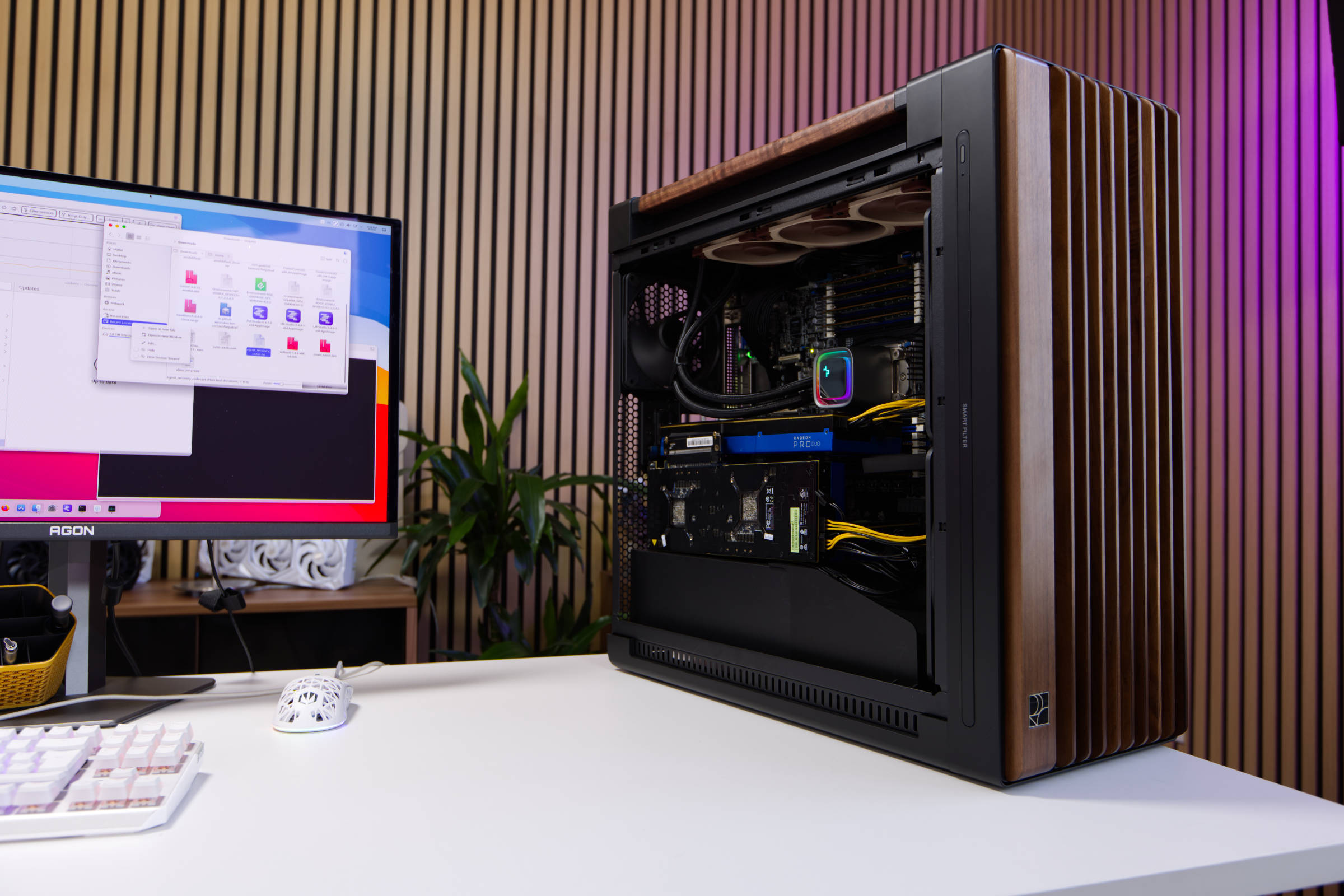 ASUS ProArt PA602 Wood Edition offen (Image © PCMasters.de)
We experimented with three Radeon Pro Duo with 32 GB VRAM each and a Radeon Instinct MI50 32 GB VRAM variant. The hurdle was that the cards were long and the last ASUS motherboard we chose was not designed for such long GPUs and they collided with RAM or connectors. In the end, there was a workaround that involved plugging in three cards and connecting a fourth via riser cables.
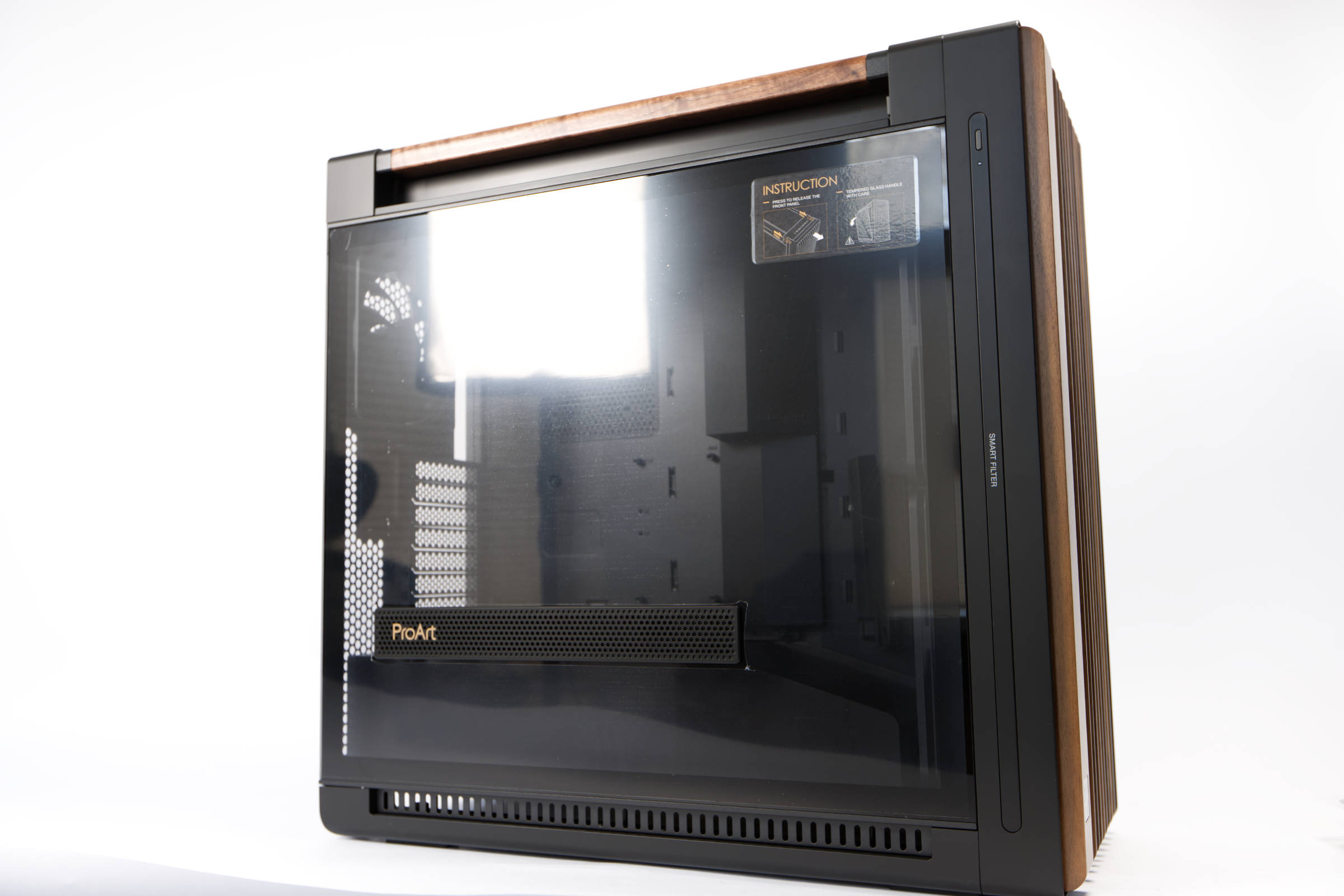 ASUS ProArt PA602 Wood Edition Glaspanelseite (Image © PCMasters.de)
ASUS ProArt PA602 Wood Edition Modern Black TG in detail
The new variants of the ProArt PA602 bring some wooden elements into the series, which makes them look even more elegant. They are not intended to be placed in a dark, dusty room, but somewhere in the office. Since last year, many manufacturers have been producing cases with a wood finish, and this appeals to many customers - including us.
With the ProArt PA602, there are many little things that can be considered the icing on the cake and we will probably not name them all individually, but the ones that particularly caught our eye when working with the case. The experience begins positively when unpacking, because the case is packaged in a stylish black cover and someone has really put some thought into making the product look well-rounded.
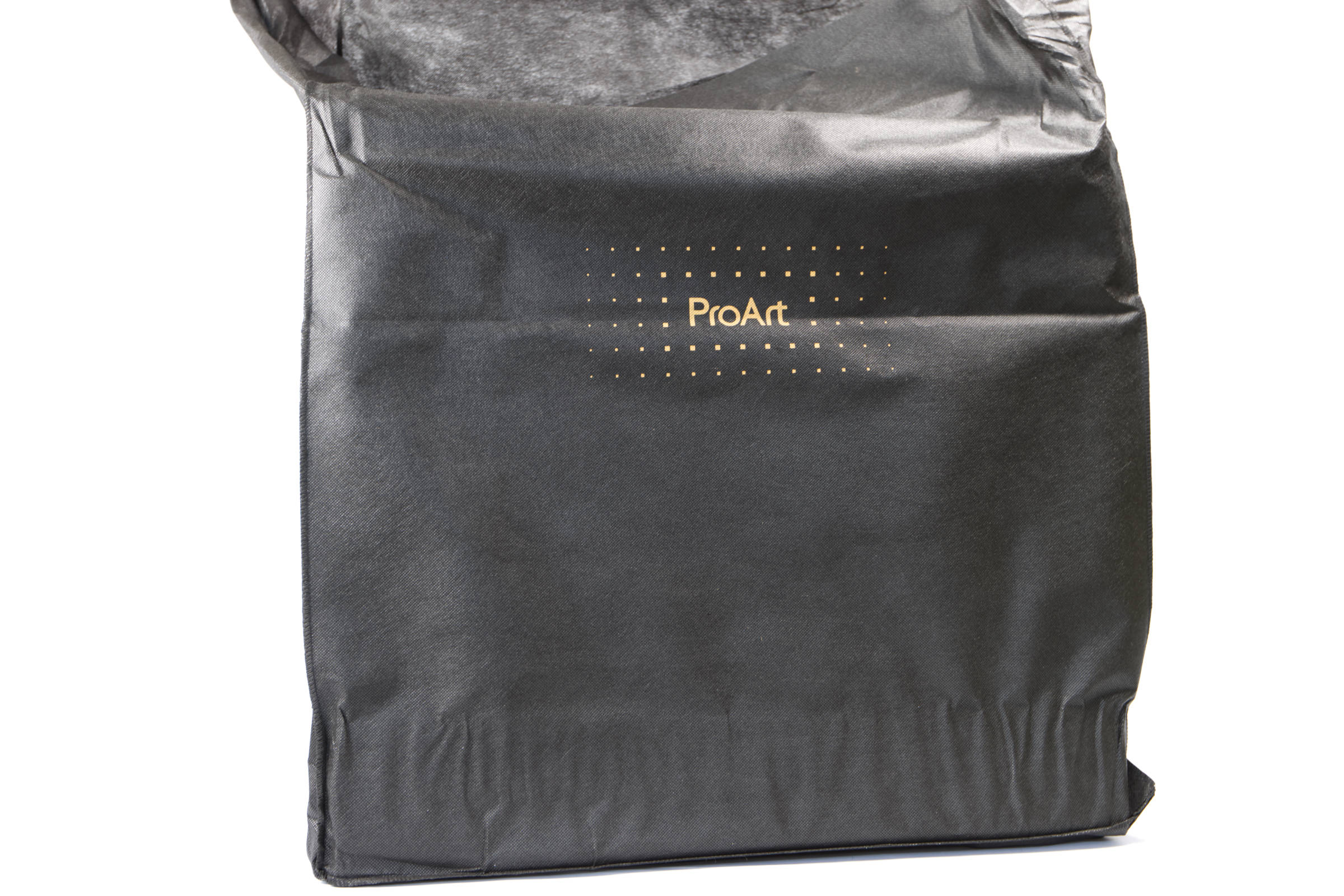 ASUS ProArt PA602 Wood Edition Cover (Image © PCMasters.de)
The series includes a Modern Black, which has many black elements apart from the wood, and the Retro Brown models, which come in a uniform brown. We chose the former because the wood stands out better here. The side panels, top and bottom as well as parts of the front are painted black.
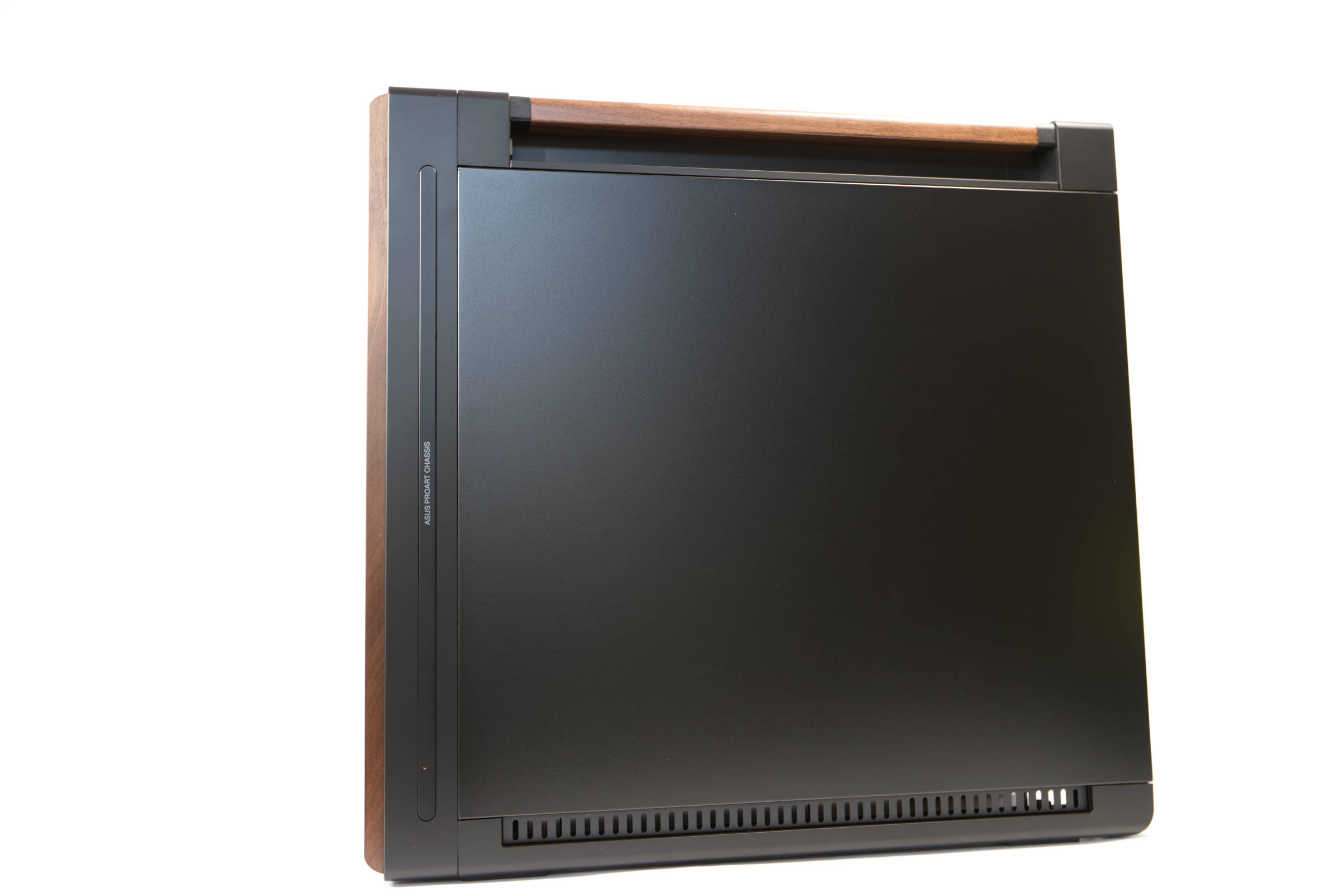 ASUS ProArt PA602 Wood Edition Seitenansicht (Image © PCMasters.de)
From the outside, you can also see the strong focus on cooling the components, because even though there are many closed surfaces, there are several openings and inlets for fresh air.
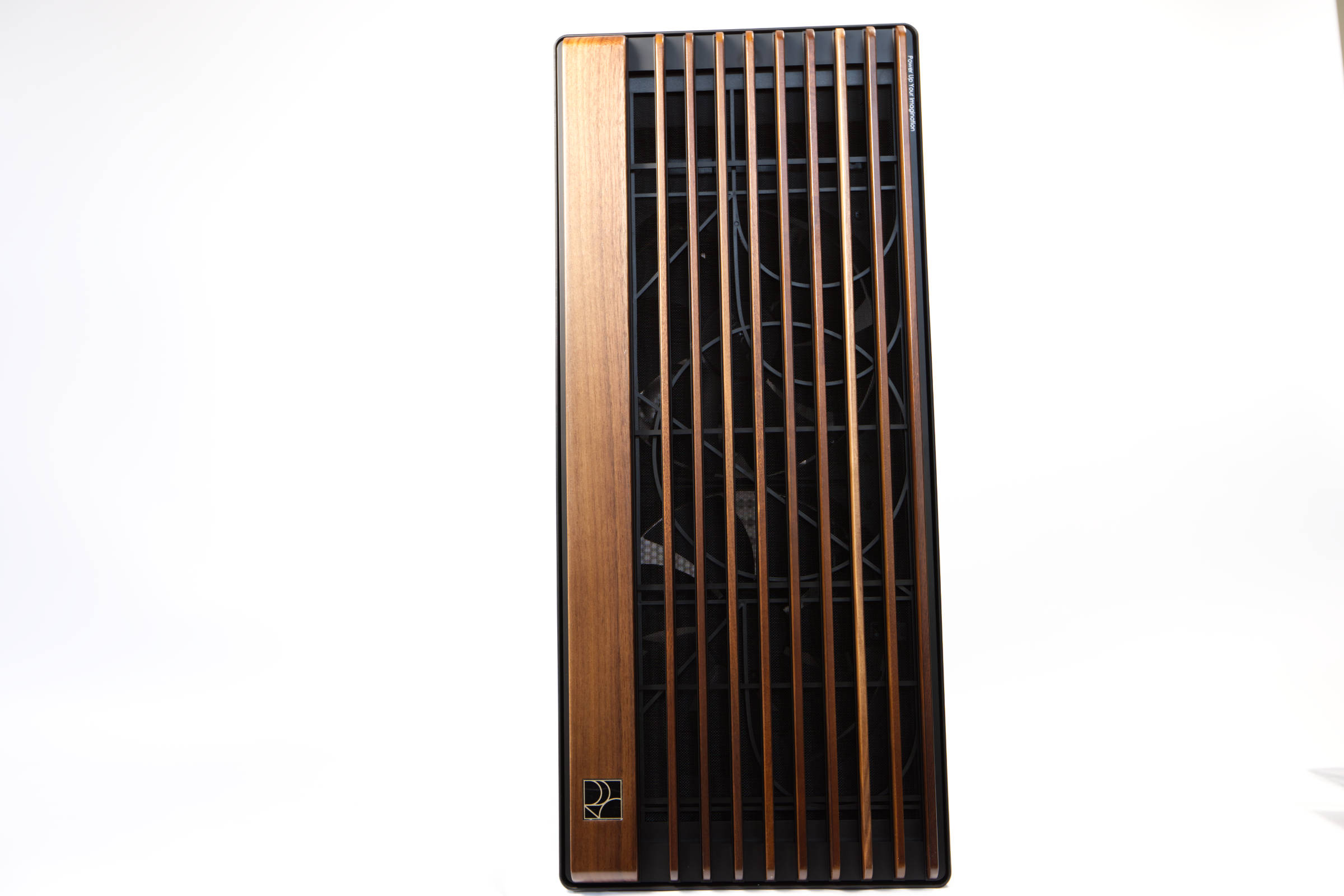 ASUS ProArt PA602 Wood Edition Holzfront Design (Image © PCMasters.de)
The front is particularly striking, where the wooden elements serve as an eye-catcher and you only recognize the black ProArt elements behind them on closer inspection, which in turn hide the two massive 200 x 38 mm fans.
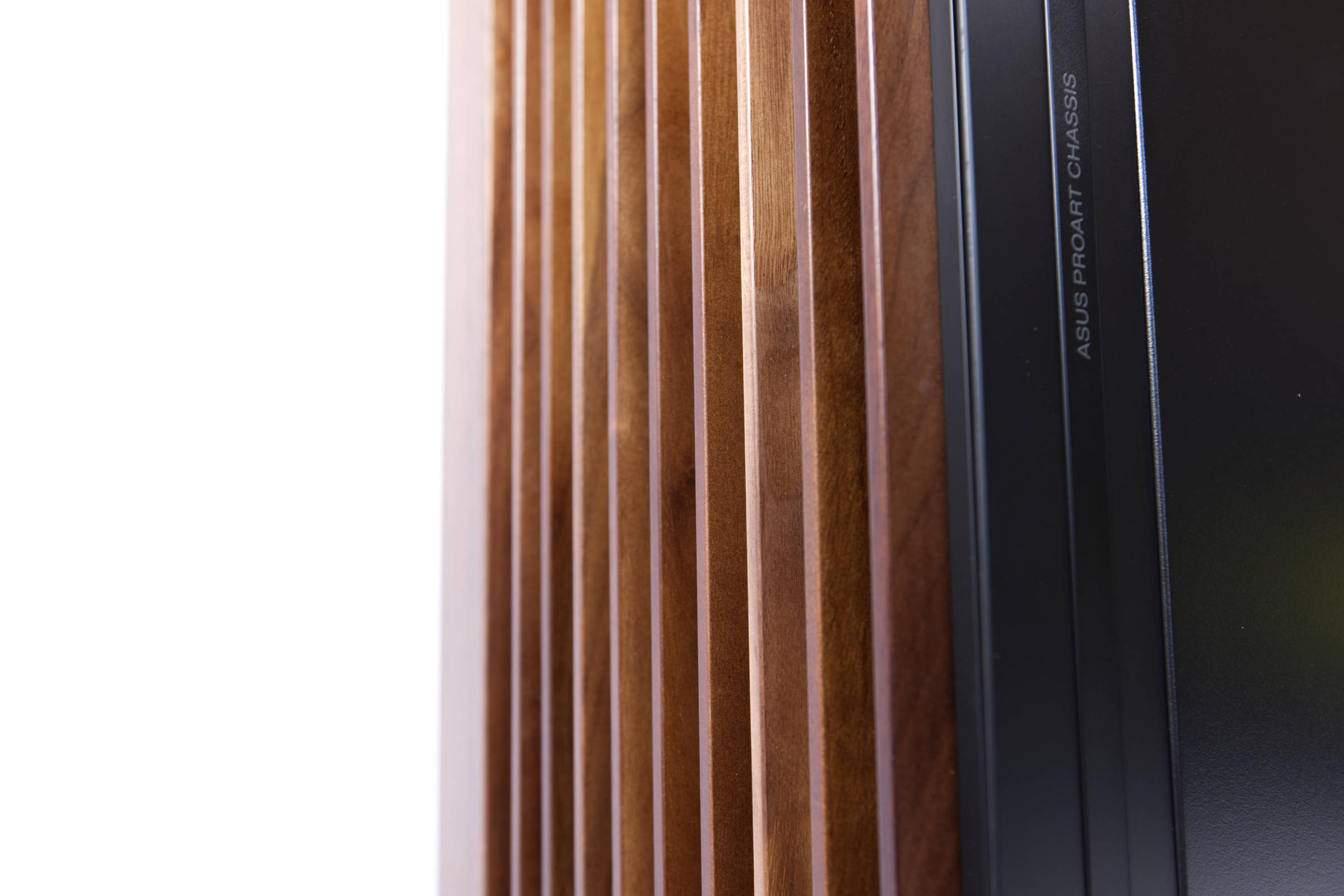 ASUS ProArt PA602 Wood Edition Holzfront Detailaufnahme (Image © PCMasters.de)
The wood has a lighter tone here than in the ASUS press photos and is somewhat reminiscent of cherry wood, even if it is not too reddish. The elements have certain imperfections because this is wood - each element is individual and unique in its own way, as is so often the case in nature. Based on our experience with wood, we would definitely classify the processed wooden elements as high quality, even if they could certainly be even better.
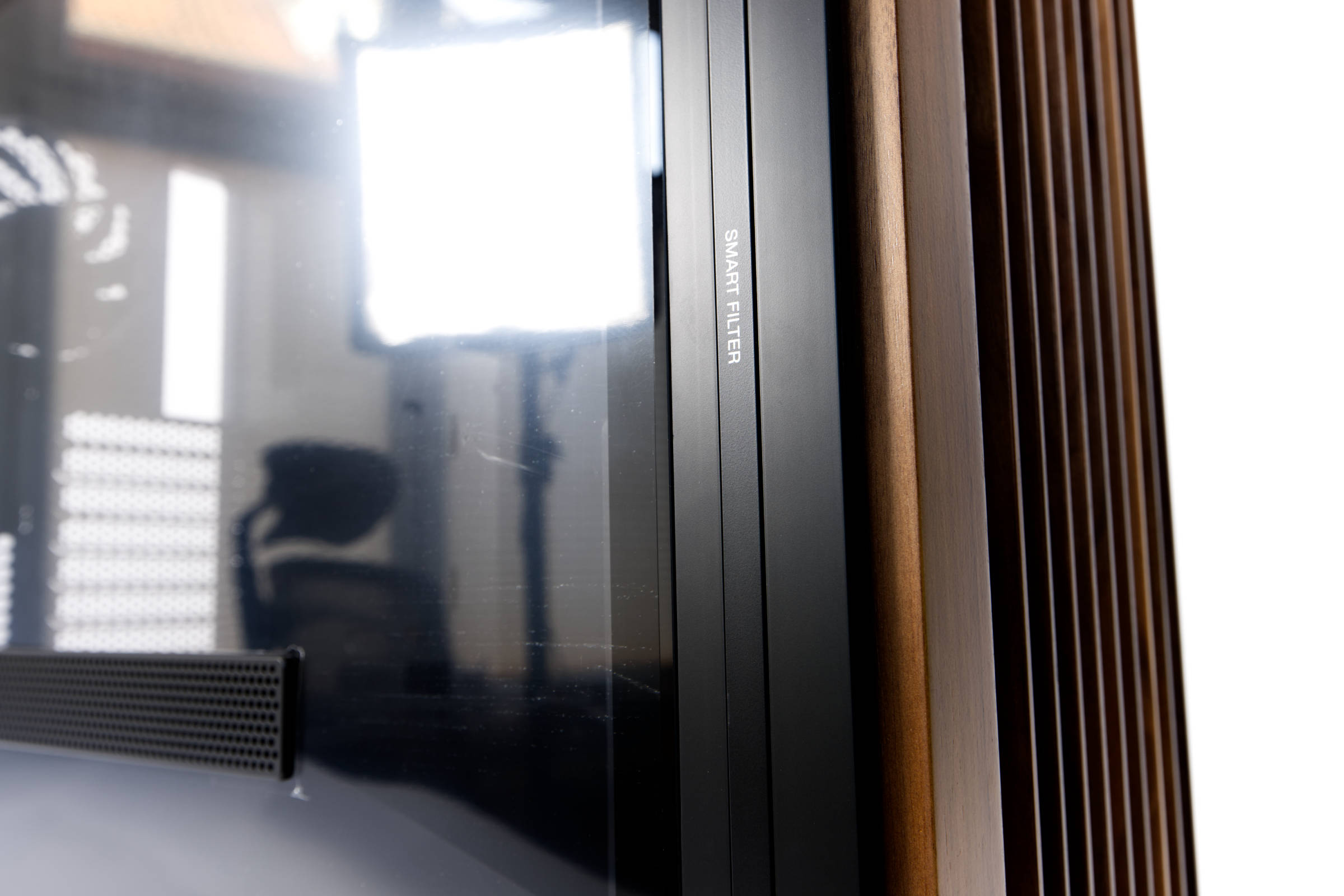 ASUS ProArt PA602 Wood Edition Smart Filter (Image © PCMasters.de)
On the left side of the case we find a huge tempered glass panel that occupies a large part of the side and the case is by no means small, measuring 560 x 593 x 245 mm. ASUS has also used lettering in some places, which gives the product a certain touch and goes well with the ProArt style - but is also helpful. For example, the name lettering is on the right-hand side of the front panel and the words "SMART FILTER" are on the left at the same height. The smart filter is located in the front panel.
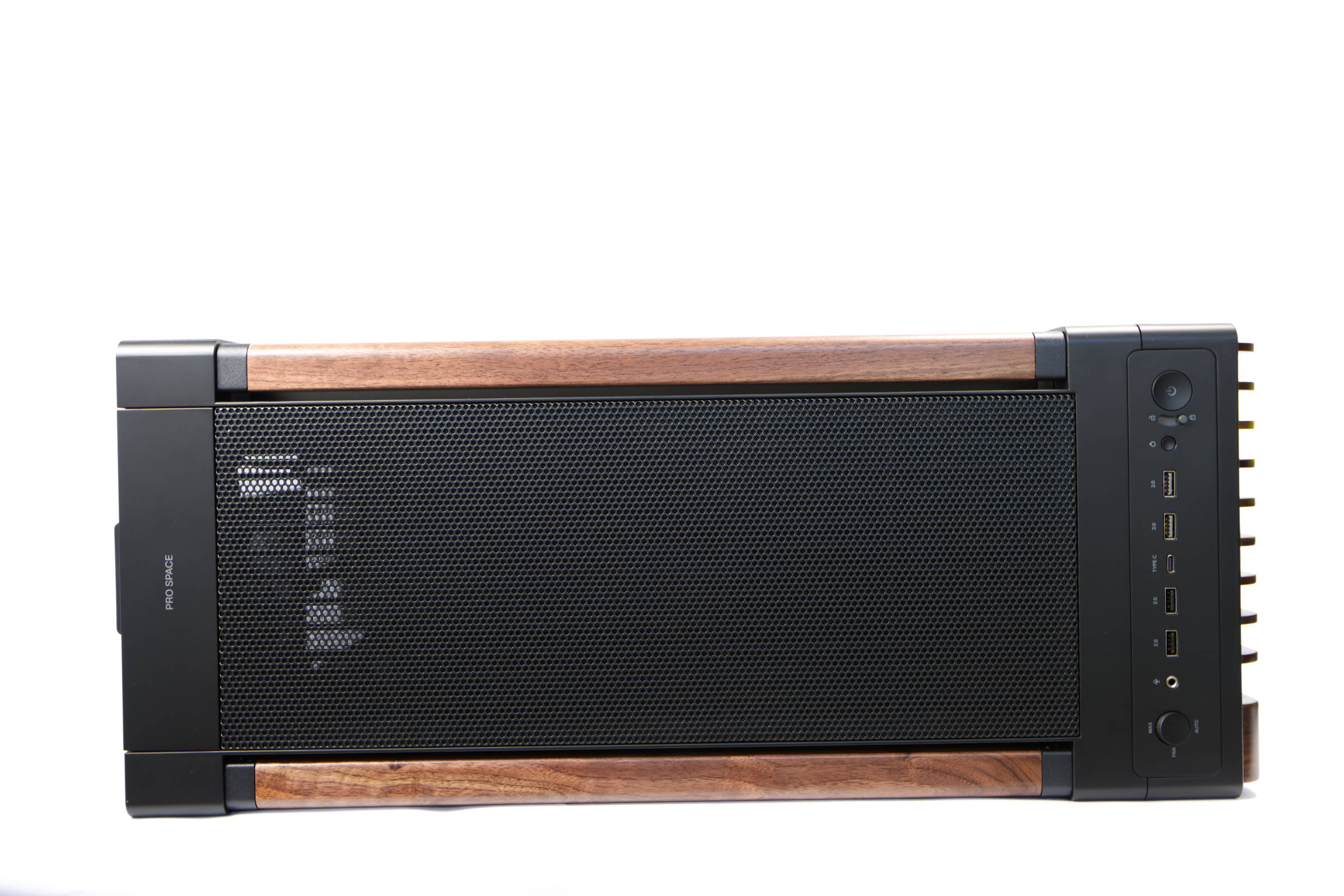 ASUS ProArt PA602 Wood Edition Top (Image © PCMasters.de)
The wood shimmers slightly and looks different depending on the incidence of light. There are then two wooden struts on the top that can be used to lift or move the heavy housing. They run from the front to the back.
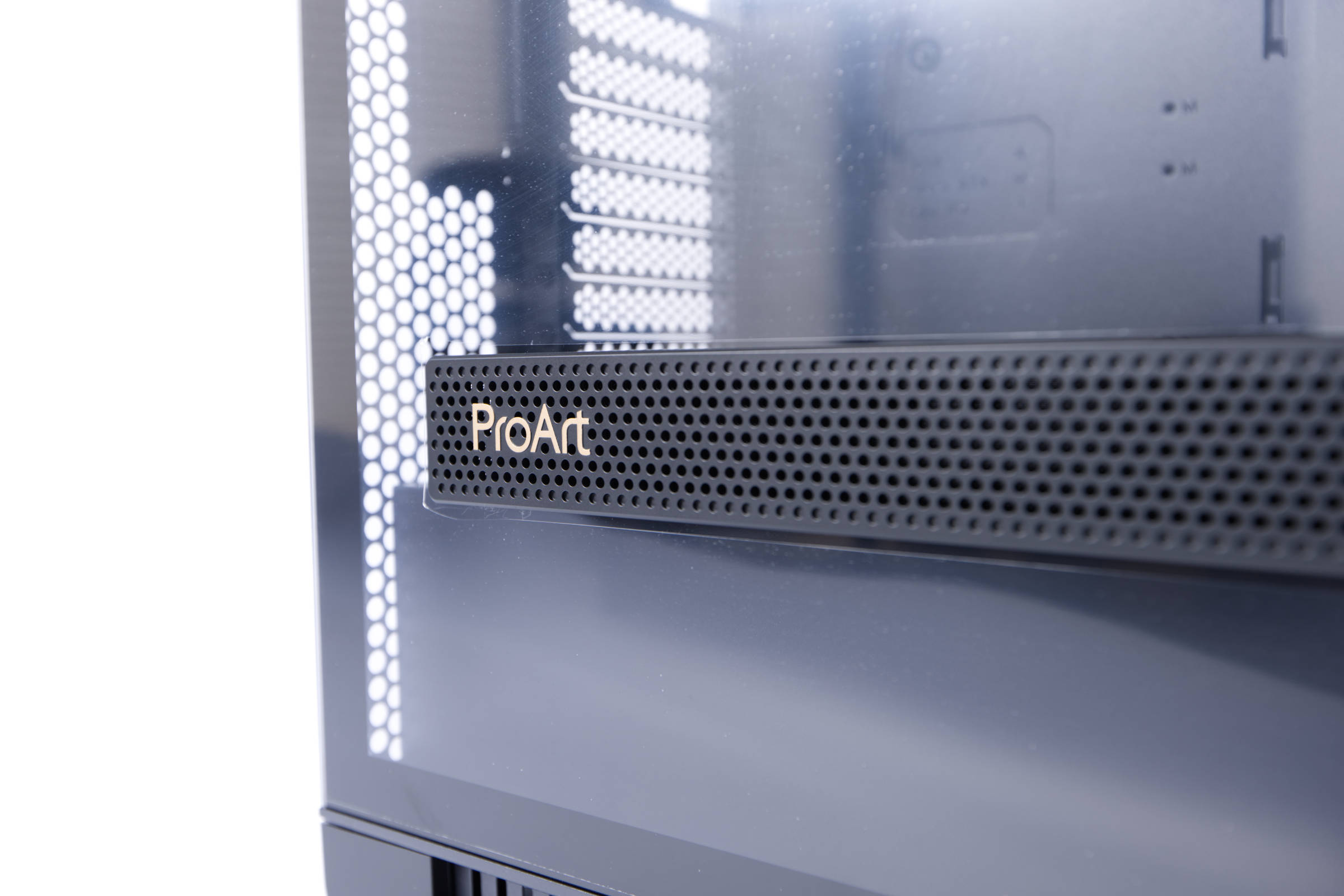 ASUS ProArt PA602 Wood Edition ProArt Logo (Image © PCMasters.de)
However, it is rare to see an element in the glass panel, as tempered glass panels almost always consist of one continuous piece of glass. ASUS installs a 310 x 40 mm long perforated inlet on the side, which is particularly advantageous for graphics cards that draw in air when mounted vertically. In addition, the ProArt logo is embedded on the side, which looks very harmonious.
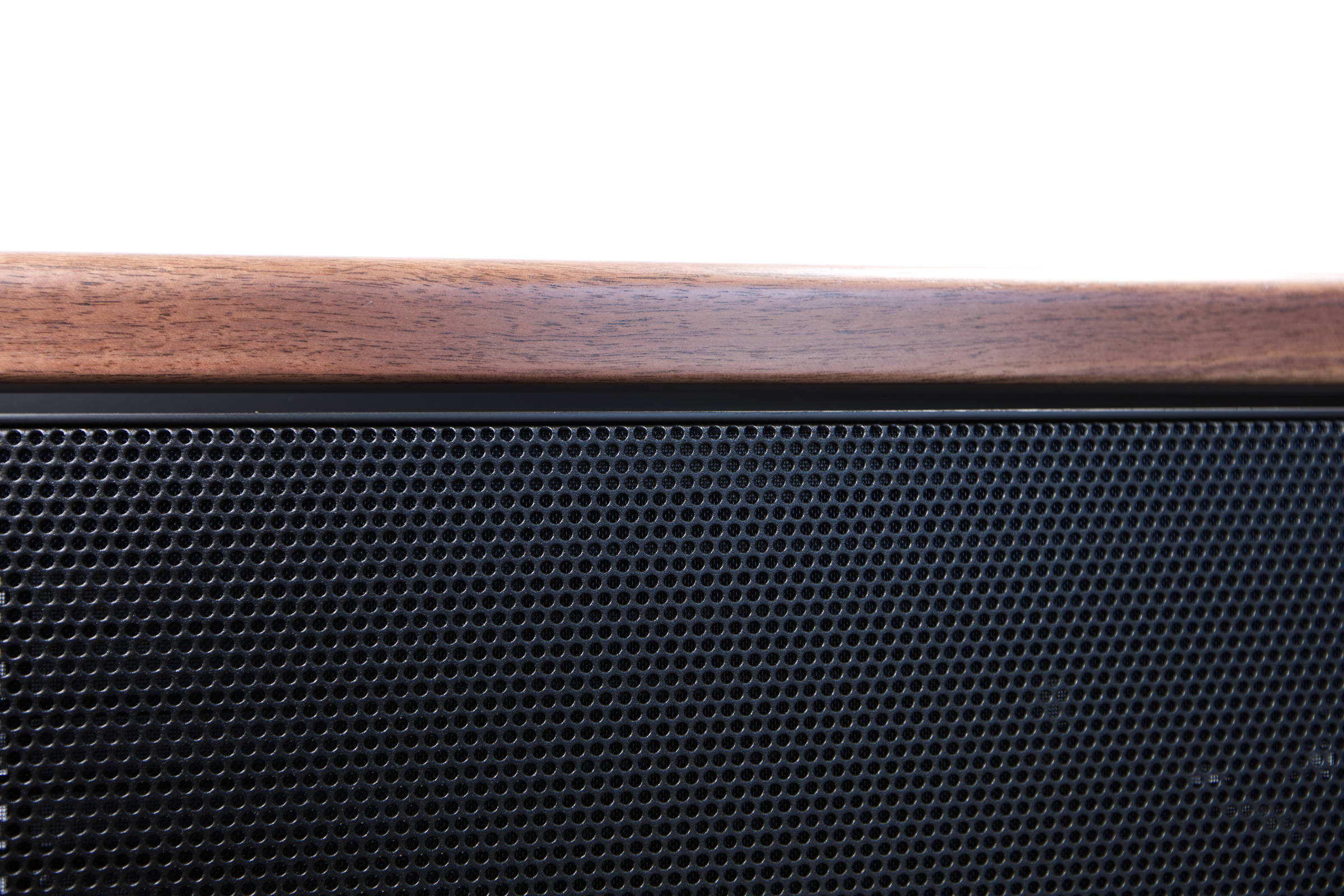 ASUS ProArt PA602 Wood Edition Holz oben (Image © PCMasters.de)
There is also a continuous, removable mesh panel at the very top, which also serves as a dust filter and reduces the view into the interior. The mesh panel can be easily removed by pulling on the protruding element at the back. It cannot be removed at the top, so it will not fall off accidentally.
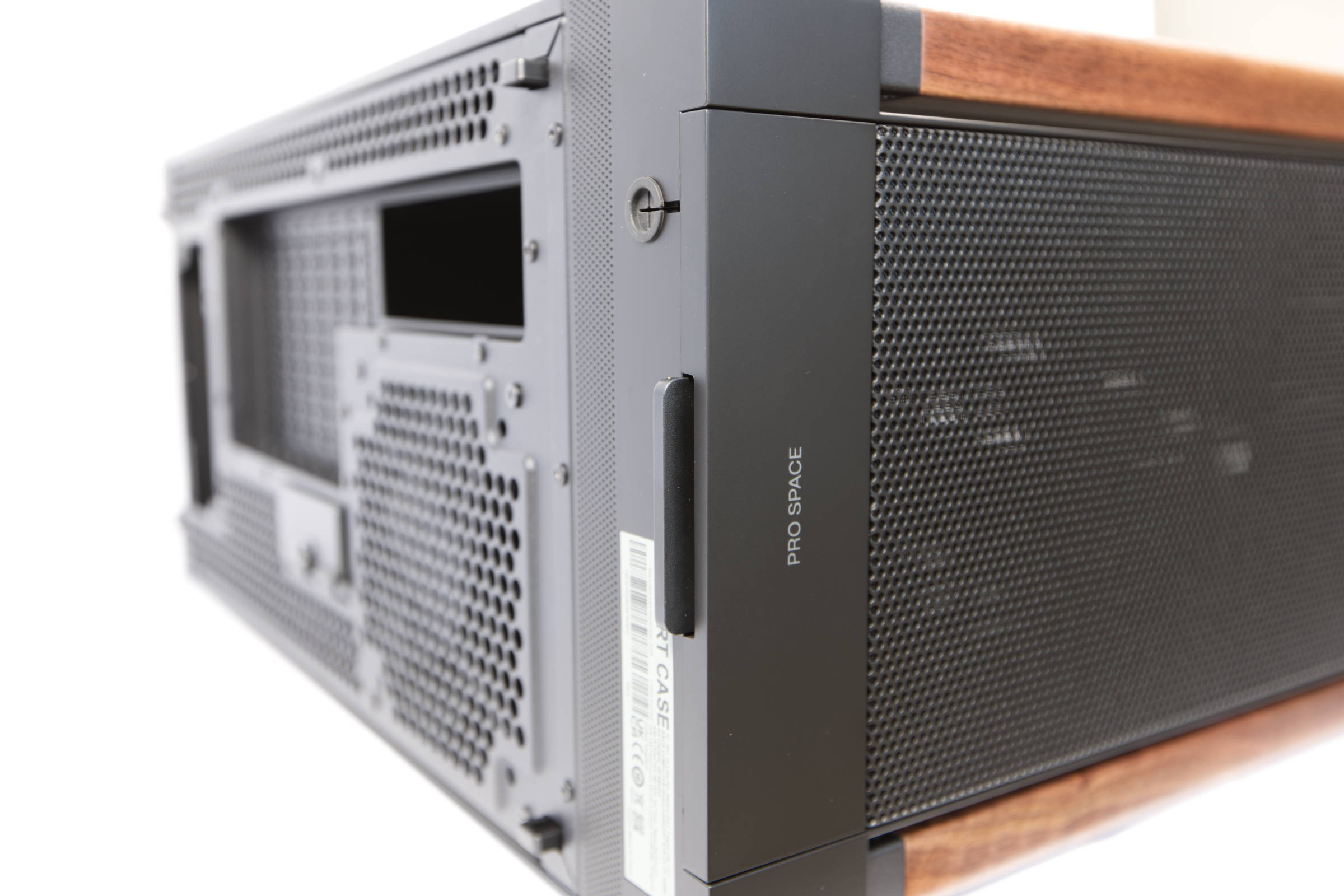 ASUS ProArt PA602 Wood Edition Top Panel entfernen (Image © PCMasters.de)
A look at the rear also shows once again how large the case is. The power supply unit is positioned at the bottom, followed by 8 slot covers towards the top. The first three slot brackets are fixed in place by a tool-free mechanism.
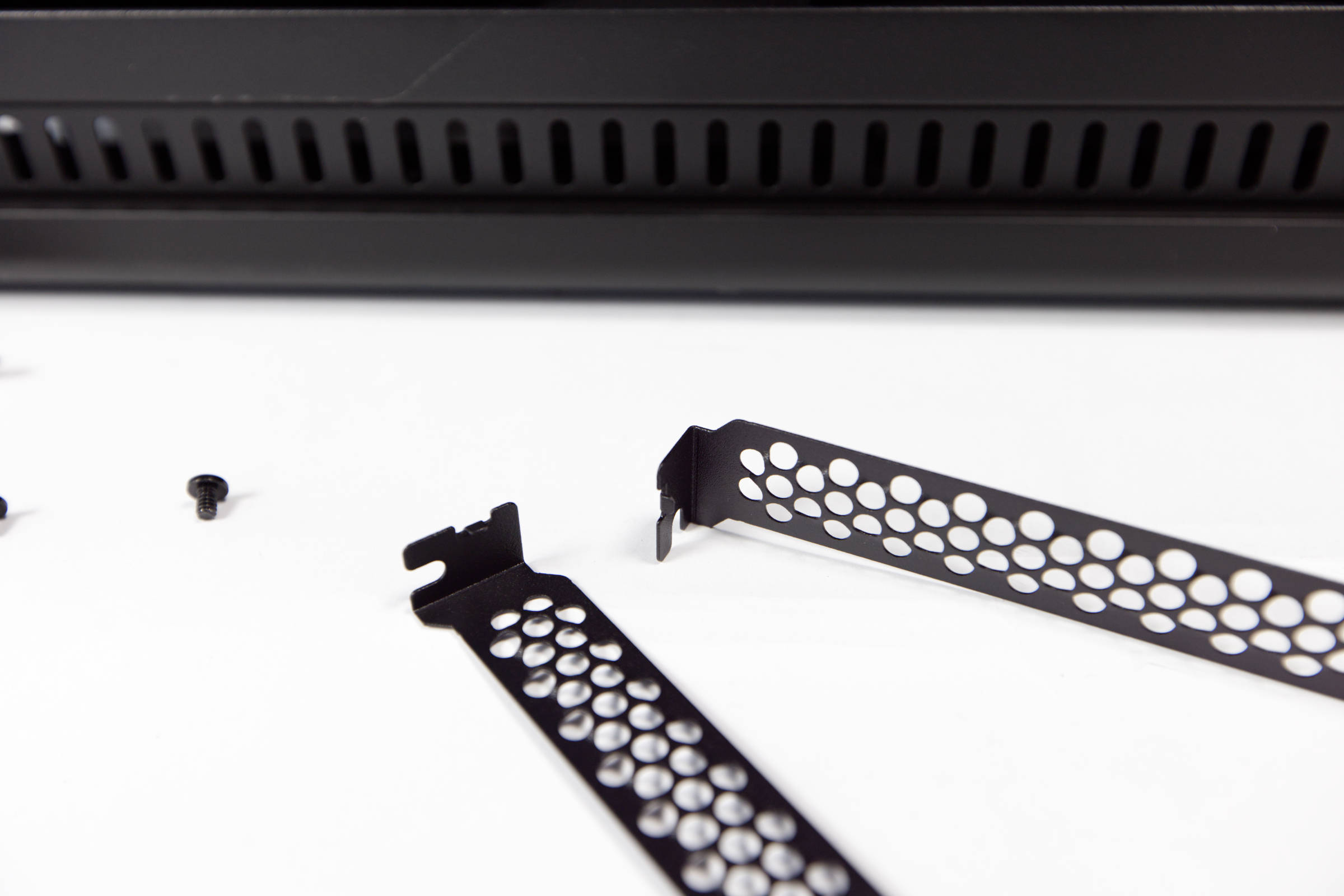 ASUS ProArt PA602 Wood Edition Slotblende (Image © PCMasters.de)
There are many hexagonal cut-outs all along the sides, which ensure that the air from the front can be pushed backwards. You can also see the 120 mm fan mounted on the rear.
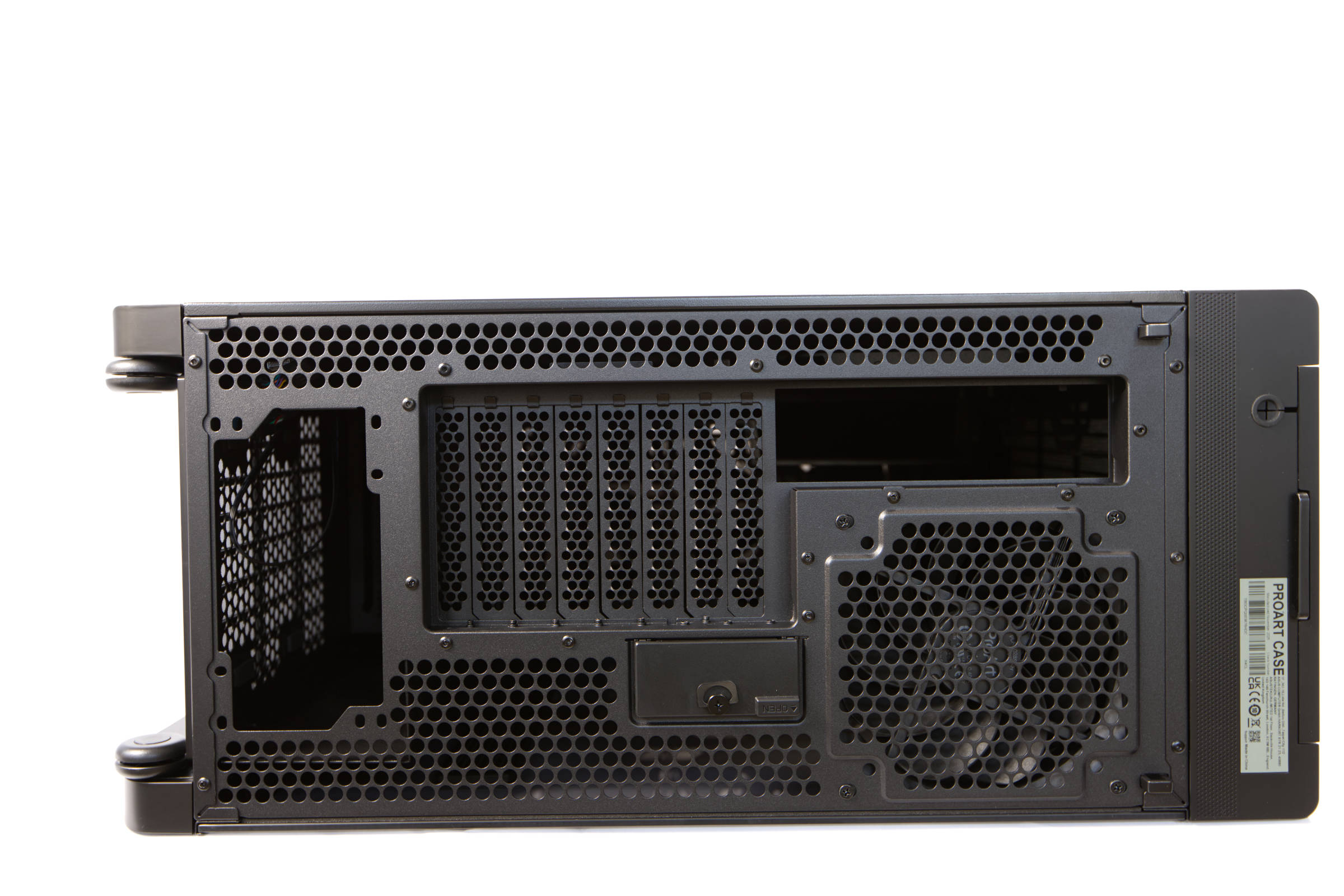 ASUS ProArt PA602 Wood Edition Rückseite (Image © PCMasters.de)
A large dust filter is attached at the bottom, which can also be easily removed. The case stands on long rubber pads, which are also intended to dampen vibrations.
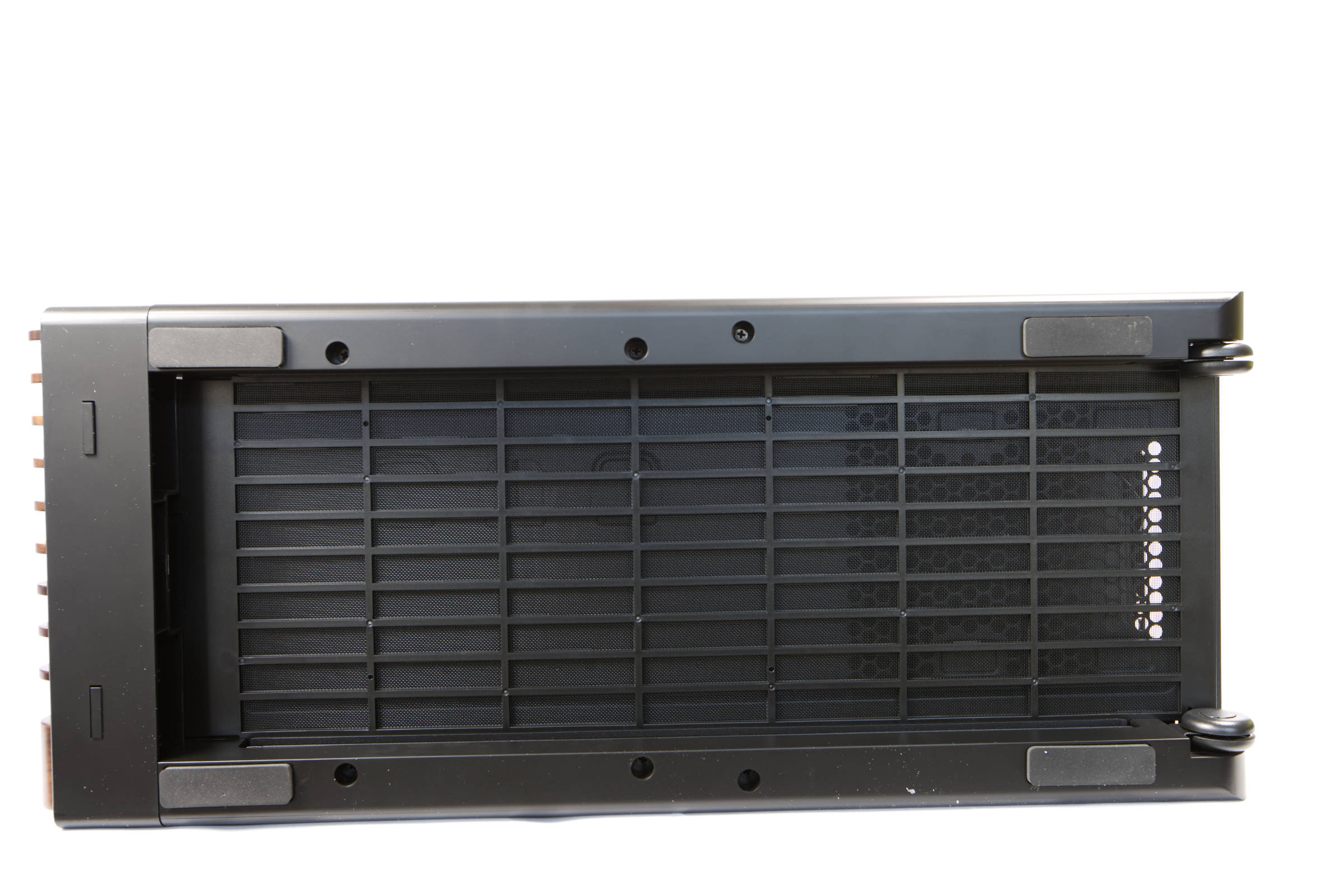 ASUS ProArt PA602 Wood Edition Unterseite mit Rädern (Image © PCMasters.de)
If you lift the front of the case, the tower can be easily rolled, as the two wheels at the back are designed for exactly this scenario.
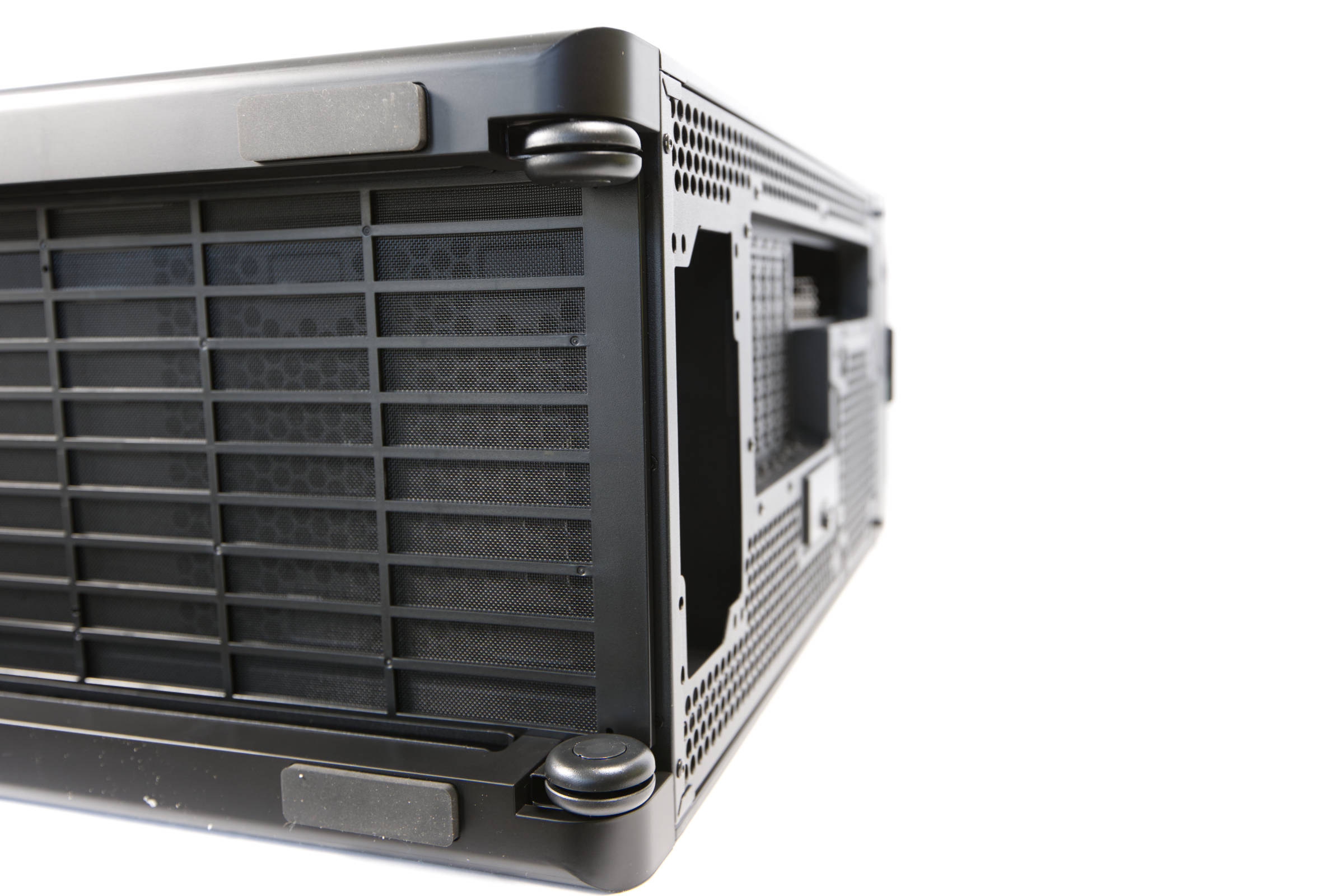 ASUS ProArt PA602 Wood Edition Räder (Image © PCMasters.de)
When the tinted tempered glass panel is removed, you get a better view of the inside. Incidentally, the two side panels are not screwed on, they are inserted from above and held in place by a mechanism. If you want to release them, press the respective button on the back. The side panel does not simply fall down, it locks into place after being tilted by approx. 30° and is then pulled upwards.
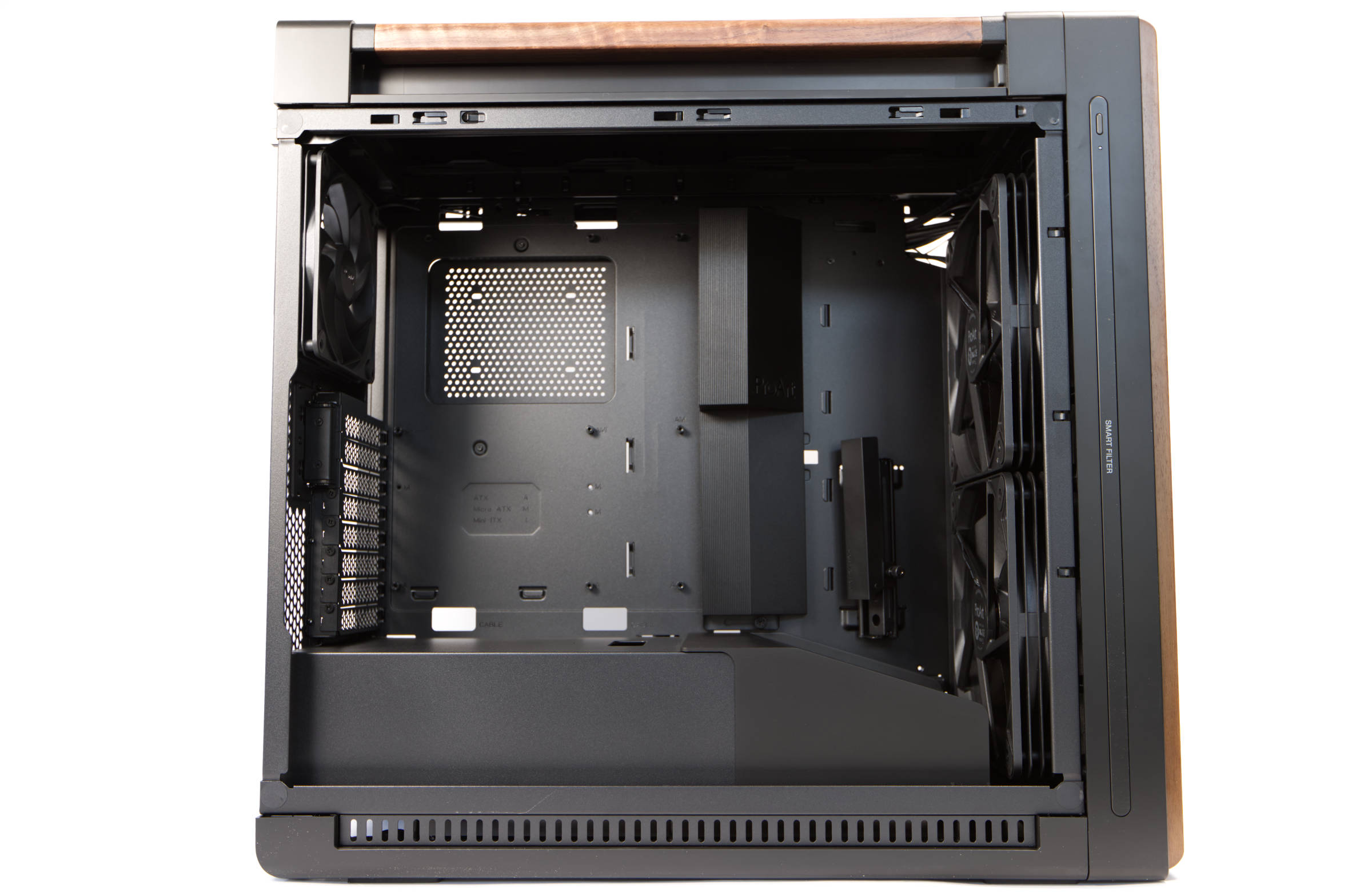 ASUS ProArt PA602 Wood Edition Innenaufbau (Image © PCMasters.de)
In addition, rubber pads are glued in several places to prevent rattling. There are many such small details that make working with the housing really pleasant. The more we tinkered with the system, the more we realized that it is well thought out.
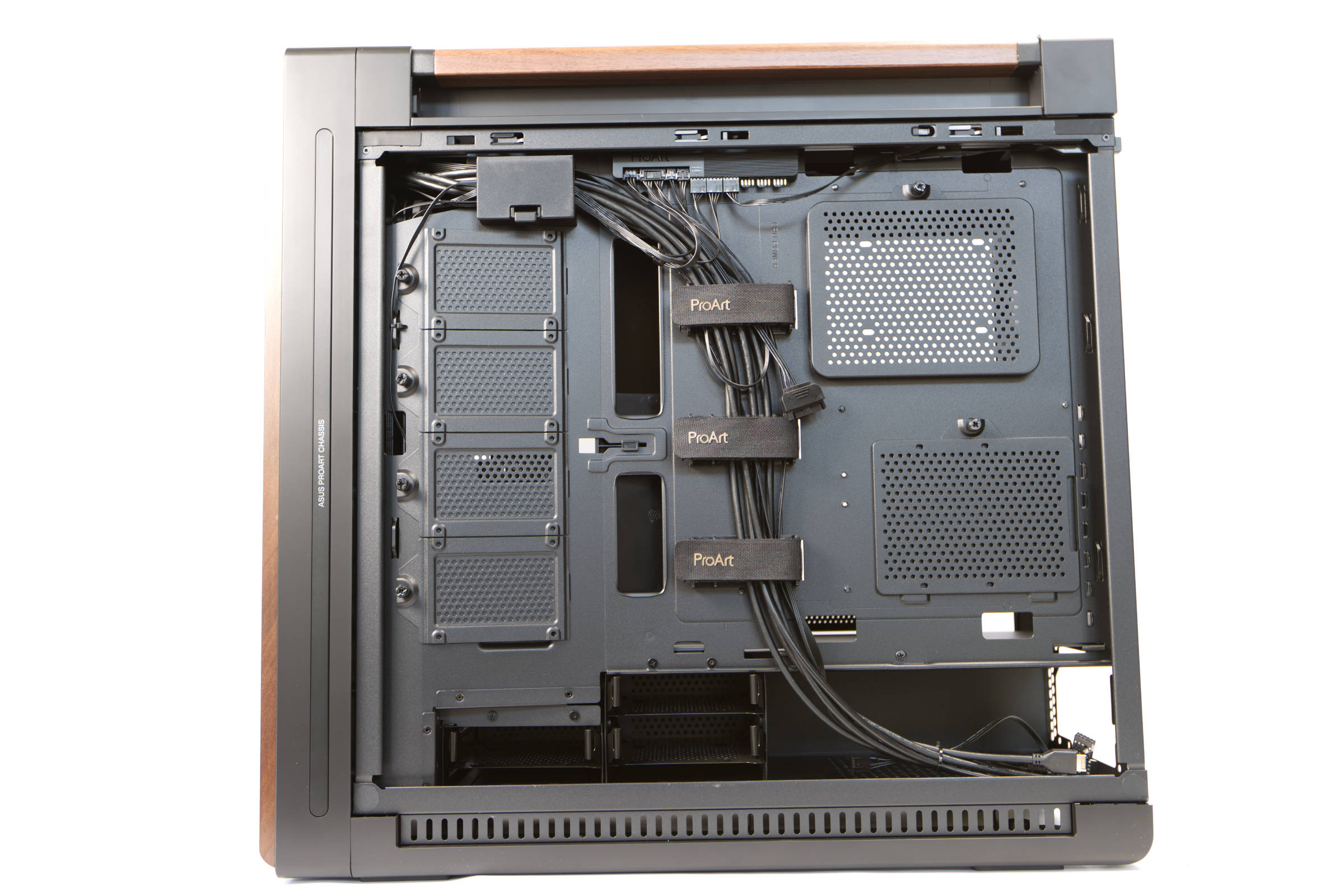 ASUS ProArt PA602 Wood Edition Innenkammer Rückseite (Image © PCMasters.de)
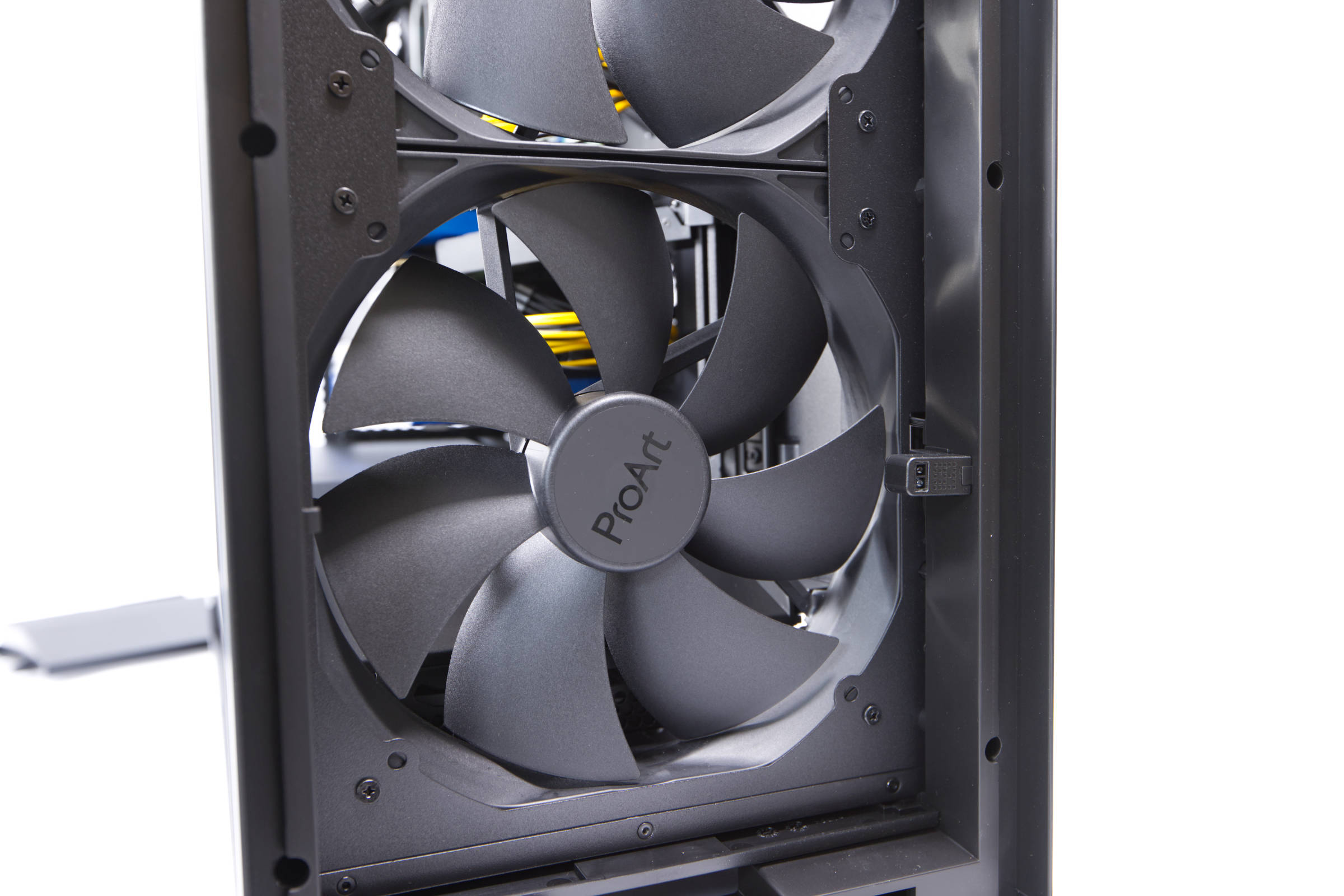 ASUS ProArt PA602 Wood Edition Frontlüfter und Staubsensor (Image © PCMasters.de)
Infrared dust detection
Hidden in the front is a sensor that serves as a dust detector (IR Dust Detection System) and is intended to alert the user when the filter is dusty. This is only intended for the front, but all filters should be cleaned when an alarm sounds. The alarm is rather an indication via the side LED, which lights up white when the infrared sensor detects too much dust.
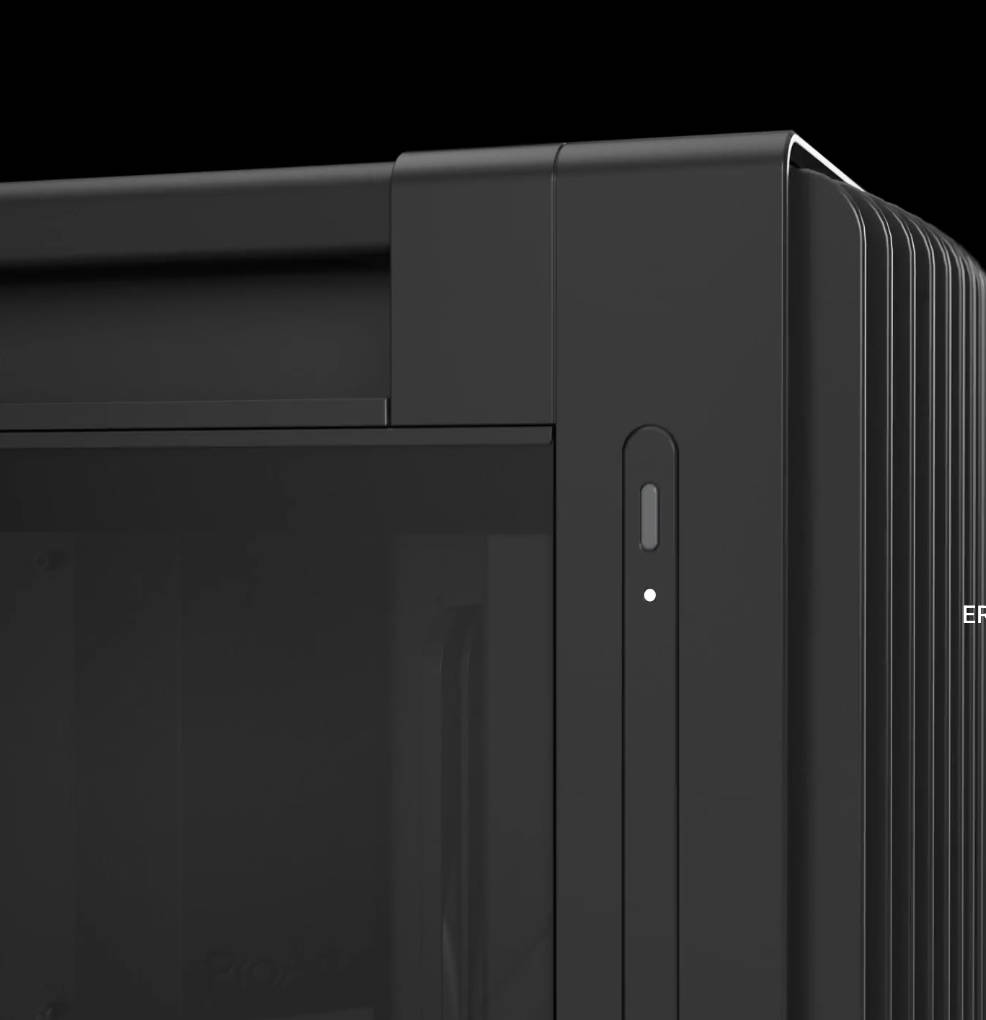 ASUS ProArt PA602 Wood Edition Staubsensor LED (Image © ASUS)
We have never seen a feature like this from any other manufacturer and consider it a cool unique selling point.
 ASUS ProArt PA602 Wood Edition IO Panel (Image © PCMasters.de)
Uniquely equipped I/O panel
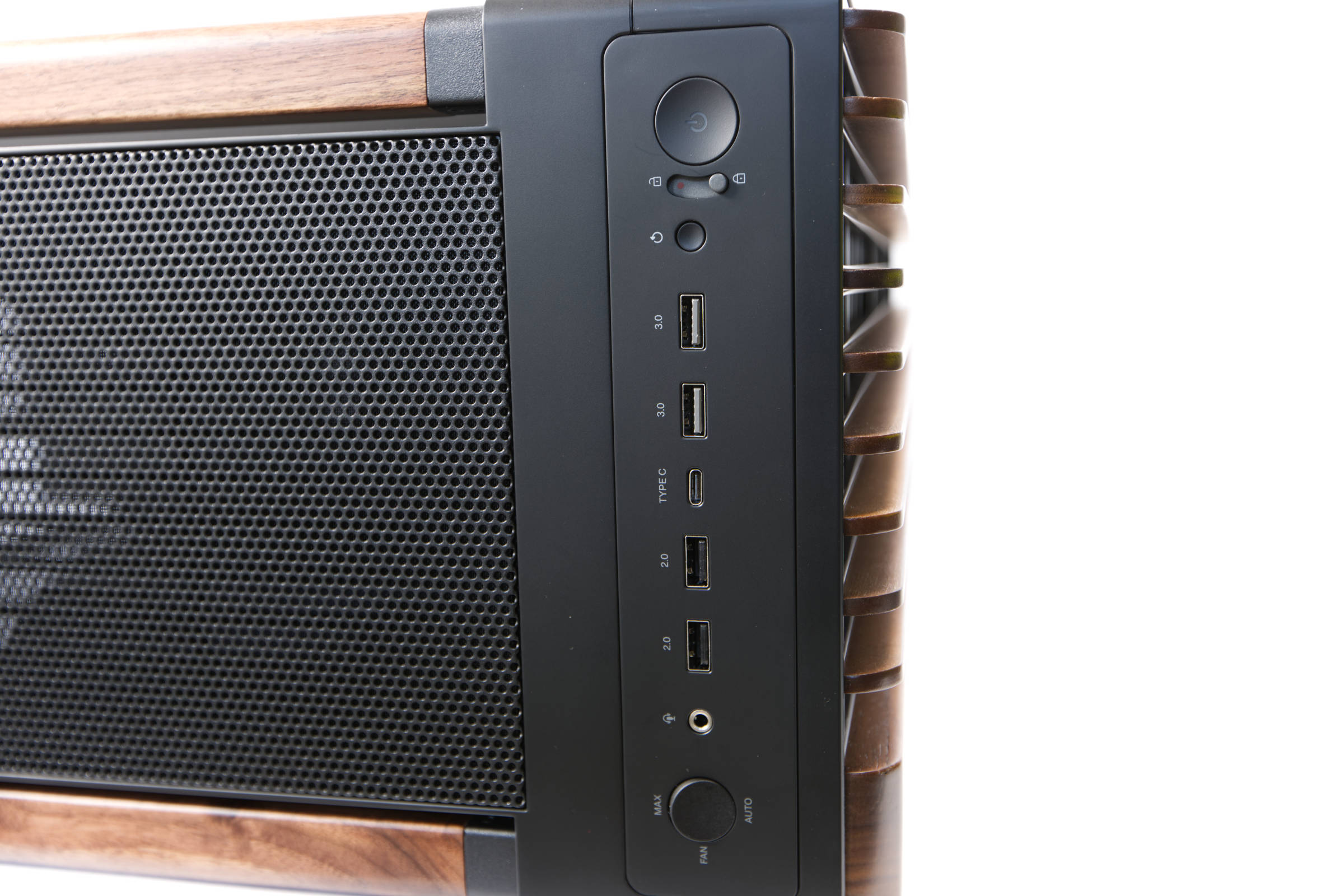
A look at the I/O panel at the top is also surprising, as there are several switches in addition to the usual USB ports. ASUS solves several problems here that pretty much all cases on the market have.
We find the usual power button on the right, but next to it is a lock mechanism that ensures that the power button cannot be pressed accidentally. We're probably not the only ones who have had the power button pressed accidentally. With a workstation you want this even less than with a work PC! The reset button is recessed a little deeper so that it cannot be pressed accidentally.
The USB ports are arranged symmetrically next to it, which is nice to look at for once. In the center we find the USB-C 3.2 Gen 2x2 (20 Gb/s) port, which is the fastest and therefore most modern port in the system. There are two USB-A 3.2 Gen 1 (5 Gb/s) ports to the right and two tried-and-tested USB-A 2.0 (480 Mb/s) ports to the left. There is a 3.5 mm jack for line-in/out for connecting headphones and headsets.
On the far left is a toggle switch for fan control. In the lower position, auto control is activated via PWM signal. If you flip the switch upwards, the fans turn up fully and operate at maximum speed.
 ASUS ProArt PA602 Wood Edition Frontlüfter (Image © PCMasters.de)
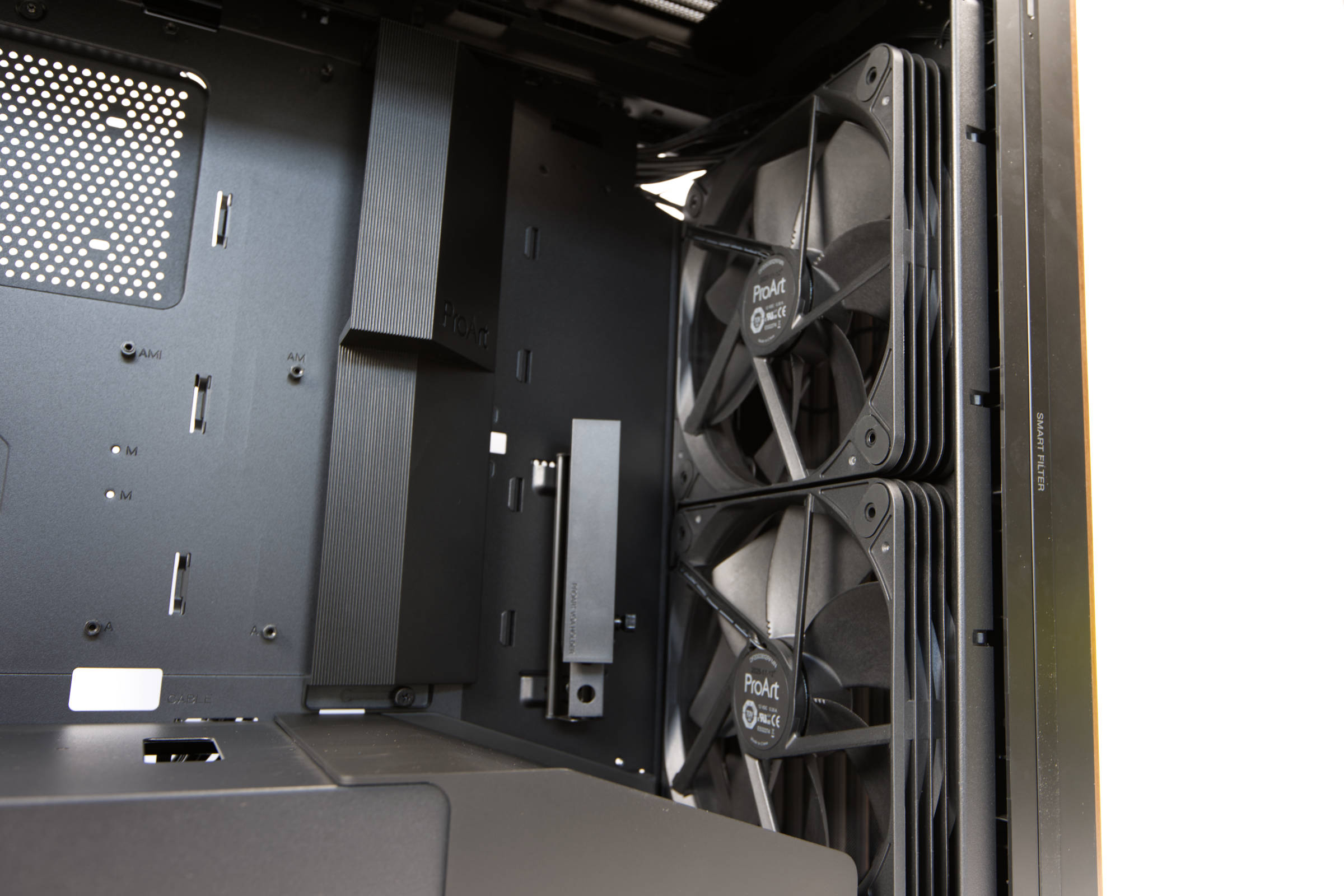
Two 200 fans on the front and controller
The cooler setup is already neat out-of-the-box, as the front is dominated by the large 200 mm fans with 38 mm thickness. The fans are labeled DF2003812EPMN, but there is no information about the fan on the manufacturer's website. It appears to be ASUS' own design and bears the ProArt label, and the rotors are notched, which indicates in-house customization.
 ASUS ProArt PA602 Wood Edition Grafikkartenhalterung (Image © PCMasters.de)
The speed specifications are missing on the manufacturer's website, but we were able to measure a very wide speed range of only 330 to 1,038 rpm. The two fans proved to be very effective, as they cover pretty much the entire front and push a lot of air through the case. This is particularly good for HPC cards, as this is exactly what is required - but they can also work quietly in contrast to 80 mm high RPM fans. There is no information on static pressure, but this configuration makes the ProArt PA602 Wood Edition very exciting for us.
ASUS ProArt PA602 Wood Edition Frontlüfter und Staubsensor (Image © PCMasters.de)
Measurement data and volume of the front fan
We measured one of the two fans at the front. If you sit next to the case, you perceive the fan noise differently and more quietly. With the ipmitool and the measurements via the server mainboard, only the rounded numbers in the hundreds can be read out, which is why we had to measure directly on the fan.
- 100% PWM signal**: 1,038 rpm, 48.6 db(A), loud
- 90 % PWM signal: 959 rpm, 46.8 db(A), loud
- 80 % PWM signal**: 880 rpm, 44.8 db(A), audible
- 70 % PWM signal**: 802 rpm, 42.9 db(A), audible
- 60 % PWM signal**: 723 rpm, 40.1 db(A), audible
- 50 % PWM signal**: 644 rpm, 39.2 db(A), slightly perceptible
- 40 % PWM signal**: 567 rpm, 38.2 db(A), quiet
- 30 % PWM signal: 480 rpm, 35.8 db(A), quiet, room volume (office)
- 20 % PWM signal: 407 rpm, 35.7 db(A), quiet, room volume (office)
- 10 % PWM signal: 337 rpm, 35.2 db(A), quiet, room volume (office)
Due to their size, the two fans are able to move more air volume and do not have to rotate particularly fast to do so. At higher speeds, they also achieve a higher pressure if required. We see the sweet spot for our project at 40 to 50 % PWM signal.
 ASUS ProArt PA602 Wood Edition 140 mm Hecklüfter (Image © PCMasters.de)
140 mm fan in the rear
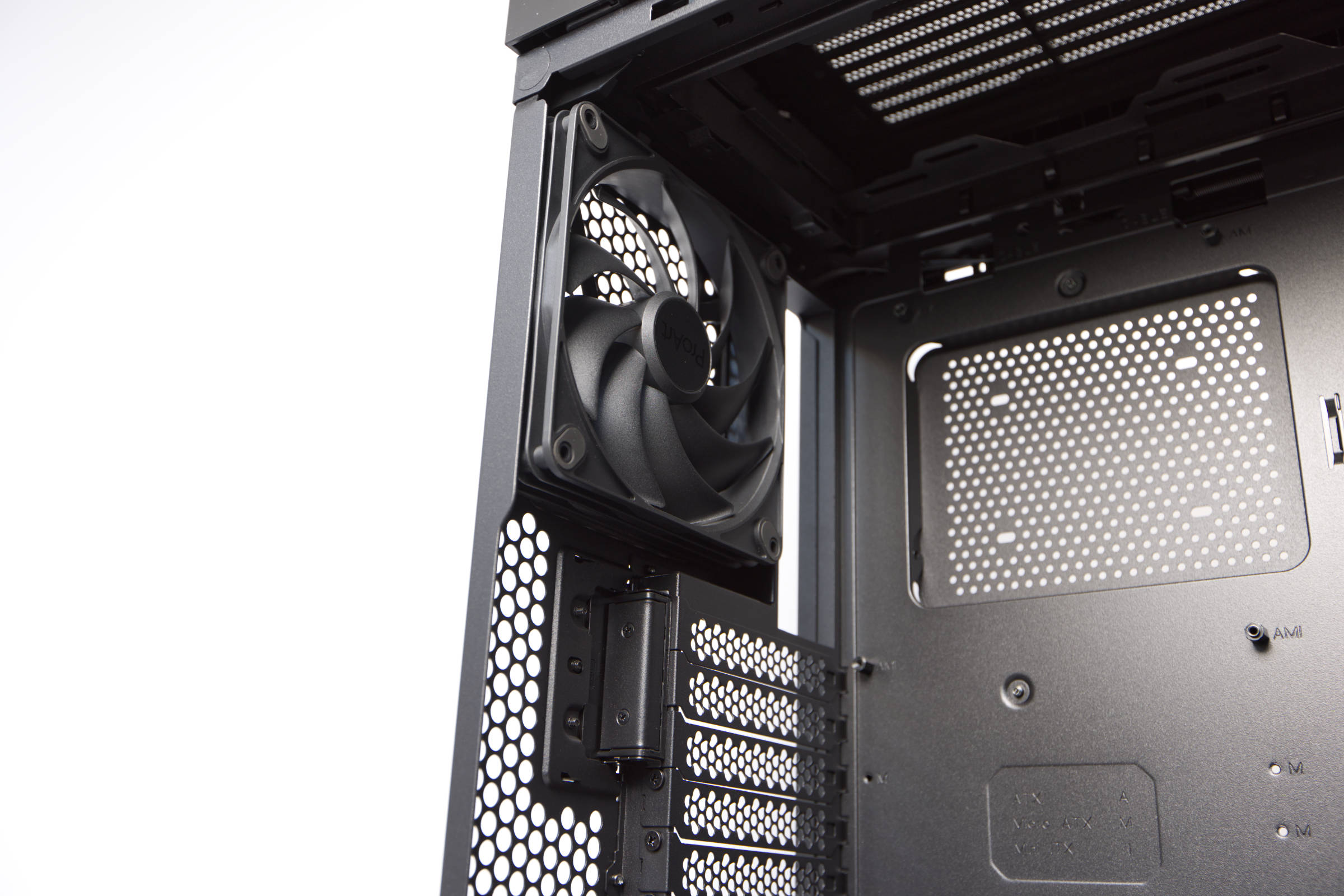
There is also a 140 mm fan on the rear directly from the factory. This is also fitted with a 4-pin PWM connector and can therefore be controlled via a PWM signal. There is also no information about this fan on the ASUS website and it looks more like a standard model. All the more surprising is the very high speed range, which extends far downwards in particular. The fan operates at approx. 200 rpm at the lowest level and goes up to approx. 1,700 rpm. This is rather unusual, but allows very good fan curves to be set. It is acceptable below 1,000 rpm, although we would rather run it at 700 rpm permanently.
Measurement data and volume of the rear 140 mm fan
- 100% PWM signal**: 1,688 rpm, 49.9 db(A), very loud
- 90 % PWM signal: 1,599 rpm, 47.7 db(A), loud
- 80 % PWM signal**: 1,485 rpm, 46.2 db(A)m, loud
- 70 % PWM signal**: 1,360 rpm, 43.7 db(A), perceptible
- 60 % PWM signal**: 1,231 rpm, 41.7 db(A), perceptible
- 50 % PWM signal**: 1,070 rpm, 39.6 db(A), slightly perceptible
- 40 % PWM signal**: 892 rpm, 37.9 db(A), quiet
- 30 % PWM signal**: 690 rpm, 37.4 db(A), quiet
- 20 % PWM signal: 475 rpm, 36.7 db(A), quiet, room volume (office)
- 10 % PWM signal: 233 rpm, 36.2 db(A), quiet, room volume (office)
Controller/Hub
In addition, the case has a hub or simple controller at the top at the rear, to which 6 fans can be connected and from which a PWM cable then runs for connection to the mainboard. The three pre-installed fans are already connected here and you can connect three more. The controller can be operated in auto mode via the switch in the I/O panel. This is the default setting, which uses the PWM signal from the mainboard as the source for all fans. This is advantageous because we only need one connection on the mainboard. The disadvantage is that the fans all have the same signal, which may not be the best choice for everyone with a mix of 120, 140 and 200 mm fans.
When the switch in the I/O panel is flipped, all fans spin at full speed, which is very loud.
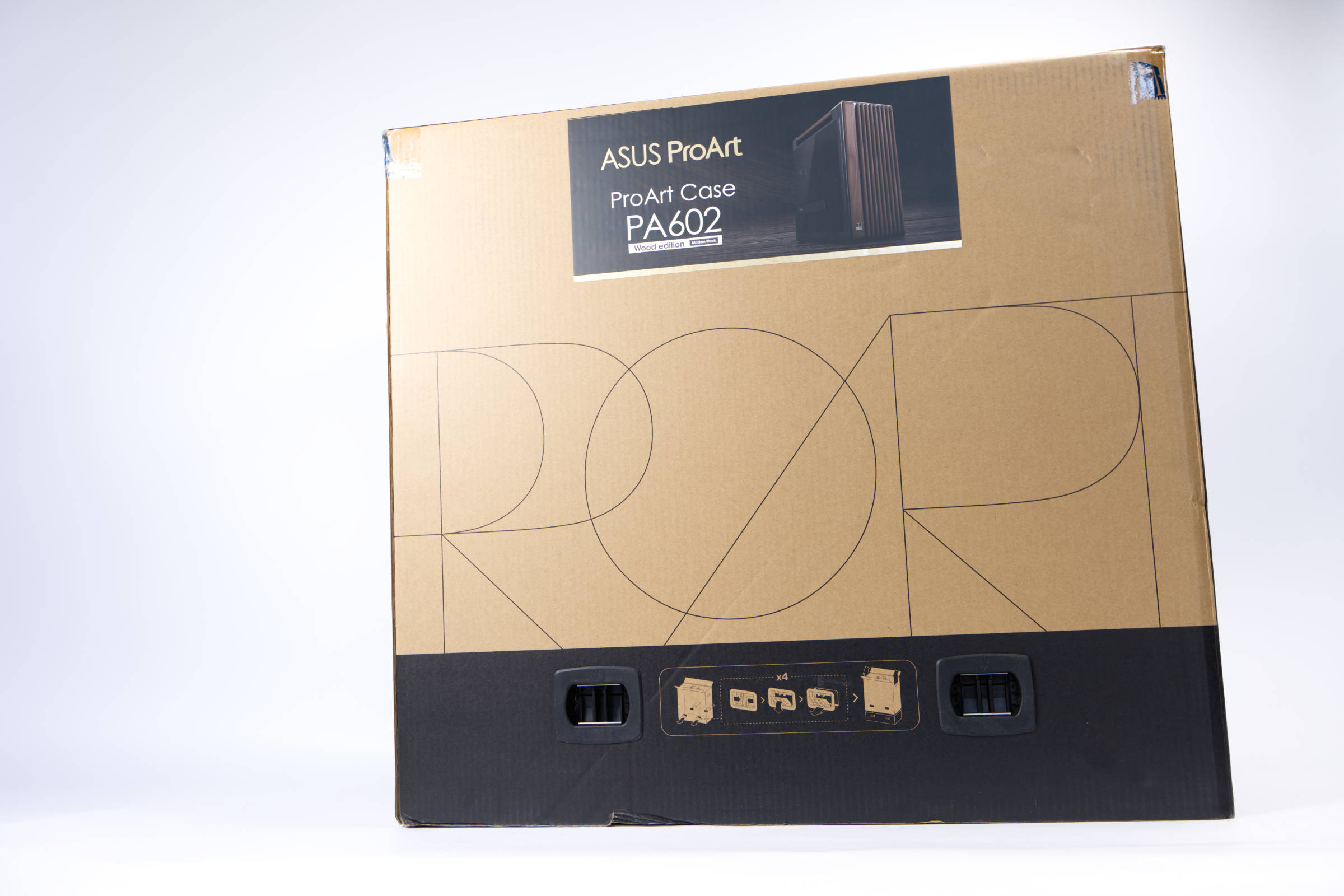 ASUS ProArt PA602 Wood Edition Verpackung (Image © PCMasters.de)
Packaging & scope of delivery
If we had to summarize the packaging and implementation of the ProArt PA602 in one word, we would say "first-class". The box may be huge, but it protects the housing extremely well. What's more, the box consists of two parts that are joined together by four pieces of plastic. This kind of fixation is otherwise familiar from large televisions. Otherwise, the packaging is simple and made of thick cardboard. We find the simple labeling on all sides that is usual for ProArt products. The case is shown on a color-printed sticker on the side.
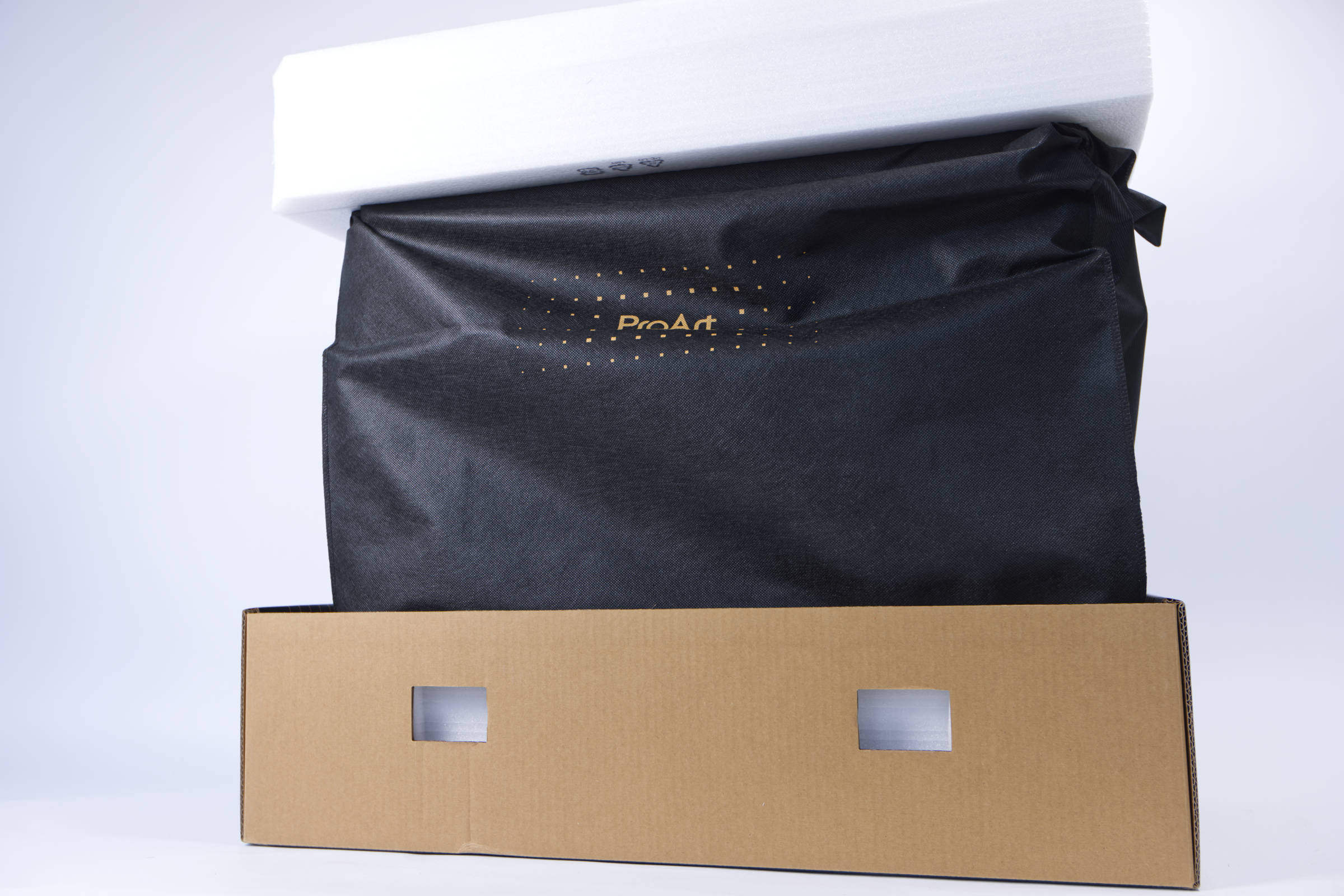 ASUS ProArt PA602 Wood Edition Verpackung innen (Image © PCMasters.de)
After the top cardboard is removed, the protective layer is revealed. The top and bottom of the housing are protected by thick foam. There is a large gap on all sides, which provides increased protection for the housing.
ASUS ProArt PA602 Wood Edition Cover (Image © PCMasters.de)
Instead of plastic foil, the case is wrapped in a black bag, which also features the ProArt lettering. This gives the whole thing a better impression when unpacking and feels more valuable.
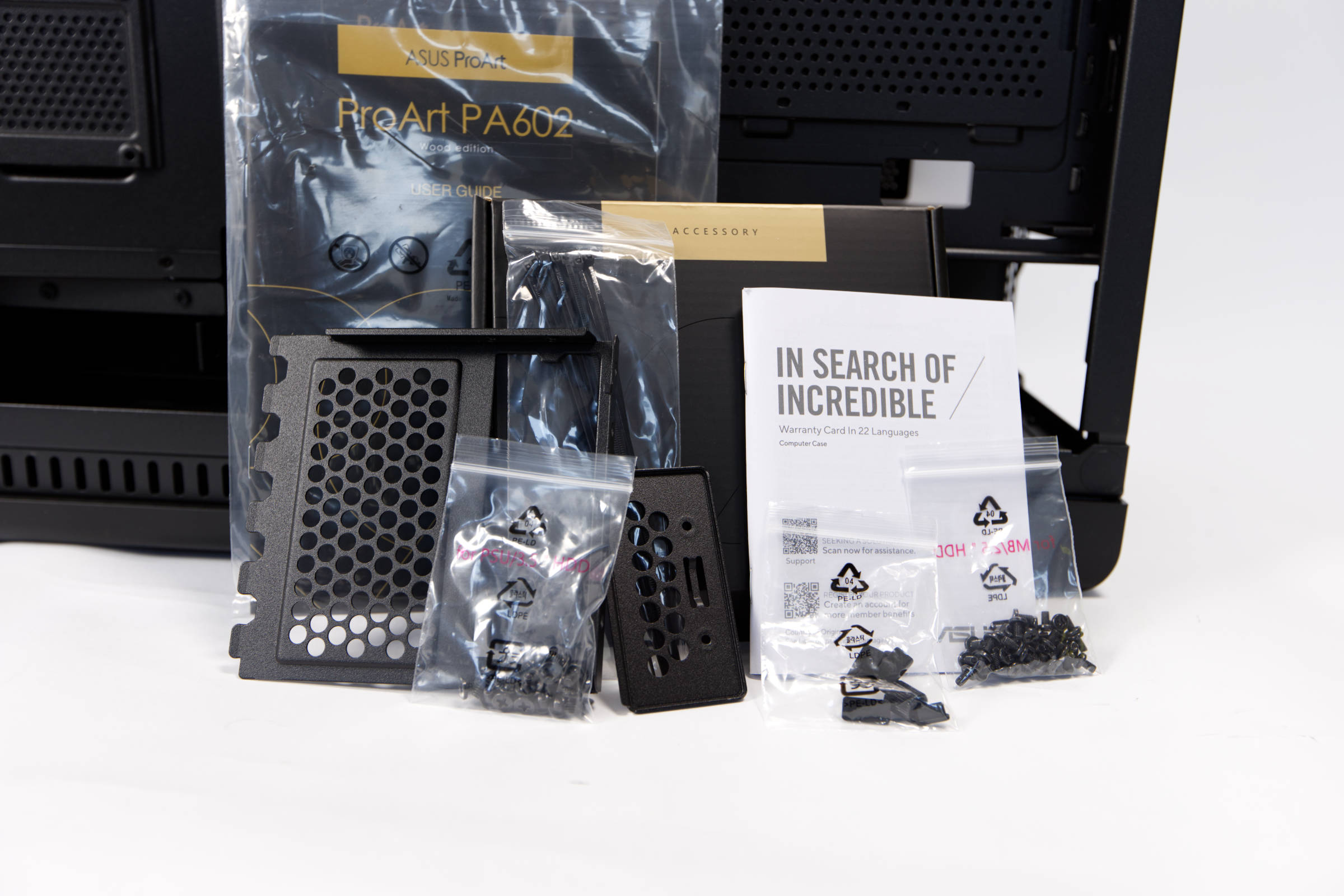 ASUS ProArt PA602 Wood Edition Lieferumfang (Image © PCMasters.de)
The scope of delivery does not include the bare essentials and contains a number of accessories. In addition to the screws, there is also the mounting kit for a vertically mounted graphics card, even if the riser cable is not included. There are also some cable ties, screws and the manual.
Technical data
| ASUS ProArt PA602 Wood Edition Technical data (manufacturer's specifications) | |
|---|---|
| Case type | ITX Tower / Small Form Factor Case |
| Material | Steel, tempered glass |
| Color (inside / outside) | Black |
| Dimensions | 20.7 liters, 435 x 181 x 263 mm |
| Mainboard sizes | Mini-ITX |
| Weight | 4.55 kg |
| Max. CPU cooler height | 75 mm |
| Max. Graphics card length | 331 mm |
| 3.5" mounting slots | 0 |
| 2.5" mounting slots | 2 |
| Fans, pre-installed | 2 x F120Q (CV) fans pre-installed, speed: 1,350 ± 150 rpm, airflow: 60.2 CFM, volume: 24.1 dBA, fan connection: 3-pin. |
| Fans, optional | 2x 120mm or 140 mm on the front |
| PCIe slots | 3 |
| I/O panel | 1x audio, 2x USB-A 3.2 Gen 1 (5 Gbit/s), 1x USB-C 3.2 Gen 2x2 (20 Gbit/s) |
| Special feature | PCIe 5.0 riser cable included |
| Warranty | 2 years |
| Price | €149.90 (Affiliate) |
Test setup
We use the following components as the test system. The setup is as follows: - CPU: AMD EPYC Milan 7763/7C13 (64 Core 128 Thread) - CPU cooler: DeepCool LS720 with 3 **Noctua NF-A12x25 G2 - Mainboard: ASUS KRPA-U16-M - RAM: 4x 16 GB Micron DDR4-3200 RDIMM - SSD: 1 x NVMe SSDs - Case: ASUS ProArt PA602 Wood Edition - Graphics cards: 2 x Radeon Pro Duo 32 GB, 1 x Radeon Instinct Mi50 32 GB - Power supply: Corsair HX1000i Shift 1000 W
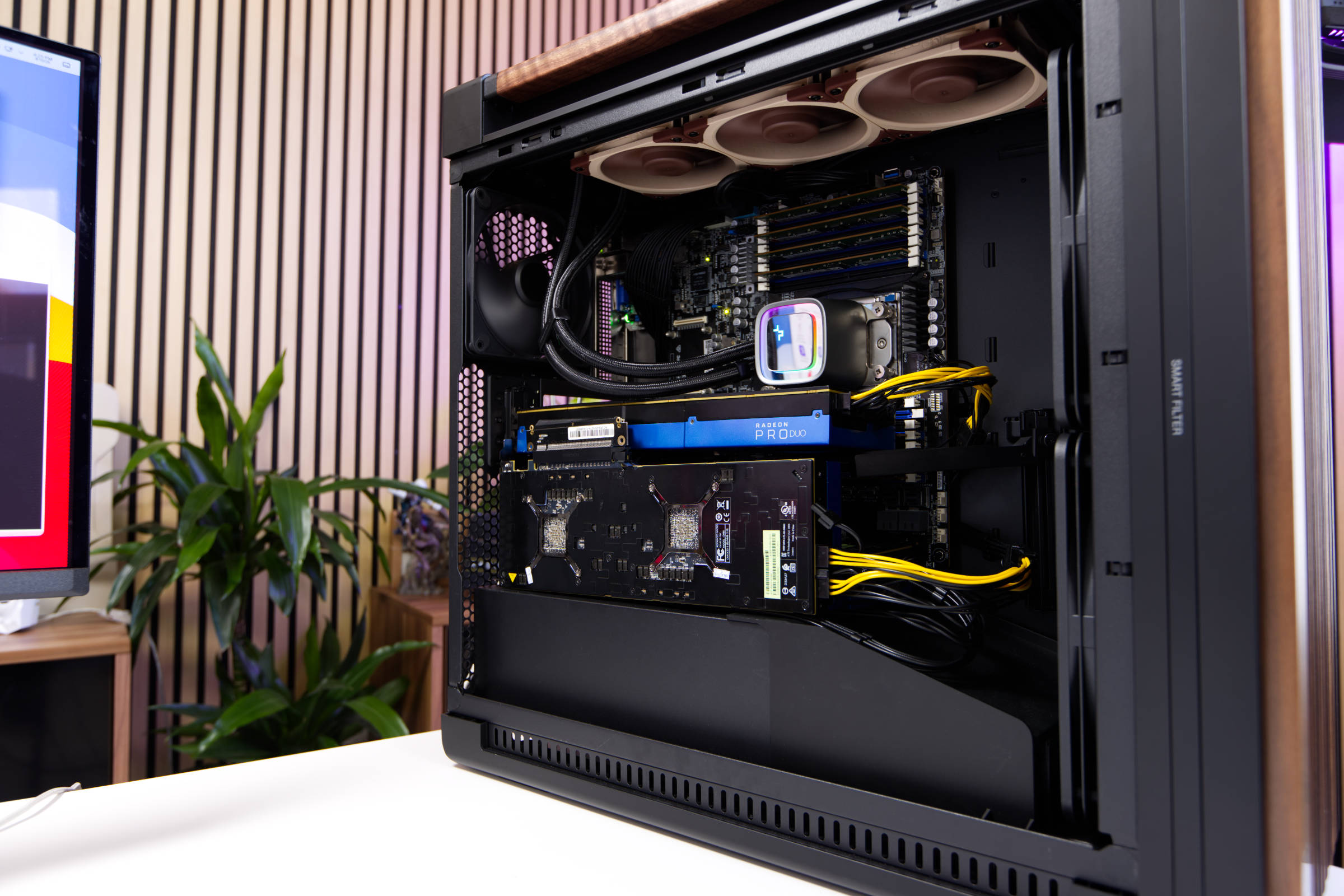 ASUS ProArt PA602 Wood Edition System Konfiguration (Image © PCMasters.de)
System installation
This system is not our usual gaming rig, but a workstation. This presents a few hurdles, as not everything fits right away. ASUS states that motherboards with up to an E-ATX form factor will fit, but server boards like the Supermicro H11SSL have offset spacers, which means you have to remove the pre-installed ones and fix them elsewhere. Even though the green Supermicro H11SSL can be seen in some of the pictures, in the end we opted for the somewhat special ASUS KRPA-U16-M. This is partly because we wanted to use the EPYC Milan 7763/7C13 and partly because the Supermicro H11SSL had problems with NVMe SSDs - in addition, the ASUS KRPA-U16-M is simply much better equipped. The advantage of the Supermicro H11SSL is the large number of full-length PCIe slots, which would have been positive for the setup and we wouldn't have needed riser cables in the end.
The special feature of the ASUS KRPA-U16-M is that although it is listed as E-ATX, it does not fit into the case just like that. We were therefore only able to use 6 of the 9 screws and could only secure the whole row on the right with plastic spacers. This is not a problem in itself and does not interfere at all in everyday use.
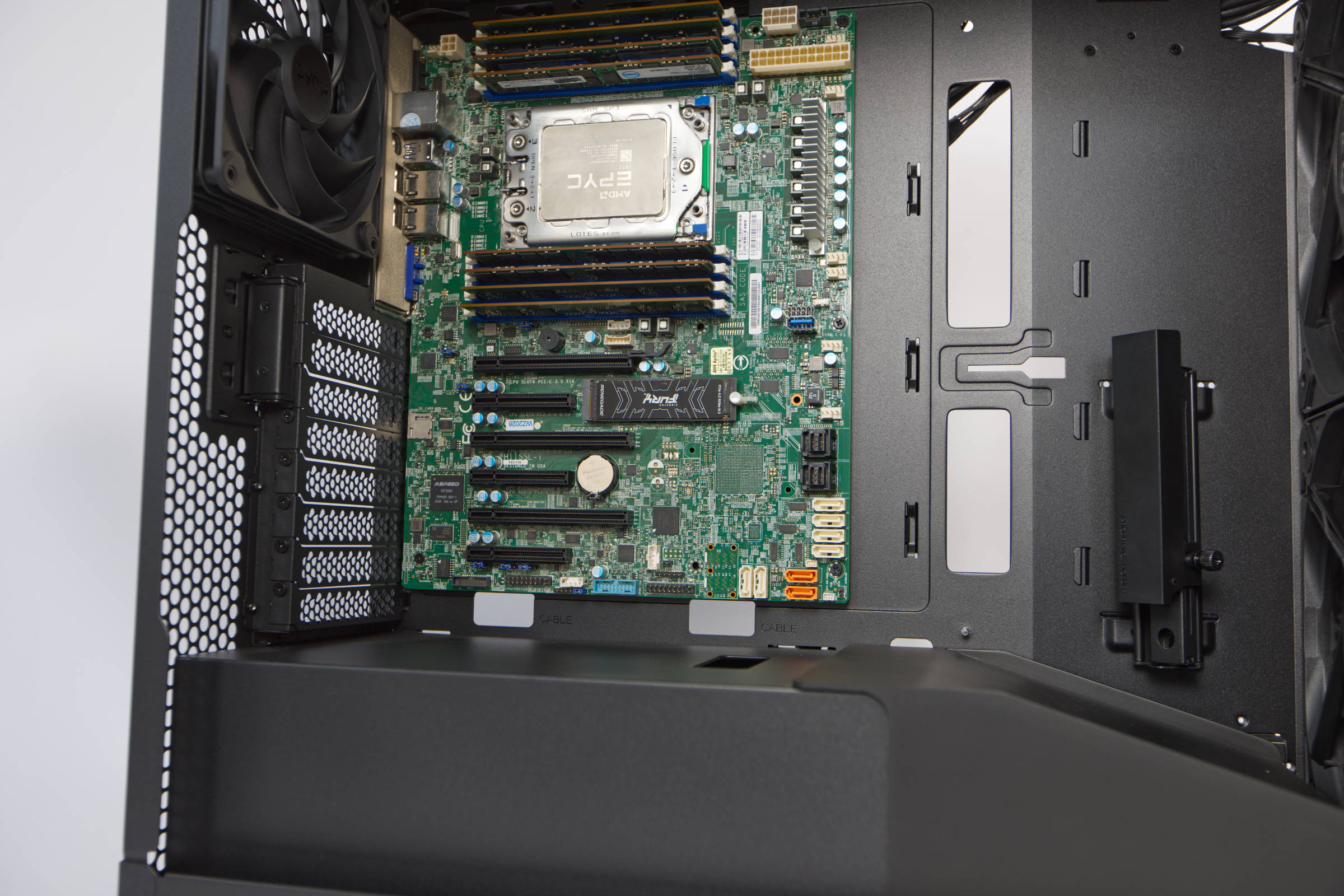 ASUS ProArt PA602 Wood Edition mit ATX Board (Image © PCMasters.de)
When installing the components, you can start with several different components, but we prefer to install the mainboard with the CPU and any RAM already installed. As already described above, we used two different mainboards. The installation itself is simple and as you would expect. Thanks to the large free space of the Big Tower, you really have a lot of room and can get to everything easily.
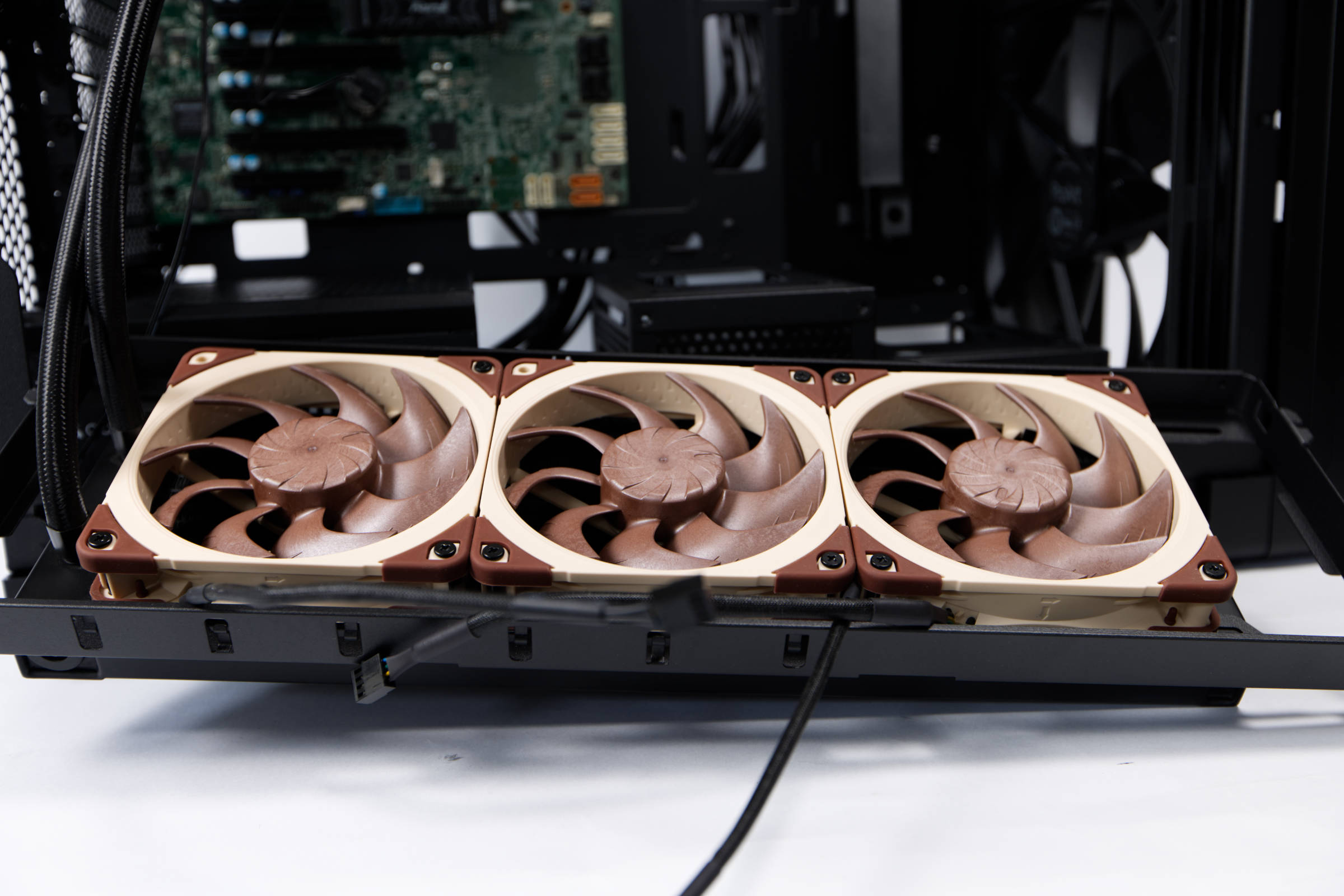 ASUS ProArt PA602 Wood Edition Radiatormontage oben (Image © PCMasters.de)
Installation of AIOs with up to 420 radiators
We used the DeepCool LS720 AIO as a suitable cooler for the SP3 socket, onto which we strapped the tried and tested Noctua NF-A12x25 G2. To install the radiator, however, you have to carry out a few steps first.
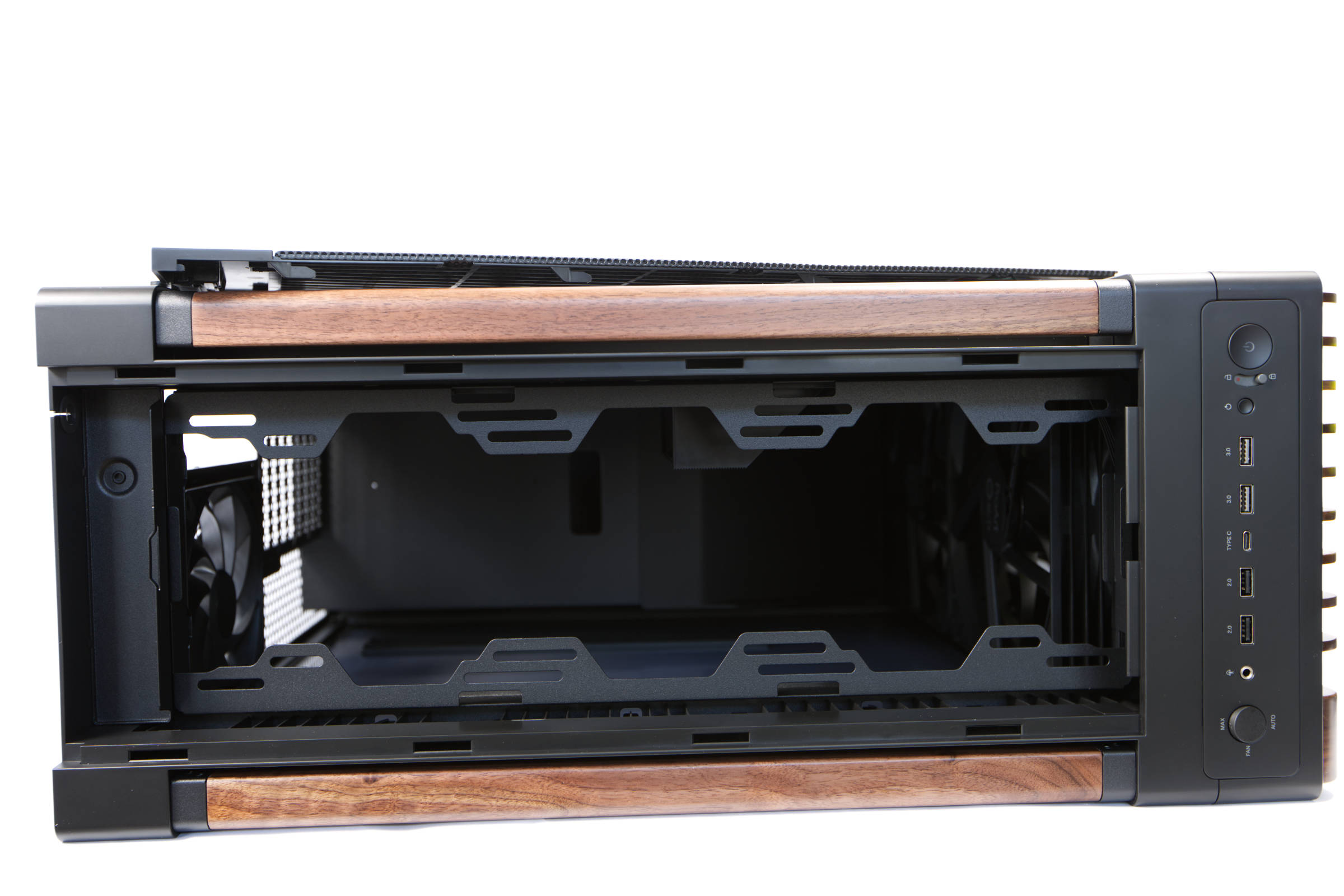 ASUS ProArt PA602 Wood Edition Top offen (Image © PCMasters.de)
The top panel must be removed and then a metal plate that covers the screws of the radiator frame. The WiFi antenna can also be hidden in this compartment, but we don't have one, which is why the small chamber at the back will remain empty. Once the black metal cover is off, two screws can be loosened and the frame can then be pulled out. It is only hooked in on the other side.
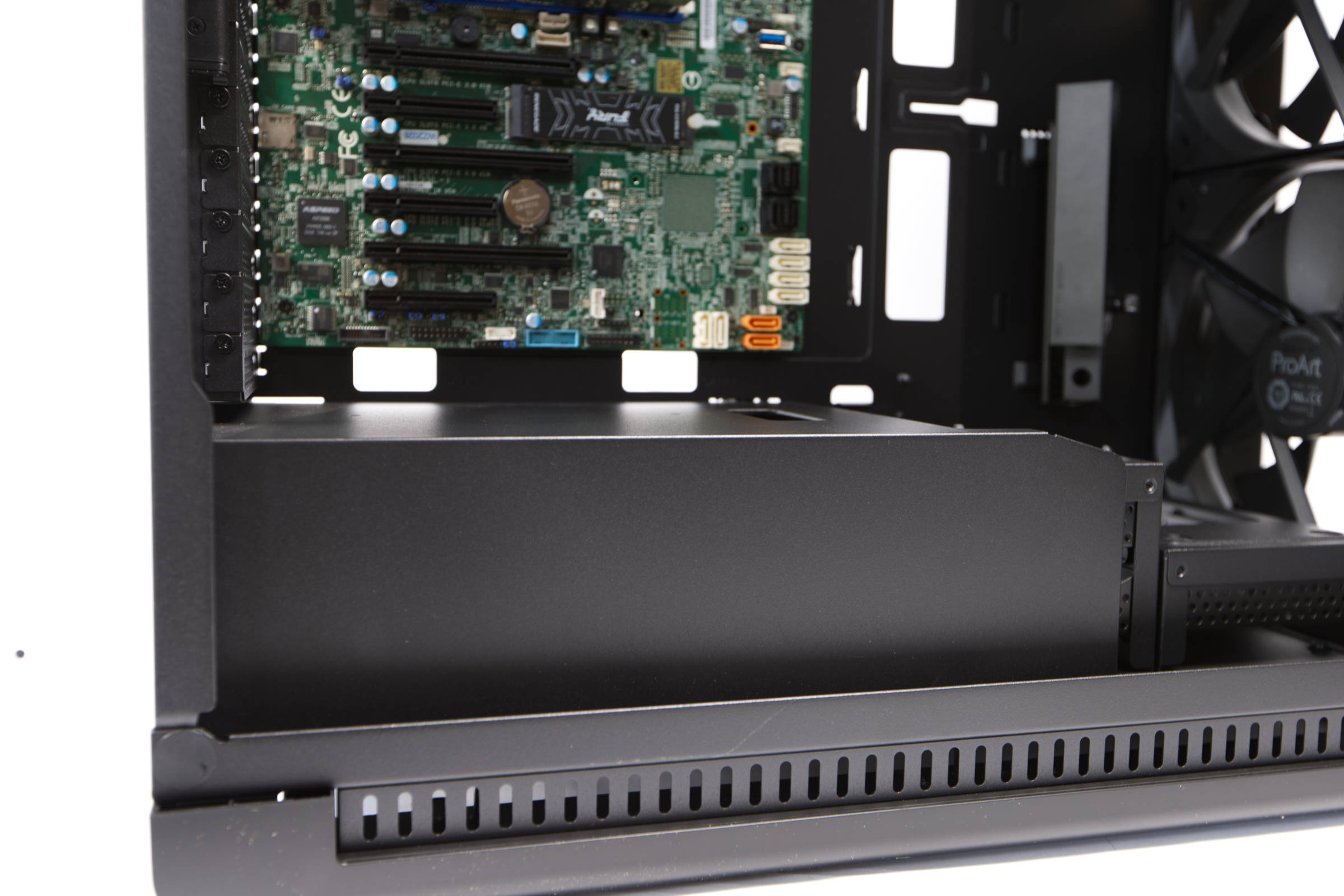 ASUS ProArt PA602 Wood Edition untere Kammer (Image © PCMasters.de)
Radiators from 120 mm up to 360 and 420 mm can be screwed onto the frame. There are corresponding mounting holes, which also provide space for movement. As the frame is removable, you can easily screw the radiator and fans onto it outside the case and then pack the assembled frame into the case.
Power supply mounting
The lower chamber must be cleared to install the power supply unit. It consists of two covers that hook into each other. At first glance, it is not obvious that they are removable. There are three screws close to the edge of the housing that need to be loosened.
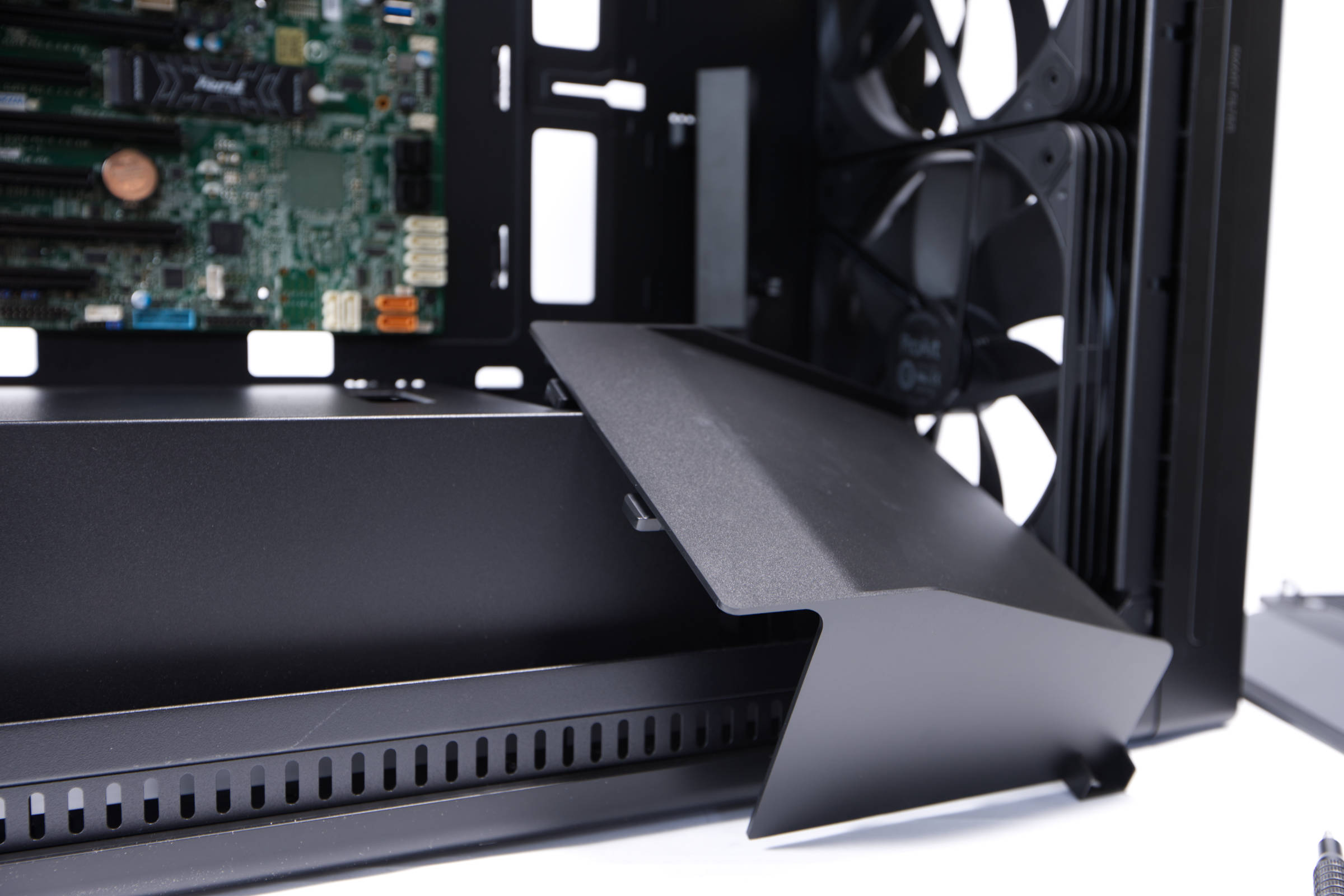 ASUS ProArt PA602 Wood Edition Abdeckung unten (Image © PCMasters.de)
First, the right-hand cover must be loosened and pulled out sideways. It is made of plastic and serves to divert the air flow and covers the 3.5" bays underneath.
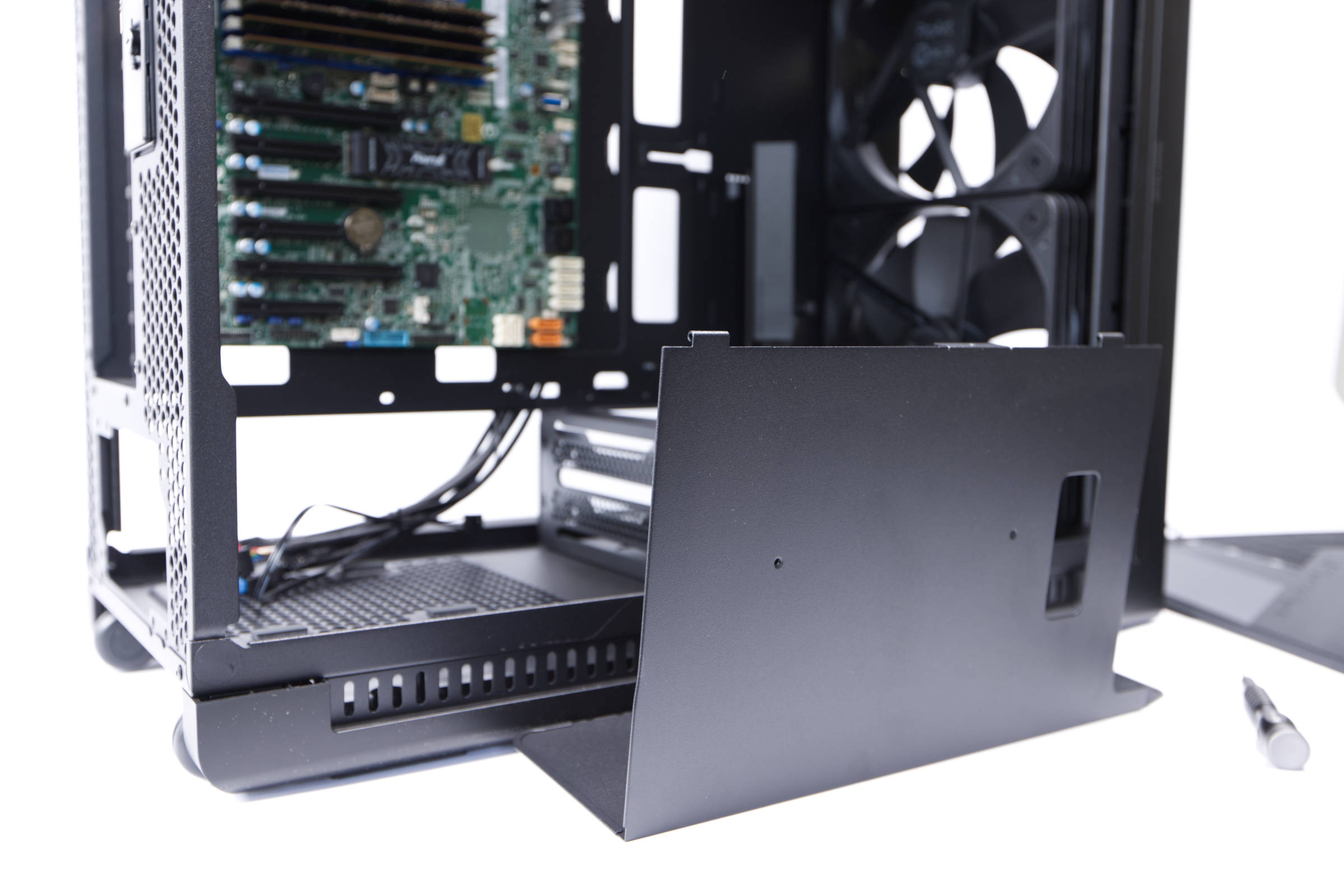 ASUS ProArt PA602 Wood Edition zweite Abdeckung (Image © PCMasters.de)
The left cover, under which the power supply unit is installed, can then be pulled out. The advantage here is that the power supply unit and all cables are completely accessible. With most cases, this area is not removable, except for Corsair, for example. ASUS has also chosen a modular approach here, which is very commendable. The opening in the cover can be used to feed through PCIe power cables for graphics cards and makes cable management easier.
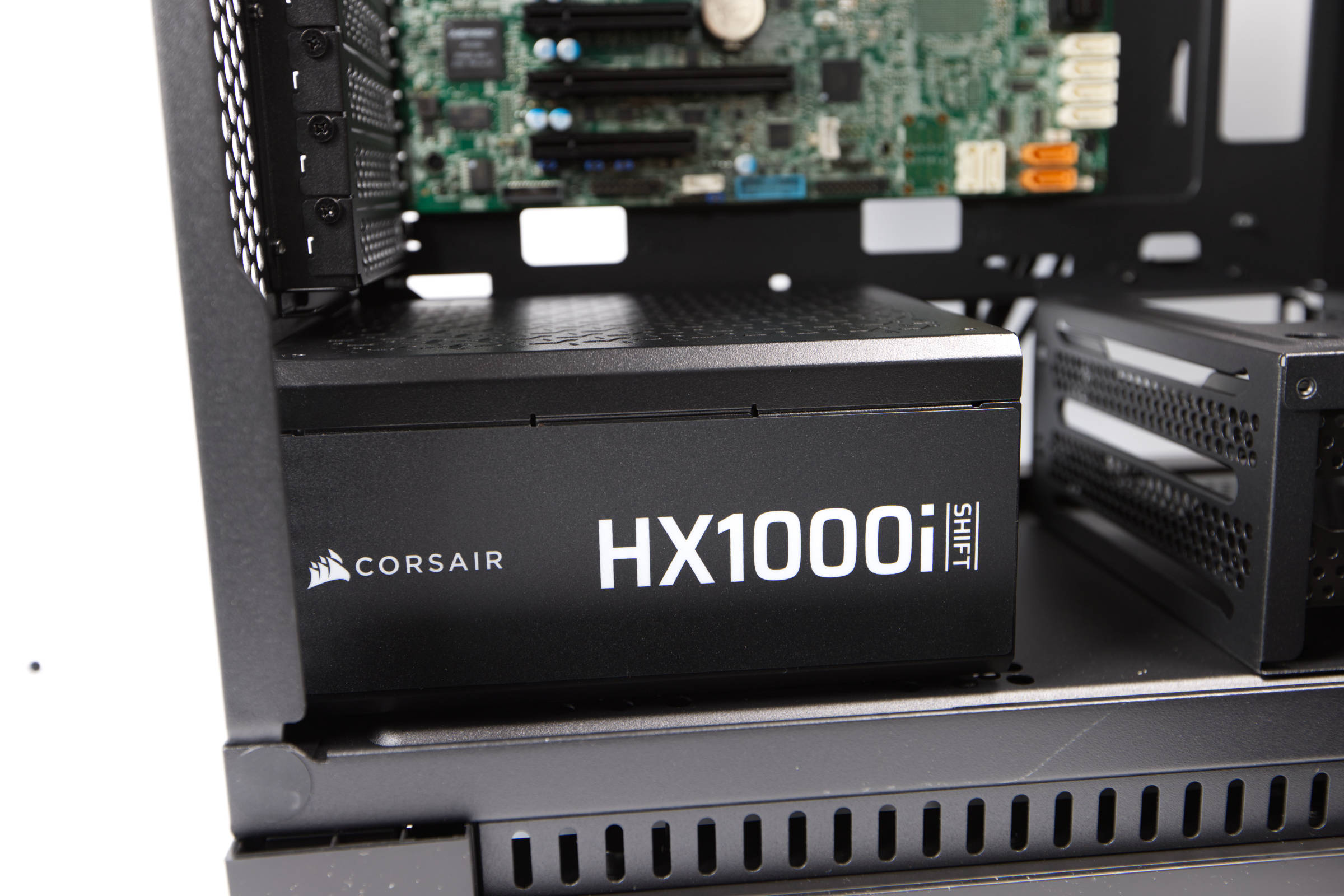 ASUS ProArt PA602 Wood Edition Netzteileinbau (Image © PCMasters.de)
The power supply can be 190 mm long and the Corsair HX1000i is 180 mm long. The power supply unit is fixed as usual with four screws and the fan should point downwards. The power supply unit is protected at the bottom by the long dust filter.
Hard disk and SSD mounting
ASUS has not skimped on the mounting slots for SSDs and HDDs. For example, 2.5" SSDs or HDDs can be mounted on a total of four individually removable frames on the left. The positioning is well chosen, as the cables can be easily routed here.
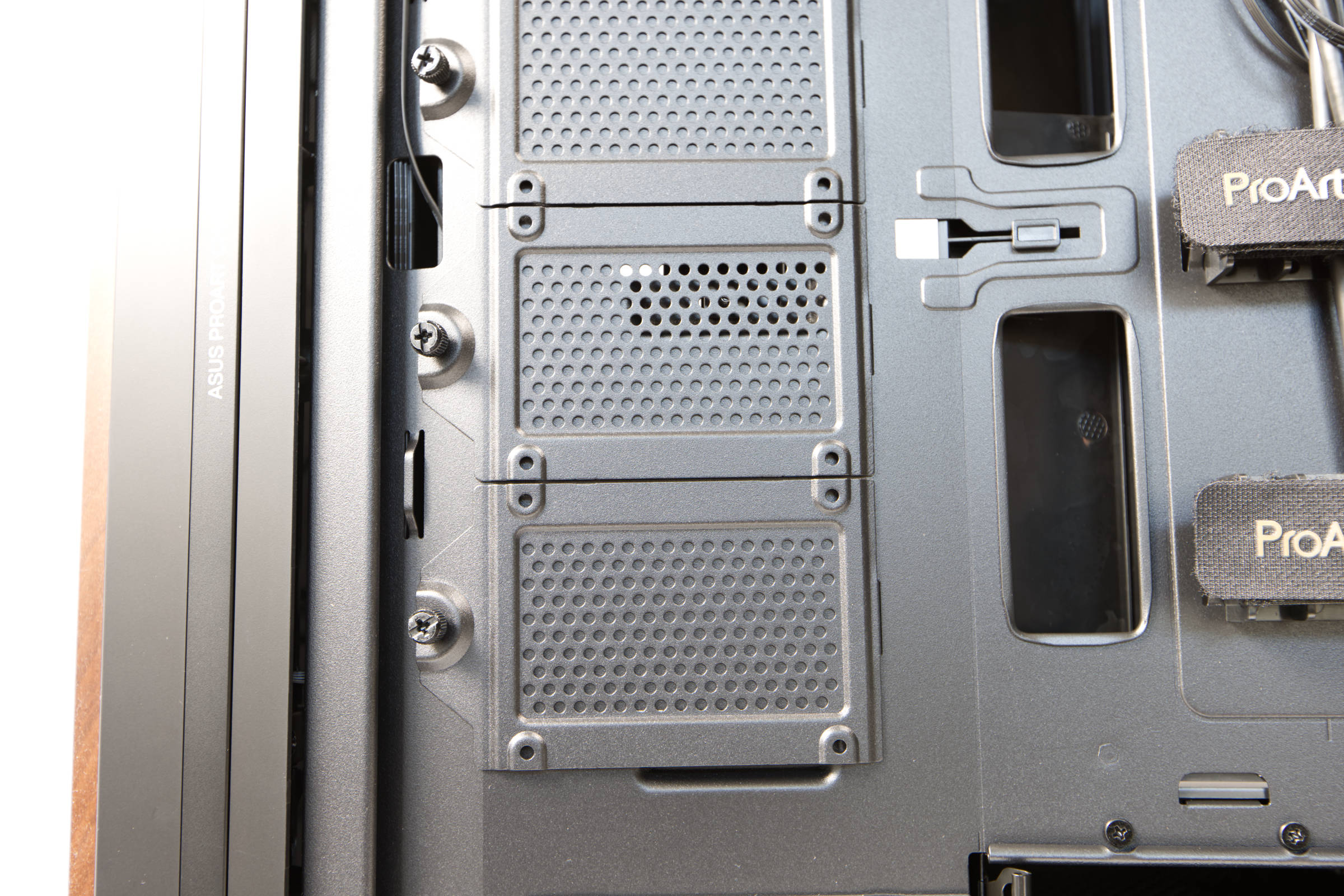 ASUS ProArt PA602 Wood Edition 2 5 Zoll SSDs (Image © PCMasters.de)
At the bottom there are two bays with three caddies designed for 3.5" and 2.5" drives. The caddies can be pulled out individually and the trays can also be removed if necessary, as they are screwed in place. We didn't need them in our setup, but left them in.
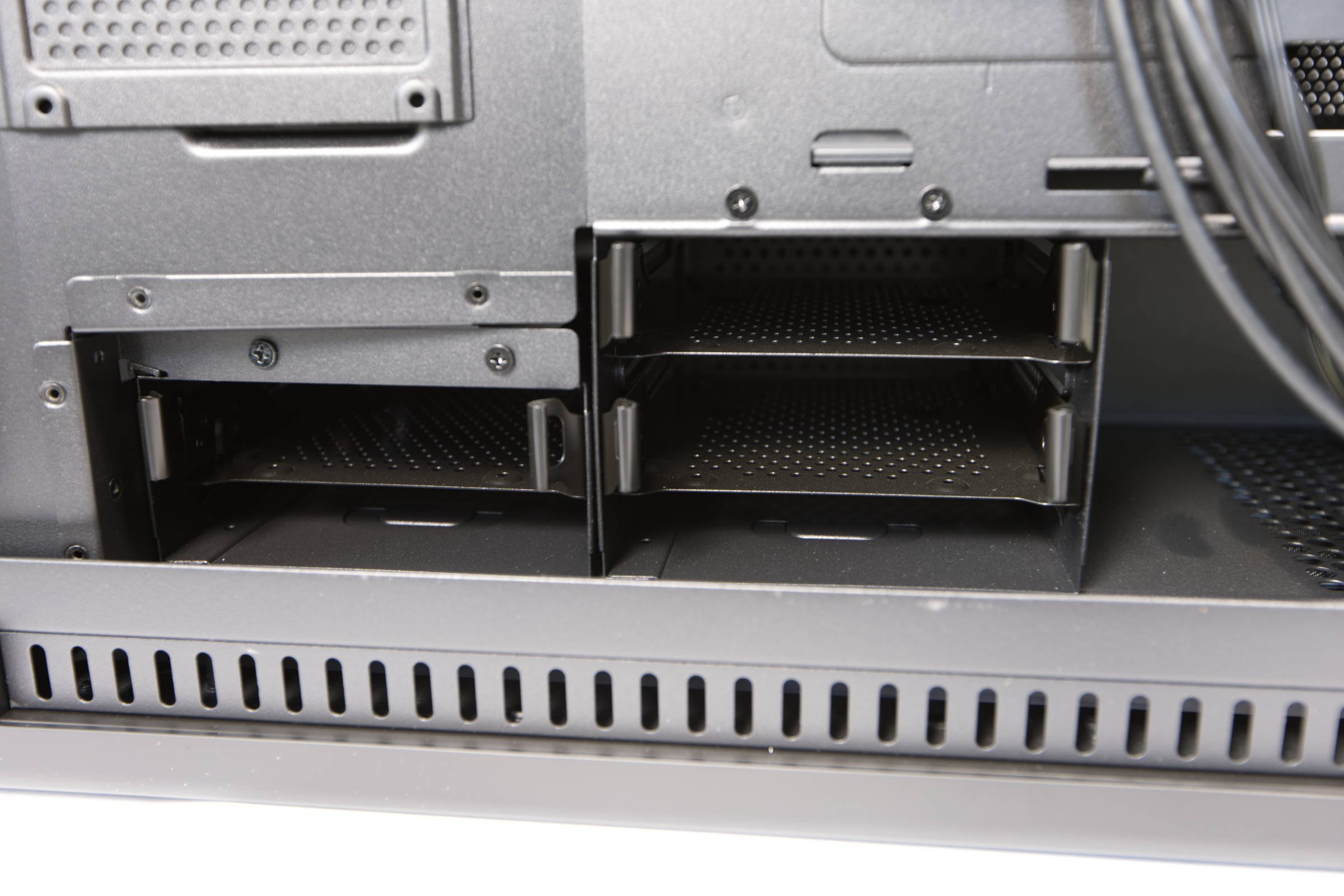 ASUS ProArt PA602 Wood Edition HDD Käfig (Image © PCMasters.de)
The caddies are clamped and not screwed. The mechanism makes a decent impression and seems to be strong enough to hold the HDDs.
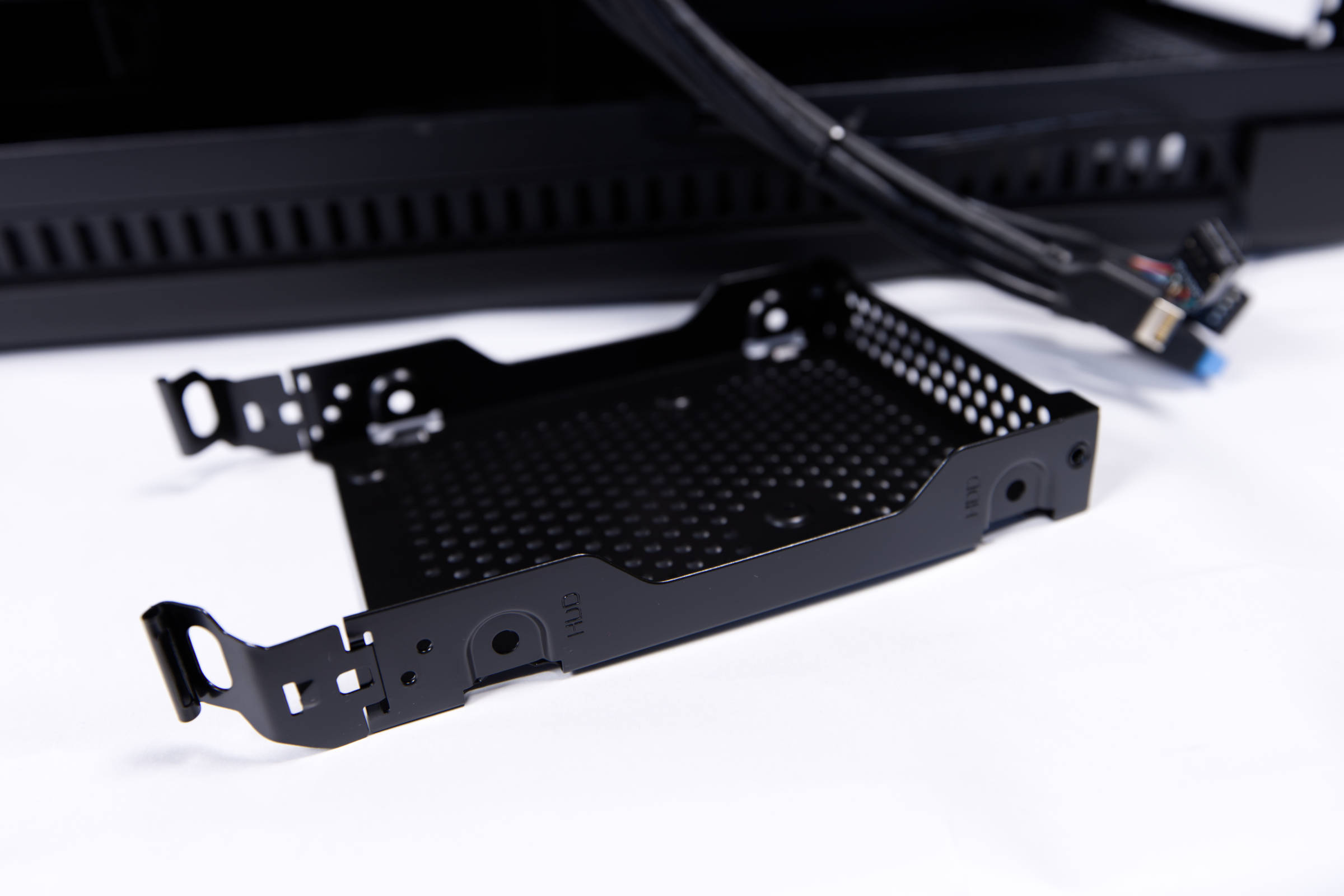 ASUS ProArt PA602 Wood Edition HDD Caddy (Image © PCMasters.de)
Directly behind the mainboard opening is another frame that can be unscrewed and can hold another 2.5" drive. We have removed this because our mainboard has an opening here and the 24-pin ATX cable is fed through here.
ASUS ProArt PA602 Wood Edition 140 mm Hecklüfter (Image © PCMasters.de)
Finally, there is another frame at the bottom right, which is suitable for both 3.5" and 2.5" drives. This provides neat mounting options for various drives.
Graphics card mounting and GPU holder
When installing graphics cards, you generally have two options. Either you install the graphics cards directly in the PCIe slots, for which 8 slots are provided, or you install an adapter in the slots, which provides two additional slots vertically. This requires a riser cable, which is not included in the scope of delivery. According to ASUS, graphics cards can be 440 mm long, whereby only 2 slots are provided in the width in vertical orientation, even if there is still a buffer to the glass.
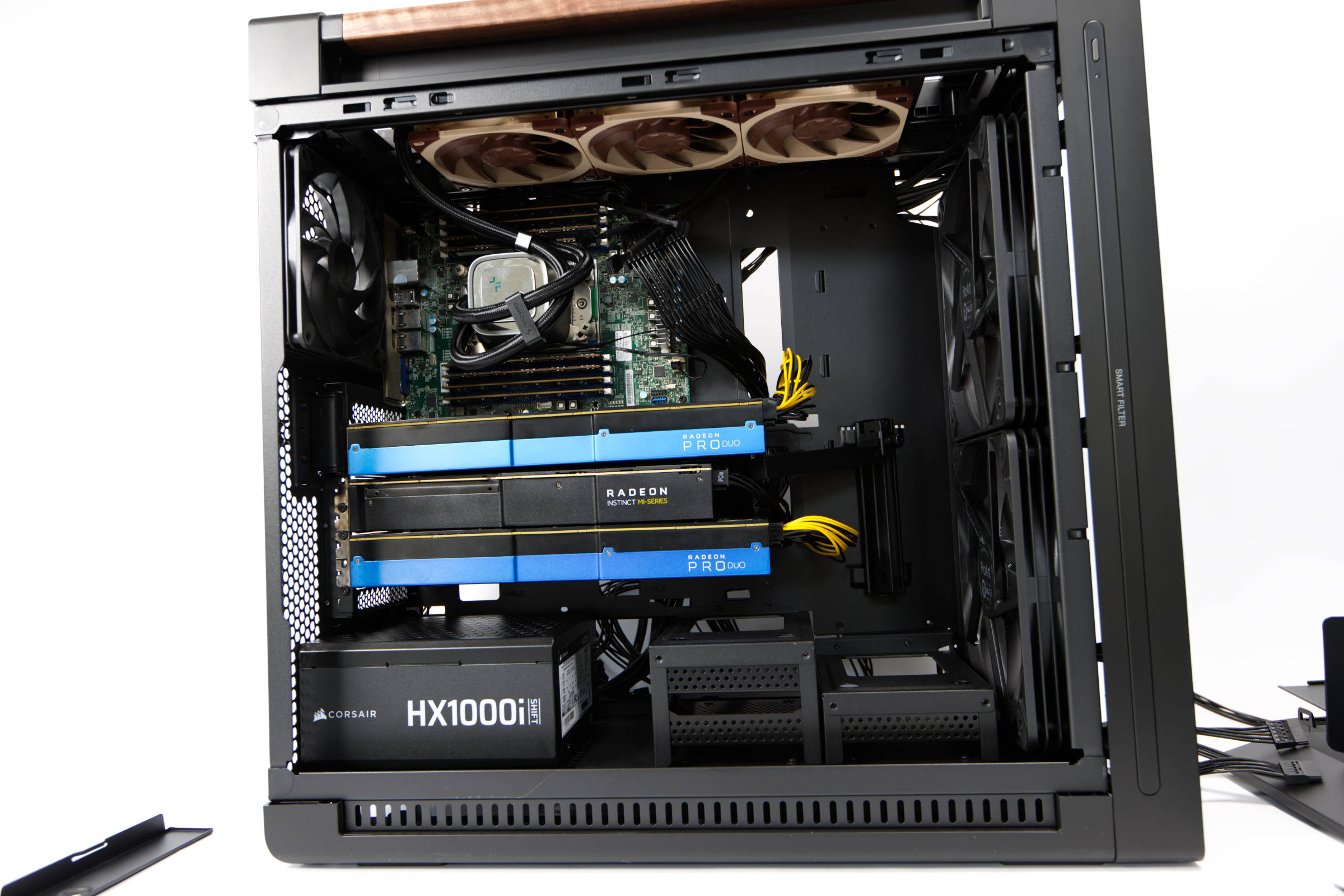 ASUS ProArt PA602 Wood Edition graphics card installation (Image © PCMasters.de)
In the case of the Supermicro H11SSL, we could have installed the cards horizontally as normal, because there are no collisions with mainboard components, but this was not possible with the ASUS KRPA-U16-M.
ASUS ProArt PA602 Wood Edition Grafikkartenhalterung (Image © PCMasters.de)
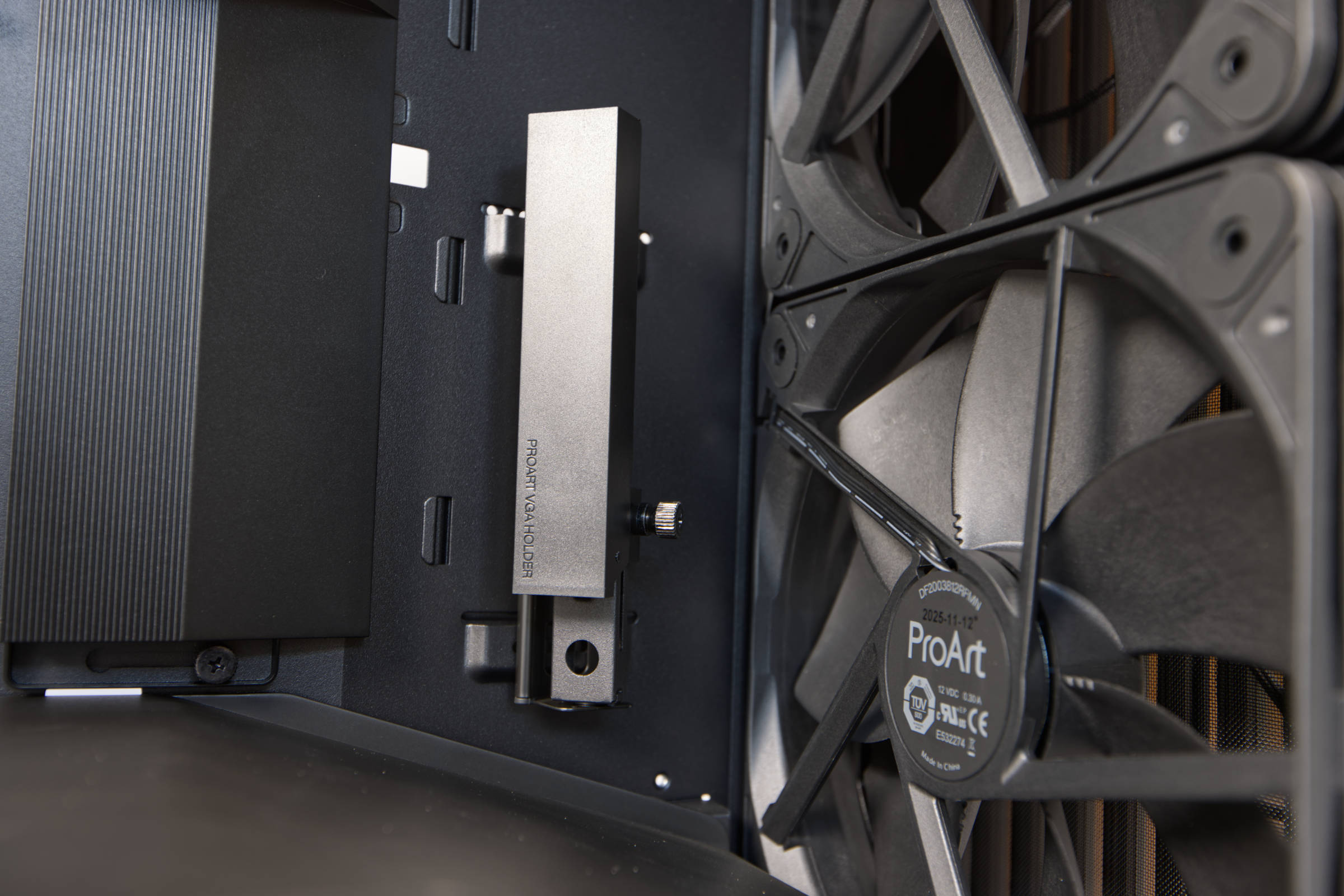
Long graphics cards can also be supported when aligned. There is a fold-out bracket for this purpose, which is infinitely adjustable in height. We used it to secure the top card with its PCIe spacer adapter.
ASUS ProArt PA602 Wood Edition System Konfiguration (Image © PCMasters.de)
The third graphics card then rests vertically. We still have to finish designing a 3D printing adapter for this construction, as there is nothing in this direction. The construction with the three Radeon Pro Duo 32 GB cards definitely benefits from the Airflow, even if the bottom card has a little less space below the cover. There will probably be further changes here later, as the system is undergoing a lot of experimentation. However, with 96 GB of VRAM, good models can already be run locally and the 64-core CPU is also powerful enough to cope with many different workloads under Linux.
Cable management
There are many options for cable management. The cables that have already been laid are well positioned, so you can add more. Very thick, ProArt-branded Velcro fasteners are pre-mounted in the middle. They provide good support for thick cables and are suitable as a backbone.
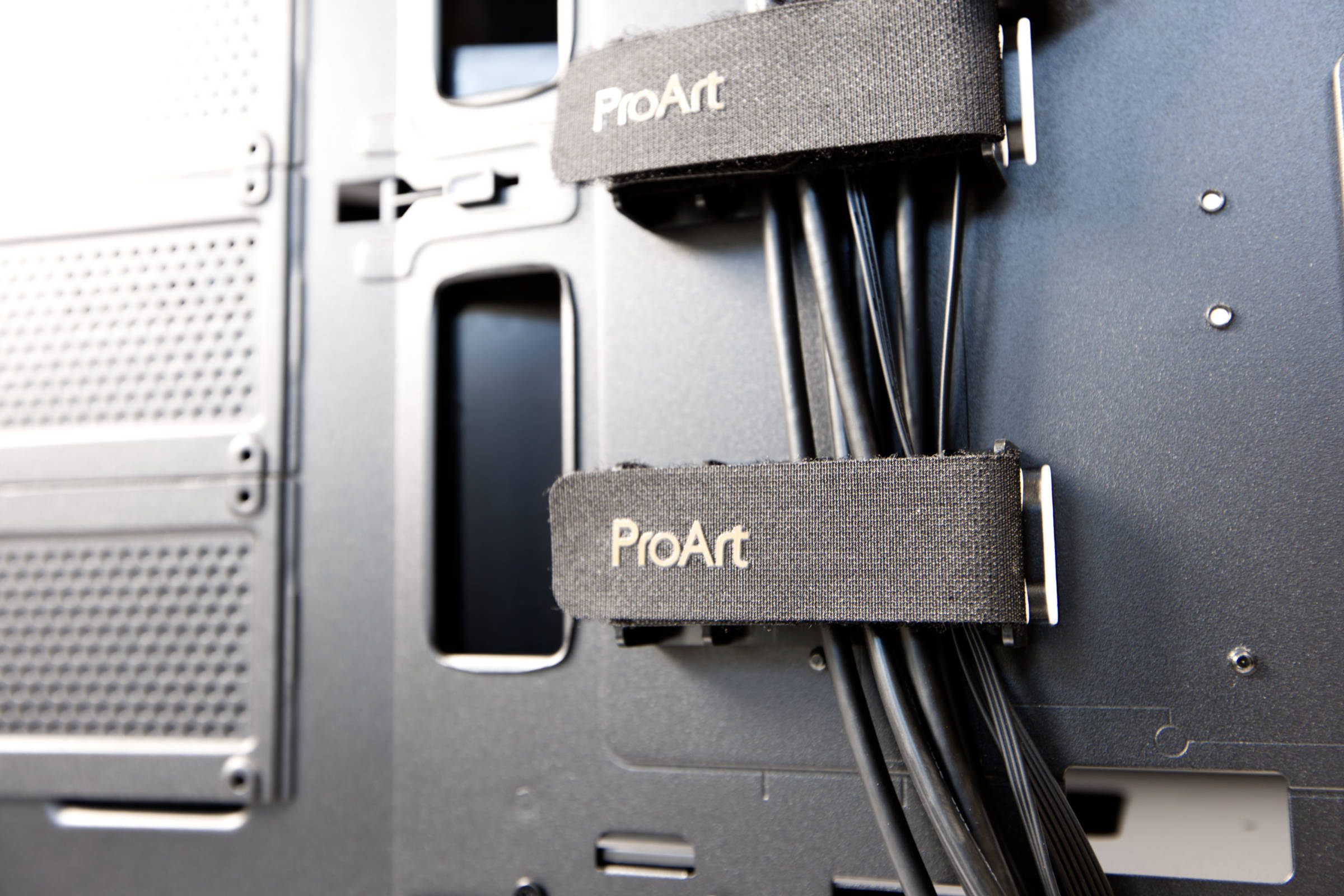 ASUS ProArt PA602 Wood Edition Kabelbinder (Image © PCMasters.de)
The controller is well positioned at the top, as the Noctua fans are just long enough to fit and all three fans occupy all ports on the hub (the middle fan is not plugged in in the photo).
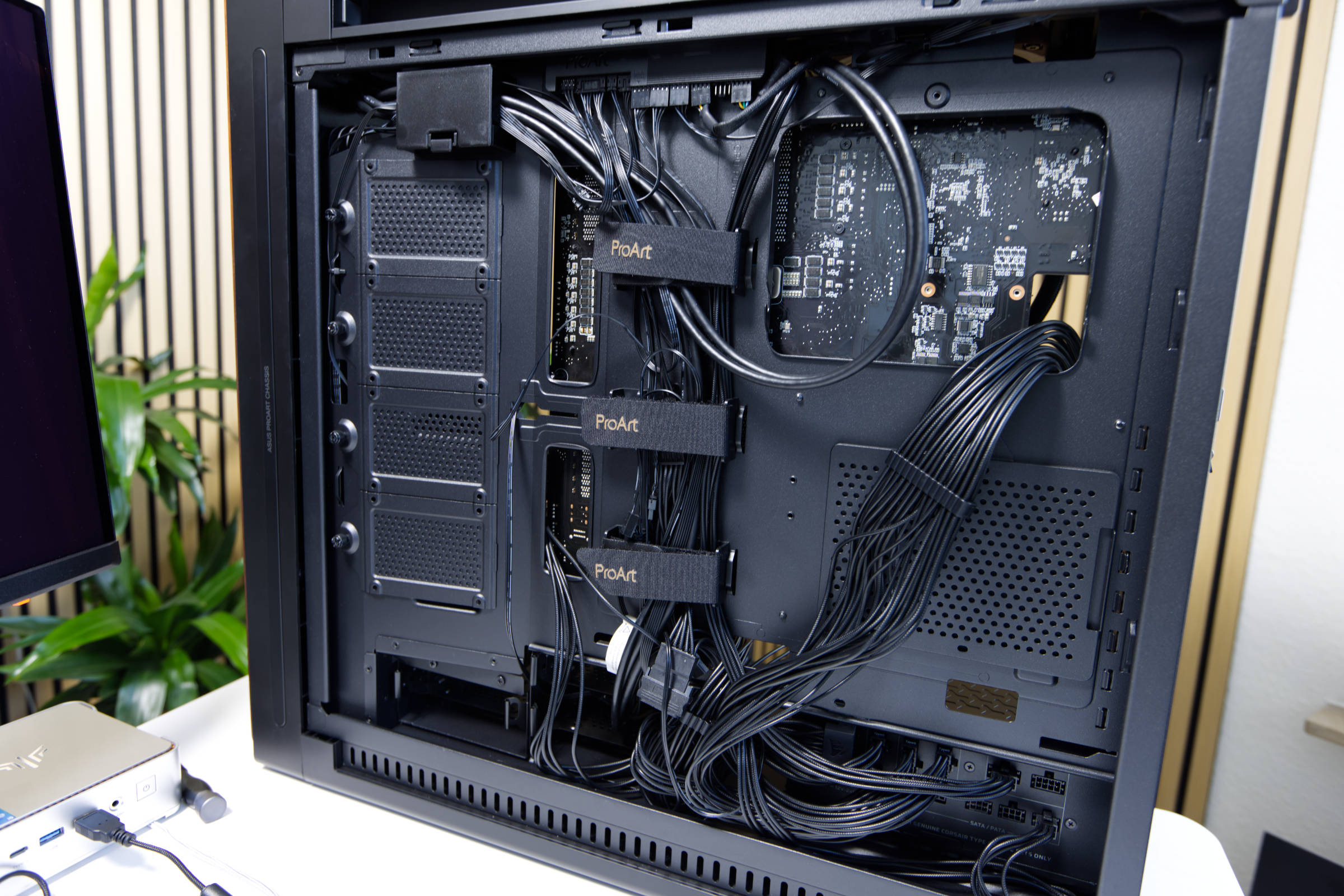 ASUS ProArt PA602 Wood Edition Kabelmanagement (Image © PCMasters.de)
There are openings in various places through which cables can be routed. There is also a flap at the top that can be used to hold additional cables together. There are hooks on the right and left for inserting cable ties.
ASUS ProArt PA602 Wood Edition Frontlüfter (Image © PCMasters.de)
The plastic cover on the right is used to hide the cables that go to the mainboard. As our mainboard is much larger than ASUS had planned, this cover can no longer be fitted.
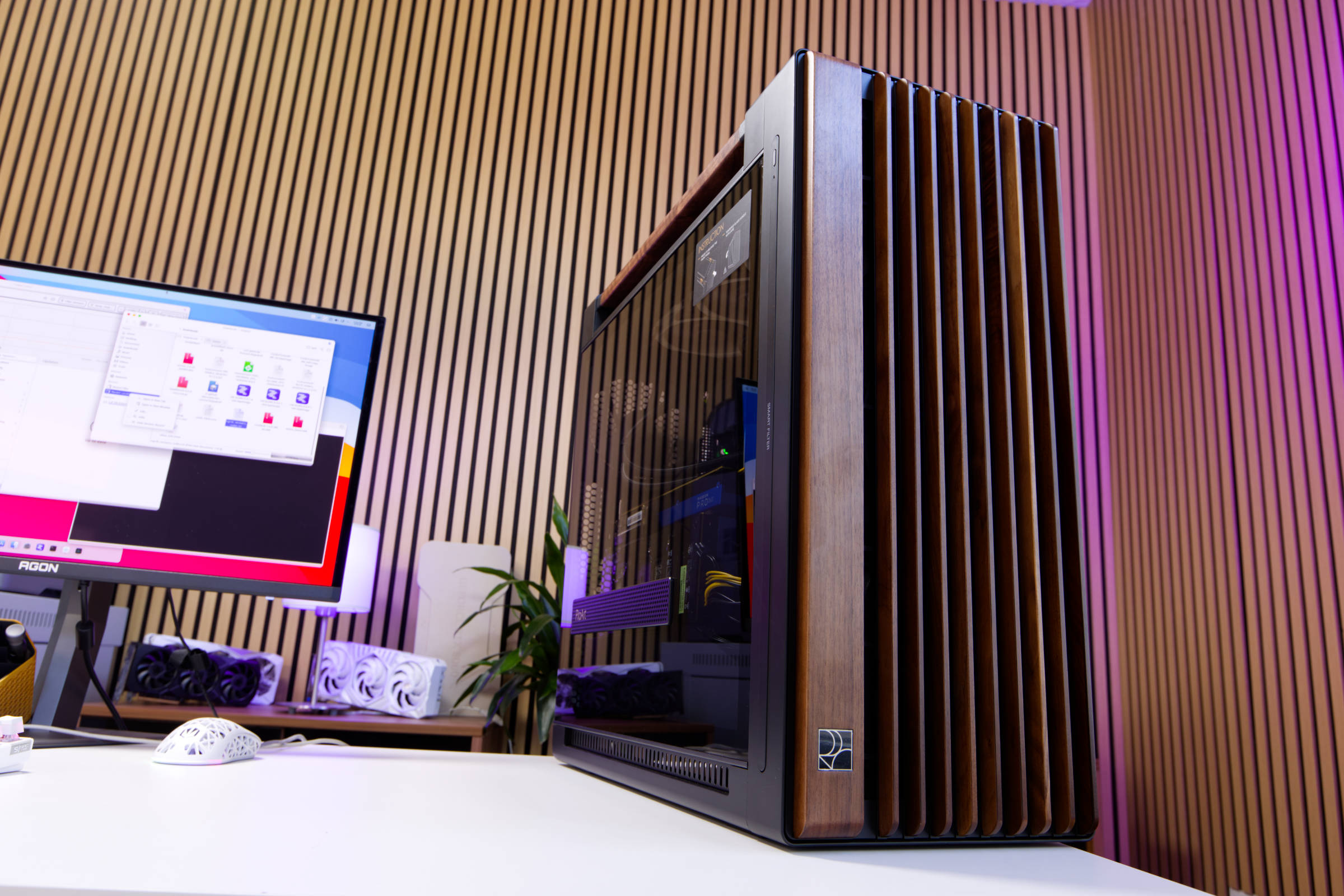 ASUS ProArt PA602 Wood Edition Fazit (Image © PCMasters.de)
Conclusion on the ASUS ProArt PA602 Wood Edition Modern Black TG
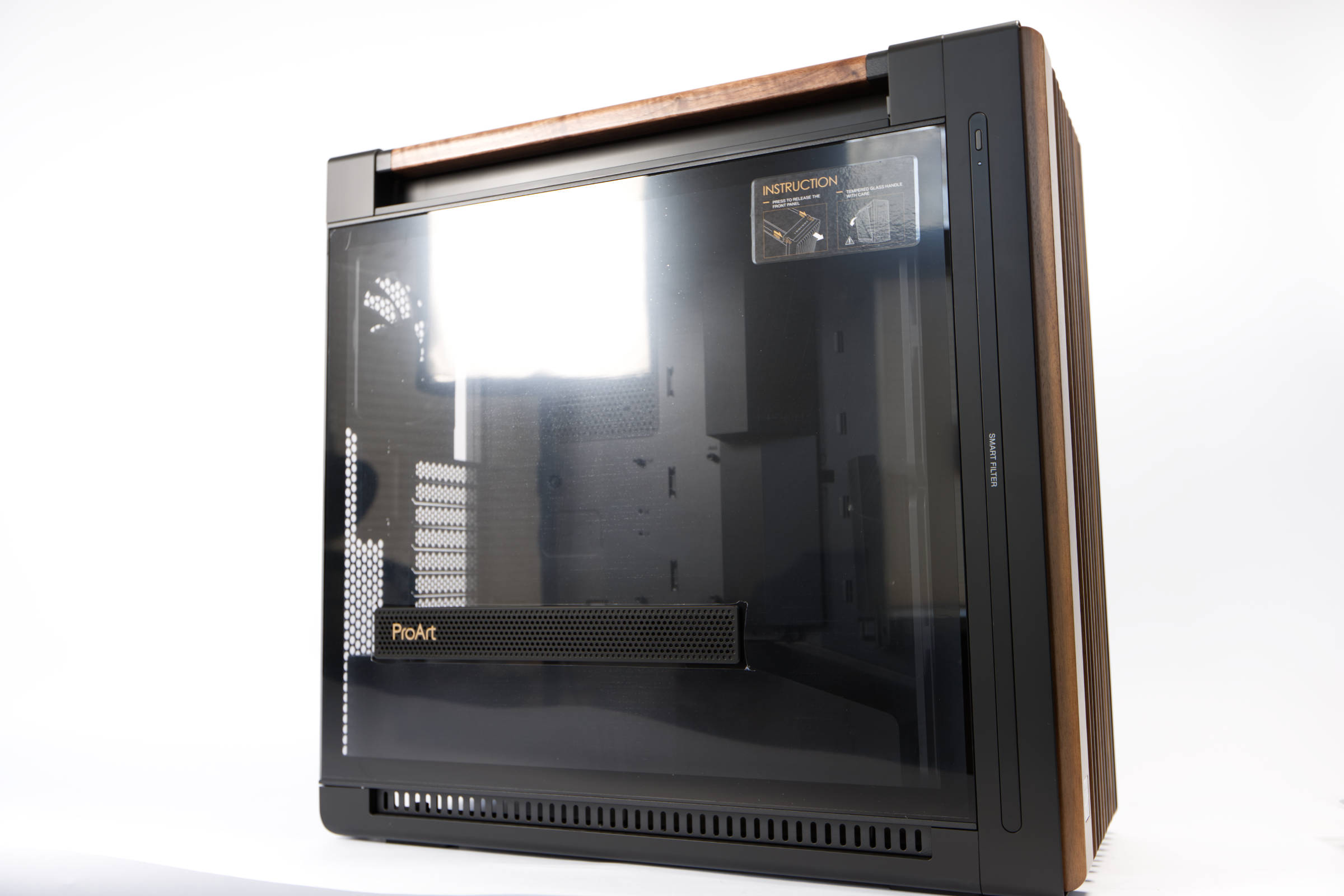
The ProArt PA602 Wood Edition is clearly aimed at enthusiasts and offers some surprises that are not standard. The case is really fun to work with. As this is a full tower, the case is comparatively huge and you have plenty of space for working and for hardware. For example, we installed an unsupported E-ATX mainboard and still had a buffer. In addition, many hard disks and SSDs can be installed at the rear and there is also plenty of space for graphics cards. You can even install 420 radiators at the top.
The airflow concept is great and the two 200 mm fans at the front are better than we expected. On the one hand, the speed range of 330 to 1,038 rpm is well chosen so that you can balance performance and silence, and on the other hand, they offer an unimpeded flow thanks to the tuning inside. In addition, they are connected to a controller/hub together with the 140 fan in the rear. Using the 4-pin PWM cable, these and three other fans can be controlled directly via the signal from the mainboard.
But that's not all, because the extras significantly enhance the case for us. The modular design of the case is great, which makes installation easier, but the really well-equipped I/O panel at the top is also special. In addition to the five USB ports, one of which is USB 3.2 Type 2x2 with Type-C, there is a lockable power button and a fan control switch with auto and full speed mode for fans. In addition, the large case has wheels at the back so that it can be rolled easily and instead of a continuous glass panel, an element for the air intake for graphics cards is installed. There is also a dust sensor built into the front, something we have not seen anywhere else. For some buyers, the real wood on the front and top will also be a selling point. The workmanship is good and there is little to complain about.
The prices for the series vary greatly, where the ProArt PA602 Wood Edition Tempered Glass E-ATX PC case is available for €187 (Affiliate), the ASUS ProArt PA602 Walnut Wood with metal panel costs around €267 (Affiliate). The variant with tempered glass is listed on Geizhals, but the stores usually list the wrong model. We consider the targeted price of €259 to be very justified, as the case really has a lot to offer and can warmly recommend it to enthusiasts with a suitable budget.
Pros
- Good build quality
- Modular design with good cable management
- Two pre-installed fans in the top panel
- Good cable management and easy assembly
- Castors at the bottom of the case
- Full tower with airlfow design
- Two 200 fans in the front and 140 fans in the rear
- Infrared dust sensor
- Fan control
- Vertical GPU support
- Hard glass side panel with air intake
- Sophisticated I/O panel with useful extras
- Beautiful wooden elements
Cons
- Price varies greatly