


 Computer Forum
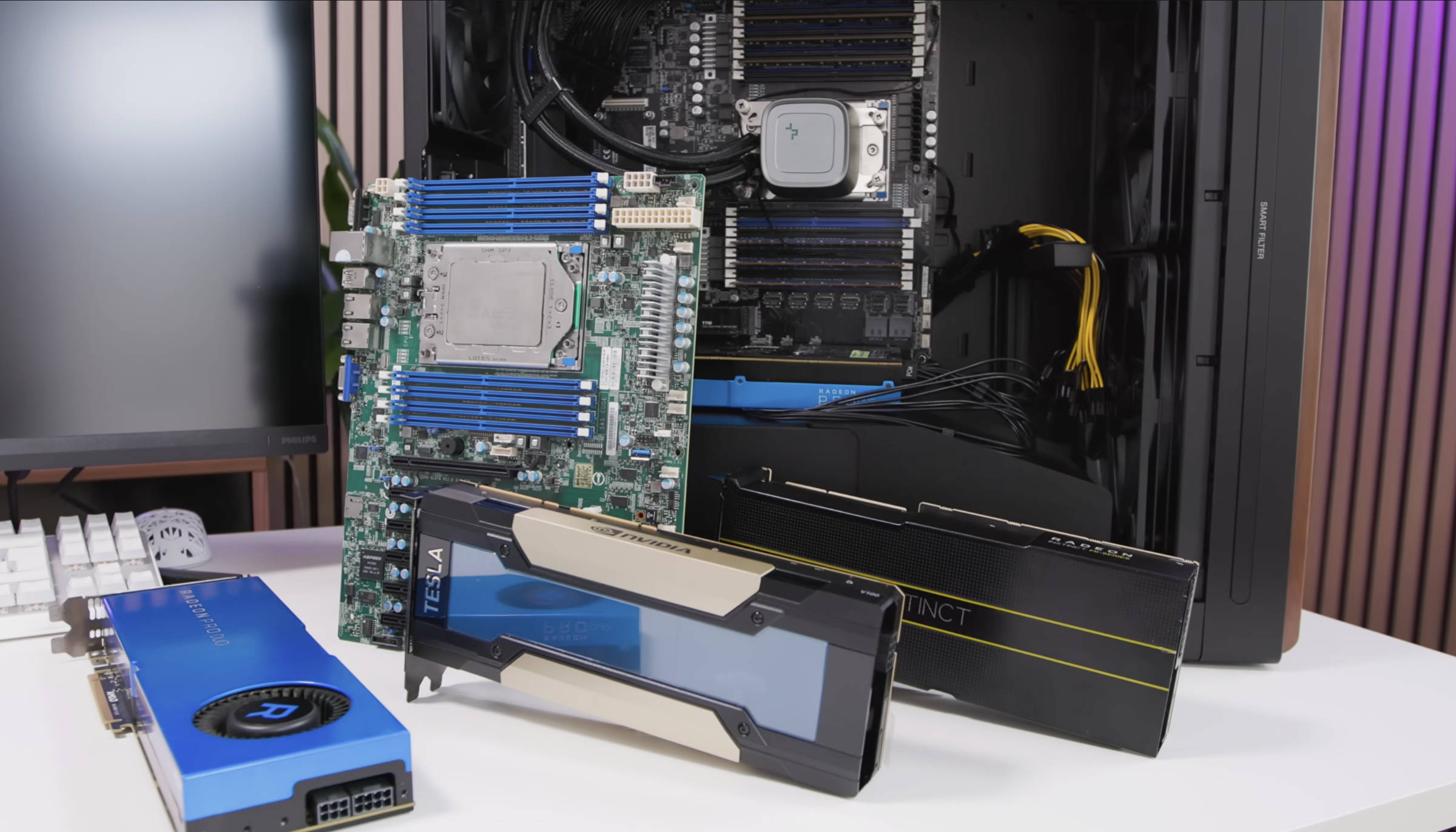 Cheapest AI accelerators for local AI & LLM models (Image © PCMasters.de)
Graphics cards from the used market pool
If you are looking for graphics cards with 16 and 32 GB, you will find several models on eBay and AliExpress, even if the number is very limited. We were particularly struck by the following, all of which come from data centers or farms and have been refurbished. In the vast majority of cases, however, this is not a problem, as they are checked for faults and you can even return them to eBay dealers with shipping to China.
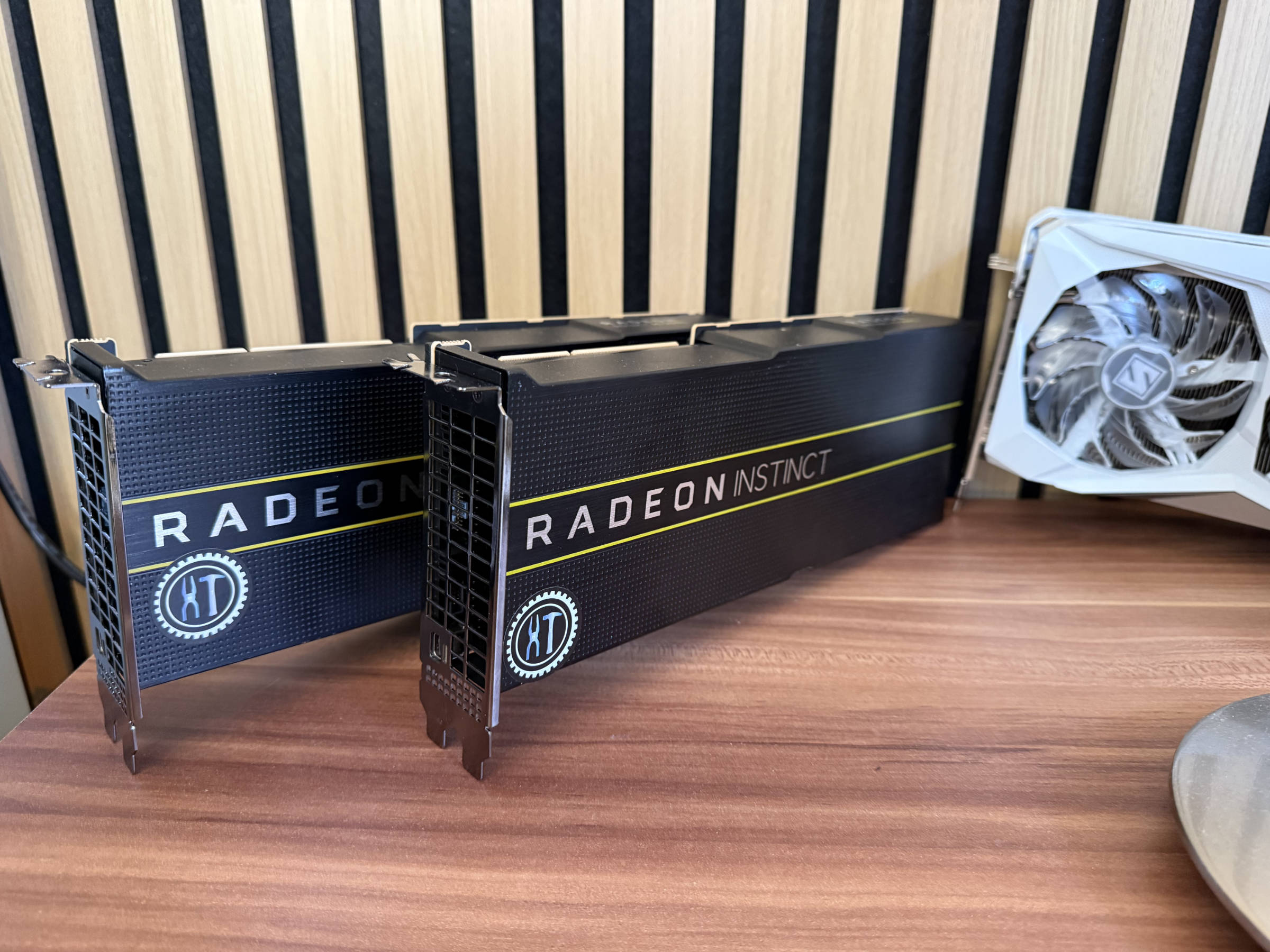 Radeon Instinct MI50 with 32 GB HBM2 VRAM (Image © PCMasters.de)
Radeon Instinct MI50
The card has been around since 2018 and AMD has offered variants with 16 and 32 GB memory. We have had several of the cards and they were initially available for €200 but prices are rising fast. They're hard to come by now. They are by no means bad, but a bit "difficult" when it comes to ROCm support, as AMD has kicked them out of the new versions and you have to invest time to get them into the system properly under Linux and to combine them with OLLAMA and LM Studio. They also fly out of the system after a reboot. With Vulkan API, however, you can integrate them relatively easily - if the system boots and recognizes them correctly. What is particularly good about these Vega20 models is that they have 32 GB HBM2 memory with a 4096-bit memory link and this is extremely fast!
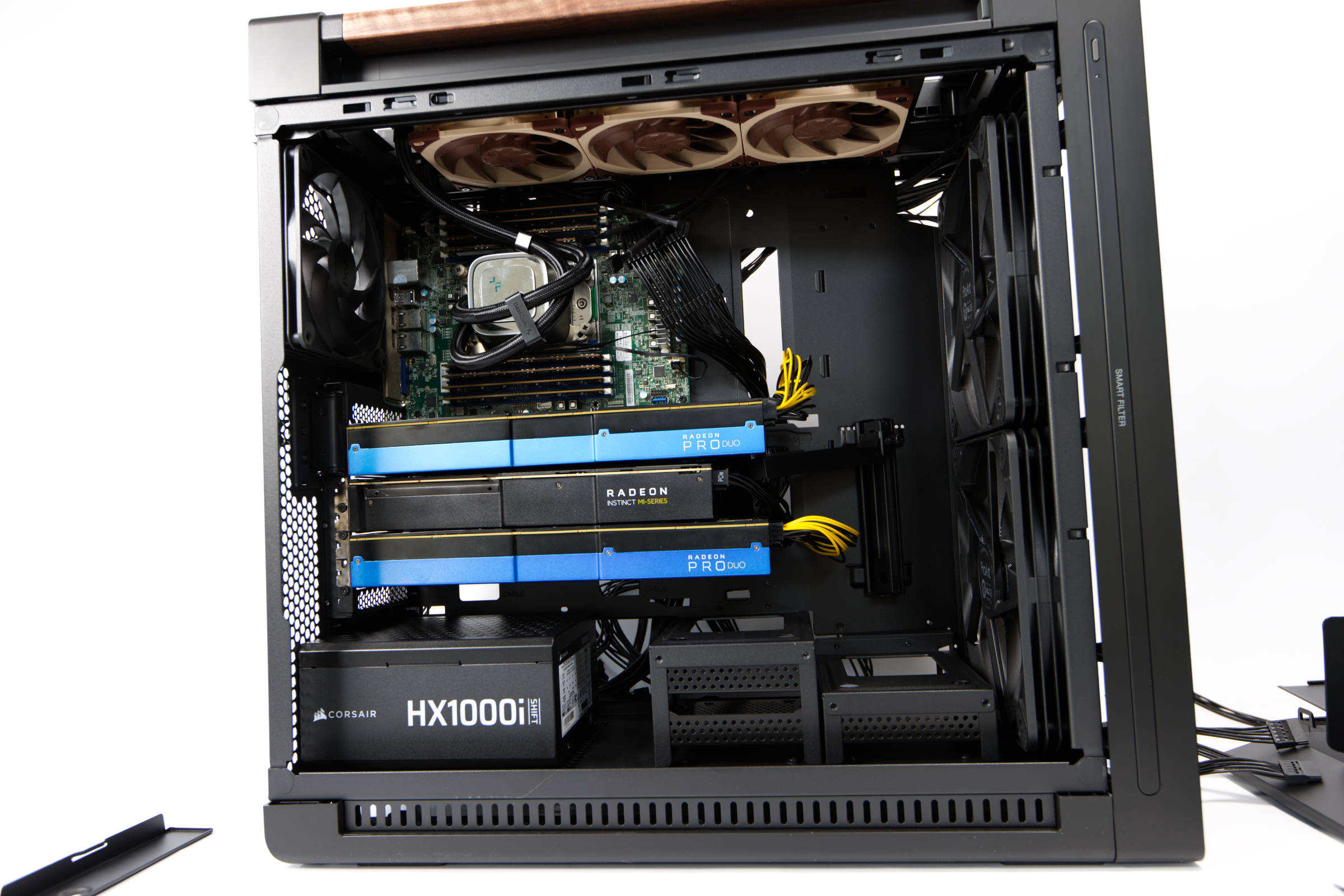 ASUS ProArt PA602 Wood Edition graphics card installation (Image © PCMasters.de)
Radeon Pro DUO
This card is built more for workstations and CAD environments and also has some video outputs. The cards are really long and consist of two GPUs on one PCB. This means that they are recognized as two Radeon Pro WX 7100 and are addressed individually. So if you have 3 of the cards in the system, the system thinks that there are 6 cards. This is not wild, but should be taken into consideration. With the VRAM, however, we get 32GB (2x 16GB) GDDR5. That's slower than the MI50, but we're interested in the quantity and it makes up for a lot here. The fans aren't particularly loud either. On the second-hand market, they go for €300 to €400, even though the starting price was €999.
TESLA V100
This is where things get a little wild again because NVIDIA escalated in generation and sold the accelerators as separate SXM modules. So if we look for the cards, there are many modules that don't look like graphics cards and still need adapters and coolers. Then there are proper cards with PCIe in the name - these are the better choice.
Again, the cards come from server farms that are upgrading to newer GPUs and there is a flood of cards coming onto the second-hand market. These cards are relatively modern, even though they have been around since 2017. The advantage here is that NVIDIA's support is still good and more can be achieved natively with CUDA. The cards have ECC support, which the TITAN V and other consumer cards do not offer.
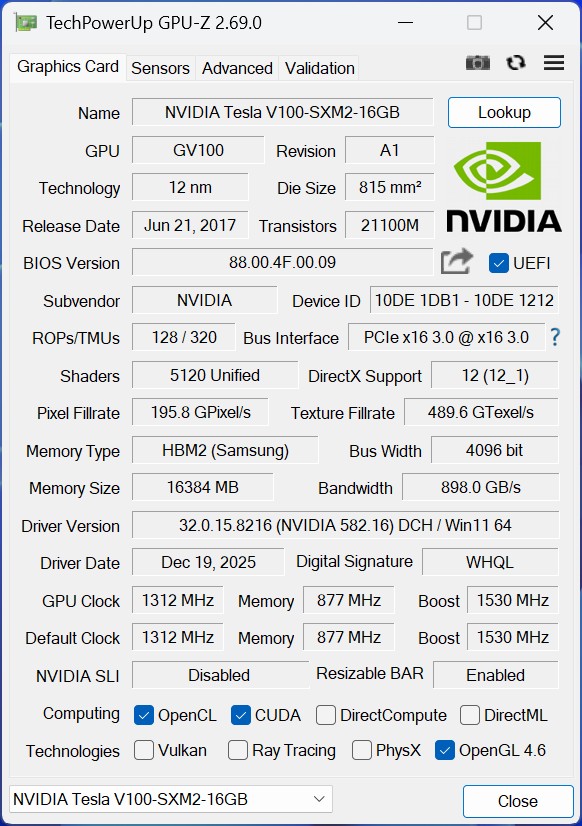 Tesla V100 SXM2 GPUz (Image © PCMasters.de)
For the experiment, we found the V100 PCIe as a 16 GB and also as a 32 GB variant. Both models are also equipped with the fast HBM2 memory. So if you are on a low budget, you should buy the smaller of the two in larger quantities and run it as a pool. This works wonderfully with OLLAMA:
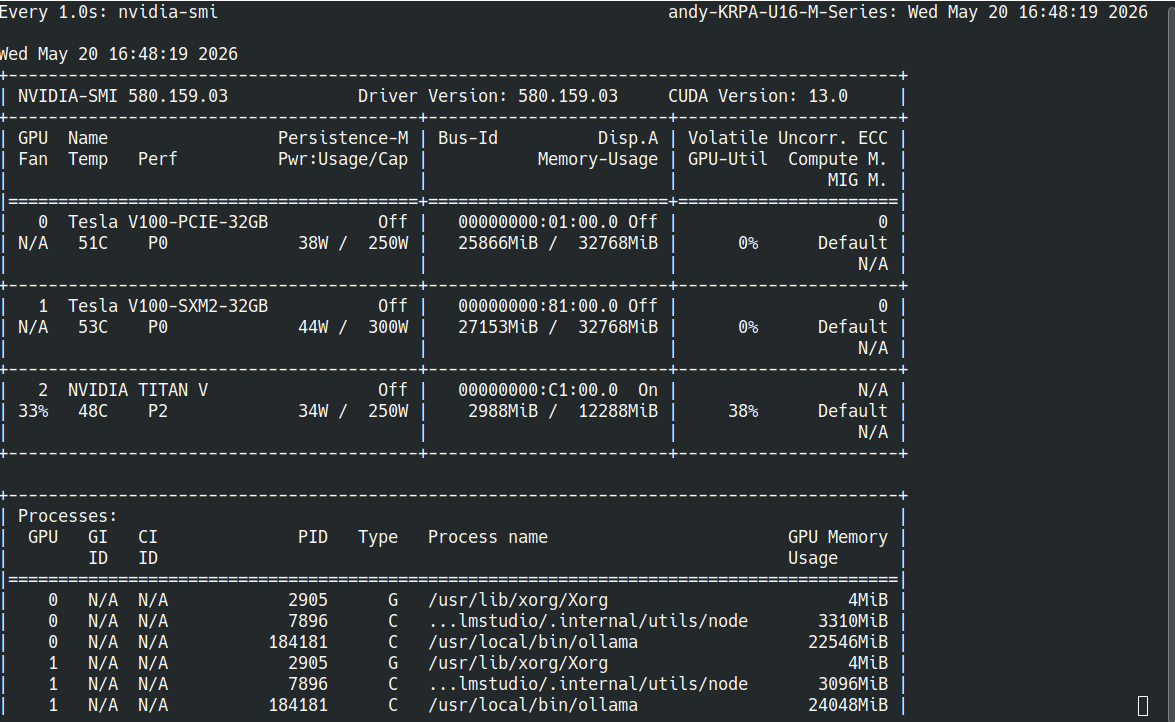 Tesla V100 Gemma4 over 3 GPU (Image © PCMasters.de)
The SXM2 version is equipped with everything we need, but the PCB for the PCIe interface and the power supply are missing. In China, the SXM2-to-PCIe converters are available from €50, but the complete kits with cooler, thermal pads and possibly a fan cost over €150. However, this means that you have to buy the TESLA V100 SXM2 with 32 GB first. We were offered them as complete kits for €600, which still seems a bit expensive.
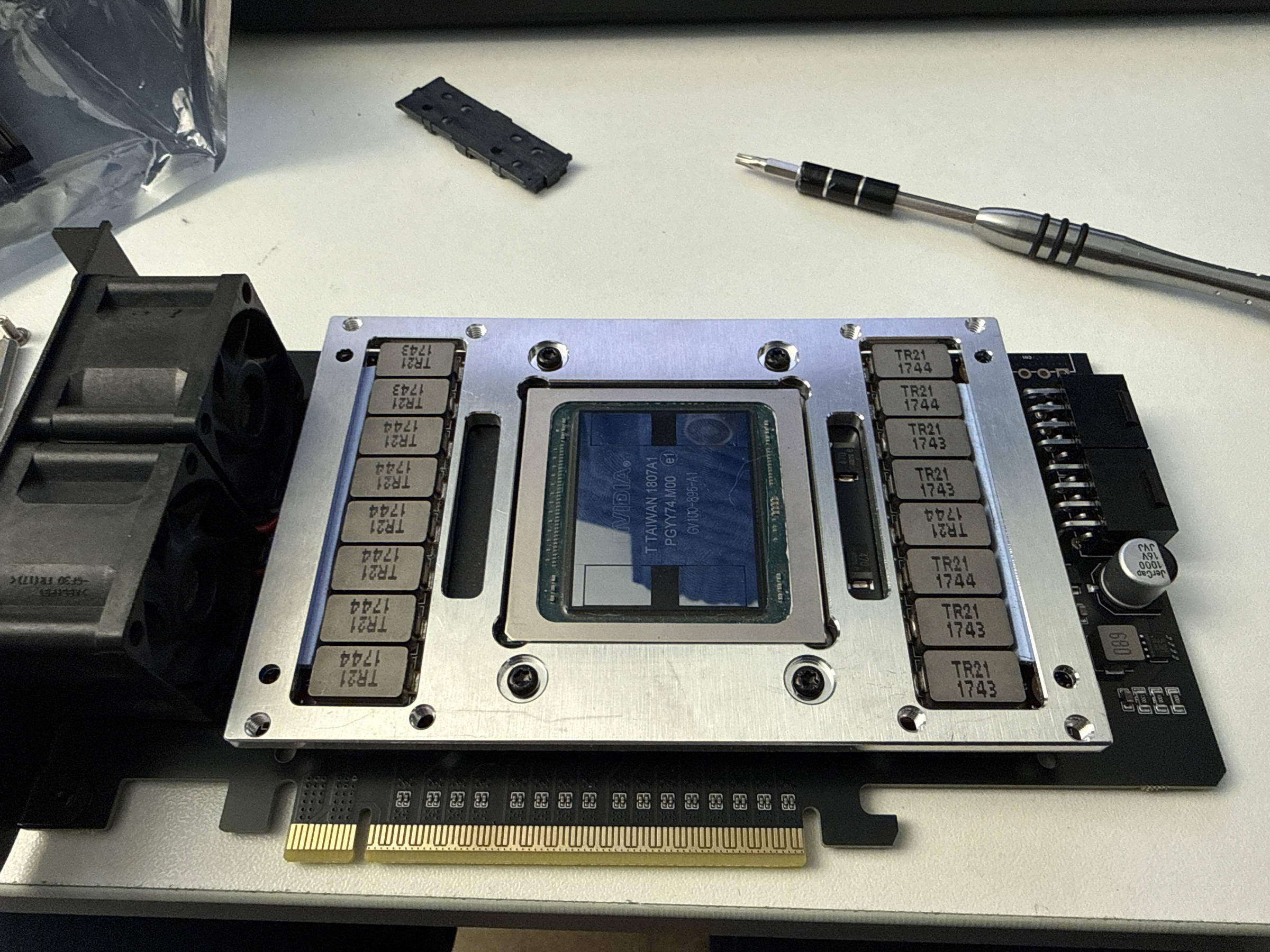 NVIDIA TESLA V100 SXM2 with Board (Image © PCMasters.de)
After lengthy negotiations, we got both separately and had to import them all first. That involves risk, time and cost. The actual assembly was a bit "tricky" the first time, but not too difficult.
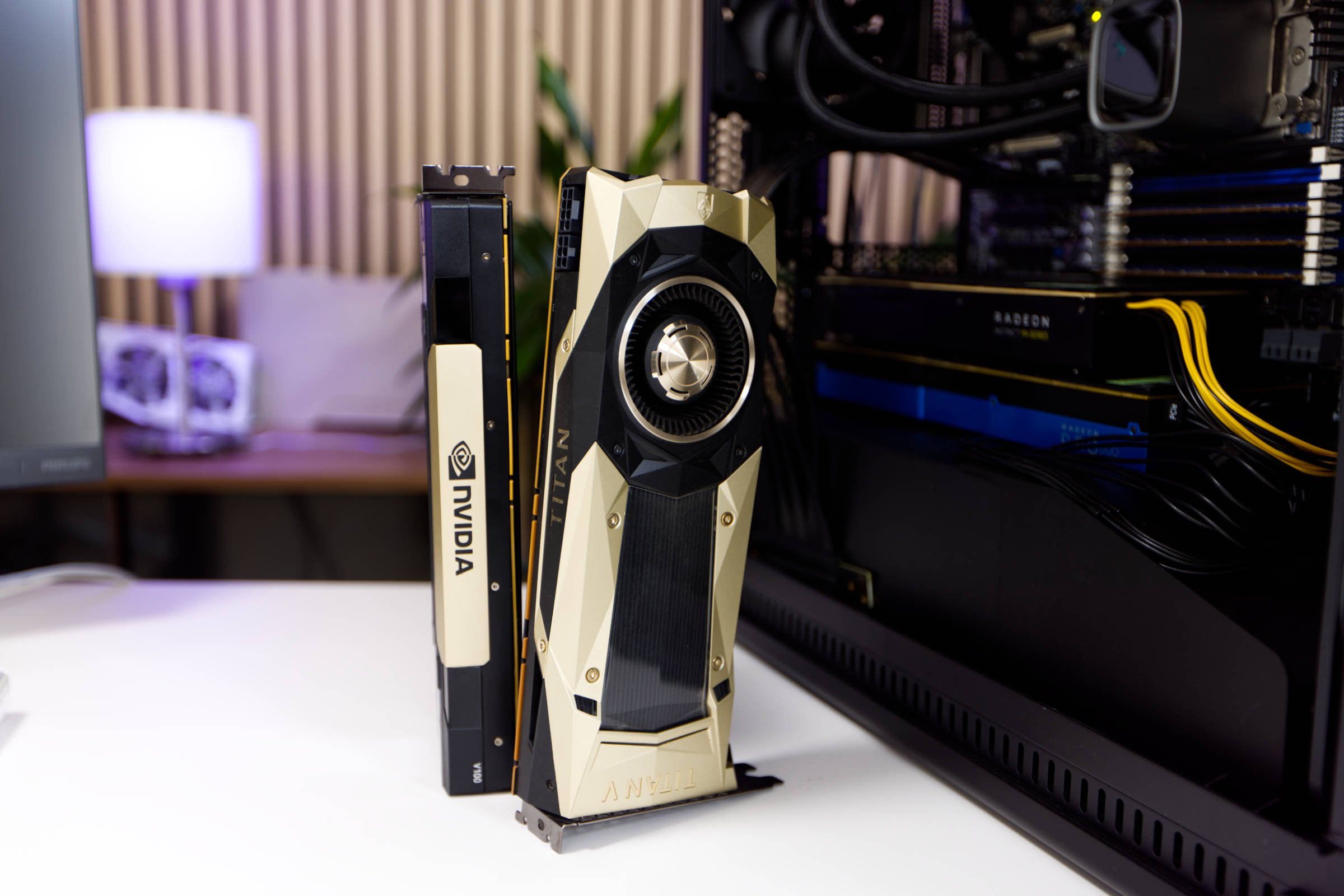 NVIDIA TITAN V (Image © PCMasters.de)
TITAN V
We recently tested the Titan V and it is also one of the old graphics cards from NVIDIA, which are particularly exciting due to their design and price. The card is otherwise very uncomplicated and is also equipped with a suitable fan, which the other representatives usually don't have. Unfortunately, it "only" has 12 GB of HBM2 memory, which is why we would rather recommend the V100 16 GB PCIe. Otherwise, it is recognized by nvidia-smi and can be used for CUDA in OLLAMA and LM Studio. In combination with the Tesla V100, there were first errors, which led to the LLMs only spitting out nonsense that could not be read.
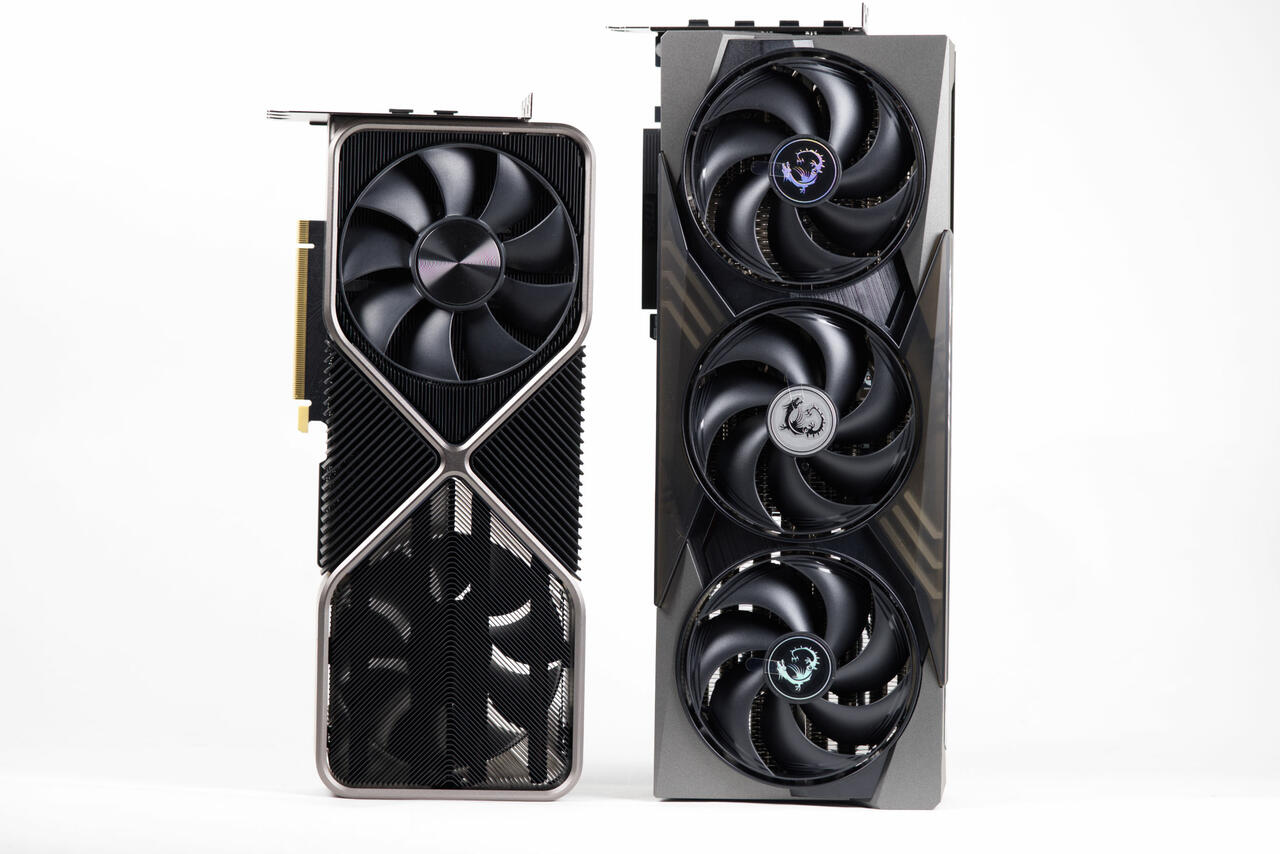 MSI GeForce RTX 5090 32G Gaming Trio OC vs RTX 3090 FE (Image © PCMasters.de)
GeForce RTX 3090 or RTX 5090?
If you look at the price of the GeForce RTX series, the integration of the graphics cards is anything but affordable. The GeForce RTX 5090 costs €3,000 or €4,000 and only has 32 GB of VRAM. You can easily buy four TITAN V100s for that price. The computing power is not the reason, the memory starvation of the models is the bigger problem in this context.
If you jump back a few series, there is the RTX 3090, which is at the top of the series with the RTX 3090 Ti. The RTX 3090 Ti costs well over €1,200 and the RTX 3090 can be bought used for around €900. Both also only have 24 GB GDDR6X (384bit, 21Gbps, 1313MHz, 1008GB/s). This is not good for this purpose, because the TESLA V100 is also the better choice. Nevertheless, we have included our RTX 3090 FE in the test for comparative values. In addition, the RTX 3090 and RTX 5090 want one 12V-2x6 PCIe 5.1 connector from the power supply and are also huge, blocking 3-4 PCIe slots. You can't install more than one to save space.
Radeon RX 9000 and RX 7000 are no longer available
The Radeon RX 9070 (XT) graphics cards are less suitable for this purpose because they only offer 16 GB GDDR6. In addition, you would then only have to work with Vulkan, for which the older cards are better suited for less money. The huge coolers are also a problem for use and there are hardly any reasons why you would use these cards. Then there's the Radeon RX 7900 XTX with its 20 GB GDDR6 VRAM. They are available second-hand for around €500 and require three to four power connectors and are not suitable for this scenario in our opinion. We have not included them in the test for the reasons mentioned above.
On-Premises: Medium and large models
Most people will probably start with a graphics card with 16, 24 or 32 GB of graphics memory and then add another one each time. It makes sense that the models and the KV cache live in the RAM of the GPUs. In the benchmark area, you can see why this is so important and how big the difference is. This experiment can also be of interest to companies, especially if they have to make do with a very limited budget and cannot spend tens of thousands of euros. With these tests in mind, we have also built a Linux workstation that can accommodate three graphics cards, even if the motherboard chosen is not necessarily the best solution.
There is a suitable model for different purposes, although we have concentrated more on coding and text generators. The following models are currently economical and efficient:
| Model | Ollama tag | Parameters | Q4 VRAM | Q8 VRAM | Area of application | Code | Reasoning |
|---|---|---|---|---|---|---|---|
| Qwen3 32B | qwen3:32b | 32B | ~19 GB | ~34 GB | General chat, rewrites | ⭐⭐ | ⭐⭐ |
| Qwen3.6 27B | qwen3.6:27b | 27B | ~17 GB | ~29 GB | Agentic coding | ⭐⭐⭐⭐ | ⭐⭐ |
| Gemma4 31B | gemma4:31b | 31B | ~24 GB | ~34 GB | Math, vision, multimodal | ⭐⭐ | ⭐⭐⭐⭐ |
| Llama 3.3 70B | llama3.3:70b-instruct-q4_K_M | 70B | ~43 GB | ~74 GB | General purpose | ⭐⭐ | ⭐⭐⭐⭐ |
| Qwen2.5 72B | qwen2.5:72b-instruct-q4_K_M | 72B | ~43 GB | ~74 GB | Code, math, multilingual | ⭐⭐⭐⭐ | ⭐⭐⭐⭐ |
| Llama 3.1 405B | llama3.1:405b-q2_K | 405B | ~243 GB | N/A | Research quality | ⭐⭐ | ⭐⭐⭐⭐ |
For the benchmark, we opted for the medium-sized models Meta-Llama-3 8B (Instruct-Q5_K_S) and Gemma4:e4b 7.5B (Q8). They run on one GPU but are also distributed over three.
CUDA vs. VULKAN Benchmarks
For the tests, we used LM Studio under Ubuntu 24.04 LTS because of its good GUI. It supports both the interfaces for deploying the LLMs to CPU+RAM, or also via VULKAN, ROCm and CUDA 13 and 14. In addition, the tokens/s can also be read out quickly in dev mode and the GPUs can be switched on or off individually. The models are all sourced via HuggingFace or OLLAMA, which provides a wide range of options. If you feel like it, you can also use LM Studio as a server for OpenWebUI, which we did not do for this.
In the test, we loaded the model with one CPU core and full GPU allocation and issued the same text task. The context has been left at 4048. For actual deployments, 64k or more should be considered, as even 20k context is quickly reached. You should not underestimate the memory requirement for the context in the KV cache. Every chat reaches its length limit, after which the model (or OLLAMA) aborts or only spits out nonsense.
Now come the results of the benchmarks on the accelerators and subsequent classification.
The LLAMA 3 8B model is quite compact with its 5.6 GB. A context window will also have to be taken into account, but it is possible to store something useful in 12 or 16 GB. As soon as the model is in memory, the request is read and processed by the LLM. We have measured the generation in "tokens per second". For the first response, it does not matter how long the response is, even if the load on the GPU increases and particularly long responses can cause the GPU temperature to skyrocket and possibly throttle it - this would result in a poorer value. However, this is not the case with the data set.
The first finding is that the VULKAN integration is not as effective with NVIDIA GPUs as the native CUDA API. In older versions, the performance was around 25% of the values achieved with CUDA. A lot has happened with the new implementation and so this is no longer too wild, even if we want to squeeze everything out of the GPU.
The top two V100 entries refer to a test of the performance settings. NVIDIA offers the option of adjusting the performance settings with the "nvidia-settings" tool. However, this had hardly any influence on the actual performance.
Gemma4 is currently the best LLM model for us. It delivers amazingly good results, even with the 12 GB 8B variant (gemma4:e4b-it-q8_0). We used the 8B-Q8 variant in the benchmark and for active operation we used the 20 GB gemma4:31b variant.
The benchmark shows that the Radeon Pro Duo is not particularly powerful, but we do not use ROCM here either. The CPU was surprisingly strong with the many cores, but still slow compared to an RTX 3090 or Titan V. The V100 is the winner in every respect.
Which GPU should I use for local LLMs?
The simplest answer is actually obvious: Preferably a GPU built in 2018 or later with more than 8 GB VRAM. In other words, a graphics card that you have lying around to gain initial experience.
For users who want more and have set aside a budget for the project, the situation is somewhat different. Of course, you can also combine available GPUs into a cluster, but ideally they should either be from NVIDIA or from AMD. It is even better if they are the same architecture, such as the exact same graphics cards. This actually saves you a lot of problems, because you're constantly running into edge cases with drivers and compatibility issues. We have had such a Frankenstein running for months with AMD and NVIDIA GPUs, but it took an extremely long time to integrate them into OLLAMA. At this point you really have to praise AMD, because in the end VULKAN (Environment="OLLAMA_VULKAN=1") could always come to the rescue.
Low budget approach
We would recommend the Radeon PRO DUO, because you get an absurd amount for 200-300 € per card. If you have two to three of them, you can run really big models or smaller ones with larger KV cache. They are not the fastest with VULKAN, but they are cool and cheap. Plus you have fewer headaches with drivers.
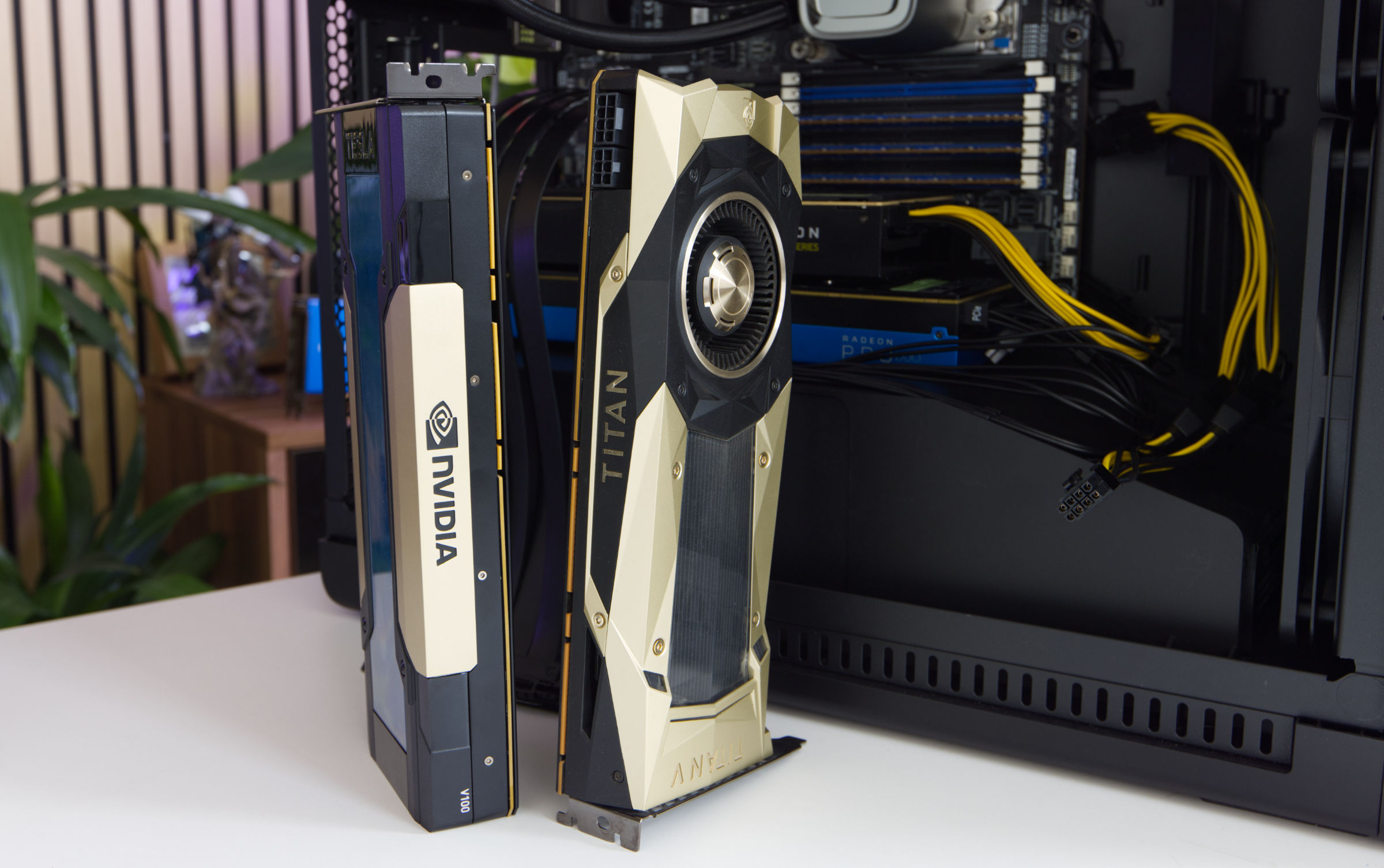 NVIDIA TESLA V100 (Image © PCMasters.de)
Graphics cards for €1,000 to €2,000 setup
The best user experience in the last 8 to 12 months has actually been with NVIDIA GPUs. Even if NVIDIA hasn't exactly made itself popular in recent years, the integration with server cards is excellent - even for the 2018 cards.
AMD is dragging its feet when it comes to ROCM support and provides inadequate support for owners of Radeon Instinct cards, even if VULKAN still saves a lot. For three to four TESLA V100 accelerators with 16 or even 32 GB, you can already set up fast clusters that are usable in our opinion. For three TESLA V100 16 GB PCIe you pay approx. 900 €. If you take three TESLA V100 PCIe 32 GB, it's around €1,900. That's not a small amount of money, of course, but we're talking about used GPUs here and the new price is exorbitantly high. The nice thing is that you can also start with one or two cards.
For us, the journey continues because it continues to be optimized. If you would like more articles like this, please send us an e-mail :)