Computer Forum
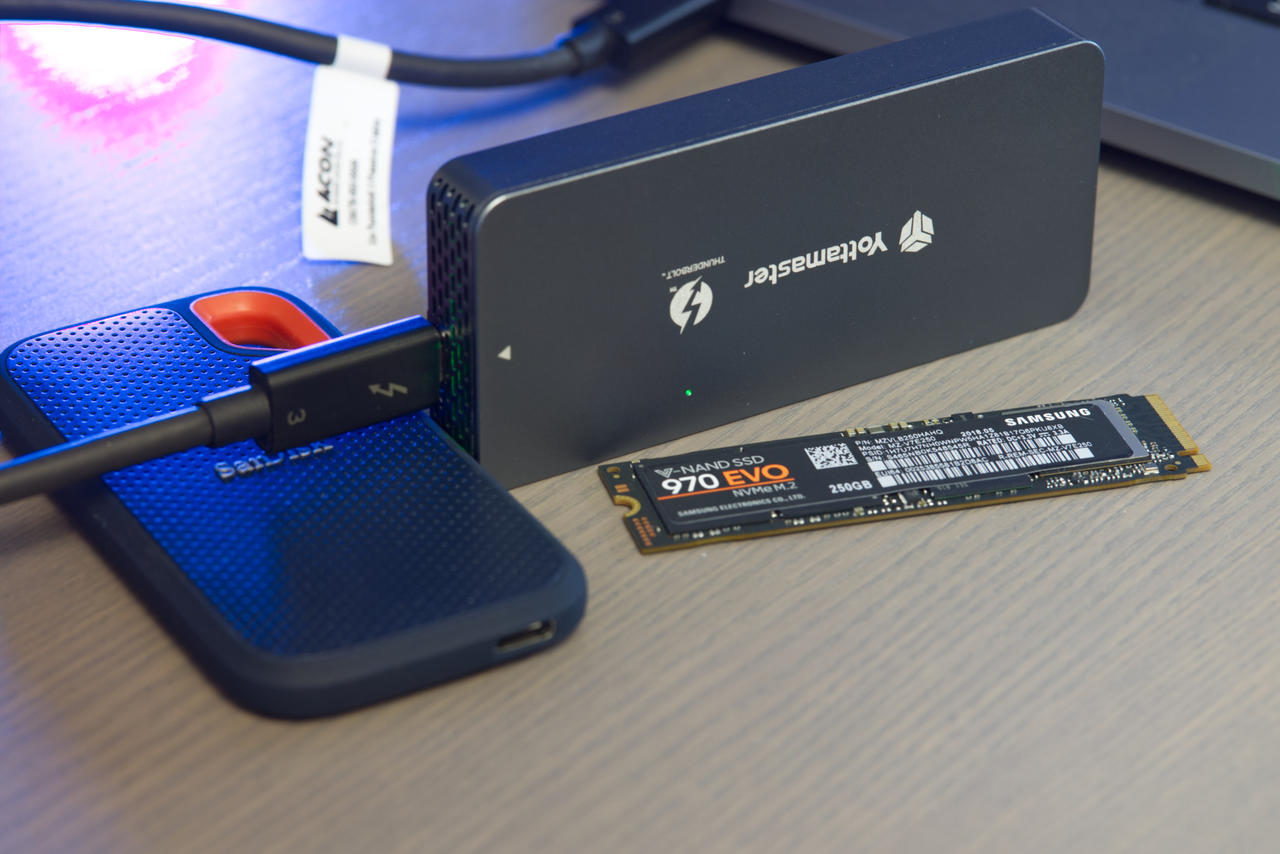 Externes Thunderbolt 3 Gehäuse im Test (Image © PCMasters.de)
Why Thunderbolt 3 Instead of USB 3.2?
There are now various external SSDs available as ready-to-use solutions. These include, among others, the ** Sandisk Extreme Portable SSD 1 TB (Affiliate), which, however, is equipped only with a slow SATA SSD. While these are **significantly faster than conventional 2.5-inch hard drives with read and write throughput rates of 500 MB/s, they are nowhere near as fast as modern M.2 NVMe SSDs.
USB 3.2 Gen. 1 theoretically achieves 5 Gbps, while USB 3.2 Gen. 2 reaches 10 Gbps. However, Thunderbolt 3 achieves up to 40 Gbps, which represents significantly higher bandwidth than USB currently offers. In addition, Thunderbolt 3 places significantly higher demands on manufacturers than is the case with USB 3.2 devices. The downside is that availability is rather limited and costs are therefore high.
Consequently, Thunderbolt 3 theoretically achieves a maximum data throughput of 5,000 MB/s, whereas USB 3.2 tops out at 1,250 MB/s. Many modern M.2 NVMe SSDs connected via PCI-Express 3.0 easily exceed this limit. Consequently, Thunderbolt 3 is the interface for users who need consistently high data throughput. We’ll examine how these figures hold up in practice in the benchmark section.
Various notebooks based on Intel Core technology usually offer such a fast port. Apple MacBook (Pro) laptops also offer up to 4 of these ports. But Intel NUC mini-PCs, Apple iMac (Pro) all-in-one PCs, and many other computers also feature such a port. The standard is now freely available and is expected to be used by AMD soon as well. However, the port looks exactly like a USB 3.2 Type-C port, since the same connector is used here. If it is a Thunderbolt 3 port, you can often tell by the Thunderbolt logo, which looks like a small lightning bolt.
Intel JHL6340 Thunderbolt 3 Controller
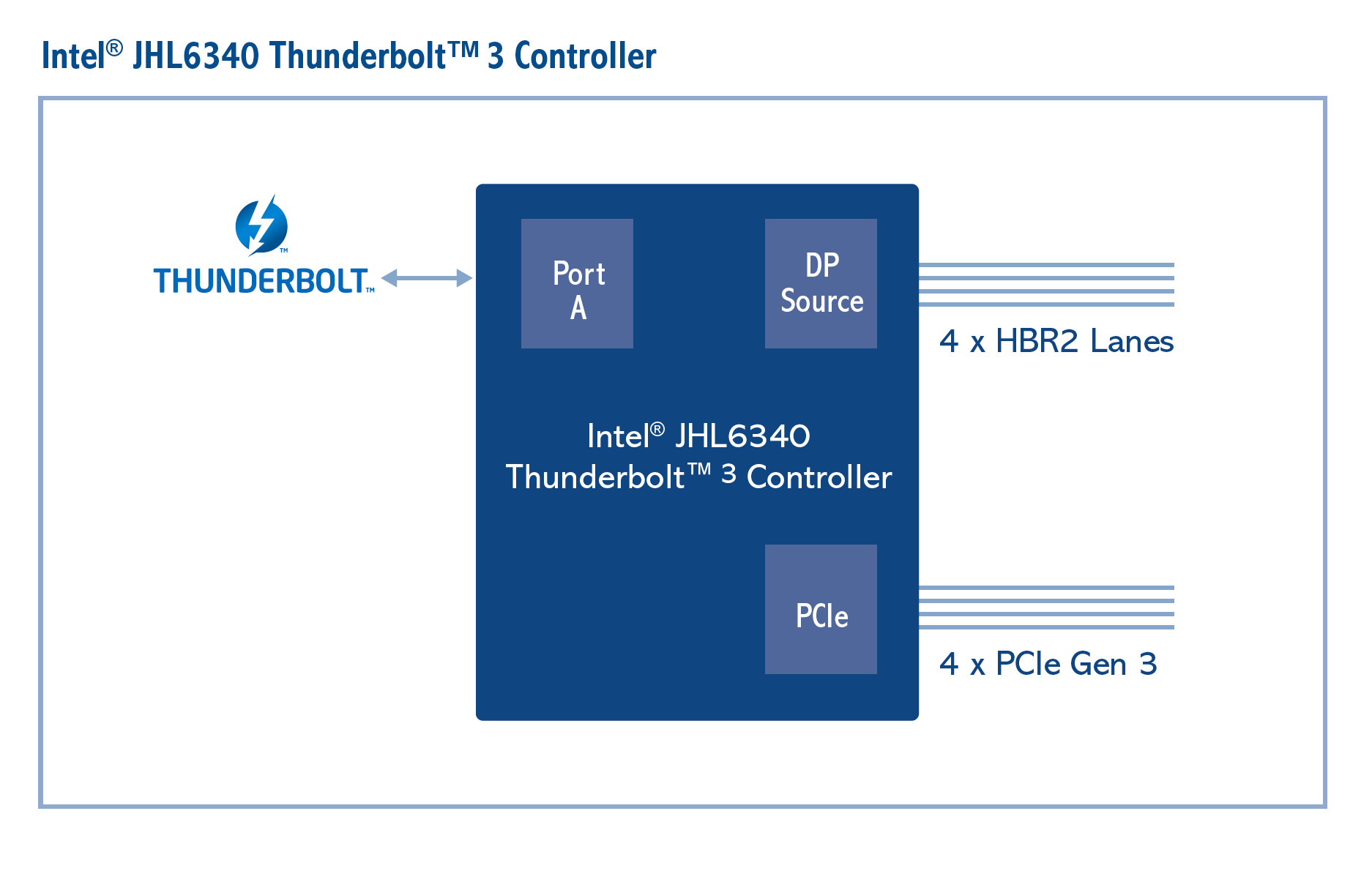 Intel JHL6340 Thunderbolt 3 Controller (Image © Intel)
In addition to high-quality Thunderbolt 3 cables, a compatible controller is essential. The Thunderbolt 3 enclosure from Yottamaster (Affiliate) uses a ** JHL6340 controller from Intel. According to Intel, this has a TDP of 1.7 watts and costs $8. However, it has been available since mid-2016. While USB 2.0, 3.0, and 3.1 (10 GB/s) are listed as native backward compatibility modes, these are not supported by the enclosure. The controller can operate at 20 and 40 GB/s. Internally, according to the specifications, **4 x PCIe 3.0 lanes are used.
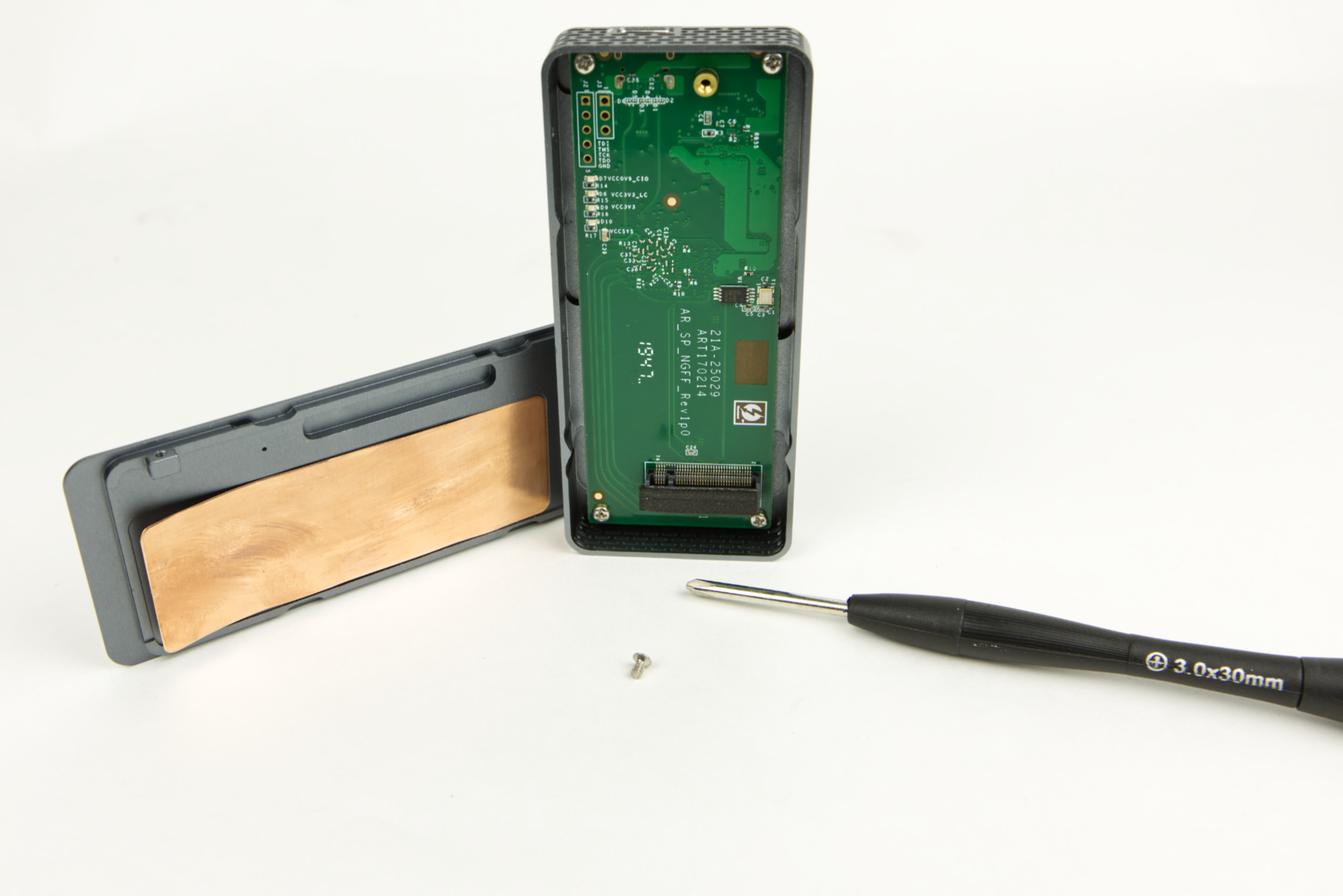 Yottamaster Thunderbolt 3 Gehäuse offen (Image © PCMasters.de)
Design and Cooling
The external enclosure is made of fairly thick aluminum. A mesh pattern has been punched out on both narrow sides, allowing warm air to escape. However, this also means that liquids can enter the interior of the enclosure. If you find this too risky, you can certainly seal these openings from the inside, but you’ll have to get creative.
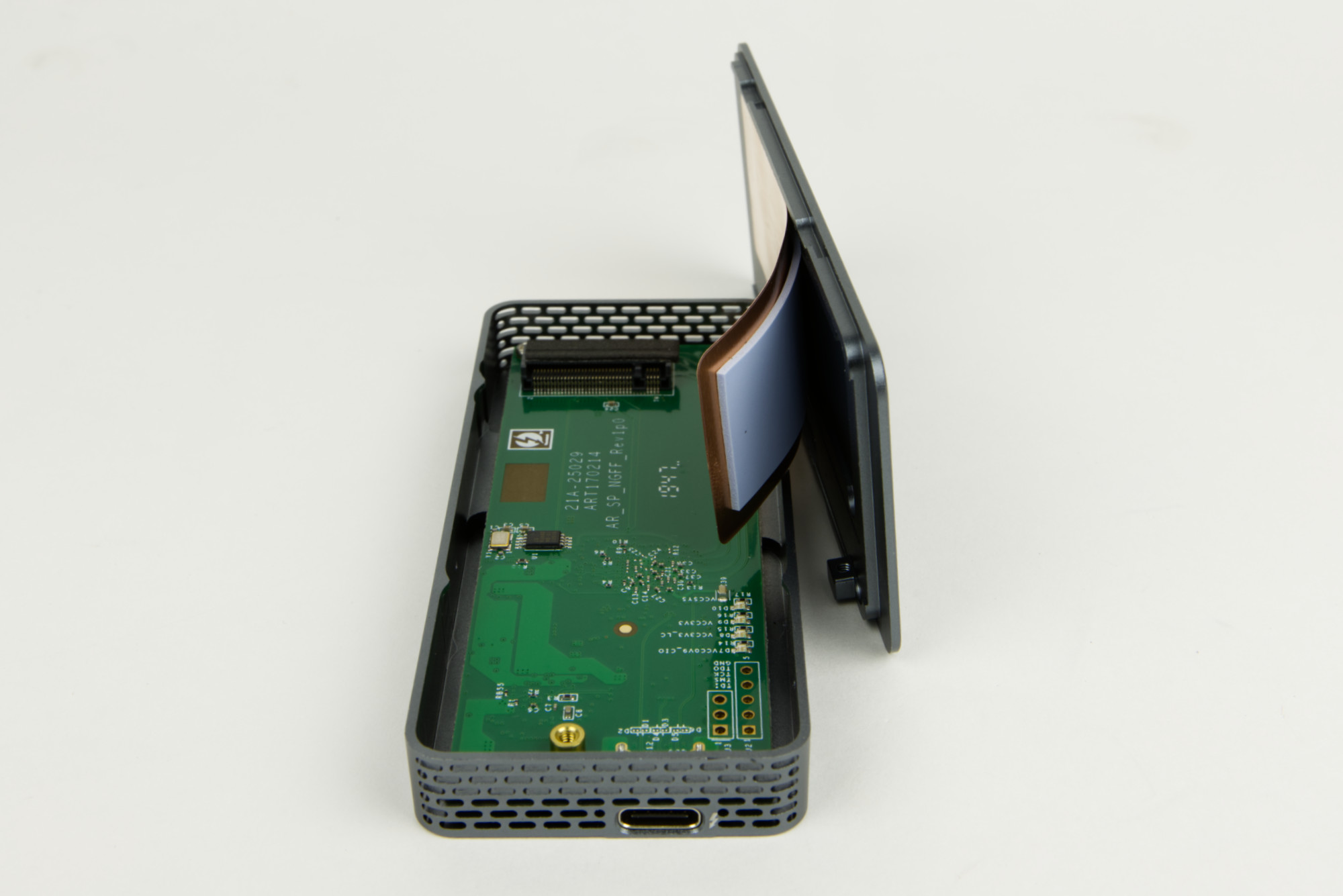 Yottamaster Thunderbolt 3 Gehäuse mit Deckel (Image © PCMasters.de)
Inside, you’ll find a PCB that covers the entire surface. A copper plate with a thermal pad is attached to the lid, slightly curved outward on one side. This plate rests directly on the M.2 NVMe and dissipates heat from the SSD. The spacing is well-chosen, and the plate lies flat against the SSD. This ensures effective heat dissipation, which is clearly evident from the case getting very warm. The images from the Flir One Pro thermal imaging camera show the temperature distribution quite clearly. Without cooling, the NVMe drives get very hot and can throttle, resulting in a slower SSD. This cooling design prevents that.
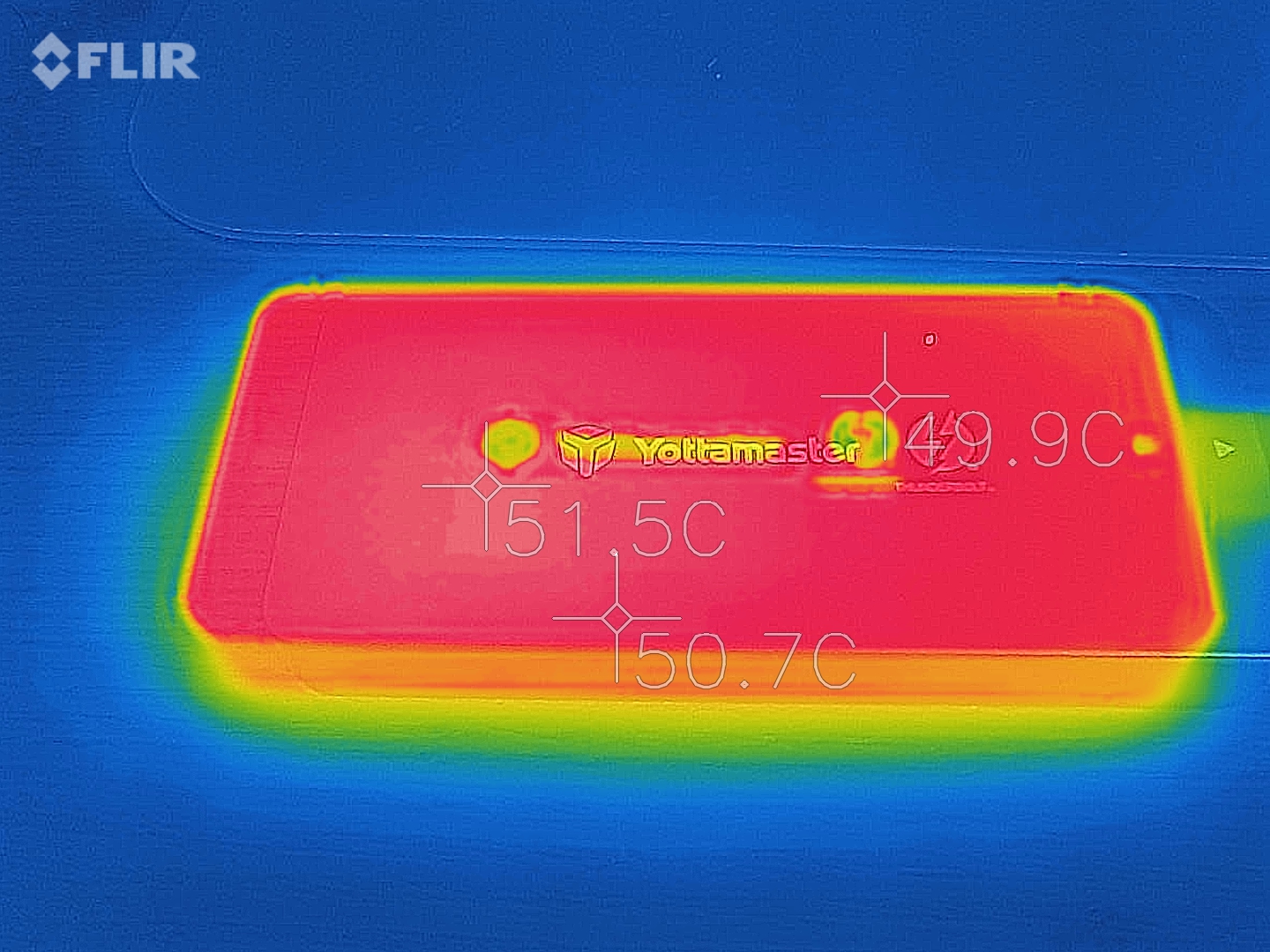 Wärmebildaufnahme Yottamaster Thunderbolt 3 Gehäuse mit Samsung 970 EVO (Image © PCMasters.de)
The Intel JHL6340 controller also uses the enclosure as a cooling surface. A thermal pad is included to ensure heat transfer.
Note: The test unit of the enclosure was provided to us by the manufacturer. This provision had no influence on the evaluation or objectivity of the test.
Package Contents
The colorful packaging looks nice and provides some important information about the external Thunderbolt 3 enclosure. The package includes a matching screwdriver, a screw for securing the M.2 NVMe SSD, and a manual in English. A matching, 50 cm long Thunderbolt 3 cable is also included.
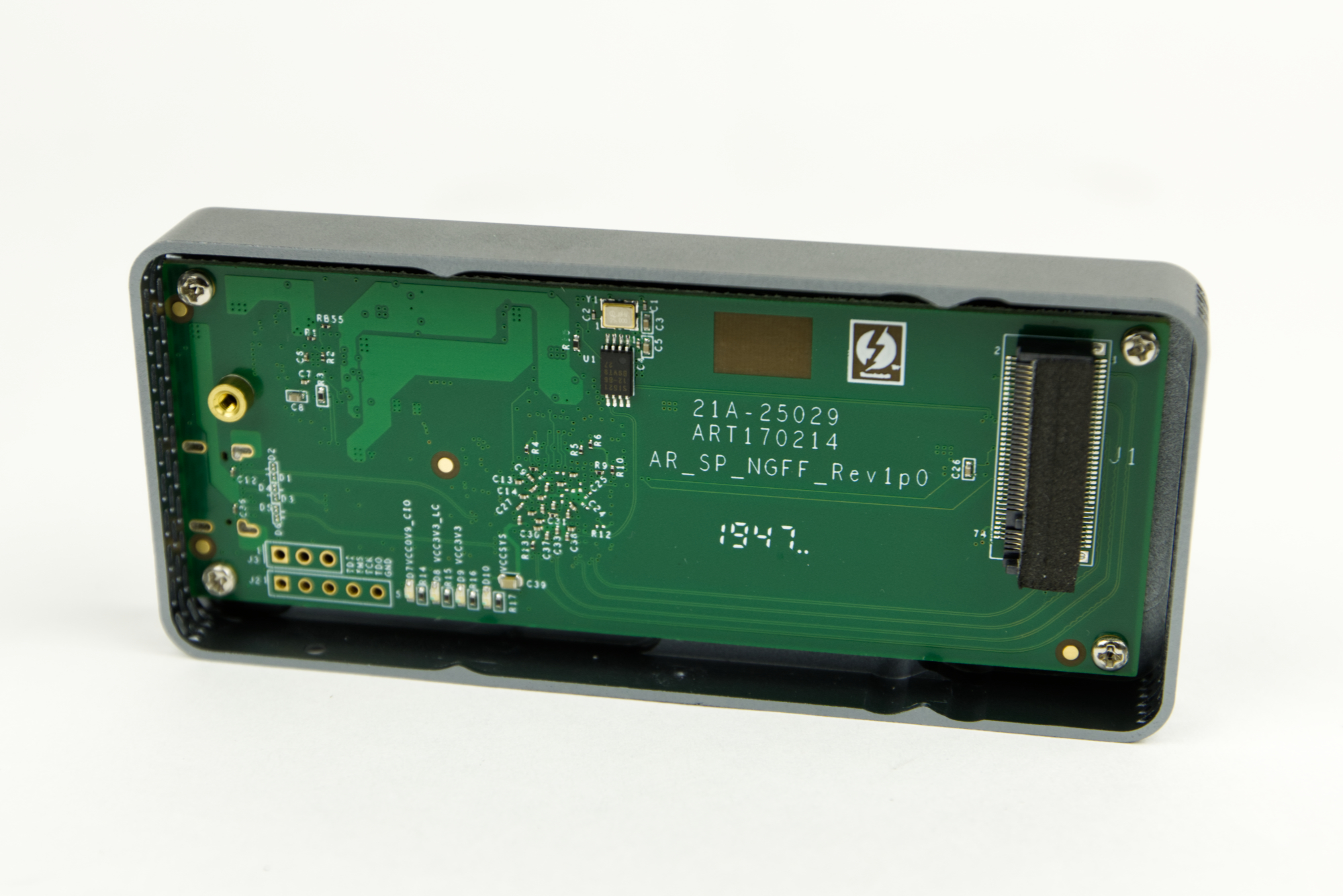 Yottamaster Thunderbolt 3 Gehäuse innen (Image © PCMasters.de)
Build Quality & Features
There’s nothing to complain about when it comes to build quality. Both the enclosure and the lid are well-made. The "Space Grey" exterior coating appears to be anodized and does not look like a paint finish. No defects are visible in the coating. The cover fits securely on top and snaps into place well. It would have been nice if the screw securing the cover had also been coated with the same finish. The silver screw stands out noticeably.
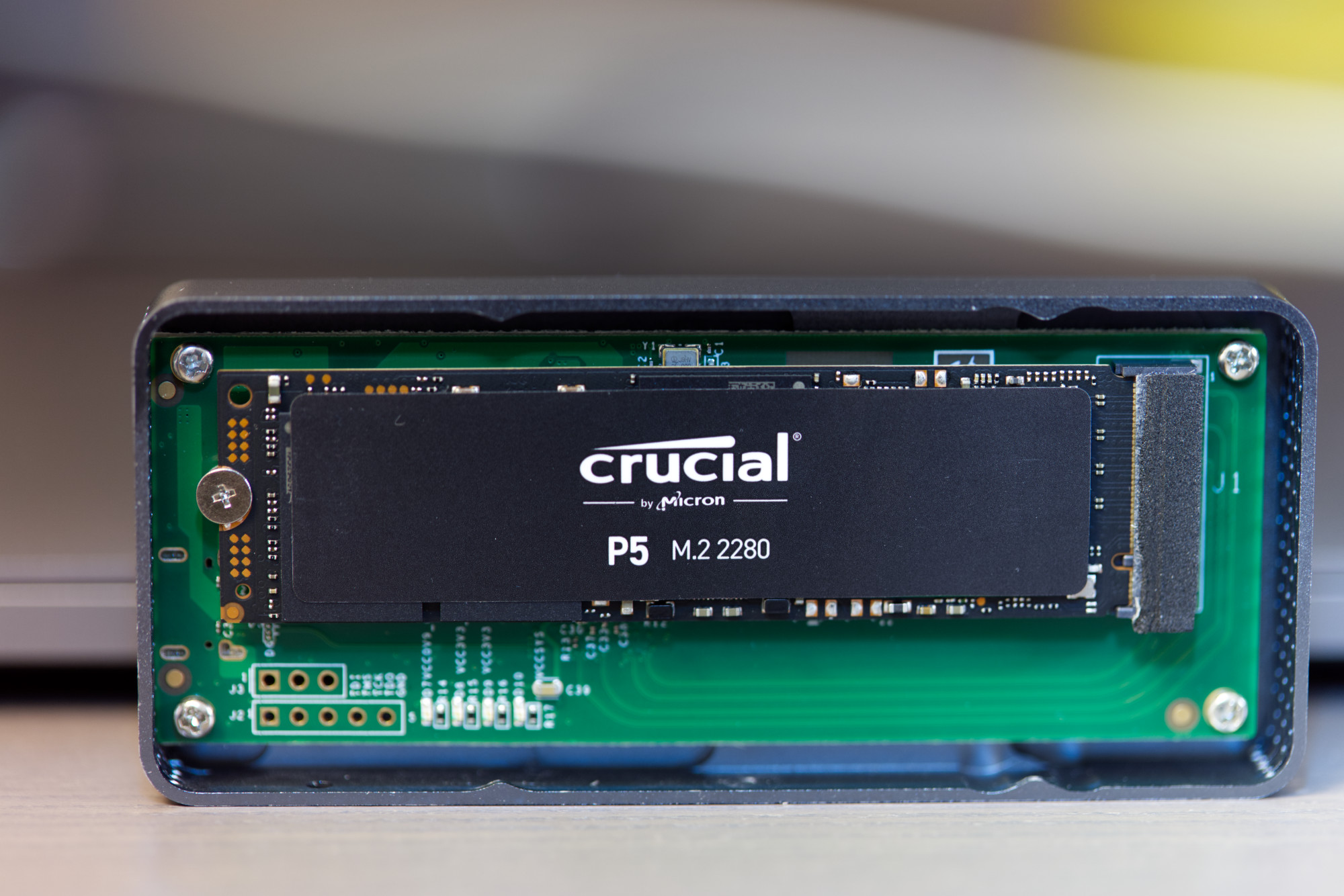 Yottamaster Thunderbolt 3 M.2 NVMe-SSD Einbau (Image © PCMasters.de)
Installing a 2280 M-Key M.2 SSD
The enclosure accommodates all standard M.2 NVMe SSDs with an M-Key and 2280 form factor. Installation is very simple: Remove the cover, carefully insert the NVMe drive, and secure it with the screw included in the package. Then carefully replace the cover, slide it into place, and secure it from the outside with the screw.
After that, you can connect the Thunderbolt 3 cable to the case and then to the PC or laptop. The SSD is then ready for use.
If it is a brand-new SSD, it may need to be formatted or partitioned.
Test System
The test system used is a 27" 5K iMac with a 3.4 GHz Intel Core i5, 32 GB DDR4-2400, and macOS Catalina 10.15.5. This model features two native Thunderbolt 3 ports, which we used for the test. We experimented with APFS, HFS, and NTFS (Paragon NTFS for Mac). There were no significant performance differences here. For the benchmarks, we used the BlackMagic Disk Speed Test and the ATTO Disk Benchmark.
Additionally, for comparison, we ran the benchmarks again on a 2019 16" MacBook Pro. This can also be found in our 2020 laptop buying guide.
Benchmarks
We tested the enclosure with a Crucial P5 500 GB and a Samsung 970 Evo 250 GB (Affiliate). According to the manufacturer, the external Thunderbolt 3 enclosure achieves a maximum write throughput of 1,540 MB/s and a read throughput of 2,743 MB/s. The Crucial P5 is actually supposed to reach 3,400 MB/s read and 3,000 MB/s write speeds. The measured values are well below that. The 27" iMac 5K correctly recognizes the Thunderbolt 3 interface and the Crucial P5, but the bandwidth appears to be limited.
With the Samsung 970 EVO, the measured values look significantly better. At 2,384 MB/s read and 1,373 MB/s write, these are close to the enclosure’s limit. According to specifications, the 250 GB version of the 970 EVO achieves a maximum of 3,400 MB/s read and 1,500 MB/s write. This means the write throughput is also close to the specified limit. The read throughput, however, is nearly 1,000 MB/s too low. When connected directly to the motherboard, we were able to measure a read throughput of 3,568 MB/s and a write throughput of 1,543 MB/s. This suggests the limitation lies with the Intel controller or the enclosure’s implementation.
Benchmark on iMac 27" 5K
Benchmark on MacBook Pro 16" 2019
On the MacBook Pro 16", which is based on a newer Intel generation, we get a slightly different picture. The Samsung EVO 970 achieves higher throughput in the BlackMagic Disk Benchmark, and in ATTO, the write speeds align with the other results. Nevertheless, the Crucial P5 does not meet its own specified values and also falls short of the enclosure’s limit.
Nevertheless, the figures are excellent when you consider that this is an external storage device. Other external Thunderbolt 3 NVMe SSDs that come with an enclosure achieve very similar results. The magic threshold for high-end SSDs is a read throughput of 2,800 MB/s and a write throughput of 2,300 MB/s.
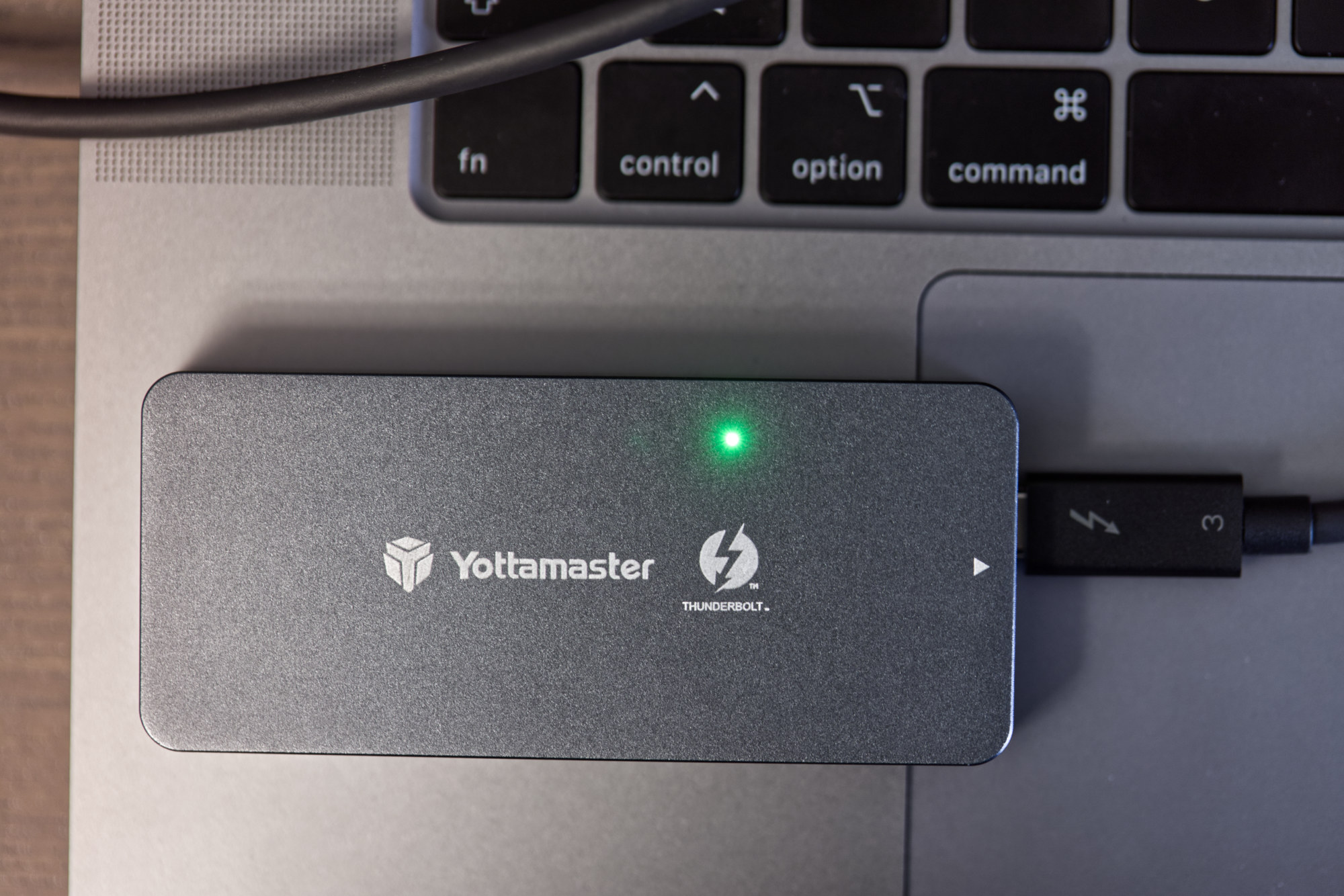 Yottamaster Thunderbolt 3 Gehäuse für M.2 NVMe-SSDs (Image © PCMasters.de)
Conclusion
The Thunderbolt 3 enclosure from Yottamaster (Affiliate) uses an older Intel chip, which is intended to ensure excellent compatibility. Modern NVMe SSDs tend to get quite hot, and Yottamaster has addressed this accordingly. Both the Thunderbolt 3 controller chip and the NVMe drives are passively cooled by the enclosure. Thanks to the solid aluminum enclosure and the copper plate resting on top of the narrow SSD circuit board, sufficient cooling should be ensured. As a result, the enclosure gets quite hot, as can be seen in the thermal camera images. This means you won’t necessarily want to touch the enclosure after prolonged use, because 50°C does feel hot.
 Yottamaster Thunderbolt 3 Gehäuse Award (Image © PCMasters.de)
In terms of performance, we don’t reach the theoretically possible 5 GB/s, but rather half or a quarter of that in the case of the Crucial P5. Nevertheless, these are decent throughput rates ranging from 1.1 GB/s to 2.5 GB/s.
A major drawback of Thunderbolt 3 peripherals is their high purchase price. Despite the promotional offer, the Thunderbolt 3 enclosure from Yottamaster costs approx. €152 on Amazon (Affiliate). While that is significantly more than what you’d pay for a comparable M.2 NVMe USB 3.1/3.2 enclosure, you get greater reliability when the high requirements of Thunderbolt 3 are met, along with correspondingly high data transfer rates. We like that you have complete freedom in choosing a suitable M.2 NVMe SSD and can swap it out at any time. Despite the high price, we can recommend this external enclosure for enthusiasts looking for a solid Thunderbolt 3 enclosure for M.2 NVMe SSDs.