


 Computer Forum
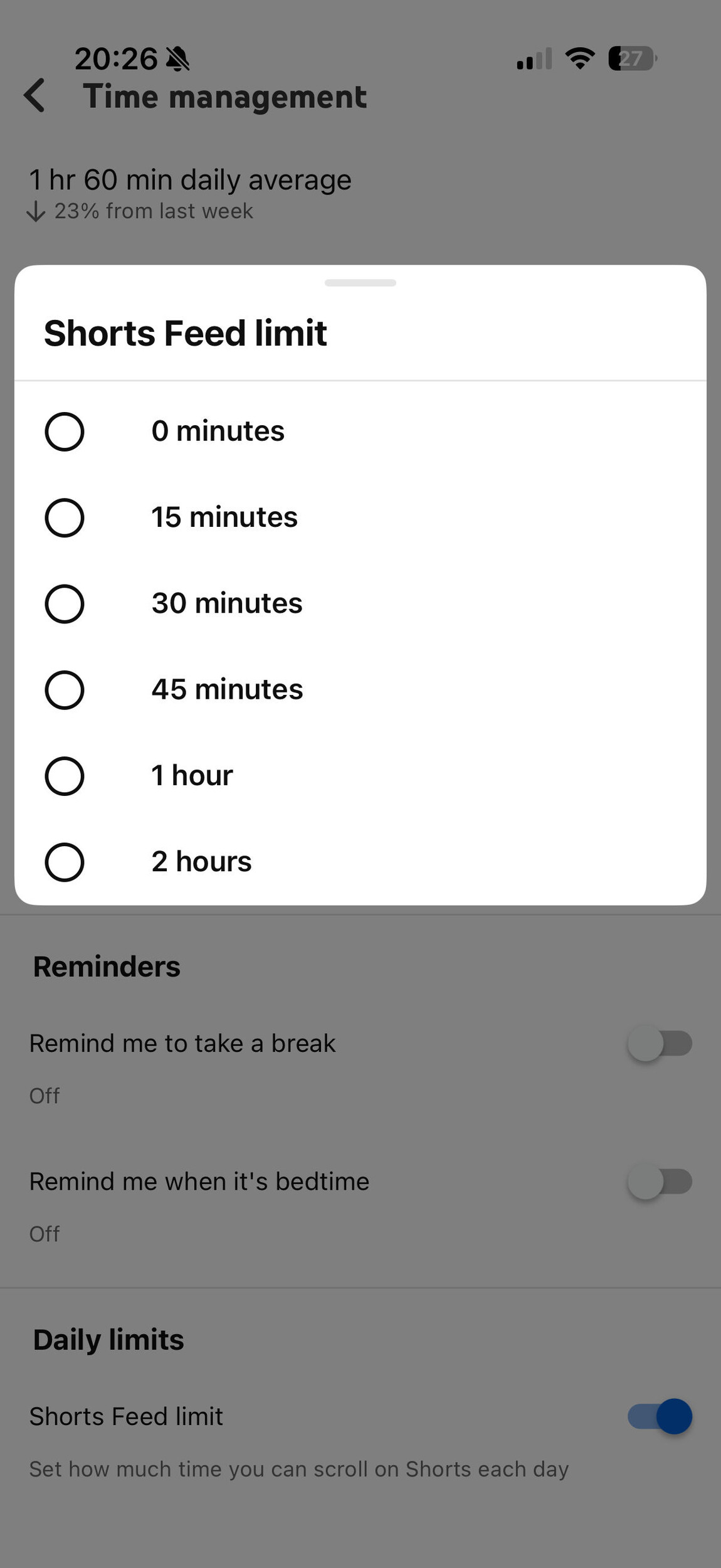 deactivate YouTube Shorts (Image © PCMasters.de)
Introduction of the zero-minute limit
The new setting allows users to set how much time they spend watching shorts. By selecting a limit of zero minutes, the platform effectively hides the shorts feed. What it boils down to is that the restriction may not always kick in, as some short videos may still appear on the app's home screen.
Development of the screen time controls
This update is an extension of a time management system introduced last fall. When the Shorts timer was first introduced, the minimum allowable limit was 15 minutes. In January, YouTube shifted the focus of these tools to parental controls, giving guardians more control over how long their children could watch short videos. The latest update removes these restrictions and makes the zero-minute option available to all account holders.
Access and provision
Users can find this feature in the “Time Management” section of the app settings. As the update is implemented on the server side, the option will be gradually enabled for all accounts.
- Click on the profile in the app
- At the top right on the settings (gear icon)
- Click on Time Management or Time Management.
- At the bottom, click on “Shorts Feed Limit” and then on 0 minutes
