Computer Forum
 MSI GeForce RTX 5090 Gaming Trio OC PSU Side Pns (Image © PCMasters.de)
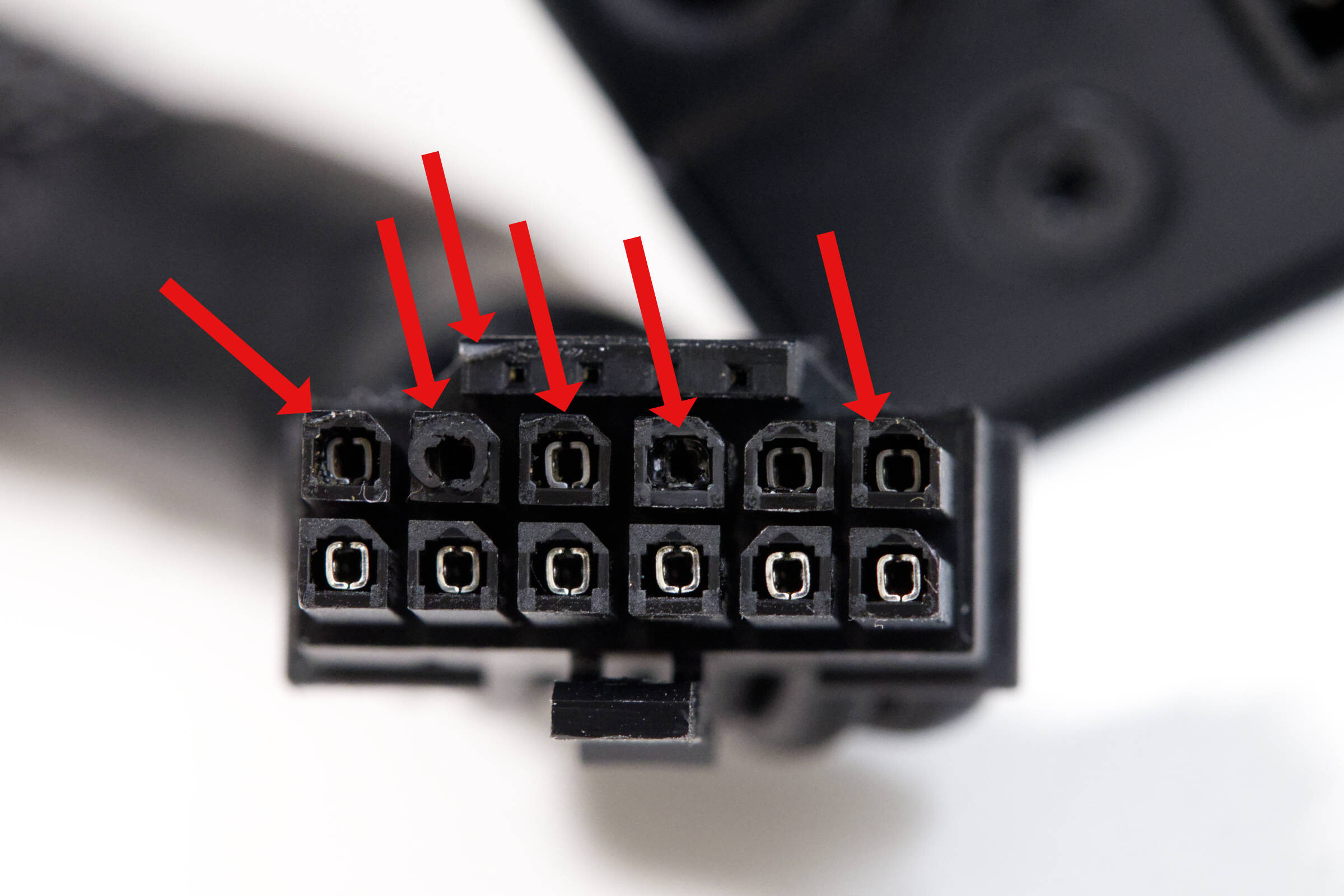
The MSI GeForce RTX 5090 Gaming Trio OC is part of our main test system and is therefore in use almost every day. While validating an NVMe SSD, the computer had to be restarted every now and then (with no load on the graphics card), and during a shutdown we briefly saw a small cloud of smoke, but it didn’t smell like burnt components. It wasn’t until after the reboot that problems suddenly arose, and it wasn’t immediately clear what the cause was. When removing the graphics card, the 12V 2x6 PCIe 5.1 cable wouldn’t come off the card, which usually works with a little force.
 MSI GeForce RTX 5090 Gaming Trio OC Connector Pins (Image © PCMasters.de)
 MSI GeForce RTX 5090 Gaming Trio OC Connector Pins 2 (Image © PCMasters.de)
 MSI GeForce RTX 5090 Gaming Trio OC Pins (Image © PCMasters.de)
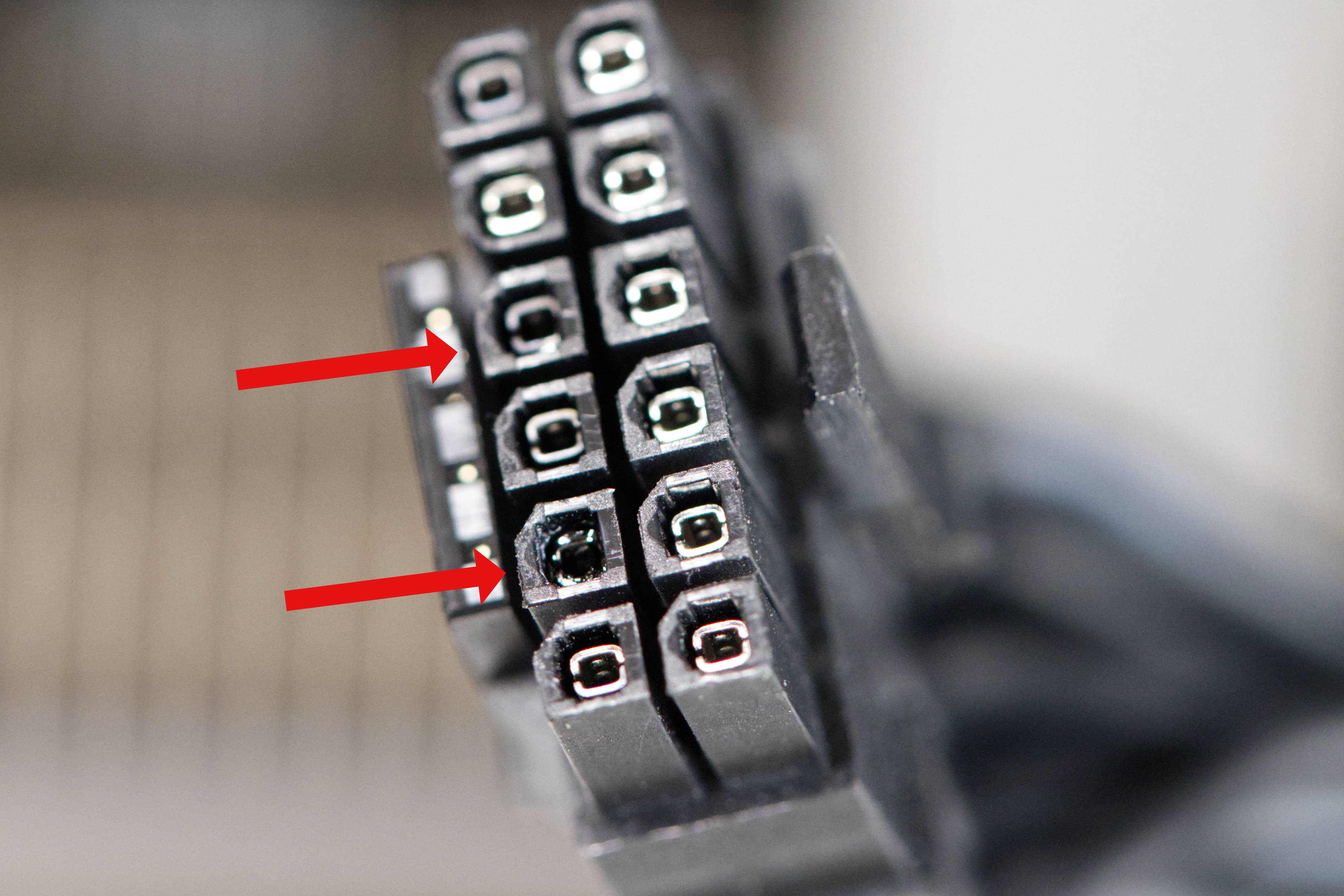
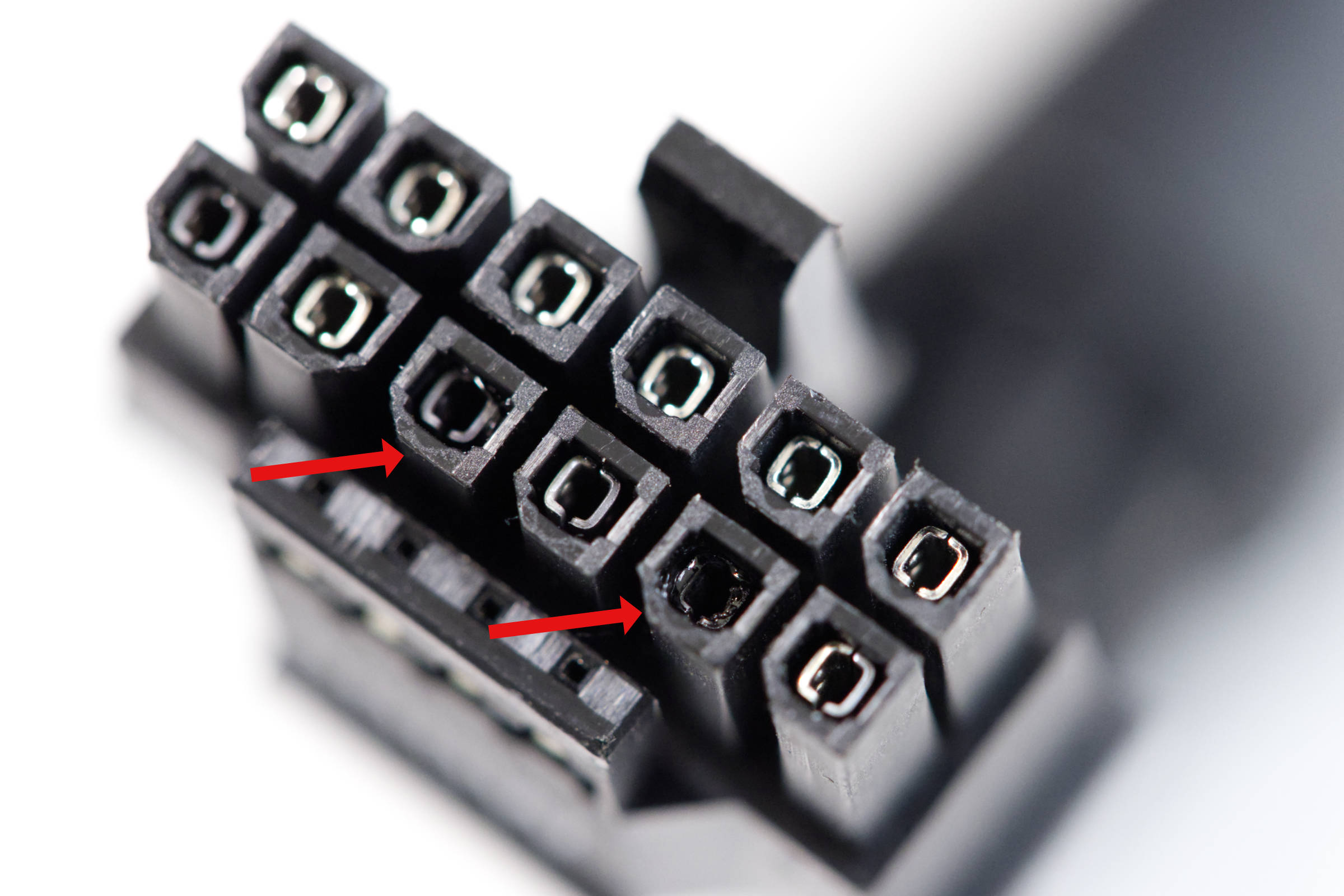
Once the cable was finally disconnected, we noticed a black pin, and upon inspecting the connector, there was an unusually shiny spot: the cable sheathing had melted and fused with the rest of the cables. From that point on, it was obvious that this was exactly the problem we were experiencing.
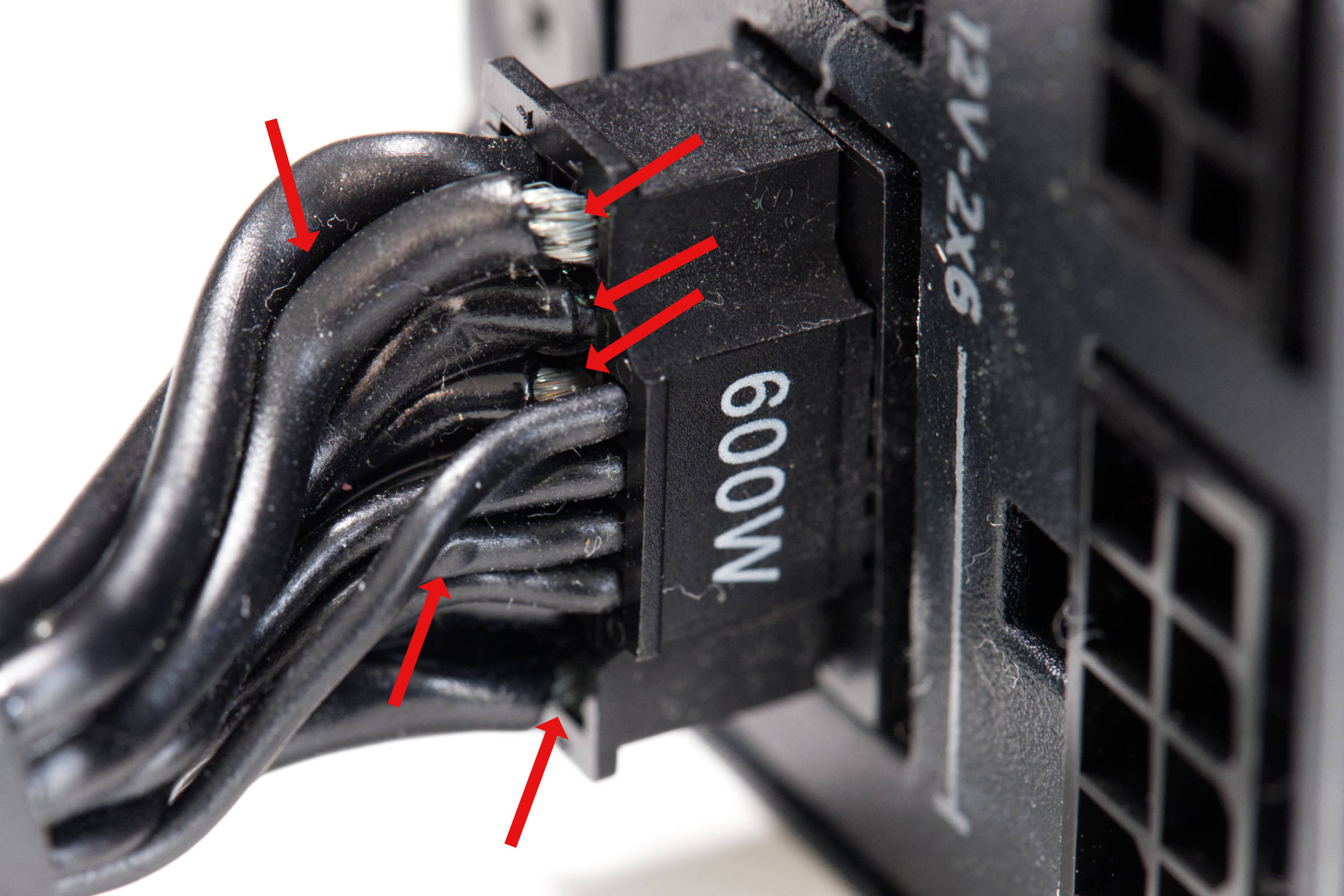 MSI GeForce RTX 5090 Gaming Trio OC PSU geschmolzen (Image © PCMasters.de)
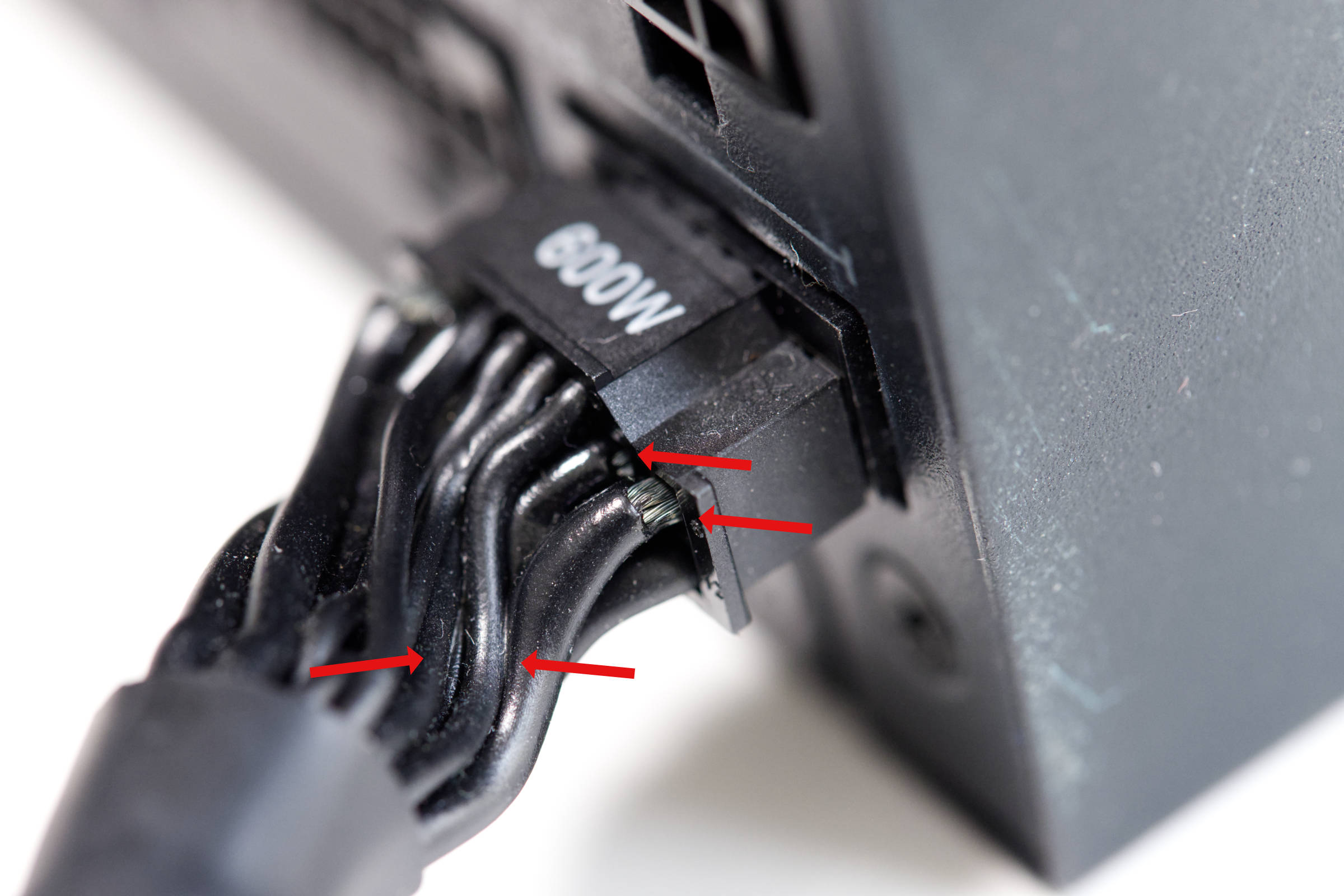 MSI GeForce RTX 5090 Gaming Trio OC PSU Side (Image © PCMasters.de)
The cable on the power supply side (NZXT C1500) looks even worse, as the sheathing on the 12V cables is completely missing on the side, and the connector cannot be removed without force. After documenting the situation with photos, we were able to remove the connector. The connector has melted in several places, and pins 2 and 4 appear to be the most damaged, just as on the GPU side.
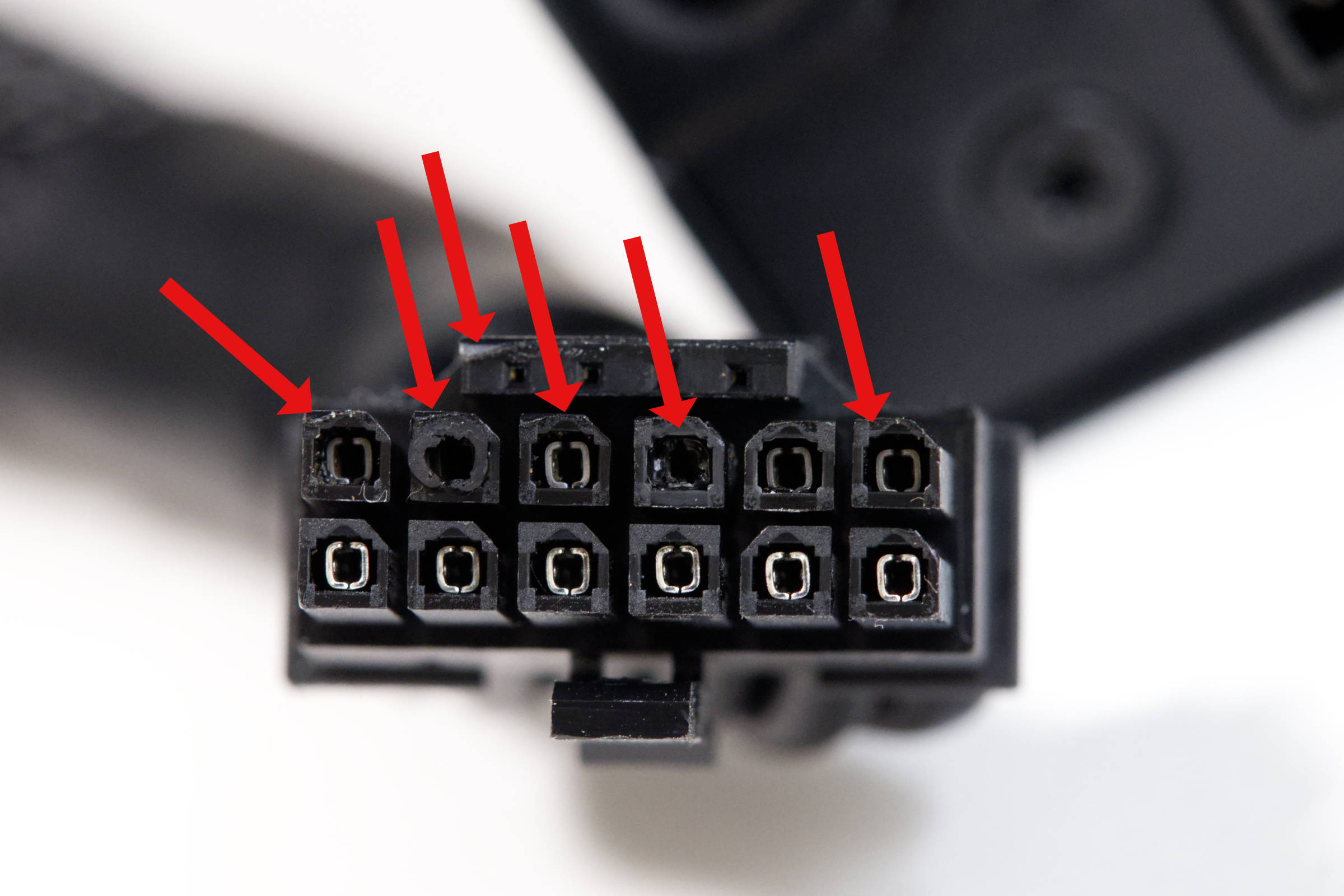 MSI GeForce RTX 5090 Gaming Trio OC PSU Side Pns (Image © PCMasters.de)
Did the graphics card survive?
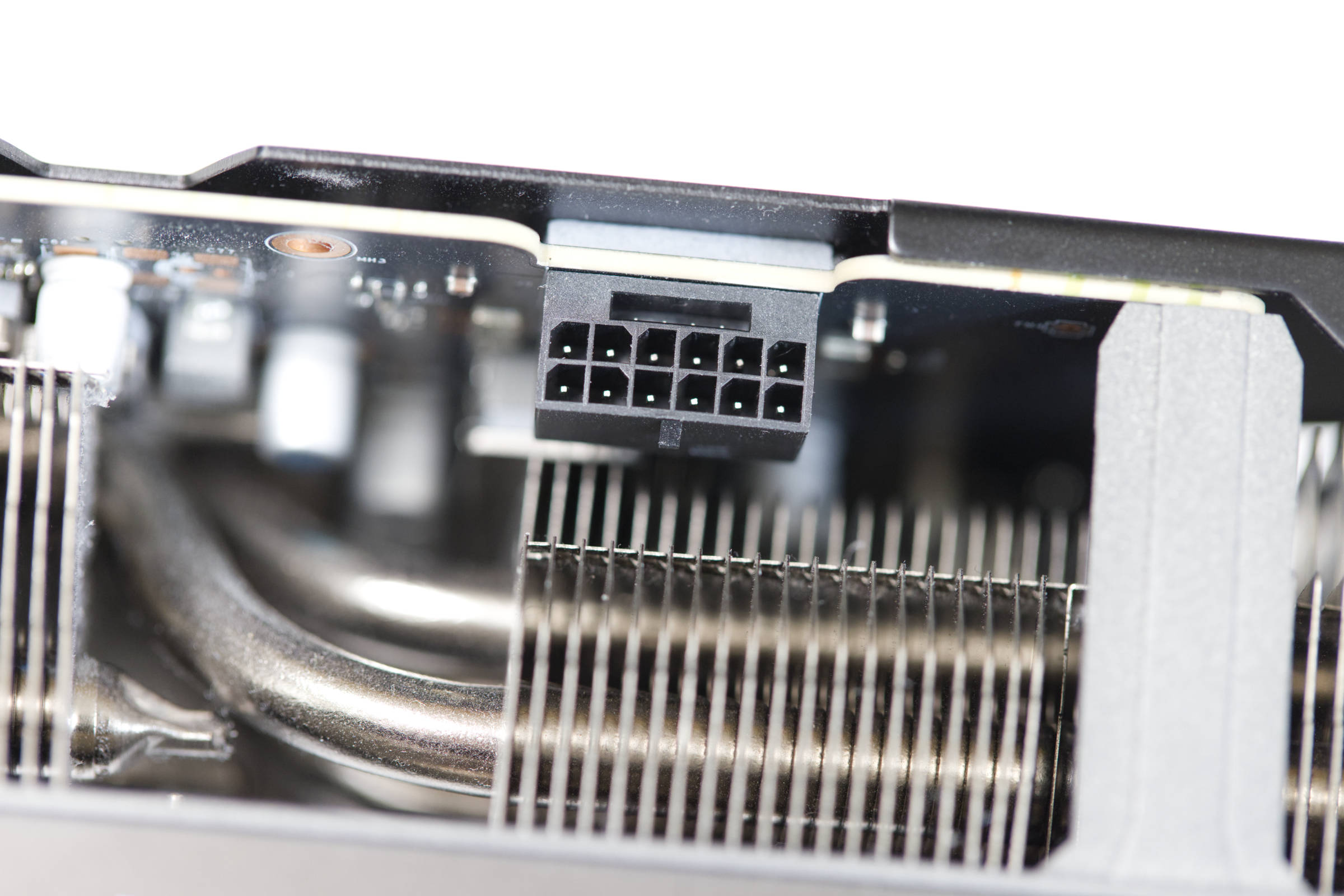
The socket on the graphics card did not melt, as we fortunately shut down the PC—without suspecting anything was wrong. The RGB lighting was on, but we wanted to test the situation on another system with safety precautions in place.
We connected the Elmor PMD2 to the graphics card to measure power consumption. Unfortunately, the PMD2 doesn’t measure the current on the individual pins, which would require the ThermalGrizzly WireView Pro 2—which we don’t have.
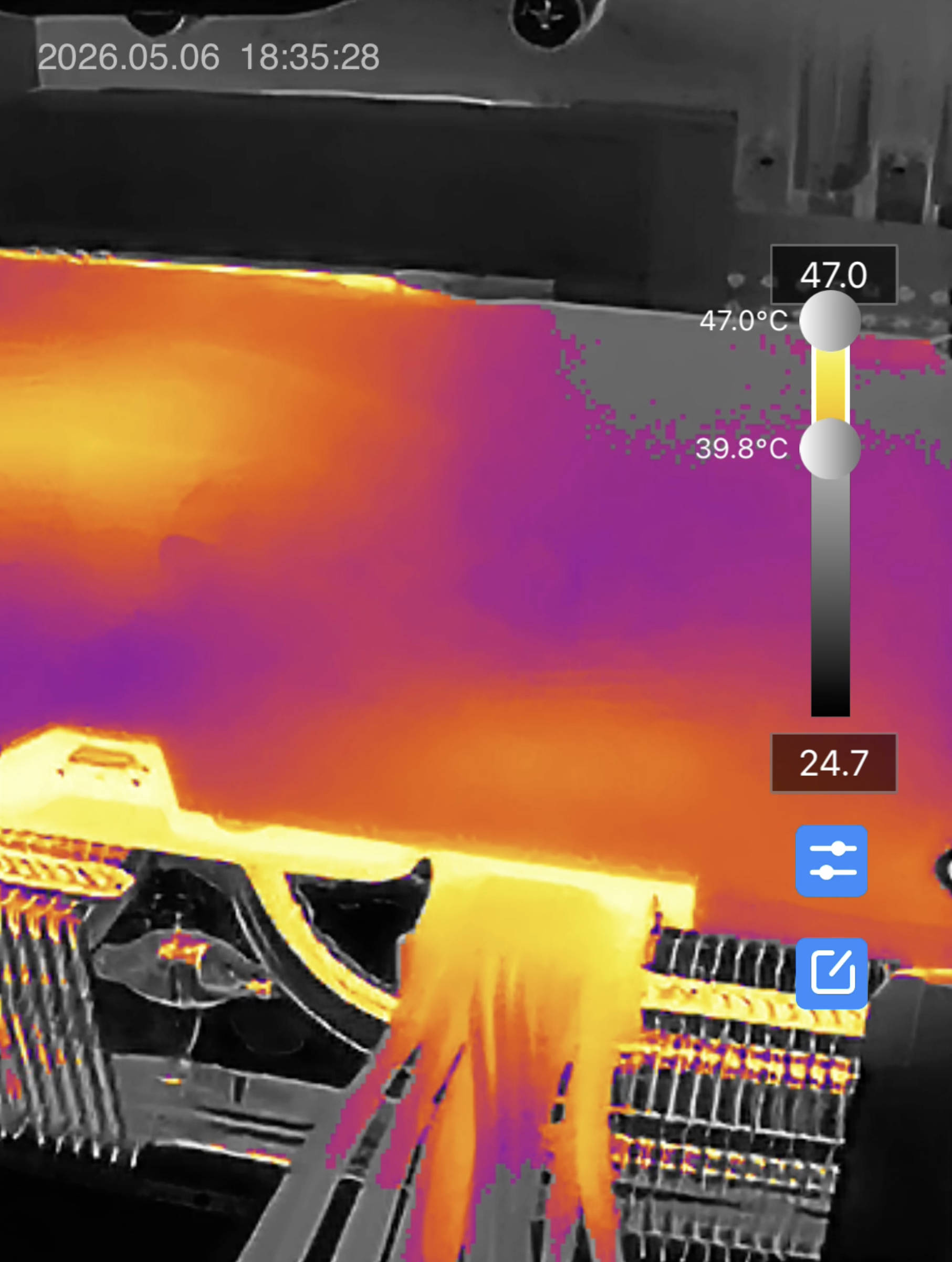 MSI GeForce RTX 5090 Gaming Trio OC Tenperaturverteilung auf Pins unter Last (Image © PCMasters.de)
As a workaround, we used the ThermalMaster P3 thermal imaging camera to measure the temperature of the pins. Luckily for us, the PC booted up and we got an image. Windows also recognized the RTX 5090 and loaded the drivers. So far, everything was OK. Then we ran a stress test with Furmark, and after just 1 to 2 minutes, it was already clear that the outermost pin was drawing much more current than the rest, as it was the only one heating up significantly. After 2 minutes, the temperature of the casing rose to nearly 50 °C, so we stopped the test. Since 2 of the 6 pins had burned out, we assume that the voltage is distributed across a maximum of 4 pins, and the outer pin is carrying the highest current.
This means the next cable fire is imminent, so we removed the graphics card—hoping we can request a repair from MSI. It’s probably no longer safe to use, and it’s clear that sooner or later, you’ll fall victim to the 12V-2x6-PCIe-5.1 cable.