


 Computer Forum
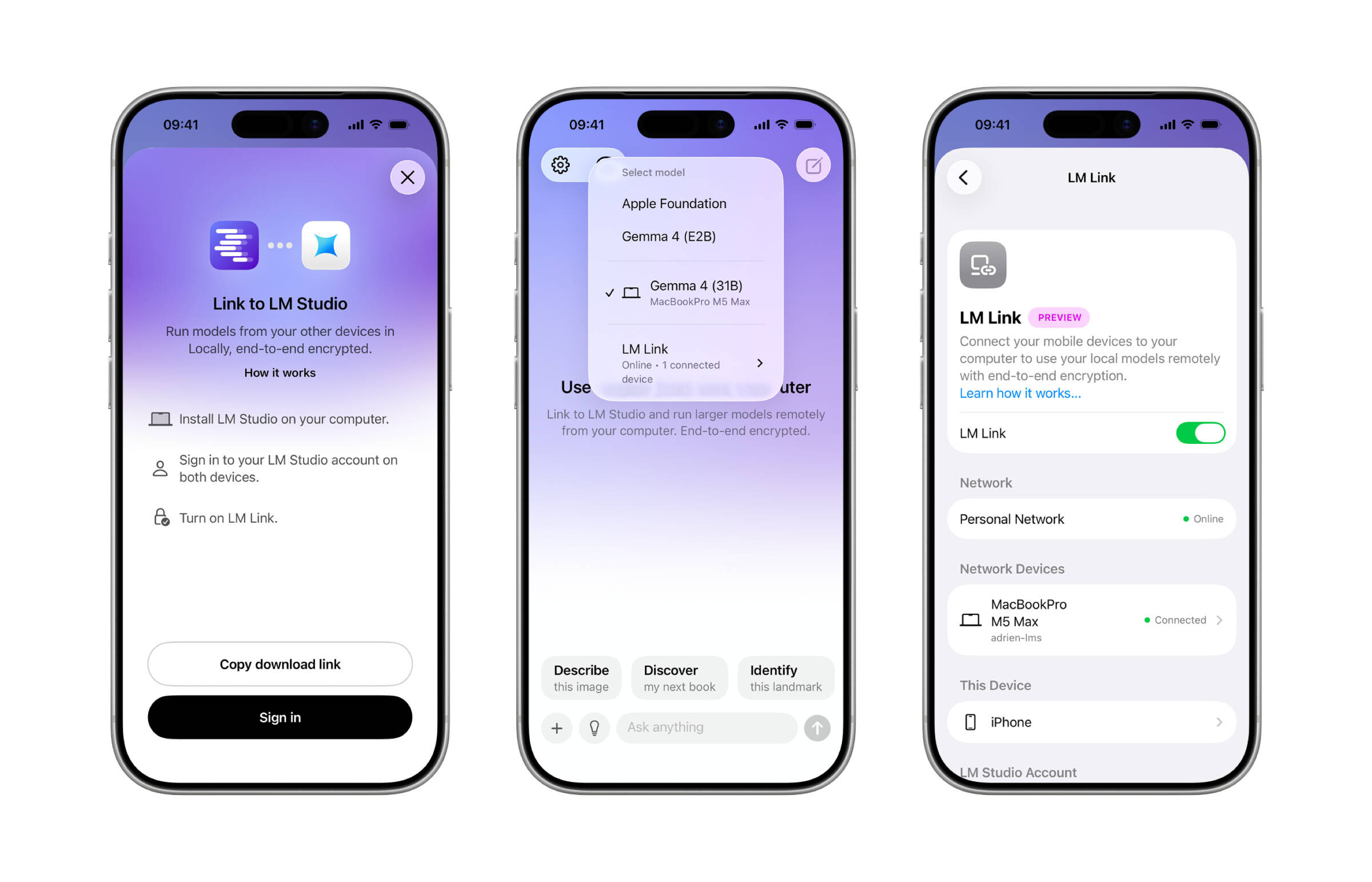 LM Studio auf dem Smartphone (Image © LM Studio)
The launch of LM Link follows the acquisition of the Locally app. The integration aims to overcome the hardware limitations of mobile devices by allowing users to utilize the computing power of their primary workstations from a remote location. Instead of running the models directly on the mobile hardware, the Locally app connects to a host machine where the larger models are active.
Security and data protection
To ensure secure communication, LM Studio has implemented end-to-end encryption for all data transmitted between the host computer and the iOS device. In addition, the system is designed so that all chat logs and interactions are stored locally on the devices involved and not uploaded to a cloud environment.
Operational setup
To use the system, LM Studio must be installed and run on a desktop or server. Once the LM Link feature is enabled on the host machine, users can install the Locally app on an iPhone or iPad. The application provides a guided setup process to connect the mobile device to the specific link set up by the host hardware.
Development roadmap
This first version provides the basic connection between desktop hardware and mobile interfaces. The developers have announced that there will be further updates to improve the mobile user experience and increase the efficiency of interaction with the remote model.
