


 Computer Forum
 LibreOffice 26 8 Release (Image © LibreOffice)
Improved Support for Global Writing Systems
A key part of this update focuses on complex text and bidirectional writing. LibreOffice Writer now automatically detects the paragraph direction when you open or paste plain text. Line breaks have been adjusted so that end-of-line spaces are now set according to the paragraph direction rather than based on individual characters.
For users of West African Mandingo languages and Fulani, LibreOffice Math now includes named functions and operators for the N’Ko and Adlam scripts. In addition, the suite introduces left-pointing vectors and harpoons specifically for formulas with a right-to-left writing direction. In LibreOffice Calc, entering text in a right-to-left direction into an empty cell now triggers automatic direction detection for that cell.
Improvements to Typographic Quality and Layout
Writer introduces the “Paragraph Composer,” a layout algorithm that evens out word spacing across several consecutive lines. This differs from the standard “greedy” approach used by most word processors, which often results in unevenly crammed or sparsely filled, justified text. The update also offers native support for variable OpenType fonts, allowing users to adjust the contrast and proportions of letterforms depending on text size. Other typographic enhancements include corrected baseline grid alignment for text in frames and a configurable display color for the editing grid.
Document Exchange and Compatibility
To improve interoperability with other office suites, LibreOffice Chart now offers round-trip support for several Microsoft Office OOXML chart types, including waterfall, treemap, sunburst, Pareto, funnel, and box-and-whisker charts. Even though these specific types cannot yet be rendered or edited in LibreOffice, the software preserves the underlying data definitions. This ensures that files can be opened and saved in LibreOffice and then exported back to their original application without any loss of content.
In addition, LibreOffice Calc has improved the handling of line breaks in referenced cells within XLSX files, and form controls from these documents are now visible in the Navigator.
Updates to Spreadsheets, Presentations, and Draw
LibreOffice Calc introduces calculated fields for pivot tables and a “Shuffle” command to randomly reorder cell ranges. Cell formats now support relative font sizes, and the border toolbar remembers the last-used format for faster use. In Impress and Draw, documents can now contain multiple page sizes. Impress adds presentation sections to group slides into named categories and supports converting numbered lists to bulleted lists. Several embedded templates have been updated for both 16:9 and 4:3 aspect ratios to prevent images from distorting when the aspect ratio is changed.
In Draw, users can now swap the mouse wheel functions so that zooming becomes the default action.
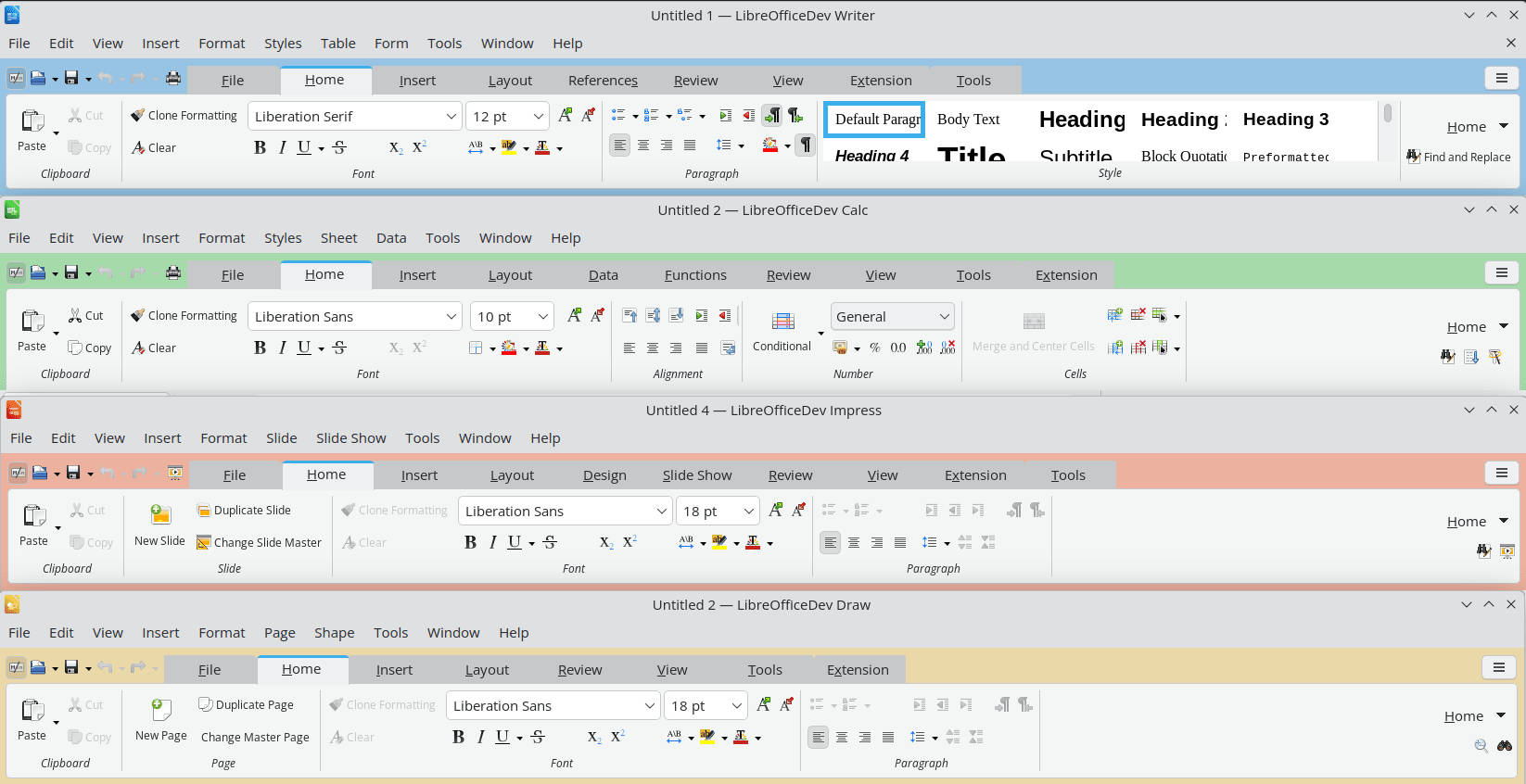 LibreOffice 26 8 Release Module Colors (Image © LibreOffice)
User Interface and Accessibility
The Notebookbar now uses different background colors for Writer, Calc, Impress, and Draw so that users can quickly distinguish between the applications. The format list has been standardized across the sidebar, the formatting toolbar, and the Notebookbar; entries now display a preview of the style. Accessibility improvements include updated information on table row and column indices in Writer in accordance with ARIA specifications to assist screen reader users. The special characters selection is now also fully keyboard-accessible.
Automation and Database Management
LibreOffice Base now preserves SQL comments when queries are switched to design view and supports filtering by timestamp, date, and time columns using the embedded Firebird database. For automation, Python scripts can now be created and edited directly in the Macro Manager without requiring an external extension. The ScriptForge libraries have been expanded and now include typed input dialogs as well as functional map, filter, and reduce operations for Basic arrays.
Local Processing and Privacy Policy
LibreOffice 26.8 does not include any generative AI features. The software is designed so that documents are not transferred to remote servers for processing, and no component requires network access to function. This design decision is intended to ensure data protection for organizations that handle confidential or legally protected information.
Funding and Availability
The suite remains free and available as open source under the Mozilla Public License v2. To support further development, a banner encouraging regular donations has been added to the Start Center. The Document Foundation notes that the software contains no advertising, telemetry, or subscription requirements.
LibreOffice 26.8 is available in 120 languages. For users in production environments who require greater stability, the LibreOffice 26.2 maintenance branch remains available.
