Computer Forum
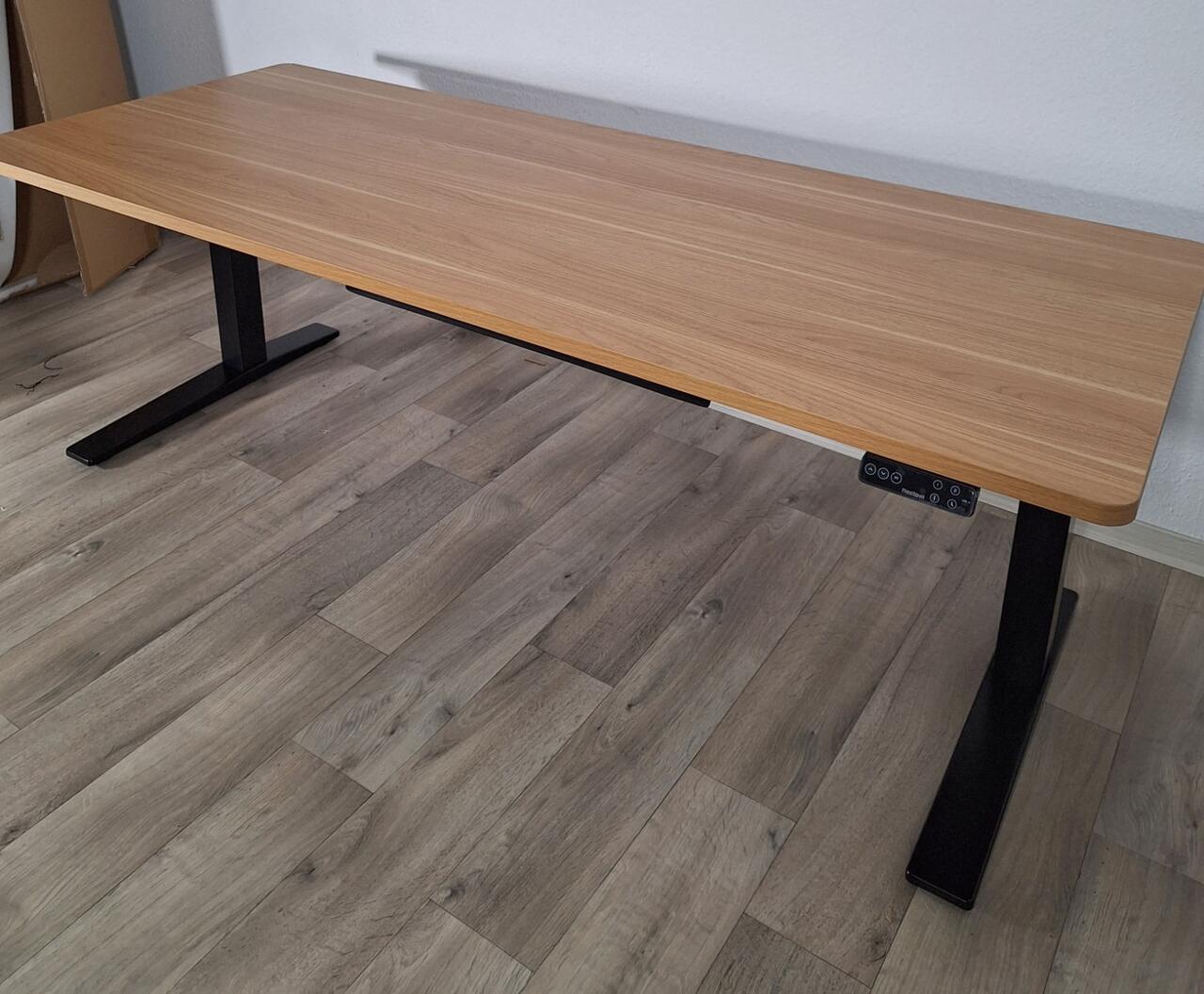 FlexiSpot E7 Pro 018 - Komplett eingefahrener Tisch (Image © PCMasters.de)
FlexiSpot
FlexiSpot is an international provider of ergonomic office furniture and workplace solutions headquartered in Livermore, California (USA). The company has been active on the German market since 2016 and primarily sells its products directly to end customers via its own online store.
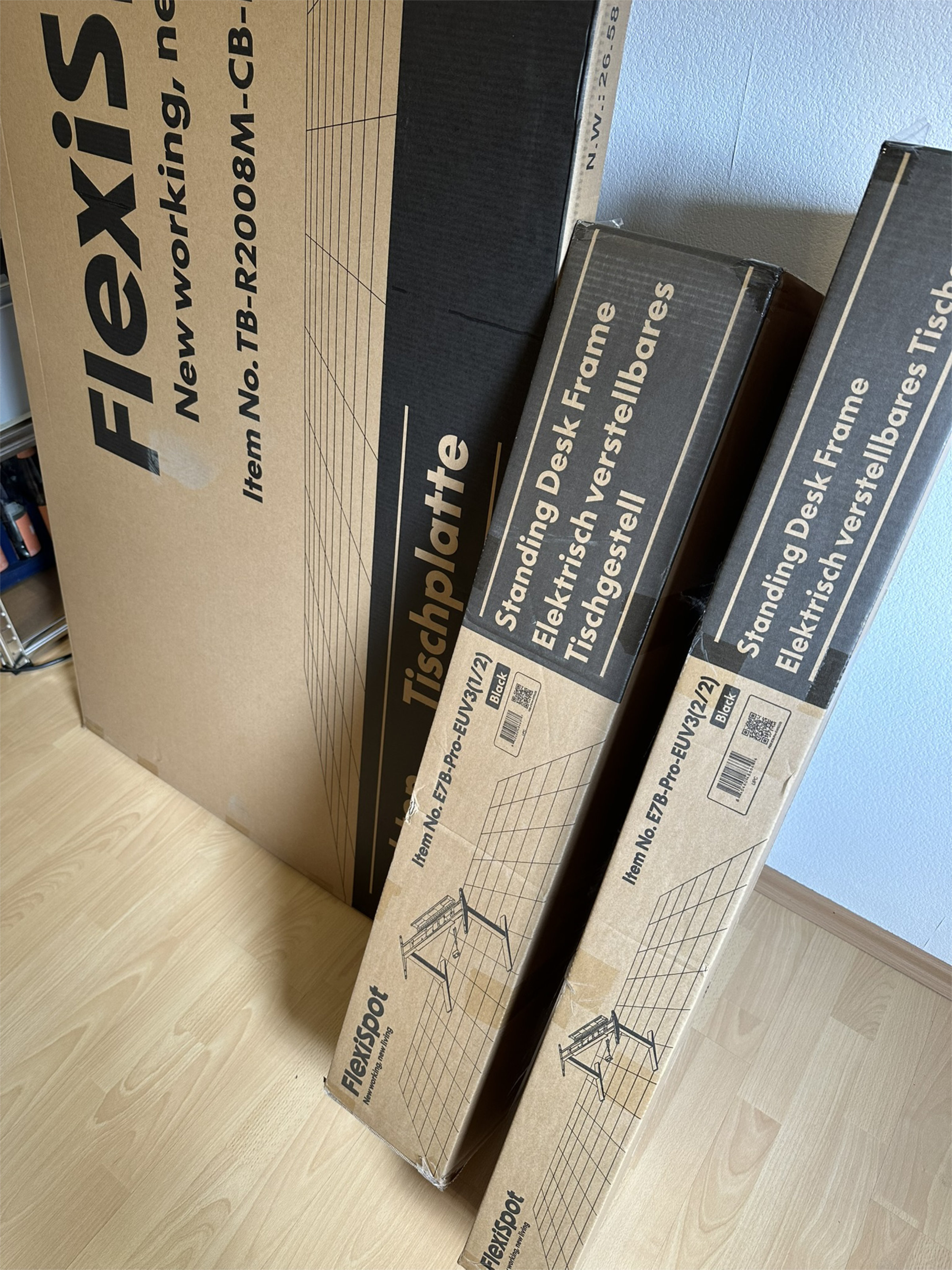 Flexispot E7 Pro 2026 001 Packaging (Image © PCMasters.de)
FlexiSpot's core range focuses on electric height-adjustable desk frames, but has been gradually expanded to include ergonomic office chairs, simple storage systems and homely pieces of furniture such as armchairs and couches. The manufacturer relies on a combination of standardized frame constructions and variable table top options to cover a broad portfolio in the home office and consumer sectors.
Ordering process, packaging and scope of delivery
Ordering
The electrically adjustable table frame is available in the FlexiSpot online store in the standard colors white, black and now also in grey. The frame construction is designed for table tops with a length of 1,200 mm to 2,000 mm and a depth of 600 mm to 800 mm. According to the manufacturer, the material thickness of the top used should be at least 18 mm to ensure sufficient stability and screw-in depth.
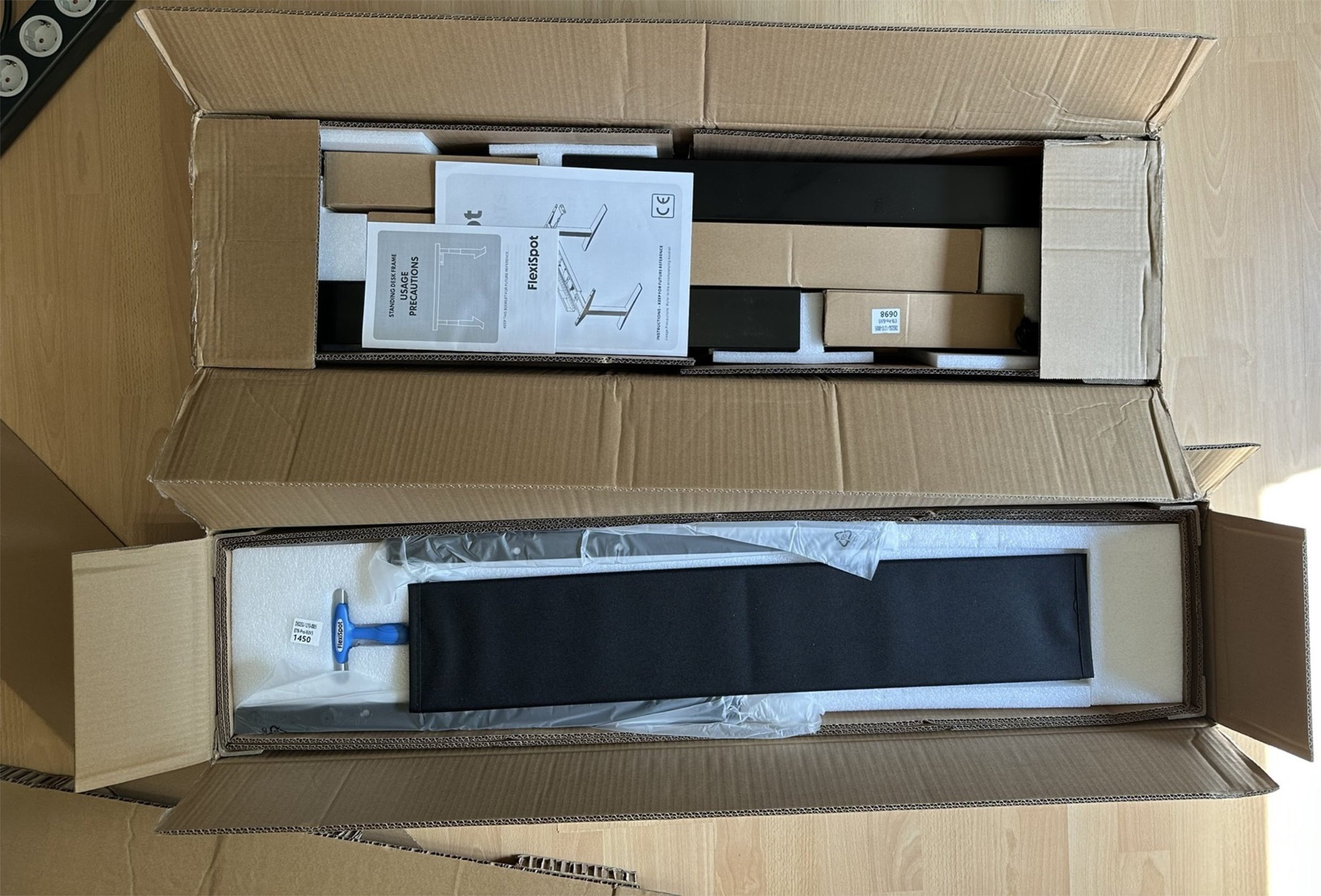 Flexispot E7 Pro 2026 002 Inner Packaging (Image © PCMasters.de)
You can either choose prefabricated table tops from the manufacturer in various decors and sizes, or mount your own custom-made table top. Flexispot has slightly expanded its current tabletop portfolio and now offers "Solid beech " and "Solid walnut " in addition to the existing tabletops. You can find a comparison between self-assembly and the Flexispot all-round carefree table top in the chapter "Flexispot table tops in a quick check ".
Packaging
For our practical test, we used the black table frame in combination with a 2.00 x 0.80 meter table top in maple decor. Due to the weight of the components, the frame is delivered in two packages of 12.9 kg and 26.6 kg respectively by DHL as standard. Depending on the table top, this can also be delivered by a forwarding company; our package of the table top, for example, weighed 30.5 kg and was delivered to us by the forwarding company GEL Express Logistik. This also went without a hitch.
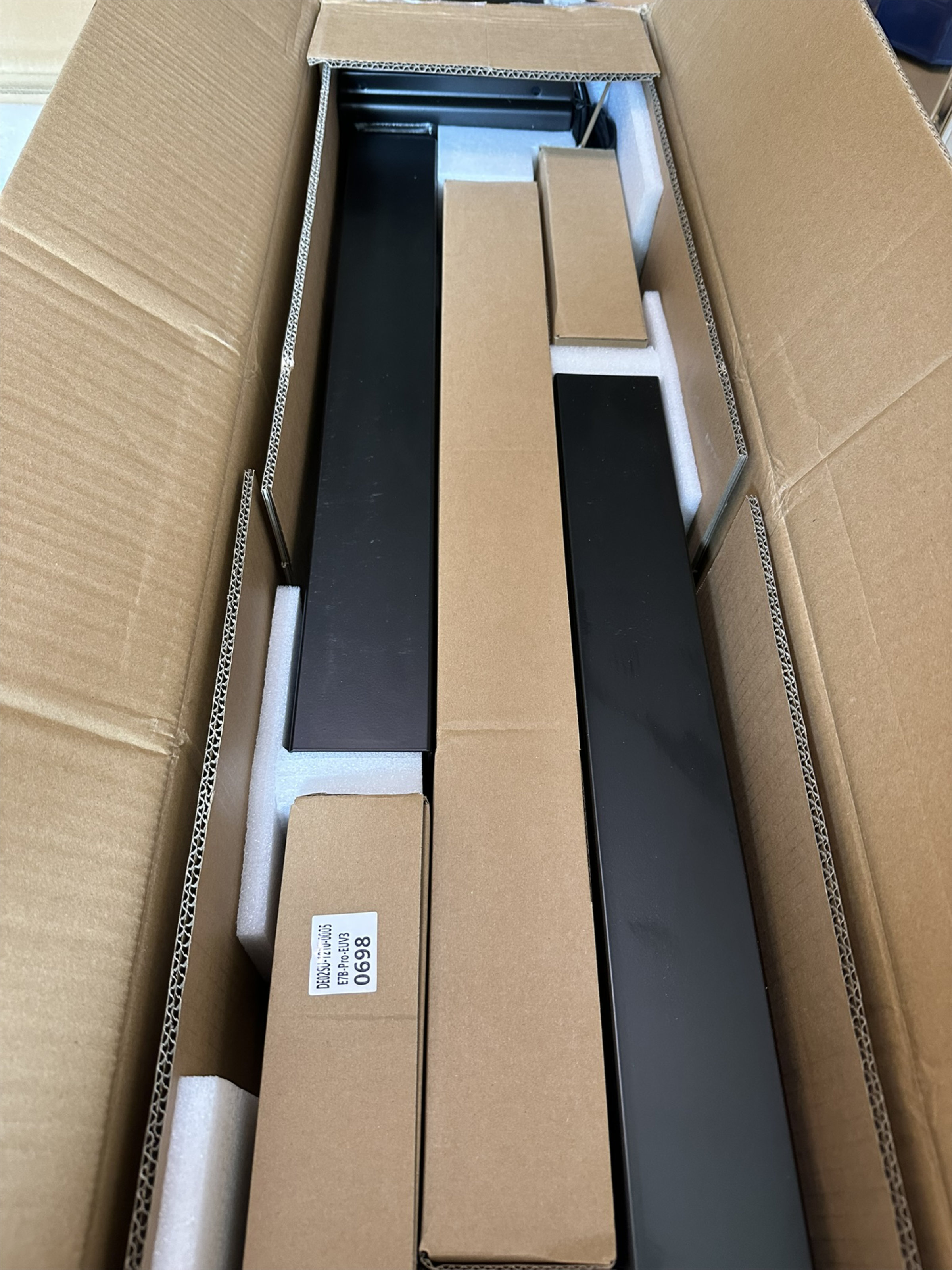 Flexispot E7 Pro 2026 003 Contents (Image © PCMasters.de)
Due to the bulkiness and weight of the two separate packages, transportation and handling by two people is strongly recommended - but it can also be done alone with a little strength. The table edges are protected inside the box by additional plastic shells, while large polystyrene inserts protect the surfaces. The table frame is stored in several logically layered levels in the box; all parts arrived safely and without scratches.
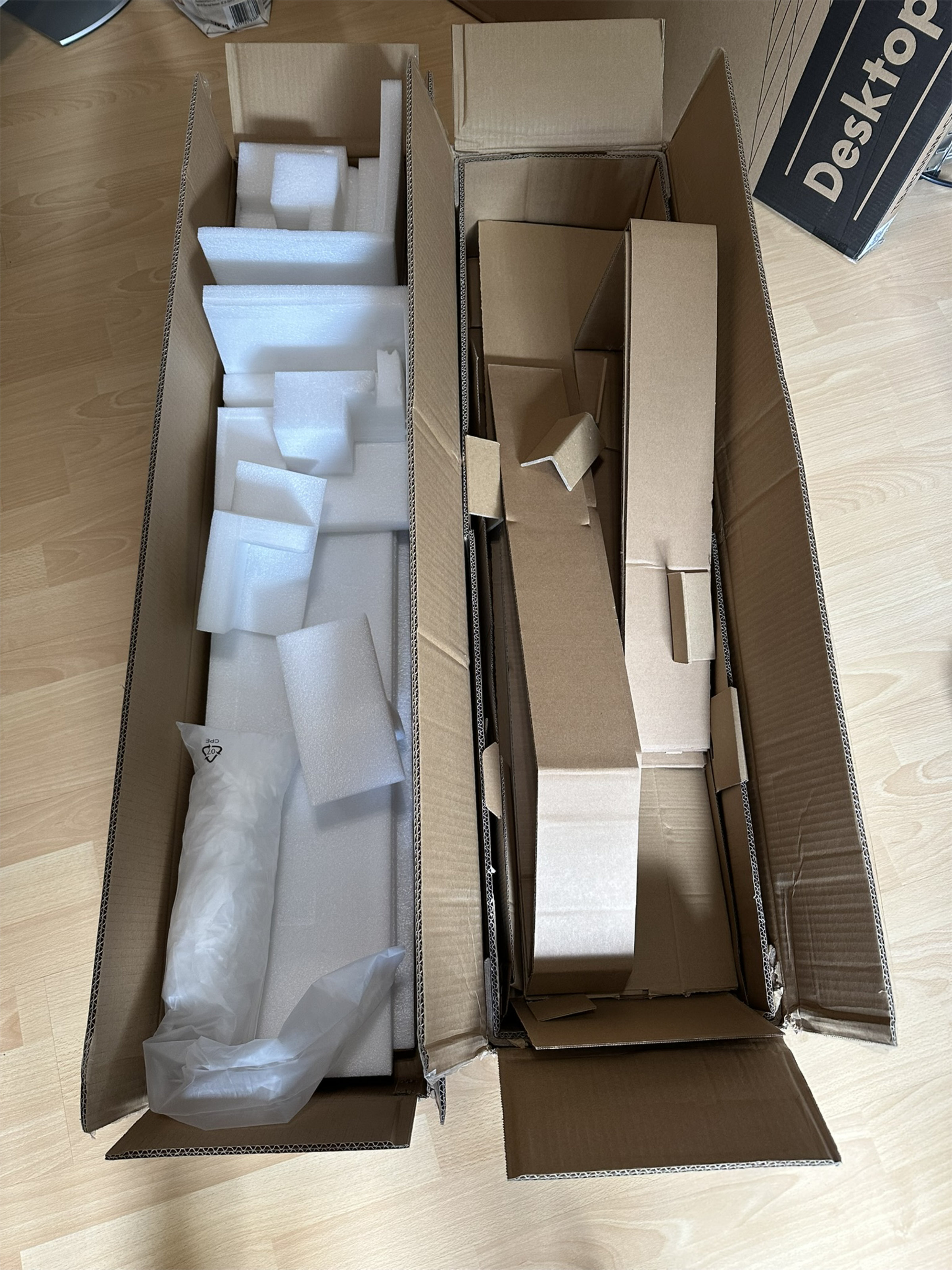 Flexispot E7 Pro 2026 006 Packaging Waste (Image © PCMasters.de)
Scope of delivery
The scope of delivery of the E7 Pro includes:
| No. | Designation | Quantity |
|---|---|---|
| 1 | Support beam | 1 |
| 2 | Lifting columns | 2 |
| 3 | Feet | 2 |
| 4 | Left side support | 1 |
| 5 | Right side support | 1 |
| 6 | Cable duct | 1 |
| 7 | Cable holder | 1 |
| 8 | Cable tray | 1 |
| 9 | Mains plug | 1 |
| 10 | T-key | 1 |
| 11 | Foot pad | 4 |
| 12 | Cable manager | 1 |
| 13 | Velcro fastener | 2 m |
| 14 | Control element | 1 |
| 15 | Keyboard screws | 2 |
| 16 | Screw wrench | 1 |
| 17 | Washers | 4 |
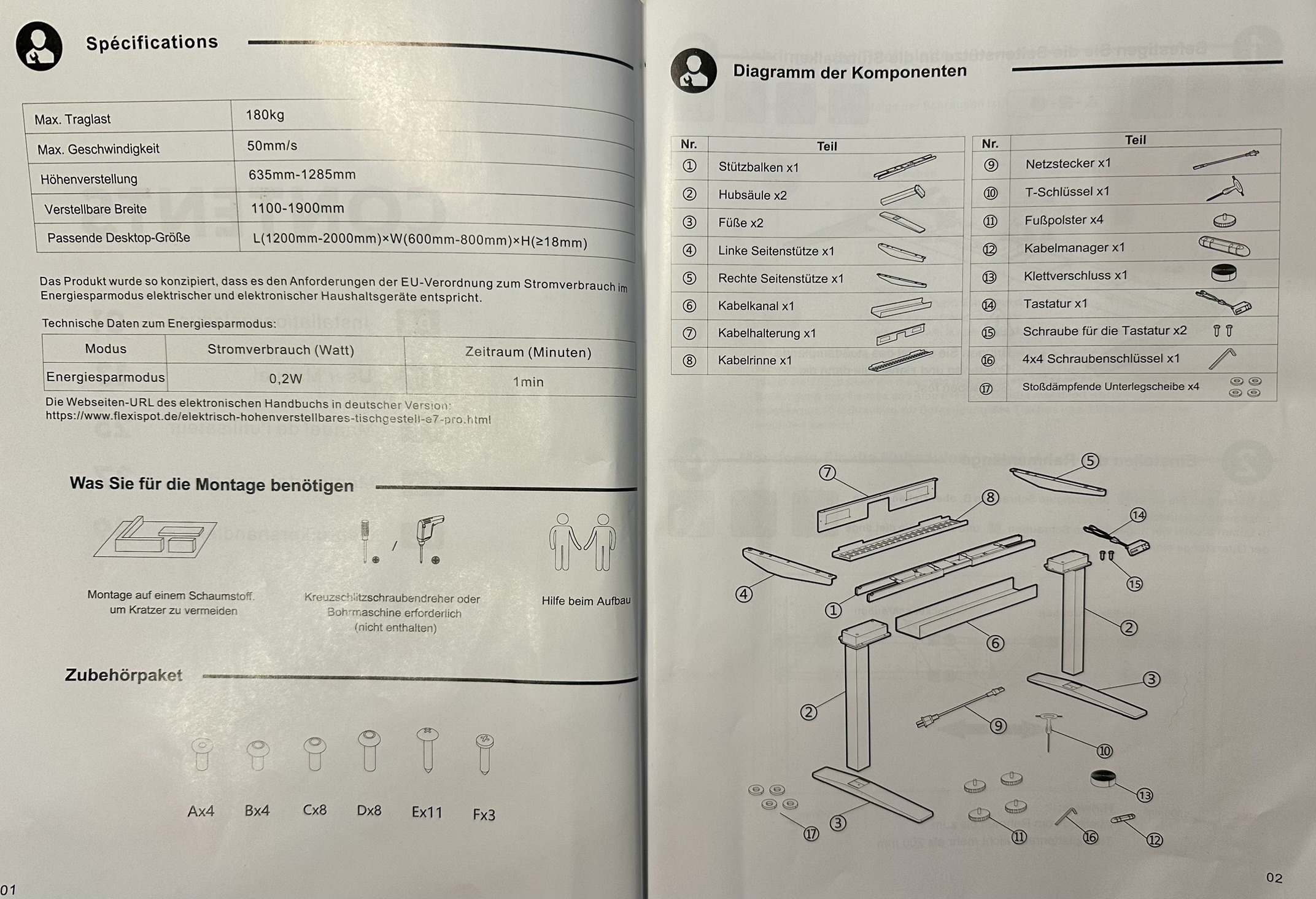 Flexispot E7 Pro 2026 023 Components Overview (Image © Flexispot E7 Pro 2026 - 022 Fazit)
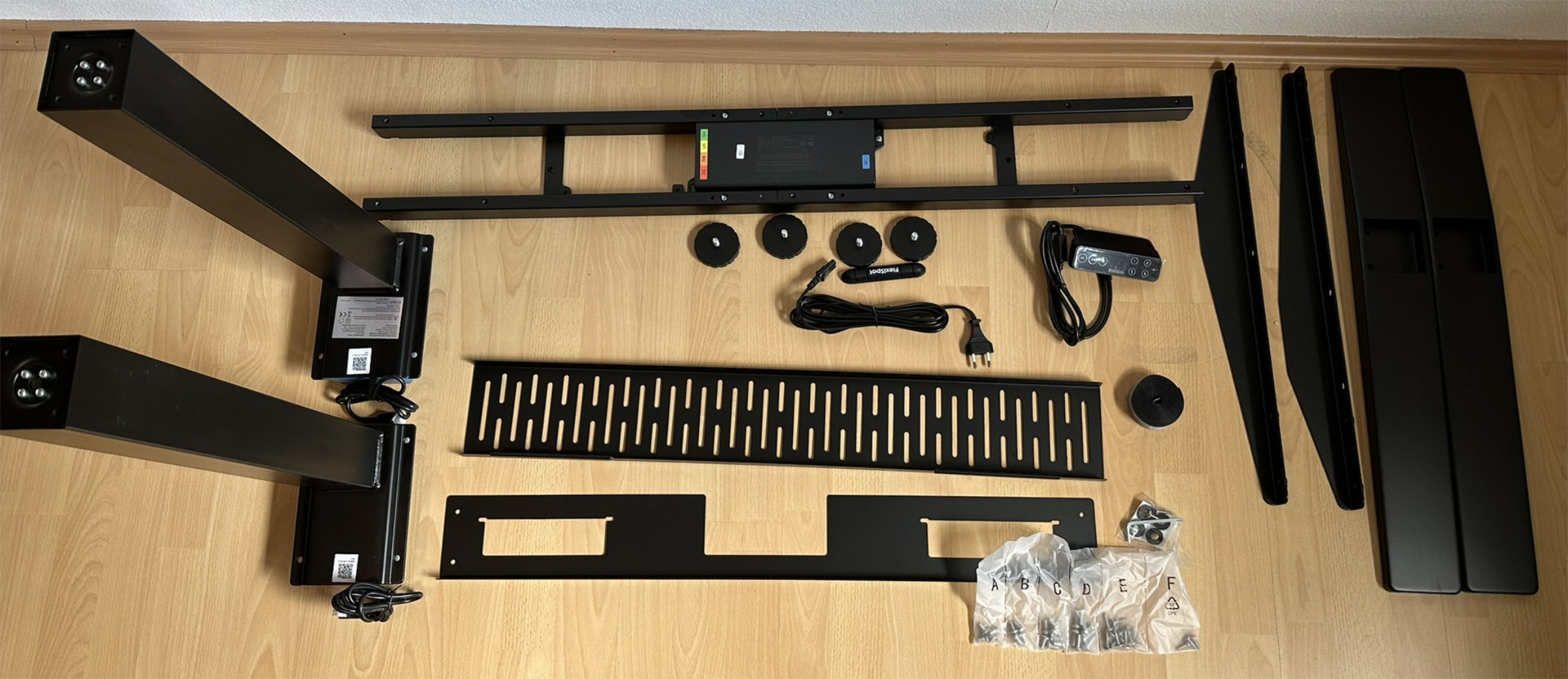
In addition to the main components and the tools, a bag with lettered screws [A-F] is included.
| Screw type | Quantity |
|---|---|
| A | 4 |
| B | 4 |
| C | 8 |
| D | 8 |
| E | 11 |
| F | 3 |
 Flexispot E7 Pro 2026 004 Contents 2 (Image © PCMasters.de)
Structure
As the basic frame architecture of the 2026 version is identical to that of the 2024 model, the assembly is largely analogous. The enclosed manual visualizes the individual steps using schematic drawings, sometimes more, sometimes less intuitively understandable.
For assembly, it is advisable to leave the tabletop on the polystyrene plates in the packaging to avoid scratches. Although FlexiSpot includes a ‘10’ combination tool, using your own cordless screwdriver with suitable bits speeds up the process considerably and makes work more relaxed.
 Flexispot E7 Pro 2026 005 Contents 3 (Image © PCMasters.de)
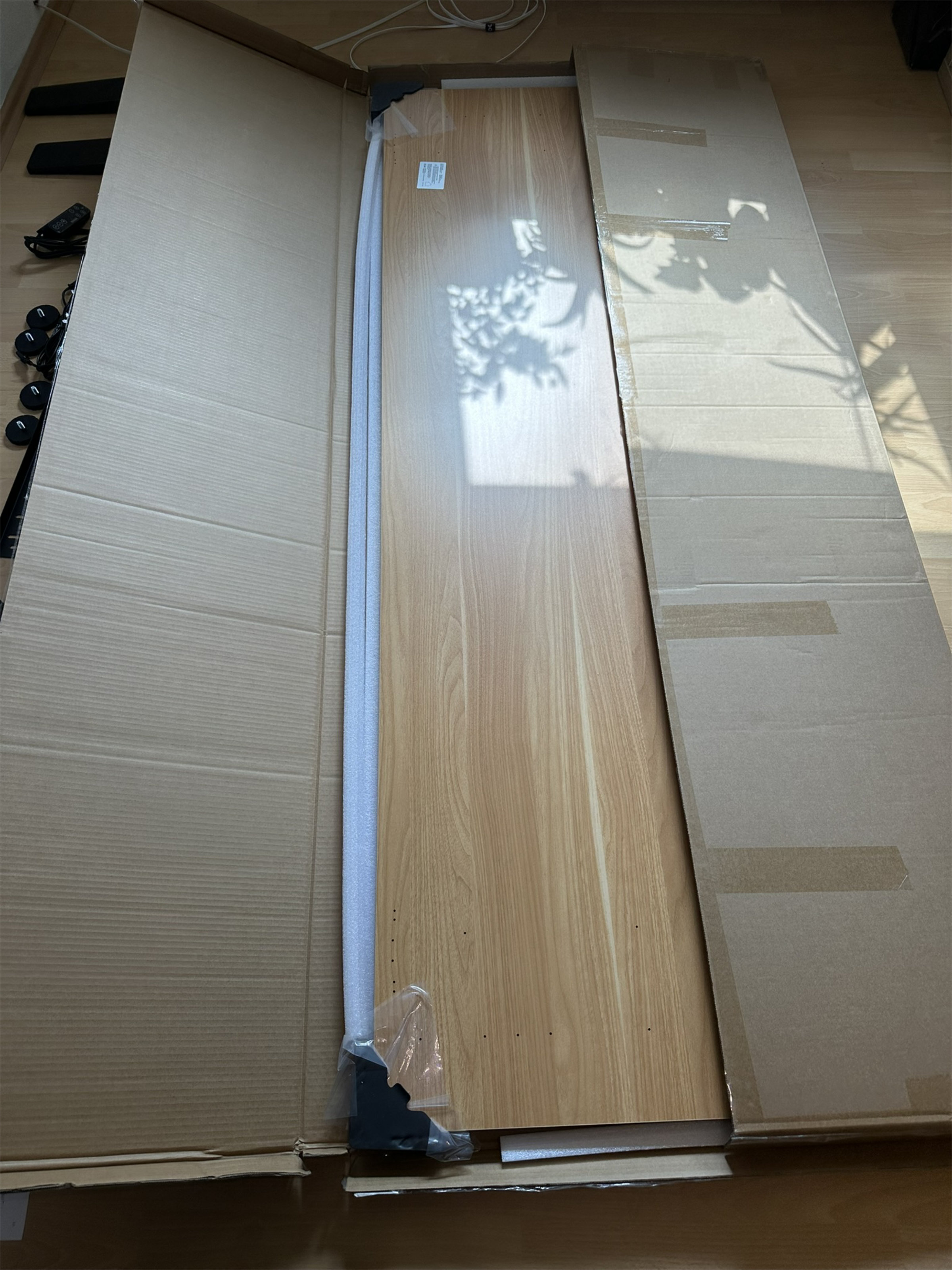 Flexispot E7 Pro 2026 010 Tabletop (Image © PCMasters.de)
The first step is to fit the side supports ‘4’ on the left and ‘5’ on the right to the central support beam ‘1’. For this step, we placed the frame on one leg and put a piece of the packaging between them so that they can be attached more easily with the four A screws.
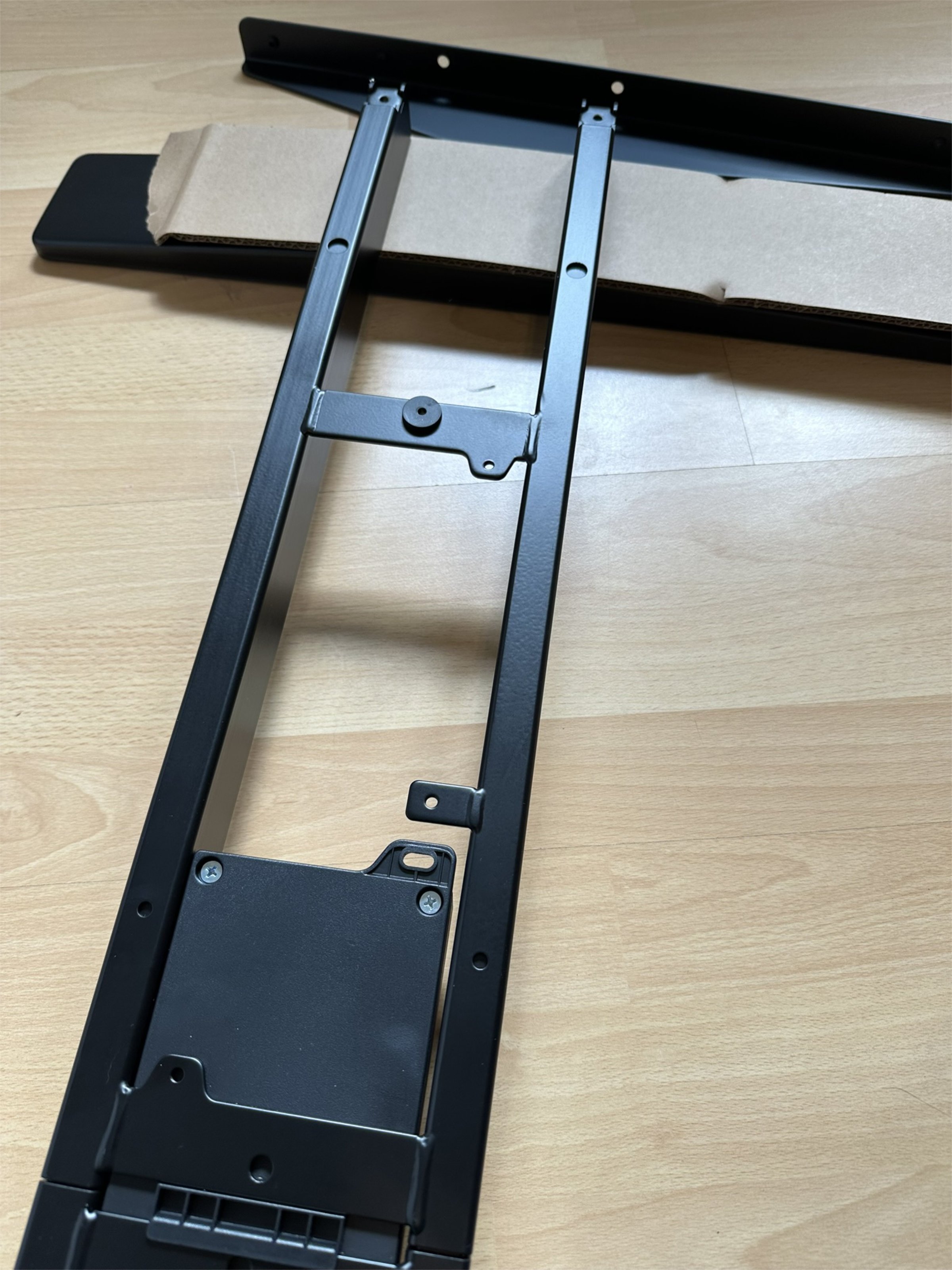 Flexispot E7 Pro 2026 008 Assembly Instructions (Image © PCMasters.de)
Here we immediately notice an inaccuracy in the instructions:
Four shock-absorbing washers 17 are included in the package. However, the instructions only show the use of two washers in this step, but do not list the remaining two anywhere else. We therefore inserted all four washers directly. In addition, the mechanical solution to this step is somewhat unfortunate: as the washers are made of a soft material, the screw inevitably pushes through the material when it is tightened, causing the washer to deform briefly before it springs back into shape.
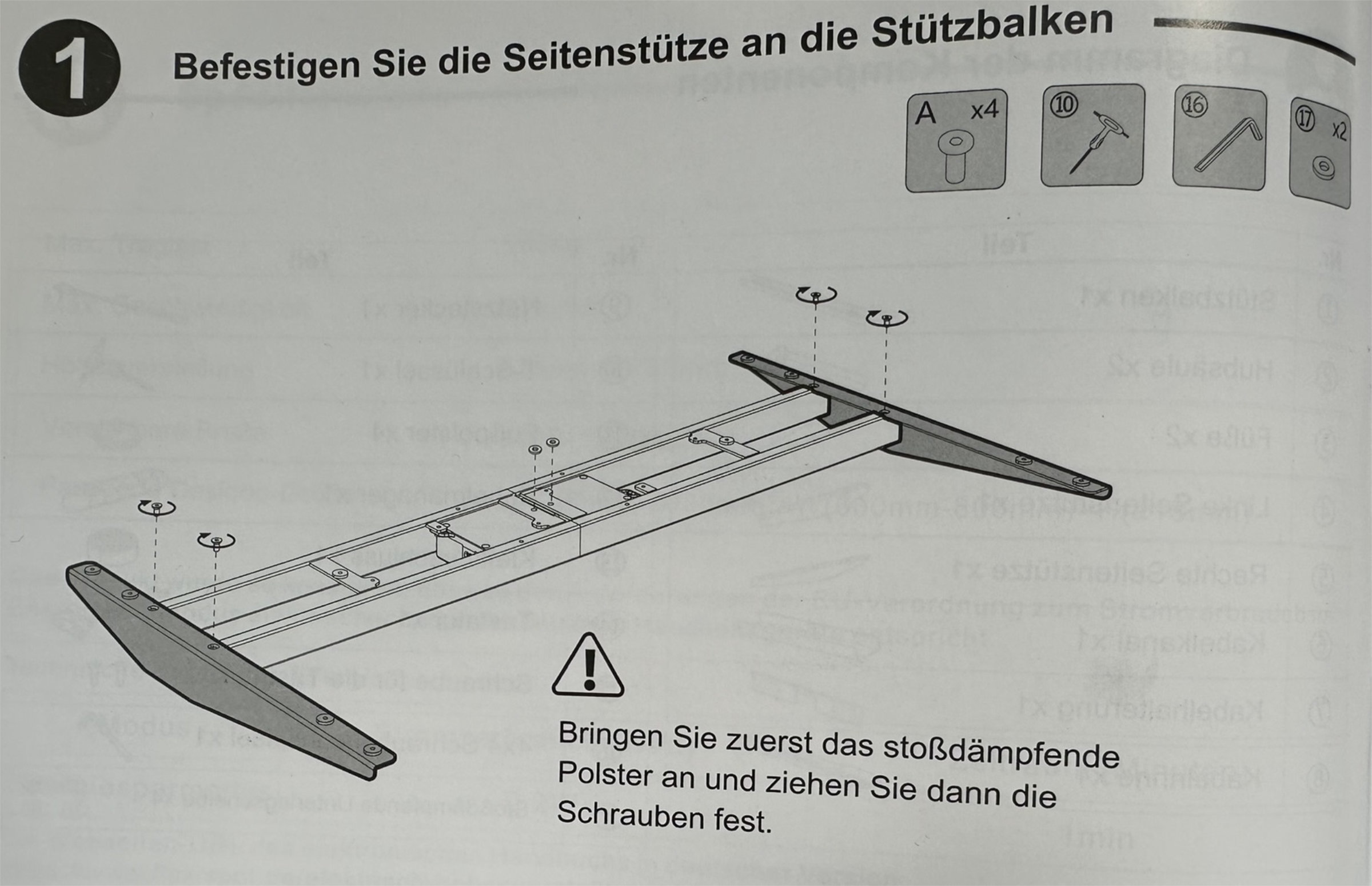 Flexispot E7 Pro 2026 007 Shock-Absorbing Pads (Image © PCMasters.de)
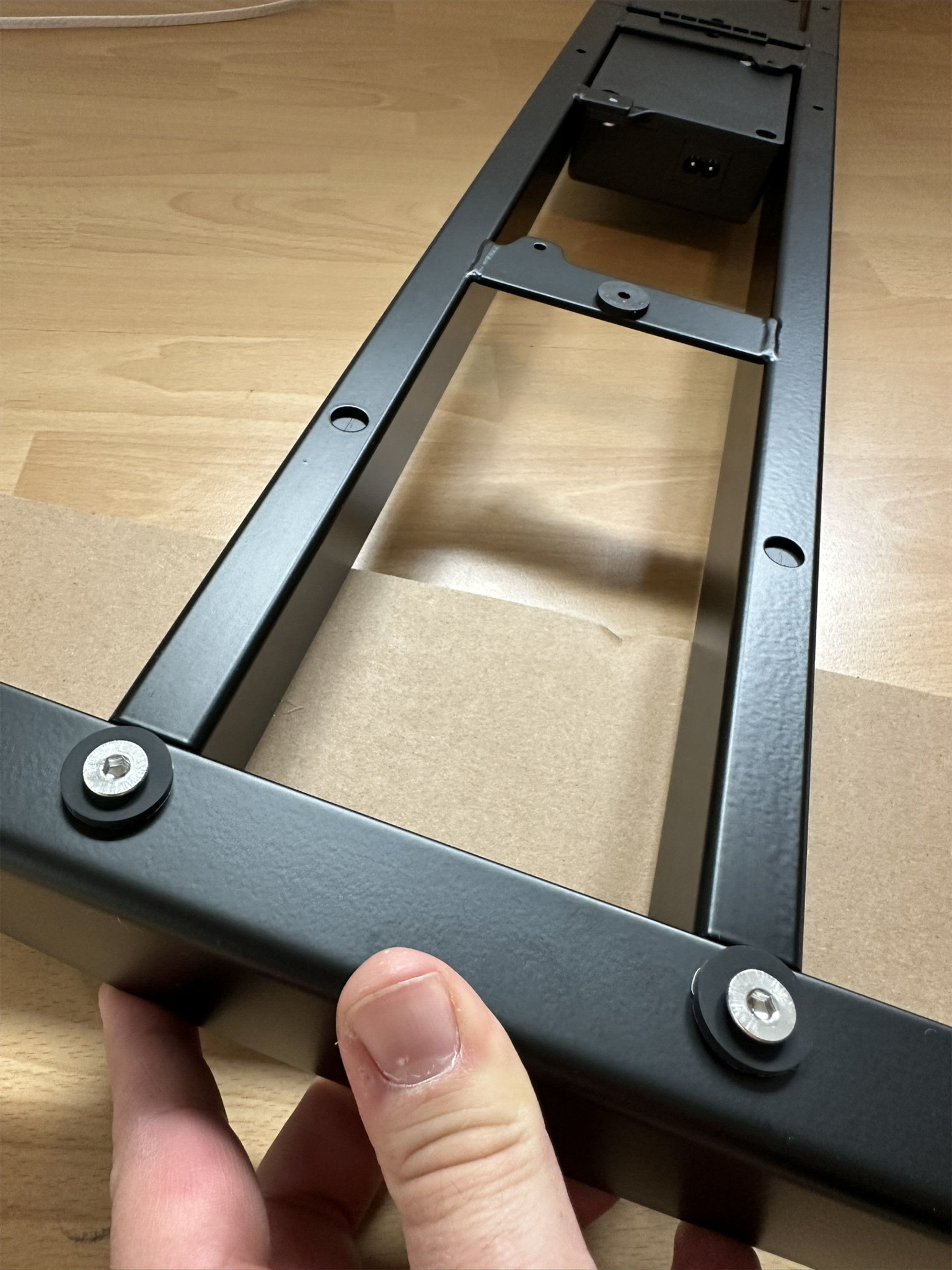 Flexispot E7 Pro 2026 009 Assembly Instructions (Image © PCMasters.de)
This first step is followed by aligning the frame on the underside of the table top.
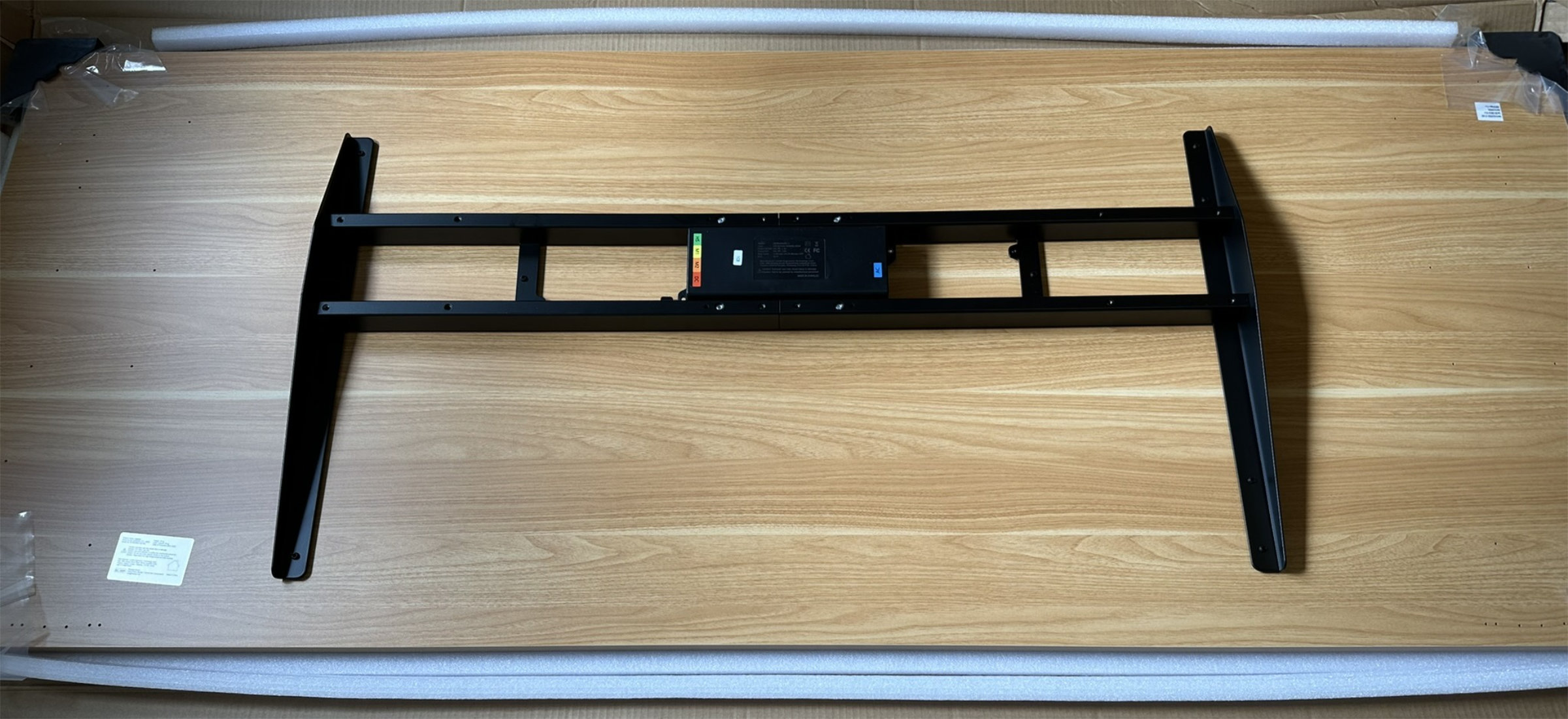 Flexispot E7 Pro 2026 011 Frame (Image © PCMasters.de)
According to the instructions (steps 2 and 3), the frame should initially be loosely adjusted in size and only finally fixed after positioning. To make our work easier and avoid unnecessary fiddling - as we knew it from the 2024 model - we reversed the order: We first screwed the side parts of the frame to the pre-drilled holes in the tabletop using the 11 E screws.
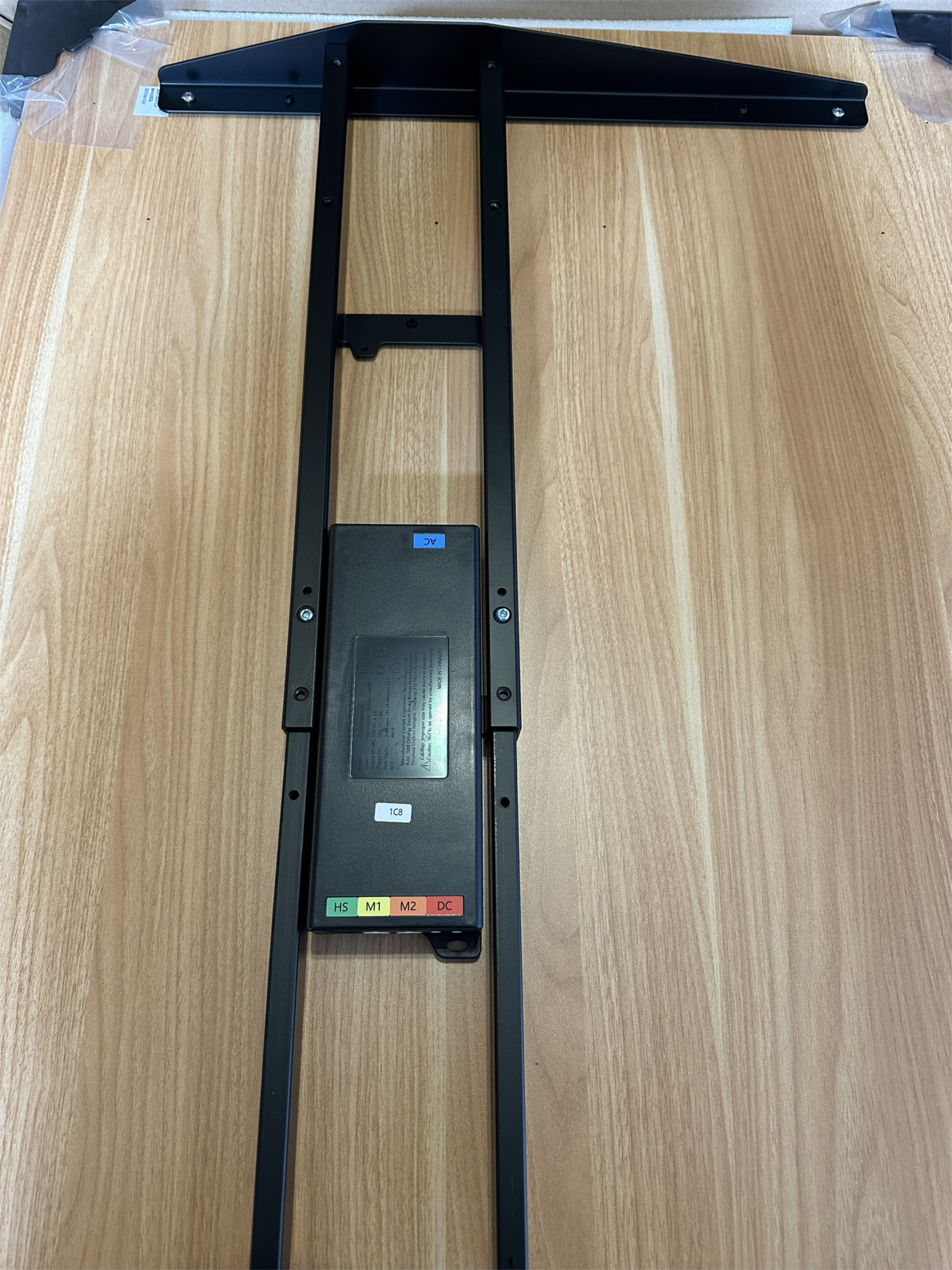 Flexispot E7 Pro 2026 012 Mounting Frame (Image © PCMasters.de)
This revealed a small qualitative anomaly: a pilot hole for the first attachment to the frame in the middle was completely missing. Although this could be easily corrected by the user, it should be present ex works on a product in this price range. However, this is probably due to the fact that other Flexispot table frames do not necessarily need this.
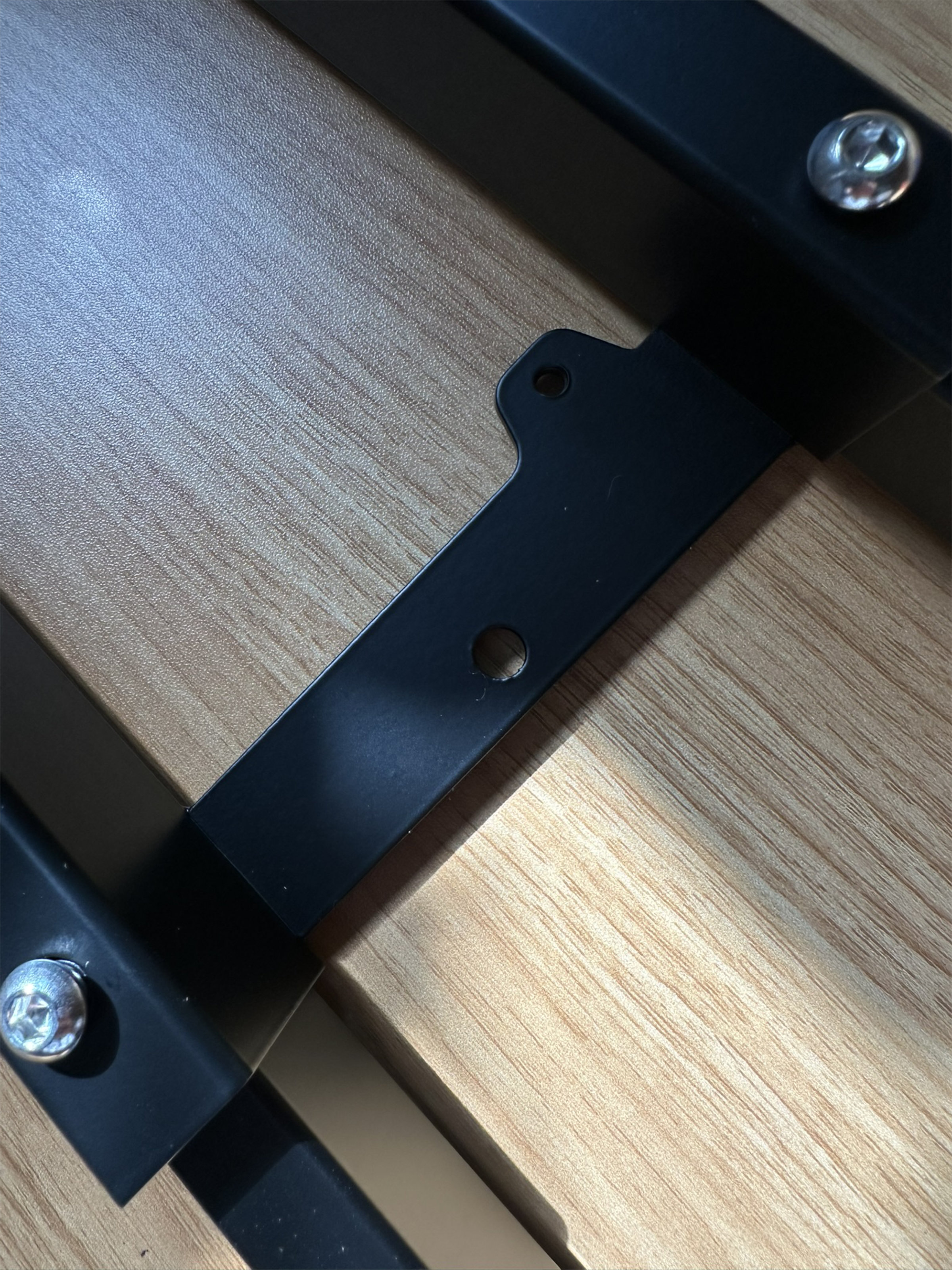 Flexispot E7 Pro 2026 015 Mounting Frame (Image © PCMasters.de)
Only after fixing the outer supports did we center the middle rail using a measuring tape and lock it in place with the four ‘B’ screws.
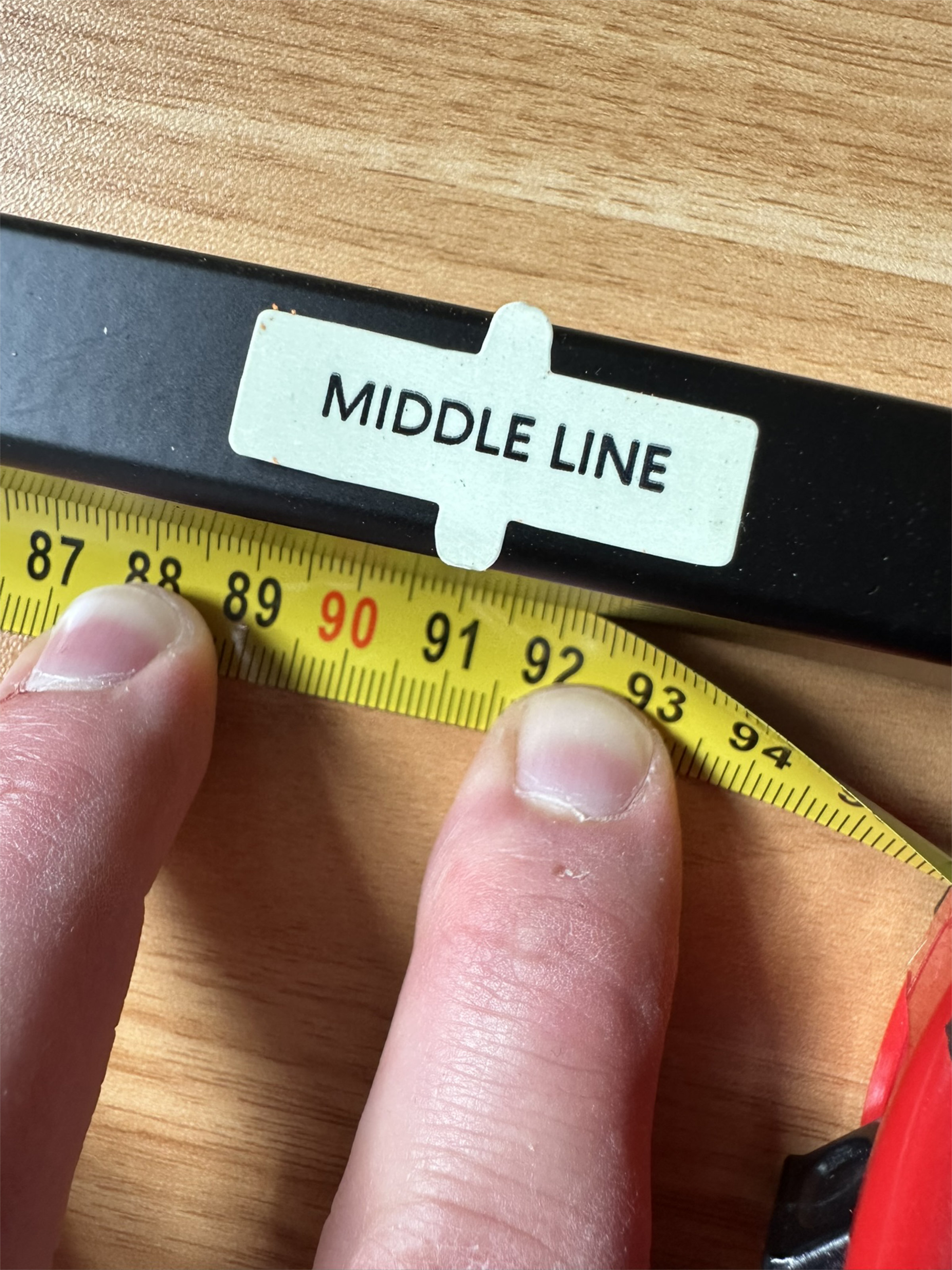 Flexispot E7 Pro 2026 013 Center-Mount Bracket (Image © PCMasters.de)
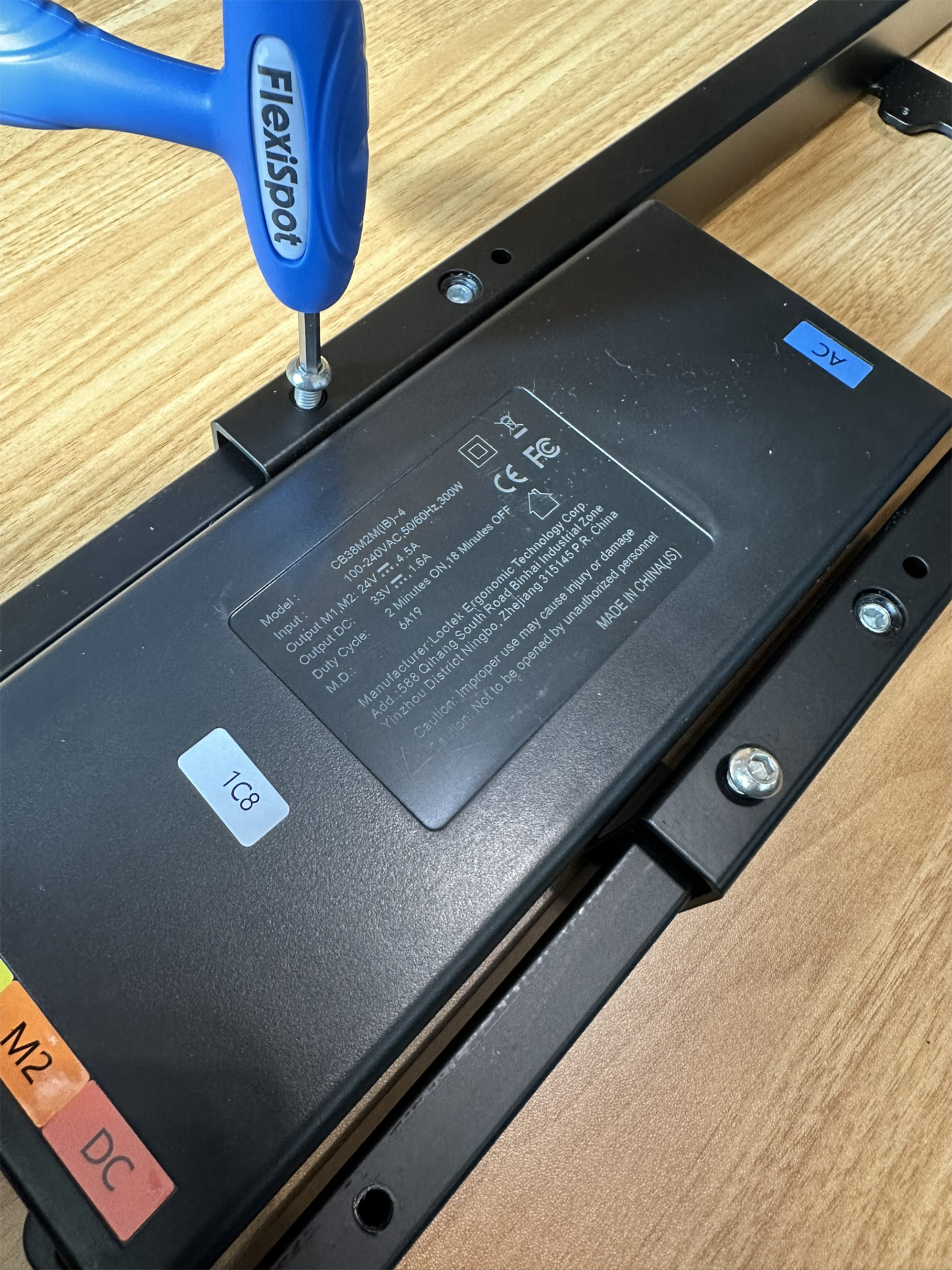 Flexispot E7 Pro 2026 014 Mounting Frame (Image © PCMasters.de)
Once the basic structure of the frame is in place, the two lifting columns 2 are inserted using four C screws each (8 in total).
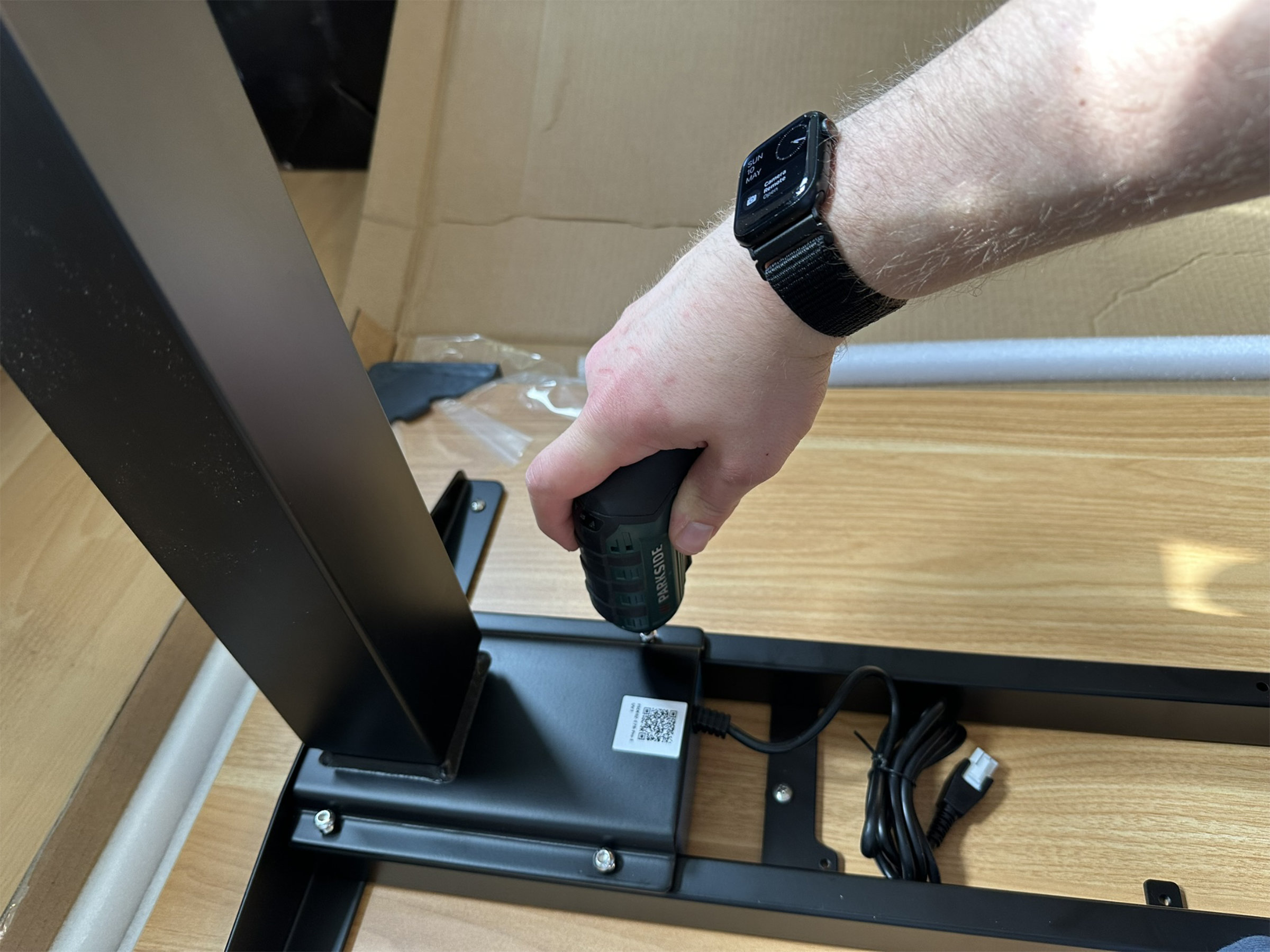 Flexispot E7 Pro 2026 016 Mounting the lifting pillars (Image © PCMasters.de)
The feet 3 are then mounted using the 8 D screws. It is essential to pay attention to the alignment, as this is an asymmetrical C-foot design (the longer side of the feet points to the front).
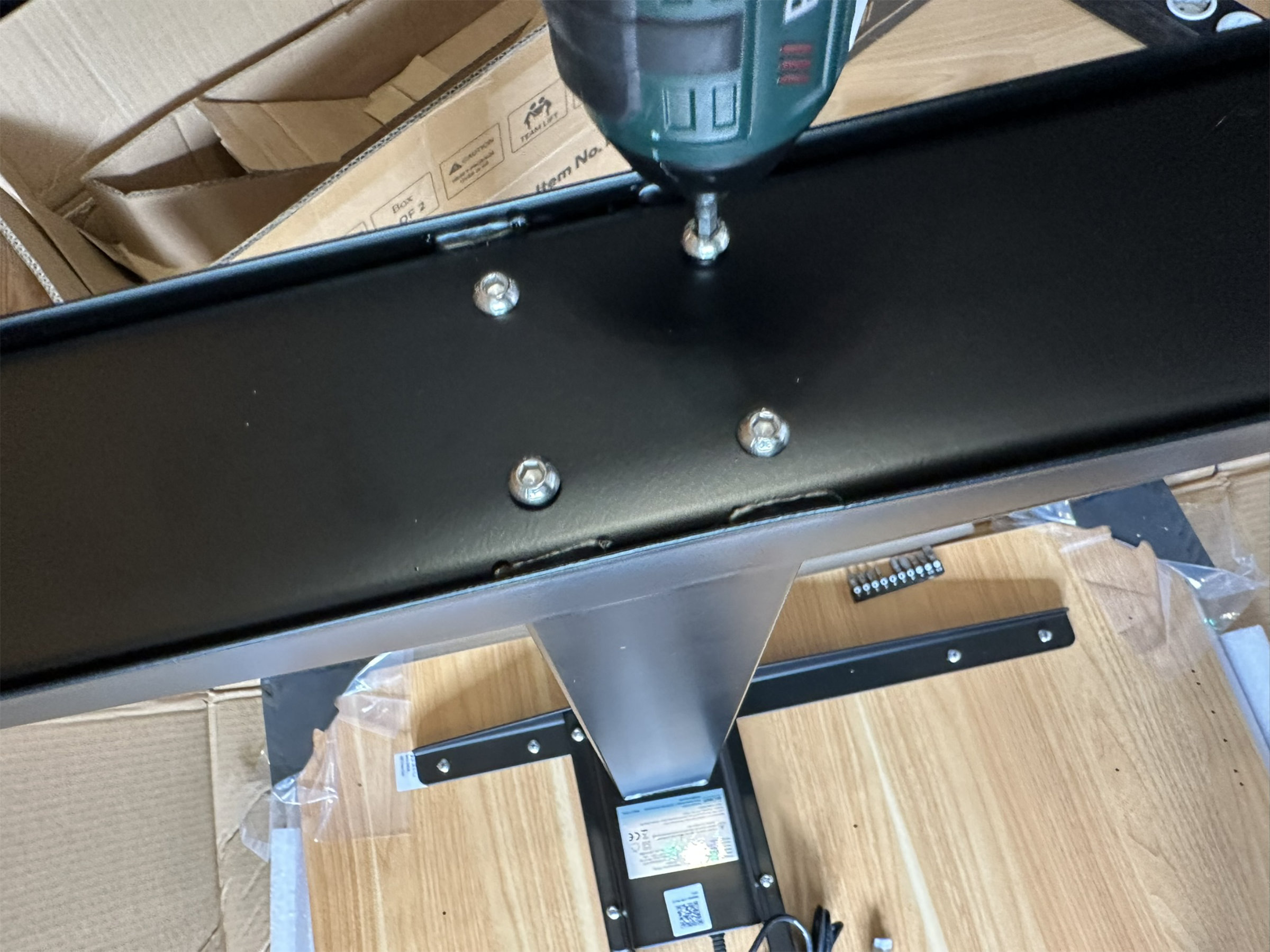 Flexispot E7 Pro 2026 017: Attaching the C-shaped legs (Image © PCMasters.de)
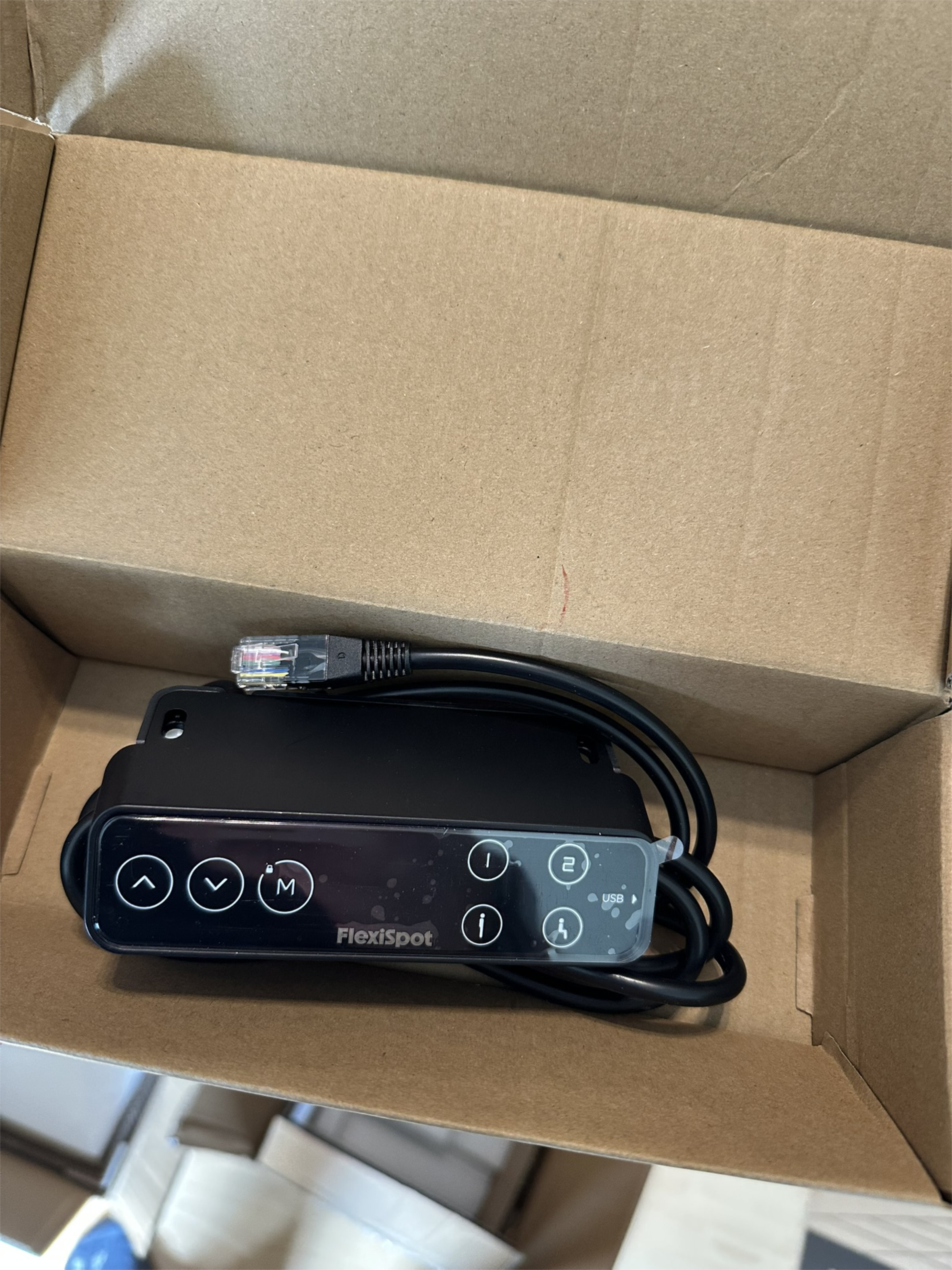
There are factory pre-drilled holes for the control unit (manual control panel) ‘14’ on both the left and right side of the table top, so that the position between these can be freely selected. Of course, you can place the control panel wherever you want, but you would then have to measure and pre-drill once. We opted for a classic attachment on the right-hand side and attached the control panel together with the keyboard screw ‘15’.
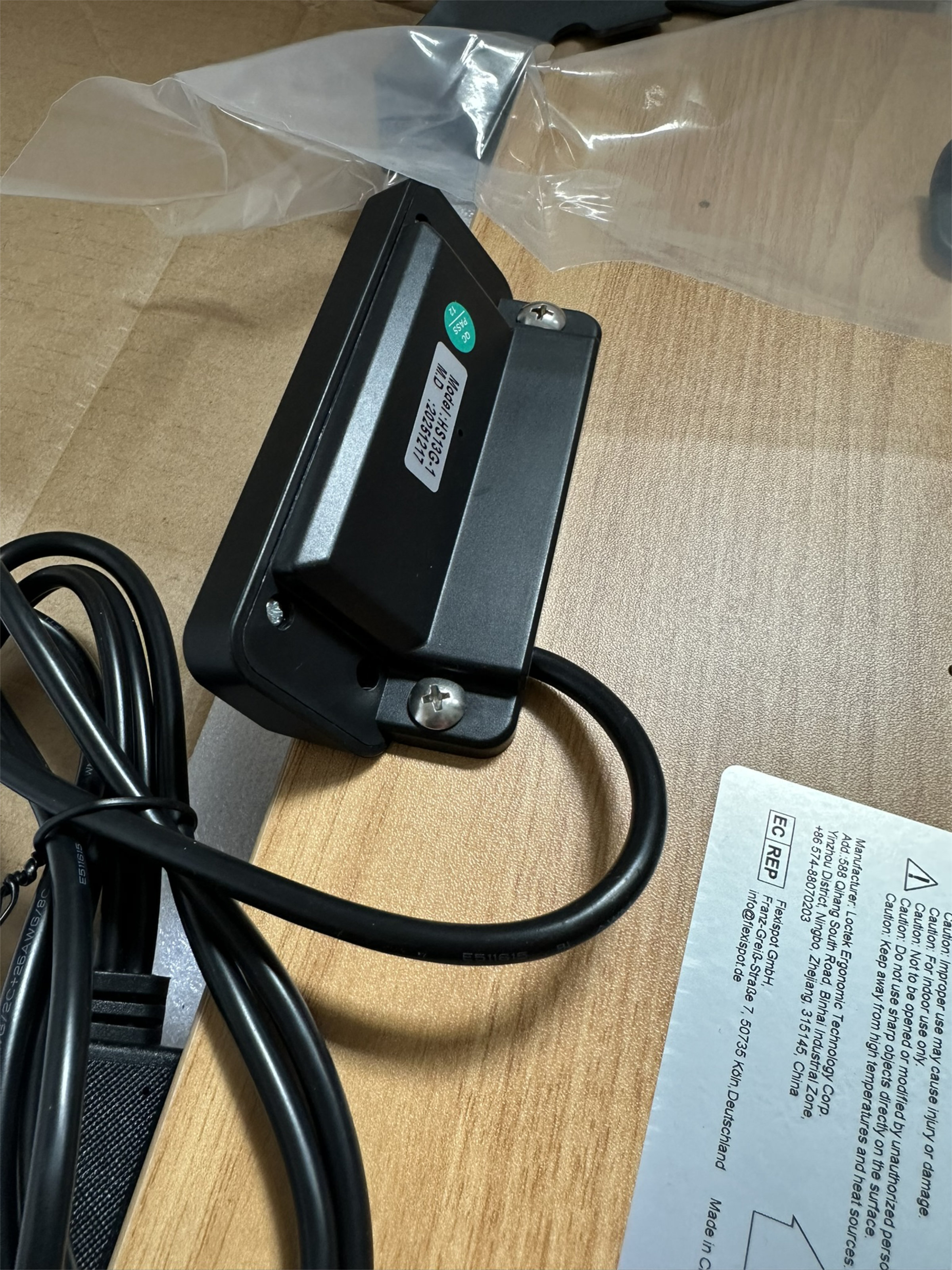 Flexispot E7 Pro 2026 018 Installing the Control Unit (Image © PCMasters.de)
The wiring of the motors and the hand control unit with the central motor control is done quickly and without errors thanks to the color-coded connectors ‘9’.
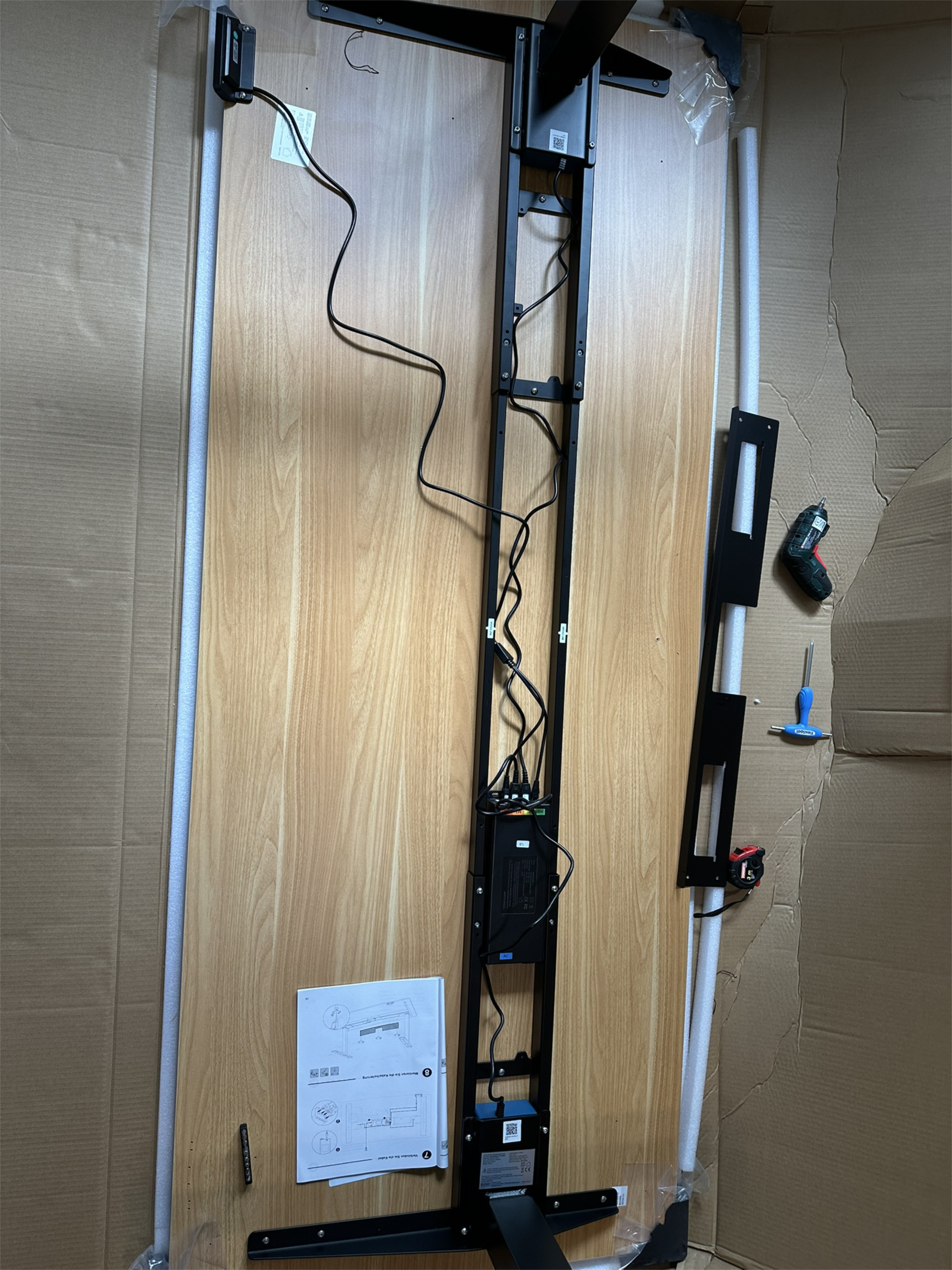 Flexispot E7 Pro 2026 019 Wiring (Image © PCMasters.de)
The most time-consuming part of the assembly remains the installation of the cable holder ‘7’. Unfortunately, FlexiSpot does not provide any centered pre-drilled holes on the plate, which is why you have to measure and drill yourself.
Unsightly: When drilling, the laminate at the edge of the holes on our panel flaked off slightly - a small visual blemish that is invisible after turning over, but could have been avoided.
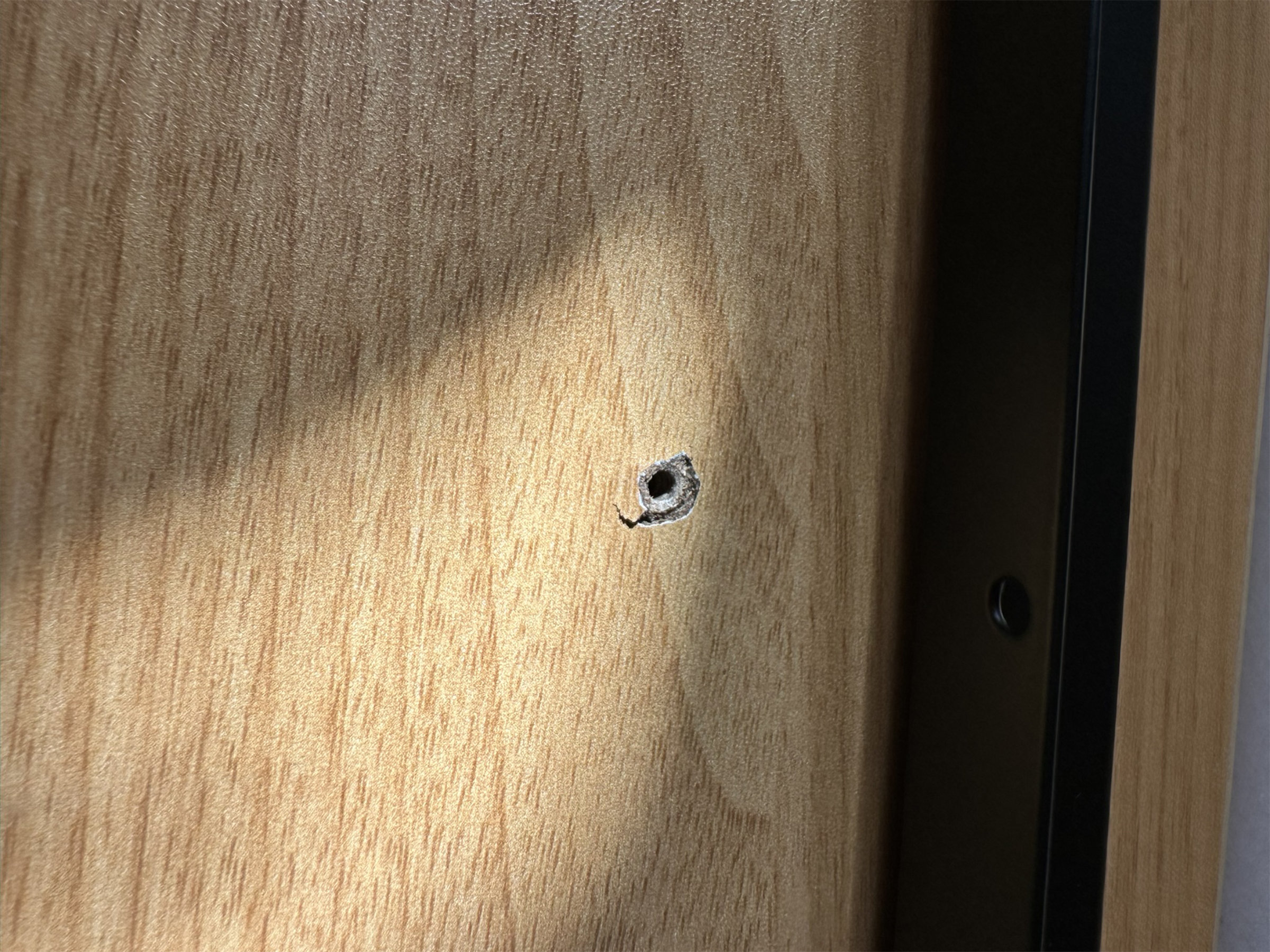 Flexispot E7 Pro 2026 020 Cracked Laminate (Image © PCMasters.de)
We opted for a distance of approx. 19 cm from the frame in order to position the channel close enough to the edge but outside the direct leg area. The three ‘F’ screws are used to attach the cable holder.
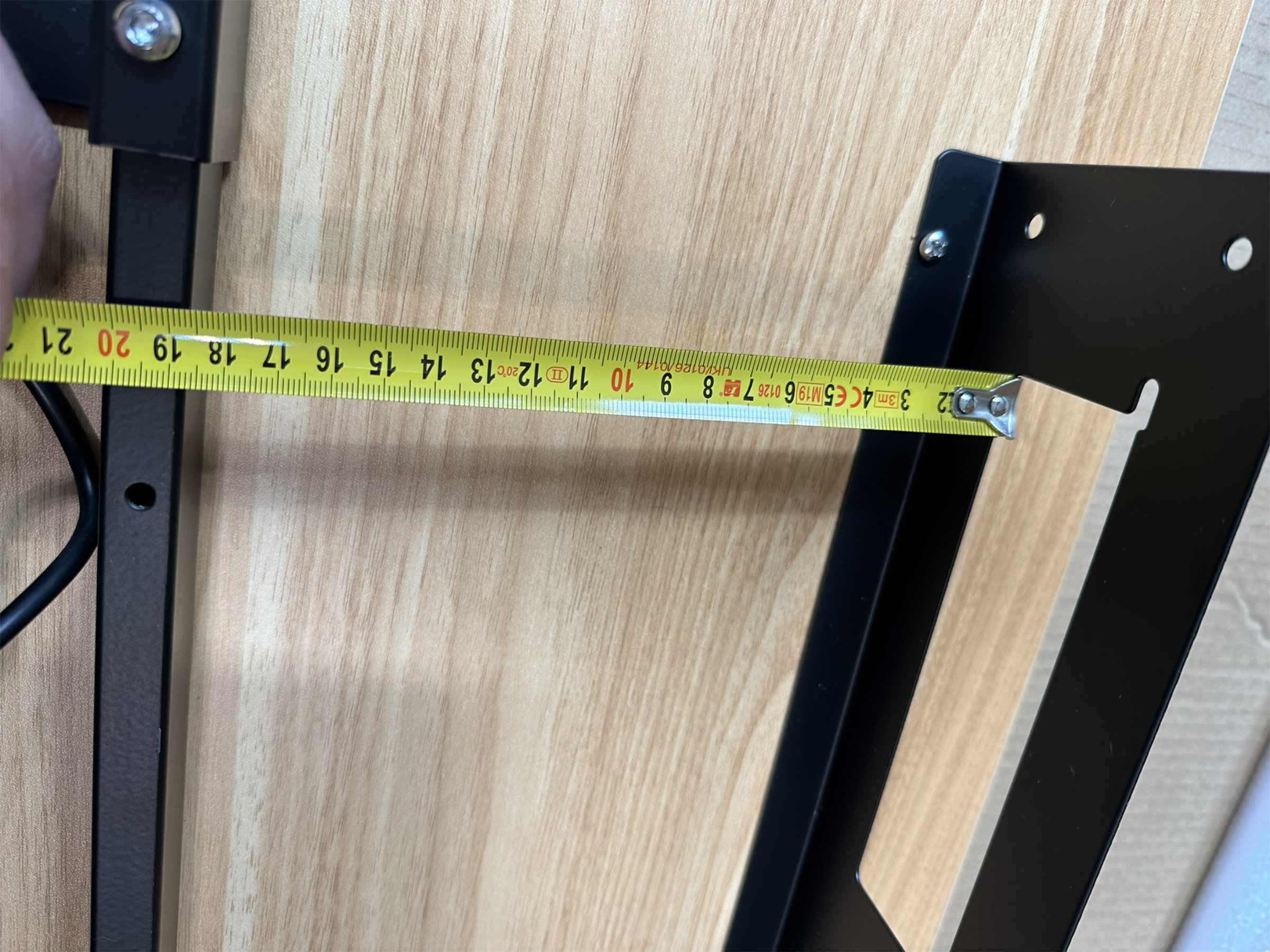 Flexispot E7 Pro 2026 021 Installing the Cable Channel (Image © PCMasters.de)
Before turning the table, the screw-in foot pads 11 can be attached, which can later be used to level out any unevenness in the floor with millimeter precision. Due to the total weight of over 60 kg, it is imperative that two people turn the table over.
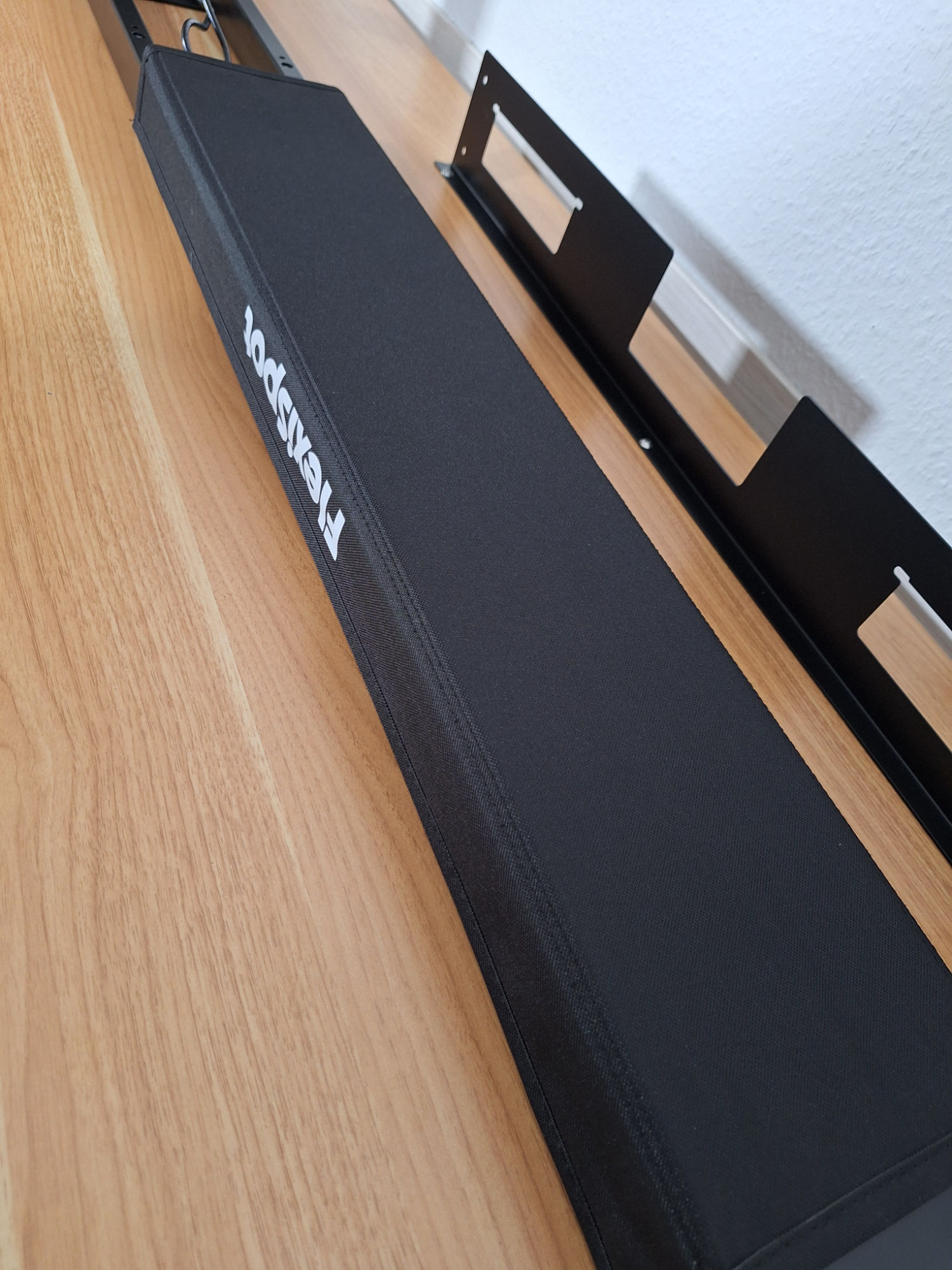
After setting up, the cable tray ‘8’ is fitted, the cables are neatly routed and fixed to the frame with the magnetic cover ‘6’. The Velcro fastener ‘13’ is also helpful here to fix extra-long cables in the cable channel, for example. Simply cut off the required length from the 2 m long Velcro fastener.
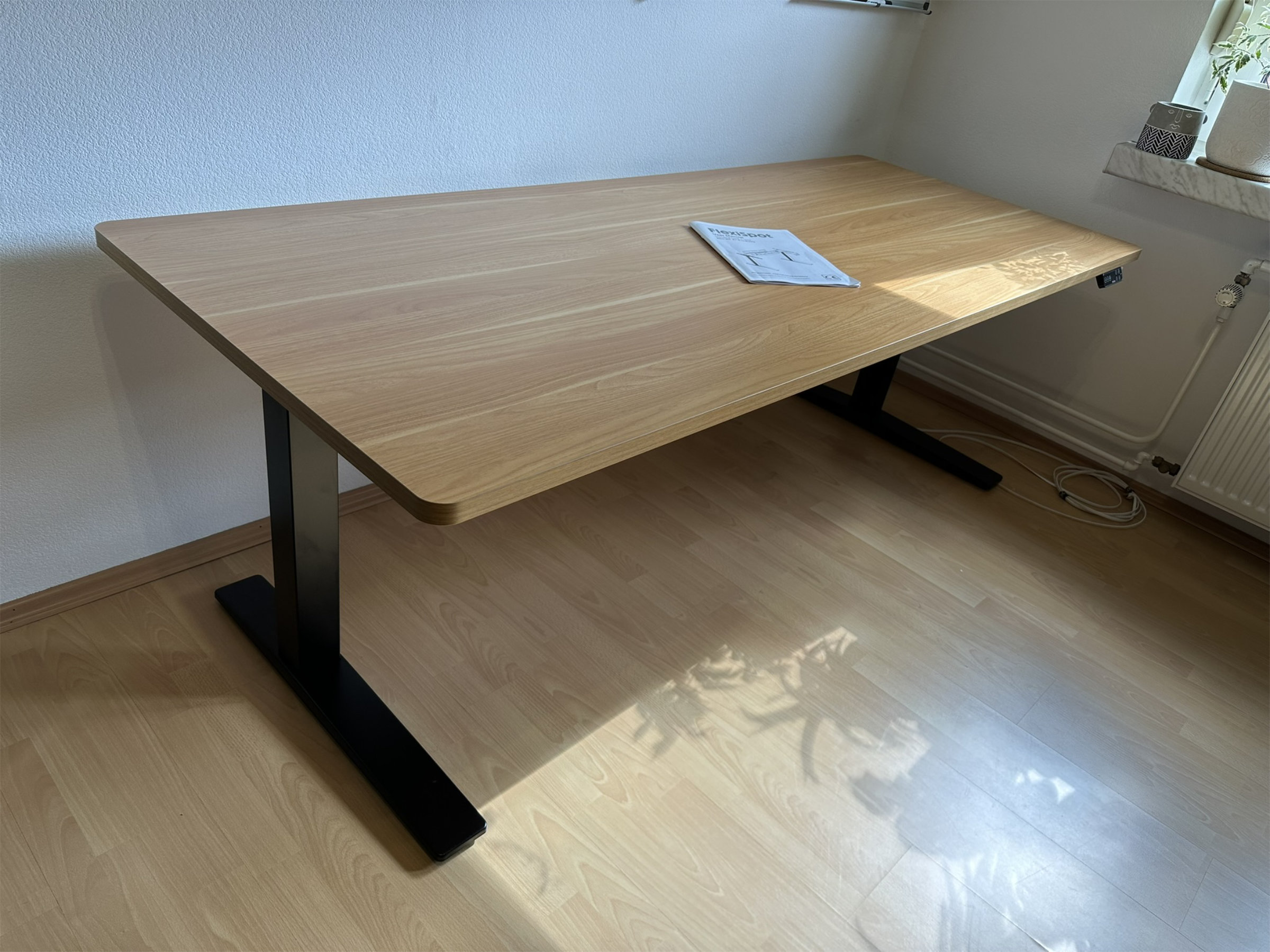 Flexispot E7 Pro 2026 Review (Image © PCMasters.de)
In contrast to the 2024 model, this time the magnetic channel held firmly to the support beam at the first attempt. This time we decided not to stick on the cable manager ‘12’, which is also supplied, as experience has shown that it collects dust very quickly.
Operation
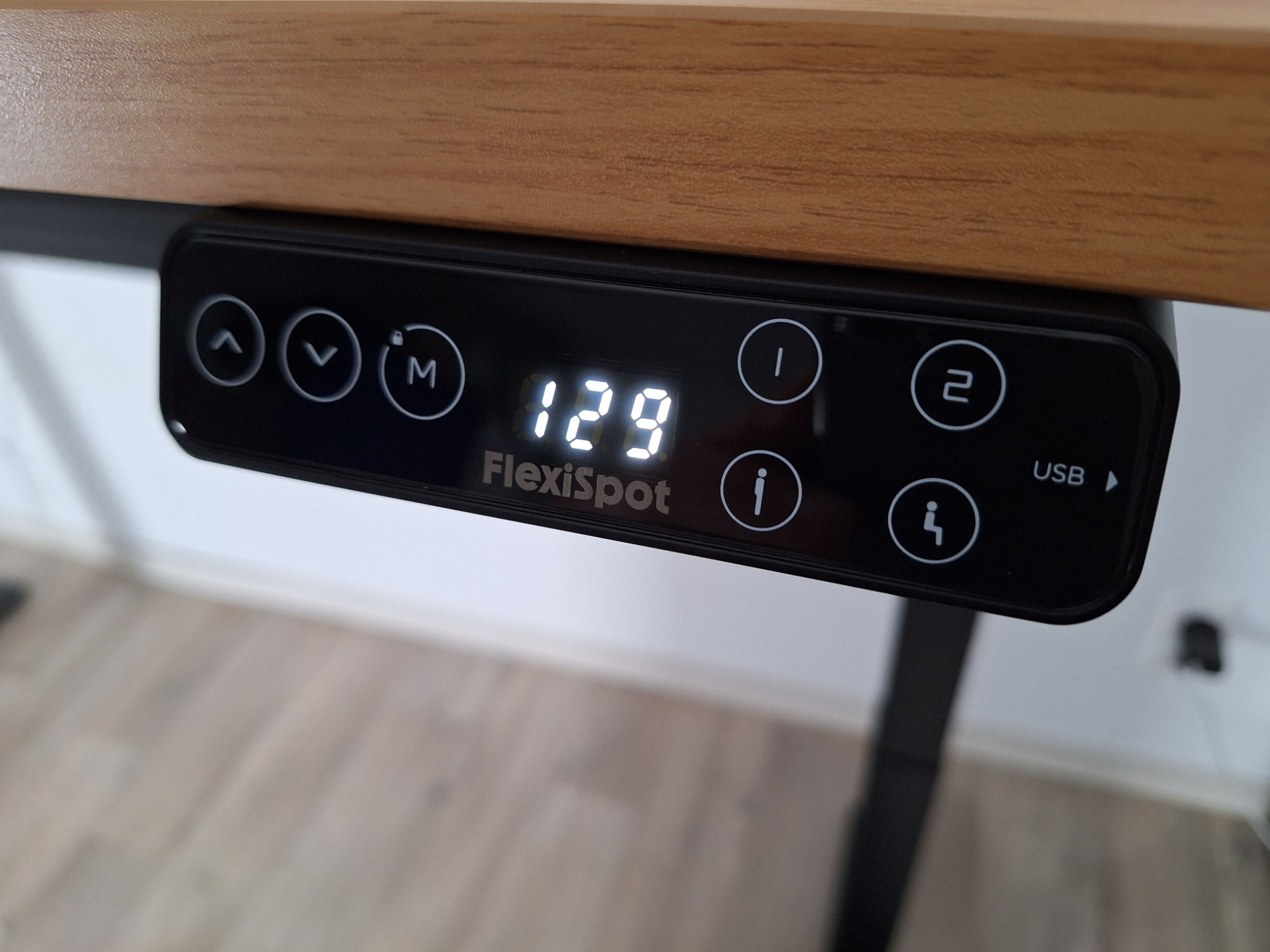 FlexiSpot E7 Pro 021 - Höchste Tischhöhe (Image © PCMasters.de)
Height adjustment and memory
The E7 Pro is controlled via the digital touch control panel. The ∧ and ∨ buttons on the left-hand side are used for manual height adjustment, with the LED display showing the current height in real time. The adjustment range remains unchanged between a minimum of 635 mm and a maximum of 1,285 mm.
Up to four height profiles can be saved using the memory function: after moving to the desired height, press the ‘M’ button in succession and then the desired target assignment (‘1’, ‘2’ or the symbols for sitting/standing). A short press on the respective button is then sufficient to automatically move the table to the stored height. The system works with the same reliability as the 2024 model.
Child safety function
To prevent unintentional adjustments, the control panel has an integrated child safety lock. If the ‘M’ button is held down for five seconds, the surface locks. A blue LED above the button indicates the active status. Each touch of the buttons in the locked state is acknowledged with an acoustic signal tone. Unlocking is carried out in the same way by holding the ‘M’ button again for five seconds.
Collision protection sensitivity
The integrated sensor collision protection stops the table automatically as soon as it encounters resistance when moving down or up. The sensitivity of this system can be adjusted by pressing the ∧ and ∨ buttons simultaneously for five seconds. The display shows the selected level, which is divided as follows:
| Collision sensitivity - display code | Affecting sensitivity |
|---|---|
| A-3 | High sensitivity |
| A-2 | Medium sensitivity |
| A-1 | Low sensitivity |
| A-0 | Disabled anti-collision function |
USB port
In addition to the control element, a USB-C port is now offered together with the USB Power Delivery 3.0 (PD 3.0) standard, in contrast to the 2024 model which still used USB-A. With specifications of up to 12 V / 1.67 A, the port delivers an intelligent 20 watts of charging power. This is enough to quickly charge modern smartphones at the desk, but unfortunately does not replace the large power supply unit for the work laptop.
Specification & technical data and differences to the 2024 version
A direct comparison of the technical specifications reveals three key performance values that FlexiSpot has optimized in addition to the USB upgrade already mentioned: the maximum adjustment speed, the load capacity and the standby consumption.
The maximum adjustment speed has been increased from 40 mm/s to 50 mm/s. This means that the table bridges the stroke path faster. In everyday use, this is an advantage for rough adjustments, but makes precise fine adjustment in the millimeter range a little trickier, as the motors respond very directly. Despite the higher speed, the noise generated by the two motors remains moderate and, according to measurements, is still below the 50 dB mark.
In addition, the maximum load capacity has been increased from 160 kg to 180 kg. If you deduct the weight of our two-meter-long test tabletop (approx. 27 kg), this leaves a net payload of 153 kg - sufficient capacity even for complex setups with several monitors, heavy cabinets and audio equipment. Another positive aspect is the reduction in standby consumption: this has been more than halved from the previous 0.5 watts/minute to the current 0.2 watts/minute.
| Technical data in comparison (manufacturer's specifications) | ||
|---|---|---|
| Designation | E7 Pro (2026) | E7 Pro (2024) |
| Material | Steel, various plastics | |
| Color (inside / outside) | Black | |
| Table top width | 800 mm - 2000 mm | |
| Table top depth | 600 mm - 800 mm | |
| Table frame width | 1100 mm - 1900 mm | |
| Table frame height | 635 mm - 1285 mm | |
| Adjustment speed | 50 mm/s | 40 mm/s |
| Carrying capacity | 180 kg | 160 kg |
| Lifting columns | 3 | |
| Motors | 2 - One motor for each table leg | |
| Sound level | < 50 dB | |
| Special features | C-shaped table frame, 20W USB-C (PD 3.0) | C-shaped table frame, standard USB-A |
| Consumption in standby | 0.2 W/min | 0.5 W/min |
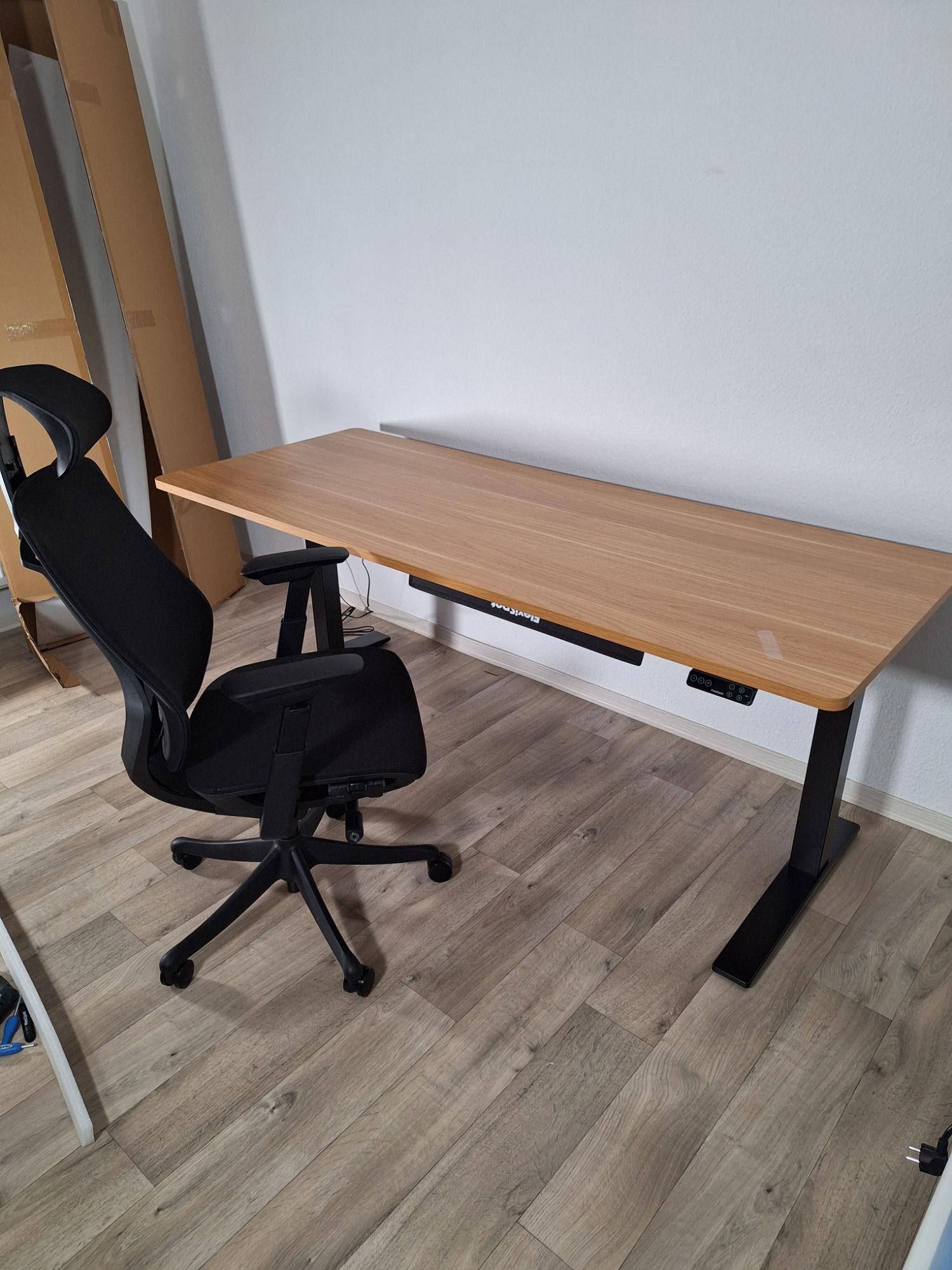 FlexiSpot E7 Pro 023 - Aufgebauter Tisch mit Stuhl (Image © PCMasters.de)
Flexispot tabletops in a quick check
Since we tested the FlexiSpot E7 Pro in a bundle with the 200 x 80 cm table top in maple decor, the question inevitably arises: Is the regular price of around 200 euros (depending on the current discount campaign) for the manufacturer's own chipboard worth it, or is a trip to the DIY store the smarter alternative?
A transparent price and cost comparison quickly shows what you are actually paying for:
- The DIY store standard
A simple panel cut (16 to 19 mm thick) currently costs just between 30 and 50 euros in large DIY stores such as Bauhaus, toom or Hornbach. So in purely material terms, the savings here are enormous. The catch is that the boards are often unfinished and you have to iron on the edges yourself with glue. You also have to transport the unwieldy board yourself, measure the frame to the millimeter and pre-drill all the fixing holes yourself. One small mistake when measuring or the wrong drill bit and the laminate bursts open unsightly.
- The solid wood alternative
Real solid oak boards in 26 to 27 mm thickness range in this dimension from 149 euros (e.g. already pre-oiled) to 225 euros (for more elaborate designs with real tree edge or Swiss edge). The price is therefore very similar to that of the FlexiSpot chipboard, but the feel of the natural material is of a much higher quality. However, there is also manual work involved here: untreated boards still have to be sanded and oiled, and here too you are faced with the challenge of transportation and drilling your own holes precisely.
- The FlexiSpot original For around 200 euros, you are primarily buying "out-of-the-box" convenience with a simple melamine resin-coated chipboard. The board is delivered to your door by a forwarding agent. The absolute biggest plus point is the accuracy of fit: most of the holes for the table frame and the control panel are drilled to the millimeter by machine, which speeds up assembly massively and completely eliminates measuring errors. In addition, the table top with its clean edges is ready for immediate use and extremely easy to clean.
 FlexiSpot E7 Pro 017 - Kabelkanal Abdeckung (Image © PCMasters.de)
Conclusion on the table top
If you watch every penny and don't have two left hands, you can easily save 150 euros with a simple DIY store chipboard. If you are prepared to spend 200 euros, you can get solid oak wood in the DIY store - but you will have to invest in sweat, oil and precision craftsmanship. However, if you're prepared to offset your own hourly wage and nerves against this, and don't fancy drilling templates and playing forwarding agent in your private car, the FlexiSpot panel is a seamless "all-round carefree package".
Flexispot E7 Pro 2026 Review (Image © PCMasters.de)
Conclusion on the FlexiSpot E7 Pro (2026)
The 2026 version of the FlexiSpot E7 Pro proves to be a solid companion for the home office and gaming setups that is suitable for everyday use, but does not reinvent the wheel. At the typical working heights - such as the 74 cm sitting and 110 cm standing heights we used - the design continues to provide a high level of stability. The C-legs provide comfortable legroom and enhance the table's appearance. Only when you extend the table almost to its maximum height of 1.28 meters does it become a little more wobbly due to its design. However, you have to brace yourself to make it sway.
However, where there is light, there is also shadow in the new edition, especially when it comes to assembly. We criticize the sometimes confusing instructions, whose assembly steps and translations don't seem to have been properly thought through in places. Even more annoying are the missing pre-drilled holes for the cable holder on the table top. If you have to reach for the drill yourself, you risk - as in our case - slight chipping of the coating.
The supplied cable management itself also offers room for criticism: The supplied channel is sufficient for a minimalist setup consisting of a laptop and monitor. However, if a desktop PC, external speakers, router and various power supply units are added, the design quickly reaches its capacity limits. FlexiSpot does offer alternative, much more massive systems such as the integrated cable management and power supply system CMP061 for purchase in its store. However, as we did not have these optional solutions available in this test, we cannot give an assessment here of how well they solve the space problem in practice.
The 2026 version is therefore not a mandatory upgrade from the 2024 model. The increase in load capacity to 180 kg and the adjustment speed of 50 mm/s are nice additions on paper, but hardly noticeable in normal everyday office use. The real everyday added value of the new edition lies in the hand control unit: the switch from a slow USB-A port to a modern USB-C port with 20 watts (PD 3.0) is practical for quickly charging your smartphone while you work. Nonetheless, a 100-watt port would have been the icing on the cake here, as a real alternative to be able to power laptops and all kinds of other devices directly without an additional power supply unit.
In a company-internal comparison, the model ranks right in the middle: If you are looking for a simple, budget-oriented basic version, go for the E7H. Those who need maximum torsional rigidity for extremely heavy bodies will find the more stable alternatives in the 4-leg frames such as the E7Q or the E7 Plus.
But how does the E7 Pro fare against generic competitor products? A quick look at platforms such as Amazon shows that electrically height-adjustable table frames are sometimes available for well under 200 euros. However, you have to take into account that the E7 Pro frame is regularly priced at around €350. This raises the question: Are you paying twice the price for twice the quality here?
Actually almost. Cheaper alternatives often don't offer the same options in terms of load capacity, lifting columns, adjustment height or even solid stability. As a renowned manufacturer, FlexiSpot delivers proven, robust technology - which is underlined not least by the generous 10-year guarantee.
In summary, the quality is absolutely right for the price. If you can overlook the small pitfalls during assembly and the simple cable management, you get a durable and visually appealing table frame.
Pros
- High mechanical stability at the relevant working heights
- Elegant appearance and plenty of legroom thanks to C-feet
- Upgraded control panel with 20W USB-C (PD 3.0) charging function
- High maximum load capacity (180 kg)
- 10-year manufacturer's warranty on the frame
Cons
- Missing pre-drilled holes for the cable holder led to chipping on the panel in the test
- Included cable duct too small for extensive desktop setups
- Instructions sometimes confusing or imprecisely translated