Computer Forum
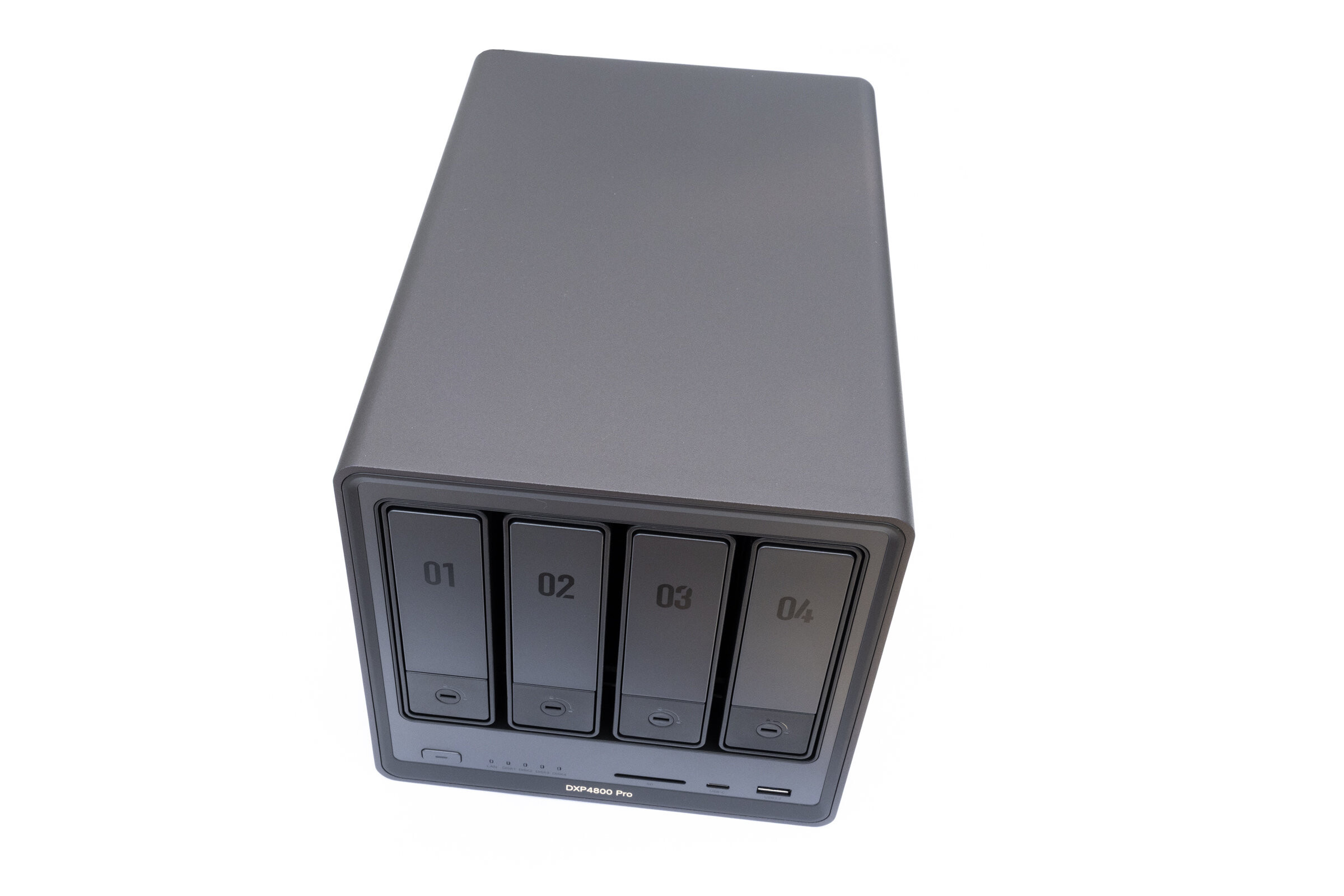 UGREEN DXP4800 Pro Review (Image © PCMasters.de)
The DXP4800 Pro is positioned at the upper end of the current 4-bay series and is aimed at users who want to use their NAS not only as a central data storage device, but also for more demanding tasks. At the same time, UGREEN promises the usual extensive features, modern software functions and simple setup that were already among the strengths of the previous NASync models.
However, the growing variety of models within the NASync series raises the question of how the DXP4800 Pro positions itself against the other 4-bay models and which target group will ultimately benefit the most from this NAS. We therefore took a closer look at the system in the test and checked how it performs in everyday use.
About UGREEN
UGREEN has been active on the market since 2012 and should be familiar to many users, especially through accessories such as cables, chargers and docks. In the meantime, however, the manufacturer has further expanded its product portfolio and also offers its own NAS systems with the NASync series. In recent months in particular, the range has been further expanded and several new models have been added with the DXP4800 Pro and the recently launched DXP4800 GT. This shows that the NAS sector is now firmly established in the manufacturer's own product portfolio.
Technical details
With the NASync DXP4800 Pro, UGREEN relies on a powerful Intel Core i3 platform, which is designed to offer strong performance, especially for virtualization, Docker applications and media servers. The hardware is complemented by DDR5 memory, fast network connections and numerous expansion options.
| Technical data | UGREEN NASync DXP4800 Pro |
| Processor (CPU) | Intel Core i3 1315U (6 cores, 8 threads, up to 4.5 GHz) |
| Memory (RAM) | 8 GB DDR5, expandable up to max. 96 GB |
| Internal memory (system) | 128 GB SSD |
| Drive bays | 4 × SATA 6 Gb/s (3.5"/2.5"), 2 × M.2 NVMe |
| Maximum capacity | up to 144 TB |
| Network | 1 x 10 GbE LAN port, 1 x 2.5 GbE LAN port |
| USB ports | 2x USB-A 3.2 Gen2, 1x USB-C 3.2 Gen2, 2x USB-A 2.0 |
| Other connections | 1x SD 3.0, 1x HDMI 4K 60 Hz |
| Operating system | UGOS PRO |
| Dimensions (L × W × H) | 257 × 178 × 178 mm |
| Power supply | 19 V / 7.9 A power supply unit |
| Price | from € 679 (Affiliate) |
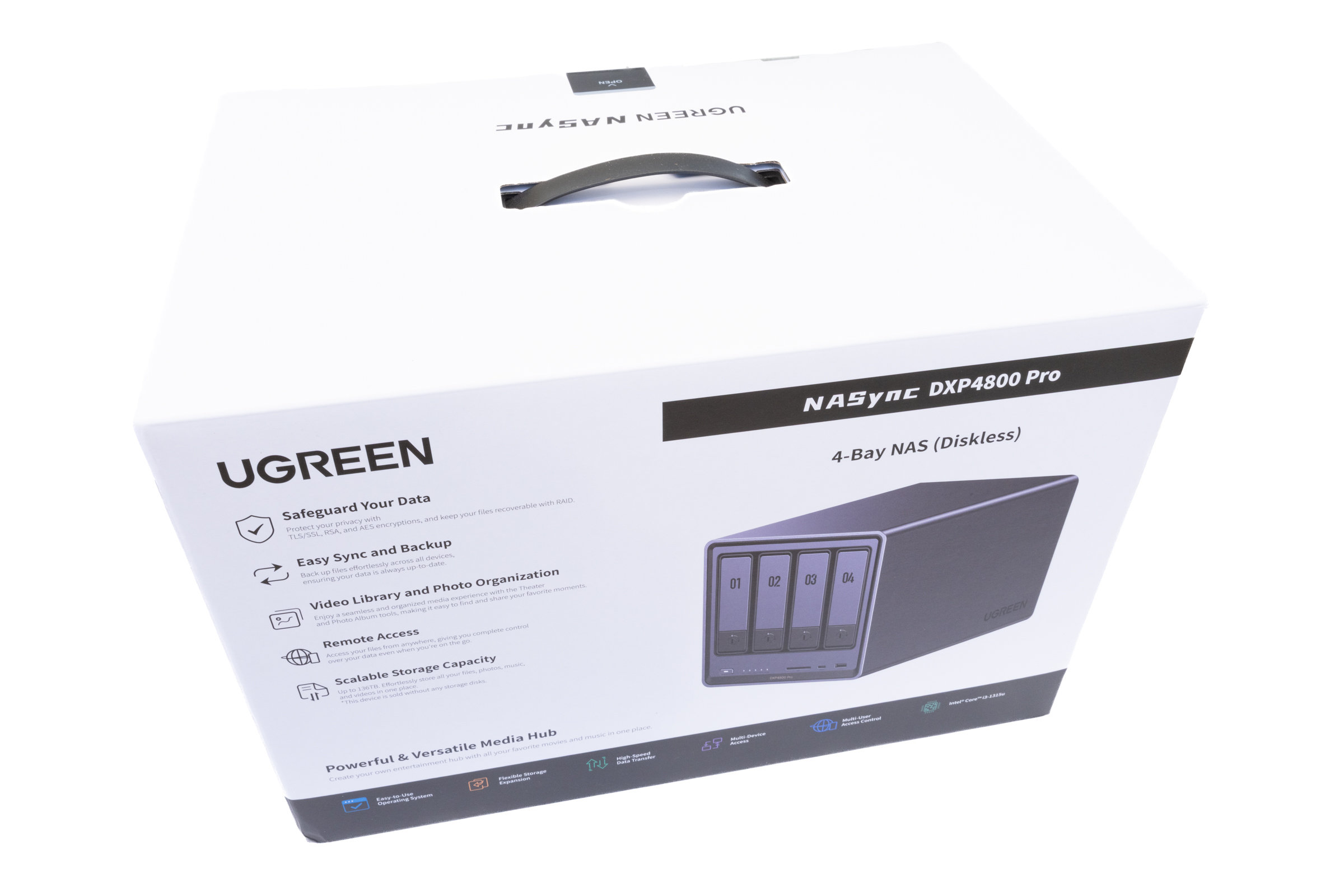 UGREEN DXP4800 Pro Packaging (Front) (Image © PCMasters.de)
Scope of delivery
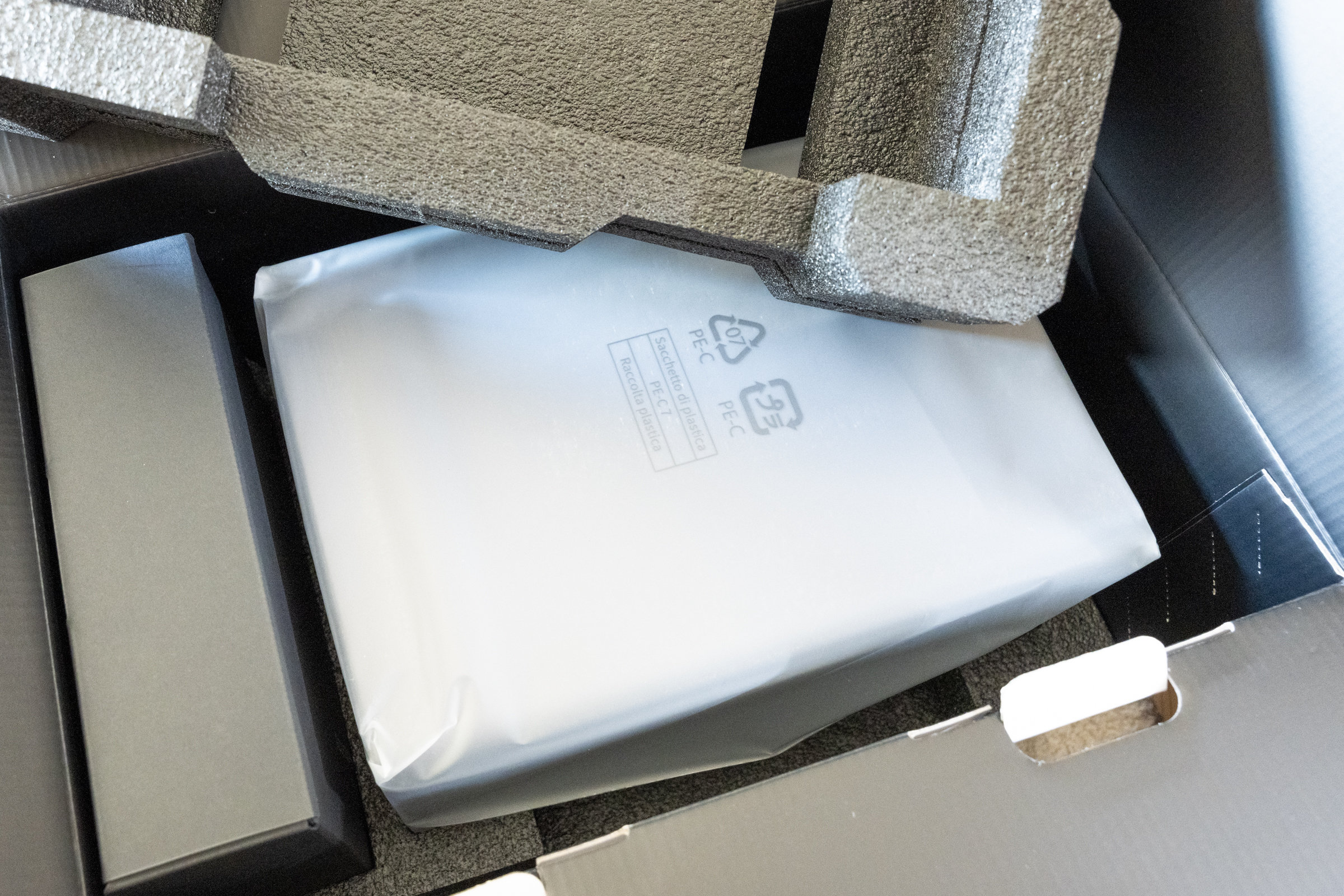
As with the previous NASync models, the scope of delivery of the DXP4800 Pro is quite extensive. UGREEN has opted for clean, stylish packaging in which all components are securely stowed and separately protected. Unfortunately, there is also a lot of plastic here, which is a bit off-putting.
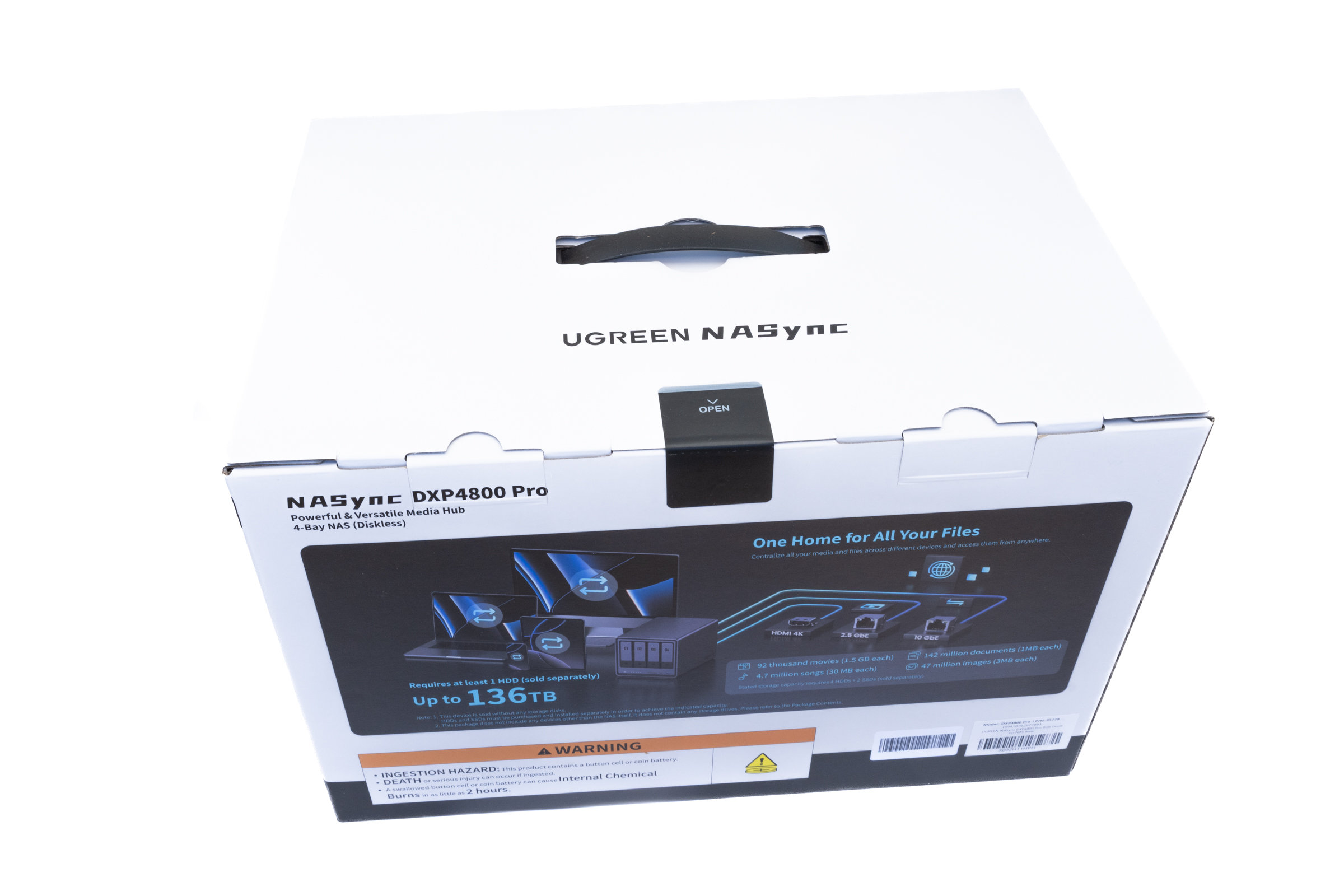 UGREEN DXP4800 Pro Packaging (Back) (Image © PCMasters.de)
 UGREEN DXP4800 Pro Packaging (Inside) (Image © PCMasters.de)
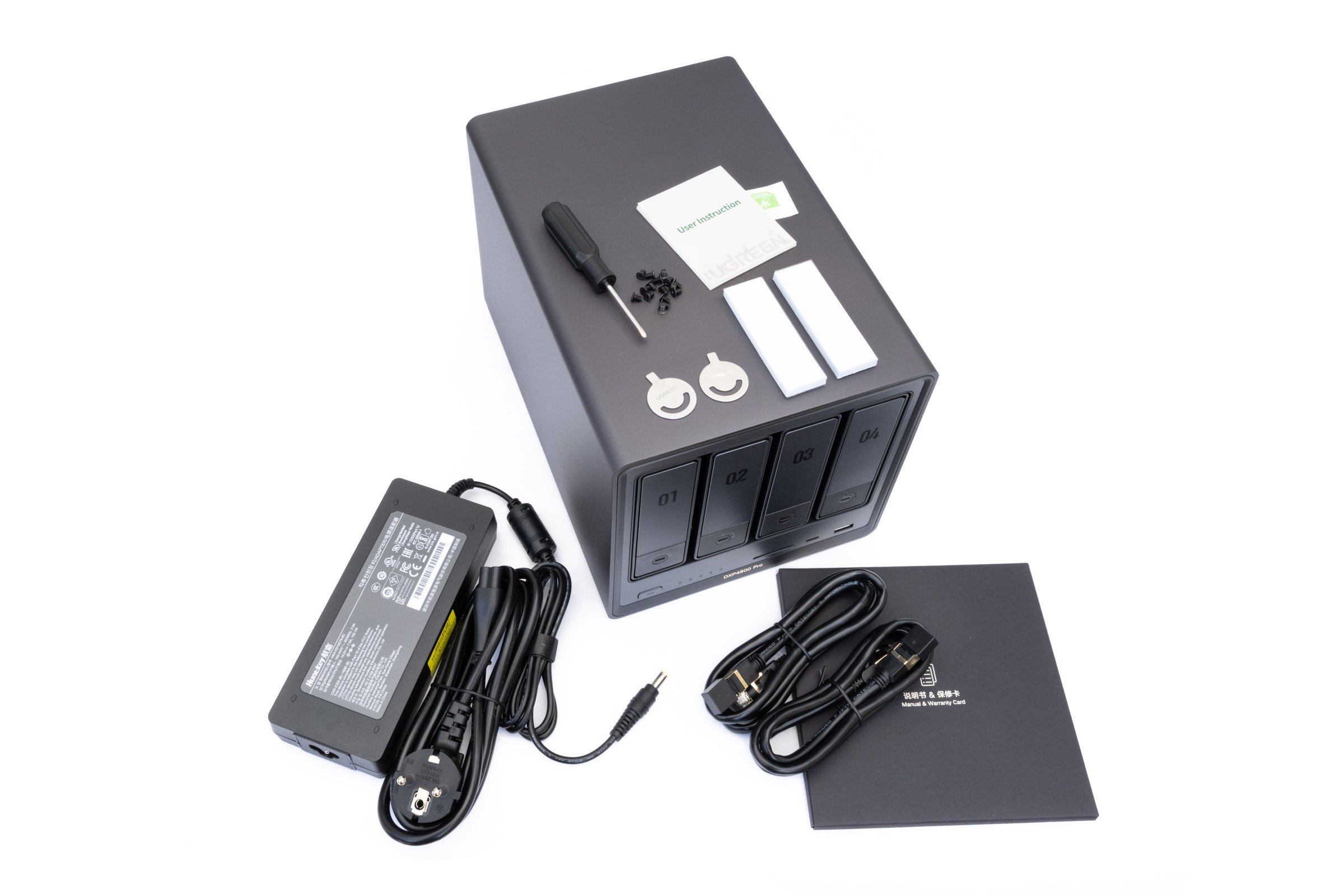
In addition to the NAS itself, an external power supply unit including power cable and two Cat 7 network cables are included in the scope of delivery. Screws for 2.5-inch hard disks and the appropriate tools are included for installing the drives. The accessories are supplemented by thermal pads for mounting the NVMe SSDs as well as a quick start guide and the usual documentation.
 UGREEN DXP4800 Pro Package Contents (Image © PCMasters.de)
This means that the entire system is ready for use straight out of the box, without the need for additional accessories for initial commissioning.
Scope of delivery: - NASync DXP4800 Pro - Power supply unit with power cable, 19 volts, 7.9 amps - 2x Cat-7 network cable, 1 meter - 2x SSD silicone pads for the NVMe SSDs - Screwdriver with screw set - 2x keys for locking the drive bays - Documentation and quick start guide
NAS in detail - design & workmanship
After unpacking, let's take a closer look at the NAS. At first glance, it quickly becomes clear that UGREEN is also relying on the familiar design language of the NASync series for the DXP4800 Pro. In direct comparison to the recently tested DXP4800 GT, we still get the familiar design here. While the GT has a completely new black surface with bronze-colored accents, the Pro is presented in the grey housing version. The casing is made of metal and leaves a high-quality impression. The workmanship is clean and overall the NAS appears robust enough to withstand long-term use without any problems.
 UGREEN DXP4800 Pro SATA ports (Image © PCMasters.de)
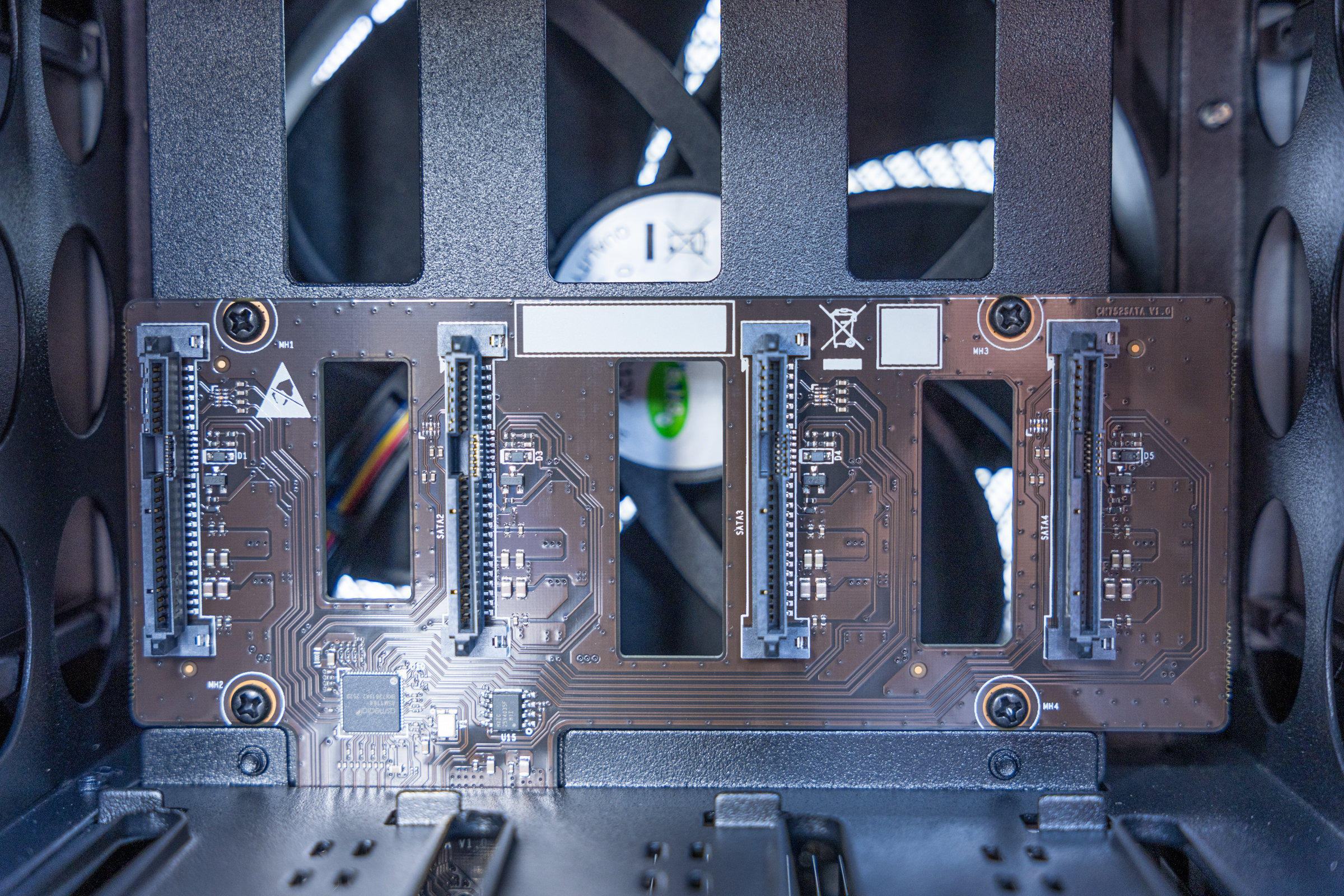
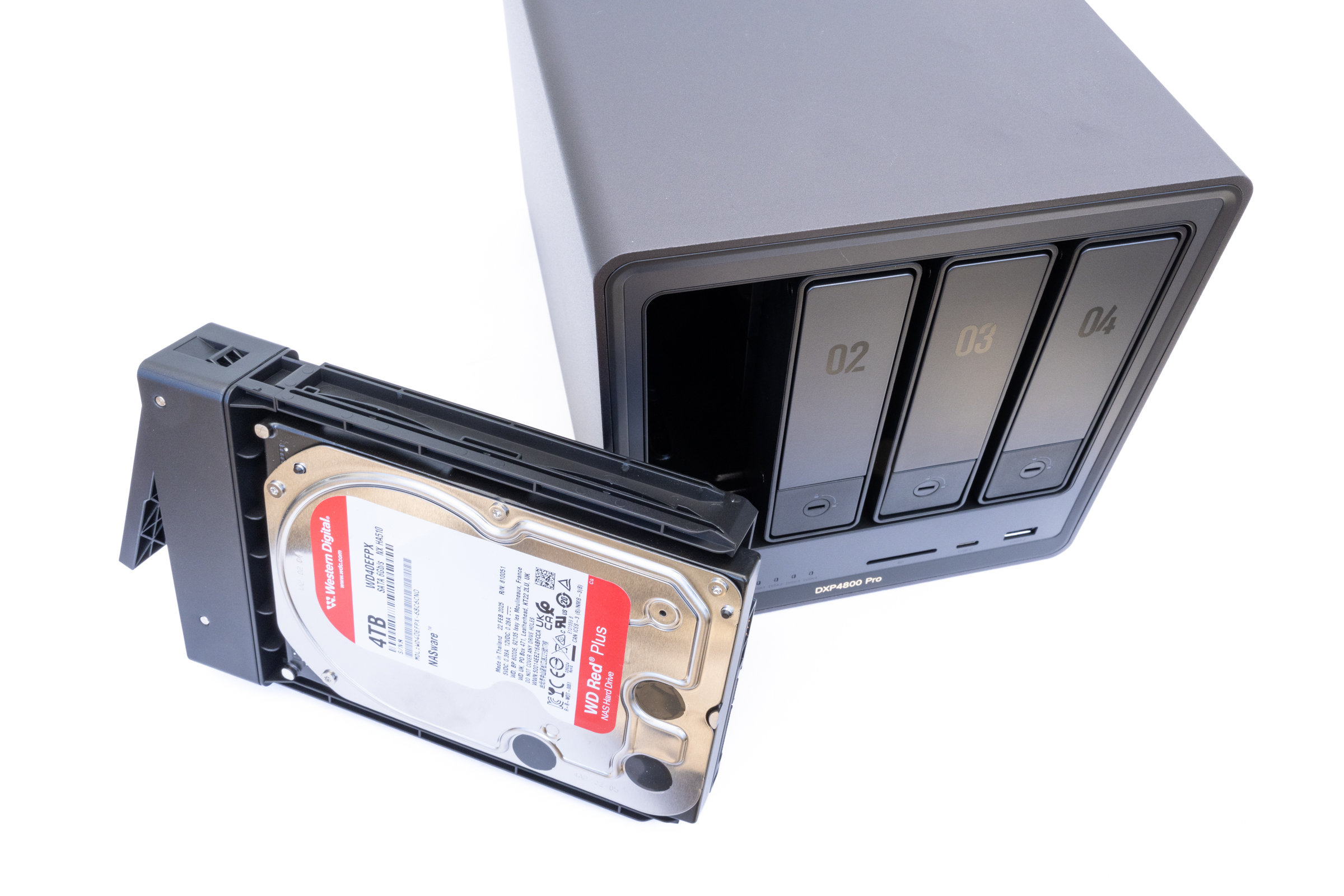
Let's take a look at the front first. Here, the four drive bays take up most of the front. The trays can be unlocked and pulled out relatively easily. No additional tools are required for the installation of 3.5-inch hard disks, which means that they can be fitted very quickly. 2.5-inch drives can also be used, but must then be screwed in place. The slots are made of plastic, but we found them to be quite sturdy and neatly finished.
 UGREEN DXP4800 Pro Internal HDD (Image © PCMasters.de)
Below the drive bays on the left are the power button and several status LEDs, which visually indicate hard disk activity. The front is complemented by an SD card reader, a USB-C port and a USB-A port. Especially when regularly importing large amounts of data from memory cards or external data carriers, the ports here are practical and well placed.
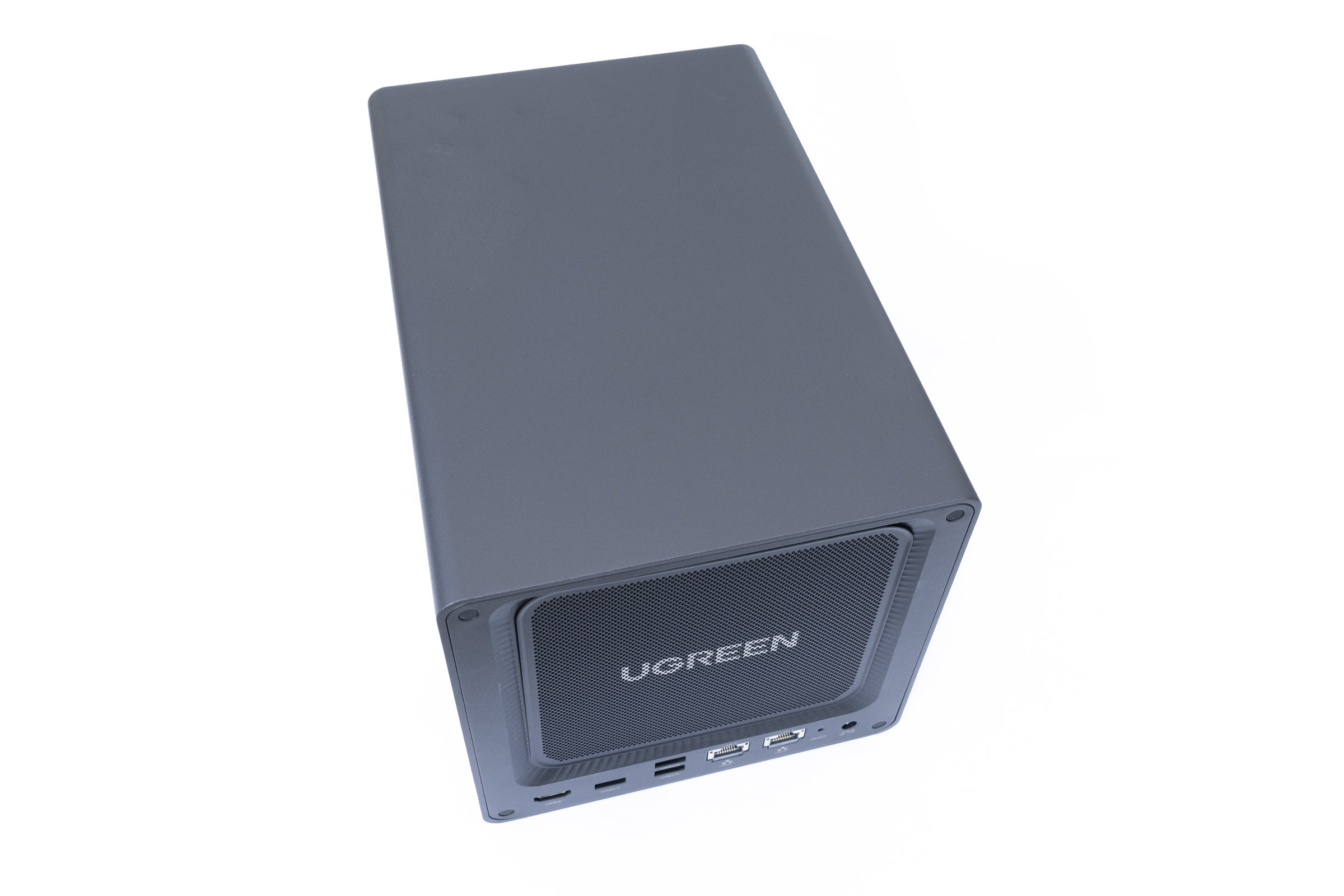 UGREEN DXP4800 Pro Back Side (Image © PCMasters.de)
The actual variety of connections on the system can be seen on the back. First, we see the large system fan in the upper area behind a magnetically attached cover. This can be quickly removed for cleaning work and makes maintenance easier.
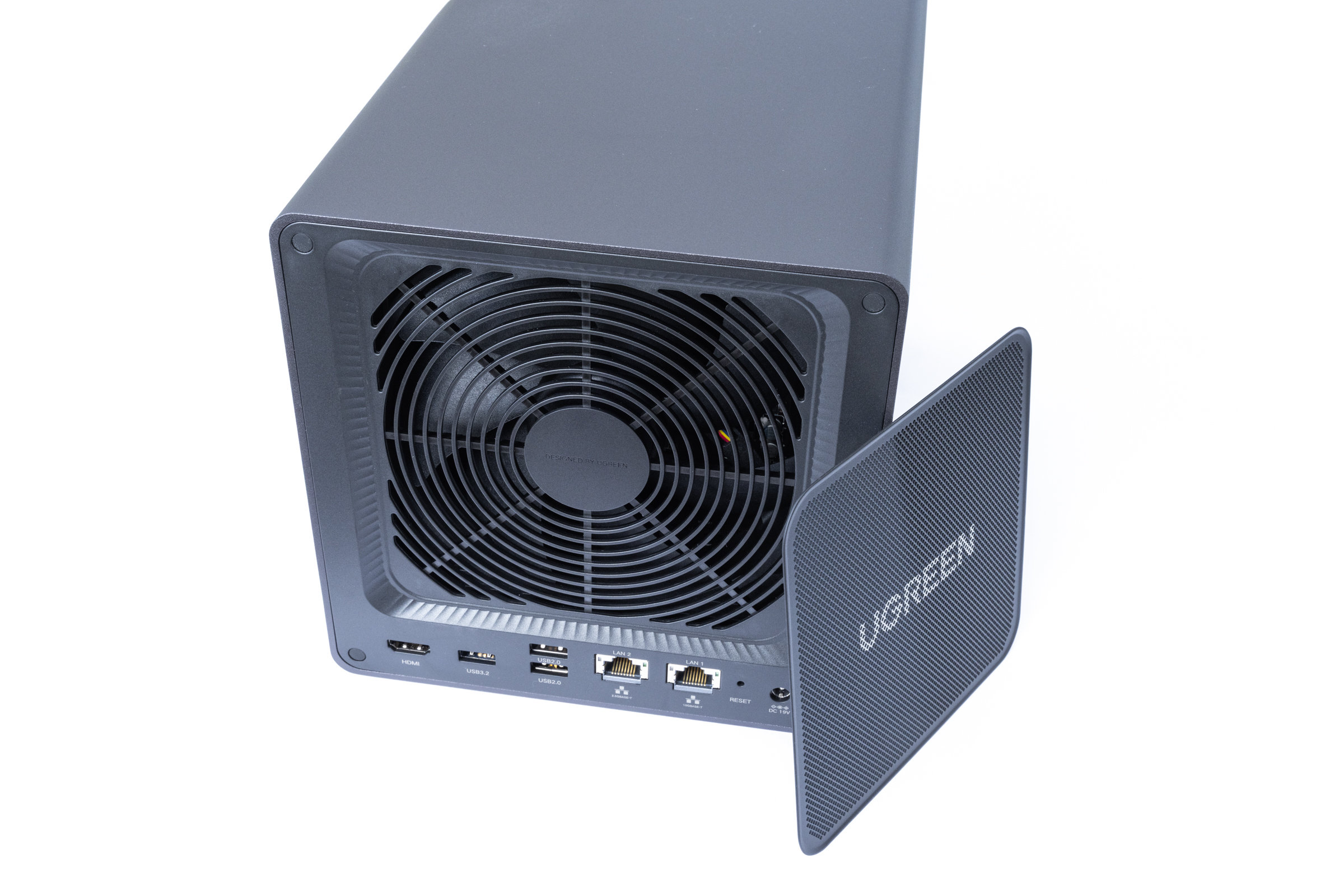 UGREEN DXP4800 Pro Magnetic Ventilation Grille (Image © PCMasters.de)
Below this are the two network connections with a 10 Gigabit Ethernet port and an additional 2.5 Gigabit connection. There are also several USB-A ports and an HDMI output, which can be used to connect the NAS directly to a monitor or TV if required. However, an additional USB-C port would also have been great here.
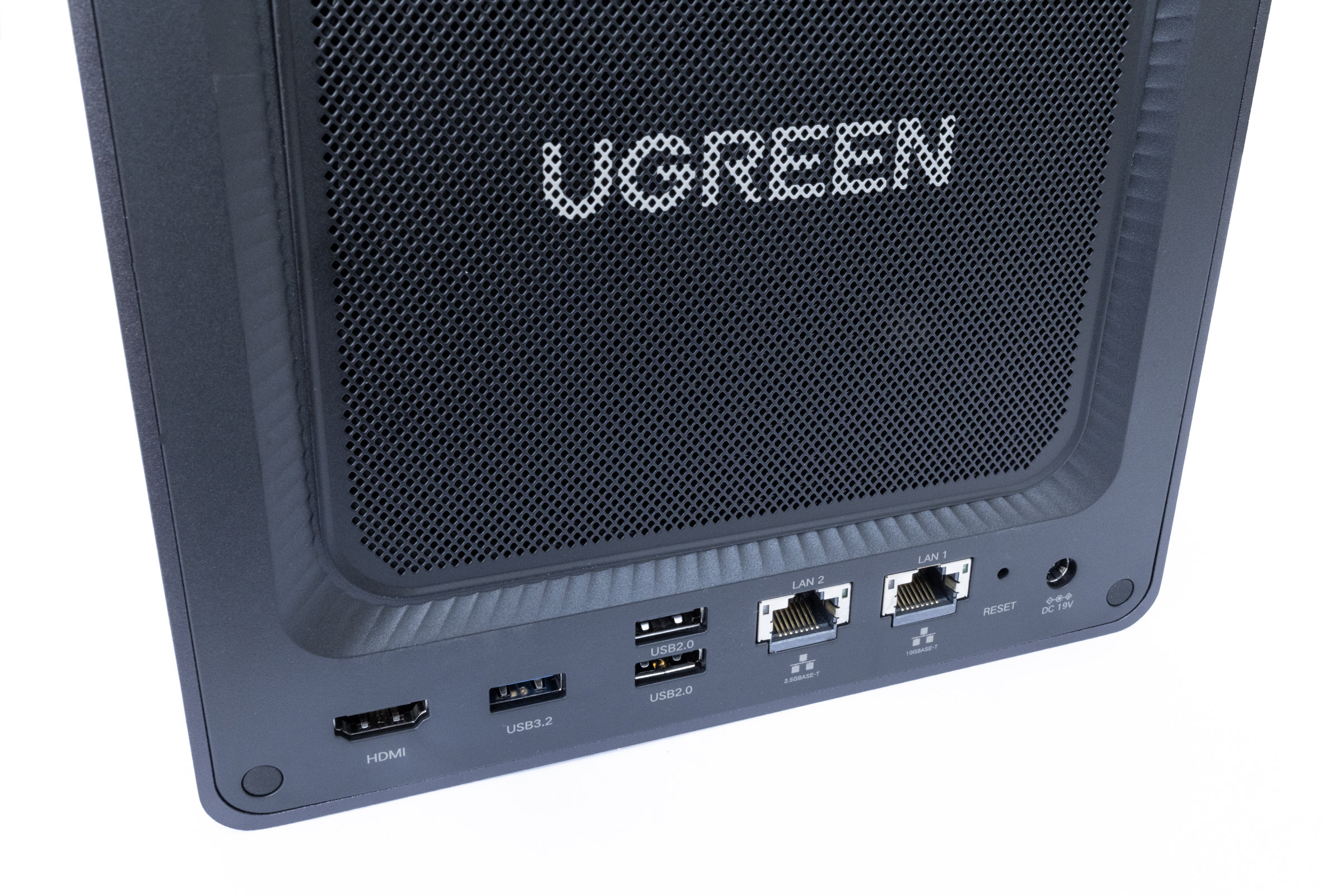 UGREEN DXP4800 Pro Rear Connectors (Image © PCMasters.de)
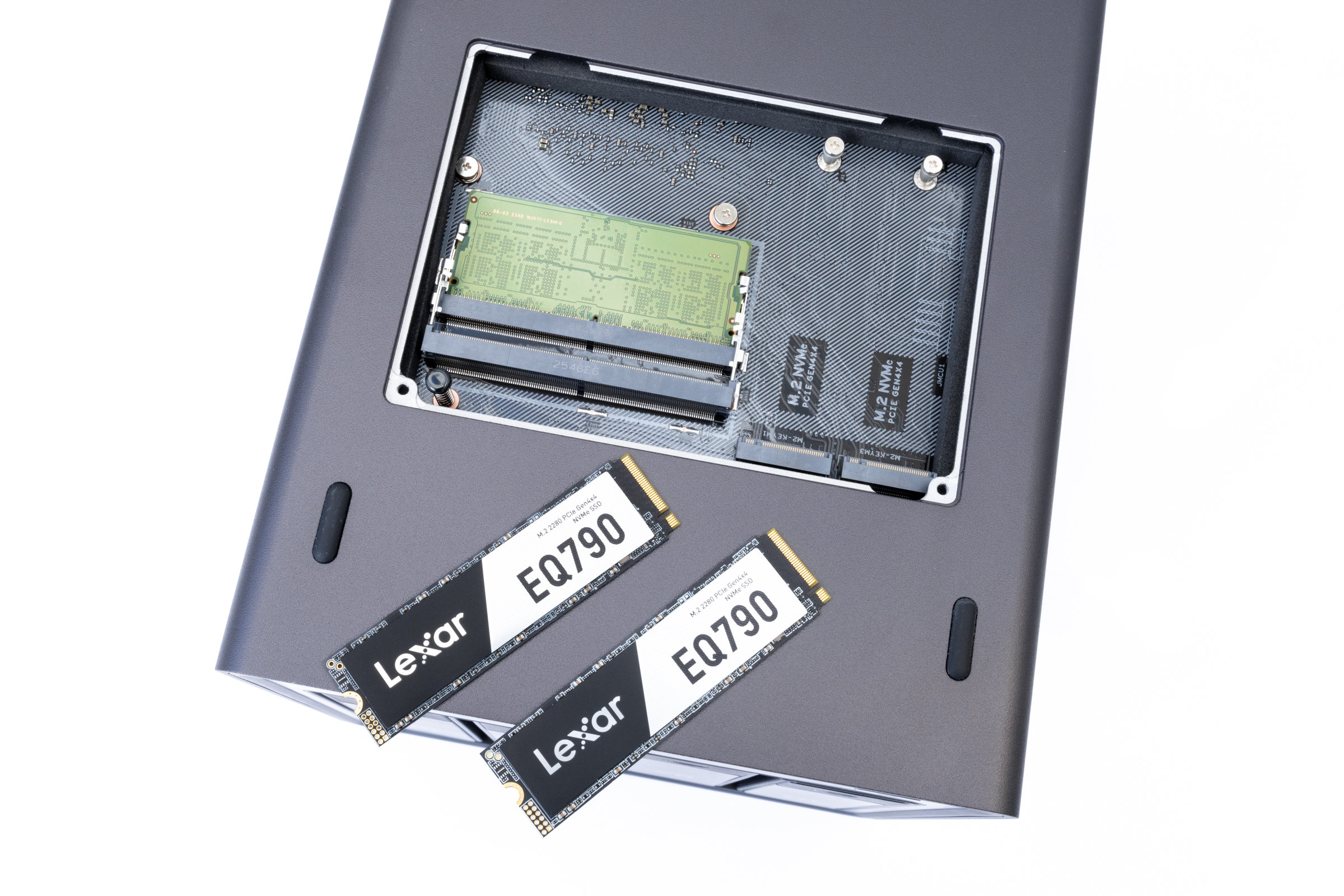 UGREEN DXP4800 Pro Installation of the NVMe (Image © PCMasters.de)
Things get interesting on the underside. The two M.2 slots for NVMe SSDs and the two memory banks are hidden behind a maintenance flap. This allows us to expand both SSD storage and RAM relatively easily without having to dismantle the entire chassis first. As standard, the DXP4800 Pro comes with an 8 GB DDR5 RAM module from Samsung already installed.
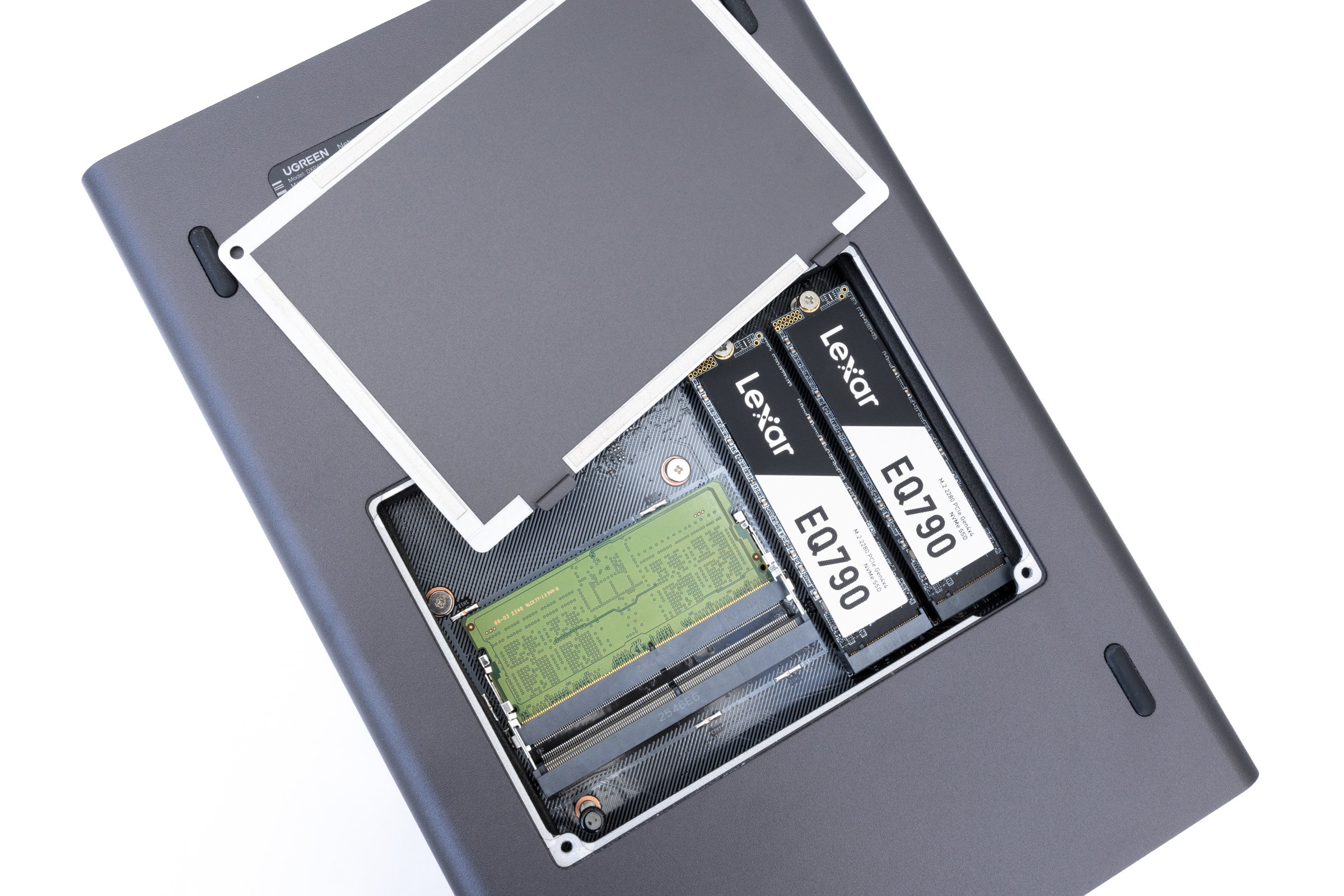 UGREEN DXP4800 Pro fully populated NVMe slots (Image © PCMasters.de)
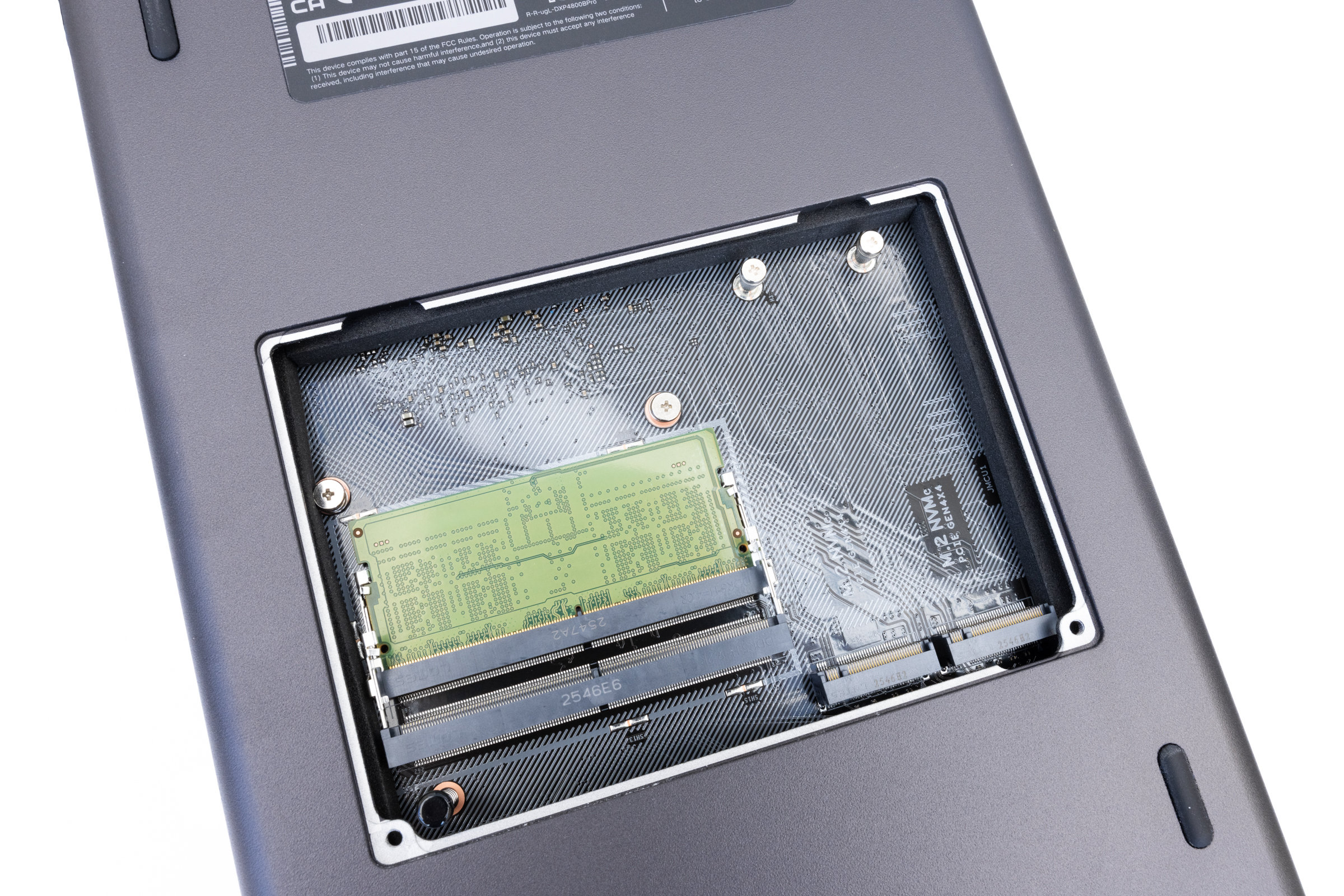 UGREEN DXP4800 Pro Maintenance flap open (Image © PCMasters.de)
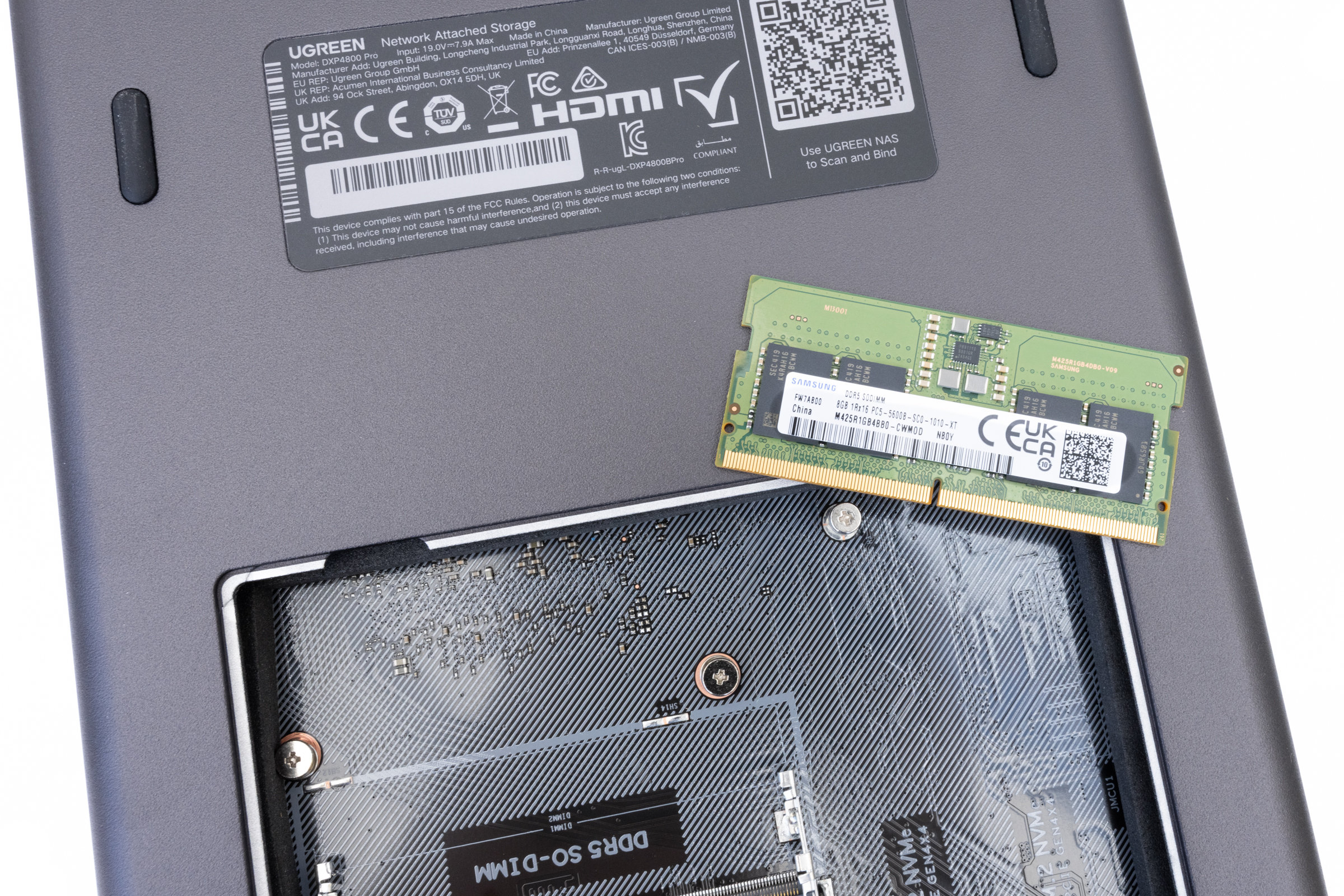 UGREEN DXP4800 Pro DDR5 RAM from Samsung (Image © PCMasters.de)
Overall, the NAS makes a good first impression. As with the other models tested, the workmanship, choice of materials and design appear well thought-out and convincing. But now let's see how everything performs in practice.
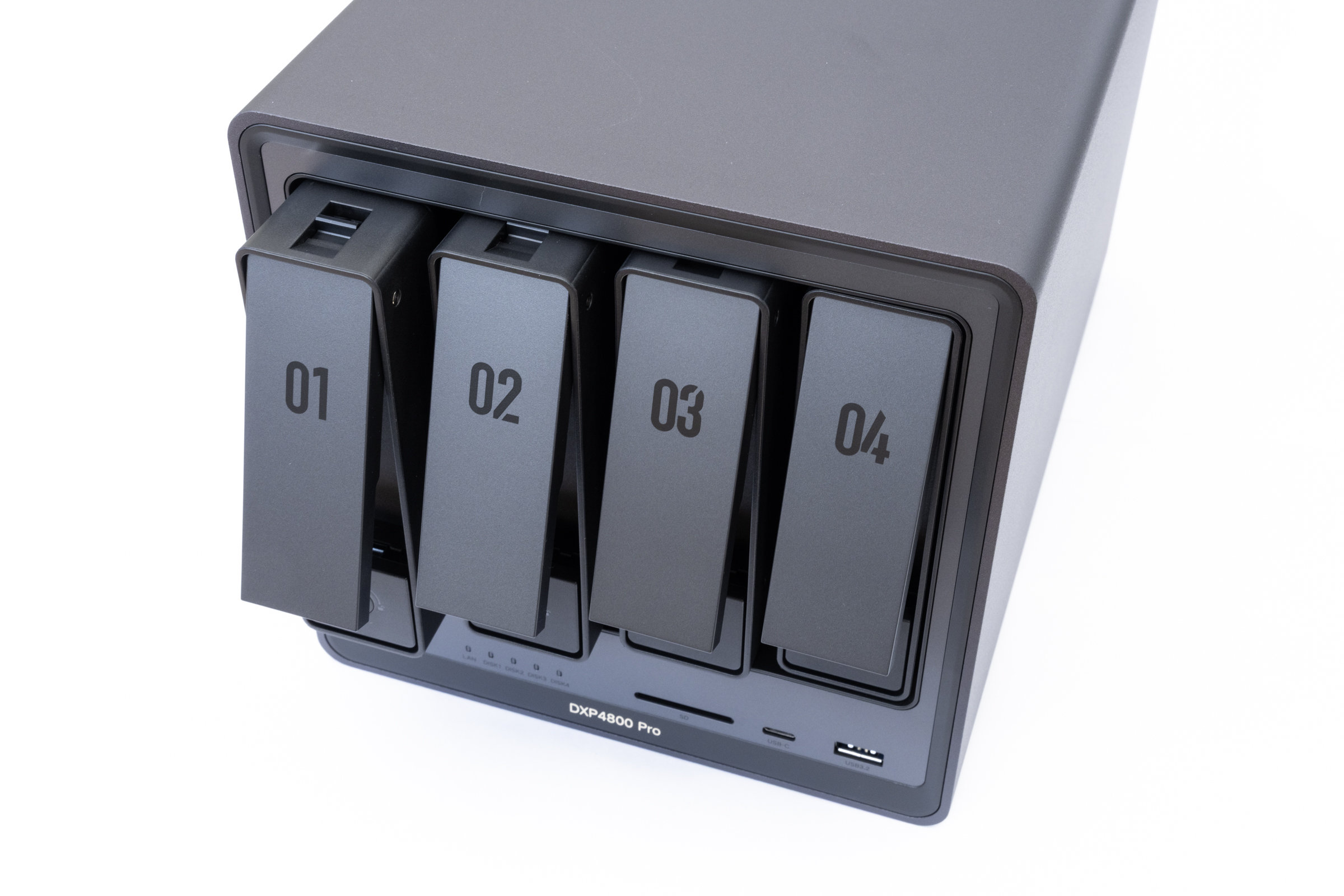 UGREEN DXP4800 Pro Tray Locks (Image © PCMasters.de)
Practice - Installation & Setup
As with every NAS, we start with the installation of the drives for the DXP4800 Pro. For our test, we used four Western Digital Red Plus hard disks, each with a capacity of 4 TB. The system was supplemented by two Lexar EQ790 NVMe SSDs, each with 1 TB of storage.
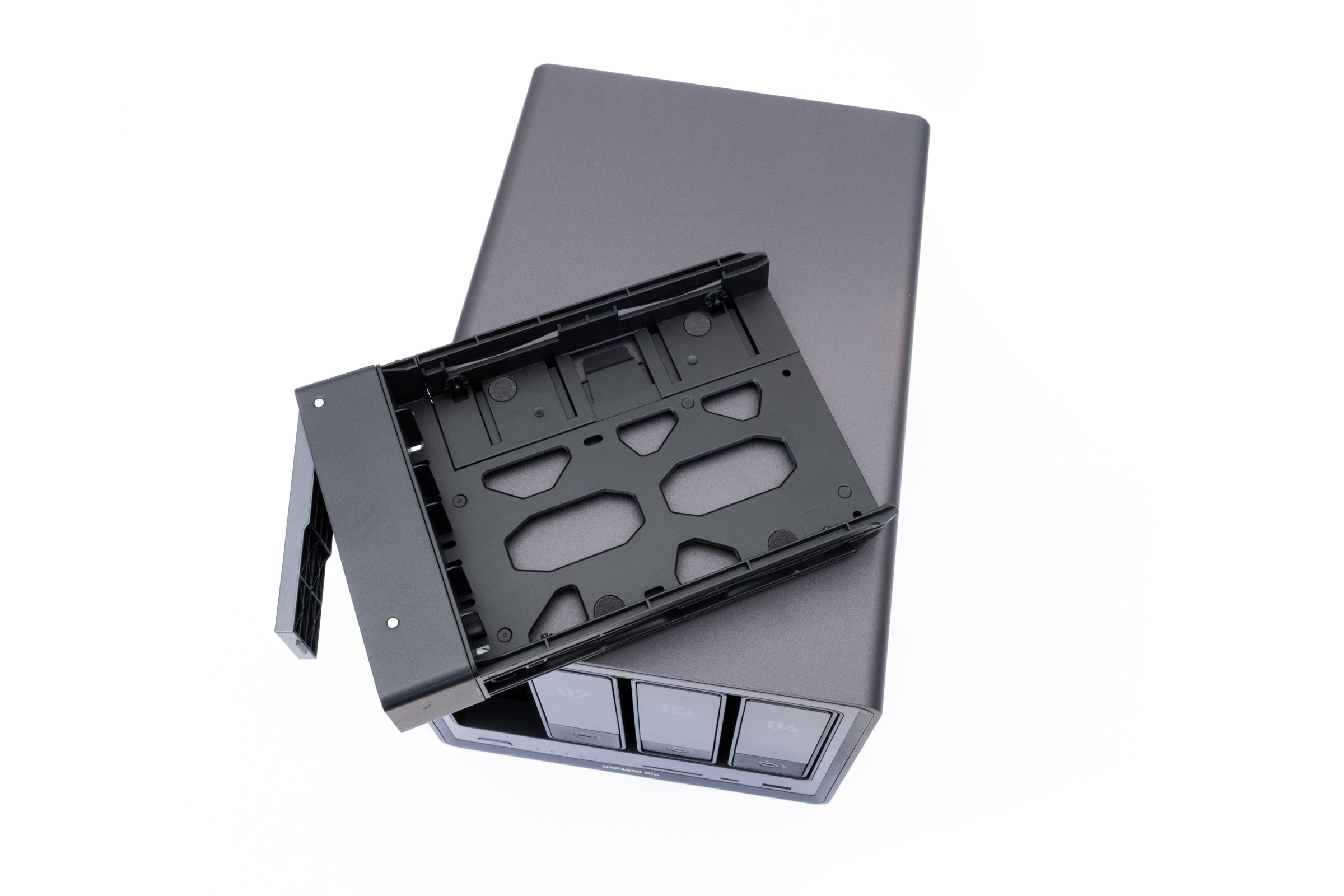 UGREEN DXP4800 Pro Tray (Image © PCMasters.de)
The installation of the hard disks was uncomplicated and quick. The drive bays can be easily pulled out of the front and accommodate 3.5-inch hard disks without additional tools. For 2.5-inch drives, the enclosed screws would have to be used. Thanks to the integrated decoupling elements, the hard disks sit securely in the tray and are also somewhat isolated from vibrations. We then installed the two NVMe SSDs via the maintenance hatch on the underside. After inserting the SSDs, we installed the supplied thermal pads so that the waste heat can be better dissipated to the case.
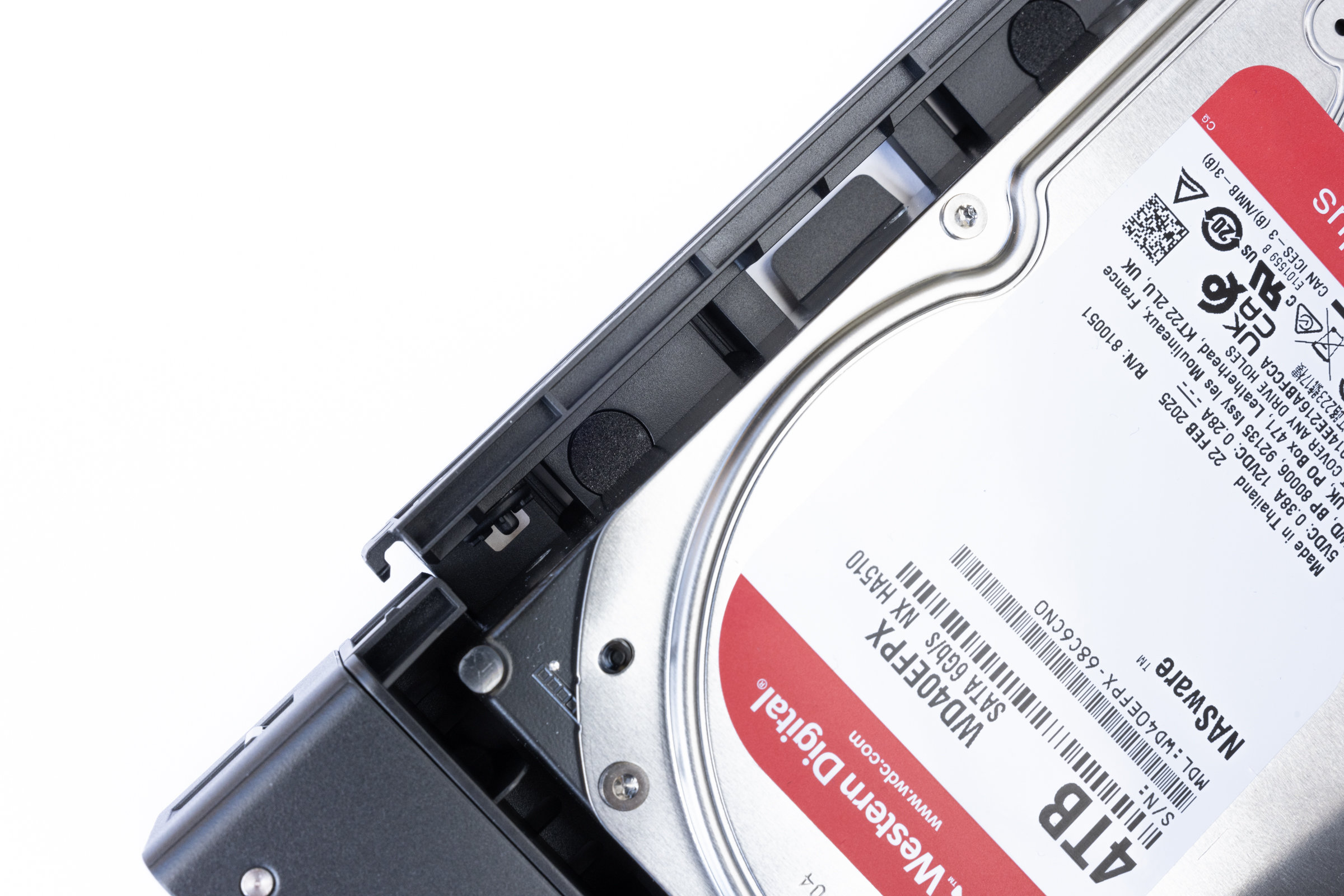 UGREEN DXP4800 Pro Foam Buffer Tray (Image © PCMasters.de)
We then connected the NAS to the power supply and network for the initial setup. After the first start, we wanted to search for our NAS in the network as usual via the website "find.ugnas.com". Interestingly, our test device was not recognized at first. However, once we had called up the IP address assigned by the router directly in the browser, the NAS was immediately accessible. Another attempt via "find.ugnas.com" then also worked without any problems. Whether this was a one-off effect during the first initialization, we were unable to determine in the further course of the test.
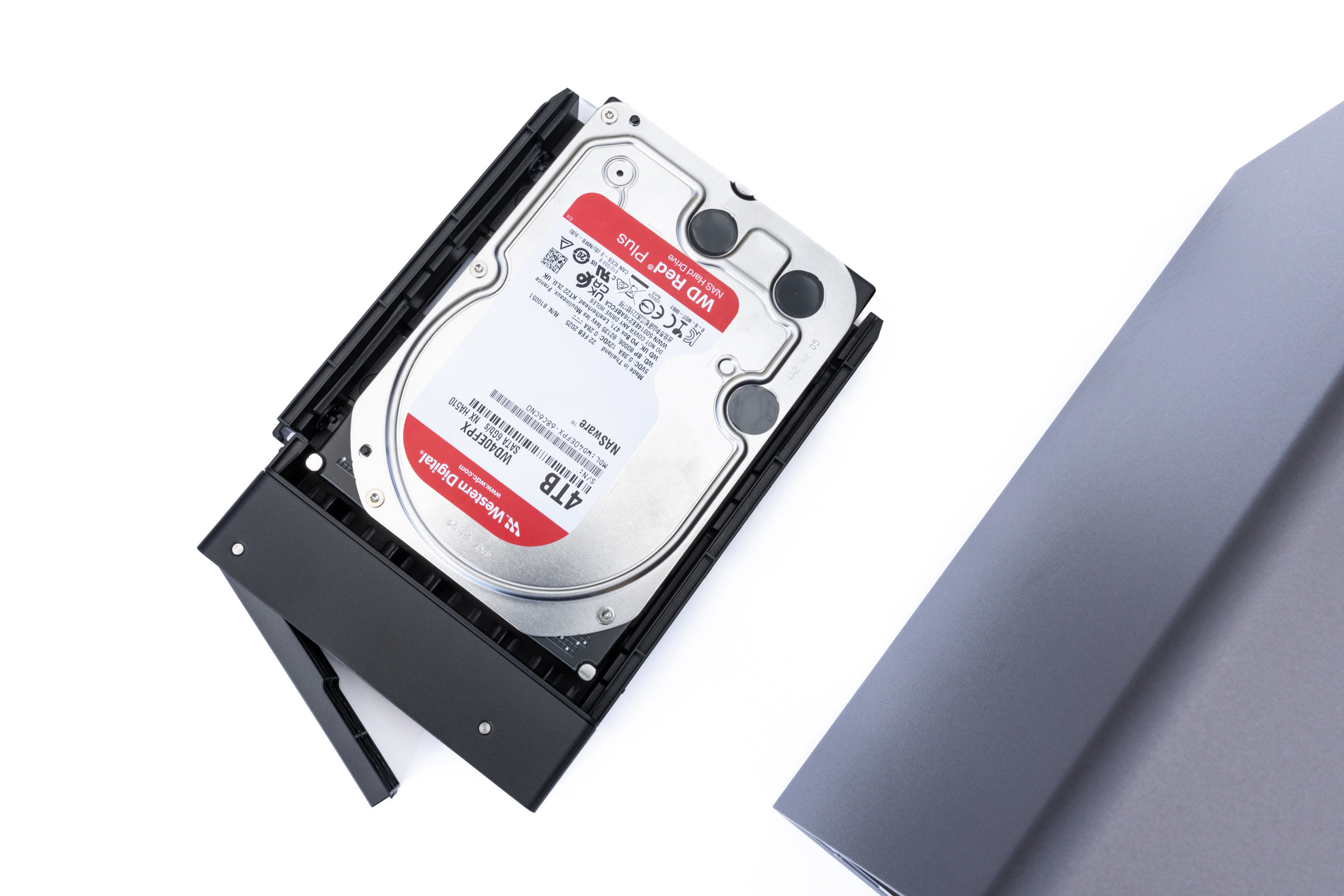 UGREEN DXP4800 Pro Tray with inserted HDD (Image © PCMasters.de)
The actual setup is then carried out via a wizard that guides you step by step through the basic configuration. In addition to assigning a device name and setting up the administrator account, the storage configuration is also carried out here. For our HDD storage pool, we opted for RAID 5 with the Btrfs file system. We set up the two NVMe SSDs as a separate RAID 1 volume. The setup of the RAID 5 array then ran in the background and was completed after around seven and a half hours. In the meantime, we were already able to use the NAS normally and work with it.
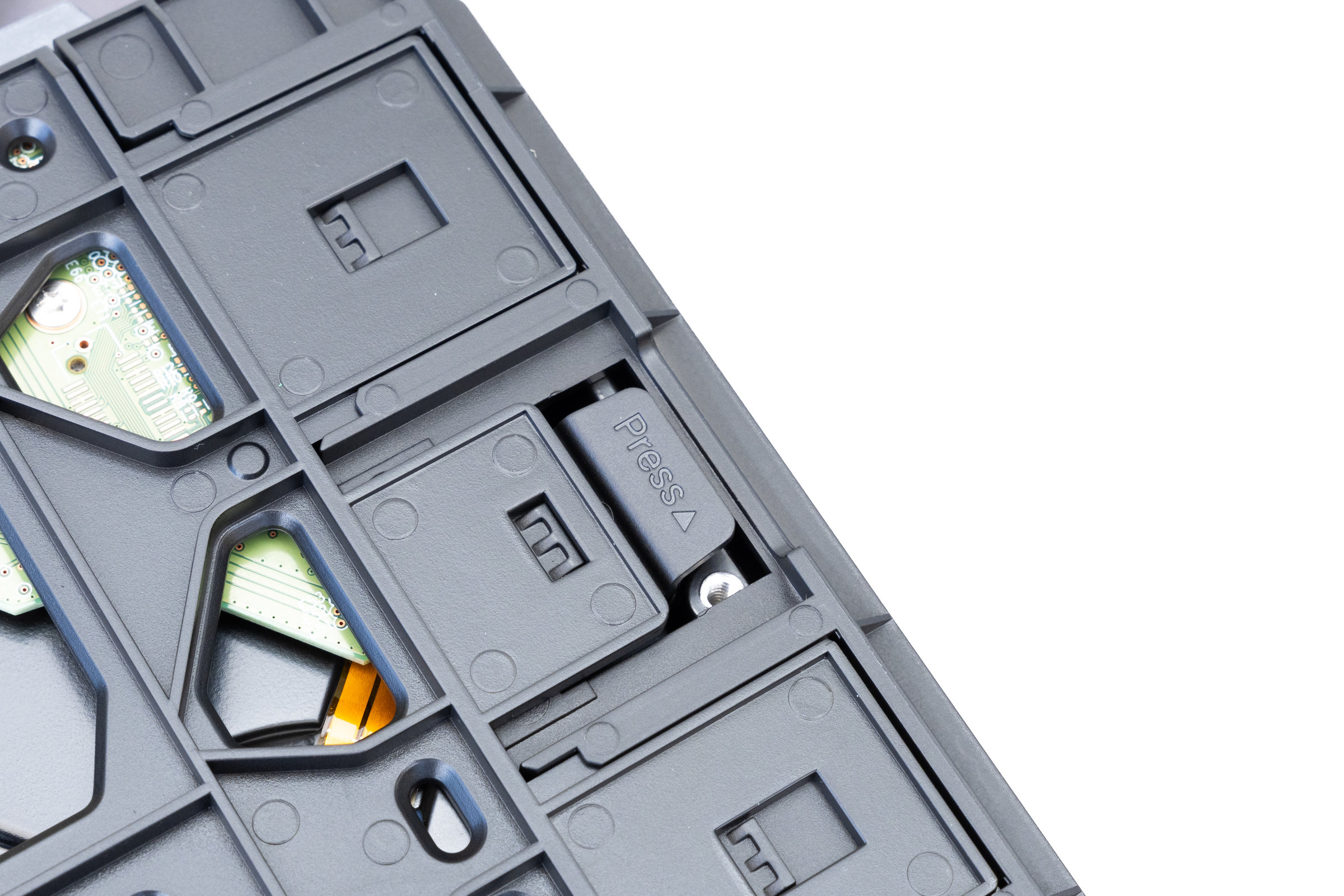 UGREEN DXP4800 Pro HDD lock (Image © PCMasters.de)
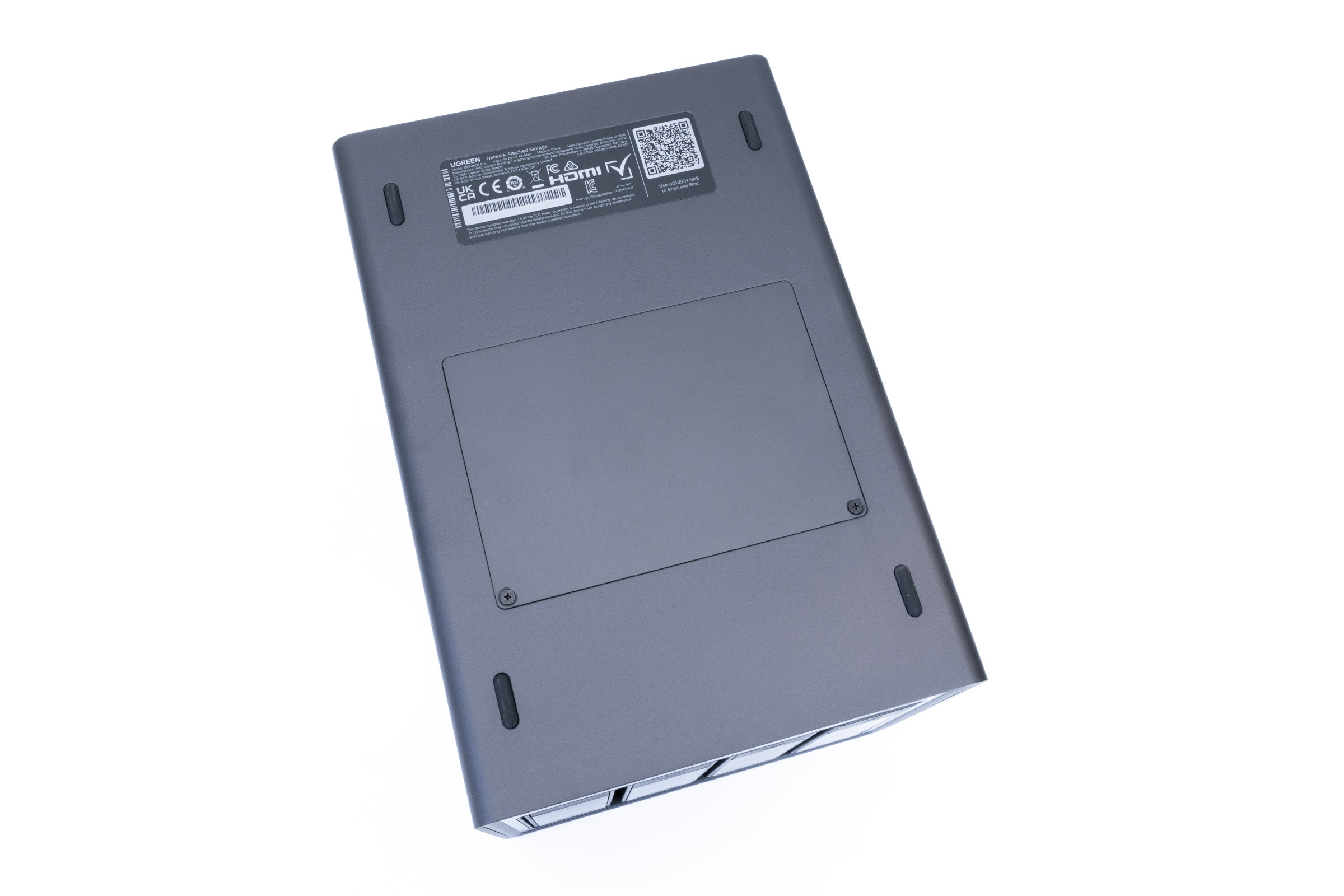 UGREEN DXP4800 Pro underside with maintenance flap (Image © PCMasters.de)
Overall, the initial setup left a positive impression. The individual steps are clearly explained and even users without extensive NAS experience should quickly find their way around. The only thing that was a little surprising was the fact that the NAS was not recognized in the network at first. This had always worked perfectly with our other test devices. Alternatively, we can also set it up easily using the UGREEN app.
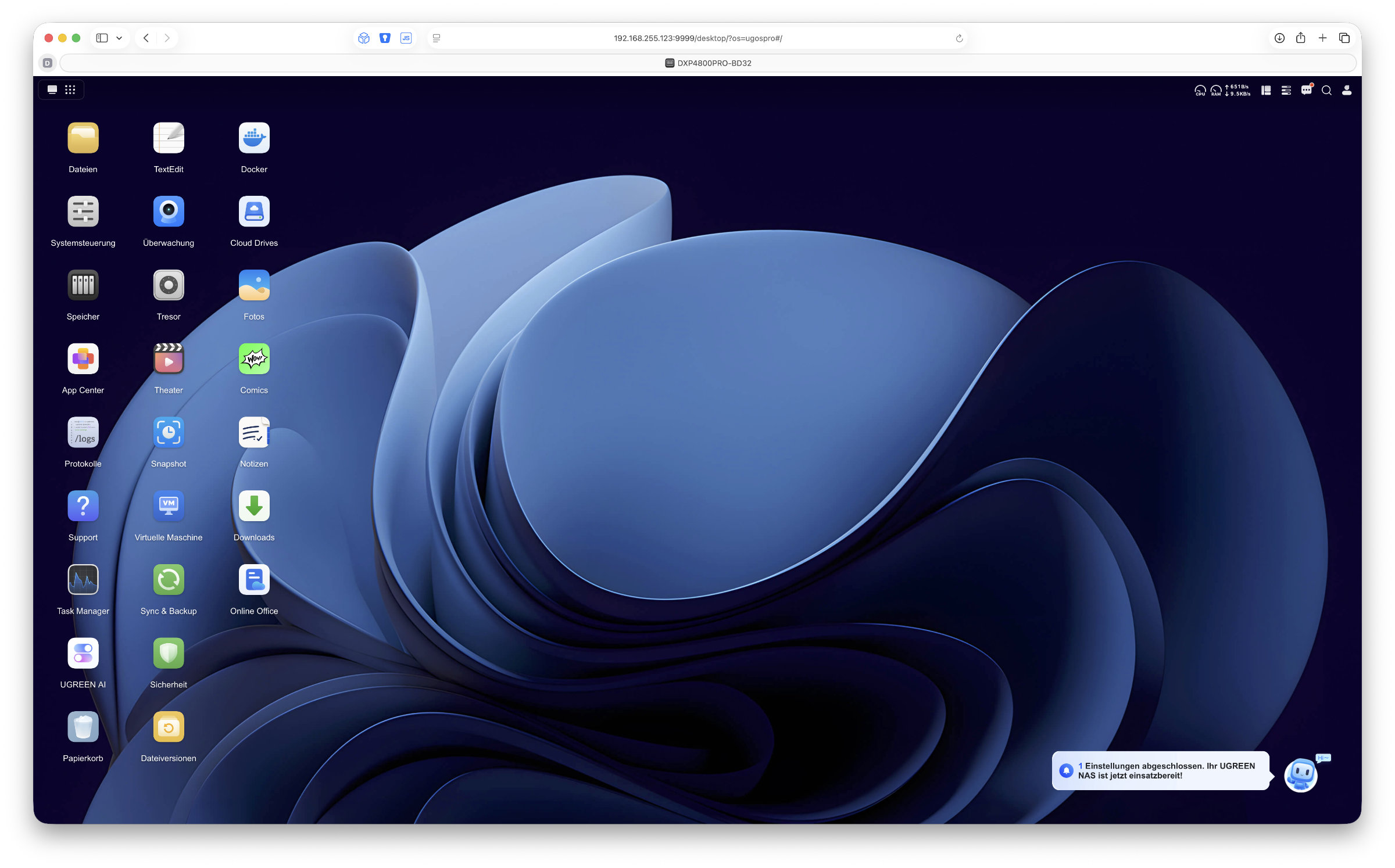 UGREEN DXP4800 Pro UGOS Pro Desktop (Image © PCMasters.de)
Software - UGOS PRO
UGREEN's own UGOS Pro is also used as the operating system for the DXP4800 Pro. The latest version 1.16.0.0089 was installed for our test. With its windows and taskbar, you quickly feel at home and even beginners get along quite well with it.
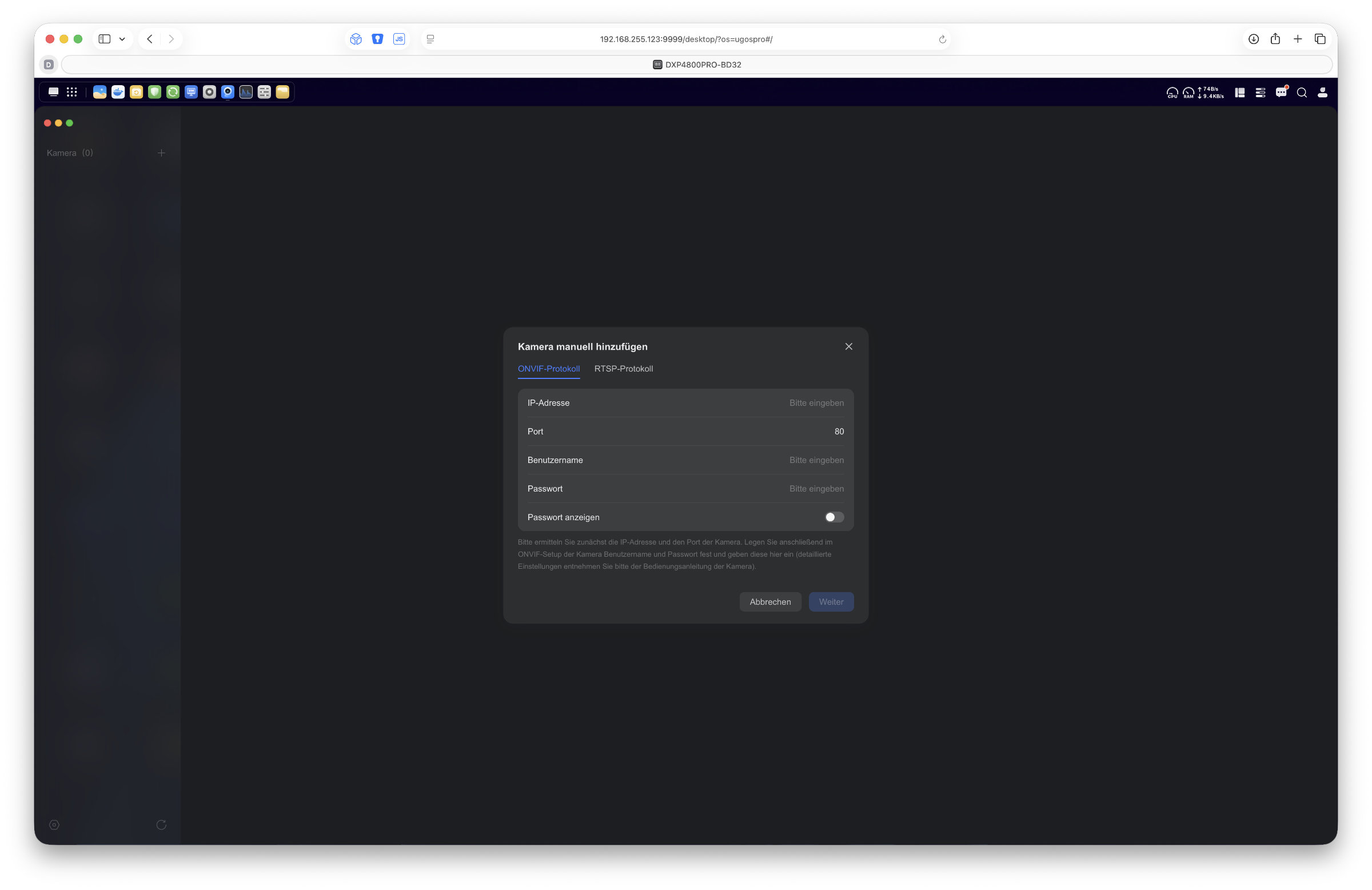 UGREEN DXP4800 Pro UGOS Pro New Monitoring App (Image © PCMasters.de)
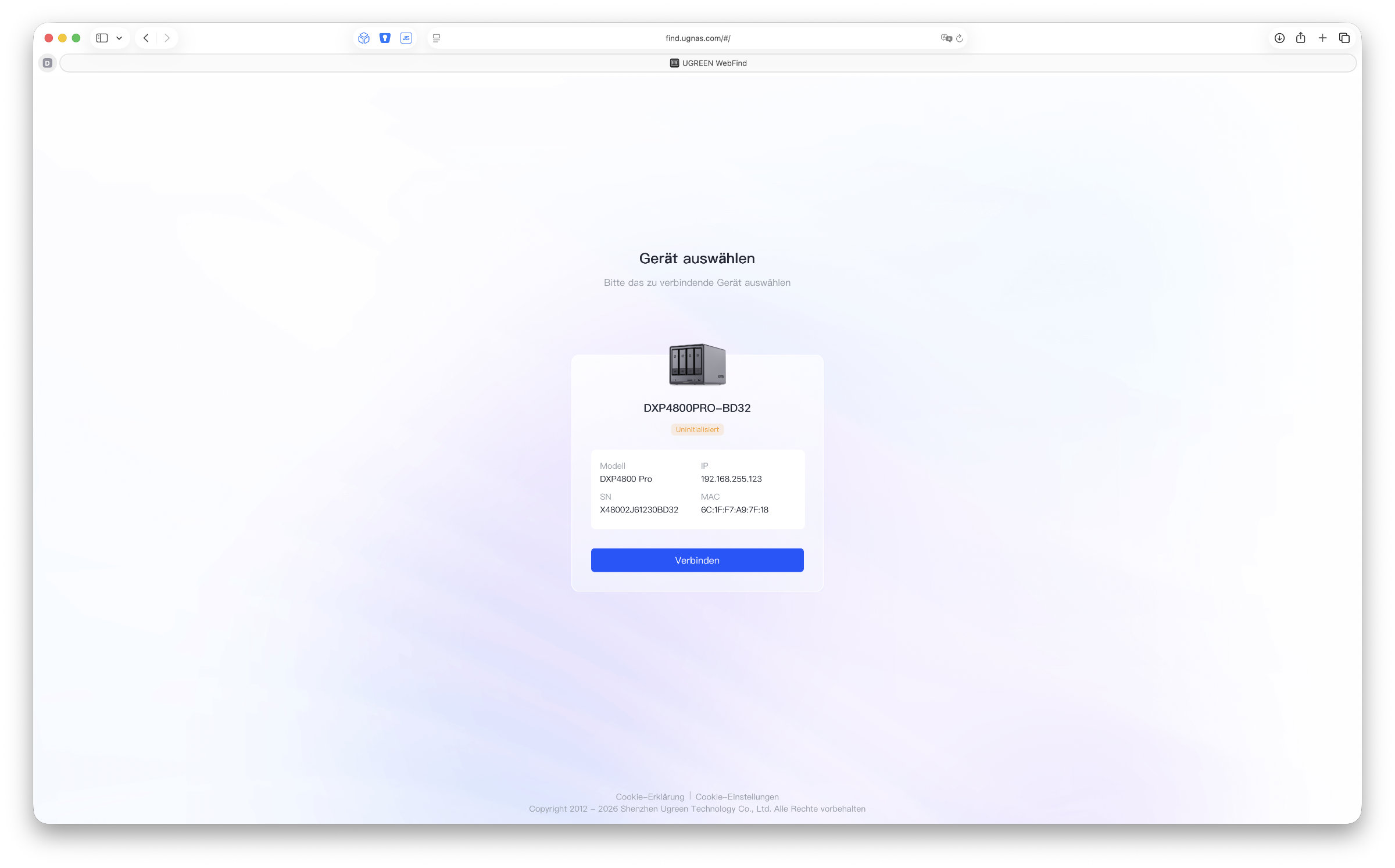 Finding the UGREEN DXP4800 Pro UGOS Pro Device on the Network (Image © PCMasters.de)
We are deliberately keeping the software part a little shorter, as we have already discussed the operating system several times in the last UGREEN NAS reviews and nothing else has changed to date. However, UGOS Pro has definitely developed in the right direction in recent months. We experienced absolutely no crashes during the test. The system ran very smoothly and responded quickly to inputs everywhere.
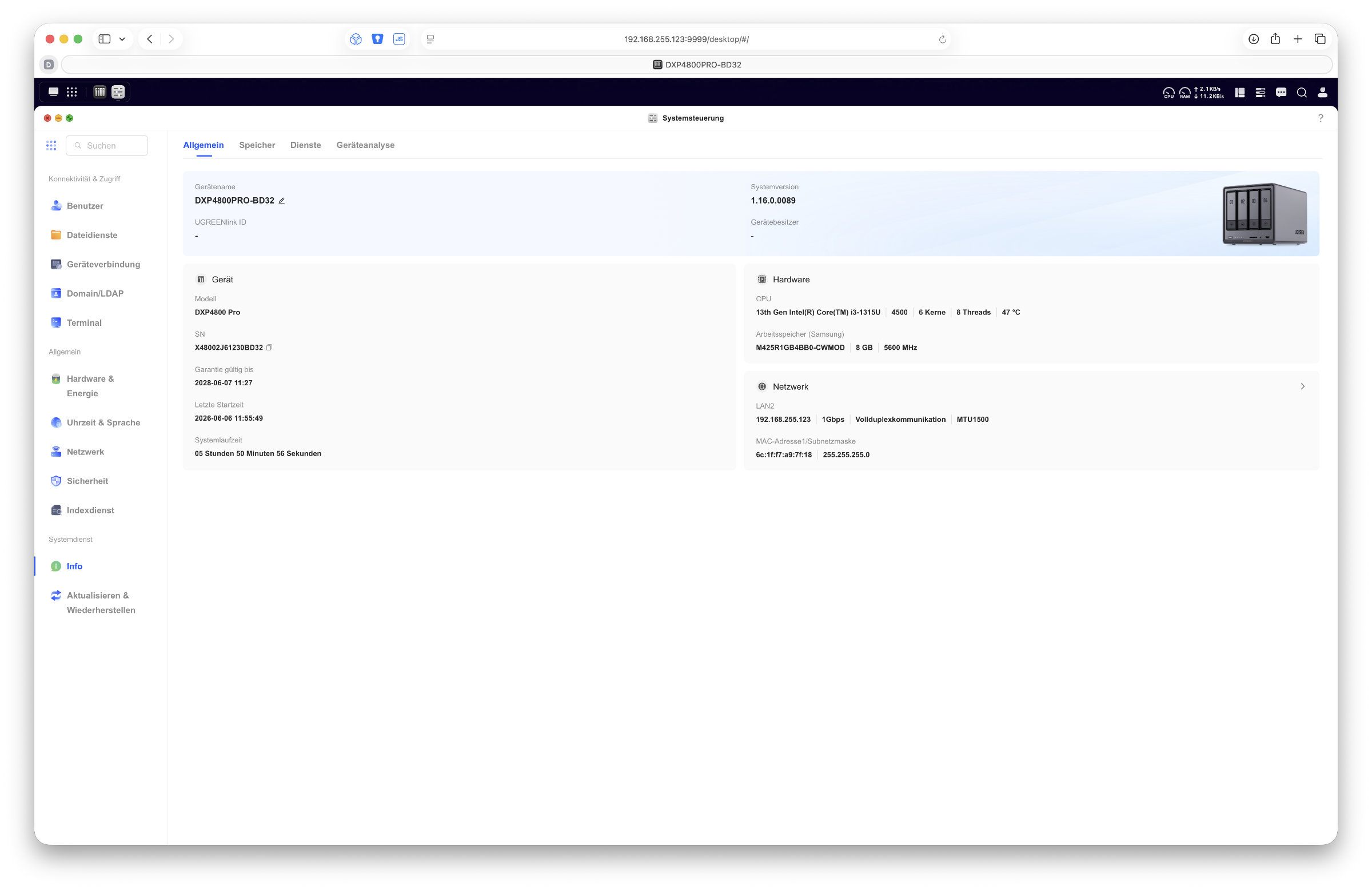 UGREEN DXP4800 Pro UGOS Pro Control Panel (Image © PCMasters.de)
The control panel is still a very important app, as this is where we manage all the settings for the NAS. From simple user creation to network services and security settings. The storage manager also plays a central role. Our RAID system can be viewed here, hard disk temperatures can be checked and new storage pools can be created.
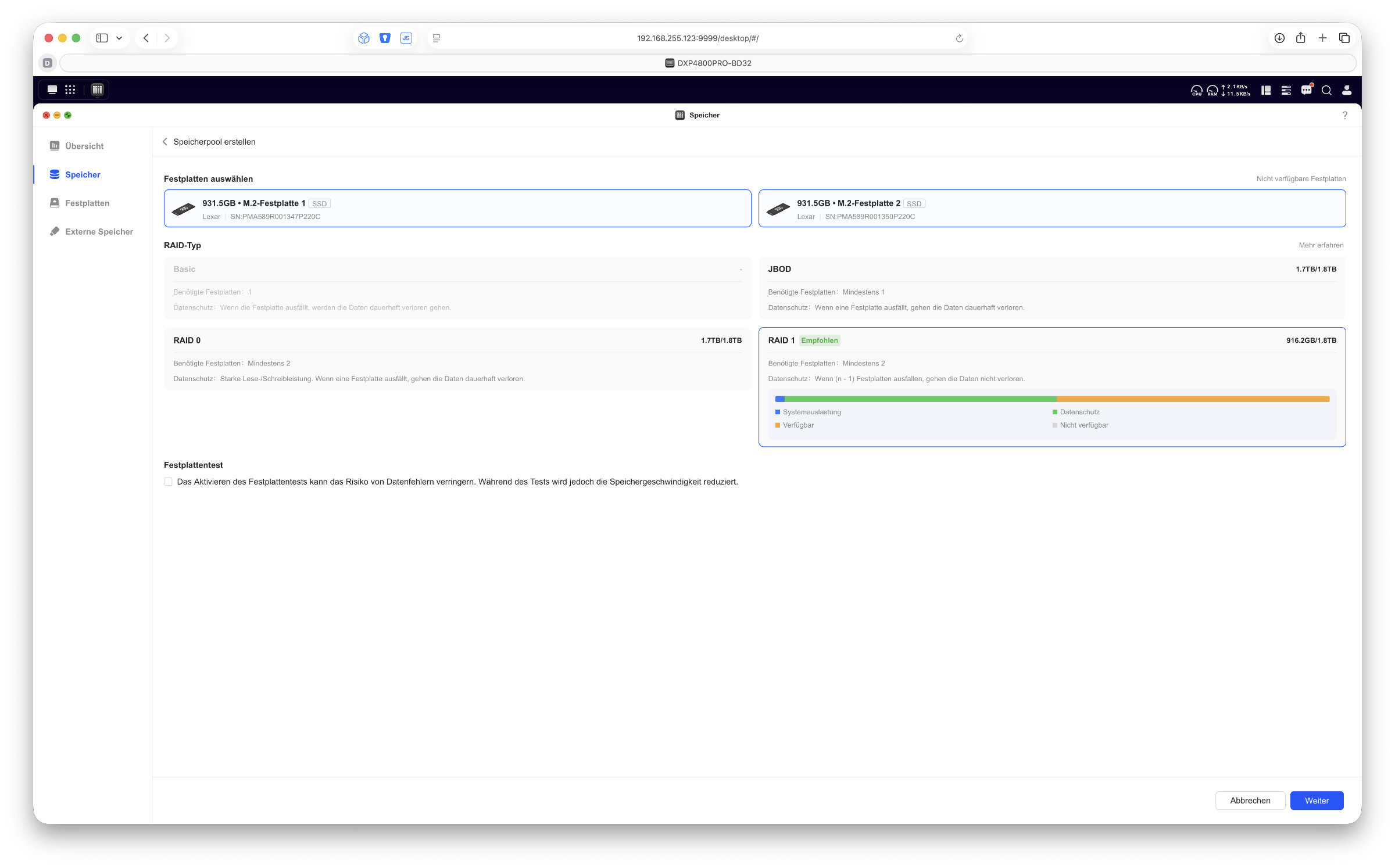 UGREEN DXP4800 Pro UGOS Pro: Setting Up RAID 1 with NVMe SSDs (Image © PCMasters.de)
There are now also some apps in the App Center, even if the selection here cannot yet keep up with the competition. However, developers can now also submit their own apps to UGREEN, which sounds positive for further development. It remains to be seen how open the manufacturer will be when it comes to release.
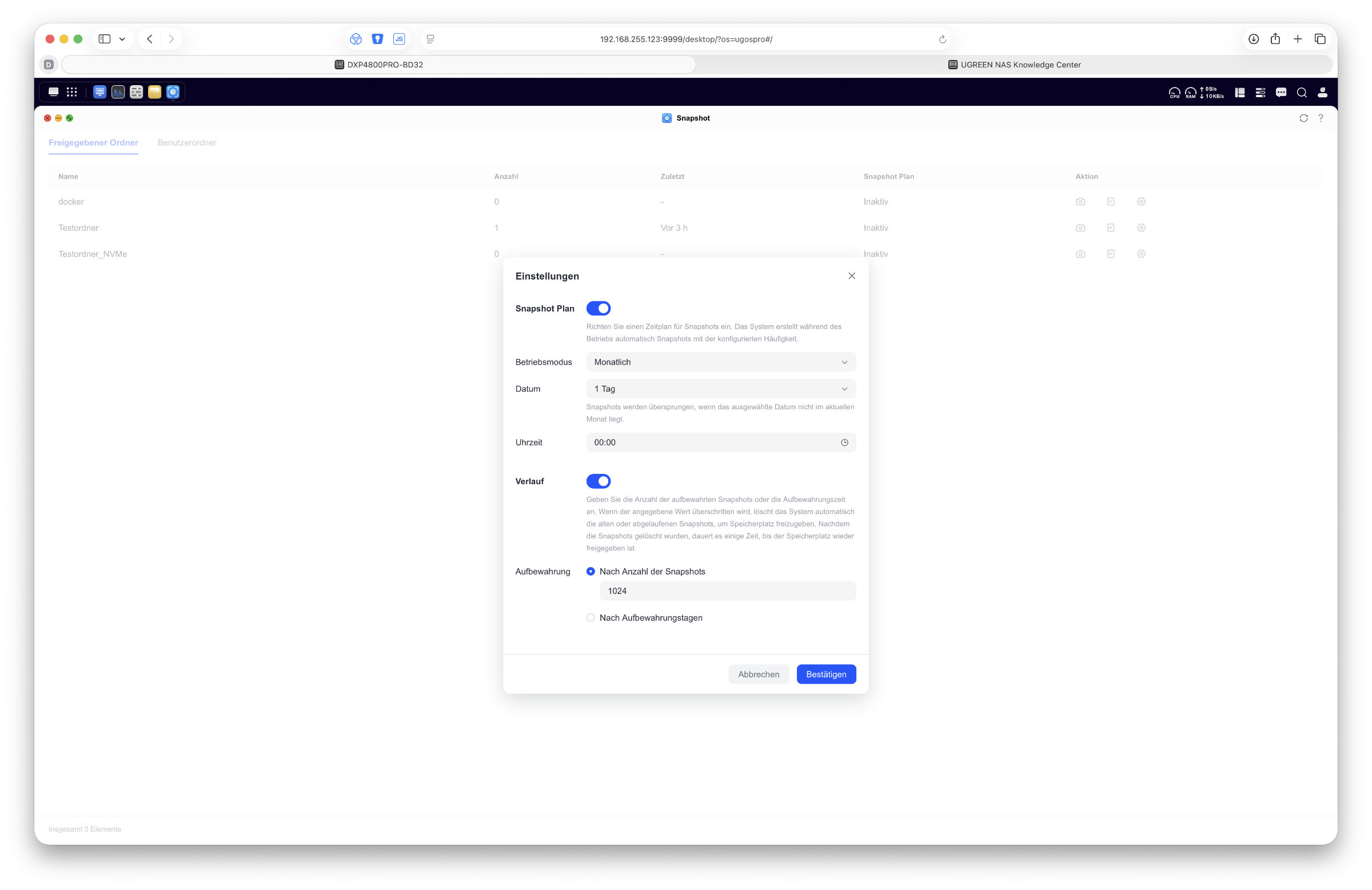 UGREEN DXP4800 Pro UGOS Pro Snapshot Plan (Image © PCMasters.de)
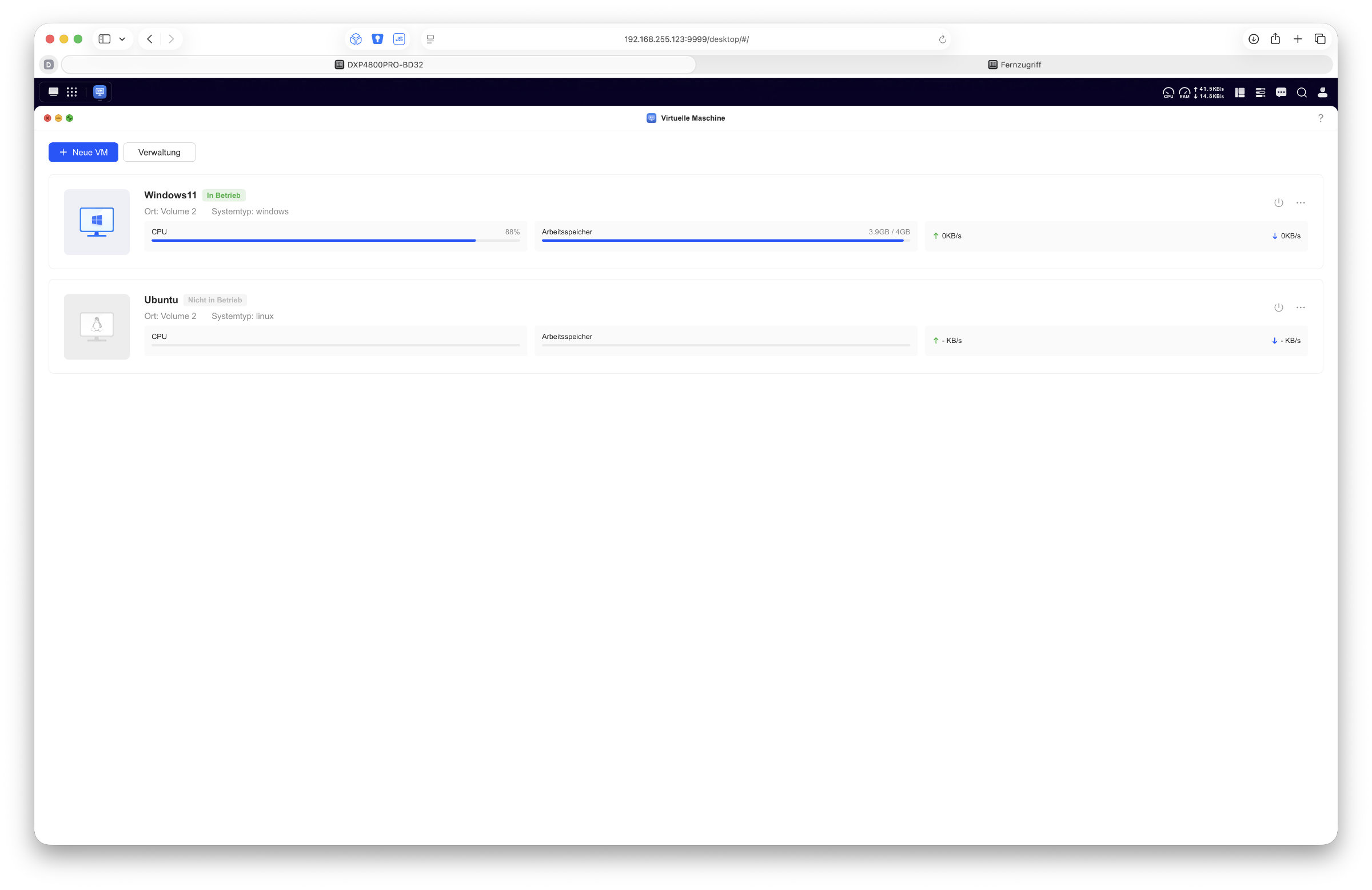 UGREEN DXP4800 Pro UGOS Pro Virtual Machine (Image © PCMasters.de)
However, the DXP4800 Pro will be particularly interesting in the area of virtualization and Docker containers. The comparatively powerful Intel Core i3 platform of the Pro offers enough reserves to take on much more than just classic NAS tasks. Anyone who wants to run additional services, test environments or server applications will find a solid basis for this.
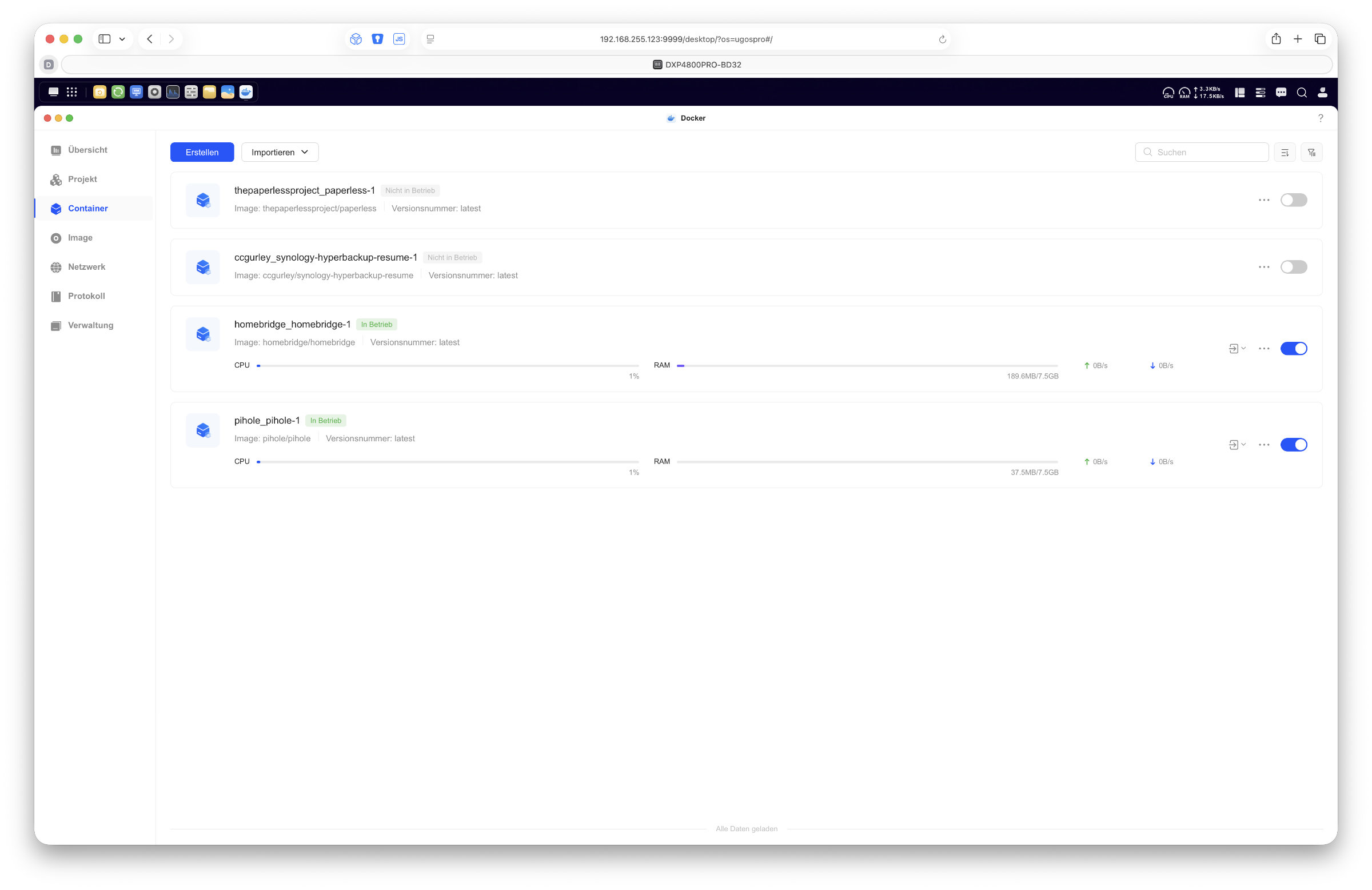 UGREEN DXP4800 Pro UGOS Pro Docker (Image © PCMasters.de)
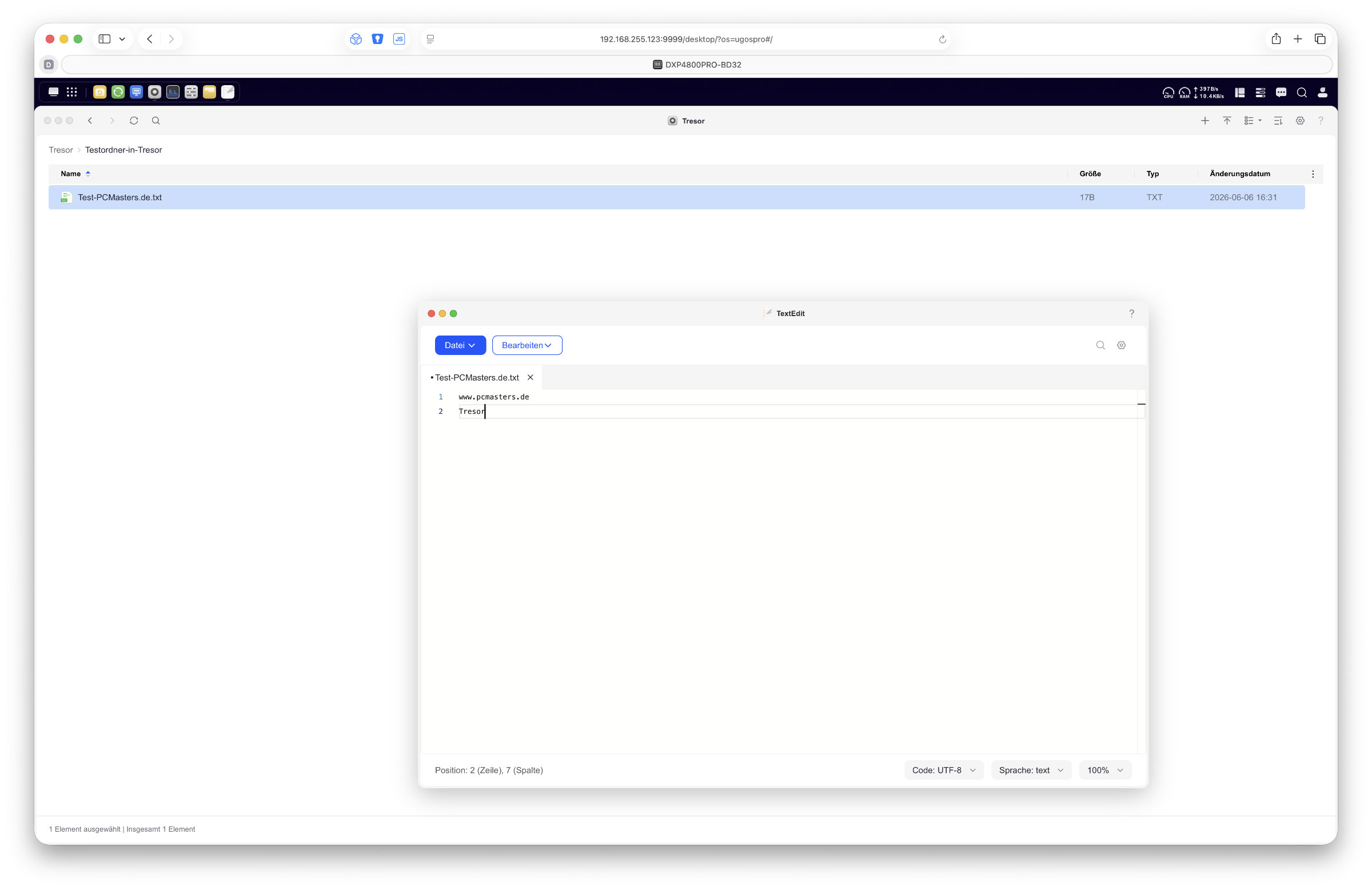 UGREEN DXP4800 Pro UGOS Pro Safe (Image © PCMasters.de)
Unfortunately, we are still missing volume encryption in UGOS Pro, which is an important function for many. According to UGREEN, this is supposed to come at some point, but there is currently no news in this regard. Nevertheless, we have to say that UGOS Pro is developing well. It leaves a pleasant impression, runs stably and the manufacturer regularly releases updates that always bring a whole host of new features. Even for beginners, the operating system does not seem overloaded or overwhelming. Especially in combination with the powerful hardware of the DXP4800 Pro, the result is a powerful overall package.
Mobile app
In addition to management via the browser, UGREEN also offers a mobile app for Android and iOS. It's great that you have a central app for everything and can use it to manage almost the entire NAS. Access to the files is just as possible as all system settings. In the test, the app left a consistently positive impression. The interface has a modern design, responds quickly and offers most of the same functions as the browser interface.
Performance and speed
For the direct performance measurement, the NAS was connected to a MacBook Pro (Ubiquiti 10GbE-to-USB-C adapter) via a direct 10 Gigabit Ethernet connection, as in the test of the DXP4800 GT. This allows external network factors to be excluded and the maximum performance of the system to be realistically evaluated.
The DXP4800 Pro is very powerful in terms of NVMe storage connectivity. We achieved peak values of up to 1.05 GB/s when writing, with average transfer rates of around 980 MB/s. We were able to measure a stable 1.18 GB/s when reading and thus achieve almost full utilization of the 10 GbE connection. The classic HDD storage pool also delivers convincing results. In the RAID 5 array with four hard disks, the write speeds averaged around 310 MB/s, while around 355 MB/s was achieved when reading. This puts the system with mechanical hard disks at a pretty good level for a 4-bay NAS.
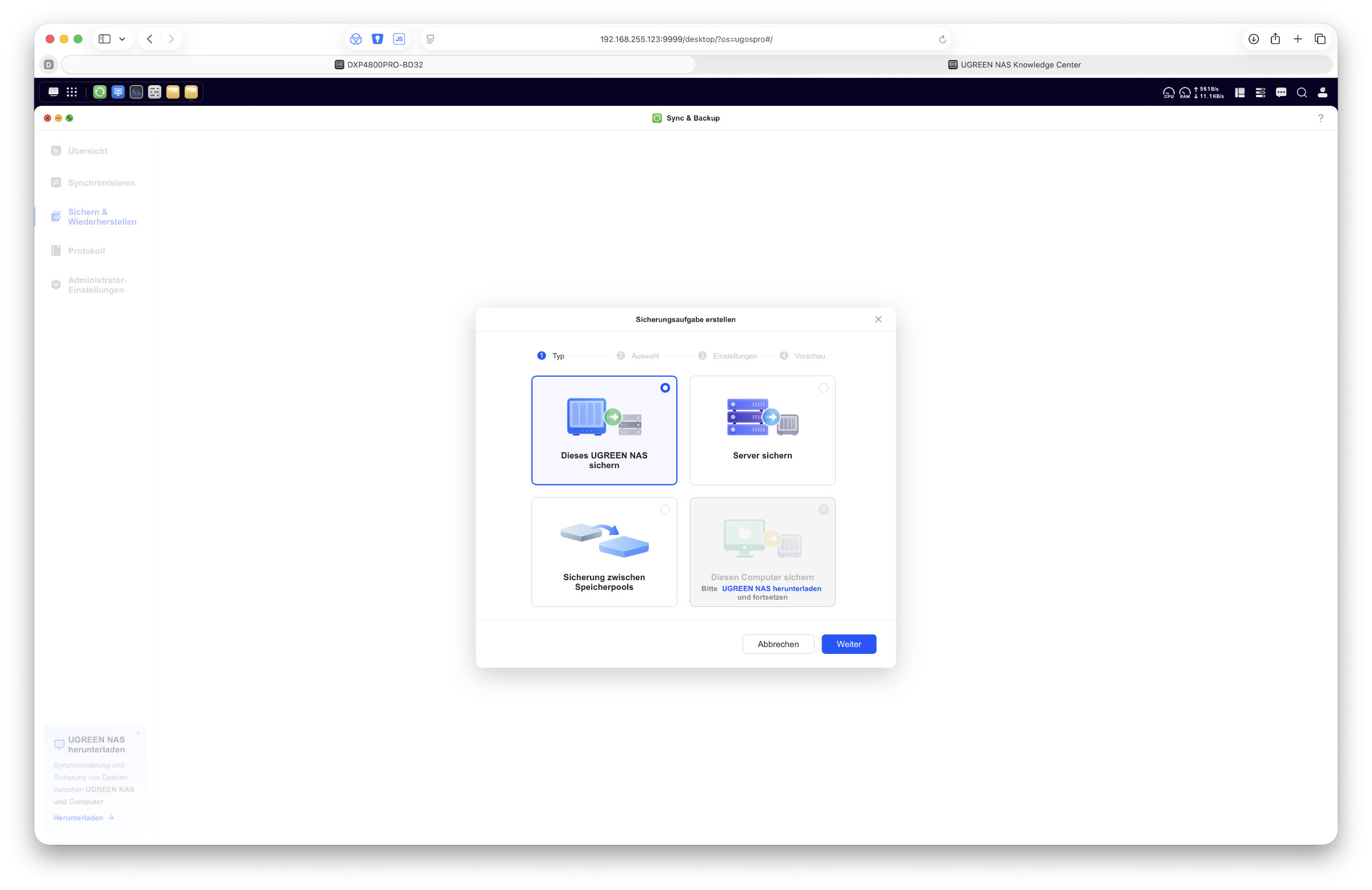 UGREEN DXP4800 Pro UGOS Pro Sync Backup (Image © PCMasters.de)
In practical use, the system remained stable throughout. In addition to classic data usage, we operated both a virtual Windows 11 machine and a virtual Ubuntu. Both systems ran without restrictions in the test. In addition, four Docker containers ran in parallel during the test, including Pi-hole, Homebridge, Hyper Backup and Paperless. All applications worked reliably and without any anomalies during operation. However, it also became apparent that the built-in 8 GB RAM quickly reaches its limits with increasing parallel loads, especially when several services are active at the same time and larger memory requirements are added by virtualization. An upgrade can therefore definitely be worthwhile for this application.
Thanks to the Intel platform, the DXP4800 Pro also benefits from a powerful integrated graphics unit, which offers particular advantages for media applications. Hardware-accelerated transcoding is therefore easily possible and significantly expands the system's range of applications in the direction of media servers and multimedia centers. Direct playback of 4K videos on the TV was no problem for the device.
In everyday use, the NAS is very balanced overall. While the pure file performance is already at a high level, the system shows its strengths especially with parallel workloads and additional services. The CPU offers sufficient reserves for this, while the RAM is usually the first limiting factor in complex scenarios.
The system also remains fully within limits in terms of noise. In normal operation, the fan is pleasantly restrained, while it becomes more audible under load, but remains uncritical. Depending on access, the mechanical hard disks are more noticeable than the actual cooling of the system.
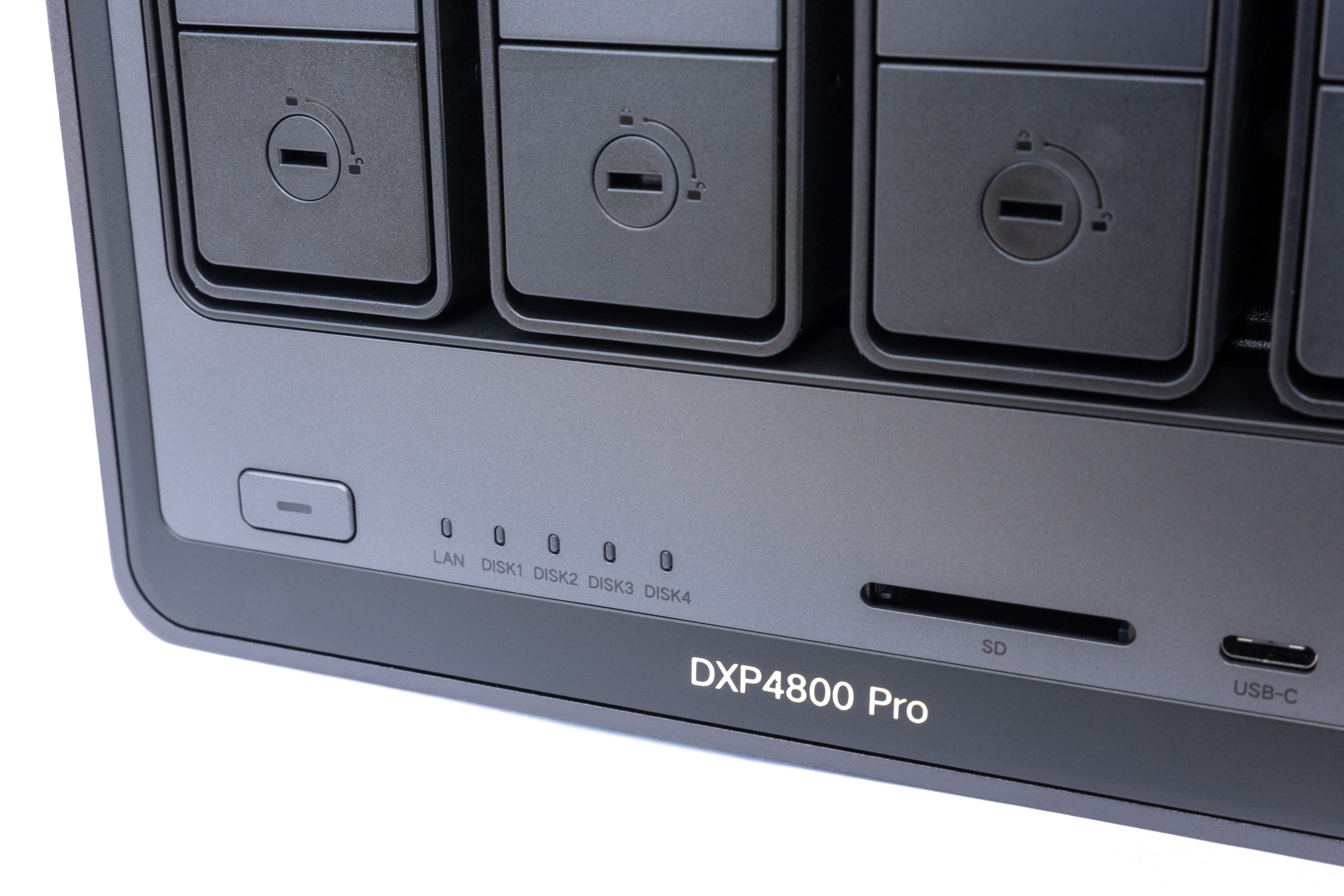 UGREEN DXP4800 Pro Status LEDs (Image © PCMasters.de)
Power consumption
Overall, the power consumption of the DXP4800 Pro is within the expected range for a high-performance 4-bay NAS with an Intel platform and 10 Gigabit connection. The values depend heavily on the respective load and the use of the drives.
When switched off or in standby mode, the power consumption was only around 1 to 2 watts. When starting the system, the typical short peak was seen during the boot process, where we measured values between 57 and 61 watts. The system then stabilized quickly and switched to normal operating mode.
In idle mode on the UGOS Pro desktop, the consumption was around 42 to 43 watts. Under load during data transfer, consumption rose to around 54 watts. This means that the system's power consumption remains relatively balanced even in productive use, especially in relation to the performance and features on offer. The measured values were determined in practice using a smart adapter socket (Eve Energy) and should therefore be understood as realistic guide values from everyday use.
Overview of the measured values (operating status / power consumption (watts)): - Switched off (standby): approx. 1-2 W - Switched on (boot peak): approx. 57-61 W - Idle (idle on the desktop): approx. 42-43 W - Data transfer (write load): approx. 54 W
External access
Remote access to the NAS is possible without major problems. The simplest option is UGREENlink. A connection is established via the manufacturer's infrastructure, which means that no classic port sharing or complex network configuration is required. Access is then conveniently via the web interface or the app. This approach is particularly convenient, as it can be set up quickly even without in-depth network knowledge. At the same time, however, this solution also means that the connection is established via an external service and therefore requires a certain amount of trust in the manufacturer. In everyday use, however, access via UGREENlink works reliably for us and enables quick access to files and system functions from outside of our own network.
Alternatively, the NAS can also be integrated directly into existing network structures. In our test, we used a WireGuard VPN connection via our FritzBox for this purpose. This solution has already proven itself in other setups and enables direct, encrypted access to the home network without the need for external intermediary services. In practical use, the access behaves as if you were directly in the local network.
In addition, classic network functions such as DDNS are of course also available to provide flexible access to the NAS. This allows various scenarios to be covered, depending on the desired convenience and security requirements.
Alternative operating system
As with other models in the NASync series, the DXP4800 Pro also offers the option of using alternative operating systems on the actual hardware. In this test, however, we did not implement this approach ourselves and worked entirely with UGOS Pro.
However, there are already numerous examples and instructions in the community on how TrueNAS or Unraid, for example, can be operated on comparable UGREEN hardware. More experimental projects have also already been documented in which Synology DSM has been used on UGREEN hardware.
However, it is important to note that such installations are not officially supported by UGREEN and may require intervention in the system structure, depending on the procedure. For normal use, UGOS Pro is fully functional and is continuously being developed further.
UGREEN NAS comparison - Classification of the 4-bay models
With the current status of the NASync series, UGREEN now covers several 4-bay systems that appear similar at first glance, but in practice clearly differ in their orientation. While some models are more strongly optimized for pure computing power, other variants focus more on network throughput, energy efficiency or a balanced all-round approach. To make the differences more tangible, we have summarized all 4-bay models here. It is worth taking a look at the basic technical features of the individual devices.
| Model | CPU | RAM | Network | Memory expansion | Alignment |
|---|---|---|---|---|---|
| UGREEN DH4300 | ARM Rockchip RK3588 | 8 GB DDR4 | 1 × 2.5 GbE | SATA | Energy efficiency / basic NAS |
| UGREEN DXP4800 | Intel N100 | 8 GB DDR5 | 2 × 2.5 GbE | SATA + NVMe | Beginner / Allround |
| UGREEN DXP4800 Plus | Intel Pentium Gold 8505 | 8 GB DDR5 | 2 × 2.5 GbE | SATA + NVMe | Power user / Allround |
| UGREEN DXP4800 GT | AMD Ryzen Embedded R2514 | 8 GB DDR4 (ECC compatible) | 2 × 10 GbE | SATA + NVMe + U.2 (partial) | Network performance / 10 GbE focus |
| UGREEN DXP4800 Pro | Intel Core i3-1315U | 8 GB DDR5 | 1 × 10 GbE + 1 × 2.5 GbE | SATA + NVMe | Computing power / VMs / Docker |
A direct comparison shows that UGREEN clearly separates the models according to application scenarios and not just according to pure performance increase. The DXP4800 Pro tested here has the most powerful CPU variant within the classic 4-bay Intel systems and shows its strengths above all in virtualization, container environments and parallel workloads.
The DXP4800 GT with its two 10 GbE ports, on the other hand, relies more heavily on the combination of AMD platform and high network bandwidth, which is why it is primarily aimed at users who need to move large amounts of data quickly.
The DXP4800 Plus model remains the classic all-rounder with solid CPU reserves, while the simple DXP4800 is the entry-level model in the DXP series. The DH4300 is clearly positioned as an energy-efficient entry-level model and is somewhat less intended for demanding workloads. All in all, the user ultimately has the choice of what to opt for.
UGREEN DXP4800 Pro Package Contents (Image © PCMasters.de)
Conclusion
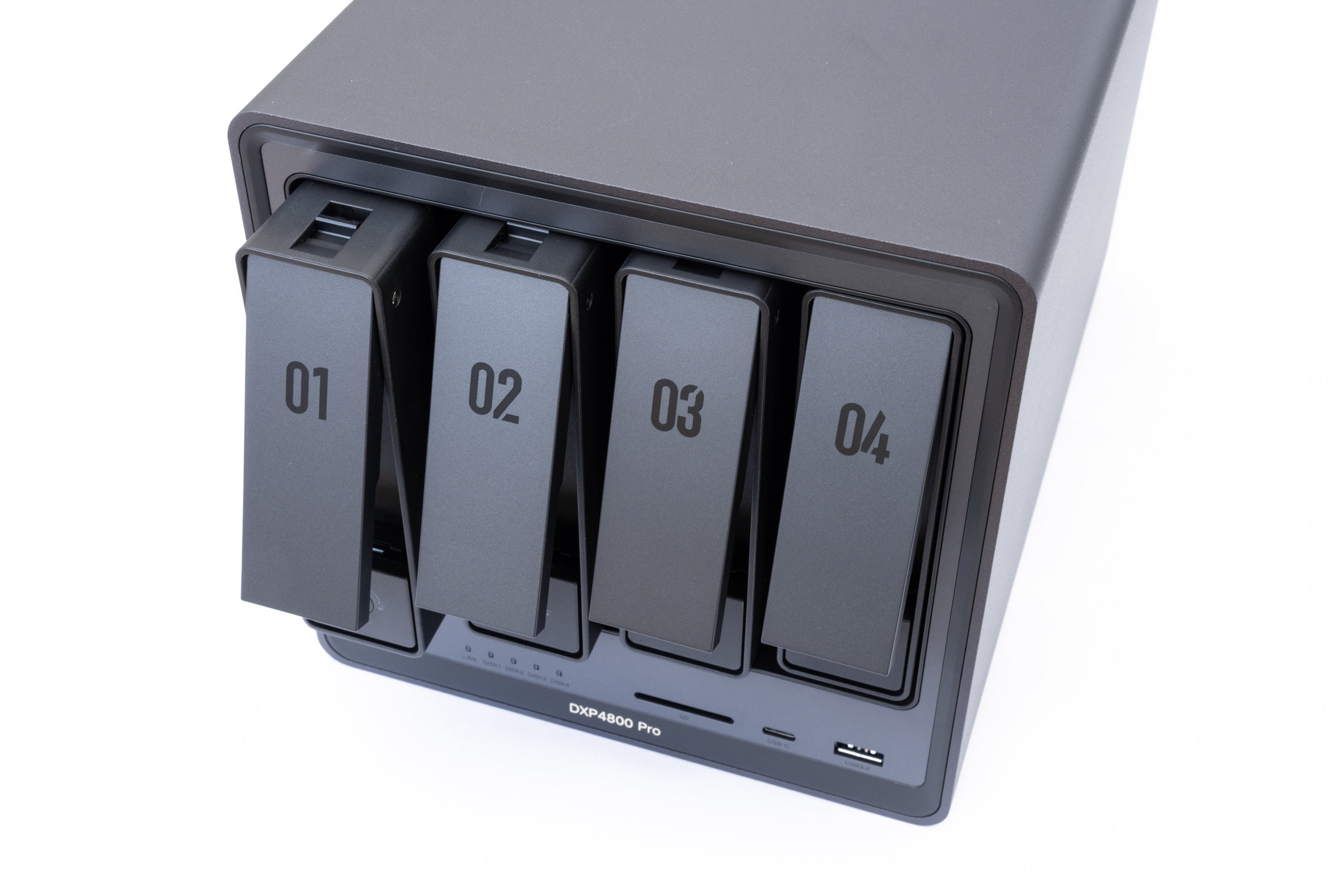
With the NASync DXP4800 Pro, UGREEN is positioning a 4-bay NAS that is clearly aimed at users who expect more than just data storage. A glance at the features makes it clear that the focus here is not just on capacity, but above all on performance and flexibility. The Intel Core i3-1315U in combination with DDR5 RAM forms the basis for a system that can also handle more demanding scenarios with ease.
In everyday testing, the NAS leaves us with a very coherent impression. Large amounts of data are processed reliably and quickly via 10 Gigabit Ethernet, while the system can also handle several virtualization and container scenarios in parallel. At the same time, however, it is also clear that the 8 GB of RAM can quickly become a limiting factor in such setups. Apart from this, the system works pleasantly unobtrusively. The noise development remains within limits, the performance seems more than sufficient at all times and the upgrade options offer sufficient scope for the future. UGOS Pro also appears mature and ensures that the hardware can be integrated into everyday life without any major hurdles, even if the long-awaited volume encryption is still missing, for example. All in all, the DXP4800 Pro is clearly in the upper performance range within the NASync family.
The end result is a very well-rounded and modern 4-bay NAS that shows just how far this device class has come. High performance, flexible application options and a now very solid software base result in a system that is difficult to ignore in its class. In terms of price, the NASync DXP4800 Pro has a recommended retail price of 679 euros (Affiliate) and is therefore positioned at the upper end of its class, but remains an exciting overall package in relation to the features and performance on offer.