Computer Forum
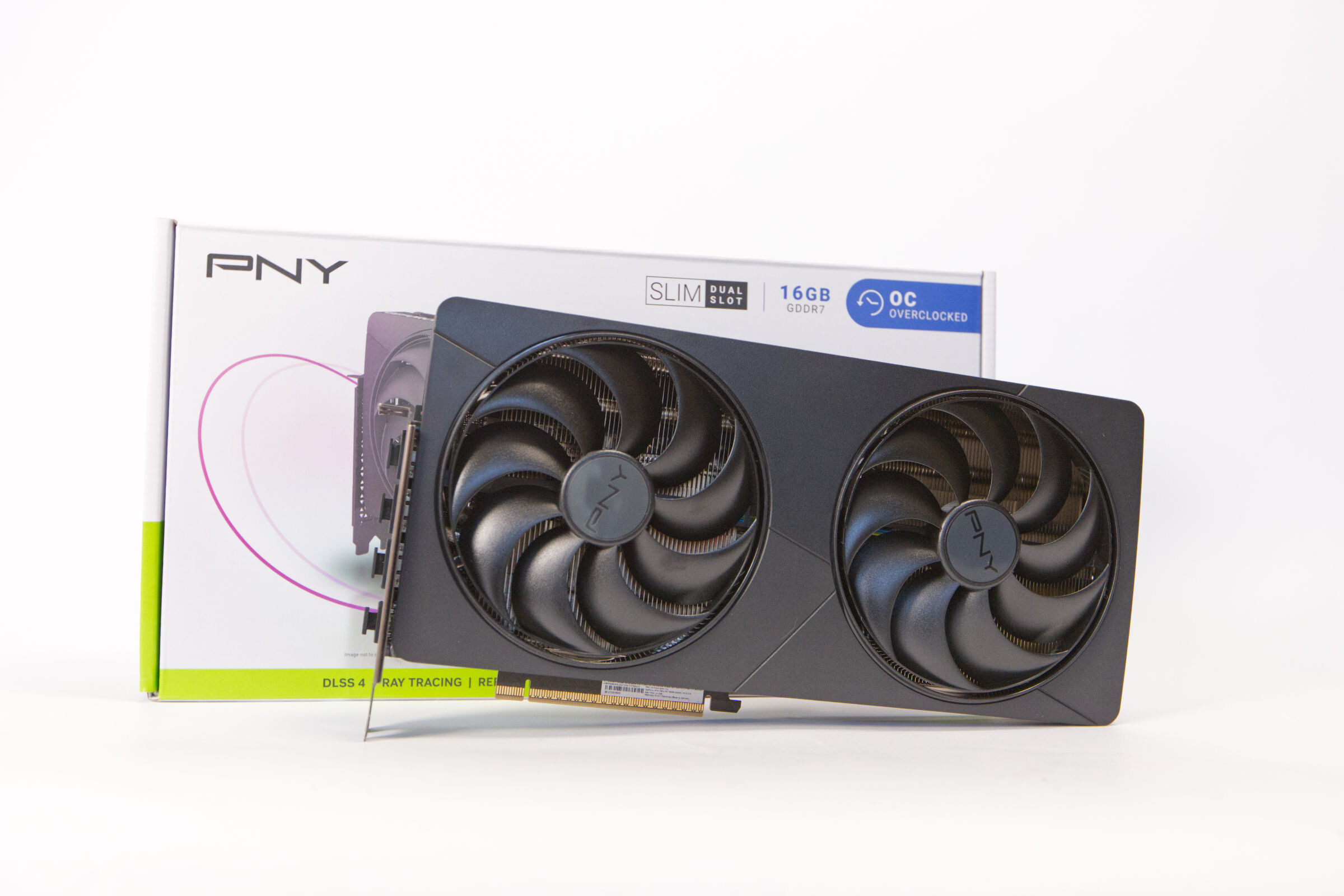 PNY GeForce RTX 5080 SLIM OC Review (Image © PCMasters.de)
PNY GeForce RTX 5080 Slim OC in a Compact Format
Now that the GeForce RTX 5080 graphics cards have been on the market for some time and NVIDIA’s board partners have established their own models, there are several refined models tailored to specific needs. This successfully replaces the ** GeForce RTX 4080 (Review), which can now only be found on the market as used merchandise. The RTX 50 Super series has yet to be released, making the GeForce RTX 5080 the high-end model accessible to gamers; thanks to technological improvements in the Blackwell architecture, is likely the best gamers will treat themselves to. While the GeForce RTX 5090 is the flagship model, its price has risen even further and now costs more on its own than a **modern gaming PC should cost in total.
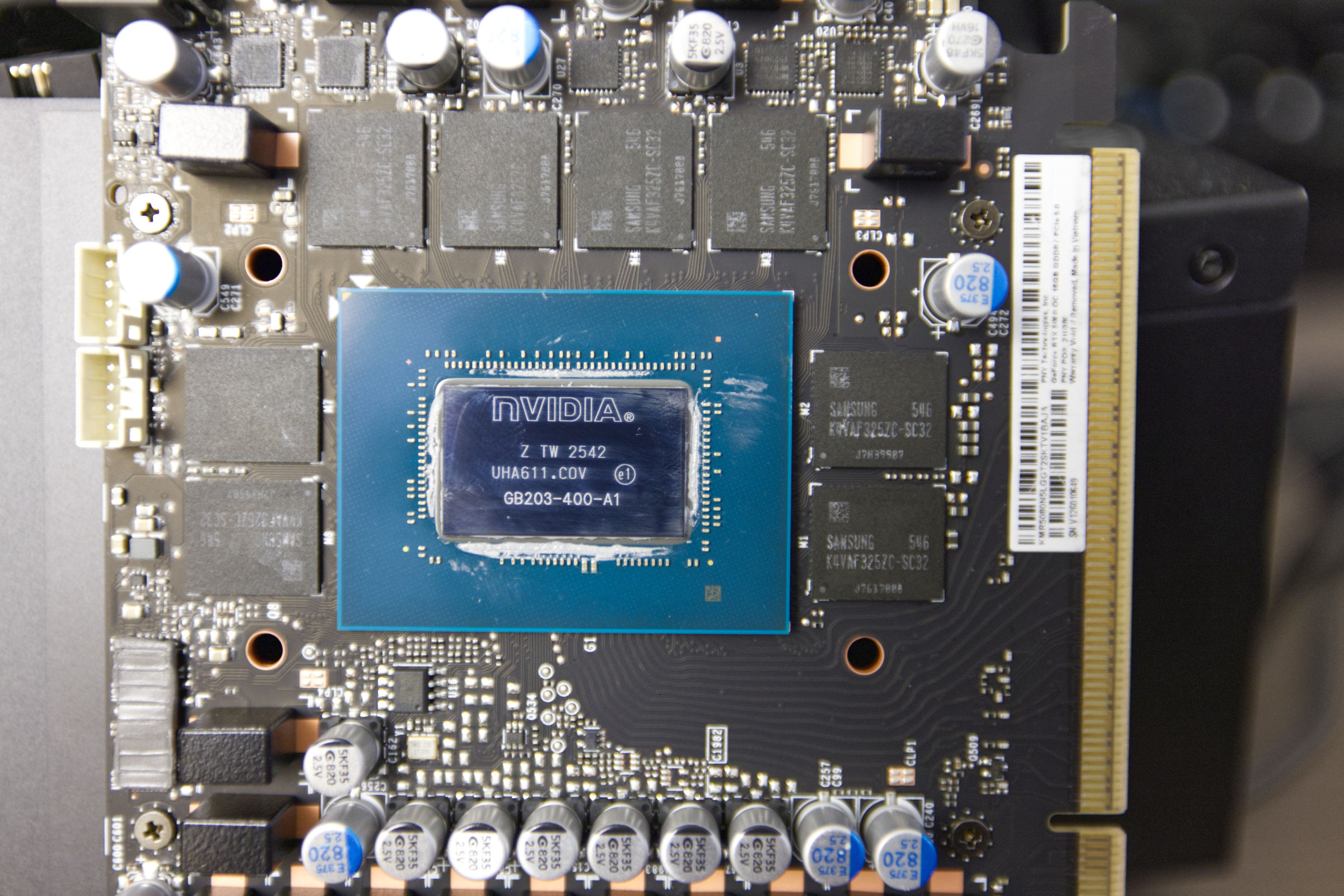 PNY GeForce RTX 5080 SLIM OC GB203 400 A1 (Image © PCMasters.de)
Blackwell GB203 Chip
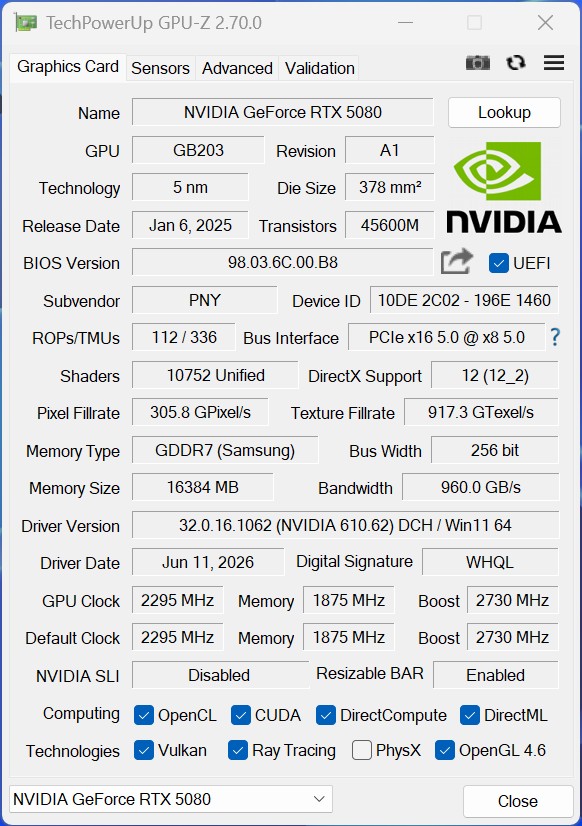 PNY GeForce RTX 5080 Slim OC GPUz (Image © PCMasters.de)
Naturally, PNY’s GeForce RTX 5080 Slim OC also relies on the Blackwell-generation GB203 chip at its core. With an area of 378 mm², the chip is only about half the size of the full-size ** GeForce RTX 5090 (review), which has 750 mm², but still manages to deliver tremendous performance. Roughly speaking, the chip is almost identical in size to the AD103 chip found in the GeForce RTX 4080 and **GeForce RTX 4080 Super (review), which has a total area of 379 mm². In terms of transistor count, the GeForce RTX 5080 has 45.6 billion, compared to the 45.9 billion transistors in the GeForce RTX 4080 (Super)—a minimal difference. With 10,752 streaming processors (CUDA cores), we still get a higher total compared to the 10,240 CUDA cores in the GeForce RTX 4080 Super and 9,728 cores of the GeForce RTX 4080. The GeForce RTX 5080’s monolithic chip is manufactured by TSMC using the advanced 4-nm process, which is the case for all cards in the RTX 50 series.
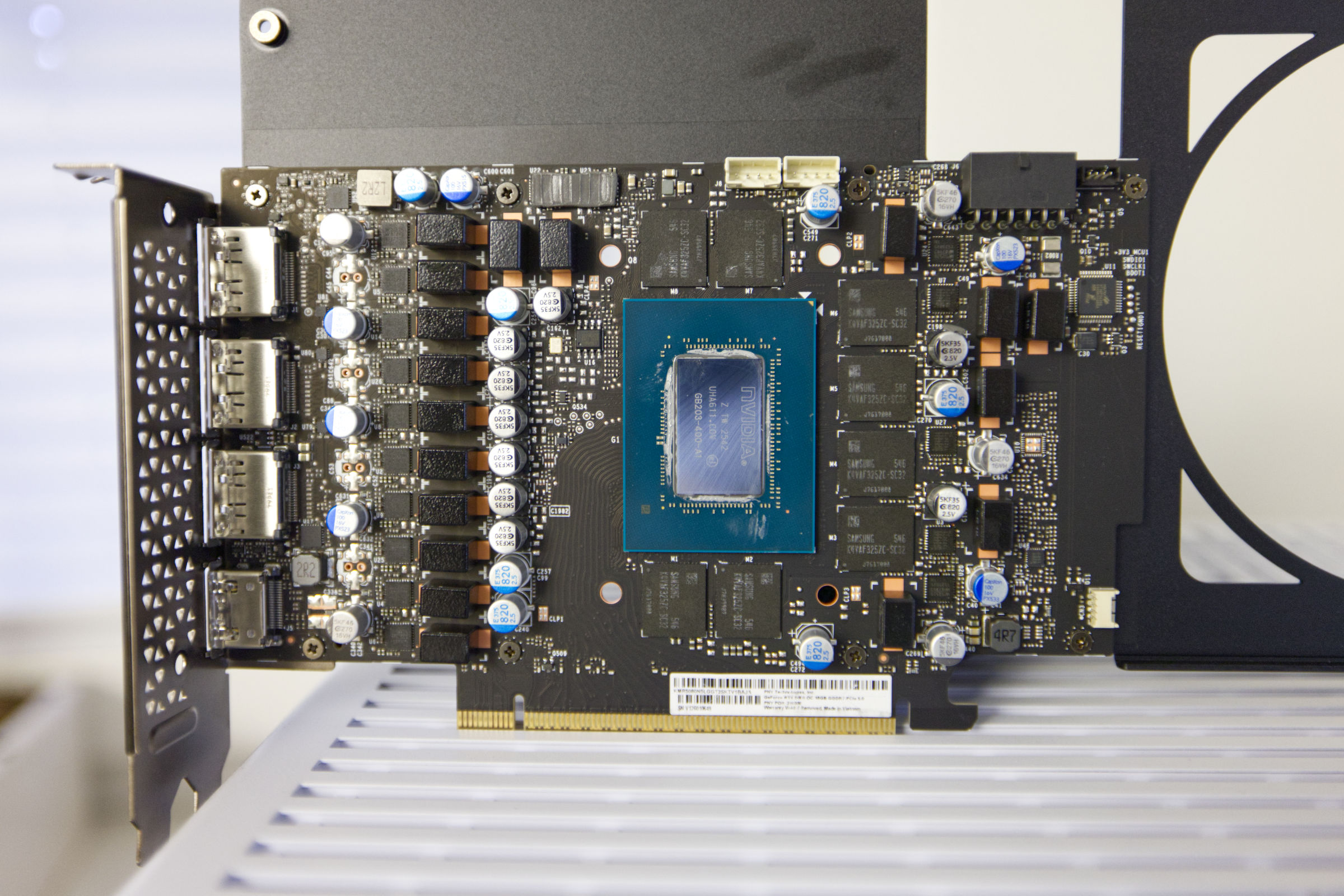 PNY GeForce RTX 5080 SLIM OC PCB (Image © PCMasters.de)
Blackwell SM Architecture for More Performance
According to documentation published by NVIDIA, the Blackwell graphics processor features a redesigned Streaming Multiprocessor (SM) architecture that differs from that of the previous generation. As a result of this redesign, each SM now contains a total of 128 FP32 CUDA cores, arranged in 7 Graphics Processing Clusters (GPCs) and organized around a single raster engine.
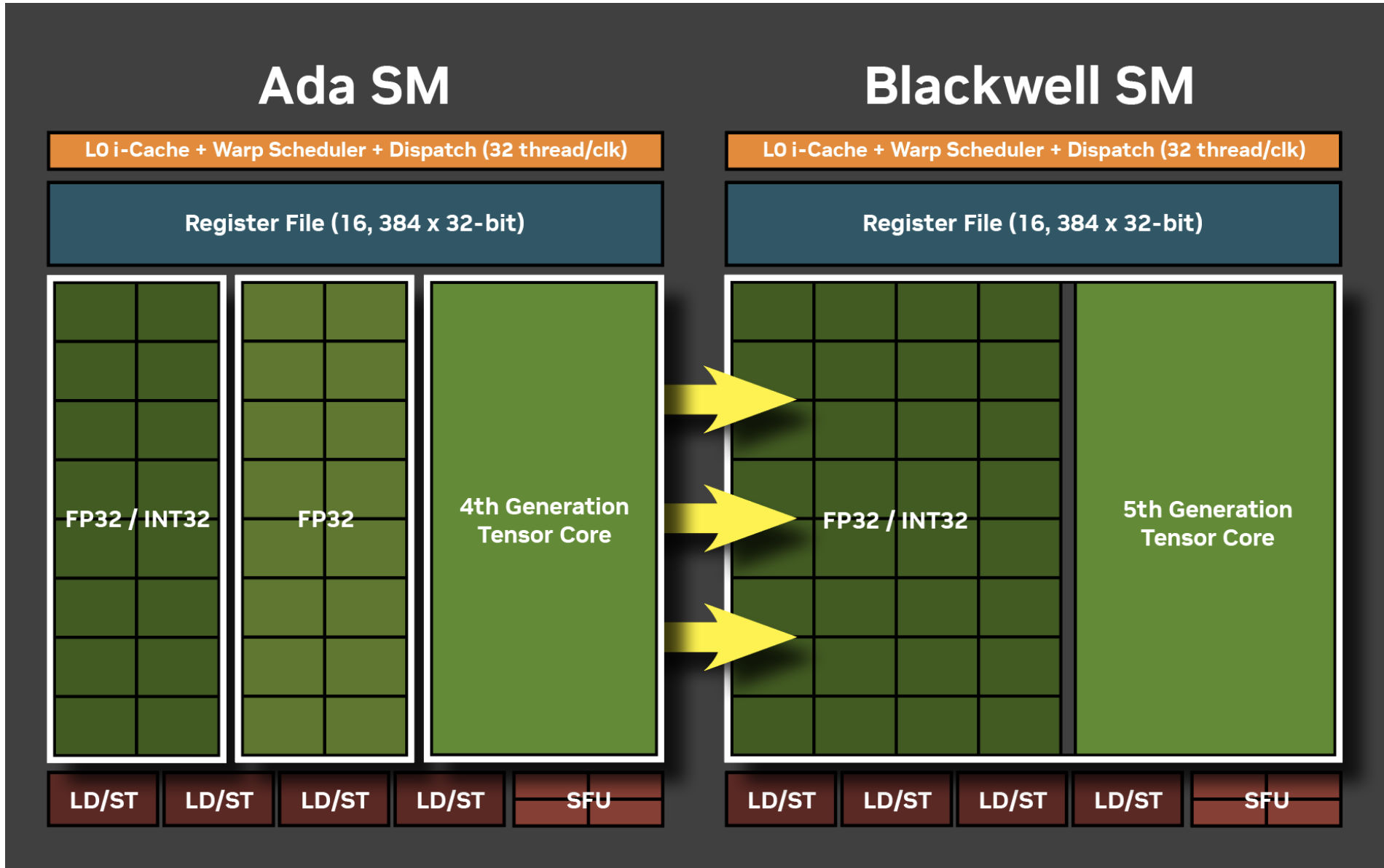 Ada Lovelace SM vs Blackwell (Image © NVIDIA)
The Blackwell architecture consolidates the separate 16 "FP32/INT32" units into 32 unified units. Thanks to this design change, the graphics processor can perform either 32 FP32 (floating-point) or 32 INT32 (integer) operations simultaneously, offering greater flexibility and computational power.
.jpg "Blackwell Streaming Multiprocessor (SM)") Blackwell Streaming Multiprocessor (SM) (Image © NVIDIA)
Blackwell Streaming Multiprocessor (SM) (Image © NVIDIA)
The GeForce RTX 5080 also features 84 4th-generation ray tracing cores and as many as 336 5th-generation The RT cores are responsible for light particle calculations and are used for ray tracing in games to achieve greater realism. The Tensor cores are primarily used for DLSS features and running AI models. Another new addition to the Blackwell generation is the 4th generation of DLSS with Multi-Frame Generation. We’ve already reached version 4.5 of DLSS, which demonstrates the technology’s maturity. NVIDIA is currently highlighting this technology because, at first glance, it appears to deliver twice or three times as many frames per second—which, unfortunately, isn’t entirely accurate when examined in detail, since these are by no means real frames, but rather statistically predicted ones. They serve, so to speak, as fillers between two frames, allowing NVIDIA to advertise a tripling of frames—a claim not accepted or tolerated by all users.
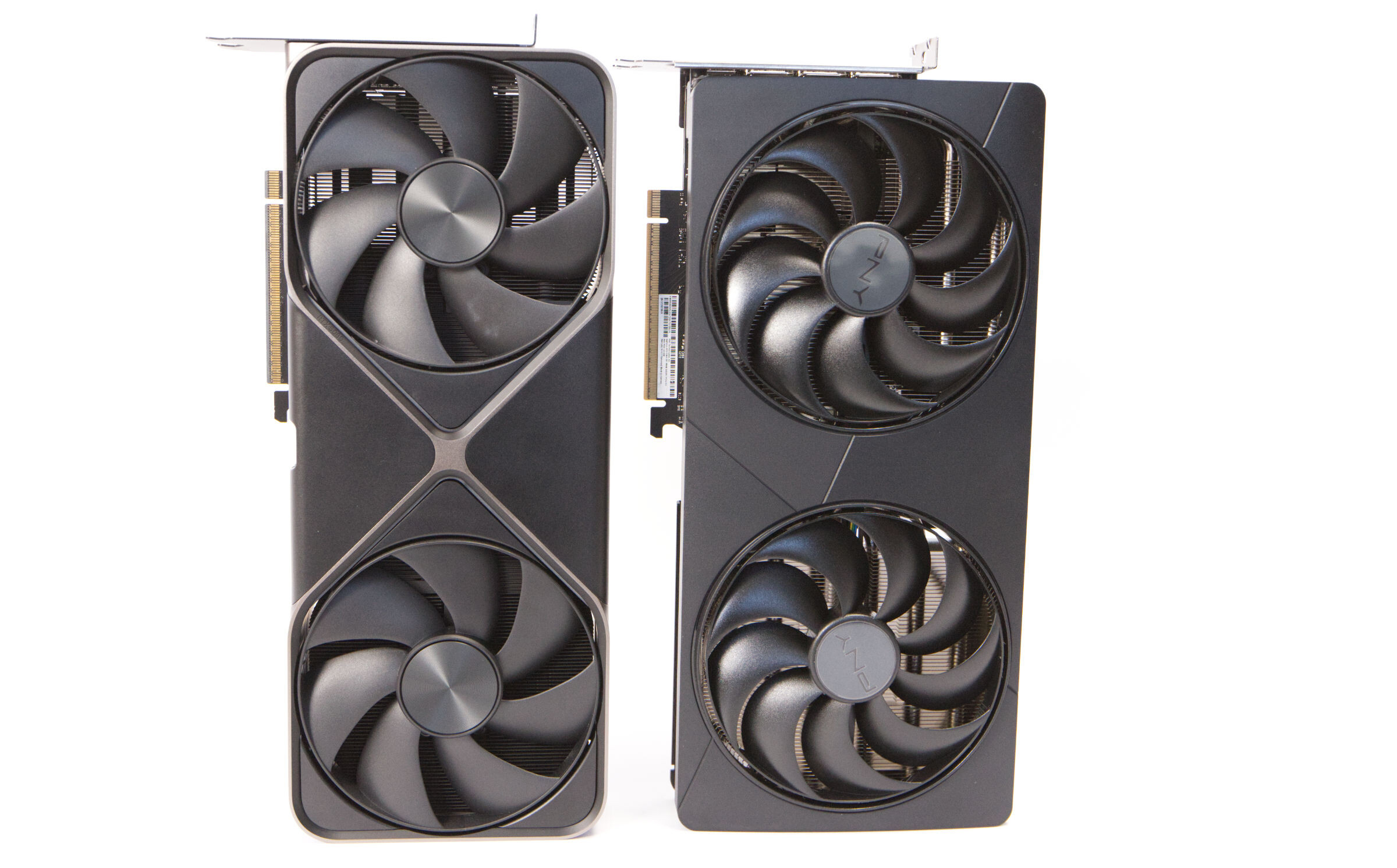
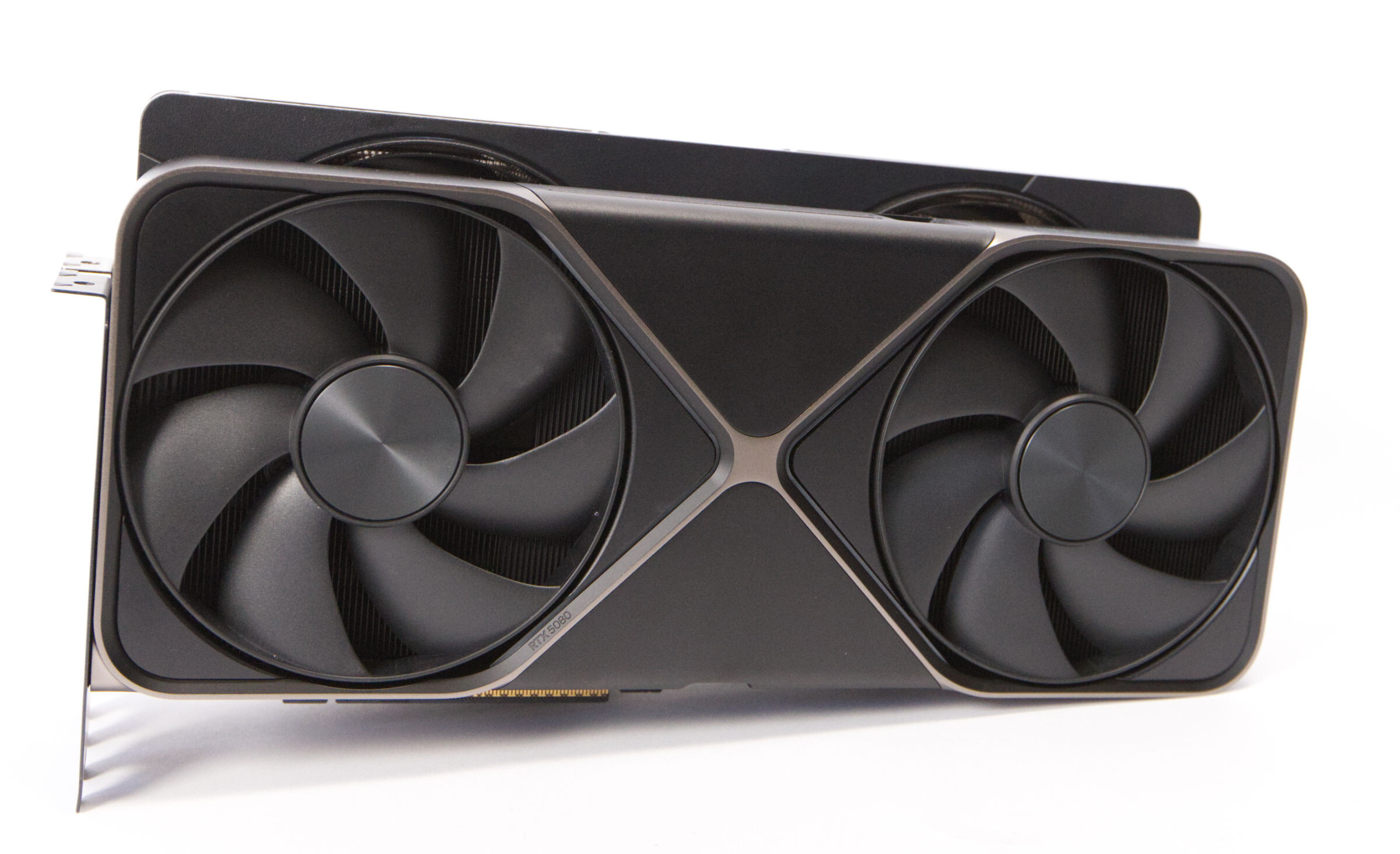
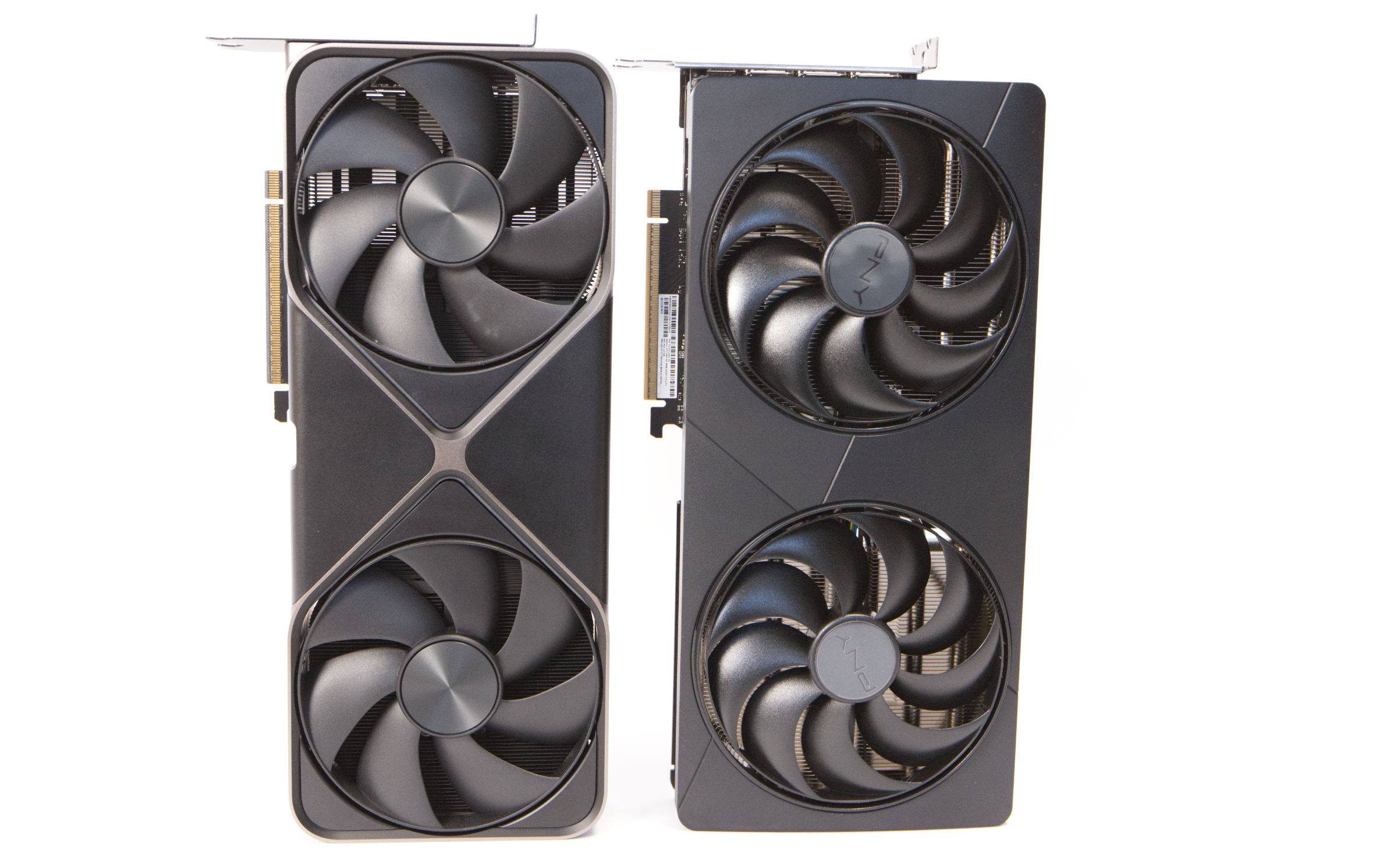 PNY GeForce RTX 5080 SLIM OC vs 5080 Founders Edition (Image © PCMasters.de)
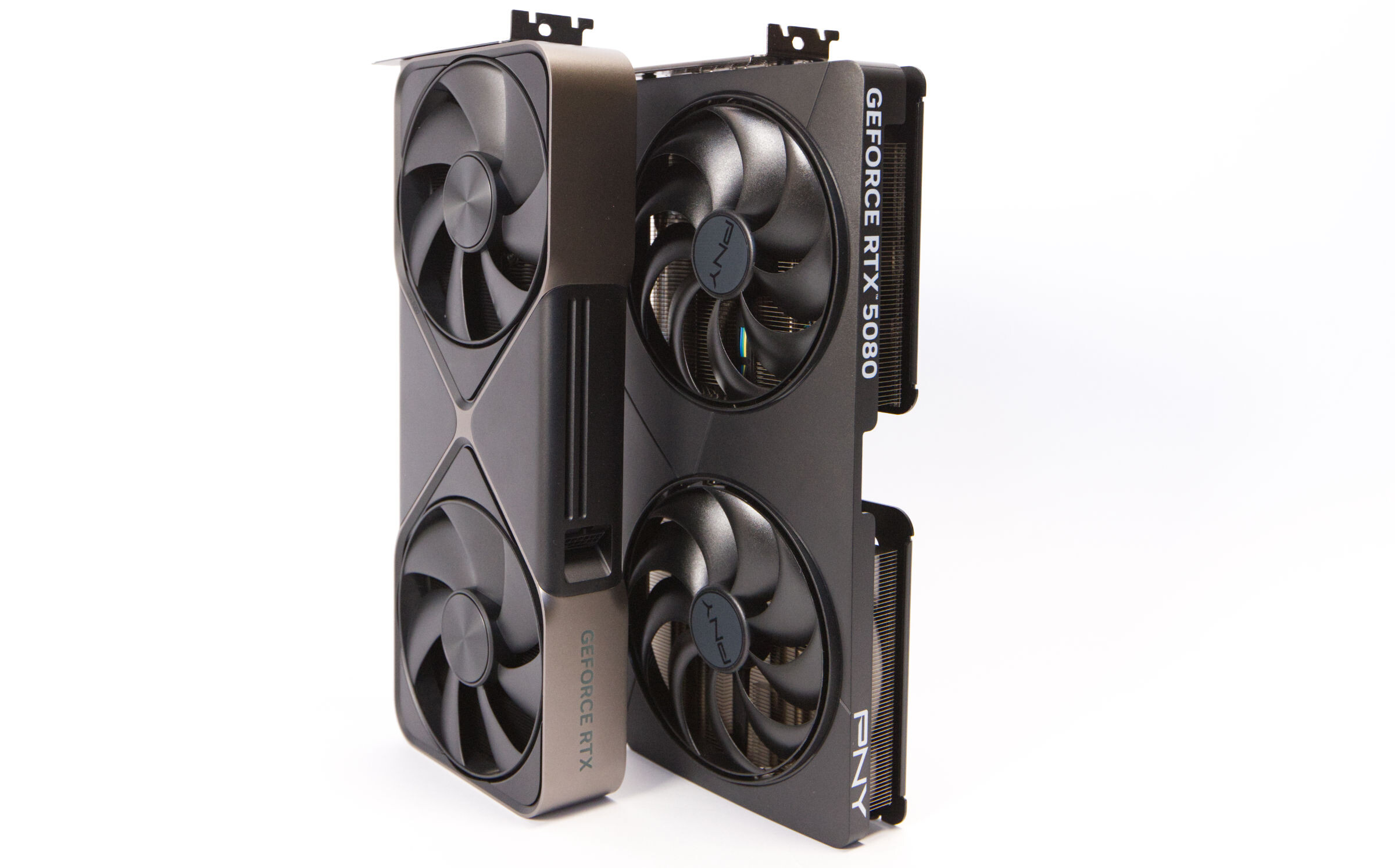
The Founders Edition reference design shown by NVIDIA was compact, and PNY’s Slim Edition is set to prove itself against it. In terms of length, they’re almost identical, but there’s a difference in height. PNY uses larger 120-mm fans, while NVIDIA relies on 115-mm variants with massive fan blades.
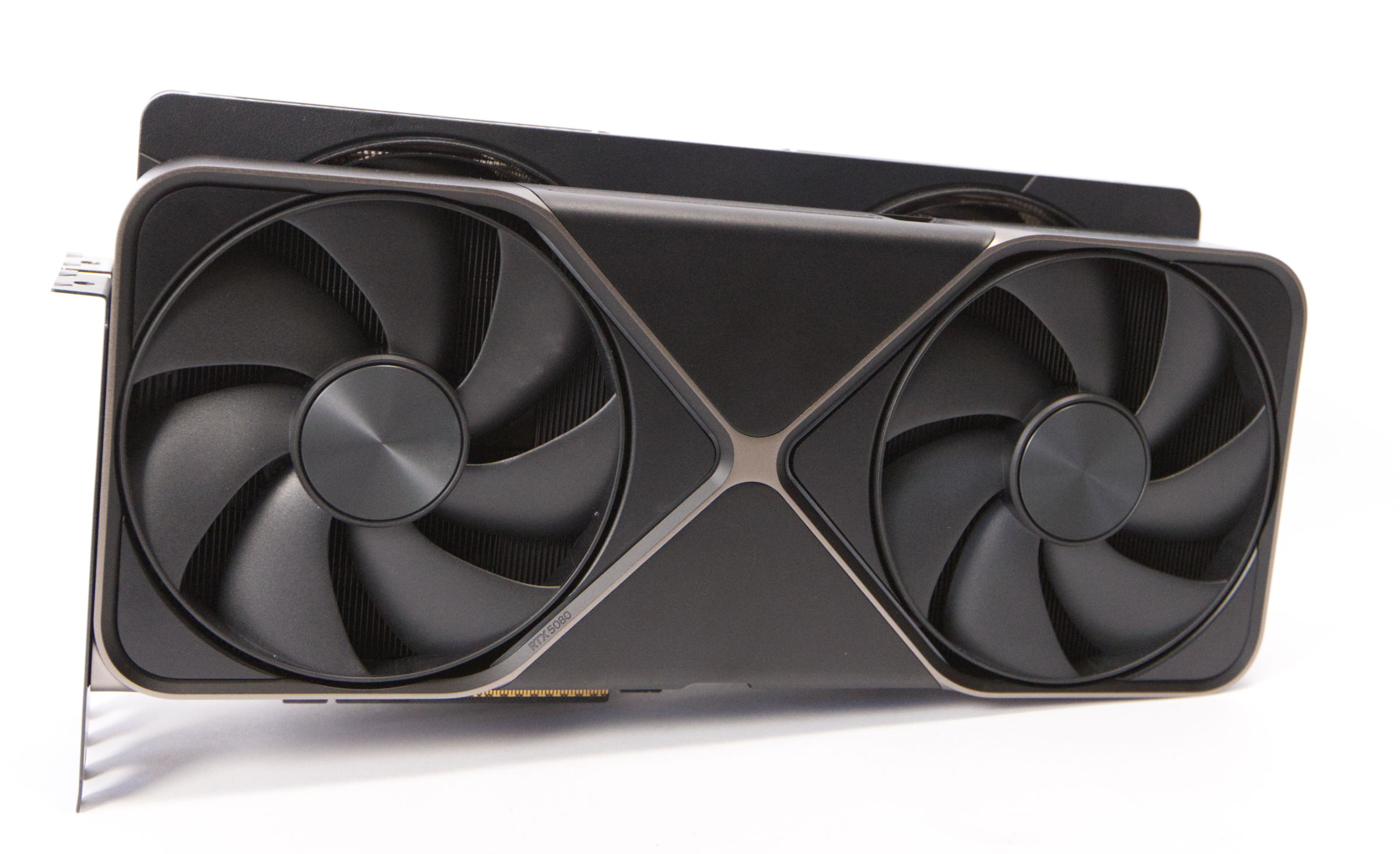 PNY GeForce RTX 5080 SLIM OC Size Comparison (Image © PCMasters.de)
Measuring 300 x 150 x 40 mm, the GeForce RTX 5080 Slim OC is slightly shorter and 13 mm taller than the Founders Edition’s 304 x 137 x 40 mm dimensions. In the RTX 5080 segment, the PNY GeForce RTX 5080 Slim OC is therefore quite compact.
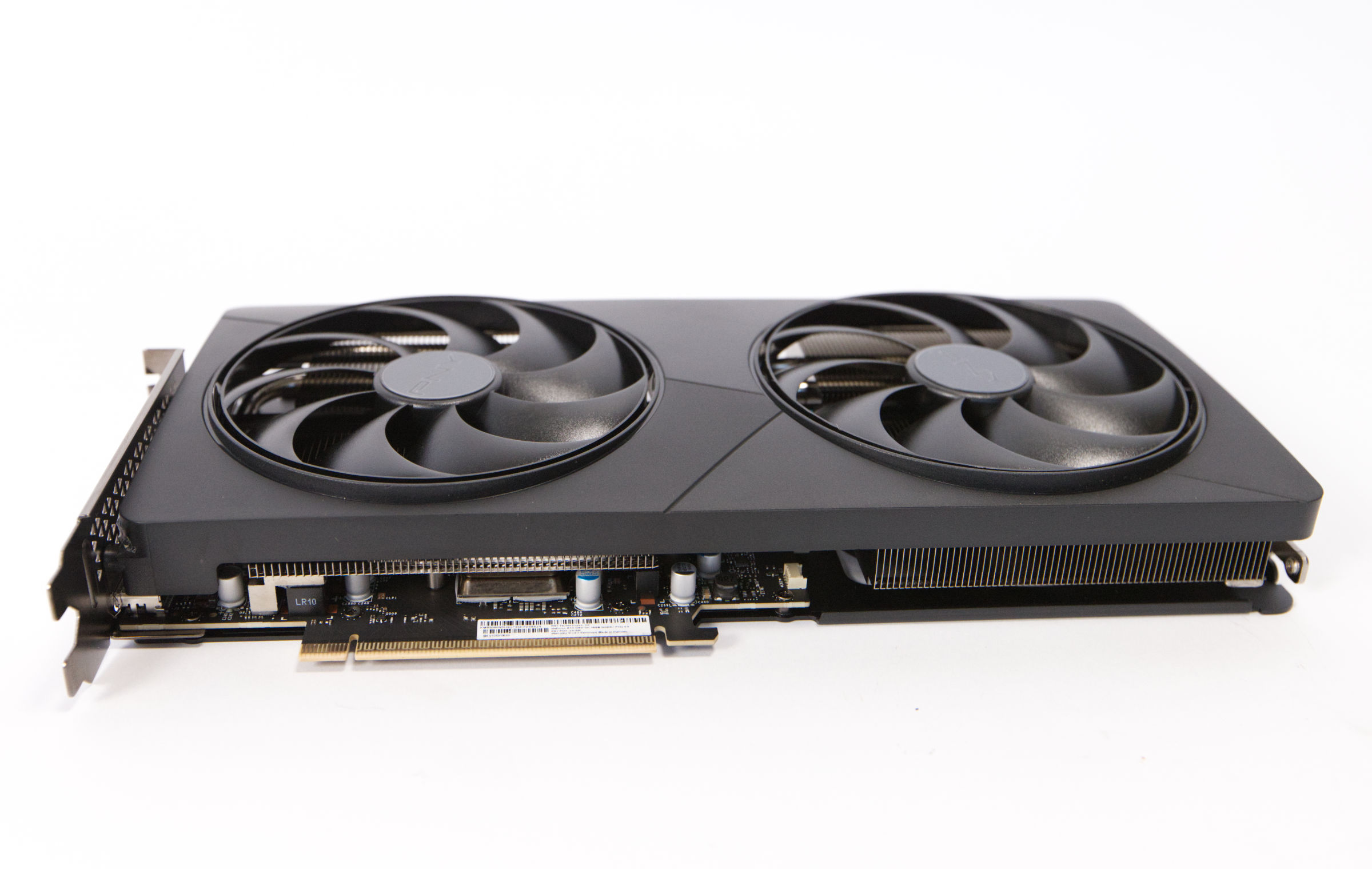 PNY GeForce RTX 5080 SLIM OC PCie (Image © PCMasters.de)
The current RTX 50 generation features a 5th-generation PCI Express interface. The theoretical maximum bandwidth of 31.5 GB/s is doubled on paper to 63 GB/s. The GeForce RTX 5080 is capable of utilizing 16 PCIe lanes; on our test system, it initially operated with only 8 lanes and, after a few reboots, with 16 lanes. We’ve observed this behavior with other RTX 5080 models as well. However, this isn’t a problem, since 8 PCIe Gen 5 lanes deliver the same performance as 16 Gen 4 lanes.
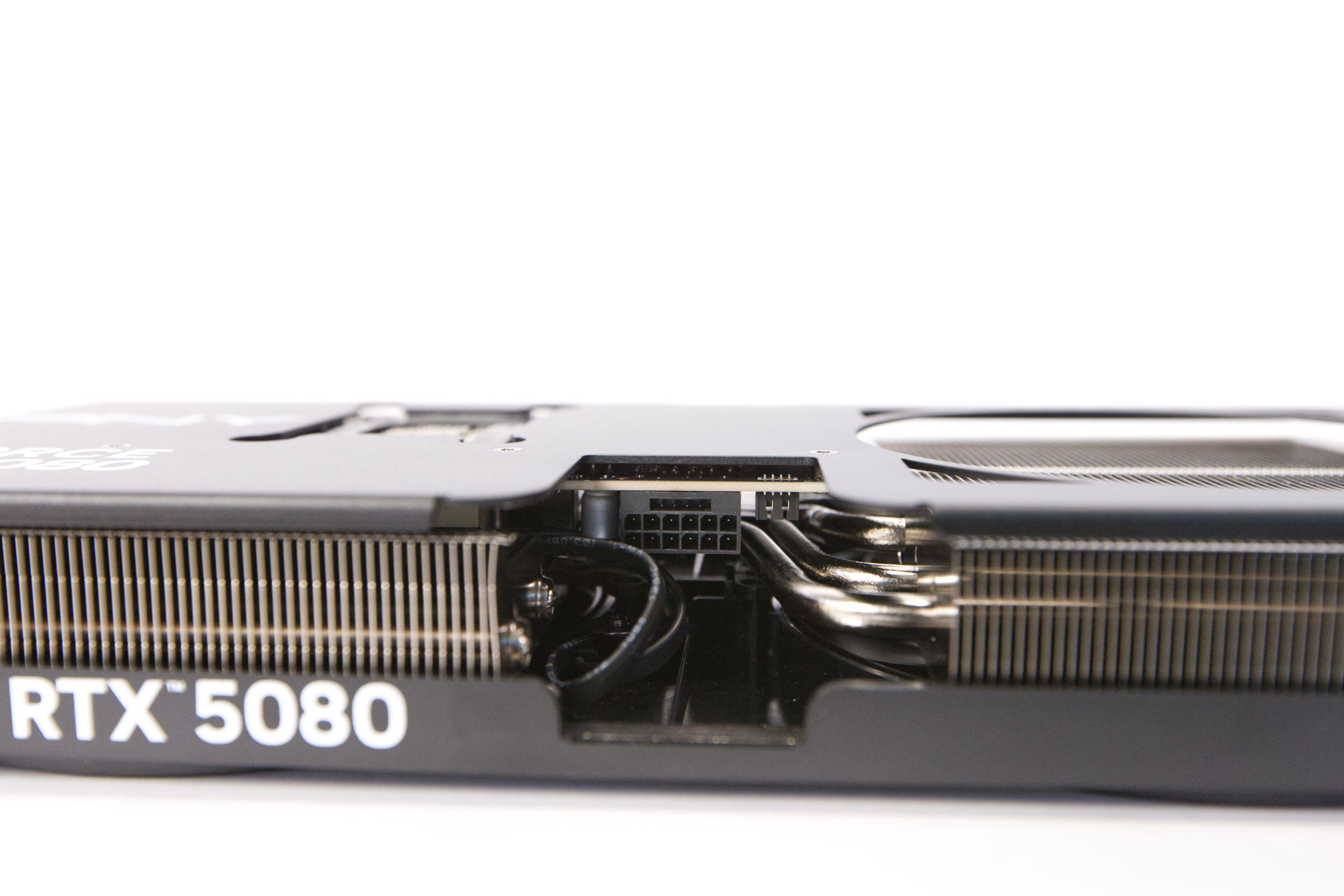 PNY GeForce RTX 5080 SLIM OC 12V-2x6-PCIe-5 Connector (Image © PCMasters.de)
12V-2x6 Power Connector and Adapter
PNY, too, must rely on the updated 12V-2x6 power connector recommended by NVIDIA for its GeForce RTX 5080 Slim OC graphics card—originally known as the 12VHPWR connector. This revised interface was intended to provide greater safety and reliability when handling high power loads, but the problem remains unresolved to this day. We’ve also already seen a case of fire damage involving a GeForce RTX 5090. So the problem is by no means a thing of the past. The GeForce RTX 5080 can reach a total power draw of up to 360 watts, which isn’t quite as extreme as with an RTX 5090, but it’s still quite substantial. The peak power consumption can even be much higher for short periods.
PNY’s solution also includes the sensor cable, which enables direct communication with the power supply; however, the pins are likely not measured individually, which is the problem with NVIDIA’s design. We didn’t experience any issues with the cable during the testing period. For systems without ATX 3.1 -compliant power supplies, the included adapter converts the single 12V-2x6 connector into three standard 8-pin PCIe power connectors. In test configurations, this approach was successfully used with multiple connectors on standard power supplies.
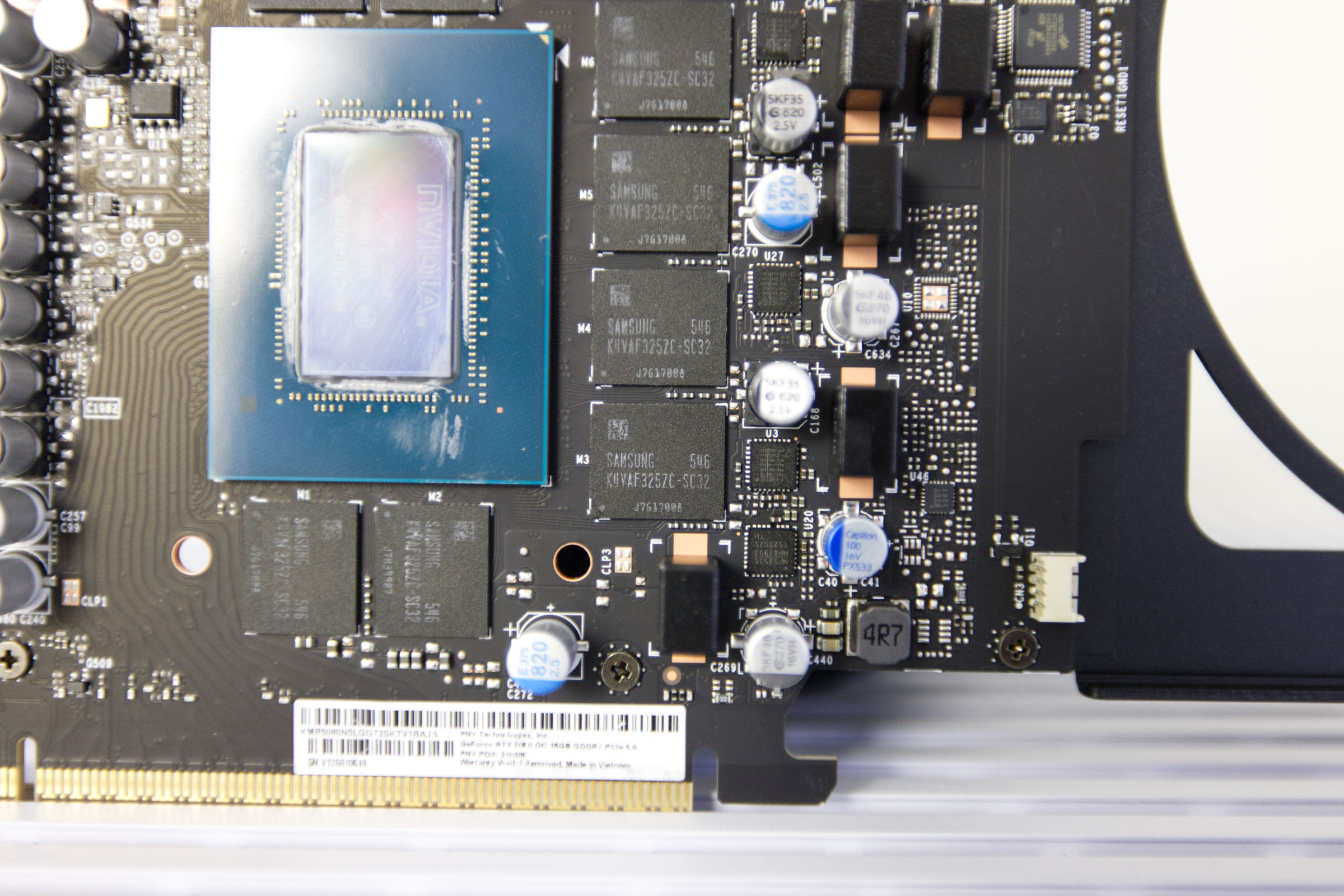 PNY GeForce RTX 5080 SLIM OC SAMSUNG K4VAF325ZC SC32 (Image © PCMasters.de)
16 GB GDDR7 Graphics Memory
memory. The PNY GeForce RTX 5080 Slim OC features 16 GB of this memory and also allows for significant overclocking of the memory clock speed. The previous generation used GDDR6X, and AMD still "only" offers the slightly more affordable GDDR6 memory.
The PNY GeForce RTX 5080 Slim OC uses eight Samsung memory modules with the part number K4VAF325ZC-SC32. These modules are organized into cells of 512 M x 32. While NVIDIA specifies data transfer rates of up to 30 Gb/s, the Samsung chips reportedly offer as much as 32 Gb/s according to their specifications. This increase in speed per pin results in a significant boost in total memory bandwidth.
The GeForce TX 5080 achieves a bandwidth of 960 GB/s, representing a measurable performance gain compared to the GeForce RTX 4080 Super’s throughput of 716.8 GB/s.
Advancements in GDDR7 Signal Transmission
The switch to GDDR7 brings a change in the method of data transmission. The architecture has shifted from PAM4 signal transmission—which transfers 2 bits per cycle—to PAM3. Previously, 1.5 bits per cycle were transferred. Although the number of bits per cycle is lower, this transition significantly improves the signal-to-noise ratio. Furthermore, this design allows for a doubling of independent channels without requiring higher I/O density on the board. Together with improvements in I/O training and clock architecture, these changes optimize data flow and reduce electrical overhead.
The architectural refinements in GDDR7 go beyond mere speed. The updated equalization and I/O train mechanisms contribute to improved power management.
PNY GeForce RTX 5080 Slim OC Technical Specifications
Below, we have compiled a table of all key specifications for the GeForce RTX 5080 from KFA2 and the Nvidia reference model, and included the GeForce RTX 4080, GeForce RTX 4080 Super, RTX 5070 Ti, RTX 5070, and GeForce RTX 4090 for comparison.
| PNY GeForce RTX 5080 Slim OC | GeForce RTX 5080 FE | GeForce RTX 4080 | GeForce RTX 4080 Super | GeForce RTX 5070 Ti | GeForce RTX 5070 | GeForce RTX 4090 | |
|---|---|---|---|---|---|---|---|
| Architecture | Blackwell | Blackwell | Ada Lovelace | Ada Lovelace | Blackwell | Blackwell | Ada Lovelace |
| Chip | GB203 | GB203 | AD103 | AD103 | GB203 | GB205 | AD102 |
| Tensor cores | 336 | 336 | 304 | 320 | 280 | 192 | 512 |
| Ray tracing cores | 84 | 84 | 76 | 80 | 70 | 48 | 128 |
| Base (MHz) | 2.295 | 2.295 | 2.205 | 2.295 | 2.300 | 2.165 | 2.235 |
| Boost (MHz) | 2.730 (OC profile) | 2.617 | 2.505 | 2.550 | 2.475 | 2,510 | 2,520 |
| Memory configuration | 16 GB GDDR7 (Samsung) | 16 GB GDDR7 | 16 GB GDDR6X | 16 GB GDDR6X | 16 GB GDDR7 | 12 GB GDDR7 | 24 GB GDDR6X |
| Memory Clock (MHz) | 1,875 | 1,875 | 1,400 | 1,438 | 1,750 | 2,209 | 1,313 |
| Memory interface | 256-bit | 256-bit | 256-bit | 256-bit | 256-bit | 192-bit | 384-bit |
| Texture units | 336 | 336 | 304 | 320 | 280 | 192 | 512 |
| ALUs/CUDA cores | 10,752 | 10,752 | 9,728 | 10,240 | 8,960 | 6,144 | 16,384 |
| Memory Bandwidth | 960 GB/sec | 960 GB/sec | 717 GB/sec | 736 GB/sec | 896 GB/sec | 672 GB/sec | 1,008 GB/sec |
| TDP/TGP | 360 W | 360 W | 320 W | 320 W | 300 W | 250 W | 450 W |
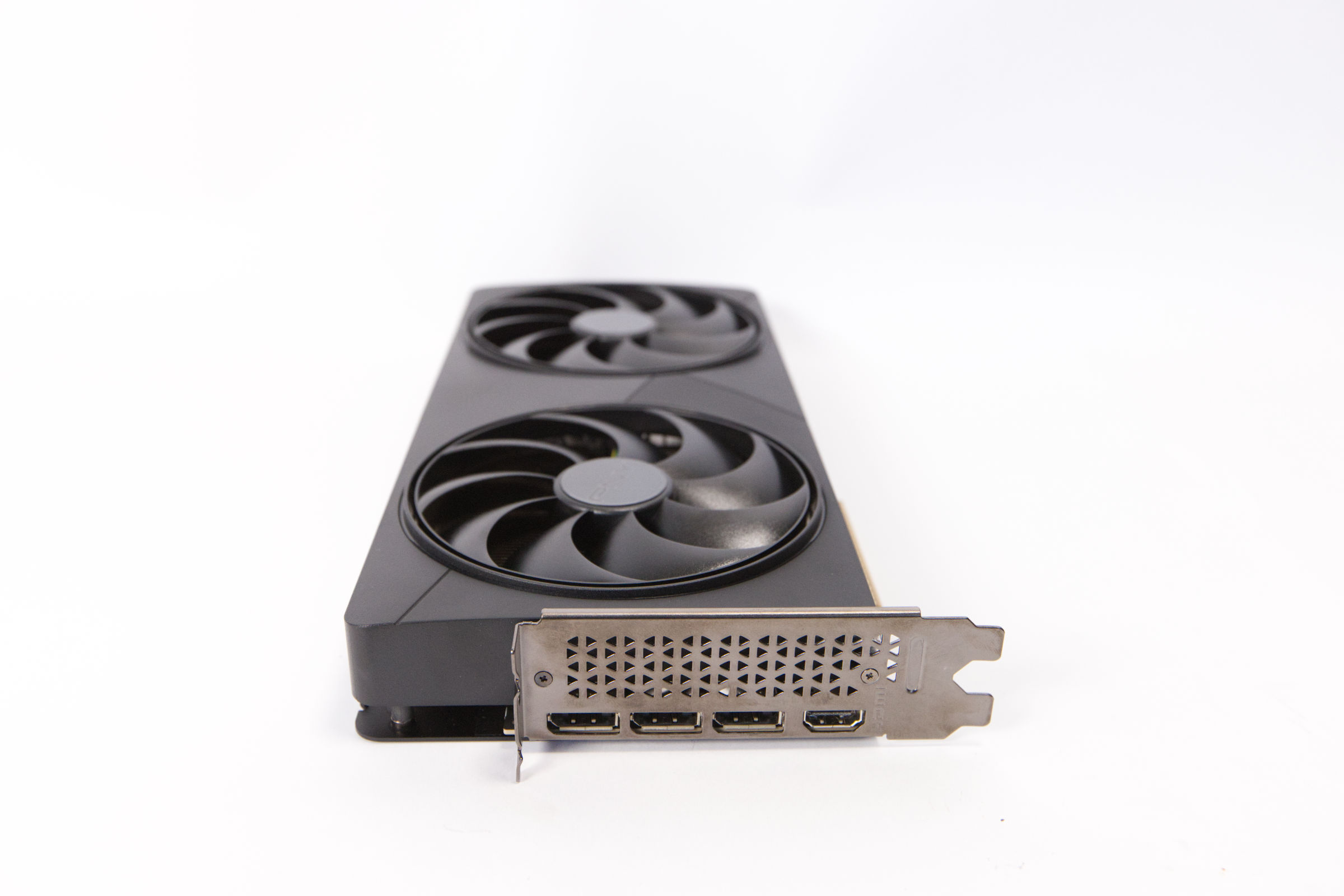 PNY GeForce RTX 5080 SLIM OC Connectors (Image © PCMasters.de)
Connectivity for Four Monitors
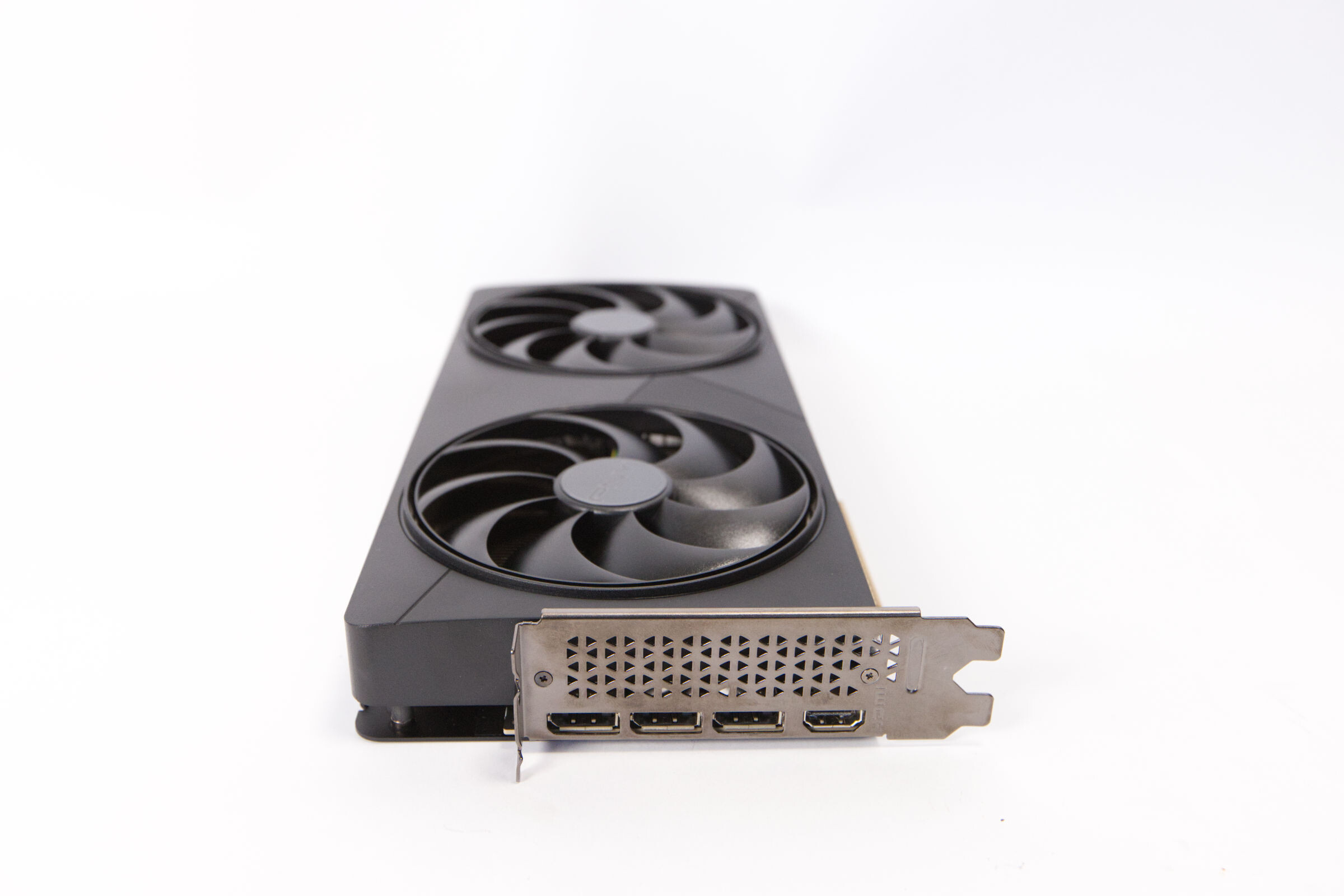
The PNY GeForce RTX 5080 Slim OC comes with a standard configuration of output ports. It supports multi-monitor setups, which are enabled by three DisplayPort ports and one HDMI port. The three available DisplayPort 2.1b ports allow the graphics card to handle significantly higher resolutions and faster refresh rates compared to earlier versions, ensuring efficient data throughput.
In addition, there is an HDMI 2.1b port designed for high-quality video output. By utilizing Display Stream Compression (DSC), this port supports extreme display parameters, including 4K resolution at a refresh rate of 480 Hz or 8K resolution at 120 Hz. In addition, the HDMI output supports Variable Refresh Rate (VRR) and High Dynamic Range (HDR).
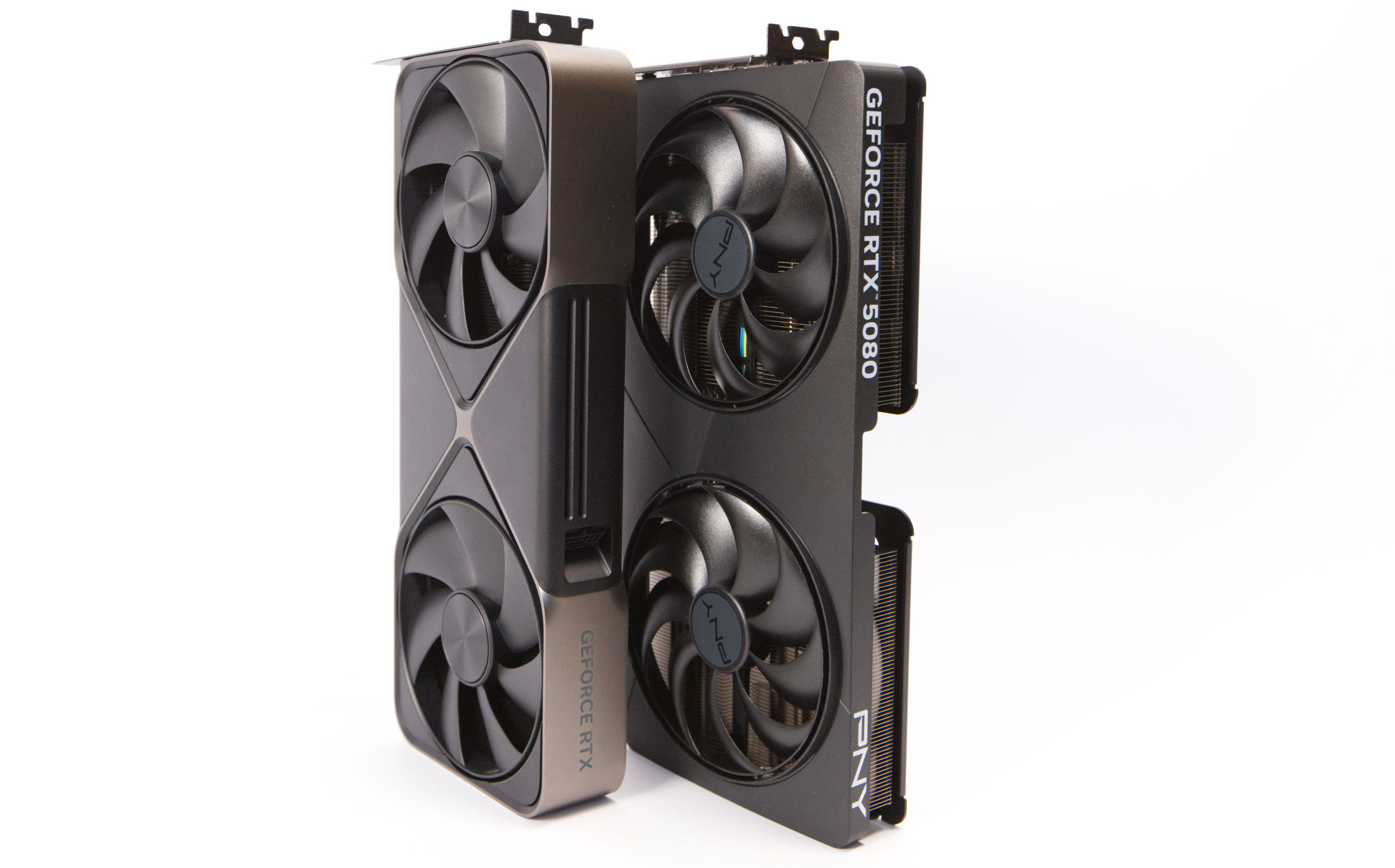 PNY GeForce RTX 5080 SLIM OC vs. RTX 5080 FE Comparison (Image © PCMasters.de)
Design and Construction
In terms of design, we would definitely describe the PNY GeForce RTX 5080 Slim OC as understated. The black finish is well executed overall, and from certain angles, the black coating appears slightly reflective. The design is slightly enlivened by two continuous lines on the front. The stickers on the fan hub are very subtle and highlight the PNY logo in a minimalist way.
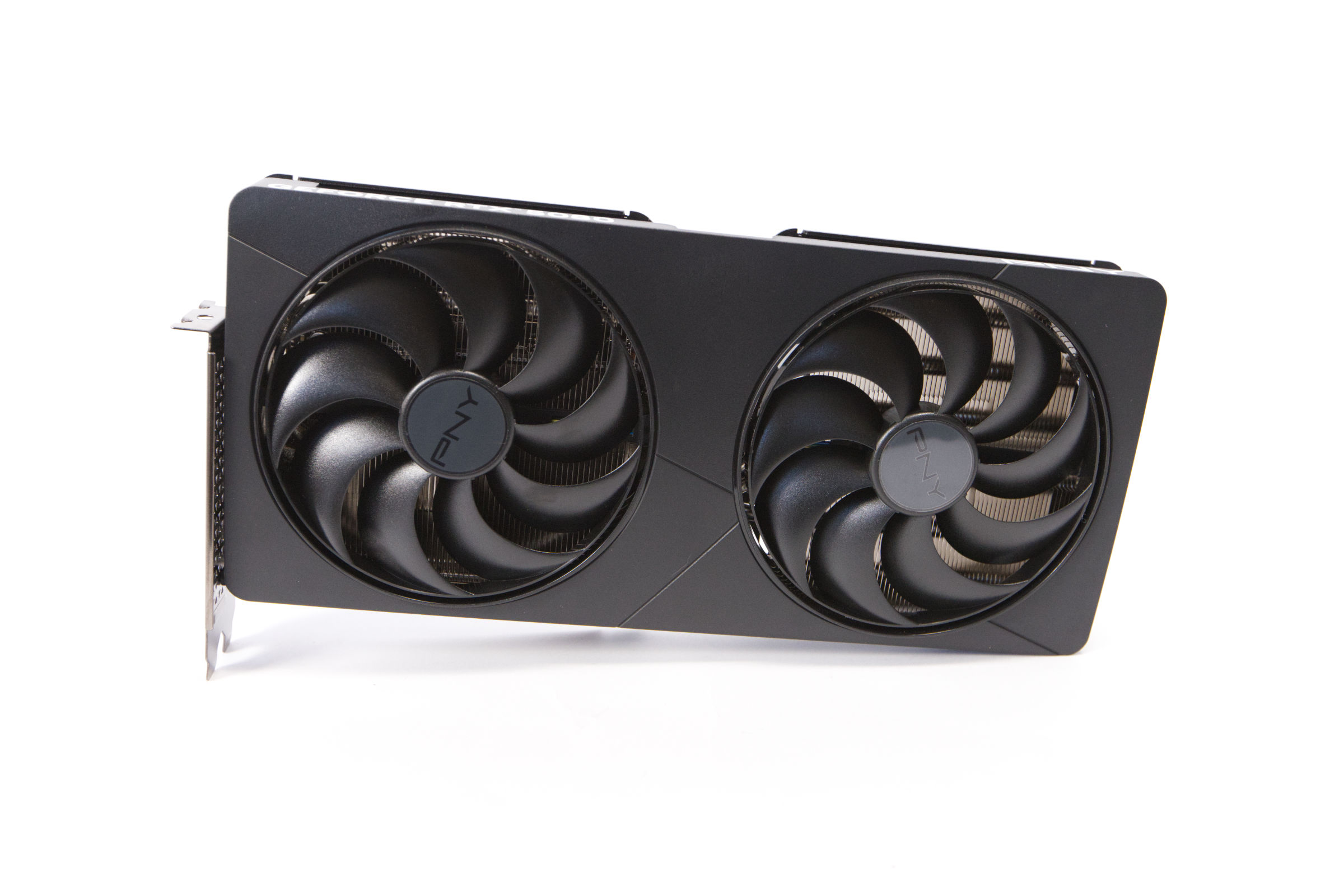 PNY GeForce RTX 5080 SLIM OC Design (Image © PCMasters.de)
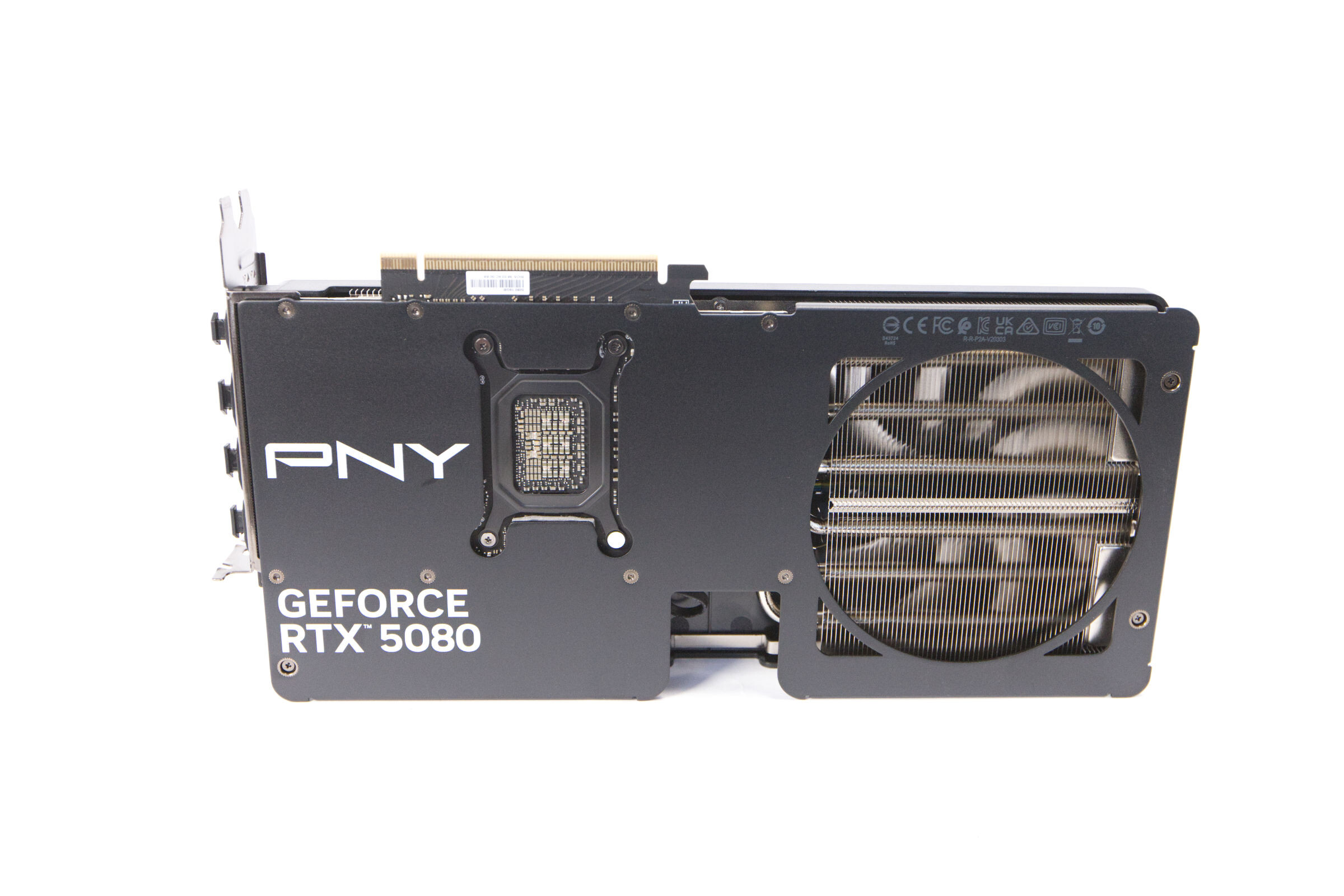
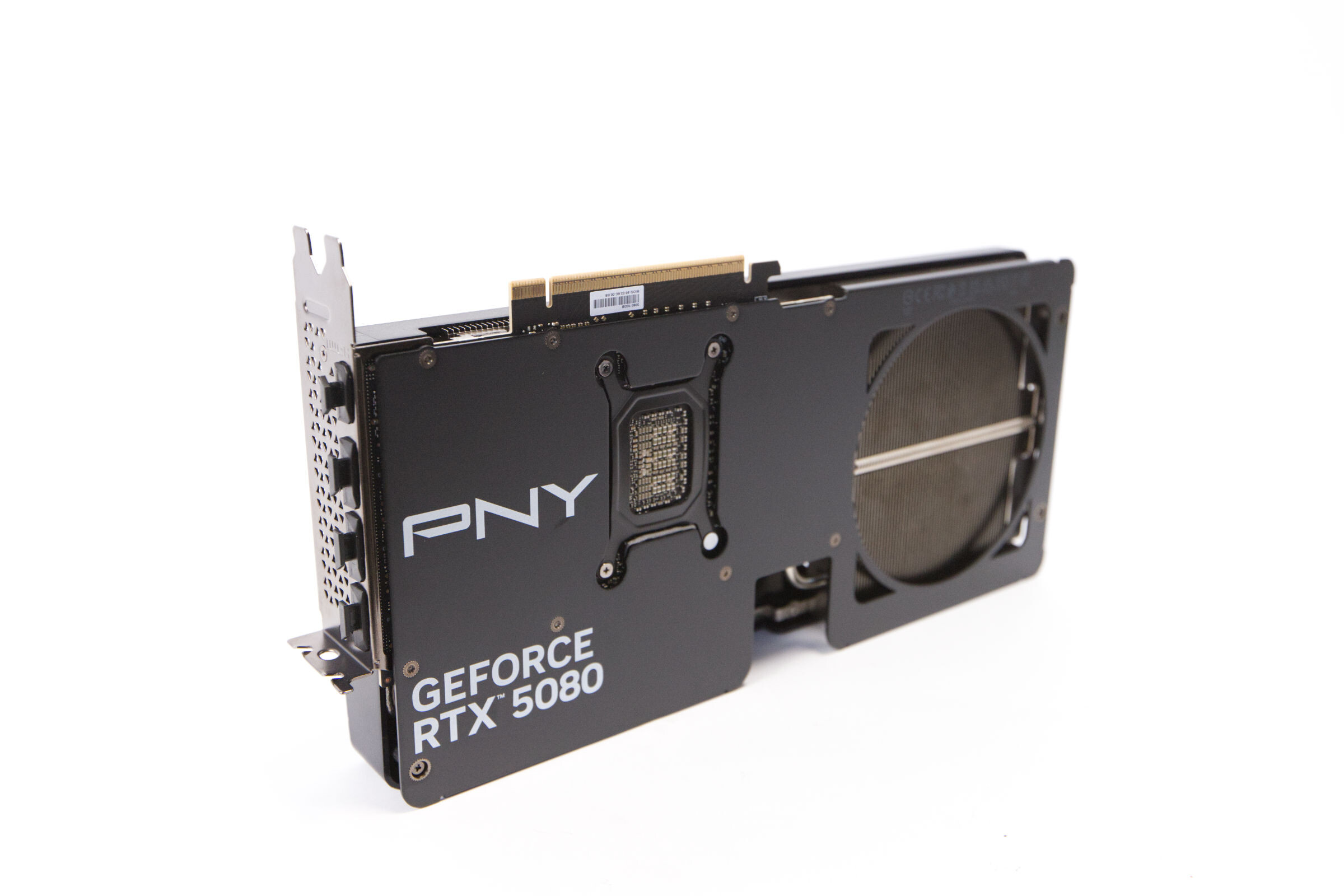
The back is covered by a black-painted metal backplate. The white lettering appears a bit too bright because it stands out too much against the black finish. In contrast, all the compliance logos at the end of the card are very subtly painted in gray and are therefore barely noticeable. In gray, the PNY logo certainly have looked good as well, and the GeForce RTX 5080 lettering also appears simply too bright.
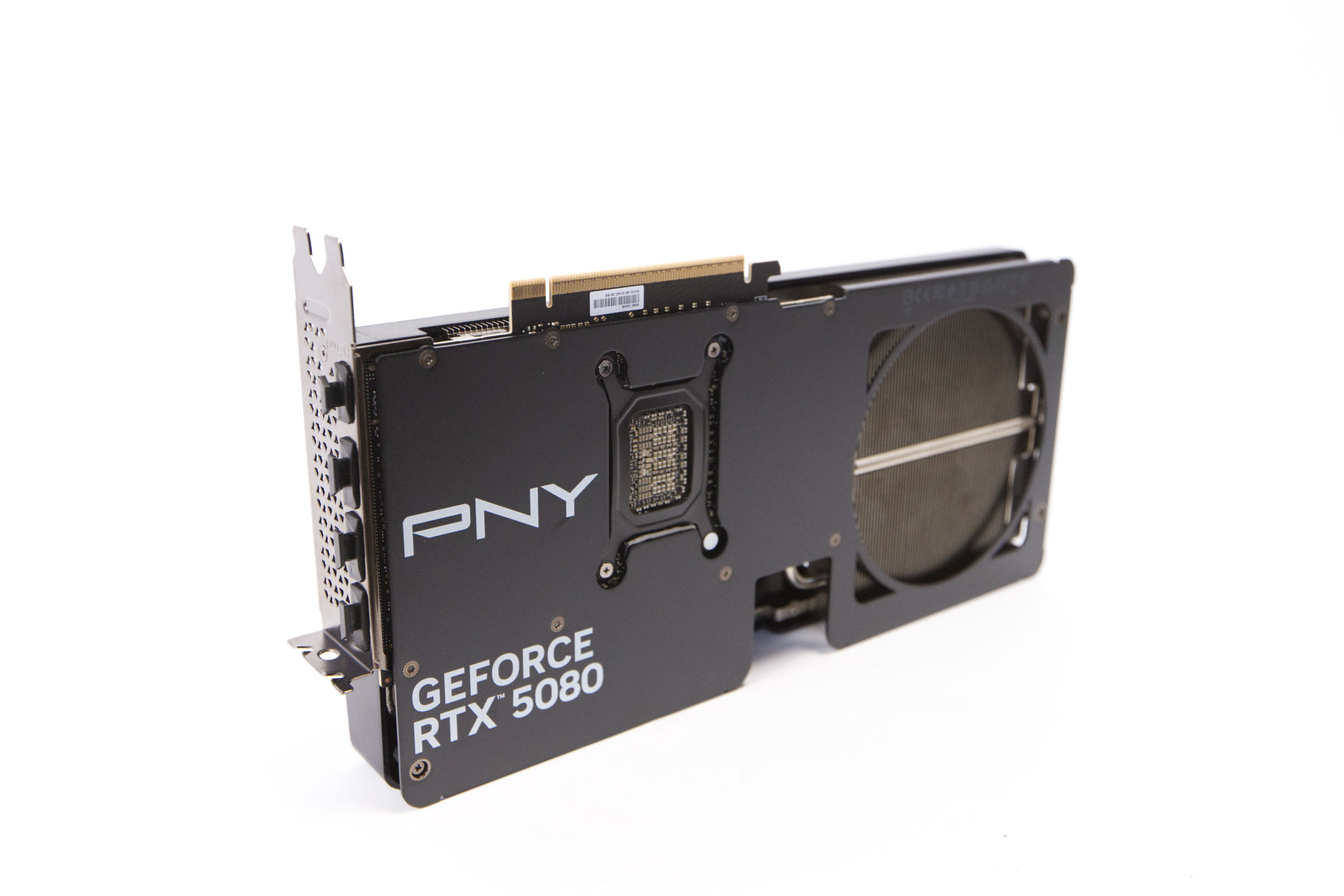 PNY GeForce RTX 5080 SLIM OC Design 2 (Image © PCMasters.de)
We wouldn’t classify this graphics card as an SFF model per se, but we can still understand why PNY and NVIDIA define it that way. For a card of the RTX 5080’s caliber, this graphics card is rather compact and is almost on par with NVIDIA’s Founders Edition. The proportions seem a bit strange at first glance when you hold the card in your hand for the first time. We’re more used to elongated graphics , so the Slim OC model feels very unfamiliar.
PNY GeForce RTX 5080 SLIM OC Size Comparison (Image © PCMasters.de)
Once installed, it definitely fits better, and the graphics card then appears relatively compact.
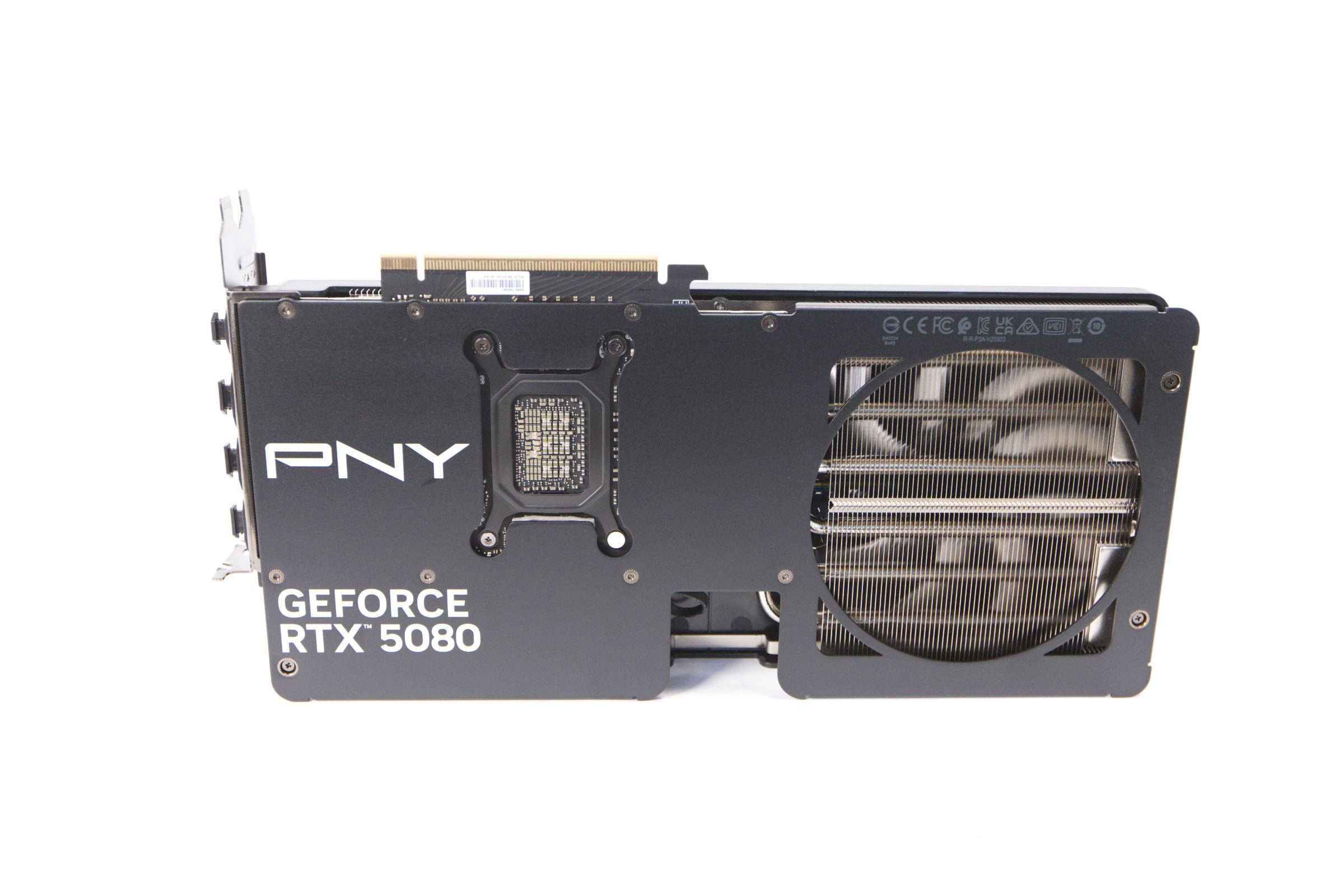 PNY GeForce RTX 5080 SLIM OC Back Side (Image © PCMasters.de)
Another striking feature on the back is that the backplate has a large cutout in the center for the 12V-2x6 power connector. This once again highlights that the graphics card is taller rather than wider. The cutout has the positive effect of giving the cable more room to bend and, so to speak, protecting the graphics card from being bent too sharply.
PNY GeForce RTX 5080 SLIM OC PCie (Image © PCMasters.de)
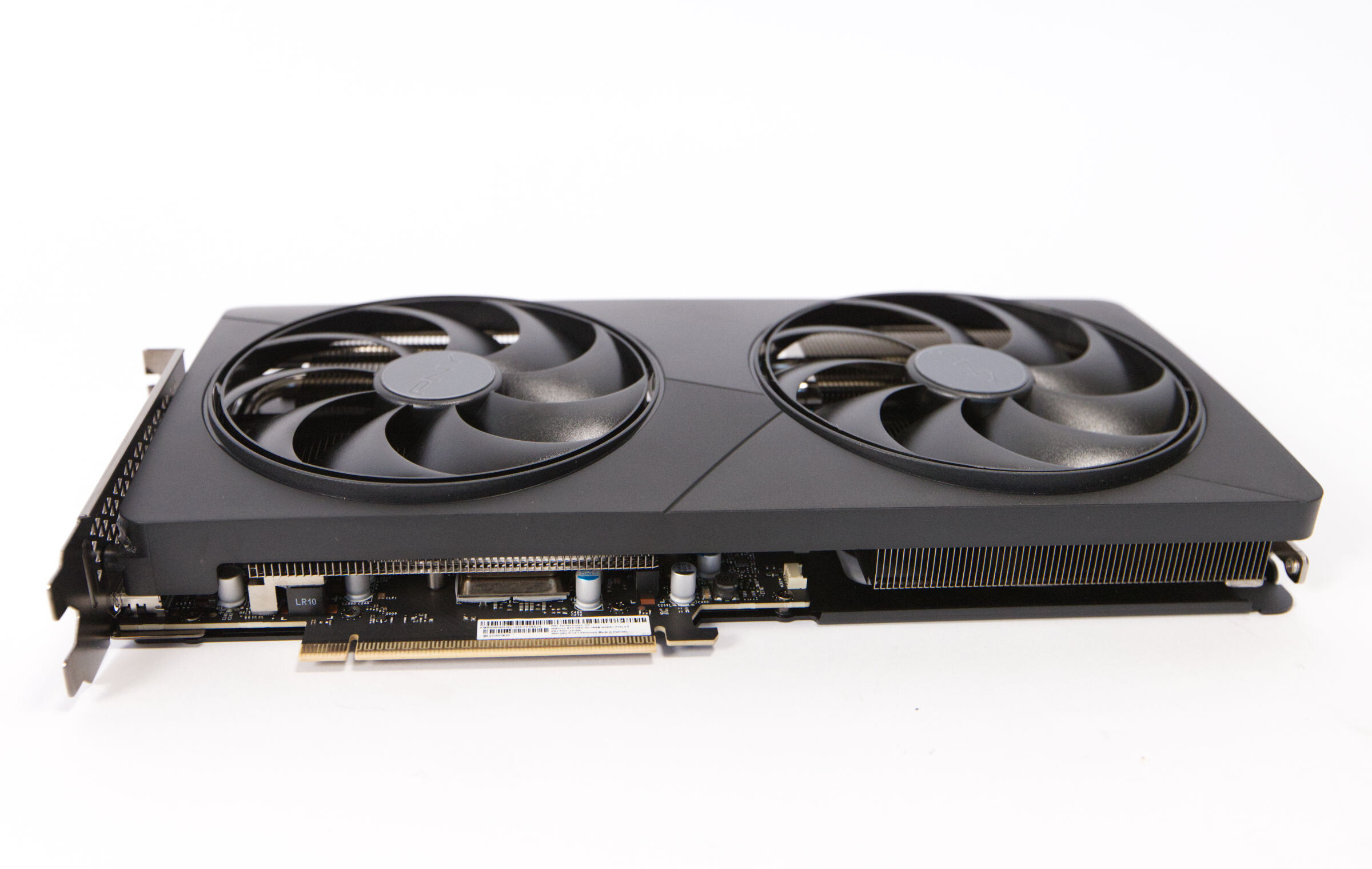
When viewed from the side, the first thing you notice is a raised section around the fans, which is approximately 3 mm high. The plastic cover extends over the corners on all sides and also helps direct the airflow.
GeForce RTX 5080 Slim OC Overclocking
PNY has not locked the OC variant of the GeForce RTX 5080 Slim, so there is some leeway for overclocking the graphics card. For overclocking, we now use the XTREME Tuner PLUS tool from KFA2 in conjunction with MSI Afterburner for all NVIDIA graphics cards, we now use KFA2’s XTREME Tuner PLUS tool in conjunction with MSI Afterburner, as this allows us to set higher VRAM clock speeds and increase the TGP. We can force the TGP limit to increase from 100% to 110%.
We achieved a clock speed of 203 MHz with GPU Boost and even 2,702 MHz for the graphics memory.
The card operated flawlessly and produced no errors or artifacts. The final GDDR7 clock speed was 2,212.9 MHz instead of the factory setting of 1,875 MHz. This increase in clock speeds and the TGP limit even revealed a clearly noticeable performance boost in the benchmarks.
PNY GeForce RTX 5080 Slim OC Photos
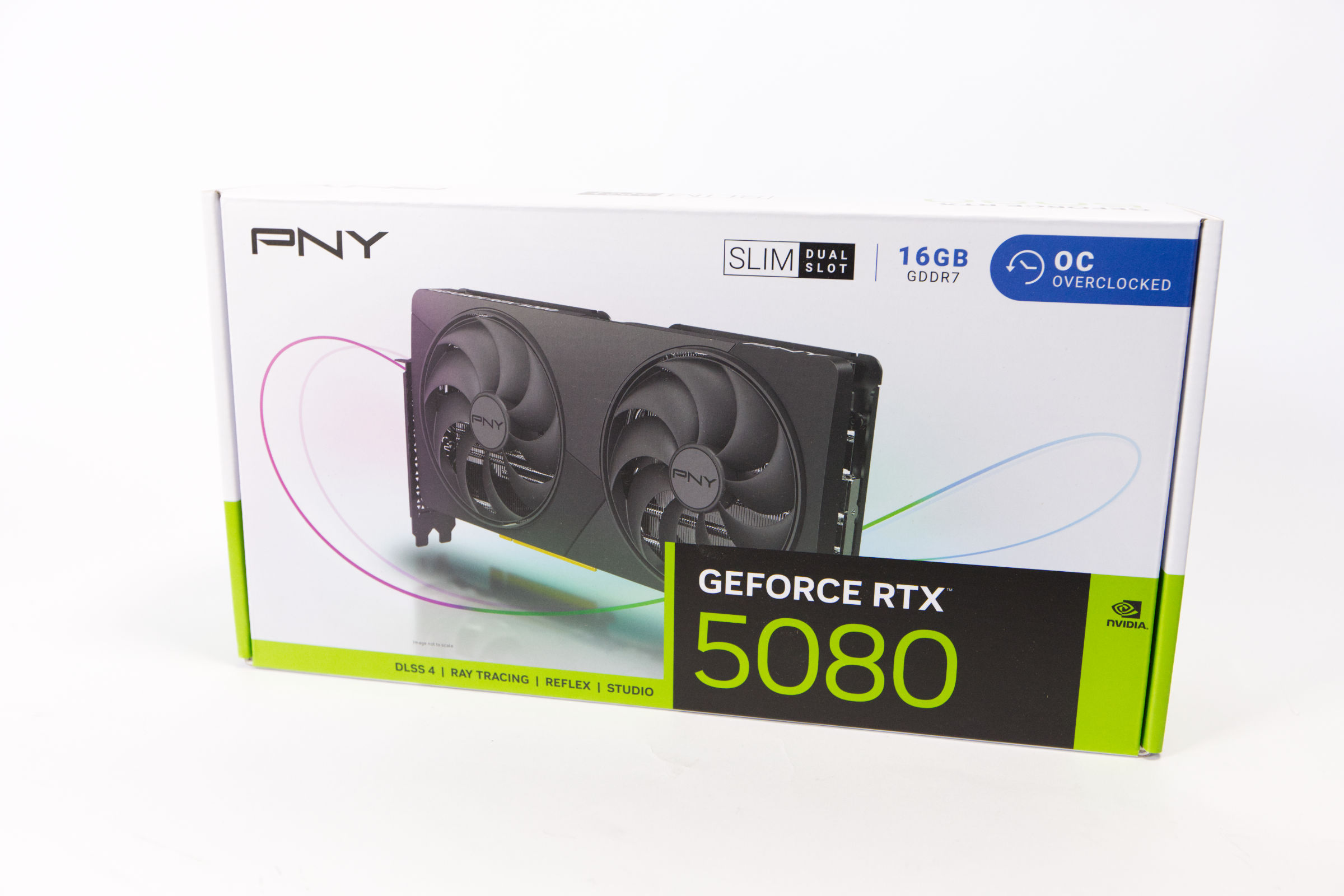 PNY GeForce RTX 5080 SLIM OC Packaging (Image © PCMasters.de)
Packaging and Contents
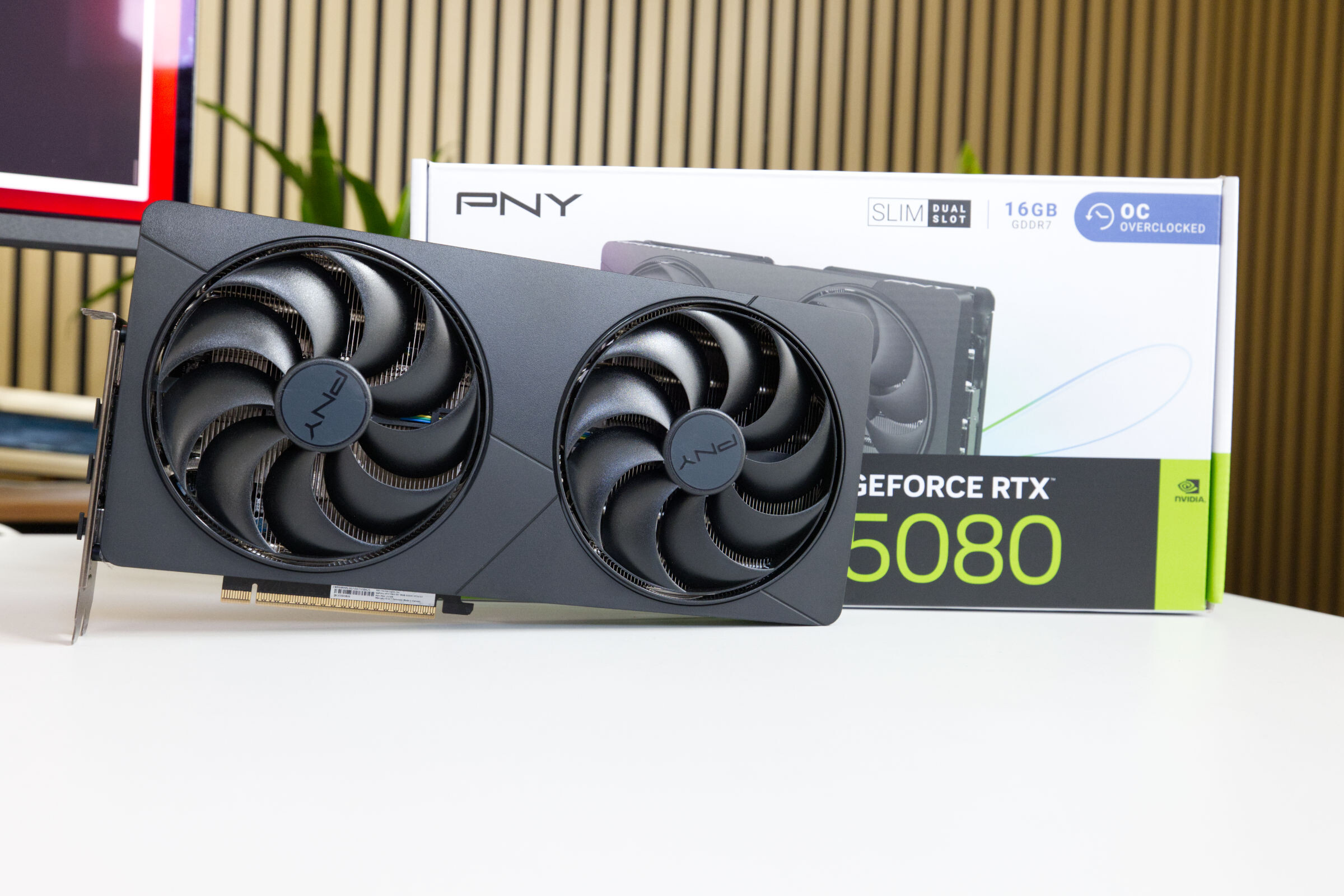
The packaging design of the GeForce RTX 5080 Slim OC is very sleek. The box isn’t as huge as those of the competition and has a modern look. The very light-colored background provides good contrast with the black graphics card, making it stand out better. On the box, we find a note indicating that this is the Slim Edition, which features a dual-slot design. The box has no outer packaging and is designed so that it can be opened via a tab. -
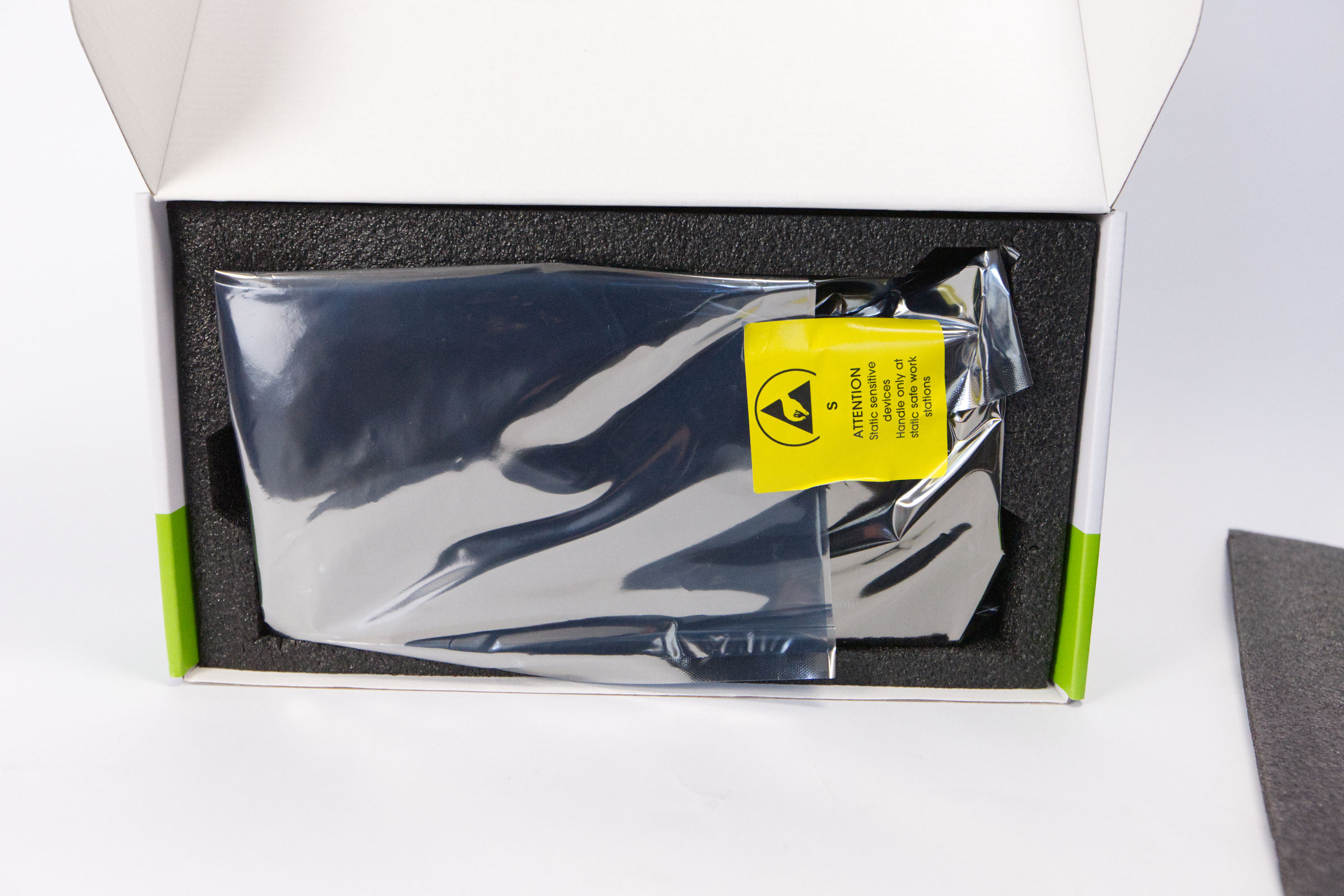 PNY GeForce RTX 5080 SLIM OC Inner Packaging (Image © PCMasters.de)
Upon opening the box, the graphics card is immediately visible, wrapped in antistatic film. Overall, in our experience, the foam padding is sufficient for transport and shipping.
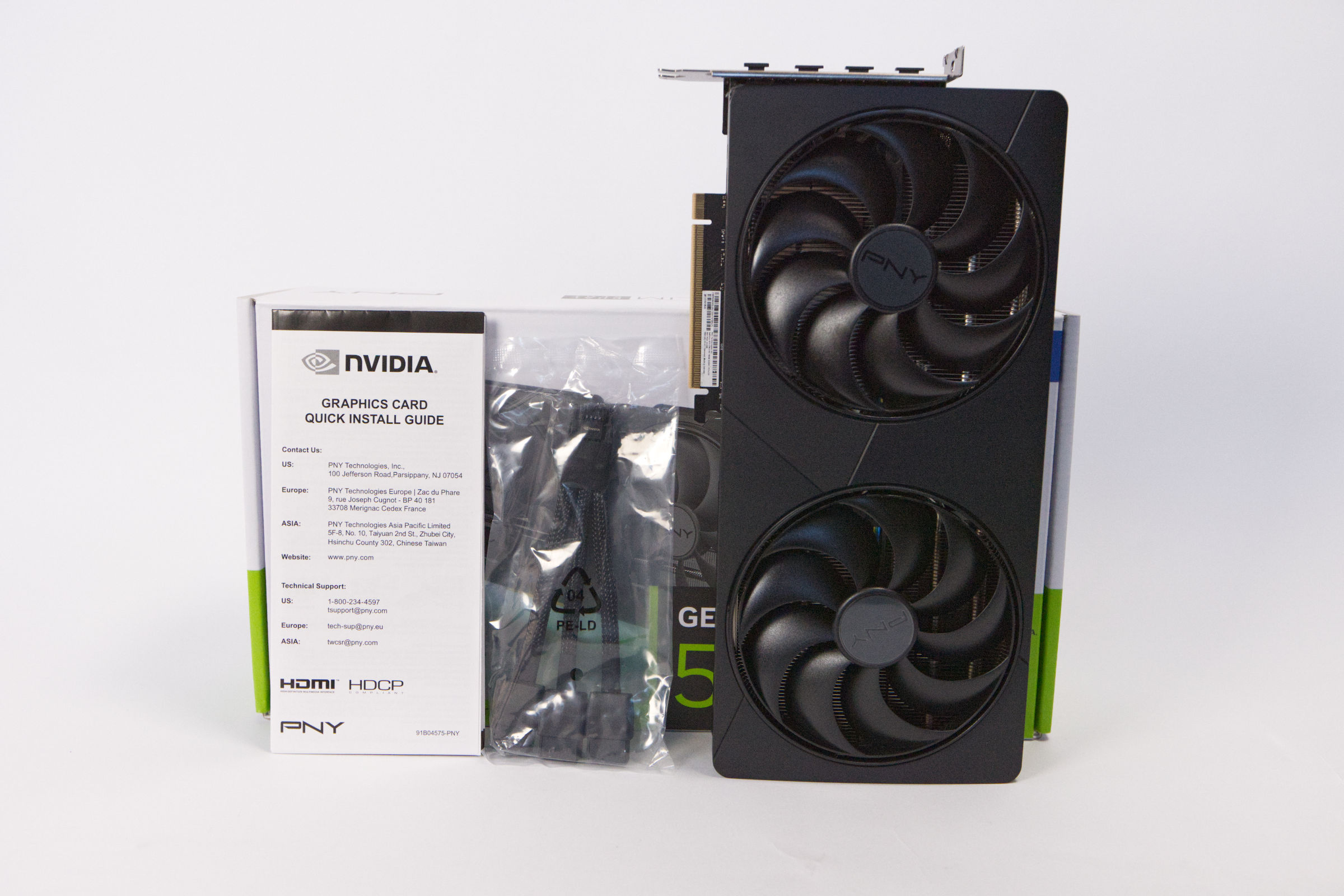 PNY GeForce RTX 5080 SLIM OC Scope of Delivery (Image © PCMasters.de)
Inside the box itself, we find a quick start guide with some instructions, as well as the 12V-2x6 power adapter in plastic packaging. Nothing else is included in the box.
Test Setup
The Ryzen 9 7950X, which runs on faster DDR5-6000 RAM. The 2024 benchmarks omit Battlefield 4 and instead introduce Cyberpunk 2077 and Saints Row. We’ve further reduced 1080p testing and focused more on 4K, enabling ray tracing where appropriate. We’ve also added our first 8K benchmarks.
Another change is that we’re no longer testing inside a case; instead, we’ve returned to an open test setup. Graphics cards are becoming too large and bulky, which is why we opted for the open test bench.
The driver is from Nvidia and was version 610.62.
The Test System
- CPU: AMD Ryzen 7 7800X3D
- Motherboard: ASUS ROG CROSSHAIR X870E HERO
-
M.2 SSD: Corsair MP600 Elite, WD_Blue SN580 1 TB
- RAM: G.SKILL Trident Z5 48 GB DDR5-6800 (34-46-46-108-1.35v)
- CPU Cooler: DeepCool LS720
-
Power Supply: NZXT C1500 Platinum
- Fans: 0
- Case: CoolerMaster Benchtable (open)
GeForce RTX 5080 Ray Tracing Synthetic Benchmarks
For synthetic benchmarks with ray tracing support, we use only 3DMark Port Royal. The remaining tests are based on games that implement the technology in one way or another.
3DMark PORT ROYAL 1.2
Synthetic Benchmarks
Synthetic benchmarks are useful for an initial comparison of performance, but they do not reflect the cards’ actual gaming performance, as other factors come into play that are not immediately apparent.
3DMark Benchmark
Geekbench 6 OpenCL Benchmark
Unigine Superposition Benchmark
8k Benchmarks
For our first 8k test in the benchmark suite, we use the Unigine Superposition run with the 8k option. This test can also be run on non-8k monitors.
GeForce RTX 5080 Ray Tracing Game Benchmarks
With new game titles and the overhaul of the test station, additional ray tracing titles have been added. This segment now provides a solid data foundation. The results are not commented on individually. Our comments are summarized in the rankings below.
Cyberpunk 2077 with Ray Tracing with/without DLSS/FSR
Fortnite with Ray Tracing
Black Myth Wukong Benchmark with Ray Tracing
Metro Exodus Enhanced Edition Benchmarks
[end of page]
Game Benchmarks
The benchmark results shown here do not include ray tracing or DLSS. We have transitioned from 1080p to 4K testing in games.
Final Fantasy XV Benchmarks
Cyberpunk 2077
Black Myth Wukong Benchmark
Monster Hunter Wilds Benchmarks
The benchmark has been removed from Steam by the publisher, so we can no longer run this test. As a result, these results are no longer included.
Shadow of the Tomb Raider
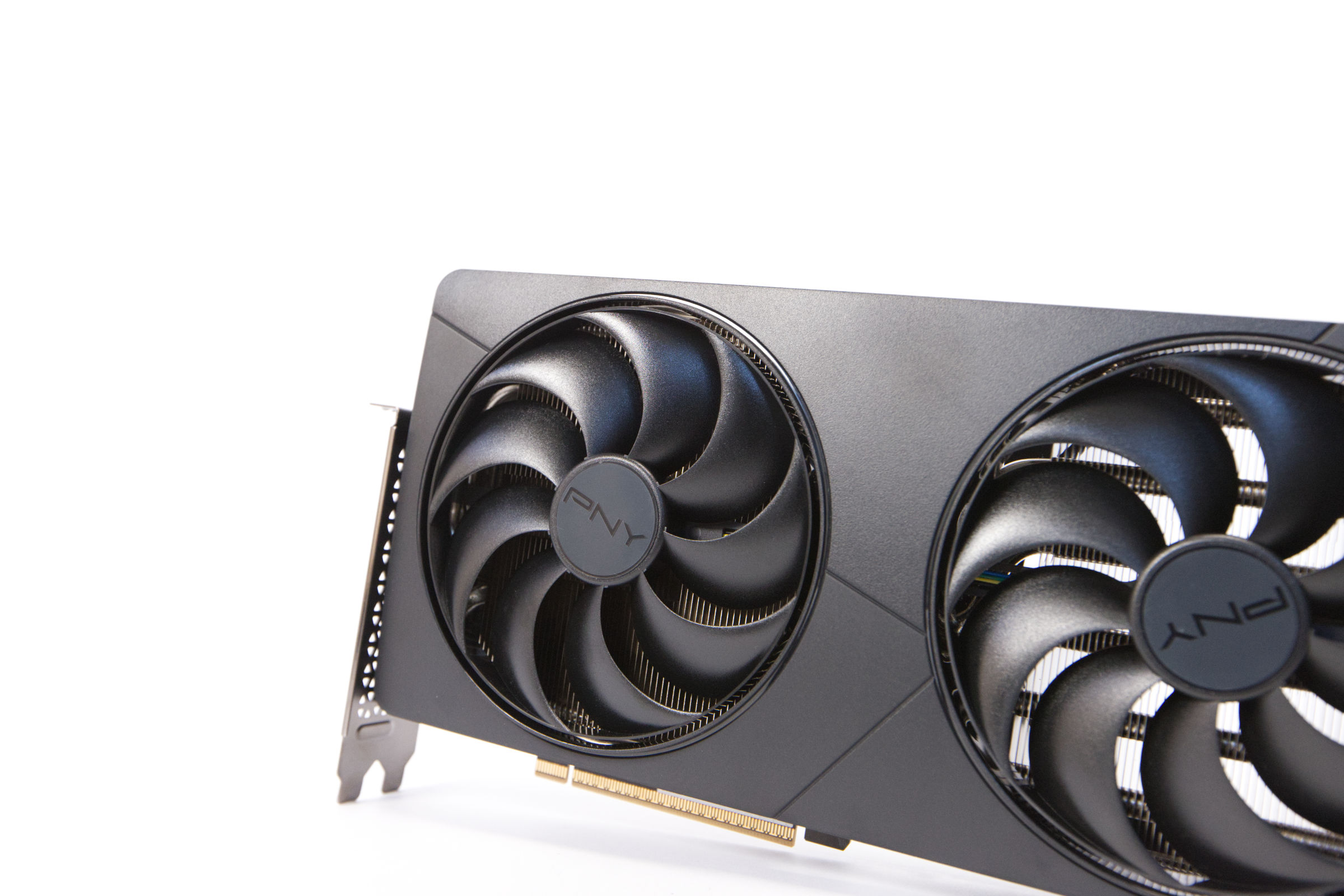 PNY GeForce RTX 5080 SLIM OC Fan Design (Image © PCMasters.de)
Impressive Cooler with Three Axial Fans
PNY touts a slim design for its cards, but the cooler is significantly larger than the actual PCB and extends well beyond it—which is actually beneficial for airflow when considering the graphics card on its own.
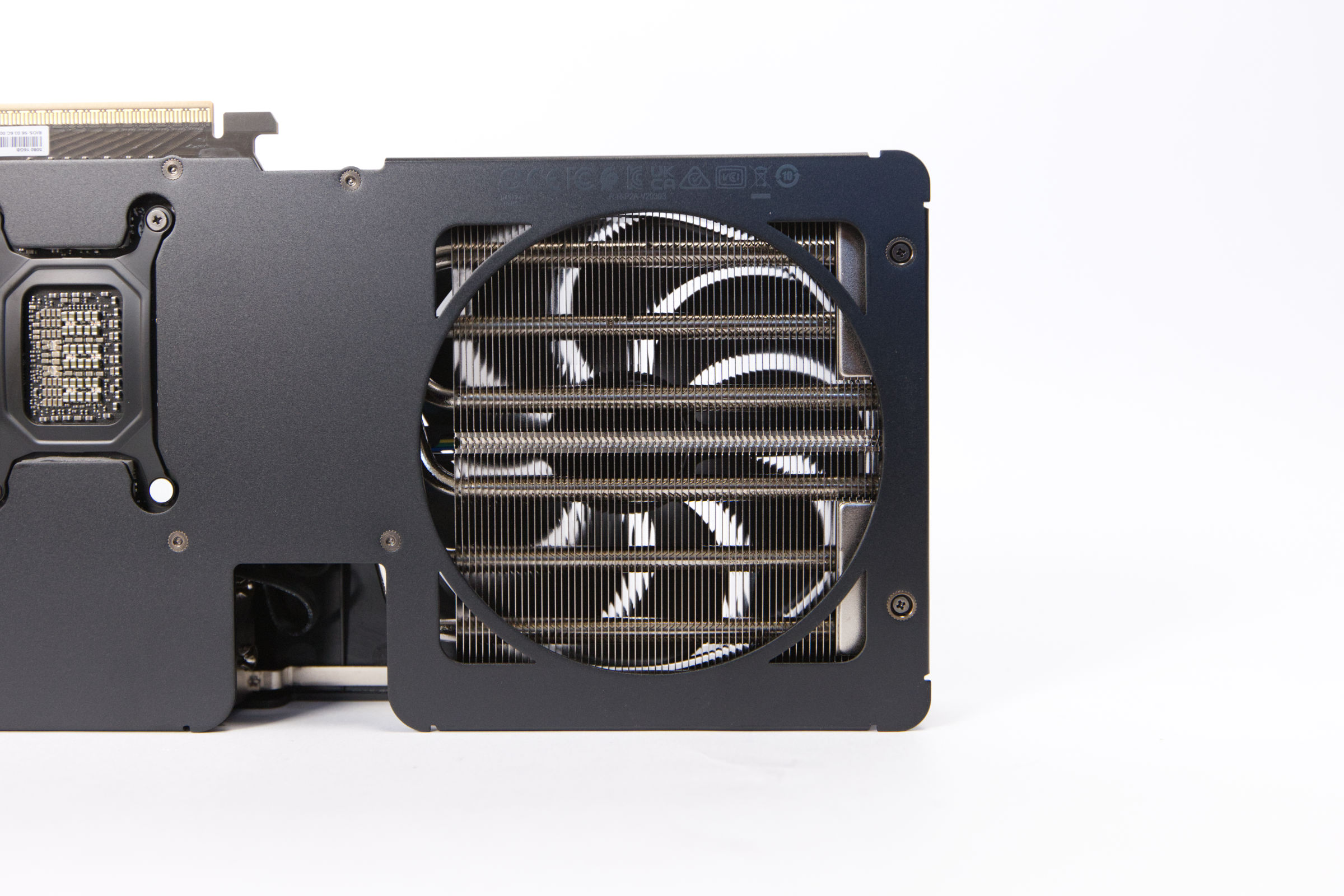 PNY GeForce RTX 5080 SLIM OC Cooler (Image © PCMasters.de)
The manufacturer’s website provides little information about the cooler, but a look underneath reveals that the construction is very solid. The cooler features a design you’d expect from a high-end model, with six heat pipes—some of which are pressed—on one side and three heat pipes on the other. The rear section serves primarily for cooling, as the backplate has a large opening that is precisely matched to the 120-mm fan at the rear. This allows the waste heat to be directed upward through the cooler and into the case without any detours.
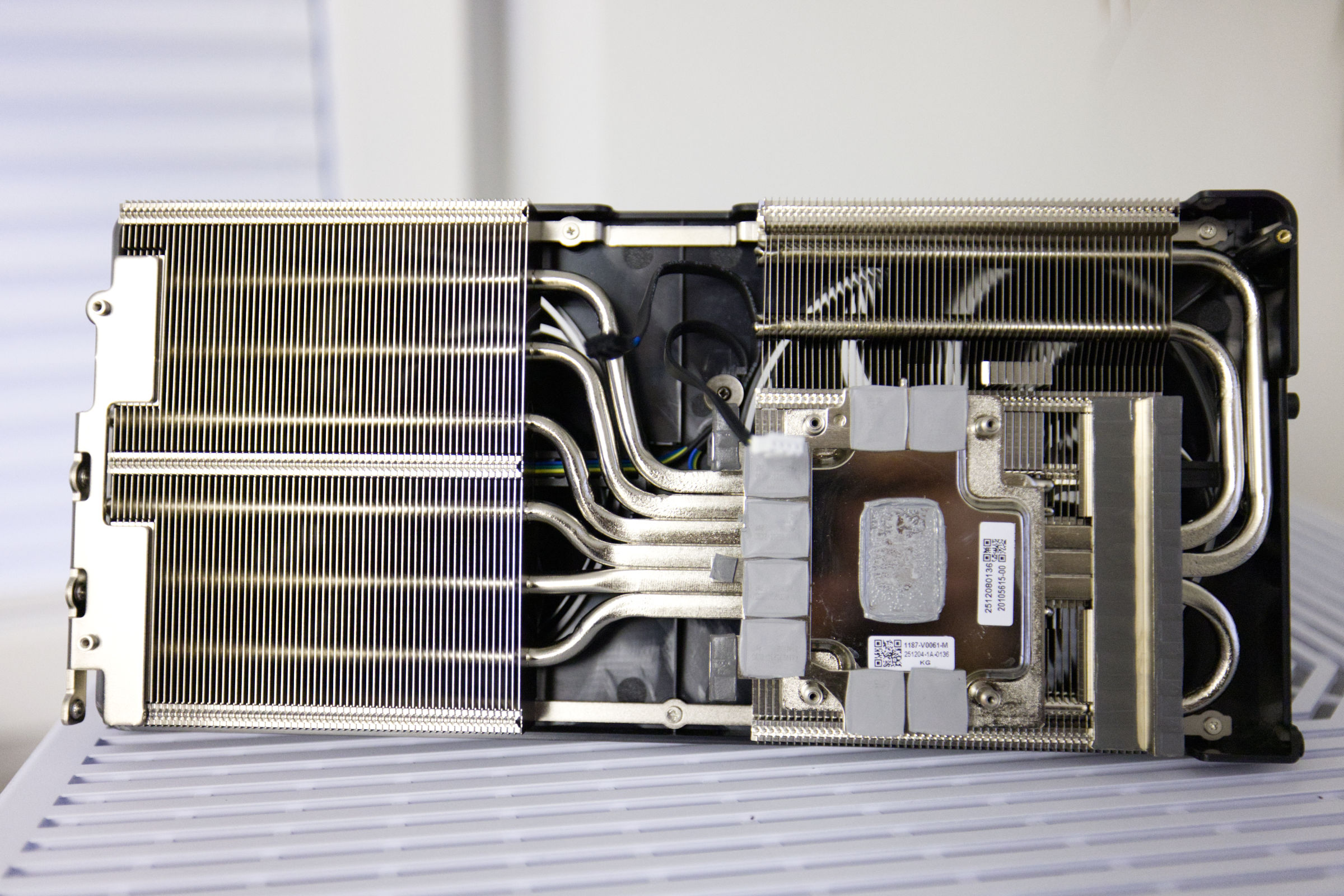 PNY GeForce RTX 5080 SLIM OC Kühler 2 (Image © PCMasters.de)
Two types of thermal pads (WL pads) are attached to the cooler . The long strips are used to transfer heat from the voltage regulators and coils to the cooler. The VRAM has softer thermal pads that are pressed very thin and should provide good contact. The GPU has left a good imprint on the vapor chamber. The base is a large vapor chamber designed to enable rapid heat transfer. All components have been nickel-plated.
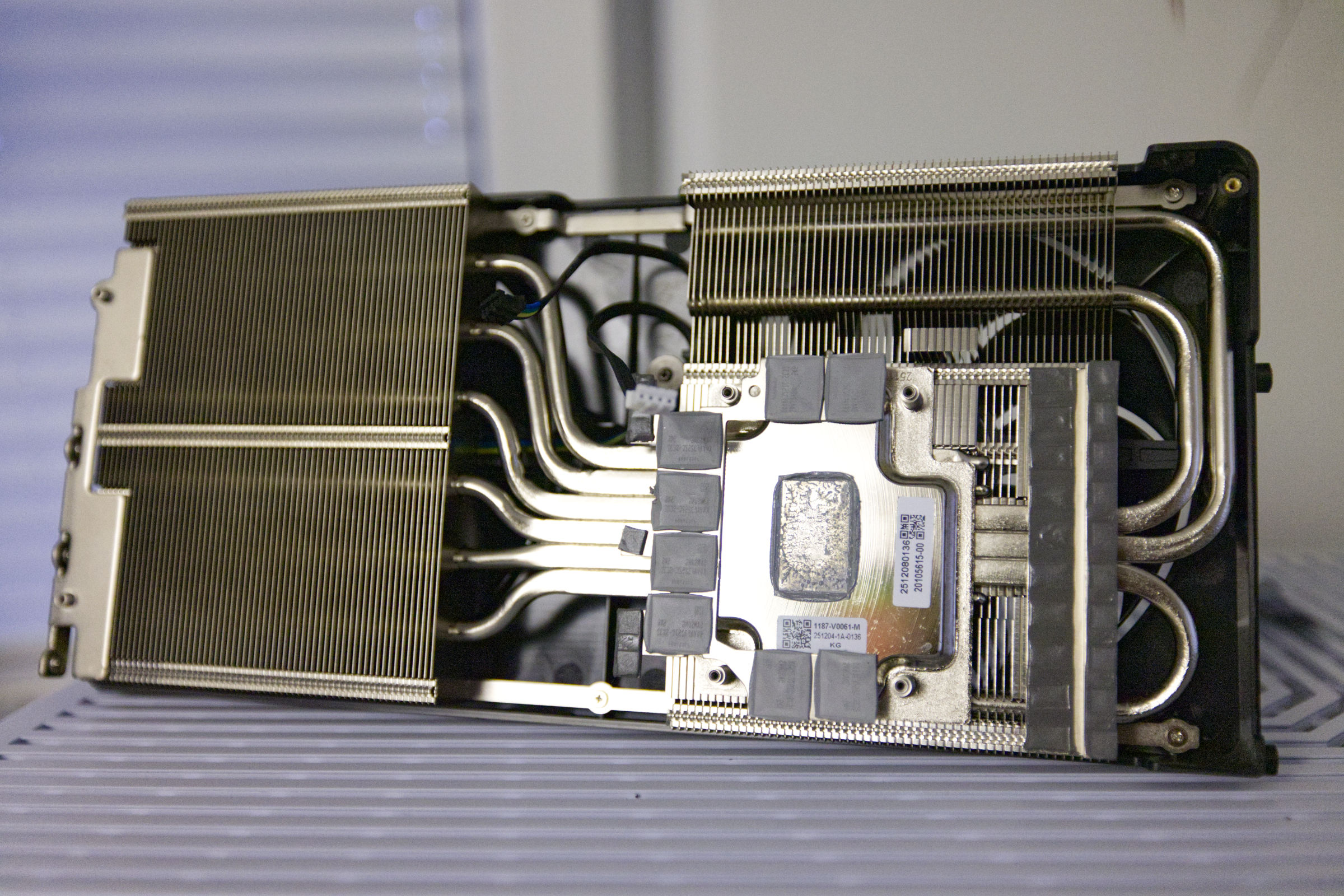 PNY GeForce RTX 5080 SLIM OC Kühler 1 (Image © PCMasters.de)
Temperatures
A look at the GPU temperatures shows that the graphics card ranks in the upper mid-range and runs slightly higher when overclocked. Nevertheless, the values are good.
The measured values are delta values, with room temperature factored out.
Noise Level of the PNY GeForce RTX 5080 Slim OC
We conducted a noise level measurement to assess the noise level of the GeForce RTX 5080 Slim. The open-air design is well-suited for this type of evaluation, and we measured at a distance of 20 cm. The PCE-332A sound level meter was set to a measurement range of 30–80 dB(A).
In terms of noise, the graphics card ranks in the middle of the pack, despite its high TDP/TGP. Even after overclocking, it is 3 dB (A) louder. Under full load, it’s not excessively loud over the long term, but it’s definitely more than just noticeable. Under medium load and at idle, however, it’s quieter and tolerable for everyday use.
Power Consumption
In terms of power consumption, the KFA2 GeForce RTX 5080 1-Click OC never reaches its TGP of 360 watts; rather, we measure power consumption at just under 360 watts, which is higher than many of the other models. Even though the card is efficient, its power consumption falls between that of the RTX 4090 and the RTX 3090. After overclocking, power consumption rose to 396 watts, which is quite high and puts a significantly greater strain on the power supply. This puts it not far behind the RTX 4090, which draws 447 watts.
When measuring power consumption at the outlet for the entire system—with only the GPU under load—the GeForce RTX 5080 Slim is almost on par with the RTX 3090 FE. Overclocking also increases power consumption in this measurement, bringing it close to the level of the Radeon RX 7900 XTX, though it delivers significantly more performance.
Graphics Card Rankings 2026
After retesting all graphics cards and including them in the comparison, we’ll examine the performance of the model from this test relative to the rest of the field and previous generations.
GeForce RTX 5080 Gaming Benchmarks at 1920x1080 (1080p)
In 1080p benchmarks, the PNY GeForce RTX 5080 ranks third and fourth, and even second after overclocking. It leads the GeForce RTX 4080 SUPER by 18% and the Radeon RX 9070 XT by 22%.
GeForce RTX 5080 Gaming Benchmarks at 4K (3840x2160) without Ray Tracing
When we increase the resolution to 4K/UHD, the PNY GeForce RTX 5080 Slim OC is about 15% ahead of the GeForce RTX 4080 SUPER, and the gap grows to 24% when overclocked. The Radeon RX 9070 XT trails it by about 17.8%.
GeForce RTX 5080 Gaming Benchmarks at 4K (3840x2160) with Ray Tracing
With ray tracing enabled, the PNY GeForce RTX 5080 comes even closer to the RTX 4090. The gap to the GeForce RTX 4080 SUPER is about 20% and approximately 28% after overclocking. The Radeon RX 9070 XT from PowerColor trails the RTX 5080 Slim by 23%.
GeForce RTX 5080 Gaming Benchmarks at 8K
In the 8K benchmark, the GeForce RTX 5080 delivers strong performance, maintaining its position near the very top.
GeForce RTX 5080 Synthetic Benchmarks
Synthetic benchmarks often reveal a more balanced performance comparison. Here, we can see that the PNY GeForce RTX 5080 achieves nearly the same performance as the RTX 4090, but only after overclocking. Otherwise, it is on par with the KFA2 RTX 5080.
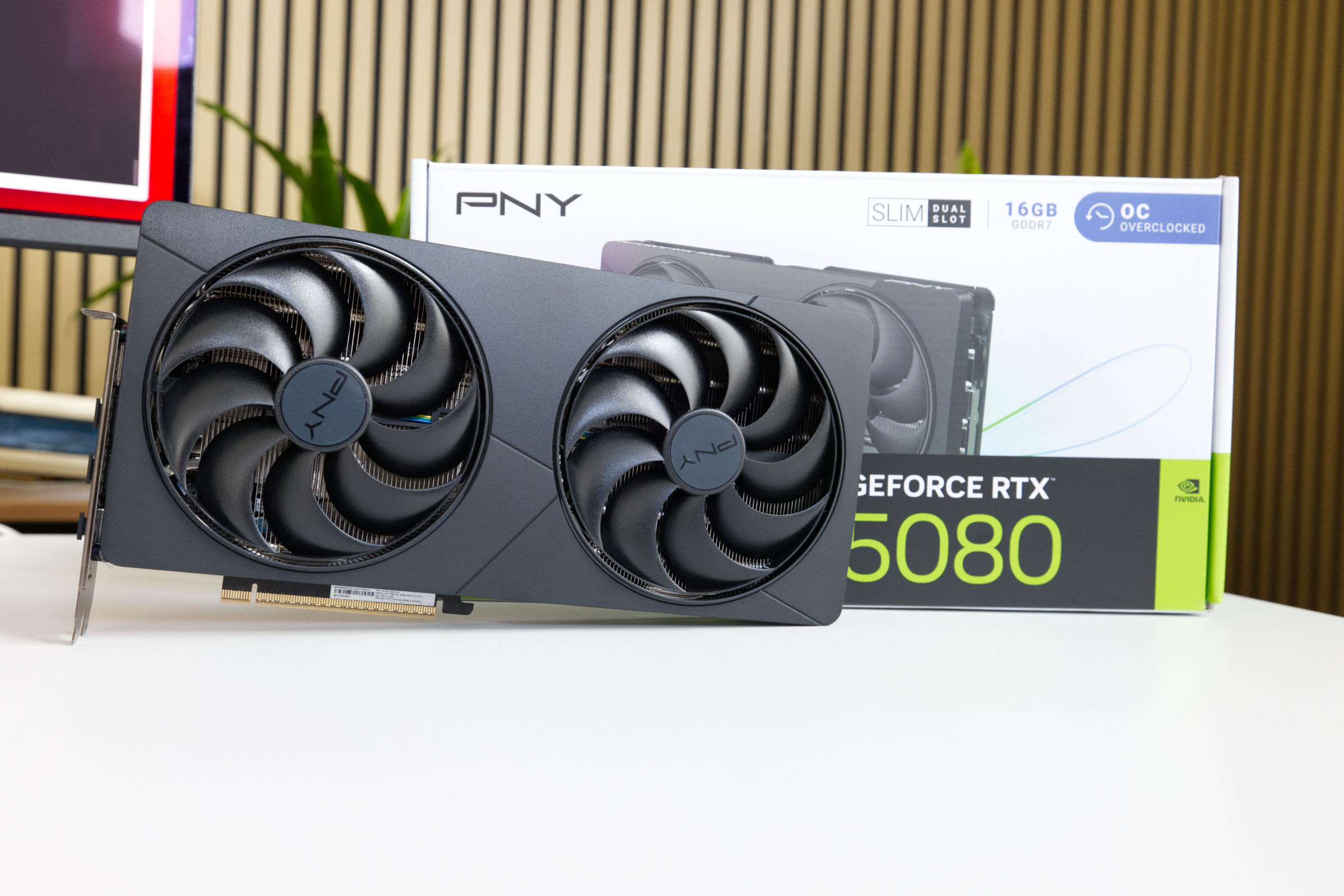 PNY GeForce RTX 5080 SLIM OC Fazit (Image © PCMasters.de)
PNY GeForce RTX 5080 Slim Conclusion

The GeForce RTX 5080 is NVIDIA’s top-of-the-line model and, thanks to sufficient availability, is now also available in the €1,100 to €1,240 price range. The PNY GeForce RTX 5080 Slim OC falls right into this range with a price of 1,187 € (Affiliate). With a TGP of 360 watts, the graphics card draws a fair amount of power, but overclocking can squeeze even more out of it. It also delivers excellent performance, thanks to the efficiency improvements of the Blackwell generation.
It’s ideally suited for gaming, and PNY equips this model with 16 GB of GDDR7 VRAM from Samsung. The memory can be overclocked significantly and is otherwise very fast and sufficiently sized. In gaming, the graphics card ranks among the top 5 in our comparison, whether at 1080p, 4K, or 3840 × 2160 resolution.
The "Slim" suffix in the name hints at the graphics card’s relatively compact dimensions; it’s slightly shorter than the Founders Edition but also slightly taller. While the two 120-mm fans aren’t the quietest, they aren’t too loud in most scenarios. You can certainly make them even quieter with some tweaks. The graphics card’s simple design has its own charm, as PNY has completely omitted ARGB lighting. This gives you a GeForce RTX 5080 in a size that’s relatively compact for this series and with a minimalist design, without having to compromise on performance.
Pros
- Good performance in games and benchmarks
- Efficiency
- Dual-slot SFF design
- Standard package contents
- Overclocked version with further overclocking potential
- Simple black design
- Comparatively low price and high availability
- 3-year manufacturer’s warranty
Cons
- Somewhat loud under full load (despite the 120-mm fans)
- No ARGB (relevant for some users)