Computer Forum
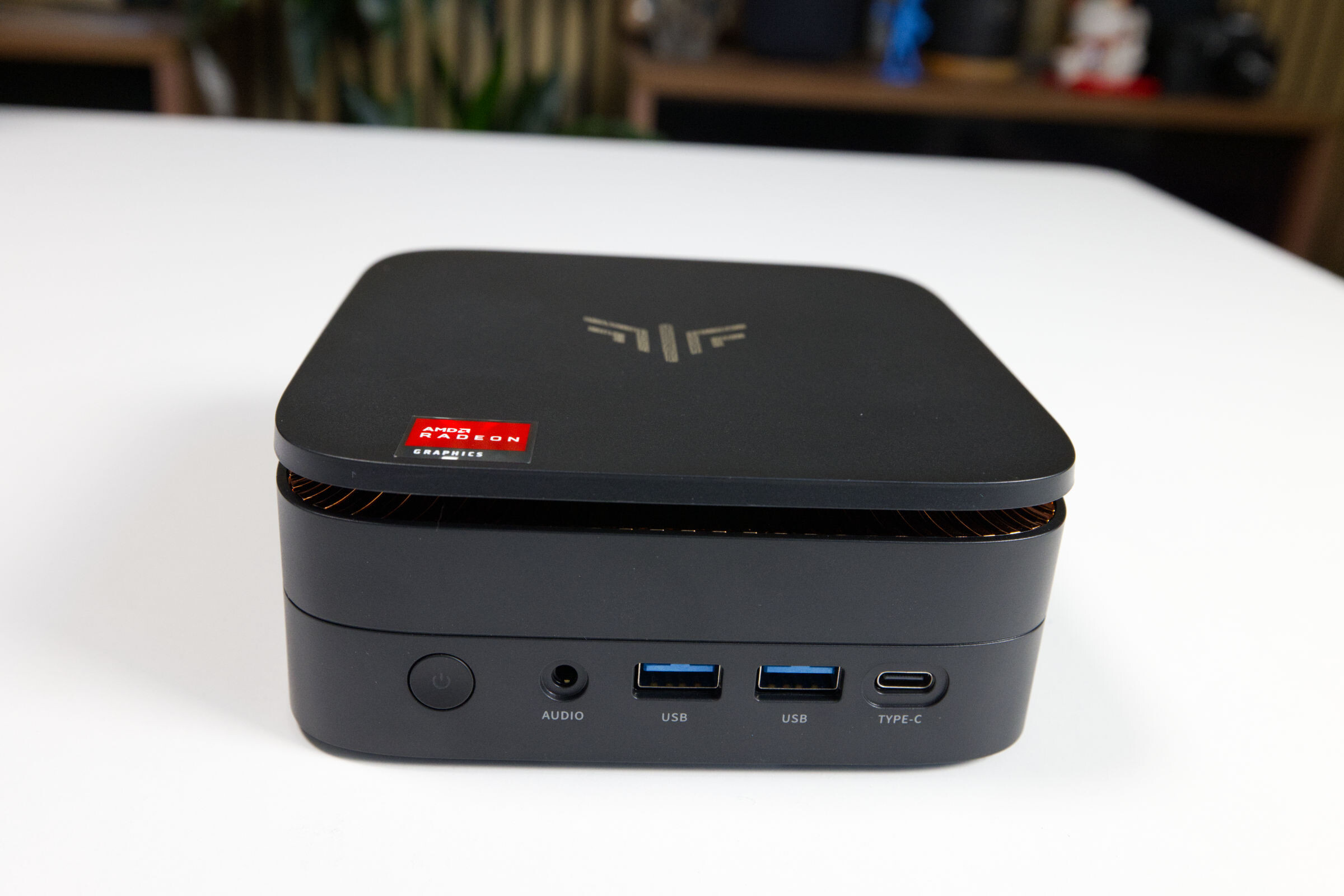 NiPoGi Pinova P1 Review (Image © PCMasters.de)
NiPoGi Pinova P1 in Detail
NiPoGi has been offering the Pinova P1 mini-PC series in its product lineup for some time now. These models focus on cost-effectiveness and an affordable price. NiPoGi’s main competitive advantage lies in its use of Chinese SSDs as well as DDR4 and DDR5 memory, which aren’t even available here. The Pinova P1 Pro is available on Amazon in several configurations:
- NiPoGi Pinova P1 with Ryzen Embedded R2544, 16GB DDR4 + 256GB M.2 SSD for €279 (Affiliate)
- NiPoGi Pinova P1 with Ryzen Embedded R2544, 8GB DDR4 + 256GB SSD for €339 (Affiliate)
- NiPoGi Pinova P1 with Ryzen Embedded R2544, 16GB DDR4 + 256GB SSD for €379 (Affiliate)
- NiPoGi Pinova P1 with Ryzen Embedded R2544, 16GB DDR4 + 512GB SSD for €359.99 (Affiliate)
For this review, we received the Ryzen Embedded R2544 configuration from the manufacturer, featuring 16 GB of DDR4 RAM and a 512 GB M.2 SATA SSD, which we’ll be examining in detail in this test. Ryzen Embedded processors are sometimes found in NAS solutions, but outside of that, they’re rather rare since they aren’t used in laptops.
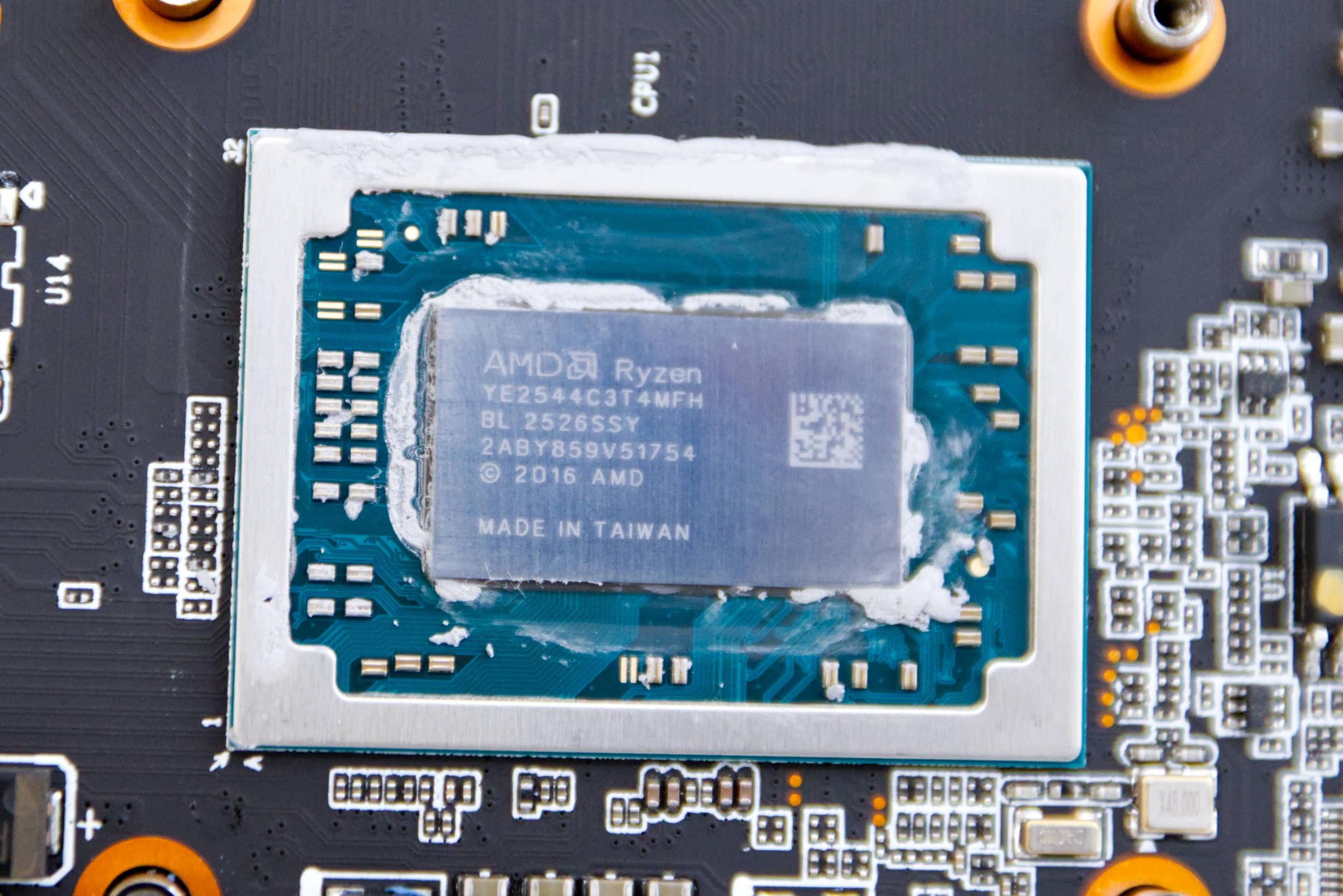 NiPoGi Pinova P1 Ryzen Embedded R2544 (Image © PCMasters.de)
AMD Ryzen Embedded R2544
The specifications for the Ryzen Embedded R2544 cannot be found on AMD’s website, even though the model is still considered a current APU. It uses the FP5 socket, which is designed to be soldered to the motherboard, as is the case with all mobile platforms. The series goes by the codename BendedKestrel and is manufactured using TSMC’s more cost-effective 12-nm process. The CPU is still part of the Zen+ architecture, which is quite old, since Zen5 is currently the bleeding-edge technology on the market. The CPU offers 4 cores and 8 threads, which should provide sufficient performance for office work in the mid-range segment. The CPU is rated to operate at a base clock of 3.35 GHz and a boost clock of up to 3.7 GHz, though under load we were only able to measure a maximum of 3.693 MHz using OCCT. The TDP is listed as 45 watts on paper, even though AMD offers configurations ranging from 35 to 54 W. Our unit appears to be throttled to 28 watts, as this value was not exceeded under full load. Higher performance would therefore be possible, but NiPoGi is limiting the CPU.
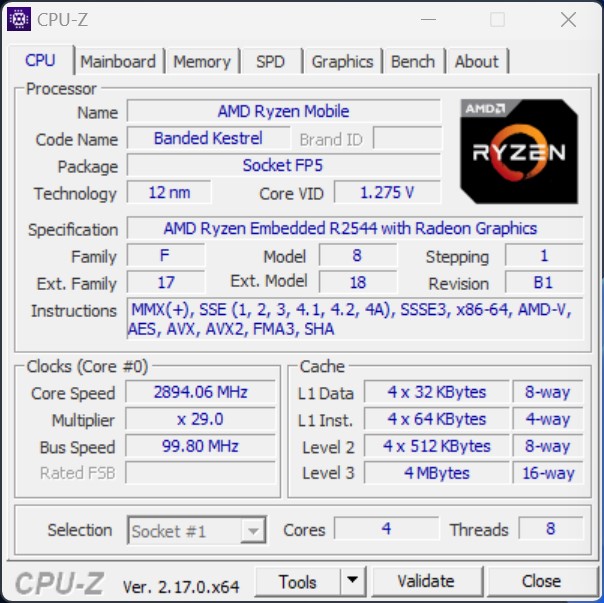 NiPoGi Pinova P1 Ryzen Embedded R2544 CPUz (Image © PCMasters.de)
The cores have a 128 KB L1 data cache at their disposal. In addition, there is a 2 MB L2 cache and 4 MB of 16-way L3 cache. The cache, along with the iGPU and controllers, is packaged into a single unit and soldered onto a custom board from NiPoGi. CPU-Z does not recognize the manufacturer or model of the motherboard, as NiPoGi apparently does not include the relevant parameters in the BIOS.
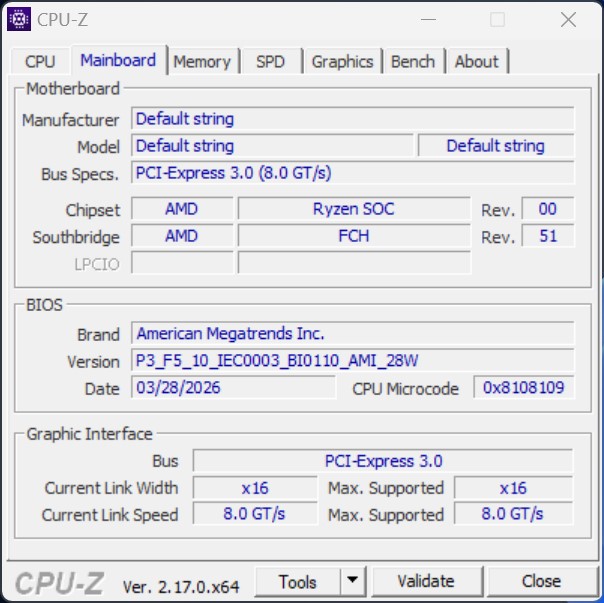 NiPoGi Pinova P1 Ryzen Embedded R2544 CPUz Motherboard (Image © PCMasters.de)
PCI Express 3.0 with 8 GT/s is used to connect the components to the APU. The iGPU is connected via 16 lanes but is located on the same package, keeping the data paths short.
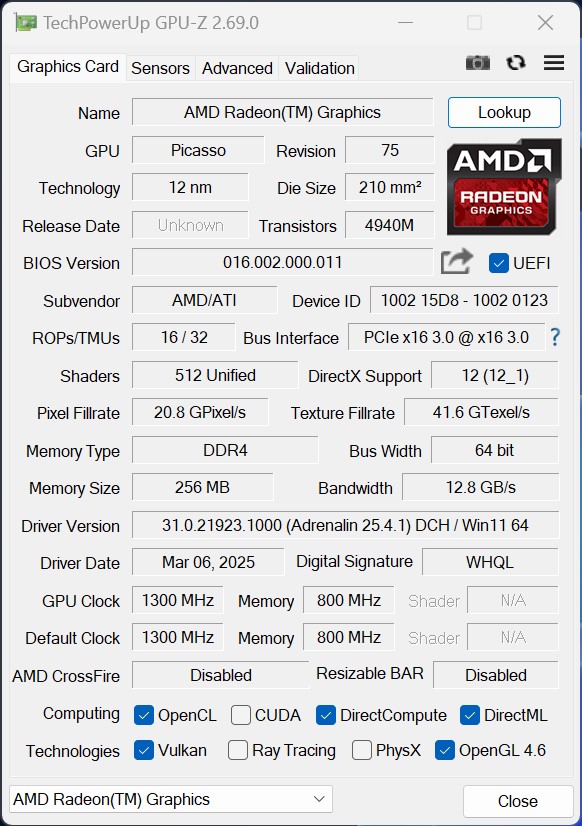 NiPoGi Pinova P1 Ryzen Embedded R2544 Radeon Graphics GPUz (Image © PCMasters.de)
Radeon Graphics iGPU
In this budget price segment, you typically get an integrated graphics solution that prioritizes high efficiency. There’s neither the space nor the budget left for a dedicated graphics card. At AMD, the combination of CPU and iGPU has proven itself for many years, and with this architecture, we get the somewhat older Radeon Graphics GPU. The interface between the graphics card and the CPU is specified as PCI Express 3.0, with the CPU and iGPU also sharing system memory. Only 256 MB of memory is allocated to the graphics card in this system, which is very minimal.
The Radeon Graphics iGPU features 512 unified shaders, 16 ROPs, and 32 TMUs. The memory bus width is a low 64 bits, and the bandwidth of 12.3 GB/s is also quite low. With this configuration, you shouldn’t expect high gaming performance.
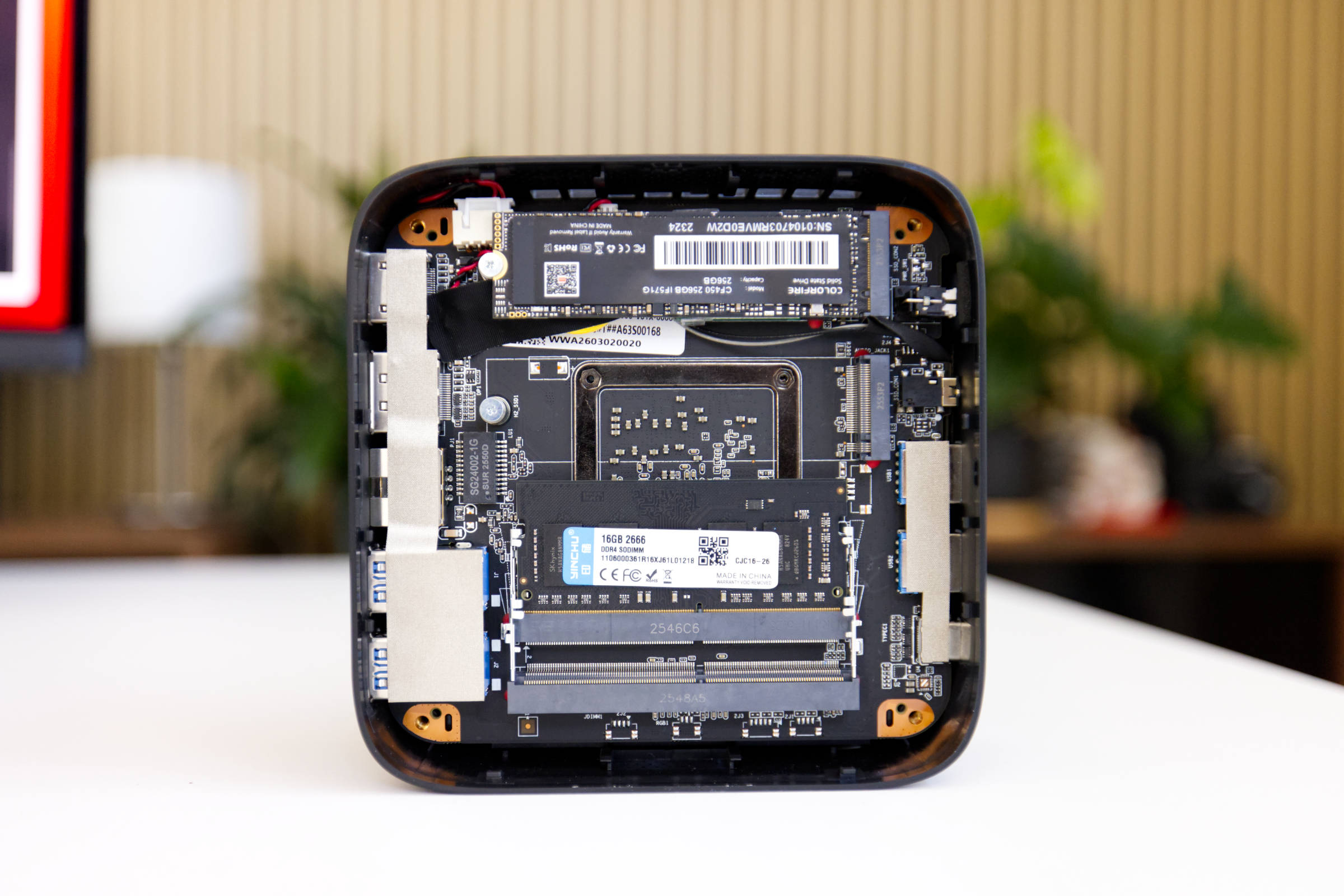 NiPoGi Pinova P1 Yinchu 16 GB DDR4-2666 (Image © PCMasters.de)
A 16 GB DDR4 RAM module
During the testing phase, the RAM market situation hasn’t improved, and prices remain exorbitantly high. Many manufacturers, including Valve with its Steam Machine, have opted to include only an 8 GB RAM module because the cost of RAM is too high. With NiPoGi, as well as with the main brand Acemagic, we still get 16 to 32 GB. Upon opening the mini-PC, we find a single DDR4 SO-DIMM memory module. At 16 GB, the module operates in single-channel mode, but upgrading is possible by installing a second DDR4 module.
Surprisingly, NiPoGi has applied thermal pads to the back of the RAM, which we haven’t seen on other systems so far.
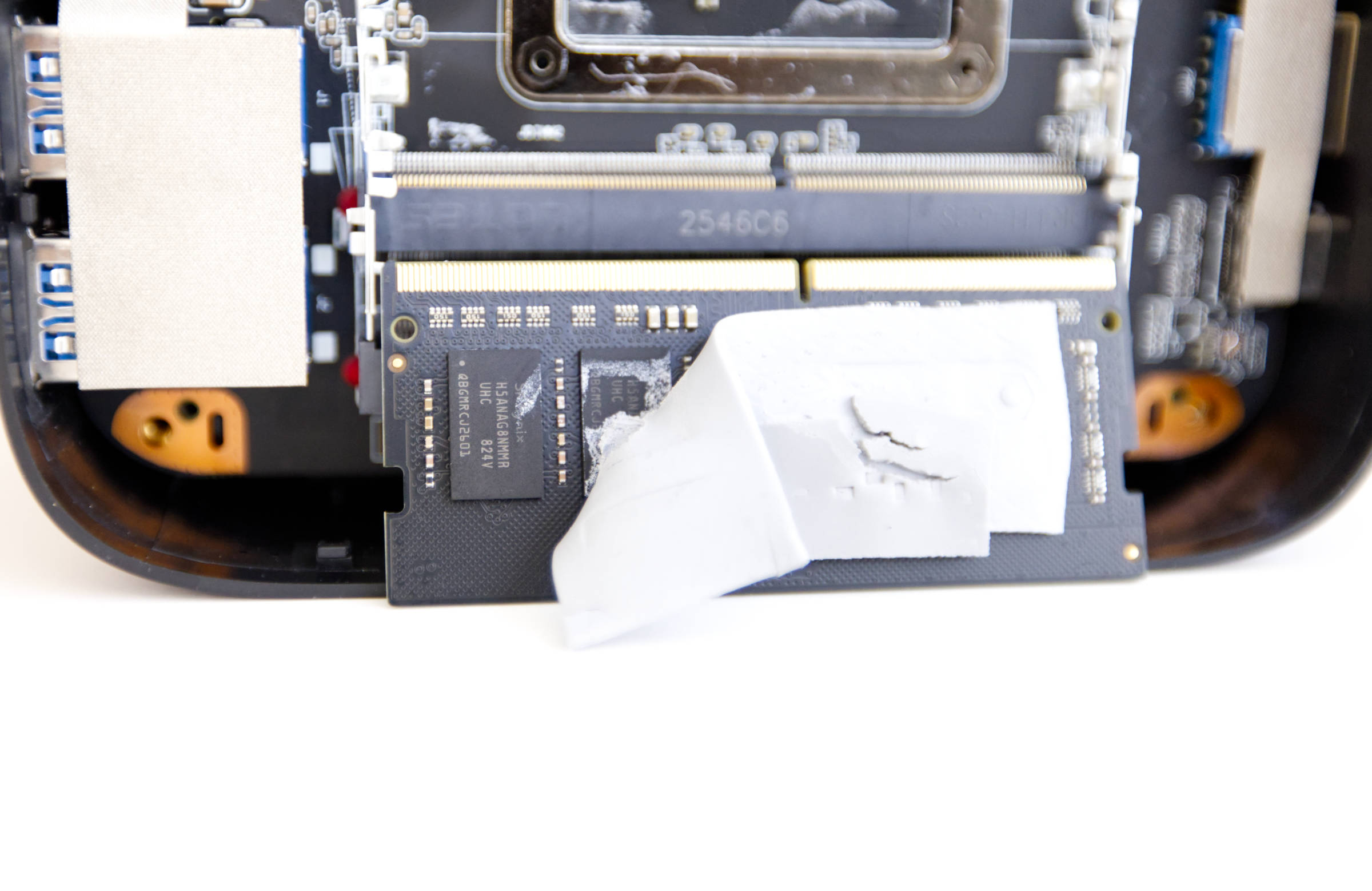 NiPoGi Pinova P1 Yinchu 16 GB DDR4-2666 RAM (Image © PCMasters.de)
We’ve found HOGE in Acemagic systems on several occasions, but this time the RAM is from Yinchu and, according to the sticker, is a model with DDR4-2666 specifications. Four Yinchu memory chips are soldered onto each side of the module, bearing the designation H5ANAG8NMMR UHC 824V. We were unable to find any information about these chips. The manufacturer could not be located either.
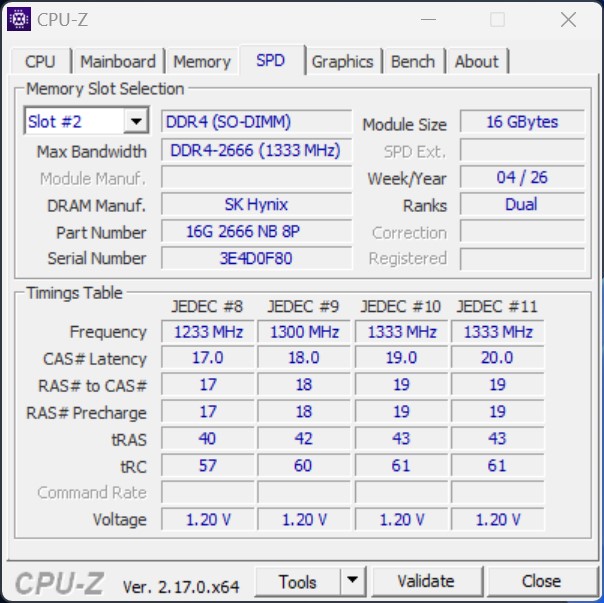 NiPoGi Pinova P1 Ryzen Embedded R2544 CPUz SPD (Image © PCMasters.de)
According to the SPD readout from CPU-Z, the RAM is equipped with several JEDEC profiles. According to this, the memory is said to be from SK Hynix and bear the part number 16G 26666 N8 8P. The JEDEC #11 profile is loaded at a voltage of 1.2 V.
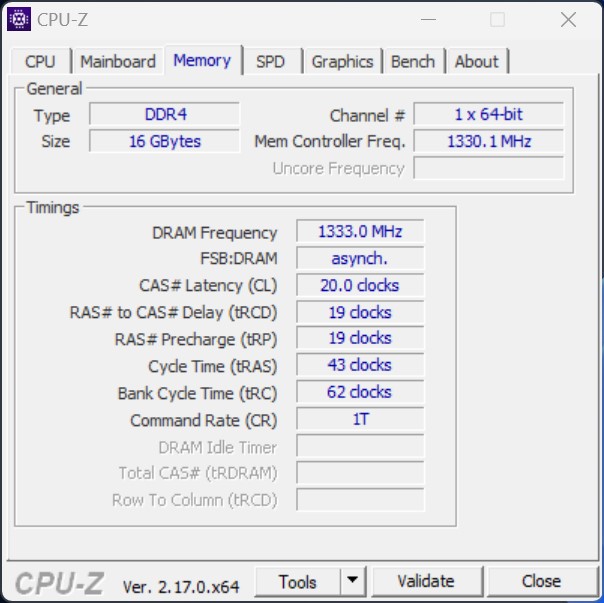 NiPoGi Pinova P1 Ryzen Embedded R2544 CPUz Memory (Image © PCMasters.de)
The readout of the current data rates and timings indicates that the DDR4 RAM operates at 2,666 MT/s (1,333 MHz) with timings of CL 20-19-19-43-62-1T. We were unable to change the timings in the BIOS, which is often the case with mini-PCs.
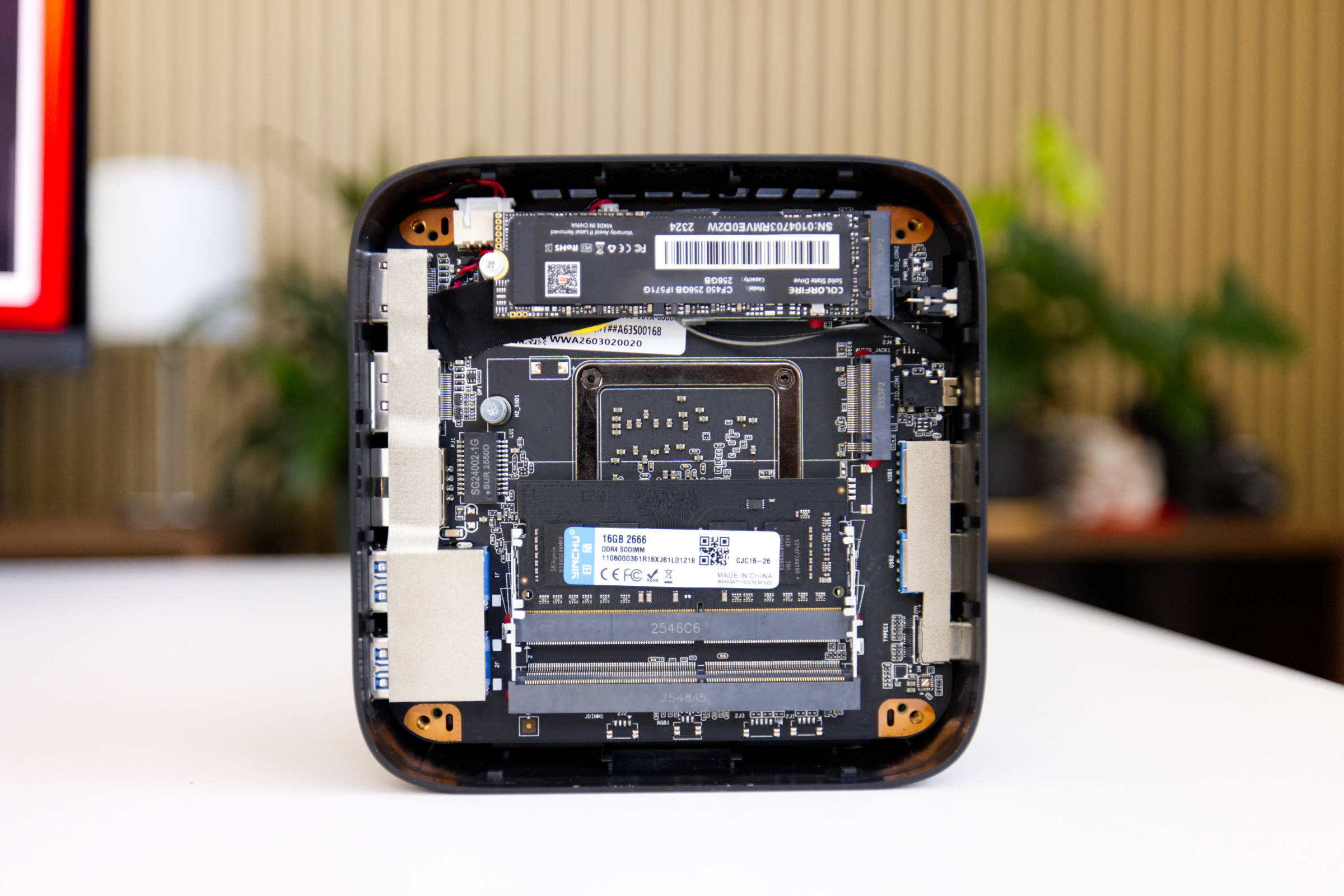 NiPoGi Pinova P1 Internal Structure and Components (Image © PCMasters.de)
Affordable 512GB SATA SSD
NiPoGi offers the Pinova P1 in 256 GB and 512 GB configurations. For cost reasons, a 512 GB module is installed; however, it is a slower SATA 600 SSD and not an NVMe SSD. For this PC, it’s acceptable because it matches the rest of the configuration; but if that bothers you, you can also install an M.2 2280 NVMe drive with a PCI Express 3.0 interface. The system has two M.2 slots, so you can simply install a second module and keep the other drive.
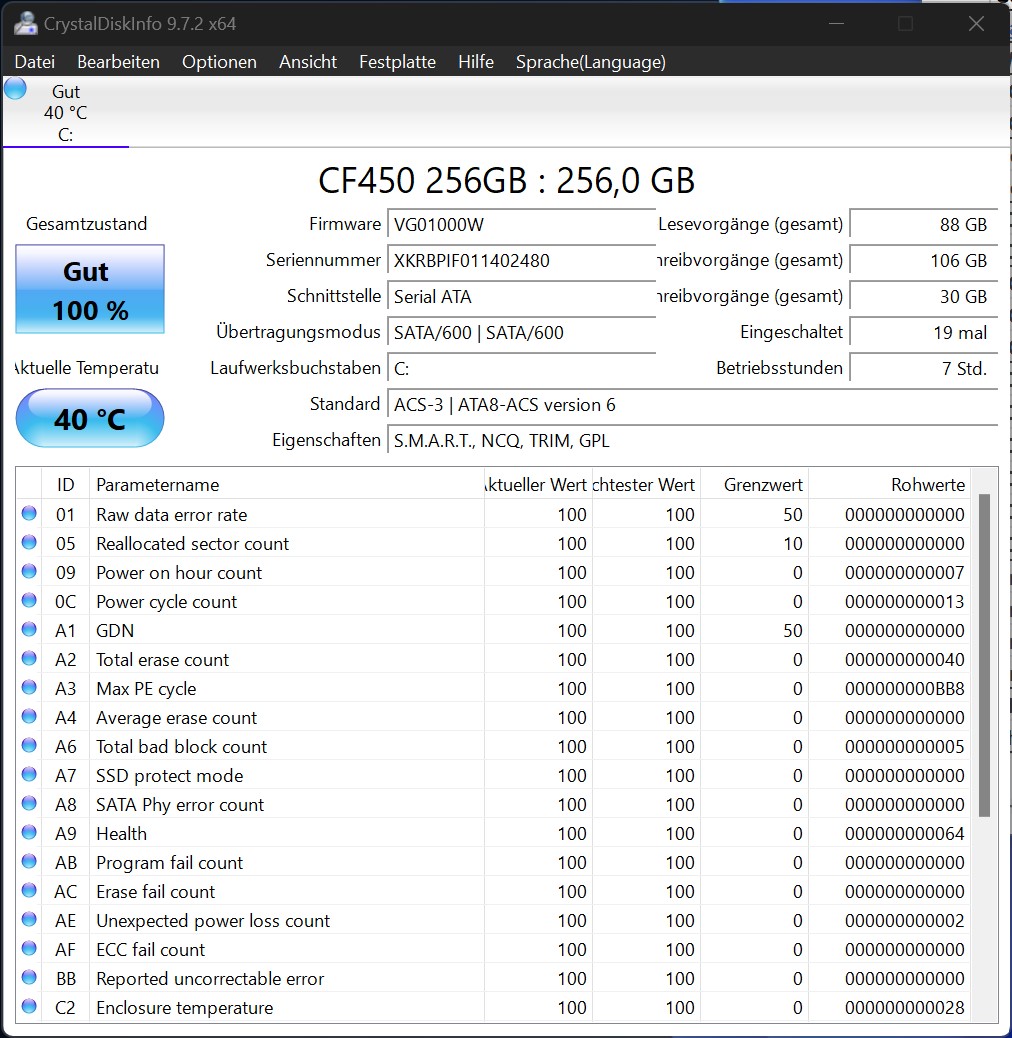 NiPoGi Pinova P1 CrystalDiskInfo SSD-Report (Image © PCMasters.de)
Since it’s a SATA SSD, it doesn’t get particularly hot and doesn’t deliver outstanding performance either. Below are the SSD’s benchmark results compared to other mini-PCs and laptops.
Wi-Fi 5 and Bluetooth 4.2
Since this is a slightly older platform, it uses a combo module for Wi-Fi and Bluetooth that doesn’t support the latest standards. The module is located directly beneath the SSD. With Wi-Fi 5 support, it offers a common standard based on IEEE 802.11ac as well as backward compatibility with 802.11a/b/g/n. The appropriate antennas are also installed inside the case.
The listed Bluetooth standard is version 4.2, which we consider too unreliable and insecure. Bluetooth is generally problematic, and you should turn it off when you don’t need it. We recommend disabling it. The module occupies the shorter M.2 (NGFF) 2230 Key A+E slot. If you have the budget, you should upgrade the module or opt for wired connections.
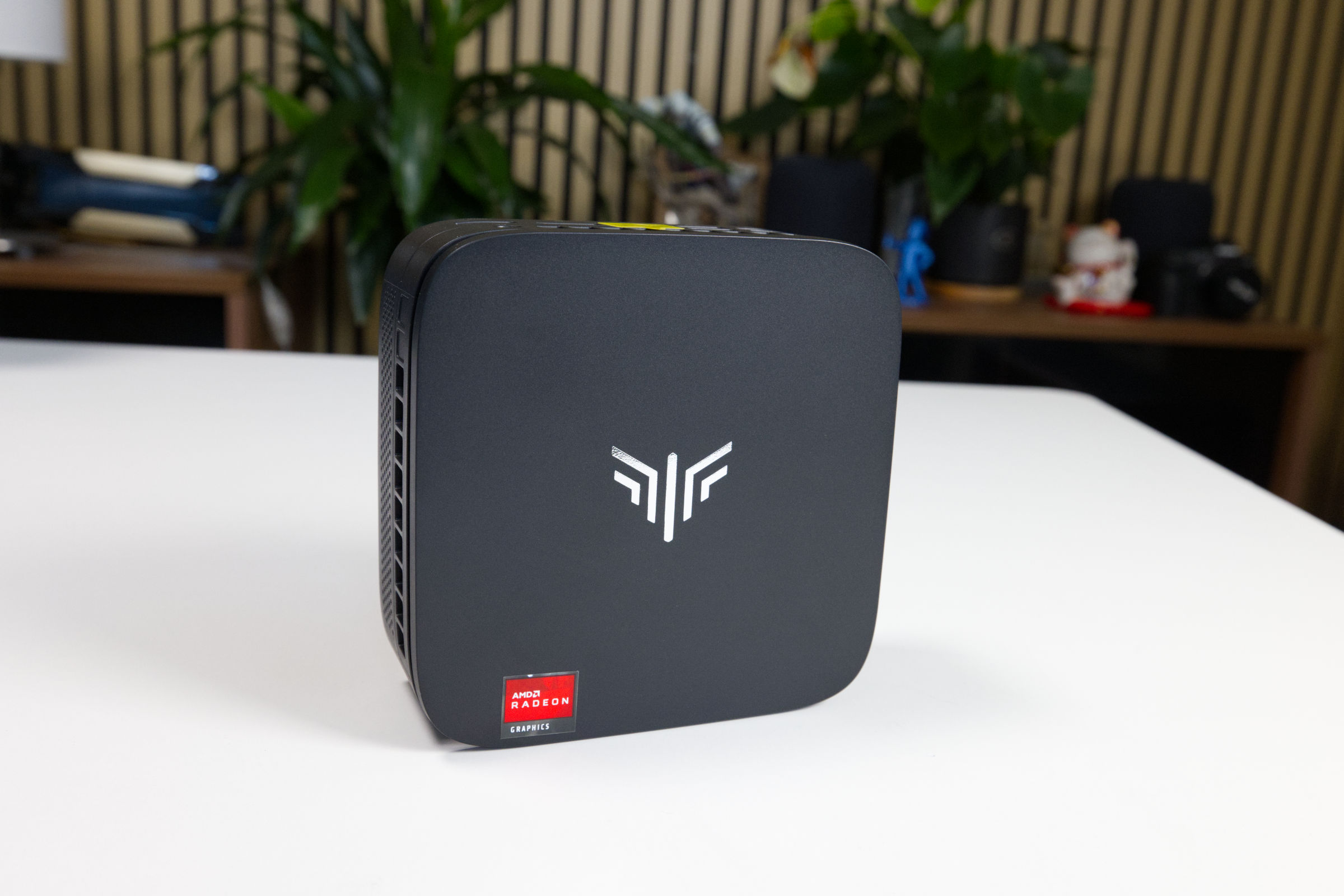 NiPoGi Pinova P1 Top View (Image © PCMasters.de)
Design and Appearance
NiPoGi has designed its Pinova P1 mini-PCs with a sleek case made entirely of black plastic. The rounded shape and matte finish give the PC a very elegant look in most work environments. The design is enhanced by a gold/copper-colored vent near the top, which is used to draw in fresh air for the cooler. On top, there’s a silver logo and an AMD sticker. The build quality is good, considering it’s made of plastic. The PC still feels very solid and high-quality.
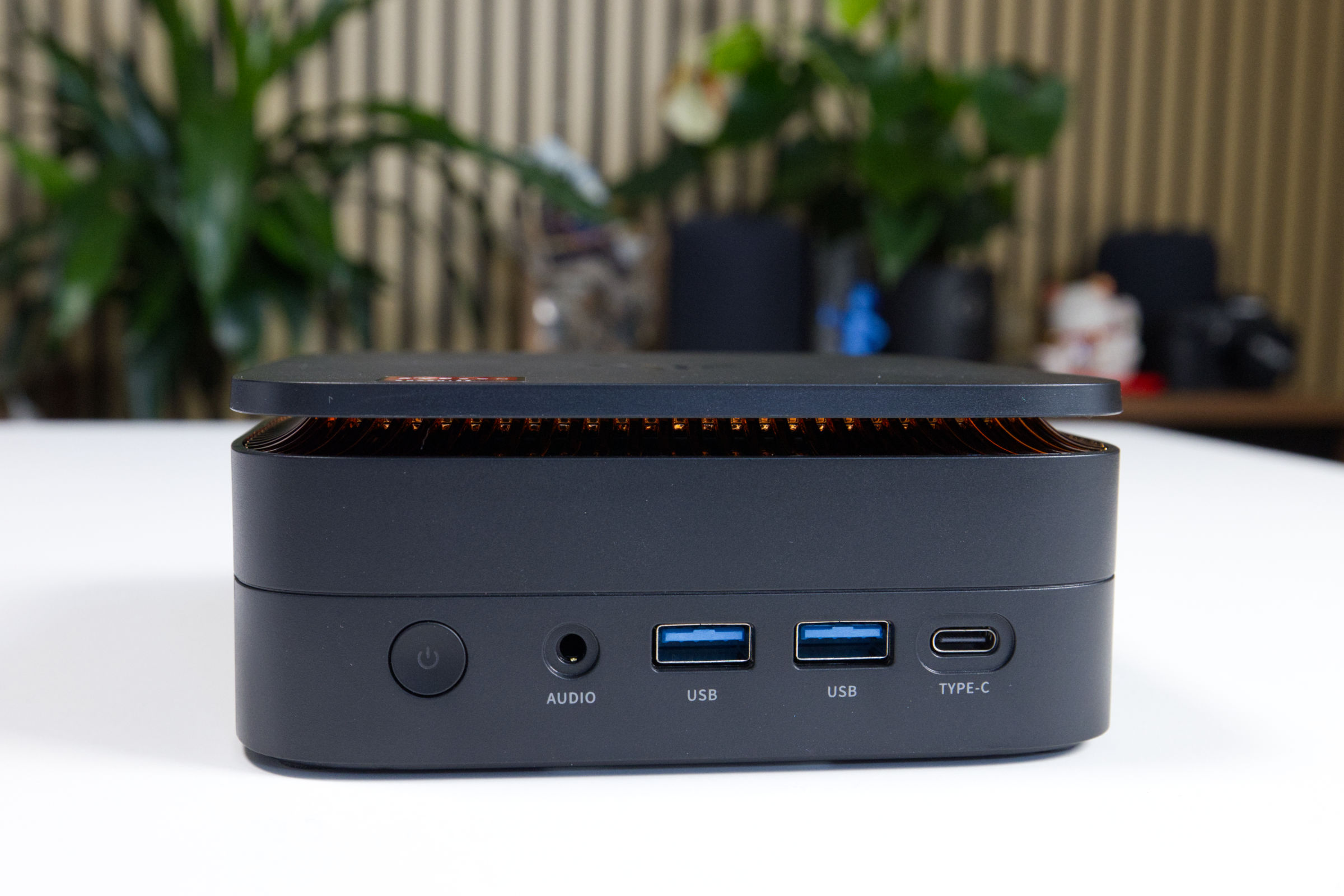 NiPoGi Pinova P1 Design (Image © PCMasters.de)
Measuring 128 x 128 x 51 mm, the case is still rectangular, but the proportions are well-balanced, and the PC fits on any desk or, using a VESA mount, even behind a monitor. The round power button on the front looks good and is easy to reach.
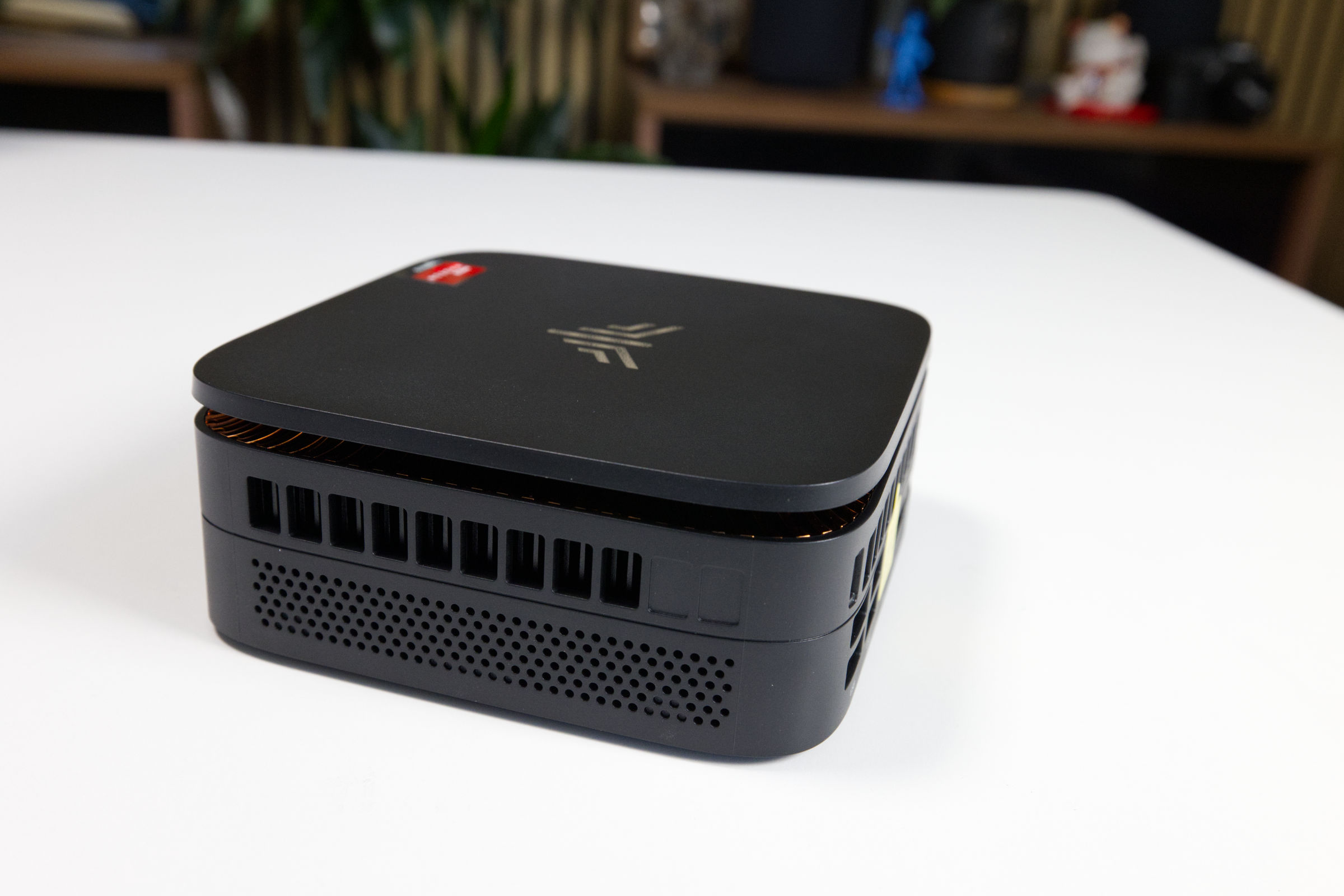 NiPoGi Pinova P1 Side View (Image © PCMasters.de)
On both sides, there are several large openings at the top designed for airflow. The radial fan draws air in from the top and then pushes it out toward the sides. At the bottom, there’s also a pattern of round holes that extend inward, though they likely contribute very little to cooling the SSD and RAM. Still, they add a touch of visual interest to the sides.
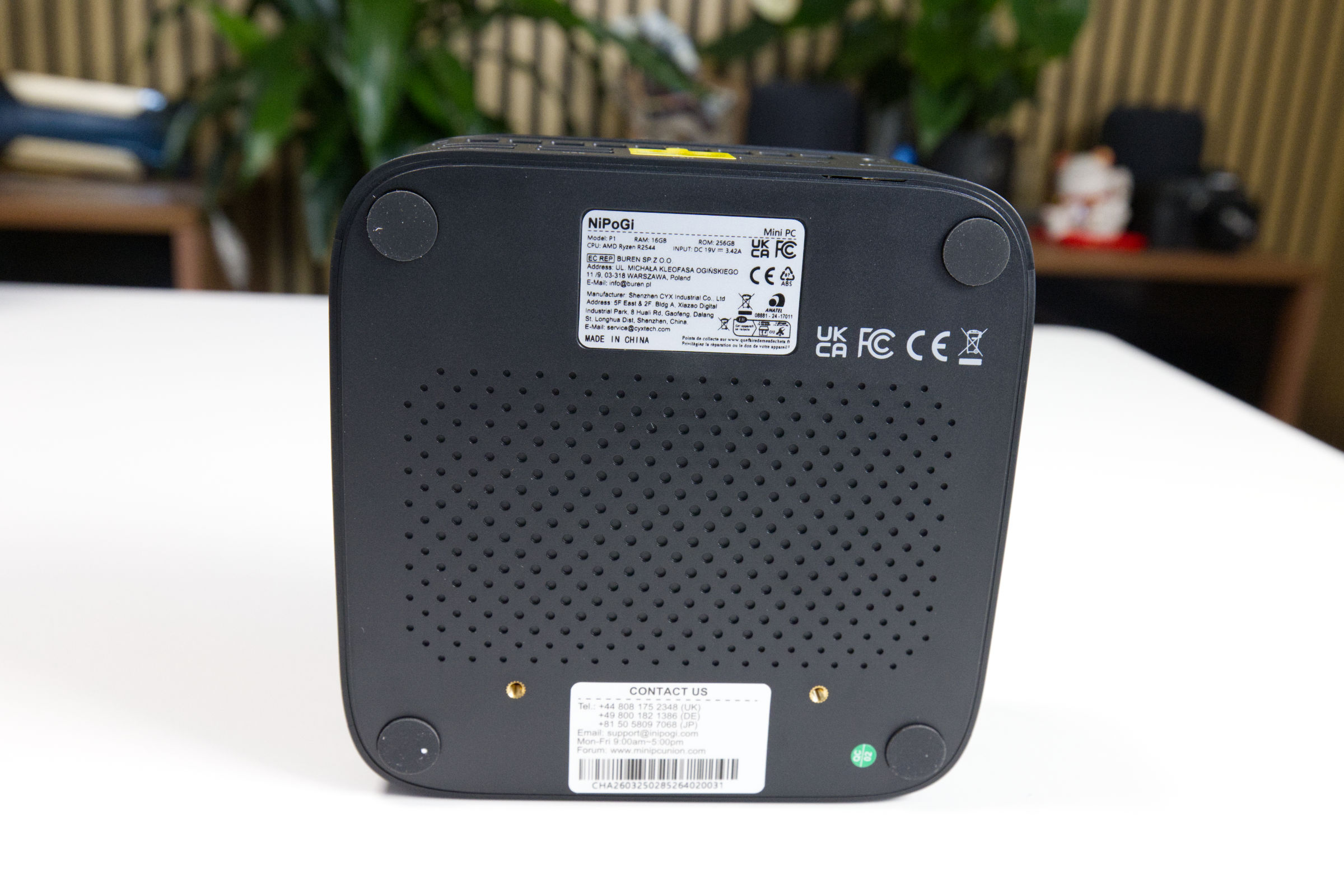 NiPoGi Pinova P1 Bottom Side (Image © PCMasters.de)
The lower element is a plate secured to the case with four screws. The screw holes are covered by rubber pads in the corners. You can carefully peel them off to access the screws. If you want to access the M.2 SSD slots and the RAM, you’ll need to remove the screws. The plate included in the package can be screwed onto the two yellow elements so you can mount the mini PC on a monitor, desk, or wall.
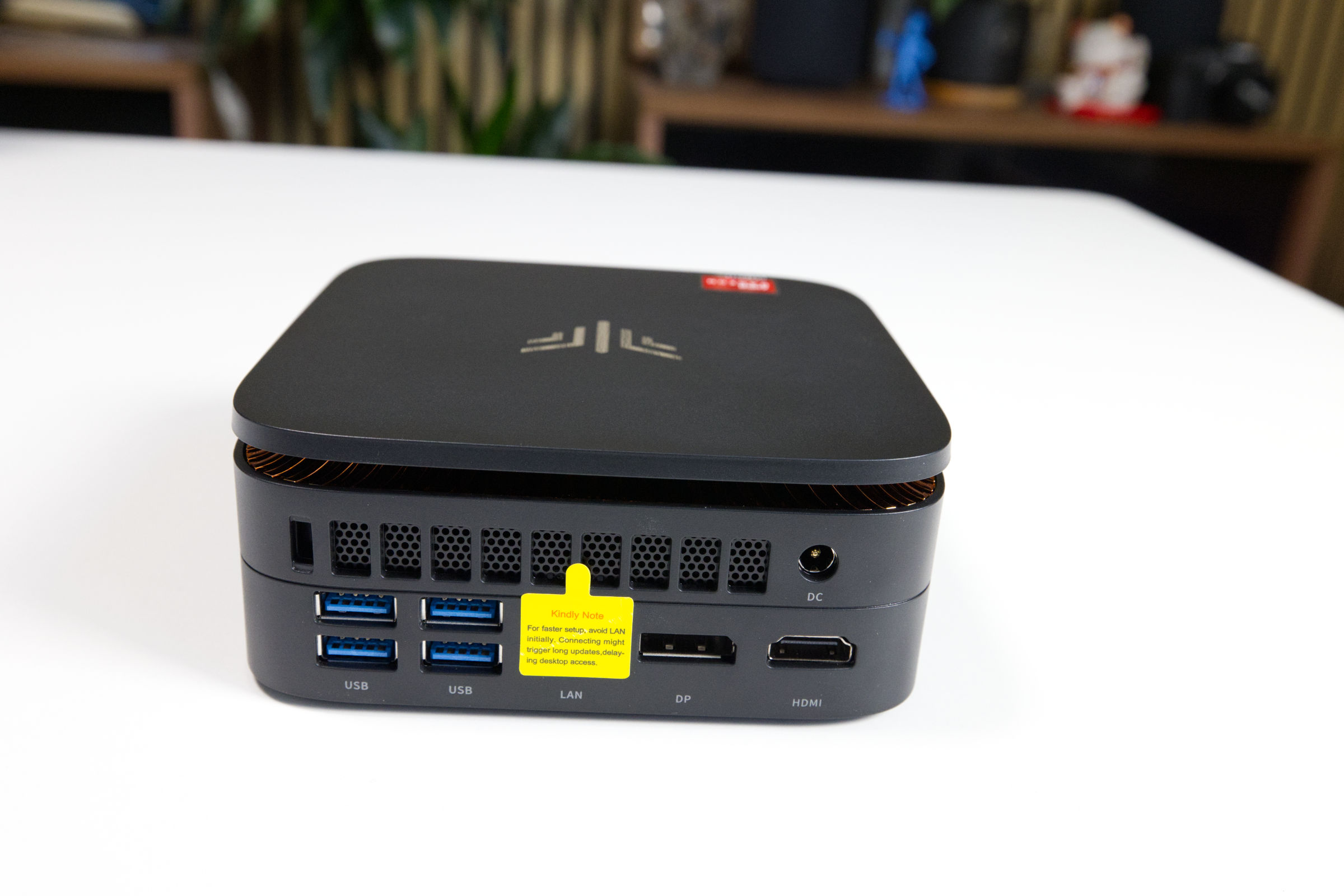 NiPoGi Pinova P1 Back Side 1 (Image © PCMasters.de)
Connections on the NiPoGi Pinova P1
All of the mini-PC’s ports are located on the front and back. For connecting displays, there’s a DisplayPort 1.4 on the back and an HDMI 2.0 port on the back. Regarding resolution, Amazon specifies that the ports support 3840x2160px and 4K@60Hz, respectively. In addition, the USB-C port (DP Alt Mode) on the front can also be used for video output. The 1 Gbit Ethernet port is covered by a sticker designed to prevent users from creating a Microsoft online account during initial setup.
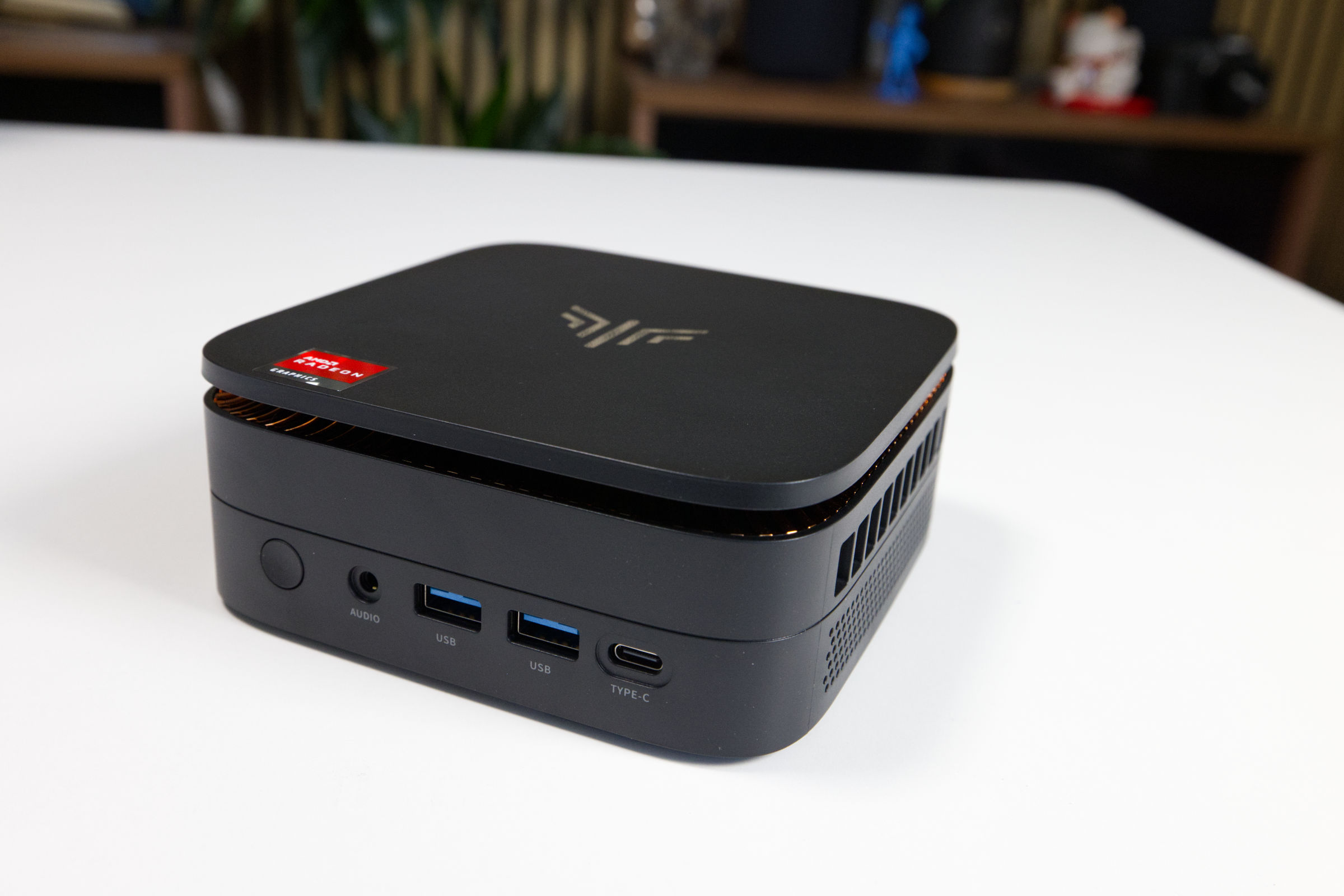 NiPoGi Pinova P1 Front Connectors (Image © PCMasters.de)
The four USB ports on the back and two USB Type-A ports on the front support the USB 3.2 Gen 1 (5 Gbit/s) standard. On the front, we also find a 3.5-mm jack for headphones. This gives us a fairly standard set of ports that will be sufficient for most users in everyday use.
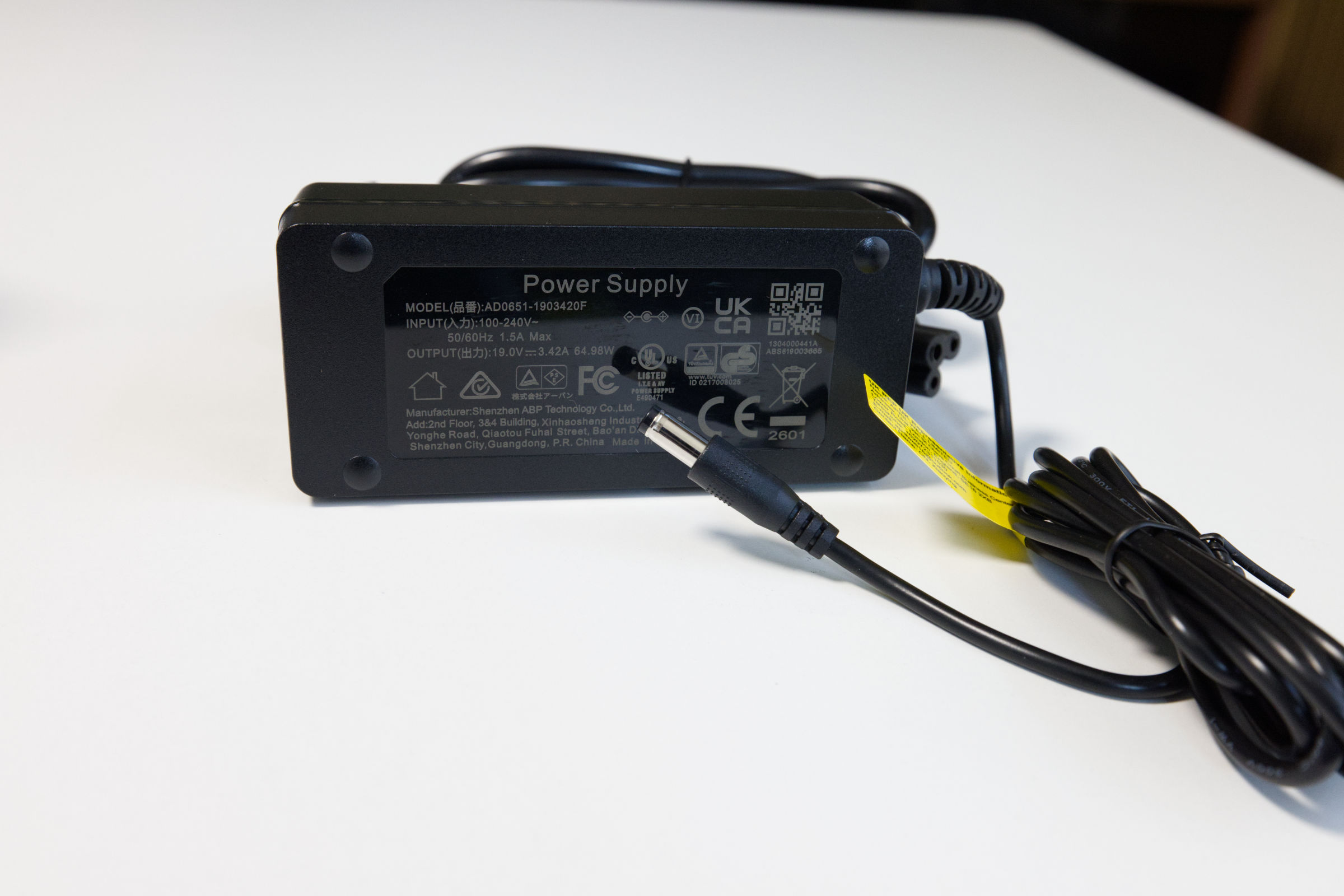 NiPoGi Pinova P1 Power Supply (Image © PCMasters.de)
Power is supplied via a small, external power adapter. It uses a 2-pin round connector that supplies the mini-PC with 19 volts at a maximum of 3.42 A. This brings the power adapter’s maximum output to 64.98 watts. However, since the Pinova P1 has a 28-watt TDP capping, this is more than enough.
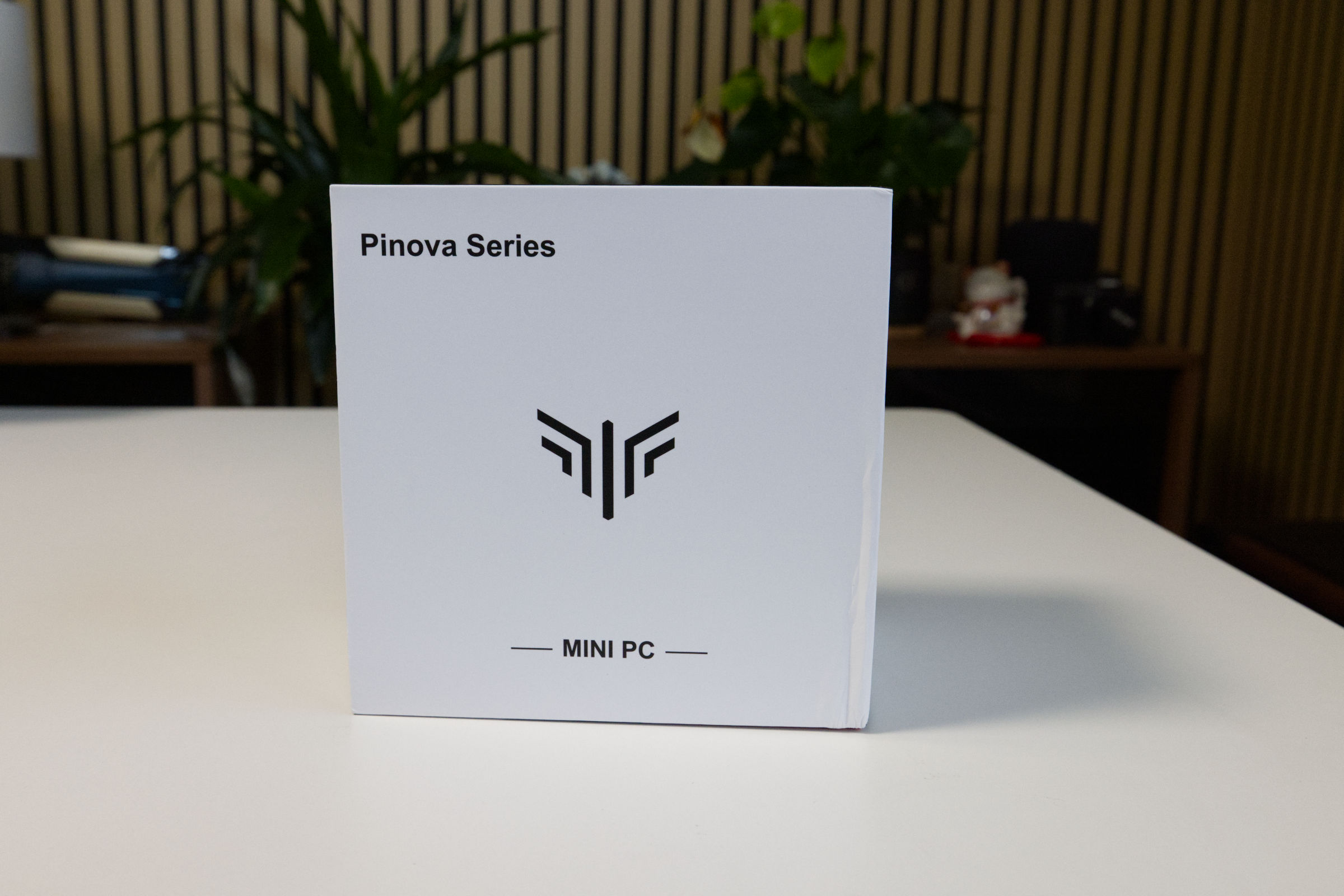 NiPoGi Pinova P1 Box (Image © PCMasters.de)
Packaging and Contents
The NiPoGi Pinova P1 comes in a very simple, white cardboard box. On the back, several options are checked off, indicating the mini-PC’s configuration. The front features the Pinova lettering and logo.
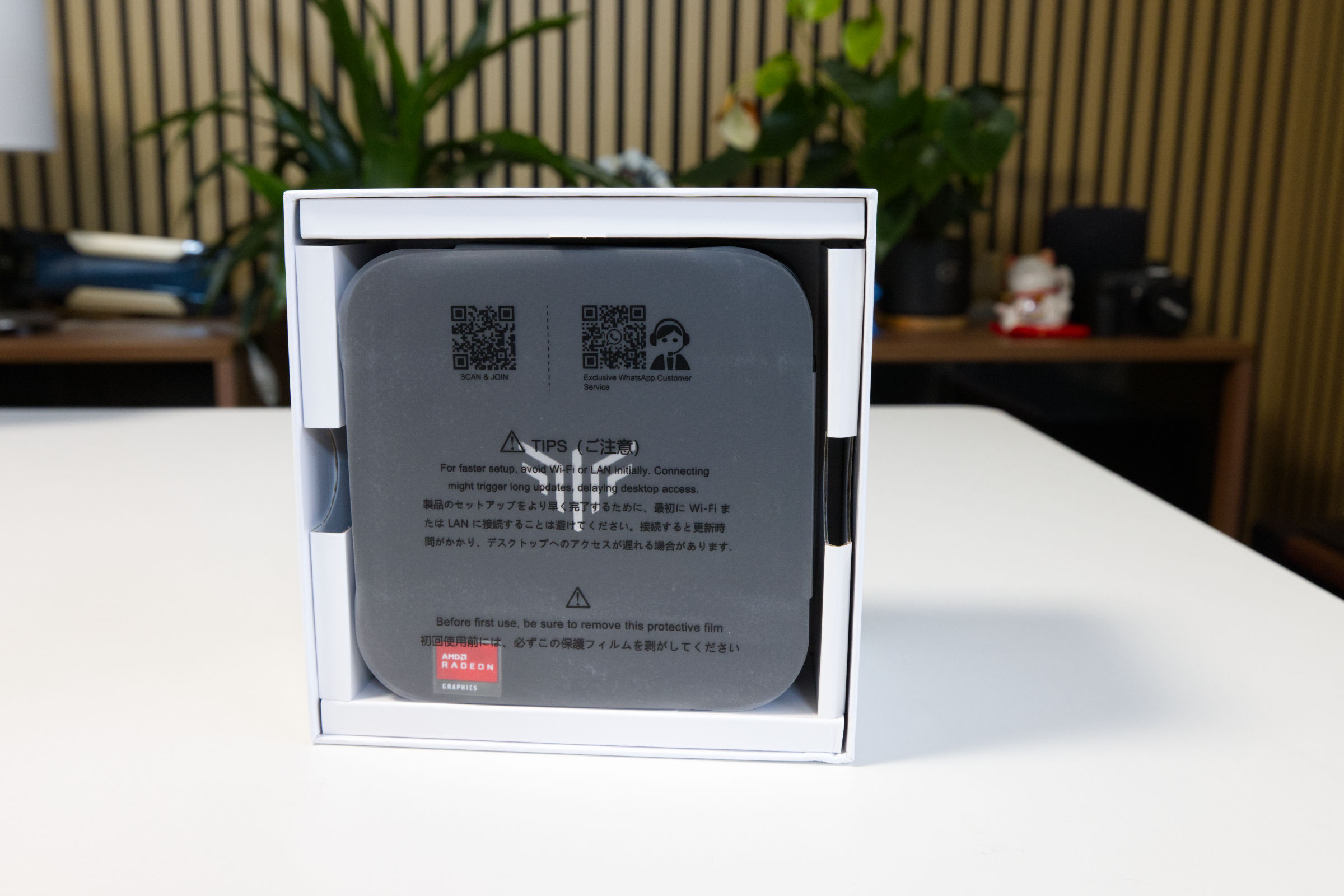 NiPoGi Pinova P1 Inner Packaging (Image © PCMasters.de)
The box consists of two parts; you pull the top section upward to open it. Inside, the mini-PC is located at the very top, with the accessories underneath. On both sides, a cardboard structure provides a roughly 5-mm buffer zone for protection during transport.
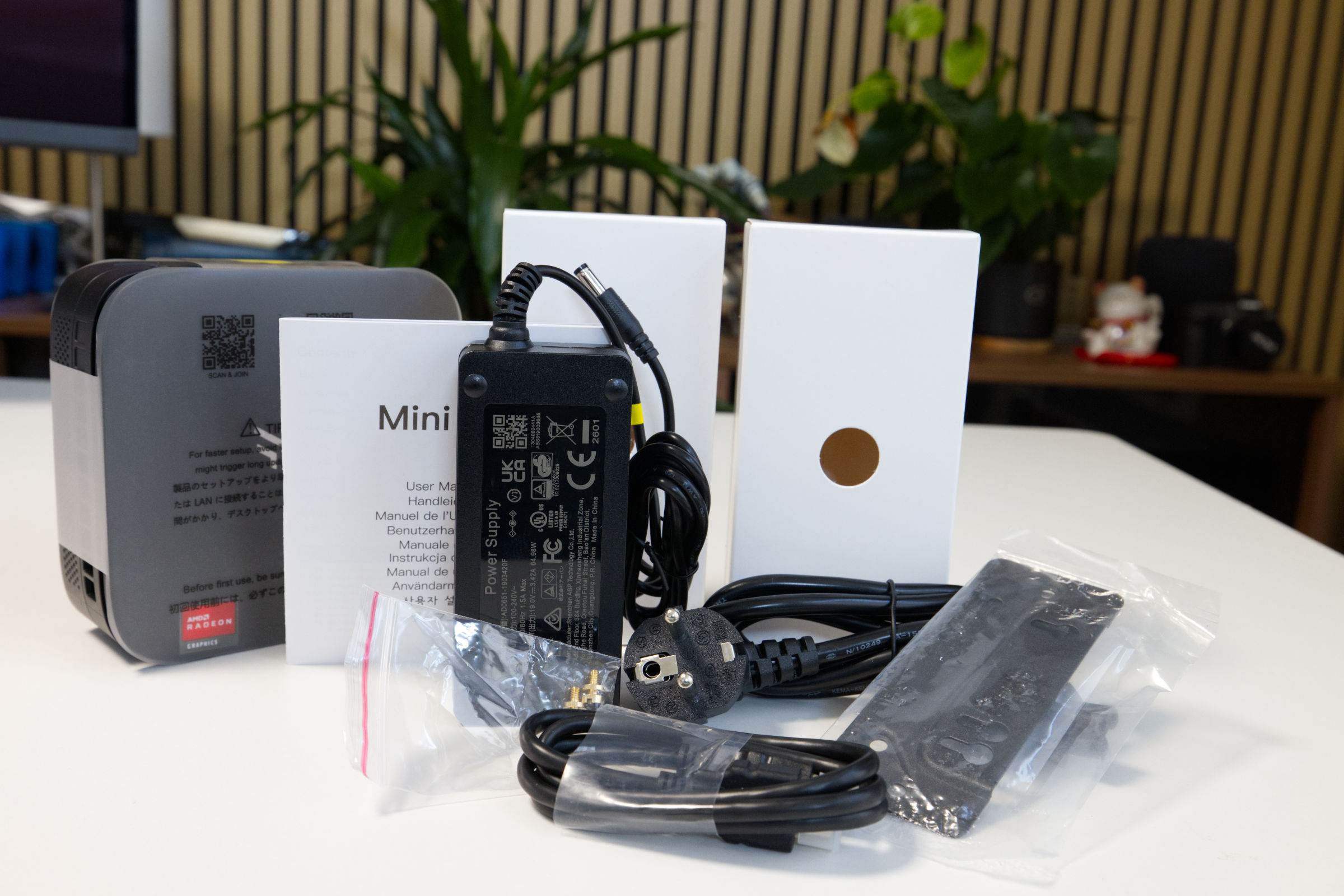 NiPoGi Pinova P1 Scope of Delivery (Image © PCMasters.de)
The package contents are typical for NiPoGi and include, in addition to the mini-PC and power adapter, a VESA mount, a mini-manual, and an HDMI cable. It’s a solid package, even if not overly generous.
Windows 11 Pre-Installed
The NiPoGi Pinova P1 ships with Windows 11 Pro preinstalled, offering a modern operating system. With advanced features tailored for professional environments, users can enjoy seamless multitasking and robust protection against modern threats, as the antivirus solution maintained by Microsoft itself is superior to many of the other tools on the market. If you apply patches regularly, you’ll stay on the safe side.
The Pro license is tied to the PC, and while the Windows 11 key can be retrieved, it’s stored in the device’s BIOS, which is why no activation was required after the reinstallation.
The Windows 11 Pro installation allows for quick setup and doesn’t require an online account, which is usually mandatory with Microsoft. No bloatware was pre-installed either. To be on the safe side, however, we formatted the SSD and performed a clean install of Windows 11 on it. Drivers that Windows 11 can’t find can be downloaded from NiPoGi.
NiPoGi Pinova P1 Benchmarks
We use benchmarks to test the mini-PC’s performance in workloads and games.
| NiPoGi Pinova P1 | SAPPHIRE EDGE AI 370 | ACEMAGIC AM06 PRO | HUAWEI MateBook 14 | Ryzen 7 3700X | NiPoGi AM06 PRO | ACEMAGIC RX16 | ACEMAGIC V1 | ACEMAGIC AMR 5 | ACEMAGIC TK11 | |
|---|---|---|---|---|---|---|---|---|---|---|
| CPU | AMD Ryzen Embedded R2544 | AMD Ryzen AI 9 HX 370 | AMD Ryzen 5 7430U | Intel Core i5-1340P | AMD Ryzen 7 3700X | AMD Ryzen 7 5825U | AMD Ryzen 7 H255 | Intel N97 | AMD Ryzen 5 5600U | Intel Core i5 11320H |
| RAM | 16 GB Yinchu DDR4-2666 (SO-DIMM) | 32 GB Kingston DDR5-5600 32 GB (SO-DIMM) | 16 GB HOGE DDR4-2666 (SO-DIMM) | 16 GB DDR4-2666 (SO-DIMM) | G.SKILL Trident Z DDR4 (F4-3600C14D-32GTZN) | 16 GB SODIMM, DDR4-2666 (SO-DIMM) | 16 GB HOGE DDR5-4800 (SO-DIMM) | 16 GB Kinsotin DDR4-2666 (SO-DIMM) | 16 GB DDR4-2666 (SO-DIMM) | 16 GB DDR4-2666 (SO-DIMM) |
| SATA/NVMe SSD | Colorfire 512 GB (SATA600) | Kingston OM8TAP41024K1-A00 1 TB (NVMe, PCIe 4) | AirDisk 512 GB (SATA600) | WD SN740 512 GB (NVMe, PCIe 4) | Sabrent Rocket 4 Plus 1 TB (NVMe, PCIe 4) | UDSS UD2CS1HT301-512G 512 GB (SATA) | G932E1M 512 GB (NVMe, PCIe 3) | Rayson RS512GSSD310 512 GB (SATA) | CYX-SSD-S1000 512 GB (SATA)> | 512 GB (SATA)> |
| TBP/TDP | 28 W | 45 W | 15 W | 25 W | 88 W | 15 W | 45 W | 19 W | 20 W | 32 W |
Below are some additional notes on the test conducted on the EDGE AI 370 Mini-PC:
- SAPPHIRE EDGE AI 370 (Performance): This is not the Windows power management option, but rather the BIOS setting that optimizes the system to prioritize performance over noise level or power efficiency.
- SAPPHIRE EDGE AI 370 (Balance): This is the mini-PC’s default setting, and it represents the performance you get when you unbox the PC and use it as it comes out of the box.
Note on the Comparison System
When testing the AMD Ryzen 7 3700X, we used the standard desktop system.
- Motherboard: ASUS ROG Strix X570-I Gaming
- Graphics Card: GeForce RTX 3090 Founders Edition
- SSD: Samsung SSD 840 PRO 256 GB, Samsung 850 EVO 500 GB
- M.2 SSD: Sabrent Rocket 4 Plus 1 TB
- RAM: G.SKILL Trident Z DDR4 F4-3600C14D-32GTZN at DDR4-3600
- CPU cooler: MSI MEG CORELIQUID S360
-
Power supply: Corsair RM-750X - 750 W
- Fans: 0
- Case: Open-frame
- Operating System: Windows 11 21H2
NiPoGi Pinova P1 Benchmark (Synthetic)
Synthetic benchmarks allow for relatively good comparisons between different CPU architectures. Depending on the benchmark, the focus is on specific workloads, and this is where the respective CPU can demonstrate its performance.
Cinebench R15
Cinebench R20
7-Zip
Corona 1.3
HandBrake
WinRAR
Geekbench 5 CPU Benchmark
POV-Ray v3.7
3DMark CPU Benchmark
3DMark Time Spy
PCMark 10
It’s important to note that the graphics card plays a significant role in PCMark, and the Ryzen 7 3700X was tested with the RTX 3090 FE. Therefore, this comparison isn’t directly applicable. Later, we’ll compare additional mini PCs that will provide a more accurate comparison, since those tests evaluate the entire system.
Unigine Superposition (720p, Low)
NiPoGi Pinova P1 Gaming Benchmarks
We were only able to test games to a limited extent. The games we usually use require a more powerful graphics card that can handle ray tracing if necessary. After all, the goal here is simply to determine to what extent the CPU limits gameplay. However, this system uses an iGPU, which is limited in performance.
Final Fantasy XV Benchmark
Resident Evil VILLAGE
Shadow of the Tomb Raider
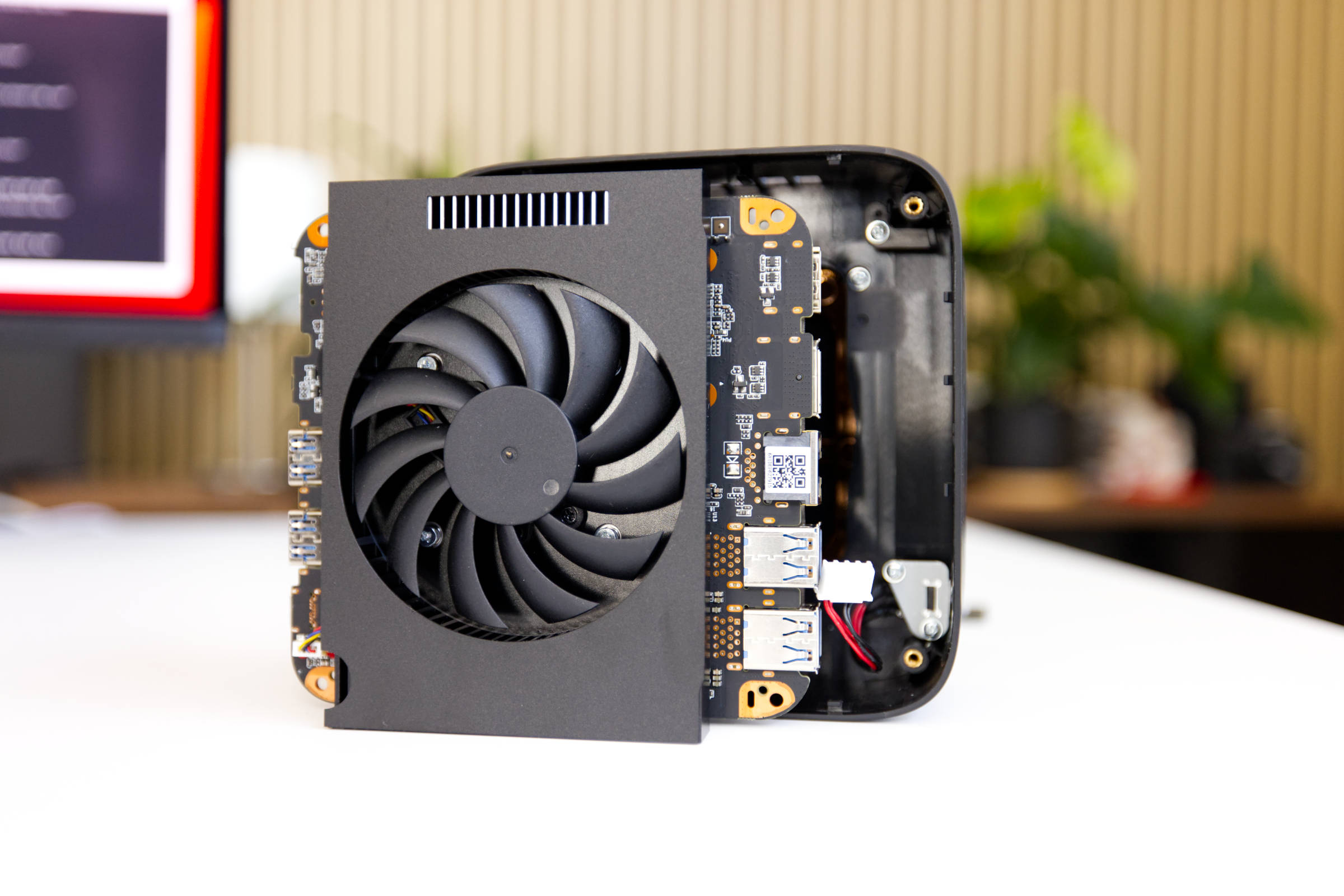 NiPoGi Pinova P1 Cooler (Image © PCMasters.de)
NiPoGi Pinova P1 Cooling
The Pinova P1 features a flat cooler painted black. It is secured to the APU with four screws and uses an extruded heatsink design that does not rely on heat pipes. The fan is centered and should be comparable to those found in laptops; even though no heat pipes are used, the cooler features a thick aluminum monoblock.
The cooling performance is adequate and matches the 28-W design of the Ryzen Embedded APU.
The measured values are delta values, with room temperature factored out.
Volume and Background Noise
Under constant full load, the Pinova P1 is a quiet performer. When measured from a distance of 20 cm, the PC was slightly audible but tolerable.
Power Consumption and Power Draw
The NiPoGi Pinova P1 is severely limited by its 28-W TDP CPU configuration, as AMD allows power draw ranges of 45 to 54 watts for this CPU. Consequently, the APU’s total power consumption did not exceed 28 watts, as advertised by NiPoGi on Amazon. The idle power consumption of approximately 7.2 watts is very efficient.
When measuring the power consumption of the entire mini-PC, it comes to approximately 36 watts under full load. The other components must also be powered, so this measurement is not surprising. Overall, it is an energy-efficient system.
Performance in Gaming, Multi- and Single-Thread Applications (Rating)
When looking at performance in single-threaded applications, the Piniva P1 mini-PC ranks near the bottom, as it features an energy-efficient APU based on an older architecture. The performance of a single thread is roughly in line with expectations, and because the APU is limited to 28 W by NiPoGi for energy efficiency.
Multi-threaded performance is more important in everyday use, since all operating systems run many processes and benefit from multitasking. Here, too, the Pinova P1 performs as expected and ranks second to last. That’s not bad, given how quiet it is, but you should be aware of this limitation. The performance is still sufficient for tasks that aren’t too demanding.
As for gaming, we didn’t have high expectations from the start, since the iGPU, with its 256 MB of memory, is anything but powerful. Surprisingly, the configuration performed better overall, but we still rate it as unusable for gaming.
NiPoGi Pinova P1 Design (Image © PCMasters.de)
Conclusion on the NiPoGi Pinova P1
With the Pinova P1, NiPoGi is launching a very modern-looking mini PC. The configurations offered by the manufacturer are geared toward a low budget and therefore come with certain limitations. The heart of the system is the Ryzen Embedded R2544, which, unfortunately, is still based on the Zen+ architecture and is used in low-power systems. It is paired with a 16-GB DDR4-2666 memory module in a single-slot DIMM. The CPU shares this memory with the Radeon Graphics iGPU. A 512-GB M.2 SATA SSD is also pre-installed, which will be sufficient for most users in this segment. The RAM and SSD come from Chinese manufacturers unknown in this country, but this is what makes the low price of €359 (Affiliate) possible for this configuration.
There’s also a Wi-Fi 5 combo module that includes Bluetooth 4.2 support. Windows 11 Pro is preinstalled on the SSD, and the corresponding license is tied to and activated on the mini-PC, which is important for a fresh installation.
Performance for applications is adequate, but you shouldn’t set your expectations too high for the system, as it uses an energy-efficient Ryzen Embedded processor limited to 28 W, even though AMD designed it for 45–54 watts. This PC is unsuitable for gaming, though it could be used for older games. On the other hand, the CPU is energy-efficient, and the system runs very quietly.
Anyone looking for an affordable mini-PC intended for office work will be satisfied with this PC, especially since it comes with 16 GB of DDR4 RAM and a 512 GB SSD.
Pro
- Acceptable single- and multi-thread performance
- Quiet operation under full load
- Integrated Wi-Fi 5 combo module
- 16 GB DDR4-2666 SO-DIMM RAM module installed (Chinese manufacturer)
- Sleek design
- 512 GB SATA600 SSD installed (Chinese manufacturer)
- Two M.2 SSD slots, one already occupied
- RAM, SSD, and NVMe slots accessible for upgrades
- Windows 11 Pro installed and licensed
- Good price for this configuration
- Linux-compatible
Contra
- Based on older Zen+ architecture
- Insufficient gaming performance (256 MB shared memory)
- Limited to 28 watts (AMD allows 45 to 54 W)