Computer Forum
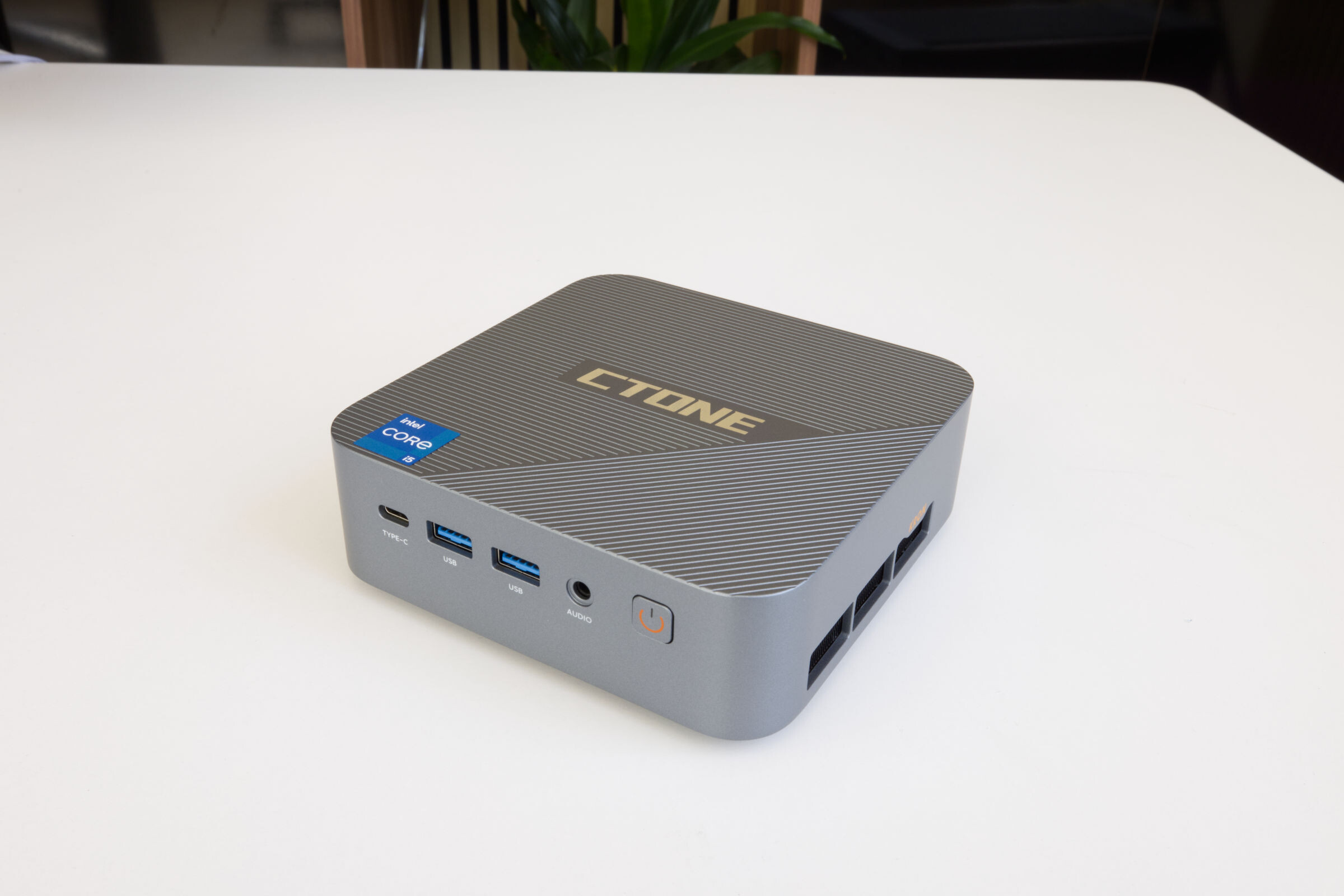 CTONE Kron Mini K2 Review (Image © PCMasters.de)
CTONE Kron Mini K2 in Detail
CTONE is a mini-PC manufacturer primarily found on Amazon. There, the company currently sells only three models, each of which is available in several configurations. In this review, we’ll take a closer look at the "Kron Mini K2" mini-PC in more detail. These models are based on Intel CPUs and use both soldered and plug-in SODIMM RAM. The configurations tend to fall in the upper-midrange segment and even offer a high-end option. CTONE currently has a competitive advantage primarily through its use of Chinese NVMe SSDs as well as DDR4 and DDR5 memory that aren’t readily available in Europe. The Kron Mini K2 Pro configurations feature either a Core i5-12450H or a Core i9-14900HX:
- CTONE K2 Mini PC Core i5-12450H, 24GB LPDDR5 RAM + 512GB SSD for €469 (Affiliate)
- CTONE K2 Mini PC Core i5-12450H, 24GB LPDDR5 RAM + 1TB SSD for €569 (Affiliate)
- CTONE K2 Mini PC Core i9-14900HX, 32GB DDR4 + 1TB NVMe SSD for €999 (Affiliate)
For our review, we received the most affordable model from CTONE featuring a Core i5-12450H CPU, paired with 24 GB of LPDDR5 RAM and a 512 GB NVMe SSD. Below, we’ll first explain the core components and then discuss the special features, design, performance, cooling, and noise levels.
 CTONE Kron Mini K2 Core i5 12450H (Image © PCMasters.de)
Intel Core i5-12450H
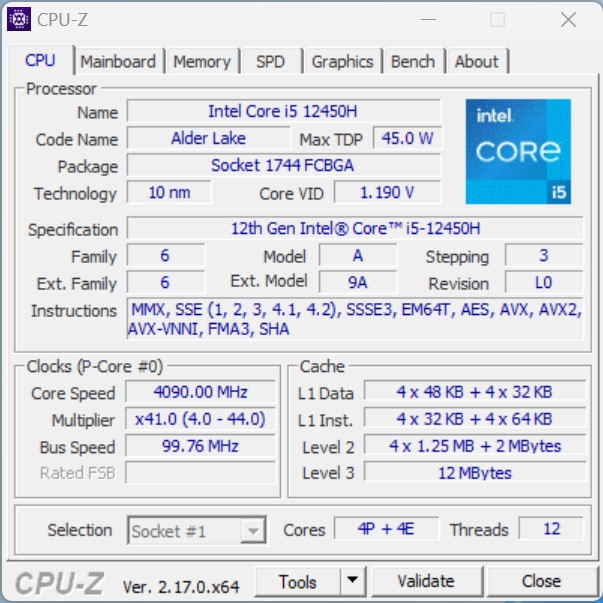
At the heart of this mini PC is the Core i5-12450H (Intel Spec) from Intel’s lineup, which was introduced in Q1 2022. It is part of the mobile segment and belongs to the Alder Lake generation. As an 8-core CPU, it is designed to deliver solid performance and is positioned in the (lower) mid-range performance segment. In this generation, Intel has already divided the cores, and not all are the same; thus, the chip features four performance cores and four efficient cores. However, the number of threads is 12, which is achieved because the four Performance cores feature Hyper-Threading, delivering eight threads. The Efficient cores do not support Hyper-Threading and are simply optimized for efficiency.
 CTONE K2 CPUz (Image © PCMasters.de)
Due to the division into E- and P-cores, the clock speeds of the cores also differ significantly from one another. The maximum Turbo clock speed of the performance cores is 4.40 GHz, and that of the efficient cores is 3.30 GHz. The bus clock remains constant at approximately 100 MHz, and the multiplier is adjusted accordingly.
 CTONE Kron Mini K2 Core i5 12450H BIOS (Image © PCMasters.de)
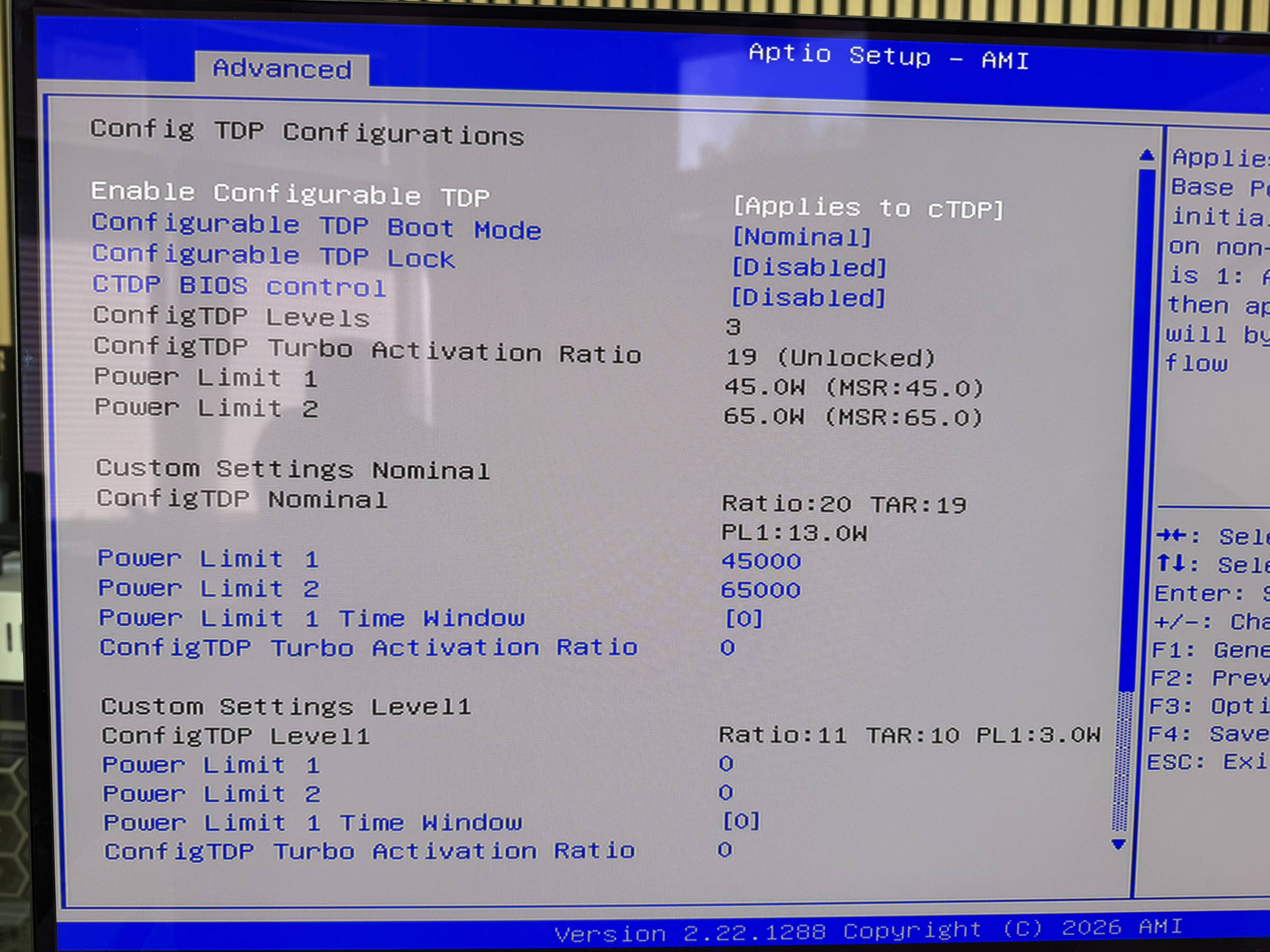
Intel specifies that the CPU operates at a constant base power consumption of 45 watts, but can reach up to 95 watts for an extremely short period during maximum Turbo operation. The minimum guaranteed power is specified as 35 watts. CTONE has set the configuration to 45 W. You can also set PL1, PL2, and PL3 individually in the BIOS, but the values are not used if they exceed this specification. Therefore, PL1 at 65 watts and PL2 at 95 W were not possible. You can change even more settings
 CTONE Kron Mini K2 Alder Lake CPU (Image © PCMasters.de)
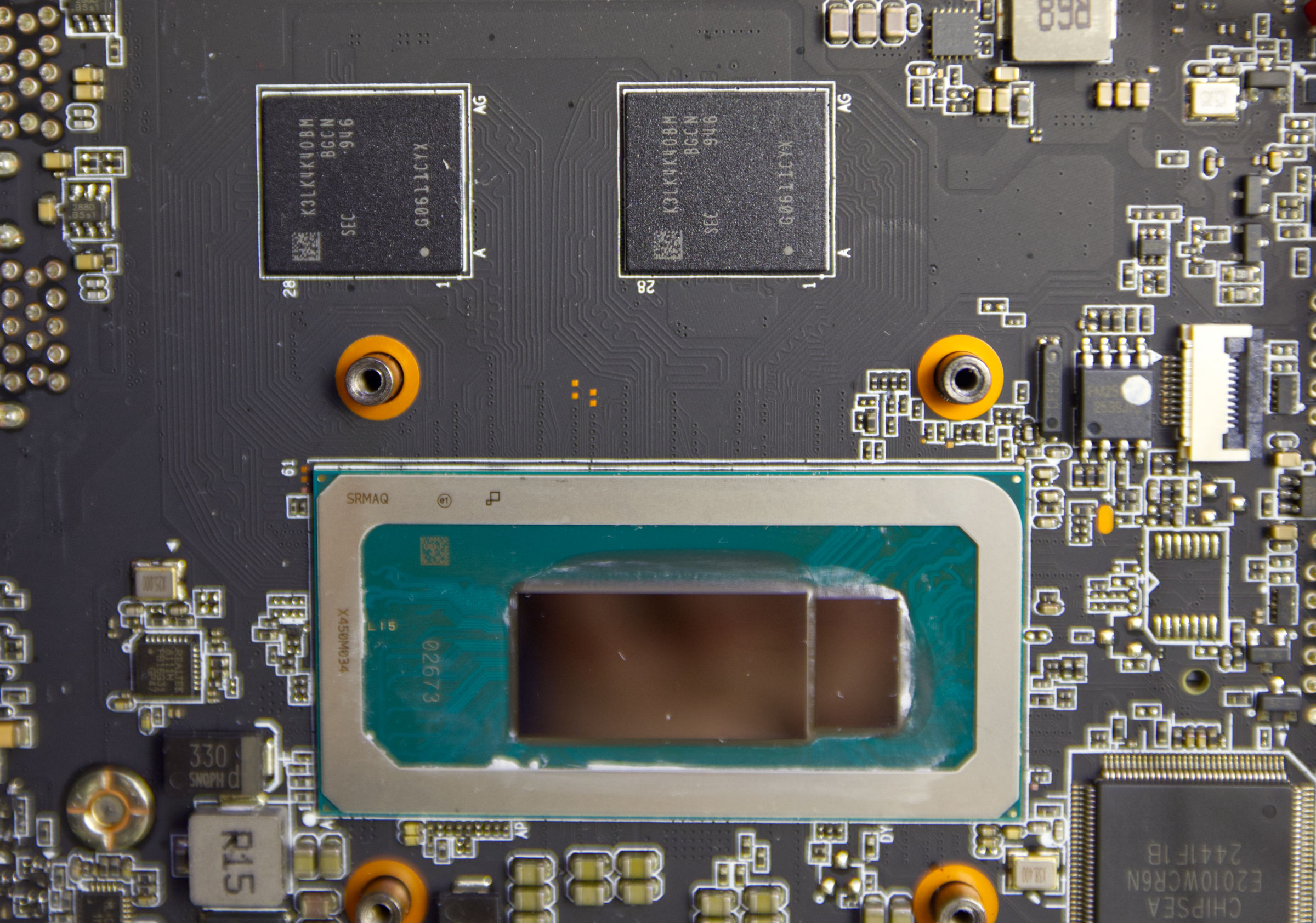
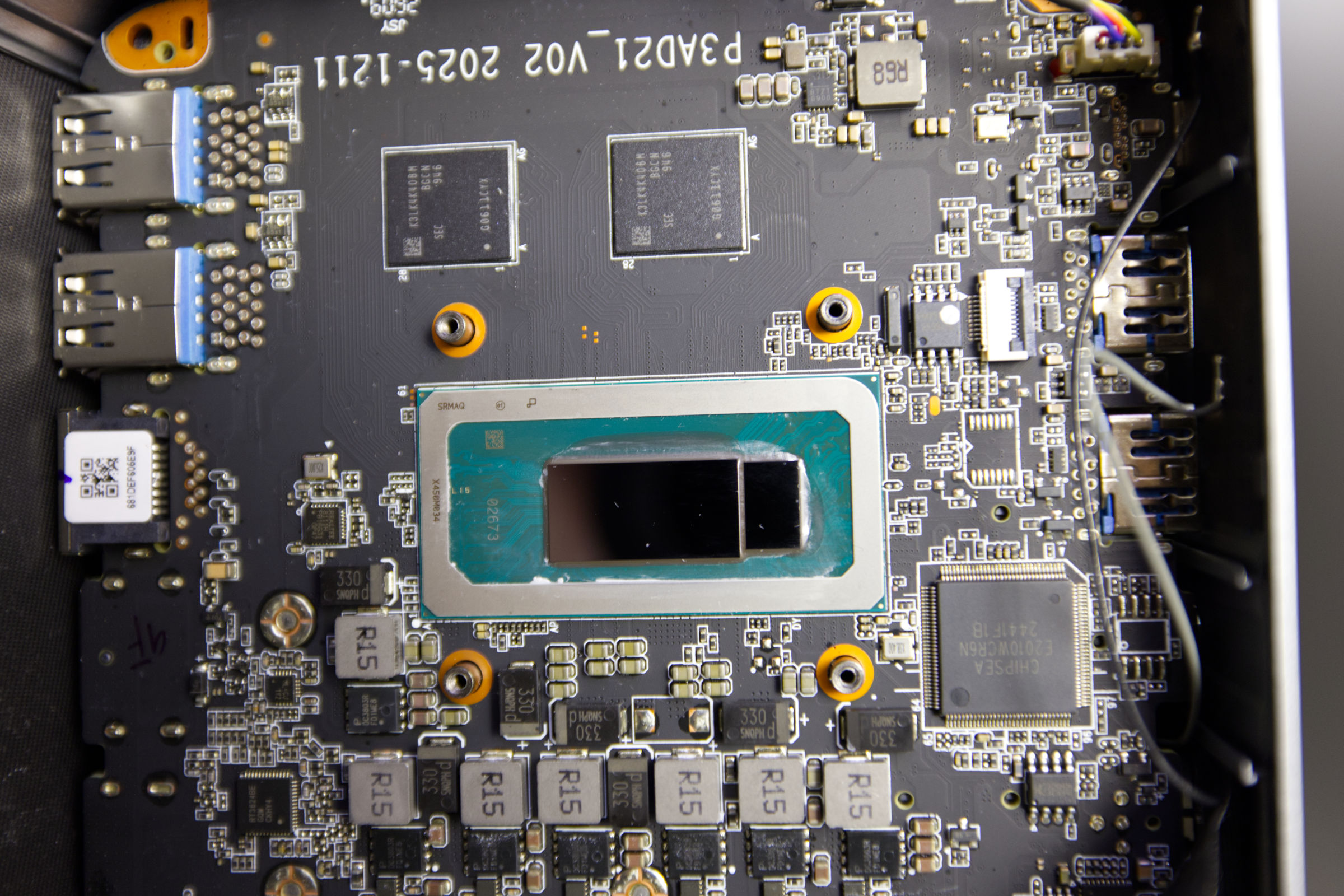
The Alder Lake chip is manufactured using Intel’s 7-process 10-nm lithography. The technology is not cutting-edge and can therefore be classified as a mature product. The package is visible after removing the cooler and measures 50 x 25 mm for the CPU. The FCBGA1744 socket is used, which requires the CPU to be soldered in place. The CPU’s TJUNCTION is 100 °C.
The CPU’s cache configuration is such that each P-core has 48 KB of L1 data cache and 32 KB of L1 instruction cache, while the E-cores have 32 KB of L1 data cache and 64 KB of L1 instruction cache. In total, the L1 data cache totals 320 KB, and the L1 instruction cache even reaches 384 KB. The Level-2 cache also has a different allocation per core type: Each P-core receives 1.25 MB and each E-core 2 MB, for a total of 13 MB of fast L2 cache. In addition, there is a total of 12 MB of L3 cache, which is shared by all cores.
 CTONE K2 CPUz Mainboard (Image © PCMasters.de)
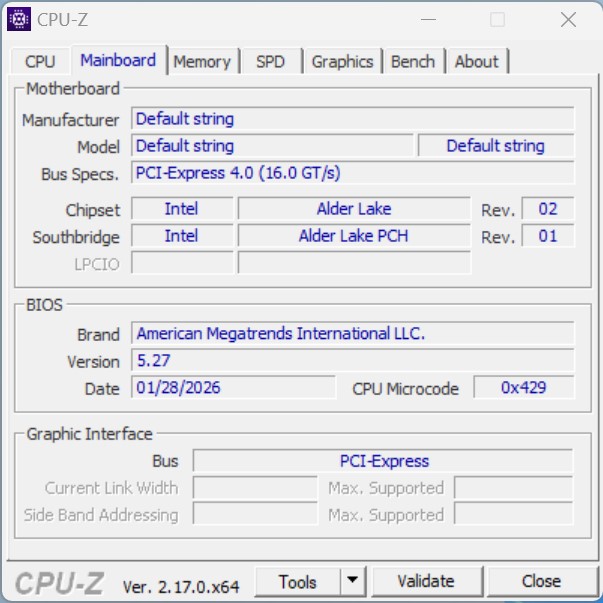
The chipset is also mounted on the package next to the CPU and supports Thunderbolt 4. It is connected to the CPU via PCI Express Gen 4, while other PCH peripherals are connected via PCIe Gen 3 at 8 GT/s. The CPU itself has 28 PCI Express lanes. CPU-Z can’t read much else because the relevant fields are empty.
CTONE Kron Mini K2 Core i5 12450H (Image © PCMasters.de)
UHD Graphics for 12th Gen Intel Processors
In the mobile segment, where energy efficiency is a top priority, integrated graphics units are the primary choice. Intel pairs the Alder Lake processor with the corresponding UHD Graphics. These are essentially shared across all CPUs in this generation, and there are rarely any variations. This iGPU shares memory with the CPU, which is LPDDR5 memory in this configuration.
 CTONE K2 GPUz (Image © PCMasters.de)
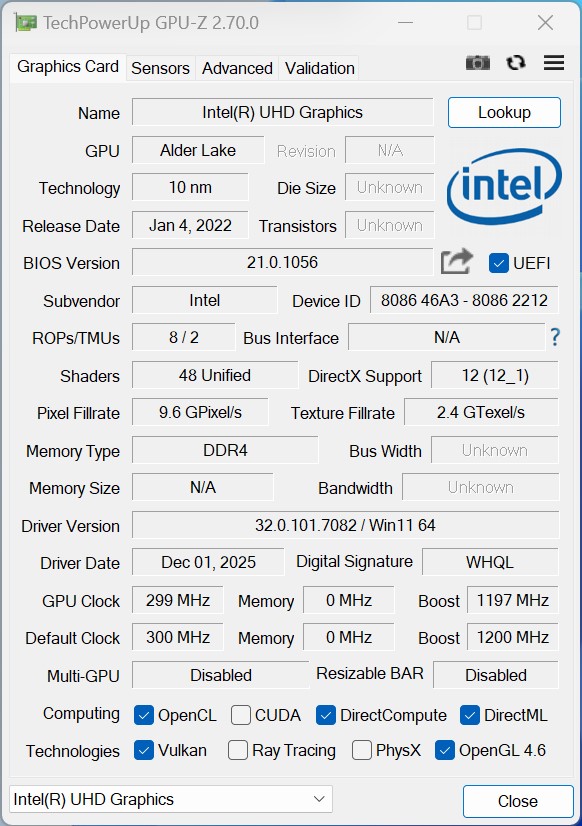
The chip operates at a dynamic graphics frequency of 1.20 GHz and features 8 ROPs and 2 TMUs with a total of 48 unified shaders. Although the system recognizes the memory type as DDR4, the actual VRAM is certainly LPDDR5.
The chip supports eDP 1.4b, DP 1.4a, and HDMI 2.1, with maximum resolutions (HDMI) of 4096 x 2304 @ 60Hz and a maximum resolution (DP) of 7680 x 4320 @ 60Hz. It supports DirectX 12.1, OpenGL 4.6 , and OpenCL 3.0. A maximum of four displays can be connected to the iGPU.
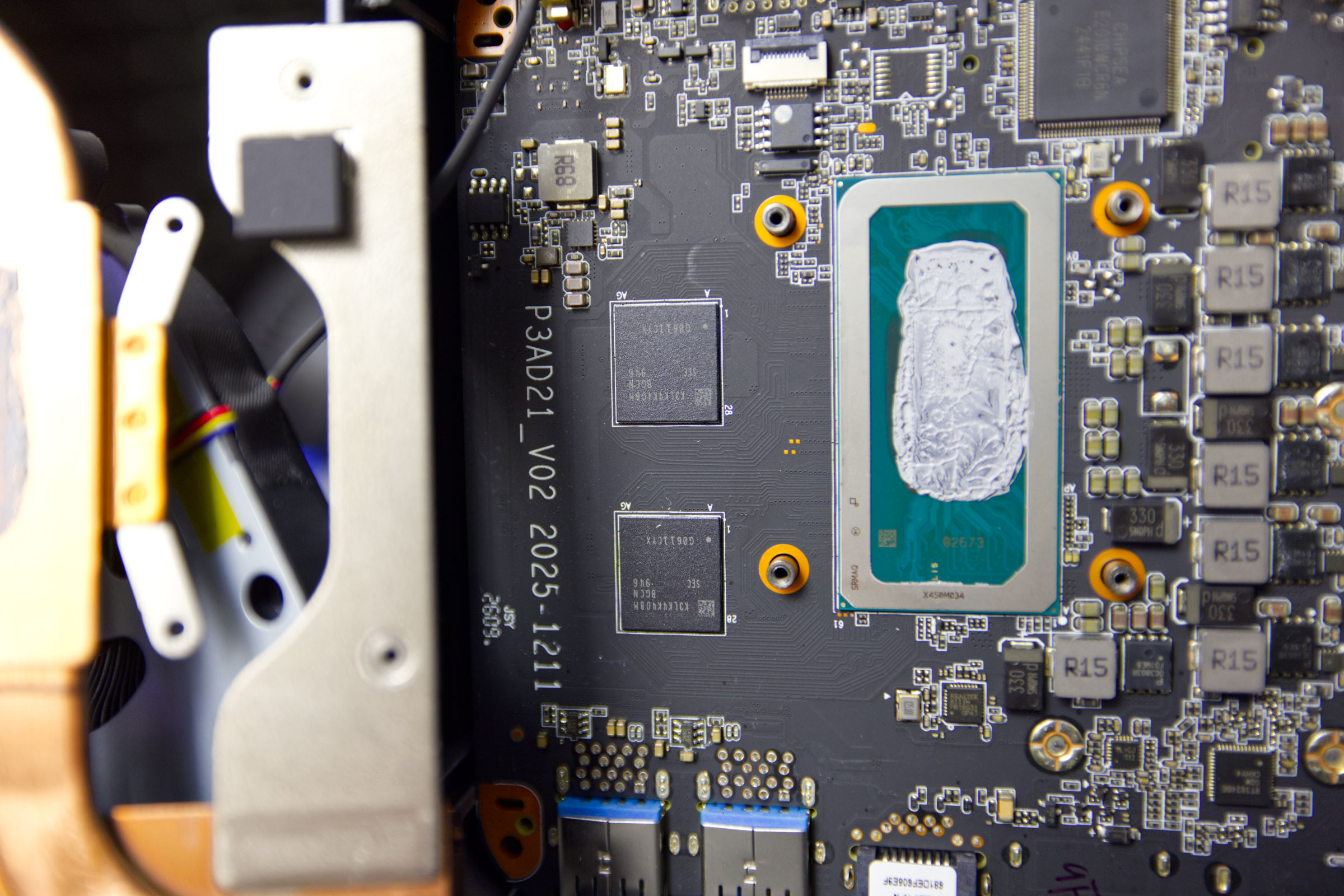 CTONE Kron Mini K2 LPDDR5 RAM from Samsung (Image © PCMasters.de)
Soldered-on LPDDR5 RAM with 24 GB capacity
The memory crisis still has us firmly in its grip, making RAM in particular extremely expensive. CTONE’s strategy is to equip this series with at least 24 GB of memory. The more expensive model with the Core i9 even comes with 32 GB of RAM. Many manufacturers, such as Valve with its Steam Machine, installed only an 8 GB RAM module because the cost of RAM was too high . When opening the mini-PC, we also find the aforementioned LPDDR5, which, as expected, is soldered in place.
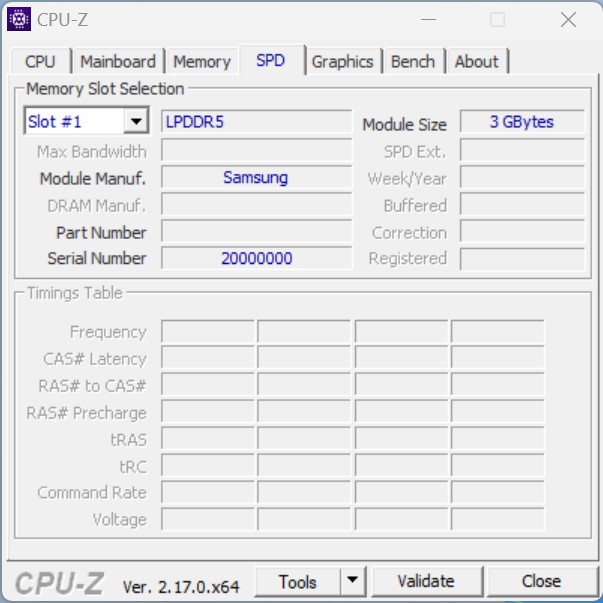 CTONE K2 CPUz SPD (Image © PCMasters.de)
A look at CPU-Z SPD tab unfortunately reveals very little about the RAM. We were able to find two memory chips on the PCB, each of which likely holds 12 GB. Interestingly, the RAM isn’t cooled, as thermal pads are missing in that area. CPU-Z identifies the RAM manufacturer as Samsung. A search for the memory chip’s ID confirms this information, since "K3LK4K40BM-BGCN" is a 1y nm 12 Gb LPDDR5 Samsung memory chip that is primarily used in smartphones. Unfortunately, it cannot be found on Samsung’s website.
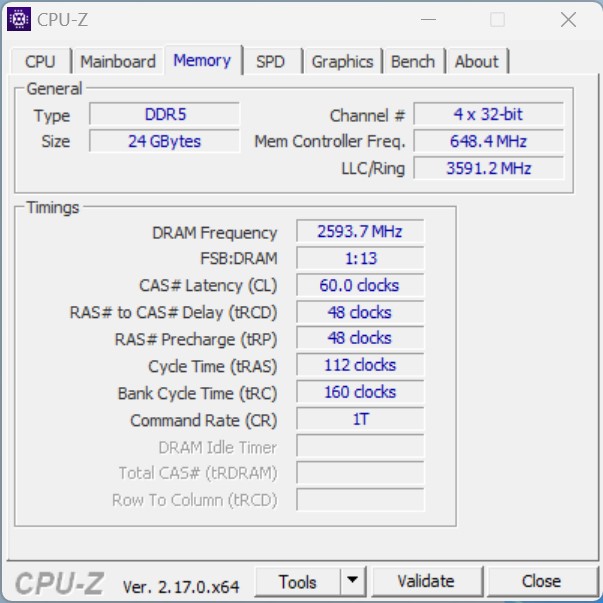 CTONE K2 CPUz Memory (Image © PCMasters.de)
The information we found identifies it as LPDDR5-5500, but in this setup it runs at approximately 5200 MT/s or 2593.7 MHz. CPU-Z was also able to read the timings as CL 60-48-48-112-160-T1.
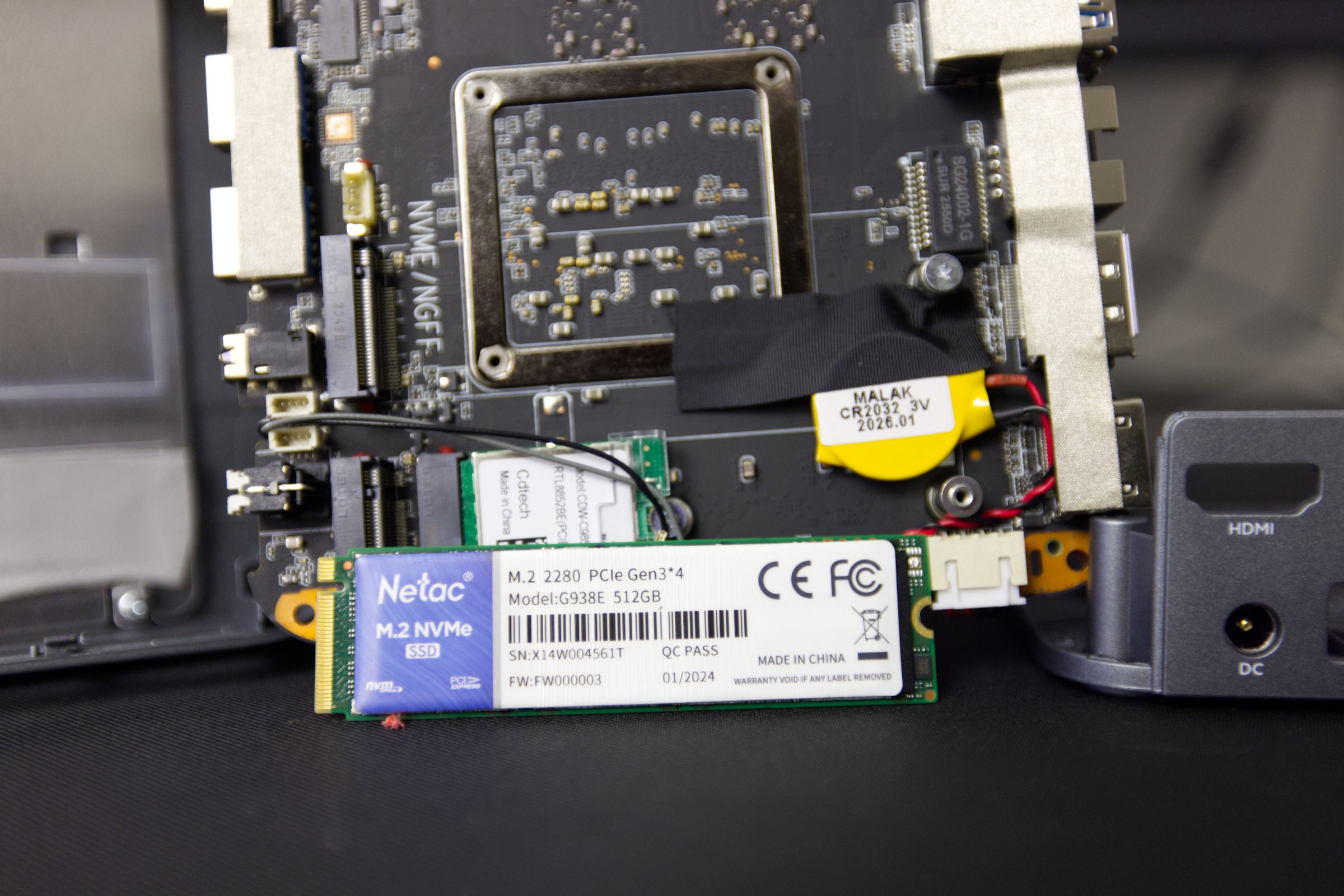 CTONE Kron Mini K2 Netac 512 GB NVMe-SSD (Image © PCMasters.de)
Affordable 512GB SATA SSD
In our unit of the Kron Mini K2, the configuration is based on a 512 GB SSD. The mini-PC offers two M.2 2280 NVMe slots, one of which uses PCI Express 3.0 and the other PCI Express 4.0 as its interface. This means one SSD is connected to the chipset and the other directly to the CPU. We assume that the occupied slot is the PCIe Gen 4-compliant one, though we haven’t verified this. If needed, you can install a second M.2 NVMe SSD with a bit of effort—and it could even be a faster model with up to 8 TB of capacity.
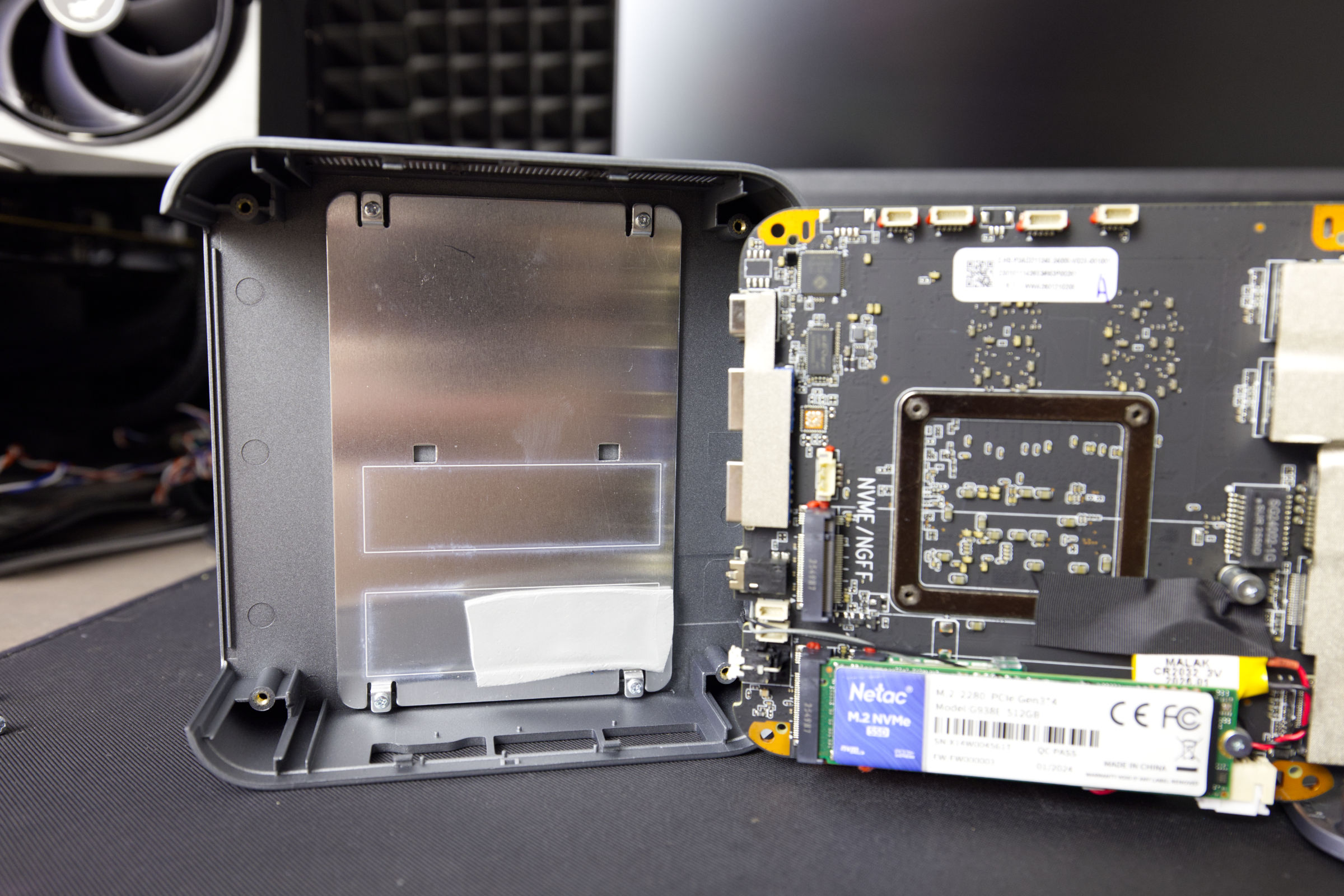 CTONE Kron Mini K2 themal paste pads (Image © PCMasters.de)
To cool the SSDs, CTONE has attached an aluminum plate to the chassis, which is designed to facilitate heat transfer via a thermal pad. Ideally, you would need to apply another thermal pad for the second SSD.
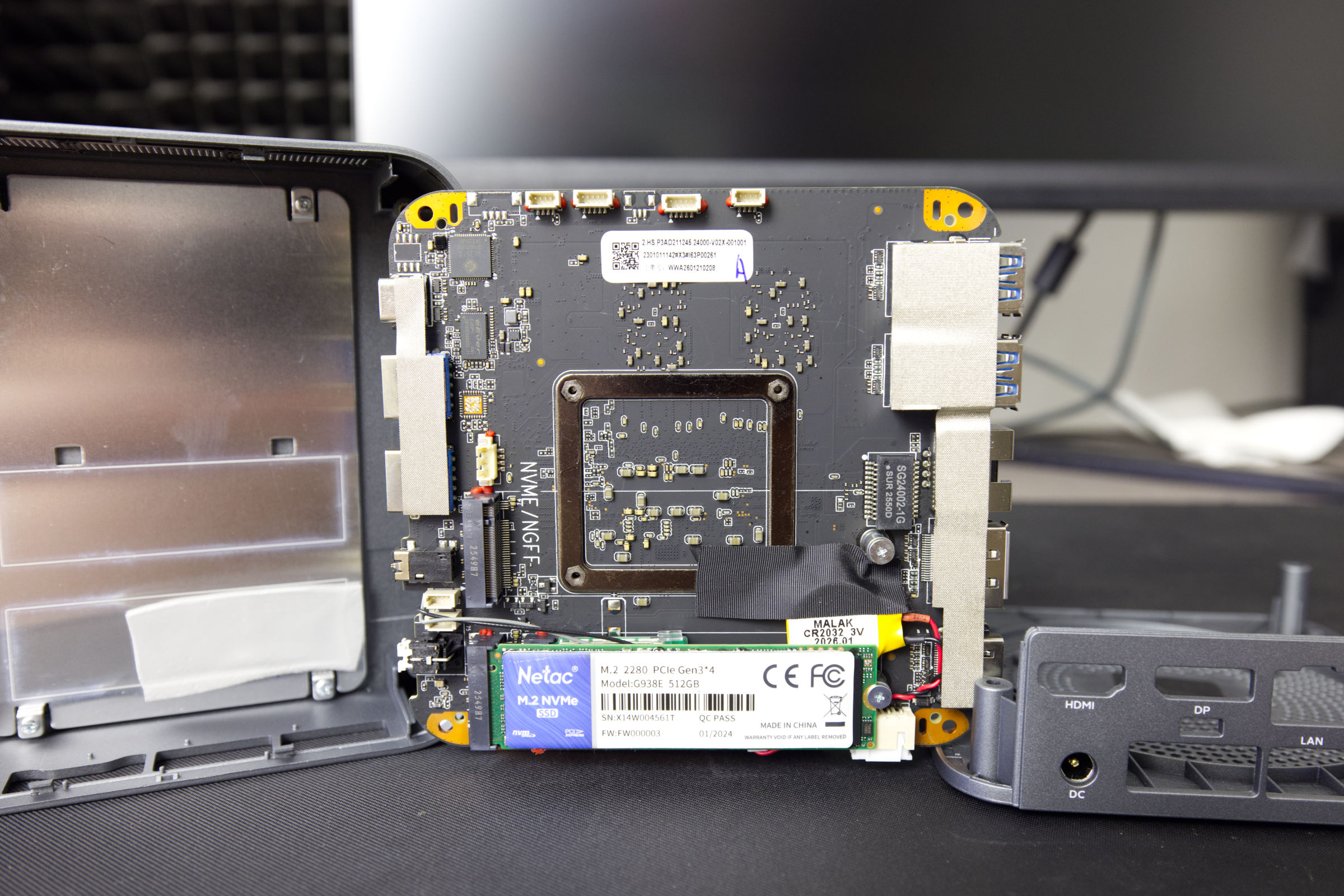 CTONE Kron Mini K2 inside layout (Image © PCMasters.de)
The screw for the second SSD is already in place, so it can’t get lost.
The SSD bears the model number G938E and, according to the sticker, was manufactured in 2024. We had no issues with the SSD, and it didn’t overheat during CrystalDiskBenchmark testing, as it is a PCIe Gen 3 SSD.
The performance metrics compare favorably with those of other SSDs.
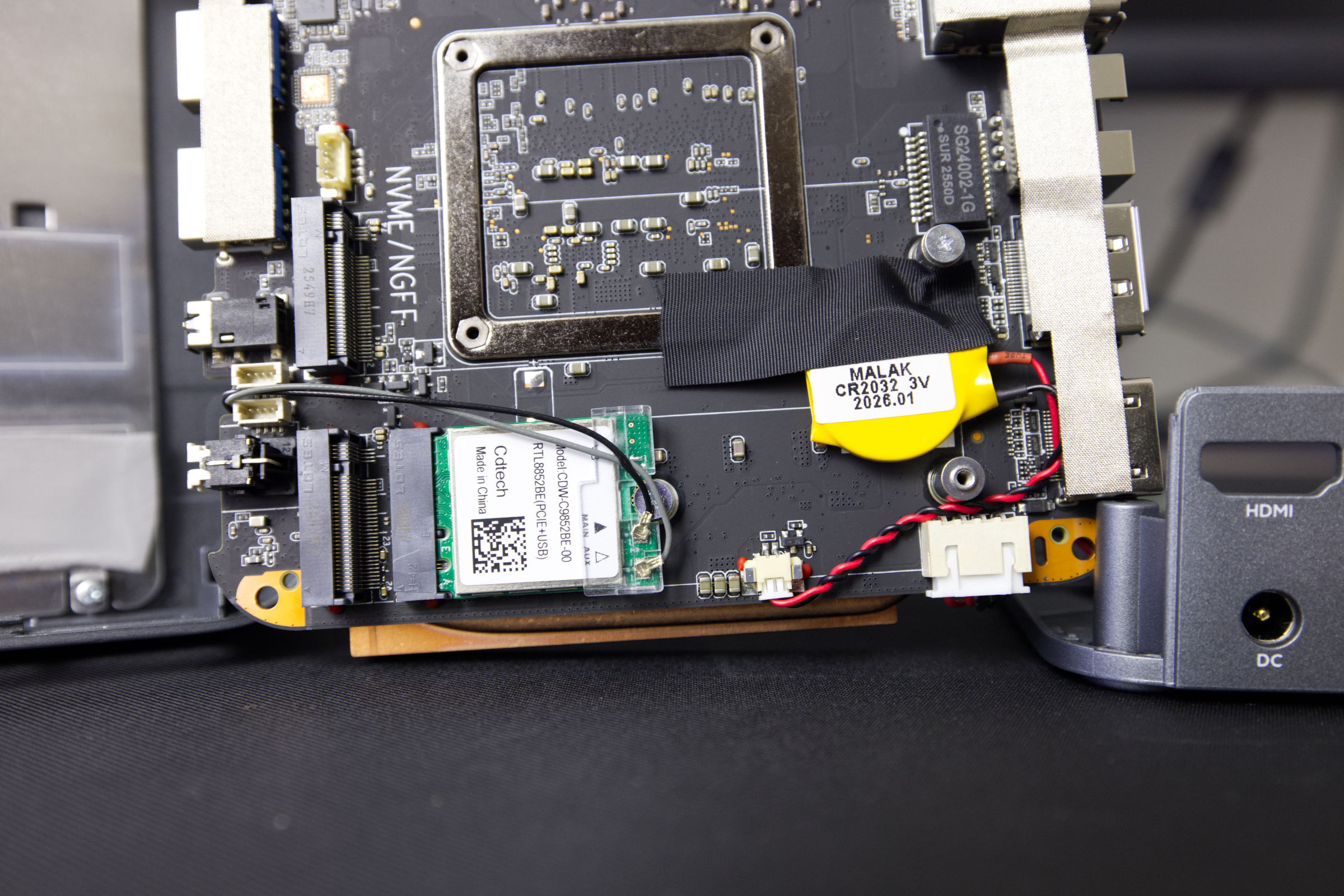 CTONE Kron Mini K2 CDW C9852BE 00 RTL8852BE Wifi Module (Image © PCMasters.de)
Wi-Fi 6 and Bluetooth 5.2
Beneath the SSD is a small module in the M.2-2230 form factor that uses a Key A/E interface. This is the Wi-Fi module based on the Realtek RTL8852BE (CDW-C9852BE) chipset. This chip supports Wi-Fi 6 (802.11ax) and offers a theoretical maximum throughput of 1.2 Gbit/s in the 5 GHz band, ensuring that the mini-PC can handle its high-bandwidth tasks in modern network environments.
When reinstalling Windows, the Wi-Fi driver may not be detected. In that case, you can obtain the driver from other sources, as the CTONE website was currently unavailable. Otherwise, you can download the driver from the driver package—for example, the AceMagic RX16 package—available on the support portal. Under Ubuntu, however, the Wi-Fi and Bluetooth worked flawlessly out of the box.
Realtek RTL8852BE (CDW-C9852BE) Technical Specifications
- Model Name: RTL8852BE / CDW-C9852BE
- Wi-Fi Standard: Wi-Fi 6 (IEEE 802.11ax)
- Class: AX1800
- Max. Throughput: (ax) 1.2 Gbit/s
- Bluetooth Version: 5.0 / 5.2*
- Form Factor: M.2 2230 (NGFF)
- Interface: M.2 Key A/E
- Operating System Compatibility: Linux, Windows 10/11 (64-bit)
Note: While the manufacturer’s documentation specifies Bluetooth 5.2, the hardware identifiers may indicate version 5.0.
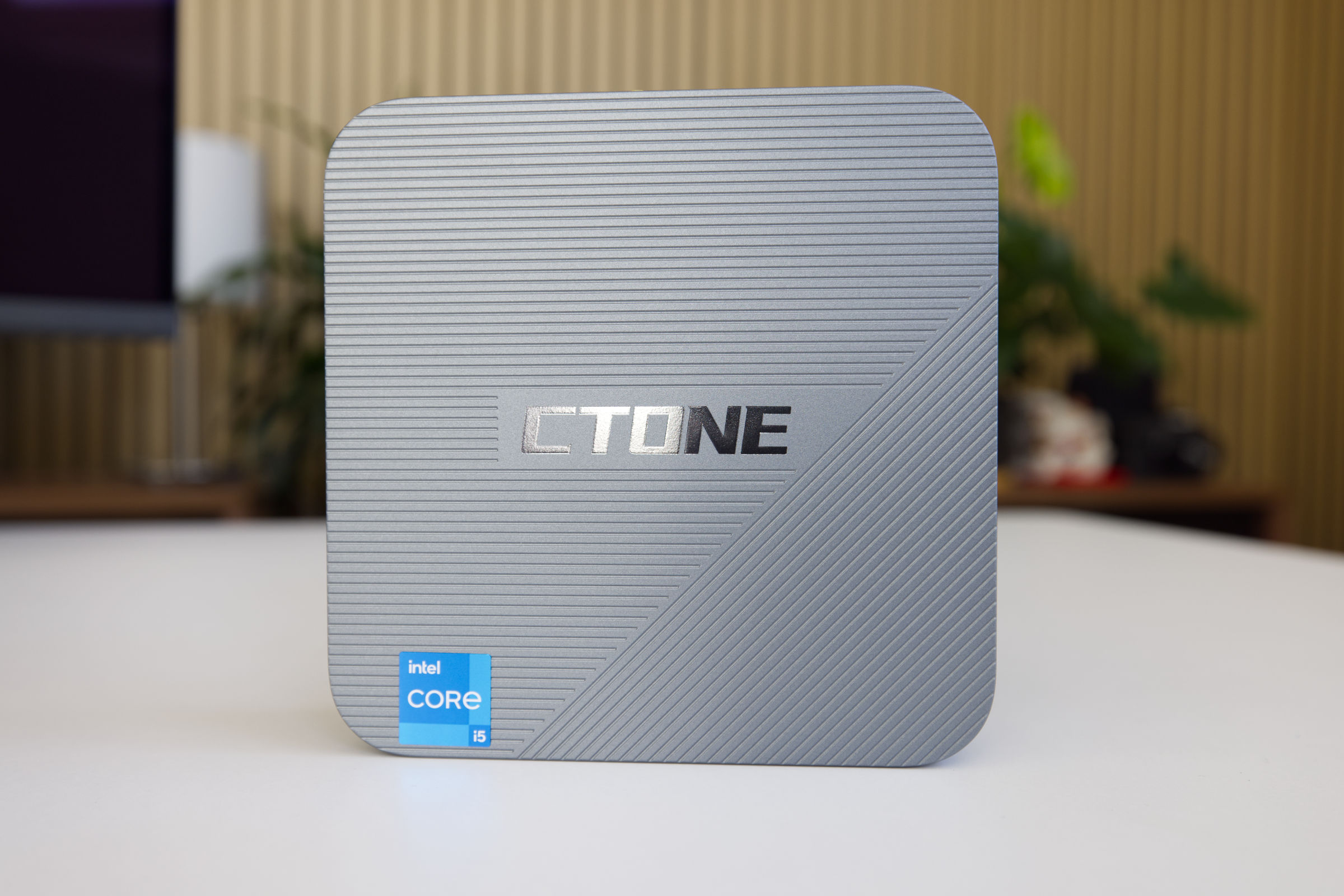 CTONE Kron Mini K2 Design (Image © PCMasters.de)
Design and Appearance
The mini PC measures 128 × 127.4 × 40.5 mm, making it nice and compact. As is often the case, the case is made of plastic, but it certainly doesn’t feel cheap. Otherwise, the build quality is consistently good. The case is finished in a shade of gray, allowing the mini PC to blend into most work environments.
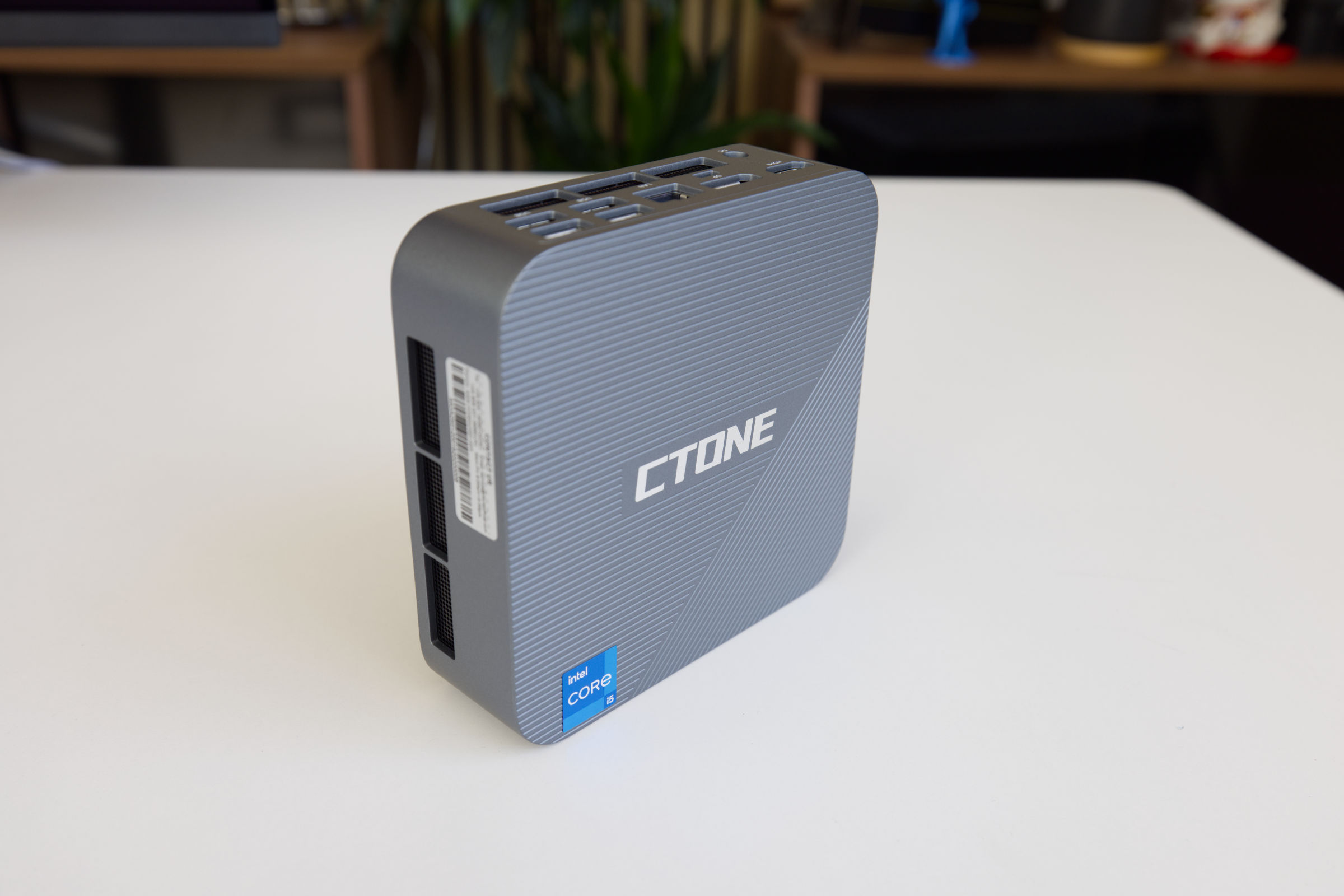
The top of the case is accented with lines and a chrome logo. Another eye-catching detail is the small blue Intel sticker, which indicates the installed CPU. Otherwise, the top is very simple and doesn’t particularly stand out.
 CTONE Kron Mini K2 side view 2 (Image © PCMasters.de)
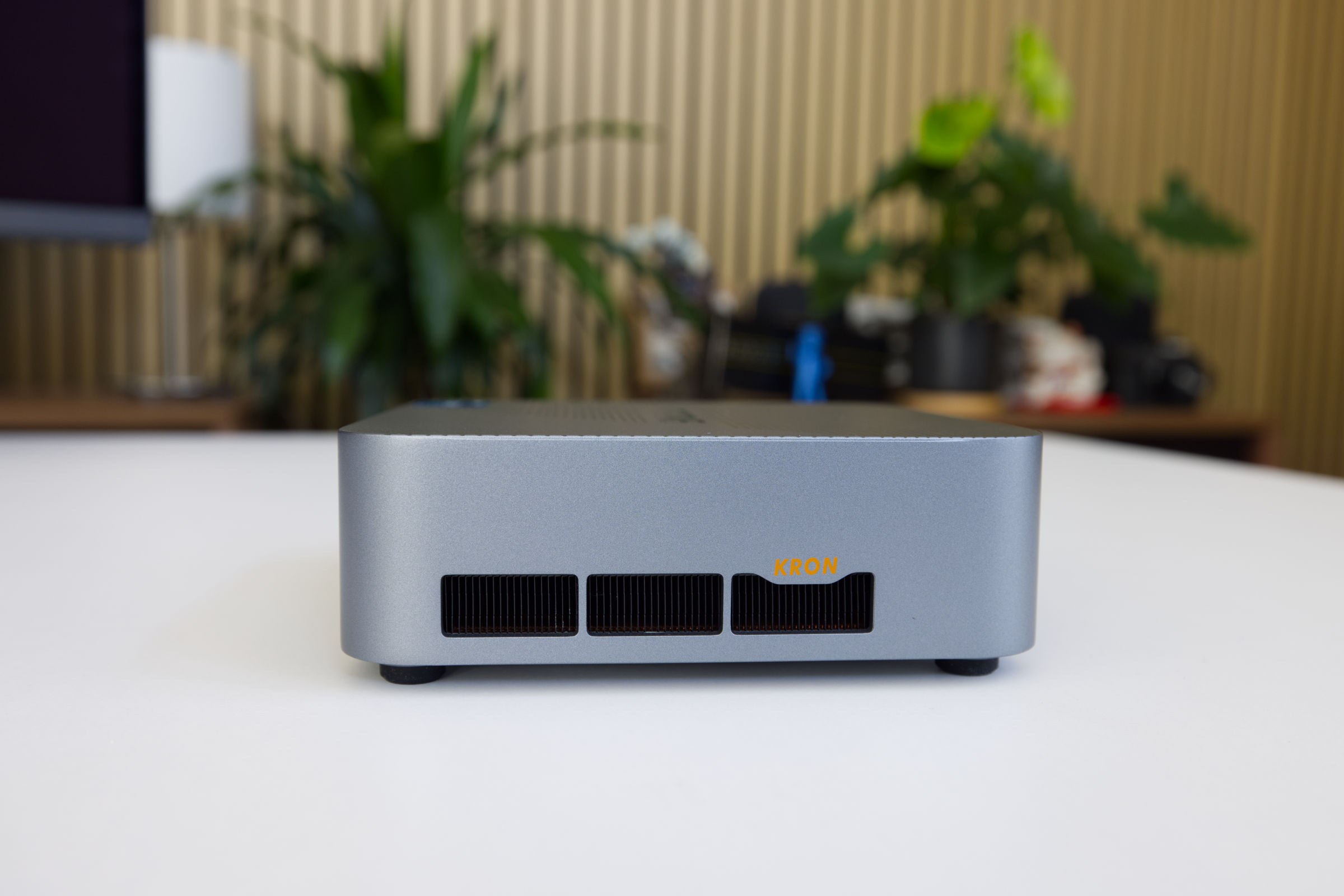
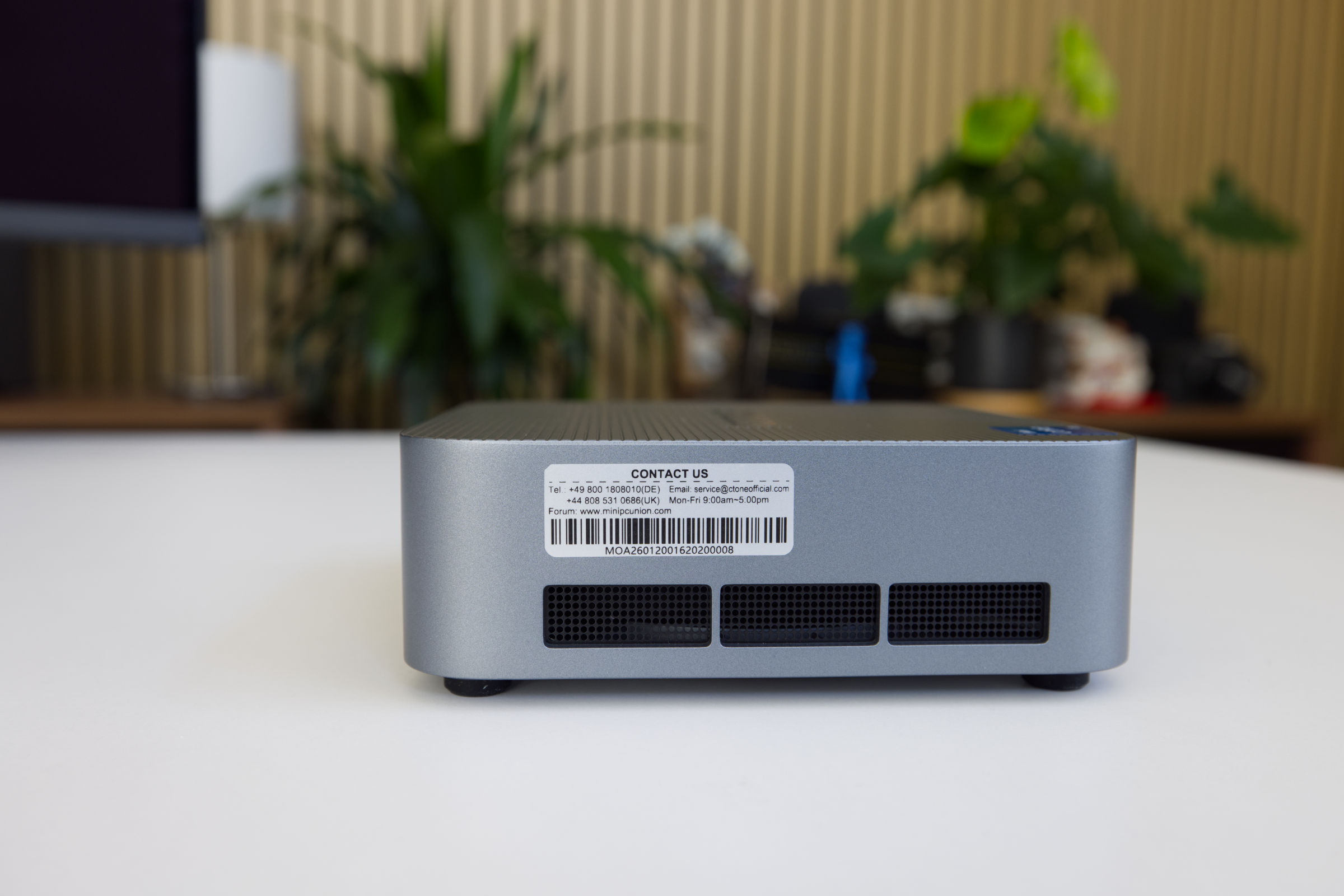
There are three large openings on each side, though not all of them are used for active cooling. On one side is the warranty sticker with information about the mini PC, and on the other side, the word "Kron" is printed in a bright shade of yellow.
 CTONE Kron Mini K2 Side view (Image © PCMasters.de)
The case is quite boxy, making it easy to place on a desk or mount behind a monitor using a VESA mount if you want to hide the cables. The mounting brackets for this are included in the package.
 CTONE Kron Mini K2 Mini-PC (Image © PCMasters.de)
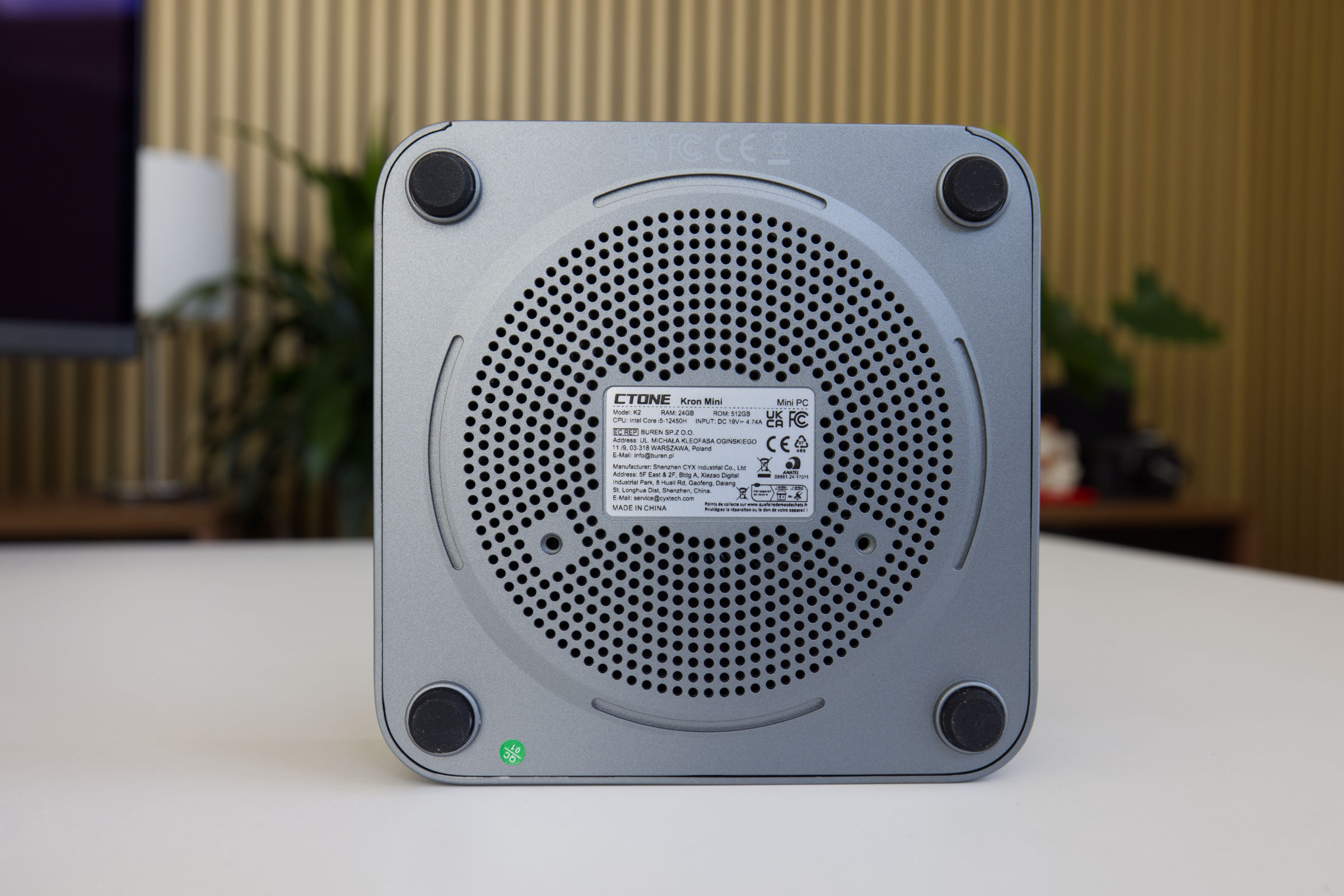
On both sides, there are several large openings at the top designed for airflow. The radial fan draws air in from the top and then pushes it out toward the sides. At the bottom, there’s also a circular pattern of holes that extends inward, but it likely contributes very little to cooling the SSD and RAM. It does, however, add some visual interest to the design on the sides.
 CTONE Kron Mini K2 bottom view (Image © PCMasters.de)
The bottom, on the other hand, looks very interesting, as it features a large, circular pattern of holes. Rubber feet are located in the four corners, beneath which the screws required to open the case are hidden. You can carefully peel them off to easily access the screws. If you want to access the M.2 SSD slots, there’s no way around this.
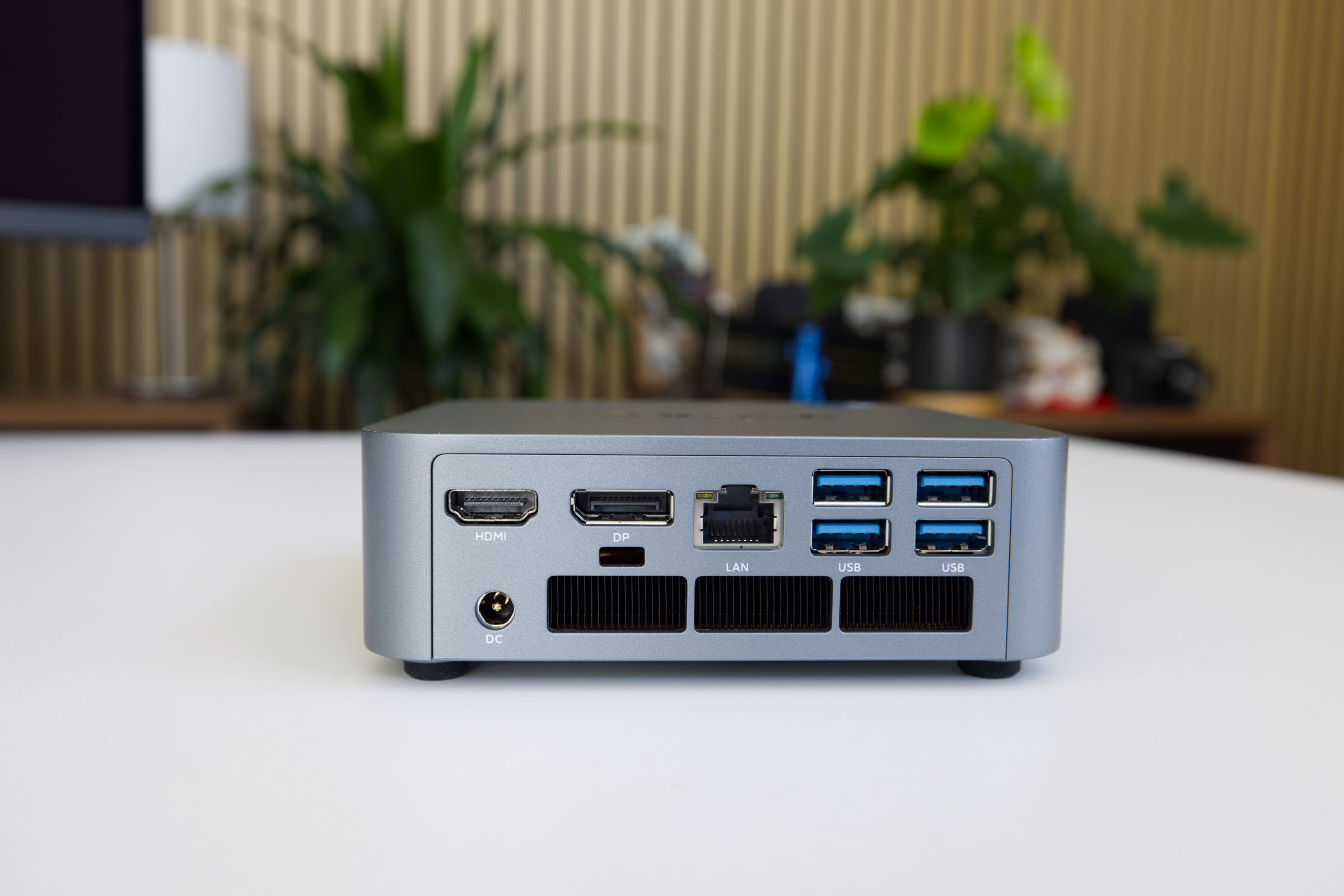 CTONE Kron Mini K2 Ports on back (Image © PCMasters.de)
Ports on the CTONE Kron Mini K2
The mini-PC offers a fairly standard port configuration. For connecting displays, there is a DisplayPort 1.4b and an HDMI 2.0 port on the back. Regarding resolution, the Amazon listing states that the ports support 3840x2160px and 4K@60Hz, respectively. In addition, the USB-C port (which supports DisplayPort Alt Mode) on the front can also be used for video output. The 1 Gbit Ethernet port is covered by a sticker designed to prevent users from creating a Microsoft online account during initial setup. You can safely remove this sticker.
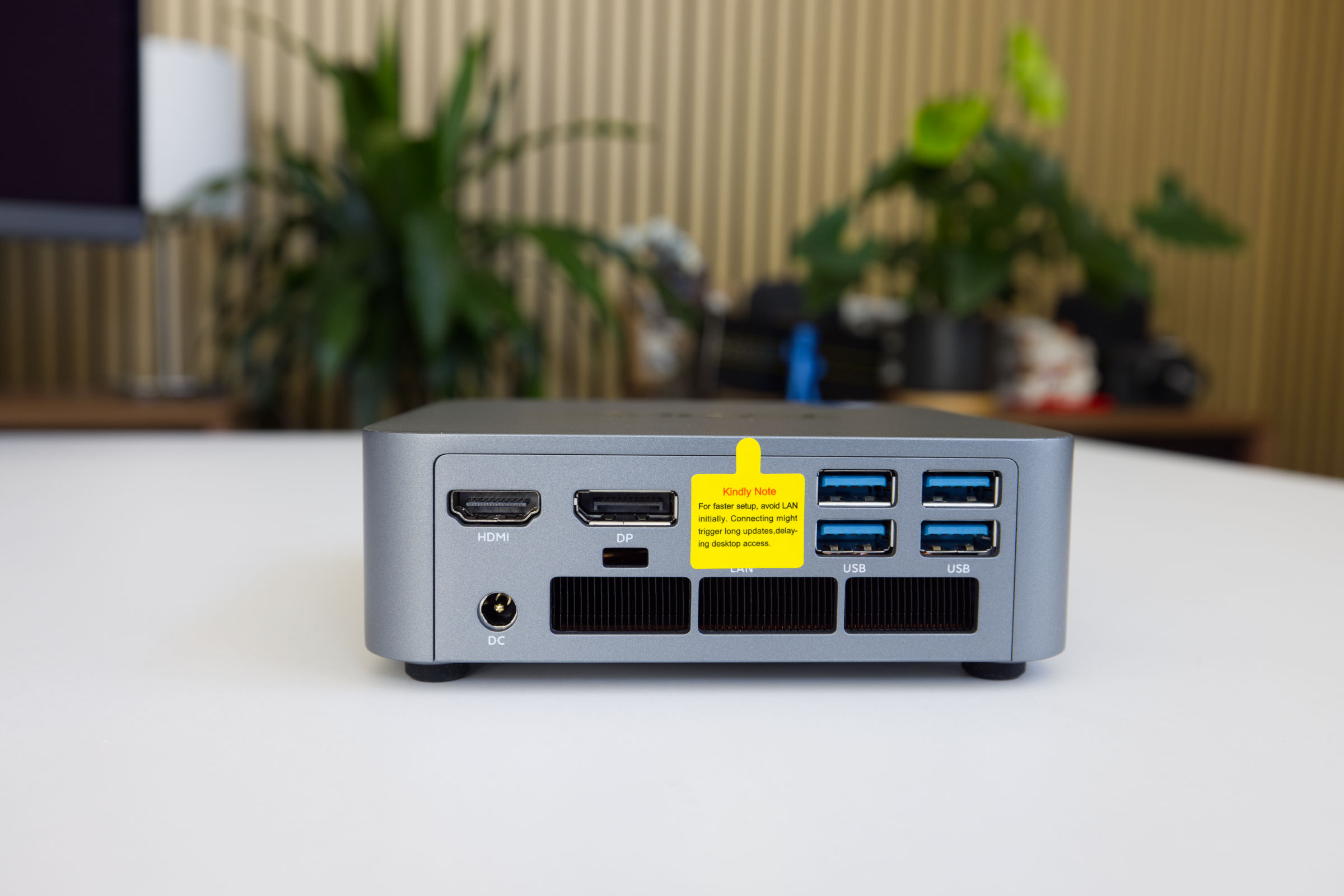 CTONE Kron Mini K2 back with connectors (Image © PCMasters.de)
The four USB ports on the back and two USB Type-A ports on the front support the USB 3.2 Gen1 (5 Gbit/s) standard. On the front, there’s also a 3.5-mm headphone jack.
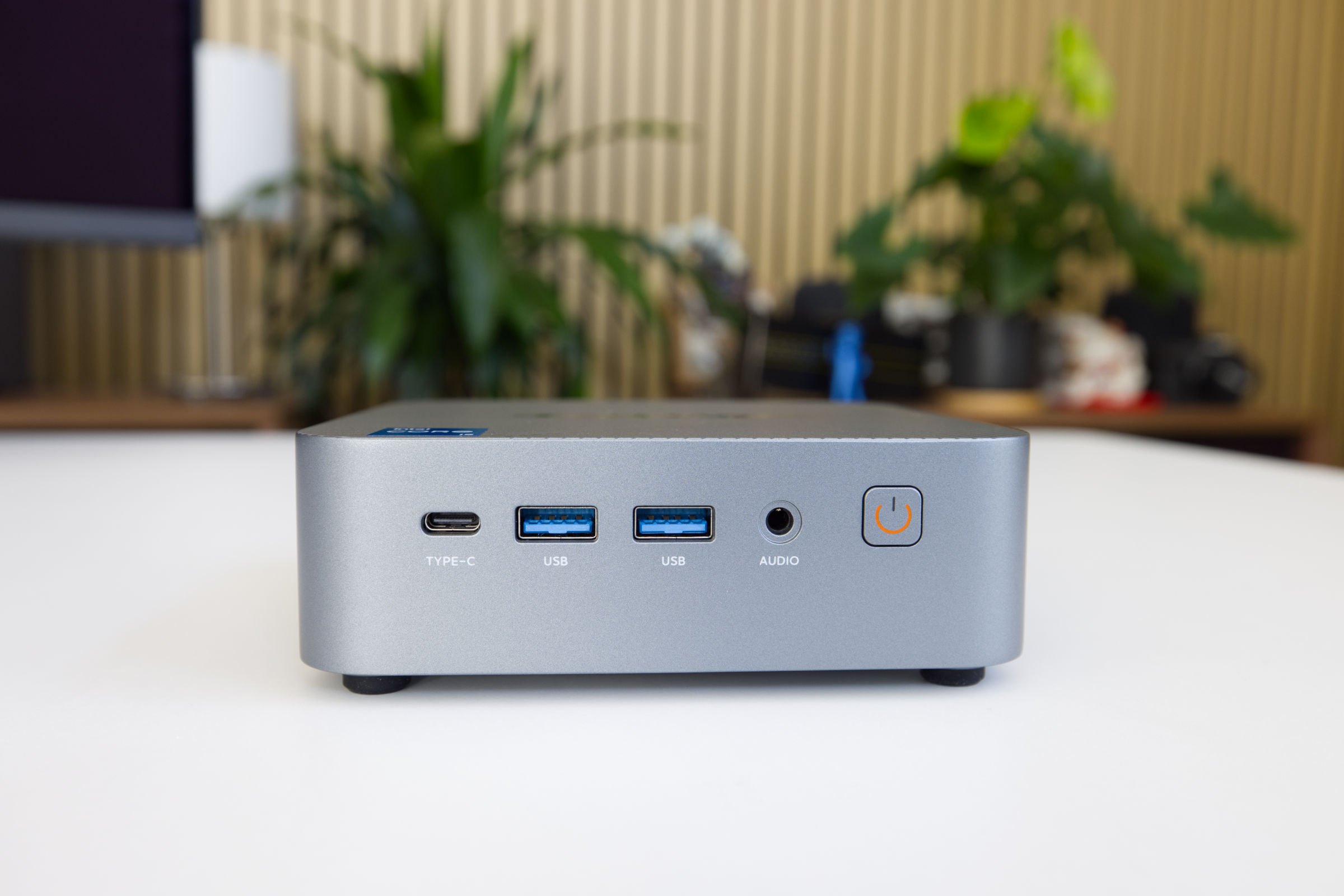 CTONE Kron Mini K2 Front (Image © PCMasters.de)
The four USB ports on the back and two USB Type-A ports on the front support the USB 3.2 Gen1 (5 Gbit/s) standard. On the front, there is also a 3.5-mm headphone jack. The front USB-C port also allows devices with up to 10 Gbit bandwidth to be powered; this could be a network interface (NIC) or an SSD. The USB Type-C port also supports Power Delivery at 15 watts.
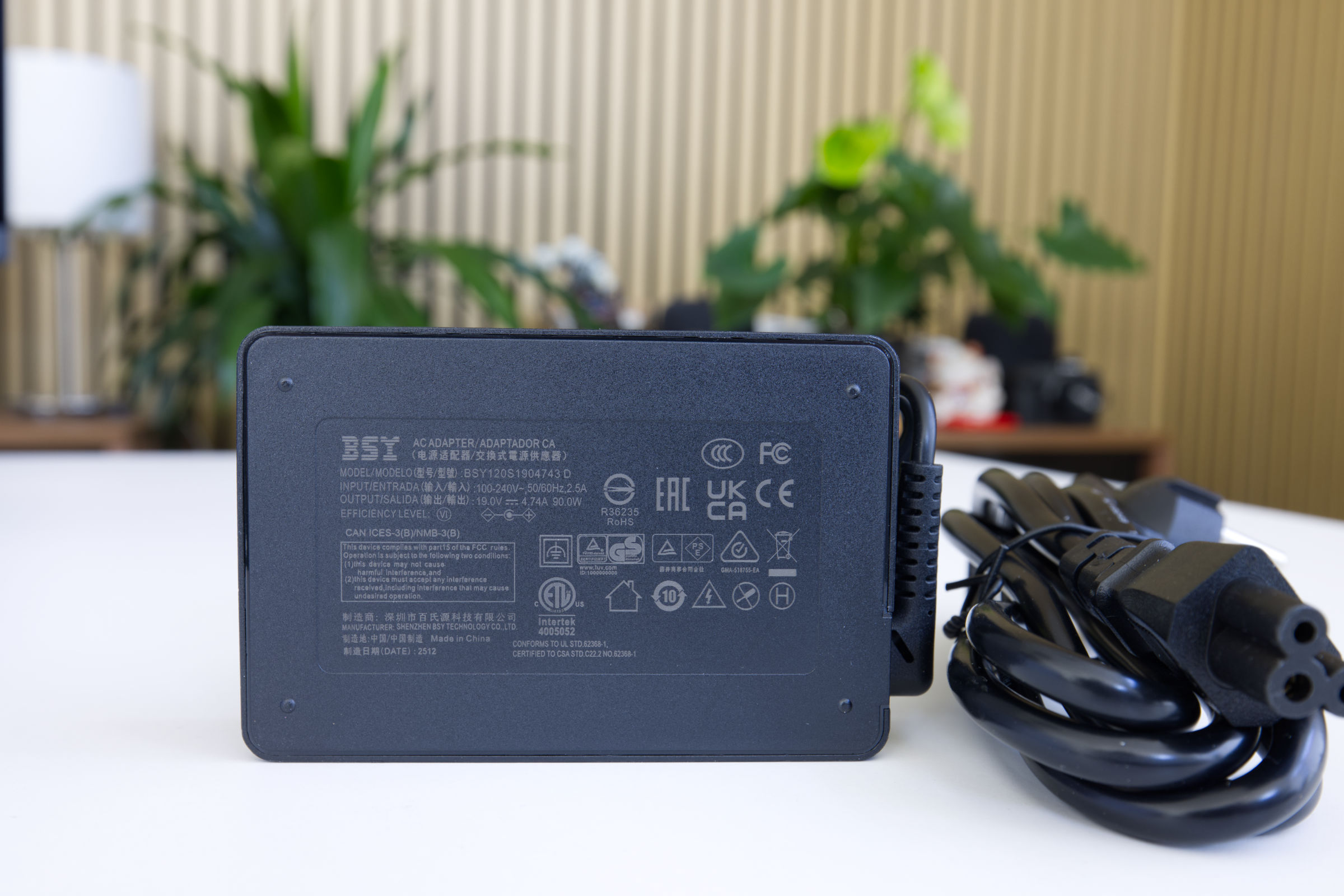 CTONE Kron Mini K2 Power adapter (Image © PCMasters.de)
Power is supplied via a small, external power supply unit. It uses a 2-pin round connector to supply the mini-PC with 19 volts at a maximum of 4.74 A. This brings the power supply’s maximum output to an impressive 90 watts. Intel specifies the Kron Mini K2 with a 45-watt TDP under continuous load and a short-term peak P3 power of 95 watts. Power supplies are usually capable of withstanding short peaks, and we didn’t encounter any issues (with the power supply) during testing.
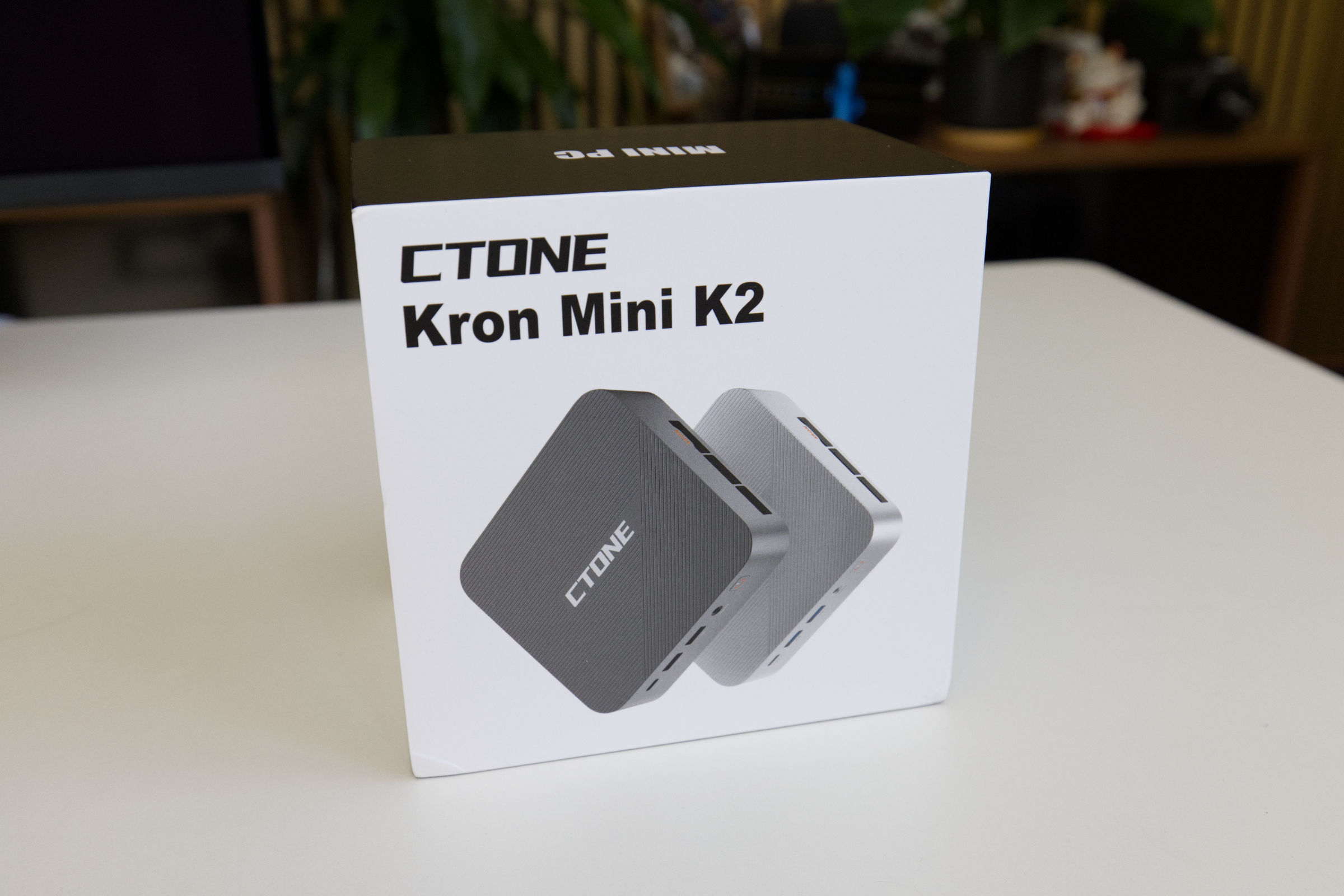 CTONE Kron Mini K2 Package (Image © PCMasters.de)
Packaging and Contents
The CTONE Kron Mini K2 comes in a very simple, white cardboard box. The front features an image of the mini-PC in silver and gray, and the back lists several checked options indicating the mini-PC’s configuration.
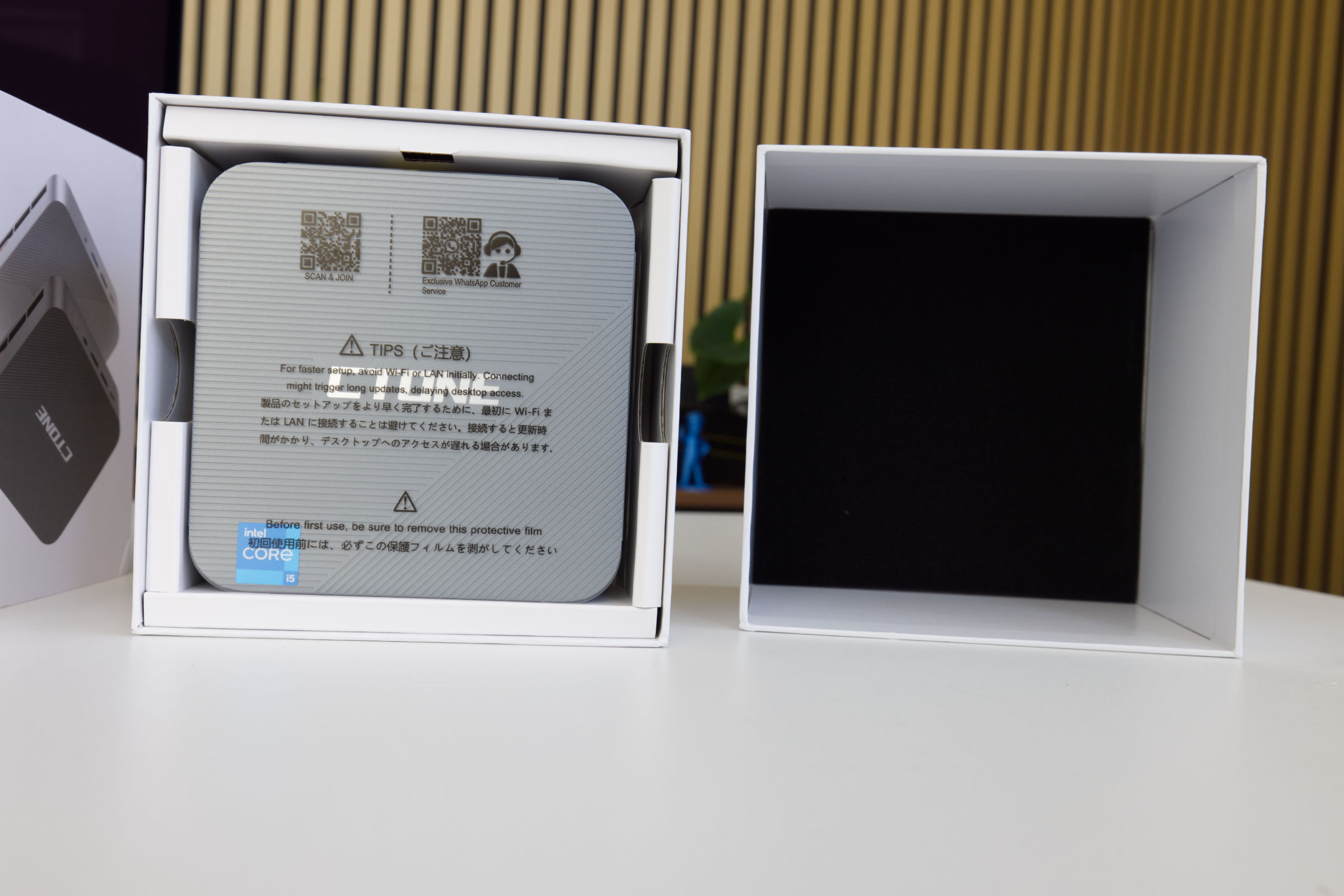 CTONE Kron Mini K2 inner package (Image © PCMasters.de)
The box consists of two parts; you pull the top section upward to open it. Inside, the mini-PC is located at the very top, with the accessories underneath. On both sides, a cardboard structure provides a roughly 5-mm buffer zone for protection during transport.
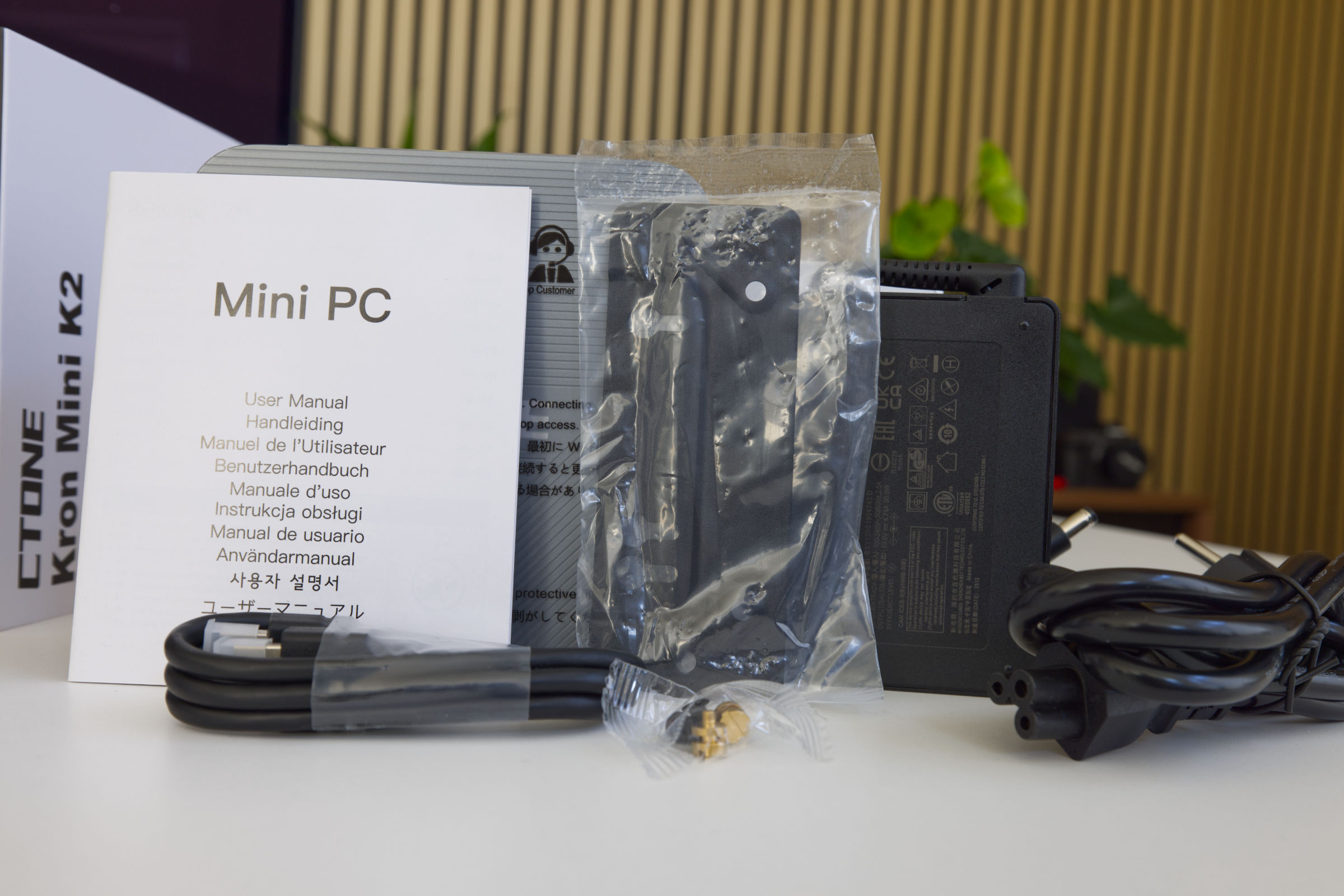 CTONE Kron Mini K2 Scope of Delivery (Image © PCMasters.de)
The package contents are sufficient and include, in addition to the mini PC and power adapter, a VESA mount with screws, a mini manual, and an HDMI cable. It’s a solid package, even if not overly generous.
 CTONE K2 Win11 Login after first Setup (Image © PCMasters.de)
Windows 11 Preinstalled
The CTONE Kron Mini K2 ships with Windows 11 Pro preinstalled, offering a modern operating system. With advanced features tailored to professional environments, users can enjoy seamless multitasking and robust protection against modern threats, as Microsoft’s own antivirus solution is superior to many of the other tools on the market. As long as you apply patches regularly, you’ll be on the safe side.
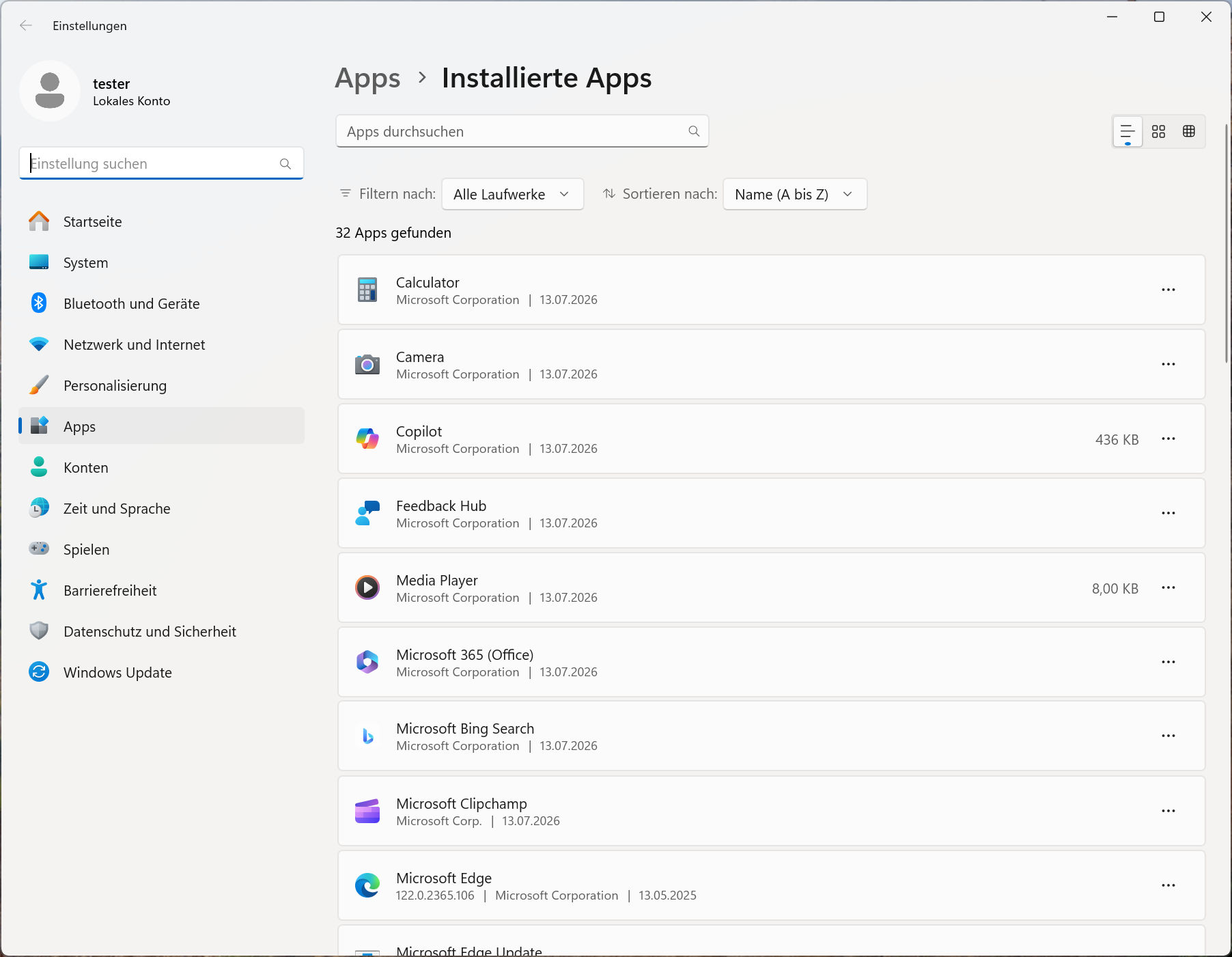 CTONE K2 Win11 Apps Stock (Image © PCMasters.de)
The Pro license is tied to the PC, and while the Windows 11 key can be retrieved, it is stored in the device’s BIOS, which is why no activation was required after the reinstallation. The Windows 11 Pro installation allows for quick setup and doesn’t require an online account, which is otherwise mandatory with Microsoft. No bloatware was pre-installed either. To be on the safe side, however, we formatted the SSD and performed a clean install of Windows 11 on it. If needed, you can also install Linux, which would definitely be a good option here.
CTONE Kron Mini K2 Benchmarks
We use benchmarks to test the mini-PC’s performance in workloads and games.
| CTONE Kron Mini K2 | NiPoGi Pinova P1 | SAPPHIRE EDGE AI 370 | ACEMAGIC AM06 PRO | HUAWEI MateBook 14 | Ryzen 7 3700X | NiPoGi AM06 PRO | ACEMAGIC RX16 | ACEMAGIC V1 | ACEMAGIC AMR 5 | ACEMAGIC TK11 | |
|---|---|---|---|---|---|---|---|---|---|---|---|
| CPU | Intel Core i5 12450H | AMD Ryzen Embedded R2544 | AMD Ryzen AI 9 HX 370 | AMD Ryzen 5 7430U | Intel Core i5-1340P | AMD Ryzen 7 3700X | AMD Ryzen 7 5825U | AMD Ryzen 7 H255 | Intel N97 | AMD Ryzen 5 5600U | Intel Core i5 11320H |
| RAM | 24 GB LPDDR5-5200 (soldered) | 16 GB Yinchu DDR4-2666 (SO-DIMM) | 32 GB Kingston DDR5-5600 32 GB (SO-DIMM) | 16 GB HOGE DDR4-2666 (SO-DIMM) | 16 GB DDR4-2666 (SO-DIMM) | G.SKILL Trident Z DDR4 (F4-3600C14D-32GTZN) | 16 GB SODIMM, DDR4-2666 (SO-DIMM) | 16 GB High-Speed DDR5-4800 (SO-DIMM) | 16 GB Kinsotin DDR4-2666 (SO-DIMM) | 16 GB DDR4-2666 (SO-DIMM) | 16 GB DDR4-2666 (SO-DIMM) |
| SATA/NVMe SSD | KPART512GBC2DVT 512 GB (NVMe, PCIe 3) | Colorfire 512 GB (SATA600) | Kingston OM8TAP41024K1-A00 1 TB (NVMe, PCIe 4) | AirDisk 512 GB (SATA600) | WD SN740 512 GB (NVMe, PCIe 4) | Sabrent Rocket 4 Plus 1 TB (NVMe, PCIe 4) | UDSS UD2CS1HT301-512G 512 GB (SATA) | G932E1M 512 GB (NVMe, PCIe 3) | Rayson RS512GSSD310 512 GB (SATA) | CYX-SSD-S1000 512 GB (SATA)> | 512 GB (SATA) |
| TBP/TDP | 45 W | 28 W | 45 W | 15 W | 25 W | 88 W | 15 W | 45 W | 19 W | 20 W | 32 W |
Below are some additional notes on the test conducted on the EDGE AI 370 Mini-PC:
- SAPPHIRE EDGE AI 370 (Performance): This is not the Windows power management option, but rather the BIOS setting that optimizes the system to prioritize performance over noise levels or power efficiency.
-
- *SAPPHIRE EDGE AI 370 (Balance)**: This is the mini-PC’s default setting, and it represents the performance you get when you unbox the PC and use it as it is preset.
Note on the comparison system
When testing the AMD Ryzen 7 3700X, we used the standard desktop system.
-
Motherboard: ASUS ROG Strix X570-I Gaming
- Graphics Card: GeForce RTX 3090 Founders Edition
-
SSD: Samsung SSD 840 PRO 256 GB, Samsung 850 EVO 500 GB
- M.2 SSD: Sabrent Rocket 4 Plus 1 TB
- RAM: G.SKILL Trident Z DDR4 F4-3600C14D-32GTZN at DDR4-3600
- CPU cooler: MSI MEG CORELIQUID S360
- Power supply: Corsair RM-750X - 750 W
- Fans: 0
- Case: Open-frame
- Operating System: Windows 11 21H2
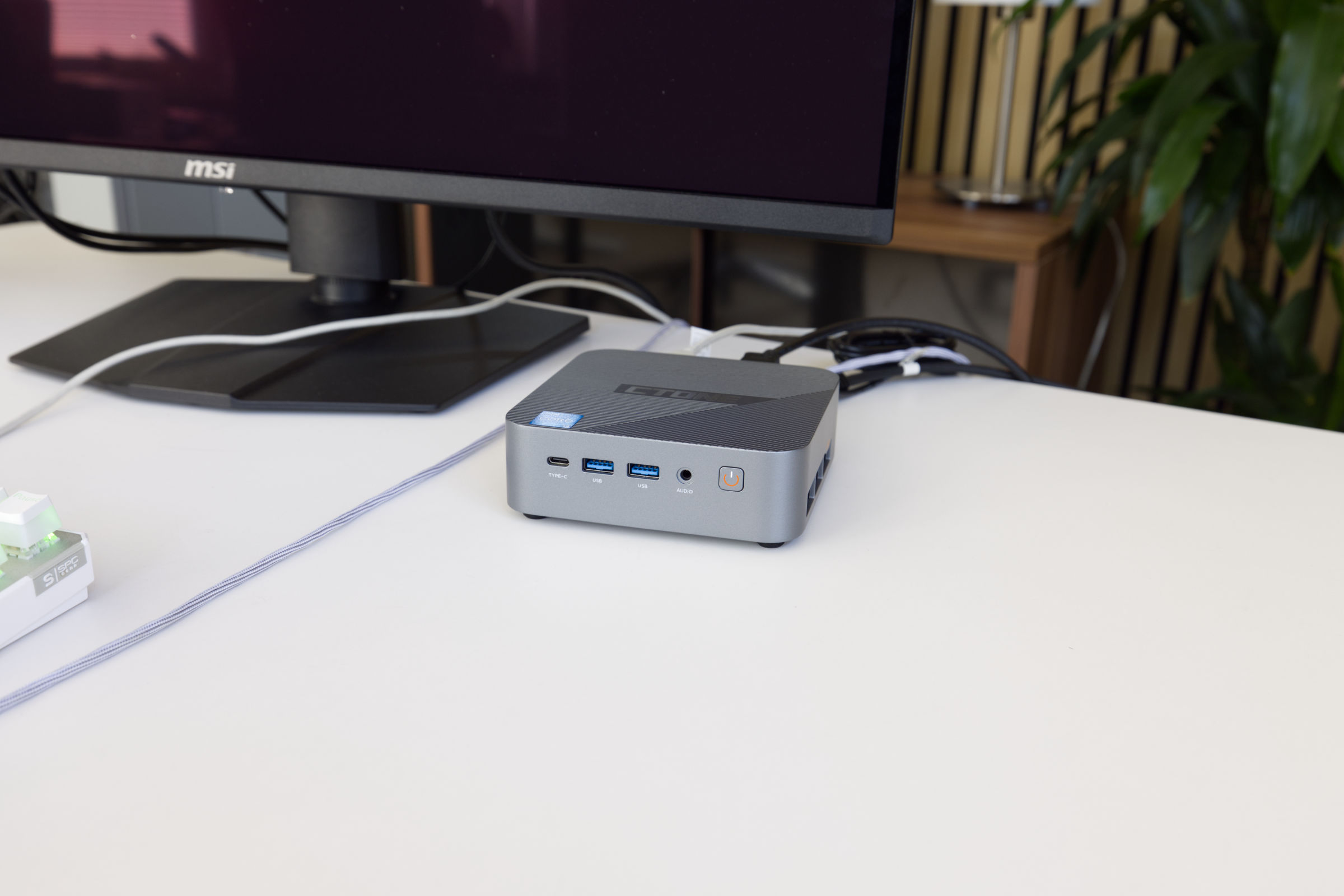 CTONE Kron Mini K2 System (Image © PCMasters.de)
CTONE Kron Mini K2 Benchmark (Synthetic)
Synthetic benchmarks allow for relatively good comparisons between different CPU architectures. Depending on the benchmark, the focus is on specific workloads, and this is where the respective CPU can demonstrate its performance.
Cinebench R15
Cinebench R20
7-Zip
Corona 1.3
HandBrake
WinRAR
Geekbench 5 CPU Benchmark
POV-Ray v3.7
3DMark CPU Benchmark
3DMark Time Spy
PCMark 10
With PCMark, it’s important to note that the graphics card plays a significant role, and the Ryzen 7 3700X was tested with the RTX 3090 FE. Therefore, the comparison isn’t directly applicable. Later on, we’ll compare additional mini PCs that will provide a better comparison, since those tests evaluate the entire system.
Unigine Superposition (720p, Low)
CTONE Kron Mini K2 Game Benchmarks
Games could only be tested to a limited extent. The games we usually use require a more powerful graphics card that can handle ray tracing if necessary. After all, the goal is simply to determine to what extent the CPU limits gameplay. However, this system uses an iGPU, which is limited in performance.
Final Fantasy XV Benchmark
Resident Evil VILLAGE
Shadow of the Tomb Raider
CTONE Kron Mini K2 Cooling
For the Kron Mini K2, the manufacturer has opted for a fairly specialized, flat copper cooler. The upper section is painted black, and the transition between the fan and the fins is covered with fabric tape to better direct airflow and prevent any deviations. The screws are located under the fabric tape, and you must first remove it to detach the fan.
Both the heatsink and the fan could have come straight from a laptop, as the design here is based on two extruded copper heat pipes. The base is also made of copper and sits securely in place. The LPDDR5 RAM is not covered by this heatsink. The 5-phase power supply next to the CPU is covered by thermal pads. In any case, no corners were cut on the heatsink.
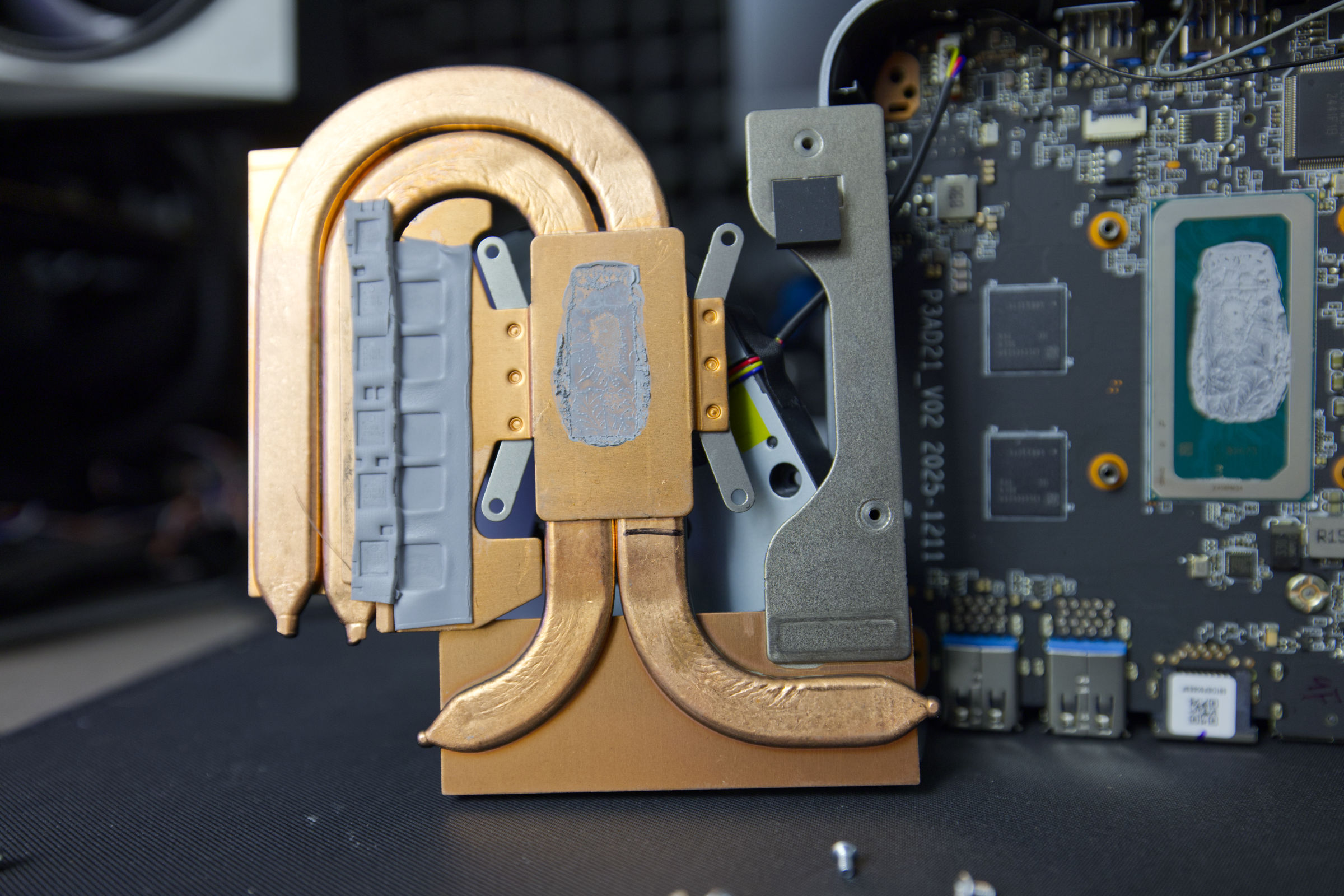 CTONE Kron Mini K2 Heatsinks and thermal grease (Image © PCMasters.de)
The cooling performance is adequate and matches the CPU’s 45-watt design.
The measured values are delta values, with room temperature factored out.
Volume and Background Noise
Under constant full load, the Kron Mini K2 is on the quieter side. When measured from a distance of 20 cm, the PC was slightly audible but tolerable.
The fan noise sounds like that of a laptop fan and, at approximately 45 dB(A) when the CPU is running at full load. During normal operation, the fan briefly revs up every now and then and then slows down again. It’s not too distracting, but we find the full-load noise level a bit high.
Power Consumption and Power Draw
With its 45-W TDP CPU configuration, the CTONE Kron Mini K2 falls in the middle of the pack, as it’s designed to deliver performance. Here, the Alder Lake generation comes up short, since AMD is more efficient and powerful in this regard. Intel has clearly focused more on performance than on energy efficiency.
When measuring the power consumption of the entire mini-PC, it comes in at approximately 77 watts under full load. This puts it very close to the Ryzen 9 6900H, which, however, has the edge—especially in multi-threaded and gaming performance—while consuming the same amount of power.
Performance in Gaming, Multi- and Single-Thread Applications (Rating)
When looking at performance in single-threaded applications, the Kron Mini K2 falls pretty much in the middle of the comparison results. The performance of a single thread lags slightly behind that of AMD’s Ryzen 7 H255.
Multi-threaded performance is more important in everyday use, because all operating systems use many processes and benefit from multitasking. As expected, the Kron Mini K2 also ranks in the middle of the charts here. It outperforms the Core i5-1340P in the Huawei MateBook and, surprisingly, the Intel Core i5-14450HX in the NiPoGi Hyper H2.
Even though the Kron Mini K2 also ranks in the middle for gaming, its gaming performance is of limited use. You can certainly play the occasional game, but you shouldn’t have too high expectations for the integrated UHD Graphics.
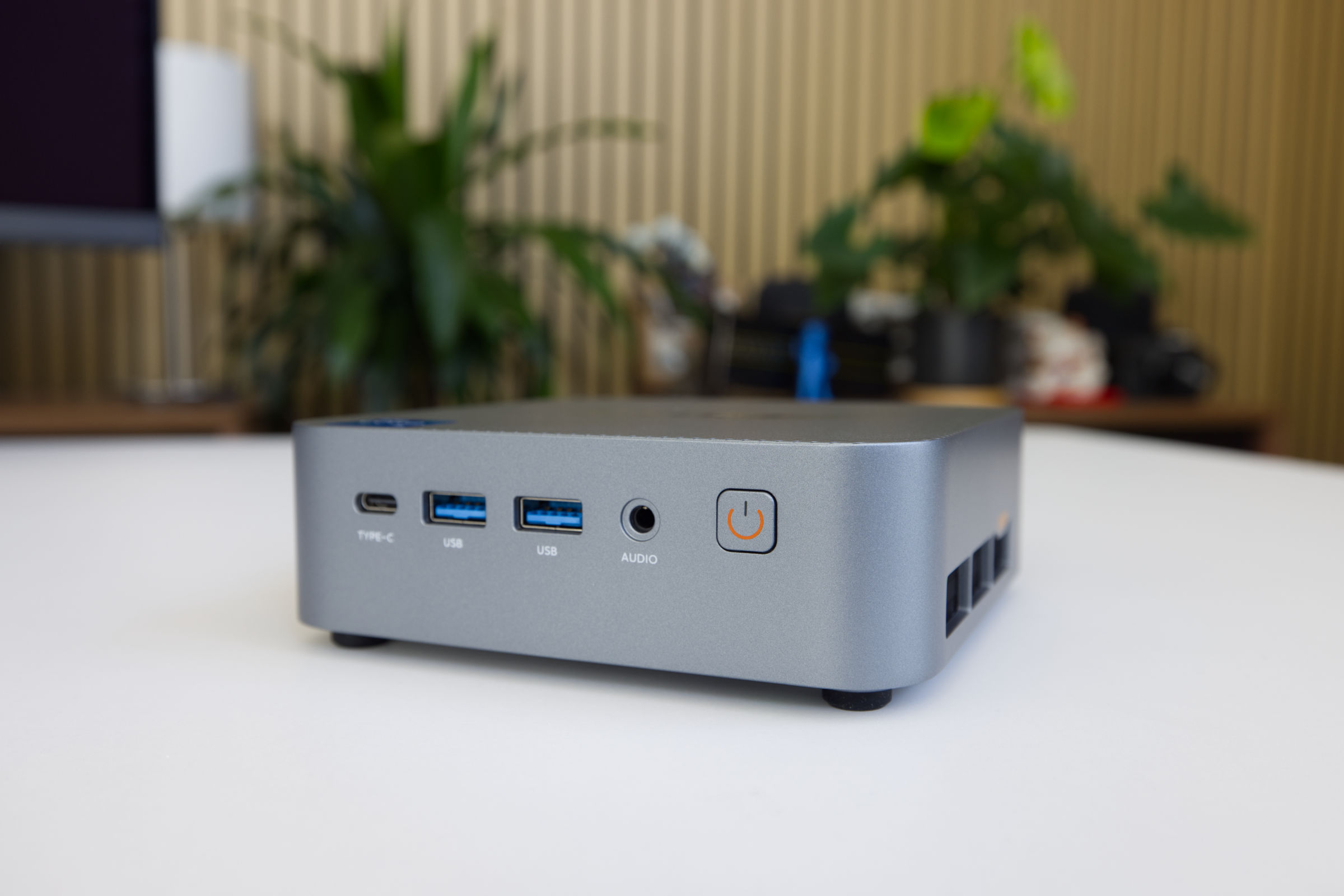 CTONE Kron Mini K2 Conclusion (Image © PCMasters.de)
Conclusion on the CTONE Kron Mini K2

The still relatively unknown manufacturer CTONE has hit the mark with the Kron Mini K2, as comparable mini PCs equipped with a Core i5, at least 24 GB of LPDDR5/DDR5 RAM, and a 512-GB SSD start at €959 on Geizhals. The Kron Mini K2 with this configuration is currently priced at just 469 € on Amazon (Affiliate). It comes with Windows 11 Pro pre-installed, including a license, all in a compact case that also boasts a stylish design.
This Alder Lake generation of Intel mobile CPUs is designed for more energy-efficient operation at 45 watts, yet still delivers solid performance for workloads and applications. Even though the Kron Mini K2 ranks in the middle of the pack for gaming, its integrated graphics card is suitable for gaming to a limited extent. The built-in 512-GB SSD is from an unknown Chinese manufacturer and features a PCIe Gen 3 interface, but there’s still room inside for another M.2 SSD, which also supports PCI Express 4.0. For wireless standards, it features Wi-Fi 6 and Bluetooth 5. On the front, there’s also a speedy 10 GB/s USB Type-C port with 15 W PD support.
Before buying, however, keep in mind that while the fast LPDDR5 RAM is from Samsung, it isn’t expandable. Under full load, this powerhouse becomes quite audible at 45 dB(A). If you can live with these limitations, you’ll likely enjoy the Kron Mini K2.
Pros
- Acceptable single- and multi-threaded performance
- Integrated Wi-Fi 5 combo module
- 24 GB LPDDR5 (from Samsung)
- Modern design
- 512 GB NVMe SSD installed (Chinese manufacturer)
- Two M.2 SSD slots, one already occupied
- NVMe slot accessible for upgrades
- Windows 11 Pro installed and licensed
- Good price for this configuration
- Linux-compatible
Cons
- RAM is soldered in place
- Gaming performance is borderline
- Quite loud under full load