Computer Forum
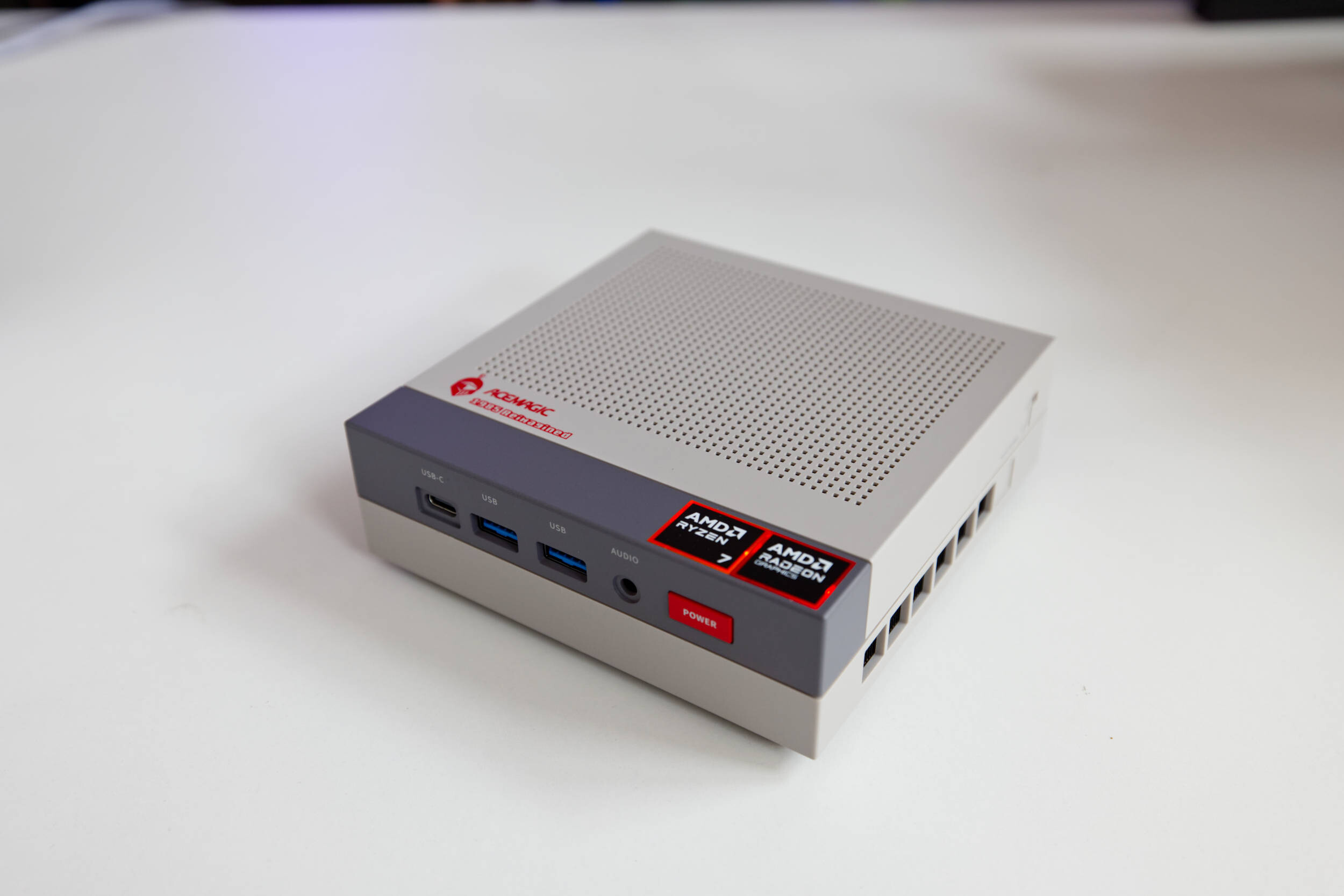 Acemagic Retro X3 Test Review (Image © PCMasters.de)
AceMagic Retro X3 in Detail
This mini-PC with its eye-catching retro look is available on Amazon and in the manufacturer’s own online store. In its store, AceMagic lists significantly more options, including a model with the AMD Ryzen AI 9 HX 370, which, however, was sold out at the time of testing. In our review, we’re looking at the model with the AMD Ryzen 7 H 255 CPU. On Amazon, this is only available in the configuration with 16 GB of LPDDR5 and a 1 TB SSD, while the manufacturer offers it with the same amount of RAM but a 512 GB SSD. What’s interesting here is that the store sells the smaller model for €499, while on Amazon, the larger 1 TB model is available for €559.90 (Affiliate) with a discount, or for €529 using the discount code L5WKRN5S.
This makes the Amazon version the better deal, and it offers greater peace of mind thanks to Amazon’s warranty and services.
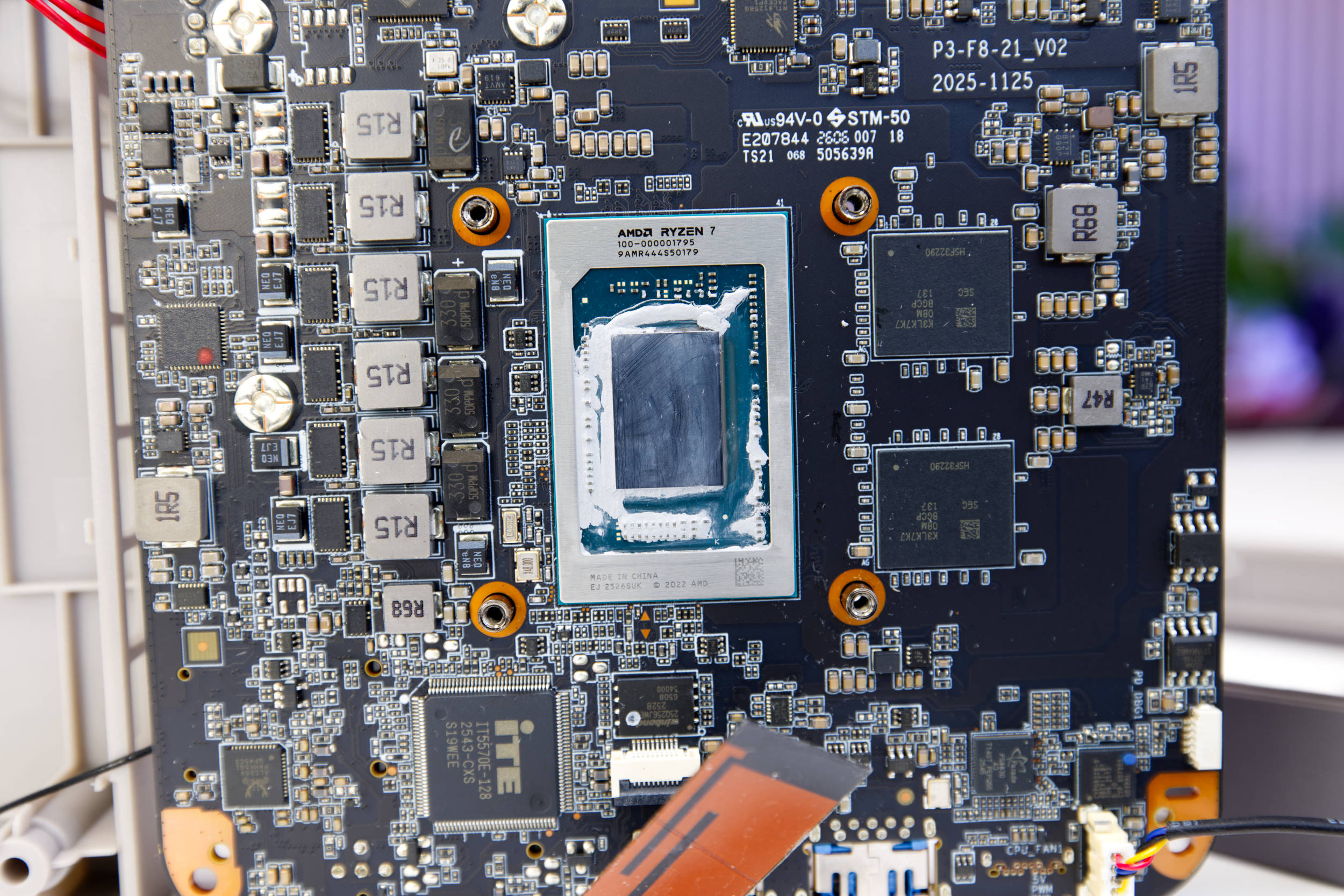 Acemagic Retro X3 100 000001795 Ryzen 7 255 H255 (Image © PCMasters.de)
Ryzen 7 H255 "Hawk Point"
The Ryzen 7 255, also known as the H 255, delivers solid performance. Acemagic also uses this APU in its powerful ACEMAGIC RX16 laptop (review), and this configuration is rock-solid. The Ryzen 7 H255 is primarily intended for the Chinese market. This "Hawk Point " chip is an upgraded version of the Ryzen 7 8745H. Unfortunately, there’s still a lot of confusion surrounding AMD’s new naming scheme, so models have been shuffled from one series to another without any significant differences.
When comparing the Ryzen 7 H255 to the Ryzen 7 250, there’s only a 50 MHz difference in boost clock, though this is generally variable. There is no dedicated NPU for AI acceleration, which is why the Ryzen 200 series doesn’t include "AI" in its name. To date, there are hardly any applications for the NPU, so the savings in silicon are definitely a positive. Strictly speaking, the CPU can accelerate smaller AI models via the integrated graphics card, especially when using shared memory.
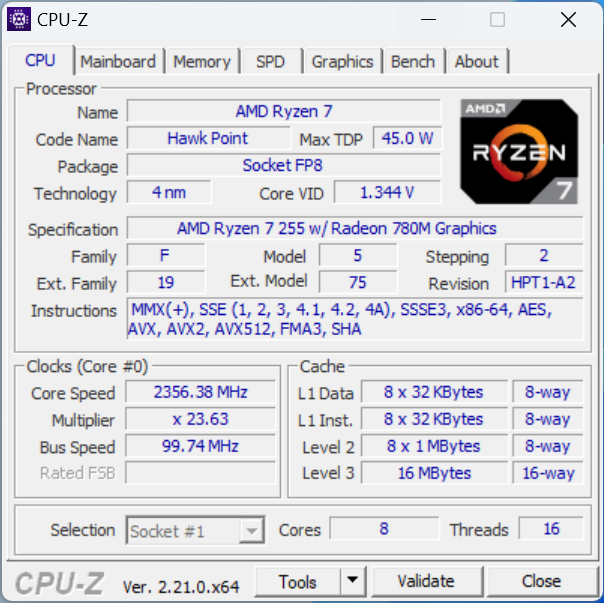 ACEMAGIC Retro X3 PC CPUz CPU (Image © PCMasters.de)
Specifically, the Ryzen 7 H255 from the Hawk Point-H series features eight Zen 4 cores and, thanks to SMT, can process 16 threads in parallel. The clock speed ranges from 3.8 to 4.9 GHz. In our tests, we measured a maximum clock speed of 4,916 MHz on individual cores and 4, 441 MHz. The CPU is specified with a 45-watt TDP and did not exceed this value under load. This CPU features a total of 8 MB of 8-way Level 2 cache and an additional 16 MB of 16-way Level 3 cache. Each core also has a fast 32 KB of L1 data cache and 32 KB of L1 instruction cache, both of which are also 8-way. This CPU is manufactured by TSMC using a 4-nm process.
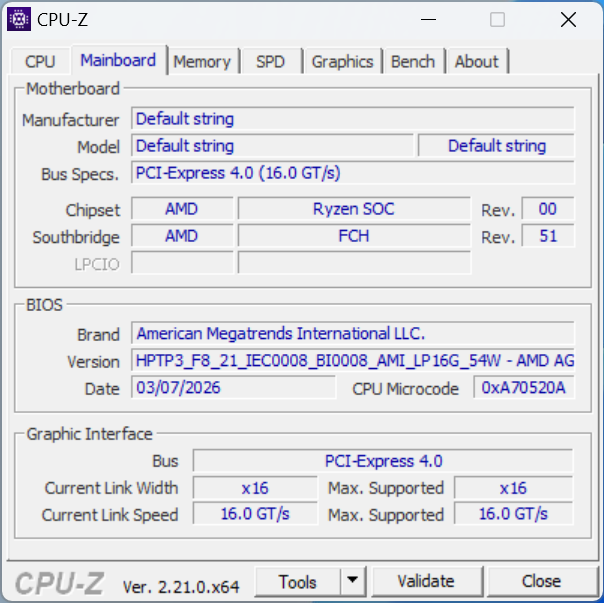 ACEMAGIC Retro X3 PC CPUz Mainboard (Image © PCMasters.de)
The standard BIOS is from AMI and offers little room for customization. While it includes the usual security, CPU, and TPM settings as well as boot configuration options, overclocking (OC) and advanced settings are missing. You can load a special BIOS via a dedicated USB drive to access all the other AMD features provided by AGESA; however, this is a workaround and will not be discussed further here.
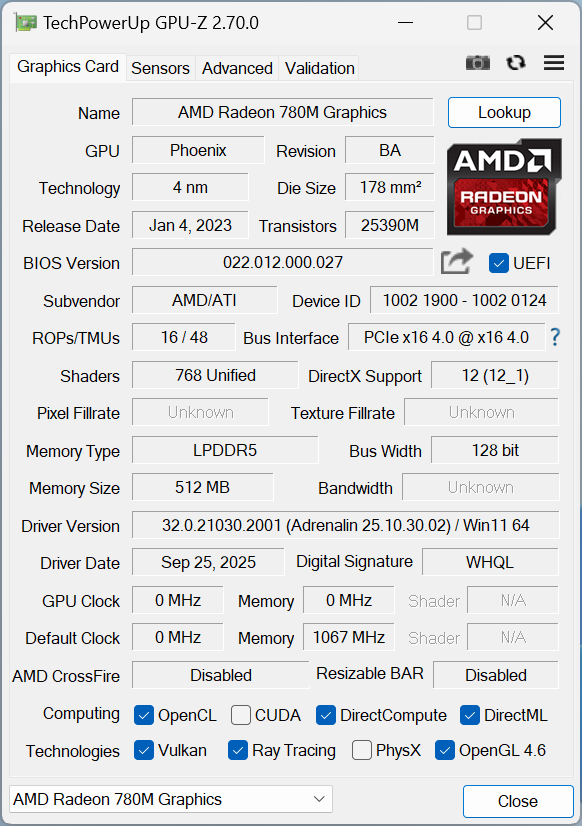 AACEMAGIC Retro X3 GPUz (Image © PCMasters.de)
Radeon 780M iGPU
The graphics accelerator is also from AMD and is an integrated GPU. More specifically, it’s the Radeon 780M, which has no soldered-on graphics memory and makes do with 512 MB of LPDDR5 memory. The GPU features 16 ROPs and 48 TMUs and offers 768 unified shaders. You can certainly play games with it, but you shouldn’t expect too much from it, as 1 GB of VRAM is very limited.
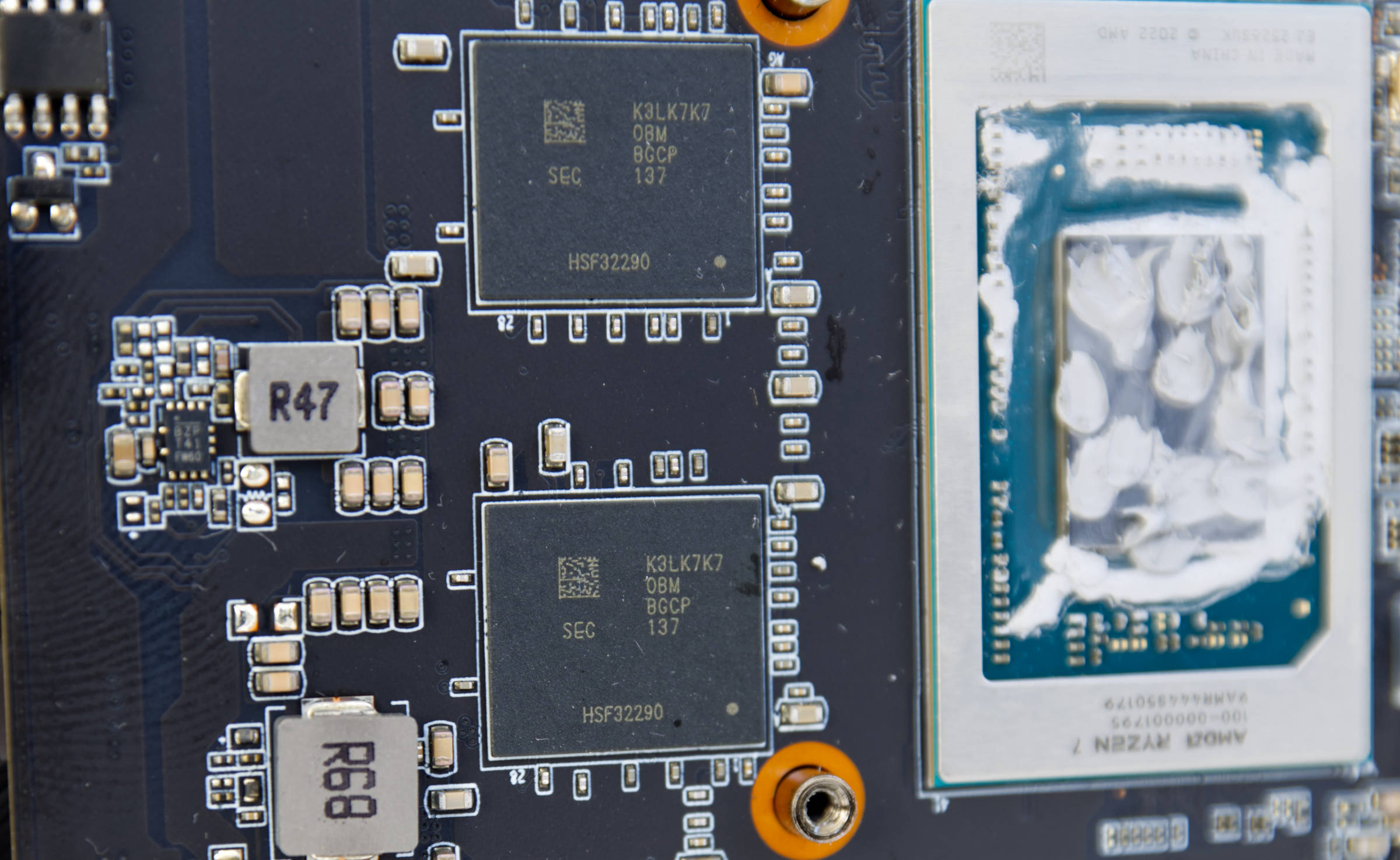 Acemagic Retro X3 SamsungK3LK7K70BM BGCP LPDDR5 (Image © PCMasters.de)
Soldered-on LPDDR5 RAM with 16 GB capacity
The RAM is located right next to the APU. Acemagic has opted to solder the RAM in place. Here we find two BGA chips, each with a capacity of 8 GB. The identifier on the memory chips is K3LK7K70BM BGCP, indicating that these are Samsung chips.
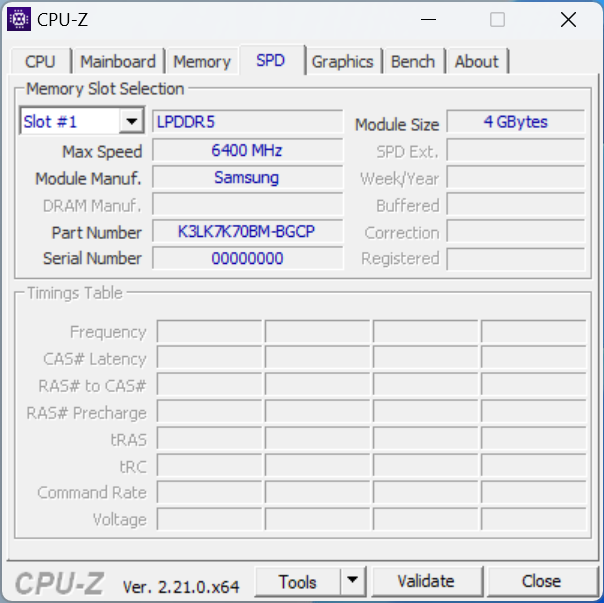 ACEMAGIC Retro X3 CPUz SPD (Image © PCMasters.de)
CPU-Z also detects that the RAM is from Samsung and operates at 6,400 MT/s. Once again, no SPD values can be read because the RAM is soldered in place.
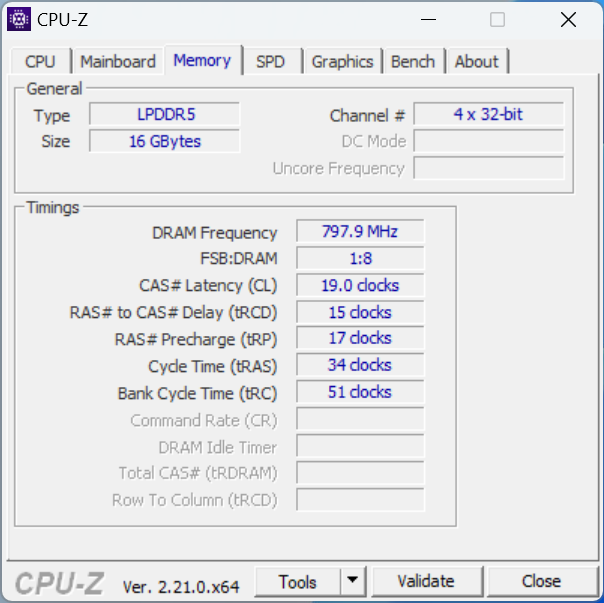 ACEMAGIC Retro X3 CPUz Memory (Image © PCMasters.de)
Under "Memory," however, CPU-Z can determine that the LPDDR5-6400 RAM operates with timings of 19-15-17-34-51.
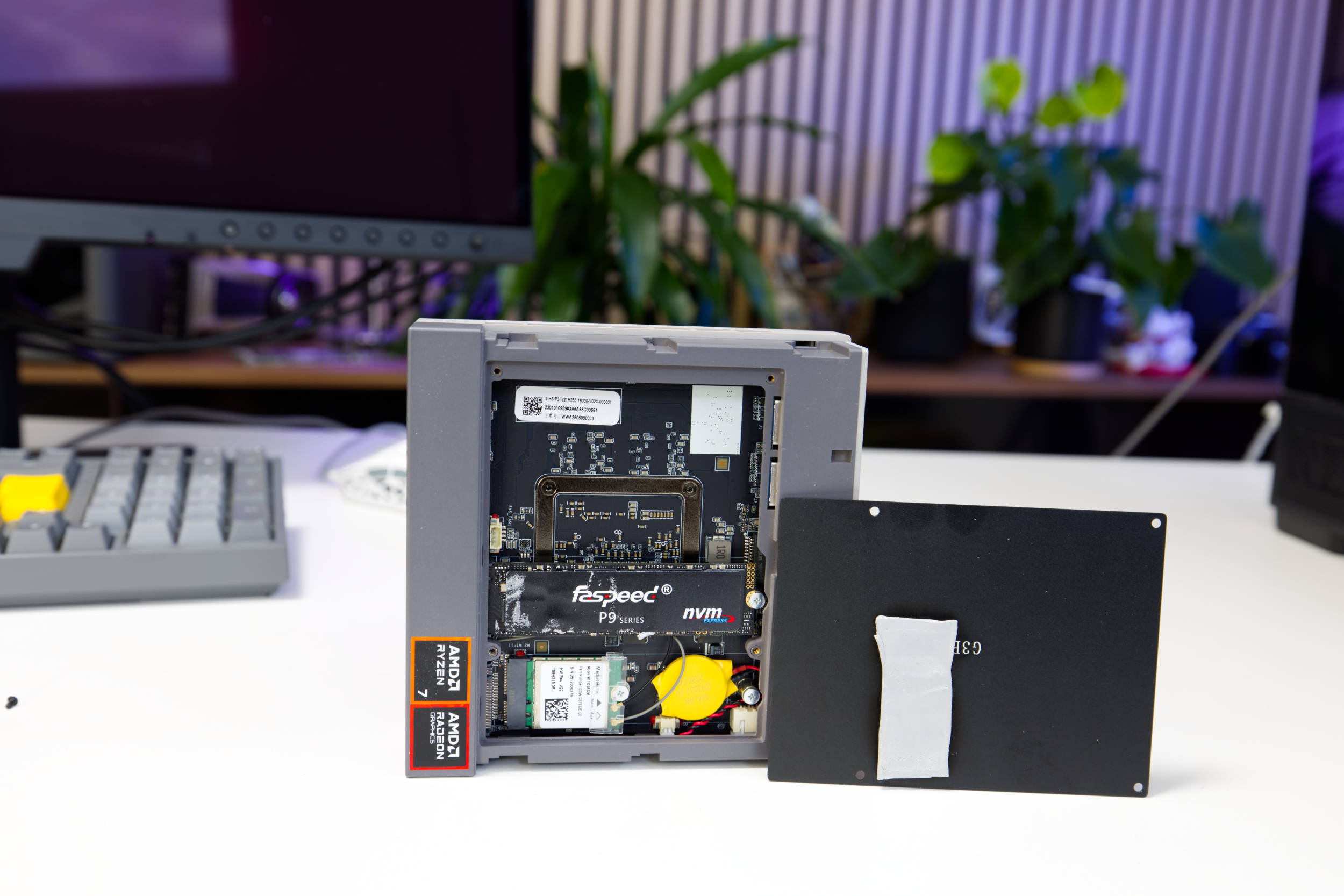 Acemagic Retro X3 Faspeed SSD (Image © PCMasters.de)
1 TB NVMe SSD
Our Retro X3 review unit comes equipped with a 1 TB SSD. The mini-PC features two M.2 2280 NVMe slots, the primary one of which definitely uses PCI Express 4.0 as its interface. This means one SSD is connected to the chipset and the other directly to the CPU. We assume that the occupied slot is the PCIe Gen 4-compliant one, though we haven’t verified this. This allows you to easily add a second M.2 NVMe SSD if needed. The installed SSD is covered by a thermal pad that appears slightly too short. Nevertheless, it makes contact with the metal plate, which aids in cooling. The design is user-friendly, and expandability is well implemented. The plastic cover is secured with two levers. Once released, you can access the metal plate, which is held in place by just a few screws.
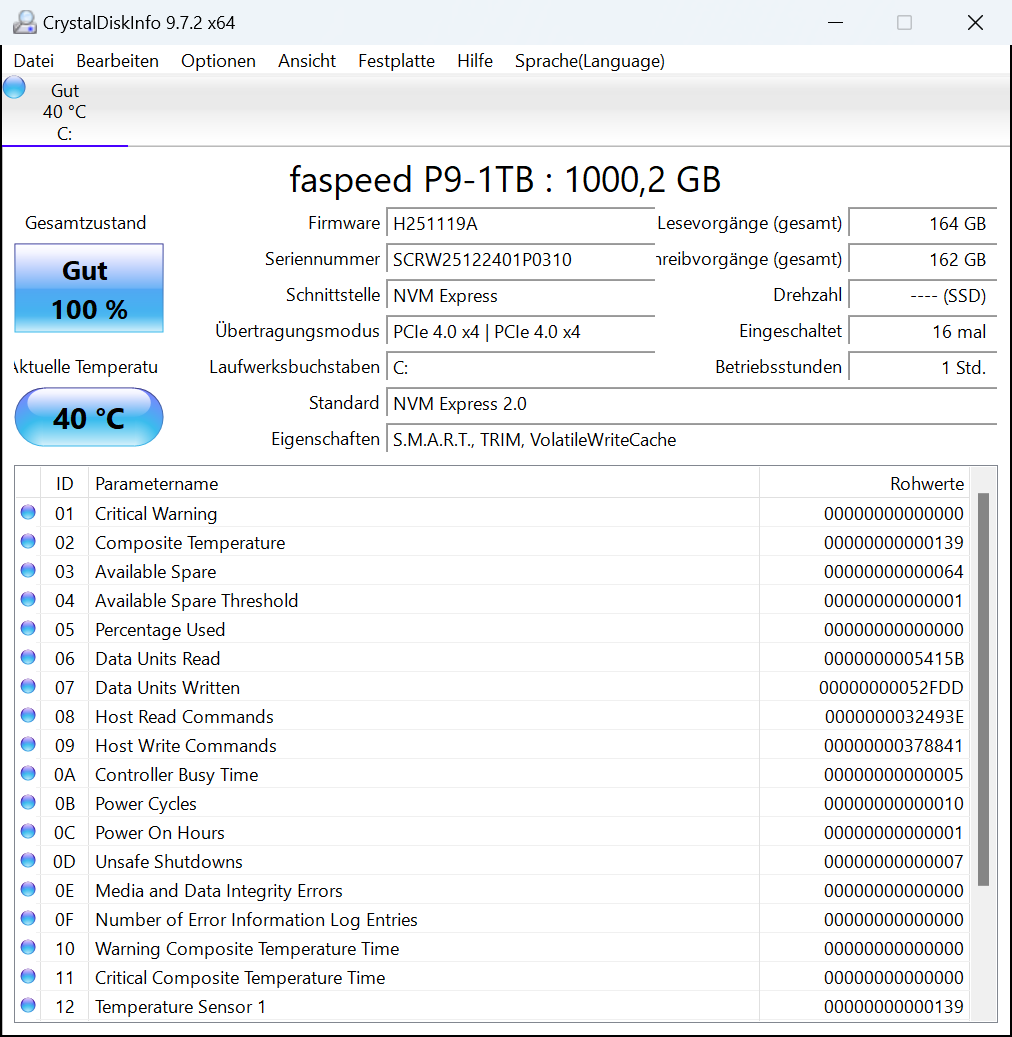 ACEMAGIC Retro X3 PC SSD (Image © PCMasters.de)
The SSD is from faspeed and is part of the P9 series. It supports the NVMe 2.0 protocol and, thanks to the heatsink, doesn’t get too hot even under full load.
The performance metrics compare favorably with other SSDs.
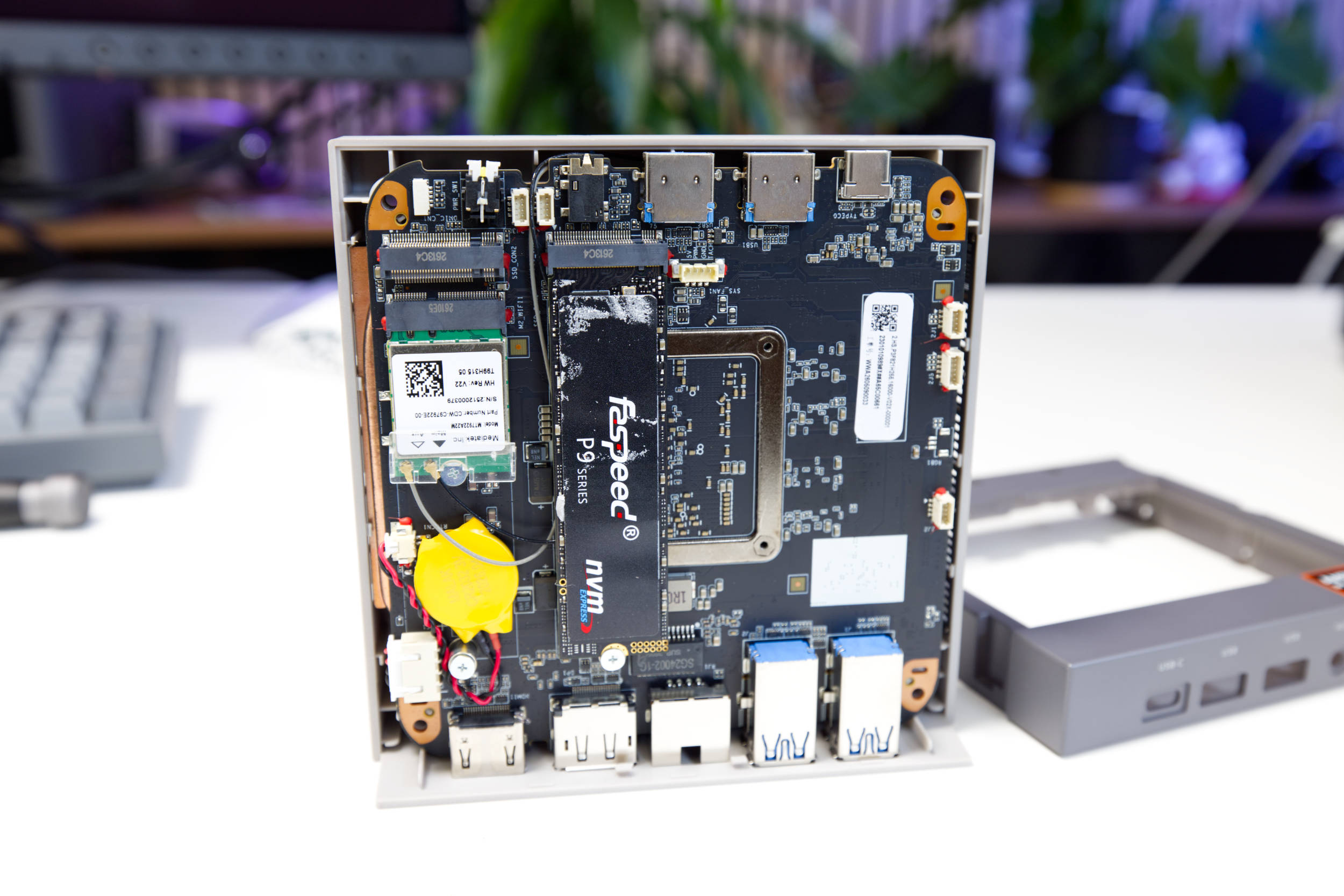 Acemagic Retro X3 PCB (Image © PCMasters.de)
Wi-Fi 6 and Bluetooth 5.2
Beneath the SSD is another small module in the M.2-2230 form factor, which uses a Key A/E interface. This is the Wi-Fi module based on the MediaTek MT7922A22M. Avemagiv typically uses Realtek modules, but this one is different. It bears the part number CDW-C97922E-00, for which no information is available.
The MediaTek MT7922A22M is also used by Tuxedo, among others, and should therefore be Linux-compatible. The module supports 802.11 ac/a/ b/g/n/ax and supports the 2.4 GHz, 5 GHz, and 6 GHz frequency bands. It operates in a 2x2 configuration. The transmission rate is reported to be 300 Mbit/s (2.4 GHz Wi-Fi) and 2.5 Gbps (5 GHz Wi-Fi).
As for the Bluetooth standard, however, we once again get "only" BT 5.2.
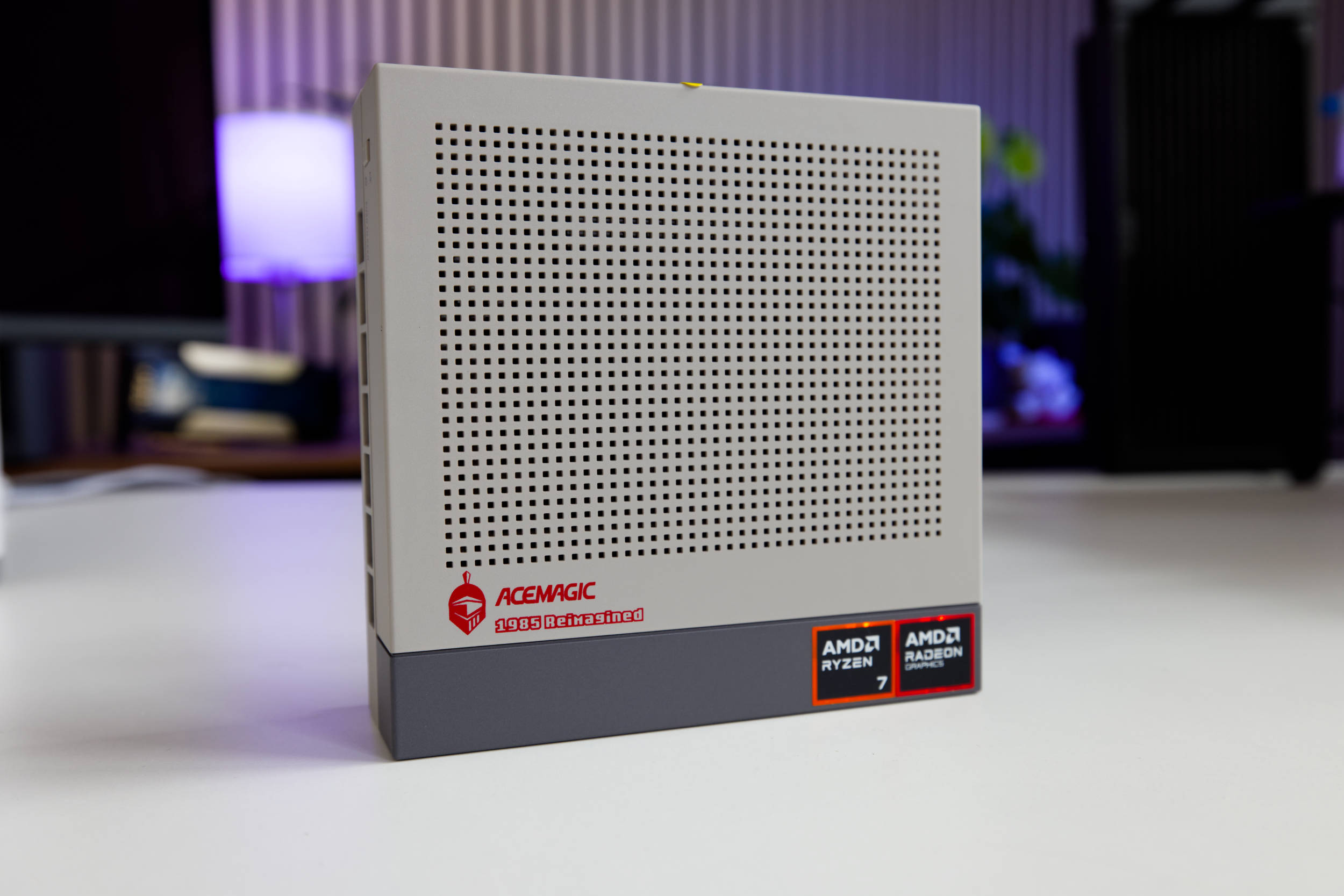 Acemagic Retro X3 Design (Image © PCMasters.de)
Design and Appearance
The Retro X3’s design is definitely something special, and as a result, it really stands out from the crowd. Although the case has the typical mini-PC design, the front is dark gray and the other elements are light gray. The factory-applied AMD stickers really stand out against this backdrop and indicate the built-in CPU and iGPU. The Acemagic logo and the "1985 Reimagined" lettering are also red, but they fit well with the overall look.
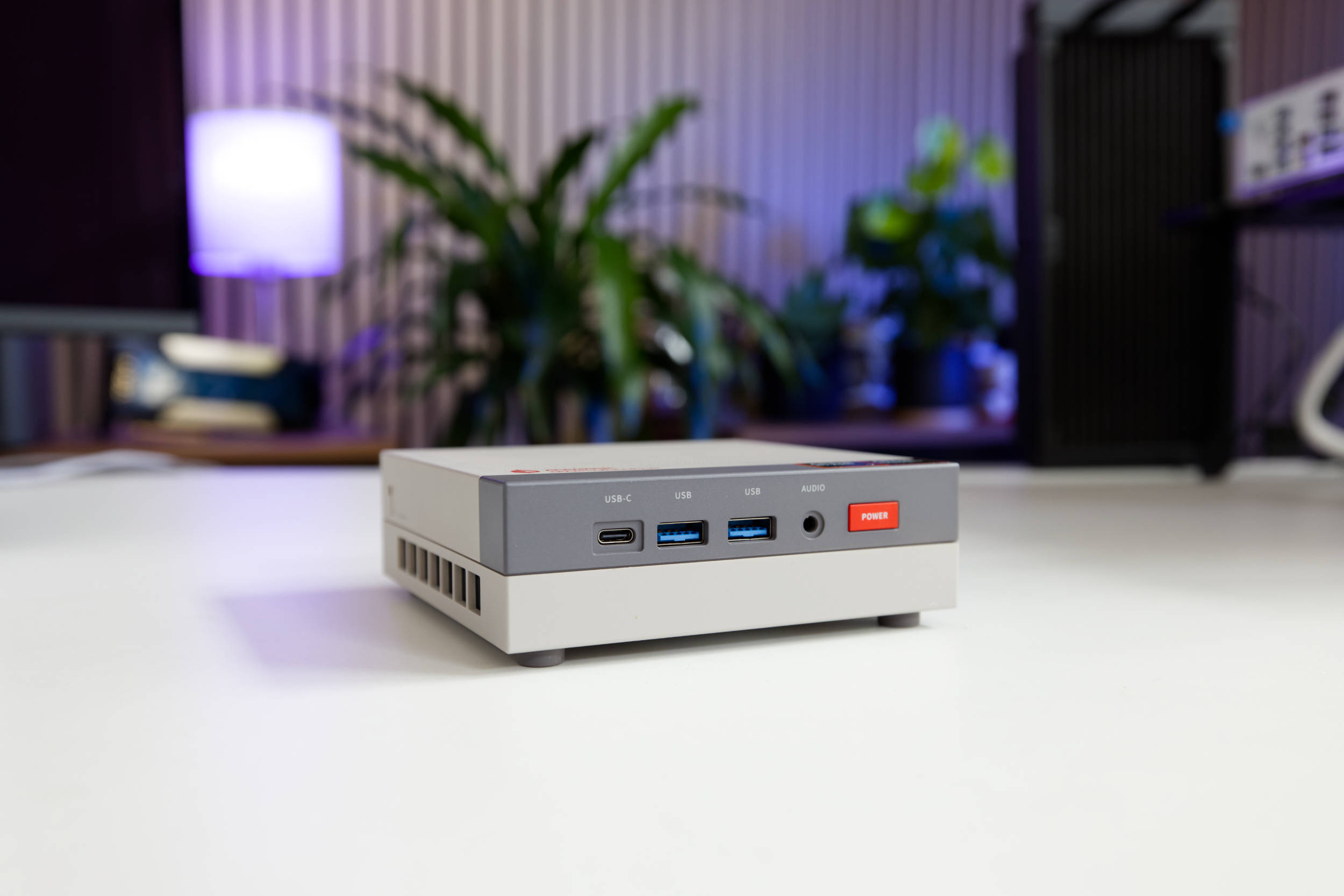 Acemagic Retro X3 Front (Image © PCMasters.de)
Only half of the actual front panel is dark gray, which gives the whole thing a real retro vibe. The power button is a striking red, and the ports are well integrated into that area.
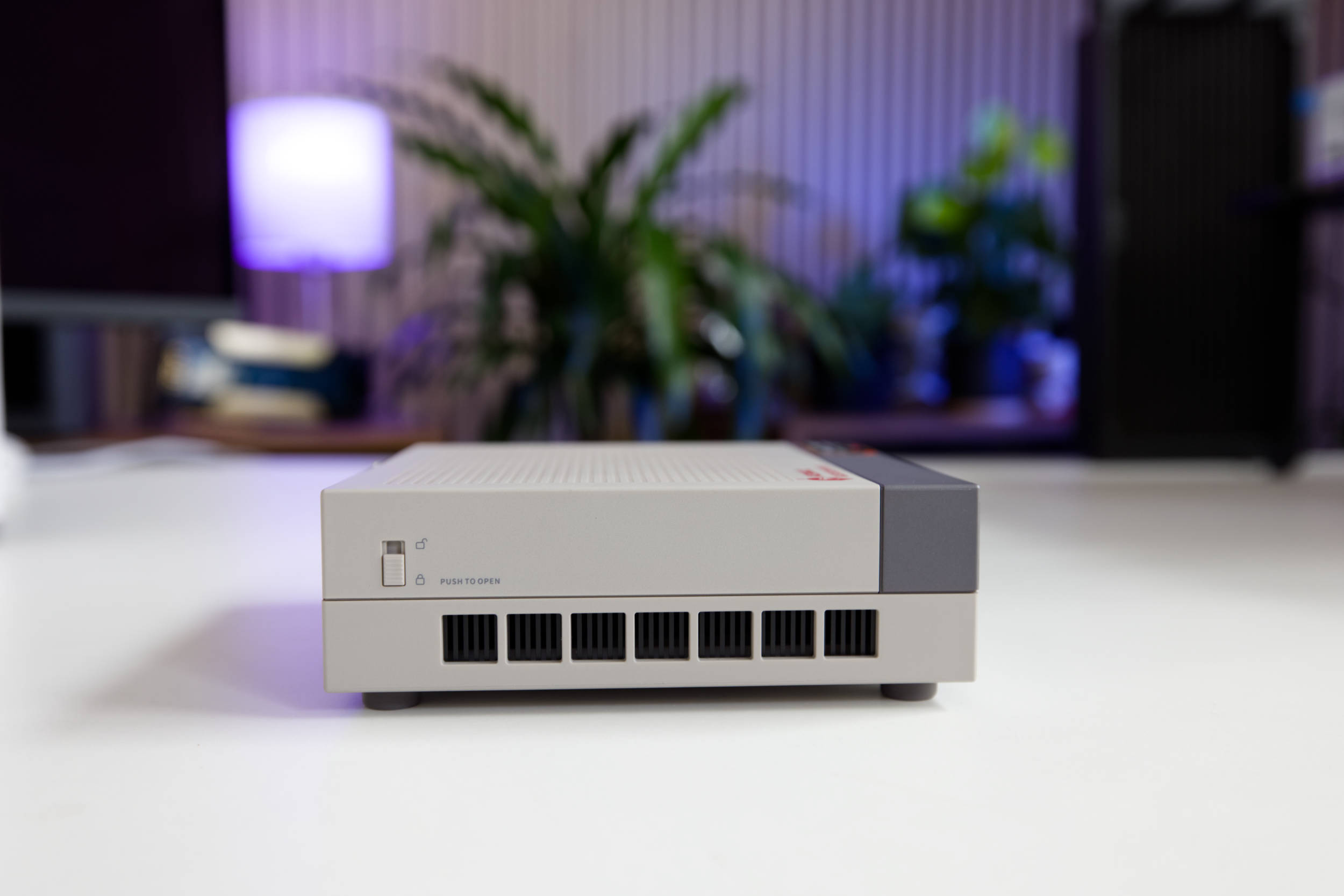 Acemagic Retro X3 Seite (Image © PCMasters.de)
Acemagic Retro X3 Seite (Image © PCMasters.de)
On the sides, near the bottom, there are many square openings used for cooling. This area is finished in black, which looks sleek. Otherwise, the locking mechanism used to release the cover stands out on both sides.
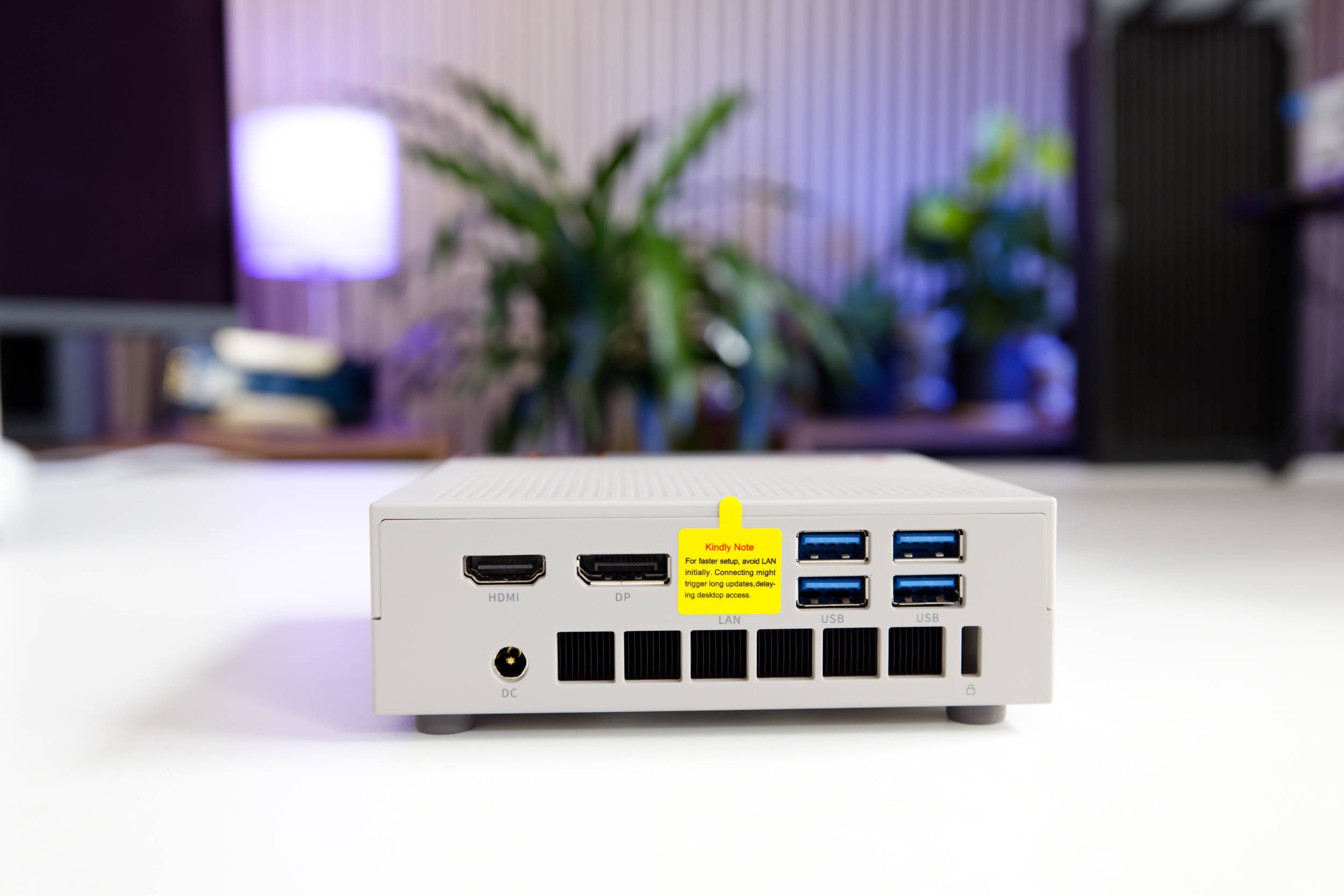 Acemagic Retro X3 Rückseite Ports (Image © PCMasters.de)
The back follows the same design style, and the ports are neatly recessed into the case.
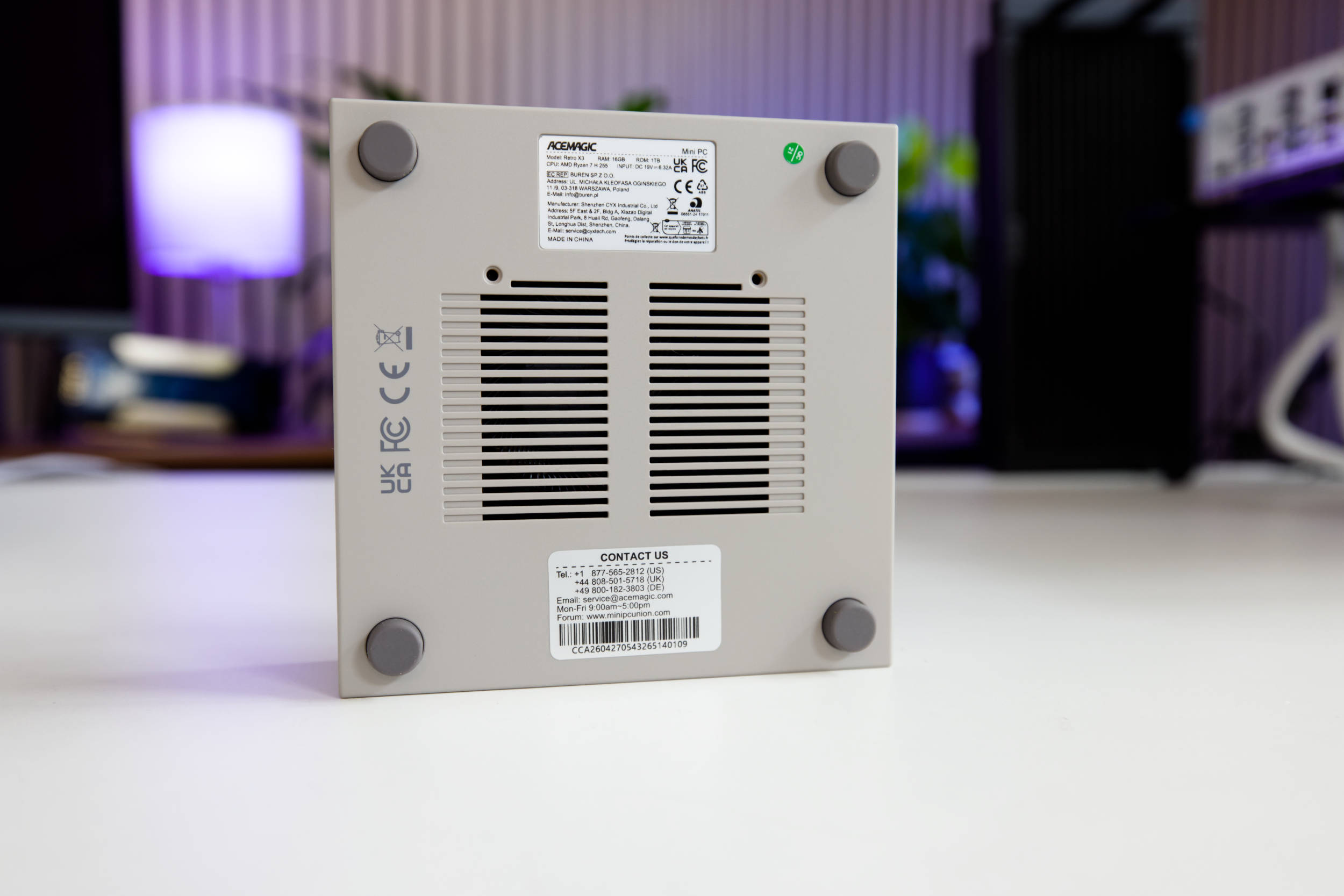 Acemagic Retro X3 Unterseite (Image © PCMasters.de)
The retro look really comes through in the lower section thanks to the many slits, and the dark gray rubber feet add to the effect. By the way, there are screws beneath the feet that hold the lower part of the case together with the bottom section. You can peel off the feet and stick them back on—the adhesive holds well. There are also two stickers indicating the warranty, model number, and serial number.
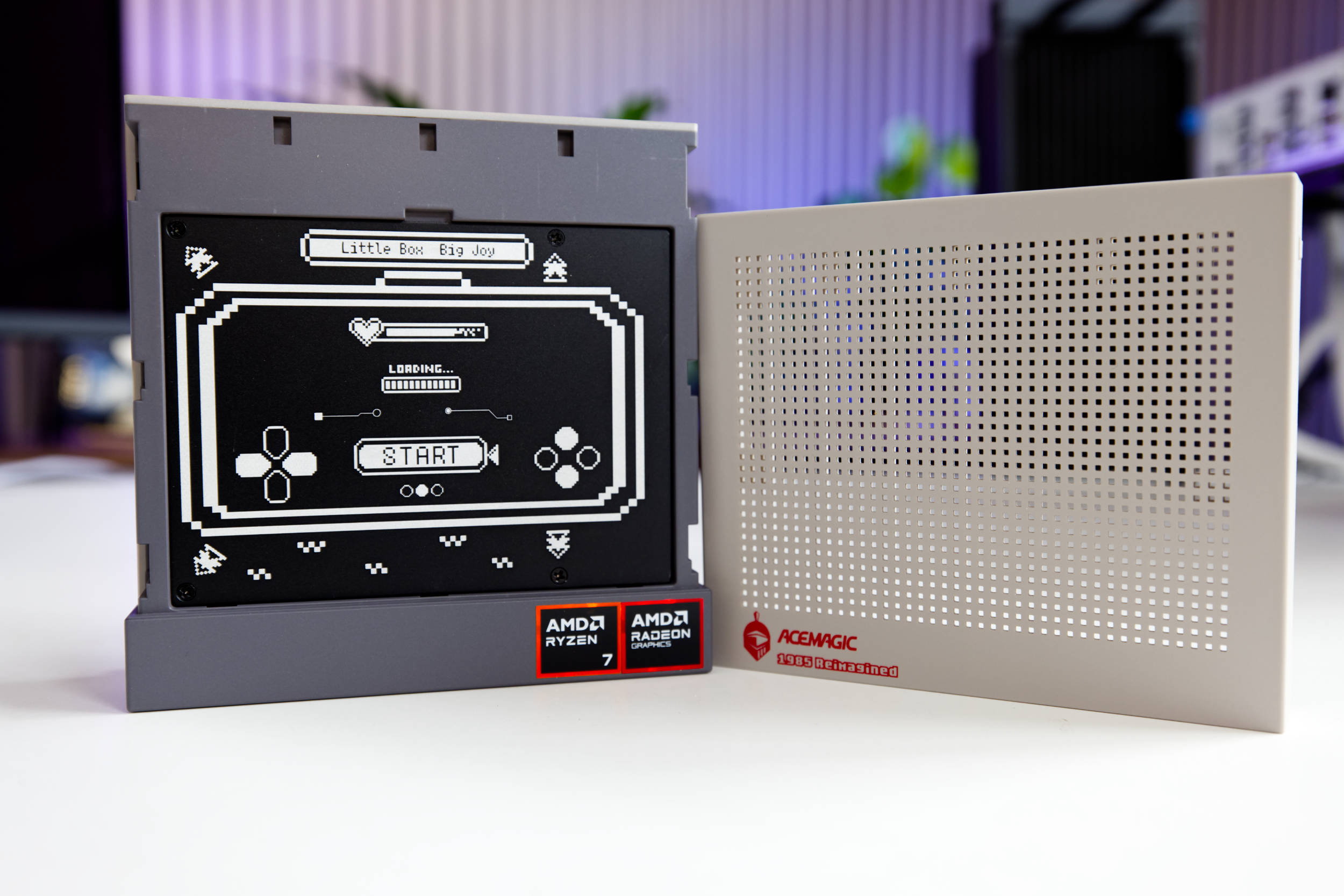 Acemagic Retro X3 Abdeckung und Kühler (Image © PCMasters.de)
Beneath the plastic cover on top is a beautifully designed metal plate. Its design is modeled after a gamepad. Its actual purpose, however, is to cool the NVMe SSDs that are connected underneath.
Overall, the build quality is outstanding and commendable.
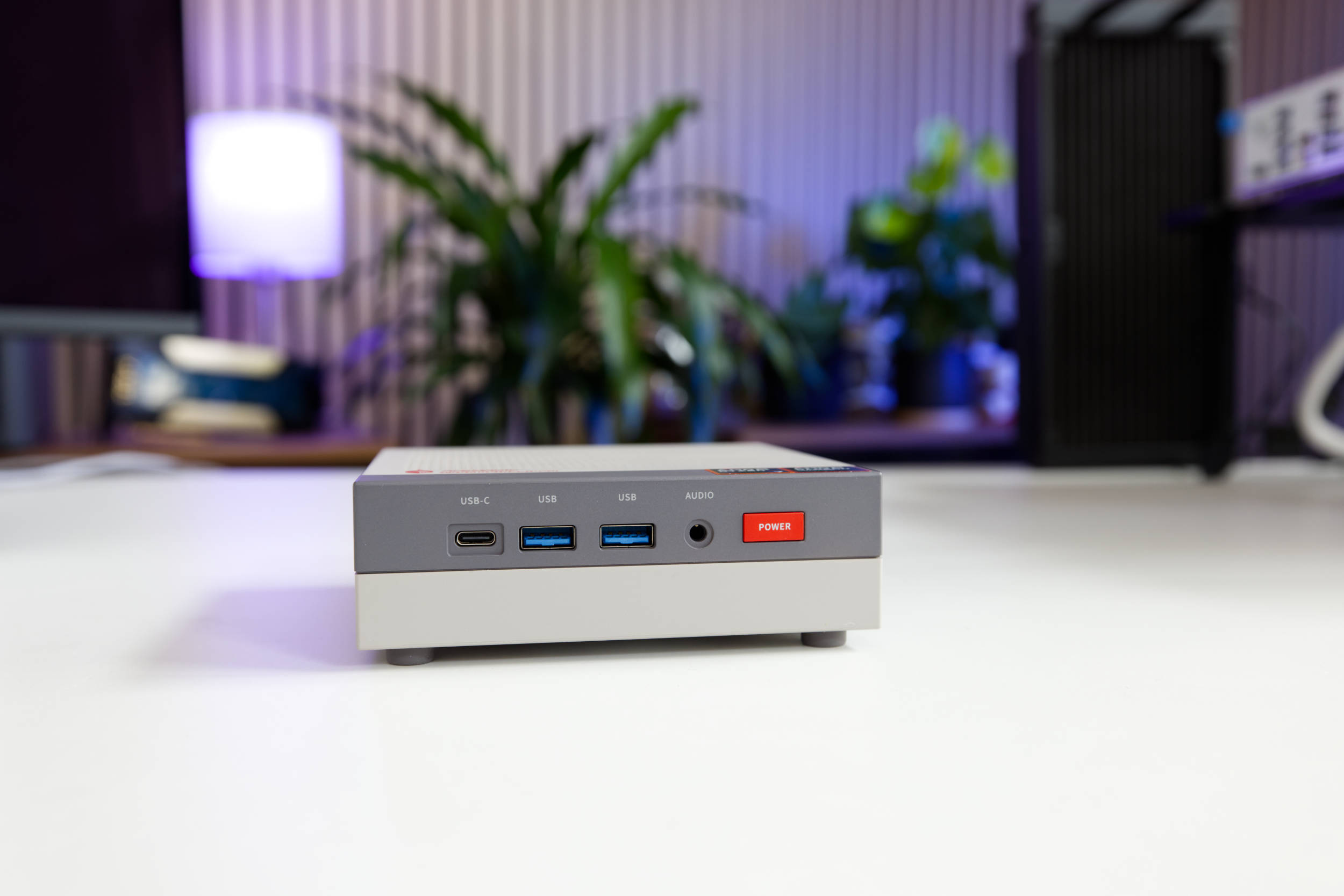 Acemagic Retro X3 Anschlüsse vorn (Image © PCMasters.de)
Ports on the AceMagic Retro X3
The mini-PC offers a typical—albeit not overly generous—set of ports for modern mini-PCs. On the front, there are a total of three USB ports: Two of the front USB Type-A ports support USB 3.2 Gen 2, and the third even offers the faster USB 4.0 with a Type-C connector. Next to the red power button, there’s also a 3.5-mm jack for headphones.
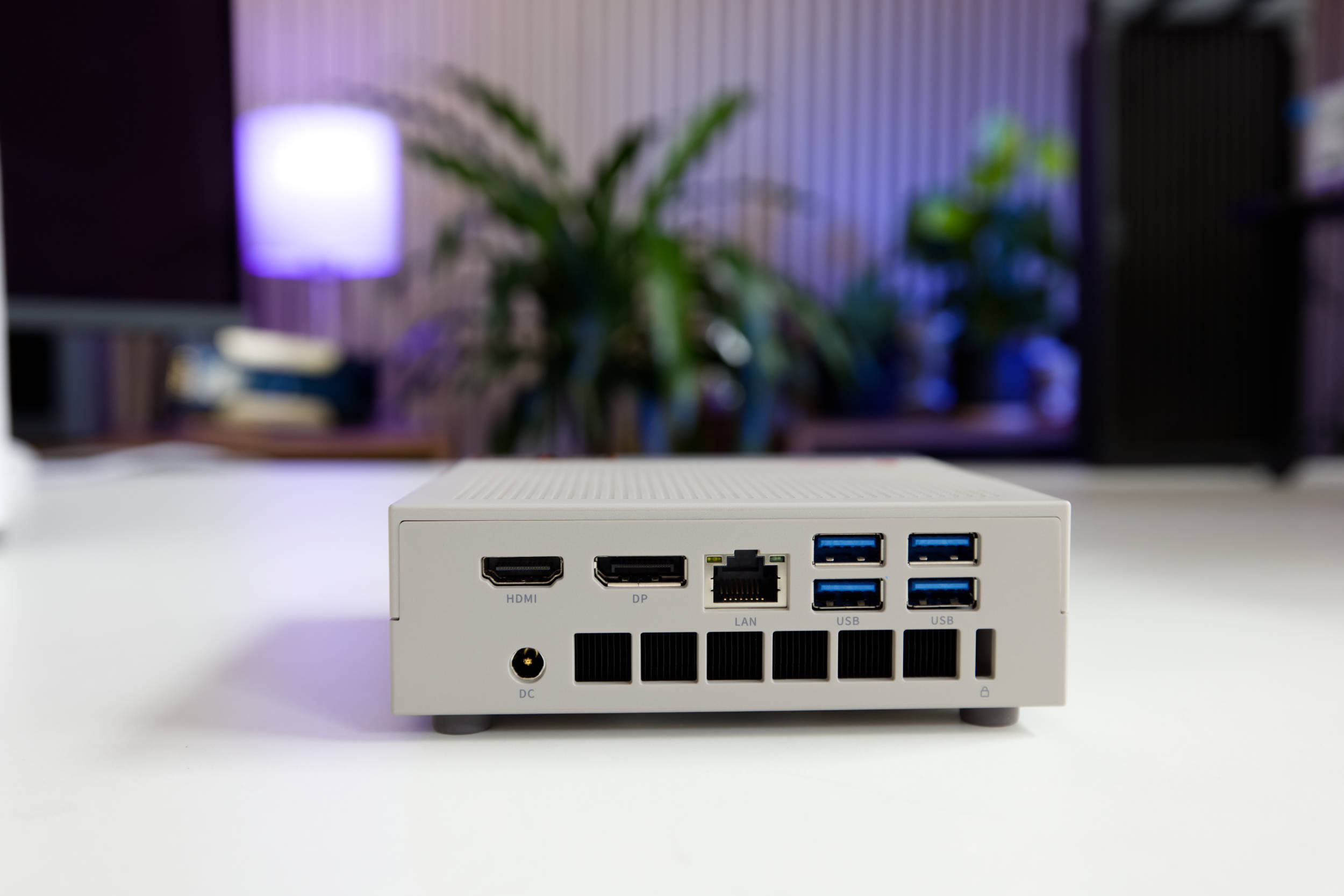 Acemagic Retro X3 Anschlüsse (Image © PCMasters.de)
Additional ports are located on the back. For connecting displays, there’s a modern DisplayPort 2.0 and an HDMI 2.1 port. Regarding resolution, the Amazon listing states that the DisplayPort 2.0 port supports a whopping 8K@60Hz, as does the HDMI 2.1 port. In addition, the USB-C port on the front (in DisplayPort Alt Mode) can also be used for video output, though only at a maximum resolution of 4K at 60 Hz.
There’s also a 2.5 Gbps Ethernet port, which comes with a factory-applied sticker presumably intended to prevent users from creating a Microsoft online account during setup. You can safely remove this sticker.
The four USB Type-A ports support the USB 3.2 Gen 1 standard. This means all USB ports are state-of-the-art, and older ports have been omitted.
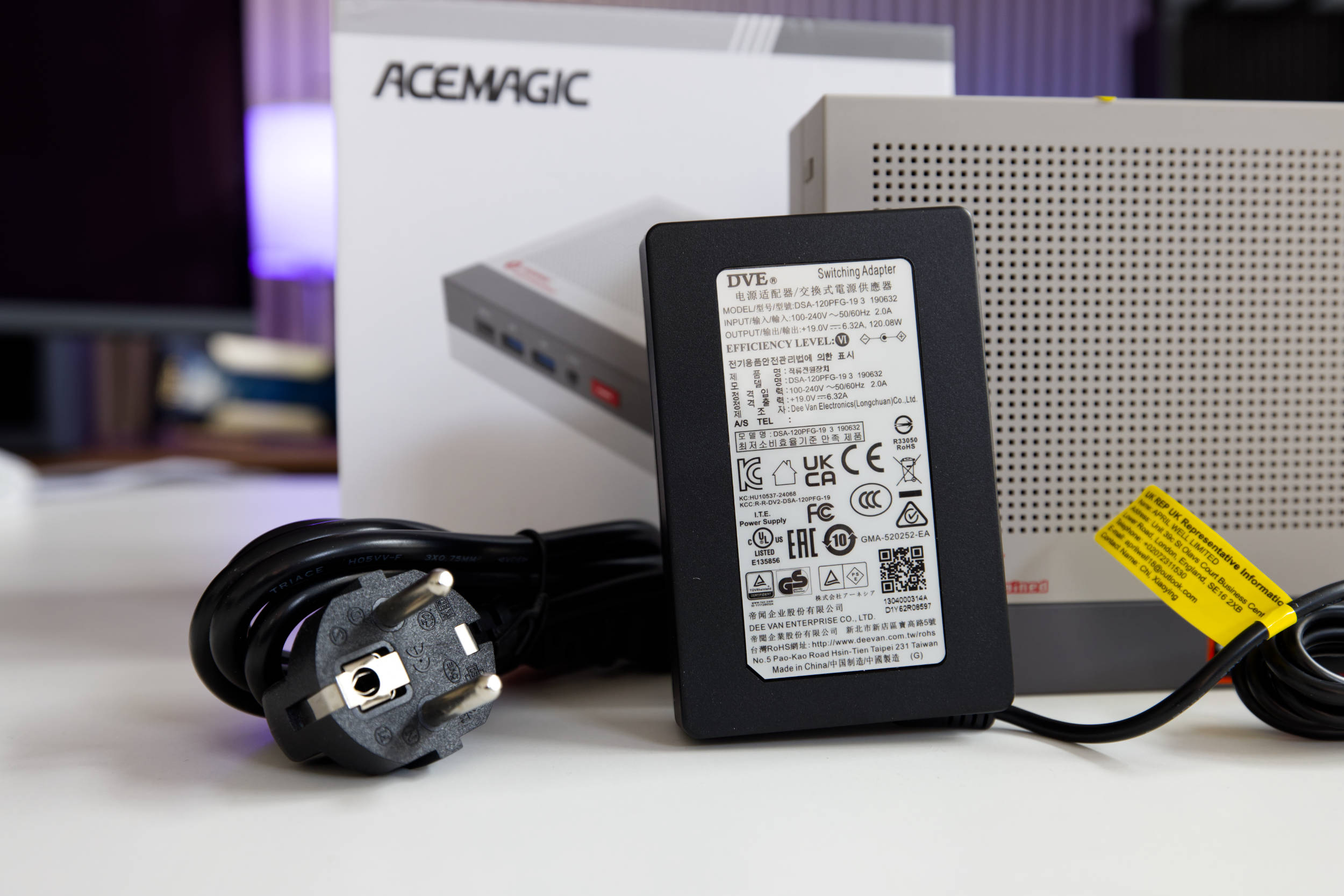 Acemagic Retro X3 Netzteil (Image © PCMasters.de)
Power is supplied via a small, external power supply. The connector is a 2-pin round connector that supplies the mini-PC with 19 volts at a maximum of 6.32 A. This brings the power supply’s maximum output to a whopping 120 watts, which is a lot for a mini-PC.
Since the Retro X3 operates at a 45-watt TDP under continuous load and Acemagic mentions a short-term peak power of 65 watts on Amazon, the power supply is significantly oversized—which is a good thing.
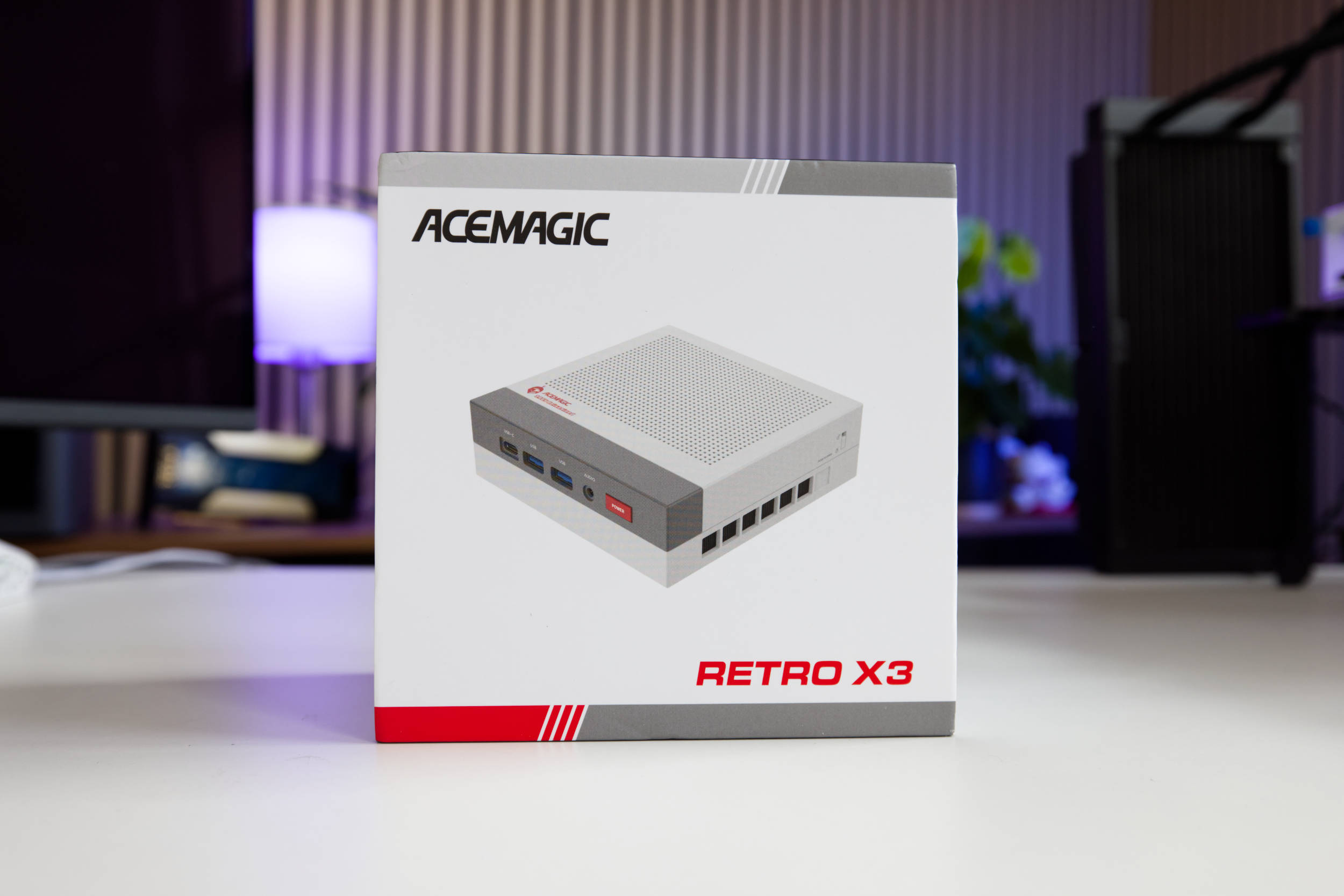 Acemagic Retro X3 Verpackung (Image © PCMasters.de)
Packaging and Contents
The AceMagic Retro X3 comes in a stylish cardboard box with colorful printing and matching gray and red accents. The front features an image of the mini-PC, and the back lists several checked-off options indicating the mini-PC’s configuration.
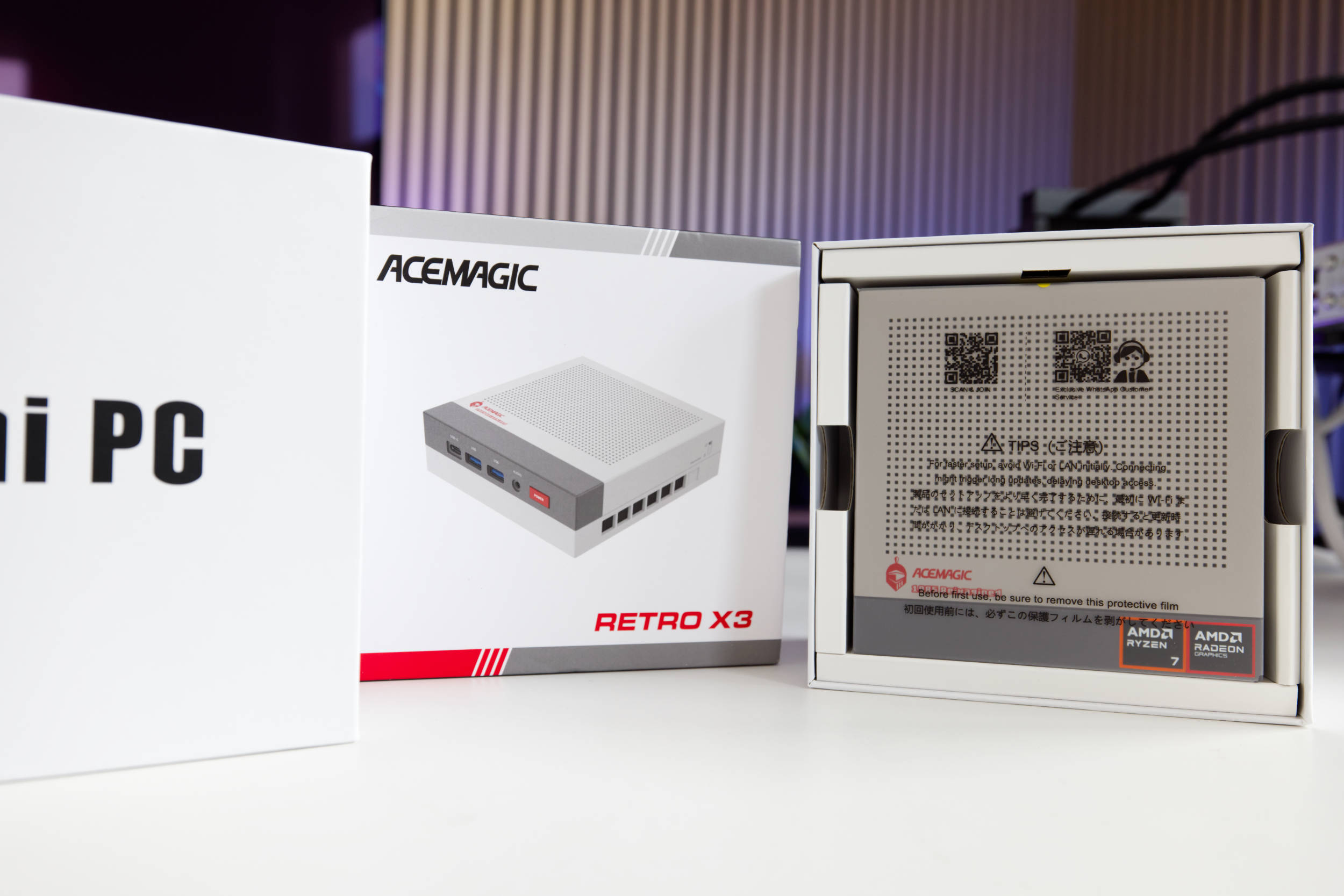 Acemagic Retro X3 Verpackung offen (Image © PCMasters.de)
The box consists of two parts; you pull the top section upward to open it. Inside, the mini-PC is located at the very top, with the accessories underneath. On both sides, a cardboard structure provides a roughly 5-mm buffer zone for protection during transport.
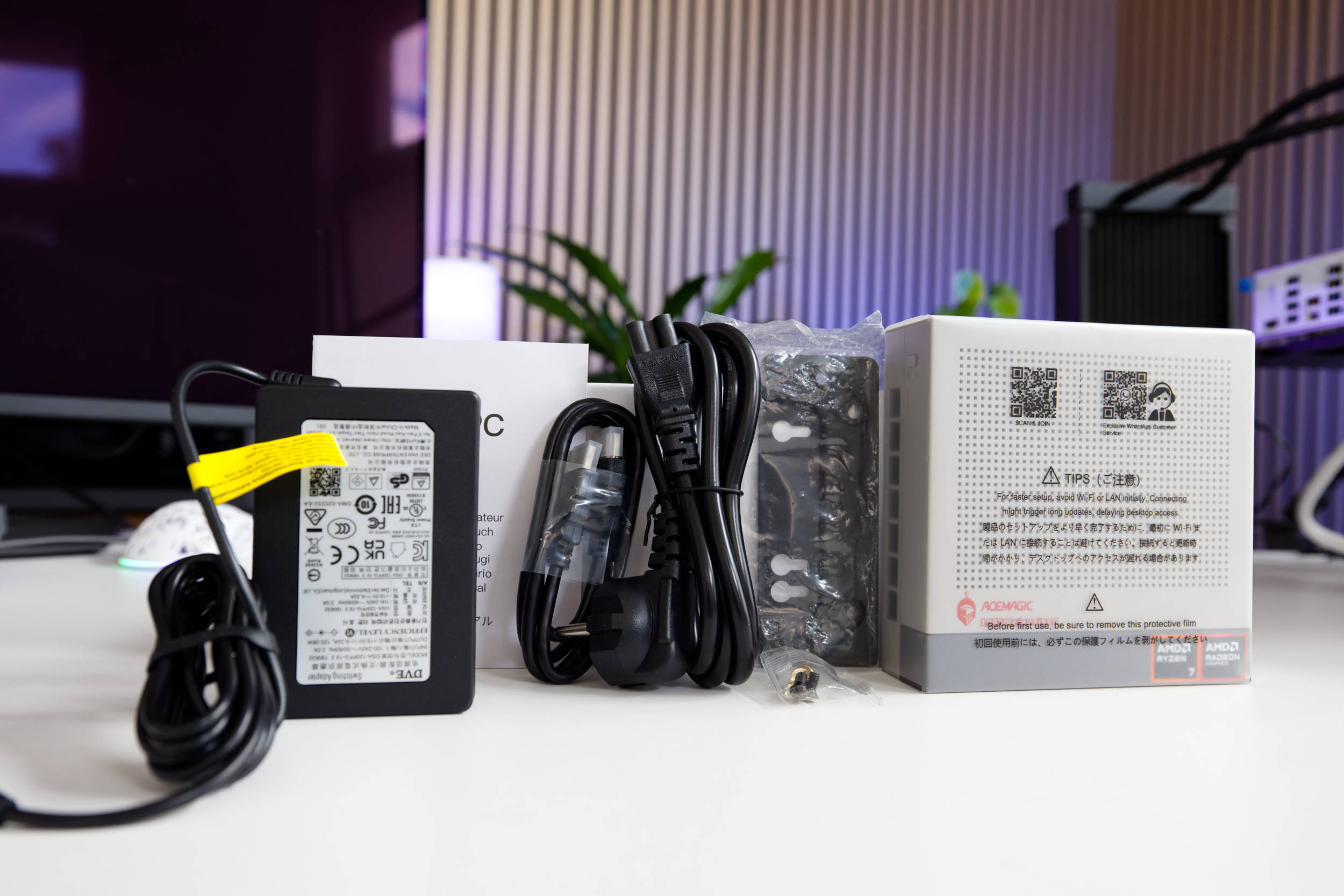 Acemagic Retro X3 Lieferumfang (Image © PCMasters.de)
The package contents are sufficient and include, in addition to the mini PC and power supply, a VESA mount with screws, a mini manual, and an HDMI cable. It’s a solid package, even if not overly lavish.
Windows 11 Preinstalled
The AceMagic Retro X3 ships with Windows 11 Pro preinstalled, offering a modern operating system. With advanced features tailored for professional environments, users can enjoy seamless multitasking and robust protection against modern threats, as Microsoft’s own antivirus solution is superior to many of the other tools on the market. As long as you apply patches regularly, you’ll be on the safe side.
The Pro license is tied to the PC, and while the Windows 11 key can be retrieved, it’s stored in the device’s BIOS, which is why no activation was required after a fresh install. The Windows 11 Pro installation allows for quick setup and doesn’t require an online account, unlike what’s typically required by Microsoft. No bloatware was pre-installed either. To be on the safe side, however, we formatted the SSD and performed a clean install of Windows 11 on it. If needed, you can also install Linux (Affiliate), which would definitely be a good option here.
AceMagic Retro X3 Benchmarks
Using benchmarks, we test the mini-PC’s performance in workloads and games.
| ACEMAGIC Retro X3 | CTONE Kron Mini K2 | NiPoGi Pinova P1 | SAPPHIRE EDGE AI 370 | ACEMAGIC AM06 PRO | HUAWEI MateBook 14 | Ryzen 7 3700X | NiPoGi AM06 PRO | ACEMAGIC RX16 | ACEMAGIC V1 | ACEMAGIC AMR 5 | ACEMAGIC TK11 | |
|---|---|---|---|---|---|---|---|---|---|---|---|---|
| CPU | AMD Ryzen 7 255 (H255) | Intel Core i5 12450H | AMD Ryzen Embedded R2544 | AMD Ryzen AI 9 HX 370 | AMD Ryzen 5 7430U | Intel Core i5-1340P | AMD Ryzen 7 3700X | AMD Ryzen 7 5825U | AMD Ryzen 7 H255 | Intel N97 | AMD Ryzen 5 5600U | Intel Core i5 11320H |
| RAM | 16 GB SAMSUNG LPDDR5-6400 (soldered) | 24 GB LPDDR5-5200 (soldered) | 16 GB Yinchu DDR4-2666 (SO-DIMM) | 32 GB Kingston DDR5-5600 (SO-DIMM) | 16 GB HOGE DDR4-2666 (SO-DIMM) | 16 GB DDR4-2666 (SO-DIMM) | G.SKILL Trident Z DDR4 (F4-3600C14D-32GTZN) | 16 GB SODIMM, DDR4-2666 (SO-DIMM) | 16 GB HOGE DDR5-4800 (SO-DIMM) | 16 GB Kinsotin DDR4-2666 (SO-DIMM) | 16 GB DDR4-2666 (SO-DIMM) | 16 GB DDR4-2666 (SO-DIMM) |
| SATA/NVMe SSD | faspeed P9 1 TB (NVMe, PCIe 4) | KPART512GBC2DVT 512 GB (NVMe, PCIe 3) | Colorfire 512 GB (SATA600) | Kingston OM8TAP41024K1-A00 1 TB (NVMe, PCIe 4) | AirDisk 512 GB (SATA600) | WD SN740 512 GB (NVMe, PCIe 4) | Sabrent Rocket 4 Plus 1 TB (NVMe, PCIe 4) | UDSS UD2CS1HT301-512G 512 GB (SATA) | G932E1M 512 GB (NVMe, PCIe 3) | Rayson RS512GSSD310 512 GB (SATA) | CYX-SSD-S1000 512 GB (SATA)> | 512 GB (SATA) |
| TBP/TDP | 45 W | 45 W | 28 W | 45 W | 15 W | 25 W | 88 W | 15 W | 45 W | 19 W | 20 W | 32 W |
Below are some additional notes on the test conducted on the EDGE AI 370 Mini PC:
- SAPPHIRE EDGE AI 370 (Performance): This is not the Windows Power Management option, but rather the BIOS setting that optimizes the system to prioritize performance over noise levels or power efficiency.
- SAPPHIRE EDGE AI 370 (Balance): This is the mini-PC’s default setting, and it represents the performance you get when you unbox the PC and use it as it is preset.
Note on the Comparison System
When testing the AMD Ryzen 7 3700X, we used the standard desktop system.
- Motherboard: ASUS ROG Strix X570-I Gaming
- Graphics Card: GeForce RTX 3090 Founders Edition - SSD: Samsung SSD 840 PRO 256 GB, Samsung 850 EVO 500 GB
- M.2 SSD: Sabrent Rocket 4 Plus 1 TB
- RAM: G.SKILL Trident Z DDR4 F4-3600C14D-32GTZN at DDR4-3600 - CPU Cooler: MSI MEG CORELIQUID S360
- Power Supply: Corsair RM-750X - 750 W
- Fans: 0
- Case: Open-frame
- Operating System: Windows 11 21H2
AceMagic Retro X3 Benchmark (Synthetic)
Synthetic benchmarks allow for relatively good comparisons between different CPU architectures. Depending on the benchmark, the focus is on specific workloads, allowing each CPU to demonstrate its performance in those scenarios.
Cinebench R15
Cinebench R20
7-Zip
Corona 1.3
HandBrake
WinRAR
Geekbench 5 CPU Benchmark
POV-Ray v3.7
3DMark CPU Benchmark
3DMark Time Spy
PCMark 10
It’s important to note that the graphics card plays a significant role in PCMark, and the Ryzen 7 3700X was tested with the RTX 3090 FE. Therefore, this comparison isn’t directly applicable. Later, we’ll compare additional mini PCs, which will provide a better comparison since they evaluate the entire system.
Unigine Superposition (720p, Low)
AceMagic Retro X3 Game Benchmarks
Games could only be tested to a limited extent. The games we usually use require a more powerful graphics card that can handle ray tracing if necessary. After all, the goal here is simply to see to what extent the CPU limits gameplay. However, this system uses an iGPU, which is limited in performance.
Final Fantasy XV Benchmark
Resident Evil VILLAGE
Shadow of the Tomb Raider
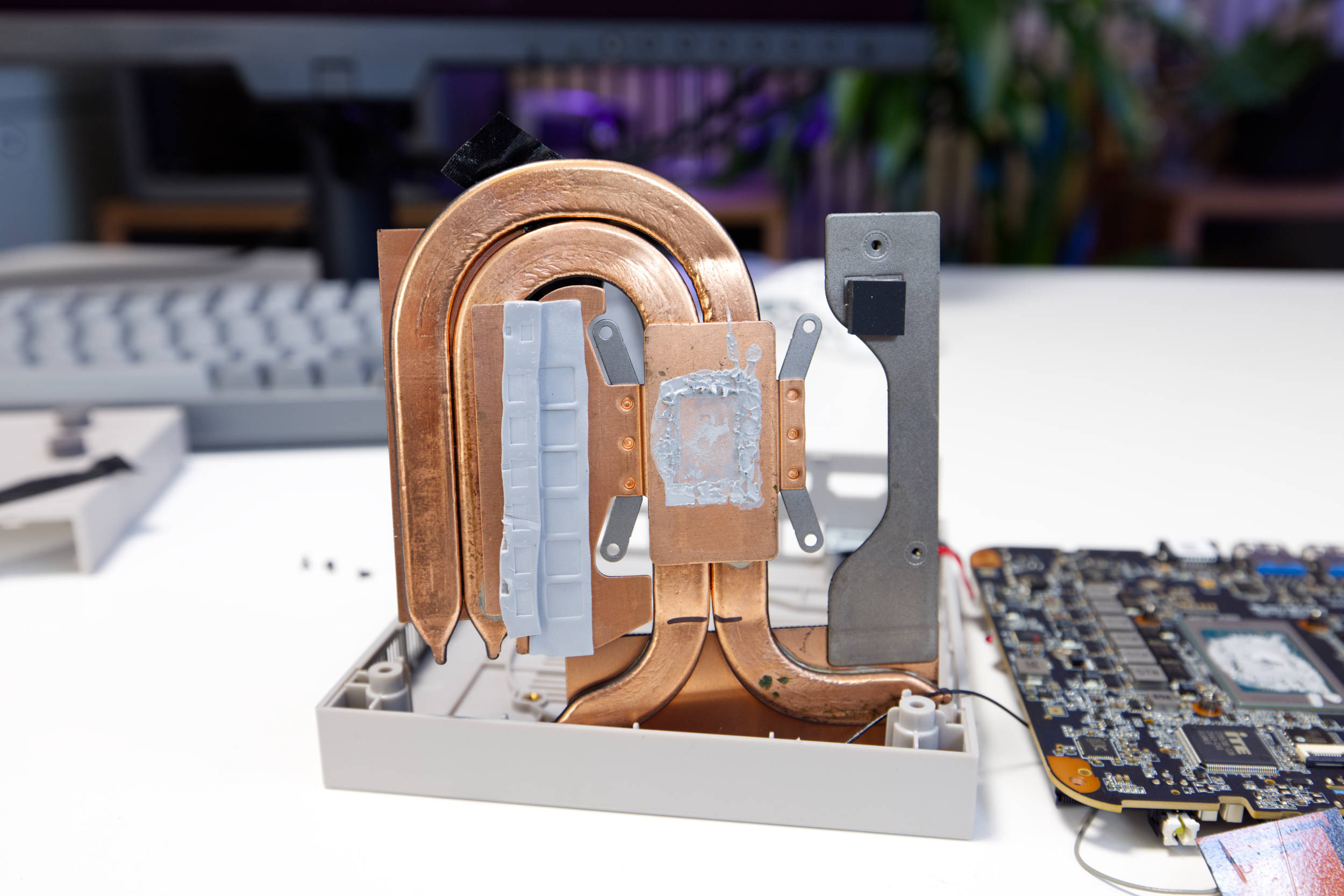 Acemagic Retro X3 Kühler (Image © PCMasters.de)
AceMagic Retro X3 Cooling
AceMagic has equipped the Retro X3 with a compact cooler that is well-built. Due to the limited internal volume, a flat copper cooler is used. The upper section is painted black, and the transition between the fan and the fins is covered with fabric tape to better direct airflow and prevent any deviations. Some of the screws are located under the fabric tape, so you must first remove it to take the fan off.
The cooler at the bottom is not anodized, and you can see that it’s made of copper. It uses two pressed copper heat pipes. The base is made of copper and sits securely on the CPU, while also providing good contact with the sides. The thermal paste application looks good as well. The LPDDR5 RAM is not covered by this cooler and is therefore not cooled. In any case, no corners were cut on the cooler.
The cooling performance is good and matches the CPU’s 45-watt design.
The measured values are delta values, with room temperature factored out.
Volume and Background Noise
Under constant full load, the Retro X3 isn’t the quietest mini-PC, but when measured from a distance of 20 cm, it is audible yet tolerable.
The fan noise sounds slightly deeper than that of laptop fans and, at approximately 39.5 dB(A), is rather pleasant. During normal operation, the fan briefly revs up every now and then and then slows back down. It’s not too distracting, but we find the noise level at full load a bit high.
Power Consumption and Performance
With its 45-W TDP CPU configuration, the AceMagic Retro X3 ranks in the middle of the pack, and we would classify it here as an efficient powerhouse.
When measuring the power consumption of the entire mini-PC, it comes in at approximately 71.1 watts under full load.
Performance in Gaming, Multi- and Single-Thread Applications (Rating)
When looking at performance in single-threaded applications, the Retro X3 lands pretty much in the middle of the comparison results. The performance of a single thread lags slightly behind that of the Ryzen 7 H255 in the Acemagic RX16 notebook, because that system allocates significantly more power to the CPU.
Multi-threaded performance is more important in everyday use because all operating systems run many processes and benefit from multitasking. The Retro X3 really shines here, coming in well ahead—even ahead of the Acemagic RX16, which uses the same chip.
The Retro X3 also shines in gaming, trailing only slightly behind the significantly more expensive Sapphire EDGE AI 370 mini-PC. This demonstrates that the iGPU’s performance is one of the X3’s strengths, even though it’s just an iGPU.
Acemagic Retro X3 Anschlüsse vorn (Image © PCMasters.de)
Conclusion on the AceMagic Retro X3

Overall, Acemagic has put together a very exciting package with the Retro X3. The design is really sleek, and the technology inside delivers solid performance. The Ryzen 7 (H) 255 is a powerful APU featuring the Radeon 780M iGPU, paired with 16 GB of LPDDR5 memory from Samsung. Since the RAM is soldered in place, it can’t be replaced or upgraded, but it’s incredibly fast, which benefits both the CPU and the iGPU. In terms of performance, the Retro X3 ranks near the top of our mini-PC comparison test so far.
The top cover is removable, and underneath is a large, stylishly designed heat sink. When you loosen the screws, the 1 TB internal PCI Express 4.0 NVMe SSD is revealed, along with the Wi-Fi 6/Bluetooth 5.2 combo module. You can easily add another SSD here.
Precisely because we’re in the midst of a storage crisis, the Retro X3 is an exciting option. The built-in SSD is a no-name brand in that sense, but the Samsung storage and the CPU are also very powerful. For [a price of €529][3] (with the discount code L5WKRN5S), you get a highly recommended overall package.
Pros
- Great single- and multi-threaded performance
- Integrated Wi-Fi 6 + Bluetooth 5.2 combo module
- Fast 16 GB LPDDR5 (from Samsung)
- Cool retro design
- Good build quality
- 1 TB PCIe Gen 4 NVMe SSD installed (Chinese manufacturer)
- Two M.2 SSD slots, one already occupied
- NVMe slots easily accessible for upgrades
- Windows 11 Pro installed and licensed
- Good price for this configuration
- Linux-compatible
Cons
- RAM is soldered in place