


 Computer Forum
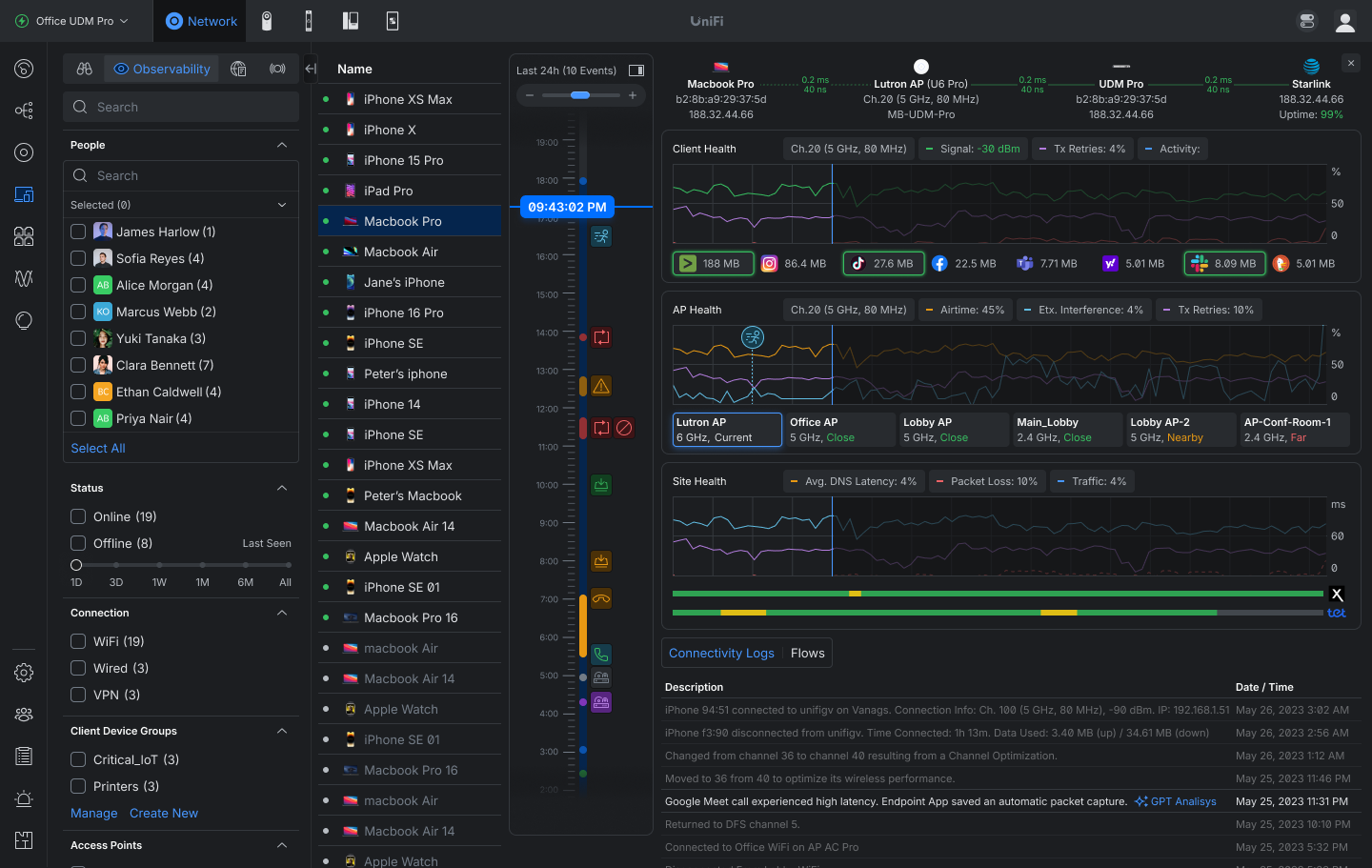 UniFi OS Server 5 1 40 Dashbaord (Image © Ubiquiti)
One of the most important new features in version 10.5.67 is the 24-hour activity timeline. This tool allows administrators to monitor client connectivity, roaming patterns, application usage, and overall network health from a single interface. The monitoring suite now includes specific metrics for connection quality, such as signal strength, latency, packet loss, and transmission retries (TX-Retry). Users can also analyze how access point performance and roaming patterns over an entire 24-hour cycle impact the end-user experience.
Safe Ops: Network Resilience and Recovery Mechanisms
The update introduces “Safe Ops,” a set of features designed to reduce downtime and improve operational stability across all deployments.
Key technical enhancements include:
- Auto STP Edge: The system now automatically designates ports connected to end devices as edge ports.
- Link Debounce Control: This control is designed to mitigate link flapping caused by unstable connections or brief interruptions. This feature requires USW firmware version 7.5.4 or later.
- Test and Confirm Rollback: To prevent connection loss during updates, the system can now automatically roll back configuration changes if the connection to the device is lost. This currently applies to Internet and network settings and requires UniFi OS 5.1.12 or later.
- Device Supervisor: Global controls for automatic recovery have been added, enabling configurable thresholds for status monitoring and recovery.
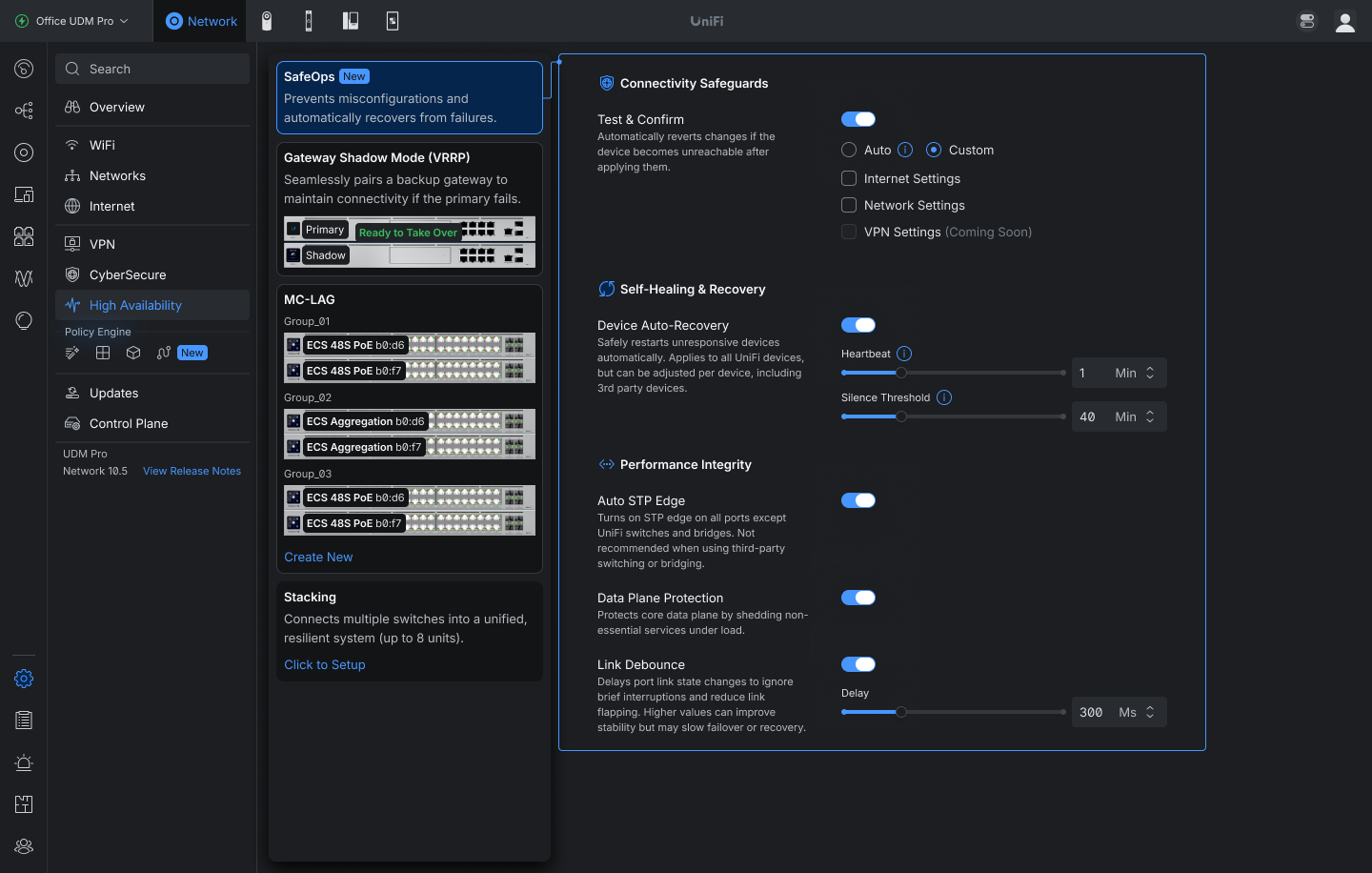 UniFi OS Server 5 1 40 Ops (Image © Ubiquiti)
Improvements to the Routing and Security Infrastructure
The network application update includes several improvements to routing protocols and security services. A major change is support for migrating from Suricata 6 to Suricata 8 (requires UniFi OS 5.1.20 or later), which can take up to one hour during the upgrade process.
Additional technical improvements include:
- BGP and OSPF: A sorting function for neighbor tables and a new option to display BGP on SD-WAN have been added.
- VPN improvements: Local subnet configuration is now available for policy-based IPsec site-to-site VPNs, and validation has been improved for both BGP and VPN client configurations.
- Firewall Management: The policy table now supports a “Duplicate” action and includes columns for “Firewall Hits” and “Last Hit.”
- Network Limits: The VLAN limit for EFG IDS/IPS has been increased from 25 to 64.
See also:
Infrastructure Topology and Hardware Updates
The “Infrastructure Topology” view has been expanded to include access points with wired downlinks, as well as events related to uplink changes and device updates.
Connection events from third-party devices are now also visible on the topology timeline.
Specific hardware updates include:
- UDM Beast: Addition of a hardware acceleration option.
- EAV Bridge: Integration of an infrared status indicator (requires firmware 1.0.9 or later).
- WAN Management: A new, customizable behavior for reboots during internet outages allows administrators to set delays and limit recovery cycles to prevent repeated modem reboots during prolonged outages.
Bug Fixes and System Stability
UniFi OS Server 5.1.40 addresses several critical system issues, including improved Linux directory permissions and a fix for the Windows Elevation Service regarding active user tokens. Users affected by the latter must run the installer in the foreground to manually apply the update.
In the Network app, this version addresses security vulnerabilities described in Security Advisory 067. Additional fixes include resolving issues with WPA Enterprise SSID transmission caused by outdated RADIUS secrets, addressing LTE Pro failover problems, and correcting a bug where restoring a backup disabled the hardware offloading feature on compatible consoles.
