


 Computer Forum
 UniFi Network 10 6 Release (Image © Ubiquiti)
Optimized Topology Analysis for Large Installations
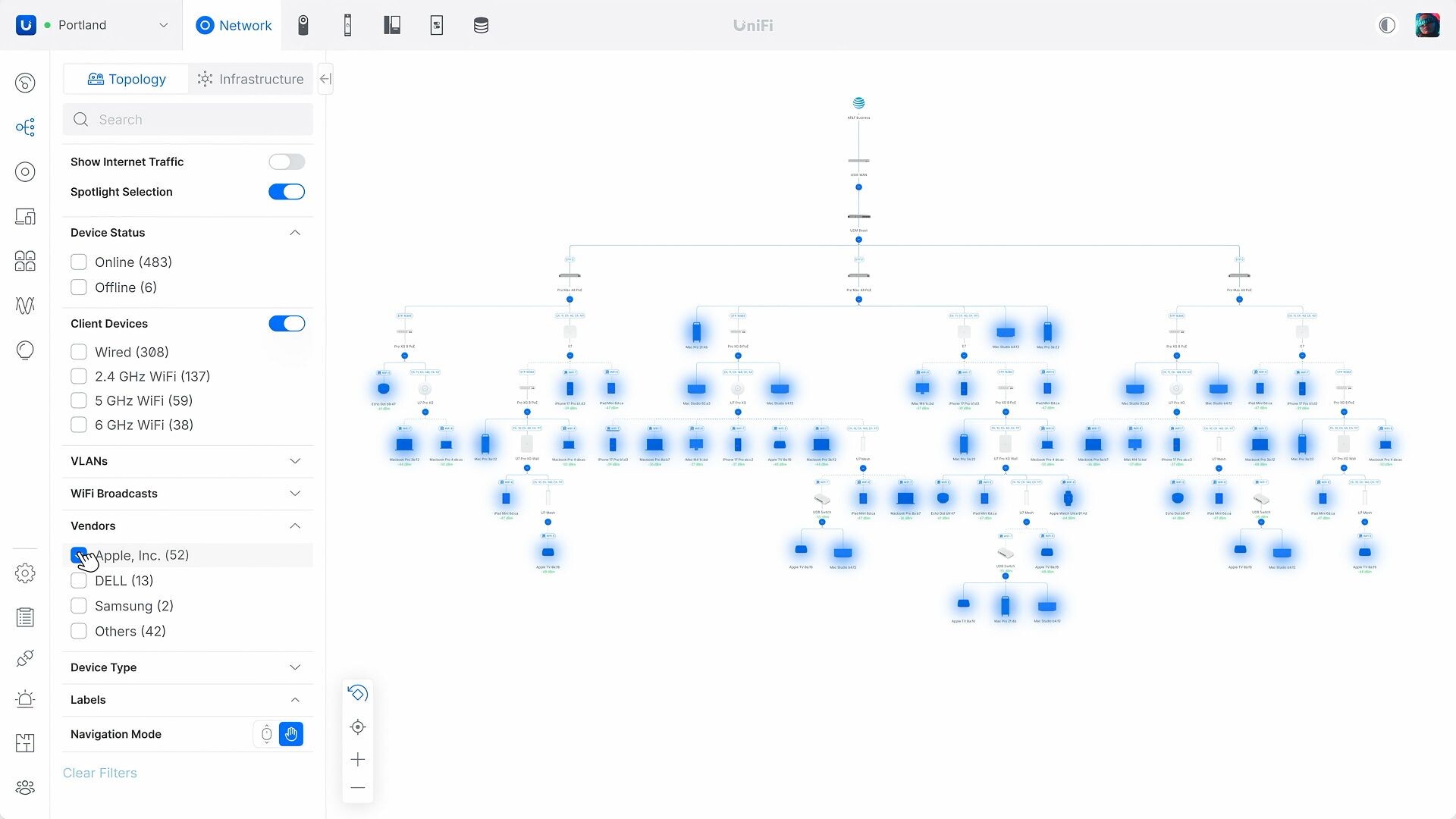
Visual clutter often slows down troubleshooting in dense environments. To counter this, the “Topology Spotlight” feature allows users to isolate specific groups of clients. The system automatically hides irrelevant devices, removing unnecessary data from the view and allowing IT teams to focus on the behavior of a specific subset of the network. This change reduces the time spent manually sifting through device diagrams during active incidents.
 UniFi Network 10 6 Time Machine (Image © Ubiquiti)
Wireless Monitoring and Radio Automation
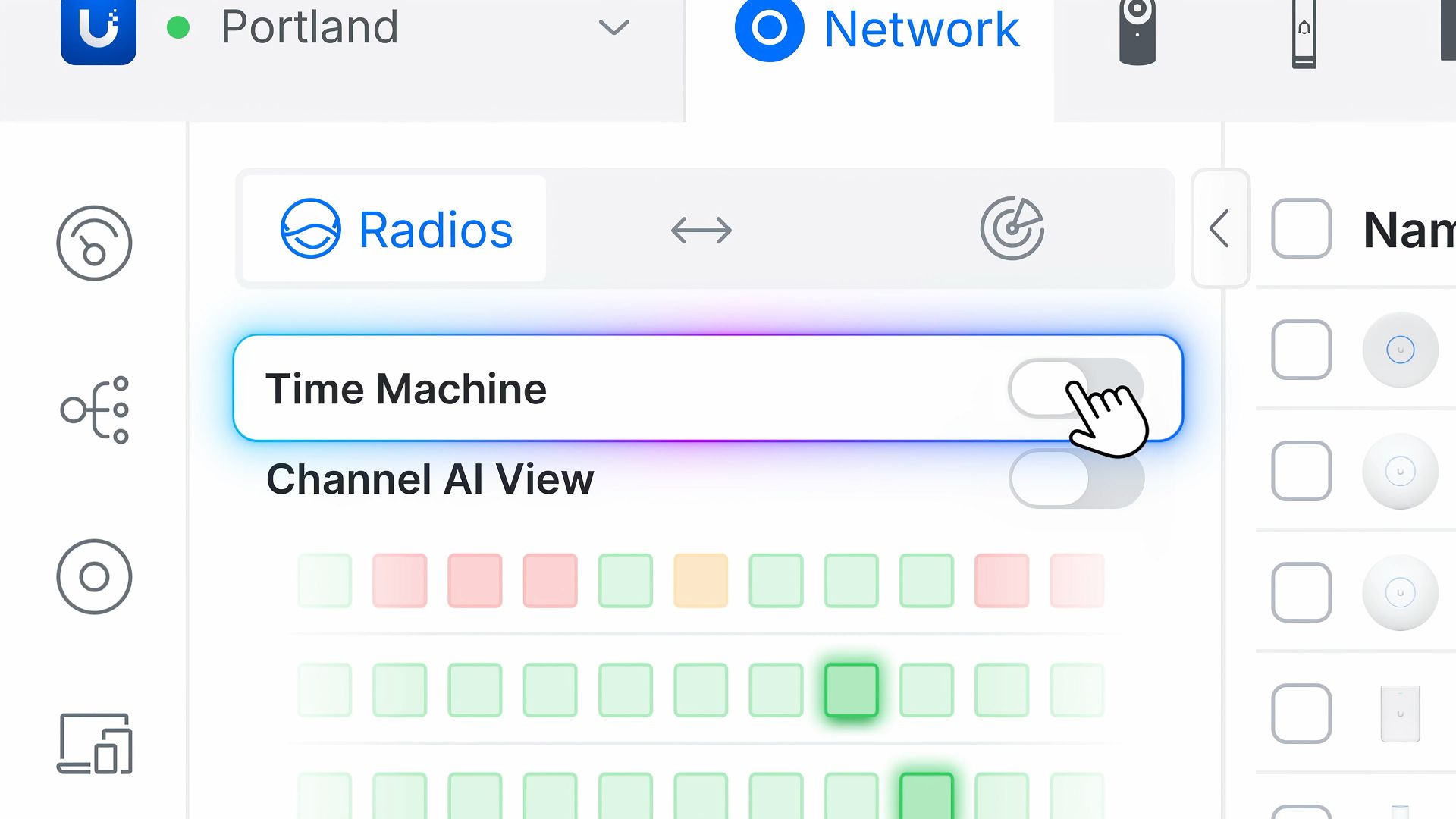
Wi-Fi management in version 10.6 now includes historical performance monitoring via “Time Machine” within the wireless overview. This allows administrators to review past access point events and performance trends rather than relying solely on real-time data.
For proactive maintenance, “Channel AI” now supports nightly automation, shifting channel optimization to times of low traffic. Additionally, a “Multicast Suppressor” tool is introduced to prevent broadcast storms in areas with high device density. This feature requires UAP 8.8 or later and will initially be available via Early Access.
 UniFi Network 10 6 Port Lock (Image © Ubiquiti)
Updates to Port Visibility and Physical Security
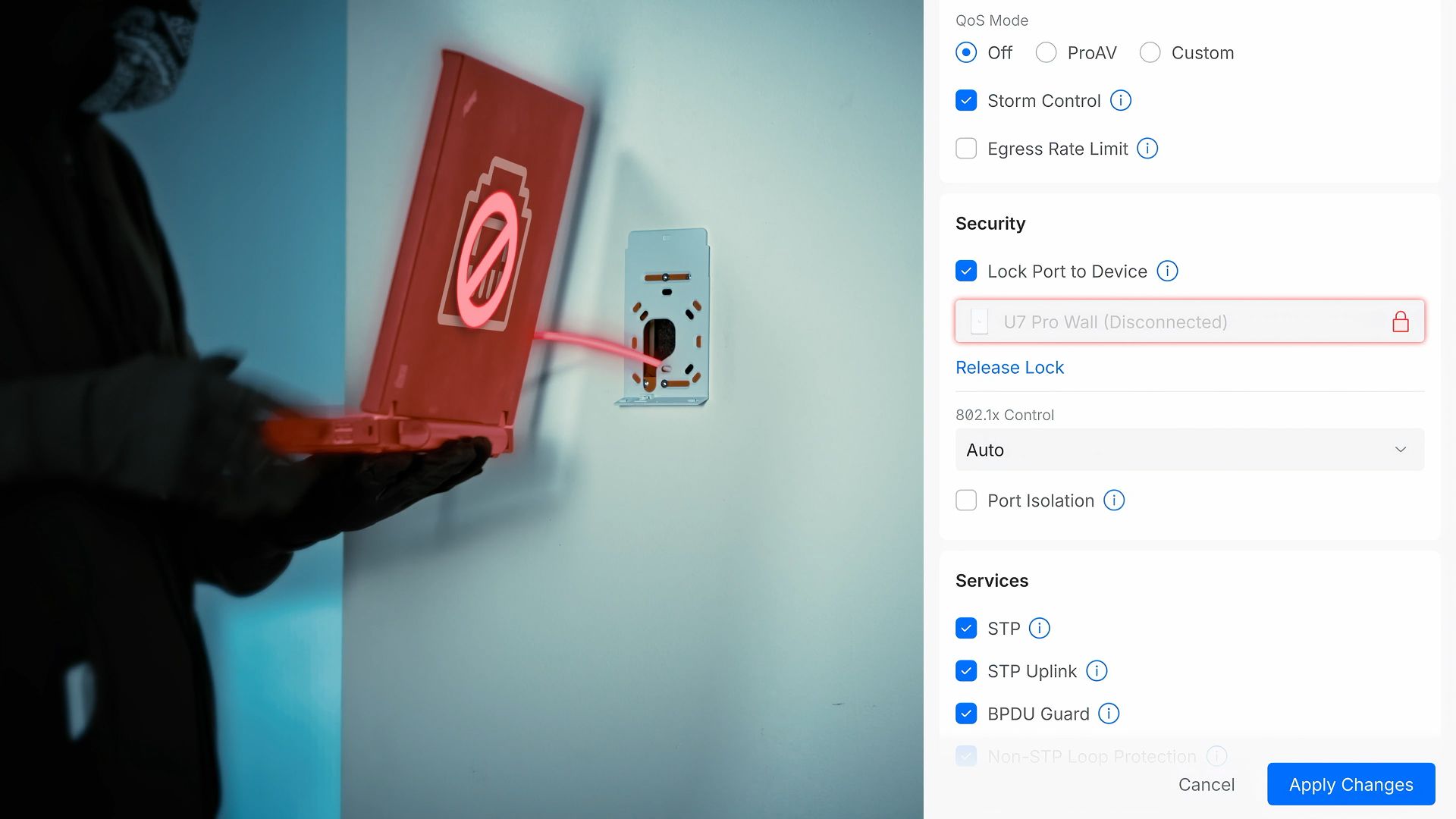
The port overview has been expanded to include “Time Machine” and now provides a historical record of port activity. This helps trace the onset of specific connection issues or identify patterns in port usage over time. Physical infrastructure security is also being enhanced with the introduction of port locking. This first phase of port security focuses on protecting PoE connections for UniFi devices. The feature requires switch firmware 7.6 or later and is scheduled for release via Early Access.
 UniFi Network 10 6UniFi Network 10 6 SafeOps (Image © Ubiquiti)
Configuration Security and Bulk Device Management
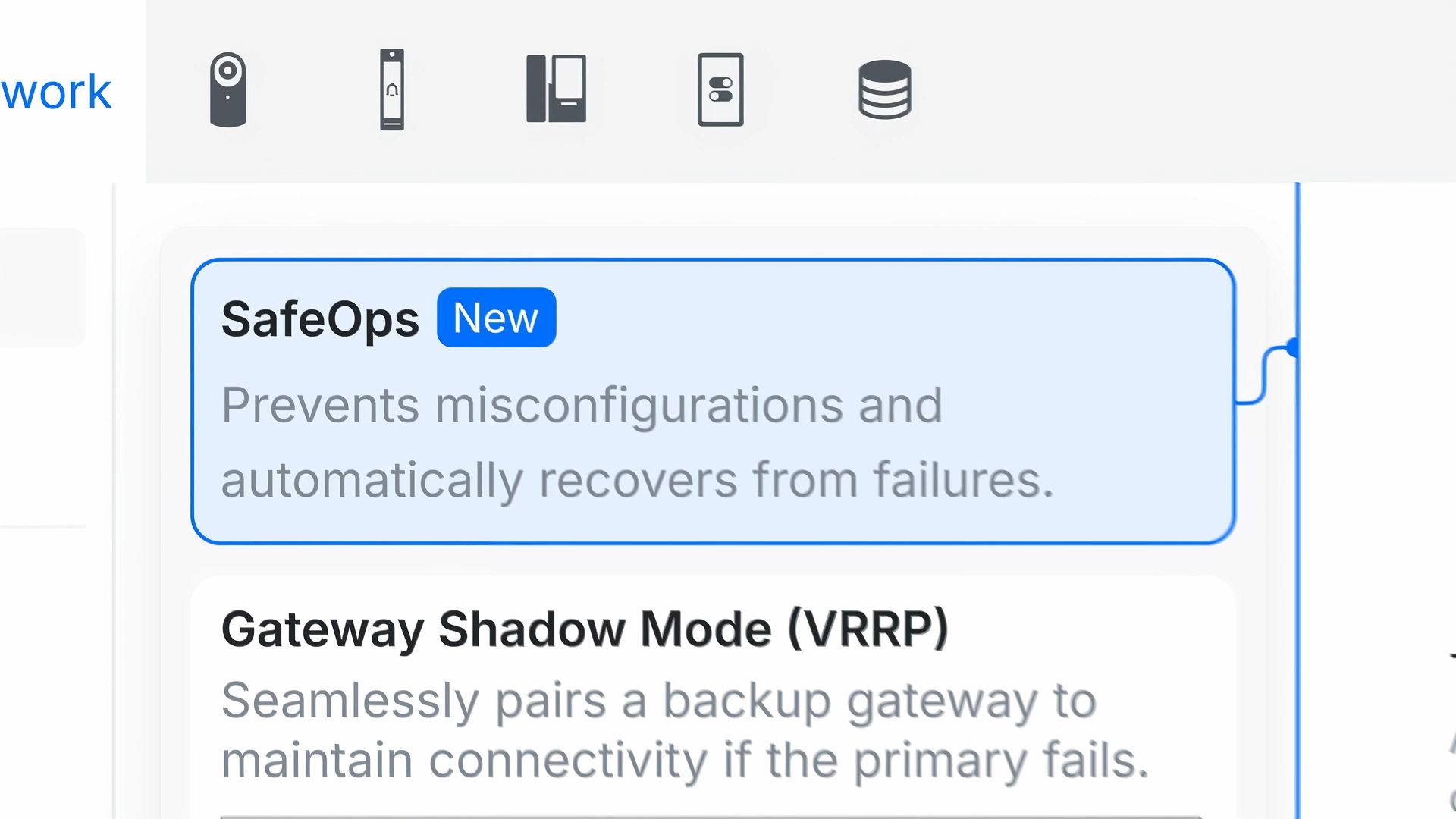
Updating a large fleet of devices often carries the risk of extensive downtime due to a single misconfiguration. Network 10.6 mitigates this risk by introducing more granular bulk updates for devices and expanding SafeOps. SafeOps now also covers changes to the management VLAN. If a new configuration is deployed that interrupts connectivity, the system uses rollback protection with a test-and-confirm feature to automatically restore the devices to their last known good state. This prevents administrators from losing access to remote hardware during VLAN migrations.
Site Resilience and Blueprint Tracking
For those managing multiple sites, the Drift Inspector in Blueprints now identifies configuration deviations. It highlights where a site has deviated from the approved blueprint while also allowing for documented exceptions. To assess hardware redundancy, the update introduces a “High Availability Readiness Score.” This provides a metric based on whether the network has eliminated single points of failure in the areas of internet service providers, power supply, and gateways.
