


 Computer Forum
_Tools_und_Plugins.jpg) Microsoft Visual Studio Code (VS Code) Tools und Plugins (Image © Eigene)
Microsoft Visual Studio Code (VS Code) Tools und Plugins (Image © Eigene)
WYSIWYG editors are designed for rapid prototyping and for users who prefer a visual representation of the front end. These tools use drag-and-drop interfaces to edit elements such as headings and images without requiring direct manual programming. In contrast, text editors require developers to write raw code but offer advanced technical features such as syntax highlighting, error detection, and auto-completion to improve precision.
Powerful Text Editors for Linux
Visual Studio Code
Developed by Microsoft, this cross-platform, open-source editor is widely used due to its extensive ecosystem. In addition to HTML and CSS, it supports over 36 languages, including Python, Java, TypeScript, and C++.
A key technical advantage is IntelliSense, which provides intelligent code completion based on variable types, function definitions, and imported modules. It also features deep integration with Git, allowing developers to perform pull and push operations directly from the user interface. Additional technical features include:
- A built-in command-line interface (CLI).
- Support for extensions such as Prettier for standardized code formatting.
- Split-view functionality for editing multiple files simultaneously.
- Built-in debugging tools for error detection.
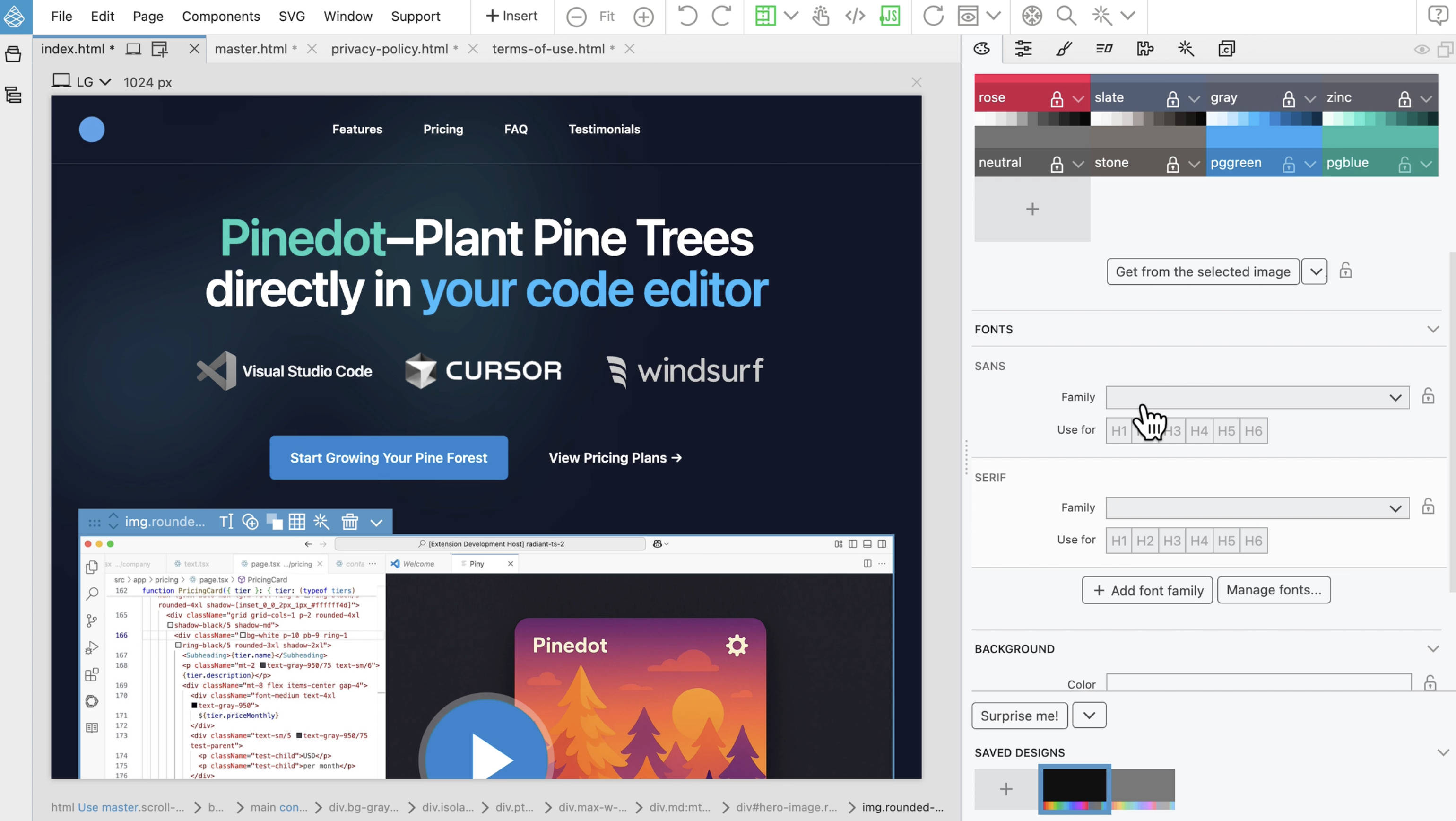 Pinegrow (Image © PCMasters.de)
Sublime Text 4
Sublime Text 4 is a cross-platform editor specifically tailored for advanced programmers who need a streamlined yet highly customizable environment. It supports editing multiple selected areas and can be extensively configured using keyboard shortcuts and snippets.
Key technical features include:
- Multi-line editing: The ability to edit multiple lines of code simultaneously.
- Regular expressions (Regex): Advanced search and replace functions using Regex for complex string manipulation.
- Text snippets: Inserting predefined code blocks to avoid repetitive typing.
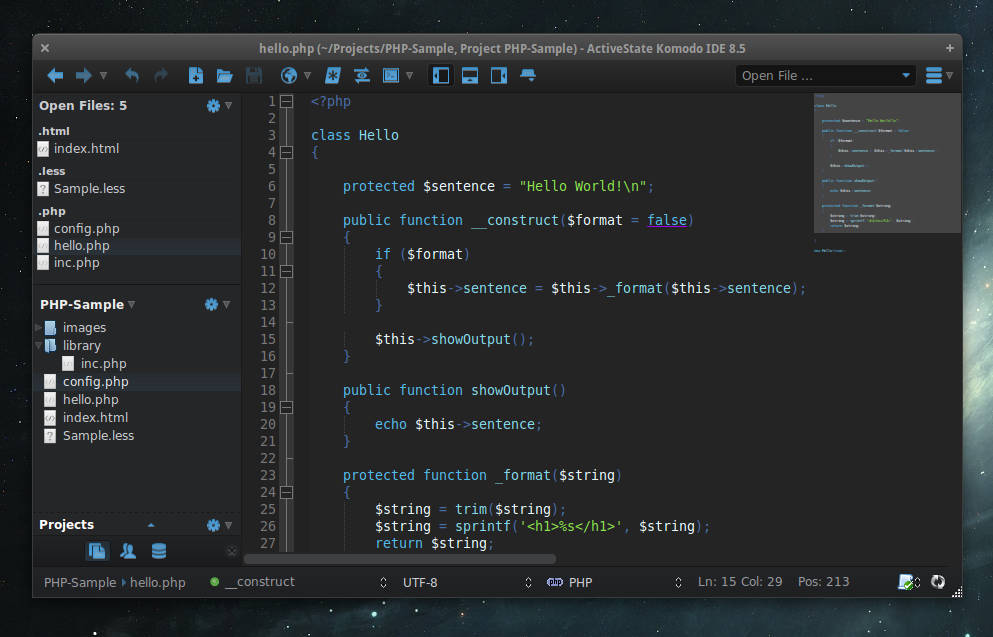 Komodo IDE (Image © PCMasters.de)
Komodo IDE
Komodo IDE functions both as a text editor and as a full-fledged integrated development environment (IDE). It offers a comprehensive suite for debugging and development in various languages such as JavaScript, Ruby, Go, and Node.js.
Technical highlights include:
- Graphical debugging: Advanced tools for analyzing code execution in real time.
- Snippets with automatic abbreviations: Automatic insertion of code blocks based on specific abbreviations.
- Elastic tabs: Dynamic indentation that adjusts as you type.
- Live preview: Integrated preview panes that eliminate the need to switch between the editor and the browser.
Brackets
Brackets is an open-source editor designed for web design. Although it does not have a built-in preview pane, it establishes a direct connection to the browser to display updates in real time. One of its main advantages is the ability to edit CSS rules and classes directly in the HTML file without having to open the external stylesheet. It also offers native support for preprocessors like LESS and SCSS.
Visual and Specialized Development Tools
Pinegrow (Image © PCMasters.de)
Pinegrow
Pinegrow is a visual website builder that works similarly to drag-and-drop platforms but focuses on professional standards. It allows for direct editing of Bootstrap and Tailwind CSS in a live environment. Its CSS editor enables users to modify inline styles and active rules for CSS Grids.
BlueFish
BlueFish was written in the C programming language and is a lean, fast editor that supports a wide range of markup languages, including XML, HTML, and CSS, as well as C++ and Java. It is highly extensible via scripts and plugins and offers built-in syntax and markup validation for most supported languages. Technical features include code folding and built-in upload/download functions for server management.
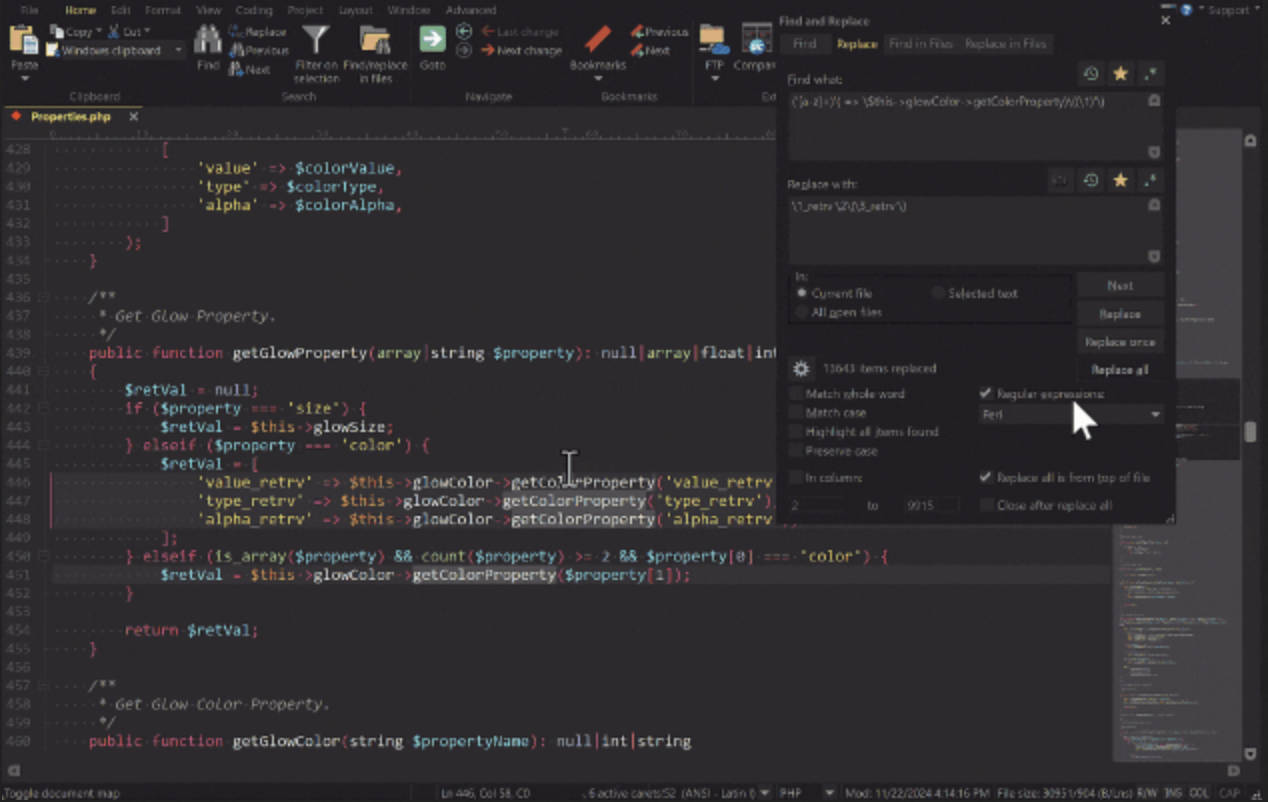 UltraEdit (Image © PCMasters.de)
UltraEdit
UltraEdit is a commercial-grade editor designed for enterprise environments. It is specifically optimized for editing extremely large files and can load documents up to 10 GB in size without any loss of performance. It includes a fully integrated FTP client and supports multi-cursor editing.
Notepad++
Notepad++ is written in C++ and is a long-established, lightweight editor known for its stability and low resource consumption. It supports a wide variety of languages and offers technical tools such as macro recording and playback, as well as search and replace using regular expressions.
