Computer Forum
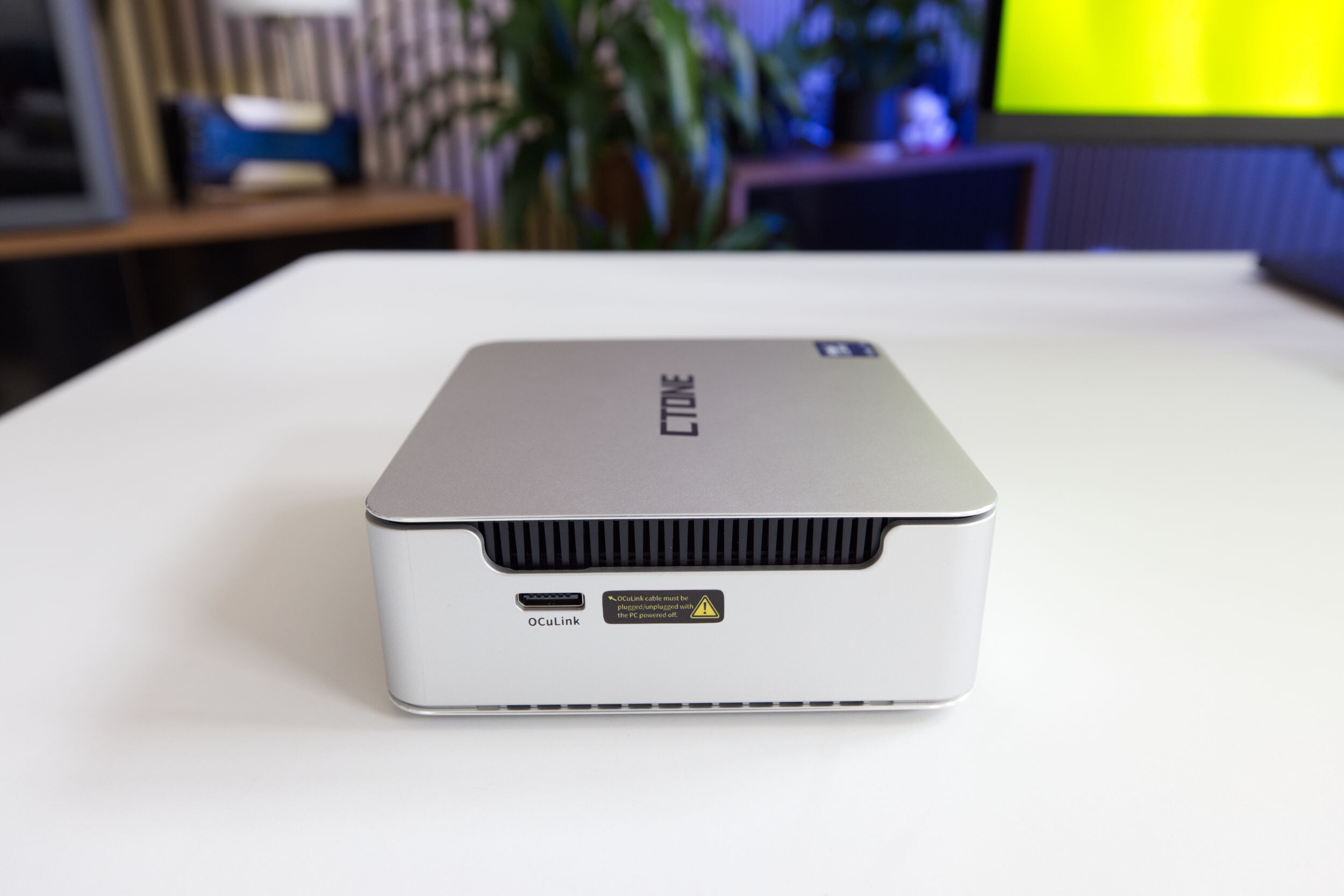 CTONE AM23 Mini PC OcuLink (Image © PCMasters.de)
Origin and Development of the OCuLink Standard
The name OCuLink is derived from the materials it was designed to support: optics (O) and copper (Cu). The standard was developed by PCI-SIG, the organization responsible for standardizing PCI interfaces. In 2012, PCI-SIG began developing a cable-based protocol for PCIe devices to ensure compatibility regardless of specific manufacturers such as Intel or Apple.
At the time of its introduction, Thunderbolt already existed, which used Mini DisplayPort connectors and supported PCIe 2.0 with a total throughput of 20 Gbit/s. In contrast, OCuLink was designed from the outset for four PCIe 3.0 lanes and aimed for a throughput of 32 Gbit/s.
The version history is as follows:
- Version 1.0 (October 2015): Supported up to PCIe 3.0 x4 lanes. This enabled a speed of 8 GT/s (gigatransfers per second) per lane, which corresponded to a total bandwidth of 3.9 GB/s.
- 2017 Update: The transfer rate was increased to 16 GT/s, doubling the total bandwidth for x4 lanes to 8 GB/s.
- OCuLink 2: Introduction of PCIe 4.0 bandwidth and a new connector design similar to the DisplayPort standard, positioning it as a technical alternative to Thunderbolt. Despite the term “optical” in its name, fiber-optic cables are rarely used in practice; the vast majority of OCuLink applications rely on copper cables.
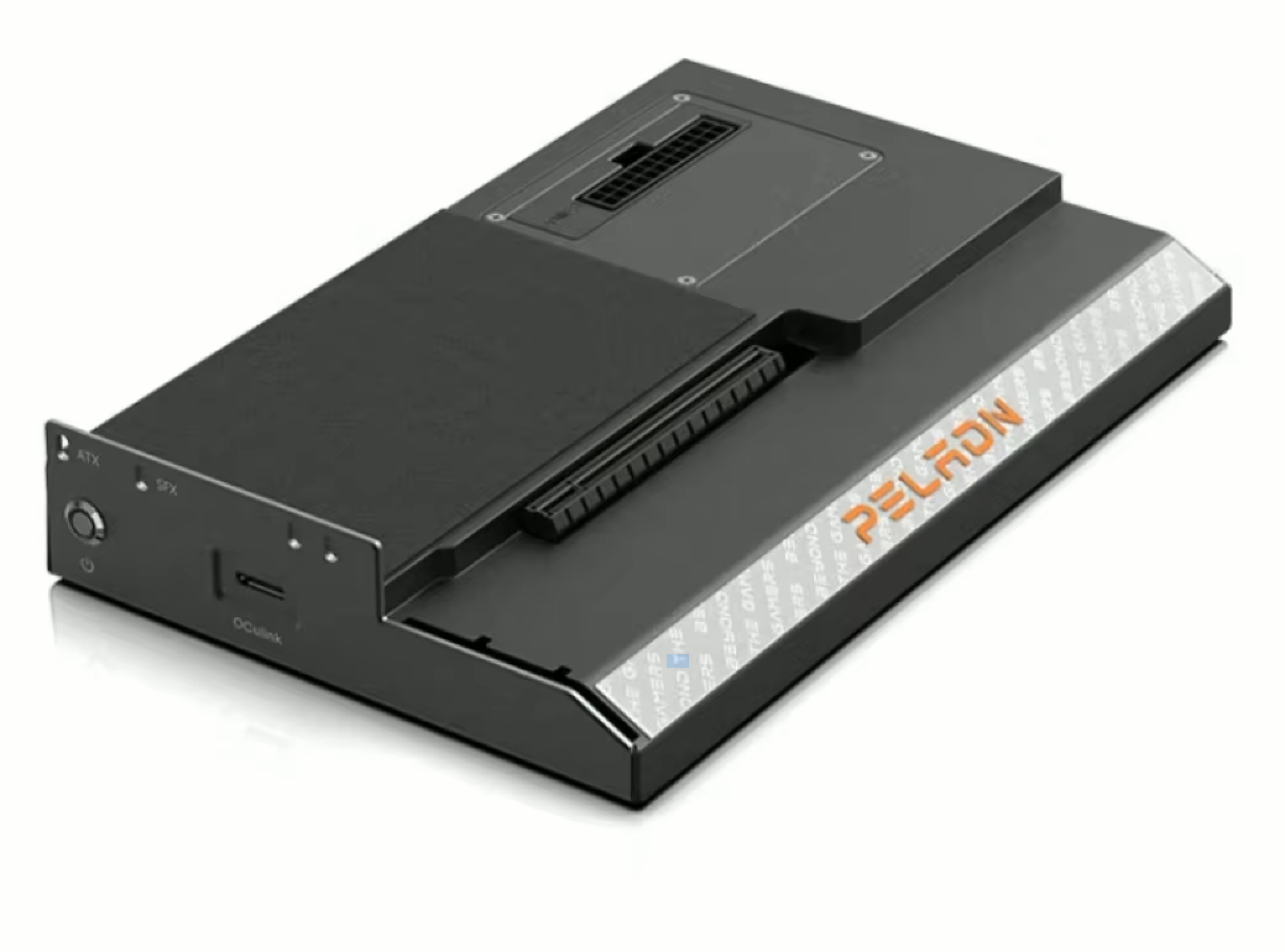 PELADN Link S 2 Externe Grafikkarten Dock mit OCuLink (Image © PELADN)
Specifications and Hardware Architecture
The OCuLink system supports up to four PCIe lanes. When using cables that support 8 GT/s, the interface can transmit data at up to 32 Gbit/s in each direction in a four-lane configuration.
The OCuLink-2 connectors use a two-part metal-to-metal contact system, specifically the Molex NanoPitch connector. A key technical feature of these cables is that they transmit neither power nor clock signals. This architectural decision eliminates the need for complex shielding, which significantly reduces production costs for cables, plugs, and receptacles.
The main application areas for OCuLink technology include:
- External PCIe storage: High-speed NVMe U.2 drives.
- I/O expansion: Adding additional PCIe ports to a system.
- Server infrastructure: Connecting motherboards or expansion cards to HDD midplanes as an alternative to HDminiSAS.
- Audio/video accessories: High-bandwidth A/V hardware.
OCuLink vs. USB 4.0 Performance Comparison
When comparing OCuLink with USB 4.0, the differences are most evident in terms of performance, versatility, and market penetration.
Latency and Bandwidth Efficiency
The most important technical advantage of OCuLink is the direct PCIe connection, which results in significantly lower latency. By bypassing the translation layers required by other protocols, OCuLink maximizes connection stability and throughput. This makes it a technically superior choice for external graphics cards (eGPUs) in gaming or professional productivity environments.
USB 4.0 is subject to protocol overhead. Additionally, USB 4.0 often has to divide its total bandwidth among data transfer, video output, and power delivery. Compared to a direct PCIe connection, this multitasking can result in a performance loss of between 15% and 40%.
Versatility and Integration
USB 4.0 offers far greater versatility. It is a versatile standard capable of transmitting video signals and powering devices, whereas OCuLink is strictly limited to data transmission. In addition, USB 4.0 uses the universal USB-C port. OCuLink is a niche standard that requires a dedicated PCIe port. Consequently, it is virtually nonexistent in cell phones and tablets and is also quite rare in standard consumer laptops.
Market Availability
USB 4.0 has become nearly ubiquitous in laptops and mini-PCs and is now spreading to the mobile sector as well. OCuLink remains a specialized solution found primarily in enthusiast gaming PCs, high-end portable consoles, and certain mini-PC configurations for connecting high-performance peripherals.
Implementation Strategies for 2026
The choice between these two standards depends on the user’s specific hardware requirements.
Use of OCuLink
OCuLink is the preferred option for scenarios where maximizing the performance of an external GPU or fast peripheral memory is a priority. The lack of protocol overhead and low latency are crucial for these high-bandwidth tasks.
Use of USB 4.0
USB 4.0 is the right choice for general connectivity, including the use of peripherals that require power or video output.
Hybrid Configuration
The most efficient system architecture is based on a hybrid approach. By using OCuLink for high-performance components (such as eGPUs or NVMe arrays) and USB 4.0 for general-purpose peripherals, users can maximize the overall utility and performance of their computer hardware.
Technical FAQ
### What is the main function of OCuLink? OCuLink is a small-form-factor connection system designed to extend PCI Express lanes externally or internally, allowing devices to connect to the PCIe bus without using a standard motherboard slot.
What does the name OCuLink stand for?
The “O” stands for “Optical,” and “Cu” is the chemical symbol for copper, indicating that the standard supports both fiber-optic and copper-based cabling.
How does OCuLink differ from Thunderbolt in terms of bandwidth?
While early versions of Thunderbolt supported PCIe 2.0 (20 Gbit/s), OCuLink was designed from the outset for PCIe 3.0 x4 at 32 Gbit/s. Later versions of OCuLink have since transitioned to the PCIe 4.0 standard.
What does “8 GT/s” mean in the OCuLink specifications?
GT/s stands for gigatransfers per second. It measures the connection’s data transfer rate. 8 GT/s means the connection can perform eight billion transfers per second per lane.
Why are OCuLink cables generally less expensive than some other high-speed cables?
OCuLink cables do not transmit power or clock signals, which simplifies internal cabling and reduces the need for expensive shielding.
Can OCuLink be used for power delivery or video output?
No. OCuLink is exclusively a standard for data transmission. It cannot supply power to connected devices or transmit video signals.
What is the OCuLink SFF-8612?
The SFF-8612 is the specific connector type that OCuLink uses to enable high-speed transmission of PCIe data in a small form factor.
In which server environments is OCuLink typically used?
In servers, OCuLink is often used to connect the motherboard or an expansion card to the HDD midplane, serving as a modern alternative to HDminiSAS.
Why does OCuLink offer better performance for eGPUs than USB 4.0?
OCuLink establishes a direct PCIe connection to the CPU, eliminating the protocol overhead and bandwidth splitting (for power and video) that occur with USB 4.0, resulting in lower latency and greater stability.
Is it possible to use both OCuLink and USB 4.0 in the same system?
Yes. They serve different purposes: OCuLink is used for high-performance PCIe hardware, while USB 4.0 is used for versatile, general-purpose connectivity.