


 Computer Forum
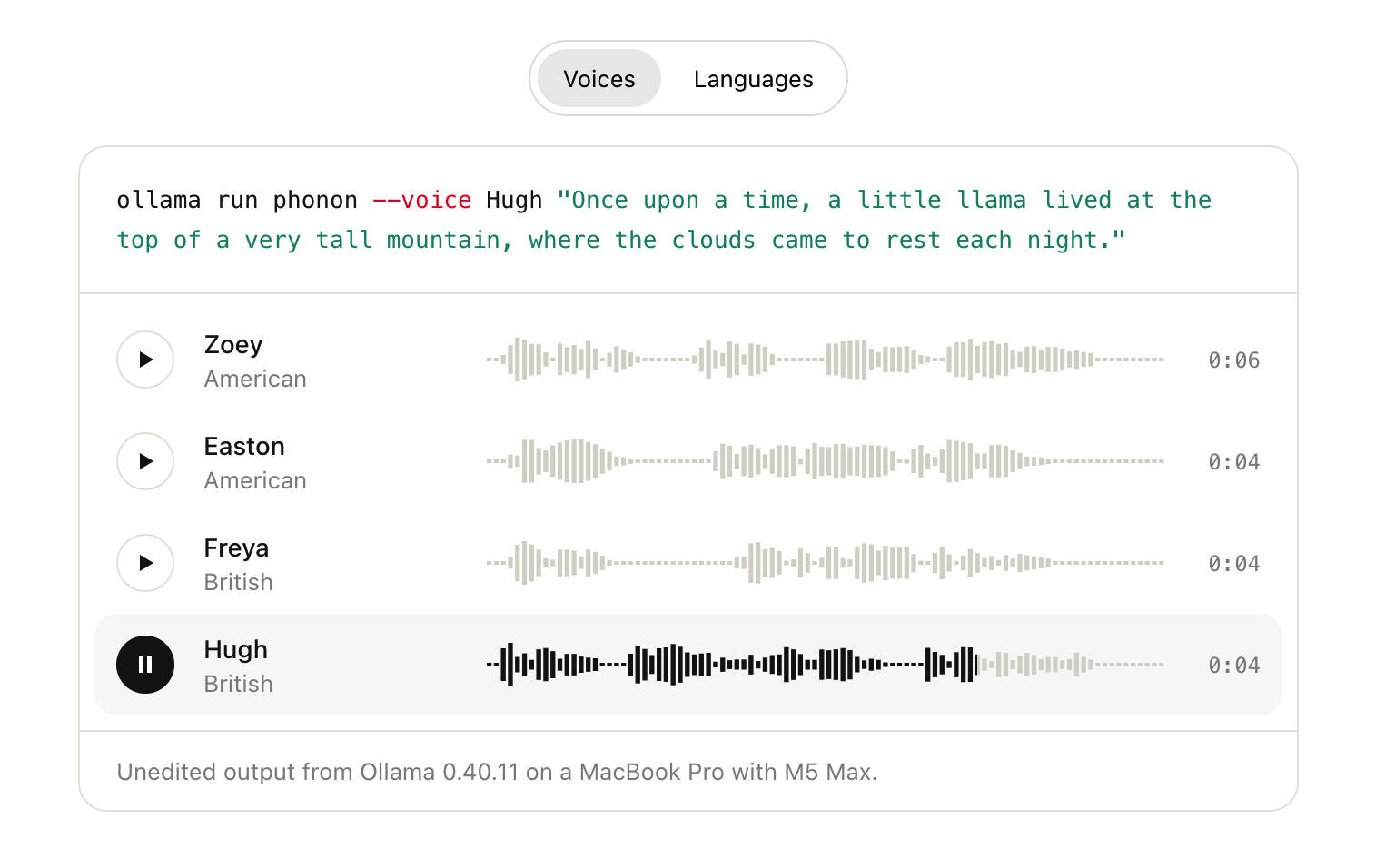 Ollama lokale Text to Speech (Image © Ollama)
Configuring Local Text-to-Speech
To use the speech features, you must first install Ollama v0.40.9 or a newer version and download the Phonon model using the following command:
ollama pull phonon
The Phonon model includes several preconfigured English voices, notably Zoey, Easton, and Freya. If no specific voice is selected, the system uses the checkpoint’s default voice. Users can view a complete list of available voices by running ollama show phonon. The system is designed to be flexible when it comes to entering voice names and accepts various capitalizations and formats.
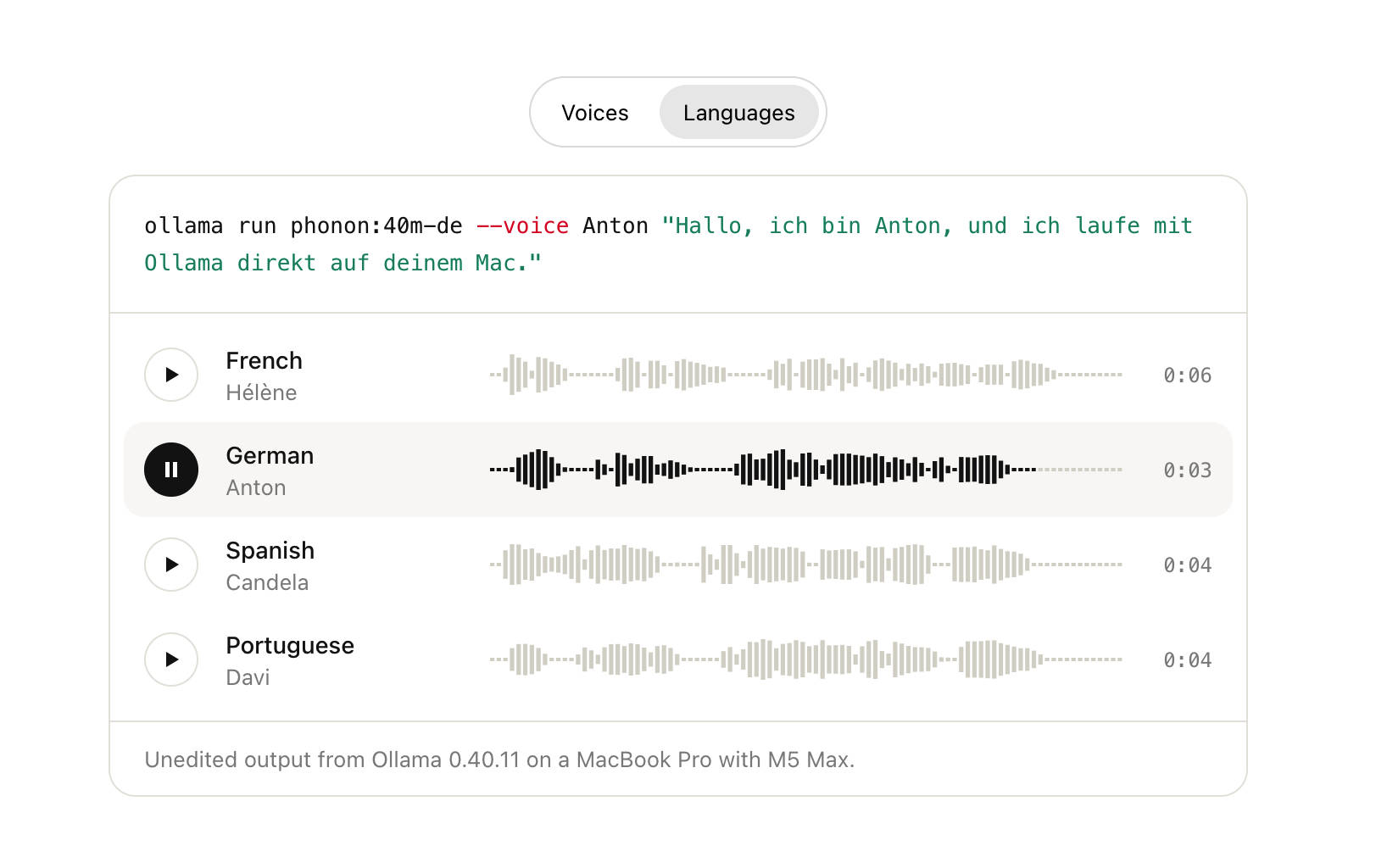 Ollama lokale Text to Speech Sprachen (Image © Ollama)
Phonon Languages
- phonon: English
- phonon:40m-fr: French
- phonon:40m-de: German
- phonon:40m-es: Spanish
- phonon:40m-pt: Portuguese
- phonon:40m-multilingual: All five languages
Terminal Operation and Audio Streaming
Audio generation is directly integrated into the command-line interface. With
ollama run
the system streams audio in real time through the computer’s hardware speakers, which means playback begins before the entire text string has been fully processed.
Common terminal commands include:
Basic Speech Output:
ollama run phonon “Text to speak”
Voice Selection:
ollama run phonon --voice Zoey “Text to speak”
External Input: Feed text from other programs directly into the model.
LLM integration:
Feed the output of a chat model, such as gemma4, into Phonon to generate a voice-based AI response. For example:
ollama run gemma4 --hidethinking “prompt” | ollama run phonon
For interactive use, the command ollama run phonon without arguments opens a prompt where each line of text is read aloud when you press the Enter key. The system uses native operating system players for output: afplay on macOS, PowerShell on Windows, and a priority list of paplay, pw-play, aplay, or ffplay on Linux.
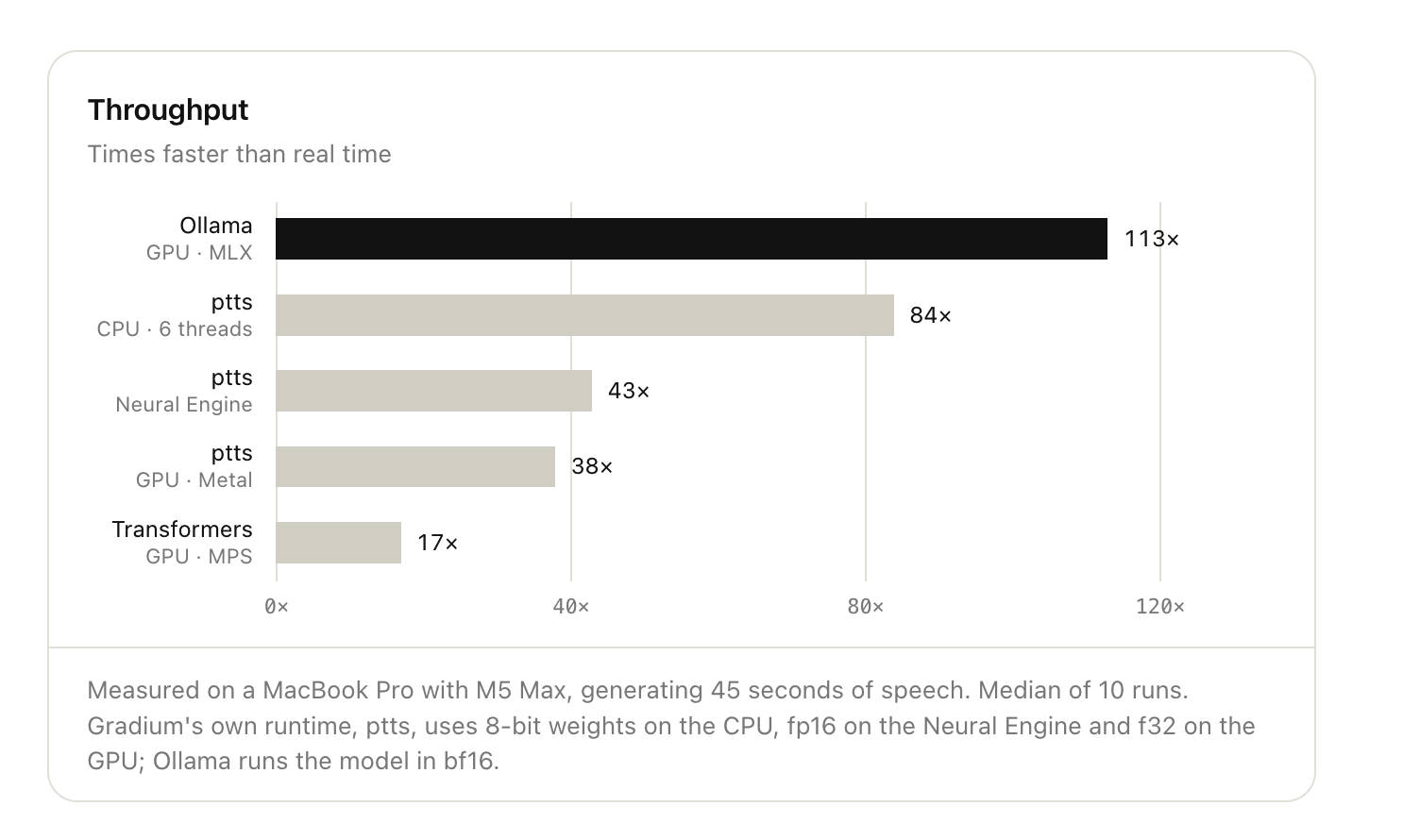 Ollama lokale Text to Speech Durchsatz (Image © Ollama)
File Export and Remote Server Configuration
The system supports redirecting audio output to save the speech output as a file. When output is redirected, the software generates a WAV file instead of playing the sound through speakers:
ollama run phonon “Text” > output.wav
In environments where the Ollama instance is hosted on a remote server without audio hardware, you can run the command on a local machine and point it to the server using the OLLAMA_HOST environment variable:
OLLAMA_HOST=server-ip:11434 ollama run phonon “Text”
API Integration and Technical Specifications
Ollama provides an OpenAI-compatible API endpoint at /v1/audio/speech for programmatic speech generation. This endpoint supports streaming responses, allowing developers to start audio playback while the rest of the file is still being generated.
Audio Output Formats
The API supports two primary response formats:
- WAV (default): 16-bit, mono, 24 kHz. Due to the streaming nature of the generation, the size fields in the WAV header are set to their maximum values.
- PCM: Raw 16-bit little-endian samples, mono, 24 kHz, without a header.
Request Limitations and Data Processing
Certain technical limitations and preprocessing rules apply to the input:
-
Character Limit: Each request is limited to 4,096 characters. The
ollama runcommand automatically handles longer texts by splitting them at sentence and paragraph boundaries. - Text Normalization: The model automatically converts symbols, prices, and numbers into spoken words. For example, currency symbols are expanded into full words (e.g., “dollar” and “cent”).
- Formatting: To ensure natural-sounding speech, dates should be written out in full (e.g., “October 23”) rather than using numerical abbreviations. The system is programmed to ignore Markdown markers, bullet points, and emojis.
- Error Handling: Requests containing unsupported options, such as custom speech rates or commands, trigger a 400 error. Similarly, requesting an unknown voice results in a 400 error that includes a list of valid voice options.
- Model Scope: Phonon is a specialized language model. Any requests for chat, autocomplete, or embedding sent to this model will result in a 400 error.
