


 Computer Forum
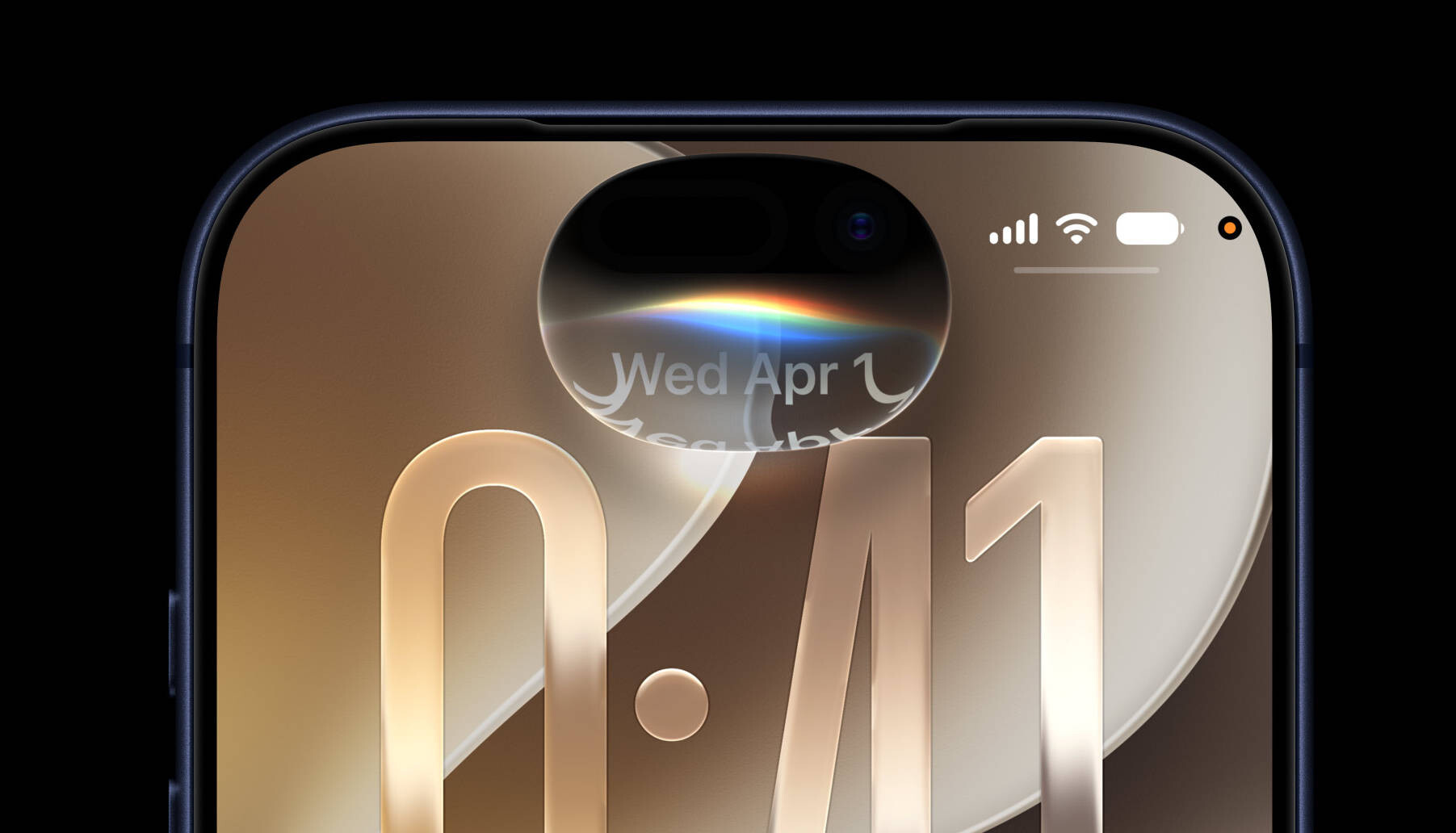 iOS 27 Preview 2 (Image © Apple)
iOS and iPadOS: Productivity and connectivity
The updates for iPhone and iPad focus on seamless transitions and multitasking. iOS 27 introduces the ability to switch between two devices with a single phone number and optimizes the transition between cellular and Wi-Fi networks. Dynamic Island now supports Live Activity in landscape mode, and Safari has been optimized for better energy efficiency.
iPadOS 27 brings the platform closer to a desktop experience with the introduction of an optional permanent menu bar, improved window switching speeds and the ability to resize iPhone apps. In addition, iPad users can now undo and redo edits on the home screen and use extra-large widgets in the “Today” view.
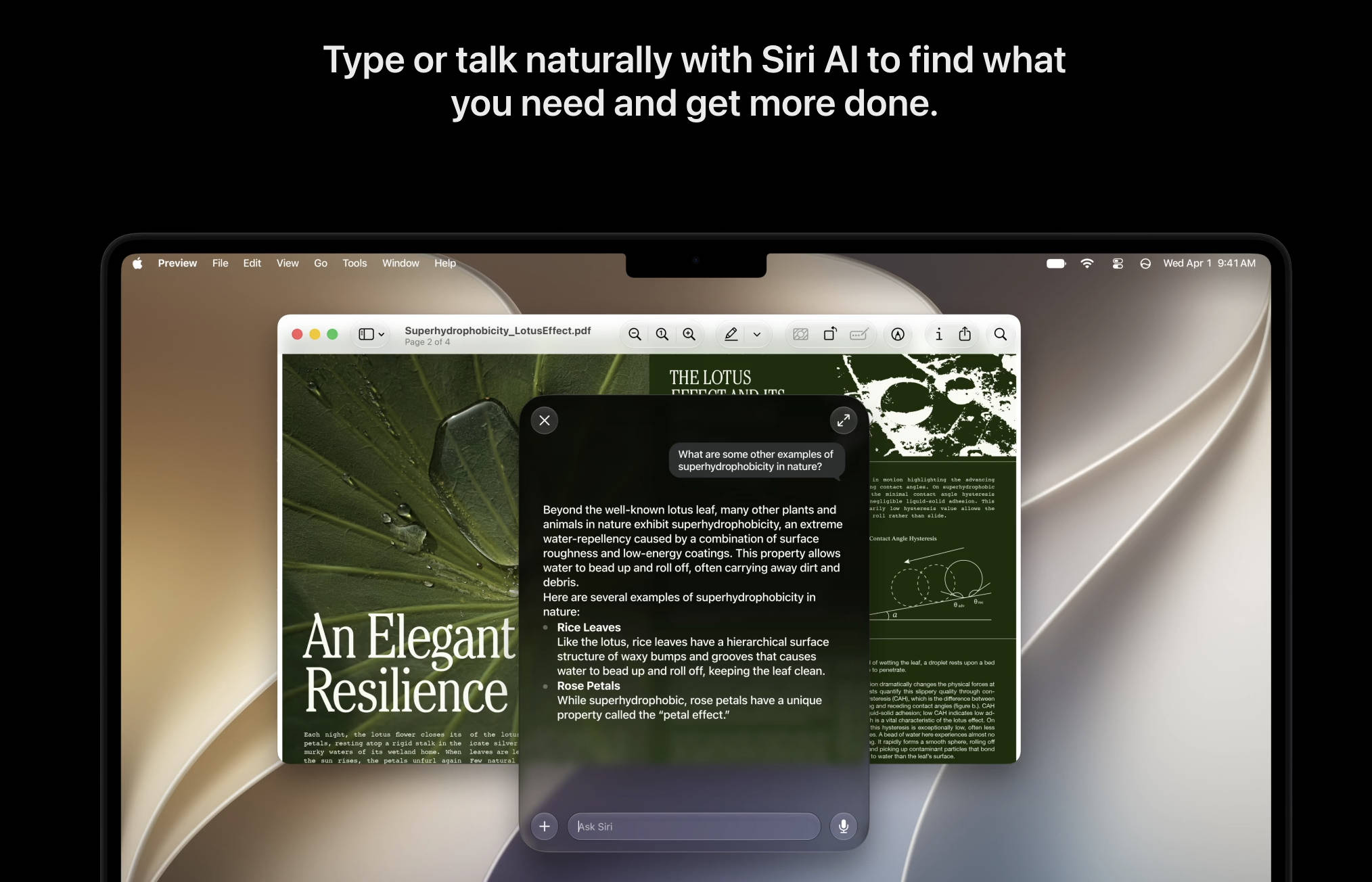 macOS 27 Golden Gate (Image © PCMasters.de)
macOS Golden Gate and Spatial Computing
macOS 27, codenamed Golden Gate, focuses on visual uniformity. The system introduces borderless sidebars, updated menu bar icons and consistent corner radii throughout the user interface. Technical improvements include support for Mac mirroring at 5K resolution and improved RDMA over Thunderbolt. Spotlight has also been updated to index actions faster and provide more relevant suggestions.
With visionOS 27, the focus is on immersion and usability. Users can now transform their own panoramas into spatial environments. The update also introduces curved windows and an optimized process for startup and connecting to Wi-Fi.
Wearables, home and multimedia
watchOS 27 introduces a dynamic app grid and improved battery performance. The update also refines health monitoring, particularly in terms of step accuracy and water detection. In the Home ecosystem, tvOS 27 offers a redesigned Podcasts app and more responsive animations in the Control Center. HomePod and Home app users will benefit from faster AirPlay connections and the ability to record 4K video via compatible home cameras.
Cross-platform app improvements
Significant updates have been made to the core apps:
- **Photos: iCloud share albums now support full-resolution media and allow participation from Android and Windows devices. Users can also tag media with keywords and filter share albums.
- Messaging: A new internal drawing app has been added and the system will now automatically attempt to resend failed messages.
- **Health: The app expands its medical tracking to include logging of perimenopause and menopause symptoms.
- **Notes and shortcuts: Notes now supports Markdown formatting, while Shortcuts has been enhanced with “Else if” logic and a new editor.
System performance and global localization
Under the hood, Apple has optimized the CPU scheduler to improve app launch speed and refined Bluetooth power management. AirDrop has been updated to find recipients faster and speed up file transfers. Apple has also significantly expanded its regional support. New keyboard layouts have been added for several indigenous languages, including Comanche and Ki Usuario, and the system now offers natural language time formats for Hindi and Chinese. In addition, transcriptions of call recordings are now available for Japanese, Brazilian Portuguese and Traditional Chinese.
iPhone & iOS 27 & iPadOS 27
- Switch between two iPhone devices with the same phone number
- Seamless transitions between Wi-Fi and mobile networks
- Live activities in Dynamic Island in landscape mode
- Improved energy efficiency for Safari in iOS
- Faster voice control response in iOS
- Extra large widgets in iOS
- Optimized setup for touch customization in iOS and iPadOS
- Live activities for precise location of friends
- Smoother scrolling in the app library
- Smoother unlocking on the iPhone
- Undo and redo home screen edits in iPadOS
- Extra large widgets in the “Today” view in iPadOS
- Faster closing of windows in iPadOS
- Faster browsing and transferring in “Files” in iPadOS
- Faster access to the menu bar in iPadOS
- Resizing of iPhone apps in iPadOS
- Apple News+ audio support in iPadOS
- Faster switching between windows in iPadOS
- Optional permanent menu bar on the iPad
- App names in the iPad status bar
- Dual camera in FaceTime
- Faster switching of the lock screen
- The lock screen remains active when scrolling through notifications
- More energy efficient personal hotspot on N1 devices
- Enhanced touch support in Sidecar
- Independent alarm volumes
- Smoother camera switching when zooming in videos
- Smoother scrolling between pages on the home screen
- Smoother scrolling in the control center and control gallery
- Easier to access camera
- More accurate photo alignment
- Faster and more reliable reading of NFC
- Quick start with an emergency contact
- Improvements in pairing and handoff for “Made for iPhone” hearing aids
- Faster access and exit of “Assistive Access” and “Guided Access” modes
- Proactive setup of the car key
macOS 27
- More relevant Spotlight search suggestions
- Faster indexing of shortcuts and actions in Spotlight
- Drawing in notes under macOS
- Improved video podcast experience on macOS
- Improved energy efficiency for Safari on macOS
- Borderless sidebars
- Colorful sidebar icons
- Updated menu bar icons
- Unified toolbars
- Uniform corner radii
- Faster creation of user accounts under macOS
- Ethernet status in the menu bar under macOS
- Improved RDMA over Thunderbolt
- Support for Mac mirroring in 5K resolution
- More high-resolution and high-resolution display modes for external displays
- Swipe down to refresh on macOS
- Smoother scrolling in Safari on macOS
- Resizing of apps in iPhone mirroring
- DRM video support in iPhone mirroring
- Drawing in “Freeform” on macOS
- Smoother animations in Mission Control and Spaces
- Show frames for accessibility in macOS
- HDR for the macOS system interface
Apple TV & tvOS 27
- Faster AirPlay connections to Apple TV
- Smart downloads on Apple TV
- Details on AppleCare coverage in the tvOS settings
- More responsive control center in tvOS
- Redesigned Podcasts app for tvOS
- Larger text sizes in tvOS
- Smoother animations and app launches in tvOS
Apple Watch & watchOS 27
- Better battery performance on the Apple Watch
- More accurate step counting on the Apple Watch
- More efficient water notification on the Apple Watch
- Improved WLAN connection in watchOS
- Apple Wallet guest key in watchOS
- Merged “Find My” app in watchOS
- Faster launch of app extensions in watchOS
- Tap gesture on Apple Watch
- Faster media playback in watchOS
- Dynamic app grid in watchOS
- “Maps” widget for parked cars in the Smart Stack
- Revised settings in the Apple Watch app
- Support for time zone change in “Sleep”
- Show card balance in Wallet in watchOS
- Tickets and passes in the Smart Stack in watchOS
- New Smart Stack suggestions in watchOS
Vision Pro & visionOS 27
- Use your panoramas for “Environments” in visionOS
- Option for extra small widgets in visionOS
- New windows with curvature in visionOS
- Improved control center in visionOS
- View and respond to notifications by swiping and tapping in visionOS
- Support for spatial scenes for panoramas in visionOS
- Faster startup and faster WLAN connection in visionOS
- Widget for Mac Virtual Display in visionOS
- Multiple tab views in Safari under visionOS
Home & HomePod
- Faster AirPlay connections to the HomePod
- Improved connectivity for Thread home accessories
- Faster updates for smart home accessories
- Faster pairing of HomeKit accessories
- More reliable storage of HomeKit camera data
CarPlay
- Audio scrubbing on the “Now Playing” screen of CarPlay
- Improved navigation alignment and GPS accuracy in CarPlay
- Improved reliability of wireless CarPlay
- Audio MiniPlayer in CarPlay
Photos
- Filter photos and videos in shared albums
- Tag photos and videos in “Photos” with keywords
- Improvements to the album organization in “Photos”
- Customize slideshows in “Photos”
- “Taken by me” collection in “Photos”
- Save any slideshow as a video in “Photos”
- Select a specific pet in “Photo shuffle”
- Search for photos and videos using additional metadata
- Search returns more appealing photos of people and pets in Photos
- Option to prioritize syncing with iCloud photos
- Easier saving of photos from shared albums
- Option to include your own photos in “Photo Shuffle”
- Faster display of the “Collections” tab in “Photos”
- Selection view in “Photos”
- “ID documents” collection in “Photos”
- Faster loading of new photos in “Photos”
- Saving a video image as a photo
- Star rings in “Photos”
- Full resolution photos and videos in iCloud shared albums
- Additional participant permissions in shared albums
- Allow shared albums to expire
- Recent activities in shared albums
- React with any emojis in shared albums
- Participate in iCloud Shared Albums from Android and Windows
- Easily invite others to shared albums
Messages
- Drawing app in “Messages”
- Find swapped media in “Messages”
- Failed messages are automatically resent in Messages
- Continuous sending of photos, videos and texts in “Messages”
- Summarized notifications for multiple tapbacks in “Messages”
- Thumbnails for swapped media in “Messages”
- Search for conversations in “Messages” by phone number or nickname of a contact
- Faster addition of recent camera shots in “Messages”
- Improved synchronization of messages between devices
Apple Music & Podcasts
- Improved reliability for Apple Music streaming
- New AutoMix transitions
- Revised album pages in Apple Music
- Faster loading of the “Now Playing” view in Music
- Revised artist pages in Apple Music
- Search within programs in podcasts
- Custom EQ for AirPods
- Faster start of Apple Music playback
- Improved top results in Mail
- Faster loading of messages in Mail
- More reliable search indexing in Mail
- Improved list formatting in Mail
- Improved accuracy of the “unread” indicator in Mail
Maps
- More accurate “Places visited” in maps
- “Guides” available in more places in maps
- Improved flyover in maps
- Improvements to the updating of offline maps
- Natural language search for route planning in maps
Health & Fitness & Diary
- Sort by completed Fitness+ workouts
- Faster data updates in the Health app
- Support for perimenopause and menopause in the Health app
- Logging of perimenopause and menopause symptoms in the Health app
- Increased attachment limits in the diary
- More accurate route maps in the Fitness app after training
- iCloud synchronization status for diary entries
- Improved distance accuracy for treadmill workouts
- Synchronized step count in the “Health” and “Fitness” apps
- Faster training start in the Workout app
- Timestamp for diary entries
- Fitness+ workouts for perimenopause and menopause
- More intuitive diary series
- GymKit on iPhone and AirPods Pro 3
Notes
- Section links in notes
- Formatted notes from third-party calendar accounts
- Copy and paste as Markdown in notes
- Separator lines in notes
Shortcuts
- “Else if” support in shortcuts
- Support for group conversations in Shortcuts
- Extended “Get What's on Screen” functions in Shortcuts
- Save data in Shortcuts
- Revised Shortcuts editor
- Automations for screenshots and notifications in Shortcuts
Freeform
- Faster board previews in Freeform
- More reliable editing of right-to-left text in Freeform
- Smoother performance of Freeform boards
- Adaptive workspace in dark mode in Freeform
- Shared folders in Freeform
Safari
- Faster loading of home page content in Safari
- Faster performance of web applications in Safari
- Smoother animations and graphics in Safari
- Faster processing of JavaScript in Safari
- Smoother home page resizing in Safari
Apple Wallet & Apple Pay
- Easier card selection and payment management with Apple Pay
- Support for tracking in Wallet in Australia and Canada
“Find my iPhone”
- More flexible sharing options in “Find My iPhone”
- Improvements to the user interface of “Find my iPhone”
Home
- Support for 4K camera recordings in the Home app
- Simultaneous display of streams from compatible cameras in the Home app
Calendar
- Edit multiple calendar events
- Optimized details for calendar events
- Smoother scrolling in the calendar
Accessibility
- Easier reading and editing of PDFs with VoiceOver
- Improved support for PlayStation Access controllers
- Optimized setup of “Assistive Access”
System, performance & other
- Updated Liquid Glass
- Customize Liquid Glass
- Faster launch of apps
- Web audio no longer interrupts the system sound
- Faster saving of PDFs
- Faster AirDrop transfers
- Faster recognition of AirDrop recipients
- Improved Bluetooth power management
- Improved FaceTime quality with poor connections
- Faster browsing of network files
- Support for media sharing from third-party apps
- More document formats in the preview
- More efficient monitoring of emergency alerts
- More consistent retention of window positioning on external screens
- Improved settings for game controllers
- Improved battery information
- Improved navigation in the game overlay
- Improved performance in Apple News
- All options are displayed in the camera settings
- Password help accessible from the lock screen
- Camera consumes less power in power saving mode
- Faster start of the camera in energy-saving mode
- More comprehensive previews for iCloud collaboration links
- Access requests for items shared via iCloud
- Faster text recognition in photos and documents
- Updated app icons
- Optimized CPU scheduler
- Automatically adjust and reset columns
- Faster opening of the full screen view via the Photos widget
- Faster access to shared content on iCloud.com
- Smoother animations in news and stock articles
- Easier to access share link for iCloud collaboration
- Clearer active windows
- Real-time updates for widgets when the app is open
- Faster restoration of the service
- Updated hourly and 10-day views in “Weather”
- Faster start of upload to iCloud photos
- Option key + click for secondary sorting
- Content-based recipient suggestions for sharing photos and links
- Faster loading of emoji and sticker keyboards
- Smoother scrolling in the widget gallery
- Easier access to recovery codes for Apple accounts
Languages & regions
- New UI language for English (Canada) and English (Philippines)
- New keyboard layout for Slovenian and Estonian
- Automatic punctuation when typing on multilingual keyboards
- Natural language time formats for Chinese and Hindi
- Support for transcriptions of call recordings in traditional Chinese, Japanese and Brazilian Portuguese
- New keyboards for languages such as Afrikaans, Basque, Baybayin, English (Philippines), Galician, Guarani, Luxembourgish, Xhosa and Zulu
- New keyboards for indigenous languages, including Blackfoot, Comanche, Cree, Kiowa and Tsuu'tina
- Faster multilingual word processing for handwriting in multiple languages
- Chāizì input
- Intelligent suggestions for language and keyboard configuration
- QuickPath and input suggestions for the Vietnamese VNI keyboard
- Multilingual grammar checker
- Public holiday alerts in China
- Punctuation suggestions while typing in Chinese
- Alternative calendar for India to support the current time zone when traveling
- Language expansion for the shopping list in “Reminders”
- Improved conversion of phonetic scripts such as Pinyin and Kana when entering simplified Chinese and Japanese
- Live transcription of voicemails for English (Singapore) and Japanese
- “Places visited” available in maps in more markets
- Scribble support for Hindi and Marathi with Apple Pencil
- On-screen context for more relevant input suggestions for Chinese and Japanese
- Enhanced language support for automatic categorization in reminders
- FaceTime Live subtitles for traditional Chinese
