Computer Forum
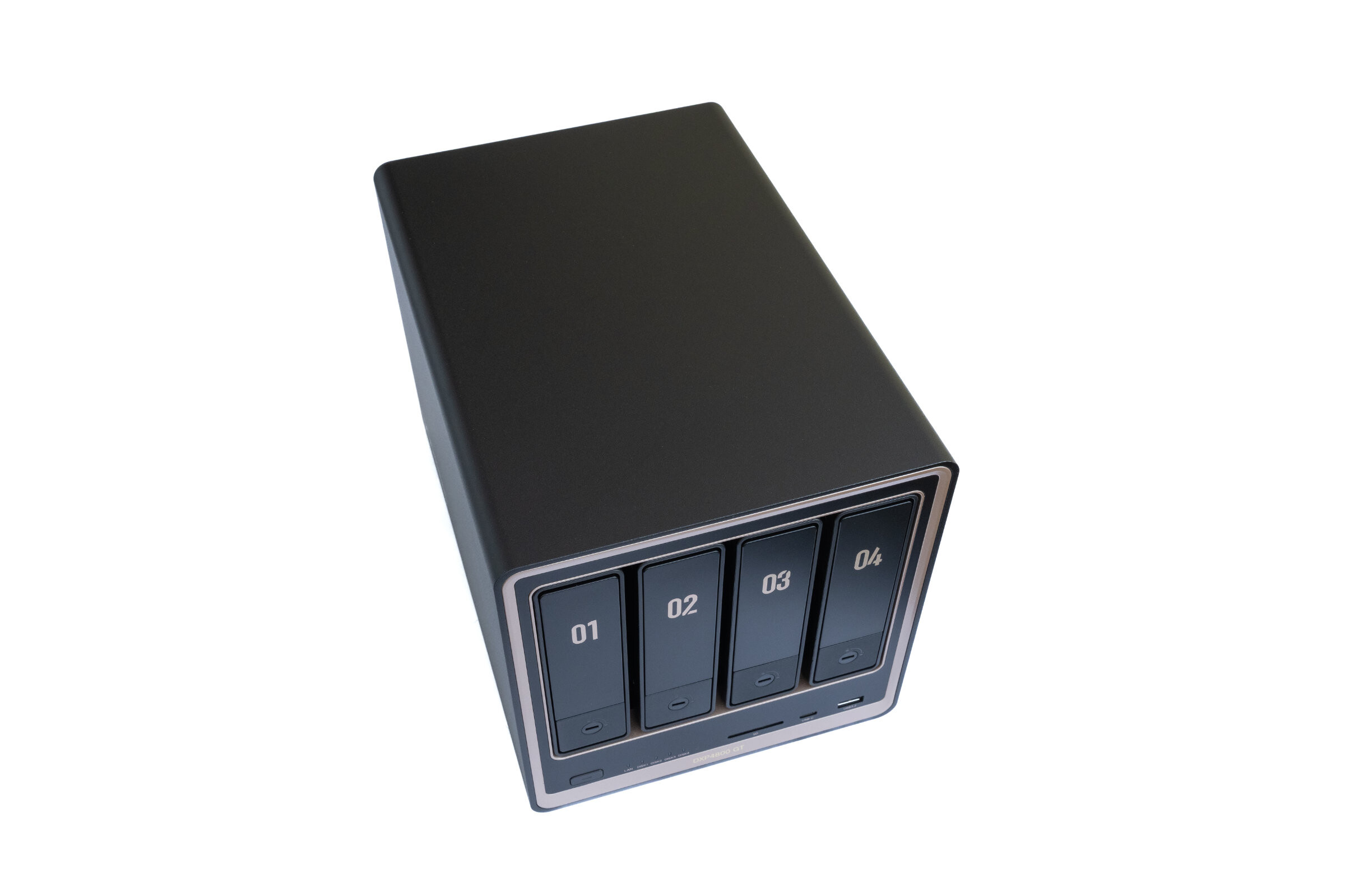 UGREEN DXP4800 GTReview (Image © PCMasters.de)
UGREEN is no longer an unknown quantity in the NAS sector and has positioned itself as an alternative to the established manufacturers with its NASync series. Accordingly, expectations of the new DXP4800 GT are not exactly low, as it has to assert itself within its own product line and at the same time set new trends.
We took a closer look at the NAS in the test and checked how the hardware performs in everyday use and whether the performance lives up to the technical data.
About UGREEN
The Chinese manufacturer UGREEN has been active on the market since 2012. Many people probably know the brand primarily through accessories such as cables, chargers or docks. In the meantime, however, the product portfolio has developed significantly. UGREEN no longer just builds accessories, but has also entered the NAS market with the NASync series and regularly launches new devices on the market to compete with the well-known manufacturers. With the NASync DXP4800 GT, we take a look at one of the latest models in this test, which is located in the mid-range performance segment and aims to impress with the latest hardware and extensive features.
Technical details
| UGREEN NASync DXP4800 GT - Technical data | |
|---|---|
| Processor (CPU) | AMD Ryzen Embedded R2514 (4 cores, 8 threads, up to 3.7 GHz) |
| Memory (RAM) | 8 GB DDR4, expandable up to max. 64 GB (ECC compatible) |
| Internal memory (system) | 64 GB eMMC |
| Drive bays | 4 × SATA 6 Gb/s (3.5"/2.5"), whereby SATA1 and SATA2 additionally support U.2 NVMe SSDs, 2 × M.2 Gen3 NVMe |
| Maximum capacity | up to 144 TB |
| Network | 2 x 10 GbE LAN port |
| USB ports | 2x USB-A 3.2 Gen2, 1x USB-C 3.2 Gen2, 2x USB-A 2.0 |
| Other connections | 1x SD 3.0, 1x HDMI 4K 60 Hz |
| Operating system | UGOS PRO |
| Dimensions (L × W × H) | 257 × 178 × 178 mm |
| Power supply | 19 V / 7.9 A power supply unit |
| Price | €659 (Affiliate) |
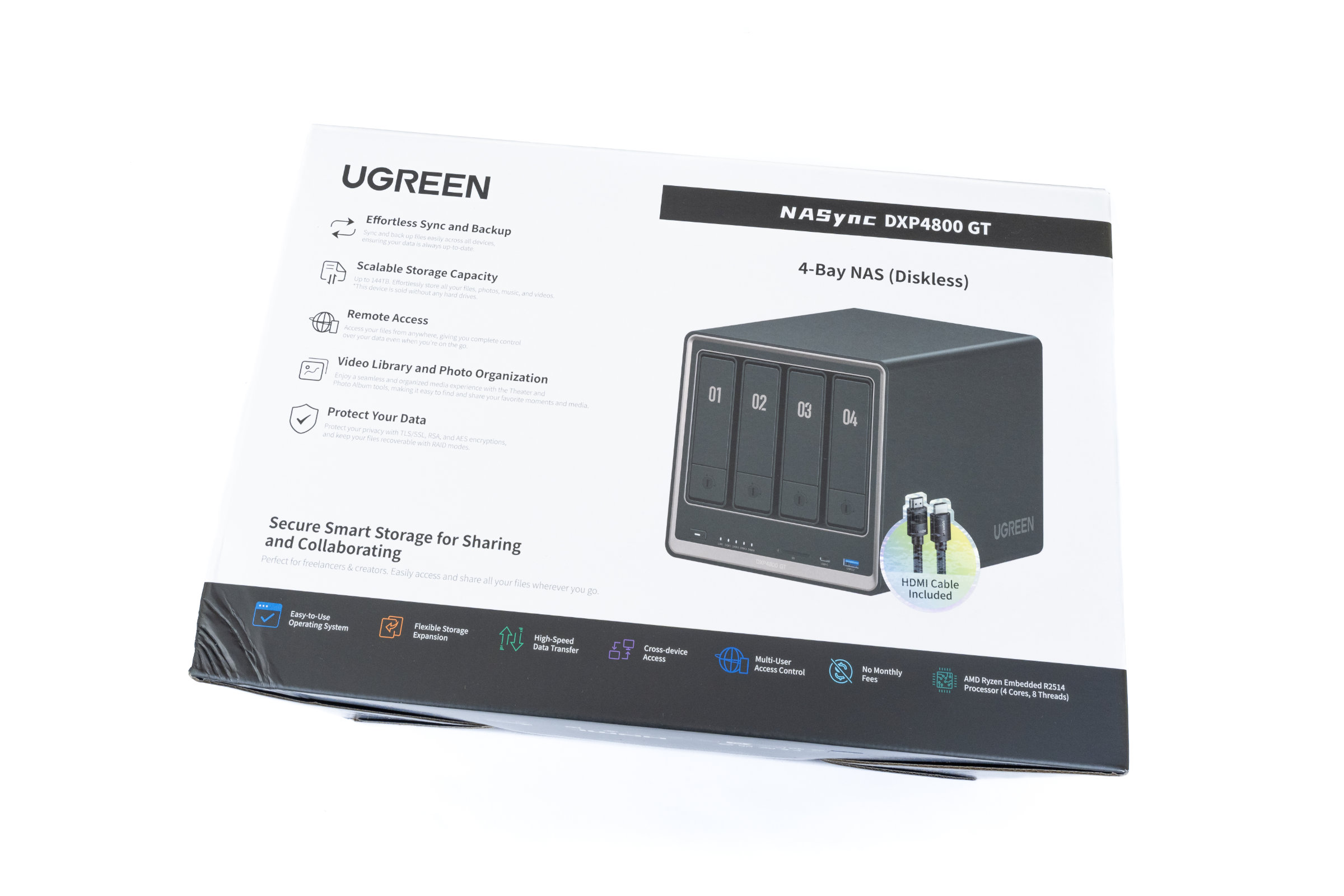 UGREEN DXP4800 GT Verpackung Front (Image © PCMasters.de)
Scope of delivery
When unpacking the NASync DXP4800 GT, it quickly becomes apparent that UGREEN has once again opted for clean and well thought-out packaging. The box is not only sturdy but also stylish, the interior is neatly structured and everything is well protected against damage during transportation with foam. Each accessory is packed separately and neatly stowed away in the scope of delivery, creating a tidy impression straight away. However, the comparatively high use of plastic in the individual accessory packaging is also noticeable. In our opinion, UGREEN could become even more sustainable in the future without having to sacrifice the good protection of the components.
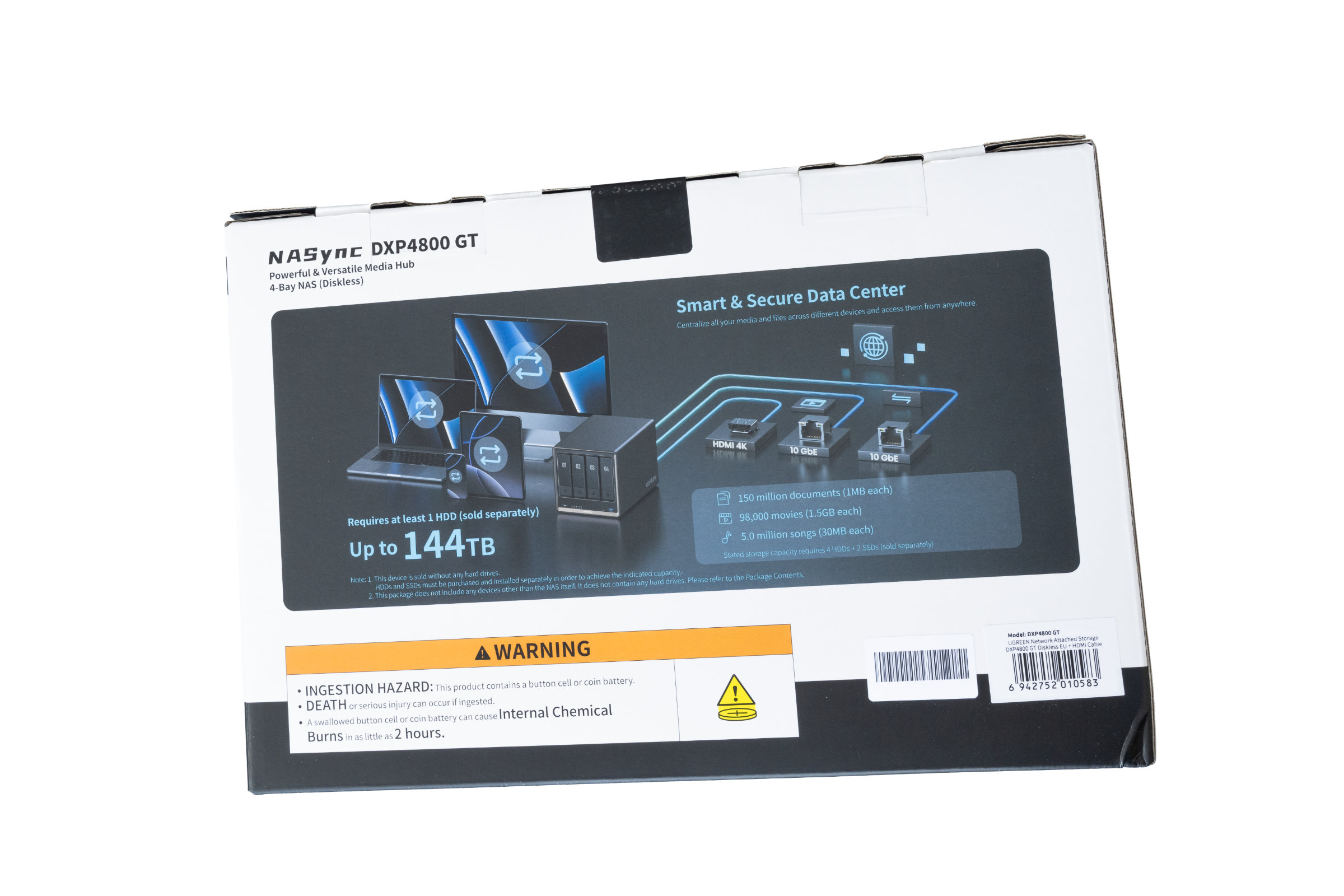 UGREEN DXP4800 GT Verpackung Rückseite (Image © PCMasters.de)
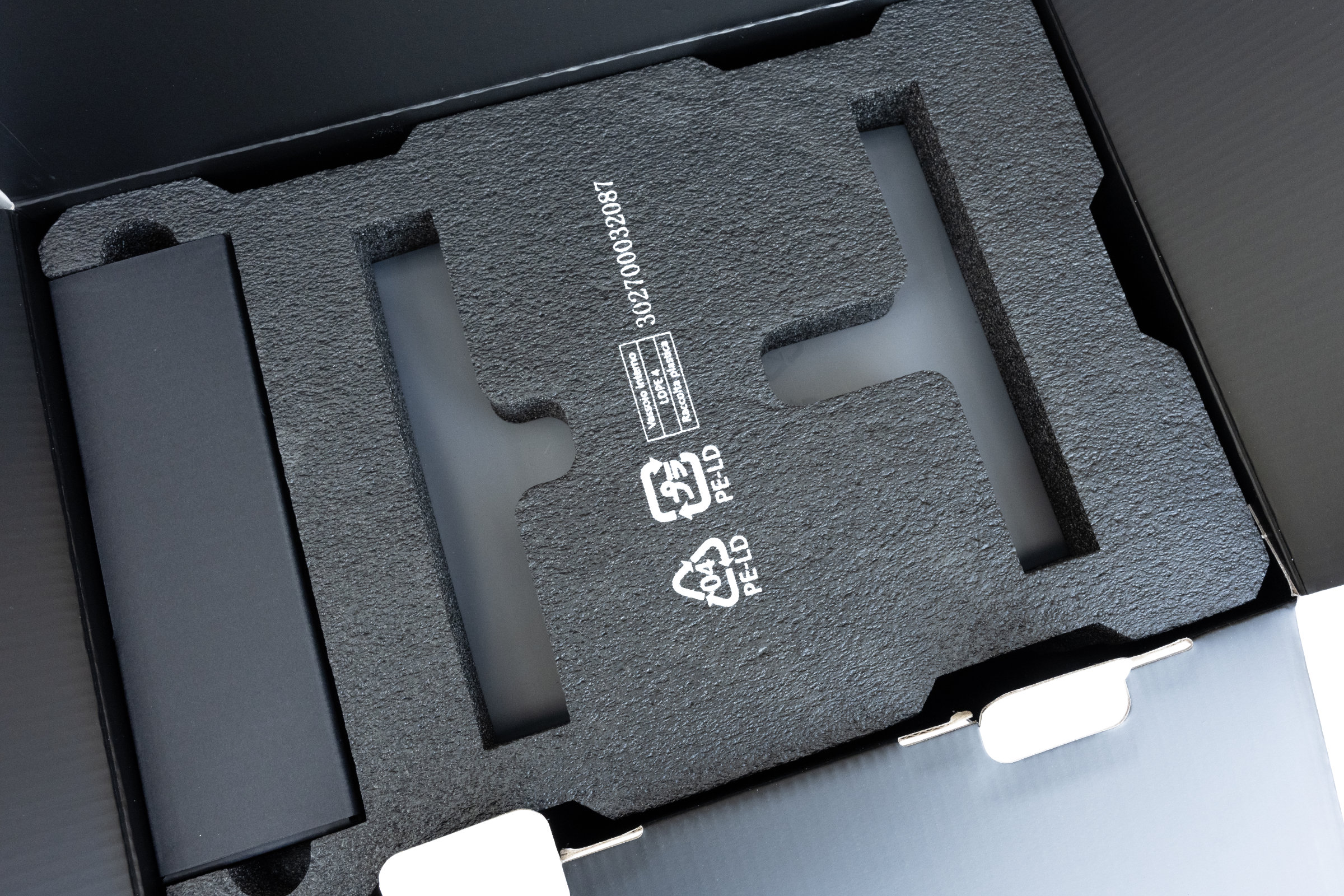 UGREEN DXP4800 GT Innenverpackung (Image © PCMasters.de)
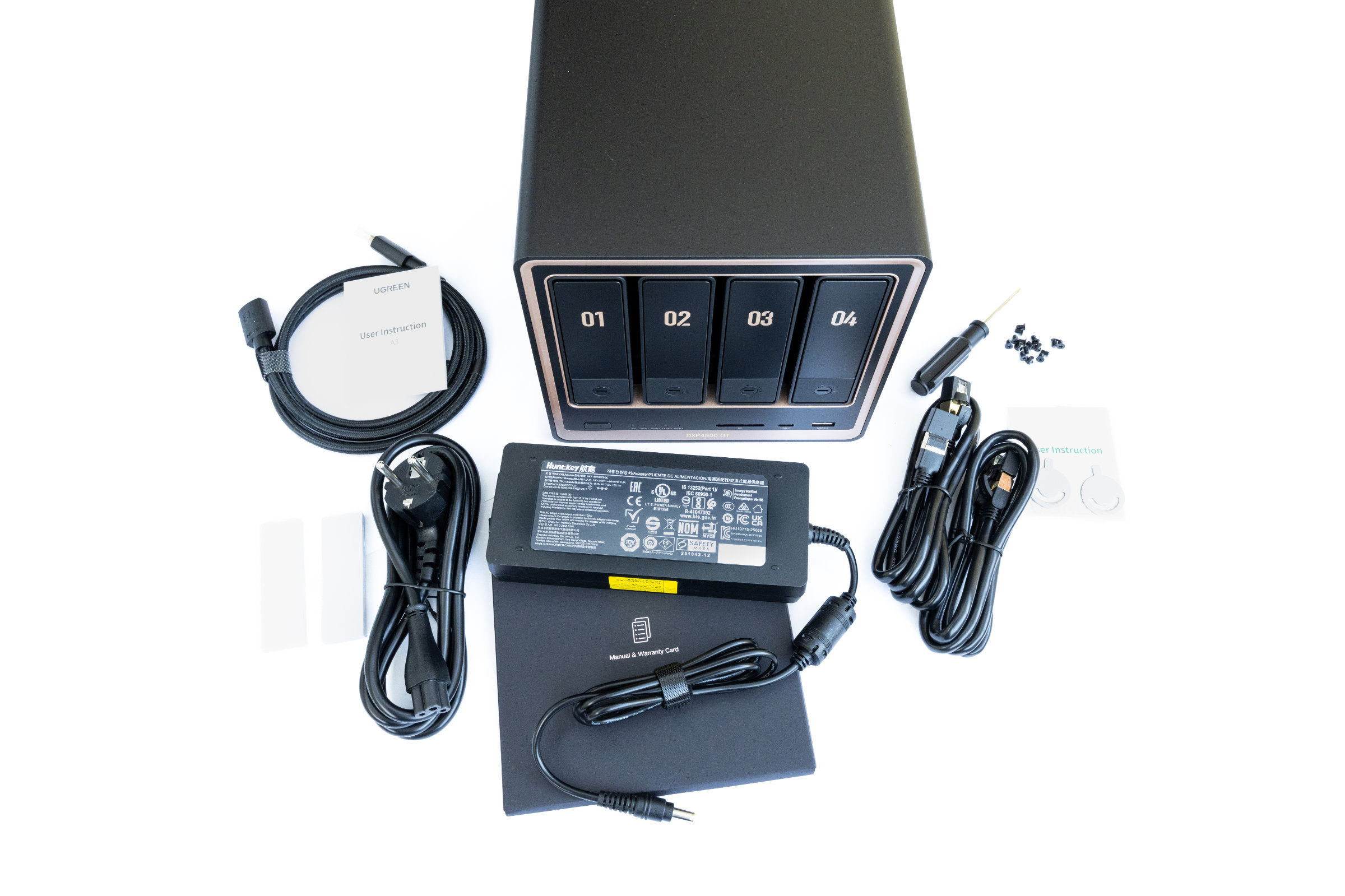
The following components are included in the scope of delivery: - NASync DXP4800 GT - 8K HDMI cable, 1 meter, braided - Power supply unit with power cable, 19 volts, 7.9 amps - 2x Cat-7 network cable, 1 meter - 2x SSD silicone pads for the NVMe SSDs - Screwdriver with screw set - 2x keys for locking the drive bays - Documentation and quick start guide
 UGREEN DXP4800 GT Lieferumfang (Image © PCMasters.de)
All in all, the scope of delivery is quite complete and you can start assembling right after unpacking without having to get any additional accessories.
 UGREEN DXP4800 GT Laufwerksschächte (Image © PCMasters.de)
NAS in detail - design & workmanship
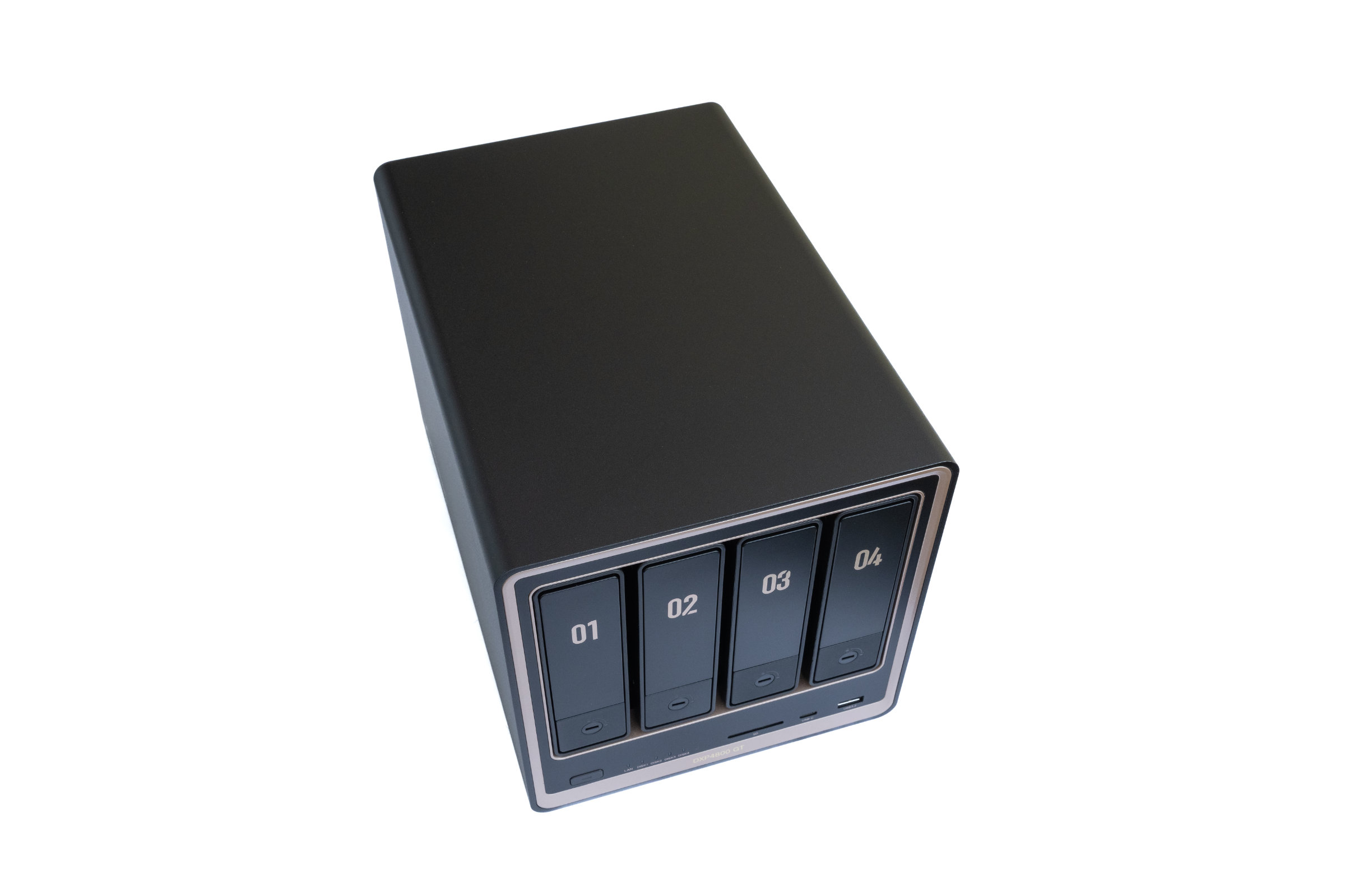
Anyone who has already had a NAS from UGREEN in their hands will recognize many design elements. With the NASync DXP4800 GT, however, the manufacturer is using a new color scheme for the first time. Instead of the previously familiar grey metal housing, the model comes in a combination of black and bronze-colored accents. What you like better is purely a matter of taste.
 UGREEN DXP4800 GT Vorderseite (Image © PCMasters.de)
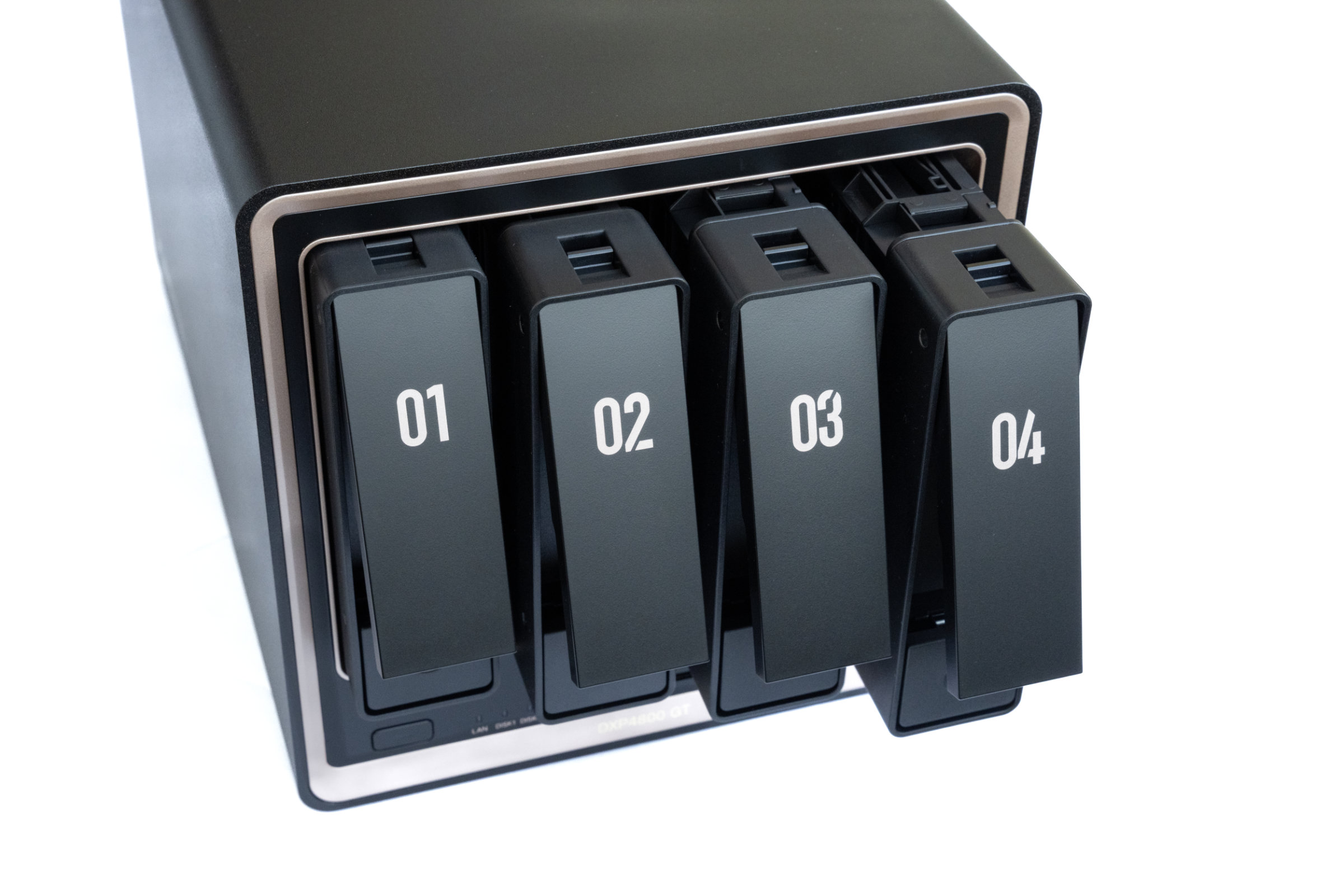
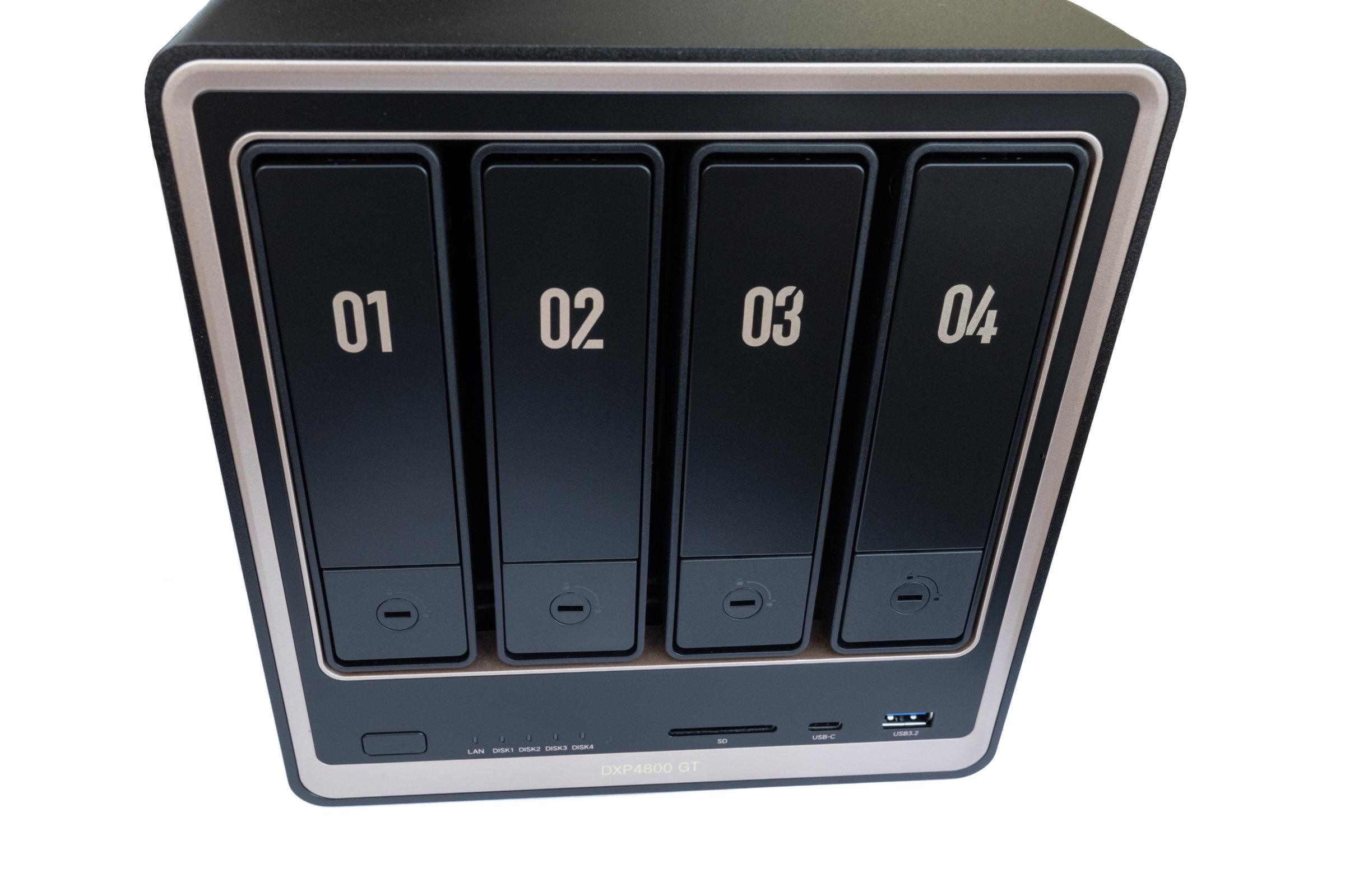
Let's start at the front and see what UGREEN has to offer. As it is a 4-bay NAS, the familiar four drive bays are also located here, taking up most of the front. It is interesting to note that the first two drive bays (SATA1 and SATA2) also support U.2 NVMe SSDs.
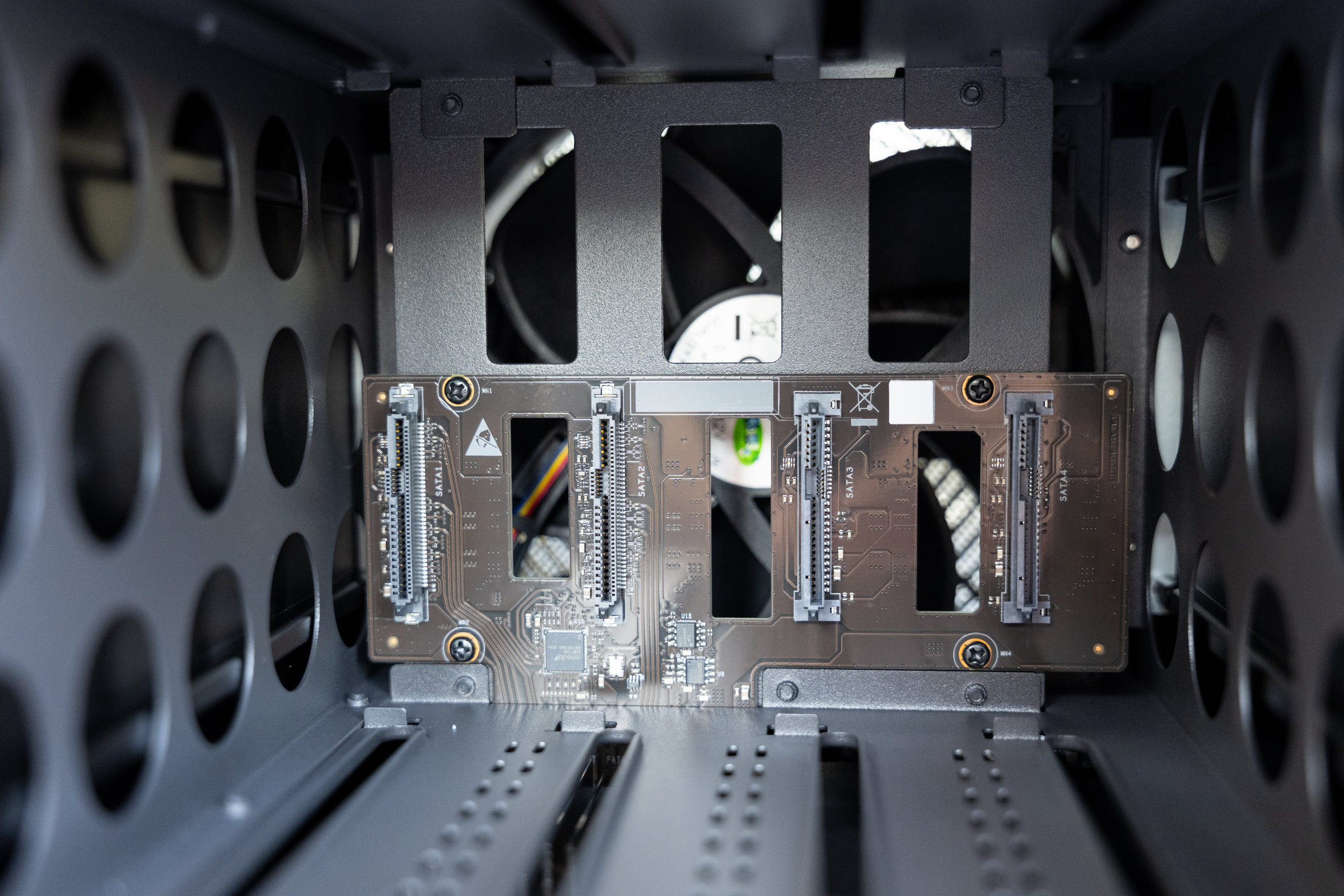 UGREEN DXP4800 GT SATA Ports (Image © PCMasters.de)
The other two bays, on the other hand, are intended exclusively for SATA drives. The bays are easy to pull out and can be locked at the bottom using the enclosed keys if required. Absolutely no tools are required for the installation of 3.5-inch hard disks, which makes assembly pleasantly uncomplicated. For 2.5-inch hard disks, we need the enclosed screws. The trays themselves are made of plastic, but appear stable and cleanly finished.
The on/off switch and the five status LEDs are located underneath the drive bays. These provide information about the operating status and the activity of the drives, among other things. The front is complemented by the familiar connections that we already know from other UGREEN models. We get an SD 3.0 slot for memory cards, a USB-C 3.2 Gen2 port and a USB-A 3.2 Gen2 port. All ports are well labeled and neatly positioned.
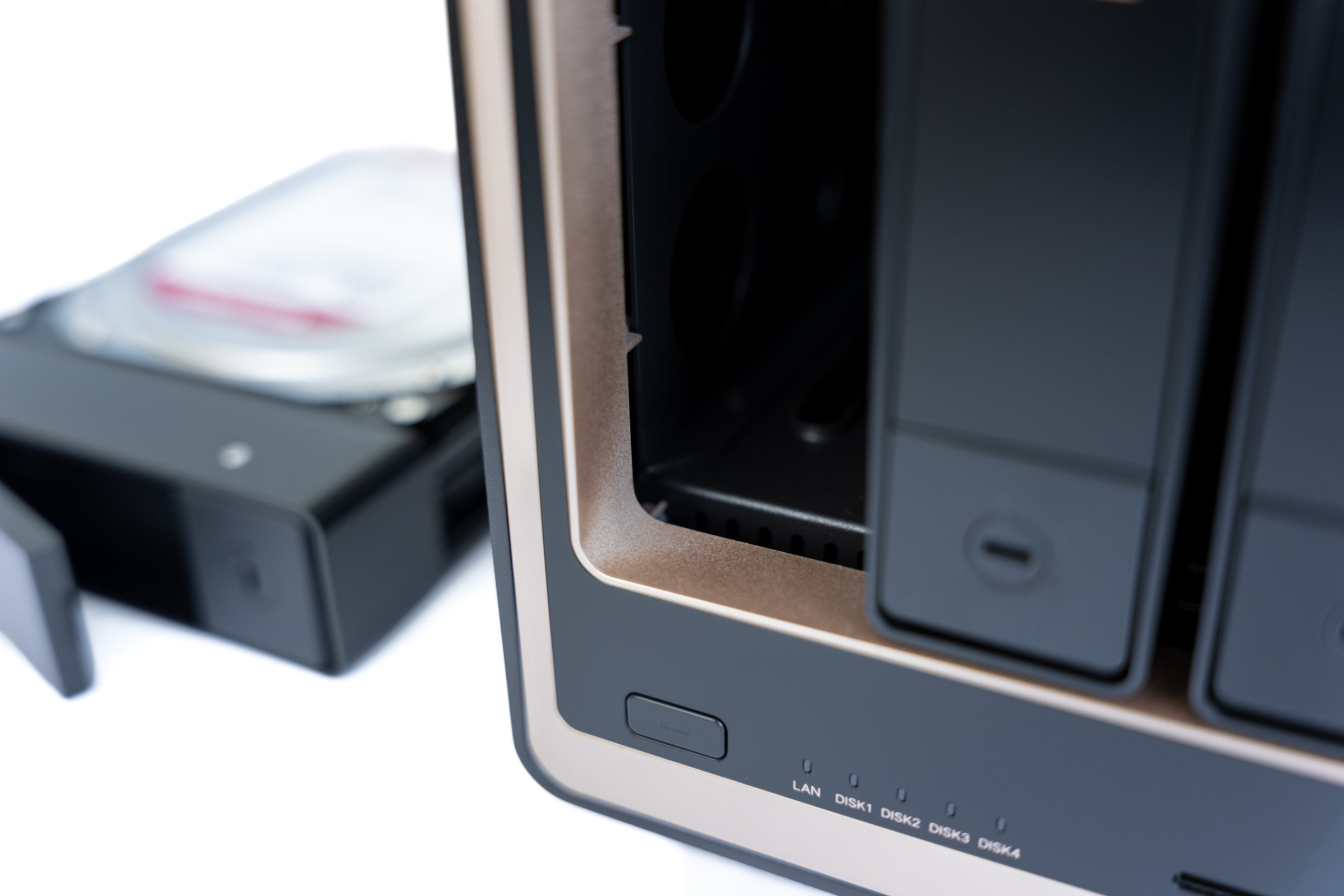 UGREEN DXP4800 GT fehlerhafte Lackierung (Image © PCMasters.de)
If you remove all four drive bays, you can also take a look inside and at the four SATA ports. Here we notice that the bronze-colored paintwork is not quite perfect at some of the edges. Occasionally, light spots are visible, which indicate that the paint is not completely opaque. In normal operation, however, this area remains virtually hidden and is therefore hardly noticeable.
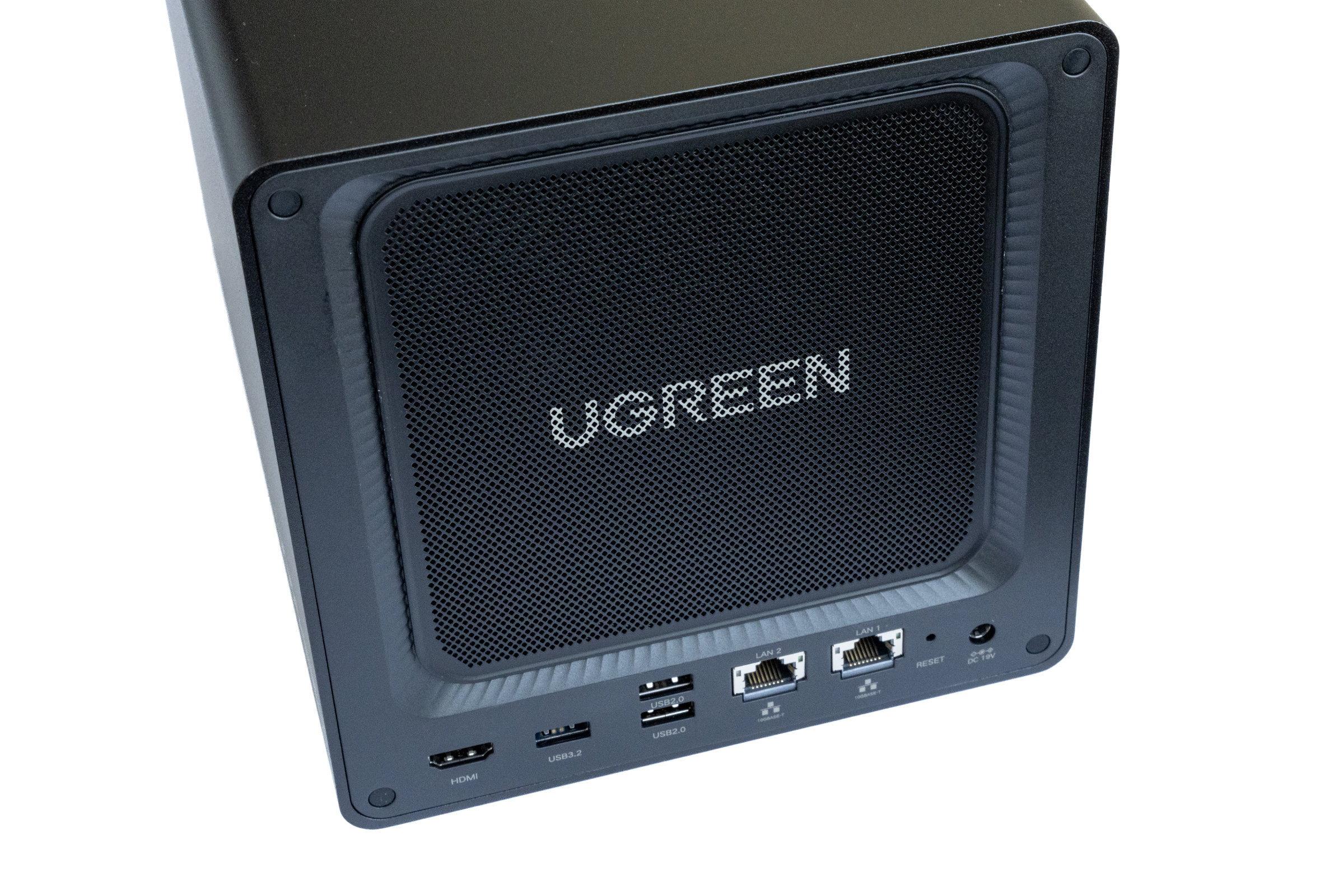 UGREEN DXP4800 GT Rückseite (Image © PCMasters.de)
If we look at the sides, we can see the simple design of the casing. The entire casing is made of metal and gives a high-quality impression. The NAS also stands securely in place due to its comparatively high weight.
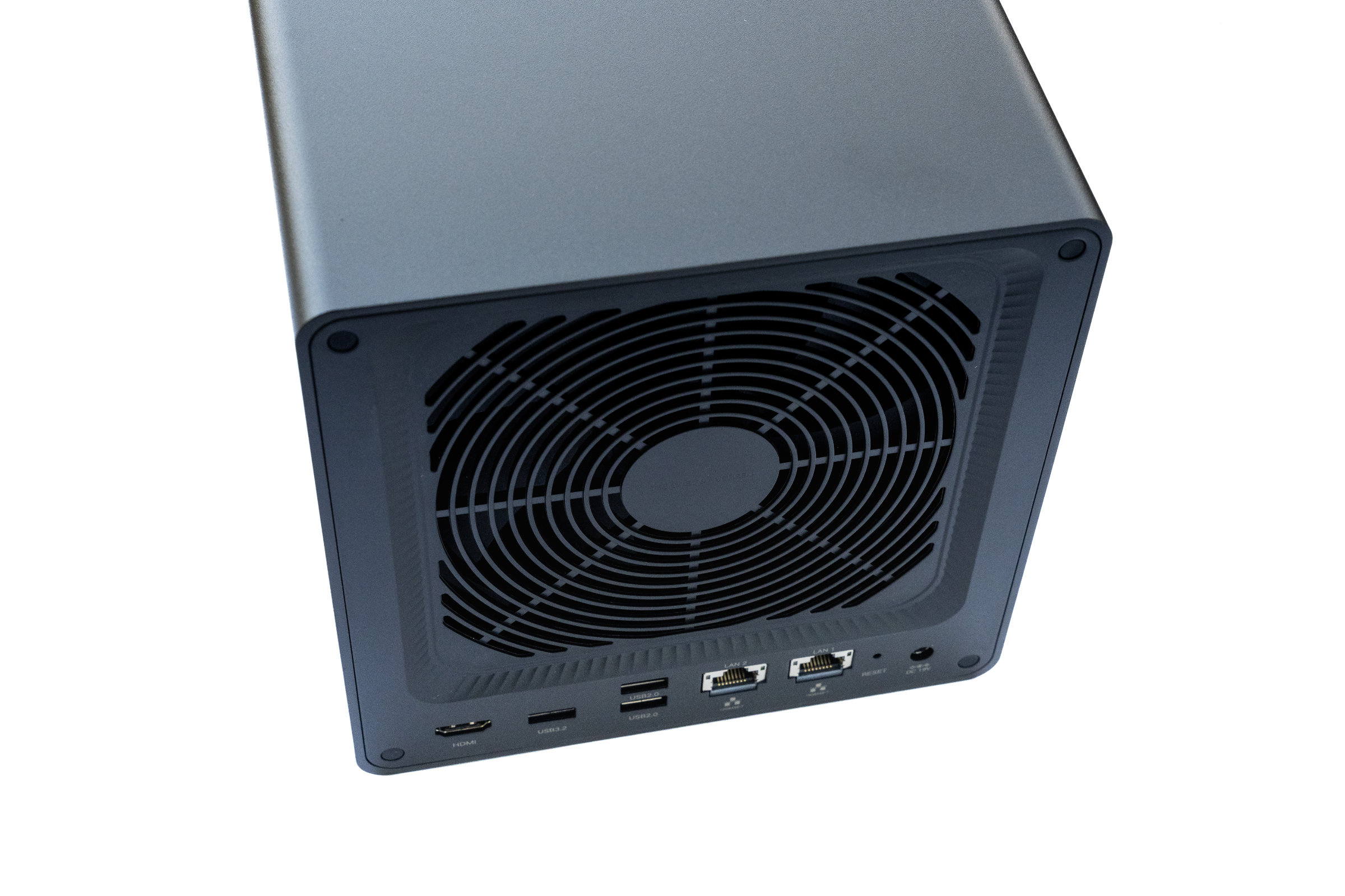 UGREEN DXP4800 GT mit entfernten Staubschutzgitter (Image © PCMasters.de)
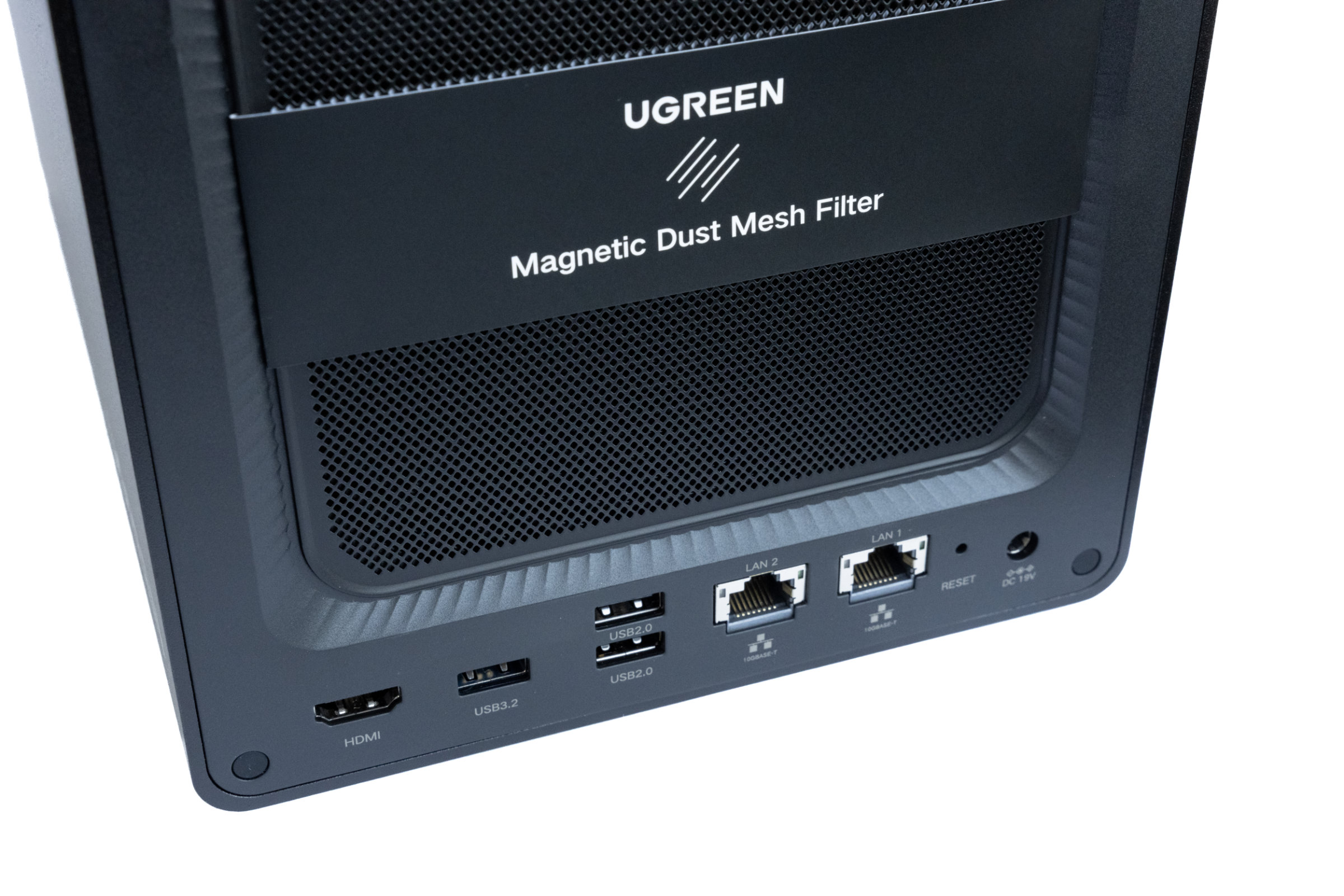
At the rear, the large fan grille immediately catches the eye. This is held in place magnetically and can be removed very quickly for cleaning. Behind it sits the large system fan, which is responsible for cooling the installed components. The numerous connections of the DXP4800 GT continue a little further down.
 UGREEN DXP4800 GT Ports auf der Rückseite (Image © PCMasters.de)
In addition to the two 10 Gigabit network connections, there are two USB-A 2.0 connections, one USB-A 3.2 Gen2 connection and the power supply. An HDMI port is also available and allows us to output directly to a monitor or TV. It's a bit of a shame that we still didn't get a USB-C port on the back.
 UGREEN DXP4800 GT Unterseite (Image © PCMasters.de)
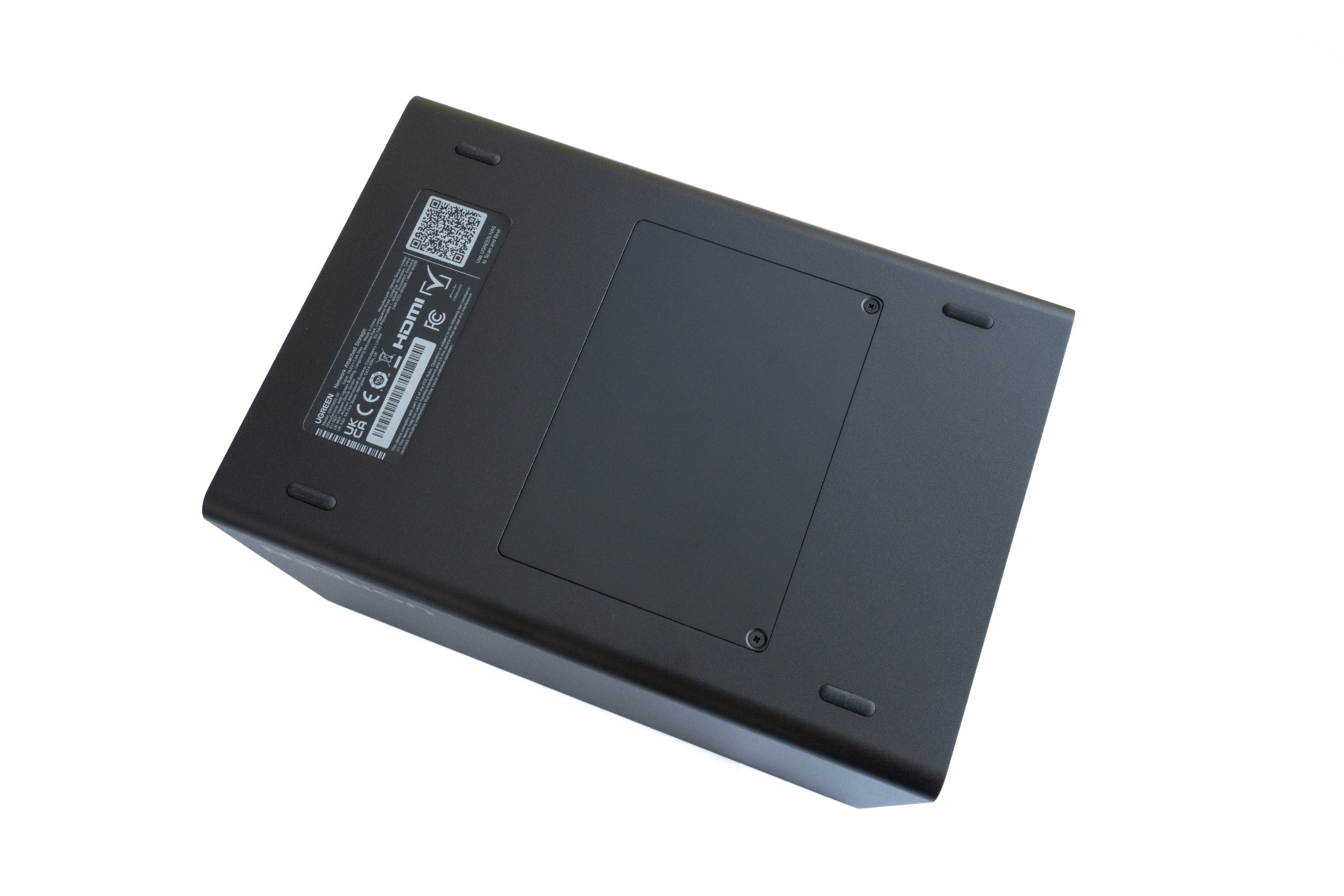
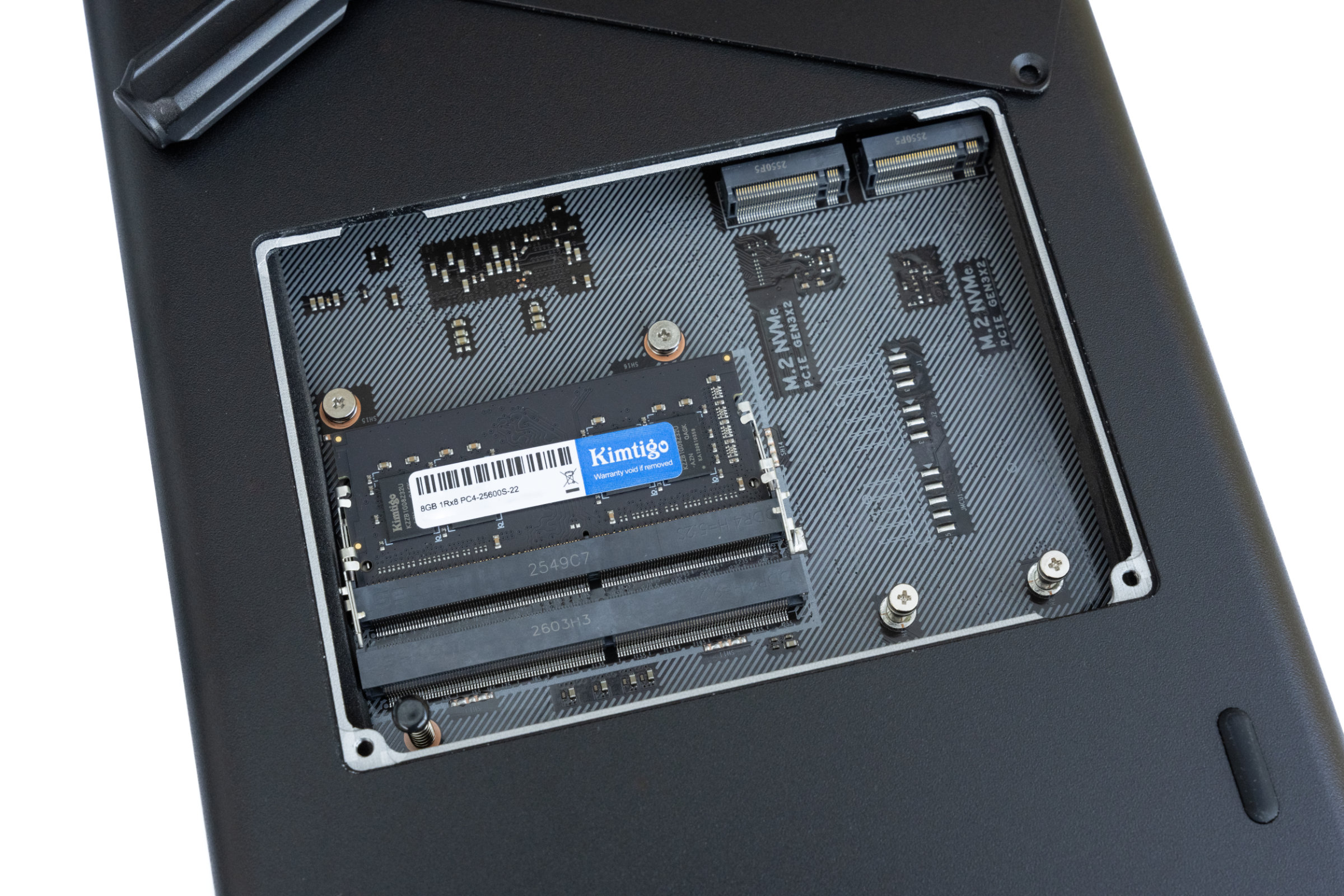
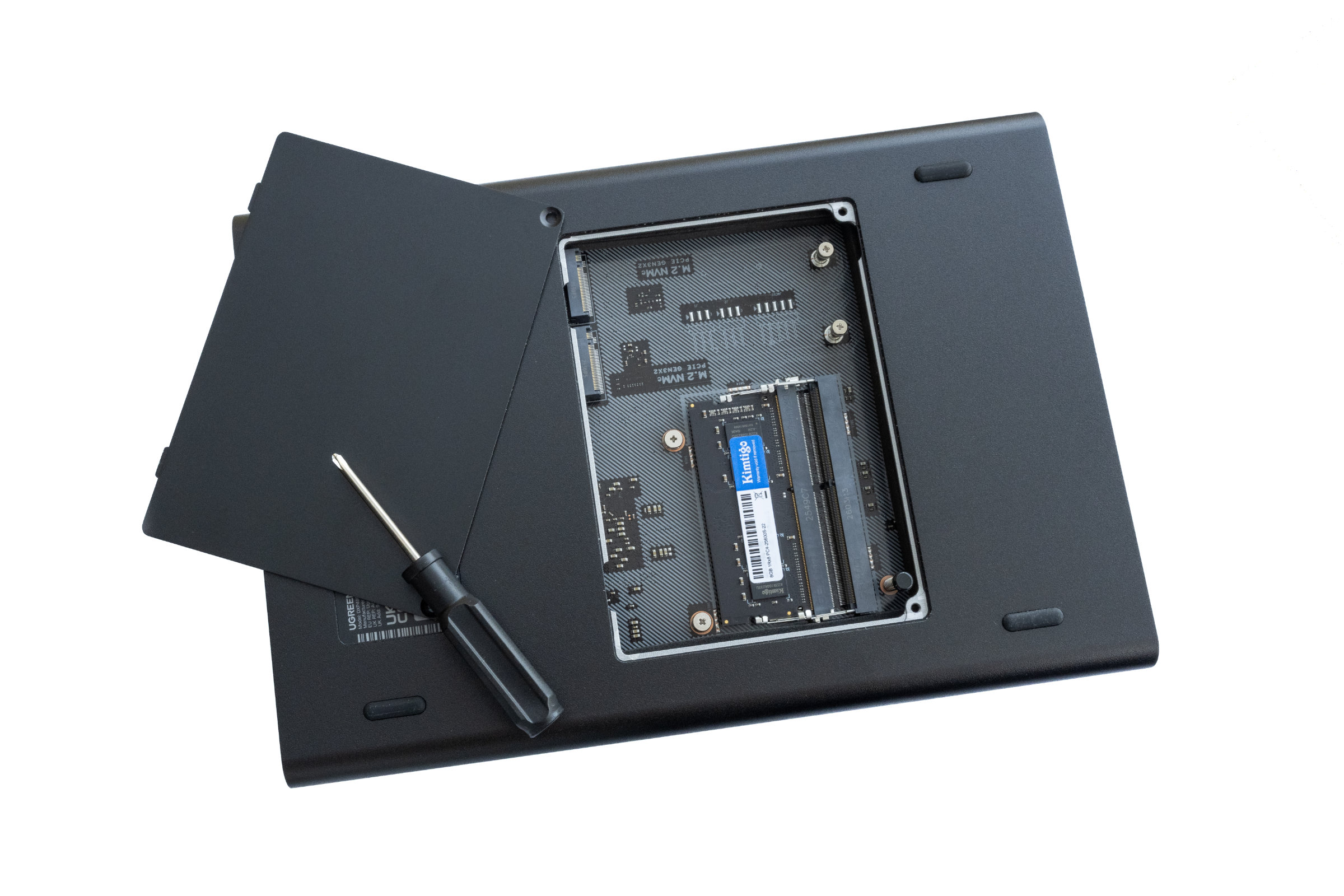
A look at the underside reveals the familiar maintenance flap, which is secured with two screws. Behind it are the two M.2 slots for NVMe SSDs and the two DDR4 memory banks, one of which is already occupied with 8 GB as standard. The system also supports ECC-compatible DDR4 memory here, so that it can be upgraded accordingly if required.
 UGREEN DXP4800 GT verfügbare Steckplätze für RAM und NVMe (Image © PCMasters.de)
The decision to continue using DDR4 here is also interesting, while other models in the portfolio are already switching to DDR5. We also liked the large rubber feet on the underside, which ensure a secure stand and do not transfer any unnecessary vibrations to the surface.
 UGREEN DXP4800 GT offene Wartungsklappe (Image © PCMasters.de)
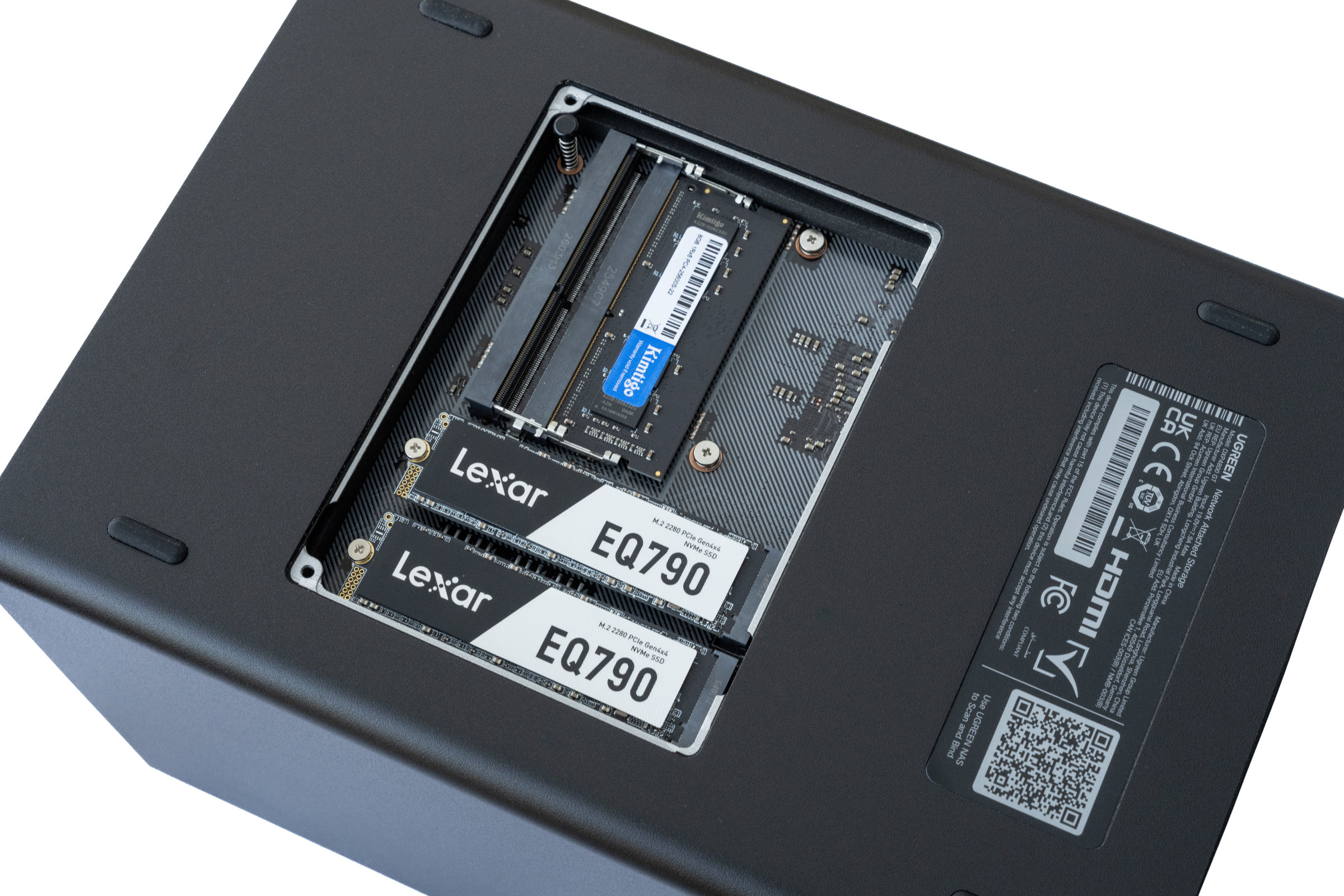 UGREEN DXP4800 GT mit eingebauten NVME SSDs (Image © PCMasters.de)
Overall, the NASync DXP4800 GT makes a very good first impression. Let's now move on to the practical setup and see how the NAS performs here.
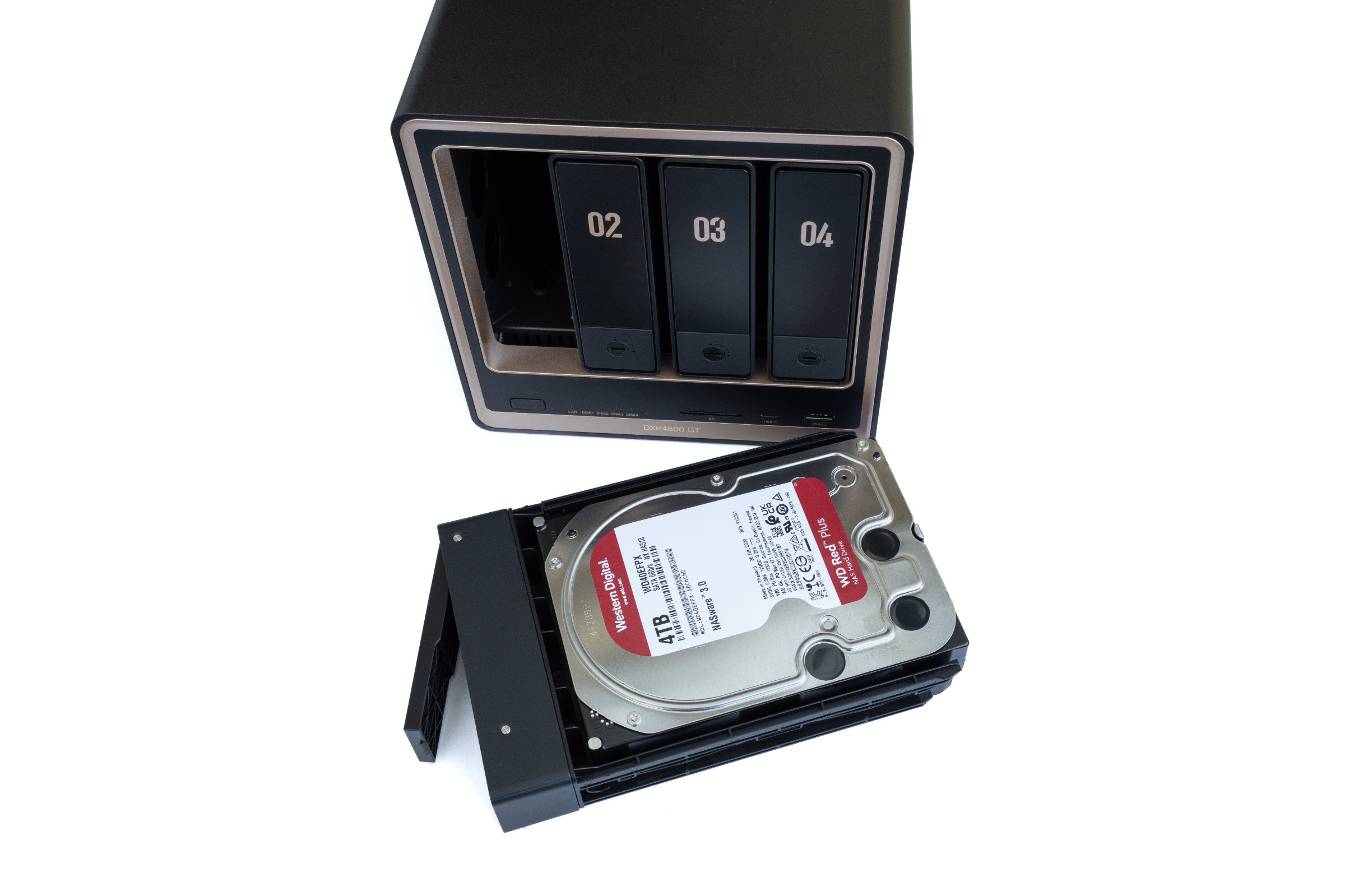 UGREEN DXP4800 GT werkzeugloser Einbau (Image © PCMasters.de)
Practice - Installation & Setup
As with every NAS, everything starts with the installation of the drives for the NASync DXP4800 GT. For our test, we used four Western Digital Red Plus hard disks, each with a capacity of 4 TB. Installation is pleasantly uncomplicated. After unlocking, the drive bays can simply be pulled out of the front. No tools are required for 3.5-inch hard disks. 2.5-inch drives can also be installed without any problems, but must also be screwed in. As an alternative to SATA drives, U.2 NVMe SSDs can also be installed in the first two bays. The side brackets of the trays are now pulled apart slightly, the hard disk inserted and then fixed again. Within a few minutes, all four hard disks were installed and the trays reinserted in the housing. Thanks to the pre-installed rubber and foam buffers, the HDDs in the tray are already slightly decoupled. Next, we install two Lexar EQ790 1TB NVMe SSDs on the underside. Again, the installation was very easy. We open the flap and insert our two drives into the slot provided. Now we put the two enclosed cooling pads on top so that the heat can be dissipated well to the case and that's it.
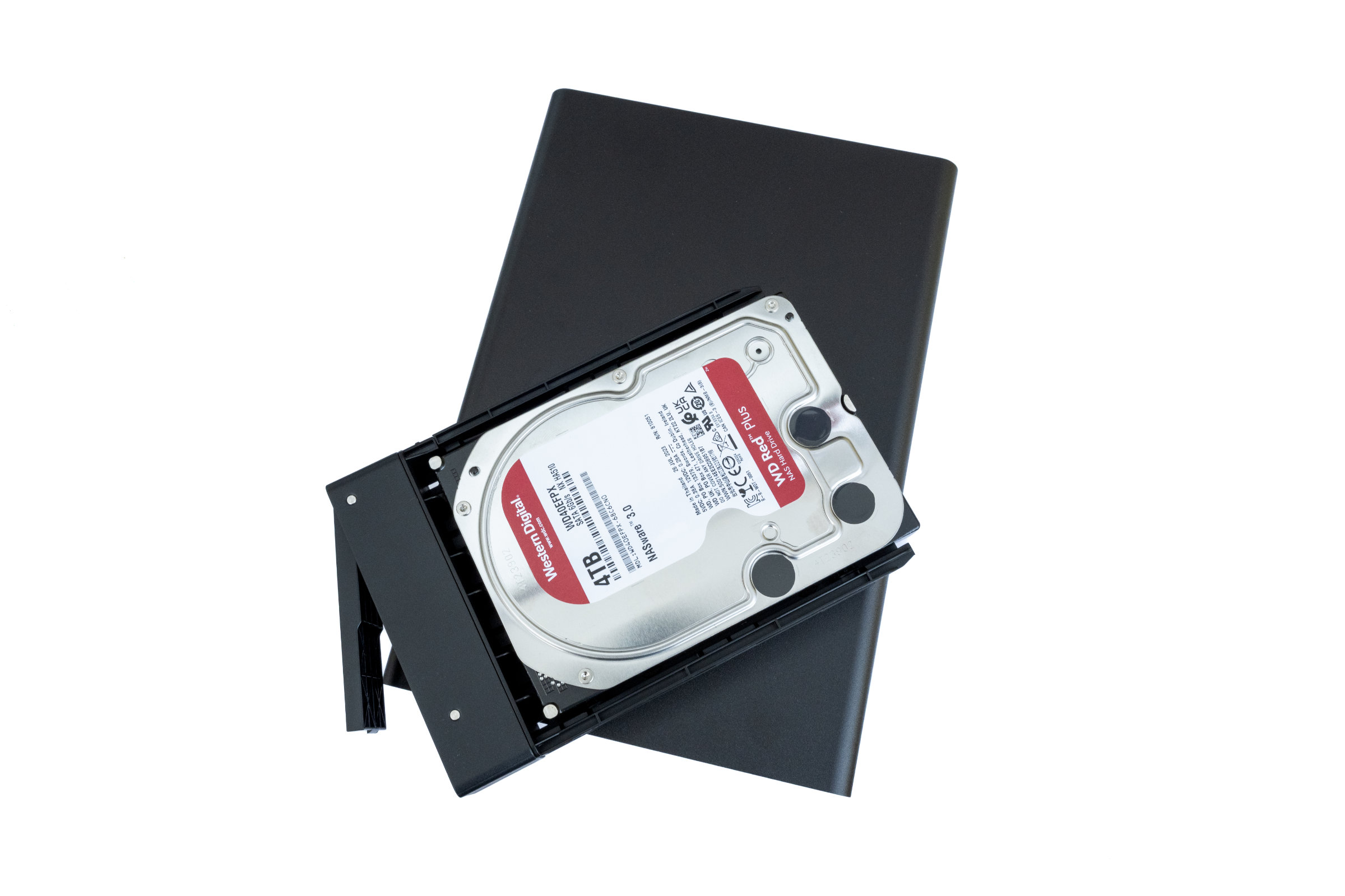 UGREEN DXP4800 GT eingebaute HDD (Image © PCMasters.de)
This is followed by the actual commissioning. To do this, we connect the NAS to the power supply and connect at least one network cable. After switching on, the system needs a short moment to boot up and then signals its operational readiness via the status LEDs on the front. UGREEN offers several options for the initial setup. In addition to the mobile app, the NAS can also be set up directly via the browser, which we preferred for our test. To do this, simply call up the address find.ugnas.com in the local network. The NAS is automatically recognized after a short time and can be selected directly by us. The setup wizard then guides us step by step through the basic configuration. First, an administrator account is created and a device name is assigned.
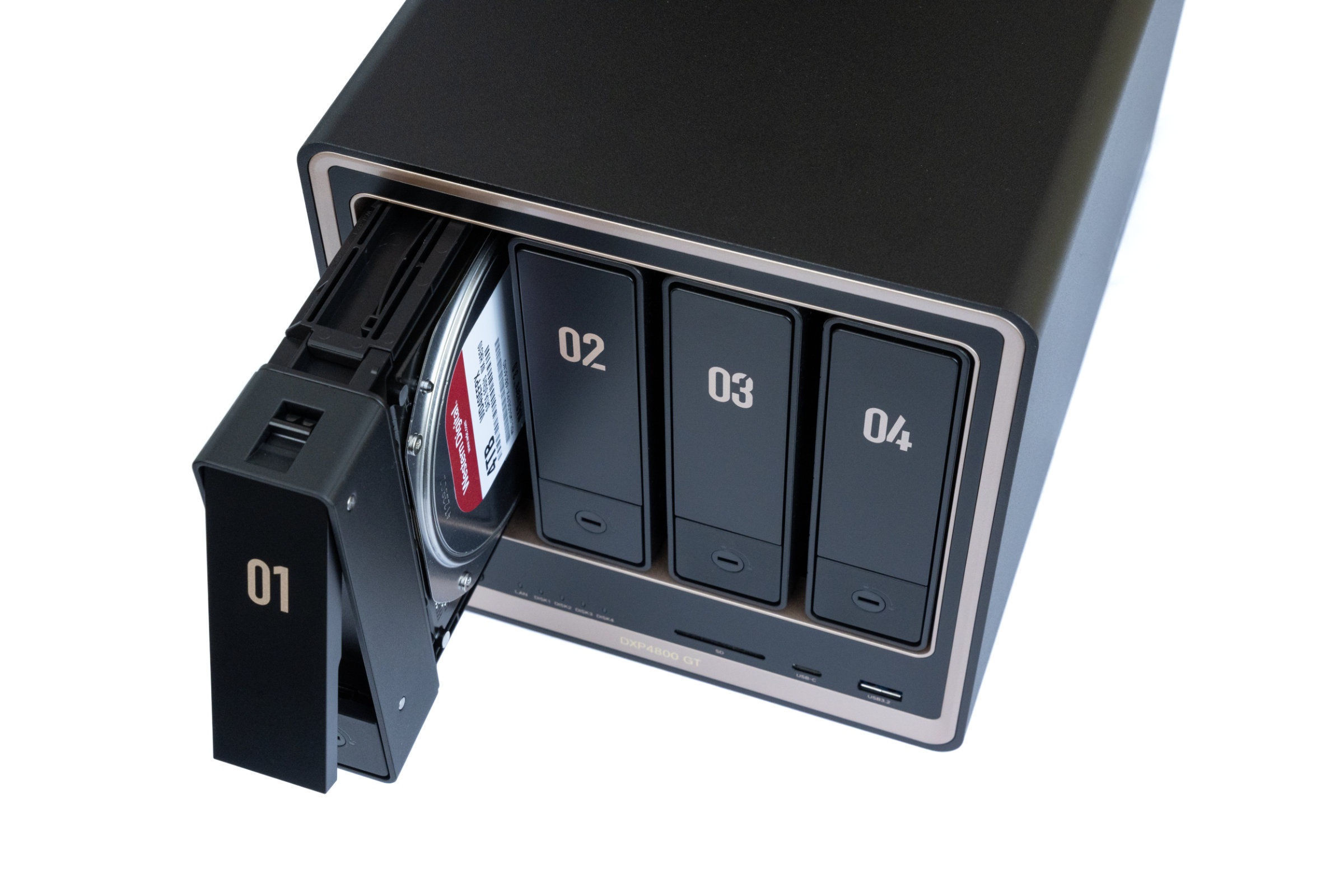 UGREEN DXP4800 GT Tray mit eingebauter HDD (Image © PCMasters.de)
The next step is to set up the storage. Here, the installed drives can be combined into a storage pool and configured with the desired RAID mode. We opt for RAID5 in the Btrfs file system for the HDDs and RAID1 in the ext4 file system for the NVMe SSDs.
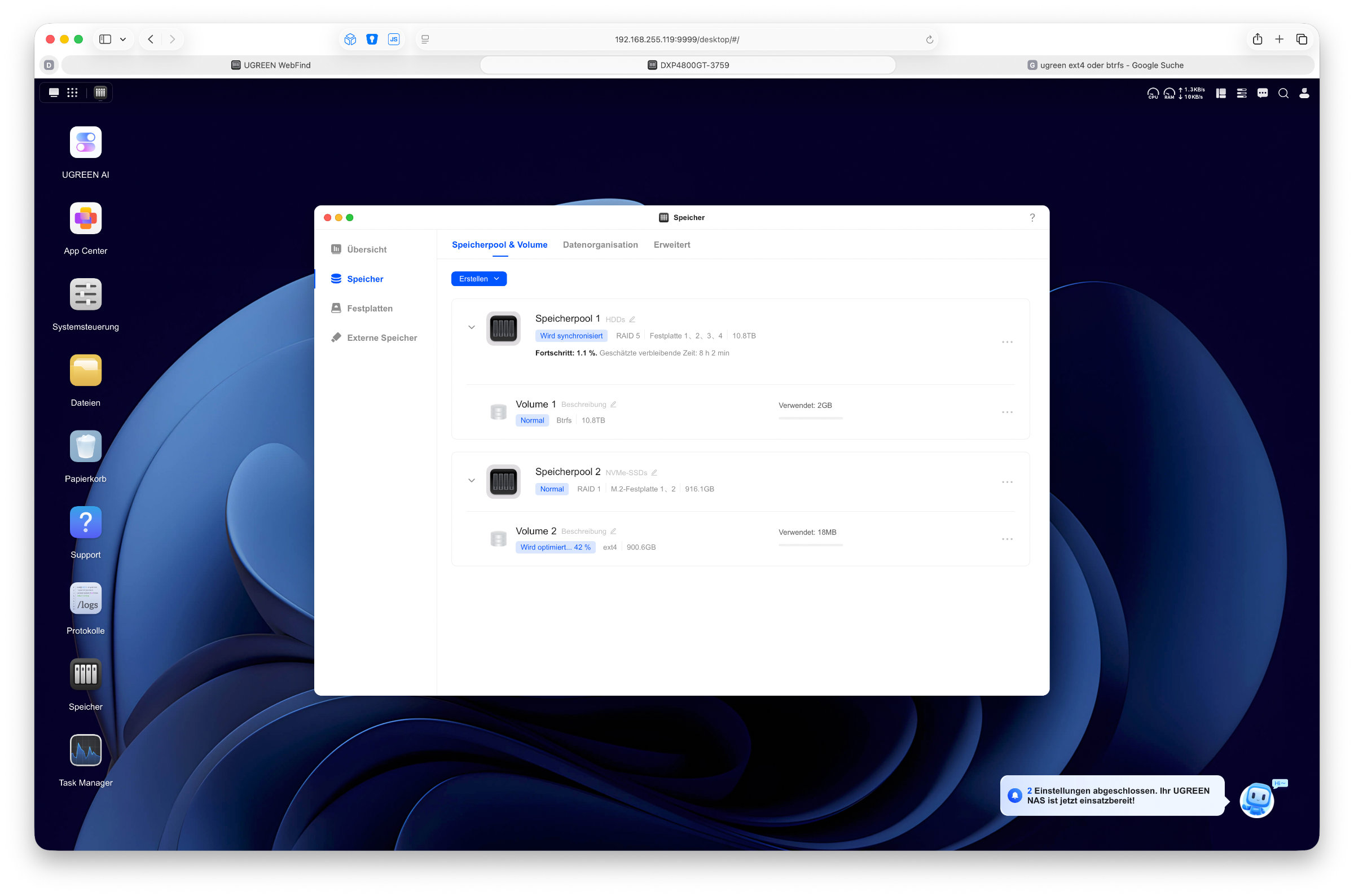 UGREEN DXP4800 GT UGOS Pro Aufbau RAID5 (Image © PCMasters.de)
The RAID5 in particular took us eight hours to set up in the background. However, this doesn't really bother us, as we were able to work with it completely right from the start. One positive aspect is that the individual steps are explained clearly and even users without extensive NAS experience can quickly reach their goal. The interface looks tidy and guides the user through the entire process without overwhelming them with too many options at once. In our case, it only took a short time from inserting the hard disks to the fully set-up system.
 UGREEN DXP4800 GT UGOS wird konfiguriert (Image © PCMasters.de)
Software - UGOS PRO
Once the setup is complete, we land directly on the desktop of UGOS Pro, UGREEN's in-house operating system. For our test, we used the current version 1.16.0.0089, which was the latest version available at the time of testing. Anyone who has already worked with NAS systems from other manufacturers will quickly find their way around.
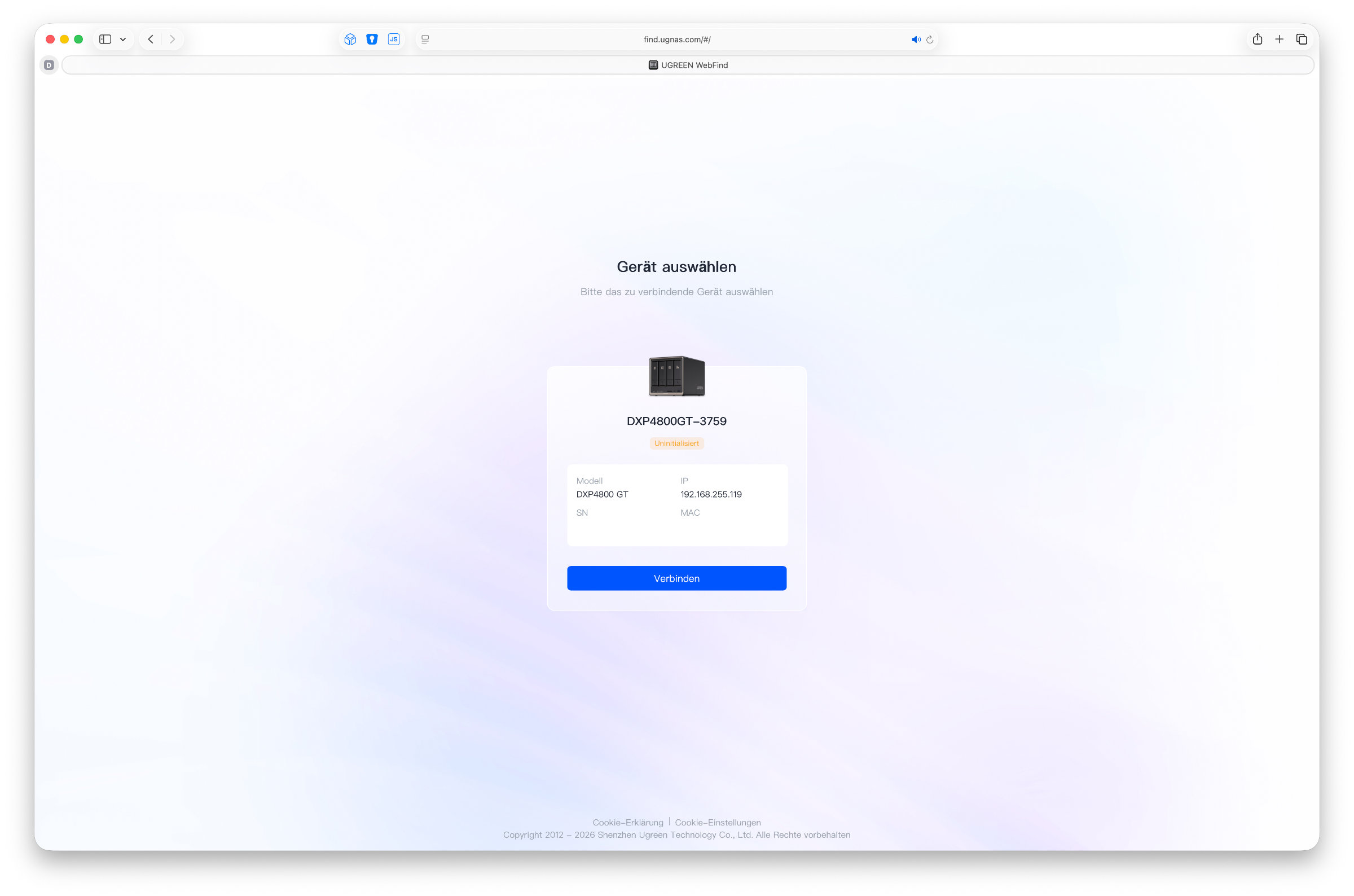 UGREEN DXP4800 GT gefundene NAS im Netzwerk (Image © PCMasters.de)
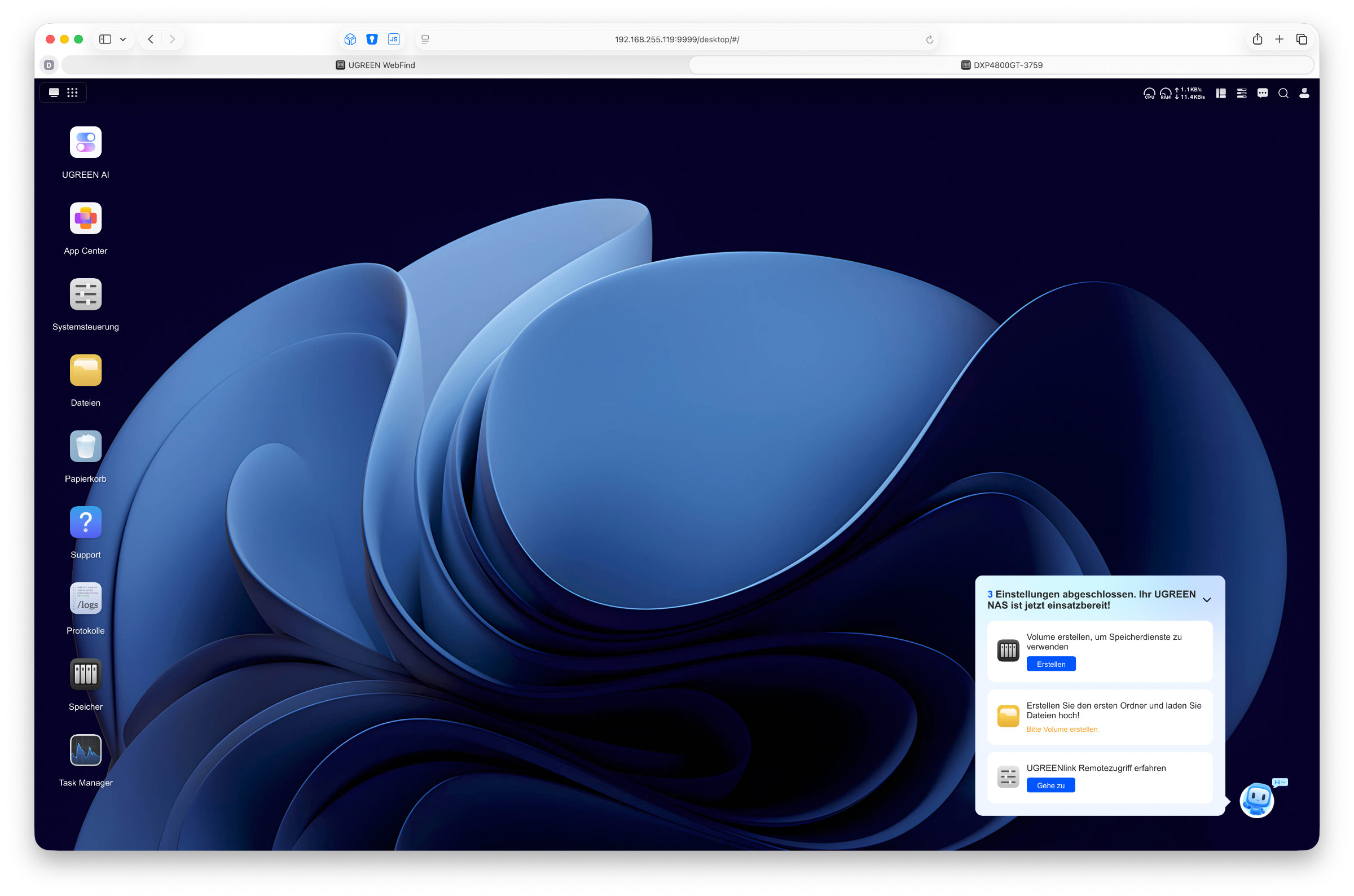 UGREEN DXP4800 GT UGOS pro Desktop (Image © PCMasters.de)
The interface is reminiscent of classic desktop operating systems in many areas and relies on windows, icons and a taskbar. One particularly positive aspect is how much UGOS Pro has developed in recent months. While some functions were still missing in the first versions and not everything worked straight away, the software now appears much more mature. The system ran stably throughout the entire test period and we did not experience any problems or crashes.
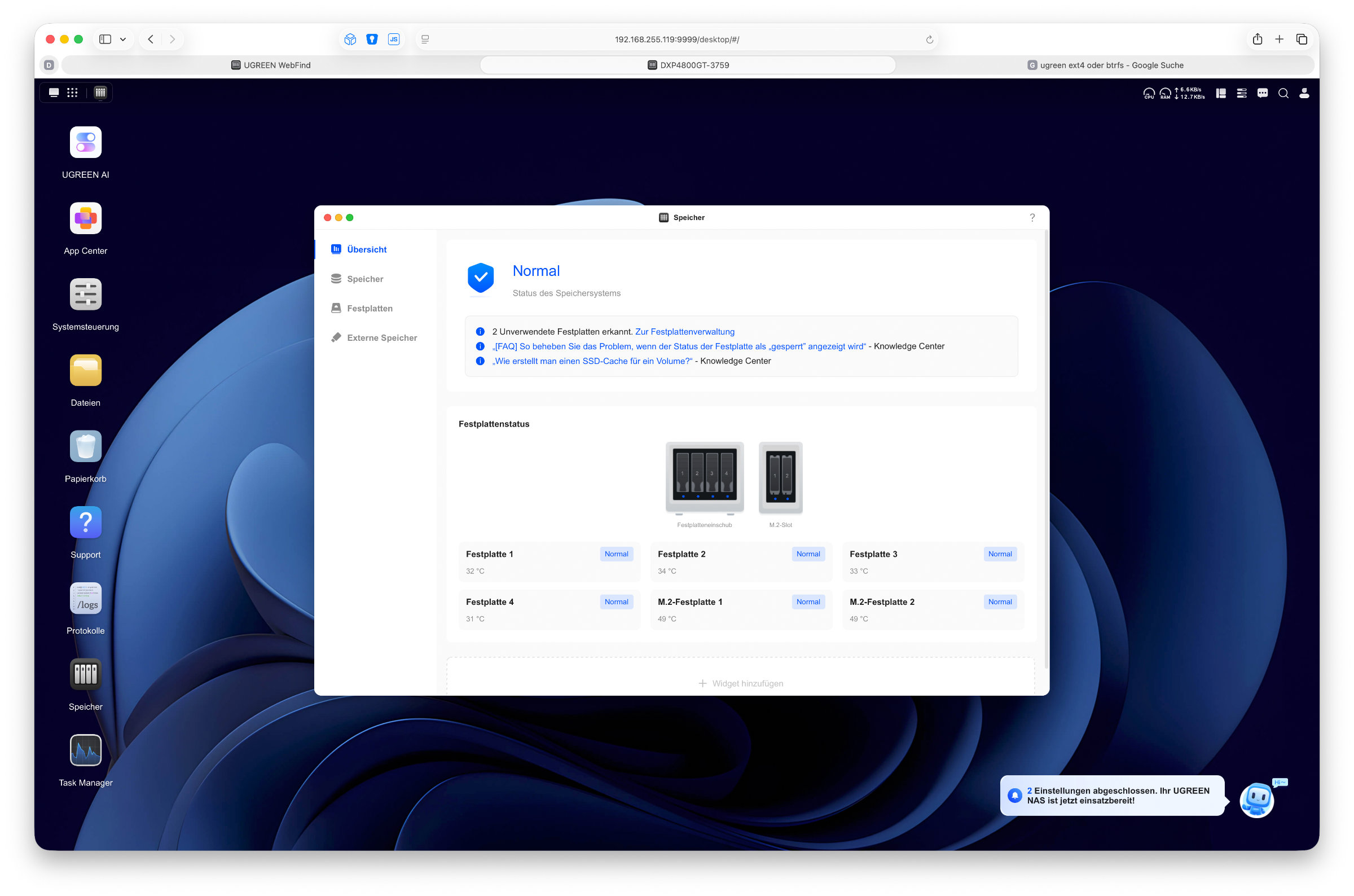 UGREEN DXP4800 GT UGOS Pro Übersicht Speicher (Image © PCMasters.de)
The control panel remains at the heart of many settings. This is where we manage our users and groups, set up shares, configure network settings or adjust various security options. Services such as SMB, NFS, FTP, Rsync or WebDAV can also be activated and managed here. If you want to integrate the NAS into an existing network, you will find all the important options here.
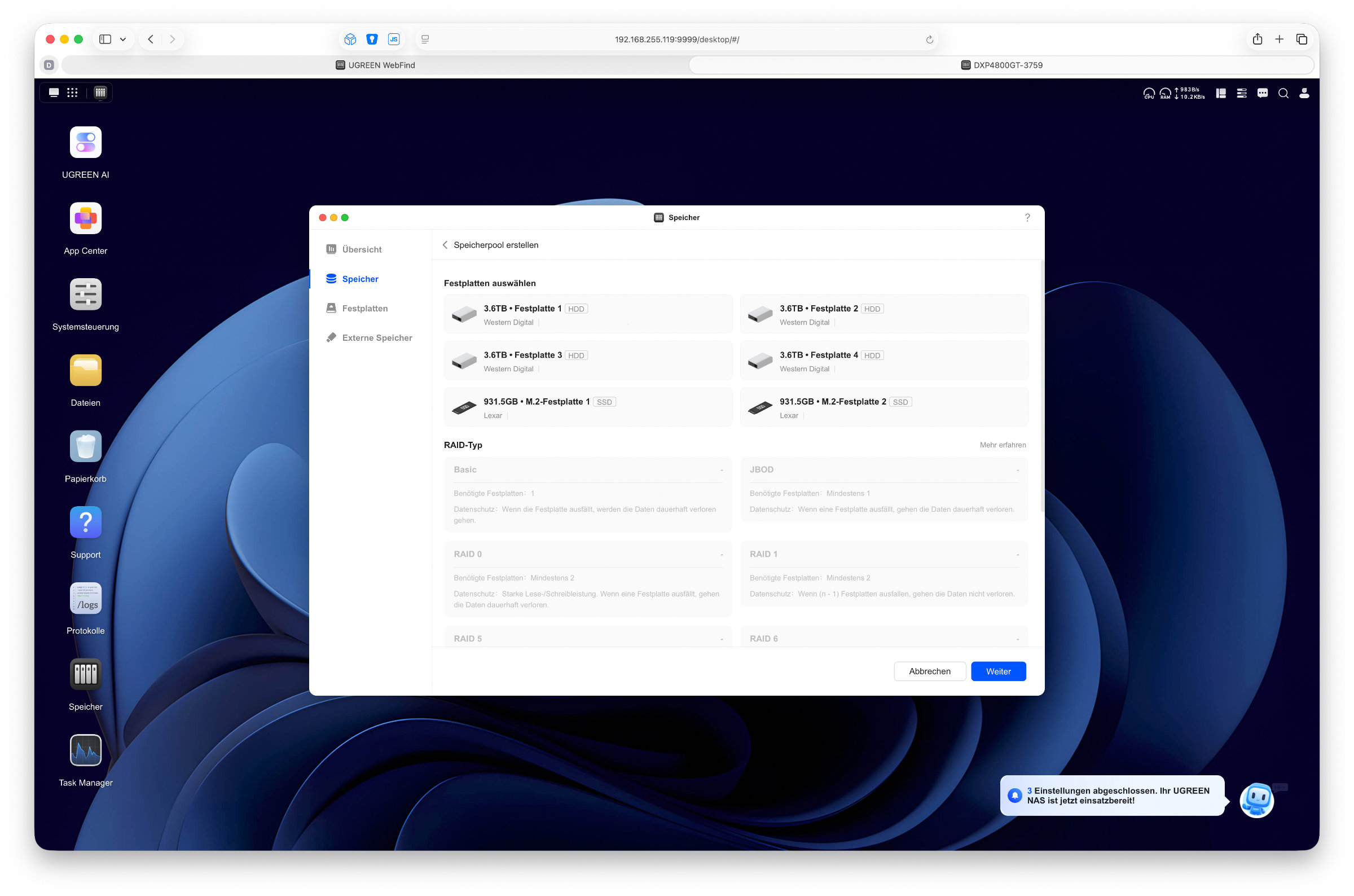 UGREEN DXP4800 GT UGOS Pro Speichermanager (Image © PCMasters.de)
The storage manager is available for managing the drives. Here we can create storage pools, adjust RAID configurations, manage SSD caches and monitor the status of the installed drives. S.M.A.R.T. tests can also be started and evaluated directly from the interface.
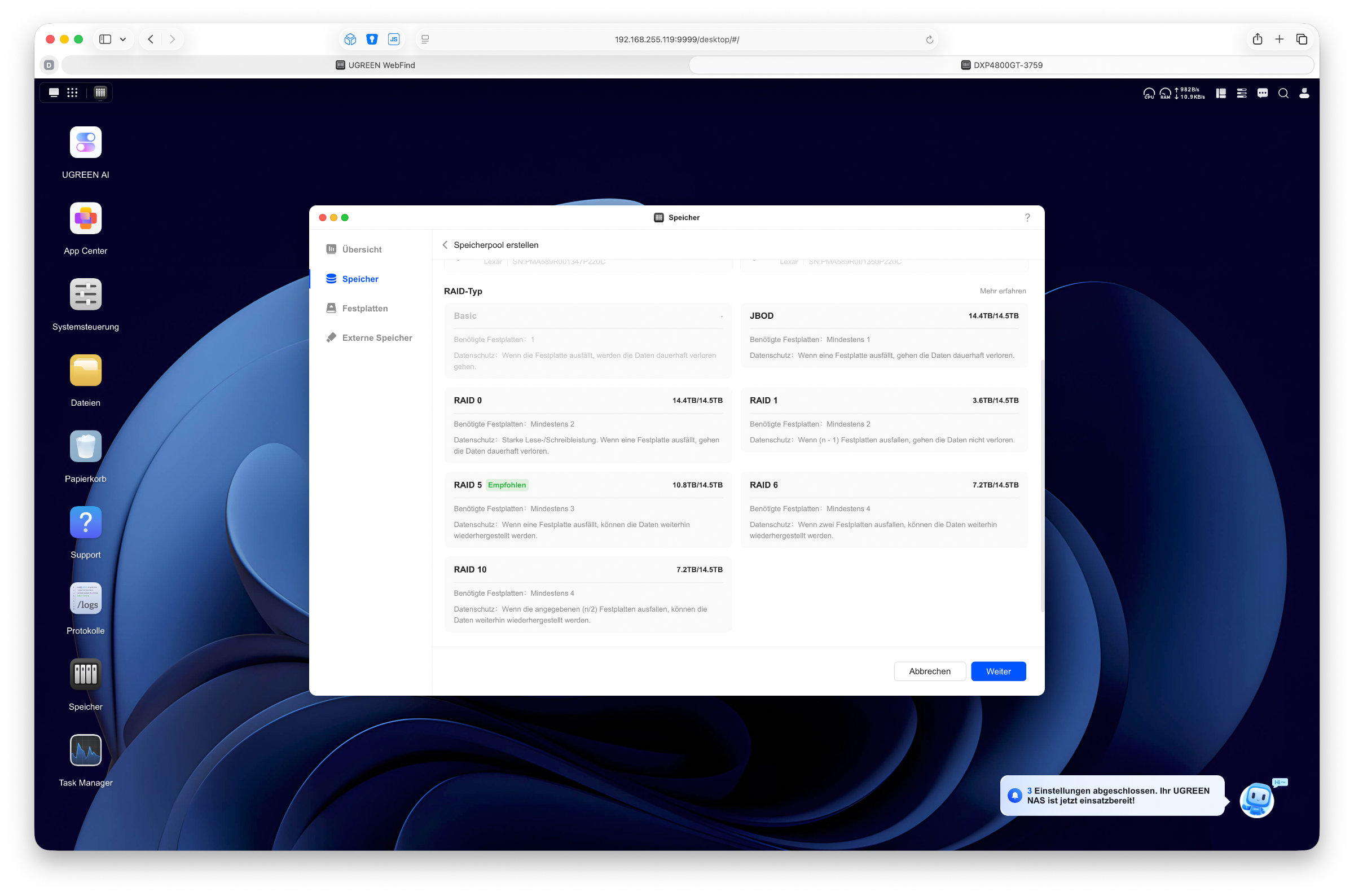 UGREEN DXP4800 GT UGOS Pro Raid Typen (Image © PCMasters.de)
The integrated file manager is also one of the most important components of UGOS Pro. Files can be copied, moved, renamed or transferred between different shares directly in the browser. The operation is very reminiscent of Windows Explorer and should be immediately familiar to most users. We can install additional applications via the App Center if required. Although the selection is still smaller than that of the established competitors, it now covers many important areas.
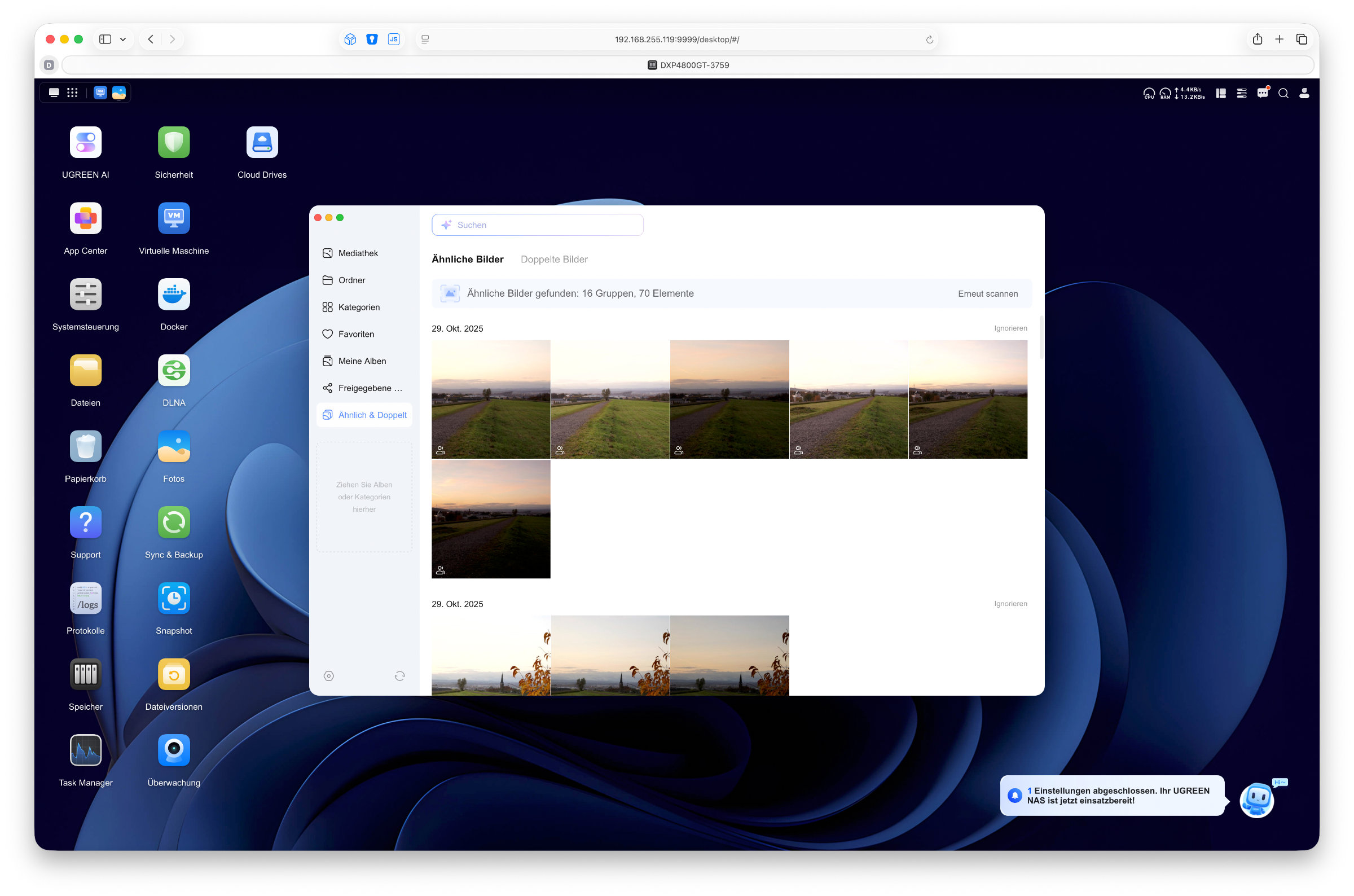 UGREEN DXP4800 GT UGOS Pro Foto App doppelte Bilder (Image © PCMasters.de)
These include applications for photos, videos, music, backups and system monitoring. UGREEN now also has a brand new app for monitoring your own camera.
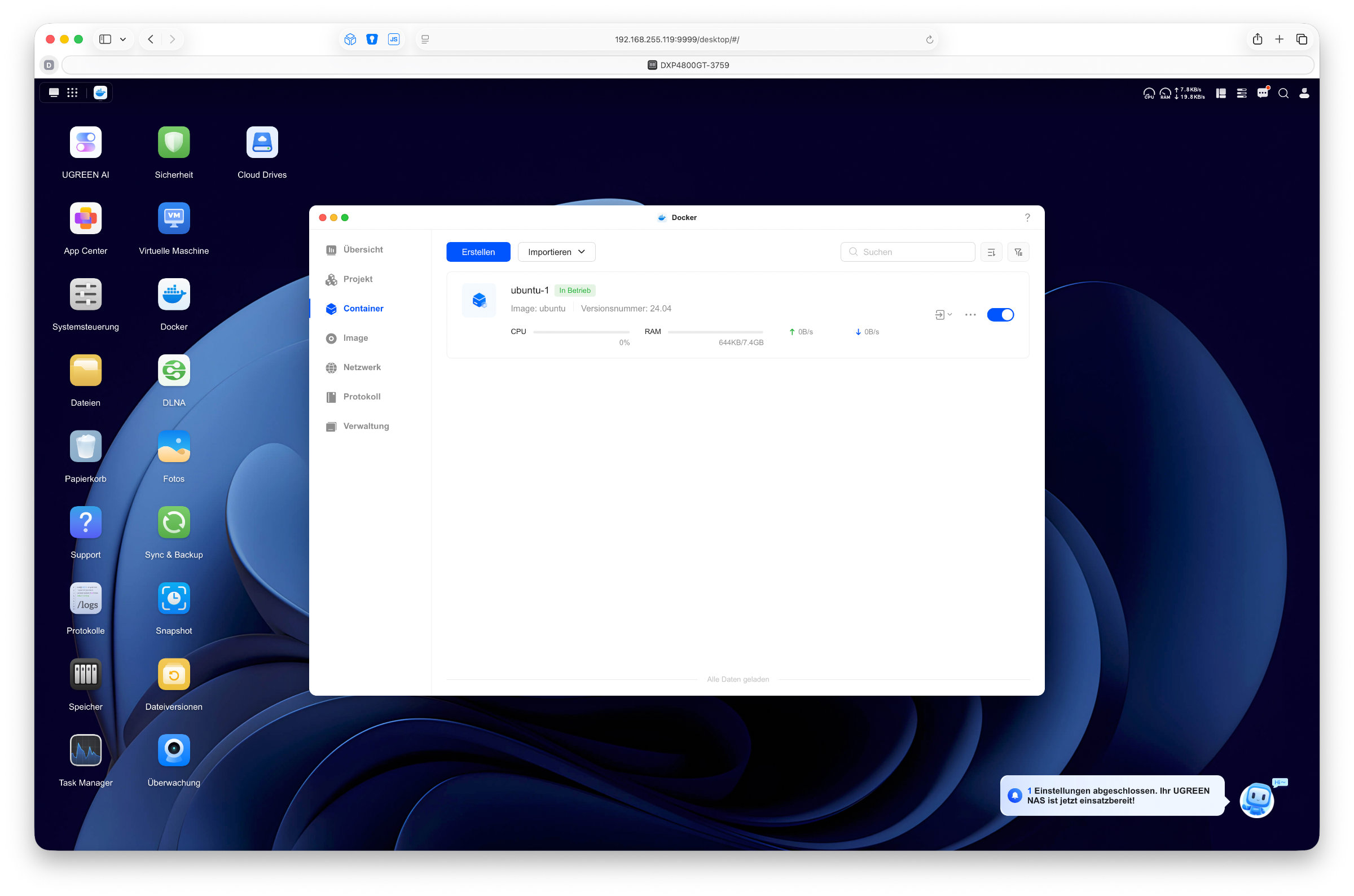 UGREEN DXP4800 GT UGOS Pro Docker (Image © PCMasters.de)
Many users are also particularly interested in the options relating to Docker and virtual machines. Both functions are now directly integrated and allow the NAS to be used for much more than just traditional data storage. The AMD platform of the DXP4800 GT in particular has sufficient performance reserves to take on more demanding tasks. Photo management is now also one of the more powerful components of UGOS Pro. Photos are organized automatically, people can be recognized and the interface looks modern and clear.
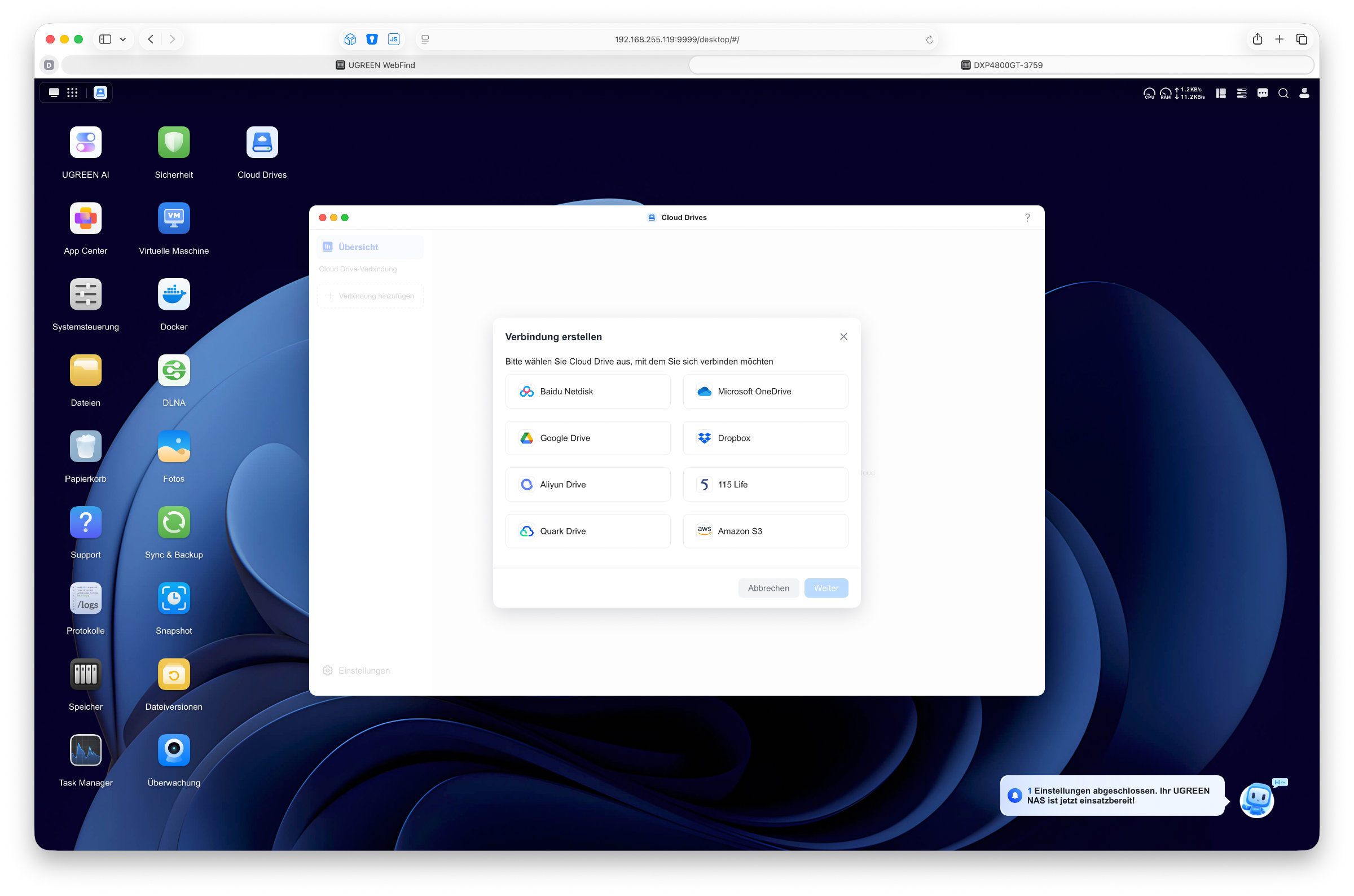 UGREEN DXP4800 GT UGOS Pro Cloud Drives (Image © PCMasters.de)
This is an interesting alternative, especially for users who don't want to store their photos with a cloud provider. Thanks to AI, duplicate images, pets or even text in images can also be recognized and searched for.
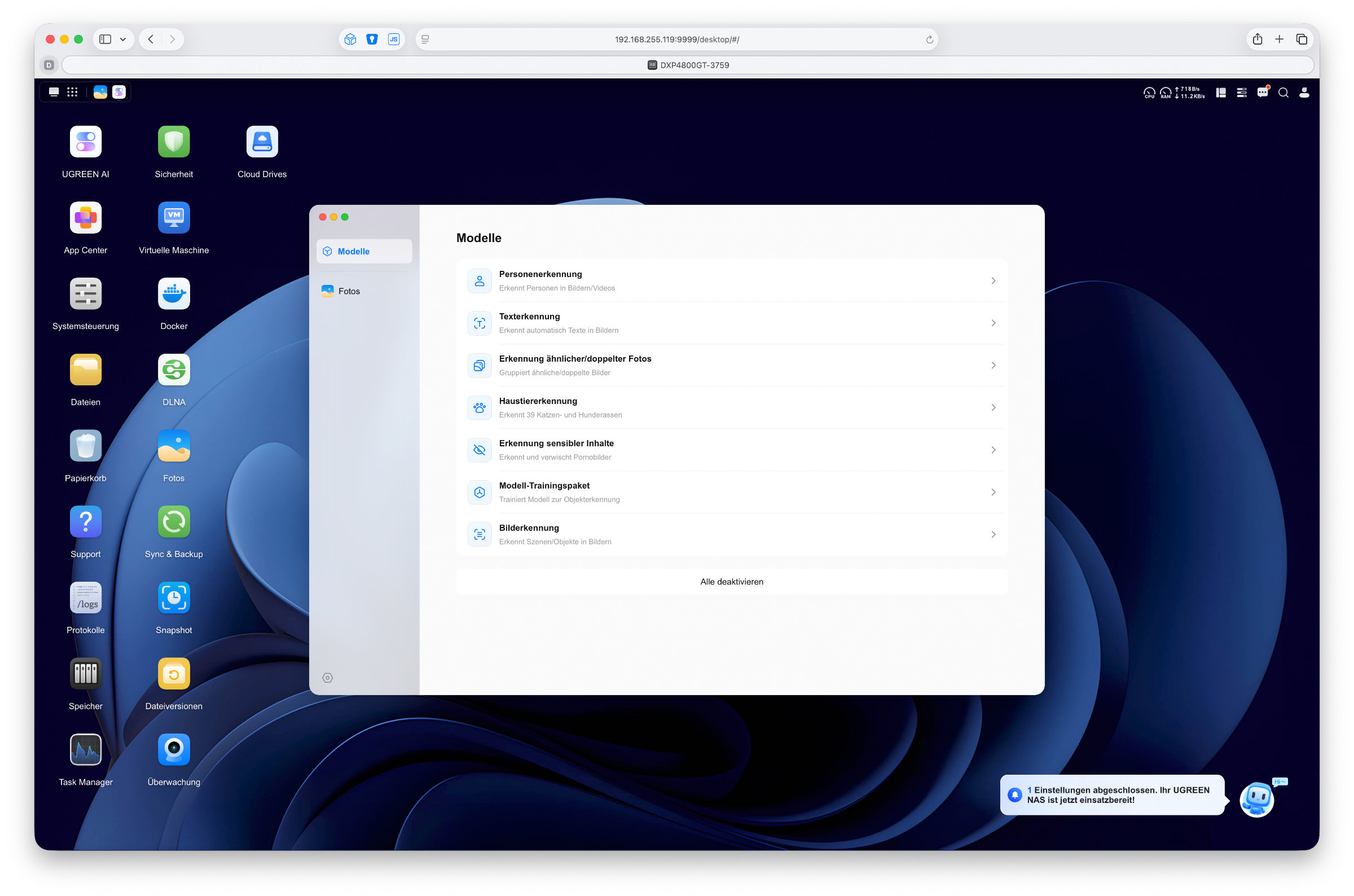 UGREEN DXP4800 GT UGOS Pro KI Funktionen (Image © PCMasters.de)
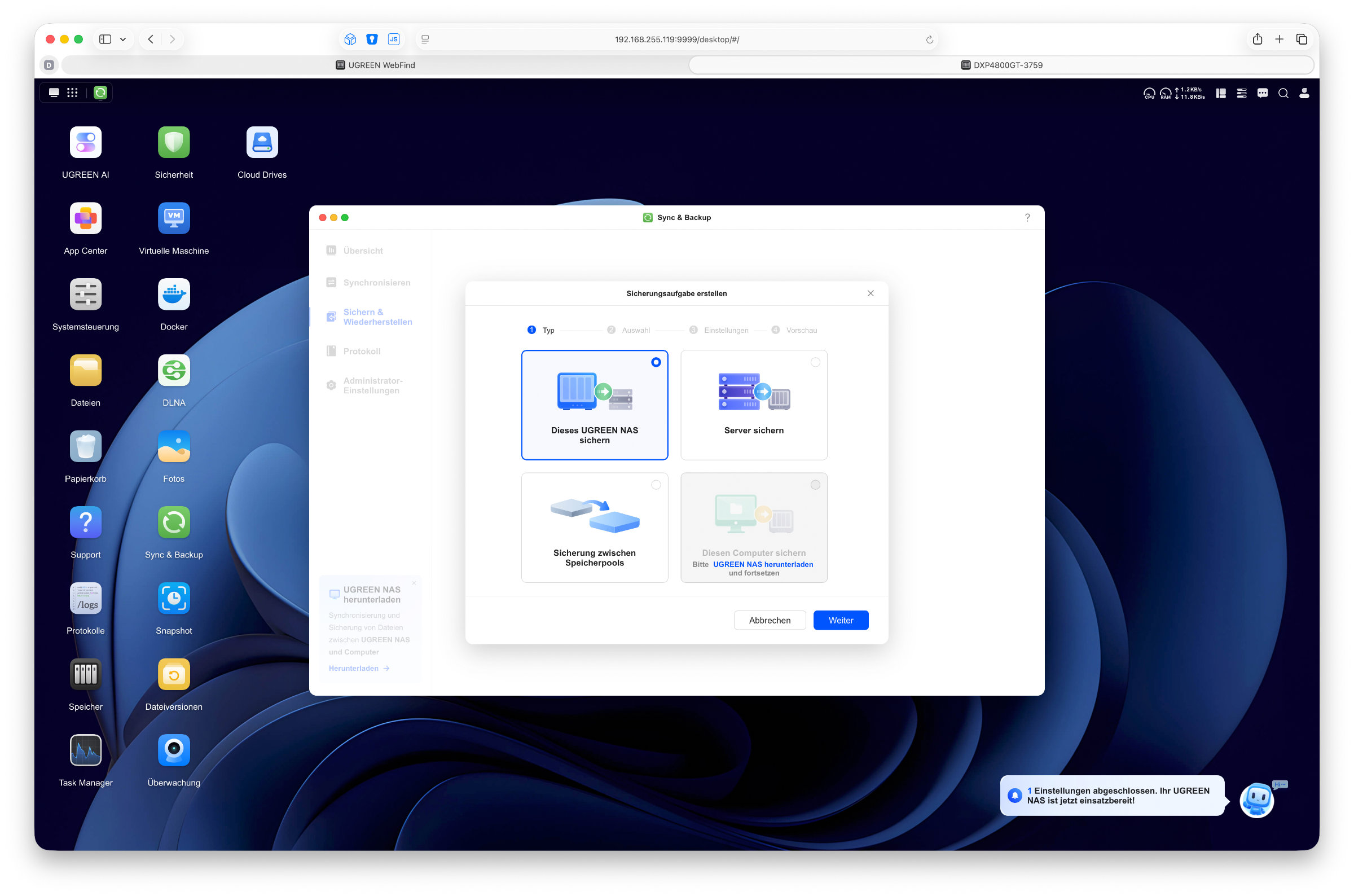 UGREEN DXP4800 GT UGOS Pro Sync und Backup (Image © PCMasters.de)
Another new feature is the UGREEN AI app, which bundles various AI-supported functions. These include intelligent photo analysis, object recognition and search functions designed to make it easier to find content within your own database. This significantly expands the possibilities of UGOS Pro, especially in the area of media management. Of course, the extensive backup functions are also important for many users. With the backup solution from UGREEN, data can be backed up to the NAS and entire computers can be integrated into the data backup. In addition, various synchronization tasks are available to automatically keep data up to date between devices or storage systems.
Despite the visible progress, there are still some areas in which the competition is still further ahead. For example, there is still no volume encryption, which is extremely important for some people. Furthermore, the selection of native applications is still more limited than with long-standing NAS manufacturers. However, UGREEN is continuously developing the platform and regularly delivers new functions and improvements. Overall, UGOS Pro leaves us with a very mature impression. The interface is clearly laid out, the most important functions are available and the stability is also very good. For most private users and smaller companies, the operating system now offers everything you would expect from a modern NAS.
Mobile app
In addition to classic management via the browser, UGREEN also offers us a mobile app for Android and iOS. Unlike some other manufacturers, however, UGREEN relies on a central application that combines almost all important functions in one place.
Even the initial setup of the NAS can be done entirely via the app. So if you don't have a PC to hand or prefer to set up the system directly from your smartphone, you can do so conveniently. In everyday life, the app then serves as the central control point for the NAS. In addition to accessing files and folders, numerous system settings can also be managed. Users can be created, storage pools can be checked and the current status of the system can be viewed. Notifications and important system information can also be called up directly via the app so that you can keep an eye on your NAS at all times.
Of course, the application is also ideal for accessing your own data while on the move. We can browse, download, upload or share files directly with other people. In conjunction with UGREENlink, this also works outside the home network without any major set-up effort. We were also impressed by the clear design of the interface. The app responds quickly, looks modern and remains pleasantly easy to use despite the wide range of functions. Many functions of the browser interface have been sensibly adapted for smartphones so that operation is also easy on smaller displays.
Performance and speed
To measure performance, we connected the NAS to our MacBook via a direct 10 gigabit network connection. This allowed us to avoid potential bottlenecks in the home network and determine the performance of the system as directly as possible.
In everyday use, the NAS showed its fast side. When writing large files to the HDD storage pool, we achieved transfer rates of around 330 to 400 MB/s on average. When reading, the transfer rates were mostly between 400 and 500 MB/s. For a system with four classic hard disks, this is a solid result and more than sufficient for data backups, media archives or larger file transfers. The performance is even faster when the NVMe slots are used. Here we were able to achieve speeds of around 800 to 900 MB/s when writing large files. Read speeds of up to 1.15 GB/s were even possible, which means that the existing 10 gigabit network interface is almost fully utilized.
The two 10 Gigabit network connections are definitely one of the special features of the DXP4800 GT. While a single 10 Gigabit connection should be more than sufficient for many home users, content creators or power users with a high data load in particular will benefit from the additional options.
The NAS also makes a positive impression in terms of noise. In the standard profile, the fan works pleasantly quietly and is hardly disturbing during normal operation. Although the system is audible, there is no question of a loud operating noise. The access noises of the installed hard disks were much more present in our test, which can be more noticeable than the actual fan, depending on the model. If you want, you can adjust the fan control directly in the system control and, for example, select a quiet mode, which of course also increases the temperature slightly.
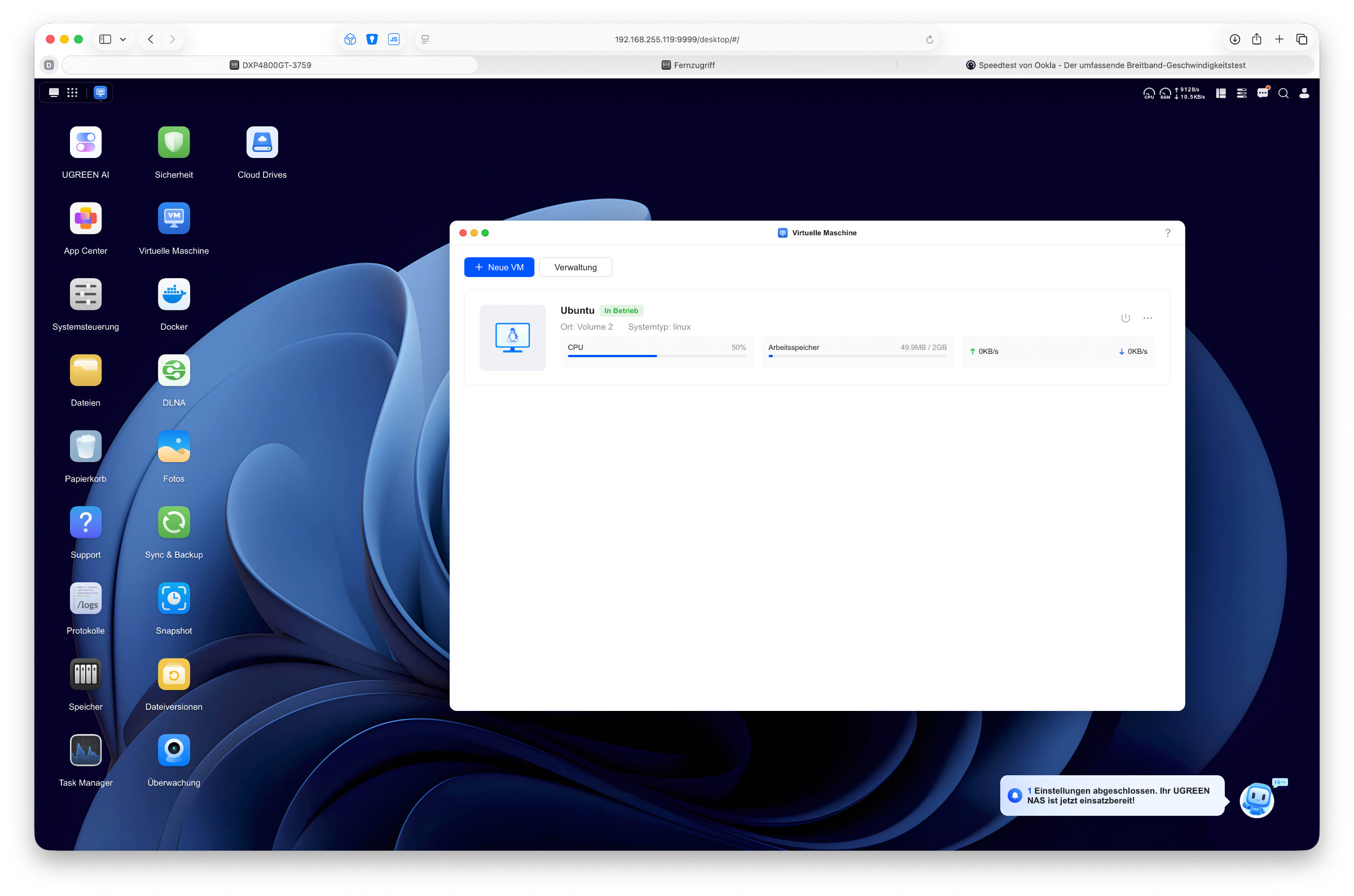 UGREEN DXP4800 GT UGOS Pro Virtuelle Maschine (Image © PCMasters.de)
In our test, we also ran both a current Windows 11 and an Ubuntu in a virtual machine without any problems worth mentioning. Various Docker applications were also no problem for the NAS. There is therefore more than enough performance available.
Power consumption
Overall, the NASync DXP4800 GT performs well in terms of power consumption. When switched off, we were able to measure a power consumption of around 1 to 2 watts. During the start-up process, the consumption briefly rose to around 59 watts and then leveled off at around 40 watts on the desktop. Under load, the consumption was then mostly between 50 and 60 watts. In view of the installed hardware with Ryzen processor, four hard disks and two 10 Gigabit network connections, the values are okay overall. In everyday use, the actual power consumption naturally always depends on the number of installed drives, their load and the activated services.
An overview of the measured values (operating status / power consumption (watts)): - Switched off (standby): approx. 1-2 W - Switched on (boot peak): approx. 59 W - Idle (idle on the desktop): approx. 40 W - Data transfer (write load): approx. 50-60 W
External access
The NASync DXP4800 GT offers various options for those who want to access their data on the move. The simplest option is provided by UGREEN itself via the UGREENlink service. After logging in with a UGREEN account, the NAS can be enabled for remote access in just a few steps. We can then access files and services outside of the home network via the web interface or the mobile apps. The setup is straightforward and should be of particular interest to users who do not want to deal with network settings or port sharing. Remote access is set up and ready for use just as quickly.
Alternatively, the NAS can also be made accessible via a dedicated VPN solution. For example, if you already use a router with WireGuard support, you can use it to set up an encrypted tunnel into the home network and then access the NAS as if you were directly in the local network. Although this option requires a little more set-up work, it offers full control over your own infrastructure and also more security. Which solution is ultimately the better choice depends, as is so often the case, on the individual user, the configuration effort and personal security concerns.
Alternative operating system
The NASync DXP4800 GT is supplied ex works with UGOS Pro, which is installed on an internal 64 GB eMMC memory. For most users, the in-house operating system is likely to be the first choice, but many users are interested in the possibilities of alternative solutions. As with other UGREEN NAS systems, a different operating system can also be installed on the DXP4800 GT. These include Unraid or TrueNAS, for example. Occasionally, there are even projects in which Synology's DSM is operated on the hardware. In this test, we focused exclusively on UGOS Pro and did not try out any alternative operating systems. Nevertheless, it is positive to see that UGREEN basically leaves this freedom open to users and that the hardware can also be interesting for such projects. However, alternative operating systems are not officially supported and, as usual, installation is at the user's own risk.
UGREEN DXP4800 GT Lieferumfang (Image © PCMasters.de)
Conclusion
With the NASync DXP4800 GT, UGREEN expands its NAS portfolio with another exciting model. The system left a positive impression on us in the test. The workmanship is high quality, setup is very easy and there is little to complain about in terms of features and expandability. Four drive bays, two M.2 slots, ECC support and two 10 Gigabit network connections provide a range of features with plenty of reserves.
The NAS impressed us in everyday use. The transfer rates are high and the volume remains unobtrusive. With fast NVMe SSDs and a suitable network infrastructure, the hardware can be used to its full potential. UGOS Pro has also visibly evolved, offers a mature basis for everyday use and is regularly supplied with updates. Although some functions are still missing in detail, such as the eagerly awaited drive encryption, this does not play such a big role for most people in normal use.
Within the UGREEN lineup, the DXP4800 GT complements the series with a variant with a clear focus on network performance. While the DXP4800 Plus is designed as a balanced all-rounder for home users and the DXP4800 Pro is aimed more at maximum CPU performance and more demanding workloads, the GT takes a slightly different approach. The AMD processor delivers sufficient performance for classic NAS tasks, Docker and virtual machines, while the two 10 gigabit ports really come into their own in fast networks and with several clients connected simultaneously.
The end result is a very coherent overall package. Anyone looking for a modern 4-bay NAS with good workmanship, solid performance and strong network features will find the DXP4800 GT an interesting alternative in the UGREEN portfolio. The non-binding recommended retail price is 659.99 euros (Affiliate).