Computer Forum
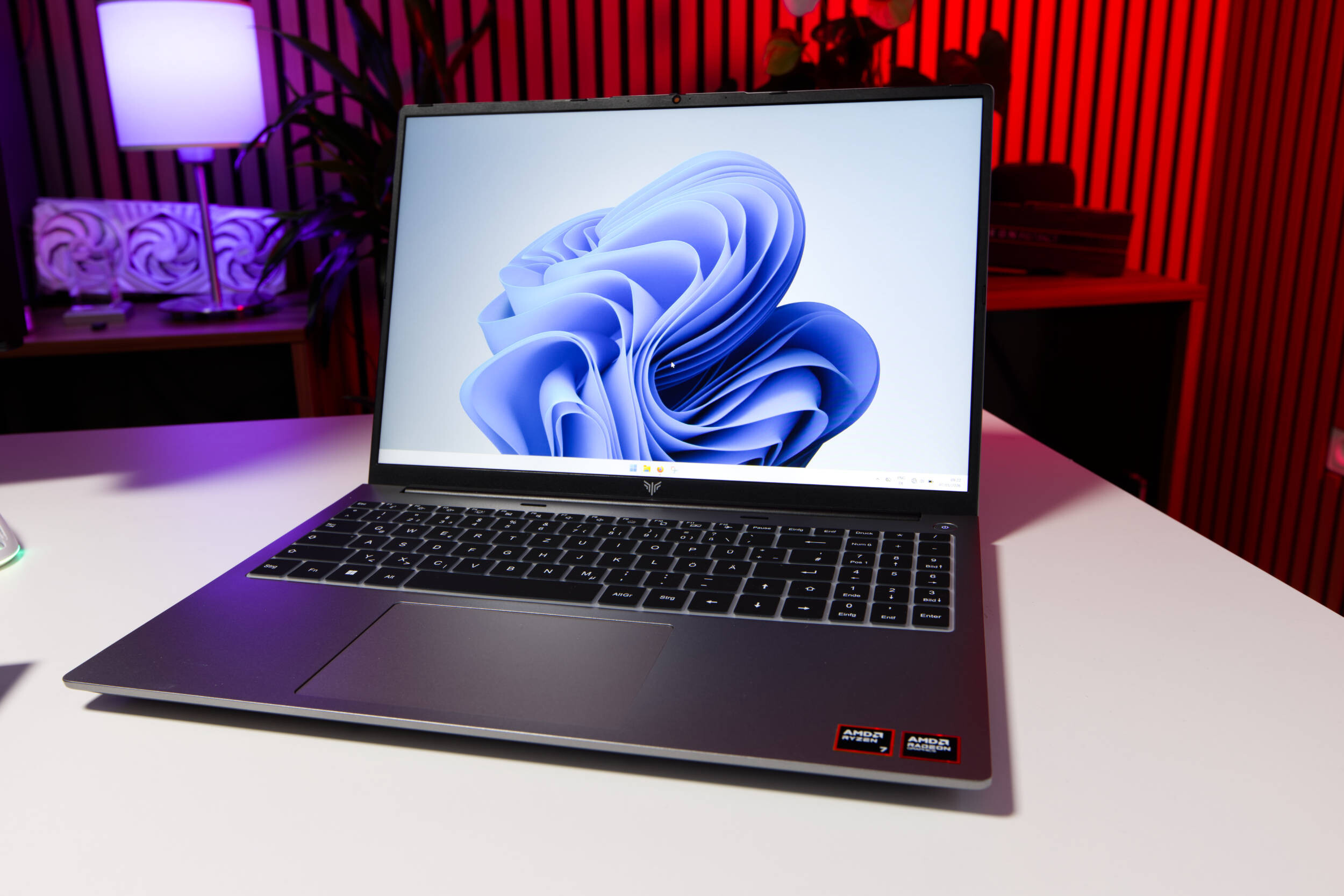 ACEMAGIC RX16 Test Review (Image © PCMasters.de)
ACEMAGIC RX16 in Detail
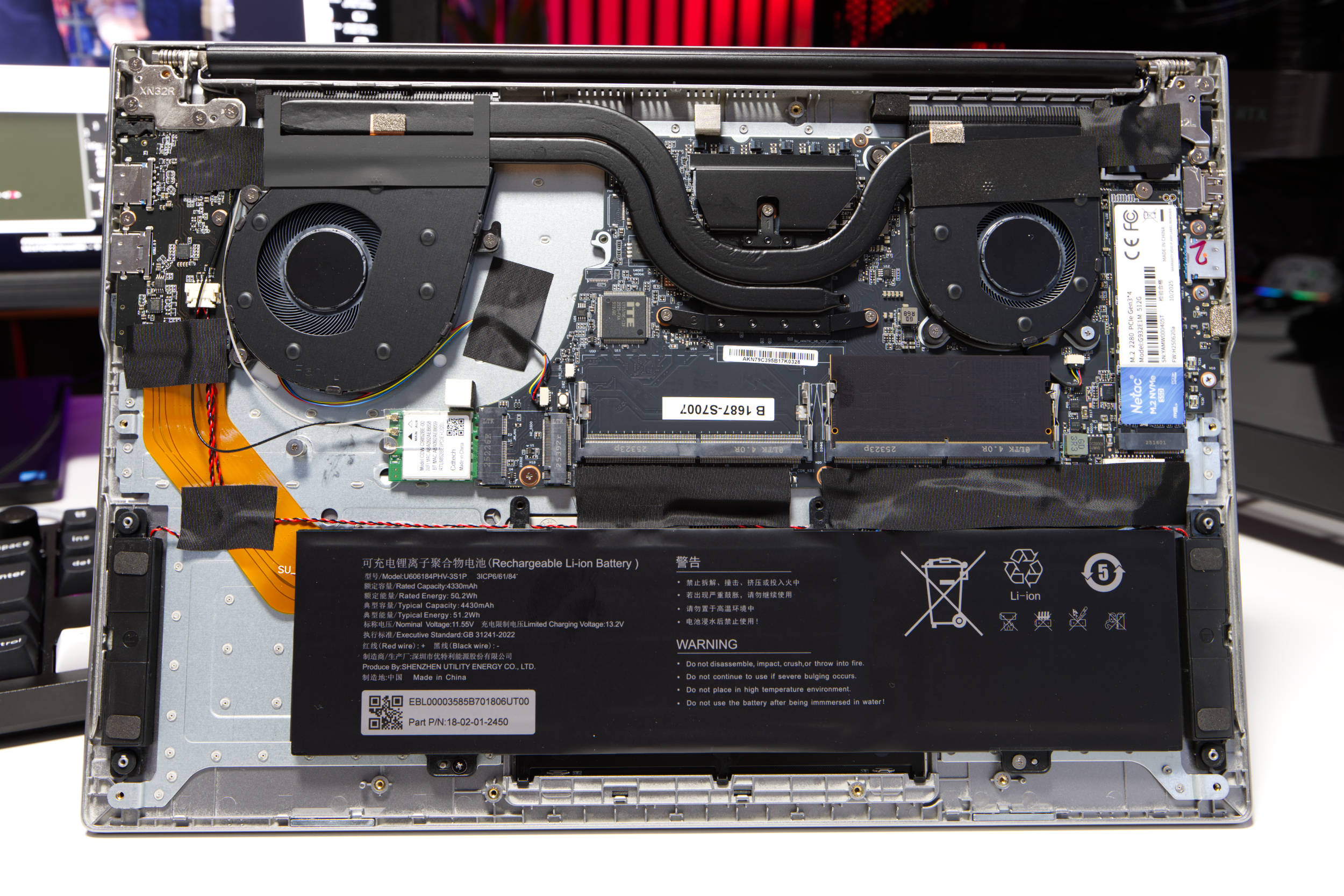
AceMagic continues to launch new models in the mini-PC market, but also aims to establish itself in the notebook sector. Here, too, the manufacturer focuses on good value for money without sacrificing quality or performance, even though there are certainly some less-than-optimal configurations in its portfolio. As usual, we’ll start by examining the internal specs and then move on to the external design in our review.
 ACEMAGIC RX16 offene Unterseite (Image © PCMasters.de)
Ryzen 7 H255 "Hawk Point"
 ACEMAGIC RX16 CPUz (Image © PCMasters.de)
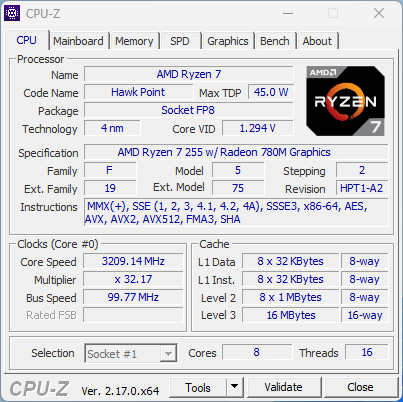
The base configuration of the RX16 notebook unit provided to us looks quite good. For the platform, the manufacturer has opted for the Ryzen 7 H255, which is actually intended for the Chinese market. This is an upgraded version of the Ryzen 7 8745H. Unfortunately, there’s still a lot of confusion surrounding AMD’s new naming scheme, so models have been shuffled from one series to another without any significant differences.
If you compare the Ryzen 7 H255 with the Ryzen 7 250, there’s only a 50 MHz difference in boost clock, which is variable anyway. There’s no dedicated NPU for AI acceleration, which is why the Ryzen 200 series doesn’t have "AI" in its name. Strictly speaking, the CPU can also process AI models via the integrated graphics card if memory allows—that is, smaller models in RAM.
The Hawk Point-H used here is equipped with eight Zen 4 cores and, thanks to SMT, can also handle 16 threads. As mentioned earlier, the clock speed varies between 3.8 and 4.9 GHz. In our test, the CPU briefly reached 65 watts of power consumption but was then gradually reduced to approximately 45 watts due to the high temperature. This is the sweet spot for sustained load at approximately 3.5 GHz. With more cooling headroom, it could perform better, but since we’re talking about a laptop here, the 45–65 watts are respectable.
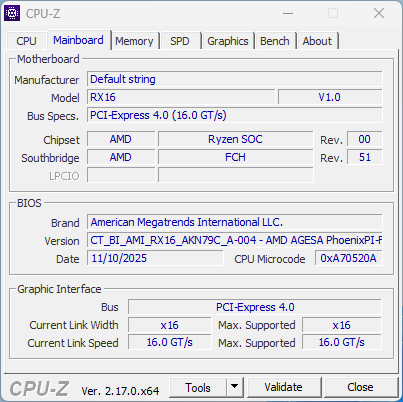 ACEMAGIC RX16 CPUz Motherboard (Image © PCMasters.de)
The CPU has a total of 8 MB of L2 cache and an additional 16 MB of L3 cache. It is manufactured by TSMC using a 4-nm process. As usual, the CPU is permanently soldered onto the FP7r2/FP8 socket. Everything is mounted on a motherboard from an unknown manufacturer; this information does not appear to be stored in the BIOS. However, the model is listed. The standard BIOS is from AMI and offers little room for customization. While it includes the usual security, CPU, and TPM settings as well as boot configuration options, overclocking (OC) and advanced settings are missing. You can load a special BIOS via a dedicated USB drive to access all the other AMD features provided by AGESA; however, this is a workaround and will not be discussed further here.
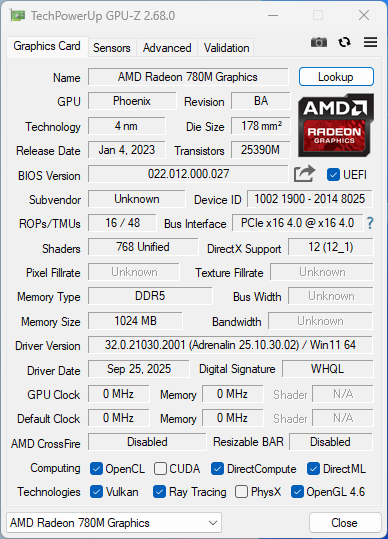 ACEMAGIC RX16 GPUz (Image © PCMasters.de)
Radeon 780M iGPU
The graphics accelerator also comes from AMD in the form of an iGPU. More specifically, it’s the Radeon 780M, which has no soldered-on graphics memory and utilizes 1 GB of DDR5 memory. The GPU features 16 ROPs and 48 TMUs and offers 768 unified shaders. You can certainly play games with it, but you shouldn’t expect too much from it, as 1 GB of VRAM is very limited.
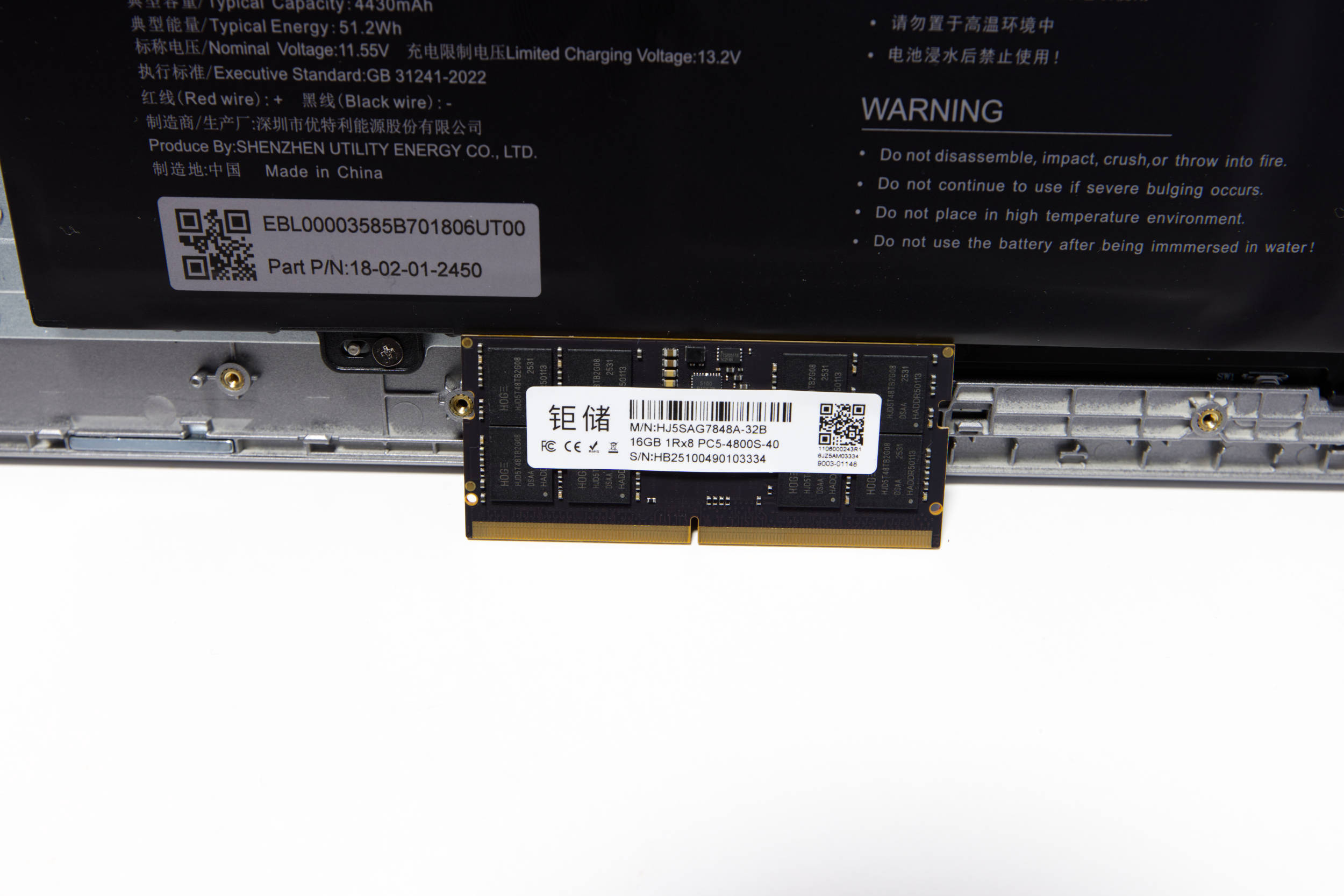 ACEMAGIC RX16 DDR5 RAM Riegel (Image © PCMasters.de)
16 GB DDR5 RAM
The memory situation is a bit tricky at the time of testing because memory prices have skyrocketed in the EU and the U.S., and many manufacturers are raising prices for PCs and laptops. AceMagic sells the RX16 laptop with 16 GB of pre-installed DDR5 memory. On Amazon, the price for this model is set at €799. In the AceMagic store, however, this configuration is available for €549.
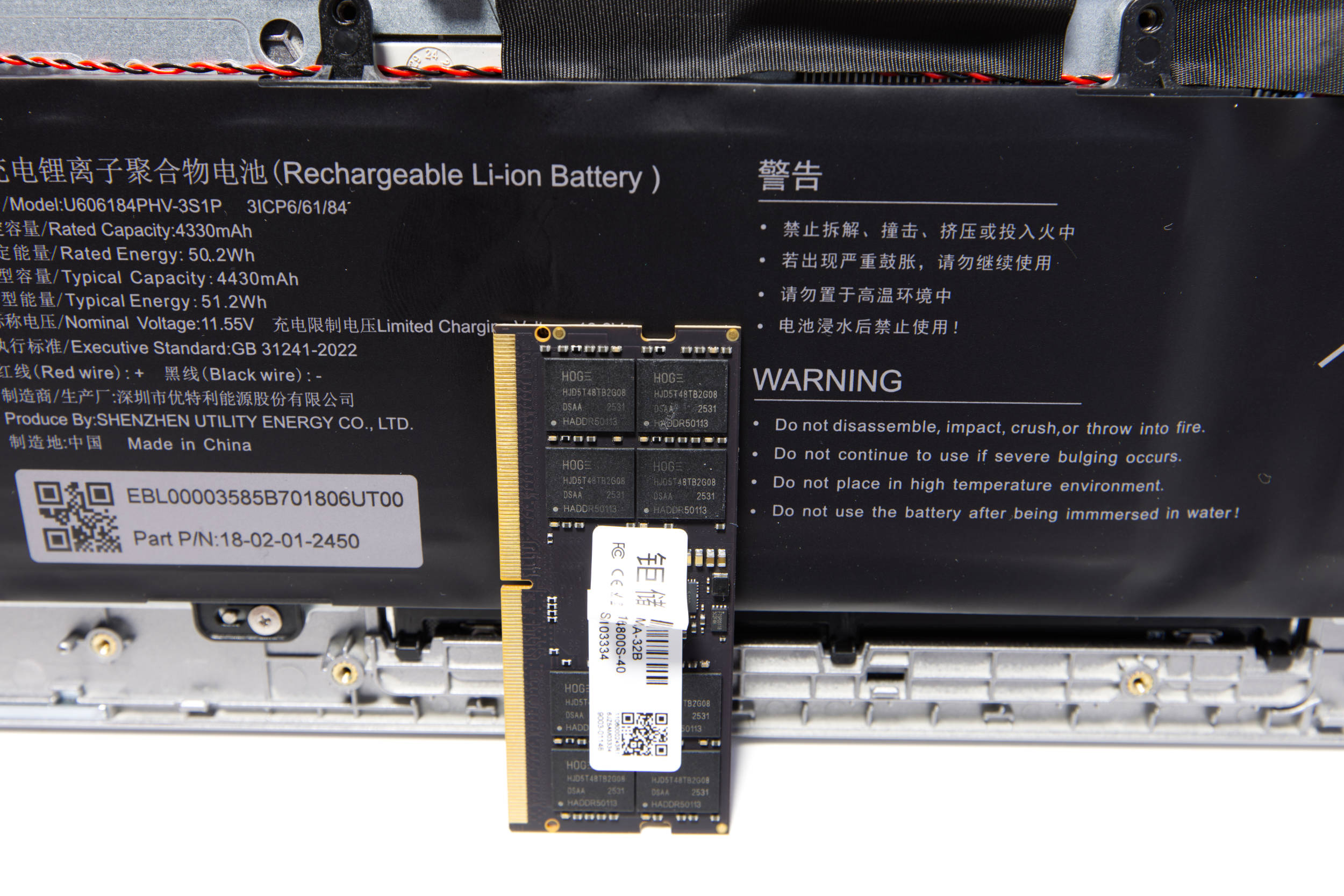 ACEMAGIC RX16 DDR5 RAM (Image © PCMasters.de)
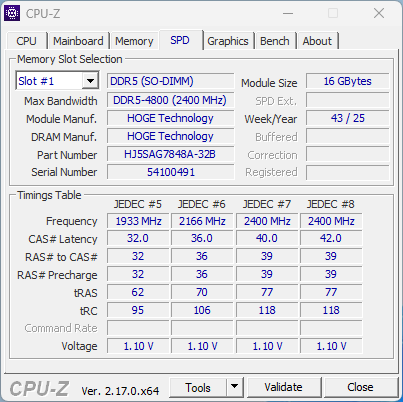
The installed RAM consists of a single module from HOGE with the part number HJ5SAG7848A-32B. This means dual-channel performance is not supported. The module features a total of eight memory chips from HOGE, designated HJD5T48TB2G08. We were unable to find any further information about these chips online, and the RAM isn’t available on AliExpress either. We assume that the memory is manufactured in China for the domestic market.
 ACEMAGIC RX16 CPUz DDR5 RAM (Image © PCMasters.de)
According to AceMagic, the laptop is supposed to support up to 64 GB, even though AMD specifies a maximum of 256 GB for the platform. However, 16 GB works wonderfully, even when operating at 4,800 MT/s, as is the case in this system.
 ACEMAGIC RX16 NVMe SSD (Image © PCMasters.de)
512 GB NVMe SSD and Additional NVMe Slot
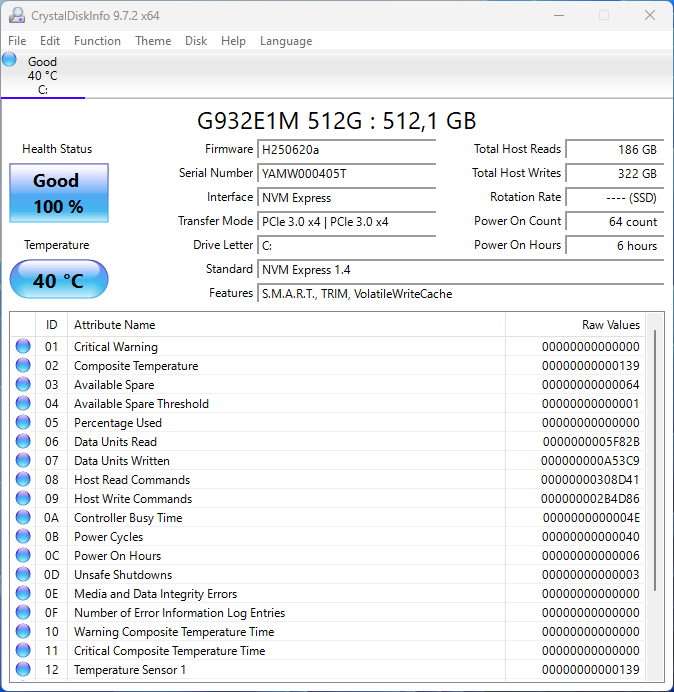
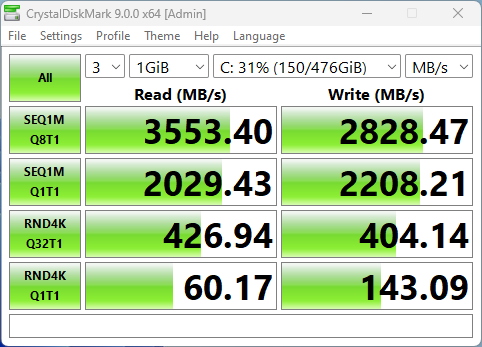
As usual, AceMagic has opted for an SSD from the Chinese market, prioritizing availability and price. In a CrystalDiskMark test, the built-in SSD achieved peak read throughput of 3.5 GB/s and 2.8 GB/ s for write throughput. So this isn’t a simple SATA SSD but an NVMe SSD connected via four PCI Express 3.0 lanes. It also doesn’t get particularly hot under load, stabilizing at around 45 degrees Celsius. AceMagic often uses SATA SSDs in its mini PCs, which is a better choice in this case and fits the overall system better.
 ACEMAGIC RX16 G932E1M SSD (Image © PCMasters.de)
 ACEMAGIC RX16 G932E1M SSD Datendurchsatz (Image © PCMasters.de)
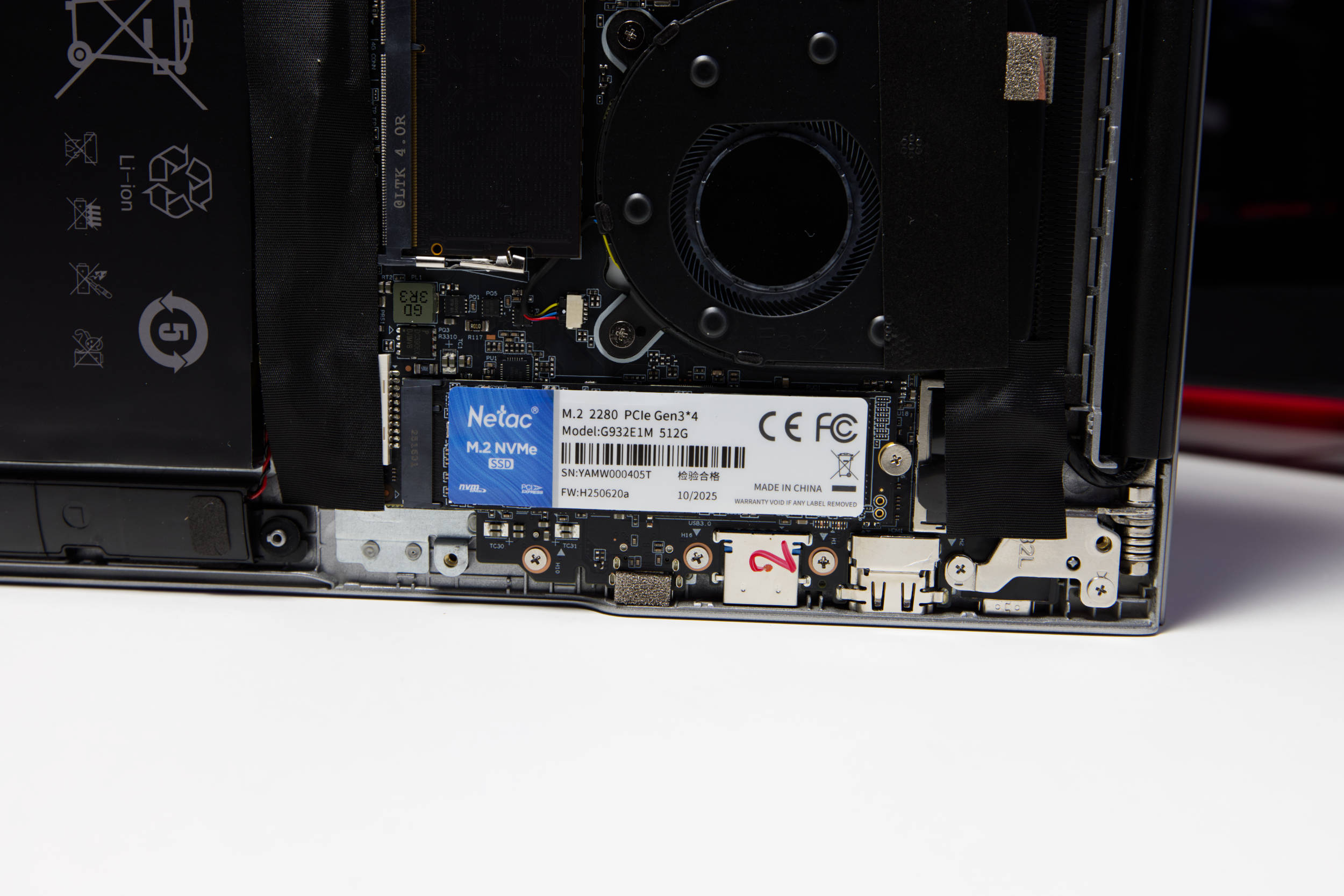
After opening the laptop, we can locate the SSD on the right. The sticker bears the same model number, G932E1M 512G, and lists Netac as the manufacturer. On the manufacturer’s website, we find only a G930E NVMe SSD, which has significantly slower specifications.
On the left side, there’s another M.2 2280 slot for an additional SSD. According to AceMagic, the slot supports PCIe 3.0 SSDs or M.2 SATA SSDs with up to 2 TB of capacity. This is a good upgrade option.
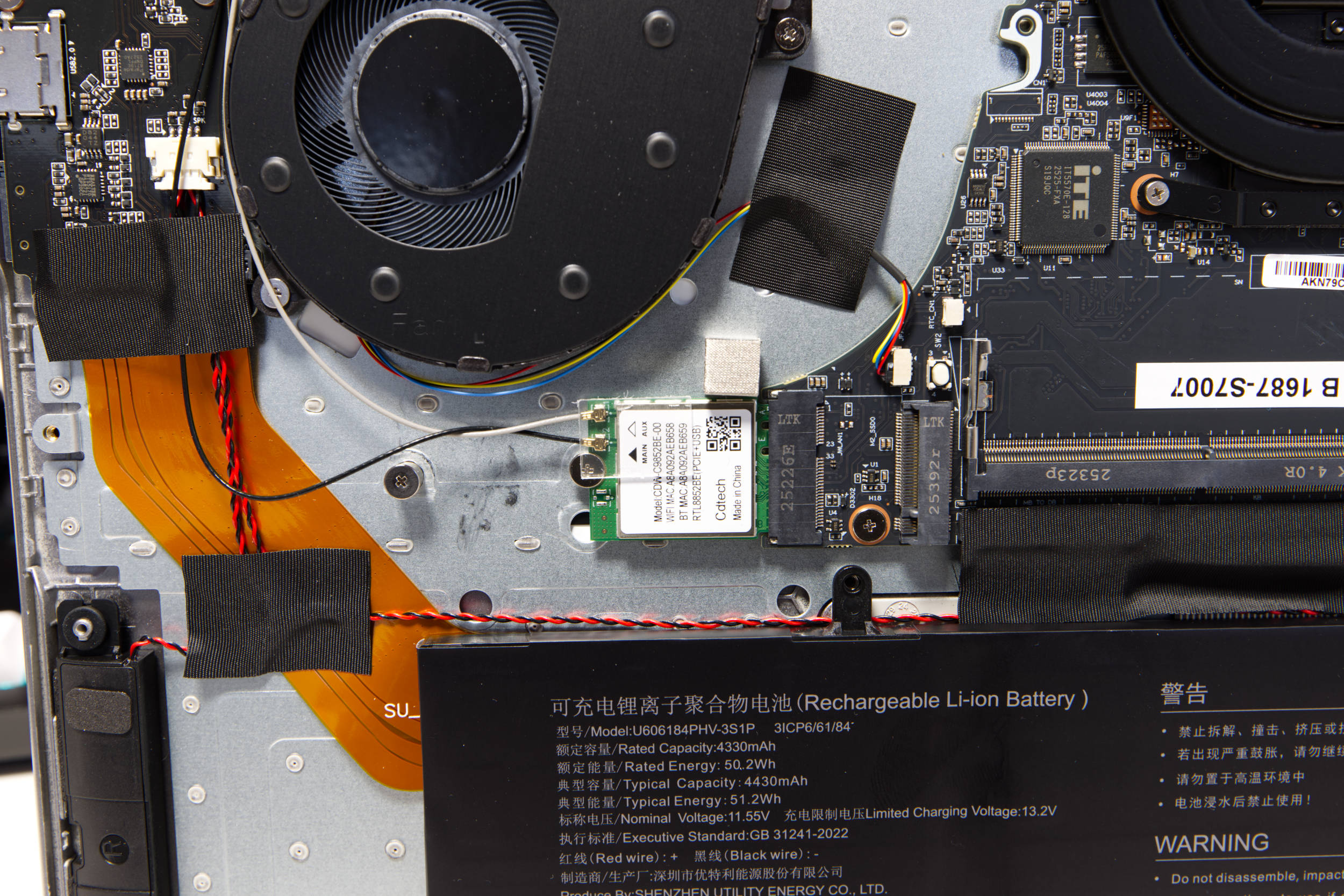 ACEMAGIC RX16 WLAN (Image © PCMasters.de)
Wi-Fi 6
On the left side of the PCB, we find the Wi-Fi card, which, according to the manufacturer, supports Wi-Fi 6 (802.11ax) and also Bluetooth 5.2. A driver is available directly from AceMagic. Windows 11 cannot find the driver on its own, and we assume that this is another product specific to the Chinese market.
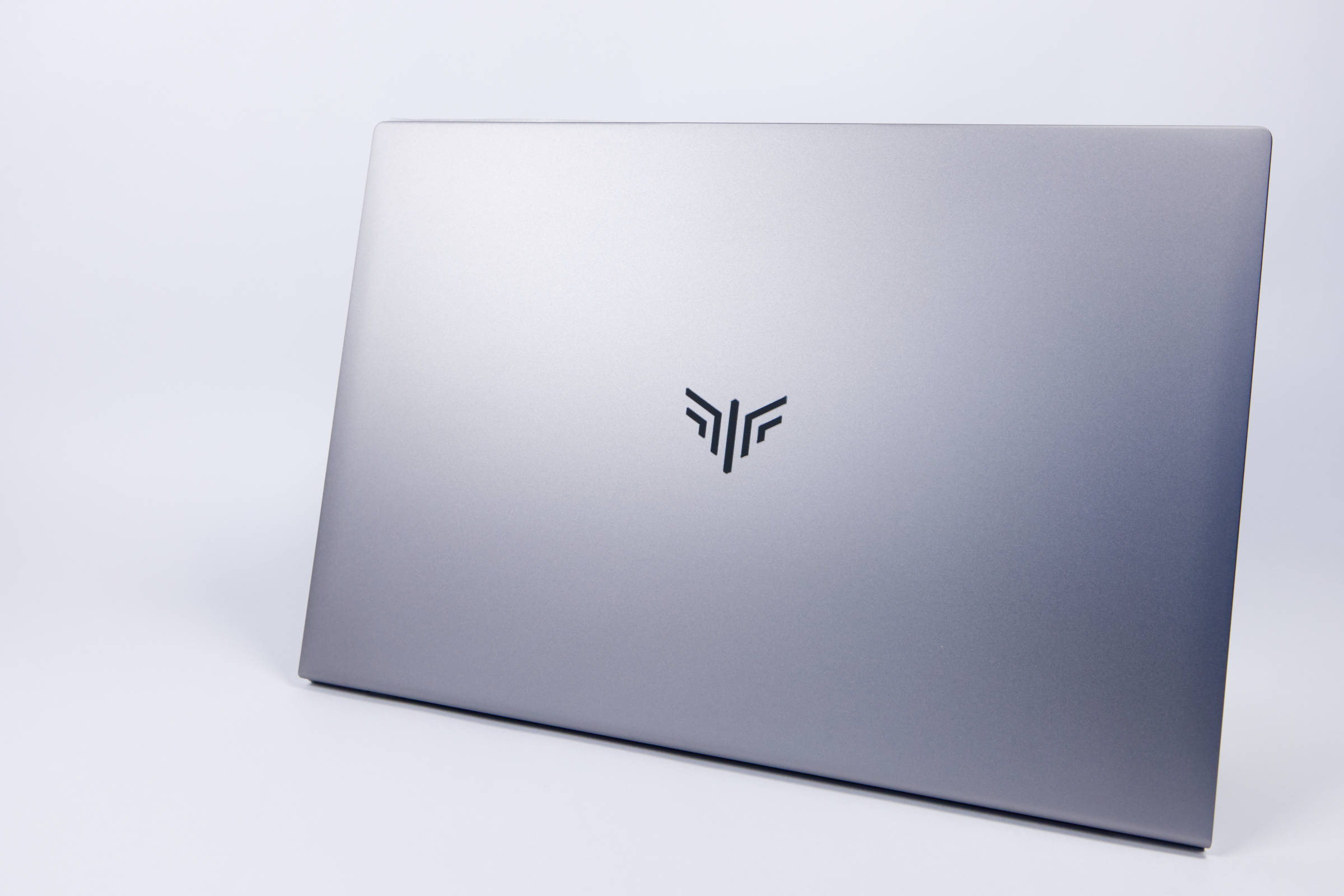 ACEMAGIC RX16 Oberseite (Image © PCMasters.de)
Design and Appearance
Let’s now turn to the exterior and design. Here, AceMagic has definitely focused on simplicity. The top shell is entirely silver-gray, with only the logo engraved in black. The surface doesn’t feel cold to the touch, which is why we initially guessed it was made of plastic, but the shell is actually made of metal—even though the manufacturer doesn’t specify exactly what kind of metal or whether the entire shell is made of it. What we did notice, however, is that the inner shell is made of metal, since plastic doesn’t offer the same sound and sturdiness. The lower shell is combined with plastic and fits very snugly and securely, which is why you really have to use some force to remove it.
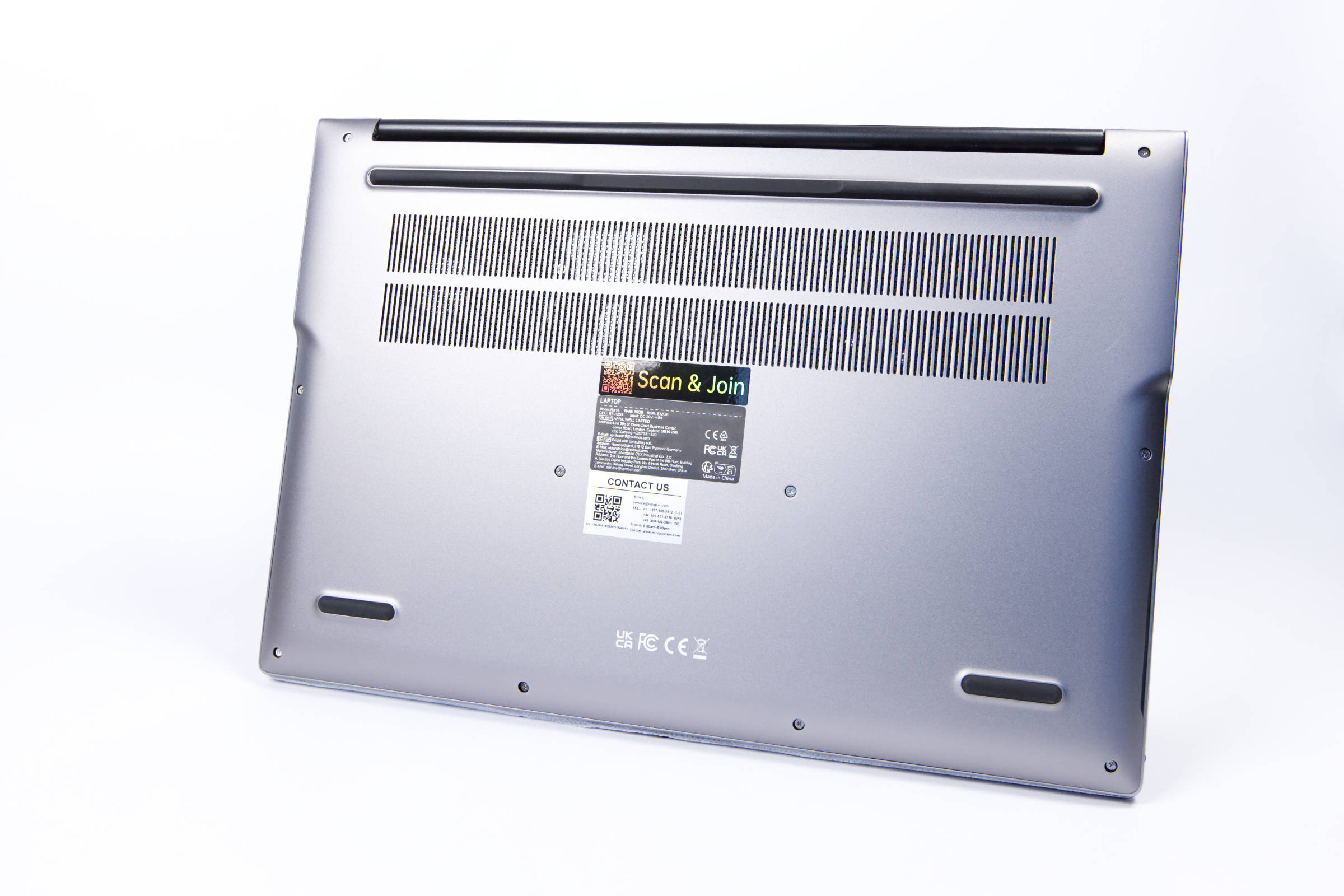 ACEMAGIC RX16 Unterseite (Image © PCMasters.de)
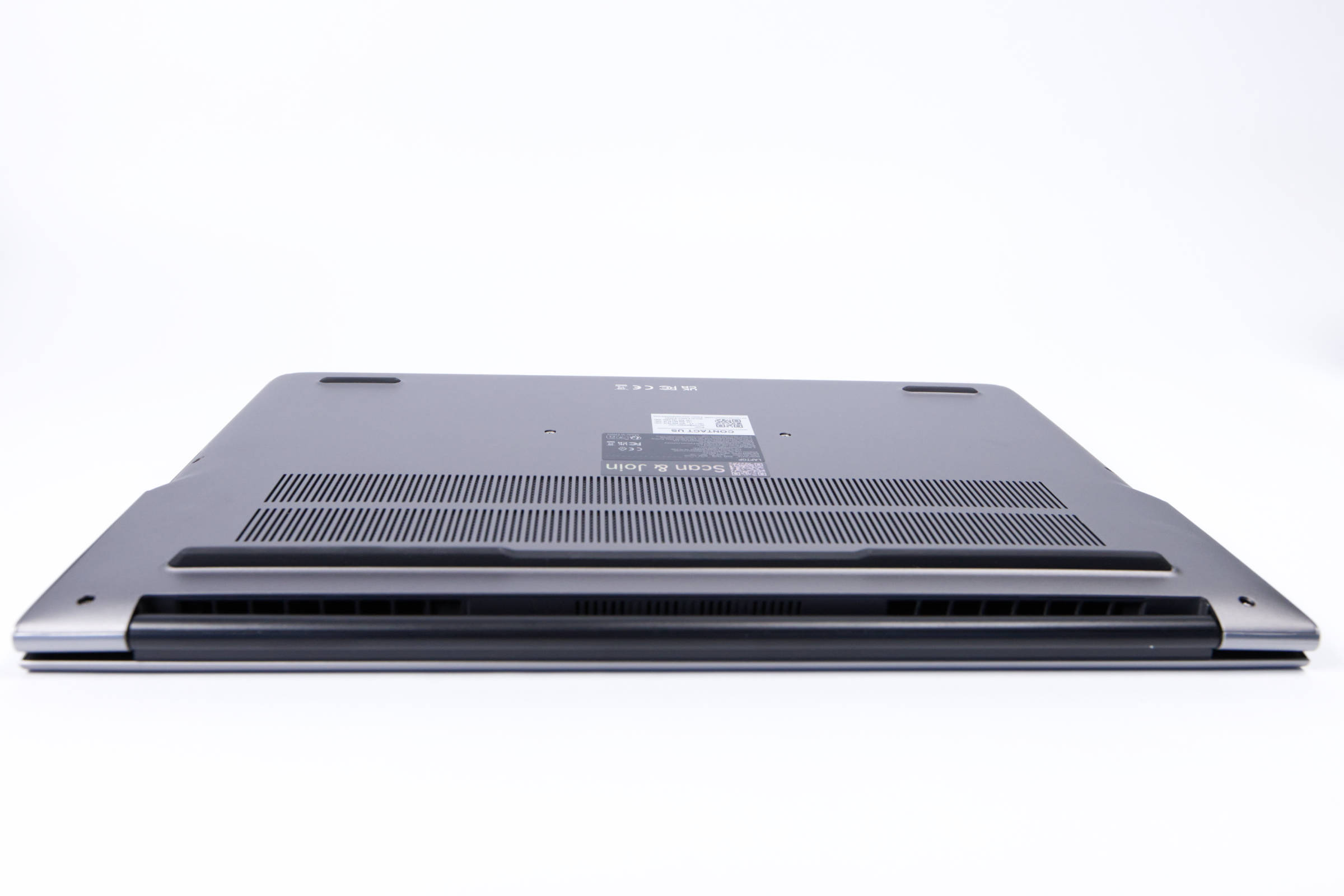
There are also several vents on the bottom designed for cooling. The inside features a mesh to keep large particles out of the case. However, this does not make the case waterproof by any means. The rubber feet, though, are really thick and sturdy, which keeps the laptop securely in place on just about any surface.
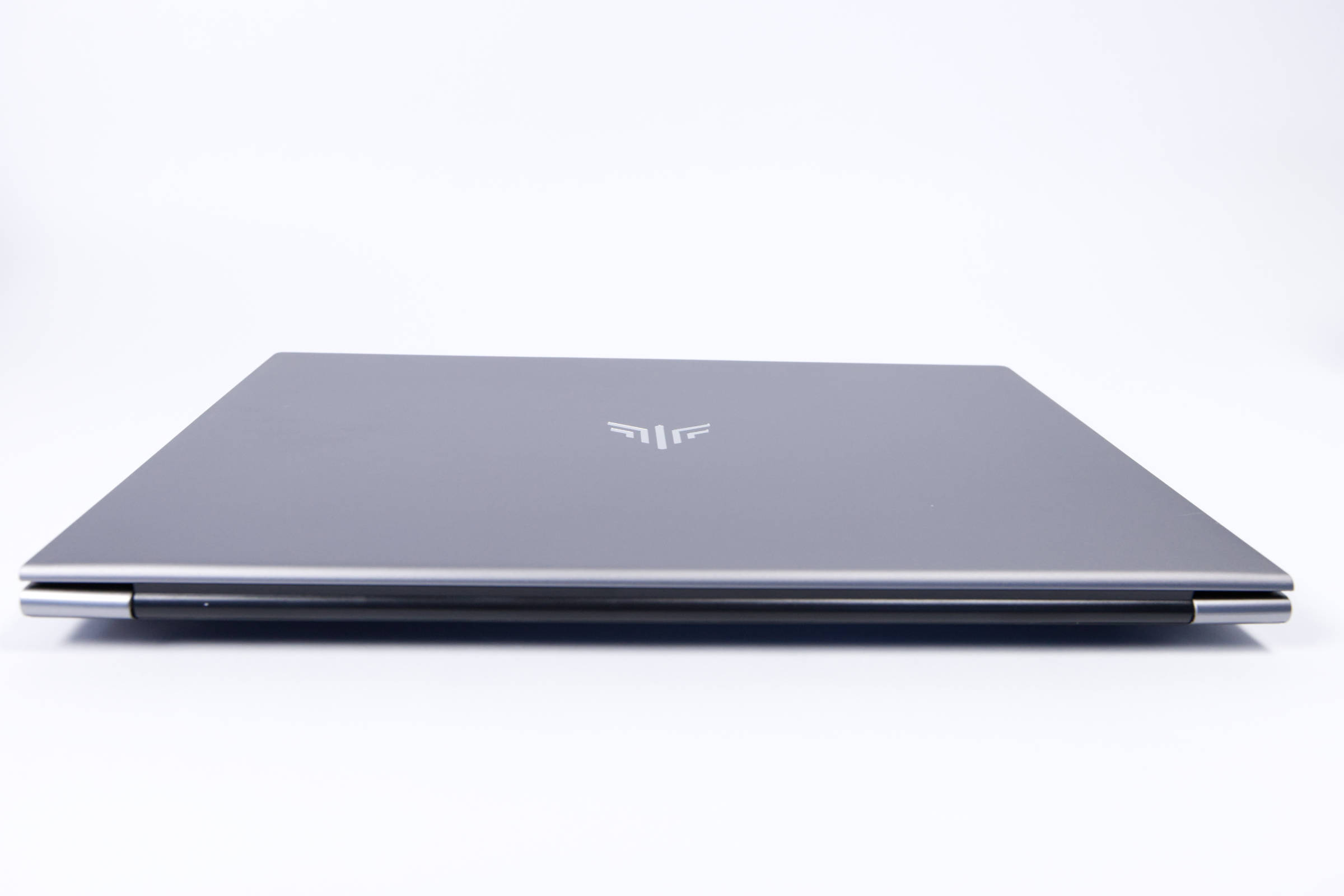 ACEMAGIC RX16 Schaniere (Image © PCMasters.de)
The hinge is attached on both sides and seems very solid to us. We weren’t able to conduct a long-term test, though. Everything made a solid impression.
 ACEMAGIC RX16 Schaniere 2 (Image © PCMasters.de)
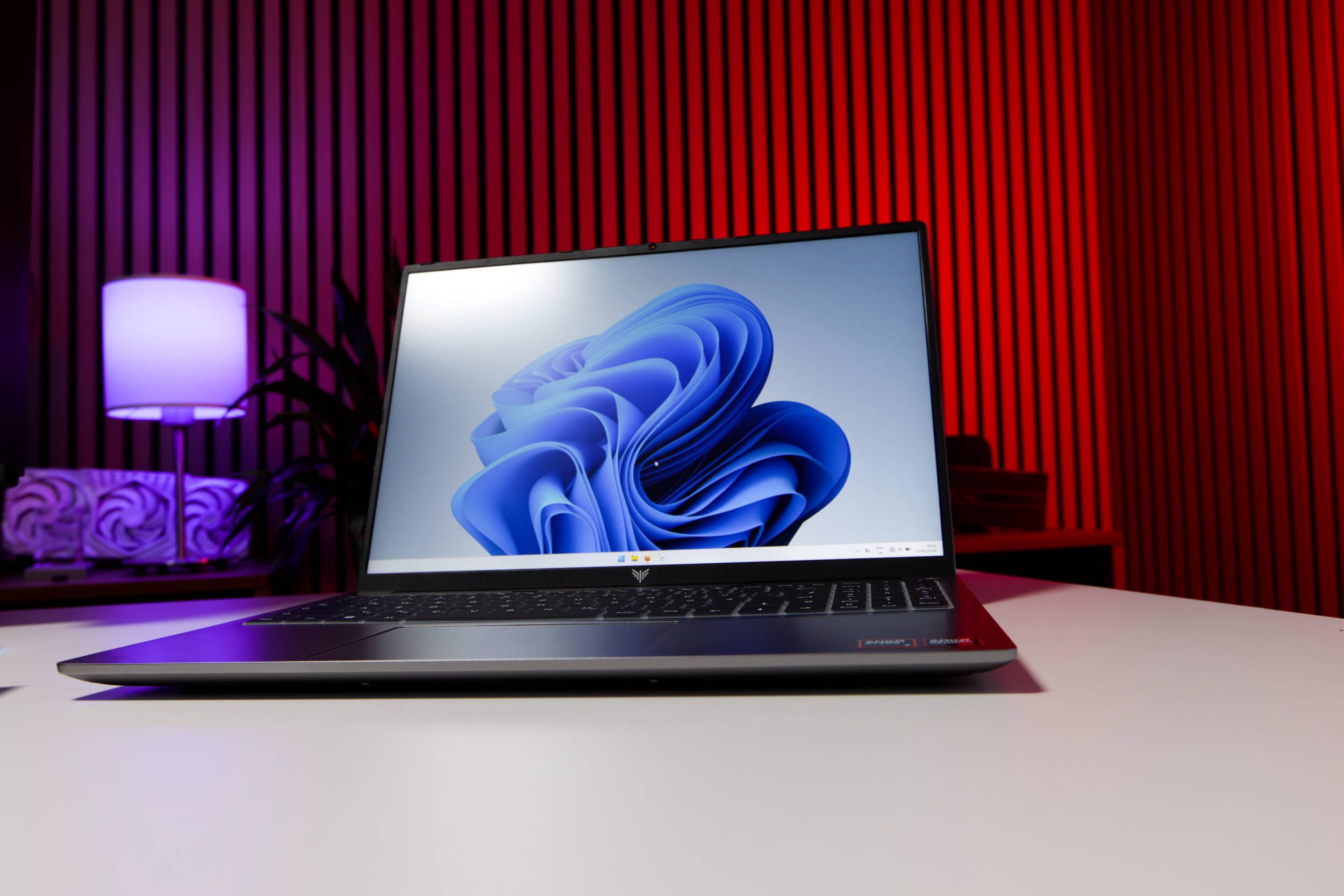
The bottom section is used for cooling, as the fans blow hot air out in that direction. Overall, the build quality is very high, and nothing creaks. The gaps are all neat and significantly better than we expected. We really like the simple design.
 ACEMAGIC RX16 Test (Image © PCMasters.de)
16"-Display
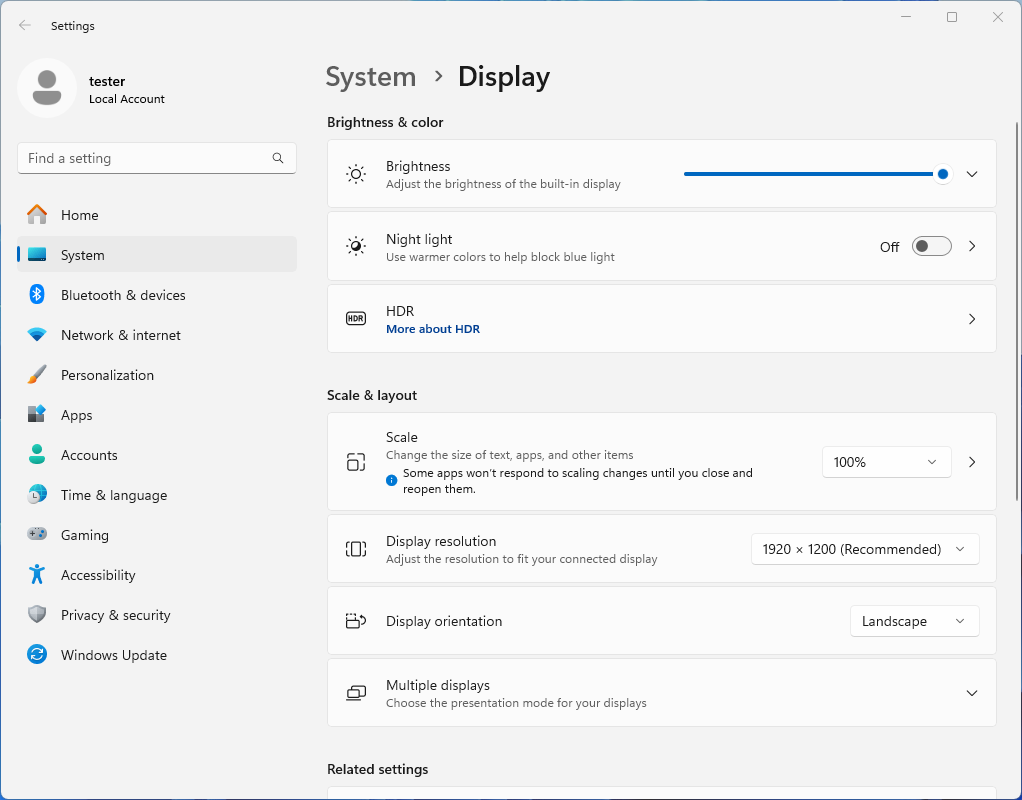
In the 16"-laptop class, the display is quite large, especially if you’re used to 14" laptops. The panel is an IPS panel with a resolution of 1920x1200px. The pixel density isn’t outstanding, but this combination is perfectly acceptable for everyday use. After all, this is a device that costs between 500 and 700 EUR.
 ACEMAGIC RX16 Display (Image © PCMasters.de)
The 16:10 aspect ratio is slightly taller, which is definitely a plus. The integrated Radeon 780M is well-suited for this resolution and isn’t overworked. While you can also connect an external monitor for greater productivity, the laptop’s display is certainly usable on its own.
 ACEMAGIC RX16 Displayfront (Image © PCMasters.de)
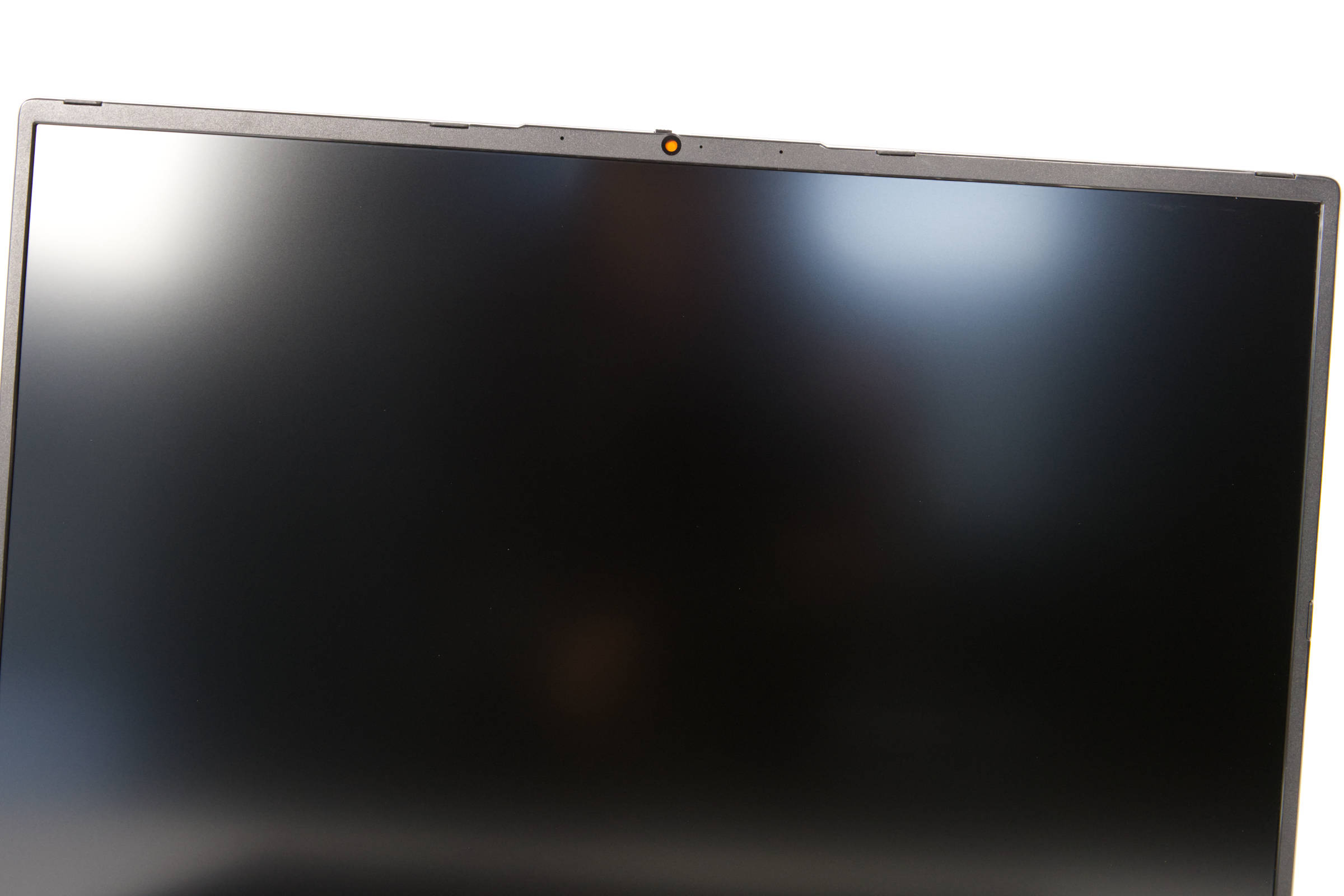
The surface is matte, and in everyday use, the panel appears bright at full brightness. The manufacturer provides no information about the panel, not even that it operates at 60 Hz and no higher.
 ACEMAGIC RX16 Anschlüsse rechts (Image © PCMasters.de)
Ports
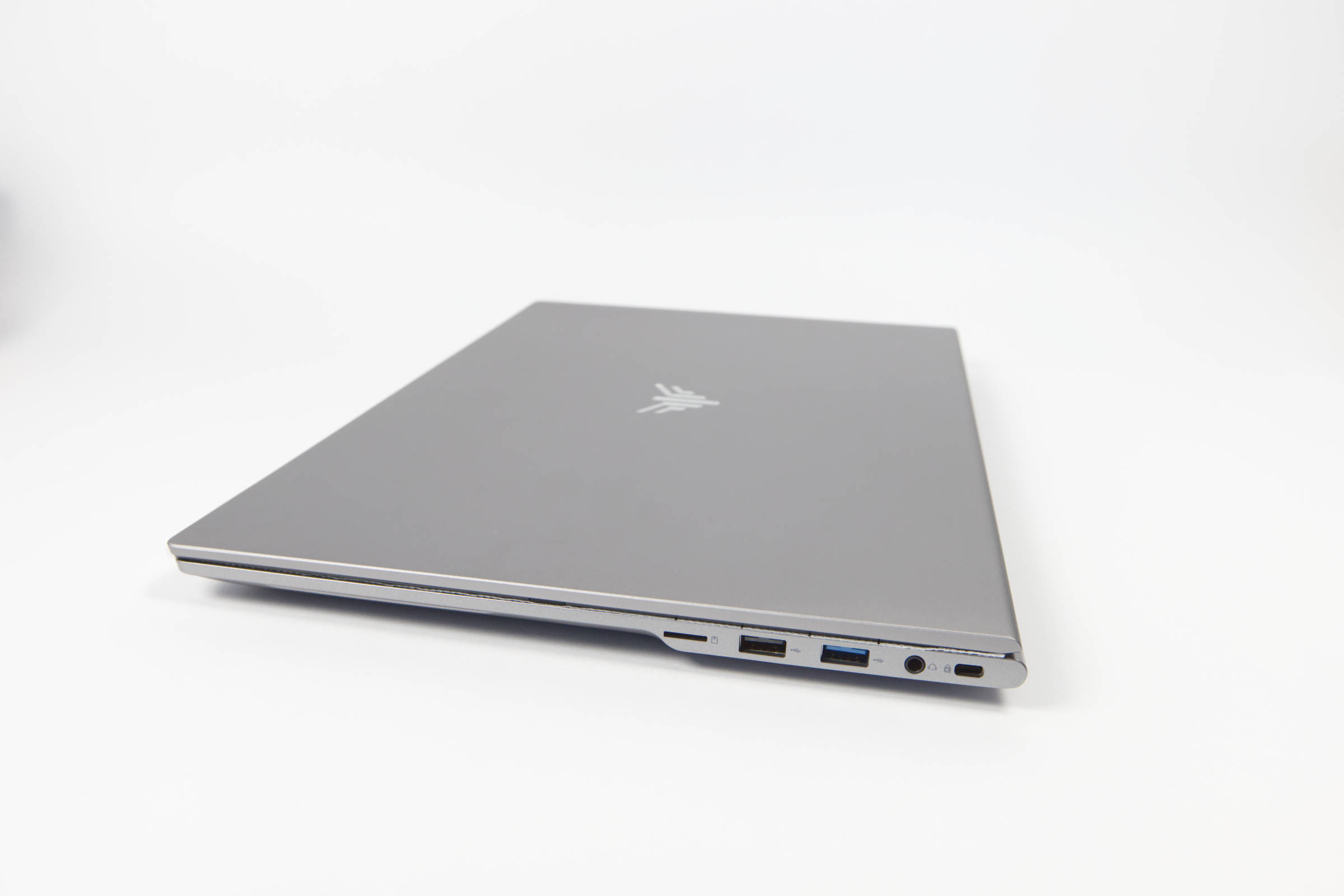
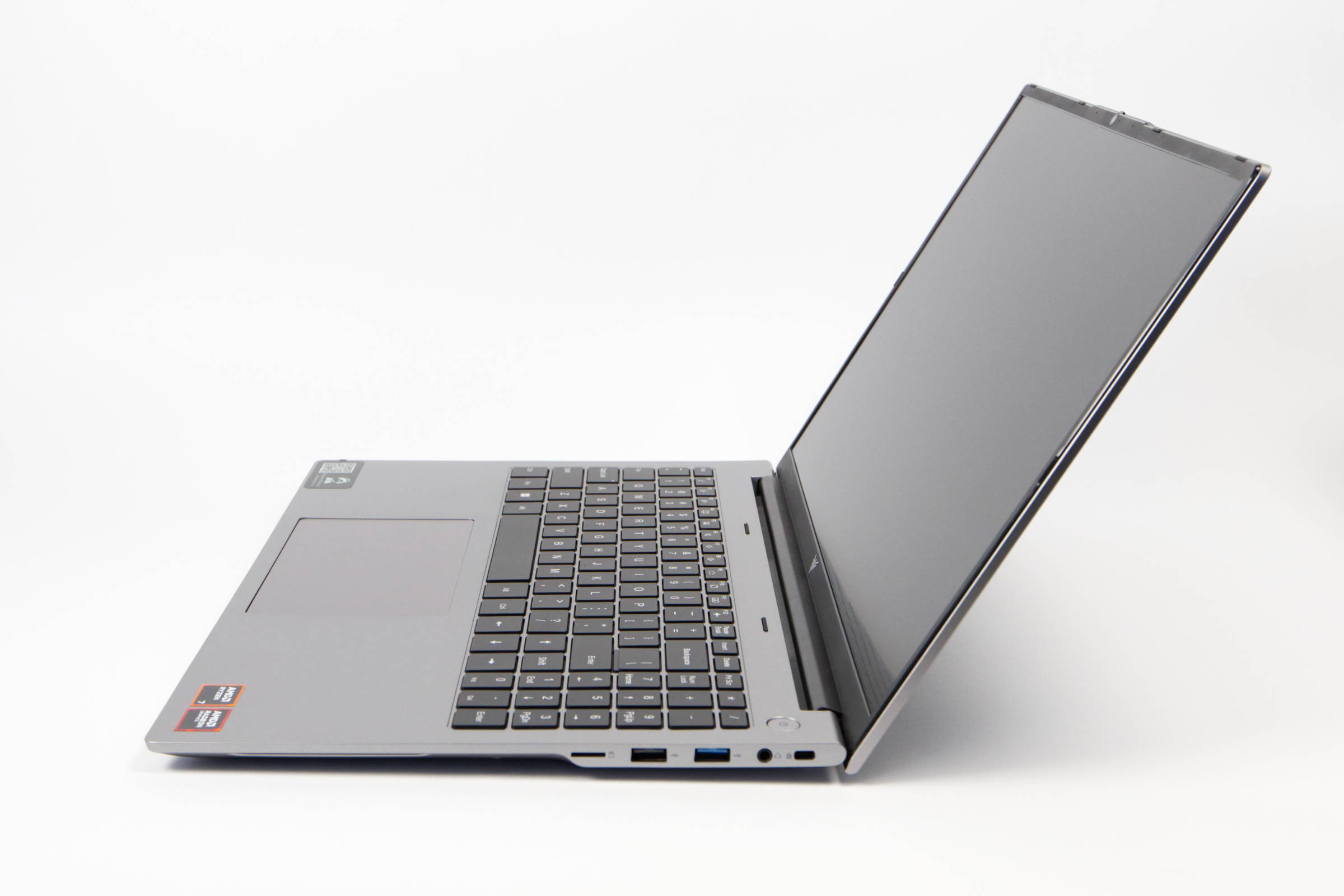
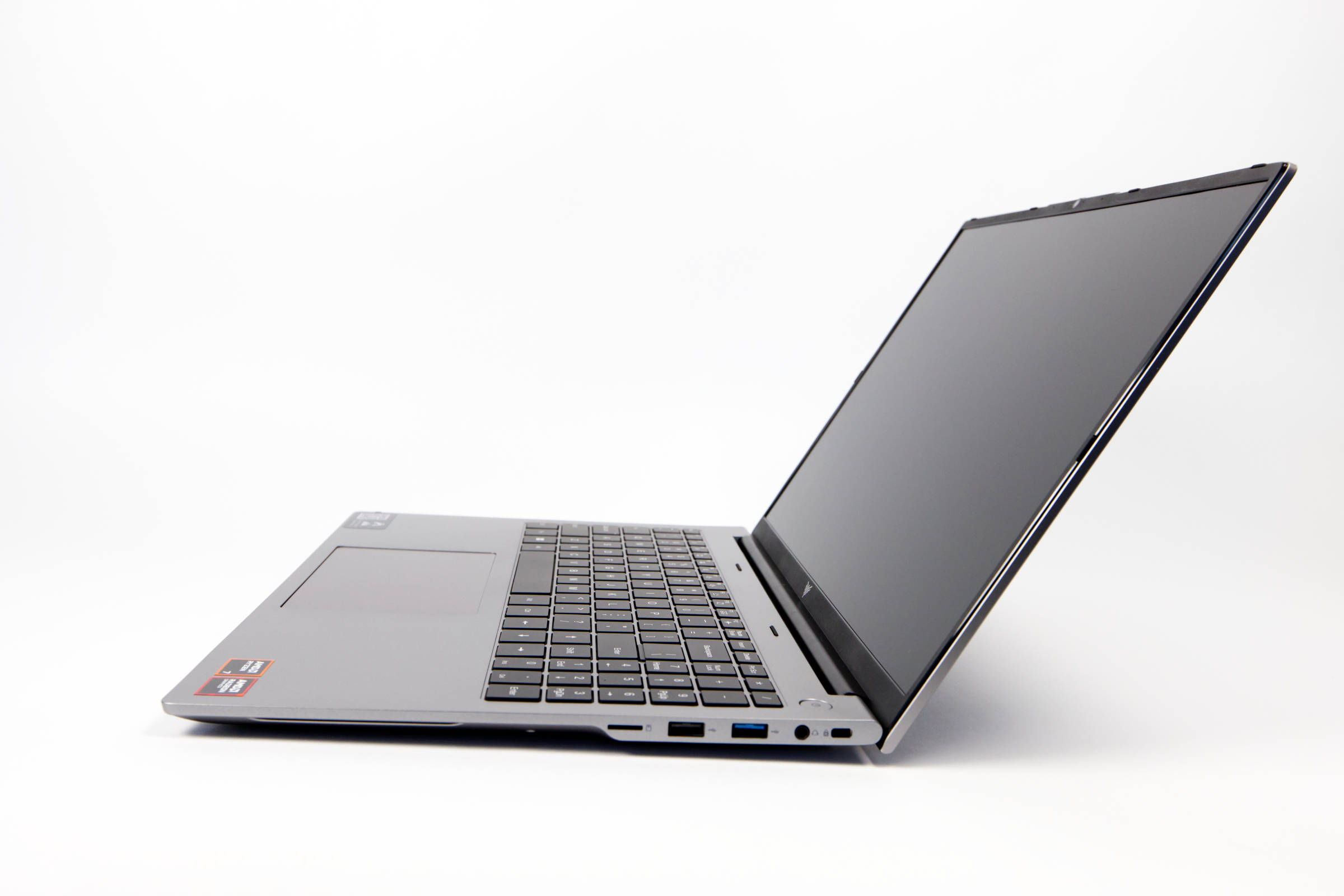
There are ports on both sides of the laptop, and we would definitely describe the selection as good. On the right side, we find a microSD/TF card slot, a 3.5-mm headphone jack, as well as a USB 3.2 Gen1 port and a USB 2.0 port.
 ACEMAGIC RX16 Seitenansicht (Image © PCMasters.de)
The ports are spaced far enough apart that you should generally be able to use them all at the same time—though some cables might cause issues if they’re too wide.
 ACEMAGIC RX16 Anschlüsse links (Image © PCMasters.de)
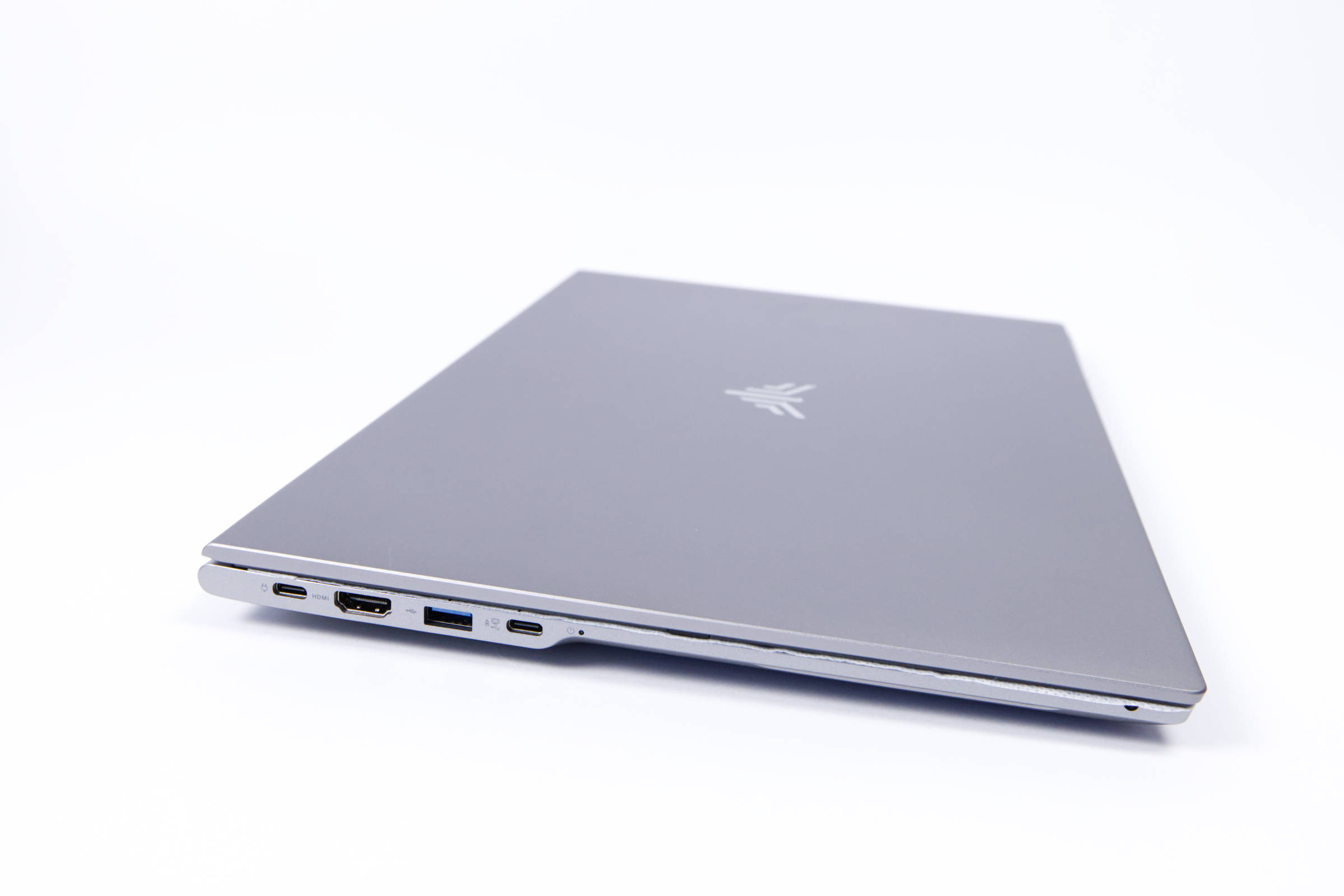
On the left side, there’s an HDMI 2.0 output and, right next to it, a USB 3.2 Gen1 port. On the far left, there are also two USB 3.2 Type-C ports. Both are functional and are designed to support PD charging, DP 1.4 at 8K@60Hz, and 20 Gbps data transfers.
The small black dot next to the last USB-C port is an LED that indicates whether the device is on or off.
 ACEMAGIC RX16 AC Adapter Ladekabel (Image © PCMasters.de)
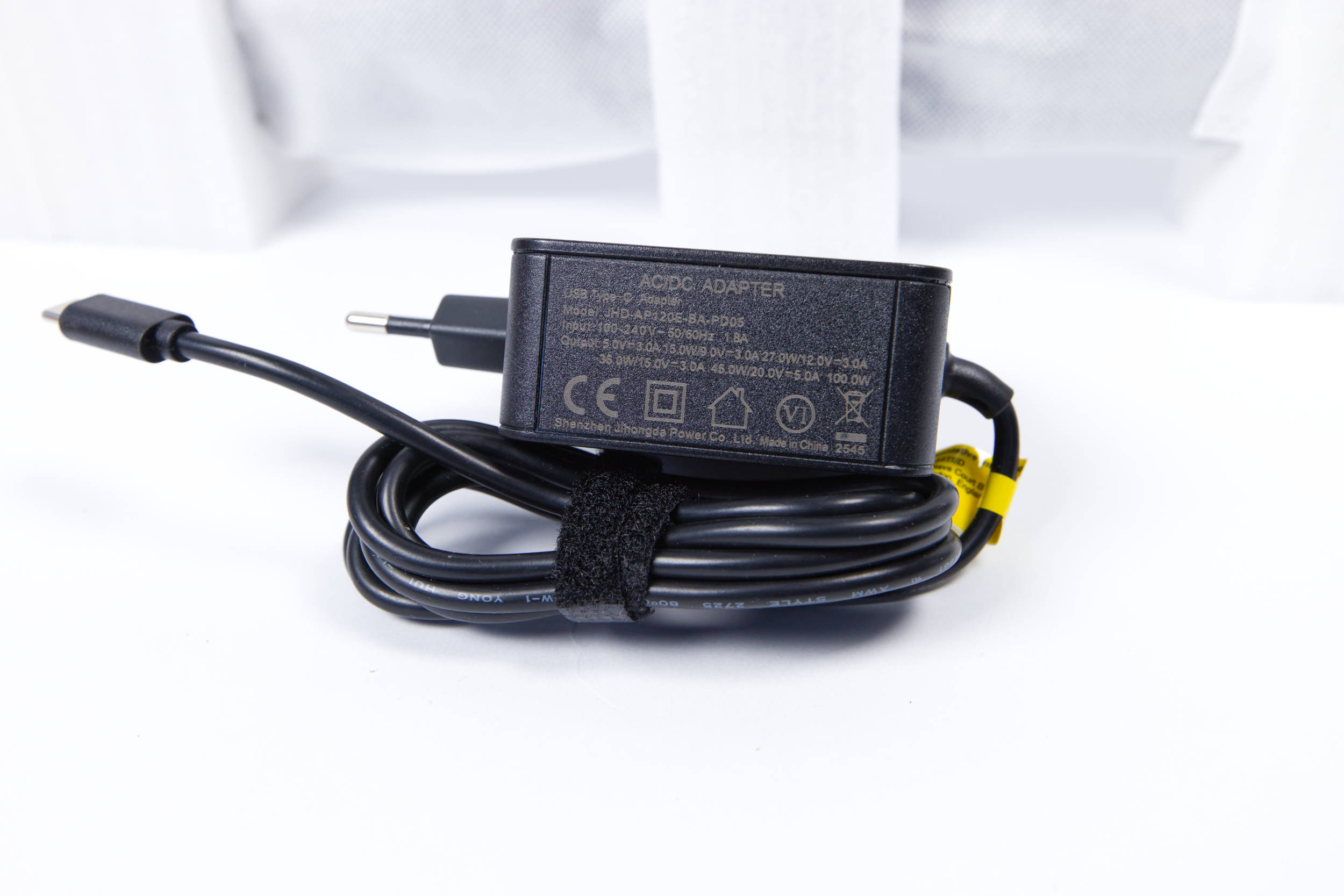
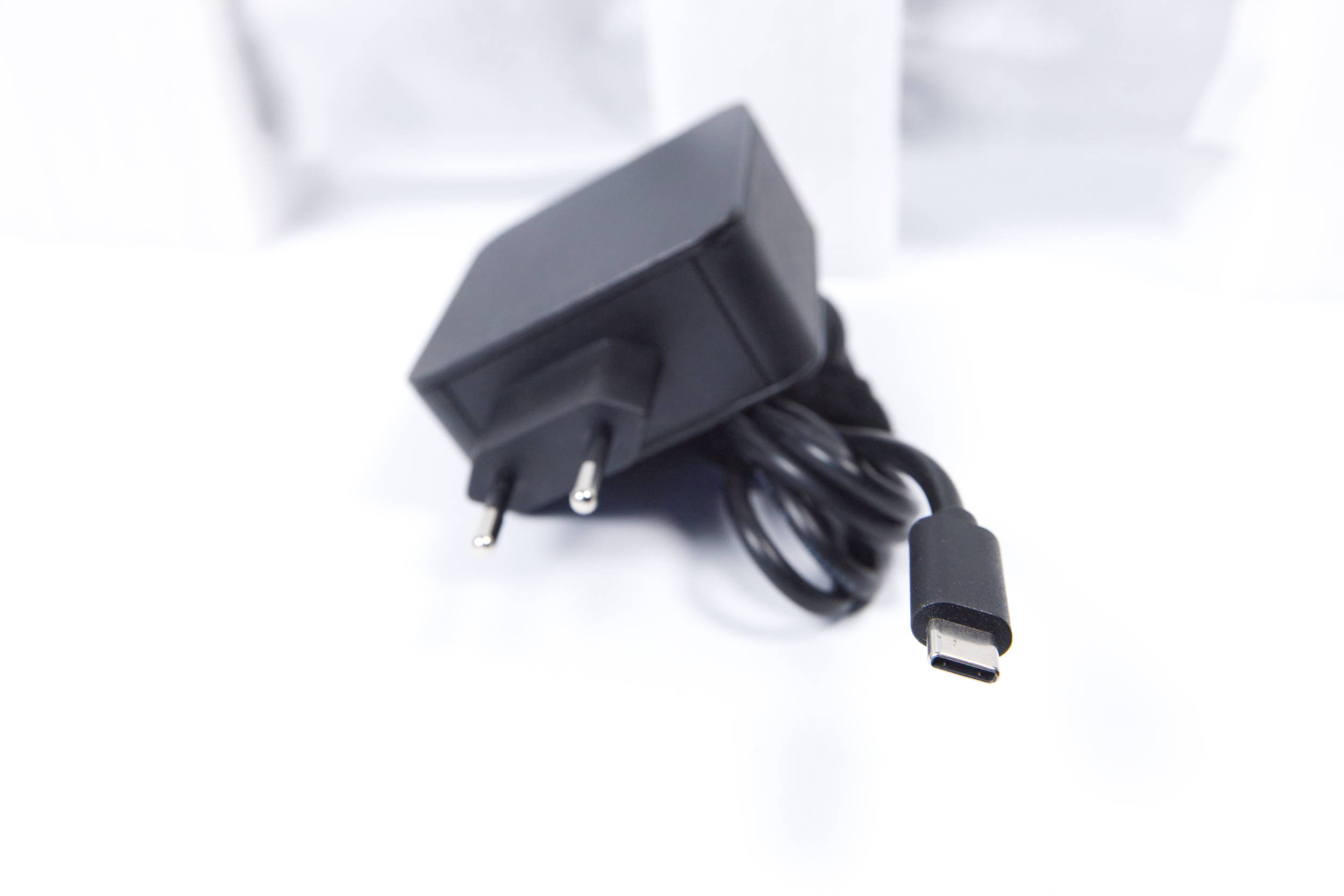
The laptop is charged via the included power adapter, which provides Type-C power delivery. This gives you a decent power adapter that supports up to 100 W of charging power. The USB cable is permanently attached and cannot be removed or replaced.
 ACEMAGIC RX16 USB C Ladekabel (Image © PCMasters.de)
 ACEMAGIC RX16 Kamera mit Schutz (Image © PCMasters.de)
Camera Cover
Like any laptop, the RX16 also offers several features worth mentioning. We’ve selected a few that we’ll discuss in more detail.
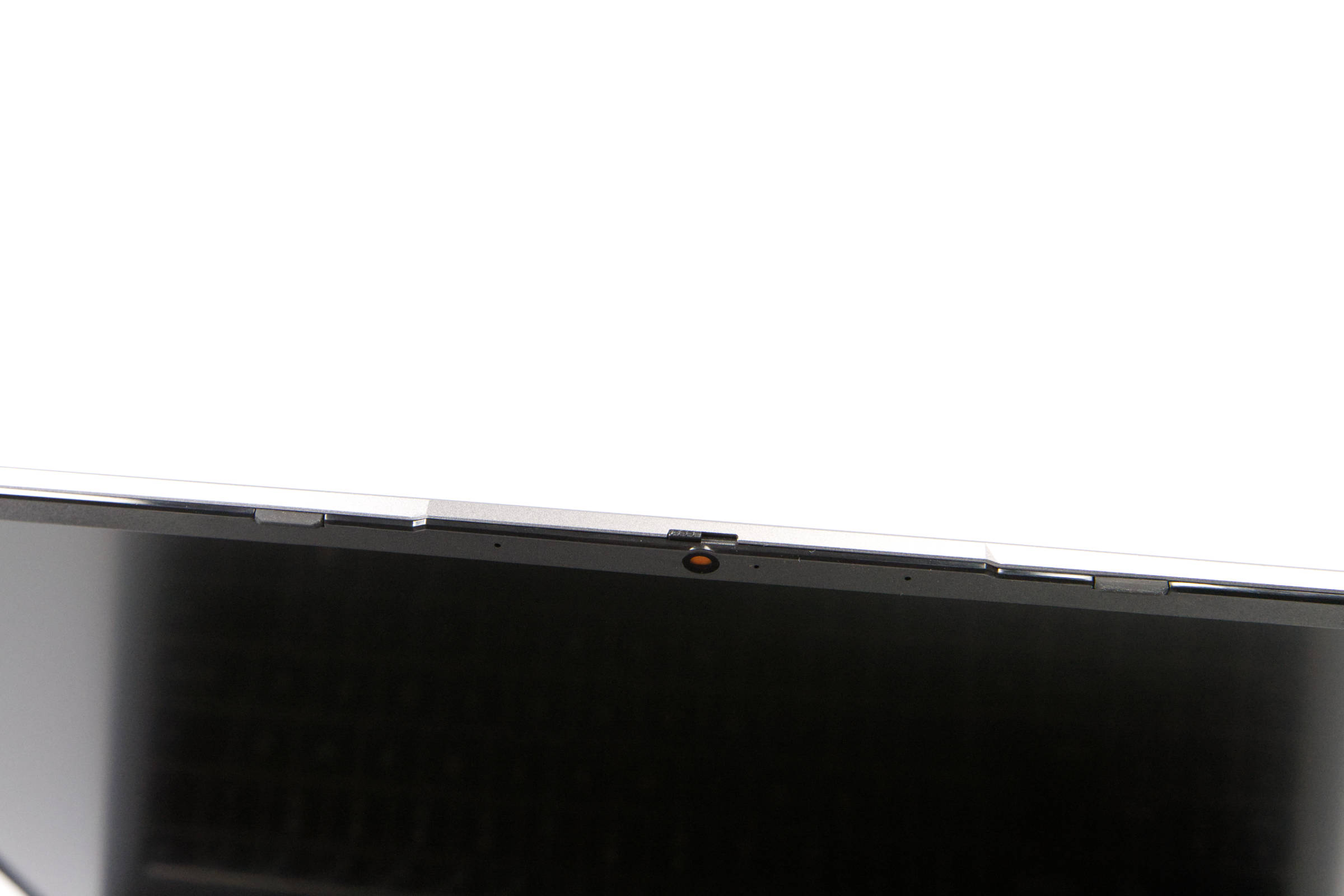
At the top of the display, there’s a sliding mechanism that lets you physically cover the camera. When you slide the cover to the left, an orange panel covers the camera, preventing it from recording anything. This is a cool privacy feature because you never really know when a camera is recording or not.
 ACEMAGIC RX16 Draufsicht Fazit (Image © PCMasters.de)
Touchpad
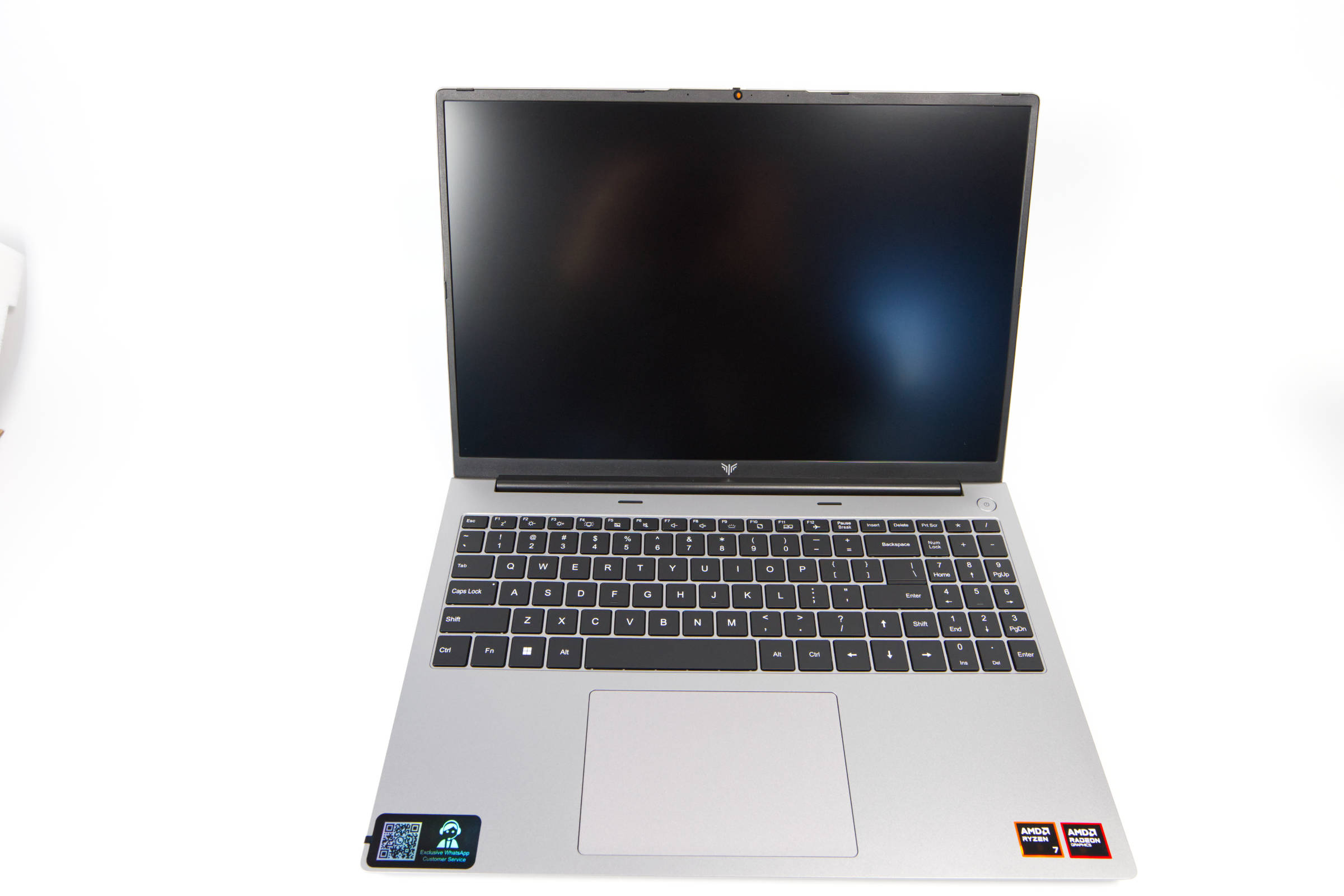
The touchpad has basically become standard. AceMagic features a large touchpad at the bottom of the interior. It’s easy to use, though the resistance when pressing down is higher at the top than at the bottom. However, you can also tap lightly to trigger a click. The pad registers inputs accurately and is intuitive to use. Since there are no dedicated button areas, you have to use two fingers to mimic a right-click with a mouse. These inputs are also standard, and there’s nothing negative to say here—it’s a decent touchpad.
 ACEMAGIC RX16 Silikon Tastaenlayout (Image © PCMasters.de)
Silicone Key Layouts
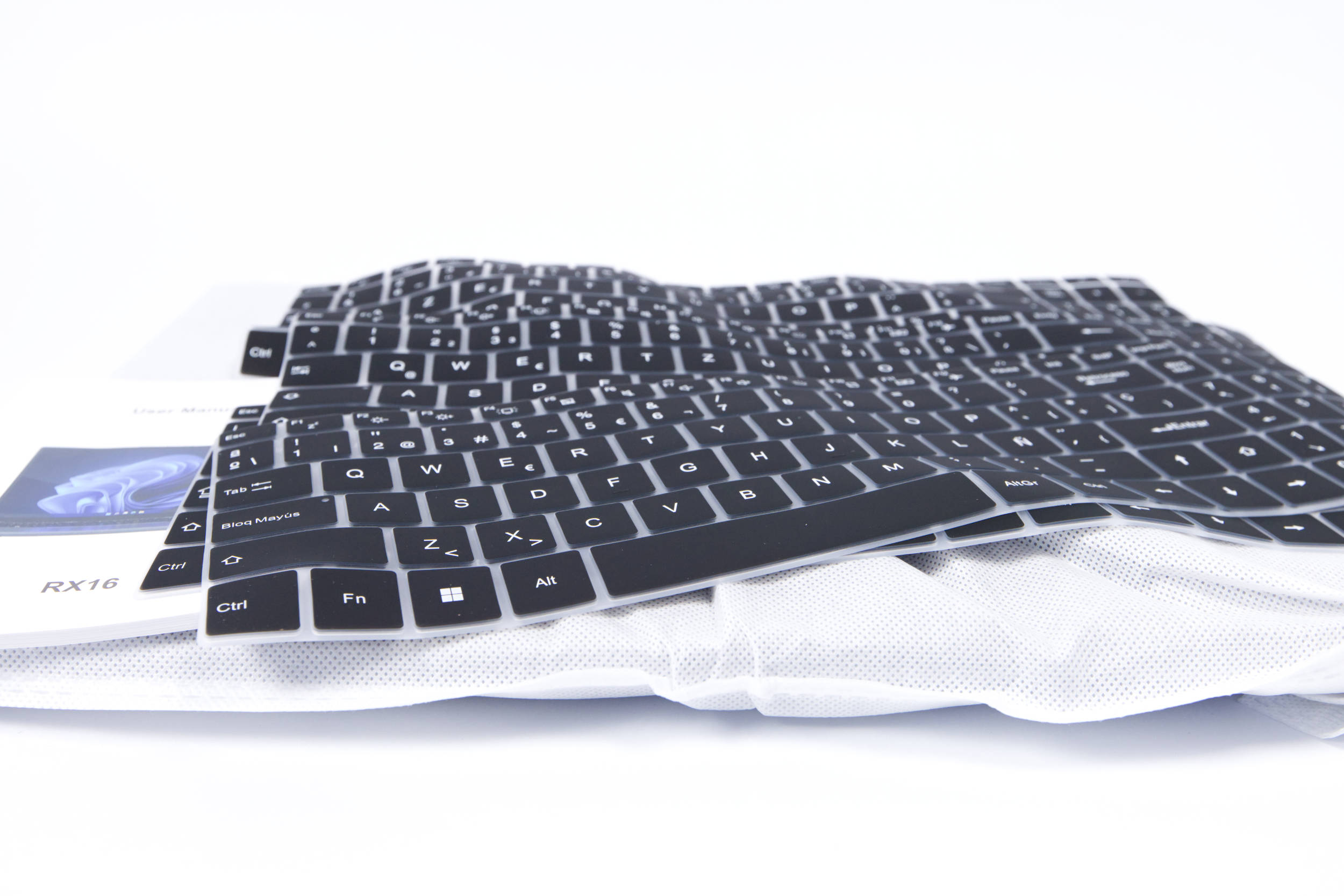
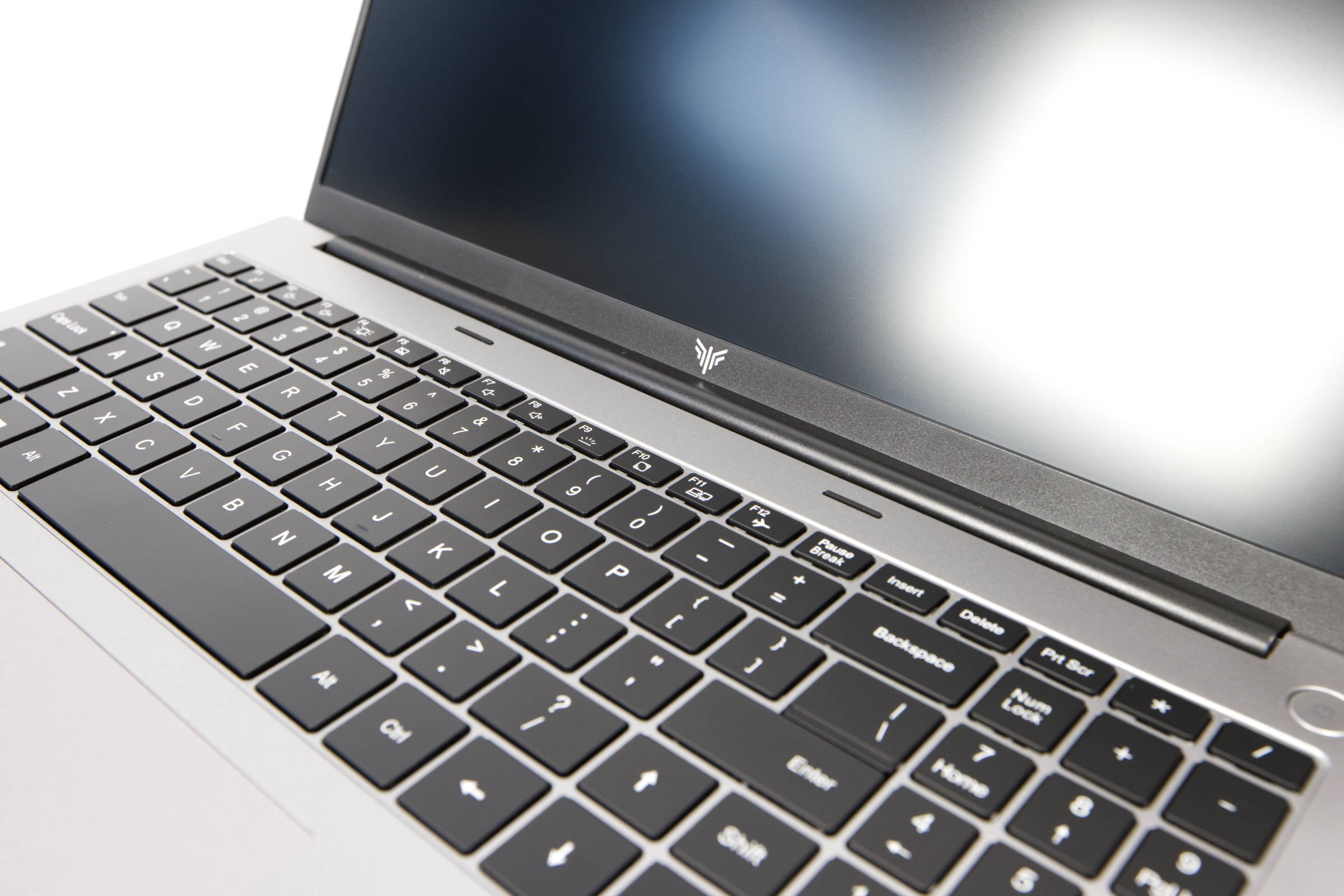
When it comes to the keyboard, however, things get a bit tricky! The actual keyboard layout is English, but the manufacturer includes various silicone overlays that essentially "port" the layout. This will certainly satisfy some users, but it’s not the familiar ISO layout—something you’ll quickly notice with the Enter key if you’re used to the standard-sized one.
 ACEMAGIC RX16 Tasten (Image © PCMasters.de)
The keyboard itself is perfectly fine and comfortable to type on. Since we’re not used to the layout with the numpad and the short Enter key, the error rate while typing is high. It takes a little time to get used to the keyboard.
A positive side effect of the silicone covers is that they completely cover the keyboard, preventing dirt from getting under the keys. Additionally, any wear and tear occurs on the silicone covers, which can then be easily replaced. So it’s a double-edged sword.
 ACEMAGIC RX16 Verpackung (Image © PCMasters.de)
Packaging and Contents
The packaging is neutral and minimalist. The cardboard box is brown and features only the logo. The back provides some information about the manufacturer and the device inside.
The laptop is centered and secured in the middle with Styrofoam, keeping it safe during transport. It’s also enclosed in a thick plastic sleeve designed to provide additional protection.
 ACEMAGIC RX16 Lieferumfang (Image © PCMasters.de)
The power adapter is housed in a separate cardboard box on the side. Inside, there is also a manual and a white cardboard box containing the silicone pads. The included accessories aren’t overly generous, but they’re not bad either.
Windows 11 Pre-installed
The AceMagic RX16 Mini PC ships with Windows 11 Pro preinstalled, offering a modern operating system. With advanced features tailored to professional environments, users can enjoy seamless multitasking and robust protection against modern threats, as the antivirus solution maintained by Microsoft itself is superior to many of the other tools on the market. As long as you apply patches regularly,
you’ll be on the safe side.
The Pro license is tied to the PC, and the Windows 11 key can be retrieved; however, it’s stored in the device’s BIOS, which is why no activation was required after the reinstallation. The Windows 11 Pro installation allows for quick setup and doesn’t require an online account, which is otherwise the case with Microsoft. No bloatware was installed either. To be on the safe side, however, we formatted the SSD and performed a clean install of Windows 11 on it. Drivers that Windows 11 can’t find can be downloaded from AceMagic. The antivirus software didn’t flag anything here, and we only used the missing drivers.
 ACEMAGIC RX16 Seitenansicht 2 (Image © PCMasters.de)
AceMagic XR16 for Gaming?
Using benchmarks, we tested the laptop’s performance in workloads and games. Since it only uses an iGPU, it’s safe to say that gaming capabilities will be limited and the laptop’s strengths will lie in handling workloads.
Note on the Comparison System
When testing the AMD Ryzen 7 3700X, we used the standard desktop system.
- Motherboard: ASUS ROG Strix X570-I Gaming
-
Graphics Card: GeForce RTX 3090 Founders Edition
- SSD: Samsung SSD 840 PRO 256 GB, Samsung 850 EVO 500 GB
- M.2 SSD: Sabrent Rocket 4 Plus 1 TB
-
RAM: G.SKILL Trident Z DDR4 F4-3600C14D-32GTZN at DDR4-3600
- CPU Cooler: MSI MEG CORELIQUID S360
- Power Supply: Corsair RM-750X - 750 W
- Fans: 0
- Case: Open-frame
- Operating System: Windows 11 21H2
AceMagic XR16 Benchmark (Synthetic)
Synthetic benchmarks allow for relatively good comparisons between different CPU architectures. Depending on the benchmark, the focus is on specific workloads, and this is where the respective CPU can demonstrate its performance.
Cinebench R15
Cinebench R20
HandBrake
Geekbench 5 CPU Benchmark
POV-Ray v3.7
7-Zip
WinRAR
Corona 1.3
3DMark CPU Benchmark
3DMark Time Spy
PCMark 10
With PCMark, it’s important to note that the graphics card plays a significant role, and the Ryzen 7 3700X was tested with the RTX 3090 FE. Therefore, this comparison isn’t directly applicable. Later, we’ll compare additional mini PCs that will provide a more accurate comparison, since those tests evaluate the entire system.
Unigine Superposition (720p, Low)
AceMagic XR16 Game Benchmarks
Games could only be tested to a limited extent. The games we usually use require a more powerful graphics card that can also handle ray tracing if necessary. After all, the goal is simply to determine to what extent the CPU limits the game. However, in this case, we’re using an iGPU, which is limited in performance.
Final Fantasy XV Benchmark
Resident Evil VILLAGE
Shadow of the Tomb Raider
 ACEMAGIC RX16 Kühler (Image © PCMasters.de)
Cooling
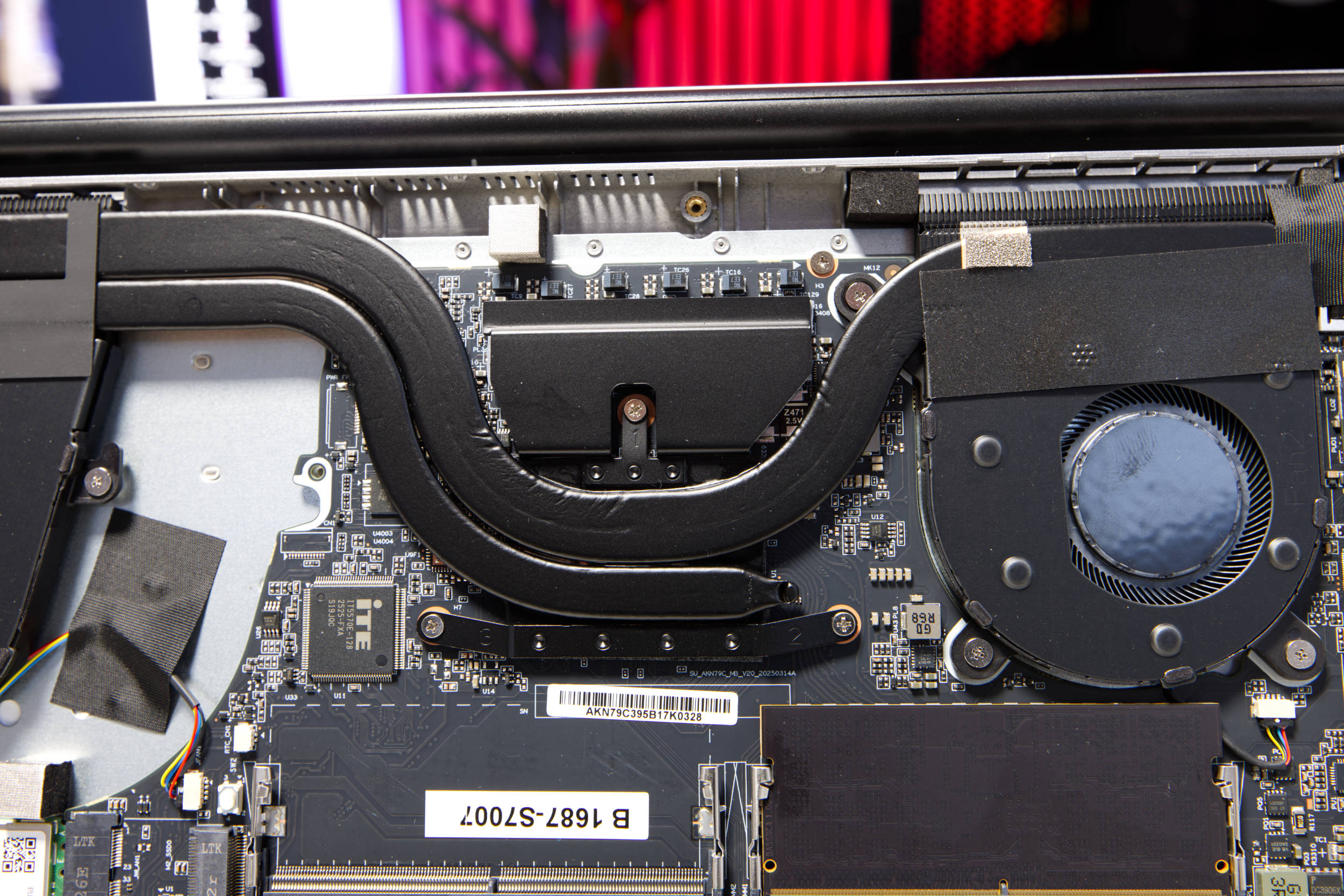
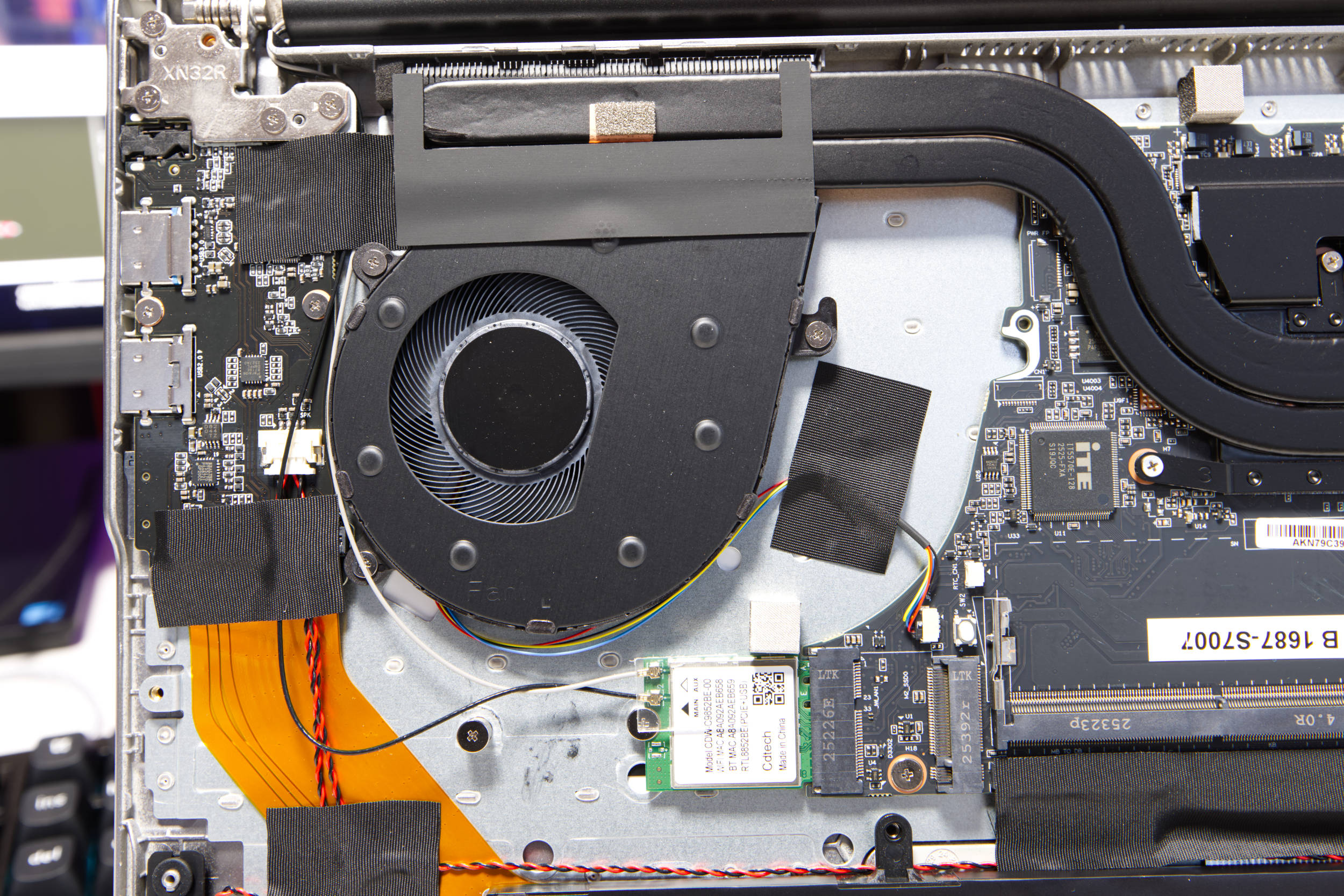
The cooling system holds no major surprises. Two heat pipes carry waste heat from the CPU and iGPU outward to the two coolers. The thicker heat pipe connects both cooling segments, while the thinner one connects only to the left cooler.
 ACEMAGIC RX16 Lüfter (Image © PCMasters.de)
The two thin fans are designed to draw air in from below and push it toward the back, in the direction of the display. The construction looks well-made. During normal operation, the fans periodically speed up, producing a quiet whirring sound.
When the CPU is under heavy load, temperatures rise to 84°C and the fans rev up significantly. However, this is the case with almost all laptops.
The measured values are delta values, with room temperature factored out.
Power Consumption and Power Draw
The RX16 is officially rated at a 45-watt power target or TDP. In our test, the CPU was able to ramp up to 65 watts right from the start, reaching a boost clock of 4,816 MHz. The temperature also shot up, so the CPU throttled down to stay below 85 °C. After 10 minutes of load, the CPU’s TDP was 45 watts, and the clock speed under load across all threads/cores was approximately 3,438 MHz.
Measuring power consumption is somewhat difficult, as the battery likely compensates somewhat during peak loads. The power adapter’s consumption remained constant at 43 to 44 watts.
Performance in Gaming, Multi- and Single-Thread Applications (Rating)
When looking at performance in single-threaded applications, the RX16 scores quite well. It delivers better performance than the AM4 desktop processor on our comparison platform, but it still can’t keep up with larger mini-PCs.
In multi-threaded applications, the full power of the 8-core processor comes to the fore, and it performs really well.
The AceMagic RX16 is only moderately suitable for gaming because it has just 1 GB of shared memory. The Radeon 780M isn’t bad, but it can hardly keep up with any dedicated graphics card. In this price range, it’s also difficult to find a dedicated graphics card. If you can allocate 6–8 GB of RAM to the graphics card, it should be able to handle significantly more and run older games.
ACEMAGIC RX16 Test (Image © PCMasters.de)
Conclusion

AceMagic has surprised us a bit with its RX16 laptop. The build quality of the laptop is consistently good, and the configuration—featuring a Ryzen 7 H255 "Hawk Point" 8-core Zen 4 processor and 16 GB of DDR5 memory—delivers solid performance. On top of that, the manufacturer has included a PCIe -3.0 NVMe SSD with 512 GB, which complements the rest of the system well. It’s worth noting that the CPU, RAM, and SSD are all designed for the Chinese market and aren’t actually available here in this configuration. Nevertheless, the performance is impressive.
The 16-inch IPS panel is average, and there’s not much to say about it. The 1920x1200 resolution is sufficient, and the brightness of the matte display is also decent. The front-facing camera with 720p resolution isn’t outstanding—it’s more on the average side. Still, it’s cool that you can hide it with a physical switch. The touchpad is good, and the display hinge is also sturdy.
The keyboard is a bit of a challenge, as the US layout with a numpad takes some getting used to. There’s a silicone overlay for the German layout that you can place over the keyboard. The typing feel is quite acceptable with it, but you’ll have to live with this layout, which features a short ENTER key, etc.
The price of the RX16 in the tested configuration varies by retailer. On Amazon, the RX16 sells for €799 without discounts (Affiliate), whereas you can order it from the manufacturer’s store for €549. The price difference is significant, and the manufacturer’s price is a good deal. At €799, the laptop seems too expensive to us, because HP and ASUS offer similar configurations (ASUS Vivobook 16 M1605YA €569 (Affiliate), HP 17-cp3178ng €582 (Affiliate)) with slightly less powerful Ryzen 7 77XX processors and the same RAM capacity for around €600.
Pros
- Very good single- and multi-threaded performance
- Quiet operation, except under full load
- Built-in Wi-Fi and Bluetooth
- Sturdy chassis
- Simple design
- 16 GB DDR5 memory and 512 GB NVMe SSD
- RAM and SSD are expandable
- Gaming performance is decent for the price
Cons
- US keyboard layout
- Price fluctuates significantly