


 Computer Forum
 Securing MySQL Server on Linux (Image © PCMasters.de)
While many installation guides focus exclusively on getting the service up and running, the initial security configuration process is crucial. The most important tool for this purpose is the mysql_secure_installation script.
mysql_secure_installation Security Process
The mysql_secure_installation utility is designed to guide administrators through a series of security prompts that eliminate the most common default security vulnerabilities. To start the process, run the following command with administrator privileges:
sudo mysql_secure_installation
The script follows a step-by-step process to secure the environment:
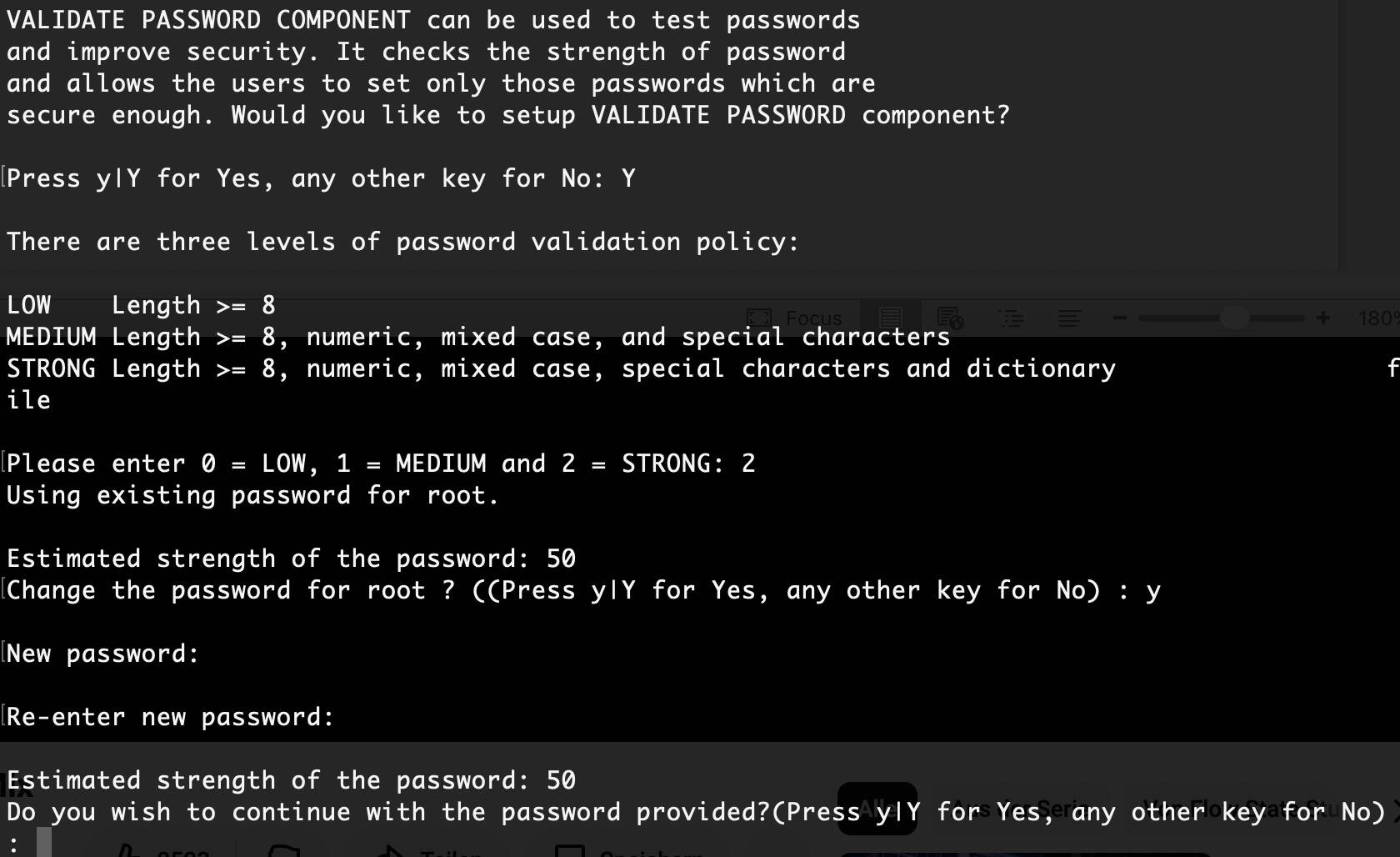
1. Authenticating the Root Account
The process begins by checking the current root password. For new installations where no password has been set yet, the user simply presses Enter. The script then prompts the administrator to set a secure root password. This is the absolute minimum level of security.
2. Removing anonymous users
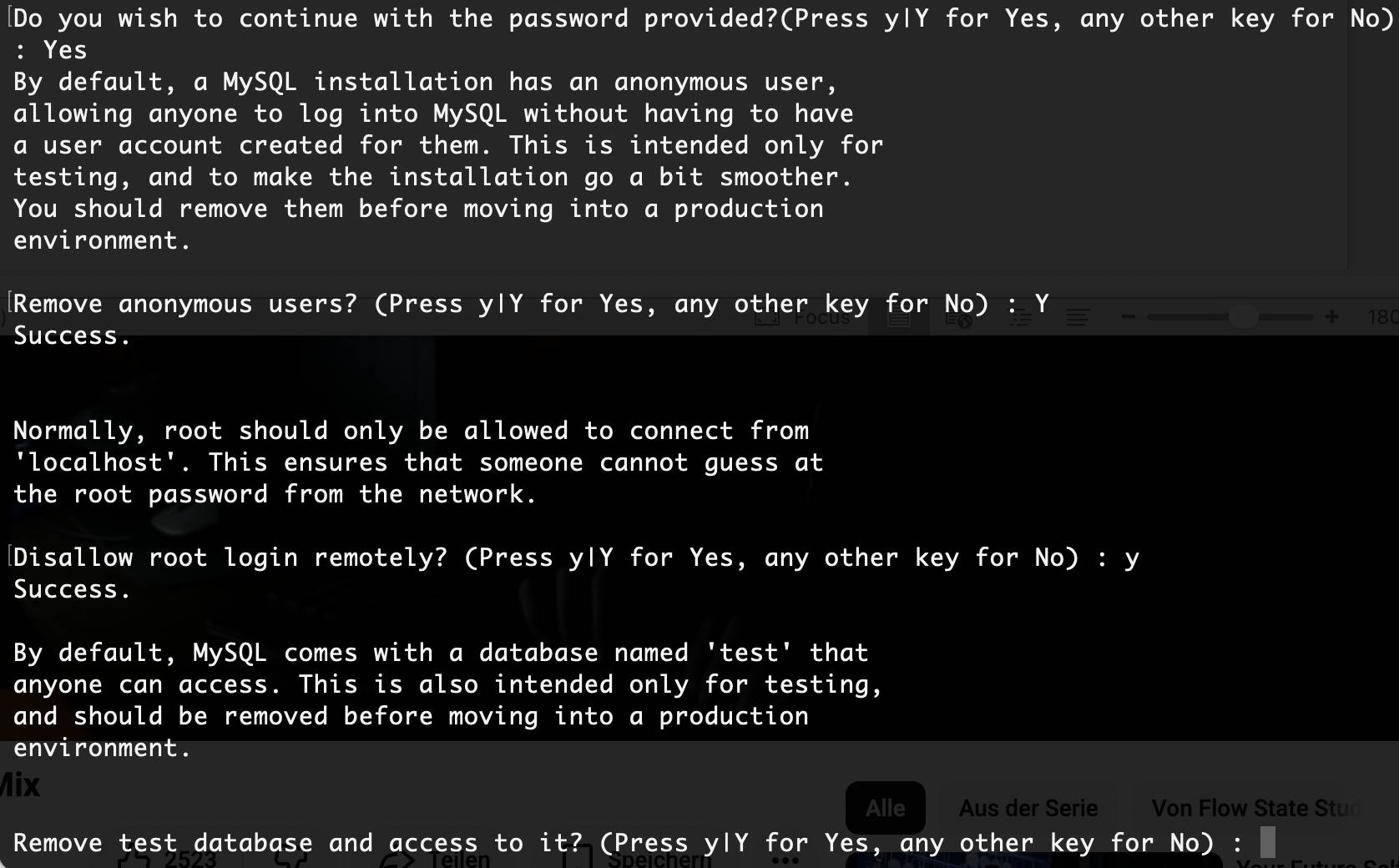
By default, some MySQL installations include anonymous user accounts to simplify initial testing. These accounts allow any user to log in to the database without a registered account. In a production environment, they pose a significant security risk and are removed in this step of the script.
3. Restricting Root Access to “localhost”
To prevent brute-force attacks from external networks, the script asks whether remote root login should be disabled. By restricting the root user to localhost, the administrator ensures that the root account can only be accessed from the VM hosting the database.
 mysql Server securing 2 (Image © PCMasters.de)
4. Removal of the Test Database
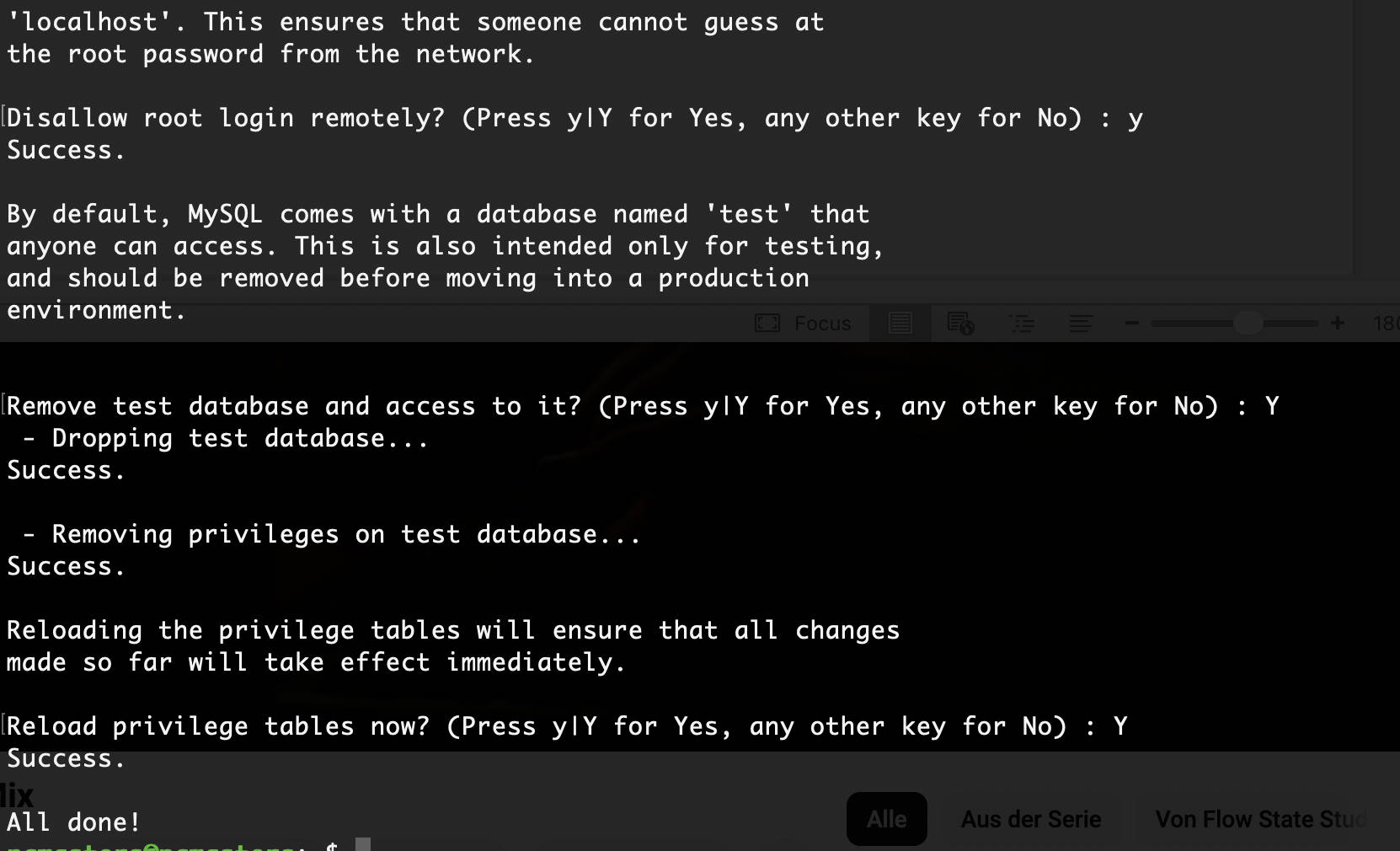
MySQL often comes with a default database named test. All users—including anonymous users—have access to this database. The tool removes this database and deletes all privileges that allow users to access databases with names beginning with test_.
5. Finalizing the Privilege Tables
The final step is to reload the privilege tables. This ensures that all changes—including the new root password and the removal of anonymous users—take effect immediately without requiring a full restart of the MySQL service—though you are welcome to do so if you wish.
Advanced Configuration and Technical Options
For environments with specific connection requirements or automated deployments, mysql_secure_installation supports various command-line arguments.
Password Validation
The tool is integrated with the validate_password component. If this plugin is not yet active, the script prompts the user to install it. Once activated, all passwords entered during the process must meet specific security requirements (e.g., minimum length, character combination) to prevent the use of weak credentials.
Connection Parameters
Administrators can specify the host and port if the MySQL server is not running in the default local configuration. For example, to connect to a server via IPv6 on port 3307:
mysql_secure_installation --host=::1 --port=3307
 Securing MySQL Server on Linux (Image © PCMasters.de)
Reference for Technical Options
The script supports several options to customize its behavior:
- --user: Specifies the MySQL account to use for the connection.
- --protocol: Sets the transport protocol (TCP, SOCKET, PIPE, or MEMORY).
- --use-default: Runs the script in non-interactive mode, which is essential for automated deployment scripts.
- --ssl-mode: Sets the desired security level for the connection to the server and ensures that the transmitted data is encrypted.
- --no-defaults: Prevents the utility from reading option files, which is helpful when troubleshooting configuration conflicts.
Frequently Asked Questions
How does the “validate_password” component affect the installation?
The validate_password component acts as a gatekeeper. When enabled, it prevents the administrator from setting a password that is too simple. If a user attempts to set a password that fails the complexity check, the utility rejects the entry and requests a more secure string, thereby enforcing a basic security standard.
Can this process be automated for multiple servers?
Yes. By using the --use-default flag, the script can be run without manual user intervention. This is typically combined with a configuration file in the ** [mysql_secure_installation] ** group to ensure that all servers in a cluster are secured with the same parameters.
Why does the test database specifically need to be removed?
The test database is a deprecated feature intended for demonstration purposes. Since it is configured to be globally accessible, attackers can use it as a sandbox to test SQL injection techniques or gather information about the server’s version and configuration without triggering the usual alerts for unauthorized access.
How does disabling remote root login affect database administration?
Disabling remote root login does not prevent remote access to the database; it merely prevents the root account from accessing it. The professional standard is to create a dedicated user account with restricted privileges for remote applications and to strictly reserve the root account for local administrative tasks.
What should you do if you forget the root password during this process?
If the password is lost, the administrator must restart the MySQL service in safe mode (using the --skip-grant-tables option).
This allows access to the database without a password, and the root password can be reset using an UPDATE statement in the mysql.user table. Afterward, the service should be restarted normally, and mysql_secure_installation should be run again.
