


 Computer Forum
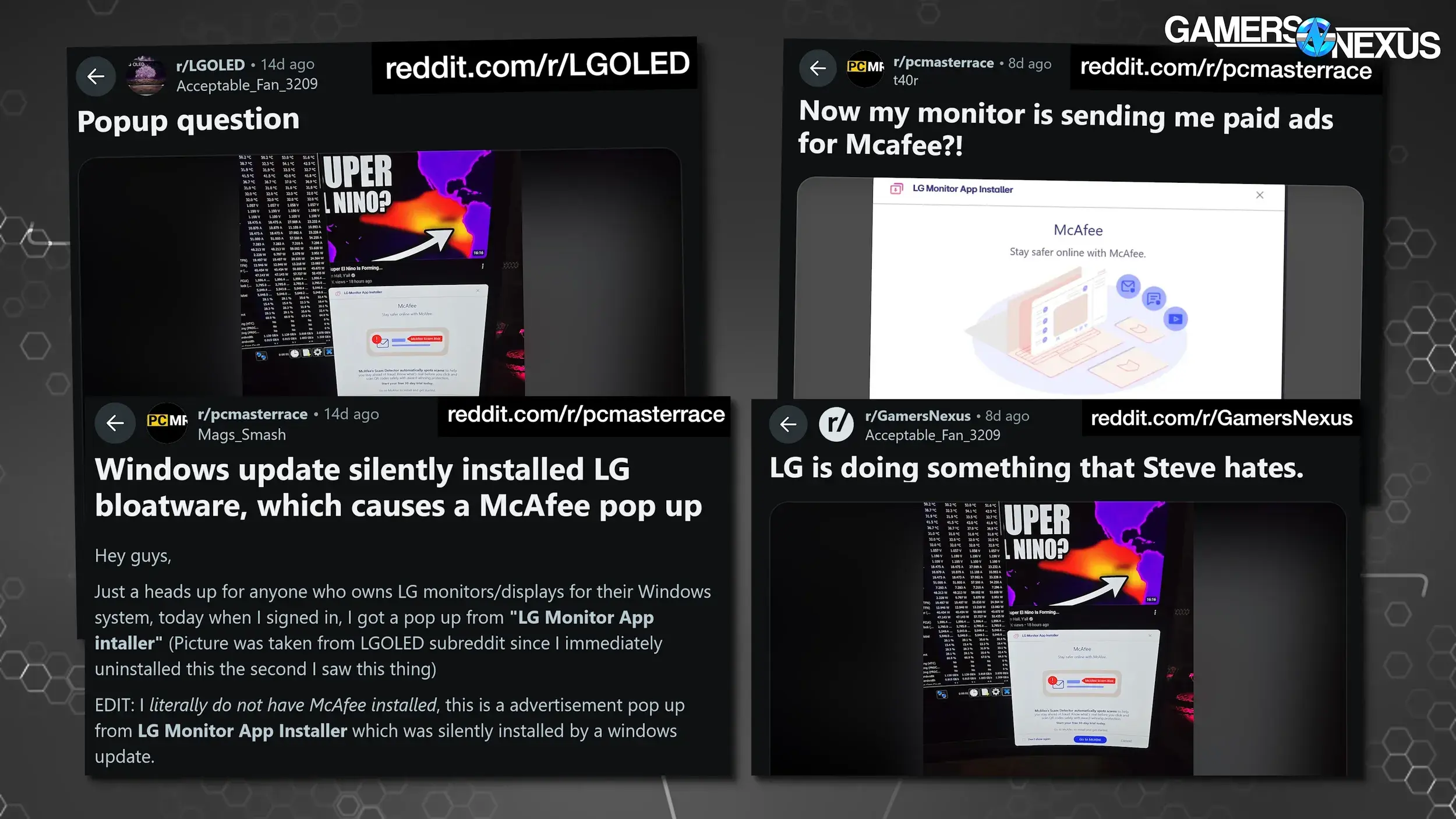 LG MONITORS MONITORING (Image © Videocardz)
Research by Gamers Nexus has confirmed this behavior using an LG UltraGear 34GX900A-B. The process begins when Windows Update installs LG extensions and software component packages. Shortly thereafter, the LG Monitor App Installer is installed without obtaining the user’s consent or displaying a confirmation prompt.
Advertising for Third-Party Services
Tests revealed that the installed application frequently displays advertisements for McAfee subscriptions. In a series of 32 system startups, a McAfee ad appeared in 31 cases, offering a 30-day trial that automatically converts to a paid subscription. In the remaining instance, an LG utility was displayed.
This behavior is not limited to new hardware. According to reports, older models—such as the LG UltraFine 32UN880-B purchased several years ago—also trigger these pop-ups. While user complaints about the “LG Monitor App Installer” date back to 2024, there has recently been an increase in reported incidents across various models.
System Permissions and Privacy
An analysis of the app’s listing in the Microsoft Store shows that it requires access to the internet and all system resources. These far-reaching permissions have raised concerns about the extent of data access granted to the software upon its automatic installation.
The use of Windows Update to distribute hardware-specific software is not limited to a single manufacturer. Dell employs a similar method to deploy the “Alienware Command Center” when compatible monitors or peripherals are detected via DisplayPort. This points to a broader trend in which hardware metadata triggers automatic application downloads through the operating system.
Technical Workarounds and Prevention
You can prevent the automatic installation of these applications by adjusting the Windows Group Policy settings. Under “Computer Configuration,” “Administrative Templates,” “System,” and “Device Installation,” you can enable the setting “Prevent automatic download of applications associated with device metadata.”
While this measure blocks unauthorized software installations related to connected hardware, it can also prevent the installation of legitimate driver programs, meaning you’ll have to manually download any required peripheral software.
