Computer Forum
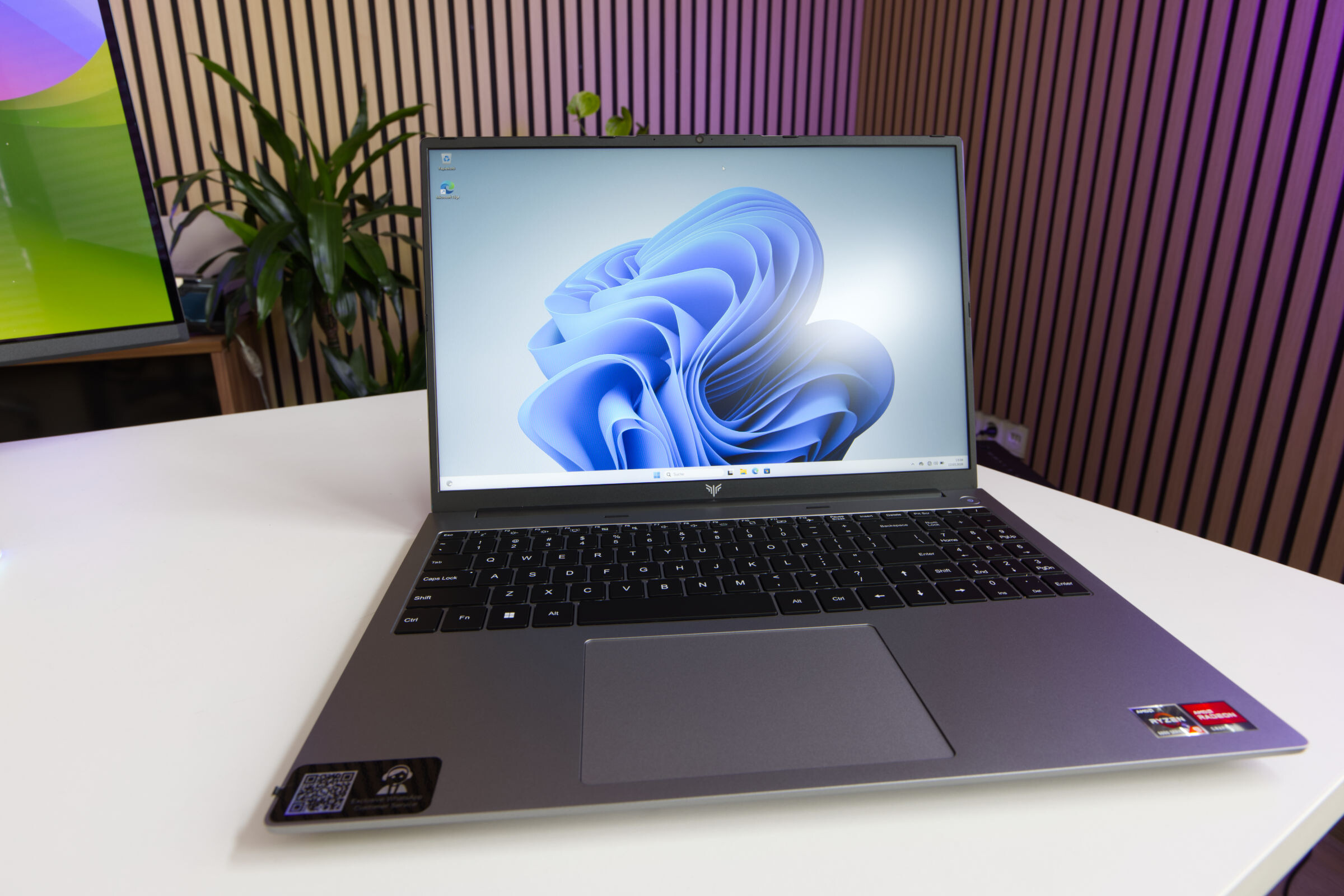 AceMagic RX16 R9 Test Review (Image © PCMasters.de)
ACEMAGIC RX16 versions and test candidate
AceMagic has been particularly active in recent months and is taking advantage of the chaotic market disruption, as the Chinese manufacturer has the advantage that its supply chain in China offers other options. In January, we already took a look at the RX16 laptop in an upgradeable version with Ryzen 7 H255 and 16 GB DDR5 RAM in the test. Today we have a review of the alternative version, which comes with the Ryzen 9 6900HX and soldered LPDDR5 memory. AceMagic sells the RX16 on Amazon (Affiliate), but not all models are available there, and then also via Aliexpress and the own EU store for €579.
Ryzen 9 6900HX
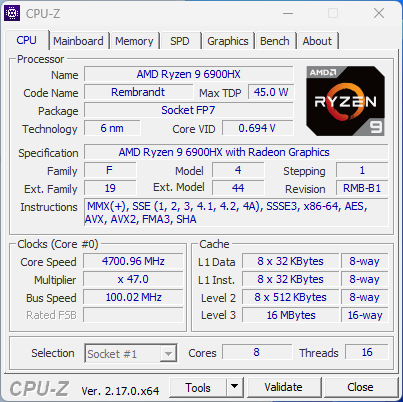 Acemagic RX16 CPUz Ryzen 9 6900HX (Image © PCMasters.de)
With the RX16 notebook, there is a variant with the newer Ryzen 7 H255, which is actually intended for the Chinese market and also functions as an upgraded Ryzen 7 8745H. Unfortunately, there is still a lot of chaos in the new AMD scheme and so models have moved from one series to another without any serious differences. However, the variant in today's test is based on the Ryzen 9 6900HX, which is not part of the "Hawk Point" but rather the "Rembrandt" generation. This variant has its advantages and disadvantages on paper, because instead of the eight Zen 4 cores, the Ryzen 9 6900HX has eight Zen 3+ cores. With SMT, we get 16 threads in both cases. The clock rate varies and is between 3.3 and 4.9 GHz. In our test, the CPU operated at 45 watts, which is similar to the specification of the Ryzen 7 H255, even if it can sometimes exceed 45 watts.
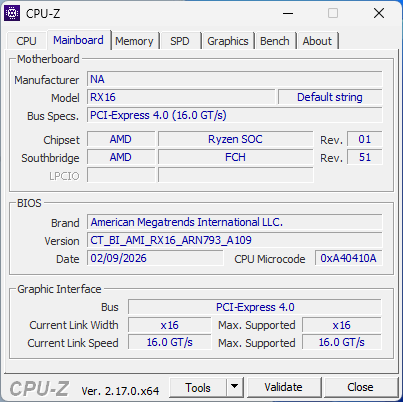 Acemagic RX16 CPUz Motherboard (Image © PCMasters.de)
The CPU has a total of 4 MB of level 2 (8-way) cache and a further 16 MB of level 3 (16-way) cache. It is manufactured at TSMC in 6 nm, whereas the Ryzen 7 H255 is already manufactured in 4 nm. As usual, the CPU is soldered to the FP7 socket. Everything is installed on a motherboard from an unknown manufacturer - this is probably not stored in the BIOS. However, the model "RX16" is entered. The standard BIOS is from AMI and offers little scope for customization. You will find the usual security, CPU and TPM settings as well as boot configuration options, but there are no OC or advanced settings. You can load a special BIOS via a special USB stick to get all the other AMD features from AGESA, but this is a workaround and will not be considered further here.
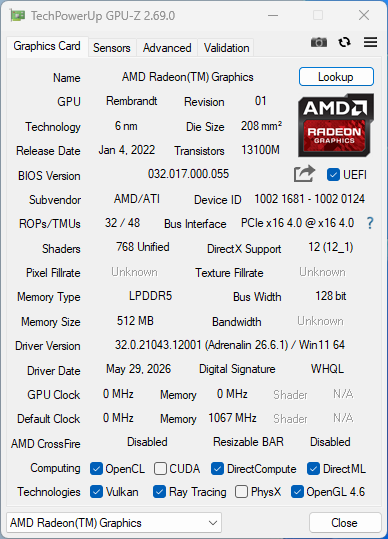 Acemagic RX16 GPUz (Image © PCMasters.de)
Radeon 680M iGPU
AMD APUs, which are a combination of iGPU and CPU, are often used in this sector. The graphics accelerator is the Radeon 680M chip. This is part of the large chip and does not have its own graphics memory, but has to share the RAM with the CPU. The default here is "512 MB", which is extremely low, as the Ryzen 7 H255 gets at least 1 GB. However, you can assign up to 8 GB of RAM to the iGPU in the BIOS, which proves to be very counterproductive in practice, which is why we would advise against it. The benchmark results clearly show the problem!
The GPU has 32 ROPs and 48 TMUs and offers 768 unified shaders, which is identical to the "Hawk Point" Radeon 780M chip except for the ROPs. You can certainly play games with it, but you shouldn't expect too much from it, because 1 GB of VRAM is very meagre. However, you will have more fun if you install SteamOS or similar gaming Linux distros on the Lappy.
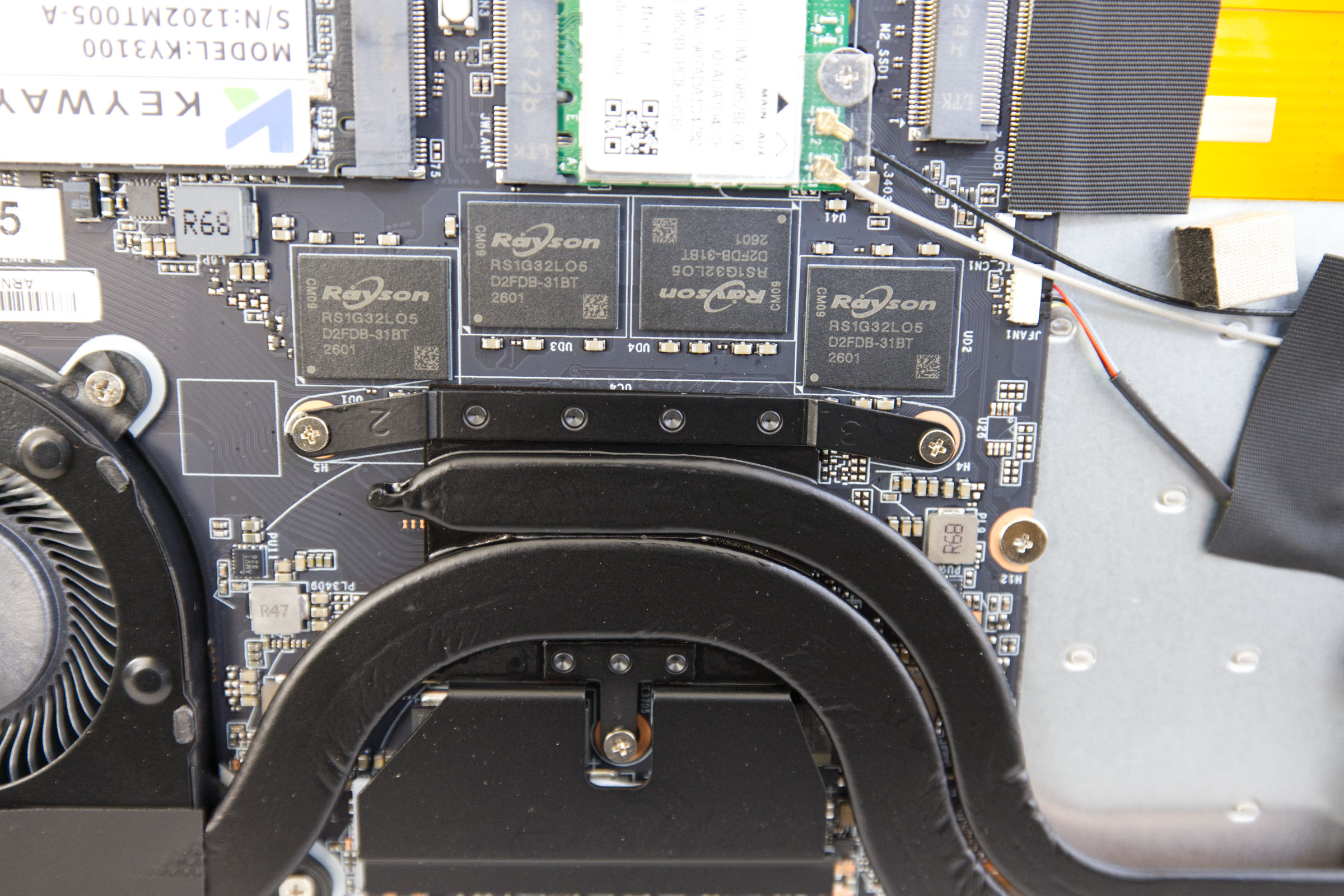 AceMagic RX16 R9 Rayson RS1G32L05 D2FDB 31BT RAM (Image © PCMasters.de)
16 GB LPDDR5-RAM
The memory issue has hardly improved since January 2026, because memory prices have exploded in the EU and USA and many manufacturers are raising PC and notebook prices - even Apple is following suit. Interestingly, AceMagic sells the RX16 laptop with 16 GB soldered LPDDR5 memory instead of reducing to 8 GB.
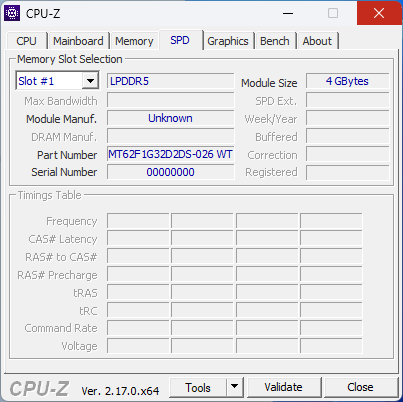 Acemagic RX16 CPUz SPD (Image © PCMasters.de)
A look at the SPD tab of CPU-Z shows a yawning void, but the reference to 4 GB in the first slot and the "MT62F" identifier point to memory from Micron. On the Rayson manufacturer's website, however, we cannot find any corresponding LPDDR5 chips that match the lasered RS1G32L05 D2FDB 31BT identifier. It is therefore not entirely clear whether this is a relabeled Micron DRAM.
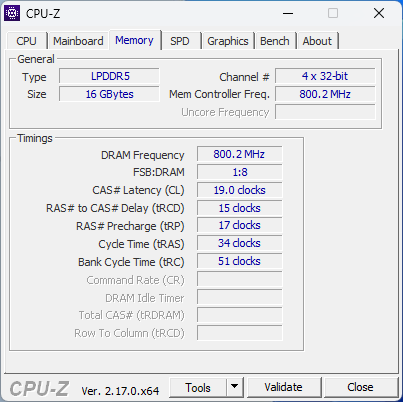 Acemagic RX16 CPUz Memory (Image © PCMasters.de)
In the memory information tab there is only a note that the soldered RAM works with the sharp CL 19-15-17-34-51 timings. Nothing can be changed here in the BIOS. The AceMagic manufacturer's website states that the LPDDR5 memory is specified with 6,400 MT/s. This means that the RAM cannot be expanded. This means that the RAM cannot be expanded, which was possible with the other variant without any problems.
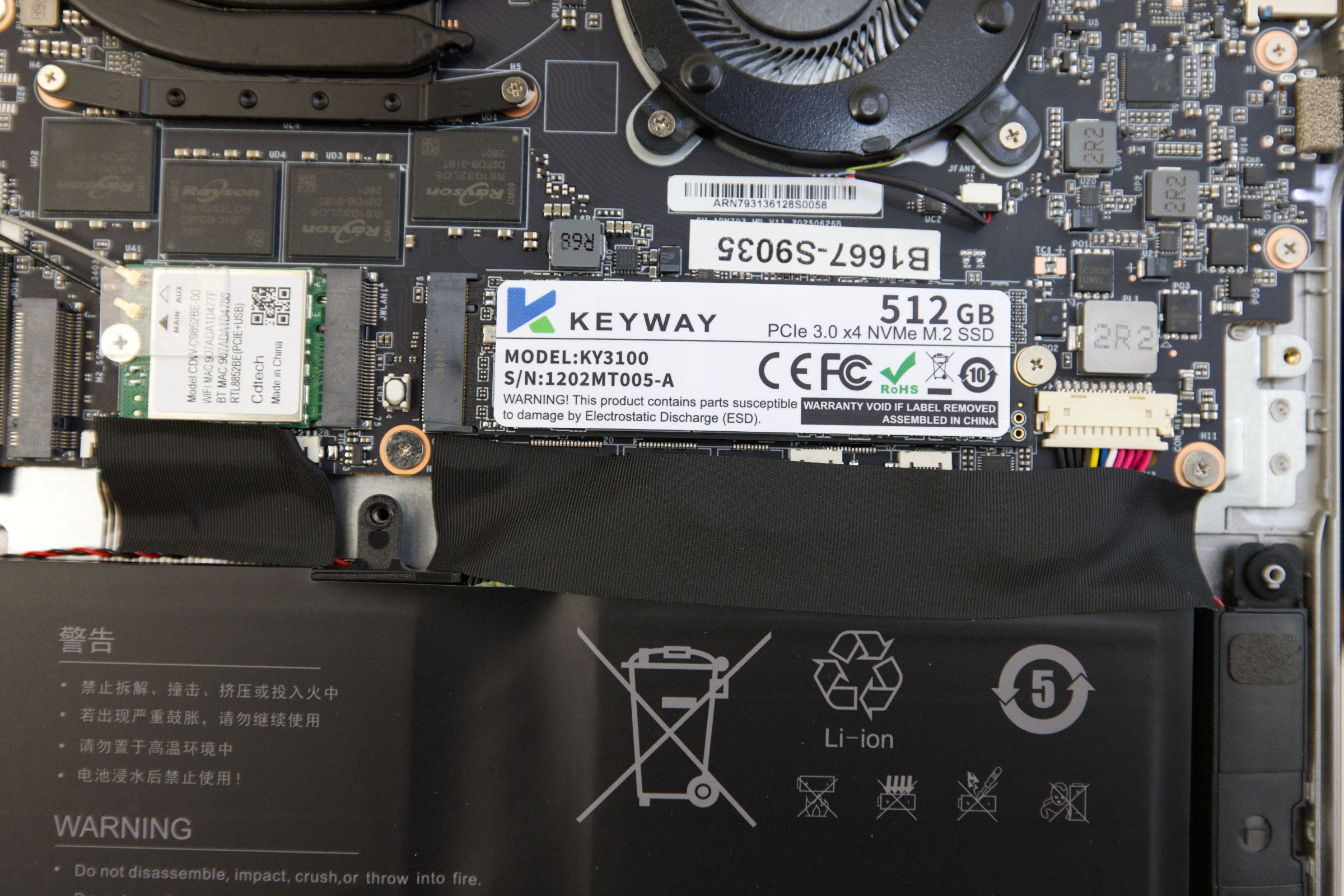 AceMagic RX16 R9 Keyway KY3100 NVMe SSD (Image © PCMasters.de)
512 GB NVMe SSD and additional NVMe slot
As usual, AceMagic also opts for a product from the Chinese market for the SSD selection, because the availability and price must be low in order to be able to compete with the market and offer a significant price advantage. In a test with CrystalDiskMark, the installed SSD achieved peak values of 3.5 GB/s for read throughput and 2.5 GB/s for write throughput. The installed NVMe SSD is based on a PCI Express 3.0 interface with 4 lanes, which explains the measured values. It also doesn't get particularly hot under load and stabilized at around 48 degrees Celsius.
After opening the notebook, we find the NVMe SSD on the right. The sticker bears the same identification KY3100 and the manufacturer is KEYWAY. We were unable to find the manufacturer's website.
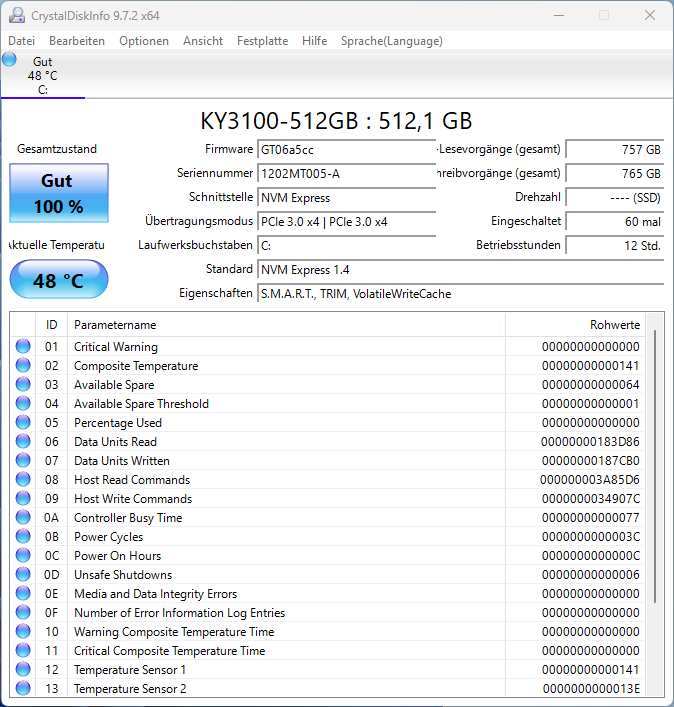 Acemagic RX16 SSD (Image © PCMasters.de)
On the left side, the RX16 offers another M.2 2280 slot for a second SSD if you want to install another one. According to AceMagic, the slot supports PCIe 3.0 SSDs or M.2 SATA SSDs with up to 2 TB capacity.
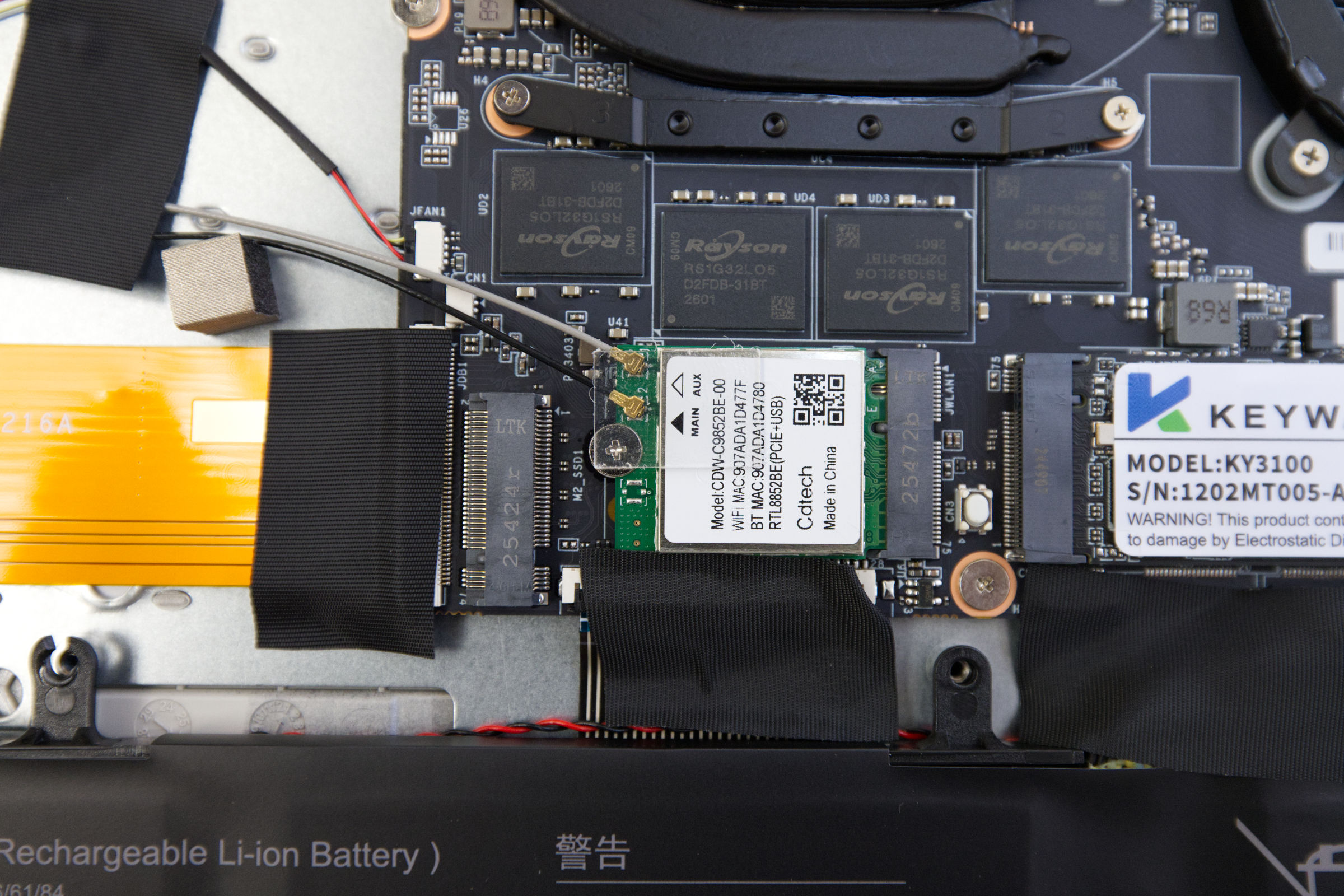 AceMagic RX16 R9 CDW C9852BE 00 RTL8852BE Chip (Image © PCMasters.de)
WLAN 6
Inside, in addition to the NVMe SSD, we find a small module in the standard M.2-2230 form factor, which relies on the Key-A/E interface. This is the Wi-Fi module, which is based on the Realtek RTL8852BE (CDW-C9852BE). This chip supports Wi-Fi 6 (802.11ax) and offers a theoretical maximum throughput of 1.2 Gbit/s in the 5 GHz band, ensuring that the notebook can handle high-bandwidth tasks in modern network environments. Driver integration and regional specifics
One notable sticking point is the driver installation. Unlike most modern Wi-Fi 6 modules, the RTL8852BE was not automatically recognized when we reinstalled Windows 11. We therefore had to download the drivers manually from the AceMagic support portal. This lack of native OS integration suggests that the hardware may be a region-specific version, probably tailored to the Chinese domestic market, rather than a globally standardized module.
Realtek RTL8852BE (CDW-C9852BE) Technical specifications
- Model name: RTL8852BE / CDW-C9852BE
- WLAN standard**: Wi-Fi 6 (IEEE 802.11ax)
- Class**: AX1800
- Max. Throughput: (ax)1.2 Gbit/s
- Bluetooth version*: 5.0 / 5.2
- Form factor: M.2 2230 (NGFF)
- Interface: M.2 Key A/E
- Operating system compatibility: Linux, Windows 10/11 (64-bit)
Note: While the manufacturer's documentation states Bluetooth 5.2, the hardware identifiers may indicate version 5.0.
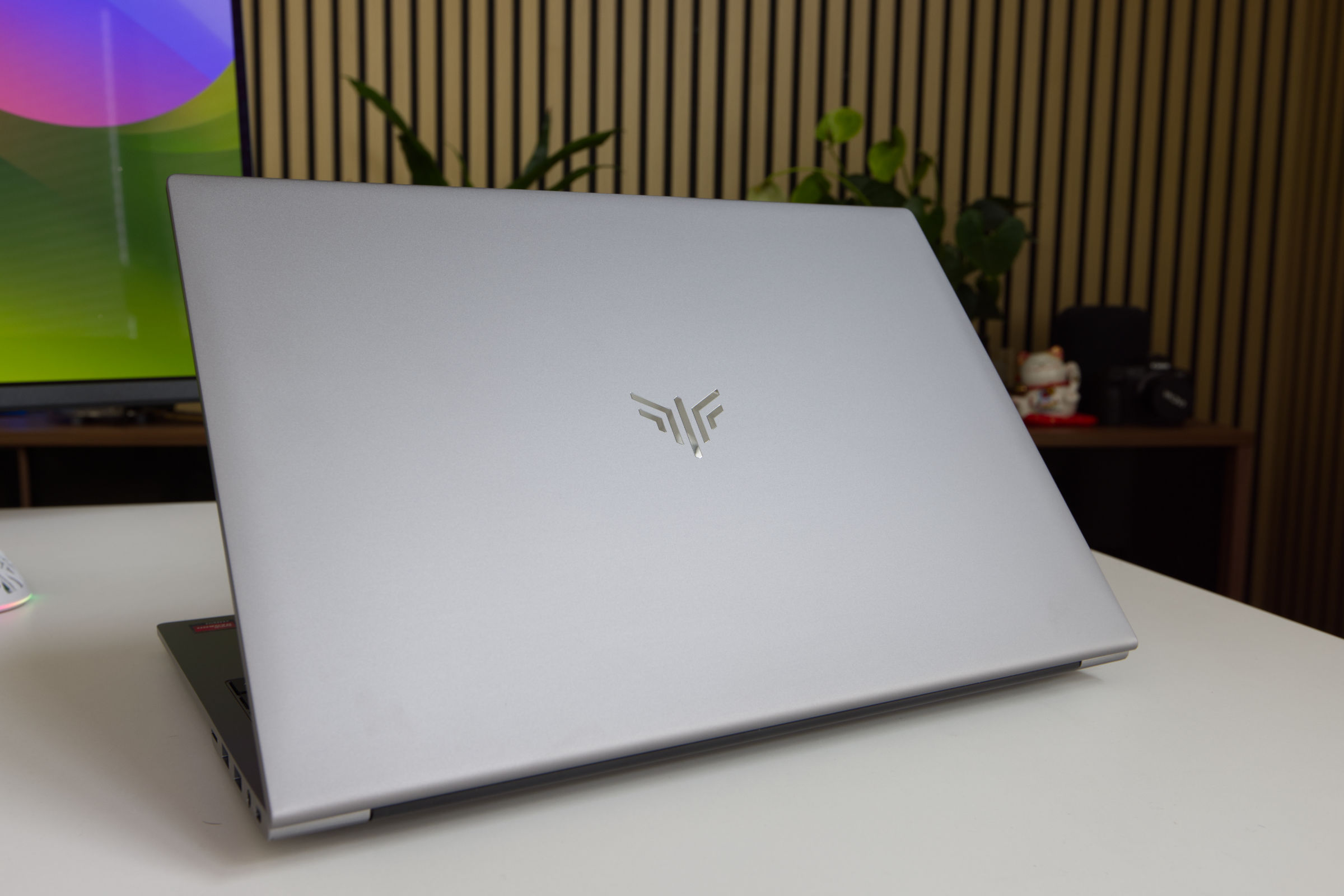 AceMagic RX16 R9 Gehäuse (Image © PCMasters.de)
Design and exterior
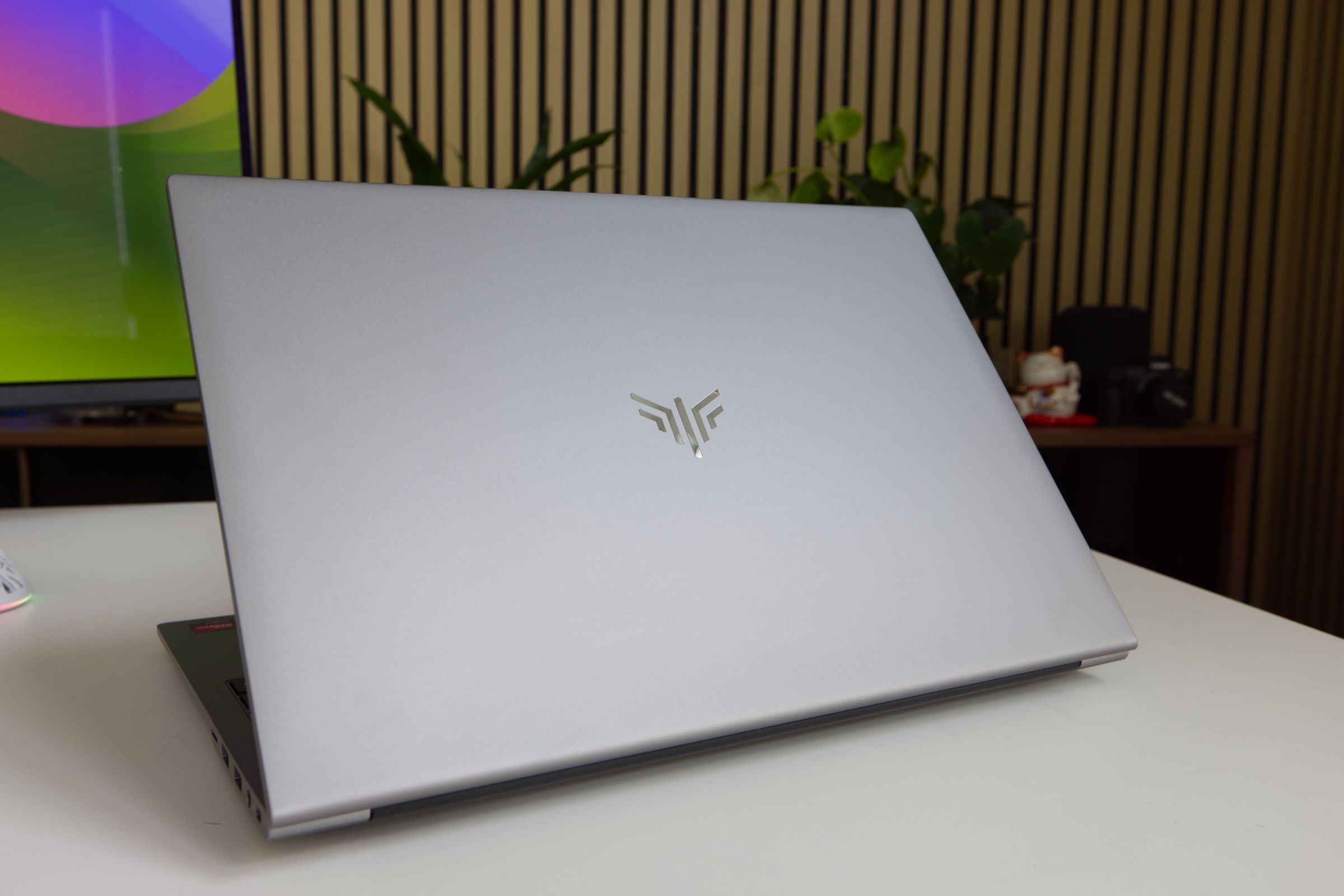
AceMagic has opted for a minimalist design language for this model. The housing is kept in a very chic silver gray and is only refined by a discreet reflective logo on the outside. While the manufacturer is vague about the exact materials used, our impressions point to a metal construction; in particular, the rigidity and noise behavior of the underside are superior to those of a plastic housing.
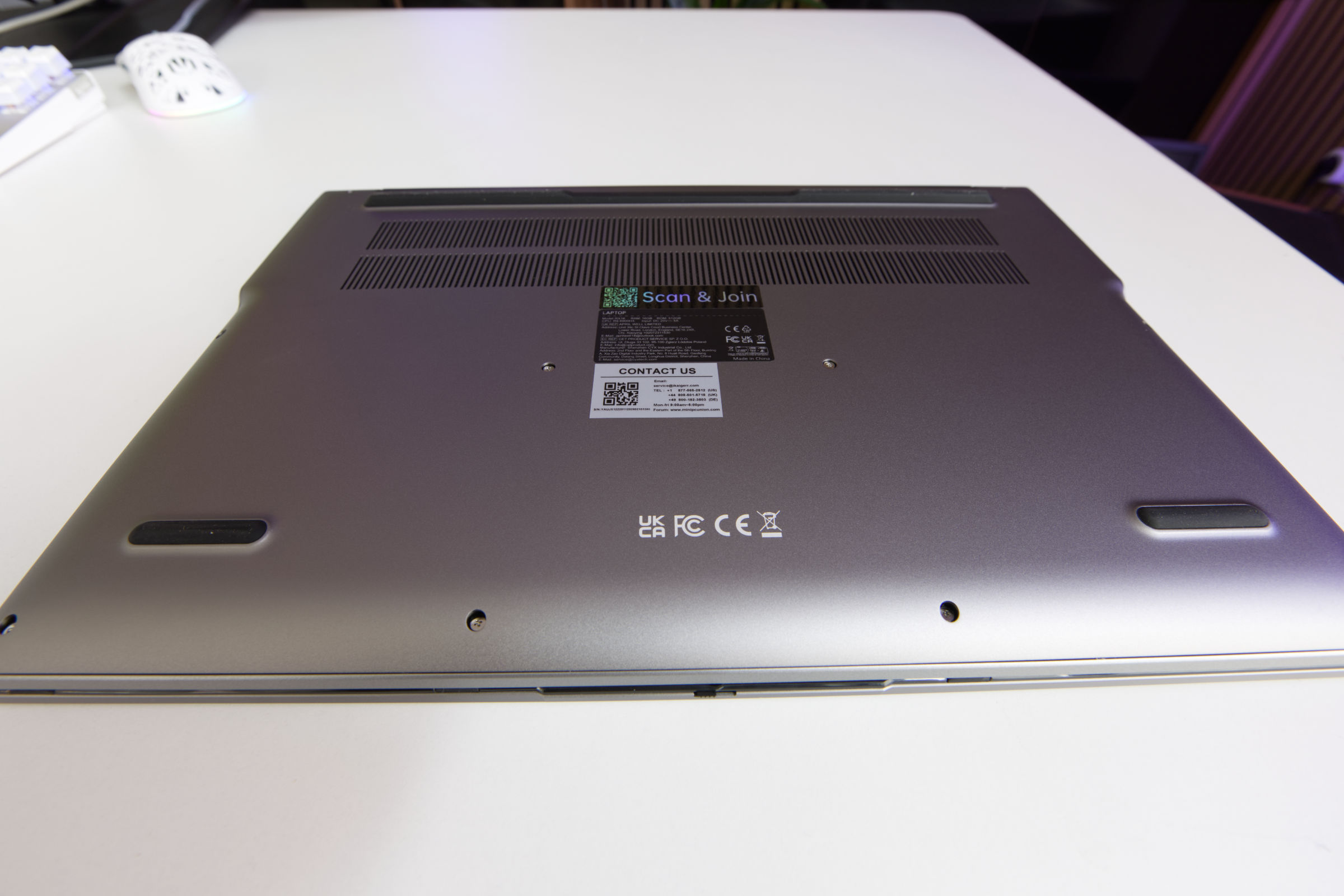 AceMagic RX16 R9 Unterseite (Image © PCMasters.de)
The base plate is a combination of metal and plastic and is so firmly attached that it can only be removed with considerable effort. Two of the middle screws were fixed in place with the wrong screwdriver during production, making them difficult to unscrew carefully. From a functional point of view, the underside houses the ventilation slots, which are protected by an internal grille to prevent dirt from entering the system. While this ensures airflow, it does of course mean that the device is not waterproof. We were impressed by the thick rubber feet, which provide excellent stability on various surfaces.
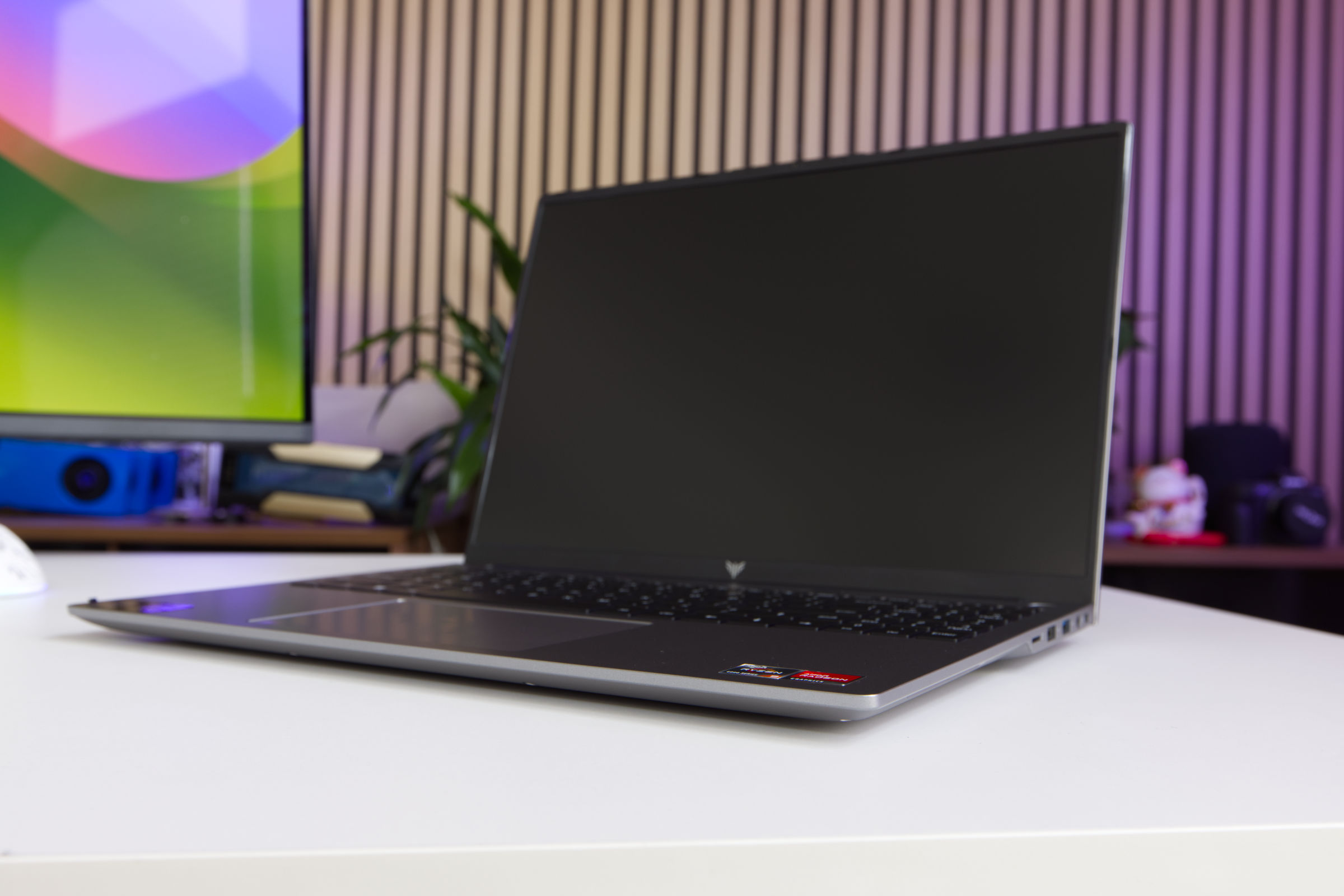 AceMagic RX16 R9 Chassis (Image © PCMasters.de)
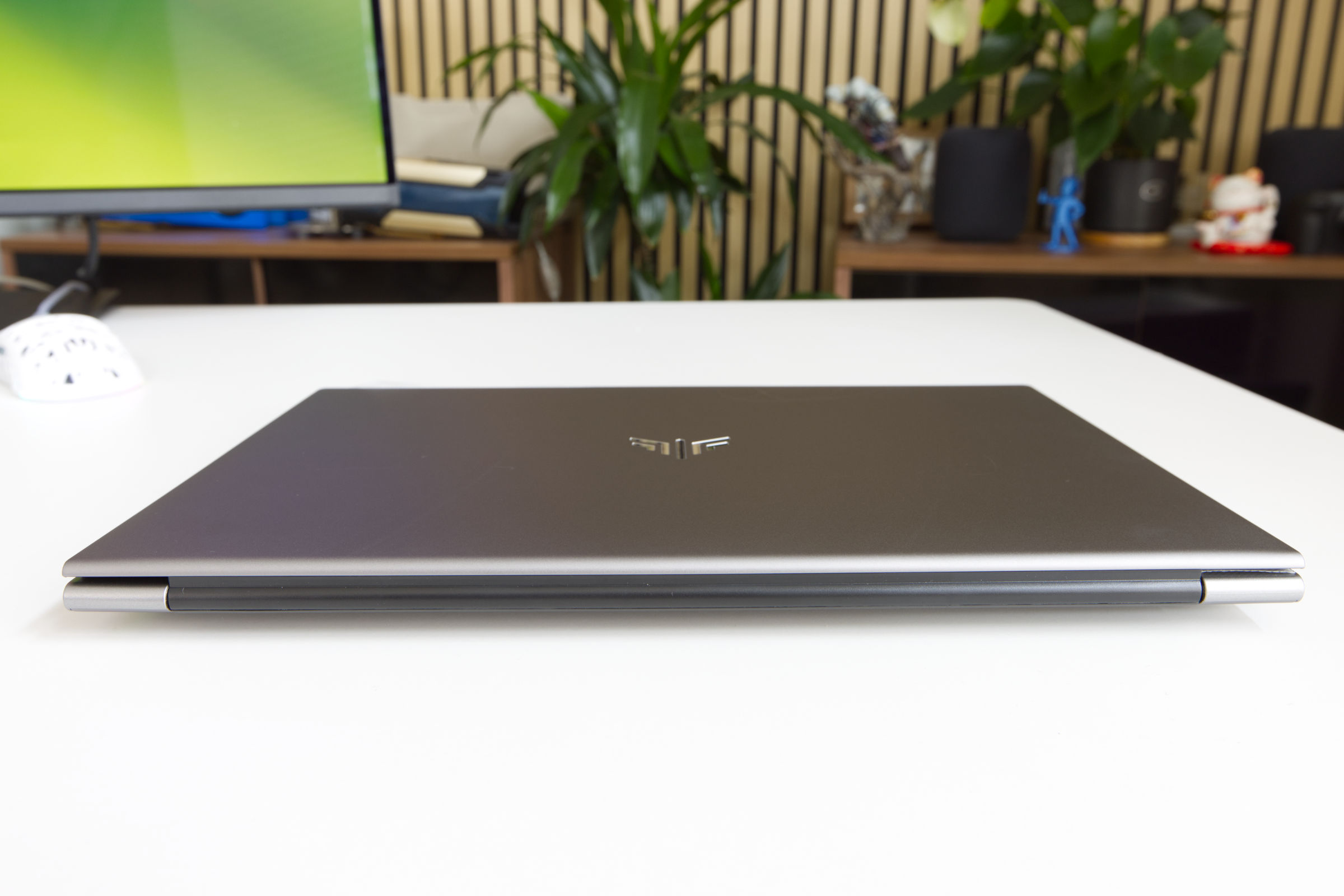 AceMagic RX16 R9 Rückseite (Image © PCMasters.de)
The double hinge system appears robust and secure, even if a long-term durability test is beyond the scope of this review. Overall, the build quality exceeds expectations: Tolerances are tight, the casing doesn't bend or creak, and the understated aesthetics are a welcome choice.
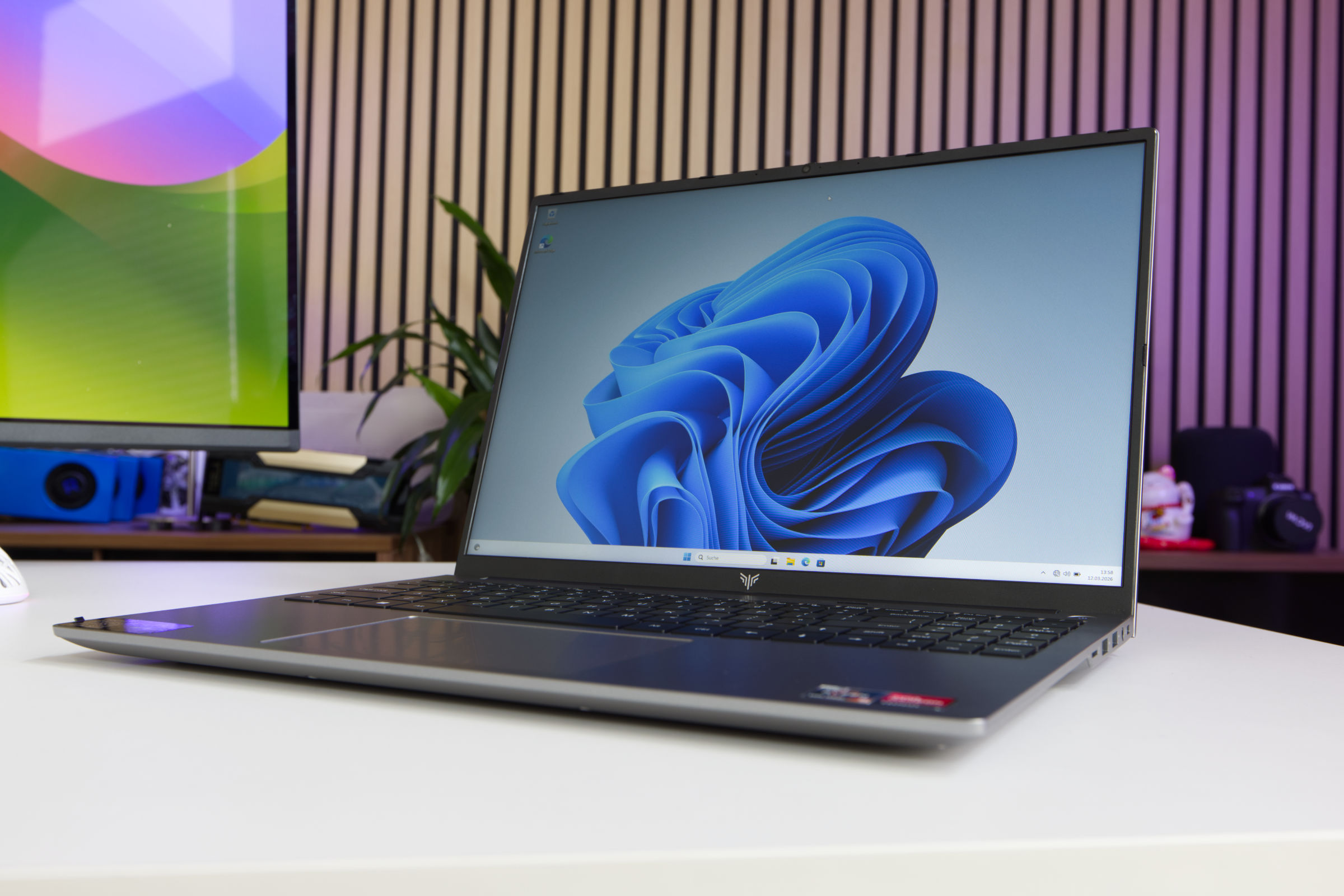 AceMagic RX16 R9 Display (Image © PCMasters.de)
16" display
If you opt for a 16-inch model, you get a larger diagonal, but that doesn't mean there are more pixels. The panel of the RX16 uses an IPS panel with a resolution of 1920 x 1200 px. The pixel density is therefore not as high as a 4K UHD panel, but for the price you get an acceptable panel that is more than sufficient for work. From a strong angle of 130°, the image is slightly less contrasty, but most people will be sitting in front of it, which is normal for a notebook.
The 16:10 aspect ratio is a welcome addition as it provides more vertical space for productive work. This resolution combines well with the integrated Radeon 680M graphics card, which handles the load well. If you need more space, you can also connect another screen to the laptop via HDMI. The display has a matt surface and achieves a satisfactory brightness at maximum setting. Unfortunately, AceMagic provides hardly any details regarding the technical specifications and the maximum refresh rate is 60 Hz.
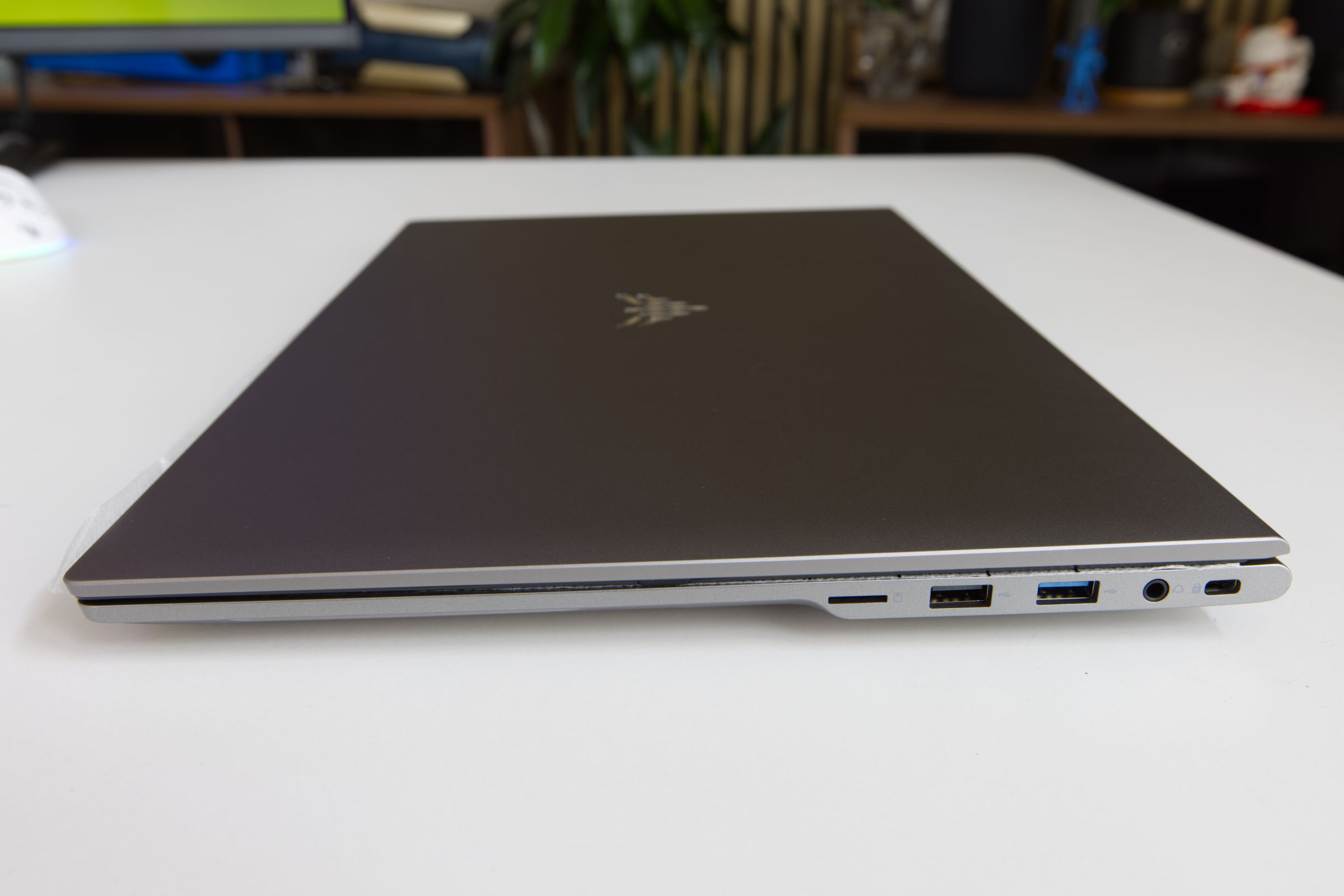 AceMagic RX16 R9 Anschlüsse rechts (Image © PCMasters.de)
Connections
The RX16 notebook is equipped with a good selection of connections, which are distributed on both sides of the case. On the right-hand side, the connection fidelity consists of a microSD/TF card reader, a 3.5 mm audio combo jack, a USB 3.2 Gen1 port and a USB 2.0 port. Although the distance between these ports is generally sufficient for simultaneous use, users with oversized plugs may experience space problems.
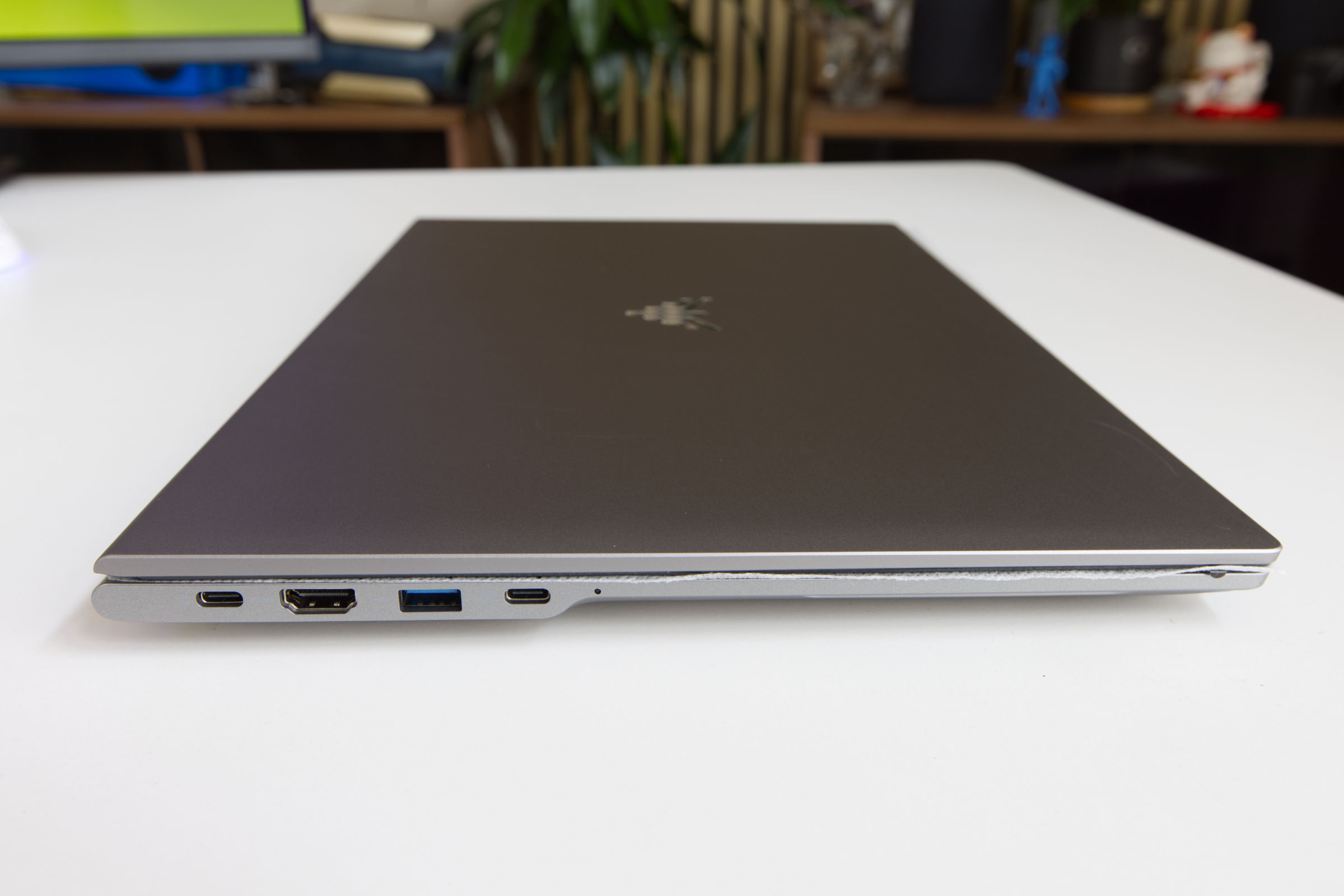 AceMagic RX16 R9 Anschlüsse links (Image © PCMasters.de)
The left-hand side is intended for high-speed connections and video output. There is an HDMI 2.0 port and another USB 3.2 Gen1 port. Particularly noteworthy are the two USB 3.2 Type-C sockets, both of which have the full range of functions. These support Power Delivery (PD), DisplayPort 1.4 (up to 8K at 60 Hz) and data transfer rates of 20 Gbit/s. An inconspicuous LED indicator next to the last USB-C port serves as a power indicator.
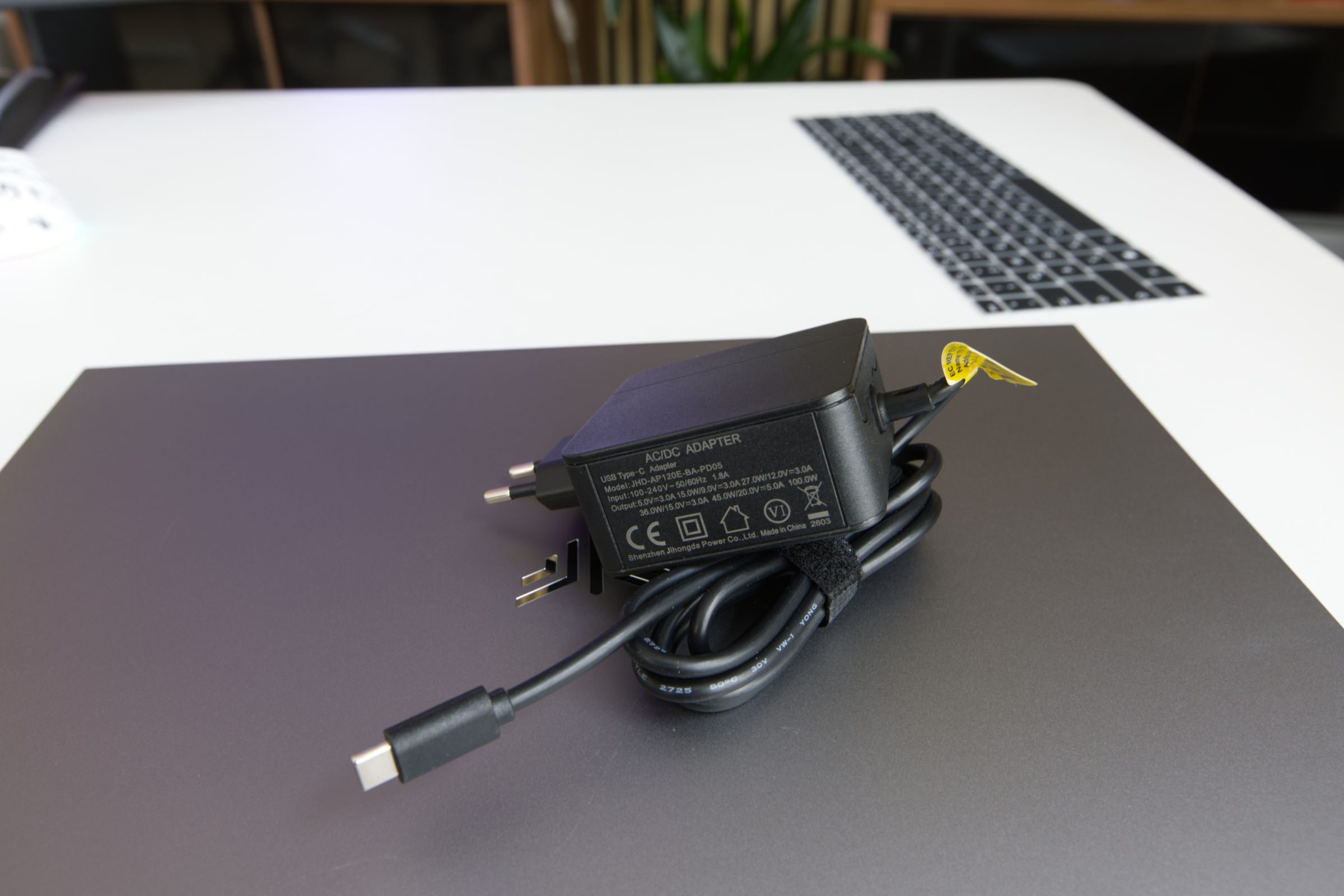 AceMagic RX16 R9 AC Adpter (Image © PCMasters.de)
Power is supplied via a 100 W USB-C power supply unit. Although the power supply unit is efficient and powerful, it should be noted that the USB-C cable is permanently connected to the power supply unit and cannot be exchanged or replaced.
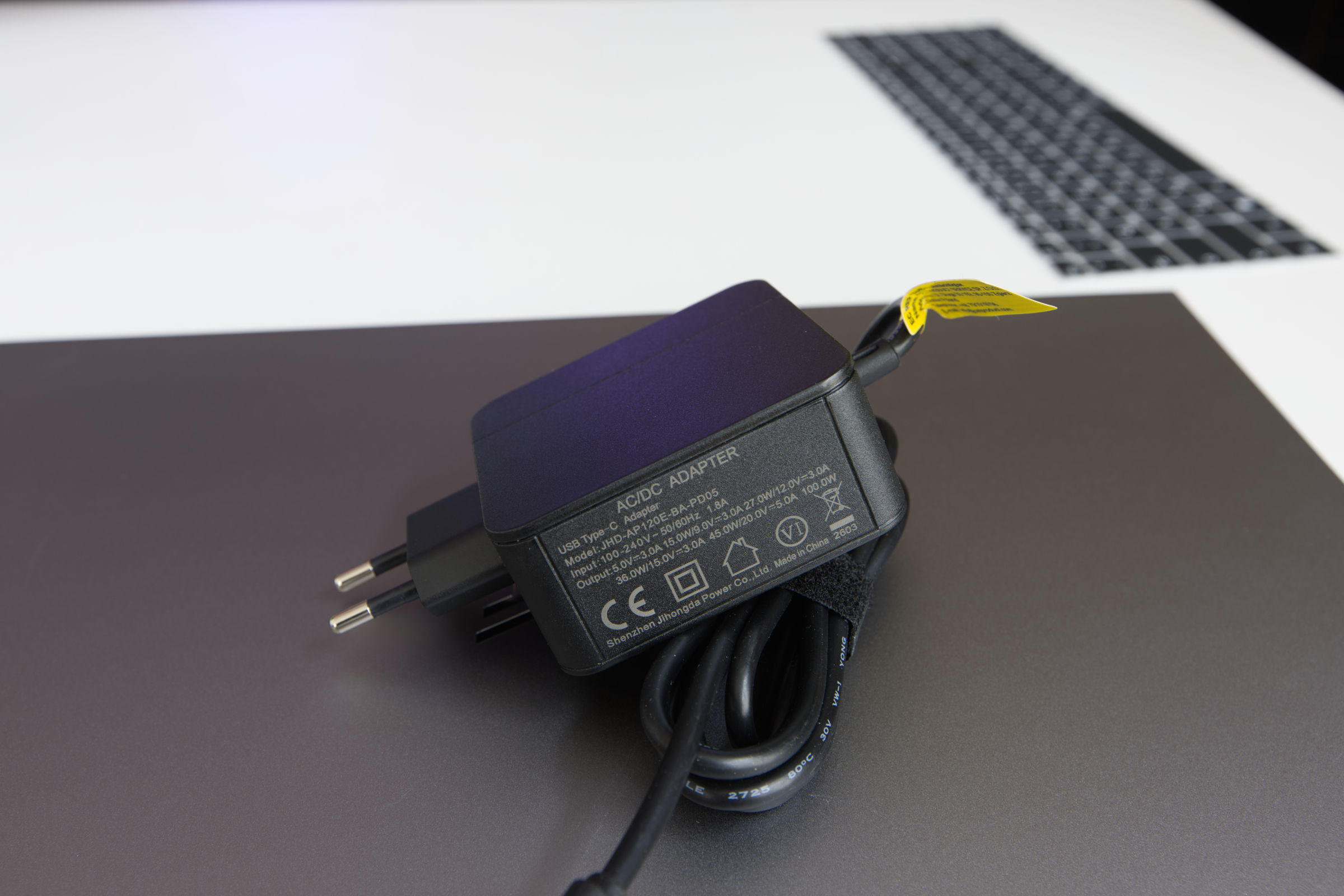 AceMagic RX16 R9 AC Adpter 2 (Image © PCMasters.de)
The charging adapter can therefore be easily used for charging and is intended for European sockets.
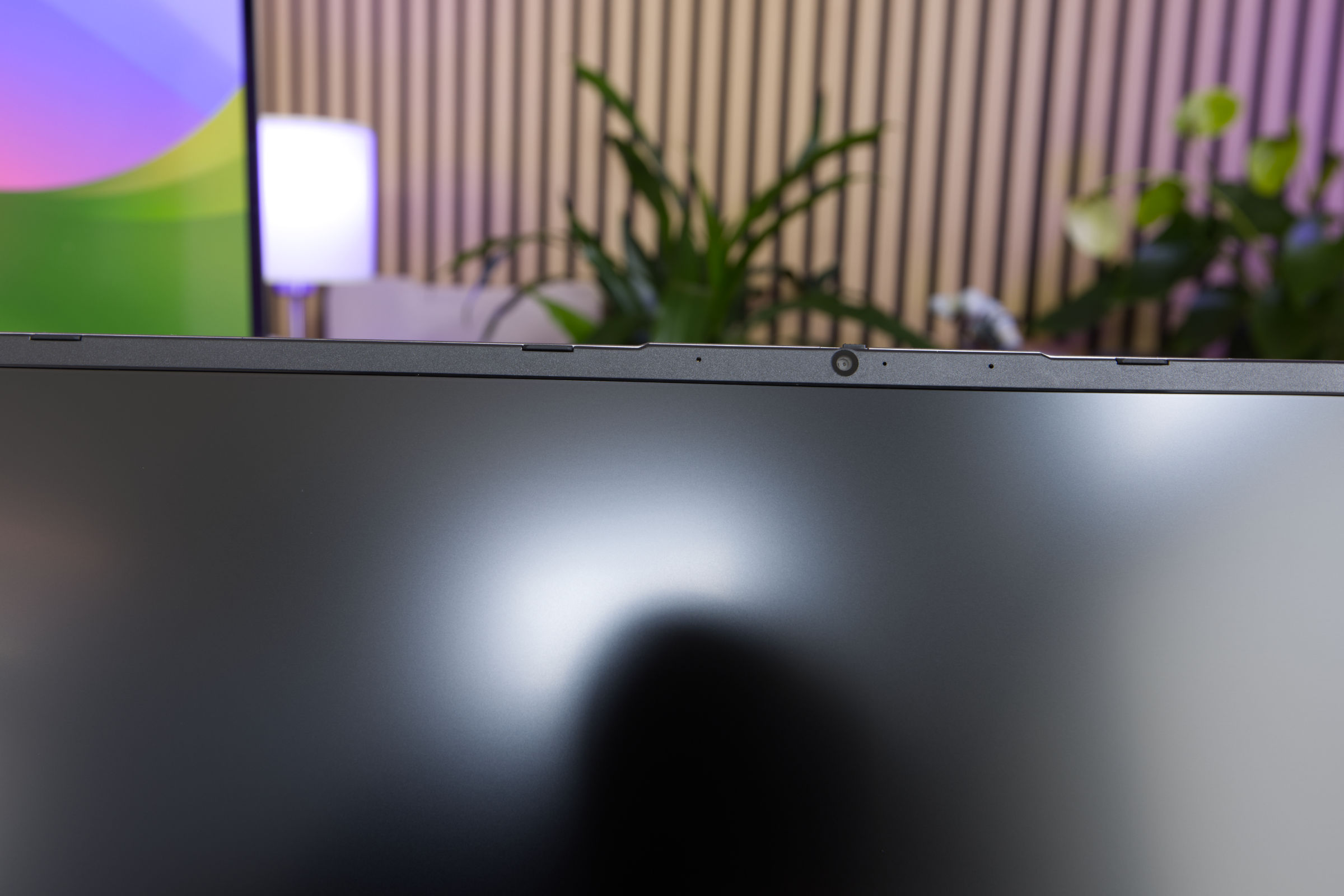 AceMagic RX16 R9 Kamera und Mikrofon (Image © PCMasters.de)
Camera, loudspeaker and microphone
The RX16 has a standard set of multimedia components, but what stands out is the privacy function at the top for the camera. The physical privacy flap for the webcam is moved back and forth via a switch at the top, but the microphones are not affected by this. This mechanical slider is located at the top of the display frame and allows the user to completely cover the lens. When activated, a visible orange indicator confirms that the camera is physically blocked.
In an era of increasing software vulnerabilities, this physical security feature is a commendable addition that removes any ambiguity as to whether a camera is active or inactive.
The actual camera is moderate, as it only has a resolution of 1280 x 720 px, which corresponds to 1 megapixel. It is sufficient for occasional video calls, but is otherwise not exactly outstanding. The speakers are also not listed in the specifications. The sound is okay, but not particularly outstanding - just like the camera.
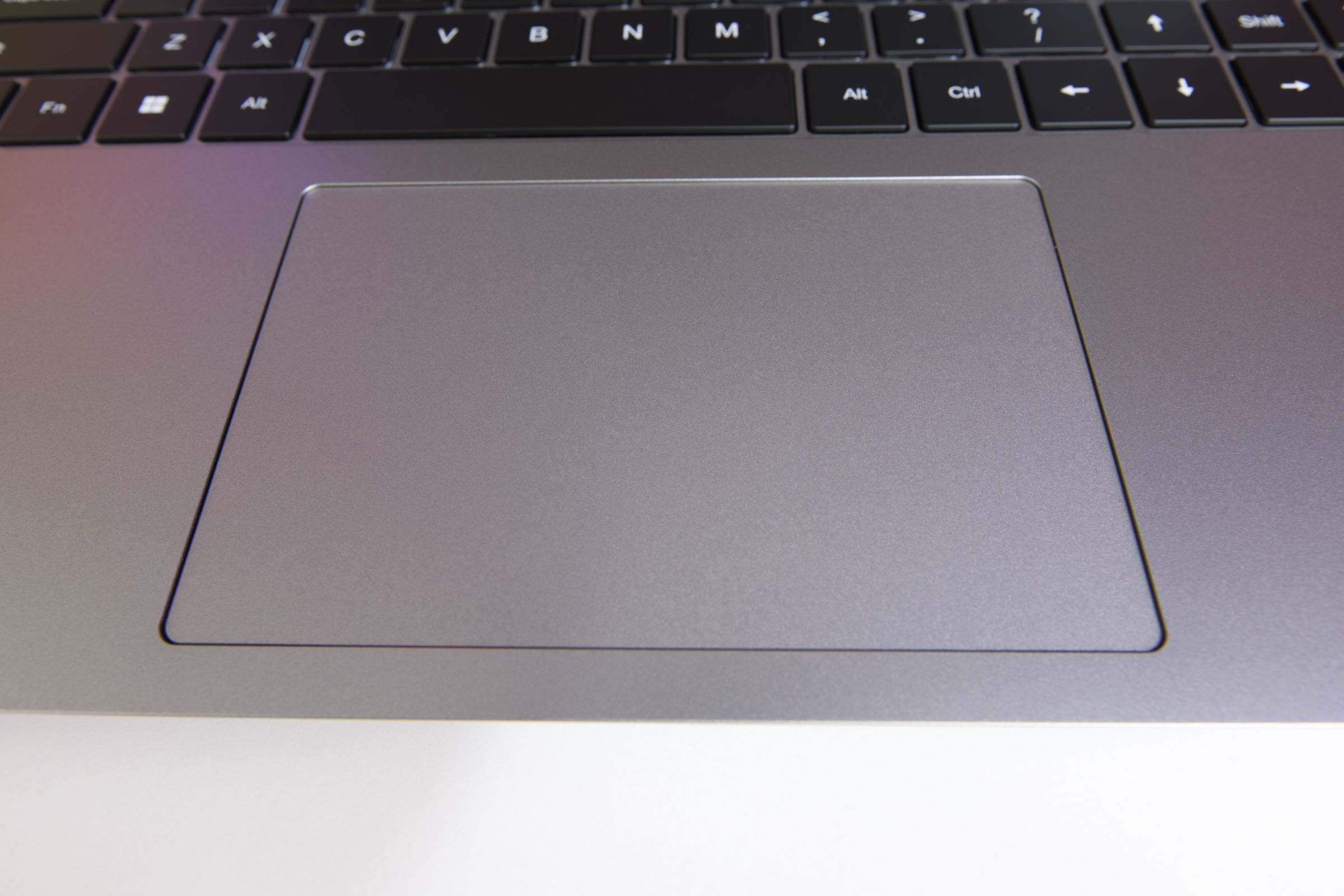 AceMagic RX16 R9 Trackpad (Image © PCMasters.de)
Touchpad
The touchpad is large and centered. For a mid-range notebook, it offers an intuitive navigation experience, but it is nowhere near that of a MacBook Neo. Although the physical click feels a little unbalanced, as the upper area of the touchpad is more sluggish than the lower one, this is not a problem for most users thanks to the "tap-to-click" function. You also don't get the tactile feedback that you get from MacBooks, as this is a completely different touchpad. However, this is still complaining on a high level.
Following the modern trend of a uniform click surface, there are no separate left and right buttons; instead, the device uses multi-finger gestures for secondary inputs. The performance is in line with other devices in this price range and offers a stable and efficient input method. However, if you want to work longer, you should connect a mouse to it.
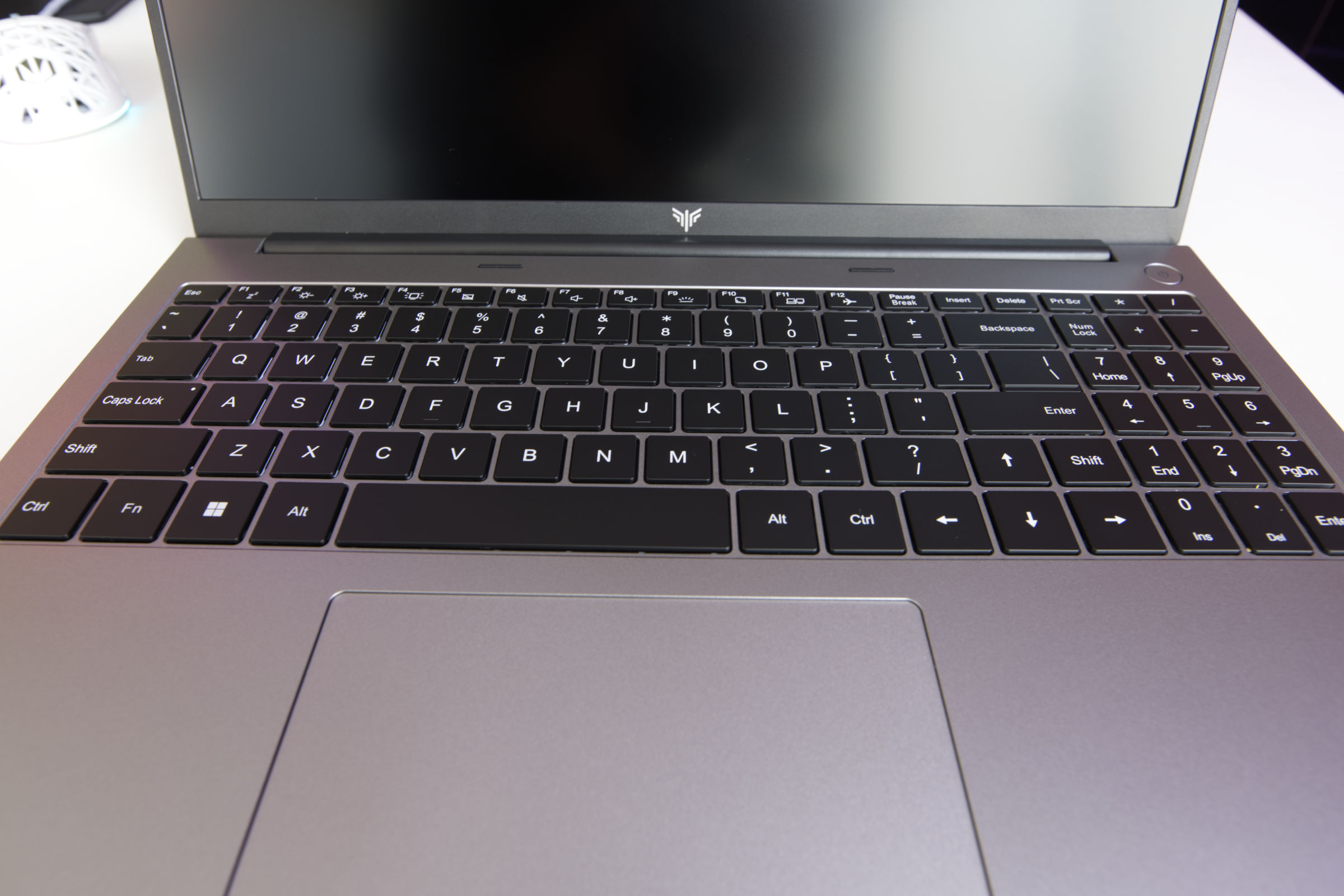 AceMagic RX16 R9 Tastatur (Image © PCMasters.de)
Keyboard and silicone key layouts
The keyboard built into the notebook is somewhat unconventional, as it uses a native US ANSI layout. However, AceMagic attempts to offer a cross-country EU solution through a series of silicone overlays. This approach initially offers a quick solution for different regions, but represents a compromise. Anyone who is used to an ISO standard, especially the larger, vertical "Enter" key, will find the switch annoying and will be annoyed at first.
In terms of ergonomics, the typing experience is surprisingly pleasant, with satisfactory key travel and good feedback. However, the combination of the integrated numeric keypad and the compact ANSI Enter key led to a significant increase in typing errors during our initial tests. There is a significant learning curve with this particular layout before you can achieve fluid typing speeds.
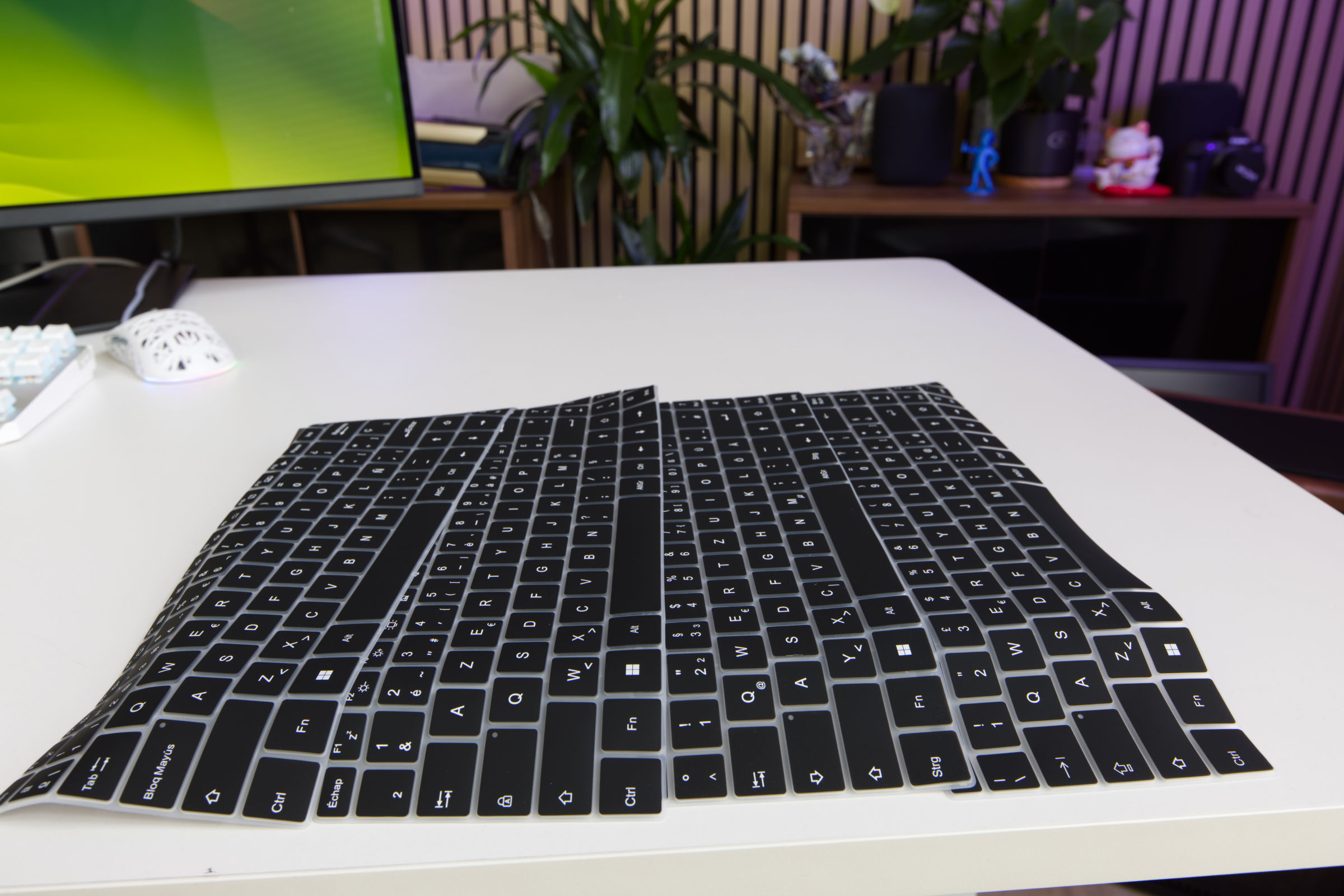 AceMagic RX16 R9 Tastenauflagen (Image © PCMasters.de)
Interestingly, the silicone overlays offer a functional advantage that goes beyond the German layout. They act as a protective barrier and prevent dust and dirt from entering the keyboard housing. Furthermore, since physical wear occurs on the replaceable silicone overlays and not on the keys themselves, the overlays act as a protective layer to maintain the longevity of the laptop. Ultimately, it's a compromise: you sacrifice the original tactile feel for increased protection and regional flexibility. The typing feel is also pleasant with the silicone layout and cleaning the keyboard should be easier.
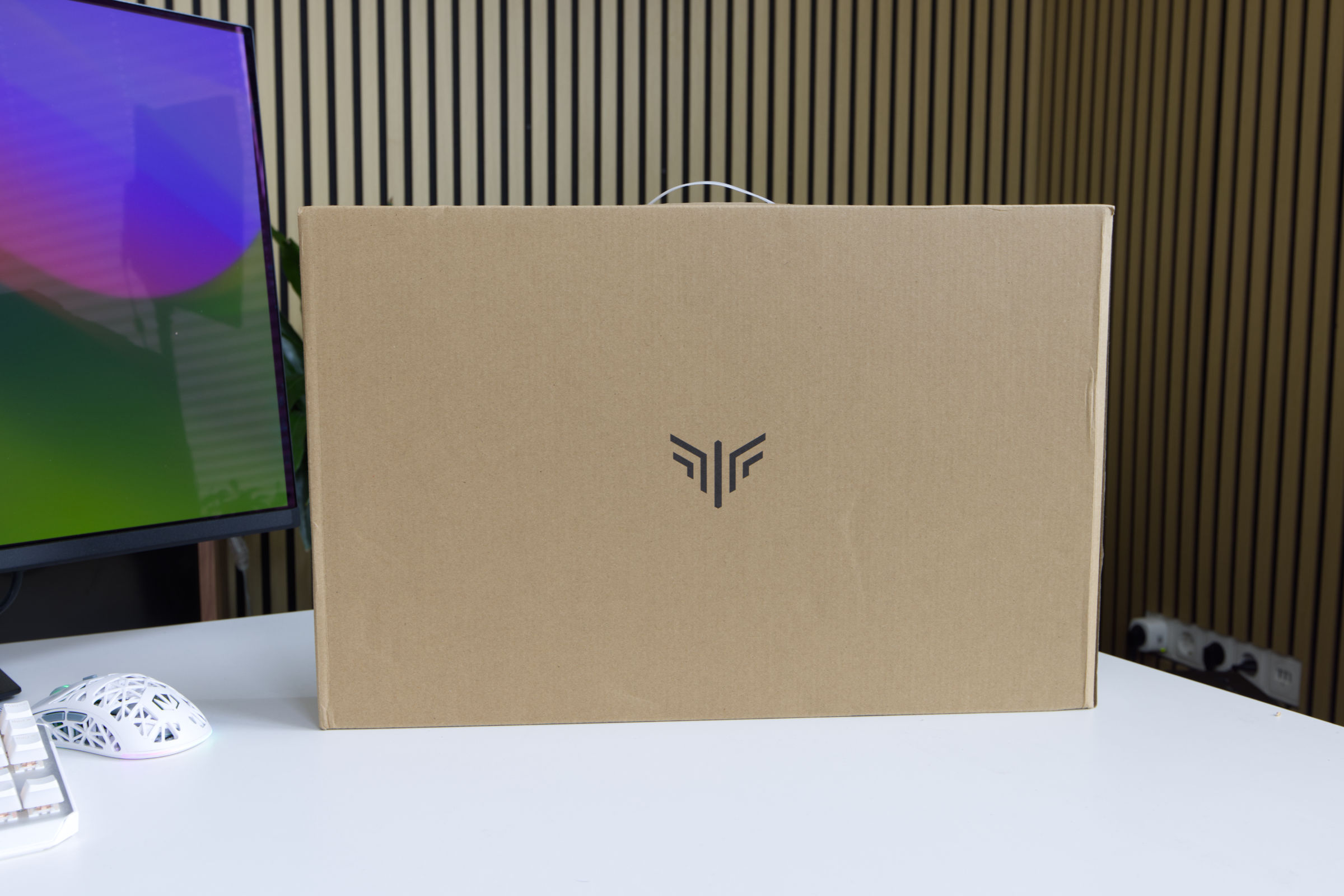 AceMagic RX16 R9 Verpackung (Image © PCMasters.de)
Packaging and scope of delivery
The RX16 notebook is delivered in minimalist cardboard packaging. The outer packaging consists of ordinary brown cardboard with a discreet brand logo and basic manufacturer information on the back. Inside, the notebook is additionally secured with polystyrene padding (EPS) and wrapped in a thick plastic protective cover. This should ensure that the product remains undamaged during transportation.
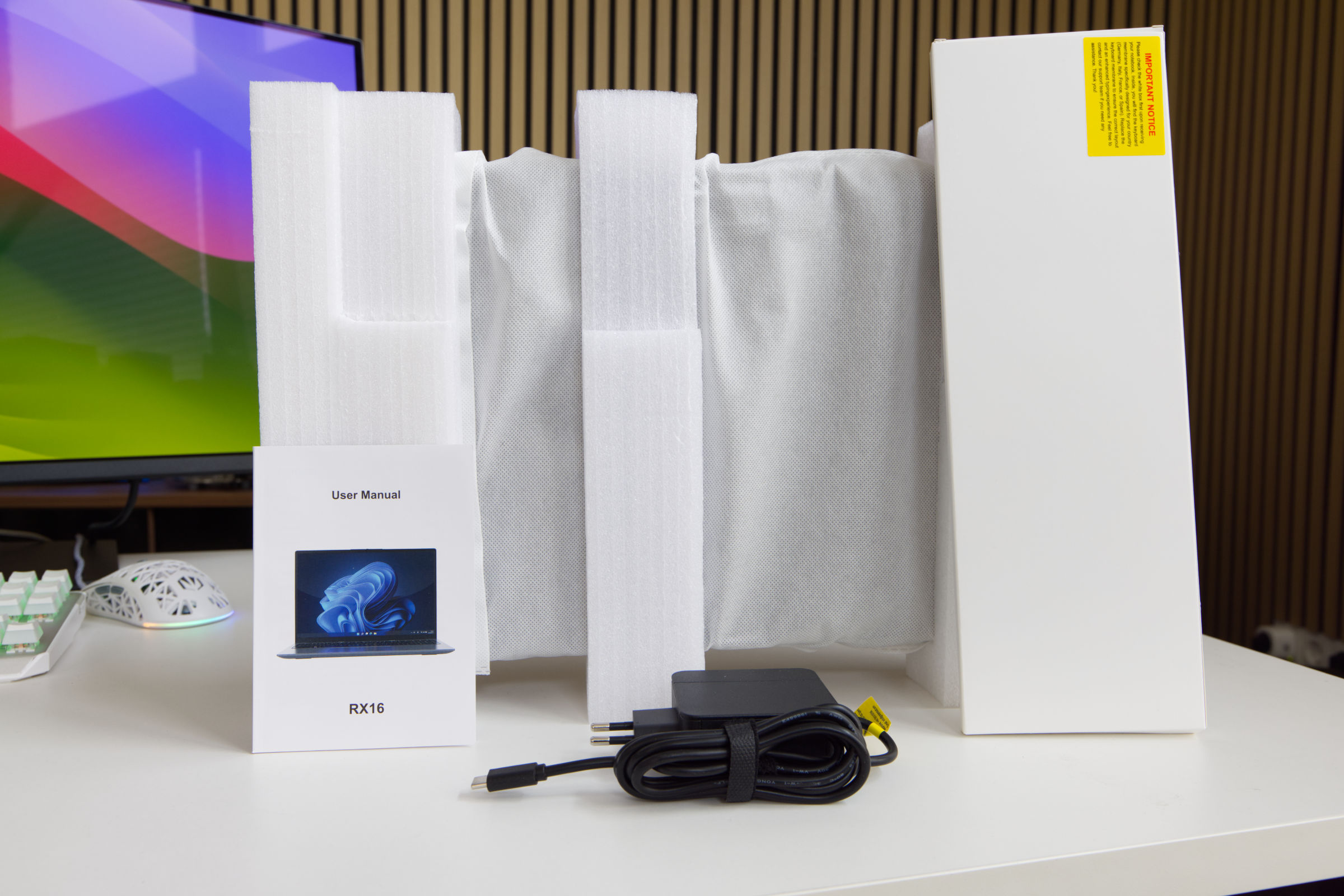 AceMagic RX16 R9 Lieferumfang (Image © PCMasters.de)
The accessories are contained in a separate box and include the USB-C power adapter. There is also a user manual and the country-specific silicone keyboard pads in a separate white box. The included accessories are modest, but the overall presentation is sufficient and focuses on protection rather than aesthetics.
Windows 11 pre-installed
The AceMagic RX16 comes with Windows 11 Pro pre-installed and offers a modern operating system. With advanced features tailored for professional environments, users can enjoy seamless multitasking and robust protection against modern threats, as the antivirus solution maintained by Microsoft itself is better than many of the other tools on the market. If you patch regularly, you are also on the safe side.
The Pro license is bound to the PC and the Windows 11 key can also be read out, but is stored in the device BIOS, which is why no activation was required after reinstallation.
The Windows 11 Pro installation allows a quick setup and does not require an online account, as is usually the case with Microsoft. No bloatware was installed either. To be on the safe side, however, we formatted the SSD and installed Win 11 cleanly on it. The drivers that Windows 11 cannot find can be downloaded from AceMagic. The antivirus software did not alert us and we only used the missing drivers.
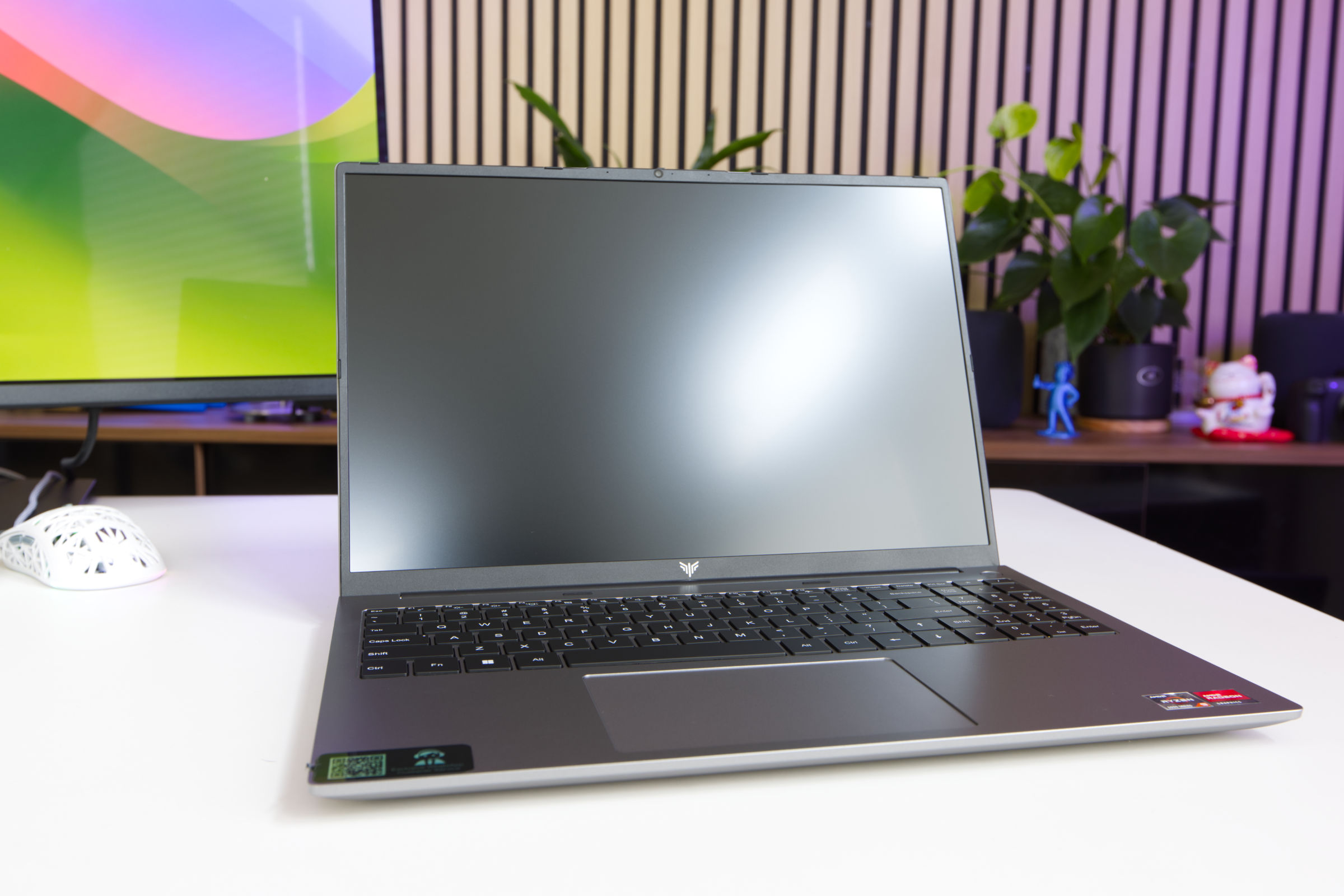 AceMagic RX16 R9 Testbericht (Image © PCMasters.de)
AceMagic RX16 laptop in gaming and application benchmarks
We use benchmarks to test the notebook's performance in workloads and games. Since only an iGPU is used here, we can already say that gaming will only be possible to a limited extent and that the notebook's strengths will lie in workloads.
Details on the MSI MEG Vision X AI (2nd) are listed in the test.
Note on the comparison system
When testing the AMD Ryzen 7 3700X, we used the standard system for desktops. - Mainboard: ASUS ROG Strix X570-I Gaming - Graphics card: GeForce RTX 3090 Founders Edition - SSD: Samsung SSD 840 PRO 256 GB, Samsung 850 EVO 500 GB - **m.2 SSD: Sabrent Rocket 4 Plus 1 TB - RAM: G.SKILL Trident Z DDR4 F4-3600C14D-32GTZN at DDR4-3600 - CPU cooler: MSI MEG CORELIQUID S360 - Power supply: Corsair RM-750X - 750 W - Fan: 0 - Case: Open structure - Operating system: Windows 11 21H2
AceMagic RX16 Benchmark (Synthetic)
Synthetic benchmarks allow relatively good comparisons to be made between the different CPU architectures. Depending on the benchmark, the focus is on certain workloads and the respective CPU can then show its performance.
Cinebench R15
Cinebench R20
HandBrake
Geekbench 5 CPU benchmark
POV-Ray v3.7
7-Zip
WinRAR
Corona 1.3
3DMark CPU Benchmark
3DMark Time Spy
PCMark 10
With PCMark, it should be noted that the graphics card plays an important role and the RTX 3090 FE was used for the Ryzen 7 3700X. The comparison is therefore not directly applicable. Other MiniPCs will be compared later, which will provide a better comparison, as the entire system is evaluated here.
Unigine Superposition (720p, Low)
AceMagic RX16 gaming benchmarks
Games ran better than expected on the laptop. The games we usually use require a more powerful graphics card that can also handle ray tracing if necessary. After all, we only want to see to what extent the CPU limits the game. However, an iGPU is used here, which is limited in its performance. It also depends on the memory allocation, which can be set in the BIOS.
Final Fantasy XV Benchmark
Resident Evil VILLAGE
Shadow of The Tomb Raider
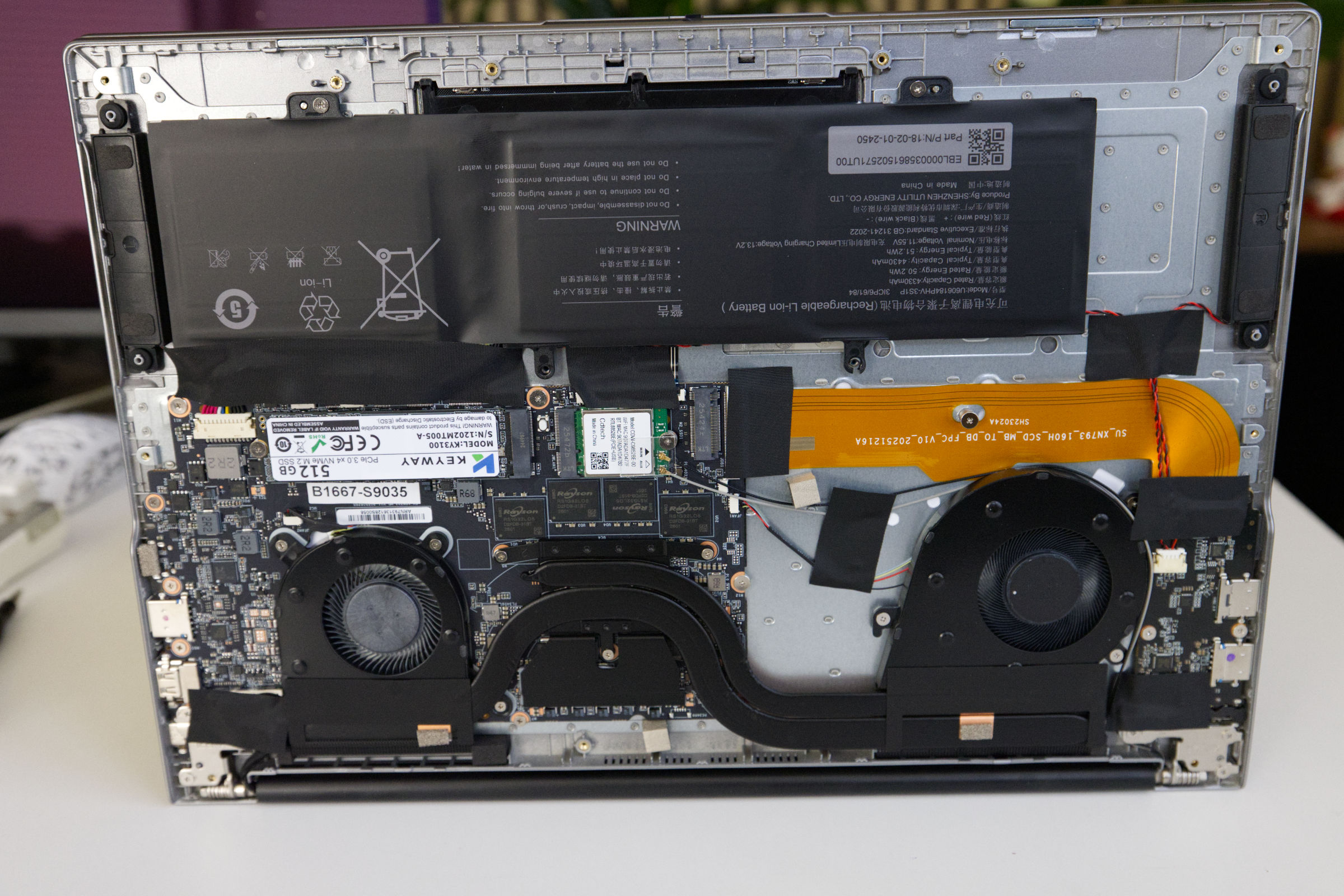 AceMagic RX16 R9 Innenaufbau (Image © PCMasters.de)
Cooling
The RX16 laptop is equipped with a cooling system based on two separate coolers, each connected to the base via a copper heatpipe. This configuration ensures balanced heat distribution in the housing, with active cooling provided by two small blower fans. These can be controlled separately, as can be seen in the picture. The cooler on the right is larger and appears to be the primary cooler.
The air flow is controlled via an intake and exhaust system from the bottom to the rear. In typical productivity applications, the fans are audible but inconspicuous, even if they switch on and off frequently. Under maximum load, the CPU reaches a peak temperature of 78 °C (DeltaT 57.10 K). Although the fans become significantly louder at this threshold, the temperature remains stable and typical for this form factor, which ensures constant performance without reaching thermal limits.
The measured values are delta values in which the room temperature has been factored out.
Volume and background noise
The RX16 is loud under constant full load, but the values are slightly lower under normal load.
Consumption and power consumption
The RX16 is officially specified with a TDP of 45 W and adheres to this, even in the performance profile. The temperatures rise rapidly under load, but the notebook did not reach the upper limit of 95 °C, as the fan curve has a strong counter effect here and increases the speed. The idle values of approx. 4 watts are great. After about 10 minutes of sustained load, the system stabilizes at its long-term power limit (PL1) of 45 W.
The measured 72 watts are higher than with the Hawk Point model, which is probably influenced by the battery current, as we carried out the tests with the battery installed.
Performance in games, multi-threaded and single-threaded applications (rating)
When looking at the performance in single-threaded applications, the RX16 can position itself well in the middle. It delivers better performance than the AM4 desktop processor of our comparison platform, but is behind the Ryzen 7 H255 of the new AMD generation.
The notebook is also in the middle in terms of multi-thread performance, but does not come close to the performance of the Ryzen 7 H255. However, the performance is by no means bad.
The AceMagic RX16 should not be optimally equipped for games because it only uses 512 MB of shared memory in the factory settings. However, the Radeon 680M is able to achieve 52% better performance, which is surprising compared to the Radeon 780M. Increasing the graphics memory to 8 GB proved to be very counterproductive, as the APU's performance simply collapses in all scenarios.
AceMagic RX16 R9 Display (Image © PCMasters.de)
Conclusion
Both configurations of the AceMagic RX16 have been described as "surprisingly good", but there are also limitations and negative points. The pure application performance of the variant with Ryzen 9 6900HX Zen3+ APU is behind that of the Ryzen 7 "Hawk Point" Zen 4 APU, but the gaming performance is significantly better. Both models come with 16 GB of RAM, whereby the Ryzen 9 6900HX is equipped with non-upgradeable LPDDR5 RAM, which cannot be upgraded. AceMagic has a somewhat weak option for the 512 GB NVMe SSD, but it is sufficient overall and can also be easily expanded via the second M.2 NVMe slot. It's worth noting that the components are region-specific versions that were primarily intended for the Chinese market.
As for the hardware, the experience is mixed. The 16-inch IPS display is serviceable, offering a standard 1920 x 1200 resolution and sufficient brightness, but doesn't particularly stand out. Similarly, the 720p webcam is of mediocre quality, although the integrated physical privacy flap is a welcome security feature. While the chassis feels sturdy and the touchpad is responsive, the keyboard remains the RX16 laptop's weakest point. The use of silicone overlays to adapt the US ANSI layout to other regions is a compromise, with users having to put up with the shorter "Enter" key and a different tactile feel, which may affect the productivity of those used to ISO standards.
The ultimate appeal of the RX16 depends heavily on the price. There is a stark difference between the various sales channels: while the manufacturer's price of €579 offers mediocre value for money, the Aliexpress price of €424.19 is tempting. Because many of the manufacturers have raised their prices, the RX16 is becoming an attractive option. Established brands such as ASUS and HP still have some models in this price range, such as the ASUS Vivobook 16 M1605YA for €672 (Affiliate) and the HP 17-cp2165ng for €525 (Affiliate) with a comparable configuration, but the choice is limited. The configuration tested here gets a better score than the Ryzen 7 H255 variant because the better gaming performance and the better price/performance ratio are better here.
Pro
- Good single and multi-thread performance
- Quiet operation, except under full load
- Integrated WLAN 6 and Bluetooth 5/5.2
- Robust casing
- Stylish design
- Good gaming performance for the price
- M.2 NVMe SSD expandable
- Pre-installed 512 GB PCIe-GEN 3 NVMe SSD
- Price (of the configuration)
- 16 GB memory...
Contra
- ... LPDDR5 RAM is soldered
- US key layout
- Not as efficient as Ryzen 7 H255 variant