 Computer Forum
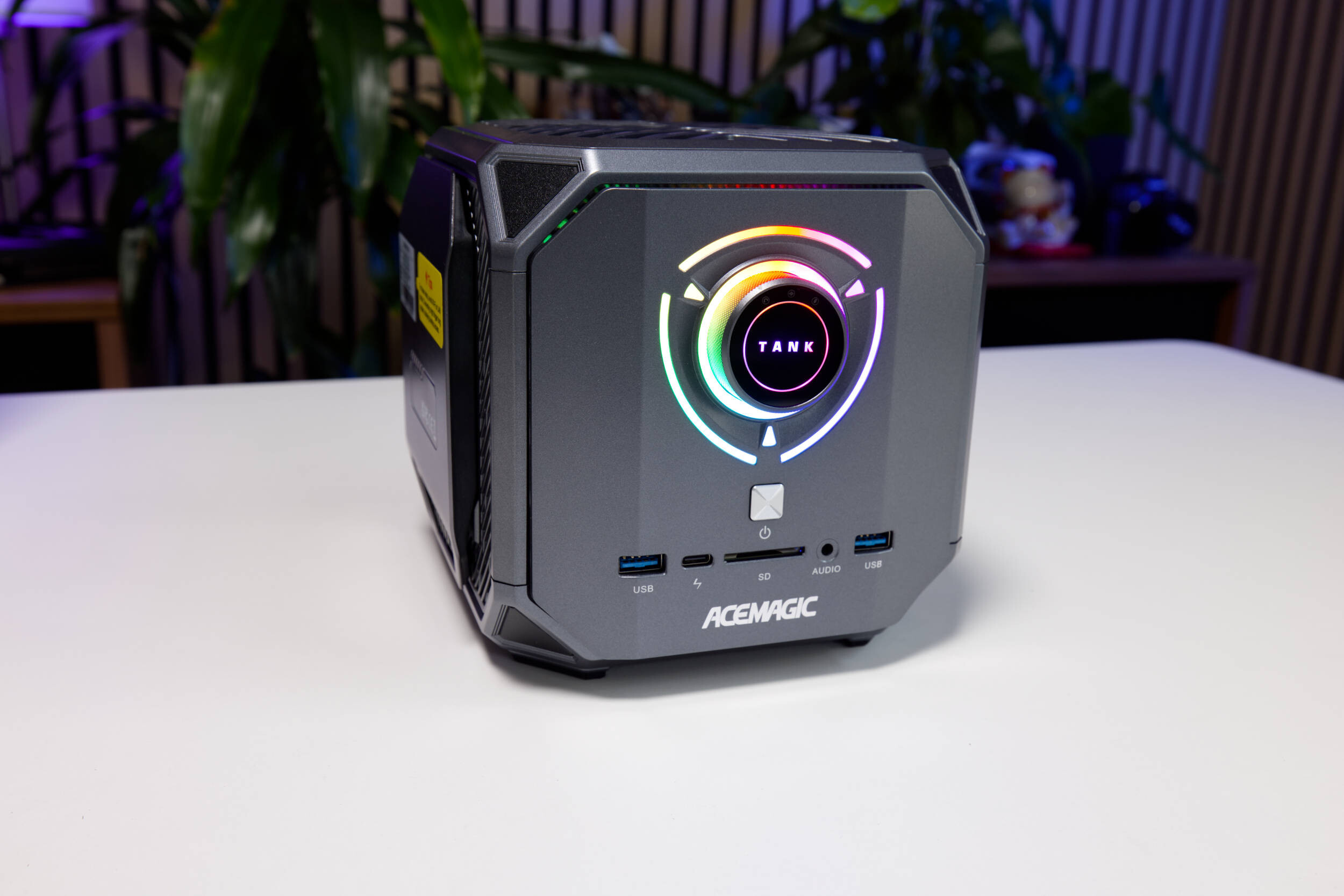 ACEMAGIC M1A PRO Tank Centre Test Review (Image © PCMasters.de)
ACEMAGIC M1A PRO in Detail
Acemagic offers a range of mini-PCs and notebooks, some of which we’ve already tested. The M1A PRO clearly stands out from the crowd because it’s based on AMD’s Strix Halo platform. The ACEMAGIC M1A PRO is available in only two configurations in the Acemagic store: one without any NVMe SSDs and another with a 2-TB NVMe SSD. Today, we’re taking a closer look at the model featuring the Ryzen AI MAX + 395, 128 GB of RAM, and a 2-TB SSD.
[image -25708]
AMD Ryzen AI MAX + 395 Mini-PC
For power users with deep pockets, AMD has been offering the Ryzen AI MAX + 395 for several months as part of its Strix Halo platform. Even though there’s already a successor in the form of the "Gorgon Halo," the Ryzen AI MAX + 395 remains a very attractive solution. With this platform, AMD has further expanded its APU approach, delivering a powerful synergy between the CPU, iGPU, and LPDDR5 RAM. The memory serves as unified memory for a variety of purposes and can be allocated to either the GPU or the CPU. With its massive 128 GB of memory, it’s practically made for working with LLMs! You can allocate up to 96 GB of RAM to the GPU in the BIOS, though it’s generally recommended to allocate 512 MB to the GPU to better manage the RAM under Linux.
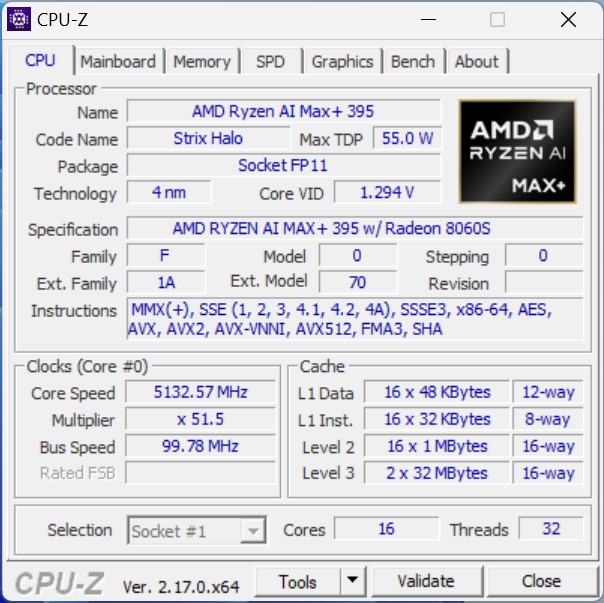 AMD Ryzen AI Max 395 CPUz (Image © PCMasters.de)
What’s interesting here is that AMD clearly positions the processor not only for the notebook segment but also for the desktop PC segment. The processor features 16 full-fledged Zen 5 cores and also supports SMT multithreading, which increases the thread count to 32. The maximum boost clock reaches 5.1 GHz, while the base clock is a generous 3 GHz. The configurable TDP (cTDP) ranges from 45 to 120 watts, giving OEMs more flexibility in designing their systems. However, the maximum is desirable.
The chips are manufactured by TSMC using the 4-nm FinFET process, and the I/O die is also produced using 4-nm FinFET. The package accommodates a total of three chips, the largest of which combines the two 8-core CCDs on the left and right with the large cache, and above them are two dies that implement the RDNA 3.5 CUs and the XDNA 2 NPU.
This massive chip is also equipped with an extensive cache architecture. Each of the 16 Zen 5 cores has 48 KB of 12-way L1 data cache and 32 KB of 8-way L1 instruction cache. Behind this is a 1 MB 16-way L2 cache, which is individually assigned to each core. AMD hasn’t skimped on the Level 3 cache either, as each CCD receives 32 MB, bringing the total to 64 MB (Note: 2 × 32 MB L3 cache = 64 MB; including the L2 cache, it would be 80 MB).
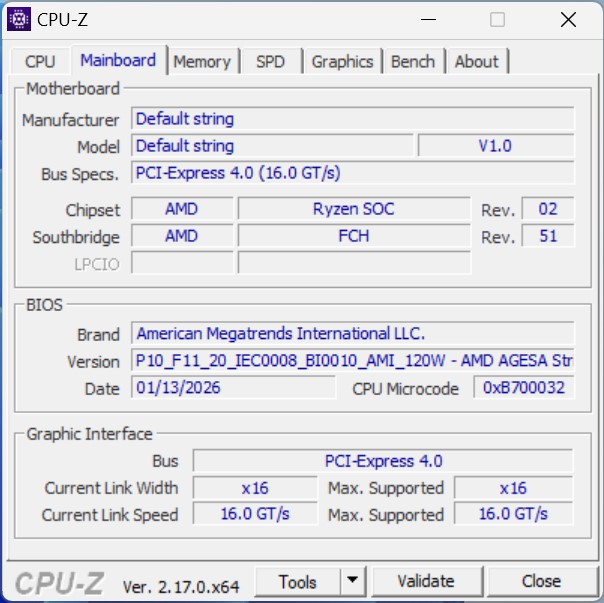 AMD Ryzen AI Max 395 Motherboard (Image © PCMasters.de)
Acemagic custom-builds all other components to match and uses its own, unnamed motherboard. PCI Express 4.0 is used as the interface. According to CPU-Z, a BIOS with a 120W profile is used. The iGPU is connected via 16 PCI Express 4.0 lanes.
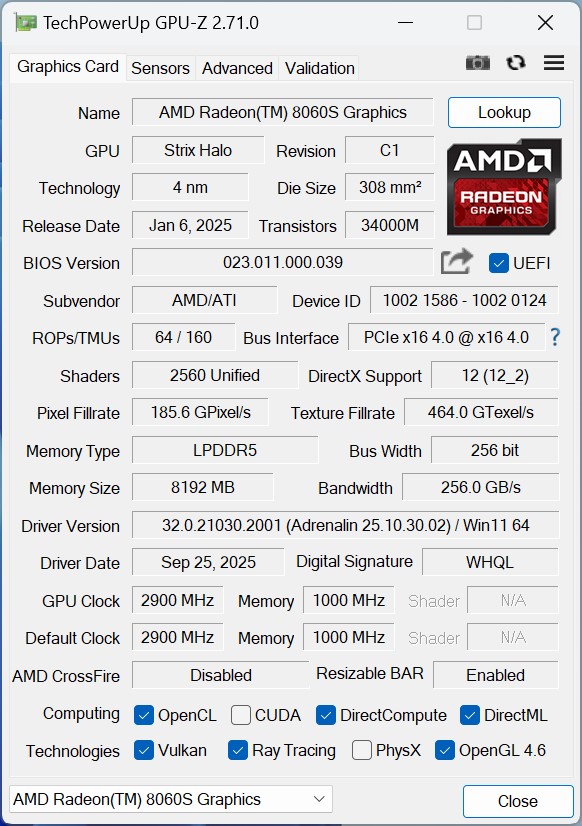 AMD Ryzen AI Max 395 GPUz Radeon 8060S (Image © PCMasters.de)
AMD Radeon 8060S iGPU
For years now, APUs have included an iGPU, though the GPU in this mini-PC has been significantly enhanced. The Radeon 8060S iGPU occupies a significant portion of the SoC’s silicon and offers a total of 2,560 unified shaders distributed across 40 graphics cores. It also features 64 ROPs and 160 TMUs. The graphics processor can clock up to 2.9 GHz. The pixel fill rate is specified at 185.6 GPixels/s and the texture fill rate at 464 GTexels/s.
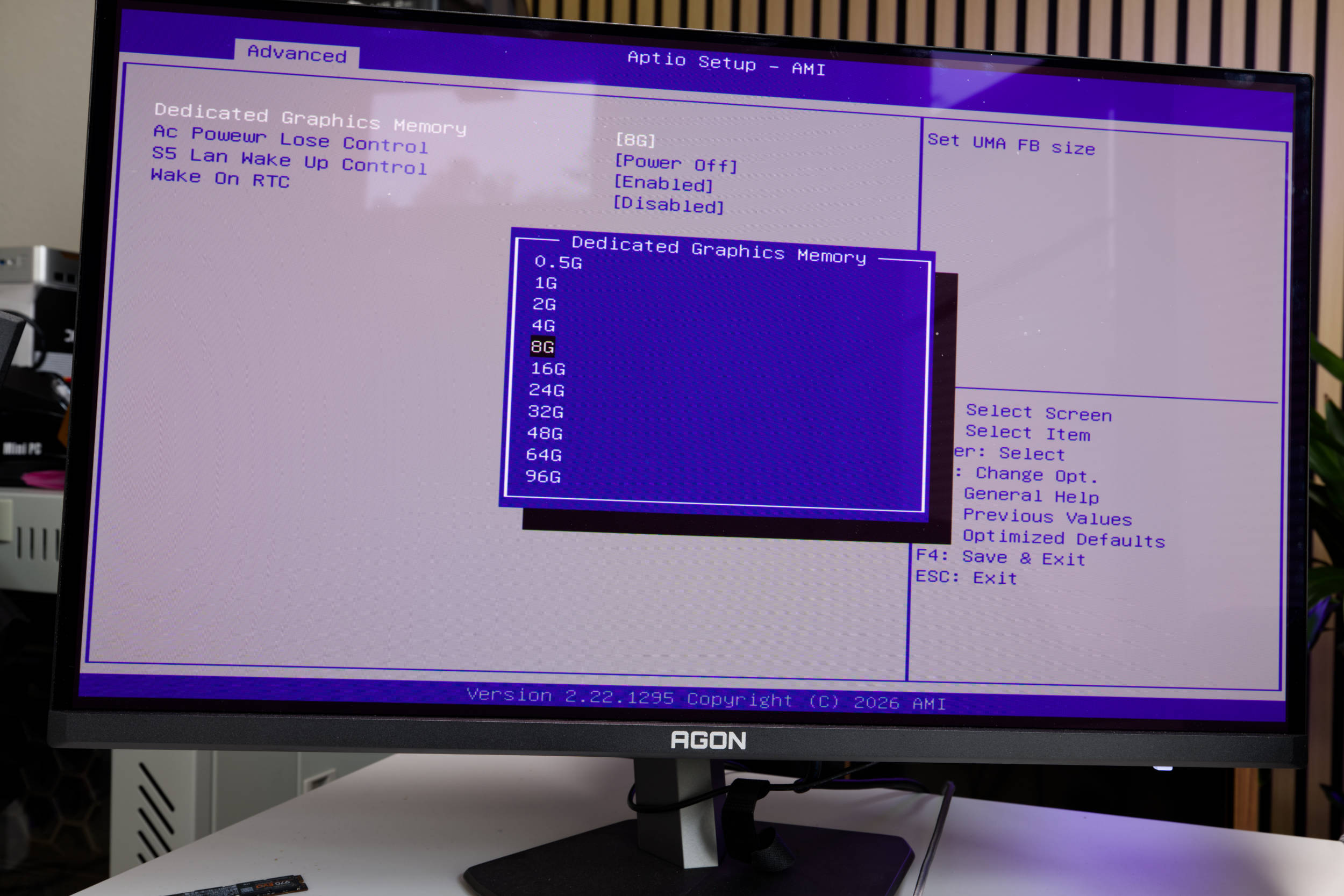 ACEMAGIC M1A PRO Tank Centre BIOS dGPU (Image © PCMasters.de)
Memory is where things get interesting, as the iGPU shares it with the CPU—since this is system memory. We’re free to decide how much of the LPDDR5 memory to allocate to the iGPU. In the BIOS, you can assign anywhere from 512 MB to 96 GB. By default, 8 GB is allocated to the GPU. The bus width is a respectable 256 bits, resulting in a theoretical memory bandwidth of 256 GB/s.
According to the specifications, the graphics processor offers DirectX 12 support and is compatible with DisplayPort version 2.1. It also supports Adaptive-Sync, HDR metadata, and UHBR20 via DisplayPort. The maximum resolution is 7680x4320 @ 60Hz for both HDR and SDR. HDMI version 2.1 with HDCP 2.3 and USB Type-C DisplayPort Alternate Mode are also supported.
DirectML, Vulkan, and DirectCompute are listed as compatible AI software frameworks.
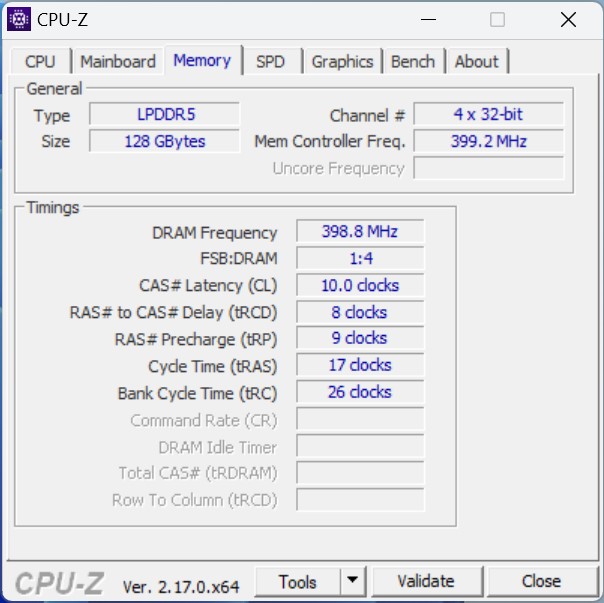 AMD Ryzen AI Max 395 Memory (Image © PCMasters.de)
Soldered-on LPDDR5 RAM with 128 GB capacity
An absolute highlight of the Strix Halo platform is the massive amount of memory shared by the CPU and GPU. Thanks to 128 GB of LPDDR5 RAM, it runs incredibly fast at 8,000 MT/s. The chips used are from Micron.
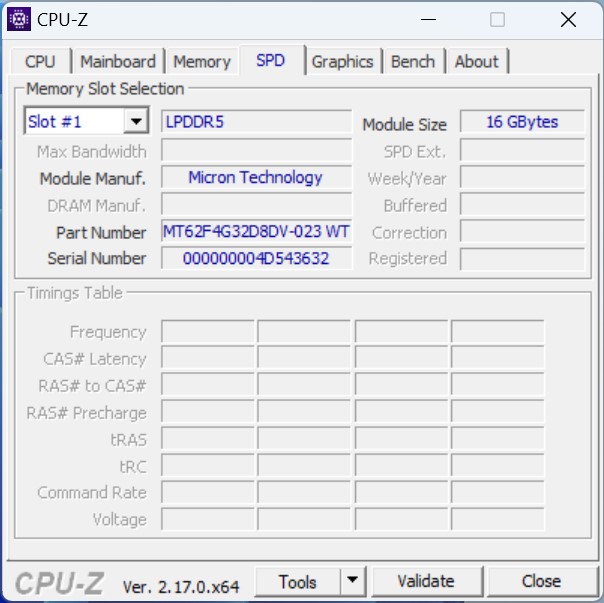 AMD Ryzen AI Max 395 SPD (Image © PCMasters.de)
Unfortunately, the software cannot provide us with any further information.
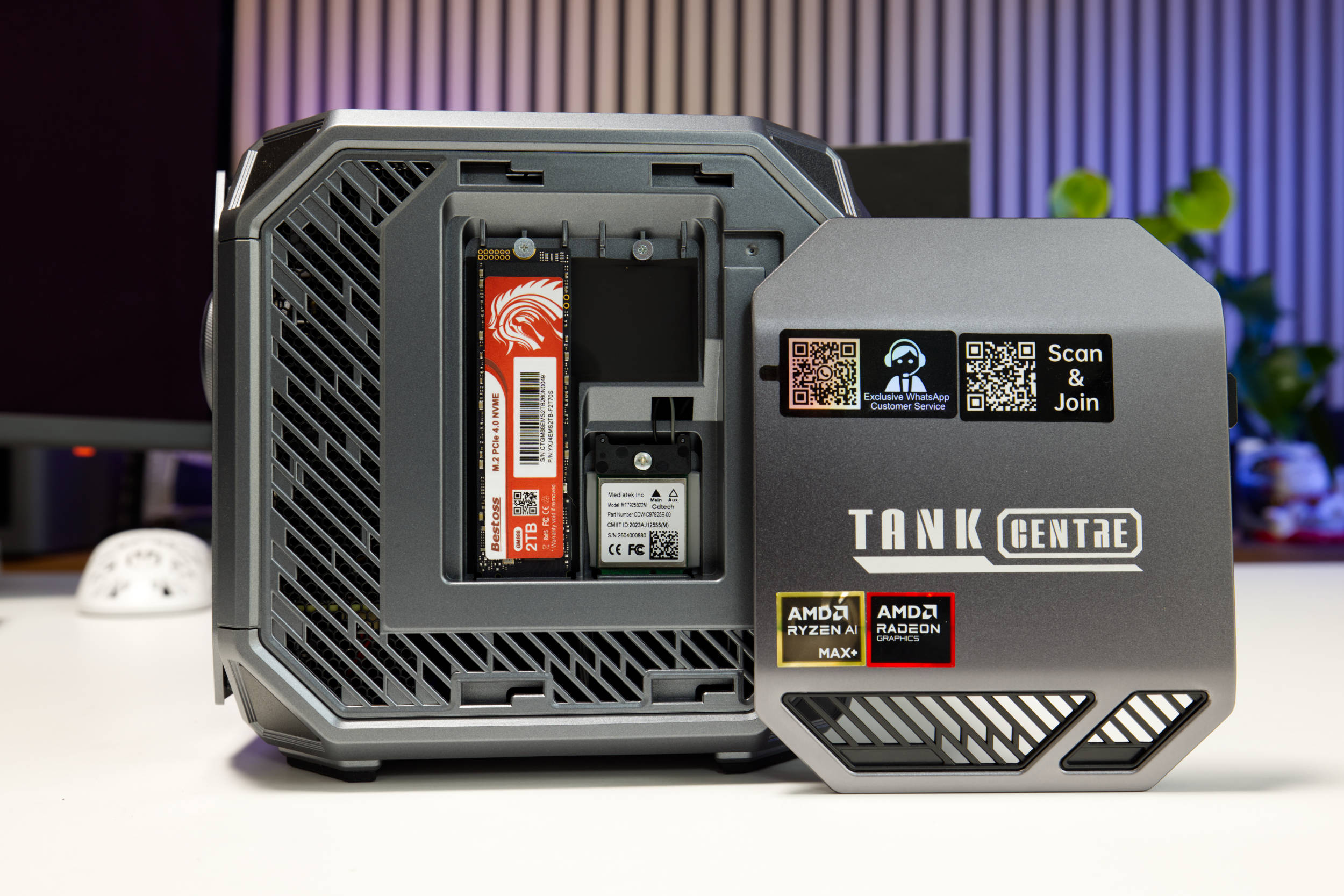 ACEMAGIC M1A PRO Tank Centre Seite 2 SSD und WLAN (Image © PCMasters.de)
Bestoss GM888 2 TB NVMe SSD
Our test unit, the M1A, comes with a pre-installed 2 TB NVMe SSD, which fits the overall configuration quite well. The Acemagic store offers a version without an SSD if you want to save some money. There’s also space for two M.2 2280 NVMe SSDs, and the slots are super easy to access.
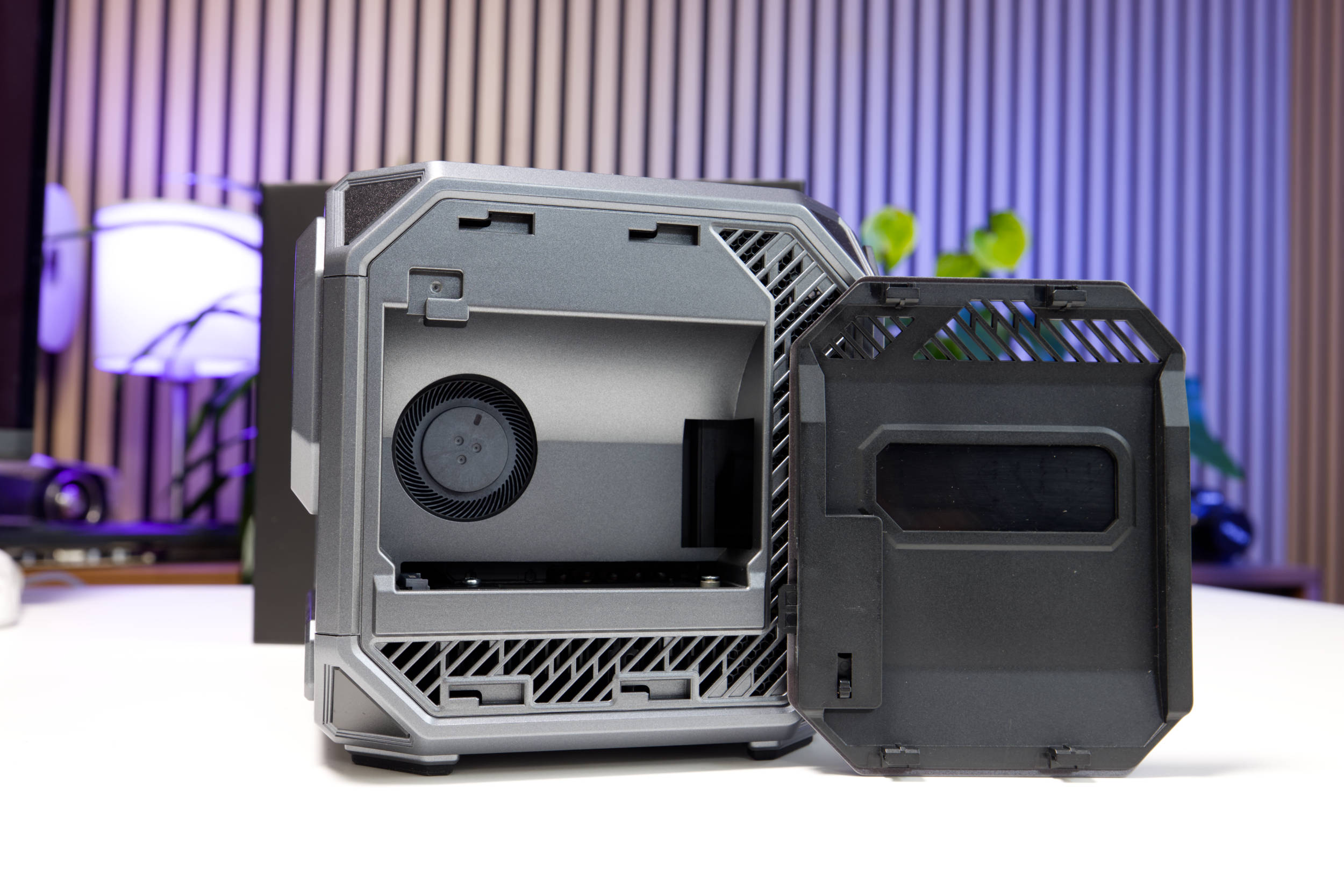 ACEMAGIC M1A PRO Tank Centre Seite 1 offen (Image © PCMasters.de)
There are covers on both sides of the mini PC that are unlocked using a small lever. Once unlocked, you can remove the side panel. The pre-installed SSD is secured with screws and mounted vertically, making it easy to remove.
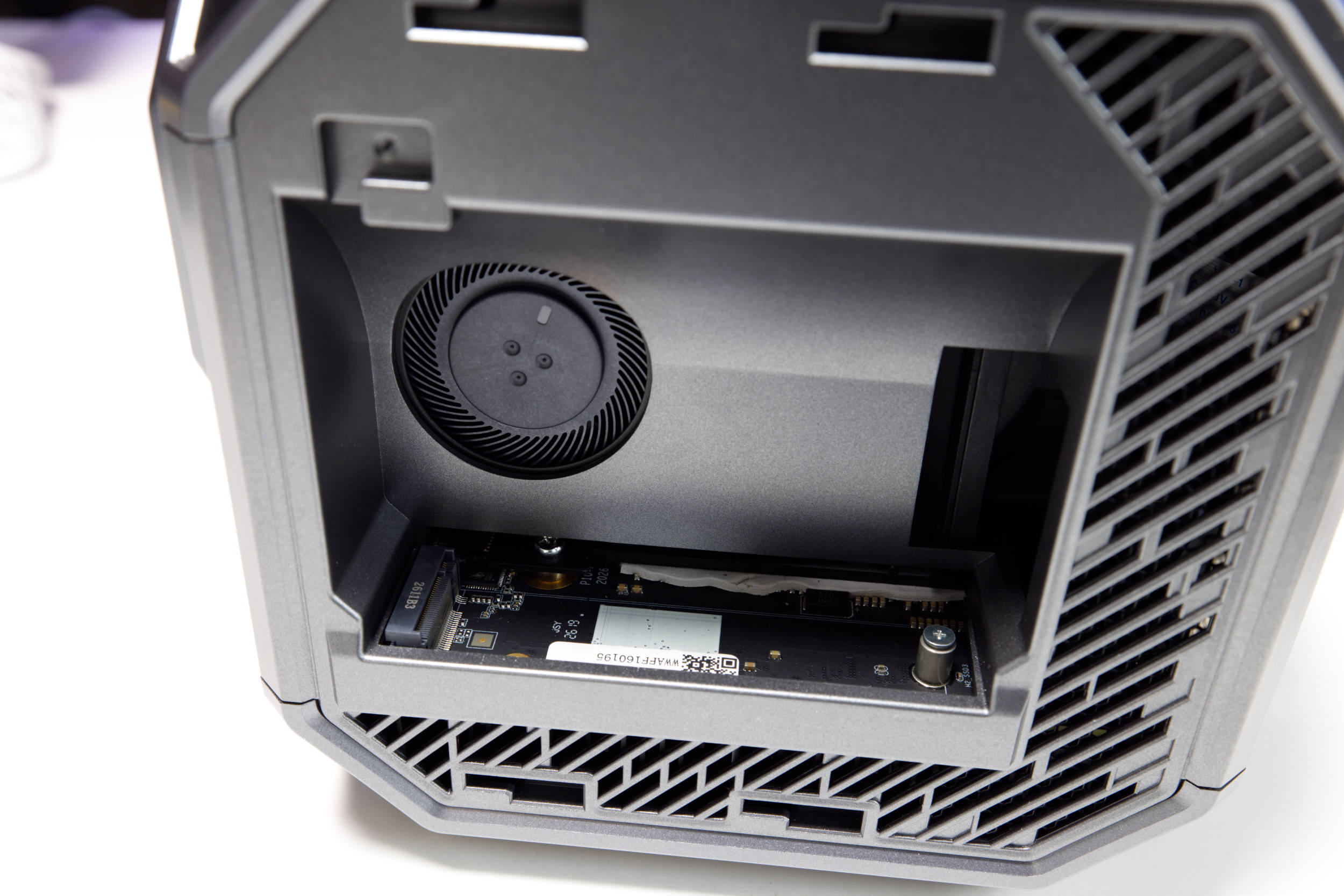 ACEMAGIC M1A PRO Tank Centre Seite 1 SSD Slot (Image © PCMasters.de)
The second SSD is mounted horizontally, and you’ll need to use a shorter screwdriver, which makes the process a bit fiddly. Nevertheless, the setup is quite simple and still user-friendly.
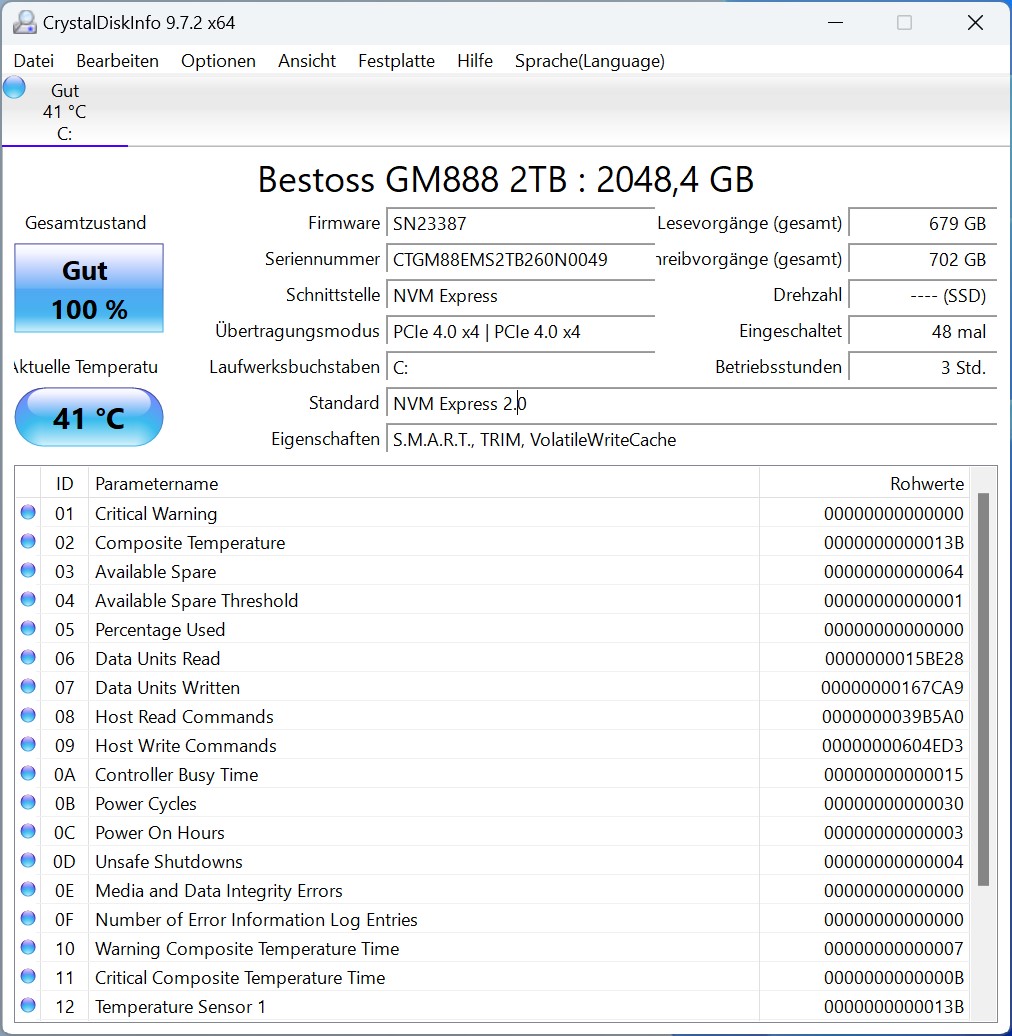 Acemagic Tank Bestoss GM888 2TB SSD (Image © PCMasters.de)
The Bestoss GM888 SSD is a PCI Express 4.0 SSD. It comes in the standard M.2 2280 form factor and uses the NVMe 2.0 protocol. The connection is made via 4 lanes, which is supposed to deliver sequential performance of 7–8 GB/s. Our measurements were roughly in line with the sequential data transfer rates specified by the manufacturer for the SSD. According to the manufacturer’s specifications, the three NVMe slots are all connected via PCIe 4.0 x4.
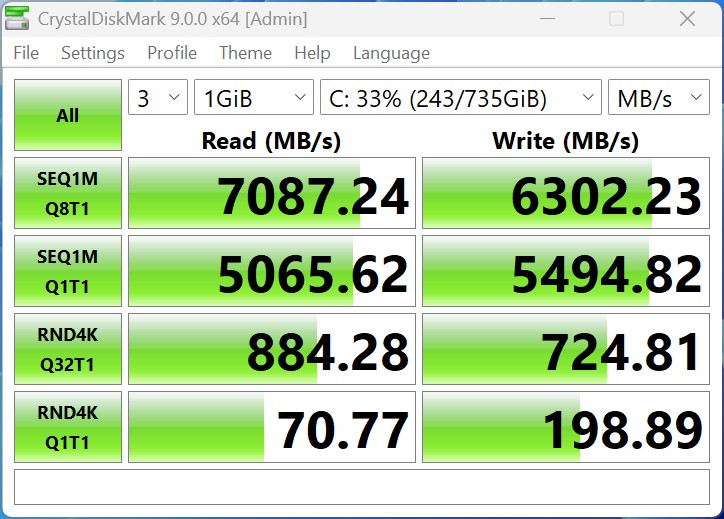 ACEMAGIC Tank Bestoss GM888 2TB SSD CrystalDisk mbps (Image © PCMasters.de)
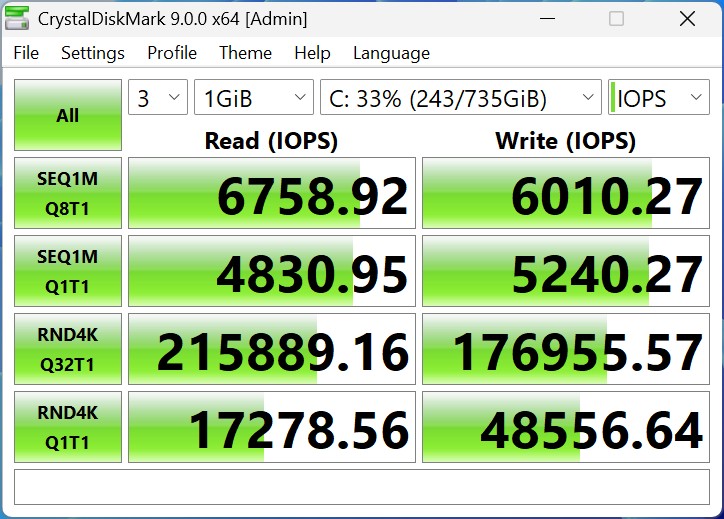 ACEMAGIC Tank Bestoss GM888 2TB SSD CrystalDisk iops (Image © PCMasters.de)
The measured values are therefore within a good range after reinserting the SSD.
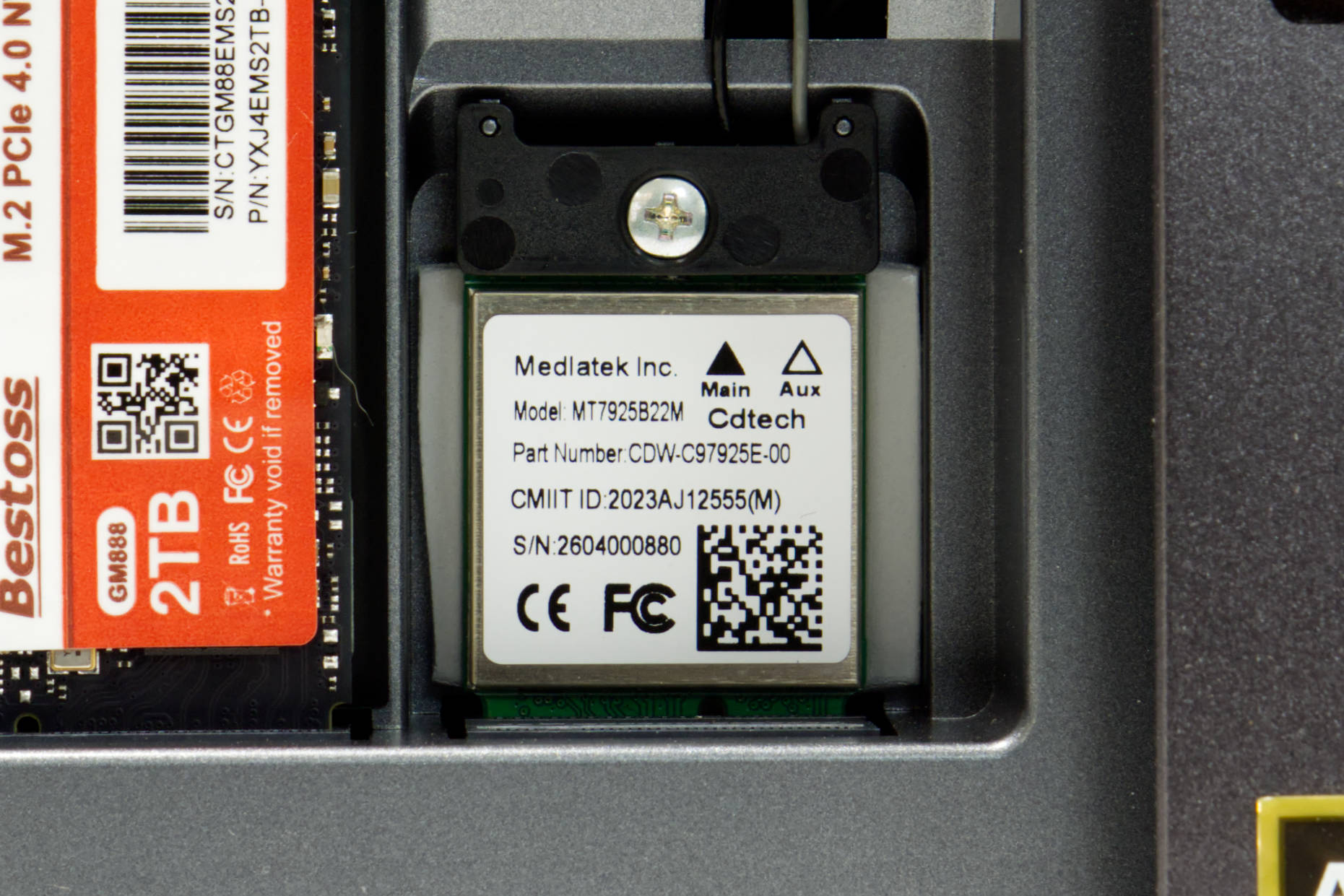 ACEMAGIC M1A PRO Mediatek MT7925B22M WLAN BT Modul (Image © PCMasters.de)
Wi-Fi 7 and Bluetooth 5.4
In addition to the SSD, the Seute features an M.2-2230 combo card that uses a Key A/E interface. The module is manufactured by MediaTek and bears the part number MT7925B22M. This module implements the Wi-Fi 7 standard (802.11be) and enables a theoretical maximum throughput of up to 30 Gbit/s when paired with a compatible router. To achieve this, the module uses the three bands: 2.4 GHz, 5 GHz, and 6 GHz. The module itself is reportedly specified for a data throughput of up to 6.5 Gbit/s. This is achieved using 2x2 antennas installed inside the mini-PC. The drivers are loaded directly by Linux, and there were no issues with the module running on Ubuntu.
This combo module also offers support for Bluetooth 5.4.
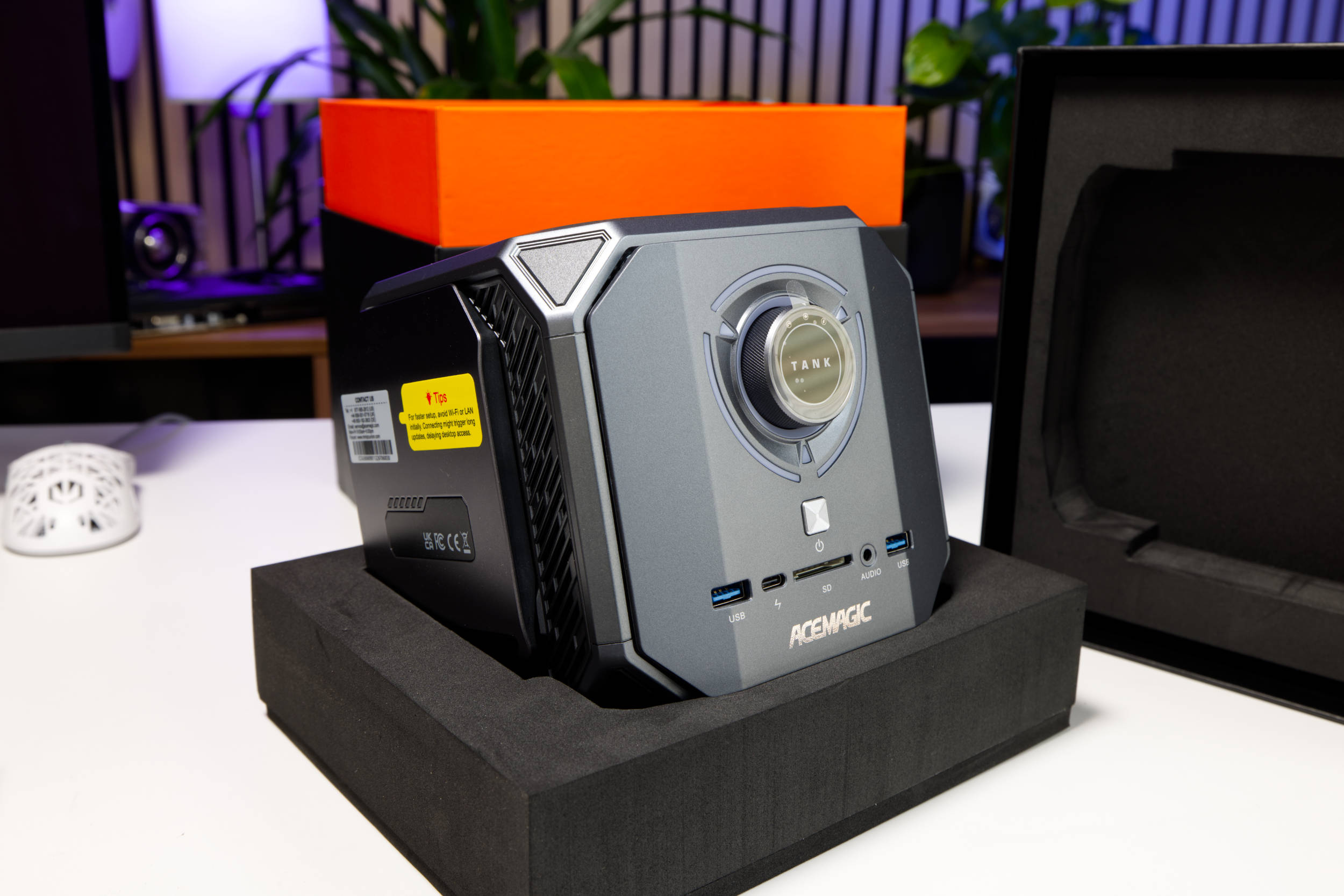 ACEMAGIC M1A PRO Tank Centre Mini PC (Image © PCMasters.de)
Design and Appearance
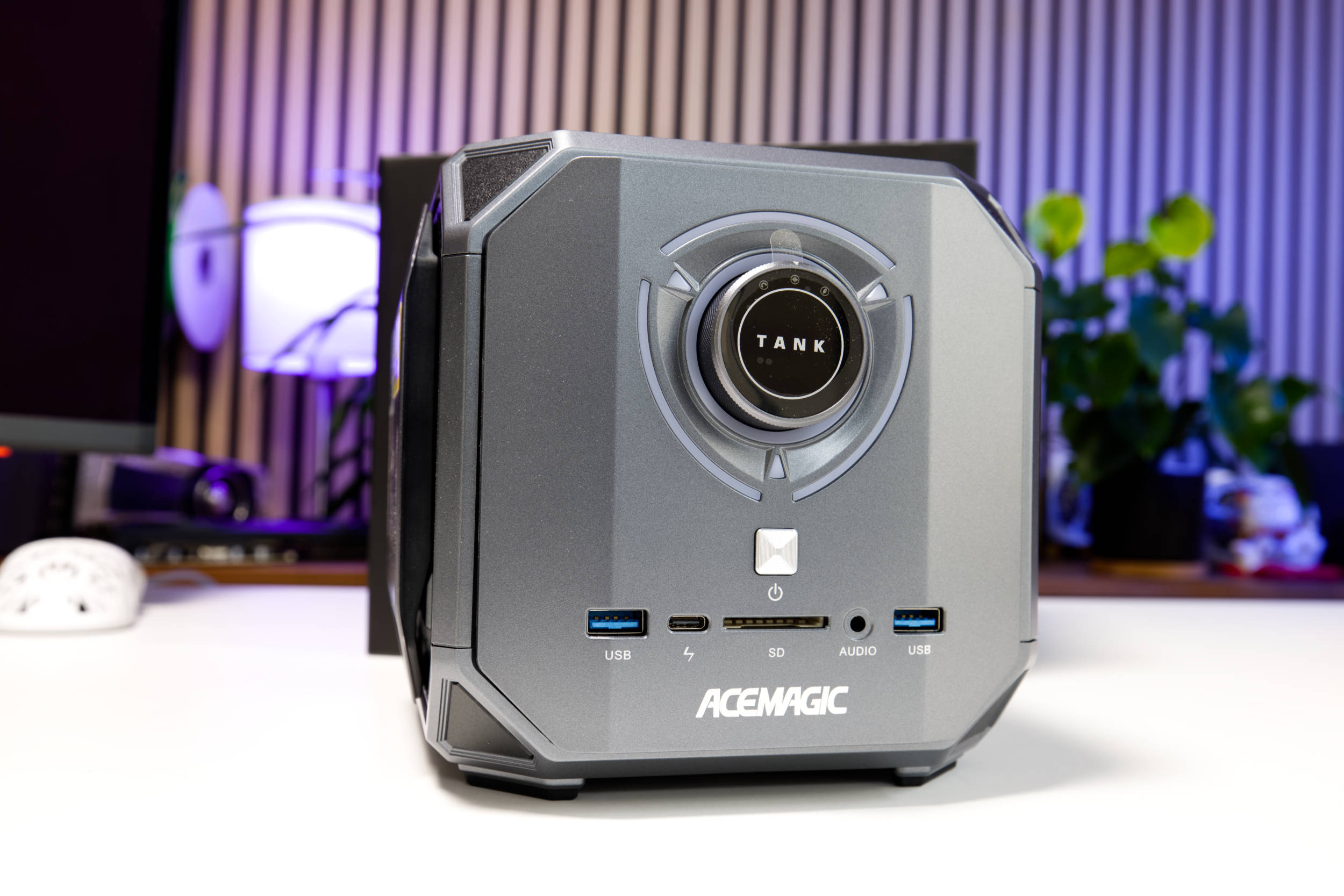
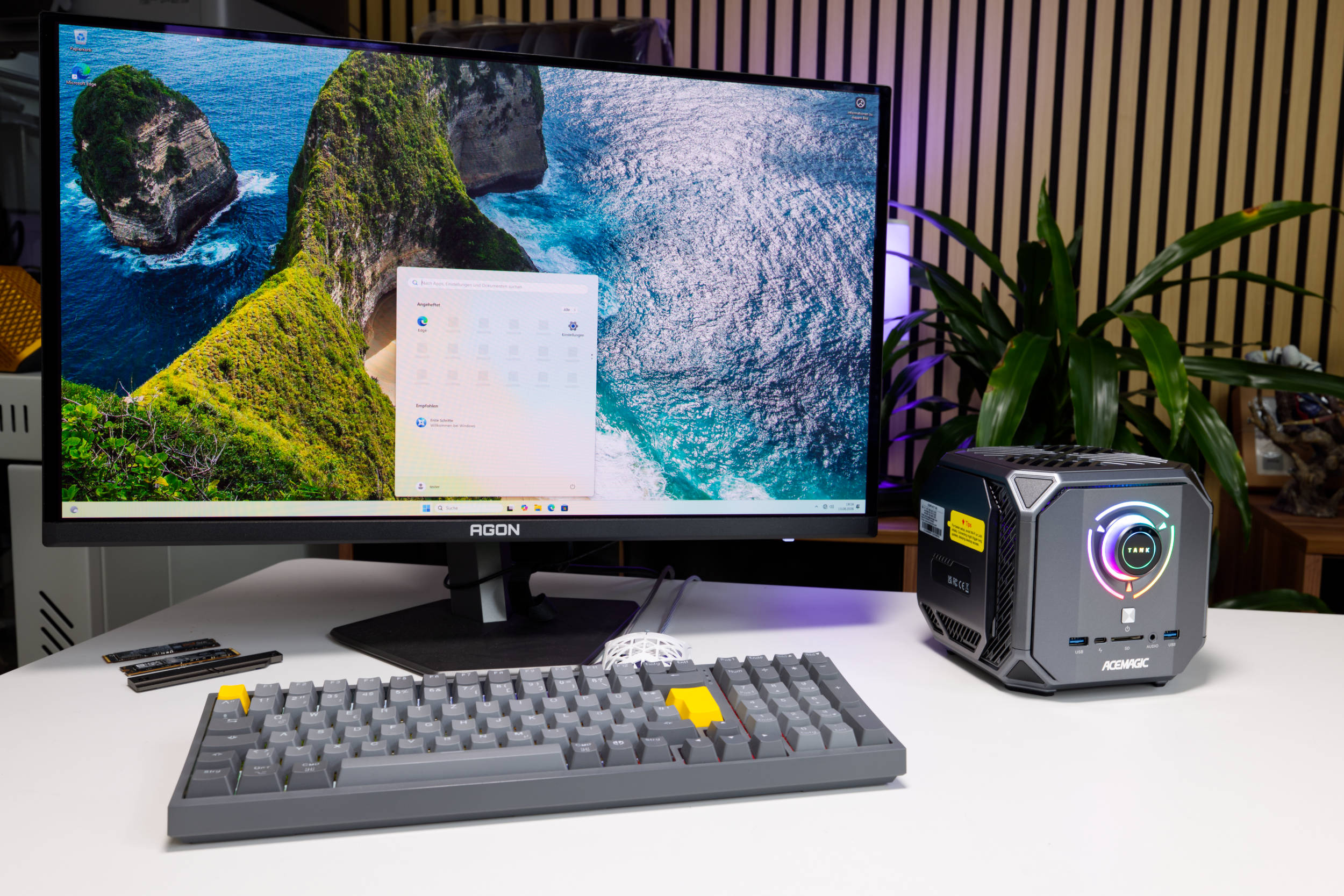
The M1A Pro is better described as a "cube," since this mini-PC is a cube measuring 170 × 179 × 165 mm—making it one of the larger models in its category. Acemagic uses the space to install a large cooler. The design is unconventional and looks like a typical gaming product. So if you’re looking for a subtle aluminum look, this isn’t for you. The front is dominated by ARGB lighting and a rotary control. The cube reminds us of a Borg station from Star Trek.
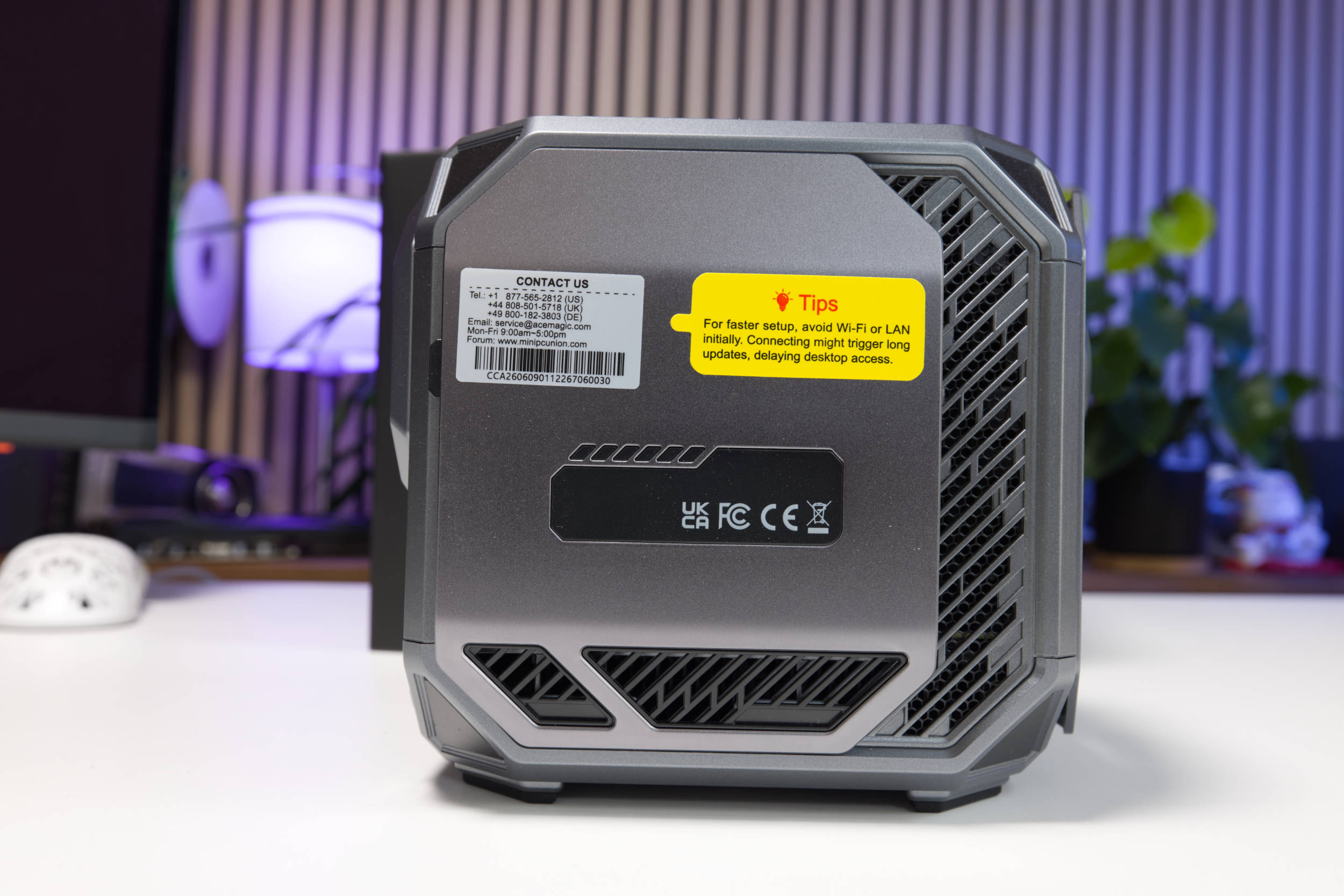 ACEMAGIC M1A PRO Tank Centre Seite 1 (Image © PCMasters.de)
On the sides, we see many angled openings that serve to improve cooling but are also meant to break up the design a bit. The numerous stickers seem very cluttered, but they can be removed. In addition, both side panels are removable, which is accomplished via a small unlock switch.
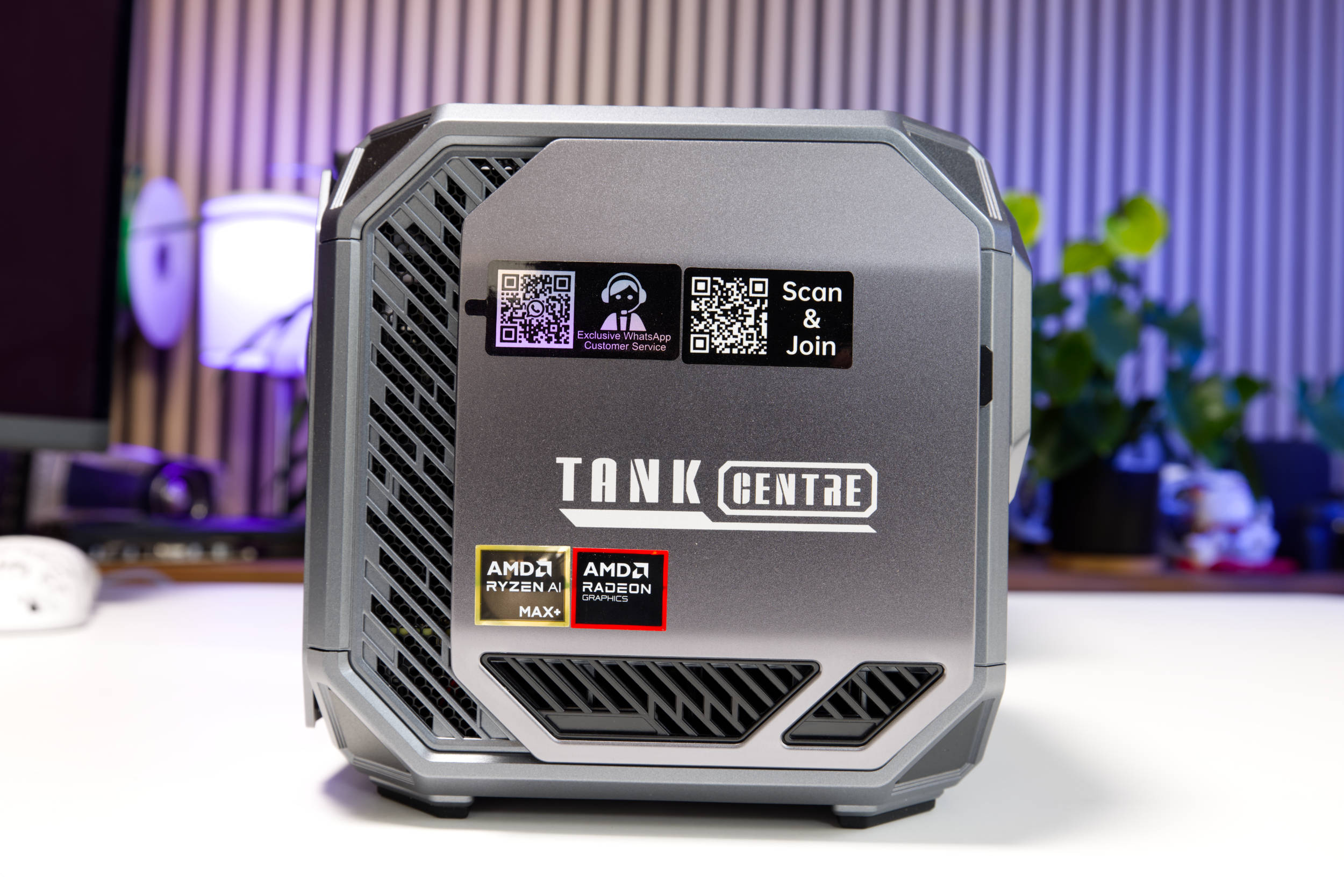 ACEMAGIC M1A PRO Tank Centre Seite 2 (Image © PCMasters.de)
At the very top, the Cube looks a bit neater, and you can see the mesh beneath the plastic cover. The components are neatly finished and seem to provide good airflow. On one side is "Tank Centre," though this isn’t further highlighted in the name.
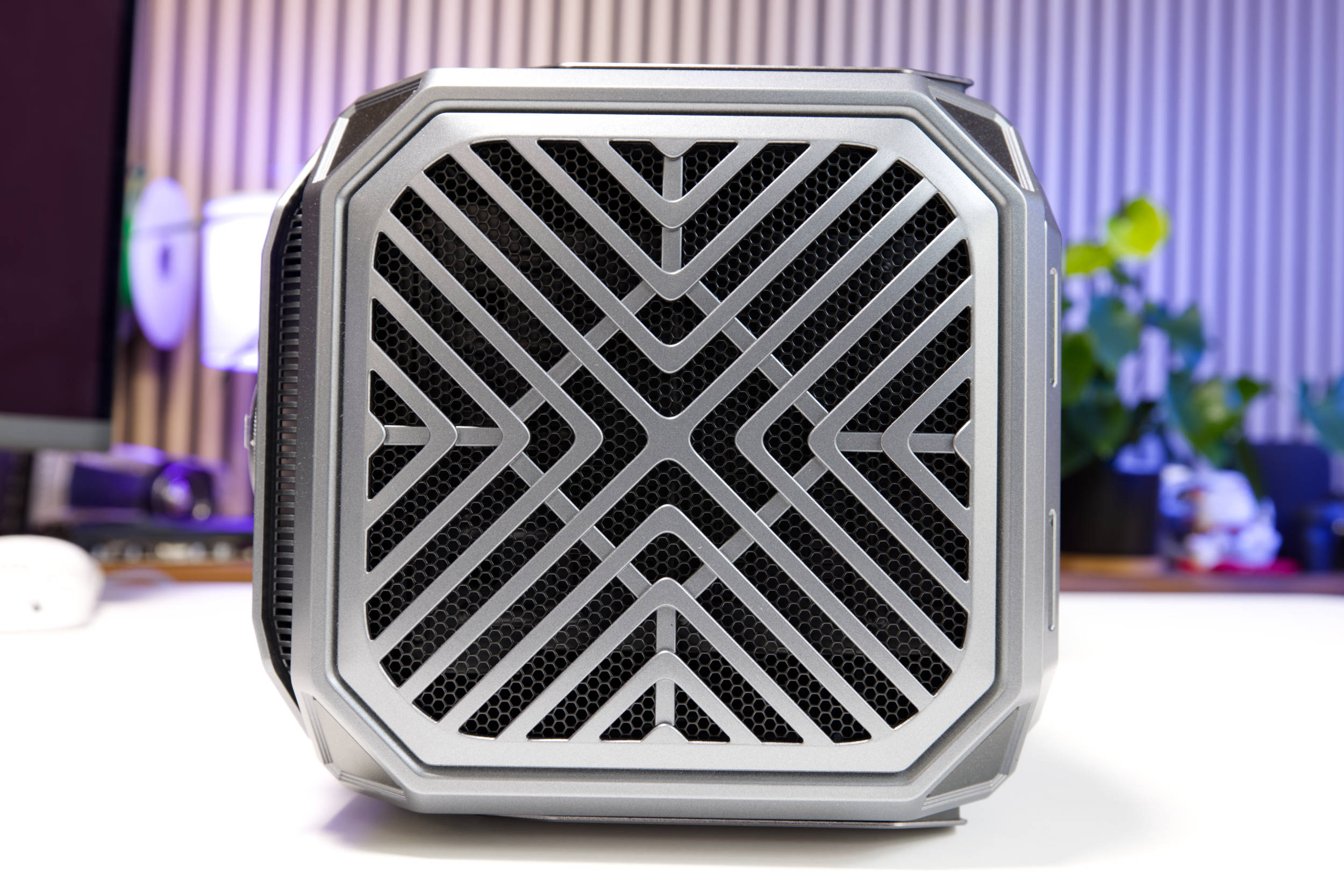 ACEMAGIC M1A PRO Tank Centre Top (Image © PCMasters.de)
The bottom of the Cube looks similar, except that here we also see the rubber feet and a sticker. Under the rubber feet are screws that allow the Cube to be taken apart. The case consists of an upper and lower section that are screwed together.
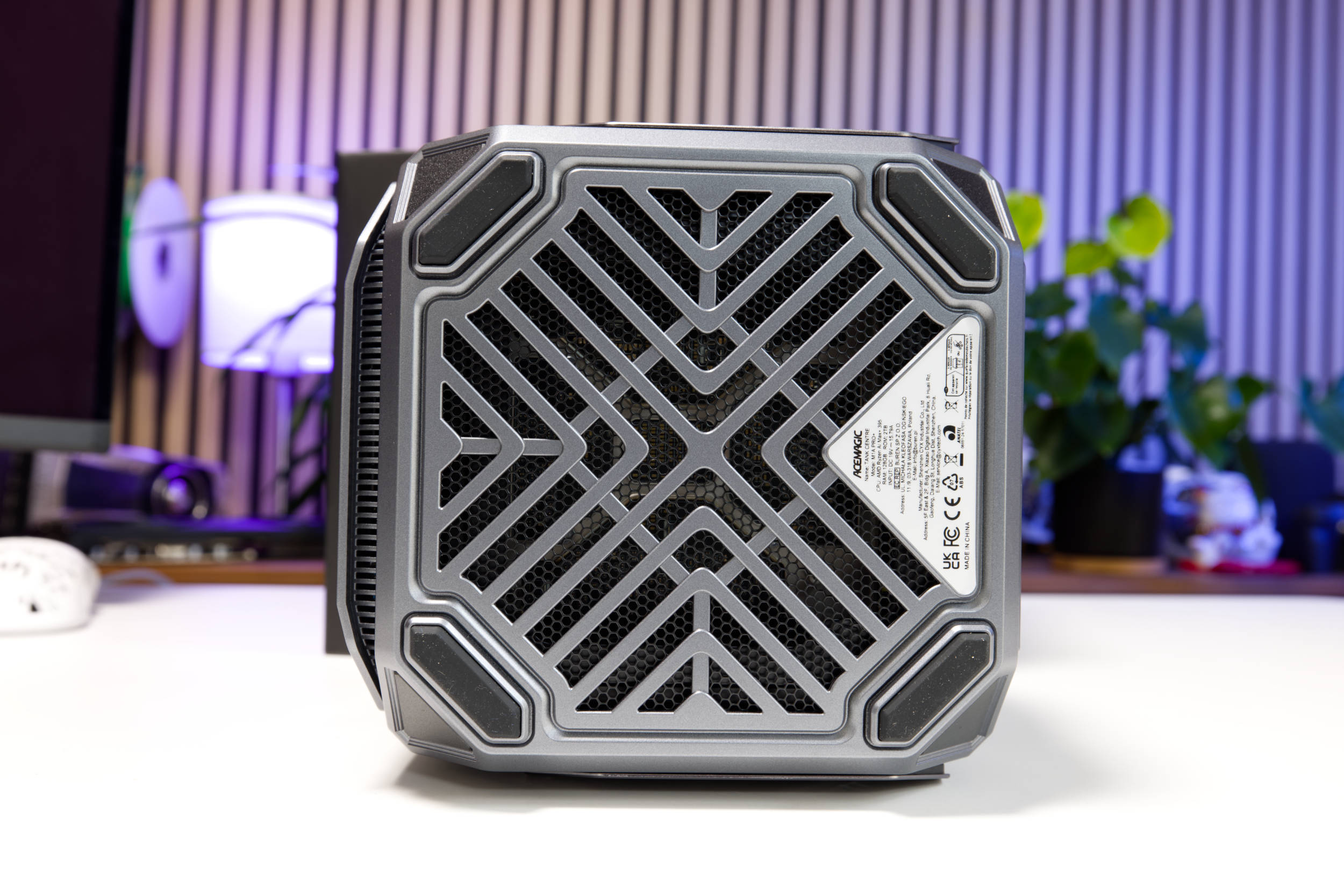 ACEMAGIC M1A PRO Tank Centre Unterseite (Image © PCMasters.de)
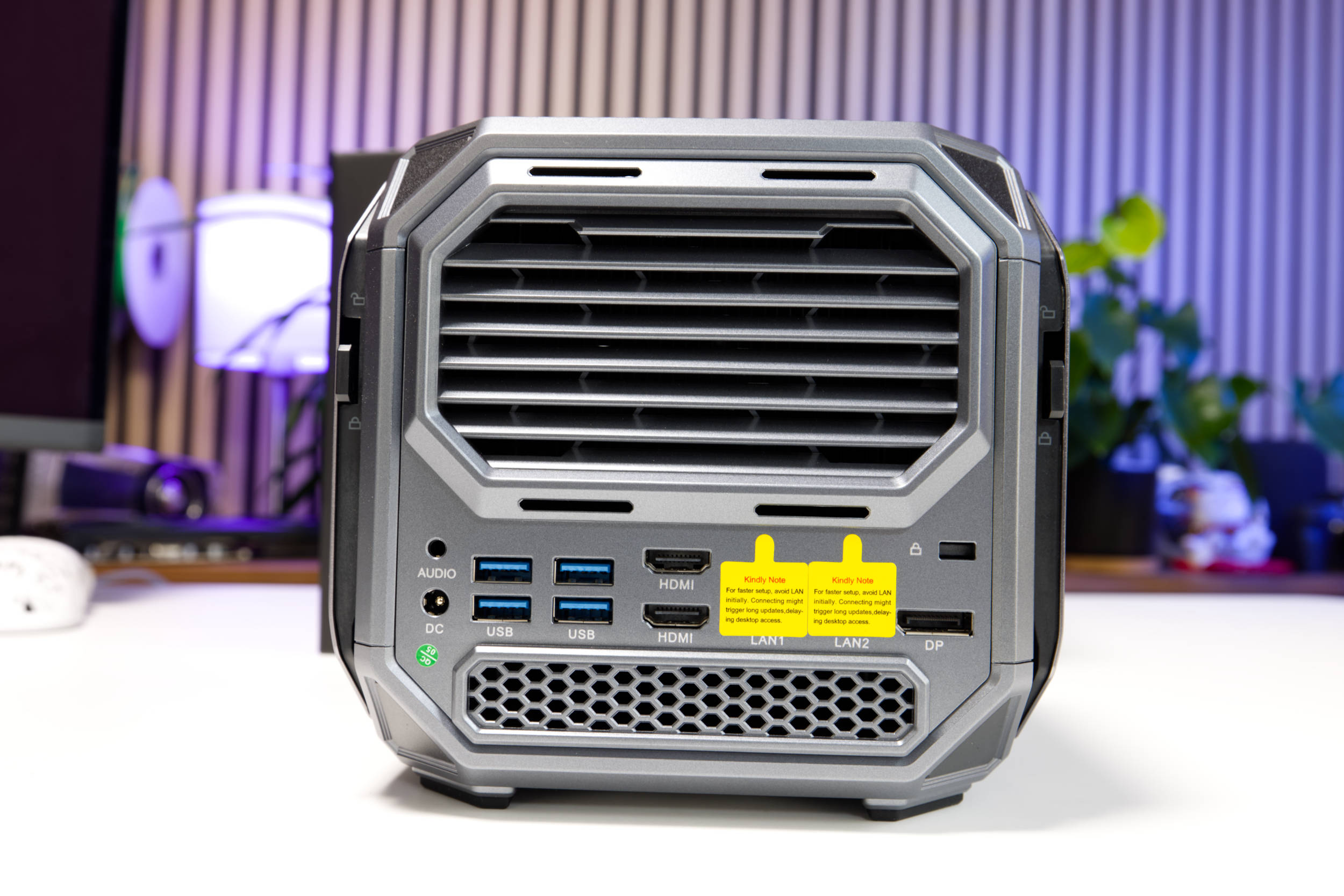
The back has a rather futuristic style and features different shapes than the rest of the case. At the top, we see vent openings intended for cooling, but there are also some at the bottom with a hexagonal pattern. The LAN ports are once again covered with tape so you can set up Windows without internet access.
 ACEMAGIC M1A PRO Tank Centre Rückseite (Image © PCMasters.de)
 ACEMAGIC M1A PRO Tank Centre Mini PC Front (Image © PCMasters.de)
Ports on the M1A Pro
Even though the front is very eye-catching and dominated by the large power button and the rotary control, there are also several ports here and even a card reader. The M1A Pro features external USB 3.2 Gen 2 Type-A ports and a USB 4 Type-C port. USB 4 is generally compatible with Thunderbolt. The SD card reader is a great extra, even though Acemagic doesn’t specify the speeds it supports. There’s a 3.5mm jack for headphones.
The back panel features a DisplayPort 2.0 and two HDMI 2.1 ports for connecting monitors. In terms of resolution, the HDMI 2.1 ports are advertised as supporting 8K @ 60 Hz, and the DisplayPort 2.0 supports up to 8K @ 60 Hz. There are also two Ethernet ports, both of which support a maximum of 2.5 Gbps. There are also four USB 3.2 Gen 1 Type-A ports, which support fast data transfer and are suitable for connecting hubs. If you want to secure the mini-PC, you can use a Kensington lock and attach it to the back. If you want to plug in headphones at the back, you can do so as well, since the 3.5-mm audio jack is also located there.
 ACEMAGIC M1A PRO Tank Centre Huntkey Netzteil (Image © PCMasters.de)
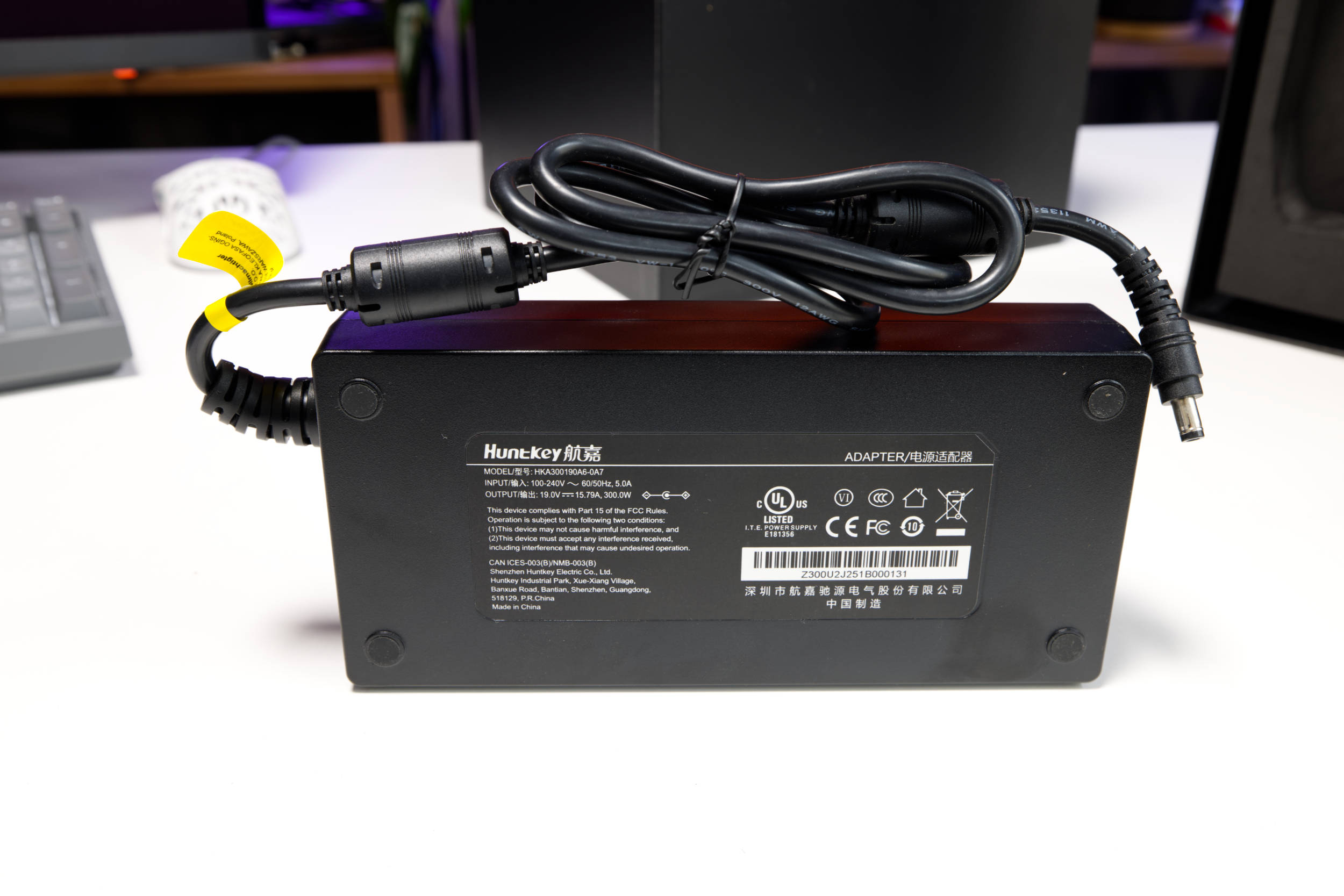
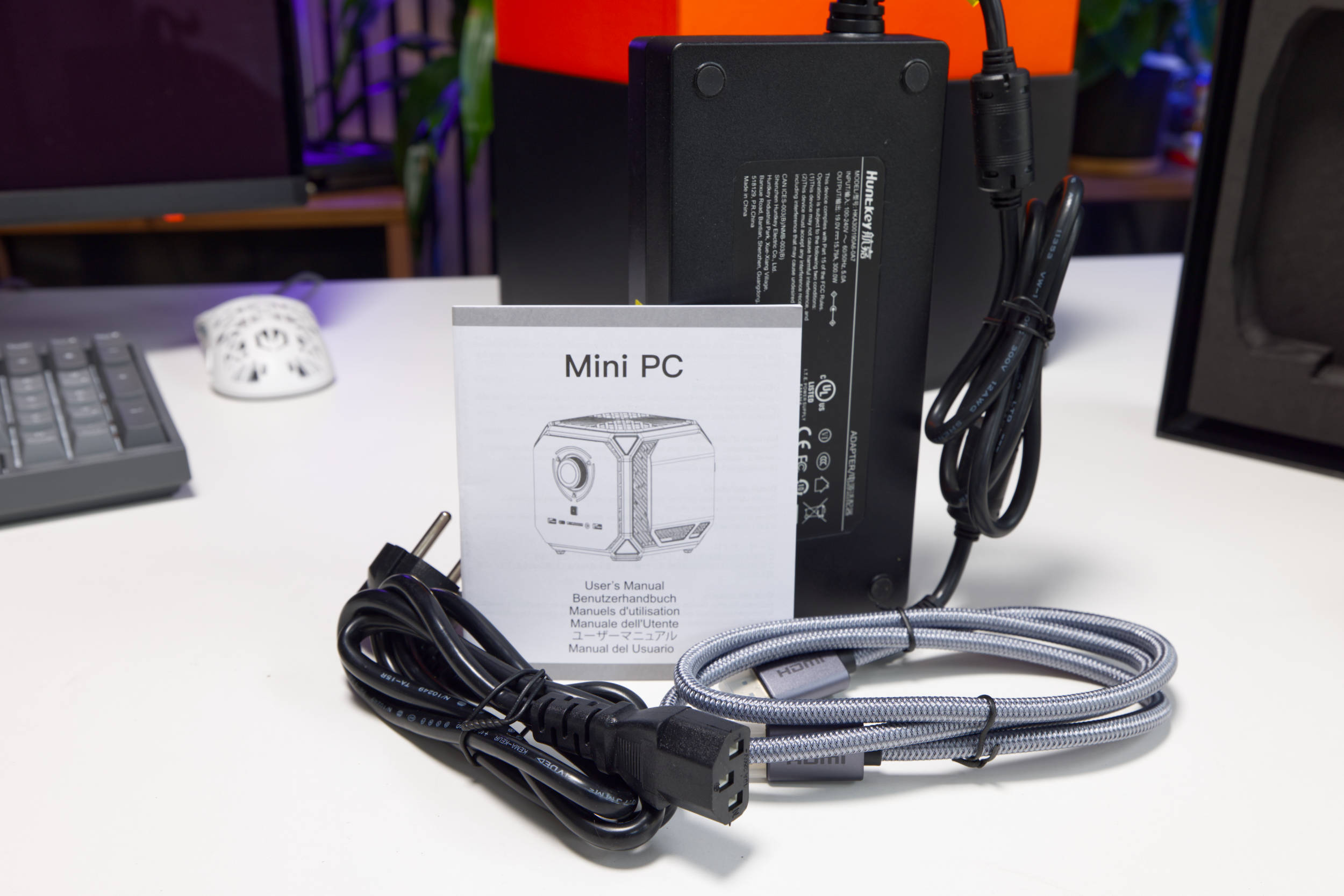
Power is supplied via a large, external HuntKey power supply. A 2-pin round connector is used for the connection. Through this, the mini-PC is powered with 19 volts and a maximum of 15.79 A. This brings the power supply’s maximum output to an impressive 300 watts. Since the M1A Pro has a 120-watt TDP under continuous load and a total power consumption of over 170 watts, the power supply still offers a substantial margin.
 ACEMAGIC M1A PRO Tank Centre Verpackung (Image © PCMasters.de)
Packaging and Contents
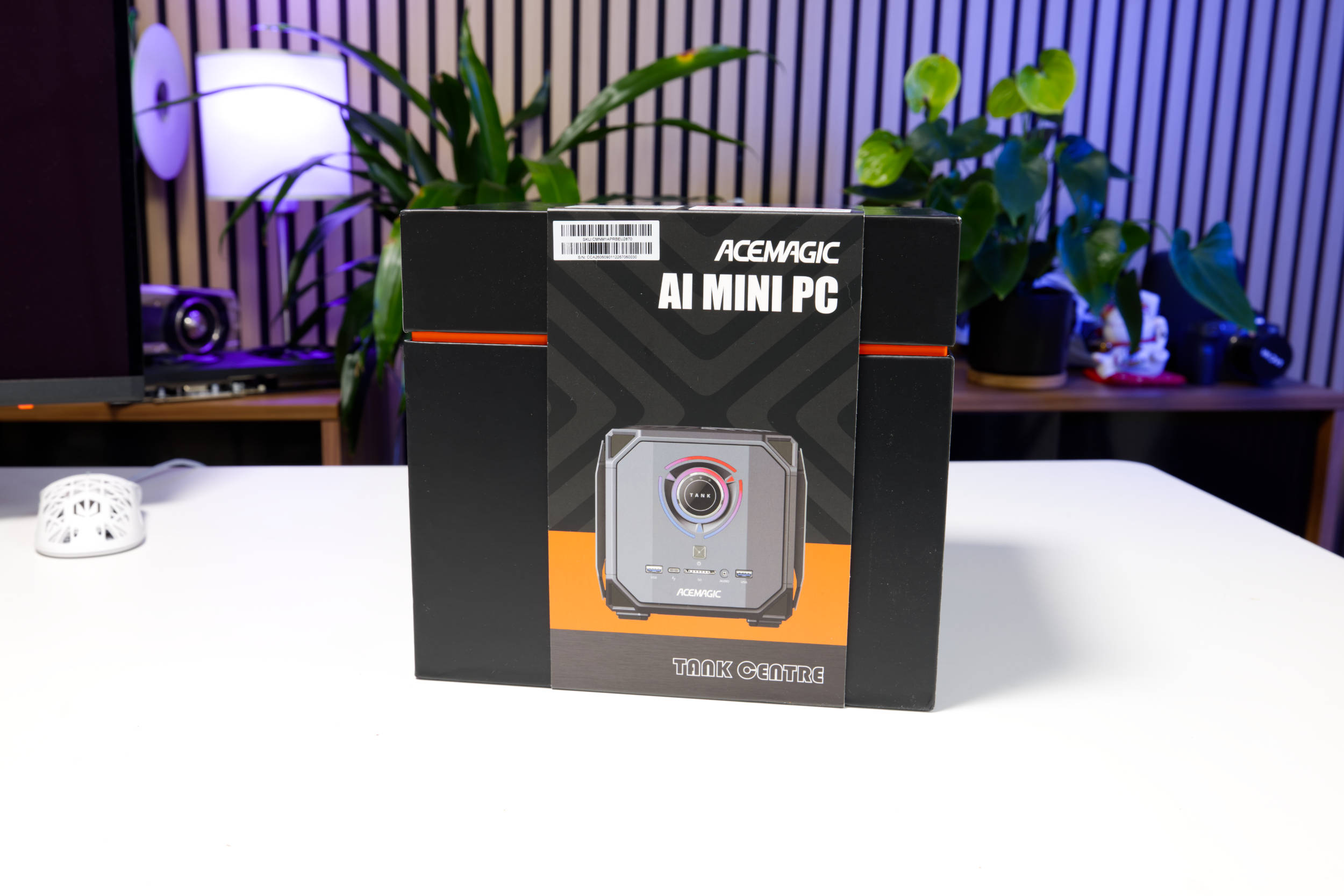
The Acemagic M1A Pro comes in a large, black cardboard box. The front features an image of the cube, and the back includes some information about the configuration.
 ACEMAGIC M1A PRO Tank Centre Verpackung offen (Image © PCMasters.de)
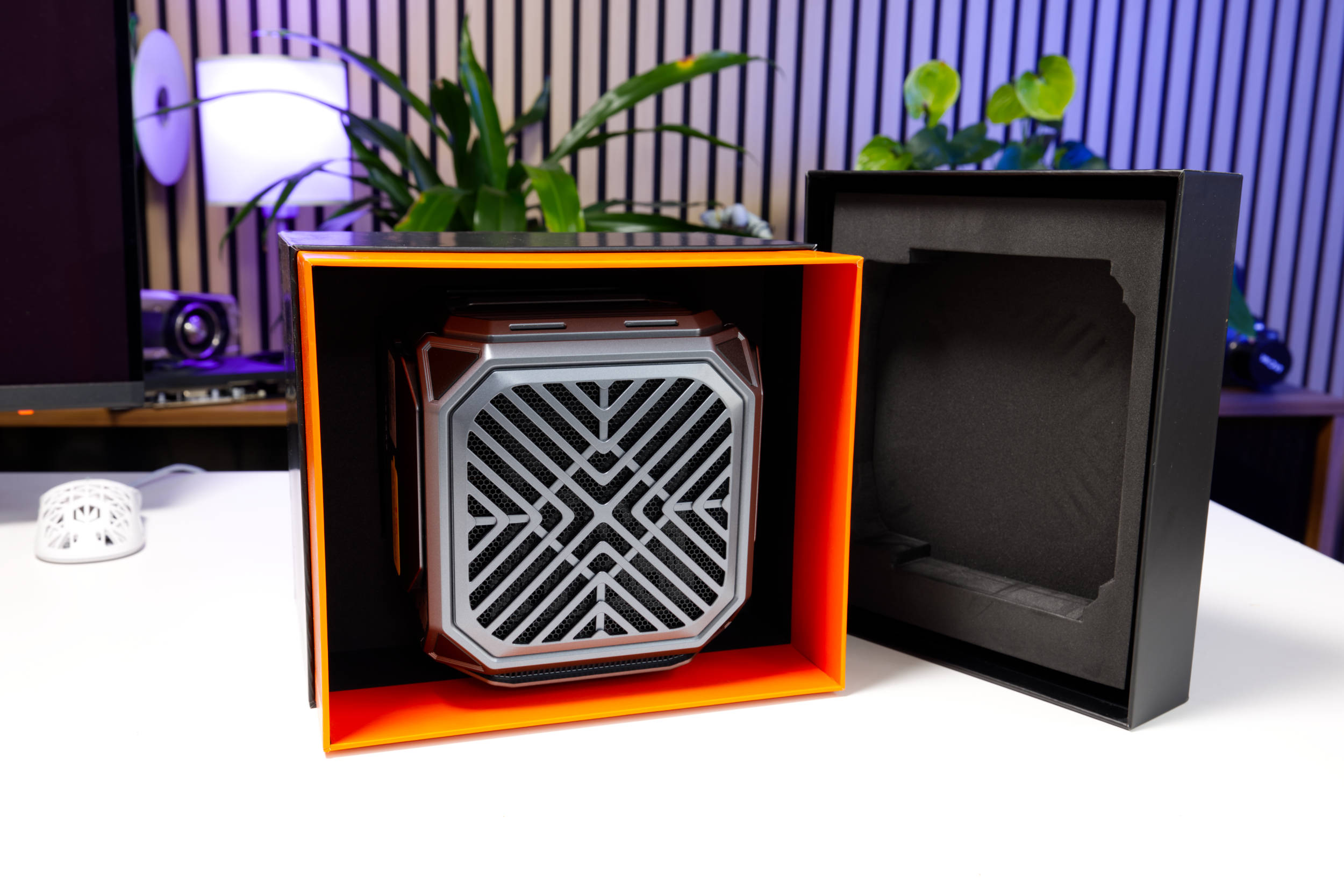
The box consists of two parts; you pull the top section upward to open it. Inside, the mini-PC is located at the very top, with the accessories underneath. The orange color really makes the mini-PC stand out, and the whole thing looks surprisingly sleek. On both sides, foam inserts provide about 5 cm of cushioning for protection during transport.
 ACEMAGIC M1A PRO Tank Centre Lieferumfang (Image © PCMasters.de)
The package contents are minimalist and include, in addition to the mini-PC and the power adapter, a mini-manual and an HDMI cable. It’s a solid package, if not overly lavish.
 ACEMAGIC M1A PRO Tank Centre BIOS Info (Image © PCMasters.de)
Windows 11 Pre-Installed
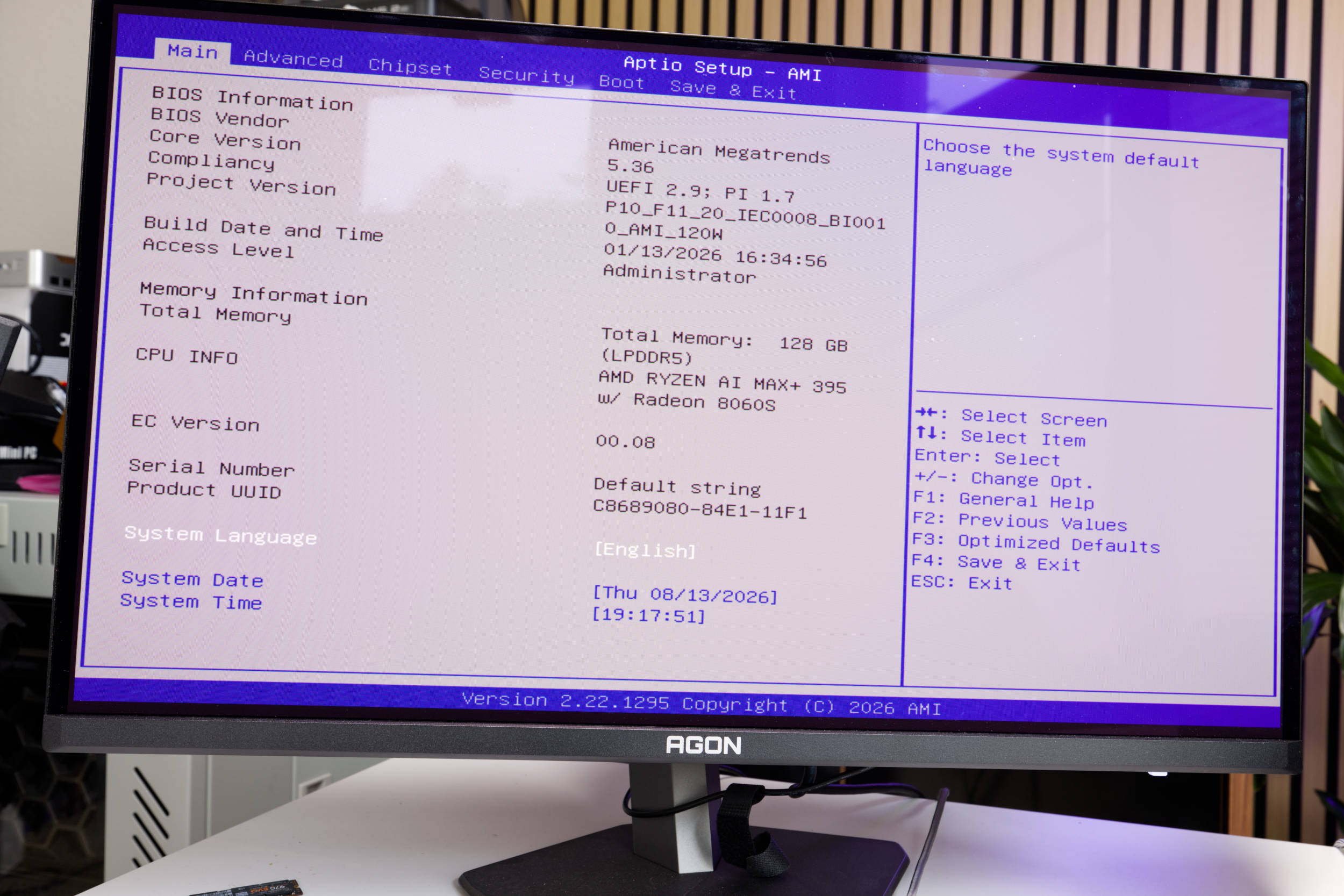
The Acemagic M1A Pro ships with Windows 11 Pro preinstalled, offering a modern operating system. With advanced features tailored to professional environments, users can enjoy seamless multitasking and robust protection against modern threats, as the antivirus solution maintained by Microsoft itself is superior to many of the other tools on the market. As long as you apply patches regularly, you’ll also be on the safe side.
The Pro license is tied to the PC, and while the Windows 11 key can be read, it’s stored in the device’s BIOS, which is why no activation was required after a fresh install. The Windows 11 Pro installation allows for a quick setup and doesn’t require an online account, which is otherwise mandatory with Microsoft. No bloatware was pre-installed either. To be on the safe side, however, we formatted the SSD and performed a clean install of Windows 11 on it. You can also install Linux if needed, which would definitely be a good option here.
AI Inference Comparison
Even though you can use this small mini-PC for work and gaming, the main focus is likely on running local AI models. In our Guide to the Most Affordable AI Accelerators for Local AI & LLM Models we’ve already compared the performance of several GPUs, and now the Strix Halo platform joins the mix. We ran these tests on both Windows and Linux. For Gemma 7.5B (Q8), the CPU outperforms the 64-core AMD EPYC. Performance increases even further when using ROCm and Vulkan. Compared to the dedicated Radeon Pro Duo GPU with 32 GB of VRAM, the Strix Halo chip is faster. However, it can’t quite match a Titan V.
The Llama 3 8B model yields slightly different results, even though Strix Halo ranks lower here. That’s not a bad result, though.
Qwen 3.8 Flash Next on Strix Halo
These are, however, models that can be run on a 32-GB GPU and do not fully utilize the potential of the 128-GB memory. After experimenting with large models for months and also conducting development using local models, we tested Qwen 3.8 Flash Next locally as well. The full BF16 model is unfortunately a bit too large at 355 GB, which is why we opted for the 5-bit variant at around 80 GB. Unsloth provides detailed explanations and their test results. This combination has proven effective for us, which is why we pitted the Strix Halo against our standard setup with four Tesla V100 32-GB cards. The KV cache and the model are distributed across three GPUs.
Performance changes over a longer period as the context window grows. The 250K context window isn’t the maximum, but in our experience, it’s the optimal size. The charts show performance separately for prefill and token generation. ROCm was usable, but not effective, since Vulkan delivered better performance.
Strix Halo thus performs better than expected, since three Tesla V100 32-GB GPUs are dedicated hardware for this purpose. And it is certainly possible to work with such large models on the M1A Pro. Even Gemma 4 31B with a large context window was usable.
| ACEMAGIC M1A Pro (VULKAN) | ACEMAGIC M1A Pro (ROCm) | 4x Tesla V100 32GB (CUDA) | |
|---|---|---|---|
| Prefill @ 0 Context | 568.47 t/s | 362.08 t/s | 447.02 t/s |
| Prefill @ 32k | 346.69 t/s | 188.64 t/s | 346.68 t/s |
| Prefill @ 64k | 258.77 t/s | 140.22 t/s | 295.73 t/s |
| Prefill @ 128k | 177.77 t/s | 92.98 t/s | 211.82 t/s | tr>
| Prefill @ 192k | 143.52 t/s | 66.46 t/s | 175.53 t/s |
| Prefill @ 245k | 130.79 t/s | 55.17 t/s | 151.58 t/s |
| Generation @ 0 Context | 25.96 t/s | 21.48 t/s | 41.62 t/s |
| Generation @ 32k | 24.06 t/s | 13.95 t/s | 36.17 t/s |
| Generation @ 64k | 22.81 t/s | 10.00 t/s | 34.62 t/s |
| Generation @ 128k | 19.69 t/s | 6.78 t/s | 30.12 t/s |
| Generation @ 192k | 17.83 t/s | 3.97 t/s | 26.33 t/s |
| Generation @ 245k | 16.90 t/s | 3.91 t/s | 23.80 t/s |
| ACEMAGIC M1A Pro (VULKAN) | ACEMAGIC M1A Pro (ROCm) | Tesla V100 32GB (CUDA) | |
|---|---|---|---|
| CPU | AMD Ryzen AI Max+ 395 | AMD Ryzen AI Max+ 395 | AMD EPYC 7C13 64-Core |
| GPU | Radeon 8060S (gfx1151, iGPU) | Radeon 8060S (gfx1151, iGPU) | 4x Tesla V100 32GB (3x PCIe, 1x SXM2) |
| RAM / VRAM | 128 GB unified (512 MB VRAM + 120 GiB GTT) | 128 GB unified (512 MB VRAM + 120 GiB GTT) | 4x 32 GB HBM2 VRAM, 109 GB system RAM |
| OS | Ubuntu 26.04 | Ubuntu 26.04 | Ubuntu |
| Backend | Vulkan (Mesa RADV), toolbox vulkan-radv | ROCm 7.14, rocm-7.14 toolbox | CUDA 12.0, driver 580.196.07 |
| llama.cpp build | 74bca3950 (11870) | e70802a01 (10664) | 972d2313b (11028) |
| ACEMAGIC M1A Pro (VULKAN) | ACEMAGIC M1A Pro (ROCm) | 2x Tesla V100 32GB (CUDA) | |
|---|---|---|---|
| Prefill @ 0 Context | 328.59 t/s | 296.20 t/s | 1071.66 t/s |
| Prefill @ 32k | 166.64 t/s | 131.84 t/s | 593.04 t/s |
| Prefill @ 64k | 111.98 t/s | 85.72 t/s | 410.01 t/s |
| Prefill @ 128k | 66.16 t/s | 50.42 t/s | 251.04 t/s |
| Prefill @ 192k | 47.70 t/s | 35.76 t/s | 177.28 t/s |
| Prefill @ 245k | 39.29 t/s | 29.33 t/s | 132.33 t/s |
| Generation @ 0 context | 11.28 t/s | 10.46 t/s | 30.78 t/s |
| Generation @ 32k | 8.93 t/s | 8.44 t/s | 27.02 t/s |
| Generation @ 64k | 7.72 t/s | 7.47 t/s | 24.77 t/s |
| Generation @ 128k | 6.13 t/s | 6.07 t/s | 21.23 t/s |
| Generation @ 192k | 5.04 t/s | 5.10 t/s | 18.60 t/s |
| Generation @ 245k | 4.46 t/s | 4.56 t/s | 16.08 t/s |
Acemagic M1A Pro Benchmarks
We use benchmarks to test the mini-PC’s performance in workloads and games.
| ACEMAGIC M1A Pro | CTONE AM23 | ACEMAGIC Retro X3 | CTONE Kron Mini K2 | NiPoGi Pinova P1 | SAPPHIRE EDGE AI 370 | ACEMAGIC AM06 PRO | HUAWEI MateBook 14 | Ryzen 7 3700X | NiPoGi AM06 PRO | ACEMAGIC RX16 | ACEMAGIC V1 | ACEMAGIC AMR 5 | ACEMAGIC TK11 | |
|---|---|---|---|---|---|---|---|---|---|---|---|---|---|---|
| CPU | AMD Ryzen AI MAX + 395 | Intel Core Ultra X7 358H | AMD Ryzen 7 255 (H255) | Intel Core i5 12450H | AMD Ryzen Embedded R2544 | AMD Ryzen AI 9 HX 370 | AMD Ryzen 5 7430U | Intel Core i5-1340P | AMD Ryzen 7 3700X | AMD Ryzen 7 5825U | AMD Ryzen 7 H255 | Intel N97 | AMD Ryzen 5 5600U | Intel Core i5 11320H |
| RAM | 128 GB LPDDR5-8000 (soldered) | 32 GB SKhynx LPDDR5-8533 (soldered) | 16 GB SAMSUNG LPDDR5-6400 (soldered) | 24 GB LPDDR5-5200 (soldered) | 16 GB Yinchu DDR4-2666 (SO-DIMM) | 32 GB Kingston DDR5-5600 32 GB (SO-DIMM) | 16 GB HOGE DDR4-2666 (SO-DIMM) | 16 GB DDR4-2666 (SO-DIMM) | G.SKILL Trident Z DDR4 (F4-3600C14D-32GTZN) | 16 GB SODIMM, DDR4-2666 (SO-DIMM) | 16 GB HOGE DDR5-4800 (SO-DIMM) | 16 GB Kinsotin DDR4-2666 (SO-DIMM) | 16 GB DDR4-2666 (SO-DIMM) | 16 GB DDR4-2666 (SO-DIMM) |
| SATA/NVMe SSD | Bestoss GM888 2 TB (NVMe, PCIe 4) | Bestoss GM888 1 TB (NVMe, PCIe 4) | faspeed P9 1 TB (NVMe, PCIe 4) | KPART512GBC2DVT 512 GB (NVMe, PCIe 3) | Colorfire 512 GB (SATA600) | Kingston OM8TAP41024K1-A00 1 TB (NVMe, PCIe 4) | AirDisk 512 GB (SATA600) | WD SN740 512 GB (NVMe, PCIe 4) | Sabrent Rocket 4 Plus 1 TB (NVMe, PCIe 4) | UDSS UD2CS1HT301-512G 512 GB (SATA) | G932E1M 512 GB (NVMe, PCIe 3) | Rayson RS512GSSD310 512 GB (SATA) | CYX-SSD-S1000 512 GB (SATA)> | 512 GB (SATA) |
| TBP/TDP | 120 W | 65 W | 45 W | 45 W | 28 W | 45 W | 15 W | 25 W | 88 W | 15 W | 45 W | 19 W | 20 W | 32 W |
Below are some additional notes on the test conducted on the EDGE AI 370 Mini PC:
- SAPPHIRE EDGE AI 370 (Performance): This is not the Windows Power Management option, but rather the BIOS setting that optimizes the system to prioritize performance over noise levels or power efficiency.
- SAPPHIRE EDGE AI 370 (Balance): This is the mini-PC’s default setting, and it represents the performance you get when you unbox the PC and use it as it is out of the box.
Note on the Comparison System
When testing the AMD Ryzen 7 3700X, we used the standard desktop system. - Motherboard: ASUS ROG Strix X570-I Gaming - Graphics Card: GeForce RTX 3090 Founders Edition - SSD: Samsung SSD 840 PRO 256 GB, Samsung 850 EVO 500 GB - M.2 SSD: Sabrent Rocket 4 Plus 1 TB - RAM: G.SKILL Trident Z DDR4 F4-3600C14D-32GTZN at DDR4-3600 - CPU Cooler: MSI MEG CORELIQUID S360 - Power Supply: Corsair RM-750X - 750 W - Fans: 0 - Case: Open-frame design - Operating System: Windows 11 21H2
Acemagic M1A Pro Benchmark (Synthetic)
Synthetic benchmarks allow for relatively good comparisons between different CPU architectures. Depending on the benchmark, the focus is on specific workloads, and this is where the respective CPU can demonstrate its performance.
Cinebench R15
Cinebench R20
7-Zip
Corona 1.3
HandBrake
WinRAR
Geekbench 5 CPU Benchmark
POV-Ray v3.7
3DMark CPU Benchmark
3DMark Time Spy
PCMark 10
It’s important to note that the graphics card plays a significant role in PCMark, and the Ryzen 7 3700X was tested with the RTX 3090 FE. Therefore, this comparison isn’t directly applicable. Later on, we’ll compare additional mini PCs that will provide a more accurate comparison, since those tests evaluate the entire system.
Unigine Superposition (720p, Low)
Acemagic M1A Pro Gaming Benchmarks
Gaming performance could only be tested to a limited extent. The games we usually use require a more powerful graphics card capable of handling ray tracing if necessary. After all, the goal here is simply to determine to what extent the CPU limits gameplay. However, this system uses an iGPU, which is limited in performance.
Final Fantasy XV Benchmark
Resident Evil VILLAGE
Shadow of the Tomb Raider
ACEMAGIC M1A PRO Tank Centre Seite 1 SSD Slot (Image © PCMasters.de)
Acemagic M1A Pro Cooling
The M1A Pro is a cube-style case that should actually provide outstanding cooling. It wasn’t immediately clear how to open it, since the screws under the feet didn’t release the assembly and we didn’t want to force the chassis open. A look through the openings reveals a large tower cooler with an 80-mm fan mounted on it. Five heat pipes are visible. In addition, there is a narrow fan that appears to cool other components.
The measured values are delta values, with room temperature factored out.
Volume and Background Noise
Under constant full load, the M1A Pro becomes significantly louder than other models. When measured from a distance of 20 cm, it was not entirely clear which of the two fans was louder; however, based on the sound profile, we would guess it’s the smaller fan. The approximately 50 dB(A) was reached under full load on the CPU and RAM.
Power Consumption and Power Draw
The Acemagic M1A Pro clearly stands out in terms of pure package specifications with its 120-W TDP CPU configuration. Even though the APU is efficient, this configuration clearly prioritizes the performance of the entire system.
[chart -3487]
When measuring the power consumption of the entire mini-PC, it reaches an impressive 168 watts under full load. This is significantly higher than the power consumption of the Ryzen AI 9 HX 370 and on par with the Ryzen 7 3700X.
Performance in Gaming, Multi- and Single-Thread Applications (Rating)
Performance in single-threaded applications demonstrates the performance gains of AMD’s Zen 5 architecture. The M1A Pro ranks second. Its single-thread performance thus exceeds that of AMD’s Ryzen AI 9 HX 370 and Intel’s Core Ultra X7 358H.
Multi-threaded performance is more important for everyday tasks because all operating systems use many processes and benefit from multitasking. The M1A Pro even takes first place here, which is surprising. Synthetic benchmarks carry significant weight, and the mini-PC is simply strong at multitasking.
The Strix Halo in the M1A Pro also performs very well in gaming, even outperforming the Core Ultra X7 358H and a gaming PC that serves as a desktop benchmark. That’s quite impressive for a mini-PC, and you can definitely use it for gaming.
 ACEMAGIC M1A PRO Tank Centre Fazit (Image © PCMasters.de)
Conclusion

With the M1A Pro mini-PC, Acemagic is offering a truly unique product. The underlying Strix Halo platform is currently AMD’s most powerful mobile platform, and AMD even classifies parts of it as desktop-class. The Ryzen AI MAX + 395, with its 16 Zen 5 cores, delivers enormous performance—especially when multitasking—at a TDP of 120 W. What makes it special, however, is the combination of the Radeon 8060S iGPU and 128 GB of LPDDR5 memory. This mini-PC is well-suited for running local AI models, putting it in direct competition with Apple’s Mac Studio and Nvidia’s DGX Spark. However, it cannot be connected to form clusters, which is possible with the other two competitors. The Qwen-3. 8-Flash-Next-5-bit model with 250k context ran surprisingly well on the Strix Halo, delivering a prefill of 130 to 568 t/s and a generation performance of 16 to approximately 26 t/s.
As for the design, the target audience probably won’t be thrilled because it looks more like a gaming product, which is why we’ve also listed it on the "Cons" side. The M1A Pro comes with Windows 11 Pro preinstalled and a license as usual, though we expect the target audience will likely use Linux.
The M1A Pro is listed on Amazon for €4,200, but comes with a €419 discount, bringing the total cost of the system to €3,779. A year or two ago, this price would have been unthinkable, since you could get 128 GB of RAM for less, but the current market situation is different. The DGX Spark with 128 GB of RAM costs about €6,000, and the cheapest 128-GB configuration of the Mac Studio costs €5,859. Thus, for this purpose, the M1A Pro configuration is significantly cheaper than the competition. There is already a successor to the Strix Halo, but it costs more and isn’t available yet. The prices of comparable Strix Halo models are higher than that of the M1A Pro.
Pro
- Excellent single- and multi-threaded performance
- Integrated WiFi 7 combo module
- Good I/O configuration
- 128 GB LPDDR5 RAM
- 2 TB NVMe SSD installed (Chinese manufacturer)
- Three M.2 slots for SSDs, one already occupied
- NVMe slots, easily accessible for upgrades
- Windows 11 Pro installed and licensed
- Strong gaming performance
- Linux-compatible
- Playful design
- Suitable for large AI models
- Price (compared to 128-GB models)
Contra
- RAM soldered in place
- Playful design
- Noisy under full load